Vue normale

Reçu — 30 juin 2026 Développement logiciel
  • ✇The Document Foundation Blog
  • The invisible architecture of lock-in: the layering of dependencies
    There is a sophisticated mechanism by which proprietary technology ecosystems maintain their grip on users and institutions, even when those users and institutions believe they are making free choices, using open standards, and building independent digital infrastructure. The mechanism does not work through force, but through a subtler and more durable strategy: the layering of dependencies, in which each layer obscures the one beneath it, so that when the system fails the apparent cause is some
     

The invisible architecture of lock-in: the layering of dependencies

30 juin 2026 à 04:23

There is a sophisticated mechanism by which proprietary technology ecosystems maintain their grip on users and institutions, even when those users and institutions believe they are making free choices, using open standards, and building independent digital infrastructure.

The mechanism does not work through force, but through a subtler and more durable strategy: the layering of dependencies, in which each layer obscures the one beneath it, so that when the system fails the apparent cause is something other than the real one.

It is a structural pattern with identifiable components and predictable failure modes, and with a single political consequence: the systematic attribution of interoperability failures to open alternatives rather than to the proprietary dependencies that actually cause them.

Understanding all of this is essential for anyone working on a genuine interoperability policy, because without it even the best-intentioned policy interventions address the visible symptom while leaving untouched the larger problem of the underlying architecture, which goes on working exactly as designed.

The perception of malfunction

Let us start from the user’s experience, because this is where the political damage occurs.

A document is created in Microsoft Word and sent to a colleague who uses LibreOffice on a Linux desktop. The colleague opens the file. Something is wrong: a table has shifted, the text has reflowed, a font looks different, the page breaks have moved.

The experience is familiar to millions of people in institutional settings that have adopted, or are considering adopting, open source software. It is the experience that generates the helpdesk tickets, the emails of pure frustration to the IT department, the conversations that end with “can you just send me a PDF?”, and the broader sentiment, consolidating over time, that open source software is not ready for professional use.

What is the cause of this failure? Users will blame LibreOffice, IT managers will blame format incompatibility, policymakers will blame the immaturity of open standards.

These are all wrong answers. Or rather, they are all answers to the wrong question, because they describe where the failure manifests rather than where it originates.

The actual cause is a set of interdependent technical systems, each contributing a different failure mode, all producing a single visible result.

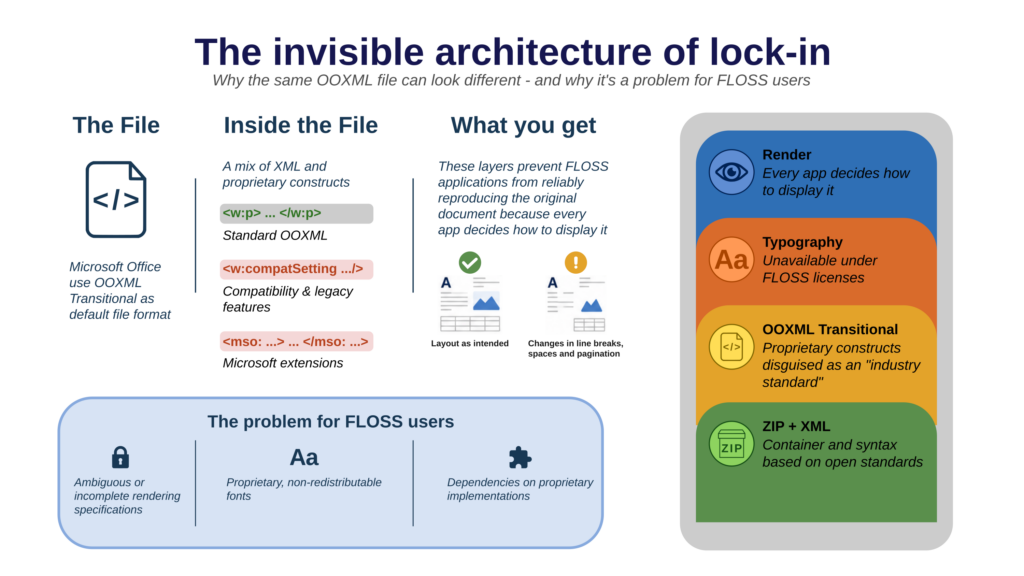
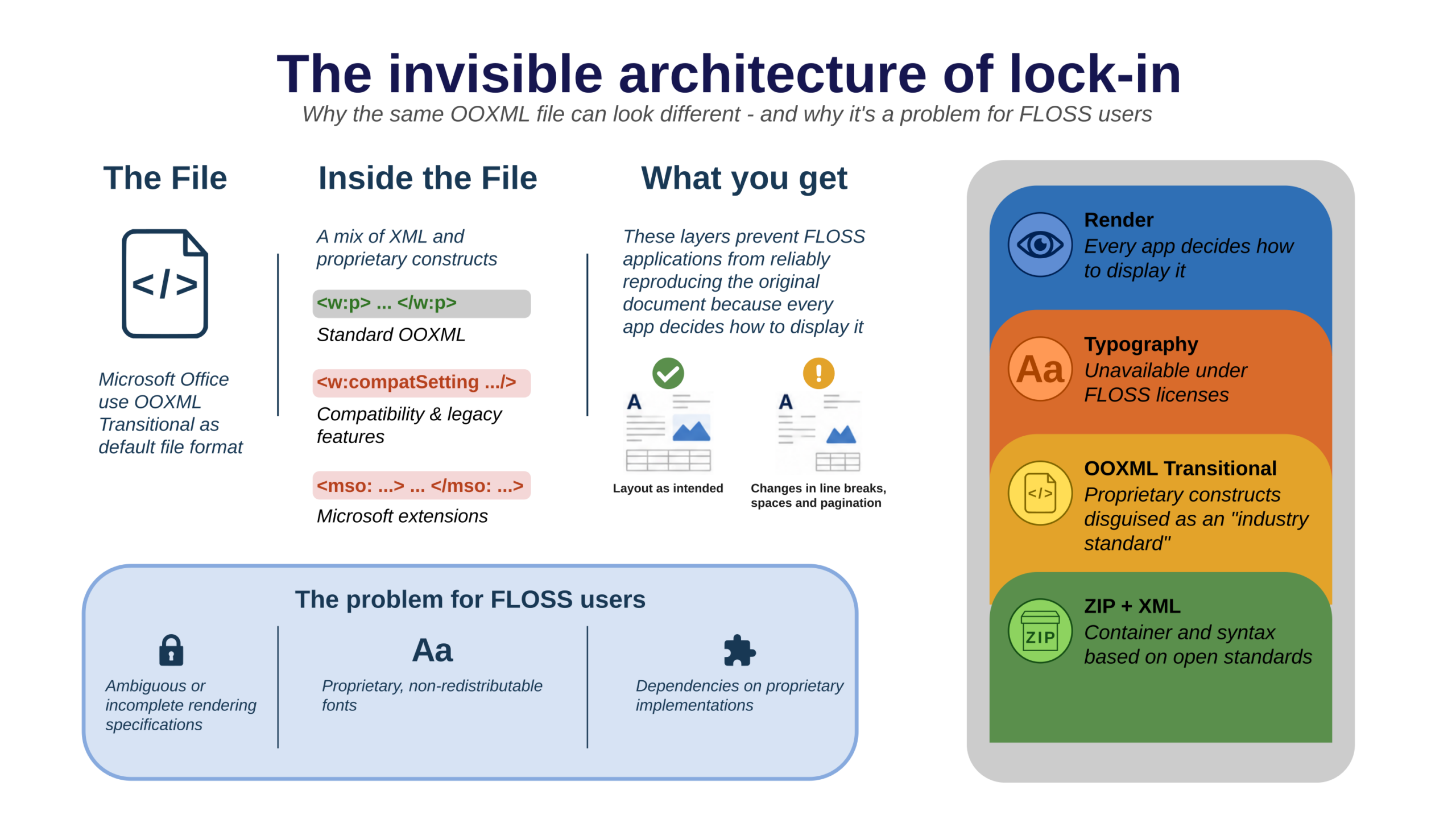
The format contains proprietary structures that only Microsoft’s implementation handles correctly. The rendering introduces platform-dependent variations that the format specification does not control. The proprietary fonts cannot be legally bundled with open source software.

Three distinct failure modes producing the same symptom, and equally invisible to the user, who perceives only that things worked in Word and do not work in LibreOffice.

This is the architecture of layered dependency. Each layer absorbs the causal chain and emits a different signal, one that points toward the open alternative.
Layer One: the format and its hidden features

The first layer is the most discussed and the most politically visible: the document format. The conflict between ODF and OOXML has been extensively documented, litigated within standards bodies, and debated in national parliaments and in the European institutions.

But even within this well-mapped terrain, it is worth clarifying the specific mechanism of obscuration at the format layer.

OOXML, the format Microsoft Office produces by default, exists in two conformance levels. Strict is a reasonably clean specification. Transitional is something categorically different: a format designed to encode the accumulated behaviour of earlier Microsoft Office versions, preserving decades of proprietary implementation choices as normative elements of an apparently open standard.

OOXML Transitional includes VML — Vector Markup Language, a proprietary drawing format from the late 1990s that predates and contradicts the DrawingML system defined elsewhere in the same specification.

It includes references defined as “as in earlier versions of Microsoft Office”, which make sense only if one has access to those earlier versions and to their undocumented implementation details.

It includes extensions that allow Microsoft to embed proprietary functionality in documents, invisible to non-Microsoft implementations, and capable of causing silent rendering differences ranging from minor visual variation to complete layout failure.

Crucially, OOXML Transitional is what Microsoft Office produces by default.

Every time a user saves a Word document without selecting a different format, they produce a file optimised for the Microsoft ecosystem and subtly hostile to every other.

Users do not know this is happening, because the choice is made for them at the format level, and when the document fails in LibreOffice, the format layer’s contribution to that failure is invisible. The user sees a rendering problem, not a format problem.

This is the first layer of obscuration: proprietary format constructs masked by the label “industry standard”, producing errors that appear to be implementation shortcomings in the receiving software.

Layer Two: rendering and its unspecified behaviour

The second layer is less discussed, less politically visible, and for these very reasons more durable as a source of interoperability failure: text rendering.

Document format standards specify content. They define what a document contains: text, structure, logical relationships, embedded objects, and formatting instructions.

What they do not specify, and what none of the major document format standards has ever specified, is how that content should be rendered. The translation of encoded content into visible glyphs on a screen or a page is left to the implementation, and different implementations make different choices.

These choices operate across several subsystems.

Shaping engines — the software components that translate sequences of Unicode characters into sequences of glyphs, and that handle the complex rules of scripts such as Arabic, Devanagari and Thai — differ by platform.

HarfBuzz, the open source shaping engine used by LibreOffice and by most Linux applications, produces correct, standards-compliant output, but that output may differ in detail from Windows’ Uniscribe or DirectWrite engines, particularly for complex scripts with context-sensitive glyph selection.

The differences are almost always invisible for Latin text, but for the non-Latin scripts used by a significant portion of the European public sector and citizenry, they can be significant.

Hinting interpretation varies across rendering engines. Fonts embed hinting instructions — algorithms that adjust glyph outlines for crisp display at low screen resolutions — but those instructions are interpreted differently by different renderers.

A font optimised for Windows’ GDI rendering engine may display with different weight and spacing under FreeType on Linux, even at identical sizes.

The differences are minute for any single character, but they affect the perceived quality of the text and contribute to the general impression that open source environments are slightly less polished.

Line-breaking and justification algorithms are the most significant source of rendering variation and the most direct cause of document reflow.

The algorithm that determines where to break lines — how to distribute words across a line of a given width, whether and how to hyphenate, how to handle justified text — is an implementation choice that no format specification regulates.

Microsoft Word’s line-breaking algorithm is proprietary and undocumented, and it is very different from LibreOffice’s. Both are legitimate implementations of the same function, and they can produce different line breaks; different line breaks mean different page breaks; and different page breaks mean that a document paginated in Word will not be paginated the same way in LibreOffice.

This is not a defect in implementation quality, but the normal and predictable consequence of differing rendering choices that document format standards do not define. And it produces errors that are invariably attributed to the software receiving the document, because that is where the visible difference appears, rather than to the specifications that are their cause.

The rendering layer is the most technically complex component of the layered dependency and the hardest to address, but it is also the layer that most clearly reveals the dimensions of the problem: an error generated by a different choice made by two projects, attributed solely to the open source software, on the basis of an entirely unjustified, almost faith-based trust in the quality of the proprietary software.

Layer Three: fonts and the dependency on proprietary resources

The third layer completes the picture and, in many practical settings, causes the greatest damage: fonts. Here we will not analyse font-level lock-in as such, but will instead explain how the font layer operates within the layered dependency model.

Fonts interact with both layers above. At the format level, fonts appear as named references: a document declares that the body text is set in Calibri and the headings in Cambria. If those two fonts are not available on the receiving system — and this is the case on every system for which a licence for the proprietary fonts has not been acquired — the software must substitute them.

Substitution changes the metrics, and the metrics in turn change the geometry. Altered geometry produces reflow, broken layouts, forms overflowing their margins; and here too the failure is attributed to the application receiving the document.

At the rendering level, fonts interact with the shaping engine, the hinting system and the antialiasing pipeline in ways specific to each font’s design and embedded instructions. A font optimised for the Windows rendering stack will display differently under FreeType, even before any substitution occurs, and this contributes to the overall visual divergence between environments.

What makes the font layer particularly effective as a lock-in mechanism is the combination of legal unavailability and the user’s lack of information. The proprietary fonts at the heart of the problem — Calibri and Cambria, and before them Arial and Times — are not available under any kind of open source licence.

This is a legal constraint that open source software cannot overcome, but one that users perceive not as a licensing problem but as a software problem — not as the consequence of a strategy but as proof that open source software cannot handle ordinary documents.

Only Aptos, the latest of Microsoft’s proprietary fonts, is released under a partially restrictive licence, since it ties use to a download from Microsoft’s site. It can therefore be installed by Linux users too, and used legally, but this has not been communicated widely enough, so the lock-in mechanism is only reduced, not eliminated.

Why “invisible” is the key word

Each of the three layers would be a manageable problem if it were visible, and if users had the chance to see clearly that the error originates in the proprietary format, or in the insufficient rendering specifications, or in the proprietary font. Visible problems can be addressed and solved on the basis of accurate diagnosis and targeted intervention.

The strength of this scheme lies in its obscurity. Each layer acts as a signal re-encoder: it takes the output of the layer beneath it and re-emits it as something that looks like a different kind of problem.

So the dependency on proprietary fonts produces an error that looks like a software rendering issue; the rendering problem produces an error that looks like an implementation shortcoming; and finally the proprietary format structure produces an error that looks like a failure to comply with standards.

By the time the error reaches the user, its origin is completely obscured, and responsibility is systematically redirected to the last element in the chain: the open source software, which was merely trying to display a document designed to defeat it.

This is not a coincidence arising from poor design.

Software that generated random errors would be a problem for the company that developed it, because user frustration would flow back toward the originating software.
A system that generates errors at the boundary with competitors, in such a way that they are always attributed to those competitors, is a competitive asset.

Here the question of intent matters less than the question of structure: whatever the motivation behind the original design decisions, the resulting architecture functions as a constraint, and its effects are observable and measurable.

How policy responded, and where it failed

The policy response to document lock-in has concentrated on the format: mandating the use of ODF and open formats in public procurement, and guaranteeing that government documents can be created and consulted without the use of proprietary software. Unfortunately, these interventions have almost never been paired with penalties to enforce compliance, and the rules have often been ignored.

Moreover, these format mandates have not addressed the use of proprietary fonts in document templates, so by fixing only the upper layer they leave the lower one exposed and fully operational, where it is less visible and less politically salient, and therefore more durable.

Documents continue to fail at the boundary with open source software, and users continue to blame the latter. The political will behind the format mandate is progressively eroded by user complaints about interoperability problems, which seem to contradict the promise of the open, standard format mandate itself.

An institution that deploys LibreOffice but fails to address rendering consistency — allowing a mixed infrastructure of Windows and Linux systems to exchange documents without recognising that rendering variation is not a software defect — risks creating an internal interoperability problem that could be used to justify a return to monoculture.

The rendering layer has received almost no policy attention. No major digital sovereignty framework specifies rendering-fidelity requirements. No procurement standard defines conformance in terms of visual consistency across implementations.

The tools to address this problem — reference rendering implementations, rendering test suites, fidelity benchmarks — exist only as prototypes or proposals, and have not been integrated into any serious policy framework.

Knowing this pattern is a political act

The invisible layering of dependencies is a pattern born of nearly fifty years of unregulated evolution of personal productivity software, and one that threatens to make the path toward digital sovereignty extraordinarily complex.

It matters to give the pattern a name, so that it can be used in policy discussions, in parliamentary questions, in procurement specifications and in the public debate on digital sovereignty, at every level, including by the media.

The invisible layering of dependencies connects phenomena that do not appear to be related — document format incompatibilities, rendering variation, font substitution failures — and shows that they are expressions of the same underlying architecture.

Once these phenomena are seen as a pattern rather than as isolated technical problems, an appropriate policy response becomes clearer, because it is not enough to fix a single layer and mandate a single standard — even though that is a fundamental first step.

It is necessary to make all the dependencies legible and to integrate them into interoperability policies that address format, rendering and fonts explicitly and specifically, with enforcement mechanisms applying to all three layers.

The open source and open standards community has built the technical foundations for genuine interoperability: open formats are mature and solid, open source applications are fully up to the task, and there are hundreds of openly licensed fonts, many of them metric-compatible with the proprietary ones.

The architecture of lock-in does not persist because the alternatives are inadequate. It persists because policy has not yet learned to look beyond the visible surface of format conformance and to recognise the underlying layers where proprietary dependencies go on operating — invisible and ignored — doing the work they were designed to do.
Reçu — 29 juin 2026 Développement logiciel
  • ✇The Document Foundation Blog
  • LibreOffice Marketing Activities in 2025 – TDF Annual Report
    This is part of the Annual Report 2025 from The Document Foundation, the non-profit that coordinates the LibreOffice project and community. In 2025, The Document Foundation and the global LibreOffice community pursued a marketing and advocacy programme that combined the established work of community building and software promotion with a sharpened public argument about digital sovereignty and open document standards. The year was framed by two anchoring milestones — LibreOffice’s fifteenth anni
     

LibreOffice Marketing Activities in 2025 – TDF Annual Report

29 juin 2026 à 08:31

TDF Annual Report 2025 banner

This is part of the Annual Report 2025 from The Document Foundation, the non-profit that coordinates the LibreOffice project and community.

In 2025, The Document Foundation and the global LibreOffice community pursued a marketing and advocacy programme that combined the established work of community building and software promotion with a sharpened public argument about digital sovereignty and open document standards. The year was framed by two anchoring milestones — LibreOffice’s fifteenth anniversary and the passing of 400 million cumulative downloads — and by an increasingly explicit defence of the Open Document Format as the only open standard for office documents. What follows is a thematic overview of the major activities carried out in support of TDF and LibreOffice over the course of the year, grouped by area rather than reported month by month.

Anniversary and Adoption Milestones

Two milestones gave the year its public narrative.

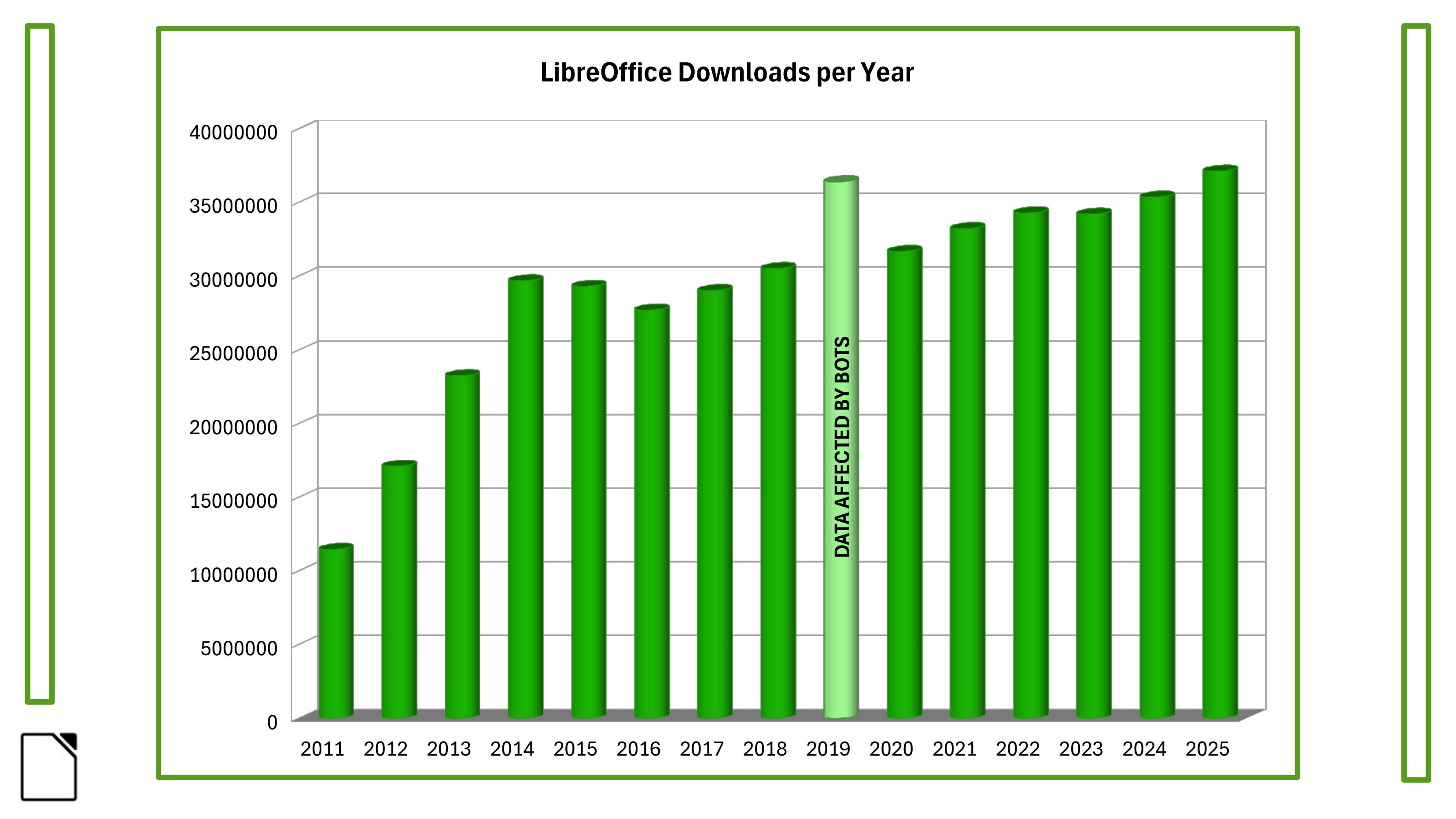
In January, TDF announced that LibreOffice had surpassed 400 million cumulative downloads since 2011, with an average of 28.6 million downloads per year and an upward trend reaching over 35 million annual downloads. The announcement reaffirmed the project’s standing against the long-running narrative that the desktop office suite was destined to disappear into the cloud.

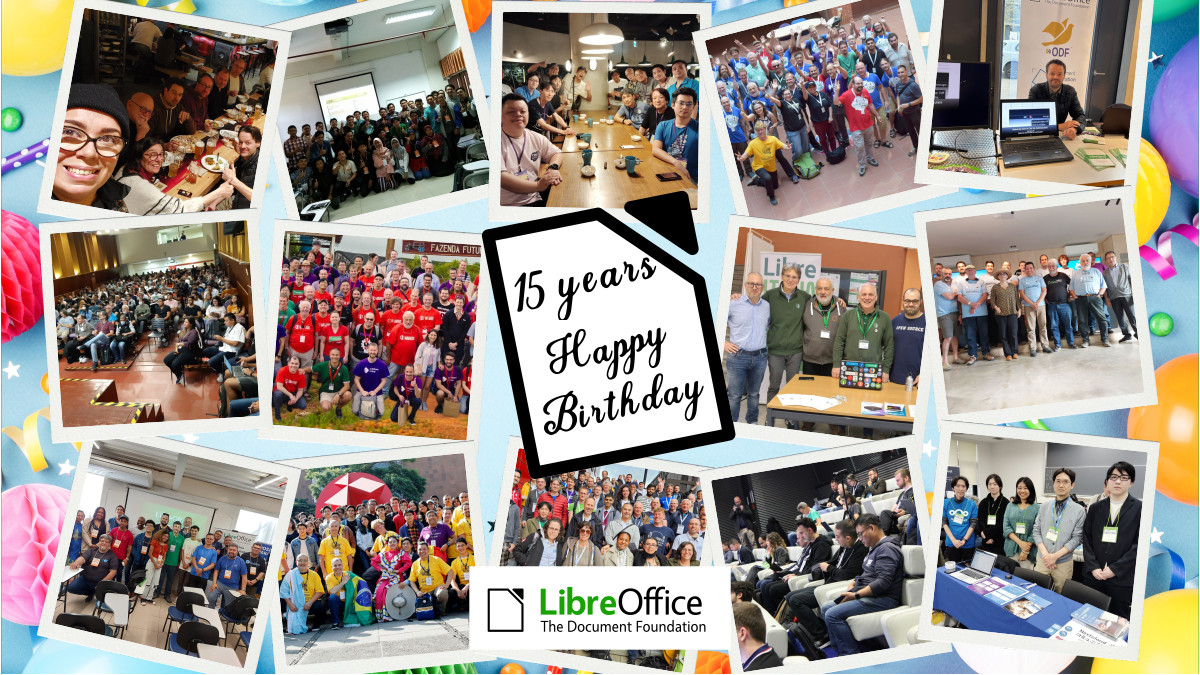
In September, the project celebrated the fifteenth anniversary of LibreOffice, launched on 28 September 2010 as a fork of OpenOffice. The anniversary was treated not merely as a software birthday but as a statement about the movement LibreOffice represents: a community of thousands of contributors and dozens of companies, localisation into more than 120 languages reaching billions of potential users, and a sustained argument for digital autonomy in an era of cloud lock-in and disappearing ownership. The communication tied the milestone directly to ODF as the guarantee of perpetual, transparent control over one’s own documents.

Montage of photos from LibreOffice events

Advocacy: Digital Sovereignty and Open Standards

The most distinctive development of 2025 was the consolidation of marketing into a coherent advocacy campaign around digital sovereignty and open document standards.

The end of Windows 10 support, scheduled for 14 October 2025, provided the central advocacy occasion. TDF backed the international @endof10 campaign and argued that the moment was a crossroads rather than a routine product transition, positioning Linux and LibreOffice as a privacy-respecting, future-proof alternative to a forced upgrade path toward Windows 11 and Microsoft 365, with their attendant subscription costs, cloud dependency, and hardware obsolescence.

Alongside this, the foundation built a body of technical and policy-oriented material making the case for ODF as the only open standard for office documents and exposing the structural problems of OOXML. This advocacy strand reframed the project’s communication from product promotion toward a public argument about format ownership, lock-in, and institutional control of documents — an argument that resonated strongly with public-sector and policy audiences.

ODF logo

Conferences and Major Events

International and regional conferences remained central to the foundation’s visibility.

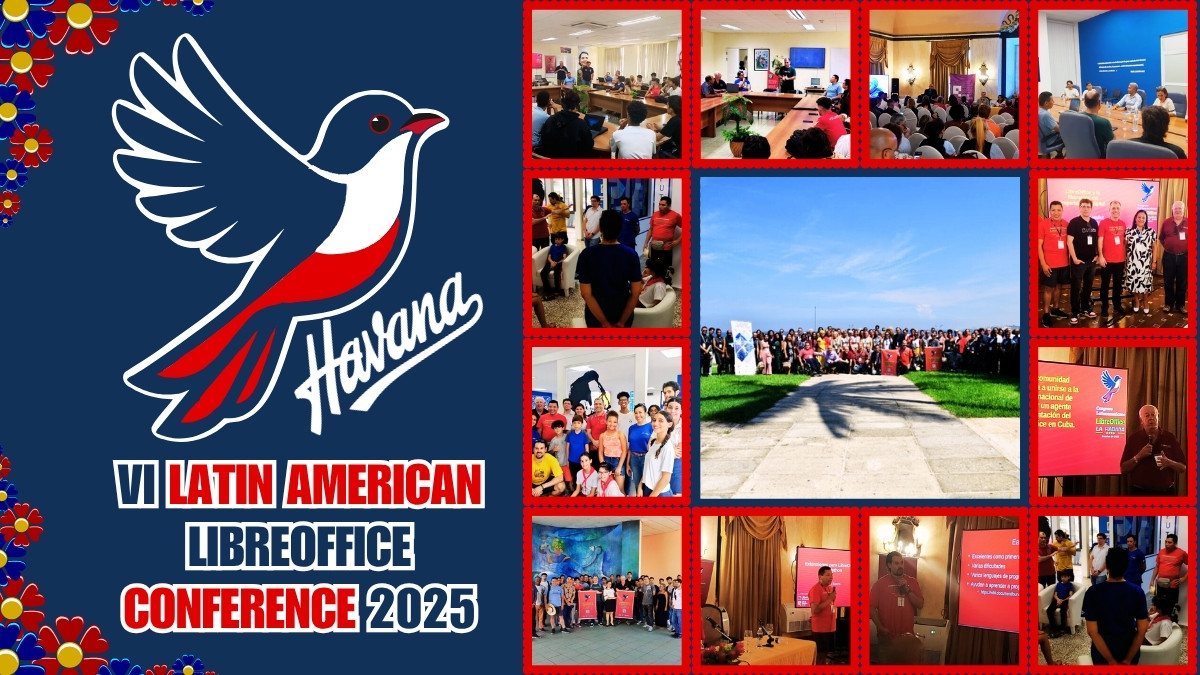
The annual LibreOffice Conference 2025 was the flagship gathering of contributors — developers, designers, documentation writers, translators, and marketers — and was promoted across the project’s channels in the now-established pattern of agenda, speaker, and live-update coverage. Two major regional conferences extended the programme across the world’s communities: the LibreOffice Asia Conference 2025, hosted in Japan, and the VI Latin American LibreOffice Congress, held in Havana. Both brought together contributors and users from their respective regions, generated substantial follow-up content, and reinforced the project’s presence in two of its most active geographies.

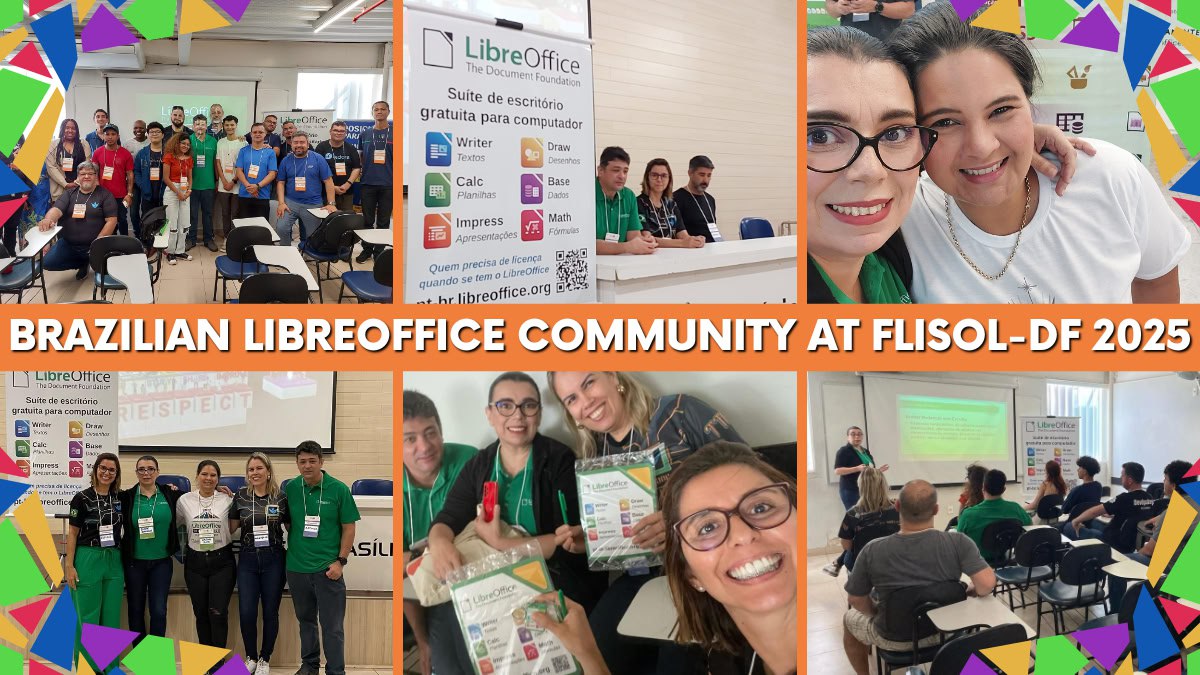
The community calendar was also rich with smaller regional events that the marketing team supported and amplified, including the LibreItalia Conference 2025, LinuxDays 2025 in Prague, the OSS Conf 2025 in Luxembourg, an event in Nepal tied to Software Freedom Day, the Augsburger Linux-Infoday, the Prague Installfest, the Univention Summit, the Linux Arena in Pordenone (Italy), and FLISoL Brasília. The project also maintained a presence at FOSDEM 2025 in Brussels at the start of the year.

Brazilian LibreOffice Community at FLISOL Brasilia 2025

Community Building and Recognition

The recurring Month of LibreOffice campaigns ran again in May and November, recognising and rewarding contributors across development, documentation, QA, localisation, and marketing through digital badges, public acknowledgement, and sticker packs and merchandise shipped to participants. The campaign continued to serve both as a celebration of existing contributors and as an on-ramp for new ones.

A significant structural development was the launch of the LibreOffice US community in November. Recognising that the United States, despite a large user base, had never developed an organised local community, TDF created dedicated communication channels (Discord, bridged to Matrix, and a Mastodon account) with the goal of supporting US-specific merchandise, marketing and advocacy materials, and meetups.

LibreOffice US community banner

Documentation, Publications and Merchandise

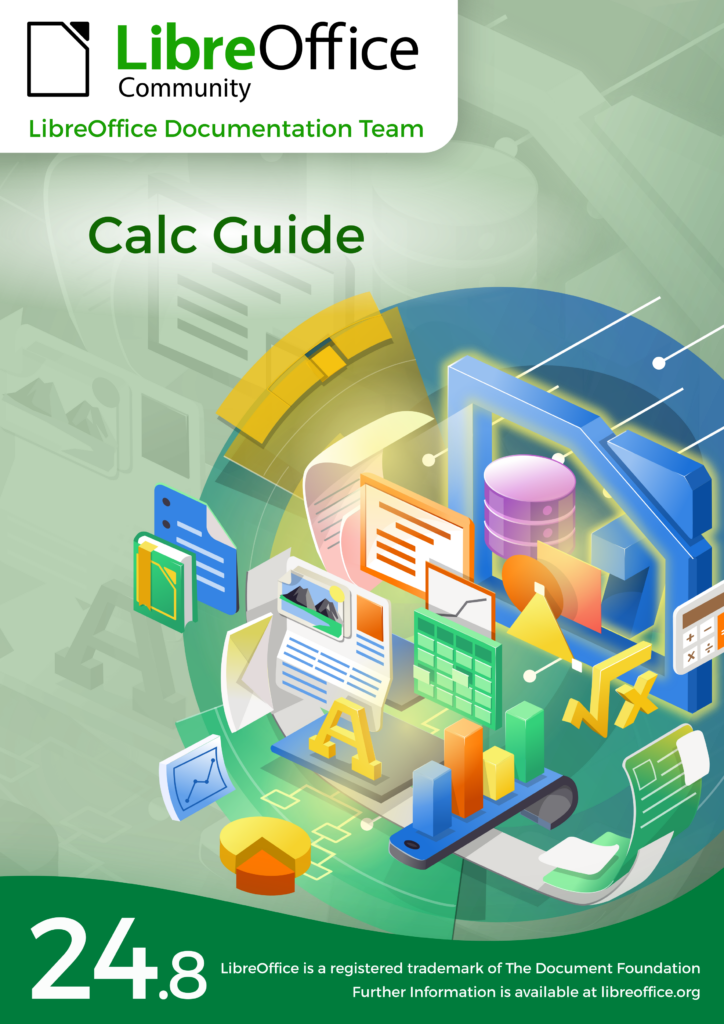
The community continued to expand its published resources as a marketing and onboarding asset. New user guides were released for the 25.2 line, alongside the Calc Guide 24.8 and Czech translations of the Getting Started Guide 24.8 and the Calc Guide 25.2, reflecting the contribution of native-language communities. New LibreOffice Expert magazines for 2025–2026 were made available for schools and local communities, and a new line of LibreOffice merchandise was introduced to support events, giveaways, and fundraising.

LibreOffice Calc Guide 24.8

Media, Press Relations and Social Media

TDF sustained its media relations work throughout the year, issuing press releases tied to releases, milestones, events, and public-sector adoption, and reinforcing LibreOffice’s position as a cost-effective, secure, and privacy-respecting alternative to proprietary office suites. The social media strategy continued across Mastodon, LinkedIn, and the project’s other channels, with particular emphasis on reaching decision-makers in public administration through case studies and adoption stories, and on carrying the digital-sovereignty argument to professional and policy audiences. Monthly project-and-community recaps provided a steady, aggregated record of activity across the year.

Public-Sector Adoption

Public-sector migration continued to be one of the most persuasive elements of the project’s external messaging, demonstrating LibreOffice’s viability at institutional scale and lending concrete weight to the digital-sovereignty argument that ran through the year’s advocacy. These migrations were amplified through press and social channels as evidence that open standards and open-source office software are a realistic foundation for public administration.

Conclusion

In 2025, TDF’s marketing and advocacy work matured from software promotion into a coherent public case for digital sovereignty built on open document standards. Anchored by the fifteenth anniversary and the 400-million-download milestone, sharpened by the end of Windows 10 and the defence of ODF, and sustained by conferences, community campaigns, publications, and steady media work, the year’s activities both amplified LibreOffice’s visibility and strengthened the wider argument that documents — and the institutions that depend on them — are better served by open standards and community-driven software.

Like what we do? Support the LibreOffice project and The Document Foundation – make a donation, or get involved and help our volunteers. Thank you!

Reçu — 26 juin 2026 Développement logiciel
  • ✇The Document Foundation Blog
  • LibreOffice Downloads and Donations in 2025 – TDF Annual Report
    This is part of the Annual Report 2025 from The Document Foundation, the non-profit that coordinates the LibreOffice project and community. More will be posted soon… Donations In 2025, The Document Foundation received 140,593 donation transactions, for a total of €1,807,780 net of payment processing and currency conversion charges. This represents a substantial increase over the two preceding years: donation transactions had numbered 98,361 in 2023 and 104,430 in 2024, while the corresponding a
     

LibreOffice Downloads and Donations in 2025 – TDF Annual Report

26 juin 2026 à 03:13

TDF Annual Report 2025 banner

This is part of the Annual Report 2025 from The Document Foundation, the non-profit that coordinates the LibreOffice project and community. More will be posted soon…

Donations

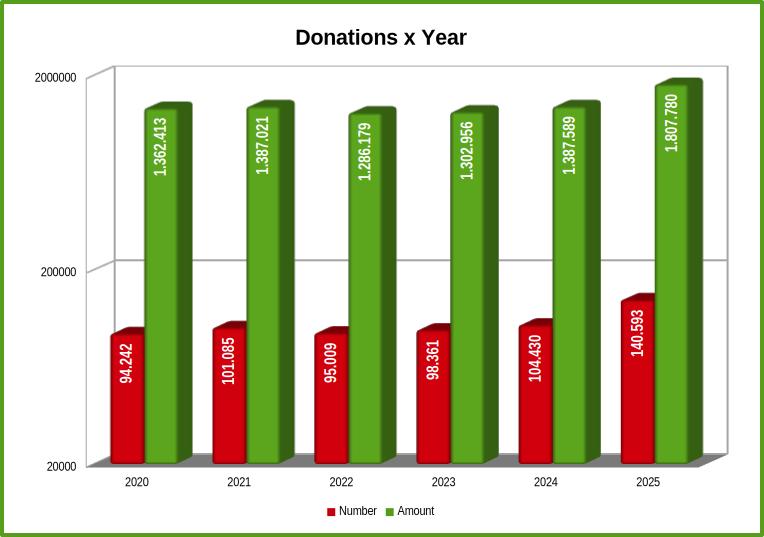
In 2025, The Document Foundation received 140,593 donation transactions, for a total of €1,807,780 net of payment processing and currency conversion charges. This represents a substantial increase over the two preceding years: donation transactions had numbered 98,361 in 2023 and 104,430 in 2024, while the corresponding amounts were €1,302,956 and €1,387,589. Transaction volume therefore grew by approximately 35% year on year, and the cleaned total rose by roughly 30%.

LibreOffice donations over the years, showing growth

A note on methodology is useful here. The charts in this section report the number of donation transactions rather than the amounts received. This is deliberate: the financial figure can be established only after each transaction has been cleaned by subtracting conversion charges and processing fees, whereas the transaction count is known directly. The charts therefore describe the shape of the trend, while the euro totals given above represent the financial reality behind it.

The quarterly distribution shows that the year’s growth was strongly concentrated in its final months. The first three quarters each built modestly on the last, and the fourth quarter rose well above them. This Q4 surge has a clear explanation. The announcement of LibreOffice 25.8 in August was followed by the introduction of a new update mechanism on Windows, which presents users with a dedicated new-features page and an invitation to support the project. This combination proved markedly effective in converting attention into contributions. The growing public interest in European digital sovereignty over the course of 2025 may have provided additional, favourable context, but the measurable drivers were the release and the new update mechanism.

Downloads

LibreOffice was downloaded 44,809,742 times in 2025 from the official download page, and the year recorded the highest annual figure in the project’s history. The per-year chart shows steady growth across more than a decade; the 2019 figure is shown but should be read with caution, as automated traffic distorted the counts that year. Rather than omit it, the Foundation has chosen to publish a credible corrected number and to state openly that it cannot be fully trusted.

LibreOffice downloads over the years, showing growth

These download figures should be understood as a floor rather than a ceiling. Several large channels fall outside the count entirely: most Linux users obtain LibreOffice through their distributions, installations from the Microsoft Store and the Mac App Store are not recorded, and the new Windows update mechanism means that a user may download the software once and subsequently update it without generating a further download. Actual usage is therefore considerably higher than the download total alone suggests.

Viewed month by month, downloads remained consistently strong throughout the year, with 2025 ahead of both 2023 and 2024 in most months. The pattern shows no single dominant spike but rather a sustained level of demand, consistent with LibreOffice’s established position rather than a one-off event.

The update page offers a complementary perspective. It recorded 581,615,673 visits during the year — a figure that, while not deduplicated, gives a sense of the scale of the active user community. On a conservative basis, the Foundation estimates the LibreOffice user base at around 100 million, with a substantial further number of occasional users. A higher reading is also defensible: at a ratio of roughly one user for every three to four update-page visits, the active community would fall between 140 and 180 million.

Like what we do? Support the LibreOffice project and The Document Foundation – make a donation, or get involved and help our volunteers. Thank you!

Reçu — 23 juin 2026 Développement logiciel
  • ✇The Document Foundation Blog
  • LibreOffice Conference and External Events – TDF Annual Report 2025
    This is part of the Annual Report 2025 from The Document Foundation, the non-profit that coordinates the LibreOffice project and community. More will be posted soon… LibreOffice Conference The LibreOffice Conference was the annual get-together of the worldwide LibreOffice community, bringing together developers, contributors, and users. The 2025 event was held in Budapest, Hungary, from September 3 to 5, and was preceded by a community session. The main conference featured 53 sessions spread ov
     

LibreOffice Conference and External Events – TDF Annual Report 2025

23 juin 2026 à 02:52

TDF Annual Report 2025 banner

This is part of the Annual Report 2025 from The Document Foundation, the non-profit that coordinates the LibreOffice project and community. More will be posted soon…

LibreOffice Conference

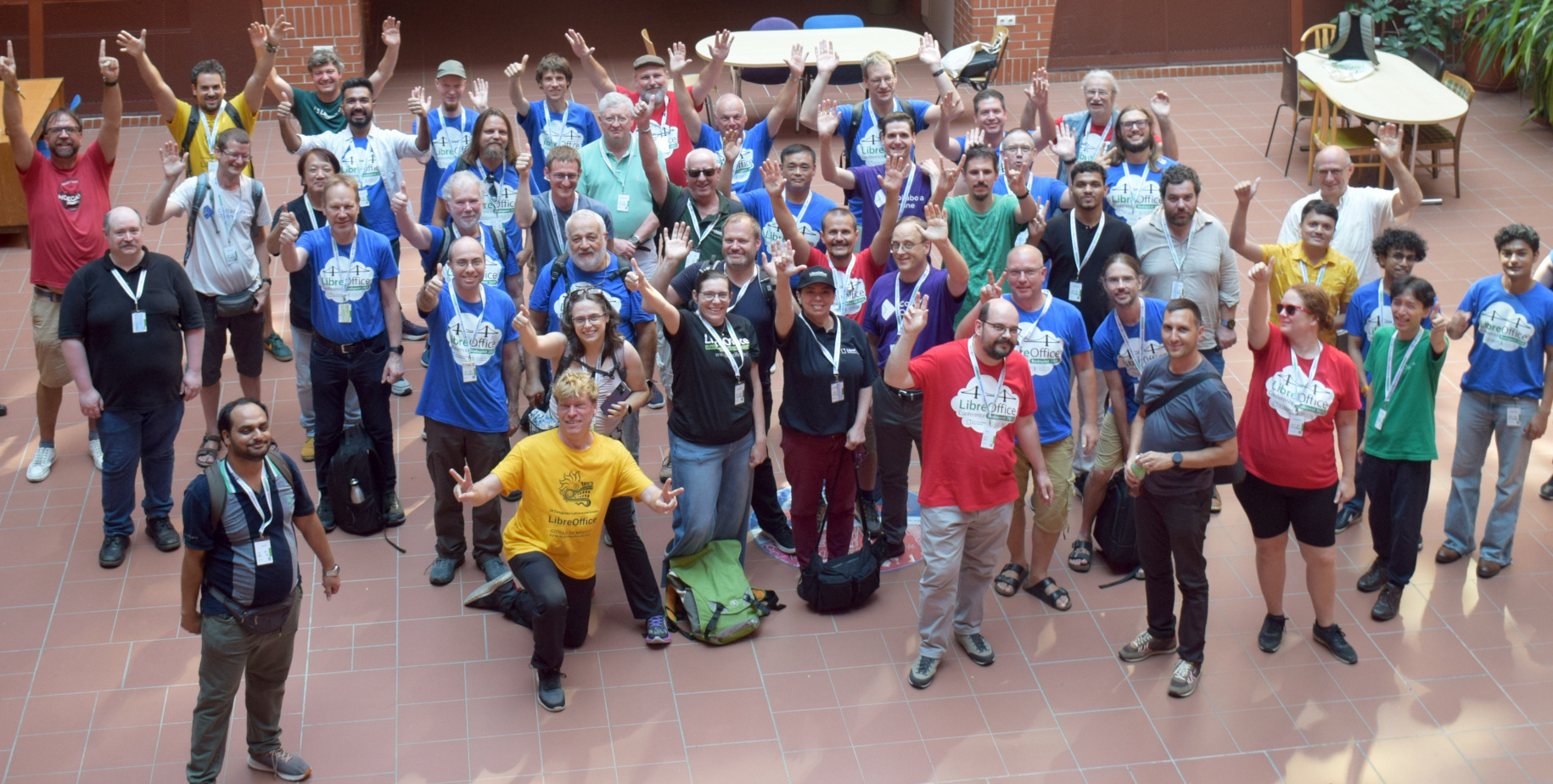
The LibreOffice Conference was the annual get-together of the worldwide LibreOffice community, bringing together developers, contributors, and users. The 2025 event was held in Budapest, Hungary, from September 3 to 5, and was preceded by a community session.

The main conference featured 53 sessions spread over three days. It kicked off with a welcome and housekeeping session, followed by an opening speech from Eliane Domingos from TDF’s Board of Directors, and a welcome speech from the university that hosted the event.

Please confirm that you want to play a YouTube video. By accepting, you will be accessing content from YouTube, a service provided by an external third party.

YouTube privacy policy

If you accept this notice, your choice will be saved and the page will refresh.

After that, the talks began across several different tracks, including the Open Document Format, advocacy and marketing, development and extensions, UX and design, and more. The full list of talks can be found on https://events.documentfoundation.org/libreoffice-conference-2025/schedule/. There was also a notable talk from the Austrian military (Bundesheer) about their migration to LibreOffice and the new features they funded.

The event finished on Friday with a lightning talks session, followed by the closing address and a celebration for the 15th anniversary of LibreOffice. But the conference was more than just talks: there was a community dinner as well.

Now the community is looking forward to 2026’s LibreOffice Conference. The event will take place in Pordenone, northern Italy, from September 10 to 12, and the Call for Papers is currently open.

LibreOffice Conference 2025 group photo

In addition to the main LibreOffice Conference, there was the LibreOffice Asia Conference 2025, which took place in Tokyo, Japan, from December 13 – 14. Speakers and guests from around the world discussed topics specific to Asian communities, such as complex text layout (CTL) and CJK (Chinese, Japanese, Korean) language support, and marketing LibreOffice in specific countries.

LibreOffice Asia Conference 2025 logo

There was also the sixth edition of the Latin American LibreOffice Congress, held in Habana, Cuba, from October 6 to 9. LibreOffice project activities was concentrated on the opening day, October 6, and in the special session “LibreOffice Congress and Technological Sovereignty”, on the 8th. With the remaining days available, the organisers articulated a parallel agenda of activities, with visits and strategic meetings with managers and professionals from governmental and community areas.

LibreOffice Latin America Conference 2025 logo

TDF at External Events

Throughout 2025, members of The Document Foundation and the LibreOffice community attended many other events around the world. The first big event was FOSDEM, held in Brussels in early February – the biggest meetup of free and open source software developers in Europe. As usual, the LibreOffice community was present with a stand, merchandise, stickers, flyers, clothing and more. Attendees came by to talk about the project, report issues and make suggestions.

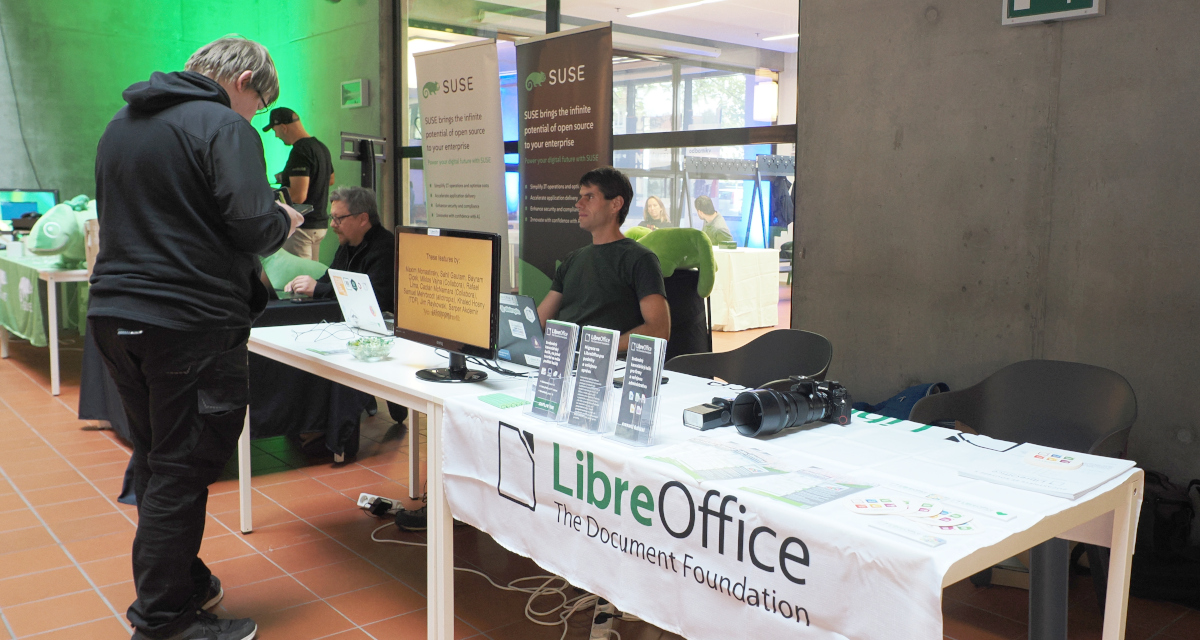
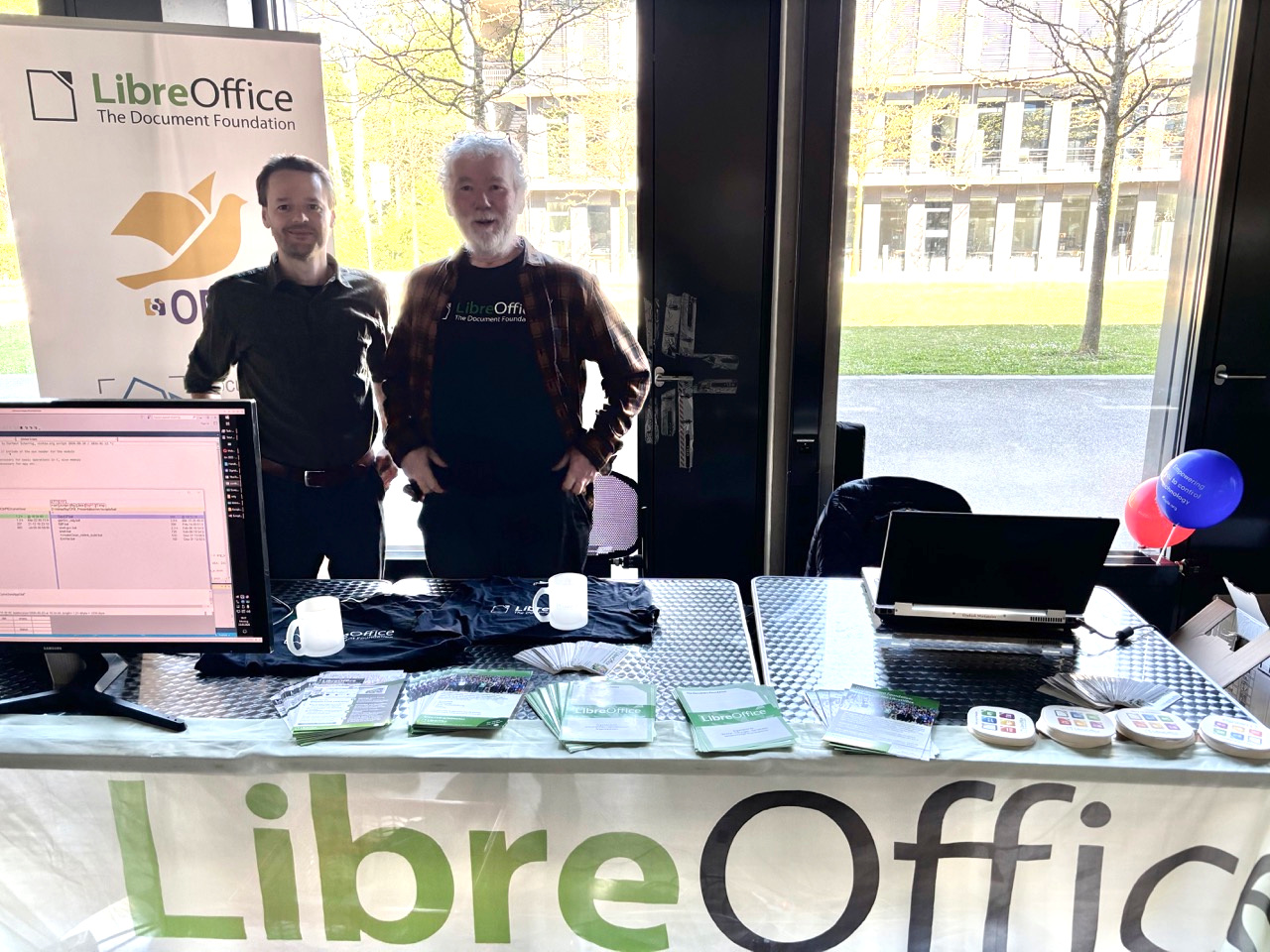
In late April, the Augsburger Linux-Infotag 2025 event took place in southern Germany, and LibreOffice was present with a stand and merchandise. Another German event was the Univention Summit 2025: it took place on January 23 and 24 in Bremen, and the LibreOffice project was present and met with the people overseeing the migration to LibreOffice in the northern German state of Schleswig-Holstein.

LibreOffice stand at the Augsburger Linux-Infotag

Italian community members attended the Linux Arena event from April 25 – 27 in Pordenone. They had a LibreOffice stand with a 32″ monitor, showing an Impress presentation about LibreOffice on a loop. At the stand they met different interested people – some of whom they already know since they visit the fair regularly, while others they saw for the first time. There was curiosity about LibreOffice, and this time the stand personal noticed an increasing demand about AI integration and related plugins. The LibreOffice coffee/beer mats were very much appreciated by visitors to the stand.

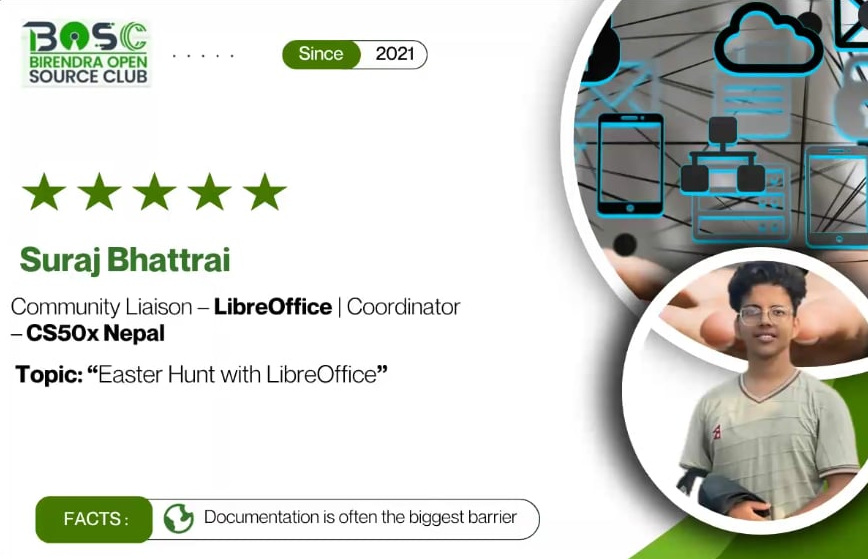
Later in the year, Community members in Nepal tuned in to an online call and turned Software Freedom Day 2025 into a success. Birendra Open Source Club – one of the student clubs and LibreOffice project contributors in Nepal, with support from Liaison Suraj Bhattarai and other key open source clubs, hopped onto Discord on 20 September.

Photo of Nepalese LibreOffice liaison Suraj Bhattarai

On October 4 and 5, the LinuxDays 2025 event took place at the Faculty of Information Technology (Czech Technical University) in Prague. It combined stands for free and open source software projects with workshops and talks, and the Czech-speaking LibreOffice community was there.

LibreOffice at LinuxDays in Prague

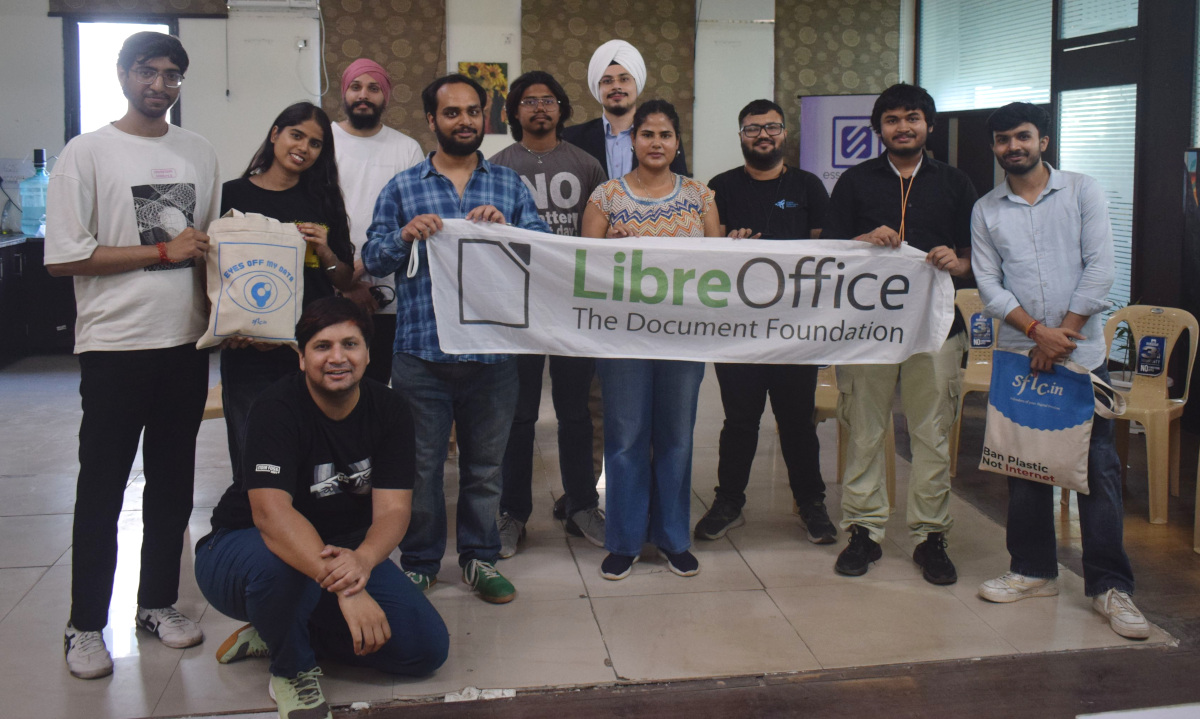
Members of the Indian LibreOffice community celebrated Document Freedom Day in Noida on 29 March. The event featured a few talks on free software such as OpenStreetMap, Prav and KDE, and also a lawyer told attendees how they manage all their clients’ data with free software and keeping their privacy in mind. LibreOffice merchandise was distributed at the sticker table.

LibreOffice at Document Freedom Day in Noida, India

Like what we do? Support the LibreOffice project and The Document Foundation – make a donation, or get involved and help our volunteers. Thank you!

Reçu — 19 juin 2026 Développement logiciel
  • ✇The Document Foundation Blog
  • The Document Foundation: the name that pointed at the right thing, 16 years before
    When The Document Foundation was announced sixteen years ago, some people found the name a little flat. It didn’t sparkle. It named an object — the document — rather than a product, a movement, or an aspiration. Today, that same name is worth a second look, because it turns out to have pointed at exactly the place the digital sovereignty debate would eventually arrive. To see why, it helps to ask a simple question: when you are locked into a piece of software, where does the lock actually live?
     

The Document Foundation: the name that pointed at the right thing, 16 years before

19 juin 2026 à 02:00

When The Document Foundation was announced sixteen years ago, some people found the name a little flat. It didn’t sparkle. It named an object — the document — rather than a product, a movement, or an aspiration. Today, that same name is worth a second look, because it turns out to have pointed at exactly the place the digital sovereignty debate would eventually arrive.

To see why, it helps to ask a simple question: when you are locked into a piece of software, where does the lock actually live?

The intuitive answer is “in the application.” You feel trapped by the program — its menus, its habits, the licence you keep renewing. But the application is replaceable. You can install a different one tomorrow. What you cannot so easily replace is your documents — the years of contracts, records, reports, and correspondence you have produced. And if those documents are saved in a format that only one company’s software can fully read, then the lock was never really in the application at all. It was in the file.

This is the quiet mechanism behind most document lock-in. The format does the trapping. As long as your organisation’s memory is stored in a format controlled by a single vendor, you depend on that vendor to read your own past — and that dependency does not end when you switch programs, because the documents come with you.

This is also why “digital sovereignty” is not, at root, a question about geography or about which company you buy from. It is a question about control: whether you, and not a supplier, hold the keys to your own information over time. An organisation that cannot open its own archives without permission is not sovereign over them, wherever it happens to be located.

The answer is older and simpler than the debate that has grown up around it: open document standards. A document saved in an open, fully published format — one any software can implement, today or in fifty years — belongs to the person who wrote it, not to the company whose program happened to create it. The format stops being a lock and becomes what it should always have been: a neutral container for your own words.

The name said this all along. It put the document at the centre, because the document is where the question is decided. Sixteen years on, the rest of the conversation is catching up — and we have only just begun to scratch the surface.

Reçu — 17 juin 2026 Développement logiciel
  • ✇The Document Foundation Blog
  • The Getting Started Guide 26.2 has just arrived
    We are pleased to announce the release of the latest Getting Started Guide, updated for LibreOffice 26.2! The Documentation Team is proud to present this new edition, designed to help users with an introductory guide of LibreOffice, covering all aspects of the best open source free office suite, from word processing to databases as well as settings and configuration common to all modules. Writer (word processing) Calc (spreadsheets) Impress (presentations) Draw (vector graphics) Math (formu
     

The Getting Started Guide 26.2 has just arrived

17 juin 2026 à 11:35

We are pleased to announce the release of the latest Getting Started Guide, updated for LibreOffice 26.2!

The Documentation Team is proud to present this new edition, designed to help users with an introductory guide of LibreOffice, covering all aspects of the best open source free office suite, from word processing to databases as well as settings and configuration common to all modules.

📝 Writer (word processing)
📊 Calc (spreadsheets)
📽 Impress (presentations)
🎨 Draw (vector graphics)
🧮 Math (formula editor)
📚 Base (database management)

This guide is part of our growing collection of documentation — lovingly written, edited, and reviewed by a global team of dedicated volunteers who are passionate about open-source software and digital freedom.

👏 The 26.2 update was coordinated by Dione Maddern, with valuable contributions from Peter Schofield and Olivier Hallot. A huge thanks to everyone involved!

Dione Maddern
Dione Maddern – Guide Coordinator

📥 Ready to dive in? Download the guide for free from the LibreOffice Bookshelf Project.
Reçu — 16 juin 2026 Développement logiciel
  • ✇The Document Foundation Blog
  • LibreOffice releases, features, QA and accessibility – TDF Annual Report 2025
    This is part of the Annual Report 2025 from The Document Foundation, the non-profit that coordinates the LibreOffice project and community. More will be posted soon… Releases of the Year LibreOffice’s release plan works on a time-based release schedule, with major updates every six months (typically in February and August). So in other words, there are two new versions of LibreOffice per year. Many other FOSS projects adopt a similar time-based approach, and since 2024, LibreOffice has used a “
     

LibreOffice releases, features, QA and accessibility – TDF Annual Report 2025

16 juin 2026 à 04:19

TDF Annual Report 2025 banner

This is part of the Annual Report 2025 from The Document Foundation, the non-profit that coordinates the LibreOffice project and community. More will be posted soon…

Releases of the Year

LibreOffice’s release plan works on a time-based release schedule, with major updates every six months (typically in February and August). So in other words, there are two new versions of LibreOffice per year. Many other FOSS projects adopt a similar time-based approach, and since 2024, LibreOffice has used a “year.month” versioning scheme – so LibreOffice 25.2, for instance, was released in the second month (February) of 2025. This versioning scheme helps users to see how old (or new) their currently installed version of LibreOffice is.

In addition to the major upgrades, there were monthly smaller “point” releases, mainly fixing bugs, compatibility issues and security vulnerabilities.

Major Feature Highlights

LibreOffice 25.2 was released on February 6. It introduced the ability to read and write ODF version 1.4, alongside numerous interoperability improvements with proprietary OOXML documents. It became possible to automatically sign documents after defining a default certificate. Additionally, Windows 7 and 8/8.1 were designated as deprecated platforms, with support scheduled to be removed in version 25.8, and extensions and features relying on Python ceased to work on Windows 7.

In LibreOffice Writer 25.2, improvements were made to Track Changes management to better handle a large number of changes in long documents. Comments were tracked in the Navigator when the focus was moved into them, while resizing the area containing comments showed a visual guide. Options were added to set a default zoom level for opening documents, which overrode the level stored within the documents themselves. It also became possible to delete all content of a specific content type, excluding headings, via the Navigator.

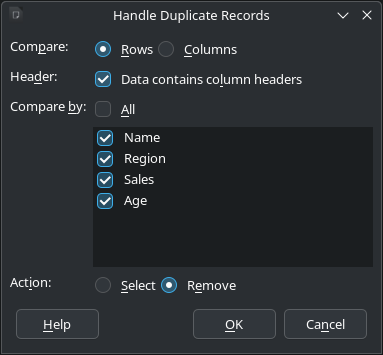
In LibreOffice Calc 25.2, a “Handle Duplicate Records” dialog was added to select or remove duplicate records. Both the Function Wizard dialog and the Functions Sidebar deck received improvements to searching and user experience. Solver models could be saved into spreadsheets, and the Solver became able to provide a sensitivity analysis report. New sheet protection options were also added relating to Pivot Tables, Pivot Charts, and AutoFilters.

Screenshot of Handle Duplicate Records dialog

Furthermore, many improvements were made to all Impress templates, which received visible elements, such as the font colour being set to black, in Master Notes and Handout. Objects could be centred on the Impress slide or Draw page in a single step, and the automatic repeating of slides could be activated in windowed mode. Finally, overflowing text in presenter notes was no longer cut off when printing.

Please confirm that you want to play a YouTube video. By accepting, you will be accessing content from YouTube, a service provided by an external third party.

YouTube privacy policy

If you accept this notice, your choice will be saved and the page will refresh.

Meanwhile, LibreOffice 25.8 was released on August 20. It brought new performance and features to the suite. In the User Interface, the Welcome/What’s New dialog began offering access to the user interface picker and appearance options, which allowed new users to leverage LibreOffice’s flexible UI and personalise the look and feel according to their preferences. The release also provided better interoperability with Microsoft Office files, offering more accurate handling of DOCX, XLSX, and PPTX files with fewer formatting issues, thanks to changes such as:

  • A complete overhaul of word hyphenation and spacing
  • Font management in Impress updated to be compatible with PowerPoint files
  • The addition of new functions in Calc: CHOOSECOLS, CHOOSEROWS, DROP, EXPAND, HSTACK, TAKE, TEXTAFTER, TEXTBEFORE, TEXTSPLIT, TOCOL, TOROW, VSTACK, WRAPCOLS, and WRAPROWS

There were, of course, other important new features, such as the ability to export to the PDF 2.0 format, and several new ScriptForge library services.

Please confirm that you want to play a YouTube video. By accepting, you will be accessing content from YouTube, a service provided by an external third party.

YouTube privacy policy

If you accept this notice, your choice will be saved and the page will refresh.

Performance

Throughout 2025, the LibreOffice community continued to work on improved performance in the suite. In LibreOffice 25.2, the speed of font previews in Calc was greatly improved. Additionally, the speed of saving from XLS to ODS was greatly improved after the impact of increasing the supported number of columns to 16k, and saving ODS files with large merged ranges became faster. Spreadsheets with lots of conditional formatting opened and saved much faster, while spreadsheets with lots of comments also saved much faster. Finally, the speed of loading XLS files was greatly improved after the impact of increasing the supported number of columns to 16k.

In LibreOffice 25.8, performance was upgraded so that everything ran faster, from startup to scrolling through large documents, with significant speed improvements delivered on less powerful machines. In benchmark tests, Writer and Calc opened files up to 30% faster. Optimised memory management allowed for smoother operation on virtual desktops and thin clients.

Quality Assurance

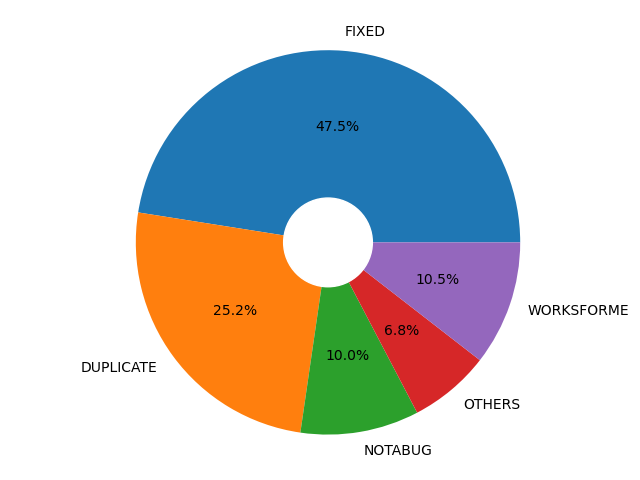
For every release, the LibreOffice Quality Assurance community produced Alpha, Beta and Release Candidate versions, giving users the chance to test the software (and report bugs) well in advance of the final release. Throughout the years, thousands of bugs were confirmed, triaged and resolved. The QA team wrote monthly reports about its activity on the QA blog.

Pie chart of fixed bugs

Accessibility

In LibreOffice 25.2, the Accessibility Sidebar featured improved warning and error levels, along with a new option to ignore specific warnings. Additionally, user interface elements were updated to report an accessible identifier that can be utilised by assistive technologies.

Platform-specific enhancements included on Windows, where accessibility was automatically enabled whenever a tool querids information on the accessibility level, and accessible relations were now correctly reported. Meanwhile, on Linux, the positions of UI elements, including those on Wayland, were accurately reported on the accessibility level.

LibreOffice 25.8 added an accessibility check for links and references in header/footer. Menus in the File ▸ Templates ▸ Manage Templates dialog became screen reader accessible on Windows. Support for the IAccessible2 “text-indent” attribute was added, which could be used by assistive technology like screen readers to report the indent of a paragraph’s first line. Additionally, the table design view in Base no longer became unresponsive when a screen reader was active on Windows. Finally, comboboxes and other controls inside toolbars were also represented in the accessibility tree of the application.

Like what we do? Support the LibreOffice project and The Document Foundation – make a donation, or get involved and help our volunteers. Thank you!

Reçu — 15 juin 2026 Développement logiciel
  • ✇The Document Foundation Blog
  • Video: Join the LibreOffice community!
    LibreOffice is the free, private, open source office suite – and successor to OpenOffice. It’s made by a worldwide community, and you can be part of it! Boost your skillset, learn new people, and have fun – find out what you can do for LibreOffice. (This video is also available on PeerTube.) Please confirm that you want to play a YouTube video. By accepting, you will be accessing content from YouTube, a service provided by an external third party. YouTube privacy policy If you accept this noti
     

Video: Join the LibreOffice community!

15 juin 2026 à 03:14

LibreOffice is the free, private, open source office suite – and successor to OpenOffice. It’s made by a worldwide community, and you can be part of it! 😊 Boost your skillset, learn new people, and have fun – find out what you can do for LibreOffice.

(This video is also available on PeerTube.)

Please confirm that you want to play a YouTube video. By accepting, you will be accessing content from YouTube, a service provided by an external third party.

YouTube privacy policy

If you accept this notice, your choice will be saved and the page will refresh.

Reçu — 13 juin 2026 Développement logiciel
  • ✇Feeder News
  • 2.21.1 released
    🐛 Bug Fixes & Minor Changes Increased max article download size to 3 MB from 1 MB (#1164) by @spacecowboy in #1164 Restored scroll position indicator in the article reader (#1165) by @mvanhorn in #1165 🌐 Translations Updated Tamil translation using Weblate in commit Updated Czech translation using Weblate in commit Updated Latvian translation using Weblate by @Coool in commit Updated Italian translation using Weblate by @Wiccio in #1159
     

2.21.1 released

Par :Jonas
13 juin 2026 à 17:18

🐛 Bug Fixes & Minor Changes

  • Increased max article download size to 3 MB from 1 MB (#1164) by @spacecowboy in #1164
  • Restored scroll position indicator in the article reader (#1165) by @mvanhorn in #1165

🌐 Translations

  • Updated Tamil translation using Weblate in commit
  • Updated Czech translation using Weblate in commit
  • Updated Latvian translation using Weblate by @Coool in commit
  • Updated Italian translation using Weblate by @Wiccio in #1159

Reçu — 11 juin 2026 Développement logiciel
  • ✇The Document Foundation Blog
  • Euro-Office, open standards, and native ODF
    A welcome commitment to open standards — and why it should end with ODF as Euro-Office’s native document format. The Euro-Office pre-announcement has generated considerable coverage across the European press over the past few days. The Document Foundation welcomes the attention that open standards are receiving — and welcomes still more the commitment the announcement makes to them. Before the discussion settles, we would like to clarify one point and state one expectation. Several reports have
     

Euro-Office, open standards, and native ODF

11 juin 2026 à 02:17

A welcome commitment to open standards — and why it should end with ODF as Euro-Office’s native document format.

The Euro-Office pre-announcement has generated considerable coverage across the European press over the past few days. The Document Foundation welcomes the attention that open standards are receiving — and welcomes still more the commitment the announcement makes to them. Before the discussion settles, we would like to clarify one point and state one expectation.

Several reports have described Euro-Office as “the first European open source office suite.” Reading the pre-announcement carefully, we do not find the coalition making that claim, and it is not one we would endorse. Europe has been building free and open source office software for many years: LibreOffice, developed by this Foundation and a worldwide community, is itself European, mature, and far from alone.

The “first” framing appears to have emerged in the speed of a launch day rather than in the text of the announcement. We note it not to claim precedence — precedence is not the point — but because accuracy serves the cause of open standards better than enthusiasm alone.

Read on its merits, the announcement gives a great deal to welcome. The promise to improve support for the OpenDocument Format is precisely what the European free software community has long asked for, and we take it in good faith and with genuine appreciation. We have always held that sovereignty begins with the format, not with the logo on the application — and a coalition that understands this is one worth encouraging.

We would also state an expectation, in the spirit of encouragement rather than demand. Improved support is a beginning, not a destination. A format that is merely supported is one a suite can read and write as a courtesy, while a native format is the one in which its documents are created, stored, and trusted across the years — and that is precisely where digital sovereignty is won or lost.

The only destination consistent with the sovereignty Euro-Office invokes is ODF as its native document format. A genuinely European, genuinely sovereign office suite cannot treat the open standard as a concession to outsiders, it has to speak ODF as its mother tongue. The Document Foundation looks forward to that moment, and will be glad to acknowledge it when it comes.

Reçu — 10 juin 2026 Développement logiciel
  • ✇The Document Foundation Blog
  • LibreOffice project and community recap: May 2026
    Here’s our summary of updates, events and activities in the LibreOffice project in the last four weeks – click the links to learn more… We started May by announcing the new LibreOffice website. Our previous website was looking rather old and becoming difficult to maintain, so the team at TDF – with help of the wider LibreOffice community – has been working on a redesign, based on newer technology. We reported back from the Augsburger Linux-Infotag, an event is all about Linux and free and o
     

LibreOffice project and community recap: May 2026

10 juin 2026 à 06:03

Monthly recap banner

Here’s our summary of updates, events and activities in the LibreOffice project in the last four weeks – click the links to learn more…

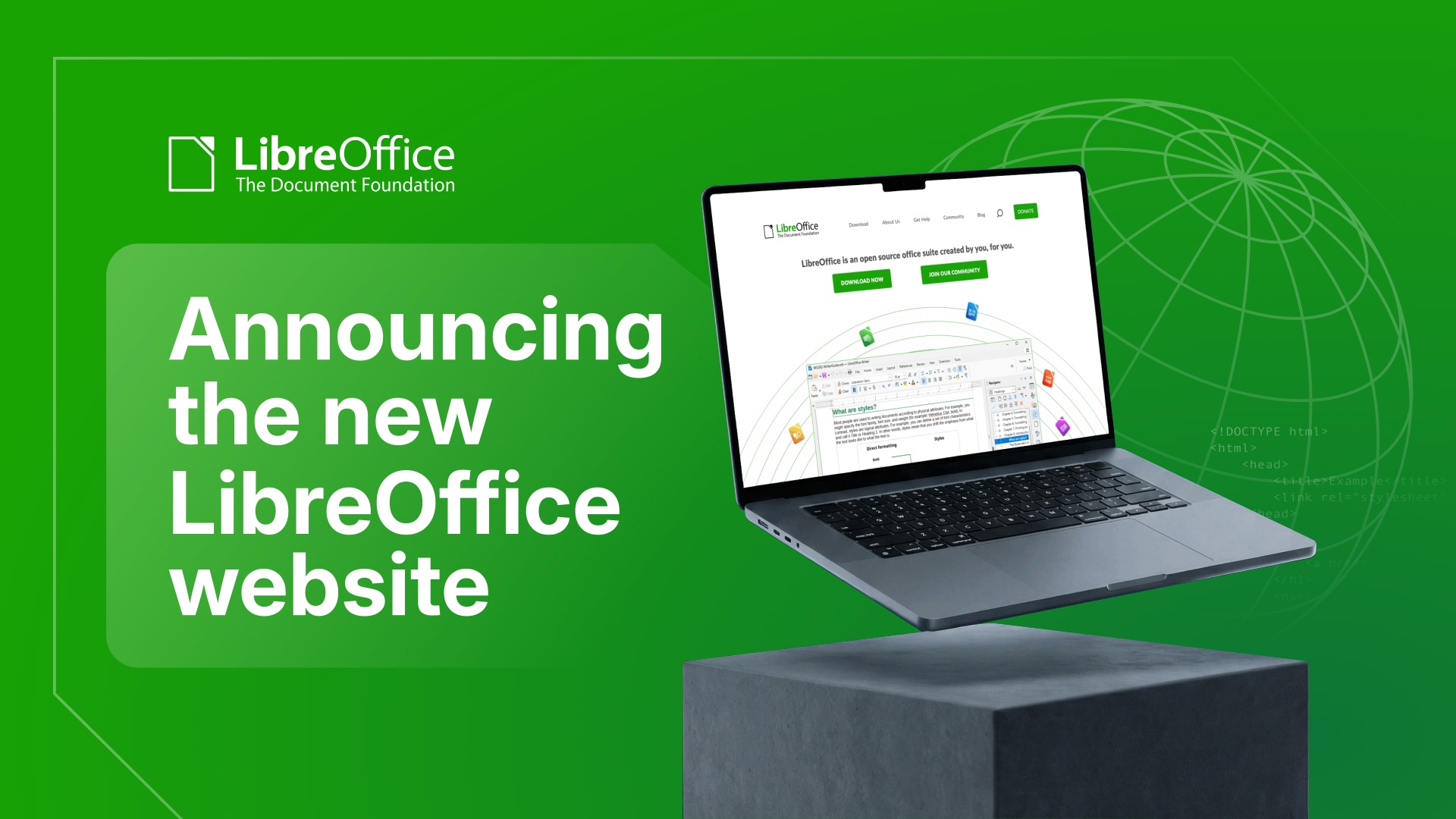
  • We started May by announcing the new LibreOffice website. Our previous website was looking rather old and becoming difficult to maintain, so the team at TDF – with help of the wider LibreOffice community – has been working on a redesign, based on newer technology.

Announcing the new LibreOffice website

LibreOffice stand at the Augsburger Linux Info-Tag

ODF vs OOXML, an issue that should never have existed

GSoC logo

  • In the middle of the month, we announced LibreOffice 25.8.7, the final maintenance release of the LibreOffice 25.8 family. From here we will focus on maintaining the 26.2 branch, and are preparing for 26.8, our next major release (due in August).

LibreOffice 25.8 banner

  • The vast majority of income to The Document Foundation, the non-profit behind the LibreOffice project and community, is from donations from end users. We made a new video explaining how donations are used to support the community that makes the software.

Please confirm that you want to play a YouTube video. By accepting, you will be accessing content from YouTube, a service provided by an external third party.

YouTube privacy policy

If you accept this notice, your choice will be saved and the page will refresh.

  • Next, we started posting sections from TDF’s Annual Report 2025, starting with Native Language Projects. A huge thanks to the hundreds of people who make LibreOffice available is so many languages around the world! 😊

Annual Report banner with group photo from LibreOffice Conference

New Web and Mobile Strategy for LibreOffice

Like what we do? Support LibreOffice with a donation – or join our community and help to make LibreOffice even better! Also keep in touch – follow us on Mastodon, Bluesky, Reddit and Facebook.

Reçu — 8 juin 2026 Développement logiciel

Join the LibreOffice team as a paid system administrator, working on TDF’s infrastructure (full-time, remote, m/f/d)

8 juin 2026 à 11:01

Love LibreOffice? Got experience with infrastructure and system administration? We are The Document Foundation (TDF), the non-profit entity behind LibreOffice. We’re passionate about free software, the open source culture and about bringing new people with fresh ideas into our project.

To assist the LibreOffice community with its work, we are looking for a full-time (remote) Infrastructure and System Administrator, to start as soon as possible.

Here’s what you’ll do

  • System orchestration and OS management: Orchestrate, deploy, and maintain all internal and external systems, specifically standard and customised Linux operating systems, with the majority of machines running Debian GNU/Linux. We currently run SaltStack, but proposals for different ways to handle config management and deployment are welcome.
  • Virtualisation and storage infrastructure: Manage virtualisation platforms and hypervisors (KVM/QEMU). Experience with GlusterFS (for the backup system) is a plus, but not mandatory.
  • Database, cloud, and App Administration: Administer database servers such as MariaDB and PostgreSQL, cloud storage repositories (such as Nextcloud), web applications, email services, and developer tooling.
  • Network and hardware maintenance: Maintain core physical and cloud network infrastructure, including routers, switches, and NAS storage, amongst them devices from MikroTik.
  • Security and network access: Oversee firewalls, intrusion detection, antivirus, IP reputation, global mirror systems, and secure VPNs for users and machines.
  • Identity and access management: Deploy and manage single sign-on (SSO) solutions, directory services, domain names, DNS zones, and SSL certificates (PKI).
  • Ensure stable operations and monitoring: Together with teammates and volunteers, ensure stable infrastructure availability, manage log analysis, handle emergencies, and coordinate with external providers during outages.
  • Patch management: Execute timely deployments of security and software updates within scheduled maintenance windows.
  • Team coordination and documentation: Lead and coordinate the infrastructure team, volunteer contributors, and third-party vendors, while keeping technical documentation up to date.
  • Data protection and disaster recovery: Implement backup and point-in-time disaster recovery solutions, and manage infrastructure-related GDPR compliance in cooperation with privacy officers.

What we want from you

  • Very good sysadmin and infra maintenance skills on Linux
  • Good team-playing abilities
  • Speaking and writing English

As always, TDF will give some preference to individuals who have previously shown a commitment to TDF, including but not limited to members of TDF. Not being a member does not exclude any applicants from consideration.

Join us!

All jobs at The Document Foundation are remote jobs, where you can work from your home office or a co-working space. The work time during the day is flexible, apart from a few fixed meetings. The role is offered as full-time (ideally 40 hours per week). While we prefer full-time for the role, part-time applications, or proposals to grow the hours over time, will be considered. Candidates that are resident in Germany will be employed directly by TDF. Otherwise, external payroll services will be used if available in the candidate’s country of residence.

Are you interested? Get in touch!

TDF welcomes applications from all suitably qualified persons regardless of their race, sex, gender, disability, religion/belief, sexual orientation or age. Don’t be afraid to be different, and stay true to yourself. We like you that way! 😊

We’re looking forward to receiving your application, including information about you (your resume), when you are available for the job, and of course your financial expectations. Please provide details about your experience and send us an e-mail to sysadmin@documentfoundation.org no later than July 6, 2026 (end of day, Berlin time). If you haven’t received feedback by August 3, 2026, your application could not be considered.

Also note: we only accept applications from the applicant, and not from any intermediary. We do not accept agency resumes. Please do not forward resumes to any recruiting alias or employee.

  • ✇The Document Foundation Blog
  • An open letter to office suite users, just before the Euro-Office announcement
    Dear office suite users, In recent days you will have read various articles announcing the arrival of Euro-Office, which is being “marketed” as the first open-source office suite developed in Europe. We feel compelled — reluctantly, since open source should rest on transparency, not deception — to correct this claim. The first open-source office suite developed in Europe was OpenOffice.org in 2001, based on StarOffice’s source code, followed by LibreOffice from 2010. These are two genuine open-s
     

An open letter to office suite users, just before the Euro-Office announcement

8 juin 2026 à 02:53

Dear office suite users,

In recent days you will have read various articles announcing the arrival of Euro-Office, which is being “marketed” as the first open-source office suite developed in Europe. We feel compelled — reluctantly, since open source should rest on transparency, not deception — to correct this claim. The first open-source office suite developed in Europe was OpenOffice.org in 2001, based on StarOffice’s source code, followed by LibreOffice from 2010.

These are two genuine open-source office suites, built from source code that originated in Europe. They are not a freeware clone of MS Office whose code provenance is undisclosed, nor a product that has rebranded itself out of pure opportunism to ride today’s wave of Digital Sovereignty.

It is worth remembering that many of those who champion Digital Sovereignty today were silent back in 2006, when the open ISO/IEC ODF standard — the pillar of Digital Sovereignty — was announced: not only did they not listen to us during all these years, but in some cases they greeted us with a condescending smile.

If we can speak of Digital Sovereignty in Europe today, it is thanks to The Document Foundation and LibreOffice community members at large, who kept the flag of open-source office suites flying when everyone was predicting their demise, and who continued to develop the only truly open and standard format that guarantees Digital Sovereignty, as it provides full user control over content.

Document formats are a subject still rife with misinformation. This is understandable on the part of Microsoft, which developed and controls the horrible proprietary OOXML format, designed precisely to prevent Digital Sovereignty by maintaining content lock-in. It is far less understandable on the part of companies that claim to advocate open source, such as those promoting Euro-Office.

Euro-Office defaults to the fully proprietary OOXML document format, developed and controlled solely by Microsoft. This makes it a de facto ally of Microsoft in its content lock-in strategy, with control remaining firmly in Redmond and far from Europe.

So, despite what is being written in support of Euro-Office — the latest of the office suites developed in Europe, and not the first — the announcement is not against Microsoft. On the contrary, it strengthens Microsoft’s strategy against European Digital Sovereignty, or, if you prefer, against the freedom of European users to control and manage their own content.

  • ✇Feeder News
  • 2.21.0 released
    🚀 Features Use feed entry id as fallback link. (#1144) by @fictiontoreality in #1144 Upgraded export format so saved articles can be imported again (#1131) by @edd255 in #1131 Added on-device local as an option for translation (#1143) by @JaredTweed in #1143 🐛 Bug Fixes & Minor Changes Widget stuck in loading (#1137) by @MatthewTighe in #1137 Corrected three sync read-status bugs (#1141) by @spacecowboy in #1141 Resolved flaky test caused by identical generated pubDates for undated feed i
     

2.21.0 released

Par :Jonas
8 juin 2026 à 02:38

🚀 Features

  • Use feed entry id as fallback link. (#1144) by @fictiontoreality in #1144
  • Upgraded export format so saved articles can be imported again (#1131) by @edd255 in #1131
  • Added on-device local as an option for translation (#1143) by @JaredTweed in #1143

🐛 Bug Fixes & Minor Changes

  • Widget stuck in loading (#1137) by @MatthewTighe in #1137
  • Corrected three sync read-status bugs (#1141) by @spacecowboy in #1141
  • Resolved flaky test caused by identical generated pubDates for undated feed items (#1146) by @spacecowboy in #1146
  • Corrected defaults causing AI translation appear enabled on upgrade (#1153) by @spacecowboy in #1153
  • Prevented OOM crash when fetching or rendering large articles (#1154) by @spacecowboy in #1154

🚜 Refactoring

  • Cleaned up sync read-status layer (#1142) by @spacecowboy in #1142

📚 Documentation

  • Added logging conventions to AGENTS.md (#1148) by @spacecowboy in #1148

🌐 Translations

  • Updated Chinese (Simplified Han script) translation using Weblate in commit
  • Updated French translation using Weblate by @Matth7878 in commit
  • Updated Czech translation using Weblate in commit
  • Updated Latvian translation using Weblate by @Coool in commit
  • Updated Polish translation using Weblate by @Aga-C in commit
  • Updated German translation using Weblate in commit
  • Updated Hungarian translation using Weblate by @summoner001 in commit
  • Updated Estonian translation using Weblate in commit
  • Updated Indonesian translation using Weblate by @arifpedia in commit
  • Updated Serbian translation using Weblate by @eevan78 in commit
  • Updated Spanish translation using Weblate in commit
  • Updated Ukrainian translation using Weblate in commit

❤️ New Contributors

  • @arifpedia made their first contribution
  • @edd255 made their first contribution in #1131
  • @fictiontoreality made their first contribution in #1144

Reçu — 5 juin 2026 Développement logiciel
  • ✇The Document Foundation Blog
  • The Document Foundation Releases LibreOffice 26.2.4
    Berlin, 5 June 2026 – The Document Foundation today announced the release of LibreOffice 26.2.4, the fourth maintenance update to the LibreOffice 26.2 branch. Building on the major feature release published on February 4, 2026, this update delivers targeted bug fixes and stability improvements contributed by a global community of developers and QA engineers. LibreOffice 26.2.4 is available for immediate download at libreoffice.org/download/ for Windows, macOS, and Linux. Users of LibreOffice 25
     

The Document Foundation Releases LibreOffice 26.2.4

5 juin 2026 à 07:20

Berlin, 5 June 2026 – The Document Foundation today announced the release of LibreOffice 26.2.4, the fourth maintenance update to the LibreOffice 26.2 branch. Building on the major feature release published on February 4, 2026, this update delivers targeted bug fixes and stability improvements contributed by a global community of developers and QA engineers.

LibreOffice 26.2.4 is available for immediate download at libreoffice.org/download/ for Windows, macOS, and Linux.

Users of LibreOffice 25.8.x should update to LibreOffice 26.2.4 as LibreOffice 25.8 branch will reach end of life on June 12, and after that date the software will not receive security updates. In late August 2026, The Document Foundation will announce LibreOffice 26.8.

LibreOffice 26.2 introduced a broad set of improvements to daily productivity workflows, including Markdown import and export, connector shapes in Calc, multi-user Base, faster EPUB export, and mandatory Skia rendering on macOS and Windows for better graphics performance. LibreOffice 26.2.4 consolidates these advances with a focused set of fixes, addressing issues identified by users and testers since the initial release.

List of fixes in RC1: wiki.documentfoundation.org/Releases/26.2.4/RC1. List of fixes in RC2: wiki.documentfoundation.org/Releases/26.2.4/RC2.

LibreOffice users, free software advocates and community members can support The Document Foundation and the LibreOffice project with a donation at www.libreoffice.org/donate.

Reçu — 4 juin 2026 Développement logiciel
  • ✇GIMP
  • Interview with Øyvind Kolås, GIMP developer
    GIMP is Free and Libre Open Source Software, but none of it is possible without the people who create with and contribute to it. Our project maintainer Jehan wanted to interview the volunteers who make GIMP what it is, and share their stories so you can learn more about the awesome people behind GIMP! Early interviews with co-maintainer Michael Natterer and Michael Schumacher were published shortly after the first Wilber Week. Unfortunately, the rest of the interviews from that event have neve
     

Interview with Øyvind Kolås, GIMP developer

21 février 2026 à 18:00

GIMP is Free and Libre Open Source Software, but none of it is possible without the people who create with and contribute to it. Our project maintainer Jehan wanted to interview the volunteers who make GIMP what it is, and share their stories so you can learn more about the awesome people behind GIMP!

Early interviews with co-maintainer Michael Natterer and Michael Schumacher were published shortly after the first Wilber Week. Unfortunately, the rest of the interviews from that event have never seen the light of day - until now!

Our previously resurfaced interview was with Simon Budig. The interview in this article is about Øyvind Kolås. He is the maintainer of GEGL and babl, the color engines of GIMP. His work was instrumental in (among many other things) the long-waited non-destructive filters implemented in GIMP 3.0!

This interview took place on February 4th, 2017. In addition to Jehan and Øyvind, Michael Schumacher, Simon Budig, and Debarshi Ray were also involved and asked questions.

Øyvind Kolås, by Michael Schumacher, CC-BY-SA - 2019

Jehan: Okay, hello Pippin! So, first off, how should we call you, Pippin or Øyvind?

Øyvind: If people know how to pronounce ‘Øyvind’, that is perhaps easiest. In some contexts it is a difficult name to pronounce and I have to go by my nickname Pippin.

Jehan: Ah, and where does it come from?

Øyvind: The nickname Pippin originates from Lord of the Rings. The first time I went on IRC, must have been ‘95 or ‘96, I had to come up with a nickname for myself, and I chose the nickname of a hobbit. I used the nickname “Sméagol”.

Jehan: But you’re not very small.

Øyvind: No, but Sméagol is the hobbit in terms of Gollum, and I kind of decided that I didn’t want to have the association that came along with that hobbit. So after just one day of using that nickname I skimmed a little bit through the history of the Lord of the Rings again, and noticed that the “Pippin” hobbit might be more appropriate. He’s a hobbit that’s a little bit too curious – he throws stones in Morannon and stares into Saruman’s palantír and wonders how things work.

Jehan: So, how many times have you read Lord of the Rings?

Øyvind: Two or three times? I’ve seen the movies more than once.

Jehan: How are the movies?

Øyvind: They’re okay. They’re long!

Jehan: So, you’re the GEGL maintainer. Maybe first, let’s explain what GEGL is. For people who read the website, they may know GIMP, maybe not necessarily GEGL.

Øyvind: GEGL is a library or system where you can plug components together. You can create chains of image manipulation filters or operations. So you can first adjust the colors of an image, and then apply some sharpening to it. So you can construct those as a flow chart or similar – “First do this then do that, then do that” – so programmers can create data structures representing such chains or flows of image data, and developers can use such components to use in the chain.

Jehan: And so how did you come into this project?

Øyvind: I had been using GIMP for quite a while, and then at some point I was experimenting with writing my own video editor. And I started implementing various transform tools and operations – I implemented perspective rotation tools and similar. And while I was doing that, I was also taking a look at how GIMP was doing some such transformation tools and operations. And I realized that the perspective transform in GIMP produced not quite the results that I would like it to produce.

It had big problems with moire and aliasing when you did severe perspective transforms, for instance. So with my newly gained knowledge of making something similar myself, I sat down and tried to figure out how to improve what GIMP was doing. So I made a patch fix to add adaptive subdivision super-sampling to the transform tools.

Jehan: So it was not GEGL?

Øyvind: It was for GIMP. That’s how I got involved in the GIMP project, it was my first patch that I did there. But even that was after I had ran into many of the people from the GIMP project at a GNOME conference in Copenhagen in, I believe, 2001.
Jehan: Okay. So, how does GEGL change GIMP? What is GEGL for GIMP?

Øyvind: Well, I’m the wrong person to ask that question. I know how GEGL works. I know many of the needs of GIMP. But the person who has the greatest knowledge and detail of how GEGL makes that work and happen for GIMP is Mitch.

Jehan: We should have asked him yesterday then! Thank you. So, maybe you can still explain some of the cool features in GIMP. Like what everyone has been talking about, such as non-destructive editing, which is enabled by GEGL?

Øyvind: So this graph-based data-flow chains of operations that you can do with GEGL – most parts of GIMP have been transformed to make use of that. The core thing that is currently non-destructive editing in GIMP is the layers dialog. Other software has more capabilities there, but it’s not easy for us to know what interface to provide and present to the user to add such capabilities as drop shadows, or blurs, or color adjustments.

Jehan: It’s easy or not easy?

Øyvind: It’s easy to do it as a hack or as a proof of concept, but it’s more difficult to figure out how to do it in a way we can guarantee will be stable for many years into the future. So where we are currently, as we are close to being able to release GIMP 2.10 is that we’re doing all the layer processing that GIMP 2.8 use to do, but there’s no hacks – we’re using GEGL as the engine instead.

Jehan: So, do you use GIMP a lot?

Øyvind: Sometimes GIMP is the appropriate tool, and sometimes there’s other existing software that I use as a tool. And sometimes the tools I want or need don’t exist, and then I try to make those tools.

Jehan: You also have a background as an artist. Could you maybe speak on this?

Øyvind: From when I was a teenager, I’ve been doing both visual arts such as painting and drawing, and being interested in creating media in various forms such as videos. The only form of creative expression that I haven’t much played with is music. My original education and training was in fine arts. Only after having done that for a few years did I go back to computers and digital media, and go more the academic route in computer science.

Jehan: So you studied computer science before, then you went to art?

Øyvind: No, but I’ve been doing computer graphics since I was 14 or 15 years old. I was inspired by the demoscene community and having access to dial-up bulletin boards systems with people discussing programming techniques and languages. They contained tutorials in C and Pascal and Assembly and also involving Turbo Pascal. Demoscene-style graphics are things I’ve done since before University level age, along with experimenting with painting and traditional physical drawing media.

Illusion, CC-BY-2.0 - 2019
The illusion in this image came as a result of pippin’s curiosity about images and perception, and since it went viral on social media, it has been used in new papers online and in print, books and tv-shows.

Jehan: So how do you see the future of GEGL and free software graphics in general? How do you see GEGL in 20 years?

Øyvind: If GIMP still exists in 20 years in some form of UI, then most probably GEGL is part of that story as well. I hope that some of the existing core processing code actually doesn’t survive! But the idea of the graph and maybe some of the operations that are hooked up to each other, I hope that continues to exist. Just like how other applications that use GEGL like video editing software, GIMP, GNOME Photos – the API and how they do that, I hope are very similar. But maybe both the CPU based processing code and the OpenCL one, will have been replaced.

Jehan: There’s something I’ve never really completely understood. If you look at the GitLab of GIMP and GEGL, they started around the same time. So why are they getting merged only recently?

Øyvind: I only know stories of this – I haven’t been around in the project since in the beginning.

Michael Schumacher: You said you’re not the best person to ask how GIMP is using GEGL. So can you tell us how you wish it was being used, or how you think it could be used more? Because I recall you making comments on IRC in that regard.

Øyvind: Well, we are close in 2.10 to a state where I am happy about how things are at the moment. It’s been a while since I was unhappy about how GIMP’s projection was driving the layer compositing code or creating a graph for compositing with GEGL – it’s been a long while since it was fixed. So when it comes to the performance of doing those things, or the performance on-canvas preview of vectors, the current problems are more in GEGL land than GIMP land.

Jehan: In GEGL?

Øyvind: Yes, it’s an architectural puzzle to figure out, before GIMP should change how it does its rendering to make use of the new capabilities in GEGL.

Jehan: So how fast can GEGL go? How fast do you think (compared to now) it can improve?

Øyvind: I think for most filters in common use for photo manipulations as well as working with multiple layers, that even on a CPU that you should have 10 frames per seconds updates on dragging layers around as well as doing color adjustment to the photos or the individual layers. I don’t see why that should be a big problem. That is what solving the mip-mapping problem should provide.

Debarshi Ray: Any plans for what you want to use for GEGL’s API documentation? It used to use kind of like GTKDoc at some point. There’s always the website, but any plans?

Øyvind: It currently displays a GObject introspection repository data directly on the website using Javascript. I kind of hope that the documentation people start working towards more documentation on GObject introspection and perhaps we align with something they do, if they do something like that.

Jehan: Do you want to see GEGL in more software, not only GIMP?

Øyvind: That would be really nice because if people then create more filters and interesting things you can do in that software, it becomes available in GIMP and also in other software.

Jehan: Actually that’s very interesting. Can you explain a little about the architecture of GEGL which makes it so that its filters can be available everywhere? How it will work in other software that integrates GEGL?

Øyvind: Well, you could imagine that for the operations you have in GIMP in terms of filters, there are many that you invoke for an image, that could be something that also you could apply as an effect in a video editor to a clip. You can animate some of the properties over time, like increasing or decreasing the blur on some background that you composite something on top of.

Michael Schumacher: What would you suggest people should do to learn about the capabilities of GEGL and how to use it, either in GIMP development or in their own software?

Øyvind: Mostly, study what already exists, and if there is anything doing something similar to what they want already, then try to tweak that to do something new.

Michael Schumacher: Do you have a suggestion on what someone can use to play around with GEGL? For instance, if someone has fairly decent experience developing software, is there some kind of best approach like “Oh, use Python”?

Øyvind: I haven’t really tried to use any of the language bindings apart from C in a long while. I can see how approaching a library framework with C can be difficult for some users. But no, I don’t know of any of these integrated languages that have a very good integration.

Simon Budig: I think that the first start would be to use the GEGL command line tool and build trees in XML or something like that.

Øyvind: I guess there’s also the data formats, the XML and JSON based data formats, as well as the data format you can fully construct on the command line just chaining operations and properties.

Debarshi Ray: Can you comment on how GEGL compares to GStreamer, since they are both graph based and you can even do some image manipulation with GStreamer like their application does? Would it be easier with GEGL?

Øyvind: GEGL is focused on rendering and creating images. GStreamer is focused on playback and streaming of video. So the things passed around between the components of the graph of GStreamer are always full frames of videos. And it has many considerations for how to deal with playback and pre-feeding data to be able to stay in continuous playback and similar. Whereas GEGL has only a concern about generating pixels for a static graph.

So the concerns involved in piecing together video codecs and the muxing of codecs and doing those things in a data flow, are different from doing just image processing with it – but kind of the core idea, which is visual programming using a graph instead of more like a human language with abstract syntax to create, is shared between GEGL and GStreamer. The data flow based approach and creating a framework for visual components and ordering.

Jehan: I have a similar question. There was an efficiency test – I think the product name was libvips – with various graphics software library, and GEGL was in the list. In the tests they said it was worse.

Øyvind: Maybe that has improved recently, I’m not sure. Both GEGL and babl have had a traditional approach to bench-marking at runtime when things are already up and running and for interactive use. Whereas those benchmarks are based on equating command-line utilities with those that also include all the overhead of start-up. That is something that has improved recently in both, particularly in babl – it keeps measurement and profiling information from previous runs around in a file on disk so it can load, so it doesn’t have to do a lot of computations the first time you do a computation of a particular kind.

But I haven’t really re-run those benchmarks lately. But a lot of the trouble involved for GEGL and babl is that they’re very generic and have many plug-ins and do loads of file system access and those things before it can do any form of processing.

Jehan: Have you tried this libvips library?

Øyvind: Yes.

Jehan: How does it compare – not efficiency wise, but API, architecture? Why would one choose GEGL over libvips?

Øyvind: That I don’t know. Depends on the capabilities of what you need it to do, GEGL is well on the way to have most traditional GIMP filters as operations. I haven’t studied the actual program APIs and how you would rig up pipelines with those APIs. I looked more at the graphical user interface of libvips – it’s an Excel spreadsheet-like approach to it, where you refer to data in a different cell. It’s one way of expressing a graph but I don’t know the actual programmatic APIs.

Jehan: So there’s different ways of expressing graphs?

Øyvind: GEGL’s API for expressing and manipulating the graphs is loosely based on the W3C’s Document Object Model and hierarchical tree structures. I have no idea if or what type of API inspirations that libvips is using.

Debarshi Ray: I have a question. GIMP has a new website, shiny and everything. Will GEGL have a new website as well?

Jehan: It has to be shiny!

Øyvind: Do you have a PNG file called “Shiny” that we can use? Or do you also have some CSS and some pages and content for the GEGL website?

Debarshi Ray: No, I have nothing.

Øyvind: I have tried for the last two or three years to make some existing GIMP and GEGL contributors excited about writing some documentation and content as part of the website. They do rebuild the website every single time they build GEGL and it ends up in the docs folder of the website. But it seems like it’s actually easier to get people to contribute code and new operations and exciting new features in GIMP and things than to get them to improve the website documentation.

And I must admit that I’d rather fix bugs and performance and features than spend too much time on the website.

Jehan: So, unless anyone has another question, we can finish…

Simon Budig: Did we talk about the Patreon?

Jehan: Oh right! So you’re trying to live off free software coding, especially GEGL. Can you try to explain it?

Øyvind: I spent a lot of time over the last ten years doing code for both GEGL and GIMP, but also many other projects. It is strange how the media exploration experiments I do in code seem to not really have much cultural worth in society. So creating software and creating tools is not something that seems to be on the culture budget of any Western European country or something that would be considered part of improving the digital literacy of the population. It’s something that’s left up to private companies to maybe create software tools – but it’s not something that you’ll find on the budget of a country, that they want to let people improve and create tools for, say, image manipulation.

Maybe that’s a horrible way to start out to explain this.

Jehan: You can start over if you want.

Øyvind: I’ve been playing with creative expression in both visual media and in code for a couple of decades. I have made music videos, I’ve made short films, I’ve made paintings and I’ve made software. And sometimes when I make software, I get paid for it because there’s other business interests behind wanting it to exist. But I consider many of the contributions I’ve made to GIMP and GEGL to be valuable contributions, and that it would be good if I could do more of that type of experiments that end up in actual software – but also freely be able to do my own research and find out how it is possible to do a certain thing with videos or images or other ways that you can combine digital media types.

I’ve been fortunate enough to have had a software development job where I made a bit of money and had a safety cushion. So I’ve been living off savings for quite a while, creating software for GIMP and other things while traveling. But lately I’ve seen that my bank account has started screaming and turning red soon. So I was wondering, maybe this Patreon thing that I’ve seen both other software projects and other types of things suggested that I could try to keep bills paid. And I decided that okay, in some sense it’s asking for money and a little bit begging to be like a street music performer and saying “I’m making this thing and if you’re enjoying it, maybe you’d like me to continue doing some of the things I’m already doing”.

And it turns out there are a couple hundred people already who would like me to continue writing code and sharing it publicly and openly. That at least sustains me roughly on the level of unemployment benefits in European countries. And I hope that this will even slightly increase – I will not have a Silicon Valley level software developer salary, but I’ll have enough money to cover my expenses.


Øyvind’s portfolio website

Reçu — 2 juin 2026 Développement logiciel
  • ✇The Document Foundation Blog
  • A Standard in Name Only: What OOXML Transitional Tells Us About Format Sovereignty
    When a public administration is told its documents are stored in “an ISO standard format,” the assumption is reasonable: an ISO standard ought to be a clean, implementable specification that any qualified software vendor can support. Standards exist precisely so that nobody is locked to a single supplier. OOXML — ISO/IEC 29500, the format behind Microsoft’s docx, xlsx and pptx files — does not work this way. The standard is split into two conformance classes. Strict is the clean version: a moder
     

A Standard in Name Only: What OOXML Transitional Tells Us About Format Sovereignty

2 juin 2026 à 05:19

When a public administration is told its documents are stored in “an ISO standard format,” the assumption is reasonable: an ISO standard ought to be a clean, implementable specification that any qualified software vendor can support. Standards exist precisely so that nobody is locked to a single supplier.

OOXML — ISO/IEC 29500, the format behind Microsoft’s docx, xlsx and pptx files — does not work this way.

The standard is split into two conformance classes. Strict is the clean version: a modern document format, free of legacy baggage, that an independent implementer could reasonably support. Transitional is everything else: a vast catalogue of compatibility features, deprecated elements, platform-specific behaviours, and references to undocumented quirks of Microsoft Office versions from the 1990s. The Transitional class exists to ensure that documents converted from the old binary doc, xls and ppt formats can be represented in XML without loss.
There is one detail that matters above all others: Microsoft Office has never produced Strict OOXML by default. The option to save in Strict format is available in the installed desktop applications but is absent from the browser-based versions of Microsoft 365 — and Microsoft’s various editions have long differed in which features they offer, with the macOS version historically providing a different set of options from the Windows version. The “ISO standard” that public administrations are actually storing their documents in, when they use Office, is Transitional — the messy one. Strict is a feature you can find if you know where to look, on the platforms where Microsoft has chosen to support it. That is not the treatment a serious open standard receives.
This has consequences that go well beyond a technicality.

The standard codifies undocumented legacy behaviour. Transitional OOXML contains compatibility flags whose specification amounts to “behave like Word 95” or “lay out footnotes like Word 97.” These are not formal definitions. They are references to the behaviour of specific commercial software products released more than thirty years ago — products whose layout algorithms were never published. An independent implementer wishing to render such a document correctly must reverse-engineer software from the Windows 95 era. This is not standardisation in any meaningful sense; it is the codification of one vendor’s implementation history as a global norm.
The standard perpetuates known bugs. Excel famously treats 1900 as a leap year — it was not — because Lotus 1-2-3 did so in the 1980s, and Microsoft chose binary compatibility with Lotus over arithmetic correctness [1]. OOXML Transitional preserves this bug. The default workbook setting in every xlsx file you have ever opened encodes a date arithmetic error from the era of MS-DOS. A spreadsheet calculating durations across February 1900 will produce wrong answers, and the standard requires this.



The standard includes obsolete graphics formats. Vector Markup Language (VML) was submitted by Microsoft to the W3C in 1998 as a candidate vector graphics standard. The W3C rejected it in favour of SVG. VML should have died there. Instead, it lives on inside OOXML Transitional, because documents converted from doc files contain it, and Microsoft Office continues to emit it. Implementers must support both VML and its modern replacement, DrawingML, to handle real-world files.

The conformance class problem is structural. Strict was meant to be the future and Transitional the temporary bridge. Two decades after standardisation, Transitional remains what Office produces, what users receive, and what any competing implementation must support to be useful. The clean standard exists on paper. The standard that exists in practice — and that Microsoft Office produces by default — is the messy one.

For public administrations, this matters in three specific ways.

For archives. A document format that depends on undocumented behaviour of 1990s applications is not a safe long-term archival format. The ISO label provides a false reassurance: the parts of the standard your documents actually use are precisely the parts that are least specified and most dependent on a single vendor’s tooling.

For procurement. Specifying “ISO/IEC 29500” in a tender does not guarantee interoperability or vendor neutrality. It guarantees that documents will conform to a specification of which the practically deployed variant is, in effect, whatever Microsoft Office does. This is the opposite of what an open standard is meant to deliver.

For sovereignty. European institutions, national governments, and regional administrations increasingly recognise that the choice of document format is a sovereignty question. A format whose definitive reference implementation is a single American company’s commercial product cannot serve as the technical foundation of European digital autonomy — whatever its ISO number.

The alternative is not hypothetical. The OpenDocument Format (ODF), ratified as ISO/IEC 26300 twenty years ago this month, was designed from the outset as an implementer-neutral standard. Its specification is complete, self-contained, and does not require knowledge of any specific commercial product’s history. Multiple independent implementations exist. It is, in the proper sense of the term, an open standard.

For administrations weighing format policy, the question is not whether OOXML is “a standard.” It is. The question is what compliance with that standard actually entails, what it demands of implementers, and whether that serves the long-term interests of the institutions storing their work in it.

For those interested in the technical detail behind these claims, we attach a companion deep-dive [2] cataloguing the Transitional features, their categories, and the specific structural problems they introduce.

[1] The history of the 1900 leap year bug is well documented. Joel Spolsky, who worked on the Excel team at Microsoft in the early 1990s, recounted in My First BillG Review how Excel inherited the bug from Lotus 1-2-3 to preserve binary compatibility. Microsoft’s own support documentation openly acknowledges the bug and explains why it will not be fixed: doing so would invalidate every date in every existing Excel worksheet.

[2] The companion deep dive document in PDF format, cataloguing the Transitional features, their categories, and the specific structural problems they introduce: A Standard in Name Only a Deep Dive

Reçu — 1 juin 2026 Développement logiciel
  • ✇The Document Foundation Blog
  • Meet the team at The Document Foundation
    LibreOffice is made by hundreds of people around the world, working on code, documentation, QA, translations, marketing, infrastructure and much more. Coordinating the project’s activities is the team at The Document Foundation, the non-profit behind LibreOffice. Let’s see what the team members do: 1. Christian Lohmaier, Release Engineer Christian’s typical tasks include taking care of the continuous integration system (both the automation server and the build machines), managing the LibreOffice
     

Meet the team at The Document Foundation

1 juin 2026 à 03:14

LibreOffice is made by hundreds of people around the world, working on code, documentation, QA, translations, marketing, infrastructure and much more. Coordinating the project’s activities is the team at The Document Foundation, the non-profit behind LibreOffice. Let’s see what the team members do:

1. Christian Lohmaier, Release Engineer

Christian’s typical tasks include taking care of the continuous integration system (both the automation server and the build machines), managing the LibreOffice release process, handling app store updates with all the paperwork that entails, managing the technical side of language translations not only for LibreOffice, but for any translatable system we have and making sure our integration with payment platforms works smoothly. He has also been involved in creating and maintaining websites and web services.

Christian’s work is influencing the developer experience as well. In the past, LibreOffice’s Windows development setup was somewhat messy. After Christian introduced automation into the setup process with the help of WinGet scripts, there has been much less need for troubleshooting.

2. Dan Williams, Developer

Dan was involved in the Mac port back in the 2000s when LibreOffice was still called OpenOffice.org. For some months now he has been working for TDF on user interface and macOS tasks. He has done corrections to the handling of system UI themes, implemented support for special macOS keyboard shortcuts and macOS-specific menu items, fixed database links going missing from .ods files, and fixed an issue with printing notes from Impress presentations on macOS. His ongoing work includes experimenting with Qt UI on macOS and reworking the code for Notebookbar.

3. Florian Effenberger, Executive Director

Florian is one of the founders of TDF, and its Executive Director since 2014. He manages our worldwide team of 18 people, and deals with a variety of tasks in accounting, financials, taxes, budget, payroll, annual audit, banking, legal topics, employment and HR. He supports the board and the membership committee and onboards those new in office. He regularly gives presentations at events, is active in the German community and has written extensively about the tasks he is involved on our forum.

4. Guilhem Moulin, Infrastructure & Services

Guilhem is managing our servers and the approximately twenty web services needed every day by LibreOffice users and contributors. Major updates to the operating systems and the web applications require careful studying of what needs to be taken into account to ensure everything keeps operating smoothly. Often this goes into the level of studying individual code changes. Compatibility breakage has to be mitigated or at least communicated.

5. Heiko Tietze, UX Architect

Heiko is collaborating with user experience design volunteers in planning improvements to LibreOffice. Not being content with planning, he then goes and implements the proposals, either by himself or with help from others. Heiko always denies being a C++ developer yet inexplicably has over 700 LibreOffice code changes in his name. He has mentored in over a dozen Google Summer of Code (GSoC) and Outreachy projects, for example in the reworking of Table Styles and UI theming. Being an active mentor means that he is doing code reviews for new developers all year round as well as inventing new easy tasks.

A recent large-scale project of his is implementing vertical tabs in dialogs.

6. Hossein Nourikhah, Developer Community Architect

Over a hundred developers get their start in LibreOffice code every year. Facing seven million lines of code can be intimidating, so we have a tradition of providing a selection of tasks we call “easy hacks“. Hossein is tending to this catalogue of beginner tasks and reviewing the submitted code changes. Whenever a new developer has issues with setting up a development environment, he jumps in to help. He is also writing developer documentation on the TDF wiki and publishing blog posts about development.

He has mentored GSoC projects such as cross platform bindings for .NET and Python code auto-completion. His recent contributions include initial support for Qt 6 UI on Windows together with Michael Weghorn, based on earlier work by Jan-Marek Glogowski.

7. Ilmari Lauhakangas, Development Marketing

Ilmari is bringing in new contributors to quality assurance, design, C++ development and documentation. In a typical year he teaches nearly 200 people about getting involved in LibreOffice. He is also triaging (and sometimes fixing) bugs, doing web development, maintaining the wiki, doing code reviews and managing internship programs.

8. Italo Vignoli, Marketing & PR

Italo Vignoli is a founding member of The Document Foundation and the LibreOffice project, the Chairman Emeritus of Associazione LibreItalia, an Ambassador of Software Heritage, and a proud member of Free Software Foundation Europe (FSFE). He is a past board member of Open Source Initiative (OSI). Italo co-leads LibreOffice marketing, PR and media relations, co-chairs the LibreOffice Certification Program, and is a spokesman for the project. He also handles advocacy and marketing activities for the Open Document Format ISO standard.

9. Jonathan Clark, Developer

For the past two years Jonathan has been working on LibreOffice features in the categories of right-to-left scripts, complex text layout and Chinese-Japanese-Korean. In addition to numerous quality of life improvements, he has implemented support for Start/End paragraph alignment while making it the default instead of Left/Right, and made the CJK text grid compatible with Microsoft Word. On the mentoring side he is constantly reviewing code submissions from newcomers and was involved in the BASIC IDE object browser GSoC project.

Jonathan is currently looking into fundamental improvements in the LibreOffice user interface.

10. Juan José González, Web Technology Engineer

As mentioned earlier, TDF hosts a rather large number of web applications, some of them created from scratch. These custom web services include the Extensions and Templates site and the Crash Report site. Juan José has been heavily involved in redesigning and maintaining these two sites. He has also worked on sites for various LibreOffice conferences, improved our localisation tooling and created tools to combat spam in our forums.

11. Michael Weghorn, Developer

TDF wants LibreOffice to be easy to use for visually impaired people, and three years ago Michael was hired to make sure we always deliver accessible software. LibreOffice has lots of variety in its content types and user interface widgets. This means that we are sometimes testing the limits of accessibility APIs, which are also different per operating system. To ensure optimal results in LibreOffice accessibility, Michael is working with developers of toolkits such as GTK and Qt, and with developers of screen-reader applications such as Orca and NVDA.

At the moment Michael is working to bring LibreOffice’s Qt user interface support to the next level and seeing how it works on Windows.

12. Mike Saunders, Marketing and Community Coordinator

Mike is a long-time Linux and free software journalist, and joined the team in 2016 to work in the areas of marketing and community outreach. He helps to maintain the LibreOffice social media channels, interacting with users to encourage them to join the project and contribute. He also interviews community members, writes blog posts, works on videos and podcasts, and organises events.

13. Neil Roberts, Developer

Neil joined the team a couple of months ago to improve the scripting and API side of LibreOffice. He has implemented a new approach for Lua UNO API bindings, added QuickJS-based JavaScript bindings together with Stephan Bergmann and made it possible to create and edit Python macros via the Macro Organizer dialog.

Neil will also be collaborating with Michael Weghorn on user interface renovation projects.

14. Olivier Hallot, Documentation Coordinator

Olivier started contributing back in the OpenOffice.org days in 2001 as part of the Brazilian community and is one of the founding members of TDF. For ten years he has been leading the documentation effort for LibreOffice. The documentation team maintains several guide books, a huge collection of help articles, wiki pages and even tooltip texts seen within LibreOffice itself. Olivier has opinions on writing good release notes and is not shy to share them!

Olivier is also fixing UI issues and making sure everything works with regards to localisation.

15. Sophie Gautier, Foundation Coordinator

Sophie has been in the LibreOffice project since the beginning (and in OpenOffice.org before that), and helps with TDF administration tasks, such as organising meetings and managing the travel refund tool. In addition, she helps to organise the yearly LibreOffice Conference, and works with the localisation communities to make LibreOffice available in as many languages as possible.

16. Stephan, Administrative Assistant

Stephan helps with administrative tasks for the foundation, such as meeting minutes, accounting reports, donation queries, travel bookings, travel expense reimbursements, ordering equipment, issuing donation receipts, payment processing, and translations.

17. Vissarion Fysikopoulos, Developer

Having started about a month ago, Vissarion will focus on taking Base to the next level. The current development plan includes finishing the new Report Builder, polishing Firebird support and adding support for SQLite.

18. Xisco Faulí, QA Engineer

Xisco did a Google Summer of Code project for LibreOffice in 2011 and joined the TDF team in 2016 to work on QA (quality assurance). At first he was triaging bugs, but gradually moved to writing automated tests. By now he has added thousands of tests. He keeps LibreOffice’s hundred external dependencies up to date, fixes critical bugs, improves graphics support, helps with the release process, is involved in reviewing security reports and handles the crash report system alongside other automated systems related to guarding the quality of the software. He also mentors GSoC projects.

As mentioned, the team is just a small part of the overall LibreOffice community. Everyone is welcome to find out what you can do for LibreOffice – to learn new skills, meet new people, and be part of a project making software used by millions of people around the world!

Reçu — 31 mai 2026 Développement logiciel
  • ✇Feeder News
  • 2.20.0 released
    🚀 Features Added stripping of tracking parameters before opening URLs (#1097) by @mvanhorn in #1097 Preserve article scroll position when Android recreates the process (#1115) by @boringrgb in #1115 Added ability to translate articles with AI service (#1072) by @JaredTweed in #1072 Add per-feed article metadata thumbnail enrichment (#1130) by @tokenflood in #1130 Enabled arm memory tagging extension (#1132) by @flexxxxer in #1132 🐛 Bug Fixes & Minor Changes Added initial widget state and
     

2.20.0 released

Par :Jonas
15 mai 2026 à 16:24

🚀 Features

  • Added stripping of tracking parameters before opening URLs (#1097) by @mvanhorn in #1097
  • Preserve article scroll position when Android recreates the process (#1115) by @boringrgb in #1115
  • Added ability to translate articles with AI service (#1072) by @JaredTweed in #1072
  • Add per-feed article metadata thumbnail enrichment (#1130) by @tokenflood in #1130
  • Enabled arm memory tagging extension (#1132) by @flexxxxer in #1132

🐛 Bug Fixes & Minor Changes

  • Added initial widget state and timeouts for bitmap loading (#1113) (#1114) by @MatthewTighe in #1114

❤️ New Contributors

  • @flexxxxer made their first contribution in #1132
  • @tokenflood made their first contribution in #1130
  • @boringrgb made their first contribution in #1115
  • @mvanhorn made their first contribution in #1097

Reçu — 30 mai 2026 Développement logiciel
  • ✇The Document Foundation Blog
  • Web and Mobile Development Strategy Proposal
    Executive Summary This proposal suggests restarting LibreOffice web, mobile, and cloud development by structuring the project into a set of independent initiatives. Each initiative can be pursued separately from the others, and their deliverables will be useful improvements to LibreOffice even without the other components. • Responsive user interface • Web distribution based on desktop version using WebAssembly • Mobile distributions based on desktop version • Document server and integration •
     

Web and Mobile Development Strategy Proposal

30 mai 2026 à 04:48

Executive Summary

This proposal suggests restarting LibreOffice web, mobile, and cloud development by structuring the project into a set of independent initiatives. Each initiative can be pursued separately from the others, and their deliverables will be useful improvements to LibreOffice even without the other components.

• Responsive user interface
• Web distribution based on desktop version using WebAssembly
• Mobile distributions based on desktop version
• Document server and integration
• Client-server collaborative editing

One of the greatest risks to large software projects is schedule slip due to dependencies between components. By structuring the project as independent initiatives with separate deliverables, rather than a single monolithic project, we can reduce that risk. This approach also calls for a high level of code sharing across the desktop, web, and mobile versions, which will reduce both our initial development and long-term code maintenance costs.

The result of this project will be a blended web, mobile, and cloud offering and development strategy, which will signal to the public that LibreOffice is on a clear trajectory toward achieving technical parity with the major commercial office suites. In lieu of invasive first-party cloud service integrations, we will aim to offer server components that are lightweight and inexpensive to host, and make it easy for users to work with multiple server providers.

Please note that this document is intended as a strategy proposal, not as a technical specification or project plan. Technical and planning commentary in this document should be considered speculative. Additional work is needed to prepare concrete implementation plans for each initiative, should we choose to proceed with this strategy.

Market Analysis

Consumers

Due to the nature of our project, we have relatively little visibility into the needs of our end users. We also have limited resources to conduct primary market research, in part out of consideration for user privacy. Most of our institutional understanding of end user needs comes from engaged community members who volunteer their time to advocate for their particular interests, which may not be representative of larger populations.

Rather than investigate the needs of end users directly, we can instead borrow from economics and examine the revealed preferences of consumers: if a great majority of people select one product over its alternatives, ceteris paribus, we may safely assume those people prefer that product. Thus, the features our major competitors use to distinguish themselves can serve as signposts for what users consider when choosing between cloud-enabled office suites.

Service Providers

One special case is the group of users who are invested in deploying and operating cloud-enabled office suites. This category ranges from institutional IT decision-makers, to on-premises cloud software vendors such as Nextcloud.

The Document Foundation has not been previously involved with developing or marketing a cloud-enabled office suite. As a result, we have few direct contacts we can use in order to gather requirements. However, we may be able to draw some conclusions about what this category of consumer wants based on public comments and prevailing economic and regulatory conditions.

For server operators, the world looks quite different today than it did when the LibreOffice project was founded. Application hosting costs have risen dramatically, driven by a complex interaction of increasing energy costs, server component supply chain disruptions, excess demand due to AI speculation, and vendor consolidation. We can no longer expect users to host applications that perform unnecessary computation inside the datacenter, where space, hardware, and energy are all at their most expensive – and are needed for other business activities.

In addition to more immediate financial concerns, software sustainability / “green coding” has continued to develop among policy, government procurement, and investor risk management (ESG) circles. For one concrete example, the 2024 French RGESN V2 (“Référentiel général d’écoconception de services numériques”) mandates software eco-design principles and resource efficiency for certain types of public procurement. Many other jurisdictions are developing similar regulations, including Germany and the UK.

In order for a LibreOffice cloud initiative to succeed, we must at minimum offer software that server operators can afford to host. While these macroeconomic conditions are still evolving, it seems clear enough that service providers will grow increasingly sensitive to operating costs, and will prefer applications that require less energy, bandwidth, and system memory in the short term. As there is currently no energy-efficient cloud office suite based on open document standards, it is possible that open standard adoption will be impaired should we fail to provide one.

Competitors

The cloud-enabled office suite market is overwhelmingly dominated by two competitors: Microsoft and Google. Their products are closed-source, distributed under restrictive terms, lack on-premises hosting [1], and are tied to proprietary document formats. Combined, Microsoft and Google capture roughly 96% of the total addressable market. The remaining 4% is divided among a long tail of small vendors, with office suite products that range from the purpose-built for specific national markets, to nascent general-purpose suites that have yet to achieve product-market fit. Market shares for firms within this 4% long tail are too low to individually estimate with any accuracy.

We are all familiar with this breakdown, but it does not go without saying. It takes conscious effort to maintain a clear perspective about a global market. Due to our history, we have interacted with office suite projects from the long tail of this market more than we have interacted with the market leaders. This history risks leading us to focus on the wrong problems.

In order to achieve the goals of our foundation, we need to reset our expectations. Revealed consumer preferences suggest there are only two cloud-enabled office suites that offer what users need: those of Microsoft and Google. We should aim high, and plan with the intention that we will provide credible alternatives for Microsoft and Google products that comply with our values.

Microsoft 365

Distinguishing features

It is Microsoft Office
Microsoft Office is considered the default office suite by most prospective users, and the Microsoft 365 web offering benefits from this association.

Feature-limited web version with streamlined user interface
Much like their sole competitor, the Microsoft 365 web versions offer a greatly simplified user experience which is optimal for everyday, quick document authoring. The user interface is stripped down, but looks visually similar enough to the desktop applications to be familiar to experienced users.

Full-featured desktop versions available for advanced users
The Microsoft 365 web versions do not replace the classic desktop versions. Both versions are provided to users, and the web version guides users to open documents in the desktop version for editing.

Cross-platform collaboration between web and desktop
Collaboration and cloud features are usable from both the web and desktop versions. Collaboration requires documents to be stored on either OneDrive or SharePoint.

Weaknesses

Web versions are based on a different codebase
Although the Microsoft 365 web applications visually resemble their desktop counterparts, to our understanding they are greenfield efforts. The web versions suffer from interoperability issues with the desktop versions, prompting user complaints.

Web versions are feature-incomplete
The Microsoft 365 web applications are missing features that are present in the desktop versions. Some of these features are obscure, but many aren’t (for example, dragging images to move anchors). The web version compensates for this by offering an easy transition to the desktop version for more intensive editing work.

No on-premises option
Since Microsoft discontinued the Office Online Server, it is no longer possible to host the web version locally. Using the web version requires Microsoft cloud services.

Limited data control
Microsoft 365 allows local and on-premises document storage (SharePoint). However, using collaboration features requires communication with Microsoft cloud services, even if the document is hosted on premises.

Google Workspace

Distinguishing features

Web-native
Google Workspace is a web application. It loads quickly, and the user interface is highly responsive.

Simple, streamlined user interface
As with Microsoft 365’s web versions, Google Workspace offers a feature-limited and streamlined user experience which is optimized for simple document editing tasks.

Ubiquitous
Google Workspace is tied/bundled with Google’s other services. It is automatically available to any user who has a Gmail account. Sharing and collaboration is as easy as sending an e-mail.

Documents aren’t files
Within Google Workspace, documents exist as abstract entities in a persistent cloud. Documents are always stored on the server in Google proprietary document formats.

Disadvantages

No native desktop version
Google Workspace is designed around a persistent internet connection. The primary application is a web application hosted on Google servers. The mobile versions are hosted locally, but have artificially limited offline modes.

Feature set is extremely limited
Google Workspace is missing all but the most trivial document formatting features. Although this is sufficient for many use cases, it is not a complete office solution. In practice, Google Workspace must be supplemented with standalone Microsoft Office licenses in commercial deployments.

No on-premises option
Google Workspace is a cloud-native web application. It was designed around Google’s cloud services, and cannot be separated from them.

No data control
Google Workspace does not allow local or on-premises document storage. Documents cannot be viewed or edited without uploading them to Google’s servers. For regulatory compliance reasons, Google Workspace allows on-premises backup of cloud documents, but there is no official way to restore those backups.

Lessons

We are LibreOffice

LibreOffice is the most successful free and open source office suite. Our brand is valuable, and our user base is dedicated. While we do not have an advantage over Microsoft in this area, this is also not a weak starting position. Many users and organizations will evaluate our offering simply due to name recognition. It is therefore crucial to avoid tying our brand identity to products or technical approaches that do not show clear trajectory toward meeting the needs of users and operators.

Availability rather than interoperability

On the desktop, we have long considered Microsoft Office interoperability a key obstacle for broader LibreOffice adoption. This assumption does not apply to the cloud-enabled segment. Google Workspace has achieved a large market share despite lacking support for Microsoft Office document formats (only lossy import and export). If Google Workspace is not hindered by their Microsoft-incompatible document models based on proprietary file formats, we will not be hindered by ours based on open standards.

With cloud-enabled office suites, document exchange between users of different office suites is achieved by sharing links that can be opened in standard web browsers. This is important to support.

Same code – feature complete

By reusing the existing LibreOffice source code to drive the web version, we can avoid the compatibility issues and feature set limitations present in the major competing products. A feature-limited user experience is then a choice we can allow users to make, rather than forcing it on users due to implementation strategy.

Streamlined web experience available

Both major competitors treat their web versions as a secondary workflow, to be supplemented with a complete desktop office suite. Their user interfaces are optimized for quick viewing and editing, either on a secondary device or while quickly browsing files stored in a cloud storage application. We should consider also displaying such a streamlined user interface, at least by default; both major competitors collect user telemetry, so it is reasonable to suppose their decision was evidence-based.

Cross-platform collaboration between web and desktop

This is a key differentiator for Microsoft 365. We should provide the same capabilities. All cloud-based features should be equally usable from the desktop version as the web version.

Responsive user interface

Users can interact with Microsoft 365 and Google Workspace documents without blocking on client-server communication. Editing is smooth, and has a near-desktop feel. We should aim to provide a similar user experience.

On-premises hosting – no privileged cloud provider

Neither major competitor offers on-premises options for hosting or cloud services. This is an area where we can distinguish ourselves, but it is also a challenge. By privileging their own cloud services, Microsoft 365 and Google Workspace can simplify distribution and make cloud features available to users regardless of technical expertise.

In order to close this capability gap, we should design toward a world of many small clouds. We should encourage the proliferation of LibreOffice server components by designing them to be easy and inexpensive to host. Our client-server architecture should be designed to respect the limited computational and bandwidth resources of small cloud operators, and we should perform all expensive computations on the client side.

The desktop application should be designed with the assumption that users will adopt multiple cloud providers for different purposes, including on an ad hoc basis for one-time document collaboration.

Development Plan

Overview

Developing a web and cloud product is a major undertaking. In order to minimize project risk, this development plan is based around decomposing the project into multiple independent initiatives. Each initiative will have separate milestones and deliverables. We must complete all initiatives in order to have a competitive cloud strategy, but each initiative is an independent useful feature.

Responsive user interface

LibreOffice already offers multiple user interface styles. This initiative will expand on that prior work to offer a new optional user interface mode which is optimized for web and touch-based devices. The user interface should scale appropriately based on window dimensions, and should make uncommon actions possible, if not easy.
Specific user interface design and evaluation will be conducted as part of this initiative. This work should include closer studies of our major competitors.
Once the responsive user interface implementation is complete, it will be used as the default configuration for both the web and mobile distributions.

Web distribution using WebAssembly

We already have a working prototype of LibreOffice built for web browsers, which uses Qt and WebAssembly. This prototype is still in a rough state, but it demonstrates it is possible to create a version of LibreOffice for web which does not require large-scale duplication of effort or resource-intensive server components.

This initiative will build upon this WebAssembly prototype. Since the WebAssembly prototype already works, initial efforts in this area will mostly focus on polish and packaging, in order to create a minimally viable web-deployable version of LibreOffice.

Mobile distributions based on desktop version

This initiative will build upon ongoing research efforts to standardize on the Qt 6 VCL backend. The initial focus will be creating some minimally functioning builds of the desktop version of LibreOffice for Android and iOS emulators. Once working, these versions can be incrementally improved.

Document server and integration with desktop version

LibreOffice already supports a variety of remote file services. This initiative will build upon that prior work to introduce an easy-to-host LibreOffice first-party document server. This initiative will also include creating a more streamlined user experience for interacting with these servers.

This initiative will include research to identify best practices and any open standards we can adopt. The document server should be designed in a manner that can be easily extended or incorporated into other services.

Client-server collaborative editing

This initiative will study and incrementally implement client-server collaborative editing in the LibreOffice desktop version. For development purposes, we will initially use direct TCP/IP connections between LibreOffice instances. Eventually, the document server will be modified to coordinate collaboration and act as a proxy between clients.
There are outstanding proposals to develop peer-to-peer collaboration, in addition to adopting other distributed networking and file sharing technologies. That is an excellent vision for LibreOffice. However, that vision touches on many active research areas in computer science. At this time, it is not entirely clear how we should best approach executing on those proposals.

In order to reduce total project risk, this proposal suggests first implementing collaboration using a client-server network architecture, with a single authoritative state.
Support for client-server collaboration is not exclusive of peer-to-peer collaboration. The software changes we make to support client-server collaboration are also necessary for peer-to-peer collaboration. By making these changes separate of the hard peer-to-peer research problems, we will reduce the risk of a future peer-to-peer project and make it more attractive for development.

[1] Microsoft Office Online Server was discontinued in October 2025.

UPDATE: We have opened a discussion here: https://community.documentfoundation.org/t/web-and-mobile-development-strategy-proposal/13729

Reçu — 28 mai 2026 Développement logiciel
  • ✇The Document Foundation Blog
  • ODF vs OOXML, an issue that should never have existed
    A number of journalists read last week’s piece as an attack on Microsoft. We want to explain what they walked past. Whenever we address the contrast between ODF and OOXML, some people perceive it as a campaign against a company. It is not. We are trying to do something far more useful: to make the structural problem with the standard document format clear to those who have to live with it: public officials, educators, and above all, individual citizens. All these people find themselves facing a
     

ODF vs OOXML, an issue that should never have existed

28 mai 2026 à 04:37

A number of journalists read last week’s piece as an attack on Microsoft. We want to explain what they walked past.

Whenever we address the contrast between ODF and OOXML, some people perceive it as a campaign against a company. It is not. We are trying to do something far more useful: to make the structural problem with the standard document format clear to those who have to live with it: public officials, educators, and above all, individual citizens.

All these people find themselves facing a problem they did not create, but which affects them daily, and of which they are often the unwitting victims, every time they create a document or receive one.

The least we can do – and in fact we have been doing it for twenty years, though until now almost no one has listened – is to explain, clearly and without drama, how the problem arose, why it persists, and why ODF is the only way out. It is an educational and selfless goal – we do not sell software, so we have no commercial interest to protect – and not an attack on a company.

The problem concerns the current document landscape, based almost exclusively on a proprietary format controlled by a single company, and what we could have had instead: a standard format controlled by an independent community of stakeholders.

Microsoft features in this story because of the rational-monopolist behaviour it has exhibited since 2006, during and after the standardization of the proprietary OOXML format: first promising the standard and then doing everything possible to ensure it was first ignored and then forgotten, quietly but with extreme determination. All of this to protect a market share now worth over $30 billion, which would have been at risk of erosion if the document format had been genuinely standardized: migration to any other office suite would then have been free of cost and complexity.

Today, most organizations – public agencies, supranational bodies, companies – and most individual users face a problem that, had everyone listened to independent experts between 2006 and 2008, would never have existed. The international standards system and national governments allowed a single vendor – rather than the community of developers, systems analysts and standards scholars who raised objections – to set the terms under which documents would be archived. That vendor chose its own proprietary format.

The problem, in other words, was created by institutions – ISO, national standards bodies, public officials and ultimately politicians – who approached the choice of format for public documents in a completely uncritical manner. They trusted the process despite repeated and legitimate protests about its transparency, and never thought to perform a simple file analysis that would, in a few minutes, have raised more than a few doubts. The industry then followed the vendor’s lead, for convenience, because it expanded the business – without weighing the medium- and long-term consequences for institutions and individual users. What is troubling is that even a segment of the open-source industry went with the flow, and continues to do so, as shown by the fact that today only two open-source office suites – LibreOffice and Collabora Office – use ODF as their native file format.

If between 2006 and 2008 everyone had done their part, today there would be a single open, multi-vendor interoperability standard for office documents – our ODF – governed neutrally and implemented by all. Everyone would have benefited, because document exchange based on a true standard is completely transparent and independent of operating system and application software. Microsoft could have kept its own internal proprietary format as a mere implementation detail, invisible to users, because documents would have flowed seamlessly through the standard. An ideal world that never became reality.

Instead, the accelerated standardization of OOXML through ISO in 2008, against all technical objections, produced the OOXML Transitional format we use today: a temporary compatibility mode, explicitly defined as a bridge to be crossed once and then dismantled. It was not dismantled. It became the only variant used, at every level, by the majority of office suites. Today the vast majority of office documents worldwide – including the public documents of public institutions and of governments everywhere – are saved in a format that its own designers had declared provisional.

Even OOXML Strict would not solve the problem. Microsoft has never promoted it – part, as we have explained, of an understandable strategy – and none of those who were supposed to oversee the process ever requested or verified its implementation by the deadlines promised at standardization, from 2010 onward. But the deeper point is this: Strict is simply a different variant of the same single-vendor format. A standard is not open because its specification has been published. It is open when it is developed through a transparent process that no single company can control, and maintained by an independent community of users and implementers. Replacing Transitional with Strict changes the variant but leaves governance – which is what determines sovereignty – exactly where it was.

So when we advocate for ODF, we are not criticizing anything. We are trying to clarify a problem that was artificially created, and to ask why a problem that was artificially created is treated by most stakeholders – organizations, governments, companies and individuals – as an established fact of nature.

Attention to digital sovereignty is growing, even if resistance remains strong, because awareness of this issue – which should never have arisen in the first place – is still virtually nonexistent, not only among users but among industry professionals themselves.

We continue to believe ODF can regain the role it should have had after 2006, when it was approved – rightly – as an ISO standard, because it had every characteristic of an open standard. The Deutschland Stack restores that role to ODF, and we hope the German government’s decision will not remain isolated.

Reçu — 27 mai 2026 Développement logiciel
  • ✇The Document Foundation Blog
  • New Web and Mobile Strategy for LibreOffice
    LibreOffice is a desktop application, and we will continue making it. But we have constant requests for web and mobile versions, so here is our updated plan. These are minutes from the TDF Team and Board of Directors meetings on web and mobile strategy for LibreOffice: Who was present Team: Michael Weghorn, Jonathan Clark, Sophie Gautier, Neil Roberts, Mike Saunders, Guilhem Moulin, Heiko Tietze, Ilmari Lauhakangas, Dan Williams, Xisco Fauli, Christian Lohmaier, Vissarion Fysikopoulos, Juan Jos
     

New Web and Mobile Strategy for LibreOffice

27 mai 2026 à 04:22

New Web and Mobile Strategy for LibreOffice

LibreOffice is a desktop application, and we will continue making it. But we have constant requests for web and mobile versions, so here is our updated plan. These are minutes from the TDF Team and Board of Directors meetings on web and mobile strategy for LibreOffice:

Who was present

Team: Michael Weghorn, Jonathan Clark, Sophie Gautier, Neil Roberts, Mike Saunders, Guilhem Moulin, Heiko Tietze, Ilmari Lauhakangas, Dan Williams, Xisco Fauli, Christian Lohmaier, Vissarion Fysikopoulos, Juan José Gonzalez, Olivier Hallot, Florian Effenberger, Hossein Nourikah

Board: Eliane Domingos, Mike Saunders, Paolo Vecchi, Simon Phipps, Sophie Gautier

Summary

The meetings, which took place April 20, April 22 and May 19, focused on discussing LibreOffice and TDF strategies for the evolving development landscape and the future of LibreOffice across all platforms – desktop, mobile, and cloud. Team roles were reviewed, and new assignments were proposed.

Status of the current foundation team activities

Since 2020, the development of LibreOffice within the foundation focused almost uniquely on the desktop version of LibreOffice (and to a lesser extent, the Android viewer app) and that part will continue unchanged. Therefore the foundation will continue to deliver two major LibreOffice releases per year.

Engineering Steering Committee (ESC)

The current ESC members and activities remain unchanged, and weekly meetings continue with reports on activities, releases, topics and project management. The meeting, as always, is open to the development community.

Community support

No changes in vision for community support. Regional events and special projects remains as they are, and require proper and timely project submission and available budget. Google Summer of Code and Outreachy will continue as before. The LibreOffice Conference 2026 is planned and will take place in Pordenone, northern Italy.

Marketing and communications

Marketing and communications will adapt to the current situation of the foundation and LibreOffice . More communication of team activities and product development is needed, as well as improving the use of social networks for mass communication. Unification of the several different blogs is under consideration.

Challenges ahead

The foundation is challenged to address the following areas:

  • Develop an online and mobile version of the suite. The challenge is to select the technology that fulfill both end-user and server side management
  • Innovate in collaboration such as peer-to-peer document editing
  • Continue to produce two releases per year of the desktop and Android viewer versions
  • Improve the user interface and usability of LibreOffice
  • Keep the quality and security of the office suite
  • Develop new features and improve current features
  • Cherry-pick relevant features and improvements from other software producers
  • Full support of the Open Document Format (ODF)
  • Produce adequate documentation for development processes and the current and new products
  • Be an active participant of the major open source communities and government initiatives for FOSS and nations’ sovereignty
  • Preserve donation inflow and pursue corporate or government donations through development projects

New assignments of the team

It was suggested that the team be distributed in two parts, with proper interaction between the groups. Additional headcounts, as well as external contracts are considered to fulfil the mission. New community developers will be assigned to tasks upon demand.

Of critical importance, the suite security and CVE’s management were assigned to Christian Lohmaier (Release engineer) and Xisco Fauli (Quality Control). Coverity and OSS-Fuzz services are assigned to Xisco Fauli. These new missions require additional manpower, and provisions for hiring an additional QA specialist is needed.

The team will select valuable technology and code under FOSS licenses, and from companies using LibreOffice Technology.

Mobile, cloud and peer-to-peer development

Mobile and cloud development management is assigned to Jonathan Clark (leader), with support from Dan Williams, Michael Weghorn and Neil Roberts. The planning and priority goals established are based on Jonathan Clark’s “Web and Mobile Development Strategy Proposal” for the remainder of 2026, and include:

  • WebAssembly (WASM) Optimization: Enhancing and polishing our functional prototype based on Qt 6 and WebAssembly. This technological route will run the application robustly and natively directly inside the user’s browser, without overloading hosting servers.
  • Accelerating the mobile project: The goal for 2026 involves technical advancement in the graphical user interface (GUI) code and testing builds on Android and iOS emulators, with advisory support from Dan Williams for iOS-specific topics.
  • Smart collaborative editing: We will initiate practical collaborative editing tests using a stable client-server architecture (via direct TCP/IP connections), paving the way before advancing to peer-to-peer (P2P) network research.

Conclusion

The Document Foundation is challenged to evolve and expand LibreOffice to other computing platforms, and include collaboration editing. This requires changes in the current team activities, mission and organization. The Board and the team are fully committed to addressing these challenges and reporting to the public the development and achievements obtained. Freedom has never been so valuable for the LibreOffice community.

Discuss our plan and strategy on our forum here

Reçu — 26 mai 2026 Développement logiciel
  • ✇The Document Foundation Blog
  • LibreOffice Native Language Projects – TDF Annual Report 2025
    LibreOffice is available in over 120 languages, thanks to the work of localisation communities around the world. We asked them to summarise their work in 2025 – here’s what they had to say… Czech The Czech community maintained an active presence both online and in-person. Their localisation efforts remained strong, keeping the UI fully translated and the Help files at 95% completion. The team also stayed connected with their user base through the Czech Ask LibreOffice site along, with social me
     

LibreOffice Native Language Projects – TDF Annual Report 2025

26 mai 2026 à 04:23

TDF Annual Report 2025 banner

LibreOffice is available in over 120 languages, thanks to the work of localisation communities around the world. We asked them to summarise their work in 2025 – here’s what they had to say…

Czech

The Czech community maintained an active presence both online and in-person. Their localisation efforts remained strong, keeping the UI fully translated and the Help files at 95% completion. The team also stayed connected with their user base through the Czech Ask LibreOffice site along, with social media presence across X, Facebook, Instagram and Mastodon.

There was also outreach at events. The team hosted dedicated LibreOffice booths at InstallFest in April and LinuxDays in October, both held in Prague. Documentation also saw significant updates, with the publication of the Getting Started Guide (24.8), the Calc Guide (25.2), and the Draw Guide (25.8).

LibreOffice booth at LinuxDays 2025 in Prague

Danish

The Danish community focused on multimedia education and consistent localisation in 2025. There was the launch of the @libreofficeskolen (“LibreOffice School”) YouTube channel. This initiative provides the Danish-speaking public with a series of instructional videos designed to lower the barrier to entry for new users. Alongside this output, the community kept the UI and Help files fully translated at 100%, and ensured that LibreOffice promotional videos were accessible via localised subtitles.

Dutch

Beyond maintaining the local website and providing assistance via the Ask LibreOffice website and mailing lists, the Dutch-speaking community worked on many documentation updates.

Beginning in January with the Calc Guide for 24.8, the community then published a steady stream of translated manuals for version 25.2, including the Writer, Impress, Math, and Getting Started Guides. This effort then lead to the release of the updated 25.2 Calc Guide in July. On the localisation front, the Dutch team continued their work on Weblate, successfully maintaining 100% translation coverage for both the User Interface (UI) and the Help system, following upstream changes.

Finnish

The Finnish community focused on steady and ongoing translation efforts. The team prioritised localisation of the UI, with secondary work continuing on the Help system. To ensure the long-term sustainability of these efforts, the community has been proactive in outreach, utilising the vapaaehtoistyo.fi online platform to recruit new volunteers.

French

On the technical front, the French-speaking team maintained 100% translation coverage for both the UI and Help systems across all versions of LibreOffice. Their localisation work extended to the new Hugo-based website, release notes, and the Extensions wiki page. Significant progress was also made on the translation of Calc functions on the wiki and the subtitling of promotional videos.

Outreach was a major topic in 2025, with the community representing LibreOffice at events like Capitole du Libre in Toulouse, and Open Source Experience in Paris. The team also worked on academic ties, coordinating with UBO University to involve translation students in user guide writing. Beyond documentation and QA, the French team supported users through the Ask LibreOffice site and published various articles on LinuxFR. In addition, there were REGEX tutorials for civil servants and introductory presentations at public media libraries.

German

Throughout the year, the German-speaking community wrote blog posts (and translated others from the English-language blog), maintained its social media activity on Mastodon, and worked on user interface translations. Community members also attended local events on behalf of the LibreOffice project, such as the Augsburger Linux-Infotag 2025 and Digitaltag 2025 in Duisburg.

LibreOffice booth at the Augsburger Linux-Infotag 2025

Irish

The Irish-speaking community made significant steps in 2025 to bring the suite to native speakers. Currently, the UI and website translations are nearing 100%, with the LibreOffice 26.2 user interface already reaching a 96% completion rate. The team’s primary focus is now on finalising these remaining strings and resolving technical checks.

Italian

The Italian-speaking community maintained 100% translation status for the UI and Help files across all active versions of the suite. The team helped with localising the project’s new Hugo-based website and kept the Italian-speaking public informed by translating all release notes and press releases. Current efforts are focused on the ongoing translation of Calc functions on the wiki and a comprehensive revision of various wiki pages.

In 2025, the Associazione LibreItalia organised a full-day LibreItalia conference in Gradisca d’Isonzo, following the adoption of a regional law mandating the use of free open source software in Friuli Venezia Giulia, an eastern Italian region bordering Slovenia. The politician who signed the law provided an overview of the approval process.

The event was organised by Marco Marega, a long-standing member of LibreItalia who is active in the localisation team and other areas of the project. Several members of the Pordenone LUG attended the conference and initiated a discussion about organising the 2026 LibreOffice Conference in their city. This discussion then evolved into an official proposal.

Japanese

The Japanese community had a busy year in terms of events. There was the LibreOffice Asia Conference 2025 in Tokyo, a two-day event that brought together 70 attendees. Outreach extended internationally as Japanese members traveled to COSCUP 2025 in Taiwan to deliver three talks and strengthen ties with the Taiwanese community.

The community also organised:

  • Online Hackfests: Held 46 times via Jitsi and YouTube Live
  • Online Study Parties: Three sessions dedicated to user knowledge sharing
  • LibreOffice Days: Monthly offline meetups in Osaka, co-hosted with the Open Data Mokumoku-kai
  • Open Source Conferences (OSC): Booths and hackfests at seven locations across Japan, from Hokkaido to Fukuoka

On the documentation front, the team published the Writer Guide for LibreOffice 25.2 in Japanese. Localisation efforts currently stand at 91% for the UI and 46% for Help. The team also remained responsive to end users, answering nearly 50 new questions on Ask LibreOffice, publishing 20 blog articles, and maintaining a steady presence on X, Facebook and Bluesky.

LibreOffice Asia Conference 2025 logo

Kazakh

Starting in late 2025, the community launched a refresh of its translation efforts, achieving 100% UI completeness in time for the LibreOffice 26.2 release. This work extended to the localisation of the official website and the activation of the Help master branch, preparing for future documentation projects.

To improve consistency across other open source projects, the team is currently developing a unified Kazakh glossary derived from various localisation projects. Furthermore, the community has begun testing the use of AI-assisted translations, reporting high-quality results to improve their workflows in 2026.

Tagalog

The Tagalog community made steps forward in localisation, maintaining the user interface and Help files at a high completion rate of 98–99% across all versions. The team continued to integrate Deep Language Modeling to automate accuracy verification. While the community experiences a natural ebb and flow of contributors, there is growing interest in expanding support to regional dialects, such as Ilocano.

The team also wishes to extend a special note of gratitude to the dedicated group of US-based translation helpers whose contributions were vital to success in 2025.

TDF says: many thanks to all native-language projects for their work in 2025! Of course, this is just a selection of their activities, based on communities that reported their activities, but there are many more too.

Like what we do? Support the LibreOffice project and The Document Foundation – get involved and help our volunteers, or make a donation. Thank you!

Reçu — 23 mai 2026 Développement logiciel
  • ✇The Linux Mint Blog
  • Monthly News – May 2026
    Hi everyone, We’ve got a lot of exciting news this month! But first of all, let us thank everyone involved in helping our project. Many thanks for your support and your donations! Note that the improvements and features mentioned in this blog post are planned for the next version of Linux Mint, which is scheduled for Christmas this year. Navigation Speed in Nemo We significantly improved the response time and navigation performance in Nemo. In Cinnamon 6.6, a delay of 200ms was used between the
     

Monthly News – May 2026

Par :Clem
23 mai 2026 à 10:32

Hi everyone,

We’ve got a lot of exciting news this month! But first of all, let us thank everyone involved in helping our project. Many thanks for your support and your donations!

Note that the improvements and features mentioned in this blog post are planned for the next version of Linux Mint, which is scheduled for Christmas this year.

Navigation Speed in Nemo

We significantly improved the response time and navigation performance in Nemo. In Cinnamon 6.6, a delay of 200ms was used between the moment you clicked on a directory and the moment this directory started to show its content on the screen. Some directories load faster than others, but to guarantee a smooth looking render each took at least 200ms.

200ms might not seem like much, and to be honest it never really bothered us before. But once you notice it, you cannot unsee it. Nemo now uses different rendering modes depending on the situation. It now renders some directories immediately and without delay and looks much more responsive than before.

Interactive Search

Nemo supports something called Interactive Search. Open a directory and start typing to use this feature.

In Cinnamon 6.6, a little entry appeared in the bottom-right corner to show what you typed and the view jumped to the first result which matched your query. You could then use the arrow keys to jump from one result to the next.

This feature is convenient but its implementation didn’t make it obvious or comfortable. Nemo now uses a filtered view instead.

When you start typing the entry is now added to a search bar which looks much more obvious than before and doesn’t disappear when you stop typing or when you click away.

The view gets filtered to only show results so you can see them all at once and no longer need to jump without knowing where you’re going to land.

Cinnamon Screenshots

Cinnamon is getting its own screenshot tool.

The first thing you’ll notice are the new features:

  • Window screenshots can be taken with or without shadows
  • Screen screenshots can include all monitors or only a single one
  • Screenshots can be cropped before getting copied or saved

Under the hood, many changes were made to make screenshots look cleaner and to accommodate the differences between CSD (Client Side Decoration) and SSD (Server Side Decoration) windows.

In a CSD window, the frame and shadow are rendered by the application or its toolkit (GTK). In an SSD window they are rendered by the Cinnamon window manager directly (Muffin).

In Cinnamon 6.6, there was no option to include the shadow. The screenshot interface had an option to remove the frame but that wasn’t useful, it was buggy and it wasn’t used by GNOME Screenshot.

Although window screenshots only captured the window itself, some of the shadow was visible outside of rounded corners.

The new interface allows window screenshots to be made with or without shadow.


If the screenshot tool requests a shadow, this is taken into account when capturing the window. In the case of SSD, the shadow is re-created the same way as in Muffin.

If it doesn’t, the corners are cleaned up to remove any semi-transparent pixels coming from the shadow.

Dialogs

Cinnamon is now able to use draggable Clutter dialogs. They stay on top but don’t lock the screen, and can be moved around. This can be handy if you need to access something or click on an app before responding to the dialog.

GTK3 dialogs don’t look great and this is something we’re looking into.

Here’s a question dialog for instance.

In this dialog:

  • The buttons are stuck to each other (this was a style GNOME pushed for a while, and which they abandoned since)
  • The title alignment is messy
  • Symbolic icons look great within apps, but underwhelming in a dialog that requires the user’s attention
  • The titlebar has no title so it looks empty and useless

Here’s the same dialog with these issues fixed:

It catches the attention, puts more emphasis on the message and looks much cleaner.

Theme Improvements

The colors and contrast were improved in the dark version of the Mint-Y theme.

Frames and scrolled areas, which were rectangular, are now slightly rounded, like the buttons and combo boxes.

Treeviews and listviews got rounded as well.

This is a subtle change, but it makes Mint-Y slightly more polished.

The Mint-Y, Mint-L and Mint-X themes now use XSI icons for GTK dialogs. So when you ask a GTK application (like Xed for instance) to open something, the file dialog that pops up now uses the same icons as Nemo.

Network Improvements

Cinnamon received support for WPA3 (Wi-Fi Protected Access 3) and OWE (Opportunistic Wireless Encryption).

Security Updates and Project Impersonations

A severe security flaw was found in Xreader: CVE-2026-46529.

A PDF could provide and run malicious code on your computer. All it took was for you to open it and click a link inside of it.

This is a good opportunity to remind everyone to keep up to date with security updates. This vulnerability was fixed in version 4.6.4 (and for older releases in version 3.6.7).

While we’re talking about security, I’d also like to take the opportunity to mention project impersonations.

https://www.fullstory.com/blog/inside-a-global-campaign-hijacking-open-source-project-identities/

Malicious people are making fake websites which impersonate FOSS applications. Their goal is money, whether that’s just by generating web traffic, selling personal data, or infecting you with viruses and ransomware.

Look at Warpinator.com and hypnotix.org for example. We can’t take these down. If the host cares, they get hosted somewhere else. If we take the domain down, they get a new one.

We’ve had secure and centralized repositories since the 90s, since the very start of the Debian project. I know some of you are new to Linux and coming from Windows. Despite the fact that smartphones have used centralized software stores for decades as well now, I know a lot of people who think the best way to install something is to search for a download link and click whatever comes up. This isn’t the best way to install software. This is the best way to install malware.

NEVER, ever download an application from a website you don’t fully trust. If you do, make sure to check its authenticity with the developers. It doesn’t matter if you know the software, it doesn’t matter if it’s open-source.

Sponsorships:

Linux Mint is proudly sponsored by:

Gold Sponsors:
Linux VPS Hosting
Unix Shells
Silver Sponsors:
Datadog
Sucuri
ThinkPenguin: For Everything Freedom
Bronze Sponsors:
AYKsolutions Server & Cloud Hosting
Agile.Coach
Ben McCann
BGASoft Inc
C0MPLÉX1 SEO
Marek Stapff
nesevo GmbH & Co. KG
Tinken Inc

Donations in April:

A total of $18,746 were raised thanks to the generous contributions of 687 donors:

$637 (5th donation), Natalya S.
$265, Marleen V.
$250 (3rd donation), Mark S.
$250, Darrell L.
$212, INDUSTRIAS P. S. P.
$212, Norbert H.
$200, Paul E.
$180, Kevin M.
$106 (19th donation), Jiří B.
$106 (10th donation), Marek Stapff
$106 (8th donation), Rhydwen V.
$106 (7th donation), Bernhard M.
$106 (3rd donation), Henri-ppc
$106 (2nd donation), Daniel C.
$106, Dean C.
$106, Do. Z.
$106, JOSE L. G.
$106, Klaus B.
$106, Lex A. B. B.
$106, Martin B.
$106, Max T.
$106, Michael T.
$106, Olivier M.
$106, Philippe C.
$100 (33rd donation), John Mc aka “Land Research Project
$100 (19th donation), James F.
$100 (6th donation), Felipe Amaral aka “famaral42
$100 (2nd donation), Carl J.
$100 (2nd donation), Robert J. G.
$100, anonymous
$100, Ben M.
$100, Derrek B.
$100, Hermann G.
$100, John D.
$100, Michael F.
$100, Reece G.
$100, Rolando F. aka “Roferris”
$100, Thomas A. L.
$100, Thomas C. S.
$79, Siegfried L.
$75, Michael S.
$75, Michel M.
$63, Jan S.
$60, LEACH D. L.
$60, Ryan S.
$58 (2nd donation), thomas K.
$53 (17th donation), Roland H.
$53 (16th donation), Jyrki A.
$53 (6th donation), Hannu H.
$53 (6th donation), Keith H.
$53 (6th donation), Michele M.
$53 (5th donation), Uwe W.
$53 (4th donation), Siegfried S.
$53 (3rd donation), Ronan B.
$53 (2nd donation), Andreas F.
$53 (2nd donation), Jens K.
$53 (2nd donation), Olivier R.
$53 (2nd donation), Patrick K.
$53 (2nd donation), Stefan B.
$53 (2nd donation), Stephan B.
$53 (2nd donation), Thomas P.
$53 (2nd donation), Wuming
$53, Anonymous
$53, Antoni P.
$53, Benjamin A.
$53, Bill A.
$53, Bostjan D.
$53, Burkhard P.
$53, Carlos M.
$53, Chris K.
$53, Edward N.
$53, Gunther S.
$53, Hannes B.
$53, Herbert S.
$53, Hubert K.
$53, Johannes H.
$53, Johannes P.
$53, Josh
$53, Juan S. P.
$53, Jürgen H.
$53, Lindsay W.
$53, Ludwig B.
$53, Maik T.
$53, Marion B.
$53, Martin E.
$53, Martti K.
$53, Matejas N.
$53, Mathias F.
$53, Max L.
$53, Maximilian W.
$53, Philipp B.
$53, Robert D. V.
$53, Roberto A. B.
$53, Rodolfo M.
$53, SAMUEL P.
$53, Sergio D.
$53, Slav N
$53, Steffen K.
$53, Steve Bartrick aka “Steve B”
$53, Sven S.
$53, Thomas H.
$53, Thomas P.
$53, Ton K.
$53, Volker G.
$53, Wolfgang A.
$53, Wolfgang S.
$52, Anonymous
$50 (19th donation), Mothy
$50 (17th donation), An L.
$50 (15th donation), Anthony C. aka “Ciak”
$50 (11th donation), Daniel M.
$50 (9th donation), Charles H.
$50 (9th donation), Kenneth R.
$50 (8th donation), Khalid T. aka “k9750”
$50 (7th donation), Alonzo J.
$50 (7th donation), PulpKult
$50 (6th donation), Jaime F. Zarama
$50 (6th donation), Tim A.
$50 (5th donation), Horacio M.
$50 (5th donation), xexus.us
$50 (4th donation), David N. B.
$50 (4th donation), William S.
$50 (3rd donation), Chris J.
$50 (2nd donation), Fahri Taha C.
$50 (2nd donation), George H.
$50 (2nd donation), Robert B.
$50, Amir B.
$50, Andrew D.
$50, Antonio D.
$50, Arthur M.
$50, David K. H.
$50, Don D.
$50, Fridolin.A
$50, Gerald A.
$50, Glen B.
$50, HIDENOBU O.
$50, Hovendra P.
$50, Jerry F.
$50, Jim S.
$50, Juan M. A.
$50, Markus L.
$50, Marlon H.
$50, Martina D.
$50, michael P. M.
$50, PATRICK M.
$50, Philip L.
$50, Robert S.
$50, Scott N.
$50, Sean G.
$50, Stephen J.
$50, Technition
$50, Trevor B.
$50, William I.
$42 (4th donation), Michael R.
$42, Benoit R.
$40 (7th donation), Orlando O.
$40 (3rd donation), maurice A.
$40 (2nd donation), Angel C.
$40, Hector M.
$40, Peter C.
$37 (2nd donation), Karl K.
$37, William C.
$33 (5th donation), Frank B.
$33, Samir I.
$33, Stojan A.
$31 (24th donation), Adam K.
$31 (6th donation), Matthias Versen aka “Matti”
$31 (2nd donation), Klaus R.
$31 (2nd donation), Rossella C.
$31, Christian R.
$31, Horst E.
$31, Ilja P.
$31, Maciej P.
$31, Paul L.
$31, Schule G. -. O. D. L.
$31, Ursula H.
$31, Victor M.
$30 (13th donation), Murray C.
$30 (9th donation), Frank F.
$30 (3rd donation), VICTOR G.
$30 (2nd donation), Donald K.
$30 (2nd donation), Mark B.
$30, GERARDO C.
$30, Joseph B.
$30, marumochi
$27, M. P.
$26 (7th donation), Keith P.
$26 (6th donation), Santiago
$26 (3rd donation), Andreas W.
$26 (3rd donation), Eugene G.
$26 (3rd donation), R. León
$26 (2nd donation), Norbert T.
$26, Georg N.
$26, Neil K.
$26, PourLeBienCommun
$25 (62nd donation), Linux Mint Sverige
$25 (32nd donation), Ted S.
$25 (21st donation), John W.
$25 (15th donation), John N.
$25 (3rd donation), Paul G. A.
$25, Akin B.
$25, Fred N.
$25, Jeffrey D.
$25, Masters of War Productions
$25, Robert B.
$22, I-Ping H.
$21 (70th donation), Peter E.
$21 (37th donation), Stefan W.
$21 (32nd donation), Benjamin W. aka “UncleBens”
$21 (30th donation), Marek S.
$21 (14th donation), Rob B.
$21 (12th donation), Frank W.
$21 (10th donation), Gabriele B.
$21 (6th donation), Curd-Juergen S.
$21 (6th donation), Helgi J.
$21 (5th donation), Thomas B.
$21 (4th donation), Antony L.
$21 (4th donation), Arvis S.
$21 (4th donation), Jean-pierre V.
$21 (4th donation), Monika M.
$21 (3rd donation), Andre V.
$21 (3rd donation), Armin F.
$21 (3rd donation), Ettore G. aka “Hanamigi
$21 (3rd donation), Livio G.
$21 (3rd donation), Luca O.
$21 (3rd donation), Pawel P.
$21 (3rd donation), Snorre L.
$21 (2nd donation), Ariane R.
$21 (2nd donation), Carlo S.
$21 (2nd donation), Chris F.
$21 (2nd donation), Elias R.
$21 (2nd donation), Heinz S. aka “Heiner
$21 (2nd donation), Helmut S.
$21 (2nd donation), Joerg P.
$21 (2nd donation), Laureano P. C.
$21 (2nd donation), M M. K. M.
$21 (2nd donation), Manuel L. G.
$21 (2nd donation), Michael H.
$21 (2nd donation), Noel V.
$21 (2nd donation), Oliver K.
$21 (2nd donation), Pe D.
$21 (2nd donation), Peter L.
$21 (2nd donation), Raphael Dieter
$21 (2nd donation), Roland W.
$21 (2nd donation), Steffen L.
$21 (2nd donation), Werner W.
$21, Adrian Y.
$21, Alastair T.
$21, Alexander O.
$21, Alfred T.
$21, Auguste M.
$21, Carlos P.
$21, Christoph G.
$21, Daniele Fornera aka “Dany”
$21, David R.
$21, Dennis T.
$21, Deon K.
$21, Dieter P.
$21, Emilie L.
$21, Fabio B.
$21, Fiorenzo M.
$21, francesco M.
$21, Frobose, S.
$21, Georg L.
$21, Günther F.
$21, Hans J. K.
$21, Hendrik B.
$21, Herbert B.
$21, Ian L. aka “Penfold”
$21, J. Hernandez
$21, James K.
$21, JAMES R.
$21, Johannes K.
$21, Judian G.
$21, Jürgen S.
$21, Karl-Ernst K.
$21, Kees D.
$21, Keith J.
$21, Marcel K.
$21, Martin C.
$21, martin H.
$21, Mervyn A. G.
$21, Michael D.
$21, Michael H.
$21, Michael J.
$21, Mikel N. G.
$21, Mikhael W.
$21, Mr. SA
$21, Paolo D. B.
$21, Páraic Seosamh Canavan
$21, Patrick U.
$21, Paul H.
$21, PEREZ aka “Alain”
$21, Peter J.
$21, Petros C.
$21, Ronald M.
$21, Salvador P.
$21, Sasha P.
$21, Sebastian K.
$21, Viljami L.
$21, Vincent A. B.
$21, Willy S.
$21, Winfried K.
$20 (52nd donation), John D.
$20 (33rd donation), Aimee W.
$20 (12th donation), Antonio C.
$20 (11th donation), Andreas G.
$20 (11th donation), Andrew D. aka ” (Thank you for LMDE7!!!)”
$20 (11th donation), Colin S.
$20 (10th donation), Randall W.
$20 (8th donation), Leela A.
$20 (6th donation), Esteemed Ape
$20 (6th donation), Michael G.
$20 (6th donation), Robert A.
$20 (5th donation), Clarence D.
$20 (5th donation), Steven M.
$20 (5th donation), Walter B. aka “Walter-CH
$20 (4th donation), Alejandro A.
$20 (4th donation), Leah M.
$20 (4th donation), Matt H.
$20 (4th donation), Raymond T.
$20 (3rd donation), Denis V.
$20 (2nd donation), Arnold L.
$20 (2nd donation), Mohamed T.
$20 (2nd donation), Nelson P.
$20 (2nd donation), William B.
$20, Brian H.
$20, Chris M.
$20, Christopher L. H.
$20, Clifford A.
$20, Collision Detection
$20, Daniel M.
$20, david C.
$20, David R.
$20, Derek S.
$20, Dylan G.
$20, Edward B.
$20, George W.
$20, Hilary P.
$20, James K.
$20, Jason B.
$20, Jeffrey H.
$20, JOHN I. A.
$20, john O.
$20, Jonobie F.
$20, Jorge G.
$20, Joseph K.
$20, Mackenzie I.
$20, Mariusz K.
$20, Mark P.
$20, Martin S.
$20, MARYANN A.
$20, Michael A.
$20, PAUL G.
$20, Pawe S.
$20, Robert C.
$20, Robert W.
$20, SouthMicro
$20, Stephen S.
$20, Timothy D.
$20, WILLIAM A. P.
$20, William B.
$20, William J.
$17, M D.
$16, Robert K.
$16, Sahil
$15 (91st donation), Andreas S.
$15 (26th donation), Adian K.
$15, Dr. C. M.
$15, John W.
$15, Marco M.
$15, Rene M.
$12 (42nd donation), Sami Mannila
$12, Dennis Van de Poel
$12, Dominik S.
$11 (117th donation), Johann J.
$11 (17th donation), Alessandro S.
$10 (121st donation), Thomas C.
$10 (63rd donation), Philip Woodward
$10 (50th donation), Thomas Rehm
$10 (48th donation), Tugaleres.com
$10 (45th donation), Denys G. aka “GD Next
$10 (30th donation), Bruce M.
$10 (20th donation), Adis H.
$10 (18th donation), Ronald S.
$10 (16th donation), Abe Z.
$10 (15th donation), Artem Ignatyev aka “ZaZooBred”
$10 (14th donation), RexAlan
$10 (12th donation), Mariusz B.
$10 (9th donation), Wojciech S.
$10 (8th donation), Augusto B.
$10 (8th donation), Korora Solutions
$10 (8th donation), Lars K. aka “laku3008”
$10 (8th donation), Sergei Petrov
$10 (8th donation), Steven L.
$10 (7th donation), Gary R.
$10 (7th donation), Gunnar A.
$10 (7th donation), Ian B.
$10 (6th donation), Carlos P.
$10 (6th donation), Cor D.
$10 (6th donation), Honest Beneve Reviews
$10 (6th donation), Urszula S.
$10 (6th donation), Van G. H. aka “HarryT140E”
$10 (5th donation), Marc S.
$10 (5th donation), Oleksandr N.
$10 (5th donation), S Russo
$10 (5th donation), Serge S.
$10 (5th donation), Ted H.
$10 (4th donation), Alexander B.
$10 (4th donation), Jordan S.
$10 (4th donation), Lukasz M.
$10 (4th donation), makeup
$10 (4th donation), Peter B.
$10 (4th donation), ronald H.
$10 (4th donation), Selwyn A.
$10 (4th donation), Stefan B.
$10 (3rd donation), Alexej S.
$10 (3rd donation), Andrea C.
$10 (3rd donation), Claudio B.
$10 (3rd donation), Ian S.
$10 (3rd donation), Jim R. aka “Images in Colour Inc.”
$10 (3rd donation), Juan Z.
$10 (3rd donation), Julio Casanova aka “JC67”
$10 (3rd donation), Lyuben R.
$10 (3rd donation), notar public
$10 (3rd donation), Paweł
$10 (3rd donation), Piotr R. aka “_PAPCIO_”
$10 (3rd donation), Ricardo O.
$10 (3rd donation), Thank you Linux Mint
$10 (2nd donation), Bartomiej T.
$10 (2nd donation), Brian K.
$10 (2nd donation), Dominik S.
$10 (2nd donation), Garcia J.
$10 (2nd donation), Georgi P.
$10 (2nd donation), Henry G.
$10 (2nd donation), Jacob R.
$10 (2nd donation), Joao D.
$10 (2nd donation), John M.
$10 (2nd donation), Jordi del Valle
$10 (2nd donation), Kevin L.
$10 (2nd donation), Marco E. E.
$10 (2nd donation), MAXI G. B.
$10 (2nd donation), Myne aka “Myne”
$10 (2nd donation), Niklas K.
$10 (2nd donation), Oliver W.
$10 (2nd donation), Patrick F.
$10 (2nd donation), Patty G.
$10 (2nd donation), Raul Z.
$10 (2nd donation), Richard W.
$10 (2nd donation), Steffen G. S. R.
$10 (2nd donation), Stelios Gidaris
$10,
$10, Aad T.
$10, Adam B. aka “Neomodus”
$10, Akshay B. P.
$10, Andrew C.
$10, Ann S.
$10, Anthony D.
$10, Antonio Jose Rabasco Serrano
$10, Arne A
$10, Augustin Winther
$10, Bart Meijer
$10, BM
$10, Bobby H.
$10, Brantley E.
$10, Bryan M.
$10, Cedrik P.
$10, Charlie M.
$10, Claudio D. C.
$10, Clément P.
$10, Compucall
$10, con G.
$10, cz
$10, Daniel R.
$10, Daniel W.
$10, David A. E. G.
$10, David R.
$10, Deniz H.
$10, dominik P.
$10, Elia Bedendo aka “@eliabedendo_
$10, Felix W.
$10, Fidel G. M.
$10, Florin M.
$10, francesco P.
$10, Frank V.
$10, Friedrich G.
$10, Fuchsiano
$10, Gary B.
$10, GEJM V. W.
$10, Gregory S.
$10, Guinle C.
$10, Harry T.
$10, Henning B.
$10, Hichem E.
$10, Ihar K.
$10, Irmgard J.
$10, J.F. V.
$10, J.P.W
$10, Jack J.
$10, Jacques T.
$10, Jan V.
$10, Jean D.
$10, Joep6161 aka “Oldgit”
$10, Johannes R.
$10, Jose D. S. L.
$10, Joseph S.
$10, KARAM S.
$10, KERMAN Z.
$10, Kjetil A. E.
$10, Kris D. V.
$10, Krzysztof O.
$10, László D.
$10, Laurent E.
$10, Linas M.
$10, Luca L.
$10, Lucas J.
$10, Maciej S.
$10, Mario D. P.
$10, Martin Kasper le Grand
$10, Mathieu J.
$10, Matthew G.
$10, Maurice K.
$10, Michael D.
$10, Mubarik A.
$10, Murányi és Társa Bt.
$10, Nenad Đ.
$10, Nils B.
$10, Nils W.
$10, Noureddine M.
$10, OpaManni
$10, P.H aka “Lost”
$10, PALAO B.
$10, Patrik T.
$10, Pavel P.
$10, peter H.
$10, Peter S.
$10, Quentin H.
$10, Raffaele G.
$10, Randy S.
$10, Rasmus
$10, Ricardo O.
$10, Richard G.
$10, Richard T.
$10, Robert B.
$10, Robert E.
$10, Robert M.
$10, Rocklyn H.
$10, Rodrigo I. C.
$10, Ronal P.
$10, Ronald T. M.
$10, Russ J.
$10, Ryan M.
$10, samuel T.
$10, Scott P.
$10, Simon P.
$10, Szymon A.
$10, T. U. I.
$10, Thomas H.
$10, Thomas R. P.
$10, Thomas W.
$10, Tim S.
$10, tino R.
$10, Tobias H.
$10, Tony M.
$10, Ülo P.
$10, Viktor D.
$10, Volker B. aka “schnoog”
$10, Volker J.
$10, Werner J.
$10, Wesley da Guia
$10, Xerofable X.
$10, Yevhenii Bondarenko
$9 (2nd donation), Roger S.
$9, AM.
$8, STEVEN N.
$7, Dale
$7, Jeff D. B.
$6 (3rd donation), Alexandre M. aka “Maz”
$272 from 104 smaller donations
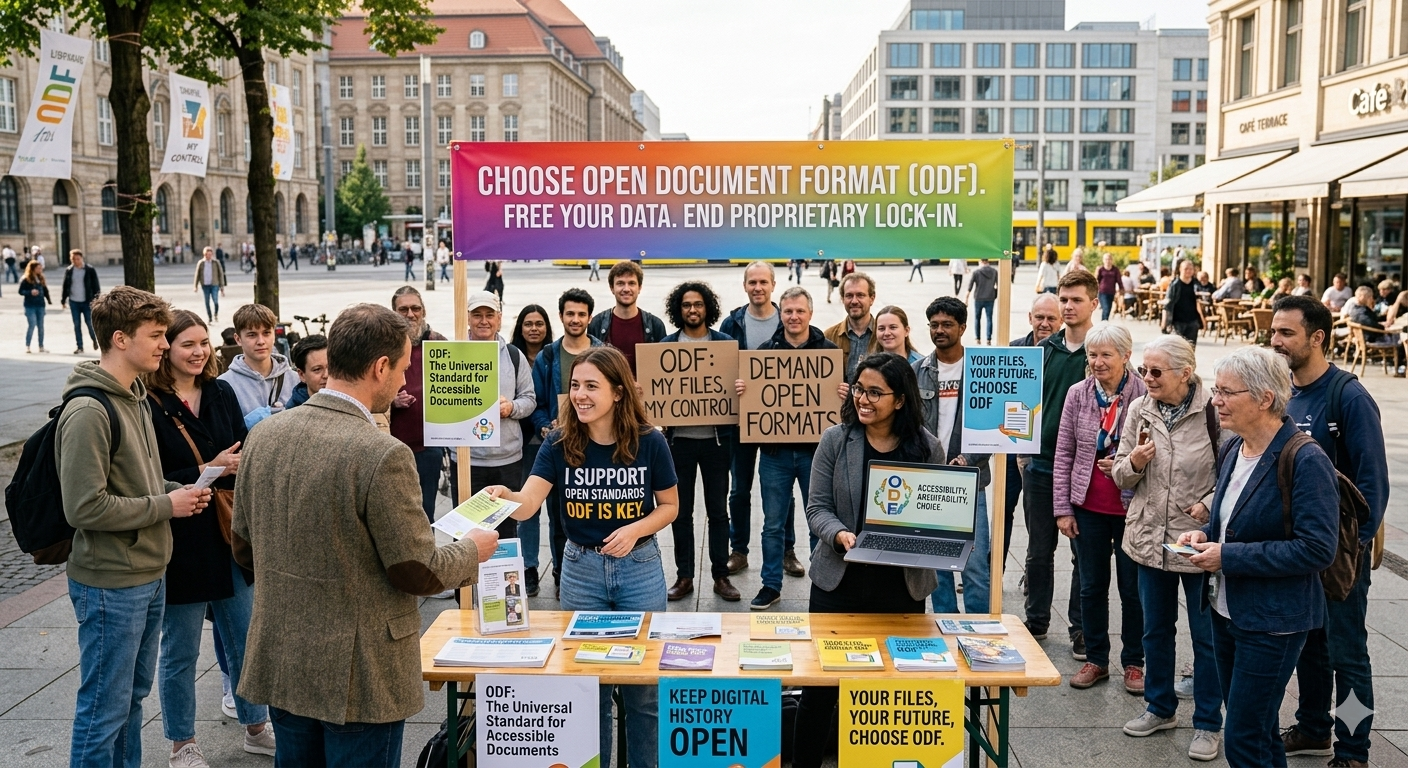
If you want to help Linux Mint with a donation, please visit https://www.linuxmint.com/donors.php

Patrons:

Linux Mint is proudly supported by 2,274 patrons, for a sum of $5,297 per month.

To become a Linux Mint patron, please visit https://www.patreon.com/linux_mint

Reçu — 20 mai 2026 Développement logiciel
  • ✇FreshRSS releases
  • FreshRSS 1.29.1
    Milestone This is bug-fix release for 1.29.0. Feature highlights✨: Accept .txt import of feed URLs in additional to e.g. OPML New CLI for automatic periodic SQLite export with retention More feed info: last received date, publication date Bug fixes highlights 🐛: Fix cookies with some browsers Fix search in shared user queries with empty results UI highlights 🖼: Improve Web browsers compatibility This release has been made by @Alkarex, @Frenzie, @IEEE-754, @Inverle, @McFev, @ciro-mota, @c
     

FreshRSS 1.29.1

Par :Alkarex
20 mai 2026 à 13:58

This is bug-fix release for 1.29.0.

Feature highlights✨:

  • Accept .txt import of feed URLs in additional to e.g. OPML
  • New CLI for automatic periodic SQLite export with retention
  • More feed info: last received date, publication date

Bug fixes highlights 🐛:

  • Fix cookies with some browsers
  • Fix search in shared user queries with empty results

UI highlights 🖼:

  • Improve Web browsers compatibility

This release has been made by @Alkarex, @Frenzie, @IEEE-754, @Inverle, @McFev, @ciro-mota, @cweiske, @polybjorn and newcomer @mzl2233

Full changelog:

  • Features
    • Accept .txt import of feed URLs in additional to e.g. OPML #8818, #8837
    • New CLI for automatic periodic SQLite export with retention #8819
    • More feed info: last received date, publication date #8799
  • Bug fixing
    • Fix cookies with some browsers #8867
    • Fix search in shared user queries with empty results #8863
    • Fix XML errors with loading invalid OPML in lib_opml library #8652, #8853,
      lib_opml#48, lib_opml#51
    • Fix ensure maximum number of feeds also with Dynamic OPML #8832
    • Fix click mark as read #8817
  • UI
    • Improve browser compatibility to keep mobile navigation at the bottom #8833
    • Improve support of older/simpler Web browsers/engines such as SeaMonkey #8810,
      #8811, #8813,
    • Improve Swage theme #8842
    • Rename Nord theme to Nord #8805
    • Replace GIF spinner by CSS spinner #8804, #8812
    • Various UI and style improvements: #8800, #8816,
  • I18n
    • Improve Brazilian Portuguese #8846
    • Improve Dutch #8868
    • Improve German #8840
    • Improve Polish #8854
    • Improve Russian #8861
    • Improve Traditional Chinese #8849
  • Misc.

  • ✇GIMP
  • GIMP on MS Store now requires Windows Build 20348
    We received some informal reports in the Microsoft Store reviews telling us that GIMP updates were deleting user data! In particular, plug-ins, themes, brushes, user settings and other add-ons were not being kept during an update from the store. To resolve this, the updated version of GIMP from the Microsoft Store will require Windows 11 or at least Windows Server 2022 (Windows NT Build 10.0.20348.0). Windows 10 is still supported, but only when GIMP is installed from our .exe installer. Note th
     

GIMP on MS Store now requires Windows Build 20348

Par :Bruno
19 mai 2026 à 18:00

We received some informal reports in the Microsoft Store reviews telling us that GIMP updates were deleting user data! In particular, plug-ins, themes, brushes, user settings and other add-ons were not being kept during an update from the store.

To resolve this, the updated version of GIMP from the Microsoft Store will require Windows 11 or at least Windows Server 2022 (Windows NT Build 10.0.20348.0).

Windows 10 is still supported, but only when GIMP is installed from our .exe installer.

Note that we are no longer able to support versions of Windows older than Windows 10, and can no longer support 32-bit systems running Windows.

Installing the update will prevent future data loss during upgrades.

Technical details

This was being caused by the way MSIX (the format of apps distributed on Microsoft Store, GIMP included) is designed, which prefers sandboxed user data (like Flatpak and Snap). We have been trying to work with this requirement when running from MSIX, but were not successful.

So, to fix this packaging limitation, we were given the special “restricted capability” unvirtualizedResources (specifically virtualization:ExcludedDirectory), to preserve user data on %AppData%\GIMP, just as the .exe installer does. This is similar to what we do on other sandbox distributions such as Flatpak and Snap.

After the update, GIMP user data will be copied on upgrades.

The update does not affect images or other resources stored outside your GIMP folder.

How to migrate the previous user data

This restricted capability is only available on Windows NT Build 10.0.20348.0 and later. So, users with older Windows versions will need to use the .exe installer.

Note: the binaries inside the .exe installer and the .msix are exactly the same.

For users who were using the MS Store version until now and are switching to the .exe installer, here are instructions in order not to lose your configuration data from the MS Store version:

  1. Manually locate your config dir at %LOCALAPPDATA%\Packages\ (you may just copy-paste this string into the Windows Explorer).
  2. Search a folder starting with GIMP (with random numbers and letters after that) at this location.
  3. From there, navigating down to LocalCache\Roaming\ where you will find a folder named GIMP.
  4. Copy this GIMP folder into %APPDATA% (again, just copy-paste %APPDATA% into the Windows Explorer to find the correct location).
    Note that maybe the folder %APPDATA%\GIMP\ already exists, in particular if you also used the .exe installer at some point. If so, it is up to you to decide whether you want to override the data already present with the ones from the MS Store GIMP.

This procedure is a one-time thing as a workaround to this exceptional issue. You won’t have to do it again in the future!

Reçu — 19 mai 2026 Développement logiciel
  • ✇The Document Foundation Blog
  • How your donations help the LibreOffice project and community
    LibreOffice is free thanks to your donations. Here’s how your support helps us to improve the software and grow the community that makes it (Note: this video is also available on PeerTube.) Please confirm that you want to play a YouTube video. By accepting, you will be accessing content from YouTube, a service provided by an external third party. YouTube privacy policy If you accept this notice, your choice will be saved and the page will refresh. Accept YouTube Content
     

How your donations help the LibreOffice project and community

19 mai 2026 à 04:22

LibreOffice is free thanks to your donations. Here’s how your support helps us to improve the software and grow the community that makes it 😊 (Note: this video is also available on PeerTube.)

Please confirm that you want to play a YouTube video. By accepting, you will be accessing content from YouTube, a service provided by an external third party.

YouTube privacy policy

If you accept this notice, your choice will be saved and the page will refresh.

Reçu — 15 mai 2026 Développement logiciel
  • ✇GIMP
  • GIMP @ Linux App Summit and ADULLACT Congress 2026
    We have been trying to encourage contributors to be more present on various events, international or local. Here is where you will find someone from the GIMP team in the coming weeks: Linux App Summit 2026¶ The Linux App Summit (LAS) brings the global Linux community together to learn, collaborate, and help grow the Linux application ecosystem. Linux App Summit 2026, May 16-17, 2026 - Berlin, Germany It happens this week-end, from May 16 to 17 in Berlin, Germany, and we will have one per
     

GIMP @ Linux App Summit and ADULLACT Congress 2026

14 mai 2026 à 18:00

We have been trying to encourage contributors to be more present on various events, international or local. Here is where you will find someone from the GIMP team in the coming weeks:

Linux App Summit 2026

The Linux App Summit (LAS) brings the global Linux community together to learn, collaborate, and help grow the Linux application ecosystem.

Linux App Summit 2026 banner
Linux App Summit 2026, May 16-17, 2026 - Berlin, Germany

It happens this week-end, from May 16 to 17 in Berlin, Germany, and we will have one person attending, Michael Schumacher, one of our long term contributor, as well as member of our Committee.

Unfortunately our project did not submit a talk, but we are still interested to meet more of the desktop software ecosystem contributors and see what’s happening around us! So if you attend too and spot Michael, do not hesitate to go and speak with him. He will likely have Wilber stickers to distribute too! 😍

10th Congrès ADULLACT

The Congrès ADULLACT is a conference gathering elected representatives of French local authorities, to discuss Free Software usage in the public sector.

10th Congrès ADULLACT 2026 banner
10th Congrès ADULLACT, June 4-5, 2026 - Montpellier, France

Jehan, GIMP Maintainer, will be present there to showcase GIMP as a Community, Free Software. Obviously GIMP is already quite massively present in France, but as many Free Software, administrators and users alike may not realize how it is being developed, by whom, why and how. Nor do they know that it is being developed by a major part in Europe and more particularly in France. Since one of the two main topics this year is the digital sovereignty, this is quite a major stake in this context.

The event happens from June 4 to 5, 2026, in Montpellier, France. As one can imagine, it is a close event for elected representatives and civil servants only, so if this is your case, we hope you will show up and Jehan will be happy to discuss with you!

Jehan’s talk will be on Friday, June 5, 2026, at 14:20 (French time) and he will introduce GIMP as a “Free Software and Community”.

We hope you’ll be many to attend! (oh and Jehan as well will have Wilber stickers, even though it may less a selling point in such a conference 😋)

  • ✇The Document Foundation Blog
  • There is no digital sovereignty without ODF
    Any other choice is a choice of dependence on a single vendor Digital sovereignty begins with the document format. Everything else – server location, hosting jurisdiction, procurement clauses – is downstream of this single decision. If the format is standard and open, the user controls the document. If the format is proprietary the vendor controls it, even when the file sits on the user’s own hard drive. This is why LibreOffice, and its derivatives such as Collabora Office and Online, are today
     

There is no digital sovereignty without ODF

15 mai 2026 à 11:16

Any other choice is a choice of dependence on a single vendor

Digital sovereignty begins with the document format. Everything else – server location, hosting jurisdiction, procurement clauses – is downstream of this single decision. If the format is standard and open, the user controls the document. If the format is proprietary the vendor controls it, even when the file sits on the user’s own hard drive.

This is why LibreOffice, and its derivatives such as Collabora Office and Online, are today the only legitimate choice for governments, supranational bodies, businesses and organisations that want to protect the digital freedom of their users. Only software based on the LibreOffice source code – the LibreOffice Technology – uses ODF as its native document format. Every document saved, stored, retained and exchanged in ODF remains the exclusive property of its author, and remains so over the years.

ODF – Open Document Format, as the name says – was designed and developed in accordance with the characteristics of a true open standard: clearly documented, transparently developed by an independent body, properly versioned, built on existing standards, and stored in XML files that any user can read.

None of this applies to OOXML. The name is itself an oxymoron: XML stands for eXtended Markup Language, which is open by definition, but OOXML’s syntax is so complex that it is unreadable even to advanced users. The format was deliberately designed to become a sophisticated lock-in tool at a moment when Microsoft’s other strategies had already been uncovered and analysed.

The Transitional/Strict bait-and-switch

OOXML was approved as an ISO standard through a process that was an affront to transparency, ethics, common sense and respect for users. The format is documented in a way that discourages consultation – over 7,500 pages – and is developed by Microsoft behind closed doors in Redmond.

It is not versioned. It uses no independent standards. On the contrary, it relies on proprietary Microsoft formats wherever possible, in some cases formats that Microsoft itself had deprecated because the market rejected them. It is not even compatible with the Gregorian calendar. The XML schemas are nearly absurd in their complexity.

The bait-and-switch worked like this: “I swear it will be Transitional until 2010, very proprietary and very little of a standard, and after that only Strict, not very proprietary and very much a standard.”

The catch: Strict never materialised in practice. For years it lingered as a last-resort option that no one was meant to use, and it has now disappeared from the Save As options altogether. The standardised version of OOXML – the one ISO was told would become the real format – no longer exists as a user choice. Only Transitional remains.

A pity, because we would have had a laugh with Strict’s bugs. Excel has a thing for getting dates wrong (the (in)famous 1900 leap-year bug, inherited from Lotus 1-2-3 and never fixed), and when Excel gets dates wrong, no other software does it worse.

The political consequences

All of this is hard to grasp by looking at what happens on screen, because the document seems entirely harmless in its apparent simplicity. And yet all of it has been documented in detail since OOXML was first introduced, by independent experts who should have been heard, both by ISO and by those working in advanced technology.

Instead, ISO bought the Transitional/Strict story. And once ISO believed it, governments and politicians believed it too, rushing to adopt OOXML as a document format for fear that Bill Gates and Steve Ballmer might take offence and act accordingly.

In doing so, they placed citizens’ private data in Microsoft’s hands and reinforced a monopoly that was already evident before OOXML’s arrival, and that has become increasingly difficult to dismantle ever since.

The Microsoft ecosystem played its part in all this, and partner companies – SAP foremost among them – have always done everything in their power to push their users toward OOXML for data exchange, openly obstructing the use of the standard ODF format. An uneven struggle, by design.

Worse still, with just a few exceptions, even those who by virtue of their expertise should have recognised OOXML as the cornerstone of Microsoft’s new lock-in strategy fell for it. Some still write today: “we have to accept it, OOXML is an ISO standard.” This is not a serious position.

It is a deference with no rational basis.

Microsoft’s monopoly position is not founded on technological superiority but on the strategic foresight of Bill Gates and the lobbying machinery that flowed from it, deployed well ahead of its time.

The same deference has had consequences in the scientific community as well.

The HUGO Gene Nomenclature Committee was forced in 2020 to rename dozens of human genes – including SEPT1 and MARCH1 – because Excel kept silently converting their symbols to dates. Rather than going to Microsoft and demanding a bug fix, scientists preferred to throw years of established nomenclature down the drain to avoid upsetting Redmond. A revealing precedent.

Supporting ODF is not choosing ODF

There is a distinction that needs to be made plainly, because it is too often blurred, sometimes inadvertently, sometimes by design. Supporting a format is not the same as choosing it.

An office suite that saves OOXML by default is not supporting digital sovereignty, independently from the level of ODF support. It is an OOXML suite with an ODF import/export filter, which inherits all the OOXML based lock-in mechanisms: proprietary schemas, vendor-controlled evolution, hidden binary fragments, format-level dependencies on Microsoft’s roadmap.

Digital sovereignty lives at the native-format layer. Support describes what a piece of software can read. Native format describes what it is. The native format determines the legal and technical character of every document the user creates.

A commitment to “improve ODF support” is not a commitment to digital sovereignty. It is a commitment to keep ODF as a guest in someone else’s house.
This distinction matters for any project, coalition, or procurement decision that claims a digital sovereignty objective. The meaningful question is never whether ODF is supported – it almost always is, at some level – but whether ODF is the native format, chosen and committed to as such.

If the answer is anything other than yes, the sovereignty claim is provisional at best.

What digital sovereignty actually requires

The only viable path to digital sovereignty today is to use ODF as the native document format, and OOXML as the interoperability format for exchange with users who – out of lack of information, or pure convenience – continue to use the proprietary format, and share ownership of their own files with the vendor.

Anything else is false digital sovereignty. Control over a document and over the information it contains depends first on the format and only afterwards on the location of the server.

Standard, open format: the user is in control. Proprietary format: the vendor is in control, even if the document sits on a PC on the user’s desk.

This should be self-evident to anyone working in open source software, because it follows directly from its principles.

A proprietary document respects neither Freedom 1 (the freedom to study and modify) nor Freedom 3 (the freedom to improve and redistribute), as it is not not documented in a way which makes the source code readable and it is not developed through a transparent process.

The decision to adopt OOXML as the native format runs counter to the interests of governments, supranational bodies, organisations of every kind and enterprises. But above all, it runs counter to the interests of users as it exploits their lack of information rather than investing in their education and in their digital sovereignty.

The choice of native format is not a technical detail to be deferred or finessed. It is the choice. Any project that treats it as something less is not supporting digital sovereignty. Full stop.

Reçu — 13 mai 2026 Développement logiciel
  • ✇The Document Foundation Blog
  • Why a digital document is a piece of software, and what that means for your freedom
    Most people, including many competent software developers, think of a digital document the way they think of a sheet of paper: an inert object that holds words and pictures, indifferent to the tool used to open it. This intuition is wrong, and the consequences of getting it wrong shape everything from vendor lock-in to cybersecurity to the long-term readability of public records. A digital document is not paper. It is a piece of software. The HTML parallel The clearest way to see this is to thin
     

Why a digital document is a piece of software, and what that means for your freedom

13 mai 2026 à 10:07

Most people, including many competent software developers, think of a digital document the way they think of a sheet of paper: an inert object that holds words and pictures, indifferent to the tool used to open it. This intuition is wrong, and the consequences of getting it wrong shape everything from vendor lock-in to cybersecurity to the long-term readability of public records.

A digital document is not paper. It is a piece of software.

The HTML parallel

The clearest way to see this is to think about a web page. When you visit a website, your browser receives a file – an HTML document – and executes it. It parses the markup, applies styling rules, runs embedded scripts, fetches additional resources, and assembles the result into something you can read. The page you see on screen is not a static image transmitted from the server, it is the output of a small program that your browser ran on your behalf.

Nobody disputes that a web browser is software. Yet the HTML file it consumes is also, in a meaningful sense, software: a set of instructions describing what should happen when the file is opened. Change the instructions, and the rendered page changes. Withhold the specification of how the instructions should be interpreted, and only the party holding the specification can guarantee a faithful rendering.

It is worth remembering that the openness of HTML did not happen by accident, and was nearly lost. In the early 2000s, Internet Explorer 6 commanded around ninety per cent of the browser market, and Microsoft used that dominance to push proprietary extensions to HTML, CSS, and the document model: non-standard tags, behaviours, and filters that worked only in their browser.

Web developers, desperate to reach users, began coding both to Internet Explorer and to the standard, carrying the cost of that double work themselves, while the vendor reaped the benefit of lock-in either way. The open web did not fragment, but only because developers absorbed the cost of holding it together. Had they stopped, HTML would have quietly become whatever Microsoft shipped next.

It took a sustained effort by the W3C, by competing browsers such as Firefox, and by the community of standards-conscious developers to pull the web back onto open ground. Had that effort failed, HTML today would not be a shared language, but a Microsoft product. The web survived because the standard was defended. Document formats have not always been so lucky.

An office document – a DOCX, an ODT, a PPTX, a PDF – works exactly the same way. It is a structured file containing instructions: this text in this font at this size, this image embedded here, this table laid out this way, this field recalculated automatically, this macro executed on opening. When you “open” the document, an application reads those instructions and runs them. The page you see on screen is the output of a program – the office suite – executing the instructions contained in the document.

The document is the code. The office suite is the interpreter. Together they are a software system, and the user is the one running it, usually without realising.

Why this matters: lock-in is a software property

Once you see a document as software, the question of file formats becomes the question of programming languages. A proprietary file format is a programming language whose specification is owned, controlled, and modifiable at will by a single vendor. The “programs” written in that language – your contracts, your invoices, your books, your public administration archives – can only be reliably executed by software that vendor authorises.

This is the structural mechanism of lock-in. It is not a side effect of user habit or training cost. It is the direct consequence of writing your documents in a language whose grammar belongs to someone else. The moment the vendor changes the grammar – and proprietary formats change constantly, at least with each new product release, but often even more frequently – your existing documents may render differently, lose features, or stop opening altogether. You do not own the language in which your own records are written.

Open standards such as ODF exist precisely to break this dependency. ODF is a publicly specified, independently maintained format whose grammar belongs to no single vendor. Any developer can build a faithful interpreter. Your documents, written in an open language, remain readable regardless of what any single company decides.

Why this matters: attack surface is a software property

The second consequence is security. Software has vulnerabilities, paper does not. The moment we admit that a document is software, the long catalogue of OOXML-related security advisories becomes unsurprising, and inevitable, indeed.

Office document formats are ferociously complex. OOXML in particular runs to thousands of pages of specification, with macro languages, embedded OLE objects, external references, conditional formatting logic, and a substantial layer of binary legacy compatibility. Each of these is a way in for an attacker. A document that arrives by email and “just opens” can run hidden code, download malicious content from the internet, exploit weaknesses in how the file is read, and from there take control of the computer itself. The pattern recurs year after year, vulnerability after vulnerability, because the document is doing what software does: running.

A simpler, more rigorously specified format is harder to weaponise. This is not a guarantee – any sufficiently expressive format has risks – but the principle holds: complexity is the friend of the attacker, and proprietary complexity, never fully documented to outside parties, is the best friend of all.

Why this matters: freedom is a software property

If a digital document is software, then the framework we apply to software ethics applies to documents. The Free Software Foundation defines four freedoms: the freedom to use the program for any purpose, to study and modify it, to redistribute copies, and to distribute modified versions. The second and the fourth – Freedom 1 and Freedom 3 – require access to the source.

A document in a proprietary format violates these freedoms in exactly the way proprietary software does. You cannot fully study how it will be interpreted, because the specification of the format is either secret, partial, or subject to unilateral change. You cannot reliably build or share modified tools to interpret it, because the format’s owner retains the right to declare your interpreter non-conformant. The “source code” of the document – the full and stable specification of what its instructions mean – is not in your hands.

This is not a metaphor. It is the same dependency, structurally, that makes proprietary software unacceptable for any organisation serious about digital sovereignty. The document, as software, inherits the politics of the format it is written in.

The conclusion is unavoidable

A digital document is a small program. It runs every time it is opened. The language it is written in determines who controls it, who can attack it, and whether its readers are free.

Treating documents as paper has allowed a generation of policymakers, public administrators, and even technologists to overlook the fact that the choice of document format is a choice of software dependency, and a choice of whose grammar governs our written record. There is no neutral format, just as there is no neutral programming language. There are only formats whose specifications are open, stable, and collectively governed, and formats that are not.

We have learned, slowly and at cost, to demand openness in our software. The document is software. The demand is the same.

Reçu — 12 mai 2026 Développement logiciel
  • ✇The Document Foundation Blog
  • The Document Foundation announces LibreOffice 25.8.7
    Berlin, 12 May 2026 – The Document Foundation announces the release of LibreOffice 25.8.7, the final maintenance release of the LibreOffice 25.8 family, available for download at www.libreoffice.org/download [1]. Users of LibreOffice 25.8.x should update to LibreOffice 26.2.x as LibreOffice 25.8’s end of life will be on June 12, and after that date the software will not receive additional security updates. LibreOffice 25.8.7 is based on LibreOffice Technology, which enables the development of d
     

The Document Foundation announces LibreOffice 25.8.7

12 mai 2026 à 07:15

Berlin, 12 May 2026 – The Document Foundation announces the release of LibreOffice 25.8.7, the final maintenance release of the LibreOffice 25.8 family, available for download at www.libreoffice.org/download [1]. Users of LibreOffice 25.8.x should update to LibreOffice 26.2.x as LibreOffice 25.8’s end of life will be on June 12, and after that date the software will not receive additional security updates.

LibreOffice 25.8.7 is based on LibreOffice Technology, which enables the development of desktop, mobile and cloud versions – either from TDF or from the ecosystem – that fully supports the two document format standards: the open ODF or Open Document Format (ODT, ODS and ODP), and the closed and proprietary Microsoft OOXML (DOCX, XLSX and PPTX).

Products based on LibreOffice Technology are available for all major desktop operating systems (Windows, macOS, Linux and ChromeOS), mobile platforms (Android and iOS) and the cloud.

For enterprise-class deployments, TDF recommends a LibreOffice Enterprise optimized version, with dedicated value-added features and other benefits such as SLAs and security patch backports for three to five years. Additional details at: www.libreoffice.org/download/libreoffice-in-business/.

English manuals for the LibreOffice 25.8 family are available for download at books.libreoffice.org/en/. End users can get first-level technical support from volunteers on the user mailing lists and the Ask LibreOffice website: ask.libreoffice.org.

LibreOffice users, free software advocates and community members can support The Document Foundation and the LibreOffice project by making a donation: www.libreoffice.org/donate.

[1] Fixes in RC1: wiki.documentfoundation.org/Releases/25.8.7/RC1. Fixes in RC2: wiki.documentfoundation.org/Releases/25.8.7/RC2. Fixes in RC3: wiki.documentfoundation.org/Releases/25.8.7/RC3.

Reçu — 10 mai 2026 Développement logiciel
  • ✇FreshRSS releases
  • FreshRSS 1.29.0
    Milestone This is a major release. Feature highlights✨: New sort order preferences at global, category, and feed levels Use feed-provided icon New option to hide sidebar by default Show time since when a feed has problems New functions to handle plural in internationalisation New cli/purge.php to apply purge policy from command line Bug fixes highlights 🐛: Improve support of PHP 8.5+ Several fixes related to searches Security highlights 🛡: Limit cURL to protocols HTTP, HTTPS UI highlight
     

FreshRSS 1.29.0

Par :Alkarex
10 mai 2026 à 10:43

This is a major release.

Feature highlights✨:

  • New sort order preferences at global, category, and feed levels
  • Use feed-provided icon
  • New option to hide sidebar by default
  • Show time since when a feed has problems
  • New functions to handle plural in internationalisation
  • New cli/purge.php to apply purge policy from command line

Bug fixes highlights 🐛:

  • Improve support of PHP 8.5+
  • Several fixes related to searches

Security highlights 🛡:

  • Limit cURL to protocols HTTP, HTTPS

UI highlights 🖼:

  • Improve mobile view with multiple lines when thumbnails and summaries are shown
  • Several themes improved

Extensions highlights 🧩:

  • New Webhook extension for automated RSS notifications
  • New LLM Classification extension to automatically tag incoming articles based on a prompt sent to an LLM

This release has been made by @Alkarex, @Inverle, @Kiblyn11, @math-GH, @rupakbajgain, @xtmd and newcomers @polybjorn, @olivluca, @tomasodehnal, @PeterVavercak, @mrtnrdl, @ale-rt, @cweiske, @rid3r45, @gabbihive, @drosell271, @Kachelkaiser, @zanivann, @nanos, @bowencool, @pe1uca, @matheusroberson, @DenuxPlays, @rlrs, @chanse-syres, @IEEE-754, @umaidshahid, @michi-onl

Full changelog:

  • Features
    • New sort order preferences at global, category, and feed levels #8234
    • New filtering by date of Server modification date #8131, #8576
      • Corresponding search operator, e.g. mdate:P1D for finding articles modified by the author / server during the past day.
      • Especially useful for optimising the API synchronisation.
    • Use feed-provided icon #8633
    • New option to automatically mark new articles as read if an identical GUID already exists in the same category #8673
    • Automatic feed visibility/priority during search #8609
    • Add feed visibility filter to statistics view unread dates #8489
    • Add option to enable/disable notifications, also for PWA #8458
    • Add a form to create new user queries on the User Queries page #8623
    • Allow WebSub hub push from same private network #8450
    • Support category field in JSON feed import #8786
  • Bug fixing
    • Fix wrong search toString in case of regex-looking string #8479
    • Fix article last seen date in case of feed errors #8646
    • Fix search expansion with backslash #8497
    • Fix user query parsing #8543
    • Fix search in shared user queries #8789
    • Fix redirect to wrong view after mark as read in reader and global views #8552
    • Fix SQLite paging when sorting by article length #8594
    • Fix change sorting during paging #8688
    • Fix SQL keyset pagination when sorting by category name #8597
    • Fix SQL duplicates in the user labels when sorting randomly #8626
    • Fix wrong error redirect in subscription management #8625
    • Fix do not include hidden feeds when counting total number of unread articles #8715
    • Update user modify date when changing extensions UserJS / UserCSS #8607
    • Non-strict OPML export #eedefb
  • Security
    • Limit cURL to protocols HTTP, HTTPS #8713
    • Better sanitise favicon URLs #8714
    • New setting for <iframe> referrer allow list #8672
    • Fix email validation and allow error page for unverified email users #8582
    • Add allowfullscreen to <iframe> #8467
    • Rewrite Set-Cookie using native PHP support of SameSite #8447, #8778
      • Sanitize lifetime of session cookies from session.cookie-lifetime in php.ini
    • Update to <meta name="referrer" content="no-referrer" /> from deprecated never #8725
    • Preventive measure against search ingestion #8777
  • UI
    • New option to hide sidebar by default #8528
    • Improve mobile view with multiple lines when thumbnails and summaries are shown #8631
    • New option to disable unread counter in tab title and favicon #8728
    • Show time since when a feed has problems #8670
    • Improve add feed UI #8683
    • Improve slider behaviour when using navigate back button #8496, #8524
    • Improve consistency of slider behaviour after submitting form #8612
    • Create dynamic favicons from SVG instead of PNG canvas #8577, #8588
    • Only display scrollbar everywhere if there's an overflow (especially for Chromium) #8542
    • Fix CSS padding of .content pre code #8620
    • Fix wrong navigation buttons layout on Chromium #8606
    • Fix don’t mark as read if middle click is outside of article link #8553
    • More robust JS #8595
    • Fix sidebar slide animation at narrow viewports #8747
    • Visually dim disabled users in user management table #8768
    • Improve multiple UI themes #8711, #8732,
      #8733, #8734, #8735,
      #8736, #8737, #8738,
      #8739, #8743, #8746,
      #8749, #8761, #8781,
      #8784, #8785
    • Various UI and style improvements: #8537, #8538,
      #8541, #8624, #8731,
      #8774
  • Deployment
    • Also push Docker images to GitHub registry #8669
    • Improve support of PHP 8.5+ using Pdo\Mysql #8526
    • Add support for Podman in Makefile #8456
    • Re-add database status in installation check #8510
    • Docker / CLI: Allow chown/chmod to fail with warning #8635
  • Extensions
    • New Webhook extension for automated RSS notifications Extensions#456
    • New LLM Classification extension to automatically tag incoming articles based on a prompt sent to an LLM Extensions#458
    • New extension methods to get typed configuration values #8696
    • New hook: Minz_HookType::ActionExecute #8599, #8603
    • New hook to modify the list of feeds to actualize #8655, #8675
    • Allow passing Minz_HookType as hook name in registerHook() #8600
    • Return more info and status from httpGet() #8700
    • Make httpGet() cache nullable #8705
    • Allow extensions’ configuration UI to use select-input-changer JavaScript helper #8721
  • SimplePie
  • CLI
    • New cli/purge.php to apply purge policy #8740
  • I18n
  • Misc.

Reçu — 9 mai 2026 Développement logiciel
  • ✇The Document Foundation Blog
  • Projects selected for LibreOffice in the Google Summer of Code 2026
    The LibreOffice Google Summer of Code projects have been selected for 2026. Aya Jamal – OpenType MATH: this project aims to add support for OpenType fonts that contain a MATH table. Data from the MATH table will be used to layout math formulas. Manish Bera – Improve word processor test coverage: Writer is the most complex application in LibreOffice. The tests written in the scope of this project will make for a better developer experience. One aim is to restart the automated generation of LCOV
     

Projects selected for LibreOffice in the Google Summer of Code 2026

9 mai 2026 à 03:26

The LibreOffice Google Summer of Code projects have been selected for 2026.

  • Aya Jamal – OpenType MATH: this project aims to add support for OpenType fonts that contain a MATH table. Data from the MATH table will be used to layout math formulas.
  • Manish Bera – Improve word processor test coverage: Writer is the most complex application in LibreOffice. The tests written in the scope of this project will make for a better developer experience. One aim is to restart the automated generation of LCOV test coverage reports.
  • Jesus Solis – JPEG XL import support: while JPEG XL has only recently started to be adopted by web browsers, it is already used in fields such as medical imaging, professional photography, PDF & EPUB authoring and handling geospatial and archival data. Having support for it in LibreOffice would therefore make for a smoother experience for the users who rely on the format.

Good luck to the contributors – we appreciate their work on these important features and improvements! And thanks to our mentors for assisting them: Khaled Hosny (Alif Type); Jonathan Clark and Xisco Faulí (TDF).

Between August 17 and 24, contributors will submit their code, project summaries, and final evaluations of their mentors. Find out more about the timeline here, and check out more details about the projects on this page.

Reçu — 8 mai 2026 Développement logiciel

Twenty Years On, ODF Is Still the Only Open Standard for Office Documents, and the Only One Governments Can Trust

8 mai 2026 à 01:00

Berlin, 8 May 2026 – Twenty years ago this week, on 3 May 2006, the Open Document Format cleared its Draft International Standard ballot at ISO/IEC JTC 1/SC 34 with unanimous approval. On 30 November 2006 it was published as ISO/IEC 26300. Two decades later, ODF remains what it was on the day of its ratification: the only open, vendor-neutral, freely implementable international standard for office documents in existence.

Everything else on the market is a vendor format with a standards number attached.

That distinction was contested in 2006. It is not contestable in 2026. The competing format pushed through ISO in 2008 – under a fast-track process whose abuses are now part of the documentary record of standards governance – has since splintered into a Strict variant almost no implementation actually uses and a Transitional variant that preserves, by design, the undocumented behaviours of a single vendor’s legacy products. A standard that exists to encode one company’s bugs is not a standard. It is a moat with a certificate.

ODF has no Transitional mode. It has no undocumented behaviours. It has no vendor whose commercial roadmap can quietly rewrite what conformance means. The specification is publicly available at no cost from ISO and from OASIS. The schemas are auditable. The implementations are multiple, independent, and free. This is not advocacy language. It is the working definition of a standard, and ODF is the only office-document format that meets it.

The political weather has finally caught up with the technical reality. Germany’s federal administration has mandated ODF through the Deutschland-Stack. The European Commission’s own services are under sustained pressure – including from this Foundation – to align procurement with the open-standards commitments the Commission itself has signed. Brazil has legislated open formats into its educational system through Lei 15.211/2025. The pattern is the same on every continent where public bodies have stopped to ask the only question that matters: in what format does a society keep its own records, and who decides when that format changes?

For twenty years, the answer to the second question – for any administration that chose ODF – has been: we do. For any administration that chose the alternative, the answer has been: the vendor does, and the administration will be informed.

“ODF is the document format of a public that has decided not to outsource its memory,” said Florian Effenberger, Executive Director of The Document Foundation. “The governments now mandating ODF are not making a technical choice. They are reclaiming a sovereignty they should never have surrendered.”

The implementation landscape reflects the same divide. LibreOffice, developed by The Document Foundation and a global community of contributors, uses ODF as its native format and is the reference implementation of the standard. Collabora Online extends ODF support to enterprise and cloud deployments. Together they constitute the working core of the ODF ecosystem. Other office suites – including those that market themselves with the vocabulary of openness while defaulting to a competitor’s vendor format – are not part of that ecosystem and should not be confused with it.

The Document Foundation will mark the twentieth anniversary across 2026 with a programme of publications, policy briefs, and community events. The LibreOffice Conference will dedicate a full track to ODF, coordinated with the OASIS Technical Committee, which is currently advancing version 1.4 of the specification. Material on the history, the structural design, and the policy implications of ODF will be published throughout the year on the TDF blog.

A standard is worth what it still does after the people who wrote it have moved on. ODF is read, written, and trusted by software none of its original authors imagined, on hardware none of them could have specified, in jurisdictions none of them lobbied. It has aged the way public infrastructure is supposed to age: quietly, reliably, and in everyone’s hands.

That is the anniversary worth marking. Not the certificate from 2006, but the twenty years of evidence since: evidence that the open-standards bet was the right one, that the alternative was the trap its critics warned it would be, and that the governments now choosing ODF are not innovating. They are catching up.

Reçu — 7 mai 2026 Développement logiciel
  • ✇The Document Foundation Blog
  • Announcing the new LibreOffice website!
    LibreOffice’s website is the main source of information about the software (and project), and typically has 45,000 – 65,000 visitors every day. It is also the place to download the suite, of course, and make donations to support the community. Our website was looking rather old and becoming difficult to
     

Announcing the new LibreOffice website!

7 mai 2026 à 05:24
LibreOffice’s website is the main source of information about the software (and project), and typically has 45,000 – 65,000 visitors every day. It is also the place to download the suite, of course, and make donations to support the community. Our website was looking rather old and becoming difficult to
Reçu — 6 mai 2026 Développement logiciel

LibreOffice at the Augsburger Linux-Infotag 2026

6 mai 2026 à 13:16
Most of the work in the LibreOffice project takes place online – in our Git repository, on mailing lists, on IRC and other places. But where possible, we like to meet in-person as well, at events around the world! Last weekend, for instance, we were at the Augsburger Linux-Infotag in
  • ✇Inkscape
  • Inkscape 1.4.4 boosts performance and crushes crashes
    Inkscape 1.4.4 is a regular maintenance update for the stable Inkscape 1.4.x line. It primarily fixes many crashes and bugs, but also boosts performance when handling many objects and brings two small new features. Here's a summary of what to expect from the new release: 20 crash fixes, among them for three nasty bugs where Inkscape wouldn't even start almost 20 other bug fixes 6 changes that improve performance a new palette a new button for rotating stars and polygons into their 'neu
     

Inkscape 1.4.4 boosts performance and crushes crashes

6 mai 2026 à 13:11

Latest version Inkscape 1.4.4 now available! Image: CC-By-SA 4.0 m1981

Inkscape 1.4.4 is a regular maintenance update for the stable Inkscape 1.4.x line. It primarily fixes many crashes and bugs, but also boosts performance when handling many objects and brings two small new features.

Here's a summary of what to expect from the new release:

  • 20 crash fixes, among them for three nasty bugs where Inkscape wouldn't even start
  • almost 20 other bug fixes
  • 6 changes that improve performance
  • a new palette
  • a new button for rotating stars and polygons into their 'neutral' or 'upright' position
  • 27 updated interface translations
  • 15 updated documentation translations
  • installation files for Windows on Arm

Like its predecessor, Inkscape 1.4.4 also a bridge release in the sense that it can be used to convert the planned Inkscape 1.5 multipage file format to the pre-1.5 multipage format

For more detailed information about the changes and known issues in 1.4.4, you can read the release notes.

Thanks to all Inkscape users and contributors for their support in identifying and flagging these critical issues for us through sending bug reports for our volunteer developers to examine and solve!

Should you experience an issue while using Inkscape, please let us know!

Built with the power of a team of mostly volunteers, this open source vector graphics editor represents the combined efforts, passion and work of many hearts and hands from around the world, ensuring that Inkscape remains available free for everyone to download and enjoy.

If you'd like to contribute to the project, you are more than welcome in our project's global community! You'll find the list of ways to connect with us here.

You can also help Inkscape to stay alive and evolve by making a donation.

Get Inkscape 1.4.4 for Linux, Windows or macOS!

Draw Freely.

Reçu — 5 mai 2026 Développement logiciel
  • ✇The Document Foundation Blog
  • Thank you, on behalf of ODF
    Recently, The Document Foundation published an open letter to European citizens. We asked Euro-Office – the new coalition forming around a European alternative for productivity – whether ODF (the Open Document Format) would be its native document format. Unfortunately, we have not yet received a reply, and this confirms –
     

Thank you, on behalf of ODF

5 mai 2026 à 08:21
Recently, The Document Foundation published an open letter to European citizens. We asked Euro-Office – the new coalition forming around a European alternative for productivity – whether ODF (the Open Document Format) would be its native document format. Unfortunately, we have not yet received a reply, and this confirms –
Reçu — 4 mai 2026 Développement logiciel

LibreOffice project and community recap: April 2026

4 mai 2026 à 02:54
Here’s our summary of updates, events and activities in the LibreOffice project in the last four weeks – click the links to learn more… We started April by announcing the LibreOffice Writer Guide 26.2. This is an extensive handbook full of tutorials, tips and tricks for the software. A huge
Reçu — 30 avril 2026 Développement logiciel
  • ✇The Linux Mint Blog
  • Monthly News – April 2026
    Hi everyone, Thank you for your support and your donations! Many thanks to everyone involved in helping Linux Mint. HWE ISOs Earlier this month we announced a longer development cycle and the decision not to release until Christmas 2026. To address compatibility issues with brand new hardware, we decided to start publishing updated ISO images called HWE (Hardware Enablement). Linux Mint 22.3 was released in January with kernel 6.14. Today we’re publishing HWE ISO images for Linux Mint 22.3 with
     

Monthly News – April 2026

Par :Clem
30 avril 2026 à 12:42

Hi everyone,

Thank you for your support and your donations! Many thanks to everyone involved in helping Linux Mint.

HWE ISOs

Earlier this month we announced a longer development cycle and the decision not to release until Christmas 2026. To address compatibility issues with brand new hardware, we decided to start publishing updated ISO images called HWE (Hardware Enablement).

Linux Mint 22.3 was released in January with kernel 6.14. Today we’re publishing HWE ISO images for Linux Mint 22.3 with kernel 6.17. Going forward, we will publish HWE ISOs for the latest release whenever a newer kernel becomes available in the package base. Note that these ISOs are not new releases, but they are fully QA-tested and considered stable.

For more information or to download these ISOs: https://www.linuxmint.com/hwe.php

ALPHA Phase

We’re considering adding an ALPHA phase to the new release cycle. This would make it easier for people to get a preview of what is coming, and allow us to gather early feedback on some of the big changes we’re working on.

We have a new package base, a new screensaver, additional keyboard layout improvements, and a functional Wayland session. There’s a lot to test and more on the way.

Screensaver Bug Fix

Sometimes when you lock and suspend (this typically happens when you close the lid on a laptop), upon resume, you get to briefly see the session, until the lock screen appears. An update to cinnamon-settings-daemon (version 6.6.4) was pushed towards Linux Mint 22.3 and LMDE 7 to address this issue.

Sponsorships:

Linux Mint is proudly sponsored by:

Gold Sponsors:
Linux VPS Hosting
Unix Shells
Silver Sponsors:
Datadog
Sucuri
ThinkPenguin: For Everything Freedom
Bronze Sponsors:
AYKsolutions Server & Cloud Hosting
Agile.Coach
Ben McCann
BGASoft Inc
C0MPLÉX1 SEO
Chargeblast
Marek Stapff
nesevo GmbH & Co. KG
Tinken Inc

Donations in March:

A total of $20,977 were raised thanks to the generous contributions of 692 donors:

$1000 (2nd donation), Marci S.
$636 (3rd donation), Natalya S.
$483 (5th donation), Neil M.
$318, Ana P.
$318, Linux Cafe
$300 (9th donation), Matthew P.
$300, Emanuele A.
$212, David M.
$200 (32nd donation), John Mc aka “Land Research Project
$200 (18th donation), James F.
$138, Sara B.
$127 (5th donation), Flavio Silva Pita Correia
$120, Robert J.
$117, Urs K.
$106 (18th donation), Jiří B.
$106 (8th donation), Marco van den Berg
$106 (3rd donation), Matthias H.
$106, Antonio
$106, Daniel H.
$106, Hans-Peter K.
$106, Jindra Š.
$106, Klaus P.
$106, Nicolas M.
$106, Stephan L.
$100 (15th donation), Mihail S.
$100 (9th donation), Konrad W.
$100 (8th donation), David V.
$100 (8th donation), Sivaguru
$100 (6th donation), Faisal Yousuf
$100 (6th donation), Jamison G.
$100 (6th donation), William M.
$100 (2nd donation), Paul H.
$100 (2nd donation), Scott M.
$100, Dionysus M.
$100, Genaro Arduino
$100, James F.
$100, Jerry B.
$100, mbr
$100, Michael C.
$100, Paul M. A.
$100, Rich J.
$100, Ryan D.
$90 (3rd donation), IURII M. K.
$90, Benjamin S.
$81, Markus R.
$75 (2nd donation), Peter G.
$74, FMP
$70 (5th donation), Norman K.
$60, Christopher F.
$60, James F.
$53 (7th donation), Birgit B.
$53 (5th donation), Joost S.
$53 (5th donation), Rolf H.
$53 (4th donation), jo
$53 (3rd donation), Alexander E.
$53 (3rd donation), Lars E. S.
$53 (3rd donation), Reinder A. R.
$53 (2nd donation), Eric P.
$53 (2nd donation), J.l.p.w. V.
$53 (2nd donation), Jean-Louis C
$53 (2nd donation), Jon B.
$53 (2nd donation), Juan Valencia Calvellido aka “calvellido
$53 (2nd donation), peter A. W.
$53 (2nd donation), R. León
$53 (2nd donation), Robert H.
$53, Alexander B.
$53, Alojzije O.
$53, ALVARO V.
$53, Anton B.
$53, Boris K.
$53, Christian M.
$53, Christian S.
$53, Christopher P.
$53, Daniel
$53, Daniele G.
$53, David Swinstead
$53, Eckhard A.
$53, ES
$53, Fabio G.
$53, Francois L. D.
$53, Frank S.
$53, Friedrich R.
$53, Guillaume C.
$53, Gunnar N.
$53, Hakim S.A
$53, Hans-Peter E. M.
$53, Hanspeter W.
$53, Heiko M.
$53, Helmut M.
$53, Herman D. J.
$53, Jan F.
$53, Jeffrey L.
$53, john M.
$53, Maria M.
$53, Markus B.
$53, MATHIS R.
$53, Nico A.
$53, Norbert W.
$53, Oliver R.
$53, Richard V.
$53, Ruben F.
$53, SANNY S.
$53, Sebastian S.
$53, Tobias W.
$53, Viktor M.
$53, Wolf-Rüdiger H.
$50 (29th donation), Thomas T. aka “FullTimer1489”
$50 (18th donation), Mothy
$50 (8th donation), Charles H.
$50 (8th donation), Rod Hassler
$50 (7th donation), Khalid T. aka “k9750”
$50 (6th donation), William T. aka “DW Bill”
$50 (5th donation), Gary S.
$50 (4th donation), John F.
$50 (4th donation), Lee R.
$50 (3rd donation), Anthony P.
$50 (3rd donation), Ed C.
$50 (3rd donation), Sean O.
$50 (2nd donation), Richard. P.
$50 (2nd donation), Chris J.
$50 (2nd donation), Frank S.
$50 (2nd donation), George H.
$50 (2nd donation), Raj S.
$50 (2nd donation), Richard G.
$50 (2nd donation), Stuart S.
$50 (2nd donation), Vincent N.
$50, Al-Tech Electronics (Glenn Alvino)
$50, Austin A.
$50, Berne S.
$50, Bob K. aka “Bob”
$50, Burton W.
$50, Caleb H.
$50, Charles P.
$50, Donald L.
$50, Donald S.
$50, Florian W.
$50, Gary M.
$50, Guy L.
$50, InfoAvailable.com
$50, Jeffrey S.
$50, Jeffrey W.
$50, john H.
$50, Jon and Diana Davidson
$50, Marcin O.
$50, MARK D.
$50, Mark S.
$50, Martin N.
$50, Mike B.
$50, Paul W.
$50, Raine S.
$50, Richard B.
$50, RICHARD S.
$50, Robert G.
$50, Robert K.
$50, Tim G.
$50, Wesley R.
$50, Wilfrano M.
$50, zachery E.
$49, Peter T.
$45 (6th donation), M L. P.
$42, Irenaeus M.
$40 (39th donation), Wolfgang P.
$40 (5th donation), Orlando O.
$40, Dawson C.
$37 (2nd donation), Gerhard S.
$37, Henrik N.
$37, Isko A.
$37, Nils Julian
$37, Stephanie T.
$35 (19th donation), B. H. .
$35 (6th donation), Andrew C.
$31 (5th donation), Arminas A.
$31 (3rd donation), Lars A.
$31 (2nd donation), Ingo T.
$31 (2nd donation), Tommaso D.
$31, Anonymous
$31, Carlos R.
$31, Clemens B.
$31, Florian K.
$31, Ingo S.
$31, Michał Ż.
$31, Stefan F.
$31, Susanne M.
$31, Wolfgang R.
$30 (5th donation), Esteemed Ape
$30, B. C.
$30, Seghei N.
$30, Steve Kelly aka “steezkelly
$29, Markus V.
$26 (15th donation), Alexander M.
$26 (2nd donation), Andreas M.
$26, .tnm
$26, Anthony C.
$26, Bastian K.
$26, Franc F.
$26, J.P. D. L.
$25 (61st donation), Linux Mint Sverige
$25 (20th donation), John W.
$25 (14th donation), John N.
$25 (7th donation), Raymond O.
$25 (5th donation), Myron J.
$25 (4th donation), Micheal
$25 (3rd donation), KSA
$25 (2nd donation), Gregory E.
$25 (2nd donation), Ted S.
$25, Barton W.
$25, Ernesto G.
$25, Guido V.
$25, Rick S.
$22 (116th donation), Johann J.
$21 (69th donation), Peter E.
$21 (36th donation), Stefan W.
$21 (31st donation), Benjamin W. aka “UncleBens”
$21 (29th donation), Marek S.
$21 (8th donation), Björn H.
$21 (8th donation), Dragone2
$21 (8th donation), Olaf Bousche aka “Bushman”
$21 (7th donation), Jean, Jacques G.
$21 (5th donation), Jens R.
$21 (4th donation), Marjan V.
$21 (4th donation), Matthias W.
$21 (4th donation), RP
$21 (4th donation), Thomas E.
$21 (4th donation), Uwe T.
$21 (4th donation), Zdzislaw P.
$21 (3rd donation), Andrew B.
$21 (3rd donation), Augusto D.
$21 (3rd donation), Jens D.
$21 (3rd donation), Michał B.
$21 (2nd donation), Brigitte E.
$21 (2nd donation), Christian A.
$21 (2nd donation), David S.
$21 (2nd donation), Didier P.
$21 (2nd donation), Elpidio F.
$21 (2nd donation), FRANCESCO A.
$21 (2nd donation), Glenn C.
$21 (2nd donation), Johan W.
$21 (2nd donation), Kent T.
$21 (2nd donation), Mario P.
$21 (2nd donation), Marko K.
$21 (2nd donation), Pedro A.
$21 (2nd donation), Reijo S.
$21 (2nd donation), Risto A.
$21 (2nd donation), Robert M.
$21 (2nd donation), Roman W.
$21, aka “MagicalWall”
$21, Aaltonen S.
$21, Abderrahim B.
$21, Alessandro M.
$21, Alex F.
$21, Andy Z.
$21, Anonymous
$21, Antoine L.
$21, Charlotte H.
$21, Christian R.
$21, CLAUDIO S.
$21, Cristian B.
$21, Dimitri S.
$21, Donald M.
$21, E H.
$21, Evgeny P.
$21, FloorProfi aka “Jan Floorprofi
$21, Florian G.
$21, Georg S. H.
$21, Gerd O.
$21, giovanni R.
$21, Gloria A.
$21, Graeme D.
$21, GW
$21, Hartmut H.
$21, Henk V. D. K.
$21, iordache S.
$21, Ivo-
$21, Jens K.
$21, Joe R.
$21, Johannes B.
$21, John C.
$21, Jürgen G.
$21, Jürgen L.
$21, K.M.P.
$21, Karl-Joachim S.
$21, Keith B.
$21, Kenneth P.
$21, Kevin R.
$21, Kolja M.
$21, Lea M. S. H.
$21, Lennart J.
$21, Maik E.
$21, Martin W.
$21, Mathew N.
$21, Maximilian H.
$21, MR P. M. H.
$21, Nikolaj H.
$21, Norbert F.
$21, P C. M. v. Emm. aka “PaulusPan”
$21, patrice S.
$21, Patrick K.
$21, Pedro T. M.
$21, Peter M.
$21, Rachel M.
$21, Ralf B.
$21, Raphael Dieter
$21, Reiner H. E.
$21, Roman F.
$21, Sabine R.
$21, Sandro A.
$21, Sebastian M.
$21, Sirbendz
$21, Stefan W.
$21, Stefano Z.
$21, Swantje S.
$21, Thomas G.
$21, vincent B.
$21, Volker S.
$21, Wolfgang E.
$20 (55th donation), Stefan M. H.
$20 (32nd donation), Aimee W.
$20 (20th donation), Dana S.
$20 (9th donation), Randall W.
$20 (9th donation), Stephen W.
$20 (7th donation), Mark C.
$20 (4th donation), Gary S.
$20 (3rd donation), Alejandro A.
$20 (3rd donation), Claude A.
$20 (3rd donation), Dominic D
$20 (3rd donation), Glenn D.
$20 (3rd donation), Jordan S.
$20 (3rd donation), Julia T.
$20 (3rd donation), Timothy M.
$20 (2nd donation), Angelo P.
$20 (2nd donation), Collin C.
$20 (2nd donation), Neil B.
$20 (2nd donation), Rhoel E.
$20 (2nd donation), Rick B.
$20, Allan G.
$20, ann S.
$20, Anthony B.
$20, Antoni G.
$20, Arthur L.
$20, Boaz R.
$20, Dave R.
$20, David Gerhart
$20, David R.
$20, David W.
$20, Dian P.
$20, Donald M.
$20, Douglas D. A.
$20, Douglas J. S.
$20, Drew O.
$20, Dylan M. S.
$20, Edward J. P. J.
$20, Eileen A.
$20, Frédéric A.
$20, Gabriel W.
$20, Gatlin H.
$20, James C. J. J.
$20, Jim T
$20, John A.
$20, John C.
$20, Jon B.
$20, Joseph H.
$20, Liam B.
$20, Linda D. S.
$20, Lonnie J.
$20, Michael A. G.
$20, Michael L.
$20, Michael R.
$20, ORVILLE J.
$20, Paul M.
$20, PETER C.
$20, Raged A.
$20, Richard T.
$20, Roberto P.
$20, Sheldon E.
$20, Stephen D.
$20, Stephen J. P.
$20, Thomas S.
$20, Willard M.
$20, ZONGO THE MAGNIFICENT
$16 (2nd donation), Water V. G.
$15 (90th donation), Andreas S.
$15 (7th donation), Antonio John Ettorre aka “AJ”
$15 (2nd donation), Paul W.
$15, Brian P.
$15, David D. M.
$15, Georgi P.
$15, GRAZIANO B.
$15, Isko A.
$15, Kris L.
$15, Stan G.
$12, Bill S.
$12, Simon R.
$11 (17th donation), Bengt Falke aka “BIOMOIB
$11 (16th donation), Alessandro S.
$11 (8th donation), Cevad O.
$11 (2nd donation), John “Quirk” S.
$10 (120th donation), Thomas C.
$10 (62nd donation), Philip Woodward
$10 (47th donation), Tugaleres.com
$10 (44th donation), Denys G. aka “GD Next
$10 (23rd donation), Benjamin S. aka “fantasybenji”
$10 (18th donation), Troy T.
$10 (15th donation), Abe Z.
$10 (14th donation), Artem Ignatyev aka “ZaZooBred”
$10 (12th donation), Michiel B. aka “Fairyland Ironwolves
$10 (11th donation), Mariusz B.
$10 (11th donation), Martin H.
$10 (10th donation), Francisco F.
$10 (10th donation), Sebastian S.
$10 (9th donation), Tomasz K.
$10 (9th donation), Želimir S.
$10 (8th donation), T.H.
$10 (7th donation), Alexander B.
$10 (7th donation), Jean-Marc B. aka “WD”
$10 (7th donation), Korora Solutions
$10 (7th donation), Tristan V.
$10 (6th donation), Rainer B.
$10 (5th donation), Jan V.
$10 (5th donation), Urszula S.
$10 (4th donation), Daniele V.
$10 (4th donation), Dave J.
$10 (4th donation), David G.
$10 (4th donation), Dominique M.
$10 (4th donation), Kamil G.
$10 (4th donation), Leonardo M.
$10 (4th donation), Oleksandr N.
$10 (4th donation), Peter Z.
$10 (4th donation), Tomasz S.
$10 (3rd donation), Alexander B.
$10 (3rd donation), Branislav P.
$10 (3rd donation), D L.
$10 (3rd donation), j.w. V. D.
$10 (3rd donation), Jewgeni Smirnow
$10 (3rd donation), makeup
$10 (3rd donation), Markus S.
$10 (3rd donation), Selwyn A.
$10 (3rd donation), Stefan B.
$10 (3rd donation), Steve H.
$10 (3rd donation), Tautvydas B.
$10 (2nd donation), Alessandro G.
$10 (2nd donation), Banca I.
$10 (2nd donation), Daniel H.
$10 (2nd donation), Glenn S. G.
$10 (2nd donation), Gordon William M.
$10 (2nd donation), Igor K.
$10 (2nd donation), Istvan G.
$10 (2nd donation), Jason K.
$10 (2nd donation), Ken P.
$10 (2nd donation), Luca S.
$10 (2nd donation), Luis O. B.
$10 (2nd donation), Lyuben R.
$10 (2nd donation), Manuel S.
$10 (2nd donation), Oana U.
$10 (2nd donation), Ricardo O.
$10 (2nd donation), Steven V.
$10 (2nd donation), victor manuel docampo rey
$10 (2nd donation), Wojciech J.
$10, aka “Droxxer”
$10, aka “Admiral Crow”
$10, Alexander R.
$10, ANDREI C.
$10, Andrei K.
$10, Annet V. E.
$10, Antonios P.
$10, Arman O. L.
$10, Ashan Indrajee de Silva aka “Ashan”
$10, Berk O.
$10, Bogdan Milenkovic
$10, Constant V. D.
$10, Craig C.
$10, Damian M.
$10, Daniel B.
$10, Daniel P.
$10, David L.
$10, DAVID R.
$10, Davide P.
$10, Djoanna M. M.
$10, Dmytro F.
$10, edson S.
$10, Emilien G.
$10, eric E.
$10, Ezio Z.
$10, Fabio P.
$10, Fabio R.
$10, Felipe P.
$10, Fernando B.
$10, FOTIS A.
$10, Francisco C.
$10, Georg G.
$10, GEORGE S.
$10, Georgios S.
$10, Giampiero G.
$10, Gregory W.
$10, Guido V.
$10, Guilhem D.
$10, Gunnar W.
$10, Ian O.
$10, Ievgen D.
$10, Igor C.
$10, Jad Z.
$10, Jakob S.
$10, James D.
$10, James M.
$10, Jan H.
$10, Javier I. I. A.
$10, JEATSA T. A.
$10, Jhonatan E. P.
$10, Jochen H.
$10, Joe M.
$10, Johann P.
$10, Johannes M.
$10, jonathan M.
$10, Jose E. G.
$10, Jürgen F.
$10, Jürgen G.
$10, Jürgen S.
$10, Karl B.
$10, Kenneth E. M.
$10, Klaus H.
$10, Lönnqvist N.
$10, Luis A. G. O.
$10, Luis C. M.
$10, M.A. K.
$10, Maarten H.
$10, Maciej P.
$10, Maik B.
$10, Marcel A.
$10, Marco C.
$10, Marco E. E.
$10, mario T.
$10, Mathijs M.
$10, Matthias R.
$10, Max P.
$10, Michael G.
$10, Michael M.
$10, Michael O.
$10, Michael P.
$10, Michael R.
$10, Michael S.
$10, michael S.
$10, Michel S. K.
$10, Miguel Mora aka “Pena”
$10, Mirko M.
$10, Nicholas P. D.
$10, Nico S.
$10, Nicola T. aka “tudo75”
$10, Nikola T.
$10, Noah G.
$10, Nur A. S.
$10, Patric E.
$10, Peter S.
$10, Petyo Lazarov aka “J_A_R_Wiz
$10, Prasun S.
$10, Reginal V.
$10, Reinaldo V. P.
$10, Ricardo
$10, Richard S.
$10, Richard W.
$10, Robbert U.
$10, Robert E. C.
$10, Robert P.
$10, roberto F.
$10, Roland W.
$10, SALEH A.
$10, Samir G.
$10, Scott C.
$10, Silviu V.
$10, sim B.
$10, Simon S.
$10, Stanislav F.
$10, steffy B.
$10, Stelios Gidaris
$10, Thomas K.
$10, Till Z.
$10, Topi L.
$10, TOSHIHIRO T.
$10, Udo K.
$10, Victor P. P.
$10, Victoria M. C.
$10, Vincent A.
$10, VPRECA
$10, Waqar Hameed aka “whame
$10, Yasmin G.
$10, Zoltán B.
$9 (18th donation), Vladimir Litvinenko
$9 (2nd donation), 袁飞
$7 (2nd donation), Ahmed Affaan
$290 from 99 smaller donations

If you want to help Linux Mint with a donation, please visit https://www.linuxmint.com/donors.php

Patrons:

Linux Mint is proudly supported by 2,251 patrons, for a sum of $5,262 per month.

To become a Linux Mint patron, please visit https://www.patreon.com/linux_mint

  • ✇The Document Foundation Blog
  • The Document Foundation Releases LibreOffice 26.2.3
    Berlin, 30 April 2026 – The Document Foundation today announces the release of LibreOffice 26.2.3, the third maintenance update to the LibreOffice 26.2 branch, which was released in early February. This update delivers targeted bug and compatibility fixes, along with stability improvements contributed by our global community. LibreOffice 26.2.3 is
     

The Document Foundation Releases LibreOffice 26.2.3

30 avril 2026 à 07:59
Berlin, 30 April 2026 – The Document Foundation today announces the release of LibreOffice 26.2.3, the third maintenance update to the LibreOffice 26.2 branch, which was released in early February. This update delivers targeted bug and compatibility fixes, along with stability improvements contributed by our global community. LibreOffice 26.2.3 is
Reçu — 29 avril 2026 Développement logiciel

Insights from the InstallFest 2026 Conference in Prague

29 avril 2026 à 05:52
Petr Valach from the Czech LibreOffice community writes: On the last weekend of March 2026, the regular InstallFest 2026 conference took place. Here is a summary of the news and insights we gained at the event. New venue What every visitor noticed immediately upon entering was the change in the
Reçu — 27 avril 2026 Développement logiciel

Help us to improve LibreOffice’s Swahili translation!

27 avril 2026 à 09:50
In the LibreOffice project, our goal isn’t to just make a powerful office suite – but to also make it usable for as many people as possible. And a big part of that is translating the user interface, help content and websites. LibreOffice (the app itself) is available in over
Reçu — 22 avril 2026 Développement logiciel

LibreOffice Asia Conf 2025 – Panel: Lessons from Open Source Business, Part II

22 avril 2026 à 08:40
Jiajun Xu writes, following on from part 1: The annual community event LibreOffice Asia Conference was held on December 13–14, 2025 in Tokyo, Japan. One of the sessions was a panel discussion titled “Lessons from Open Source Business,” moderated by Franklin Weng, featuring three company leaders from different countries sharing
Reçu — 21 avril 2026 Développement logiciel
  • ✇The Document Foundation Blog
  • Using LibreOffice for writing screenplays
    LibreOffice Writer is the suite’s word processor, and can be used for virtually any task involving… well, processing words, of course. But how about screenwriting (aka writing screenplays)? We saw a discussion on Ask LibreOffice where user Peter J. talked about his experiences in this field. Initially he described LibreOffice’s
     

Using LibreOffice for writing screenplays

21 avril 2026 à 03:48
LibreOffice Writer is the suite’s word processor, and can be used for virtually any task involving… well, processing words, of course. But how about screenwriting (aka writing screenplays)? We saw a discussion on Ask LibreOffice where user Peter J. talked about his experiences in this field. Initially he described LibreOffice’s
Reçu — 20 avril 2026 Développement logiciel

LibreOffice Asia Conf 2025 – Panel: Lessons from Open Source Business, Part I

20 avril 2026 à 08:08
Jiajun Xu writes: The annual community event LibreOffice Asia Conference was held on December 13-14 2025 in Tokyo, Japan. One of the sessions was a panel discussion titled “Lessons from Open Source Business,” moderated by Franklin Weng, featuring three company leaders from different countries sharing how they run their businesses
Reçu — 19 avril 2026 Développement logiciel
  • ✇GIMP
  • GIMP 3.2.4 Released
    Before we travel to this year’s Libre Graphics Meeting, we wanted to share a new release of GIMP! The second update of the 3.2 series, GIMP 3.2.4 contains more bugfixes and UX updates. General Highlights Scanning on Windows UX/UI and Performance Improvements Script and Plug-in Developers Around GIMP Libre Graphics Meeting Translation New Mirror Release Stats Downloading GIMP 3.2.4 What’s Next General Highlights¶ We continue to polish GIMP 3.2 in this release. Several new contributors have
     

GIMP 3.2.4 Released

18 avril 2026 à 18:00

Before we travel to this year’s Libre Graphics Meeting, we wanted to share a new release of GIMP! The second update of the 3.2 series, GIMP 3.2.4 contains more bugfixes and UX updates.

General Highlights

We continue to polish GIMP 3.2 in this release. Several new contributors have provided patches this time around, which is very exciting! For more details, check out our NEWS file in our code repository.

  • We’ve caught more cases where tools would accidentally rasterize link, text, and vector layers. For instance, the Edit > Fill with... menu options for colors and patterns now work the same as dragging and dropping colors onto non-raster layers. The Crop Tool now behaves more consistently and does not attempt to resize vector layers.

  • New contributor anenasa both reported and fixed an issue with the Text Outline feature being cut off with vertical oriented text.

  • One for the record books - Jehan fixed a bug in our XCF code that’s existed since 1999! He’s also added code to correctly load XCFs made with and without this bug, as backwards compatibility with XCF project files is very important to us.

  • Sometimes a bug fix can create other, unrelated bugs. A fix we made in GIMP 3.2.2 caused some text layers to become uneditable after reloading them from an XCF file. Jehan found and fixed the new bug, so you should be able to edit both XCFs created in 3.2.2 and new ones.

  • Speaking of text, Gabriele Barbe has fixed an issue where rotating the canvas rather than the image could cause the on-canvas text editor to appear in the wrong place when moved.

  • New contributor balooii fixed a crash that could occur when selecting a non-existant filter tag in a plug-in like GFig.

  • Security contributors bb1abu, HanTul, Rakan Alotaib, JungWoo Park, and Bronson Yen studied our image import plug-ins and reported several possible issues. We appreciate their code review and mitigation suggestions! Gabriele Barbe and Alx Sa implemented their suggestions for APNG, PAA, PNG, DDS, PSP, PNM, PSD, JIF, PVR, TIM, XWD, and SFW files.

  • The OpenRaster format stores layers as PNGs and notes their opacity in a separate settings file. Our export plug-in saved that setting but also exported the PNG with the same opacity, resulting in higher transparency when reloaded. We’ve fixed this so now layers are saved with 100% opacity, thus ensuring they reopen correctly.

  • New contributor Ahmed E. Yassin fixed a bug where exporting metadata in our Metadata Viewer could result in empty files.

  • New contributor Kaushik B fixed a bug in the Open as Layers feature where multi-layer XCF files would have their layer names changed on import.

  • Balooii also fixed an issue on Wayland where the tool cursor icon might disappear when moving it.

  • New contributor v4vansh resolved an issue where the image tab preview wouldn’t correctly update after switching between grayscale and RGB color modes.

  • Bruno Lopes added support for the macOS ScreenCaptureKit to our color picker feature. This allows us to use the newer API for macOS 12+.

Scanning on Windows

In GIMP 3.2.2, we dropped support for 32bit Windows builds. Unfortunately, our scanner plug-in was also lost since it required 32bit TWAIN drivers. We’ve now built a new Windows Image Acquisition (WIA) scanner plug-in to replace it. You can access it in the same place in the menu - File > Create > Scanner/Camera.

Note that because this plug-in uses a new Windows API, the scanning UI will likely look different than what you’re use to. You may also need to install new WIA-compatible drivers for your scanner to make it work correctly.

UX/UI and Performance Improvements

  • The Welcome Dialog now shortens long file names in the Create page to prevent the dialog window from stretching too far out. This UX feature was lost when we updated the Welcome Dialog to a new API, but it is now restored. You can still see the full name by hovering over the image preview or name.

  • New contributor infinity improved performance when making selections inside a large image with Intersection Mode enabled. Their fixes allows GIMP to only consider pixels within the existing selection rather than trying to calculate across the entire image. This can lead to a significant speed-up!

  • Aruius raised the maximum UI image size to 8192 pixels. This should allow the Gradient Editor dock and other docks with images to expand much further on larger displays.

  • When moving a floating layer or selection, the “marching ants” outline is temporarily turned off. This provides a noticable boost in performance and less lag.

Script and Plug-in Developers

  • An oversight when updating the GimpUnit API for 3.0 caused functions that accept units of measure to not allow setting it to pixels. This has been fixed now. You can test this in functions like gimp_context_set_line_width_unit () and gimp_vector_layer_set_stroke_width_unit ().

  • The gimp_quit () function has now been deprecated. You can continue to use it for GIMP 3.x, but it will be removed in the eventual GIMP 4.x release. Instead, you should use a return statement with GIMP_PDB_EXECUTION_ERROR and an GError variable with an explanation of why the plug-in needed to quit.

  • A new gimp_resources_loaded () function has been added by Jehan. You can use this to determine if a resource (like brushes, patterns, fonts, etc) has been loaded in GIMP before trying to use it in your plug-in.

  • Several deprecated Script-fu functions (such as gimp-drawable-brightness-contrast and gimp-drawable-threshold) in our official scripts have been converted to using GEGL filters via the gimp-drawable-merge-new-filter API. You can check out how to use them in your own scripts by browsing our repository.

Around GIMP

Libre Graphics Meeting

The Libre Graphics Meeting takes place next week, April 22nd through the 25th. You can find more details in our last news post. If you’re planning to attend, feel free to come by and say hello!

Translation

We now have the beginnings of Laotian translation of GIMP! If you know the language and are interested in contributing translations, feel free to reach out to the translation team for more information.

New Mirror

AFRICLOUD has graciously offered to serve as a mirror for GIMP downloads.

Mirrors help GIMP be available for download at high speeds wherever you are in the world.

Does your organization wish to be one of our official mirror sponsors? Create a request to become an official mirror!

Release Stats

Since GIMP 3.2.2, in the main GIMP repository:

  • 45 reports were closed as FIXED.
  • 21 merge requests were merged.
  • 258 commits were pushed.
  • 18 translations were updated: Brazilian Portuguese, Chinese (China), Cornish, Czech, Danish, Esperanto, Georgian, Italian, Kazakh, Lao, Norwegian Nynorsk, Russian, Serbian, Slovak, Slovenian, Swedish, Turkish, Ukrainian.

30 people contributed changes or fixes to GIMP 3.2.4 codebase (order is determined by number of commits; some people are in several groups):

  • 11 developers to core code: Bruno Lopes, Jehan, Alx Sa, Gabriele Barbero, balooii balooii, Anders Jonsson, anenasa, aruius, infinity, kaushik_B, v4vansh.
  • 6 developers to plug-ins or modules: Bruno Lopes, Alx Sa, Jehan, Ahmed E. Yassin, Gabriele Barbero, infinity.
  • 19 translators: Kolbjørn Stuestøl, Alan Mortensen, Baurzhan Muftakhidinov, Marco Ciampa, Martin, Anders Jonsson, Ekaterine Papava, Jan Papež, Jose Riha, Sabri Ünal, Yuri Chornoivan, luming zh, Denis Rangelov, Flynn Peck, João Pedro Pitarelo, Kristjan ESPERANTO, Saikeo Kavhanxay, acey dot, Марко Костић.
  • 3 build, packaging or CI contributors: Bruno Lopes, Jehan, Alx Sa.
  • 3 contributors on other types of resources: Jehan, Bruno Lopes, Anders Jonsson.
  • The gimp-data submodule had 2 commits by 2 contributors: Anders Jonsson, Jehan.

Contributions on other repositories in the GIMPverse (order is determined by number of commits):

  • Our UX tracker had 1 report closed as FIXED.
  • ctx had 43 commits since 3.2. release by 2 contributors: Øyvind Kolås, Bruno Lopes.
  • The gimp-macos-build (macOS packaging scripts) release had 5 commits by 1 contributors: Lukas Oberhuber.
  • The flatpak release had 6 commits with work by 3 contributors: Bruno, Ondřej Míchal, Jehan.
  • Our main website (what you are reading right now) had 45 commits by 3 contributors: Jehan, Alx Sa, Bruno Lopes.
  • Our developer website had 15 commits by 3 contributors: Bruno Lopes, Jehan, Richard Gitschlag.
  • Our 3.0 documentation had 64 commits by 3 contributors: Марко Костић, Marco Ciampa, Kolbjørn Stuestøl.

Let’s not forget to thank all the people who help us triaging in Gitlab, report bugs and discuss possible improvements with us. Our community is deeply thankful as well to the internet warriors who manage our various discussion channels or social network accounts such as Ville Pätsi, Liam Quin, Michael Schumacher and Sevenix!

Note: considering the number of parts in GIMP and around, and how we get statistics through git scripting, errors may slip inside these stats. Feel free to tell us if we missed or mis-categorized some contributors or contributions.

Downloading GIMP 3.2.4

You will find all our official builds on GIMP official website (gimp.org):

  • Linux AppImages for x86 and ARM (64-bit)
  • Linux Flatpaks for x86 and ARM (64-bit)
  • Linux Snaps for x86 and ARM (64-bit)
  • Universal Windows installer for x86 and ARM (64-bit)
  • Microsoft Store for x86 and ARM (64-bit)
  • macOS DMG packages for Intel/x86 and Apple/ARM hardware (64-bit)

Other packages made by third-parties are obviously expected to follow (Linux or *BSD distributions’ packages, etc).

What’s Next

We still have a few bug fixes being working on, yet we are starting to feel more confident in the stability of the GIMP 3.2 series. Therefore we are on the verge of branching out development into stable and unstable branches. What does it mean? Well, that we will start to seriously work on the fancy new features planned for the GIMP 3.4 series while the 3.2 series will continue to receive only bug and security fixes, aiming for stability.

Exciting times ahead!

Don’t forget you can donate and personally fund GIMP developers, as a way to give back and accelerate the development of GIMP. Community commitment helps the project to grow stronger!

Welcome Vissarion Fisikopoulos, new LibreOffice developer focusing on Base

19 avril 2026 à 05:07
LibreOffice Base is the database component of the suite, and hasn’t seen a lot of development activity in recent years. So The Document Foundation – the non-profit behind the software – wants to change that! Following Neil Roberts, we now have a second new developer, Vissarion Fisikopoulos, so let’s hear
Reçu — 17 avril 2026 Développement logiciel

The Foundation Is Strong: What TDF Is, Why It Matters, and Where It Is Going

17 avril 2026 à 03:26
The Document Foundation was created in 2010 with a single, non-negotiable premise: that a free, fully-featured office suite, built on open standards and governed in the public interest, is infrastructure for democracy. Not a product. Not a market position. Infrastructure, the kind that belongs to everyone and can be taken
Reçu — 16 avril 2026 Développement logiciel
  • ✇The Linux Mint Blog
  • Monthly News – March 2026
    Hi everyone, Before we start with the news, I’d like to apologize for posting so late. Release Strategy In February I mentioned we were at a crossroads and that it was the right time to consider important changes. The following decisions were made: Linux Mint will adopt a longer development lifecycle. The next release is planned for Christmas 2026. Linux Mint will use the same installer as LMDE (i.e. “live-installer”). What hasn’t been decided yet is the release strategy itself: the length of
     

Monthly News – March 2026

Par :Clem
16 avril 2026 à 07:27

Hi everyone,

Before we start with the news, I’d like to apologize for posting so late.

Release Strategy

In February I mentioned we were at a crossroads and that it was the right time to consider important changes.

The following decisions were made:

  • Linux Mint will adopt a longer development lifecycle.
  • The next release is planned for Christmas 2026.
  • Linux Mint will use the same installer as LMDE (i.e. “live-installer”).

What hasn’t been decided yet is the release strategy itself: the length of the cycle, whether minor releases are frozen (like the point releases in Mint 22.x) or backported/semi-rolling (as in LMDE), and whether we will introduce alpha releases.

Our mission is simple: fix bugs and improve the desktop. We look at our previous release and set the bar higher. The Linux landscape is evolving rapidly, however, and we often need to adapt to new challenges. We need a release strategy which gives us the flexibility to adapt and the empowerment to be ambitious in our development.

This is a great opportunity for us. We all want clarity on the direction, but we won’t rush these decisions.

Mint 23 Alfa

The release strategy will define the versioning and naming scheme. For now, we don’t know what the next release will be called and what version it will be… yet we had to start working on it.

As a temporary measure we decided to call the next release “Alfa” and to give it version 23.

Alfa is appropriately named since it’s unlikely to keep that name all the way to BETA 🙂

Anyway, developer jokes aside, Alfa is starting to look good.

It currently ships with:

  • Ubuntu 26.04 LTS as the package base
  • Linux kernel 7.0
  • Cinnamon 6.7-unstable (including the new Wayland screensaver, which we want to test early rather than later in the cycle)
  • CJS 140
  • Live-installer (ported from LMDE to replace Ubiquity; supports OEM installations, BIOS/EFI, SecureBoot, and LVM/LUKS)

Wayland support and a unified installer shared between Mint and LMDE are significant milestones for our project.

We’re working mostly on the base and the installation at the moment. The installer is receiving a lot of attention. We’ll focus on desktops, toolkits, and applications next. We’re already starting to feel the benefits of the longer cycle. We have time on our hands to do things well and nothing feels off-limits.

Sponsorships:

Linux Mint is proudly sponsored by:

Gold Sponsors:
Linux VPS Hosting
Unix Shells
Silver Sponsors:
Datadog
Sucuri
ThinkPenguin: For Everything Freedom
Bronze Sponsors:
AYKsolutions Server & Cloud Hosting
Agile.Coach
Ben McCann
BGASoft Inc
C0MPLÉX1 SEO
Chargeblast
Marek Stapff
nesevo GmbH & Co. KG
Tinken Inc

Donations in February:

A total of $26,388 were raised thanks to the generous contributions of 864 donors:

$849, Martin H.
$531, Christoph S.
$387, Katerina T.
$333, Dennis M. H.
$318 (4th donation), Thomas K.
$265 (2nd donation), Thomas Metzinger
$212, Félix Piédallu – Semalibre aka “Salamandar”
$212, Mikko R.
$200 (2nd donation), Avery T.
$159, Achim E.
$153, Nik E.
$150 (9th donation), Markus S.
$150, Brian L.
$127, HeinO aka “TrueAdrenn”
$106 (17th donation), Jiří B.
$106 (12th donation), Mimi
$106 (9th donation), Rasmus A.
$106 (6th donation), The Incredibly Useful Company Limited
$106 (4th donation), F. S.
$106 (3rd donation), Albert-jozef P.
$106, a.f.koolmees aka “Ad K”
$106, Antonin D. F.
$106, J.Beikes
$106, Kees de Vries
$106, Mirko E.
$106, Paul S.
$106, PHILIPP F.
$106, Pieter M.
$106, Ramun W.
$106, Simon B.
$106, Thomas W.
$106, Tim H.
$100 (44th donation), Junkie
$100 (17th donation), Mothy
$100 (12th donation), John M.
$100 (9th donation), John B.
$100 (7th donation), William C.
$100 (3rd donation), David H.
$100 (3rd donation), David N.
$100 (3rd donation), Diego S.
$100, Amy W.
$100, Anonymous Citizen
$100, Anton T.
$100, Bradley S.
$100, Brian S. B.
$100, D.G.
$100, Damon B.
$100, Daniel O.
$100, David R.
$100, Joseph C.
$100, Michael D.
$100, phillip C.
$100, Rafael G.
$100, Roland W.
$80, Gary S.
$75, P M. R.
$74 (4th donation), Magnus I.
$74 (2nd donation), Alexander C.
$70 (8th donation), Clark R.
$70, Robert F.
$63 (3rd donation), David M.
$60 (4th donation), Douglas B.
$60, John D.
$55, Christopher C.
$53 (76th donation), Michael R.
$53 (16th donation), Roland H.
$53 (15th donation), Jyrki A.
$53 (9th donation), Daniel K.
$53 (9th donation), Marek Stapff
$53 (8th donation), Thomas M.
$53 (6th donation), Edward C. aka “Oldun”
$53 (5th donation), Karl-günter N.
$53 (5th donation), Morten K. A.
$53 (5th donation), Pascal B.
$53 (5th donation), Rob B.
$53 (5th donation), Stephan Tietz
$53 (4th donation), Gerard O.
$53 (4th donation), Michael K.
$53 (4th donation), Peter B.
$53 (3rd donation), M. B. .
$53 (3rd donation), Gudmundur O.
$53 (3rd donation), Ingo B.
$53 (3rd donation), Jürgen P.
$53 (3rd donation), Marinus D.
$53 (2nd donation), Arnaud R.
$53 (2nd donation), Braun M.
$53 (2nd donation), David B.
$53 (2nd donation), Peter A. C.
$53 (2nd donation), Reinder A. R.
$53 (2nd donation), Thomas S.
$53 (2nd donation), Torben C.
$53, Alexander L.
$53, Alfred S.
$53, Andreas M.
$53, Anna K.
$53, Barry C. F.
$53, Bernhard M.
$53, Celia M.
$53, Christian H.
$53, Christoph L.
$53, Daniel N.
$53, David G.
$53, Dirk B.
$53, Egils P.
$53, Evelyne N.
$53, Filip M.
$53, Gerhard E.
$53, Guido S.
$53, Henk van der Hoorn
$53, Isolde S.
$53, Jacopo B.
$53, Jesper D.
$53, Juha N.
$53, Jürgen M.
$53, LAURENT D.
$53, marc E.
$53, Marc P.
$53, MARC V. D.
$53, Marcus W.
$53, Markus V.
$53, Martin C.
$53, Martin I. Y. P.
$53, Matthis R. aka “Haeuptling”
$53, Maximilian B.
$53, MHCC
$53, MICHAEL
$53, Michael G
$53, Michael S.
$53, Michel B.
$53, Neil H.
$53, Niels E. P.
$53, Nils B.
$53, Norbert G.
$53, Ole N.
$53, Paolo D.
$53, Paul K.
$53, Peter D.
$53, Peter F. aka “Pete F”
$53, Philippe A.
$53, Ralf T.
$53, Rino T.
$53, SA B.
$53, Sebastian W.
$53, Sébastien M.
$53, Steffen G.
$53, Thierry G.
$53, Thomas K.
$53, Tino N.
$53, Torsten H.
$53, Walter D. G.
$53, Walter N.
$53, William B.
$50 (14th donation), Anthony C. aka “Ciak”
$50 (11th donation), Greg C.
$50 (8th donation), Larry B.
$50 (7th donation), Hans G. H.
$50 (6th donation), Jason B.
$50 (6th donation), Khalid T. aka “k9750”
$50 (5th donation), Mike H.
$50 (4th donation), Brenda C.
$50 (4th donation), Derek B.
$50 (4th donation), Leonhard R.
$50 (4th donation), M J W.
$50 (4th donation), Todd P.
$50 (3rd donation), Ian D.
$50 (2nd donation), David M.
$50 (2nd donation), Geoffry B. S.
$50 (2nd donation), Liam H.
$50 (2nd donation), Marc Z.
$50 (2nd donation), Michael T.
$50 (2nd donation), Ravindra J.
$50 (2nd donation), Robert E.
$50, Adam L.
$50, Alan C.
$50, Alfred C.
$50, Brian J.
$50, Brian R. N.
$50, Cameron S.
$50, Charles E.
$50, Chris J.
$50, Christopher D.
$50, Colin A.
$50, CyberManFriday
$50, Dan S.
$50, Daniel B.
$50, Daniel C.
$50, Daniel O.
$50, Darcy D.
$50, davey M.
$50, David E.
$50, David K.
$50, Edward O.
$50, Eugene P.
$50, Fahed G.
$50, Fernando S.
$50, Frank B.
$50, Gary H.
$50, George A. R.
$50, GREENVILLAGE
$50, Gregory P.
$50, Henry B.
$50, John W.
$50, Kelley W.
$50, Mario H.
$50, Nathan S.
$50, Ned H.
$50, Rami A.
$50, Robert B.
$50, Robert T.
$50, Rodney B.
$50, Ryan S.
$50, Sal G.
$50, Shaun S.
$50, simon B.
$50, Theo T.
$50, Thomas K.
$50, Tom L.
$42 (2nd donation), Christian M.
$42 (2nd donation), James W.
$42, Alessio D. F.
$42, Christof L.
$42, Nicholas Y.
$42, Sven K.
$40 (2nd donation), VICTOR G.
$40, Anon Y. Mous
$40, FRANCOIS P.
$40, Karl E.
$40, Louie D.
$38, Andrew I.
$38, BCJ R.
$37 (6th donation), Keith P.
$37 (2nd donation), Marcello M.
$36 (3rd donation), 何源
$35, Ernest M.
$35, Forrest G.
$35, Melissa G.
$32, G W. A.
$31 (5th donation), Peter P.
$31 (4th donation), jjb
$31 (3rd donation), Matthieu B.
$31 (2nd donation), paolo C.
$31, Berrick M.
$31, Gustavo Lopez
$31, J. K.
$31, Jörg P.
$31, Kimberley A. aka “Minty Pig”
$30 (8th donation), Thomas N.
$30 (3rd donation), Gary S.
$30 (2nd donation), Bruno D. P.
$30, Anthony S.
$30, David K.
$26 (14th donation), Alexander M.
$26 (9th donation), Vittorio F.
$26 (3rd donation), Michael R.
$26 (2nd donation), Enric P.
$26 (2nd donation), Robin C.
$26 (2nd donation), Stéphane B.
$26, alain D. W.
$26, Benedikt L.
$26, Bruno V.
$26, E D. I.
$26, Frank B.
$26, Nicholas T.
$26, Nicole N.
$26, robert K.
$25 (60th donation), Linux Mint Sverige
$25 (23rd donation), Richard N.
$25 (13th donation), John N.
$25 (4th donation), Donald S.
$25 (3rd donation), Dave M.
$25 (2nd donation), Alan F.
$25 (2nd donation), Mike P.
$25, Albrecht B.
$25, Brad B.
$25, Ted S.
$23, Strix Nebulosa aka “Strixy”
$22 (6th donation), John C.
$22, Greig S.
$21 (68th donation), Peter E.
$21 (35th donation), Stefan W.
$21 (30th donation), Benjamin W. aka “UncleBens”
$21 (28th donation), Marek S.
$21 (11th donation), Frank W.
$21 (8th donation), Jim W.
$21 (7th donation), Björn H.
$21 (7th donation), Raik D.
$21 (5th donation), Curd-Juergen S.
$21 (5th donation), Ulrich J.
$21 (4th donation), Alexandros D.
$21 (4th donation), John S.
$21 (4th donation), Lucian U.
$21 (3rd donation), Anonymous
$21 (3rd donation), christophe O.
$21 (3rd donation), Florian K.
$21 (3rd donation), Tomasz S.
$21 (2nd donation), Anatolii A.
$21 (2nd donation), DOMINGO A. R.
$21 (2nd donation), Fred N.
$21 (2nd donation), Leslie R.
$21 (2nd donation), Marco F.
$21 (2nd donation), Martin L.
$21 (2nd donation), Maurizio B.
$21 (2nd donation), NH-Trading
$21 (2nd donation), Peter G.
$21 (2nd donation), Sascha J.
$21 (2nd donation), Thomas S.
$21 (2nd donation), William N.
$21, A M.
$21, Alain P.
$21, Alessandro L.
$21, Alexander D.
$21, Alexander P.
$21, Andre L.
$21, Beenno V. D.
$21, Benjamin
$21, Boris S.
$21, Carsten E.
$21, Christer P.
$21, Christian A.
$21, Christian G.
$21, Christian W.
$21, Claudio B.
$21, Daniel L.
$21, Daniel P.
$21, Daniele R.
$21, David C.
$21, Deano C.
$21, Desmond B.
$21, Dieter B.
$21, Dietrich S.
$21, Dirk B.
$21, Elise B.
$21, Eusebio E.
$21, Fiona S.
$21, Francesco G.
$21, FRANCESCO V.
$21, Frank B.
$21, Gambheera V. D. P.
$21, General Brock
$21, Georgui V.
$21, Giovanni R.
$21, Gladys B.
$21, Haidar N.
$21, HANS H. F.
$21, Hans S.
$21, Harald W.
$21, Henk S.
$21, Henrik M. H.
$21, Hubert B.
$21, Immanuel K.
$21, Ingo H.
$21, Jakob R.
$21, jan J.
$21, Jan T.
$21, Jan-Patrick W.
$21, Jana B.
$21, Jarkko
$21, Jimmy S.
$21, joachim K.
$21, Joel B.
$21, Johann G. E. G.
$21, Josef B.
$21, Jürgen T.
$21, Kai S.
$21, Kalle P.
$21, Karlheinz K.
$21, Kim G. P.
$21, Leopoldo P.
$21, Luis A. Q.
$21, Luis D. M. aka “Luis”
$21, Manfred F.
$21, Manfred G.
$21, Manuel G.
$21, Marc S.
$21, Marco D.
$21, Markus B.
$21, MARTIN D.
$21, Martin H.
$21, Martin J.
$21, Massimo C.
$21, MR P. J. S.
$21, Nicolas R. aka “nicorey
$21, Oleg K.
$21, Patrick H.
$21, Paul A.
$21, Paul O.
$21, Paul S.
$21, Péter L.
$21, Peter R.
$21, Radek L.
$21, Raul Z.
$21, Renato R.
$21, Robert W.
$21, Robert Y.
$21, Roland B.
$21, Roy W.
$21, Schkullie
$21, Sergej M.
$21, Stefan U.
$21, Steffen K.
$21, Stephan B.
$21, Steven S.
$21, Swen P.
$21, Sybe W.
$21, Thomas H.
$21, Thomas K.
$21, Tiemo F.
$21, Tobiasz
$21, Tommy L.
$21, Uwe S.
$21, Viktor F. aka “Viktor”
$21, Vincent F.
$21, yohan B.
$21, Zarco D.
$20 (76th donation), Bryan F.
$20 (51st donation), John D.
$20 (31st donation), Aimee W.
$20 (19th donation), John W.
$20 (9th donation), Eric H.
$20 (8th donation), Randall W.
$20 (7th donation), Jean-Michel R.
$20 (7th donation), Reel D.
$20 (6th donation), Douglas R. aka “darco”
$20 (6th donation), Luc C.
$20 (5th donation), Daniel M. L.
$20 (5th donation), Pj Sylvia.
$20 (5th donation), Steve T.
$20 (4th donation), Danila Ganchar aka “sp.2D”
$20 (3rd donation), Eric L.
$20 (3rd donation), Orlando O.
$20 (3rd donation), Wendy, S. Li. aka “Demokritus Jorik
$20 (3rd donation), Wesley I.
$20 (2nd donation), Alejandro A.
$20 (2nd donation), ernest S.
$20 (2nd donation), George M.
$20 (2nd donation), Giraldo D.
$20 (2nd donation), Marco R.
$20 (2nd donation), Mark I.
$20 (2nd donation), Niko J.
$20 (2nd donation), Roger K.
$20 (2nd donation), Thomas K. W.
$20 (2nd donation), Walter R.
$20, Alan C.
$20, Alice J.
$20, Andreas W.
$20, Bobby E.
$20, byron S.
$20, Clayton V.
$20, Craig W.
$20, creasy E.
$20, Damien W.
$20, Daniel C.
$20, Danny C.
$20, David E.
$20, David P.
$20, Dennis L. V.
$20, Dylan S. T.
$20, Edwin M.
$20, Frank V.
$20, Gary T.
$20, Gregory B.
$20, Gregory E. P.
$20, Huebner C.
$20, Jacques A.
$20, Jeffrey L.
$20, jimmy W.
$20, John D. A.
$20, John D. P.
$20, John M.
$20, John P.
$20, John W.
$20, Jose F.
$20, Josef T.
$20, Karlene H.
$20, Kent D.
$20, Merle M.
$20, Michael B.
$20, michael G.
$20, Michael H.
$20, Michael P.
$20, Michel O.
$20, Mick H.
$20, Ned W.
$20, Paola F.
$20, Paolo L. R.
$20, Paul M. C.
$20, Paul N.
$20, Richard R.
$20, Robert G.
$20, Robert R.
$20, Russell P.
$20, Sally J.
$20, Shalima E.
$20, Shiyu J.
$20, Sterling B.
$20, Terrence M.
$20, Terry D.
$20, Thomas B.
$20, TIMOTHY M.
$20, Trent W.
$20, Vincent N.
$20, Walter B.
$20, Winston B. S.
$18 (7th donation), Lars K. aka “laku3008”
$18, Maxim M.
$16 (115th donation), Johann J.
$15 (89th donation), Andreas S.
$15 (17th donation), Fred B.
$15 (2nd donation), Aleksandre A.
$15 (2nd donation), CJ
$15 (2nd donation), Michael A.
$15 (2nd donation), Snorre L.
$15, Daniel G.
$15, Henrique A. M. P. S.
$15, Sean Y.
$15, Sergei A.
$15, ULrich H.
$15, Uwe T.
$14, 袁飞
$12 (8th donation), Michael W.
$12 (2nd donation), Andries B.
$12 (2nd donation), Zelalem G.
$12, Robert B.
$12, S. Phull
$11 (15th donation), Alessandro S.
$11 (3rd donation), Darko H.
$10 (119th donation), Thomas C.
$10 (61st donation), Philip Woodward
$10 (49th donation), Thomas Rehm
$10 (46th donation), Tugaleres.com
$10 (43rd donation), Denys G. aka “GD Next
$10 (17th donation), Troy T.
$10 (14th donation), Abe Z.
$10 (14th donation), Axel R.
$10 (13th donation), Artem Ignatyev aka “ZaZooBred”
$10 (13th donation), Kamloops Retaining Wall
$10 (12th donation), Pierre G.
$10 (12th donation), Stephen F.
$10 (11th donation), JvdB
$10 (10th donation), Alexander Lang
$10 (10th donation), Mariusz B.
$10 (9th donation), Heston
$10 (9th donation), Sebastian S.
$10 (8th donation), M.B.
$10 (8th donation), Mario I.
$10 (8th donation), Mark W.
$10 (8th donation), Želimir S.
$10 (7th donation), Daniel H.
$10 (7th donation), Jan Z.
$10 (7th donation), Jody M.
$10 (7th donation), Matthias H.
$10 (7th donation), T.H.
$10 (6th donation), casca de copiat
$10 (6th donation), HM Magnusson
$10 (6th donation), Korora Solutions
$10 (6th donation), Marcos Antonio S.
$10 (6th donation), Steven J. L.
$10 (5th donation), Ernest T.
$10 (5th donation), Rainer B.
$10 (4th donation), Ingo H.
$10 (4th donation), James E.
$10 (4th donation), Rainer G.
$10 (3rd donation), Alex M.
$10 (3rd donation), Andres J. A. L.
$10 (3rd donation), Bernard H.
$10 (3rd donation), Casca de copiat
$10 (3rd donation), Florian B. aka “Mean”
$10 (3rd donation), Joachim M.
$10 (3rd donation), kamil P.
$10 (3rd donation), László B. aka “Lighthunter
$10 (3rd donation), Levente B.
$10 (3rd donation), Mark O.
$10 (3rd donation), Markus S.
$10 (3rd donation), Oleksandr N.
$10 (3rd donation), Paul W.
$10 (3rd donation), Peter Z.
$10 (3rd donation), Ramon F.
$10 (3rd donation), Sébastien F.
$10 (3rd donation), Steven W.
$10 (3rd donation), Sydney C.
$10 (3rd donation), Travis T.
$10 (3rd donation), Wolfgang V.
$10 (2nd donation), Alexander B.
$10 (2nd donation), Andrea K.
$10 (2nd donation), Dennis B.
$10 (2nd donation), Emanuel aka “Emulator”
$10 (2nd donation), Giuseppe I.
$10 (2nd donation), Hannah V.
$10 (2nd donation), Hans-peter W.
$10 (2nd donation), Joakim S.
$10 (2nd donation), Johan P.
$10 (2nd donation), Larry D.
$10 (2nd donation), Lawrence E.
$10 (2nd donation), Marko P.
$10 (2nd donation), Rafael B.
$10 (2nd donation), Raymond G.
$10 (2nd donation), Reinhard H.
$10 (2nd donation), Samuli K.
$10 (2nd donation), Selwyn A.
$10 (2nd donation), Soutarson P.
$10 (2nd donation), Stefan B.
$10 (2nd donation), Tizian D.
$10 (2nd donation), Tomasz K.
$10 (2nd donation), William S.
$10, .
$10, Ahmed J.
$10, Alexander G.
$10, Alianto A.
$10, Aljoscha T.
$10, Allen A.
$10, Alyre C.
$10, ANASTASIOS D.
$10, Andrew H.
$10, Andrew R.
$10, Andrii G.
$10, Anonymous
$10, Antonio U.
$10, antoon A. L.
$10, Arjen B.
$10, Banca I.
$10, Bartomiej T.
$10, Bart D. B.
$10, Bartosz K.
$10, Bernd K.
$10, Blaine T.
$10, Bo N.
$10, Carl C.
$10, Carla
$10, CARLOS A. C. S.
$10, Carlos A. P. C.
$10, Carlos O.
$10, Carmelo C.
$10, Cesare M.
$10, Chris G.
$10, Christian W.
$10, claudio S.
$10, D’Lynn R.
$10, Dai P. V.
$10, Daniel B.
$10, David S.
$10, David S.
$10, David W.
$10, David W.
$10, DC Ware
$10, Dennis P.
$10, Diaconu M.
$10, Dmitrii G.
$10, Dmitrij C.
$10, Douglas A. C.
$10, Dw
$10, Dwayne W.
$10, Emmo
$10, Eric C.
$10, Erik B.
$10, Ernesto P.
$10, Erwin B.
$10, Evan D.
$10, FRANCESC P. C.
$10, Frank D.
$10, Friedrich L.
$10, Gerd M.
$10, haha nope
$10, hans B. P.
$10, Hans H.
$10, Heinz P. L.
$10, Helmut G.
$10, Henning D.
$10, Henrik M.
$10, Hilmar K.
$10, Ismail K.
$10, Isuru A.
$10, Ivaylo G.
$10, J C
$10, J S. L.
$10, Jaap W.
$10, Jacob G.
$10, James H.
$10, Jan P.
$10, Javier G. M.
$10, Jeff R. aka “theartolater”
$10, Johann K.
$10, Johnny S.
$10, Jörg J.
$10, Jose G. R. P.
$10, Jürgen W.
$10, Kacper D.
$10, Kari P.
$10, ken H.
$10, ketil E.
$10, Kevin K.
$10, Keyur M.
$10, Klaus P.
$10, Lars R. H.
$10, Leonardo R.
$10, Luca B.
$10, Luca D. R.
$10, Luis F. Alvarez aka “SpectreiA”
$10, Lyuben R.
$10, Marcel W.
$10, marcin S.
$10, marco C.
$10, Marco P.
$10, Marius N. H.
$10, Martin G.
$10, Martin W.
$10, Massimo B.
$10, Massimo B.
$10, Mateusz M.
$10, Mattia P. aka “matypetrix”
$10, Michael J. S.
$10, michael M.
$10, Michael R. P.
$10, Michael S.
$10, Michele T.
$10, MR A. W.
$10, Mr Yak aka “Dose7524”
$10, NAOKI A.
$10, Nazar R.
$10, Nicholas T.
$10, NICOLAE S.
$10, Nipun D.
$10, Osmar N. P. D. S.
$10, PARIS K.
$10, Paul B.
$10, Paul C.
$10, Paul M.
$10, Peter V. H.
$10, Preben L.
$10, Przemyslaw B.
$10, Qusay A.
$10, Rachel R.
$10, Radek D. aka “kAmMa”
$10, Ralf K.
$10, Reginald G.
$10, Remco T.
$10, Rhoel E.
$10, Ricardo O.
$10, Richard C.
$10, Robert P.
$10, Robert P.
$10, Roberto S.
$10, Sam V. K.
$10, Samuel G.
$10, Sebastian C.
$10, Seth P.
$10, Slupi & Joe
$10, Soroush M.
$10, Stanley E. S. J.
$10, Stefan Z.
$10, Steffen G. S. R.
$10, Steffen L.
$10, stephen H.
$10, steve S.
$10, Tamaro W.
$10, Thomas H.
$10, Thomas L.
$10, Tobias S.
$10, Tomasz S.
$10, Tommy B.
$10, Trent J.
$10, Ulrich S.
$10, VALERI T.
$10, Viliumas
$10, Vincenzo M.
$10, Wilhelm M.
$10, Wolfgang H.
$10, Wolfgang L.
$10, Wolfgang SF
$10, Wolfgang W.
$10, Yann R.
$10, YB
$9 (6th donation), aka “Konbini-san”
$8 (2nd donation), Alessandro F.
$8, Adrian K. aka “pillow fort”
$8, Adrien D.
$8, Tomasz K.
$7 (3rd donation), Earl R.
$7 (2nd donation), CSV Corp.
$7, Michele M. F.
$302 from 78 smaller donations

If you want to help Linux Mint with a donation, please visit https://www.linuxmint.com/donors.php

Patrons:

Linux Mint is proudly supported by 2,206 patrons, for a sum of $5,176 per month.

To become a Linux Mint patron, please visit https://www.patreon.com/linux_mint

❌