❌

Vue lecture

LibreOffice Migration Workshop in Nairobi, Kenya

LibreOffice Migration Workshop in Nairobi, Kenya

When governments, organisations and companies move to LibreOffice – as we’re seeing in Austria, Germany and other countries – they usually enlist the help of Certified Migration Professionals.

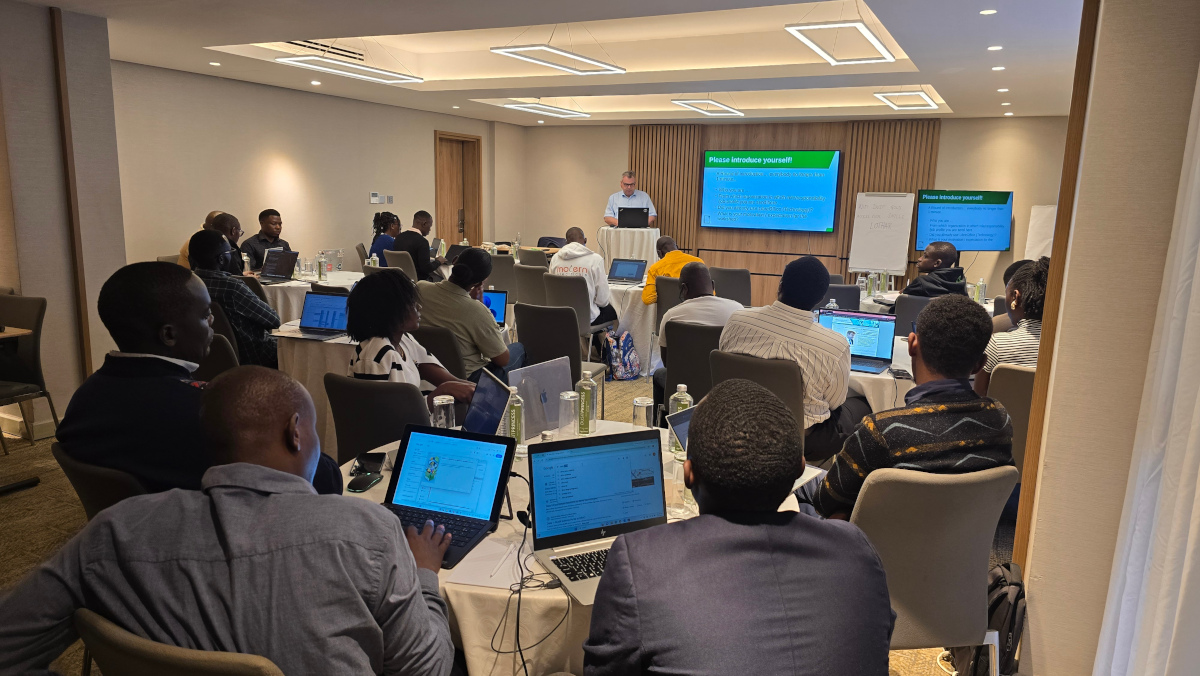
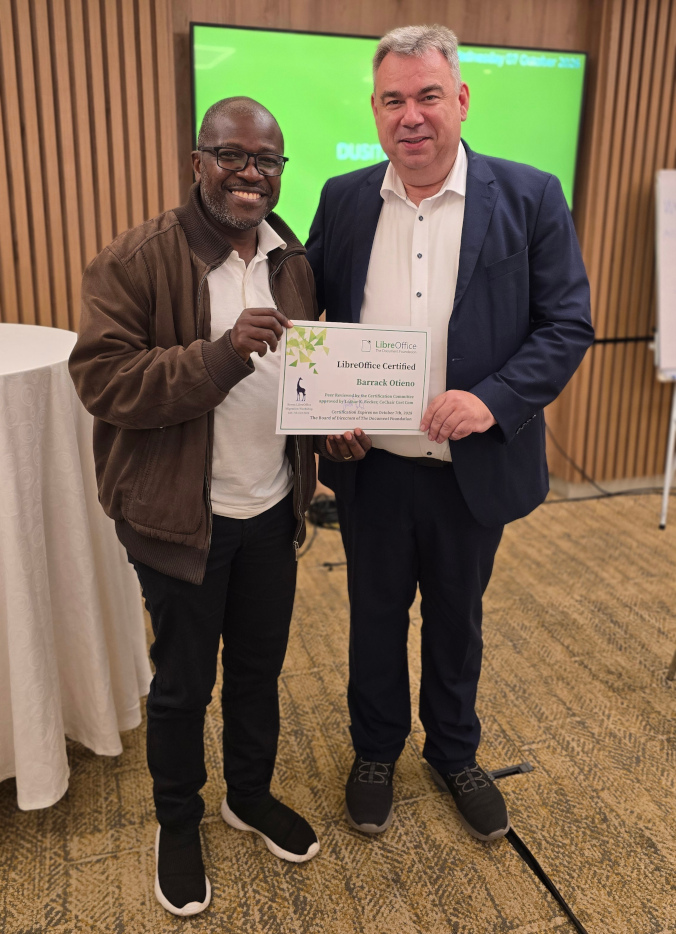
Recently in Nairobi, the capital city of Kenya, we held a LibreOffice Migration Workshop. 40 attendees registered, from the public and private sectors, and the session was conducted pro bono by Lothar Becker, co-chair of LibreOffice’s Certification Committee. The goal of the workshop was to grow and foster the LibreOffice Technology ecosystem by supporting partners and government organisations in facilitating migrations to the suite.

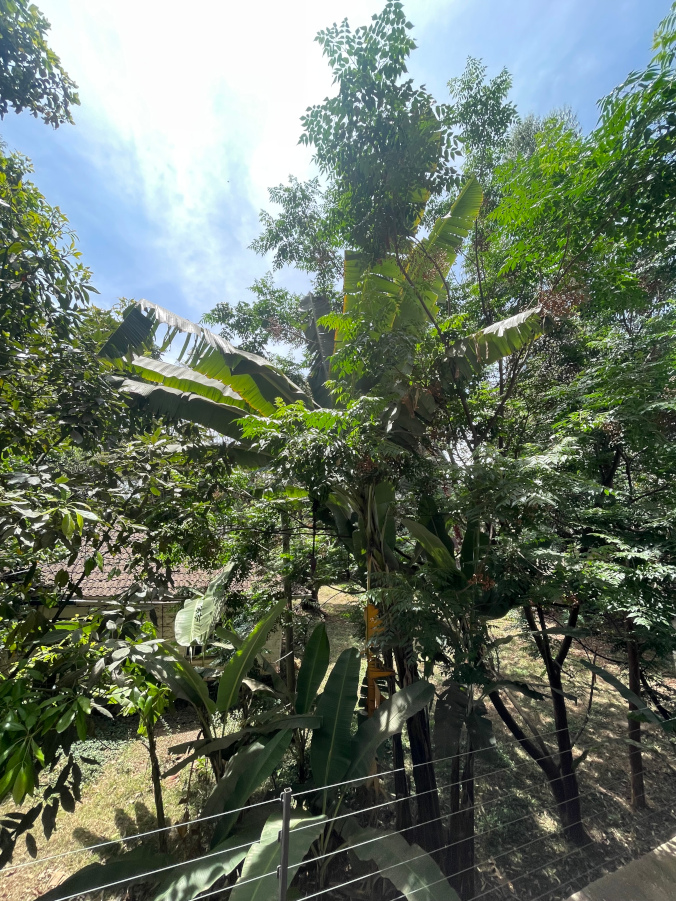
It took place in the conference rooms of a hotel in central Nairobi, with a great view:

LibreOffice Migration Workshop in Nairobi, Kenya

The event was hosted and funded by the Kenya branch of GIZ Germany, along with The Document Foundation, the non-profit entity behind LibreOffice. The first two days focused on LibreOffice, covering best practices for migrations to LibreOffice Technology, with the first day being more user-centric and looking at the user interface and features of the software. There was also a general introduction to TDF and open source.

Then, the second day focused more on the migration process, providing deeper insights into migration and training protocols. Other topics included digital sovereignty with the Open Document Format (ODF) and other certification processes with TDF.

LibreOffice Migration Workshop in Nairobi, Kenya

On the third day Lothar gave a talk called “Open source Community of Practice” in his capacity as OSBA board member. The talk focused on “Open Source as an Enabler of Digital Sovereignty & Innovation” with respect to DPI, Free and Open Source Software, open standards, and AI.

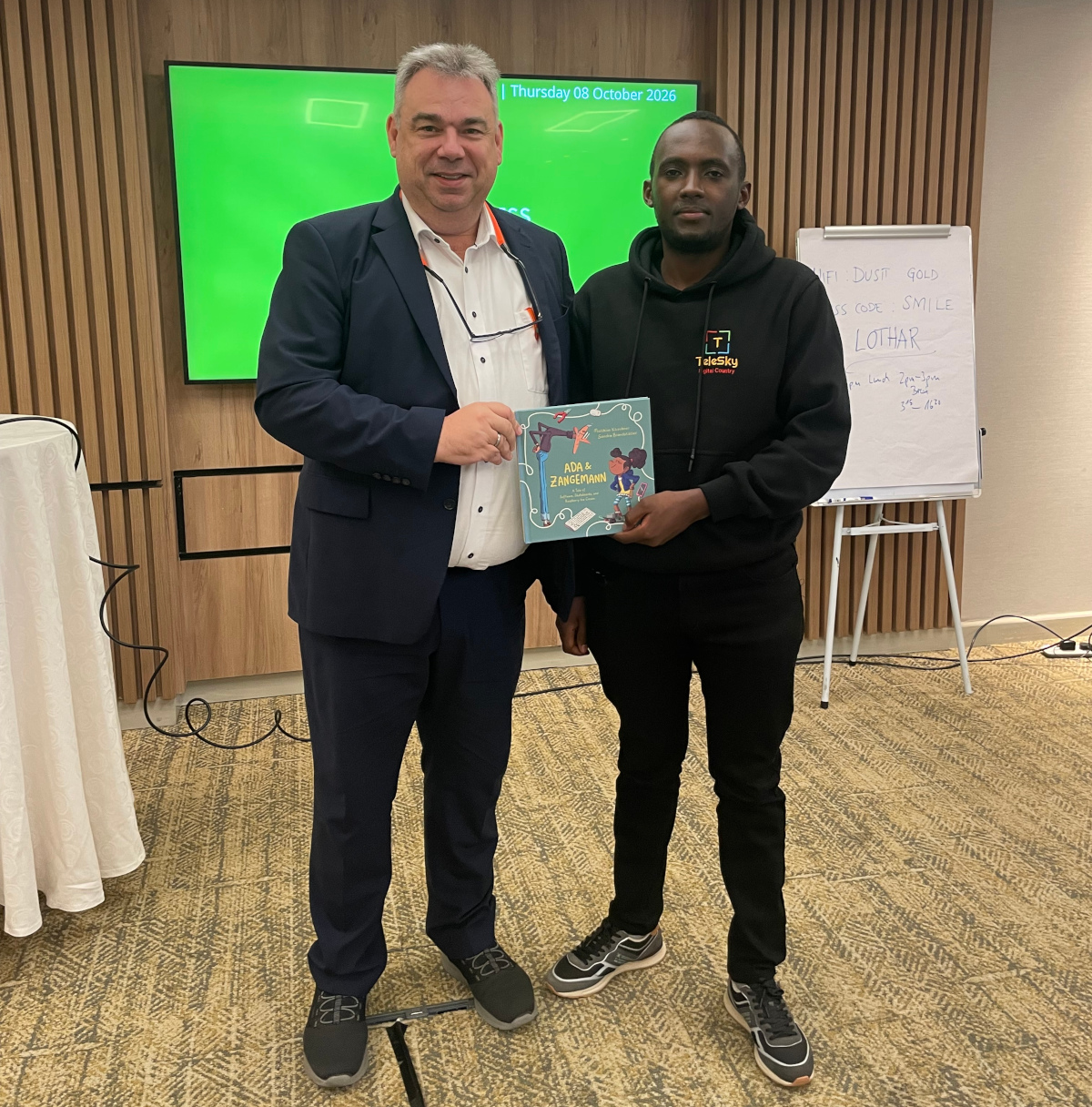
Special thanks to Carsten Glöckner, Amrit Labhuram, their team from GIZ Kenya for all their help and support in organising these events. Lastly, during the workshop Lothar had the opportunity to learn about the valuable work of the Telesky Foundation for digital participation of all children in Kenya from John Mbugua. Lothar handed over a book about “Ada & Zangemann” from Matthias Kirschner (Free Software Foundation Europe).

LibreOffice Migration Workshop in Nairobi, Kenya

  •  

LibreOffice Conference 2026 group photo – and final video updates

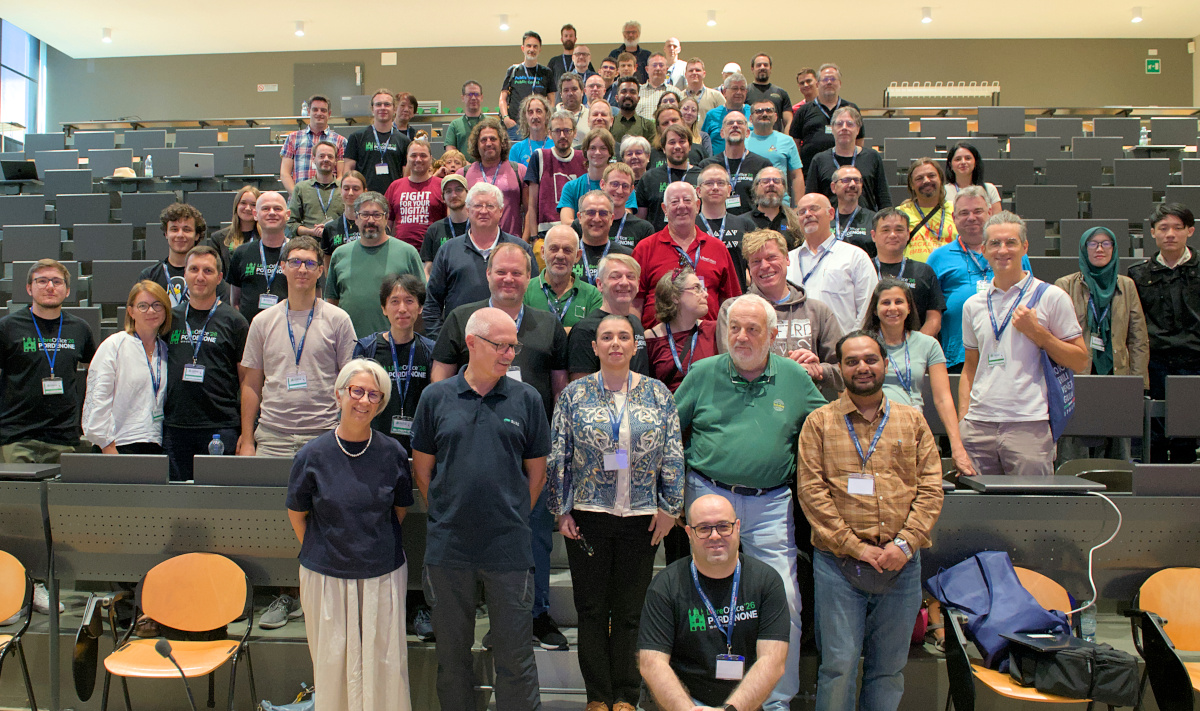
LibreOffice Conference 2026 group photo

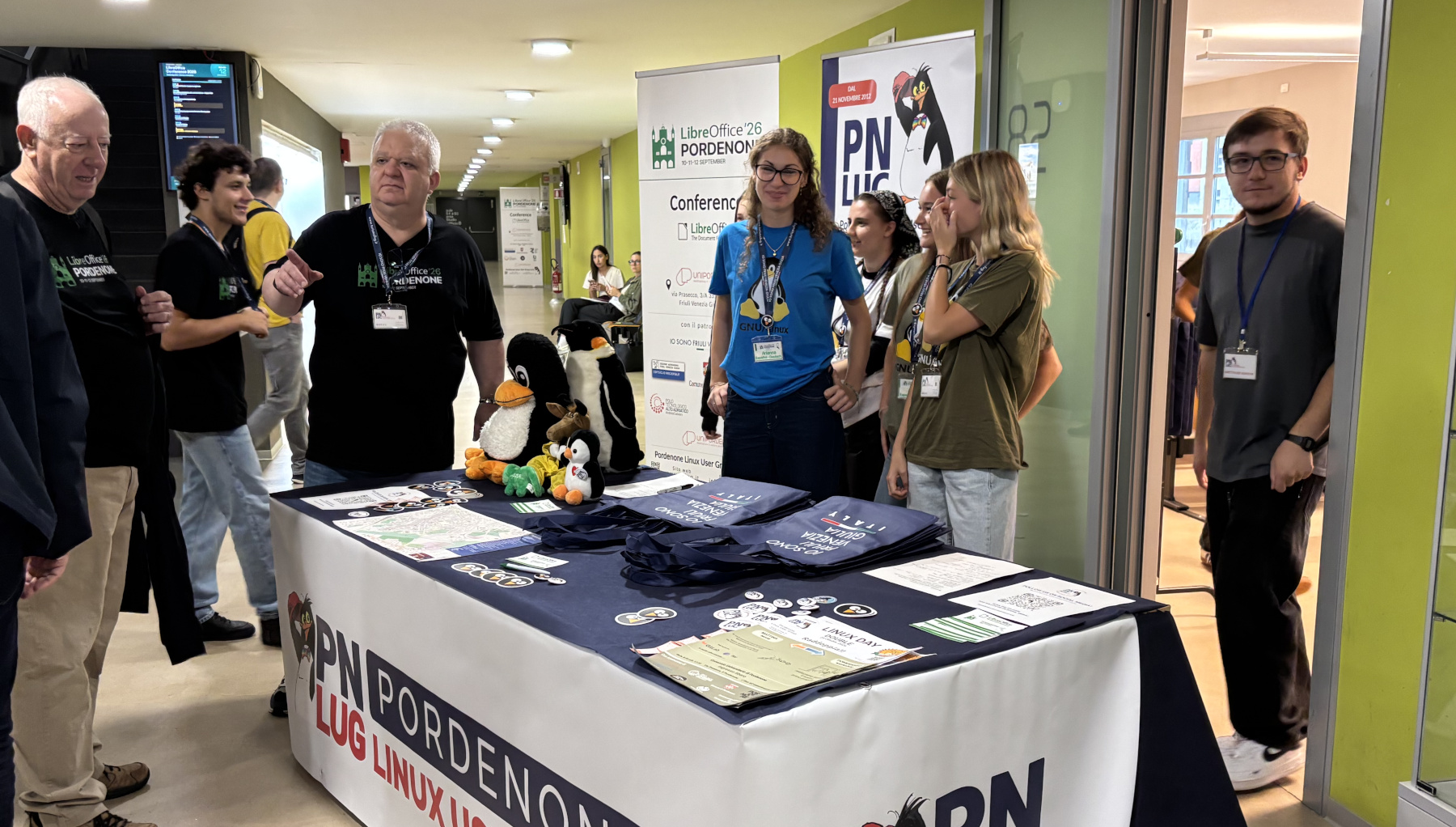
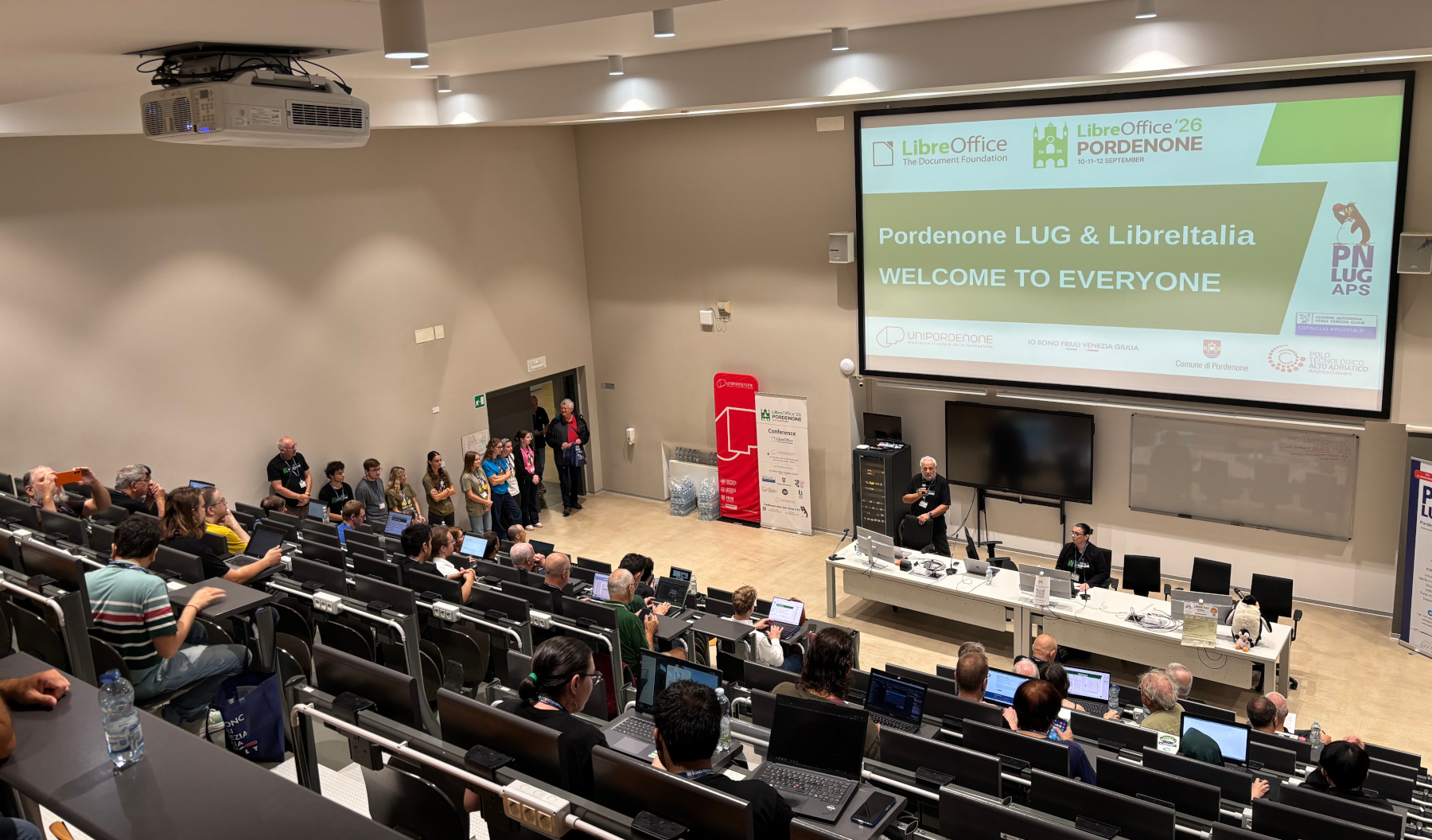
Last month we had the LibreOffice Conference 2026 in Pordenone, northern Italy. Huge thanks to the organisers for such a great event! At lunchtime on the final day we took a group photo, which you can see above – but of course, some people had left by then, so thanks to those people as well for attending 😊

We’ve also finalised the YouTube playlist with 32 talks from the event. For a few talks which had recording issues, we don’t have videos of them, but the volunteer organisers did a great job recording the vast majority of talks.

Please confirm that you want to play a YouTube video. By accepting, you will be accessing content from YouTube, a service provided by an external third party.

YouTube privacy policy

If you accept this notice, your choice will be saved and the page will refresh.

The videos are also available on the Pordenone LUG’s PeerTube channel.

Now we’re looking ahead to the VII Latin American Congress of LibreOffice, and FOSDEM. We hope to see you there!

  •  

Where is LibreOffice going? Talk from Mike Saunders at LinuxDays in Prague

Why did LibreOffice 26.8 get over 4 million downloads in September? We answered this question, and more, in our talk at the recent LinuxDays event in Prague:

Please confirm that you want to play a YouTube video. By accepting, you will be accessing content from YouTube, a service provided by an external third party.

YouTube privacy policy

If you accept this notice, your choice will be saved and the page will refresh.

  •  

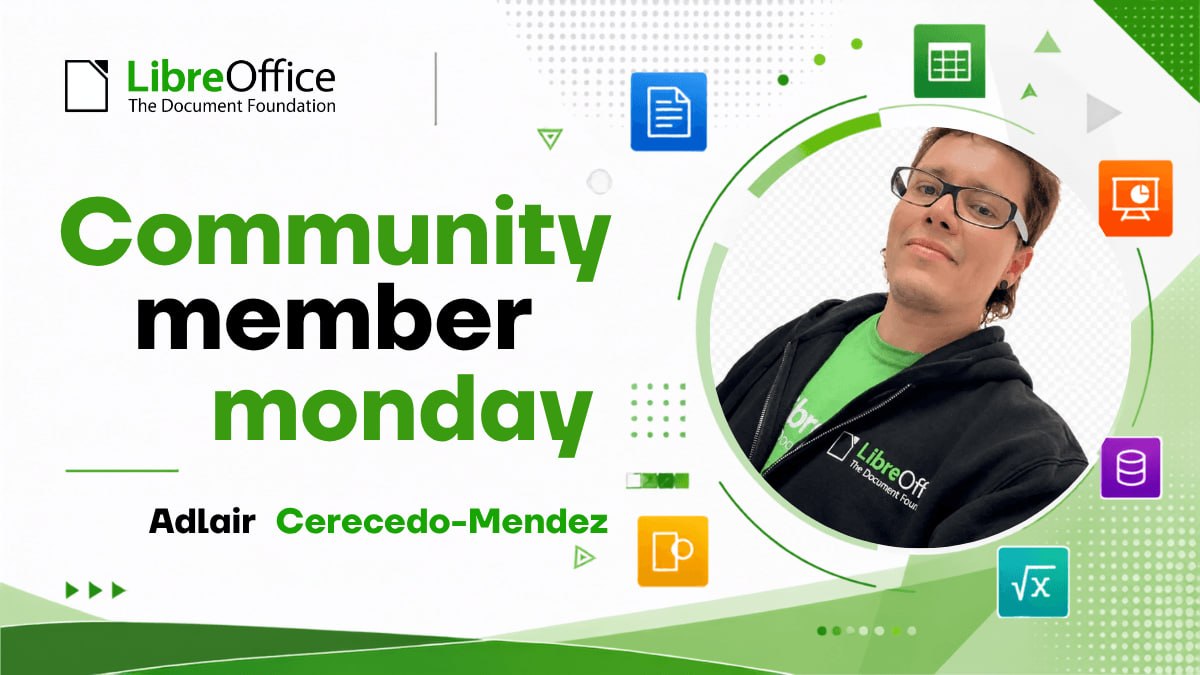
Community Member Monday: Adlair Cerecedo-Méndez

Adlair Cerecedo-Méndez

( Note: this is a translation of an article on the Spanish-language blog)

For Adlair Cerecedo-Méndez, his work with LibreOffice began as a response to a specific need: helping the Mexican government obtain an office suite tailored to public institutions. Over time, that technical work also became an experience in collaborating with the international LibreOffice community and an opportunity to promote free software in the public sector.

Although Adlair had already been using LibreOffice since the OpenOffice days, his professional involvement with the project took shape around 2020, when he was invited to collaborate on the development of a government office suite. The initiative was part of a broader vision: reducing dependence on proprietary solutions, making use of free software, and strengthening the state’s own technological capabilities.

Building on an existing platform

Office GOBMX did not necessarily start out based on LibreOffice. At first, the possibility of creating a suite from scratch was considered, but the technical analysis revealed the scale of the challenge: developing, maintaining, and evolving an application of that kind would require considerable time and resources.

LibreOffice offered a mature, cross-platform, open-source foundation backed by an international community. Adapting it to government needs made more sense than reinventing an entire office suite. That was how the Office GOBMX approach was born: starting with existing technology and adapting it to the needs of public institutions.

The goal included reducing licensing costs, but it also involved moving toward greater technological autonomy. For Adlair, sovereignty does not mean switching tools overnight. It is a gradual process that allows the state to decide which technologies it uses, understand them, modify them, and maintain them with its own expertise.

Migration is also a human process

Implementation brought challenges involving compatibility with documents, macros, formats, and processes that had been built over many years around other tools. It was also necessary to determine what could work as-is and what required adaptation or reimplementation.

But the greatest challenge, Adlair recalls, was resistance to change. Office tools are part of many people’s daily routines, and a migration can disrupt familiar habits and procedures. That is why simply installing software is not enough: it is necessary to analyze processes, test compatibility, migrate documents, train users, and provide guidance and support.

Coexistence with Microsoft Office was also part of the transition. In public administration, documents circulate among government institutions, citizens, businesses, and vendors. Although LibreOffice provides interoperability with widely used formats, some complex documents, templates, and macros require special attention. The strategy, Adlair explains, must be gradual: promote open formats such as ODF without disrupting work or losing the ability to exchange files with the existing ecosystem.

Adapt, Audit, and Learn

Open-source software made it possible to develop components for specific institutional needs. One example is a document validator created to analyze internal elements in files generated with Microsoft tools and obtain technical evidence about the information they contained. In a government context, Adlair points out, it is important to understand those elements before assuming they are irrelevant or have no implications.

The ability to work with the code was also valuable when dealing with legacy processes, such as old macros and workflows associated with Microsoft Access. Rather than accepting the limitations of a closed tool as unavoidable, the team was able to address those cases from an adaptation and migration perspective.

At the same time, the Office GOBMX experience offers lessons that may be useful to other public administrations. Although each government has different needs, many of the challenges are recurring: technological dependence, legacy documents, interoperability, training, and resistance to change. The methodology—from planning and compatibility analysis to implementation and ongoing support—can provide a useful reference.

From Technical Experience to Community

Adlair’s relationship with the international LibreOffice community grew stronger in 2023, when he attended the Latin American LibreOffice Conference in Mexico City. There, he met members of the community and gained a closer understanding not only of the software, but also of the collaboration that sustains it.

From his perspective as a member of The Document Foundation, that connection is especially valuable: people who implement LibreOffice in government environments can share real-world cases, interoperability needs, and lessons learned from large-scale deployments. In turn, the community provides expertise and a shared space for contributing to the project’s development.

For Adlair, continued compatibility with Microsoft Office documents will remain important—not as a goal of permanent dependence, but as a way to lower the barriers to adoption. Better interoperability makes the transition easier and allows organizations to move gradually toward open formats such as ODF.

In that sense, Office GOBMX is more than a switch from one office suite to another. It is an experience that shows how public institutions can adapt open technologies, preserve technical knowledge, and build their own capabilities. Adlair continues to promote its adoption among government agencies, hoping that these lessons can also reach state governments and other institutions throughout the country.

  •  

LibreOffice project and community recap: September 2026

Monthly recap banner

Here’s our summary of updates, events and activities in the LibreOffice project in September – click the links to learn more…

  • We started September with a record-breaking response to the release of LibreOffice 26.8: in its first week, the new version passed one million downloads, with more than 50,000 views, shares and likes on social media, and over 20,000 views of the new features video.

LibreOffice 26.8 banner

  • And responding to questions about whether LibreOffice includes AI, we said: “No AI is now a feature”. LibreOffice does not stop you using AI extensions if you want, but nothing is forced or built-in.

LibreOffice 26.2 banner

Open Source Conference Luxembourg logo

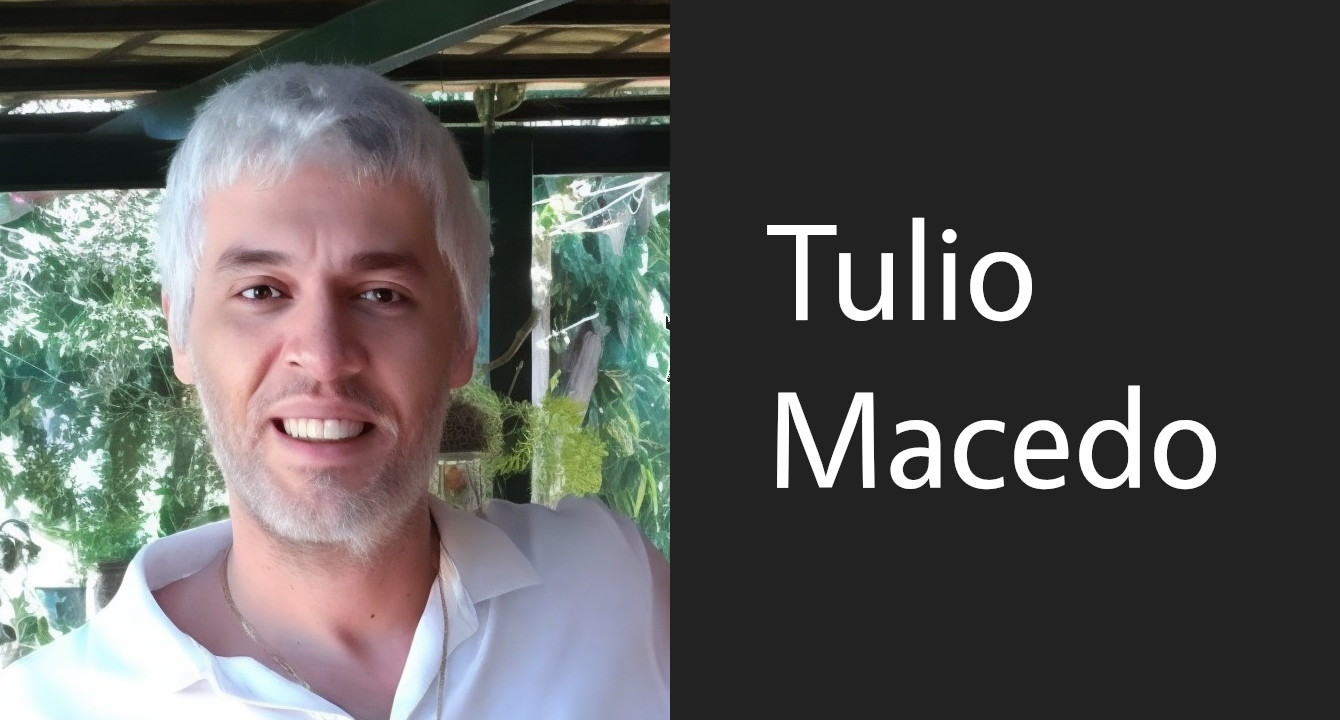
  • We heard from Tulio Macedo of the Brazilian documentation team, who has been helping to modernise LibreOffice’s online help.

Tulio Macedo

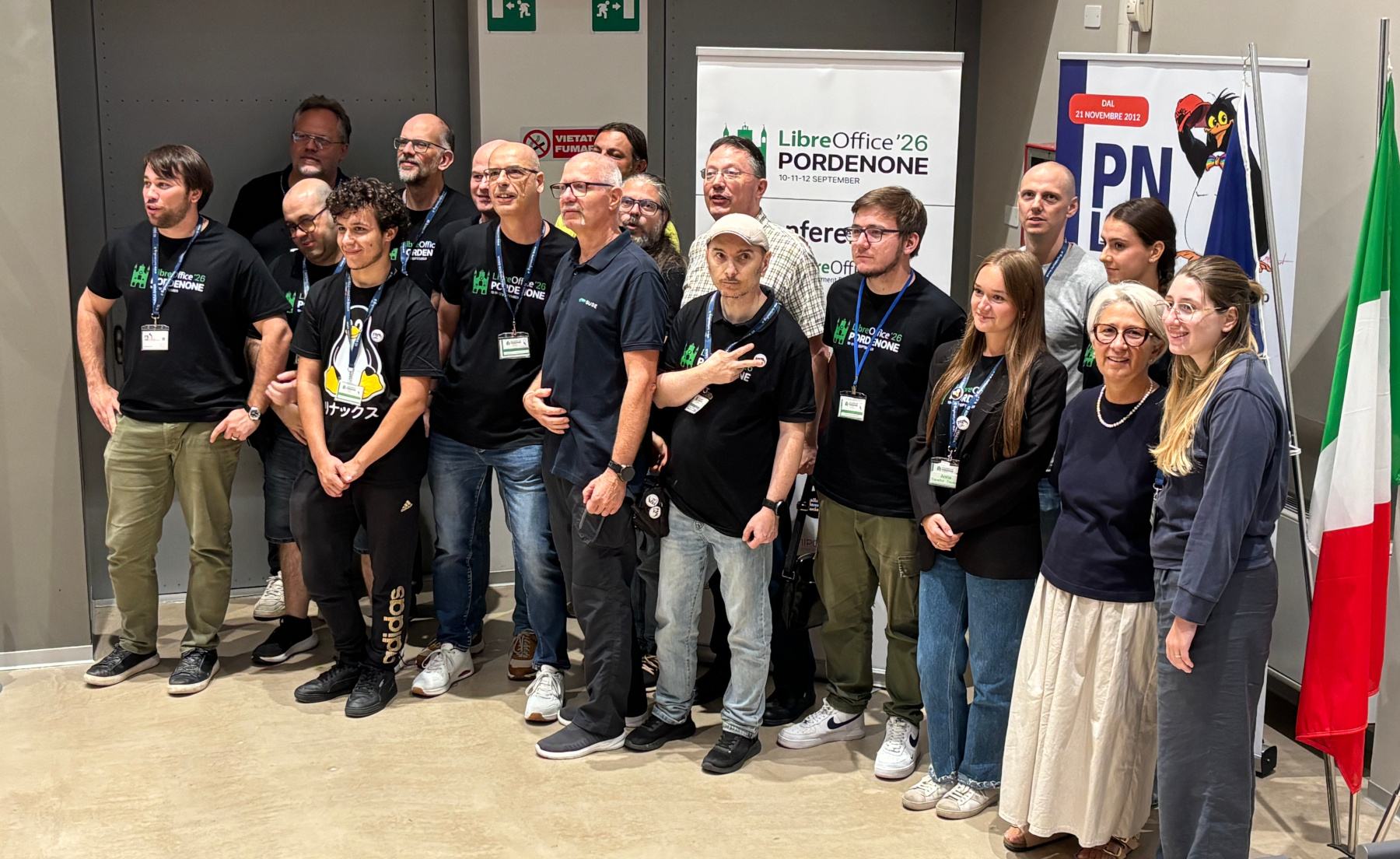
Organisers of the LibreOffice Conference 2026

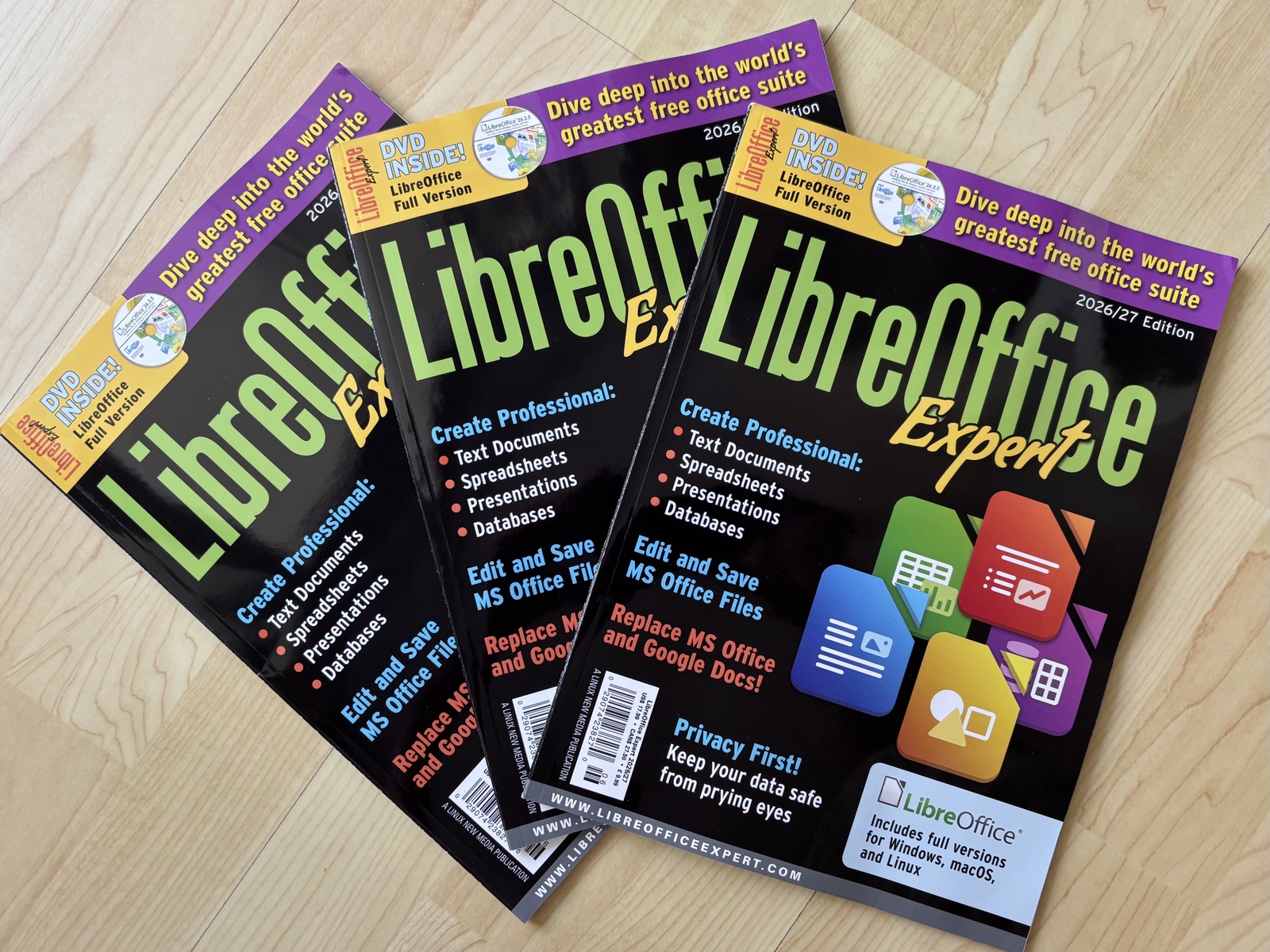
  • New “LibreOffice Expert 2026/2027” magazines are available, with tutorials and tips, plus DVDs containing LibreOffice and extra resources.

LibreOffice Expert magazines

  • The QA/Dev Report for August covered testing, bug fixes and other work by the quality assurance and development communities.
  • In another post about 26.8, we described how LibreOffice preserves unsupported chart data when importing and exporting certain Microsoft Office files, helping users avoid losing content even when a chart type cannot yet be displayed or edited.
  • For Software Freedom Day, we highlighted the freedoms LibreOffice offers: control over your documents and data, no licence fees or subscriptions, and the ability to choose how to participate and get support.

SFD logo

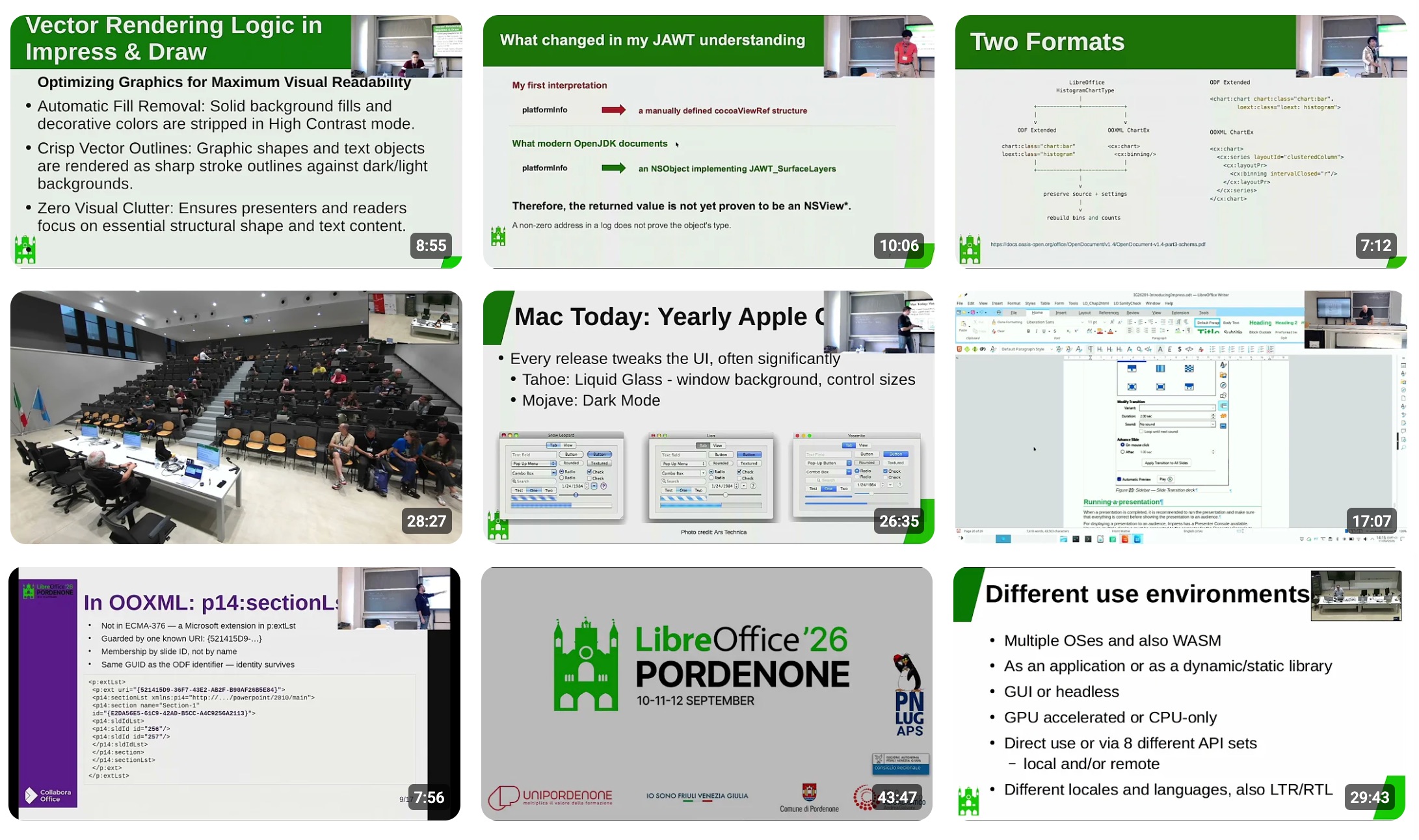
Video thumbnails from the LibreOffice Conference 2026

  • Then, the LibreOffice community was present at FrOSCon 2026 near Bonn.

FrOSCon logo

VII Latin American Congress of LibreOffice banner

  • FLOSS/fund, the initiative from Zerodha, made a generous $100,000 contribution to LibreOffice. The support helps The Document Foundation improve infrastructure, fund development, and organise community events.

FLOSS/fund logo

Please confirm that you want to play a YouTube video. By accepting, you will be accessing content from YouTube, a service provided by an external third party.

YouTube privacy policy

If you accept this notice, your choice will be saved and the page will refresh.

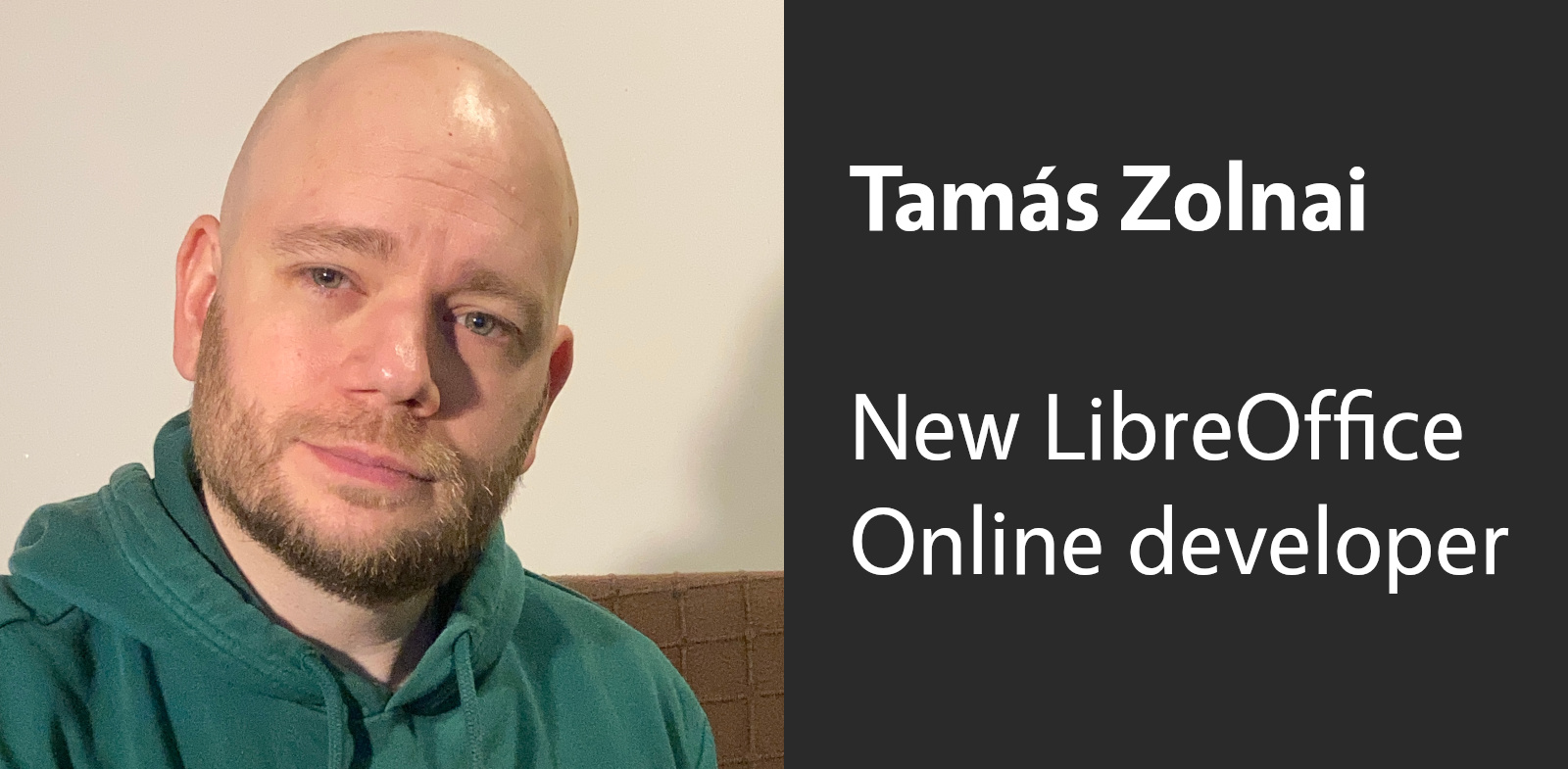
  • The Document Foundation welcomed Tamás Zolnai as a developer working on LibreOffice Online.

Tamás Zolnai

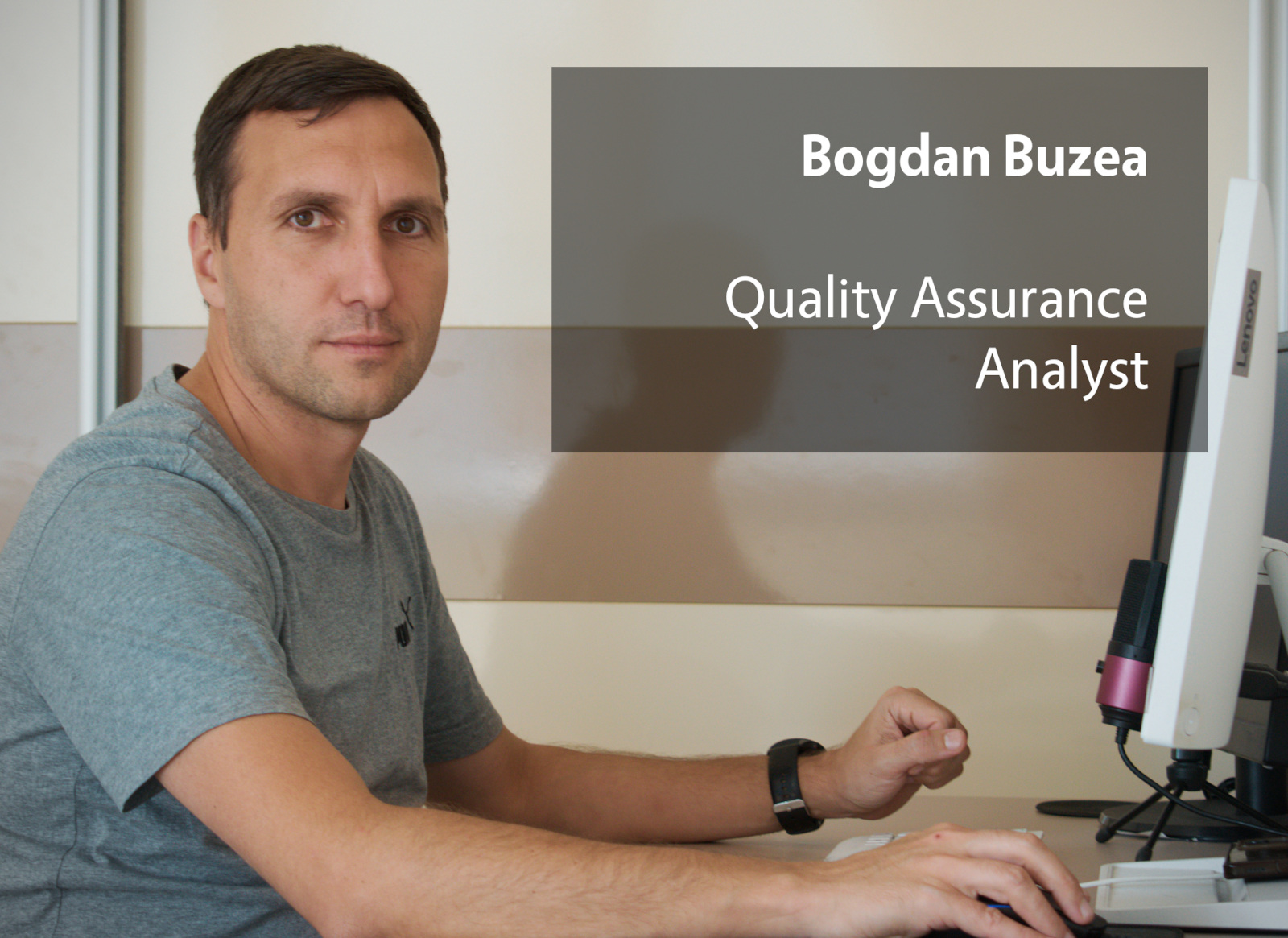
Bogdan Buzea

  • On 28 September, we celebrated sixteen years of LibreOffice and The Document Foundation, and thanked the many contributors who have helped the project grow and remain independent.

Balloons and LibreOffice icons

Like what we do? Support LibreOffice with a donation – or join our community and help to make LibreOffice even better! Also keep in touch – follow us on Mastodon, Bluesky, Reddit and Facebook.

  •  

Welcome Bogdan Buzea, new LibreOffice QA Analyst

Photo of Bogdan

The LibreOffice project does extensive testing of every major update before release. But as it’s a large piece of software used in millions of different ways across the whole world, sometimes there are issues with certain setups. So The Document Foundation, the non-profit behind the suite, has expanded its team with a new QA Analyst, Bogdan Buzea. Let’s hear from him:

Tell us a bit about yourself!

I’ve worked as an accountant for almost all my life here in Romania. As a hobby, over the last eight years, I have been involved as a volunteer in LibreOffice Quality Assurance. I was involved mainly in LibreOffice Writer, which I used most of the time in my accountant work, and I wanted to see things improve.

What’s your new role at TDF, and what will you be working on?

Since mid-September 2026, I have taken on the role of Quality Assurance Analyst. I go through bugs reported to Bugzilla, and triage them:

  • Real bugs: Some reports identify real bugs in LibreOffice, and developers across the world do a great job fixing them day by day. More than 30% of the reported bugs get fixed.
  • Missing information: Sometimes we receive an initial bug report, but no information or how to reproduce it or no sample document to test it. Imagine getting a report saying “When I search for something LibreOffice crashes”. This information by itself is not enough. Were diacritics involved? Were multiple documents opened at the same time? Was it a recent version of LibreOffice or an older one? Does it happen all the time? Has it happened before across many versions, or is it just in the new version? You could find more information on how to properly open a new bug report so we can test faster and find a solution.
  • Duplicates: Some issues have already been reported, so we close those bugs as duplicates of older reports on the same problem. It’s completely fine for multiple users to report the same issue – in fact, it lets us know that the bug is very important to many people. So, if your report is closed as a duplicate, don’t be sad; you helped increase the priority of that specific bug report.
  • User guidance: Other reports come from users doing things in an unintended way. While we assist them, a better way to get help is through the Ask LibreOffice forum, LibreOffice Online Help or the LibreOffice Documentation Shelf. There is a lot of information right where you needed it, and the articles and documentation available here frequently receive updates and contributions from volunteers worldwide. Often, users will say, “Great, it is working now! I didn’t know that I can do things that way.” To improve this, we work on updating documentation and adding tooltips to assist users as they work. If the software isn’t clear about how to use a specific feature, please report a new bug.

I also work on finding regressions. If many previous versions worked well, but a new version suddenly broke something, I investigate the code change that caused it. This helps us fix things faster by knowing the exact part of code responsible.

How can users of LibreOffice help you in this work?

Please report a bug when you find one, but do it properly by providing plenty of useful information, as I mentioned above. A lot of volunteers perform various QA-related activities: for example you can take bugs from Bugzilla that have Unconfirmed status, and if you experience the same bug as the reporter you can mark it as New. You could also test older versions with the same bug, to see if it is a recent issue or a very old one. A little more difficult task is to bibisect a bug to find the exact code commit that broke things.

Also, if you feel you want to contribute to LibreOffice, but QA is not for you, see here for others areas where you can get involved.

  •  

Welcome Tamás Zolnai, new LibreOffice Online developer

Photo of Tamás Zolnai

Tell us a bit about yourself!

I’m a software engineer from Hungary. I’ve been working in software engineering for more than a decade, with a background in both computer science and psychology.

I’ve been a long-time contributor to LibreOffice, mainly working on Writer and Impress, and I’ve also contributed to Collabora Online as part of the Collabora team. Throughout my career, I’ve always placed a strong emphasis on the quality of my work and on building things properly, even when that sometimes meant pushing back against management priorities.

Outside of software development, my current project is setting up my own camper van, intending to eventually explore Europe with it. I’m looking forward to combining some travel with my work on open source projects.

What’s your new role at TDF, and what will you be working on?

My new role at The Document Foundation is to participate in building LibreOffice Online. We are basically trying to create a Google Drive or Google Docs-like solution on top of LibreOffice as a document editor, and bring LibreOffice into the cloud. Currently, I’m doing some research into existing cloud infrastructures to identify best practices and avoid the same problems that other projects have encountered during the lifetime of their cloud implementations.

More details about the development strategy can be found in this post.

How can users of LibreOffice help you in this work?

Well, we’re still in the design phase, so there isn’t much room for involvement at this point. At some point, once we have the initial versions LibreOffice Online, feedback would be very much appreciated. We will post updates here on the blog.

  •  

Second batch of videos from the LibreOffice Conference 2026

Video thumbnails

Following the first batch, we’ve added 15 more videos to the playlist, bringing the total up to 26! There are more still to come, along with PeerTube versions of course – but for now, enjoy browsing the playlist:

Please confirm that you want to play a YouTube video. By accepting, you will be accessing content from YouTube, a service provided by an external third party.

YouTube privacy policy

If you accept this notice, your choice will be saved and the page will refresh.

Videos added in this batch

  • Keeping track of an external Git repository (Xisco Fauli)
  • Ten thoughts on community leadership (Florian Effenberger)
  • One recognizable identity for the project’s websites (Juan José González)
  • AI extension for LibreOffice Draw (Sara Hatami)
  • Optimizing LibreOffice Writer for Writing Scientific Papers (Nawindah Nawindah)
  • Distributing LibreOffice as an AppImage (Emiliano Vavassori)
  • The State of Base: Where We Stand, What Comes Next (Vissarion Fisikopoulos)
  • 21 years of Digital Sovereignty in South-Tyrolean Schools (Paolo Dongilli, Diego Maniacco)
  • LibreOffice Technology, the FOSS platform for Digital Sovereignty (Italo Vignoli)
  • Building a free AI assistant extension for LibreOffice Writer (Mihail Marian)
  • Google Summer of Code (GSoC) panel
  • Formatting Best Practices for LibreOffice Guides (Olivier Hallot)
  • LibreOffice Certification: the updated program (Lothar Becker, Italo Vignoli)
  • Seamless Collaboration: Versioning Flat ODF Documents with Git (Marco Marinello, Gabriele Ponzo)
  • The past, the present, and the future – Edition 2026 (Heiko Tietze)
  •  

FLOSS/fund support for LibreOffice

FLOSS/fund logo

LibreOffice is a volunteer-driven, community open source project, backed by a non-profit entity, The Document Foundation. The vast majority of the foundation’s income is from community support, and we’re happy to announce that FLOSS/fund has made a very generous contribution of USD $100,000 to support the LibreOffice project and community.

FLOSS/fund is from Zerodha, a financial technology company and India’s largest stock broker. It is built heavily on FLOSS (free, libre and open source software) and gives up to USD $1 million to support projects around the world.

Kailash Nadh from FLOSS/fund (and CTO at Zerodha) says:

LibreOffice is one of the most consequential and impactful FOSS projects in the world. We also strongly believe that it has played an important role in enabling adoption of the Linux desktop among regular users. This belief in fact comes from our personal experience of transitioning over 1000 non-technical employees at our organisation to Linux over decade ago.

Many thanks to FLOSS/fund for their support. This helps us to improve our infrastructure, pay developers to work on the software, and organise events to share knowledge. Thank you!

  •  

San Salvador will host the VII Latin American Congress of LibreOffice in 2026

Conference logo

The Salvadoran Lutheran University (ULS) and the Latin American LibreOffice Project community announce the seventh edition of the LibreOffice Latin American Conference.

Previous editions of the LibreOffice Latin American Conference have been held in person in Asunción (2019), Brasília (2022), Mexico City (2023), Montevideo (2024), and Havana (2025). The 2026 edition will bring the event to El Salvador for the first time, further expanding the reach of the LibreOffice community in Latin America.

ULS, the event’s host, has a long history of involvement with Free Software, most notably through the biannual FESOL (Free Software Educational Fair)—an event held for over 20 years that showcases dozens of projects developed by Computer Science students in areas such as web systems, databases, robotics, and video games, among others.

The conference will take place on November 27 and 28, 2026, with the aim of bringing together users and contributors to share knowledge and experiences related to LibreOffice.

Guest speakers from Mexico, Spain, Brazil, France, and Taiwan will present topics ranging from tutorials on using the applications to ways of collaborating with the project. The schedule will be announced soon on the official event website:

latam.conference.libreoffice.org

  •  

LibreOffice at FrOSCon 2026

FrOSCon logo

FrOSCon is an annual conference dedicated to Free and Open Source Software (FOSS), held in Sankt Augustin (near Bonn), Germany. And this year, the LibreOffice community was there! We hosted a booth featuring information flyers and merchandise, including stickers, pens, coasters, and more.

We engaged in many substantive conversations at the booth about LibreOffice as a project and its specific features. We also discussed TDF’s development plans for web and mobile platforms and encouraged people to get involved in these areas.

Many visitors stopped by saying, “Of course we use LibreOffice” – often contrasting it with Microsoft Word, which is the “standard” or widely used option in corporate environments. We also frequently heard comments like, “I’ve/we’ve already donated.” Clearly, there is a widespread willingness to contribute financially to software that is both high-quality and genuinely free.

Community members at the stand

Visitors were happy to take home coasters or small stickers. LibreOffice supporters often like to place these items where Microsoft-oriented users can be found.

Alongside the project booth, Andreas Mantke gave a presentation in German titled “Where is LibreOffice Headed?” (Wohin führt der Weg von LibreOffice?), in which he discussed the project’s planned development ideas for web and mobile and answered questions from the audience.

We look forward to being at more events in the coming months!

  •  

First batch of videos from the LibreOffice Conference 2026

Video thumbnails

Last week we had the LibreOffice Conference 2026 in Pordenone, northern Italy. It was a great event – thanks to the local organising team! And now we’ve started editing and uploading videos of the talks to our YouTube channel. PeerTube versions will also follow, but in the meantime, you can watch the first 11 videos in this playlist:

Please confirm that you want to play a YouTube video. By accepting, you will be accessing content from YouTube, a service provided by an external third party.

YouTube privacy policy

If you accept this notice, your choice will be saved and the page will refresh.

Videos so far

  • Welcome, and opening session (Italo Vignoli)
  • LibreOffice’s User Interface (UI) Architecture (Hossein Nourikhah)
  • Developing the new LibreOffice website (Ilmari Lauhakangas)
  • Writer RTL UX Changes in LibreOffice 26.8 (Jonathan Clark)
  • Slide sections in Impress (Pranam Lashkari)
  • Transforming LibreOffice Guides into Web Pages for Bookshelf (Olivier Hallot)
  • User Interface Evolution for Apple Devices (Dan Williams)
  • ODF and its Toolkit (Svante Schubert)
  • Histogram Chart support (Devansh Varshney)
  • Exploring macOS OfficeBean Support in LibreOffice (Rohan Singh)
  • Managing colours and fonts in LibreOffice for visual accessibility (Francesco Terenzio, Ugo Lopez)

…and many more to come!

  •  

New “LibreOffice Expert 2026/2027” magazines available for schools and local communities

LibreOffice Expert magazines

A few weeks ago, Linux New Media released an updated version of its “LibreOffice Expert” magazine, which contains tutorials, tips and tricks about the office suite. And some articles were contributed by members of the LibreOffice community! The magazines come with DVDs that include LibreOffice for Linux, Windows and macOS, alongside extra templates, extensions, videos and guidebooks.

We have some copies to give away, for schools, universities, libraries and local communities. Ideally, we’d like to get these magazines out to places where internet connections aren’t always available – so that the users can really benefit from the DVDs.

So, if you can help us to distribute these magazines, drop us a line! Please note that we have 50 copies in total and can therefore only send a maximum of five copies to any one place, to make sure many communities get a chance. When you contact us, please include this information (any requests without information cannot be fulfilled and will be ignored):

  1. What you want to do with the magazines
  2. How many you want (1 – maximum 5 copies)
  3. The address to which we should post them

Include all of that that information in an email to us with subject line “LibreOffice Expert for communities” and let’s see what we can do!

(Note: if you want to buy the magazine directly from the publisher, you can do so here.)

  •  

Day 2 of the LibreOffice Conference 2026 begins

Community dinner

Well, that’s a photo from last night’s community dinner, but now the second day talks are beginning!

As with yesterday, we will be live-streaming most sessions on the schedule (in track rooms 1 and 2) and making recordings of all. Find out more by following our communication channels, where we’ll post the streaming links as we go live:

Here’s LibreOffice’s Engineering Steering Committee having their session:

Engineering Steering Committee session

  •  

The LibreOffice Conference 2026 begins!

Registration booth

Yes, the LibreOffice Conference 2026 has started in Pordenone, northern Italy. If you’re attending in-person, we look forward to seeing you!

If you want to attend remotely, we will be live-streaming most sessions on the schedule (in track rooms 1 and 2) and making recordings of all. Find out more by following our communication channels, where we’ll post the streaming links as we go live:

Enjoy the conference, and a big thanks to the organisers for making it happen 😊

Auditorium

  •  

Hardware discount for The Document Foundation members

The Document Foundation is the non-profit organisation that coordinates the LibreOffice community. Anyone who contributes to the project can apply to become a member of the foundation, and join the over 200 existing members. We’ve also partnered with TUXEDO, a laptop vendor based in Germany that offers Linux-powered machines, to offer TDF members a 3% discount. The laptops include LibreOffice, of course, and have the option of a special LibreOffice key.

Annika Litzel from TUXEDO says:

We’re very excited to continue our collaboration with The Document Foundation and LibreOffice! As a manufacturer that has always been committed to Linux and Open Source, supporting projects and communities that help build a free and independent digital ecosystem is especially important to us. With this continued partnership, we want to provide a direct benefit to TDF members while strengthening our shared vision: powerful hardware, Linux, and free software should work seamlessly together – without unnecessary dependencies and with a strong focus on privacy and digital sovereignty. A big thank you to The Document Foundation for their continued trust and for this great collaboration!

Find out more about TUXEDO here, and apply to become a member of TDF on this page.

  •  

Community Member Monday: Tulio Macedo

Photo of Tulio Macedo

Tell us what you’re doing in the LibreOffice project, and other free and open source (FOSS) projects!

I’m a member of the Brazilian documentation team, officially since 2017. I spent most of that time working on translation and localisation, but lately I’ve been working more on web design, like the Bookshelf project and the online help update. I’d also worked on translation and localisation in other projects before, like the XOOPS CMS and the Fedora project, where I started as an ambassador back in 2008.

What are your professional activities and how do they relate to FOSS?

I’m a federal public servant in Brazil, and I’ve taken part in some initiatives to use free software in government, but I don’t make decisions at that level, so there’s little I can do to push the adoption of free software where I work. My personal use and choice of tools leans toward free software whenever there’s a choice, but there aren’t many choices.

What have you contributed recently in the LibreOffice project?

The online help update has been getting some attention, and I’ve been able to contribute to modernising it and using standards that are more accessible and responsive, along with a more modern look that has more appeal. We have a weekly meeting in the Brazilian community where we keep up with the team’s efforts, propose new ideas, and adopt workflows that help the project.

What is contributing like (what bits are easy or hard, with the tools and processes in the project)?

One thing that took me a while was getting past the initial barrier to contributing bug reports or submitting code via Git — every organisation has its own way of doing things, and some have more hurdles than others. Once you get past that initial barrier, things get a lot easier.

How do you interact with other members of the LibreOffice community (especially the Brazilian one)?

Our weekly meeting helps a lot with that — we talk regularly, and that goes a long way toward solving problems and bringing members closer together. We’ve had some in-person meetings at events like the conference held in Brasília in 2022 and some hackathons, and we plan to have more of these gatherings, which tend to be quite productive and enjoyable too.

What is your impression of LibreOffice as a product? Do you see it used in Brazil, in areas of the public and private sectors?

Personally, I’ve been using the suite since it was called StarOffice, when it was pretty much the only really useful office suite for Linux at the turn of the millennium. Then came OpenOffice, which in Brazil ended up being named BrOffice, and finally LibreOffice.

My honest opinion is that it’s the most complete office suite available on the market, and I’m glad it’s an open source tool, which is my preference for any software. These days I use office suites a lot less because of the tasks I usually do on the computer — it’s rarely necessary — but I still keep up-to-date, even through translating the help, which shows new features in LibreOffice to anyone who pays attention.

Join the LibreOffice community here!

  •  

LibreOffice talks at the Open Source Conference Luxembourg 2026

Open source conference Luxembourg logo

We’re gearing up for the LibreOffice Conference 2026 next week in Pordenone, northern Italy – but there are more events in the pipeline too.

At the Open Source Conference Luxembourg 2026, which takes place on October 7, there will be two talks from Florian Effenberger, Executive Director at The Document Foundation, around the topics of LibreOffice:

  • Why free software and digital sovereignty are made for one another
  • The Cyber Resilience Act and Open Source: where do we stand? LibreOffice’s conformity journey as a working example

Keep an eye on the conference website for more details and videos of the talks.

  •  

One week of LibreOffice 26.8 – The stats!

One week ago, we announced LibreOffice 26.8, our brand new major update. It’s full of new features, and has many improvements to compatibility and performance too. So, what has happened in the week since then? Let’s check out some statistics…

1,031,162 downloads

This is the highest number of downloads in the first week of any LibreOffice release! These are just stats from our official downloads page, of course – many Linux users will have acquired the new release via their distribution’s package repositories.

50,061 views, shares and likes on social media

Combining our Mastodon, Bluesky, X/Twitter (not used so much now) and Facebook posts about the announcement, and all the likes, shares, views and comments, we get over 50,000. Thanks to everyone who spread the word on social media! 😊

20,918 video views

Our “LibreOffice 26.8 – New Features” video (shown below), has subtitle translations in 32 languages, thanks to our worldwide community, who localised the video on this page. (The video is also available on PeerTube.)

Please confirm that you want to play a YouTube video. By accepting, you will be accessing content from YouTube, a service provided by an external third party.

YouTube privacy policy

If you accept this notice, your choice will be saved and the page will refresh.

Many thanks to our worldwide community of volunteers, and certified developers, for all their work on this release 😊

  •  

LibreOffice project and community recap: August 2026

Monthly recap banner

Here’s our summary of updates, events and activities in the LibreOffice project in the last four weeks – click the links to learn more…

  • We released LibreOffice 26.8, our latest major update, with tabbed UI improvements, professional typography, deeper support for the world’s writing systems, and no built-in artificial intelligence.

LibreOffice 26.8 banner

  • To accompany the release, we made a video showcasing some of the user-facing new features – with subtitle translations in 25 languages, thanks to our worldwide community! (The video is also available on PeerTube.)

Please confirm that you want to play a YouTube video. By accepting, you will be accessing content from YouTube, a service provided by an external third party.

YouTube privacy policy

If you accept this notice, your choice will be saved and the page will refresh.

  • Meanwhile, the Austrian Military (Bundesheer) has moved 16,000 PCs from Microsoft Office to LibreOffice – and we talked to the people behind the migration, to find out how they did it. Check out part 1 and part 2 of the interview.

Bundesheer logo

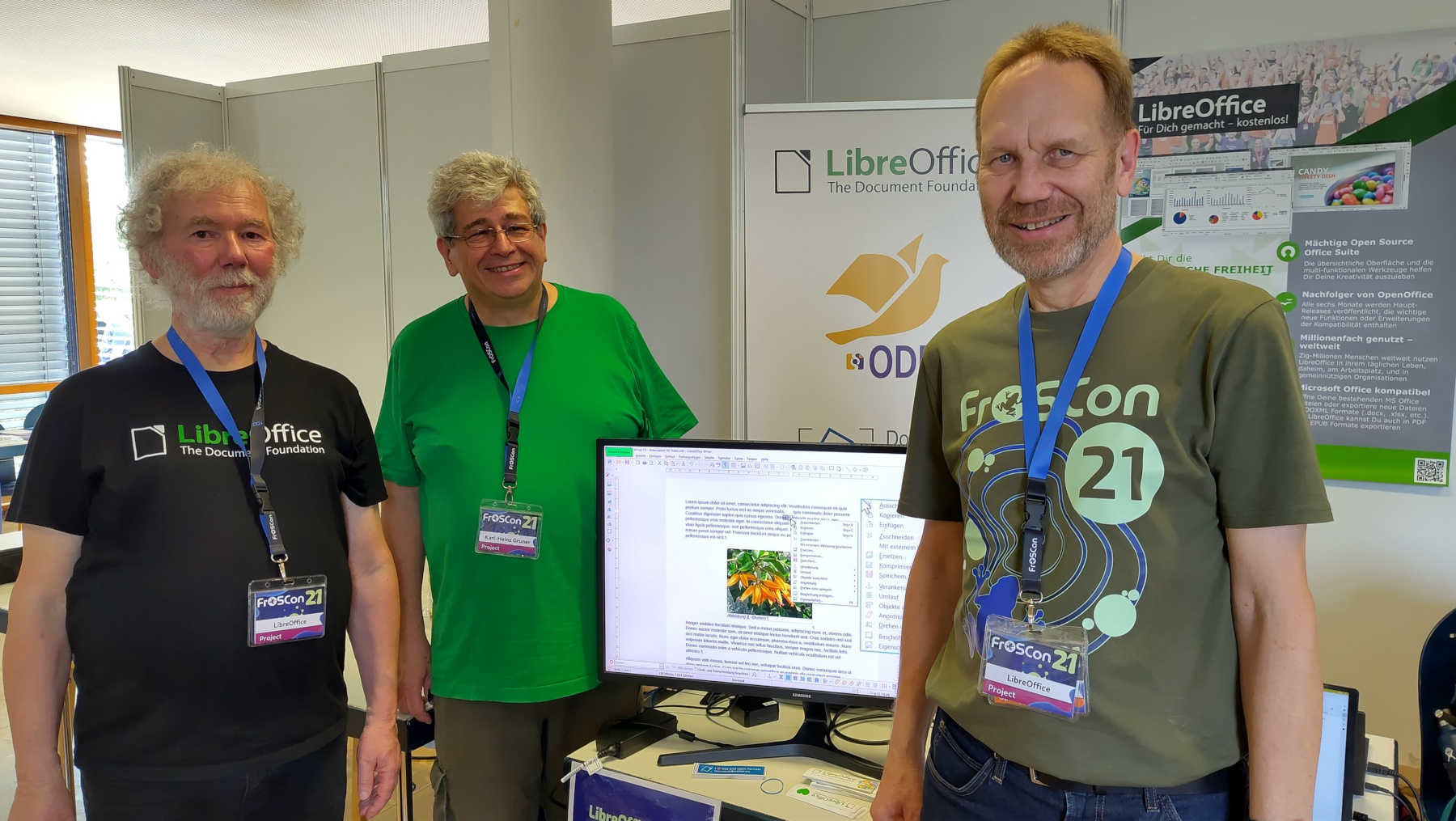
Karl-Heinz Gruner

  • Extensions add extra features to LibreOffice, and we talked to Bora Yarkın about a new one which lets you control a LibreOffice Impress presentation from your phone or any other device with a modern web browser.

Impress Remote logo

LibreOffice Conference 2026 logo

Community Member Monday banner

  • There’s a lot of talk about “Digital Sovereignty” – but what does that actually mean? One vital part is an open document platform – like ODF.

ODF logo

  • LibreOffice is a worldwide project made up of hundreds of people: volunteers, developers at ecosystem companies, and the 18-person team at The Document Foundation (the non-profit entity that coordinates the project and community). What has the team been working on recently? Check this post to find out.

TDF team

LibreOffice tabbed interface

  • How is LibreOffice funded? The vast majority of funding comes in the form of donations – mostly from end-users, but also occasionally from companies and organisations that use LibreOffice.

Rohan Singh

Like what we do? Support LibreOffice with a donation – or join our community and help to make LibreOffice even better! Also keep in touch – follow us on Mastodon, Bluesky, Reddit and Facebook.

  •  

Video: New features in LibreOffice 26.8

On August 26 we released LibreOffice 26.8. Here’s a video highlighting some of the user-facing new features and improvements, with subtitle translations in over 25 languages, thanks to our worldwide community! (Note: the video is also available on PeerTube.)

Please confirm that you want to play a YouTube video. By accepting, you will be accessing content from YouTube, a service provided by an external third party.

YouTube privacy policy

If you accept this notice, your choice will be saved and the page will refresh.

  •  

Community Member Monday: Rohan Singh

Photo of Rohan Singh

Tell us a bit about yourself!

My name is Rohan. I am currently in Berlin, Germany, and my background is in mechanical engineering and I have a master’s degree in sustainable mobility and robotics. I recently worked on my master’s thesis, where I used LibreOffice closely on macOS. That experience actually played a big role in bringing me closer to the project.

Outside of my academic and technical work, I am interested in open source software, mobility, robotics, and learning how large software projects are built and maintained. Contributing to LibreOffice has been a very new and rewarding experience for me, because I did not come from a traditional software engineering background.

What are you working on in the LibreOffice project right now?

At the moment, I am exploring macOS-related development work, especially around OfficeBean and native window handling. One of the issues I have been looking into is adding macOS support for OfficeBean, which involves understanding how Java AWT, native macOS views, and LibreOffice’s VCL layer interact.

So far, my merged contributions have mostly been in the LibreOffice core repository, around C++ cleanup, refactoring, and modernisation. These include:

Some of my other patches have not been merged, but they still helped me learn a lot about the codebase, Gerrit, code review, and how to communicate with reviewers.

I also contributed to the developer documentation by adding macOS-related LCOV information to the Development/LCOV wiki page. I wanted to document what I learned so that other macOS contributors could have a clearer path when using coverage tools.

Why did you choose to become a TDF member?

I chose to become a TDF member because LibreOffice has personally helped me a lot, especially during my master’s thesis. While using it closely, I noticed bugs and small rough edges, and that made me curious about how such issues are reported and fixed.

After attending the LibreOffice Conference in Budapest, I became much more interested in the community behind the project. I saw how welcoming and serious the community is about open standards, user freedom, and long-term software sustainability.

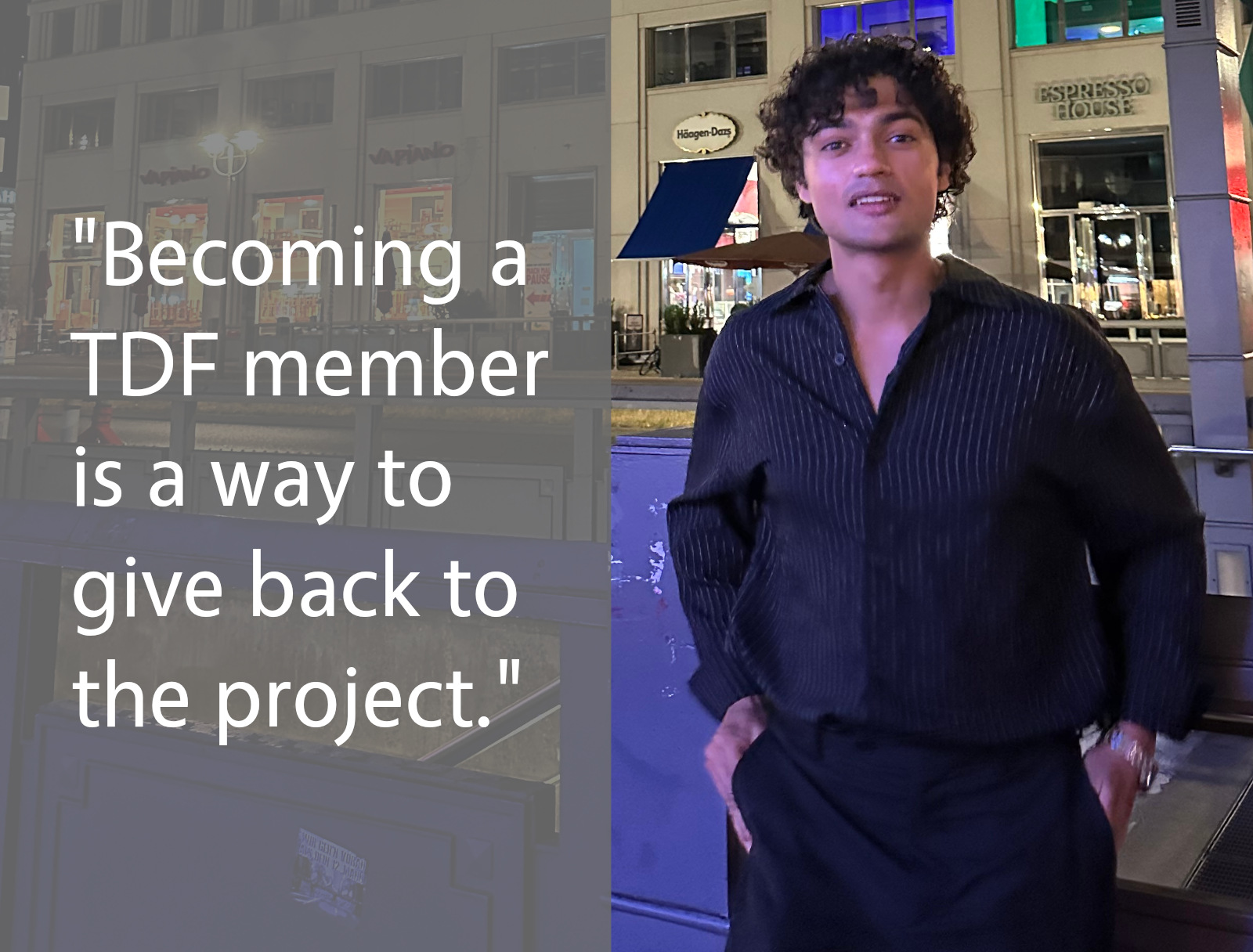
For me, becoming a TDF member is a way to give back to a project that supported my own academic work. It is also a way to stay connected with the community and keep learning from people who have much more experience in open-source development.

Anything else you plan to do in the future? What does LibreOffice really need?

In the future, I would like to continue improving my understanding of LibreOffice’s core codebase, especially in areas related to C++, macOS, VCL, and developer tooling. I am still learning, so I want to take on tasks step by step and contribute in a way that is useful and maintainable.

I think LibreOffice really benefits from better onboarding paths for new contributors, especially people who are not coming from a pure computer science background. The codebase is large and can feel intimidating at first, so documentation, mentoring, and small well-described tasks are very important.

LibreOffice also needs continued attention on platform-specific issues, including macOS, because many users depend on it every day across different environments. Even small improvements can make a big difference for users.

For me, contributing to LibreOffice has been both a technical learning journey and a way to give back. I really appreciate the patience and support of the community, because it has helped me ask better questions, understand code review better, and gradually become more confident as a contributor.

Please confirm that you want to play a YouTube video. By accepting, you will be accessing content from YouTube, a service provided by an external third party.

YouTube privacy policy

If you accept this notice, your choice will be saved and the page will refresh.

  •  

What is the TDF team working on, in the LibreOffice project?

Group photo of TDF team

LibreOffice is a worldwide project made up of hundreds of people: volunteers, developers at ecosystem companies, and the 18-person team at The Document Foundation (the non-profit entity that coordinates the project and community). So, what has the team been working on recently? Here’s a quick summary:

Release Engineering

  • Tagged, built, and distributed LibreOffice 26.8.0 Release Candidate 2
  • Enabled MAR updates for cross-updates from 25.8.7 and 26.2.4 to 26.2.5
  • Reviewed patches
  • Tested new Windows build bots in production
  • Investigated and fixed incorrect permissions in daily Debian packages

Scripting

  • Investigated an extension developer’s issue exporting BASIC macros as an extension
  • Identified a debug-build assertion that does not appear to affect release builds
  • Added a UI test to help prevent future regressions in macro export

Code and Accessibility

  • Discussed proposed accessibility improvements on the LibreOffice accessibility mailing list
  • Analyzed and fixed tdf#172831: customized NotebookBar tab names were not localised after upgrading
  • Released LibreOffice Viewer for Android 26.2.5 on Google Play, F-Droid, and the Meta Horizon Store
  • Discussed tdf#172885, a LibreOffice-specific Qt theme/style. Explored an upstream Qt stylesheet-environment-variable approach, then implemented LibreOffice command-line support for setting the stylesheet
  • Posted and reworked the macOS-specific parts of the Qt VCL work
    • Reworked the changes in response to comments, then merged them
  • Worked on generalising macOS scaling patch
  • Made the Reset button dialog action ID well-known across the codebase

QA

  • Announced LibreOffice 26.8 RC1 availability for testing
  • Upgraded external libraries:
    • NSS to 3.126
    • libffi to 3.7.1
  • Improved automated tests:
    • Factored common code from CppunitTest_sc_swarmsolvertest
    • Added ARRAYTOTEXT function tests as FunctionsTest
  • Fixed crashes and warnings:
    • Fixed a null-pointer dereference warning in Writer
    • Fixed a crash in ThemeExport::write
    • Fixed a crash in OutMarkdown_SwTableNode
  • Tested and commented on Qt6 style and theming work for tdf#172885
  • Completed hiring tasks and code reviews
  • Investigated regressions involving CJK font names and the CJK bullets gallery
  • Fixed two build/SDK issues:
    • Fixed a build issue with Visual Studio 2026 18.7.0
    • Fixed missing cross-platform .NET binding files in the SDK (tdf#165585)
  • Continued work toward resolving headless Windows/fontconfig build issues required for Qt6 on Windows

Mentoring

  • Reviewed six substantial patch submissions
  • Completed GSoC mentor tasks

Design

  • Triaged Bugzilla tickets
  • Participated in the weekly UX and ESC meetings
  • Published extensions and managed comments
  • Supported community growth through the @libodesign social media account
  • Completed several design reviews
  • Prepared the Base survey
  • Contributed patches:
    • tdf#115805: corrected increments in numbering dialogs
    • tdf#172739: harmonized NotebookBar tab order

Documentation

  • Updated online Help with fixes for Master, 26.2, and 25.8
  • Updated Help pages through bug triage, contributor patch reviews, fixes, and housekeeping
  • Contributed Help improvements, including:
    • Adjusted left margins for paragraphs in tables
    • Refactored the AutoCorrect Options page
    • Updated documentation for “To page” anchoring
    • Added “Page Break” to Find & Replace attributes
    • Reverted removal of “Page Style” from Find & Replace attributes
    • Muted localisation processing in selected Python and BASIC code lines
  • Supported ongoing community updates to the Guides
  • Helped newcomers
  • Worked on the Bookshelf project, including sanitising the Impress Guide

Marketing

  • Announced and promoted new TDF members and the new marketing position
  • Maintained social media activity, updates, and responses
  • Coordinated conference logistics and prepared the first conference-program draft
  • Drafted sections of the TDF Annual Report 2025
  • Updated journalists’ mailing lists and database
  • Published blog posts about ODF and maintained the blog
  • Monitored donations, downloads, media clippings, and download-support requests
  • Managed budget-related activities
  • Worked on preparations for LibreOffice 26.8 release

So that’s what the team is working on – and this is all thanks to your donations, which help to pay the team members. But as mentioned, this is just a small part of the LibreOffice project activity – the biggest work is being done by hundreds of other people around the world. Thanks to all of you 😊

  •  

Community Member Monday: Aleksi Kallio

Community Member Monday banner

Tell us a bit about yourself!

I’m Aleksi, and I live in Oulu, northern Finland. I graduated this spring with a bachelor’s degree in business information technology, and before that I did a vocational degree in software development. Work-wise, my background is in software engineering: I worked on a secure Android smartphone, mostly fixing operating system bugs.

Outside of that, I’m into retro computing: old machines, old phones, and the software that ran on them. There is a lot to learn from software written back when it could only be shipped on physical media. Every time I sit down with a piece of old software, I notice a detail I want to try building myself: an interesting design decision that makes the UI stand out, or a feature that makes me wonder how on earth it was done.

I also like to hang out at my local hacklab and volunteer at gaming festivals. And of course, I like to work on LibreOffice too. What makes LibreOffice interesting to me is that its codebase has a long history. Reading the code and going through the commits allows me to look back in time and see how the software has evolved over the years.

What are you working on in the LibreOffice project right now?

I’m currently working on smaller code fixes. I pick up bugs from Bugzilla, try to reproduce them, and ultimately submit a patch that fixes the issue. In a codebase the size of LibreOffice one can’t just aimlessly duct tape a solution and hope it works. One has to understand the root cause to be able to look in the right place and understand the effect that the change has on the bigger picture.

Coming from a background of debugging Android, I quite enjoy that part of the work. Also, everyone in the community is genuinely great to work with. Code reviews in particular taught me a lot, when a more experienced developer pointed out something that I’d never have spotted myself.

Why did you choose to become a member of The Document Foundation?

Becoming a member felt like a way of saying that I’m in this for the long term rather than just passing through. Before I started contributing, I was a bit scared of putting code out under my own name. I felt like my code wouldn’t be good enough, and that I could only contribute to open source after decades of development experience.

Boy, was I wrong. Going through the issues thoroughly (the community likes to leave hints in Bugzilla comments), understanding the problem, and submitting the best patch I could manage turned out to be enough. Having a mentor and the community’s support on IRC, where I could ask questions whenever I needed to, helped a lot too.

Anything else you plan to do in the future?

I’m planning to move from smaller fixes towards more interesting bugs (our Bugzilla doesn’t contain any hard issues, only interesting ones). I’m also looking forward to working with other teams. I’ve been interested in quality assurance and documentation lately, so picking up small tasks in those areas to build up knowledge for larger work sounds like fun to me.

Please confirm that you want to play a YouTube video. By accepting, you will be accessing content from YouTube, a service provided by an external third party.

YouTube privacy policy

If you accept this notice, your choice will be saved and the page will refresh.

What does LibreOffice really need?

This is a tough question. At least in Finland, LibreOffice needs to be offered as a real option in schools. That also means we need more people who know it well enough to teach it.

On a lighter note, we recently watched the Excel World Championships at the hacklab. I’m not sure it’s what LibreOffice actually needs, but it would be great to see people who are seriously proficient with Calc solving problems and competing. In its simplest form, it could be a community competition to see who solves the most brain teasers.

  •  

Why and how the Austrian Military moved to LibreOffice (Part 2)

Bundesheer logo

This is the second part of our interview with the Bundesheer (see here for the first).

At the LibreOffice Conference 2025, you showcased the new LibreOffice features sponsored by the Austrian Armed Forces. How did that come about?

From the very beginning, we clearly recognised the need to further develop LibreOffice. Before finalising our plans, we also examined how we could continue to develop the product. Ultimately, we issued a Europe-wide, open call for proposals to secure both support and development capacity for LibreOffice. The way we selected the product enhancements stemmed in part from this preliminary study, because we had identified specific import capabilities and compatibility requirements.

That’s one major aspect: improving interoperability in line with our needs. The other focus was on improving LibreOffice based on ongoing user feedback and feedback regarding collaboration with external organizations. One example of this was the “Notes” bar in Impress. In the past, users had to edit notes in a separate notes view.

We were told very early on that users wanted to be able to do this directly within the slide editing view. This is a very well-known enhancement that we sponsored, which – I think – works very well. In addition, there are many other details, such as scrolling through presentations with the mouse wheel. Previously, you had to keep switching back and forth to the slide overview view to scroll. Now all of this is possible right from within the slide, which simply makes it easier to use and also increases acceptance because users expect it.

I could list many more extensions. We’re not the only ones contributing a great deal to LibreOffice – we see ourselves as part of the community, and we’re happy when the community uses our contributions and when others contribute their own, which we’re of course very happy to use as well. That’s what makes the project so attractive and successful.

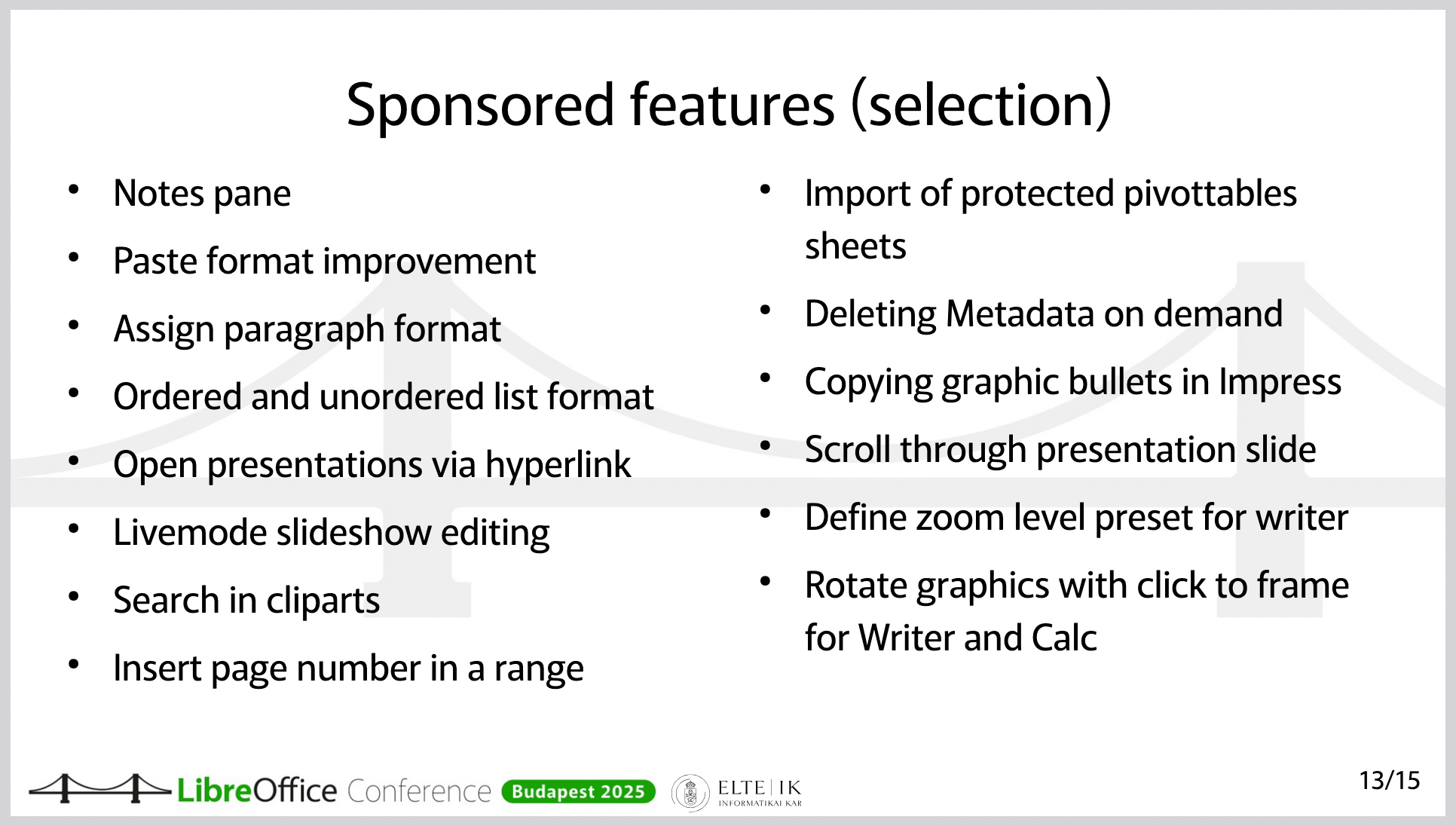
Slide from presentation, showing features added to LibreOffice
Features and improvements in LibreOffice, sponsored by the Austrian Military (this is a slide from a presentation at the LibreOffice Conference 2025)

Have you also developed external extensions?

We’ve developed extensions for internal use, but there are also several publicly available extensions. One of them integrates our own help page, since we provide targeted help within our internal systems.

On a much larger scale, there’s an extension hosted on GitHub that covers military-tactical symbols. It’s available as open source software, so anyone can use it. This is actually an extension that, although it’s still in “release candidate” status, already works well. The extension is, of course, also suitable for collaboration with other armies. Its functionality is unique. To my knowledge, it’s not available anywhere else.

Do you also use the Open Document Format internally?

Yes – one of the advantages of LibreOffice is that the format is ISO-standardised and truly open. You get the best functionality in LibreOffice when you use ODF. We use ODF throughout. It’s clear that our external partners don’t do this to the same extent. This is where LibreOffice benefits from its ability to handle (read and edit) Office Open XML (OOXML) documents as well.

LibreOffice doesn’t have a built-in email client. How did you handle this issue during the migration?

The Austrian Armed Forces protect the Austrian population; to make this possible, we need, for example, systems that function independently of external parties. We have a large number of systems based on open source solutions and many solutions that are platform-independent. This includes the email system.

Therefore, we didn’t have to replace Outlook or Microsoft Exchange.

At the LibreOffice Conference, you emphasised that the migration was never about saving on licensing costs. The migration was driven by other reasons, correct?

The switch to LibreOffice in the Austrian Armed Forces stems from the necessity that we must be able to function even when nothing else is working. In other words, we cannot rely on public infrastructure. We cannot rely on our data being processed in another data center.

Therefore, the top priority in this transition – unlike 20 years ago, when people very often considered switching to a free office suite or Linux in the workplace for cost reasons – was digital sovereignty.

As for the costs: It was clear to us from the start that we would have to invest in the product in order to gain the additional functionality we needed and to improve interoperability.

Would you like to say a few words about the foundation – that is, The Document Foundation?

Why did we choose LibreOffice in the first place – after all, there are alternative products? LibreOffice isn’t the only solution. First, LibreOffice uses ODF, the open and standardised file format. That’s very important. Second, LibreOffice is truly fully open source software – it’s not a product that just has an open source “core.” There’s no risk of having to pay for variable enterprise features.

And the fact that this is the case is very closely tied to the foundation of LibreOffice, namely The Document Foundation. The way this open source project is implemented and anchored through the foundation – that’s an important guarantee and a key factor in its reliability for us.

Another point is that there is an ecosystem. There are several companies that offer the services we need. Using open source doesn’t just mean using free software – for us, it means we need maintenance, support, the ability to further develop the software, addressing security vulnerabilities, and secure software deployment. All of this comes with a very mature software product that is constantly being developed. That was a key factor in our decision.

What advice would you give to others who are also planning to switch to LibreOffice and open source?

First: There’s a vast amount of information available within the community. It’s important to familiarise yourself with the product. How does LibreOffice work? How does Bugzilla work? Where can I find issues that might not be working but are of interest to me? Where can I find roadmaps for new features, release notes, and so on?

Second: It’s absolutely crucial to properly prepare and fund the resources for a project like this. IT managers have gotten used to rolling out new Office versions without much effort.

However, switching from one office suite to another is actually a massive migration project. This should not be underestimated. It’s not just a matter of installing the software; it requires change management, people to provide support, test the software, and work on new features. It requires the support of service providers. All of this must be prepared in advance. And that’s what sets it apart from previous new office suite releases. You’ll need a project team for this – migration isn’t something you can just do on the side. So, you’ll need proper project organisation and agile change management. How can I provide my users with the necessary knowledge based on their needs? What communication channels do I have to keep my users informed and stay in touch with them?

We – the Austrian Armed Forces – have already received many inquiries about the transition, and we have shared our experiences with numerous organisations. We would be delighted to help build a LibreOffice community for government and enterprise organisations in order to accelerate the collaborative development of LibreOffice.

To that end, I invite you to contact us at libreoffice@bmlv.gv.at.

  •  

Why and how the Austrian Military moved to LibreOffice (Part 1)

Bundesheer logo

Many government departments around the world are moving away from vendor lock-in by tech giants, and switching to free and open source software like LibreOffice. This helps with privacy, security, and digital sovereignty. One such example is the Austrian Military (Bundesheer), which has moved 16,000 PCs from Microsoft Office to LibreOffice. We talked to them, to find out why and how they did it…

When did all of this start? When were the first decisions made?

It began in 2020, with the trend toward running software increasingly in the cloud and less on-premises on devices within companies. At that time, we examined what guarantees existed for running software – specifically Microsoft Office – directly in the workplace without any cloud connection. So the review and preparation began in 2020.

In late 2022 and early 2023, the decision was made to switch to LibreOffice. The goals were to ensure that data never leaves the company and that the office applications can be used without external dependencies.

Who made the decision?

The decision was structured in such a way that our “corporate leadership” – that is, the Federal Ministry of Defence – could decide, based on the information compiled regarding future software development and cloud dependencies, that we would switch to LibreOffice.

It was actually decided by the Federal Minister’s cabinet and the relevant departments – so at the very top.

Did you create a “timeline” at the beginning – something like “Y should happen by X” and so on?

After we received the assignment, we carried out the planning to determine how the transition could take place and what needed to happen. The plan included, from an early stage, that we would guide our users to LibreOffice in a timely manner, partly by installing LibreOffice at the user’s request. That is, we made it available, and the users who wanted it could have it installed.

We saw very high adoption rates – not 100%, but about half.

Half of 16,000?

Yes. And the next step we planned was to make its use mandatory, because it’s crucial not only to announce that something new is coming but also to require its use so that people have to start working with the tool early on. Of course, switching from an Office suite that’s been used in the company for over 30 years to a completely new product – even if it looks similar but behaves differently – requires practice.

That’s why we specifically made the use of LibreOffice mandatory in selected services. And we did this as early as 2023, so that users could get familiar with it well in advance. This gave users time to tailor the transition to their own needs and prepare for it, and we didn’t just flip the switch all at once with a “big bang.” The change was announced over the course of several years.

Finally, in December 2024, the use of LibreOffice became mandatory for internal collaboration. This meant we actually provided several years of preparation time to make this transition as smooth as possible.

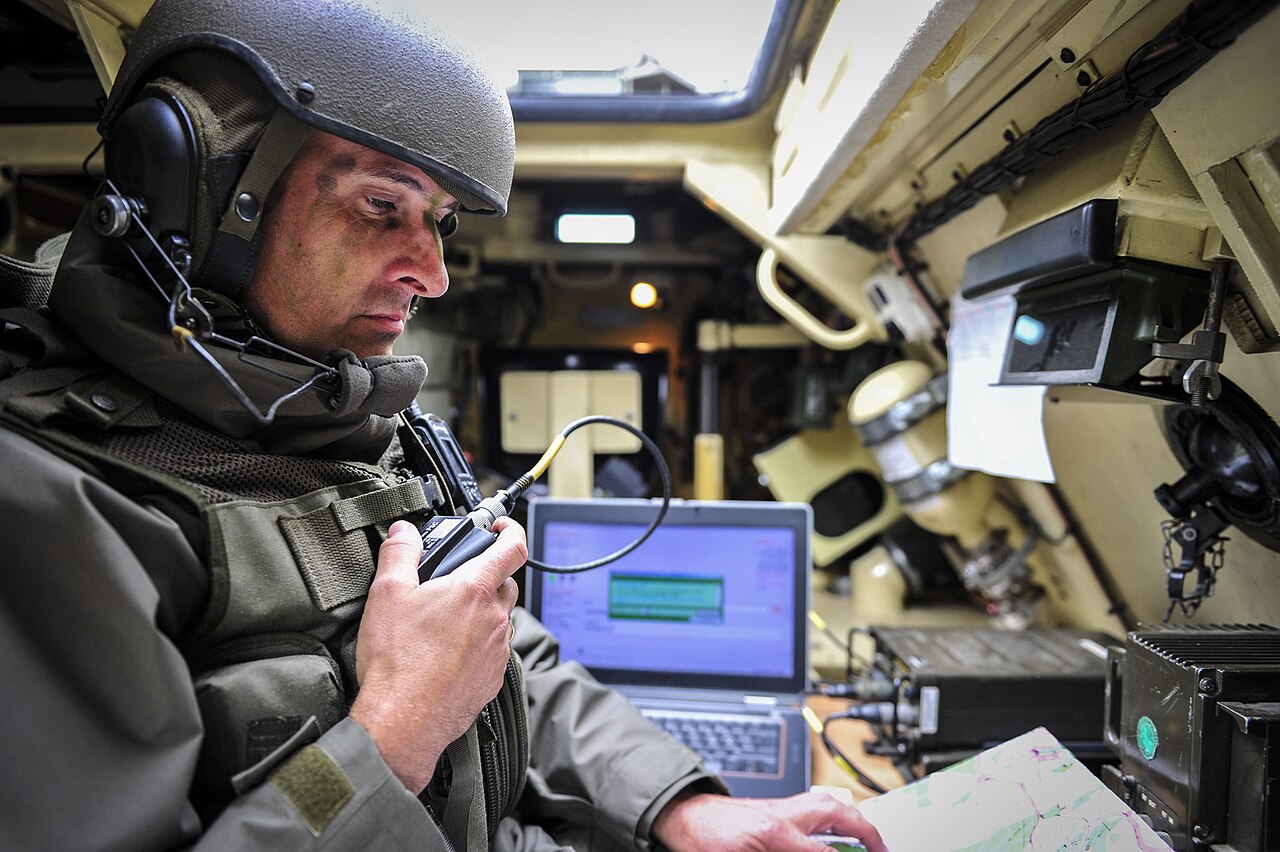
Austrian officer in a tank
(Photo credits: Bundesheer Fotos, CC BY-NC-SA 2.0)

So many people switched to LibreOffice voluntarily from the start, without being forced to. Was there a lot of resistance? Did you customise the user interface?

The 8,000 users mentioned installed the product to see what was coming. That doesn’t mean that all 8,000 of them immediately started using LibreOffice. But it was a good indicator for us to gauge the mood. If 200 people install it, that’s different from when there are so many.

Early on, before we mandated its use, we provided extensive e-learning modules and videos – including what we call “fast tracks” for the individual modules. With these, it was possible to learn the most important changes for Writer, Calc, Impress, and Base within 15 minutes, so users wouldn’t fall into the typical pitfalls. Anyone who invests those 15 minutes will find it much easier to use the software.

We gave users the opportunity to prepare and view these courses and videos on their own at a time of their choosing.

Another important point: We’ve learned that we need to quickly address individual users’ questions – such as those regarding unfamiliar workarounds or missing features – for the benefit of the broader community.

That’s why we specifically looked for suitable communication channels, and we then agreed to publish a so-called “Tip of the Week” about once a week on a very specific, clearly defined topic. And this “Tip of the Week” appears every Monday on the intranet with a current topic. That means anyone who opens their browser on Monday will see the “Tip of the Week.”

It explains topics we covered the previous week. When we release a new version, there’s a “Tip of the Week” featuring the latest features. When we roll out new functions and enhancements – some of which are sponsored by the Austrian Armed Forces – we highlight them in the “Tip of the Week.”

But we also cover usability topics – for example, how to enable the menu bar even when the tabbed interface is selected. How to use presentations across multiple screens, and so on and so forth. We’ve been doing these “Tips of the Week” for two years now, and they’ve been very well received. It’s a great communication tool for us.

Click here for part 2 of the interview

  •  

LibreOffice project and community recap: July 2026

Monthly recap banner

Here’s our summary of updates, events and activities in the LibreOffice project in the last four weeks – click the links to learn more…

  • We had one update in July: LibreOffice 26.2.5, the fifth maintenance update to the LibreOffice 26.2 branch.

LibreOffice 26.2 banner

  • We also said a big welcome to our new TDF members! Members – more formally known as the “Board of Trustees” – are a crucial part of The Document Foundation, the non-profit entity behind LibreOffice. They are people from across the globe who contribute time, effort and skills, whether on a voluntary or paid basis.

Welcome banner, with people celebrating

  • Then there was another section from the TDF Annual Report 2025, Policy and Digital Sovereignty. This section looks at Germany’s IT Planning Council committing to ODF, the approval of ODF 1.4, and public migrations to LibreOffice.

German state moving 30,000 PCs to LibreOffice

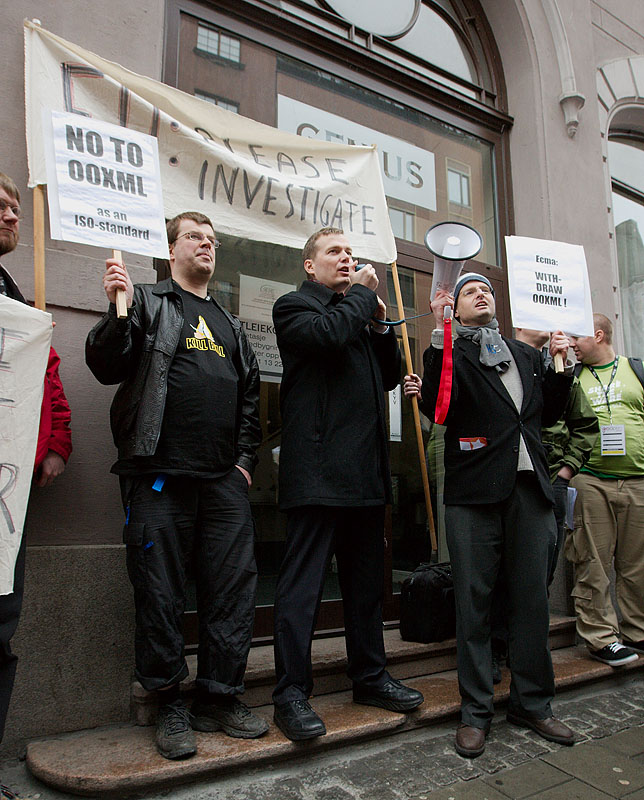
OOXML demo

  • Back to the software itself: we posted the LibreOffice State of the Project (July 2025 – June 2026), based on data from July 1, 2025, to June 30, 2026, extracted from the LibreOffice dashboard and the Matomo repository. This is full of statistics describing the health of the project and the community.

State of the project banner

Annual Report banner, with group photo from LibreOffice Conference 2025

TDF team photo

Photos of clocks

Like what we do? Support LibreOffice with a donation – or join our community and help to make LibreOffice even better! Also keep in touch – follow us on Mastodon, Bluesky, Reddit and Facebook.

  •  

New LibreOffice extension: Impress Remote

Impress Remote extension logo

LibreOffice extensions are optional, third-party addons for the suite, that add extra functionality. Bora Yarkın has been working on a new extension for LibreOffice Impress, so let’s hear from him about it…

Tell us about it!

The extension lets you control a LibreOffice Impress presentation from your phone or any other device with a modern web browser.

When you start the remote, LibreOffice displays a QR code. Scan it with your phone and the presentation starts from the first slide. The phone interface then shows the current slide, presenter notes, elapsed time and navigation controls.

I tried to make the process as simple as possible: no separate mobile application and no manual pairing codes.

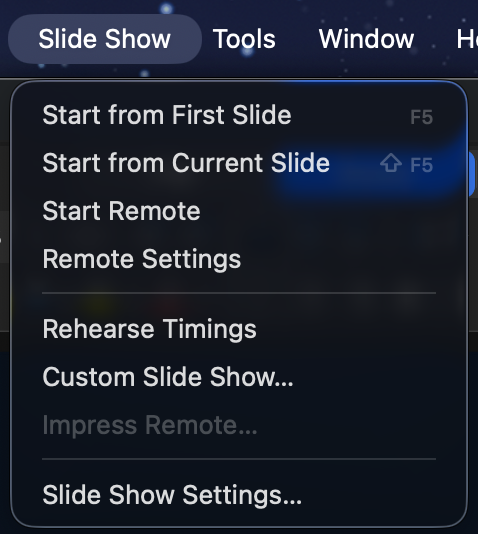
The remote can be opened from the Slide Show menu in LibreOffice’s top application menu bar—the menu alongside File, Edit, View and the other main menus.

This should not be confused with the Slide Show tab inside LibreOffice’s Tabbed user interface. LibreOffice’s UNO extension API does not currently let me add commands to that built-in tab. When using the Tabbed interface, the remote commands are therefore available under the Extensions tab instead.

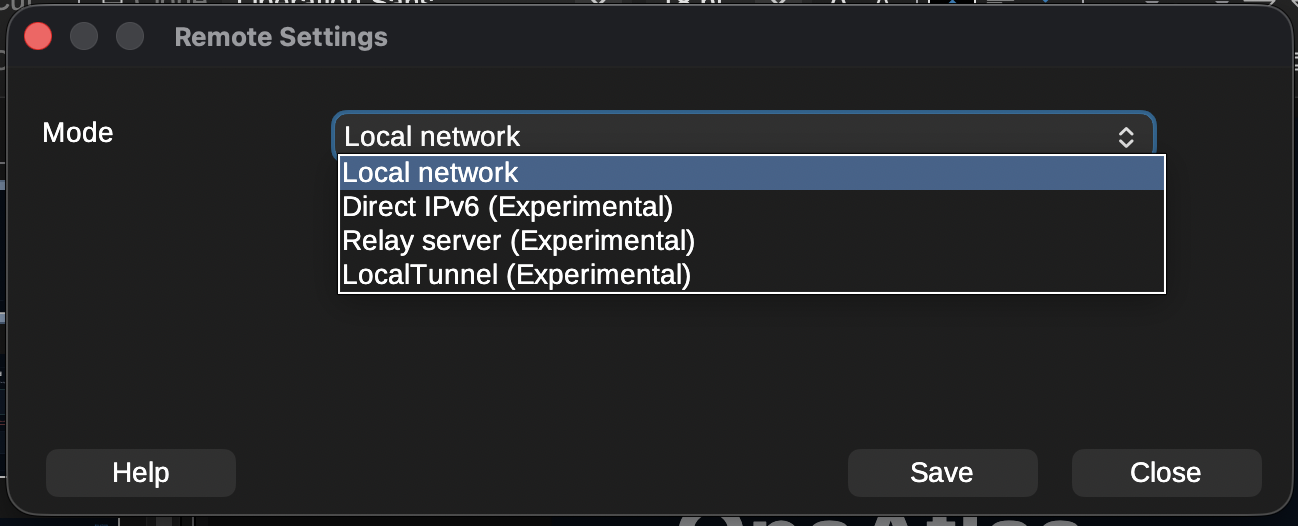
The extension currently provides several connection modes:

  • Local network: The phone connects directly to the computer running LibreOffice through its local IPv4 address. This is the main mode and the one I have tested most thoroughly.
  • Direct IPv6: Works similarly, but uses an IPv6 connection. It is still marked experimental because my home internet connection is currently the only IPv6 network I can properly test with.
  • Relay server: A small Python service that can be hosted on Linux or Windows. It is useful when the phone and computer are on different networks or when direct connections are blocked by carrier-grade NAT, firewalls or other network restrictions. It also supports multiple connections, so an organisation can host one relay server on its own infrastructure.
  • LocalTunnel: An experimental fallback that creates an outbound connection through the LocalTunnel service. I consider this a last-resort option when the other connection methods are unavailable.

The compatible relay-server package is bundled with the extension. It can be downloaded or extracted directly from the Remote Settings window by selecting “Get Relay Server”. The package includes the required documentation and setup instructions.

To install the extension, download the .oxt file from the LibreOffice Extensions website or GitHub and open it with LibreOffice. It can also be installed manually through Tools > Extensions. After installation, restart LibreOffice if requested.

The extension includes translations for more than 100 languages and automatically follows LibreOffice’s interface language. English and Turkish are the two languages I have personally checked. Many of the other translations were created with ChatGPT, so I cannot guarantee their quality and would be very grateful for corrections from native speakers.
Screenshot of Impress Remote

Why did you create it, and what was the process like?

The original inspiration came from Apple Keynote.

When Keynote is installed on both a Mac and an iPhone, the phone can be used to control the presentation while also displaying presenter notes. That feature completely changed the way I give presentations.

Over time, my slides became more professional and less text-heavy. Instead of putting everything on the slide, I started using the presenter notes almost like a teleprompter, with the text I actually planned to say. This helped move the audience’s attention away from reading the screen and back towards me.

That workflow worked perfectly for a long time, but I never really liked Keynote itself. I could not get used to its interface, and Apple’s decision to introduce paid features was the final reason for me to start looking for an alternative.

There were already several possible solutions, but none of them really worked for me.

LibreOffice previously had its own Impress Remote mobile application, but it has not been maintained for a long time and is no longer practical on many current devices and systems.

Browser-based presentation platforms can offer remote-control features, but I did not want my main presentation workflow to depend on an online service. They also do not offer the same flexibility as a full desktop office suite.

Microsoft Office was another possible option, but I am not a fan of Microsoft’s current direction, particularly the increasing integration of Copilot throughout its products.

OnlyOffice Desktop Editors is a good alternative and I used it for a while, but I encountered several bugs and eventually needed features it did not provide.

That brought me to LibreOffice, which I now find more useful and capable than the other office suites I tried. The only thing missing was the remote-presenter experience I had become dependent on with Keynote.

So I decided to build it myself.

I work mainly in IT and I am familiar with programming, but I would not describe myself as an advanced software developer. Before starting this project, I knew almost nothing about LibreOffice’s UNO API.

I began with ChatGPT. I defined the architecture, features, user interface and constraints myself—including requirements such as localisation being mandatory—and used AI to help me understand UNO and implement the code. The result turned out much better than I expected.

The extension was originally only a personal project. The first version was very basic; the web interface did not even have a back button. I had no intention of publishing it. Once it started working reliably, however, I realised that other LibreOffice users might want the same experience. I decided to take the project more seriously and turn it into a complete extension rather than something that only worked on my own computer.

That meant adding a more polished phone interface, connection settings, QR-code generation, IPv6 support, the relay server, LocalTunnel support, localisation, documentation, error handling and packaging.

Publishing it on the LibreOffice Extensions website was much easier than I expected. I created an account, created the project page, entered the information, uploaded the package and submitted it. After roughly a day of review, the extension was available publicly.
Screenshot of Impress Remote

How can people help with testing and further development?

The source code and issue tracker are available on GitHub. The repository includes templates for bug reports, feature requests and pull requests.

My main development and testing setup is macOS with an iPhone. I have also tested the extension on Windows and Linux, but those tests were performed under less-than-ideal conditions, including virtual machines, Remote Desktop sessions and a headless Windows Server installation.

Because of that, testing on real Windows and Linux desktop systems would be especially useful.

The areas where community help would be most valuable are:

  • Testing different LibreOffice versions
  • Testing Windows, Linux and different macOS versions
  • Testing Android devices and different mobile browsers
  • Testing IPv6 connections between genuinely separate networks
  • Testing the relay server in real-world and organisational environments
  • Testing unusual firewall, VPN, NAT and carrier network configurations
  • Reviewing and correcting translations
  • Improving the documentation
  • Reporting bugs and suggesting features
  • Contributing fixes through pull requests

The local IPv4 mode has been tested extensively across different local networks, internet providers and VPN configurations. The IPv6, relay-server and LocalTunnel modes need broader community testing before I would consider them fully proven.

When reporting a connection problem, including the operating system, LibreOffice version, browser, phone type, selected connection mode and basic network configuration would help enormously.

The project started because I wanted this functionality for myself. Now I would like to make it reliable enough that other LibreOffice users and organisations can confidently use it for their own presentations.
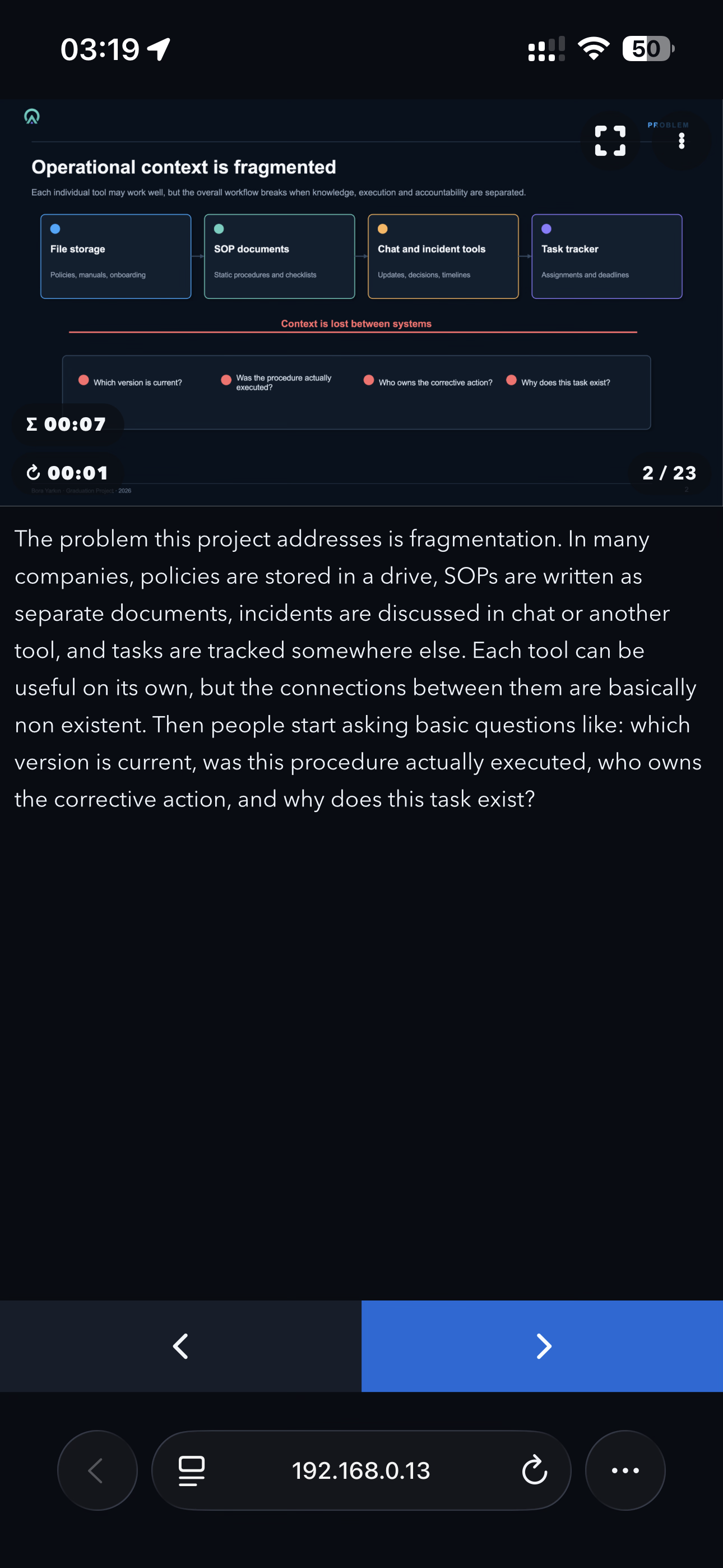
Screenshot of Impress Remote

  •  

Community Member Monday: Karl-Heinz Gruner

Photo of Karl-Heinz Gruner

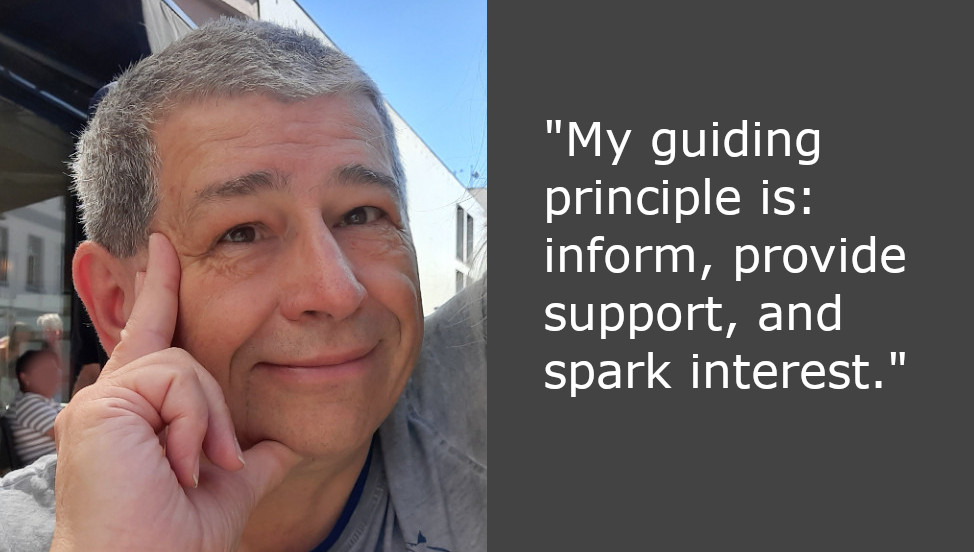
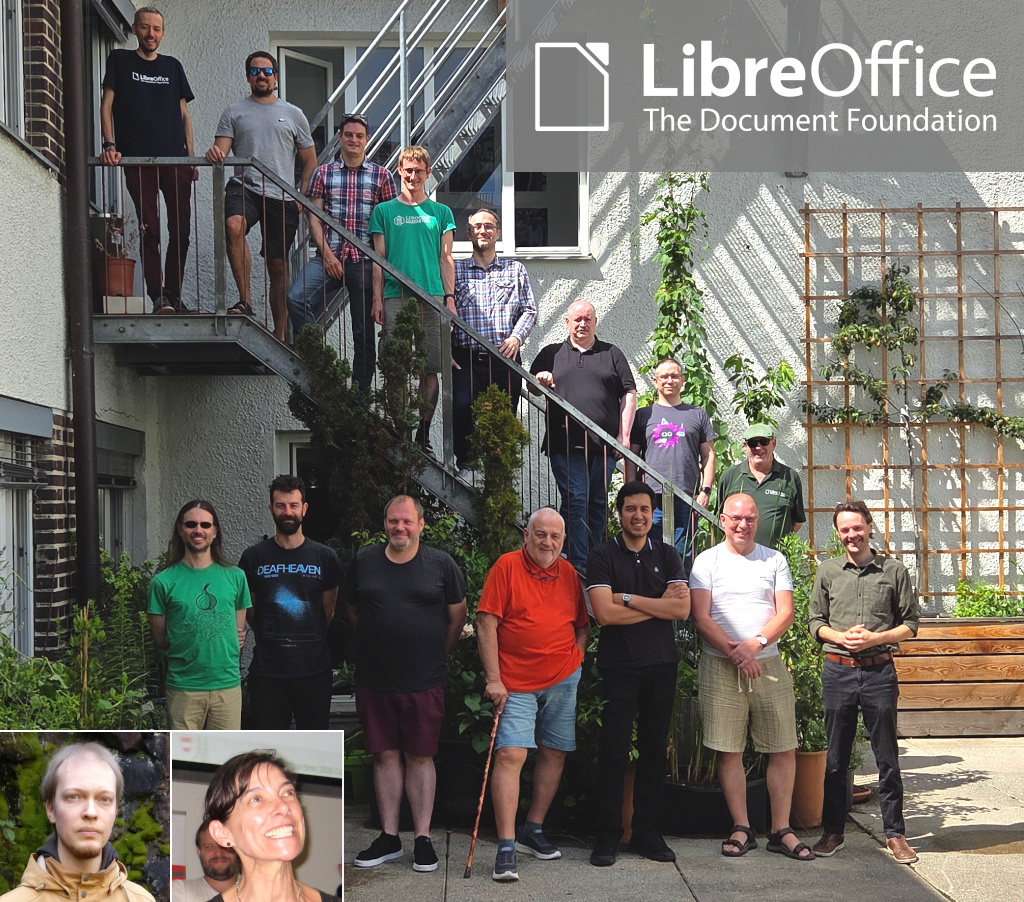
Today we’re talking to Karl-Heinz Gruner, who has been supporting the LibreOffice community at events in Germany and recently became a member of The Document Foundation, the non-profit behind the suite:

Tell us a bit about yourself!

I live in Middle Franconia, near Nuremberg. In my spare time, I enjoy riding my motorbike, even though I haven’t been getting out on rides as much as I’d like at the moment. I find hiking in the region a great way to unwind. Being active in the fresh air brings me peace and relaxation, whilst also giving me space to come up with new ideas.
Professionally, I have worked extensively with office applications from various manufacturers – both from a user’s perspective and in the context of supporting other users. A particular focus of my involvement is my work with the local Linux User Group. There, I focus on open-source software solutions, sharing experiences and imparting practical knowledge.
For what are you using LibreOffice right now?

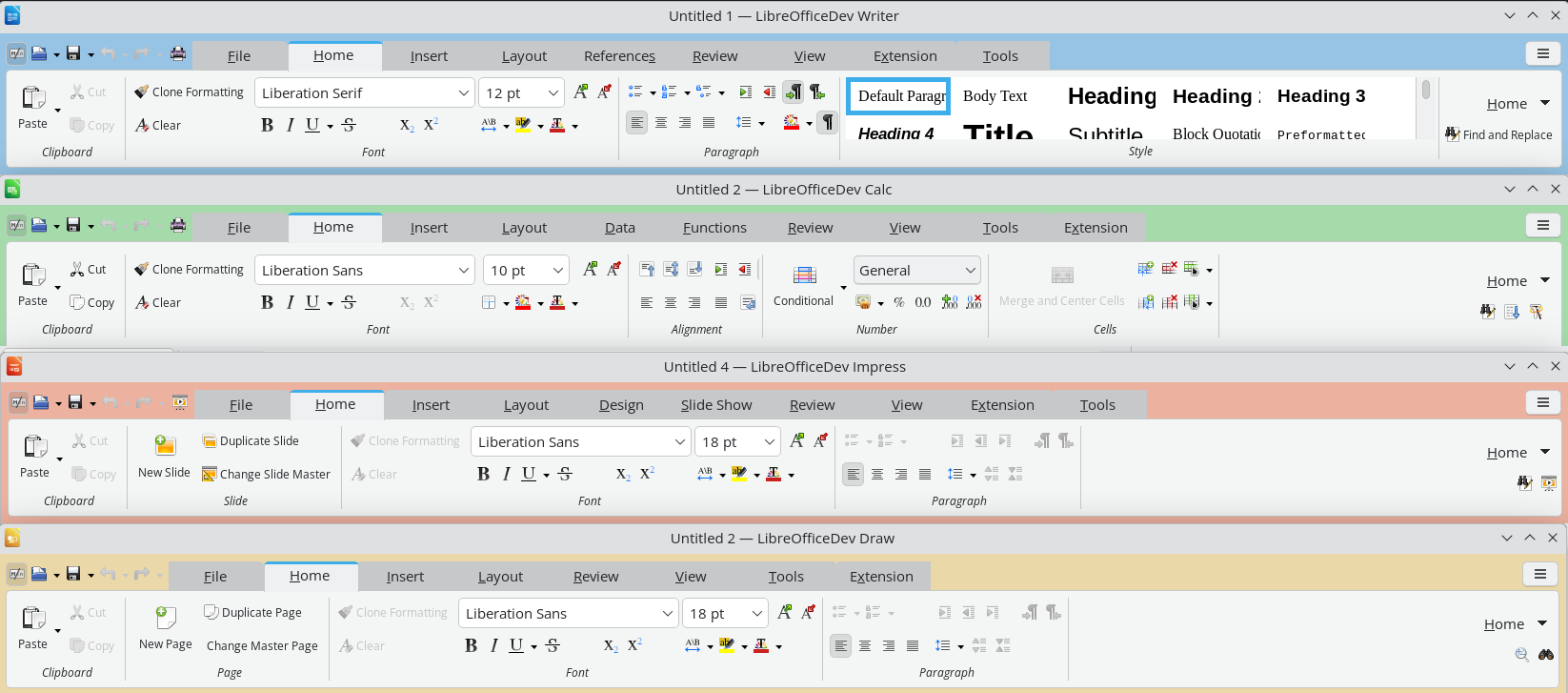
My personal curiosity and interest in practical IT solutions prompted me to carry out a fundamental modernisation of an association’s accounting system.
The starting point was an outdated spreadsheet program that was used to create entries, reports and statements. Initially, the idea was to migrate this solution to LibreOffice Calc, making it clearer and more future-proof.

However, during the analysis, it became clear that simply revising the existing spreadsheets would not be sufficient. Consequently, the decision was made to switch to a more up-to-date system with more comprehensive functions within the existing IT environment. A key outcome of this process is the use of a comprehensive application for administration and communication.

In addition to this, I developed a training programme for the adult education centre to focus on a specific area: the professional design of documents using forms and mail merges.

What do you plan to do in the future?

Looking to the future, I believe it is particularly important to convey information through a variety of channels. Modern software offers a wide range of functions, which many users initially find difficult to get to grips with.

It is therefore crucial to break down reservations and barriers to access. Potential users should be provided with clear information, given practical support and encouraged to try things out for themselves. Software and digital services must remain not only functional but also appealing.

For me, this means continuing to share knowledge through talks and training sessions, explaining practical applications using concrete examples, and convincing users of the benefits of open solutions.

My guiding principle is: inform, provide practical support, and spark interest.

Many thanks to Karl-Heinz for his help! All contributors to LibreOffice are welcome to become members of TDF 😊

  •  
❌