The Libre Graphics Meeting (LGM) is
the annual meeting on Free and Open Source Software (FLOSS) for
graphics. It aims at gathering both developers, artists and other
creative people.
This year, it will be held in Nuremberg (Nürnberg), Germany, from April
22nd to 25th of 2026.
Logo of Libre Graphics Meeting 2026
As every year since the event was born in 2006 (co-founded by early GIMP
team members!), our project will be present.
What becomes possible with a graphics stack/compositor that works
with vectors, rather than pixels? - and what does it take to make it
possible? Helping figuring out this - is a goal of the ctx terminal
emulator with its vector graphics extension.
I’d like to propose a soldering workshop for LGM attendees. Goal is
to populate a PCB with a handfull of components to have something
that lights up with colors.
Note: the schedule still says the workshop is on Friday, but we were
told by organizers it moved to Thursday and schedule has not been
updated. If you want to go, we suggest you verify the schedule page before.
GIMP is Free Software. Most people present at Libre Graphics know as
much. But it is more: GIMP is also a Community. For me this aspect
has about as much importance as the licensing part. In this talk, I
will be diving further into what that means, how that works and why
this matters. Doing so, I will also discuss a bit the past few years
of the project, clarify our current vision and forecast the (very
positive) future of this project.
Our project believes in the community, sharing and working together to
make a great creative software ecosystem. Many from our team work
professionally with Free Software, be it graphics or other, and we
believe that FLOSS collaboration provides the best environment for all.
Aryeom and I, for instance, maintain GIMP as we use it for professional
animation film making.
And we also use and support other awesome Free
Software, such as Inkscape,
Blender, Scribus,
Kdenlive, Synfig and more…
This is why GIMPCon evolved into
Libre Graphics Meeting, 20 years ago! And this is also why we have
helped funding the event many times across the years. We also
contributed hardware sometimes to LGM organizers, sponsored LGM parties,
funded travel and/or accommodation expenses for contributors of other
projects… Because GIMP would not be the same without all the other Free
Software around.
It saddens us to see LGM organizers struggling to find basic funding
every year.
Therefore we would like to encourage other creative FLOSS projects which
can afford it to also sponsor LGM. When you do so, you support the event
gathering us all, improving inter-project collaboration and helping your
own project evolve, you also support the smaller projects which are not
yet self-sufficient, and you show appreciation for the whole community
and the past contributors which allowed your project to be where it is
now in the first place.
Of course, this call also extends to companies and other organizations
using all these incredible Free Software for their work.
Here is where to get in touch with this year’s LGM organizers: LGM
Sponsor Page.
A few years ago, we had started a series of interviews
(mitch
and
schumaml).
More were planned, but things don’t always go as planned.
Well let’s try again! Today we are interviewing Sevenix, the digital
artist who contributed the very cool splash screen image (which appears
when starting GIMP) for the GIMP 3.0 series.
This interview was held asynchronously and remotely with questions from
myself, Liam Quin and Alx Sa.
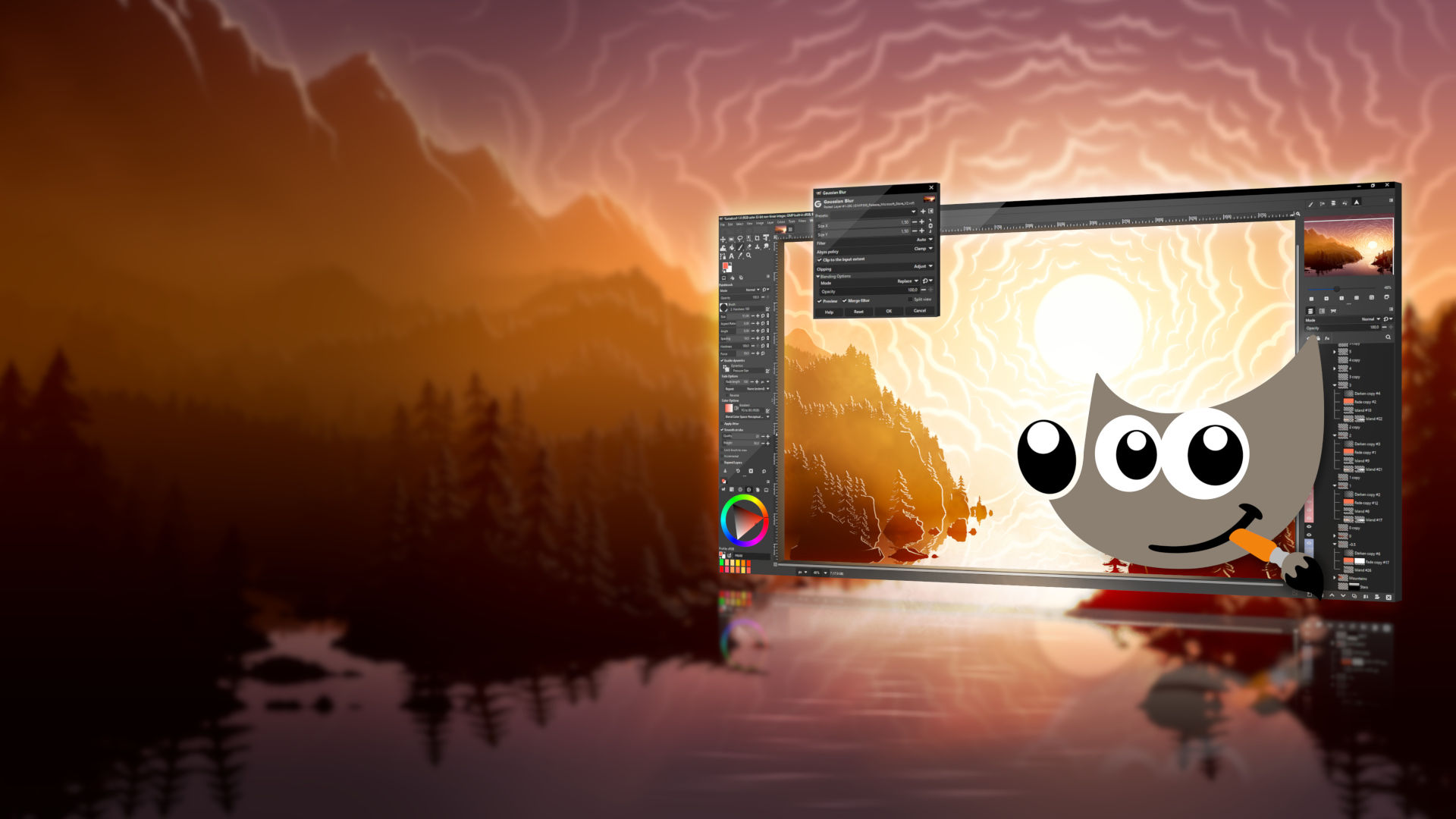
GIMP 3.0 splash screen by Sevenix — CC by-sa 4.0 International
Wilber (GIMP team): Hello Sevenix! Could you introduce yourself?
Sevenix: Hello! My name is Fredrik Persson and I’m a programmer located in Sweden in my late thirties. I like music, movies and video games with the latter being one of my major points of artistic inspiration. Most of my drawings, even if not necessarily related to a specific game, take a lot of inspirations from the games I enjoy. One game in specific was actually the reason I got into digital artwork at all.
Fredrik Persson (a.k.a. Sevenix) — all rights reserved
W: You use GIMP for illustrations. Is this a hobby? Do you use GIMP for a living?
S: I use GIMP for a lot of things but my main use would probably be creating illustrations, or digital artwork, yes. Ever since I was little I enjoyed drawing vast landscapes and simply filling them to the brim with little details. I use GIMP as a hobby, and while I have taken commission works earlier, I tend to not these days. The way I work is rather slow and heavily dependent on my inspiration over several months. Taking on projects that are not based on my own inspiration as well as demanding deadlines, it was simply not an enjoyable experience for me.
W: Could you talk a bit about your workflow please?
S: Funny thing, most who read this would probably expect me to be good at drawing, but truth is, I’m really not. I would consider myself below mediocre when it comes to real life drawing. I’ve always had the will and compulsion to draw, but I was never really any good at it. As such, I belong to a rather small minority who produce my artwork, not with a drawing tablet and pen, but with keyboard and mouse.
W: You work with fairly large images - what sizes are typical, and do you need to do anything special in your workflow to handle them?
S: Since I work with digital art, my main focus has always been to create wallpapers for desktops. As such I started off making regular 16:9 images in 1920x1080 pixels (HD) which during the later years I have increased to 3840x2160 (UHD). That being said, this resolution and aspect ratio is only my final aim. Sometimes websites etc. will use some different aspect ratio which I would have to adhere to, and I found it easier to create my work with this in mind from the start, rather than try to add more to the image afterwards. Print on Demand sites like Displate for example create prints in a 1.4:1 ratio.
So, the first parts of all my work is to create an image that would fit a Displate 1.4:1 print. My next step is to immediately make sure to add guides or framing to make sure I do most of my detail work inside the areas which will later become the 16:9 wallpaper. This way I get a resulting image that is a 16:9 wallpaper, but with the option to extend the image to a 1.4:1 without having to create anything new.
W: You told us that you only use a mouse (no graphics tablet). Why is that?
S: One of the major advantages with digital work compared to conventional is that you can undo steps. Whenever I need to draw a line or arc, I can literally have infinite amount of attempts to get it just right. I try once and see if I’m happy with the result, if not, I do a quick Undo and try again. I mentioned that I’m bad at actual drawing and ever since I came to accept that I’ve started considering the work I do less of “drawing”, and more of “Brute Forcing Pixels”.
I believe using a graphic tablet could be great if you like it and it’s a skill you already have, but I equally believe that achieving a similar skill and familiarity with a mouse isn’t much harder. I suppose an answer to this question in it’s simplest form would be: I do my work with keyboard and mouse, because it’s how I learned to do it and it’s what I feel comfortable with.
W: Your art uses a rather specific art style, could you tell us a bit about it?
S: I can try. The way I got into actual art was trying to replicate the art of the game Fallen London. They use rather simple shapes, fog and lights. Creating more of a Silhouette of their objects rather than actually drawing them. They also tend to use images with very few colors, which is also something I’ve taken with me. This way I was able to create expansive landscapes by placing layer after layer on top of each other. This results in an image that is hard to describe digitally but when people ask I tend to describe it as a Digital Paper Diorama, which I find very apt.
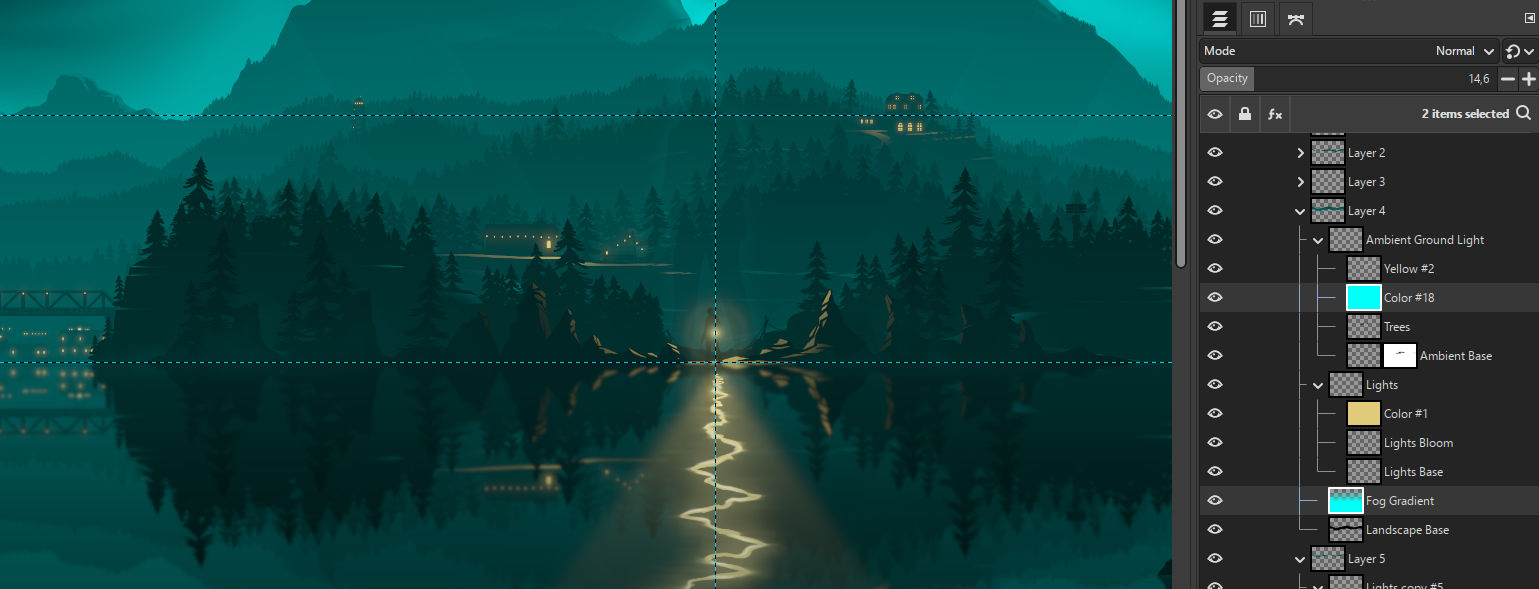
The way I tend to work consists of really just a few techniques, repeated for each of my “layers”
I Create a new Layer Group and name it with a number. This layer group will contain everything I need for one segment of my image.
I draw my silhouetted landscape on a layer in this group, this is my Base layer.
I add a linear gradient ontop of the base layer and make it apply to only the layer below it by setting the clipping option of the layer to Clip to Background.
I add another layer group inside the layer group. This one I name “Lights”. It consists of a base layer as well which are the shapes. but in order to easily be able to change the color of these lights I make another layer ontop of it and naming it Color, similarly setting it to only apply to the Lights layer below it. Once I feel satisfied with this layer I duplicate it and run a Gaussian Blur on it, making it create a glow bloom on the light sources.
I replicate this Group Layer structure for each of the “layers” I need in my images. I usually end up with around 10 to 20 of these groups in my images. And while the above list is the base of them, many become more advanced as I need things added.
Illustration by Sevenix demonstrating his layer organization — all rights reserved
What’s important to me with this structure is the fact that it’s very easy to go back to it and edit it. At any point in my workflow I want to be able to determine that “This part here on layer 3 doesn’t really work with this great tree placement on layer 13”. At those points I don’t want there to be anything to stop me from going back to Layer 3 and change it to how I need it to be.
As I see it, the more non-destructive editing I do, the less I become tied down to decisions I made 10 hours back in my workflow.
This does create some rather large files, but as long as my computer can handle it I feel it’s a crucial part of my workflow.
Just for an example, the latest piece I did was a piece related to Remedy Entertainments Alan Wake games. The whole project took some 15h of work time and ended up with some 170 individual layers.
W: Is there any of your illustrations that hold a special place in your mind?
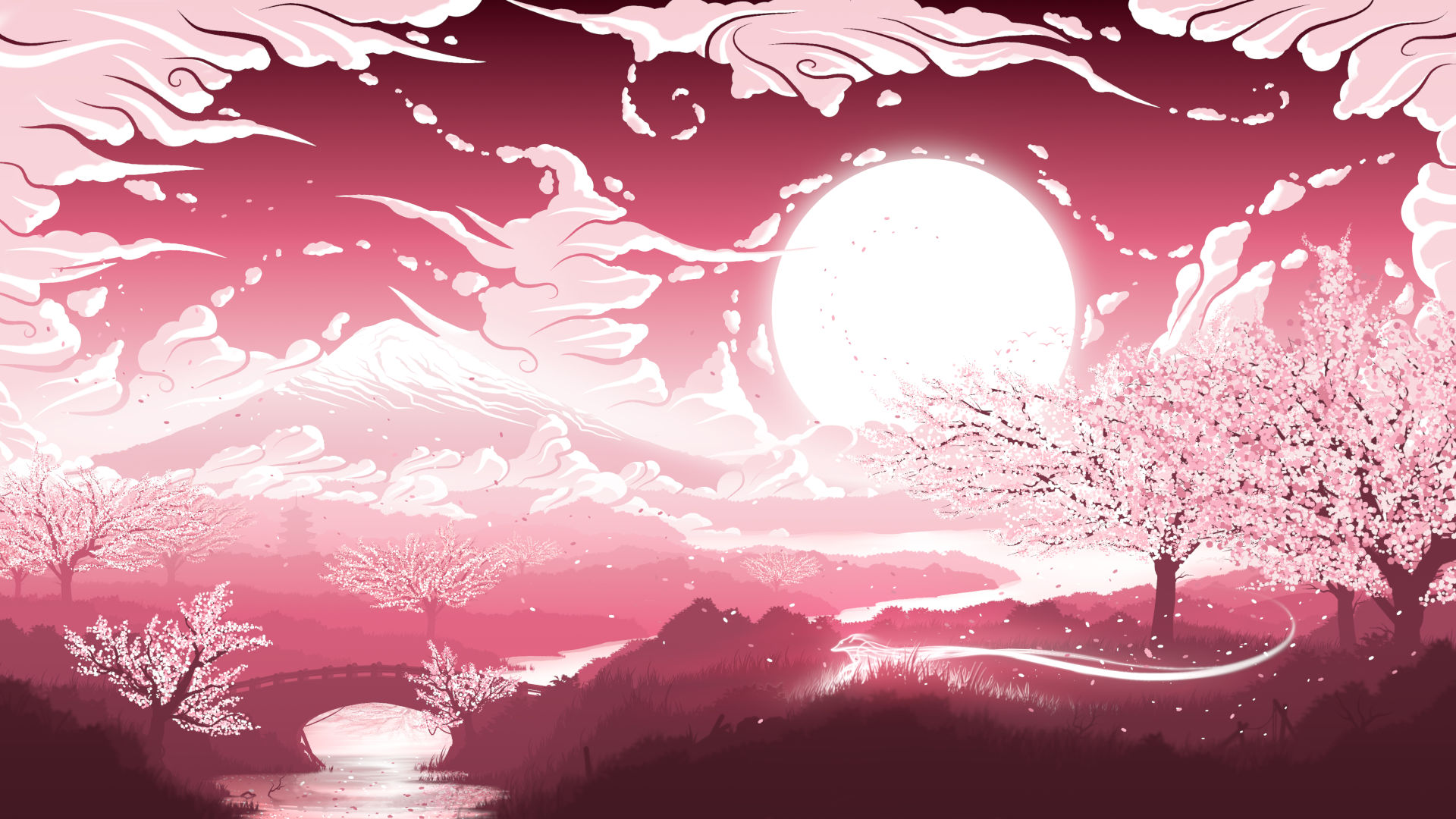
S: There are many, I could pick a lot out of my early work that were the point where I felt like I was actually happy with my results, and eager to show them off. But instead I will pick a piece I named Land of the Cherry Blossoms.
“Land of the Cherry Blossoms”, illustration by Sevenix (used during 3.0 release candidates) — CC by-sa 4.0 International
This was probably the first real piece I did that was not simply based on other works. Up to this point I had made most my work by trying to replicate styles, testing out techniques and basing it on already existing lore. This piece was the first time I made something that felt like it was me putting something on the canvas that was all me.
There are a lot of inspirations in this piece of course. A classic Japanese setting in pink with Sakura trees are in no way mind-bending. But it was mine, straight out of my head, and piled on with all the thousands of small details I like adding to my work.
This was also one of my first pieces to become really popular on Print on Demand sites, providing me with visions of a potential future where I could actually do this for a job.
All of this. The positive feedback, the actual small amounts of money it brought in, not to mention the joy I felt with creating it, really put this piece as one of the most impactful of my digital artist career.
W: What do you think of the latest GIMP 3 series?
S: I really like it! There were some issues in the very earliest releases but they were fixed fast and I now moved over to using 3.0 for my regular, daily work. It looks much more modern to start, but what really wins me over are some long awaited features such as non-destructive editing.
W: Any specific feature in 3.0 that caught you by surprise?
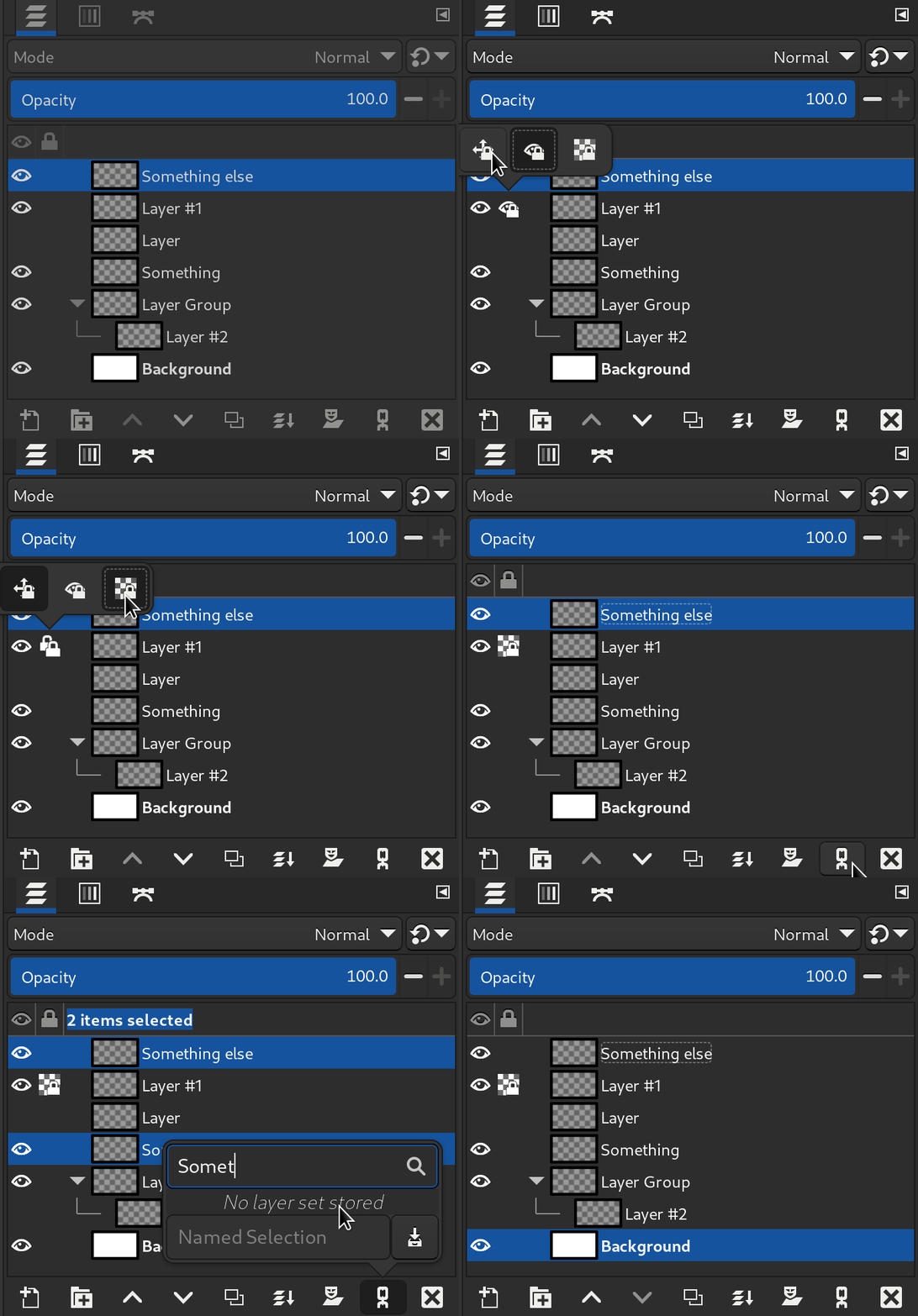
S: Multi-layer selection. When I first heard about it being added to GIMP I had no idea how perfectly it would fit into my workflow. The ability to save selections allow me to easily select all of my “color” layers of the color I want to replace, then simply fill them all with my new color.
In the old workflow I had to change one layer first, then click every other layer one by one, repeating the same action on each of them. Even providing I was happy with the end result, this was still some 20 or 30 actions I had to do manually.
In 3.0 I can do all that in just 4 actions!
W: What are your favorite features or main reasons why you appreciate GIMP?
S: I enjoy the fact that it is open source and free. I say that as someone who would never have gotten into image editing or digital art unless I would have been able to simply download it and start trying.
W: What are the features you really wished GIMP had, or things you’d like to see improved or changed?
I’ve been using the 2.10 version since I started with digital art, and as such there was always the continuous rumors about a 3.0 version arriving sometime in the far future. It wasn’t till I actually got into the GIMP community that I realized that the 3.0 version really didn’t seem that far off at all. Ever since then I’ve followed the development and believe it or not, just about everything I wished for seems to be implemented in 3.0. Multi-layer select, Non-destructive editing. Just such a simple thing as the decision to change the default Paste functionality from the very beginner hostile Paste as Floating Layer was great.
There are of course things that still can improve, and definitely things I could see myself using if they were implemented. And if you forced me to mention one I think it would be something similar to Adobes Smart Objects. Being able to add another GIMP image into your current GIMP image.
W: Apart from contributing to the project with illustrations, you also help with moderation on Discord. Could you talk about it?
S: I was very happy when I found the Discord. GIMP is an advanced program and in that it can be very hard to navigate when you are new. Joining the community on Discord allowed me access to a quick way to throw out “stupid” questions whenever I got stuck. Issues that would usually provide me with enough frustration to simply stand up and walk away from my computer suddenly just took a quick question in a chat channel, a cool head, and some patience.
As for the moderation. I’m a person who enjoy finding things I like doing. And as I get better at them, I really enjoy helping others find that same joy.
In GIMP, most of the time when you get stuck it’s usually because of 2 or 3 common issues. Maybe you got a checkbox active that you shouldn’t. Maybe you accidentally set your layer to 0% opacity. Maybe you happened to set the Mode of your brush to Screen.
In either of those cases, you learn each time you figure it out. And with some help that goes much faster. As soon as I had gotten stuck enough times, I was able to help answer literally half the questions that were asked in the Discord channel. And people were always so appreciative. Most of the times those that get help there also end up posting the results of their work a bit later, and it’s awesome to know we were part of making that happen.
I say We because I’m in no way alone in this. While I was later promoted to a moderation role in the discord, the moderation itself has always been quite easy. What really impressed me is how popular the Discord server has become. These days it’s frequented by so many people that you hardly got a chance to answer questions unless you literally pounce at them the moment they appear.
My work as a moderator is a very easy one, all thanks to the absolute amazing community in there that crave to help others, improve their own work, or show off their latest creative works.
W: Any closing remarks for this interview?
S: Thanks for picking me for this. As I mentioned earlier, I love talking about and sharing my passions. Combining not only Digital Art but the general history and development of GIMP into the same interview could literally have me talking for ages.
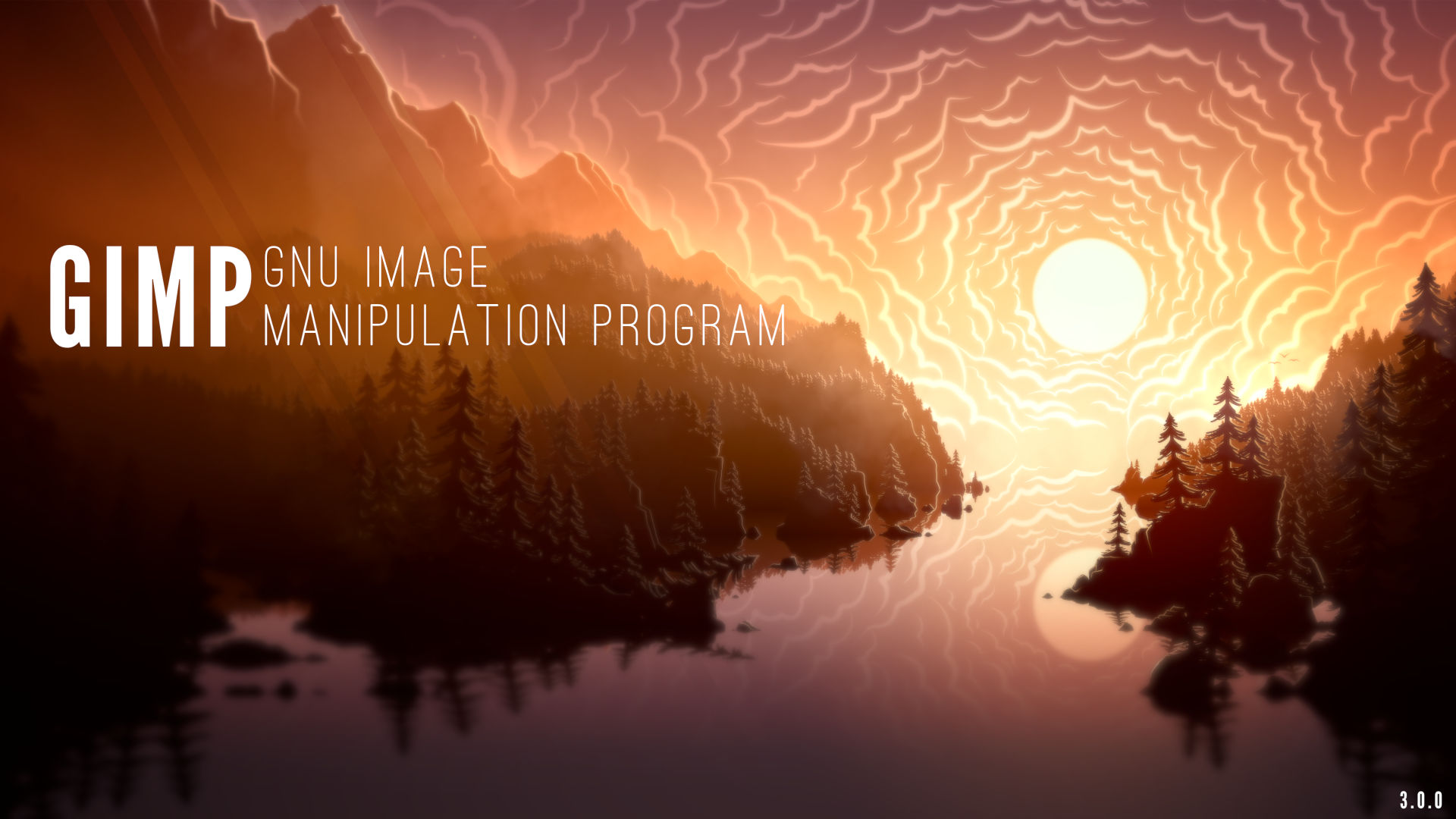
Bonus: here is the alternative banner version of the GIMP 3.0 splash
image, also contributed by Sevenix for irregular promotion of the
software on the Microsoft Store (it is designed so that it can be
cropped for various form factors and with space left on the left for the
software’s name and some additional text):
Microsoft Store banner for GIMP 3.0.0 by Sevenix — CC by-sa 4.0 International
This stable release of GIMP comes with a few security fixes, so we advise you to
update even if you feel like your current version works fine for you. Apart from
the many bug fixes and security updates, it also provides new support for
palette formats and a new generated gradient.
This news lists the most notable and visible changes. In particular, we
do not list here bug fixes or smaller improvements.
To get a more complete list of changes, you should refer to the
NEWS
file or look at the commit
history.
Everywhere a gradient option is available, the gradient list will now feature
the additional “FG to Transparent (Hardedge)” option. It generates a gradient
from the foreground color to transparency, with hard-edge transitions between
the 2 colors.
In the Gradient Tool in particular, you can generate patterns very quickly with
the “Repeat” option, alternating repetitive colored shapes with full transparency
over a given background.
New FG to Transparent (Hardedge) gradient - GIMP 2.10.36
GIMP now loads GIF images containing the PixelAspectRatio header metadata by
setting different resolutions per dimension, hence rendering the image correctly
(instead of looking squashed on the screen).
Of course the option “Dot for Dot” in the View menu must be unchecked to see
the image at its expected ratio.
Four vulnerabilities were reported by the Zero Day Initiative in code for the
following formats and fixed immediately:
DDS: ZDI-CAN-22093
PSD: ZDI-CAN-22094
PSP: ZDI-CAN-22096 and ZDI-CAN-22097
Additionally dependencies have been updated in our binary packages, and with
them, some vulnerabilities recently reported in these libraries were fixed.
In any case, we recommend to update GIMP with the latest packages.
Broken Graphics Tablets with recent linuxwacom driver
We don’t usually mention bug fixes prominently but an ugly one happened
recently after a change in the xf86-input-wacom (linuxwacom) driver, which
provoked crashes of GIMP when using a graphic tablet on Linux.
Various distributions already downgraded the driver, or backported the fix,
since a patch to the driver has been quickly pushed as well. Nevertheless if you
are in the unlucky situation of using the non-patched driver, this version of
GIMP also contains a workaround to the bug.
29 people contributed changes or fixes to GIMP 2.10.36 codebase (order is
determined by number of commits):
7 developers: Alx Sa, Jehan, Stanislav Grinkov, Jacob Boerema, Daniel
Novomeský, Andras Timar and Gabriel Scherer.
22 translators: Marco Ciampa, Sabri Ünal, Luming Zh, Anders Jonsson, Yuri
Chornoivan, Martin, Rodrigo Lledó, Balázs Úr, Hugo Carvalho, Jürgen Benvenuti,
Nathan Follens, Piotr Drąg, Alan Mortensen, Cristian Secară, Ekaterine Papava,
Jordi Mas, Vasil Pupkin, Aurimas Černius, Danial Behzadi, Petr Kovář, Sveinn í
Felli and dimspingos.
3 resource creators (icons, themes, cursors, splash screen, metadata…):
Stanislav Grinkov, Jehan, Daniel Novomeský.
One documentation contributor: Jehan.
3 build or CI contributors: Jernej Simončič, Jehan and Stanislav Grinkov.
Contributions on other repositories in the GIMPverse (order is determined by
number of commits):
babl, GEGL and ctx are actively developed, but no releases have accompanied
this version of GIMP for once. So we will provide relevant statistics at next release.
The gimp-2-10 branch of gimp-macos-build (macOS build scripts) had 45
commits since 2.10.34 release by 1 contributor: Lukas Oberhuber.
The stable flatpak branch had 28 commits since 2.10.34, by 3 contributors (and
a bot): Jehan, Daniel Novomeský and Hubert Figuière.
Our main website (what you are reading right now) had 165 commits since
2.99.16 release by 6 contributors: Sabri Ünal, Jehan, Bruno Lopes, lillolollo,
Alx Sa and Robin Swift.
Our developer website had 17 commits since
2.99.16 release by 5 contributors: Jehan, Bruno Lopes, Aryeom, Jacob Boerema
and Robin Swift.
Our 2.10 documentation had 138 commits since 2.10.34
release by 16 contributors: Andre Klapper, Jacob Boerema, Marco Ciampa, Anders
Jonsson, Boyuan Yang, dimspingos, Yuri Chornoivan, Jordi Mas, Rodrigo Lledó,
Martin, Alexander Shopov, Alx Sa, Balázs Úr, Piotr Drąg, Sabri Ünal and Tim Sabsch.
Let’s not forget to thank all the people who help us triaging in Gitlab, report
bugs and discuss possible improvements with us.
Our community is deeply thankful as well to the internet warriors who manage our
various discussion channels or social
network accounts such as Ville Pätsi, Liam Quin, Michael Schumacher and Sevenix!
Note: considering the number of parts in GIMP and around, and how we
get statistics through git scripting, errors may slip inside these
stats. Feel free to tell us if we missed or mis-categorized some
contributors or contributions.
Access rights to the git repository were recently given to Lukas Oberhuber
(our maintainer for the macOS packages).
During the duration of
GSoC, “reporter”
rights on our Gitlab project were given to Idriss and Shubham, 2 of the GSoC
contributors (the third one already had git access).
Robin Swift, who already helped with GIMP’s developer
website
has started working on a port of the main website (which you are reading right
now) from Pelican to Hugo, a project which was long planned yet had stalled so far.
Finally we remind that we are actively looking for people helping us
test
packages before releases (especially for GIMP 3.0 and forward). This will help
make GIMP releases much more robust. Since the last release, Anders Jonsson and
Mark Sweeney were added as Flatpak testers. We also have several testers of the
Windows packages, yet we still have no testers for macOS.
Whatever your OS and the architecture you test on, we welcome your feedback to
detect issues early! Together, the community is stronger! 💪
Since our latest news, 4 new
mirrors were
contributed to GIMP by:
Silicon Hill, student club of the Czech Technical University in Prague,
Czech Republic;
Lancaster-Lebanon IU13, an organization comprised of more than 20 public
school districts and several non-public, parochial, and charter schools in
Lancaster, Pennsylvania, USA;
the Moroccan Academic and Research Wide Area Network (MARWAN) in Rabat, Morocco;
Jing Luo, in Tokyo, Japan.
This brings us to a total of 45 mirrors so far, from all over the world.
Mirrors are important as they help the project by sharing the load for dozens of
thousands of daily downloads. Moreover by having mirrors spread across the
globe, we ensure that everyone can have fast download access to GIMP.
Sabri Ünal continued their 📚 bibliographic research, adding so many published
books that we decided to completely reorganize the books as a structured file
database, allowing us to easily process the information or change the page
styling separately from the data.
This also triggered us to split the books page into 2:
As book descriptions don’t always clearly state the version of GIMP they pertain
to, we used the release date of GIMP 2.10.0 (April 27, 2018) as the split date.
Last but not least, this new structure allows us to easily generate statistics,
which we now show at the bottom of the books pages. At least 44 books were
published after GIMP 2.10.0 release, and 305 were published before it.
Therefore we are currently listing a grand total of 349 books about GIMP in 17 languages!
I believe it might be the next to last release in the 2.10 branch, though of
course, this is still to be confirmed. What may happen in real life does not
always align with plans.
In the meantime, we are working harder than ever to release GIMP 3.0. You will
hear shortly about this in our next development release.
Don’t forget you can donate and personally fund GIMP
developers, as a way to give back and
accelerate the development of GIMP.
Community commitment helps the project to grow stronger! 💪🥳
As architecture platform usage widens, Windows on ARM (64-bit) is now a thing.
So we decided to support experimentally GIMP for Windows on ARM!
With the newly published revision 2, our universal installer of GIMP 2.10.34 for
Windows (as found on our downloads page)
will auto-detect the running platform and install the ARM build when relevant.
Thanks in particular to our Windows packager, Jernej Simončič, for his
continuous work!
The “experimental” qualificative for this new support is for the following reasons:
It is not as widely tested. We are aware of some issues already and hope that
releasing this experimental build will help us get more feedback.
Only Jernej has a machine with Windows on ARM so far. In particular none of
the developers have such hardware, as far as we know. So we don’t expect to
be able to fix issues for Windows/ARM as fast as for other supported platforms.
Last, but not least, this additional build is not set up yet in our
continuous integration platform, which means we cannot discover appearing
issues as thoroughly and quickly as for other architectures, nor can we
automatize builds as transparently as we wish.
Aside from reports and
patches, we really need
to set up a Windows/ARM machine in our continuous integration platform.
Indeed this is considered a blocker and may be cause for abandoning the
experimentation when we release GIMP 3 since we don’t want to backtrack and get
back to manual builds done by a single contributor on their personal machine for
the 3.0 series.
This means that we are looking for anyone willing to help us set up a machine
with Windows on ARM and configure it as a runner on our Gitlab
project.
Because of obvious security requirements, such a volunteer would need to have
sysadmin experience, willing to commit themselves in the long run (let’s not
leave a Windows machine with holes on the internet) and have had some experience
in FLOSS contributions.
It might also be interesting to coordinate with other cross-platform Free
Software projects to share the administration burden of a CI runner which we can
use together to build for Windows/ARM.
If you are interested, please get in touch on
IRC or in the dedicated
report.
Closer than ever to a release candidate for GIMP 3.0, we introduce the latest
development version: GIMP 2.99.16!
This news covers some of the more noteworthy or interesting parts of this update
and we are very happy to be able to showcase these.
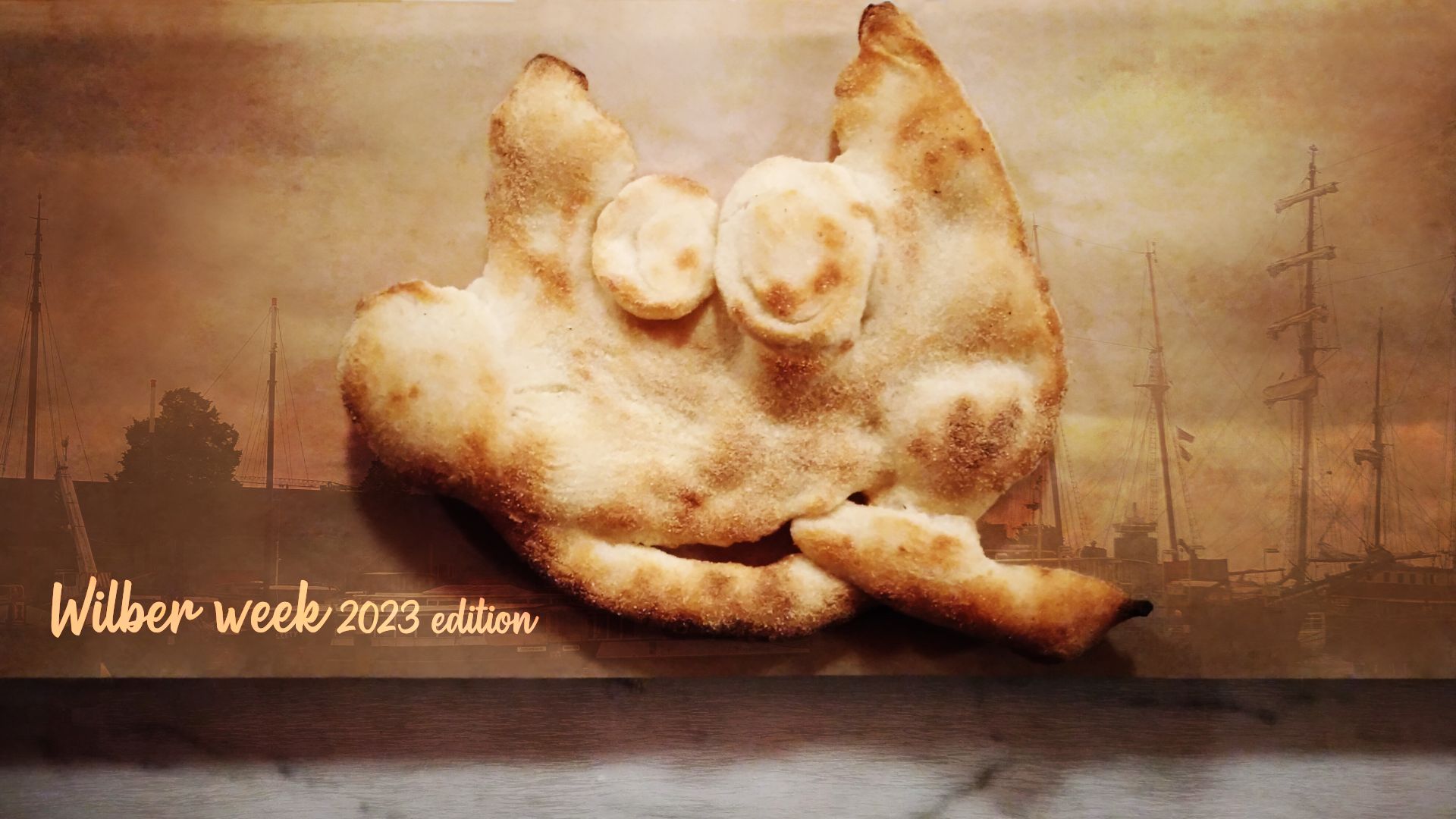
New development splash screen, by Aryeom - GIMP 2.99.16
Note: the fun story behind this splash screen is
Aryeom molding a pizza dough
Wilber on the first evening
at Wilber Week. The oven-cooked dough stayed with
us during the whole stay. This
release was dubbed the “Wilber Week 2023 edition” as a homage to our very
successful contributor
meetup.
This news lists the most notable and visible changes. In particular, we
do not list here bug fixes or smaller improvements.
To get a more complete list of changes, you should refer to the
NEWS
file or look at the commit
history.
GIMP 3.0 has been known as the GTK+3 port version, so you will be happy to read
that this port is finally over. To be fair, we still have a few minor
deprecation warnings here and there, but nothing like the hundreds we used to have.
Our last big work was to port how “actions” are handled, which in GTK vocabulary
means shortcuts, their mechanism, but also how menus are handled and how generic
widgets can be quickly assigned shared action code. Starting from GTK+3, actions
moved to GLib (GtkAction became GAction) while losing a lot of features
(everything user-facing basically, i.e. labels, descriptions, icons, and so on)
or broken apart (the concept of shortcut itself stayed in GTK).
Therefore we had to reimplement the whole thing as a wrapper around GAction,
called obviously GimpAction, because for us, these user-facing features are
major parts of what makes an action (especially as we do a lot of GUI and code generation so things like
labels or icons are not to be associated to a widget — be it a button, a menu
item or anything else — but to the action assigned to this widget, for easy
and generic reuse).
We also had to wrap a bunch of other widgets, such as our own menus (mostly
because menus generated from menu models don’t have tooltips anymore in GTK+3,
yet we make extensive use of tooltips) and menu models (GimpMenu and
GimpMenuModel), our own toolbar and menu bar (GimpToolbar and GimpMenuBar)
and more.
It took me about 2 months to finish while also having to take care of other
code, maintenance and usual bug fixes. Boring and exhausting, but this is now
done! 😅
It also gives us a whole new world of possibilities as we added new concepts
which we wanted for a long time, such as the ability to associate a short and
long label to an action (e.g. when it’s used in a contextual interface such as a
menu vs. when it’s used without context, such as the action search). It is also
the path for planned future improvements (e.g. for a future customizable
toolbar).
We still have a bit more work to do to get our new menu and action code exactly
how we want it, but we are in a good enough state to showcase it. It won’t feel
very different to most of you (and you may also find issues), but not feeling
too different was the point too.
Now there are much more immediate improvements which are worth noting.
The new Glib/GTK+3 actions make it possible to assign several shortcuts for a
single action. For the time being, the shortcut dialog doesn’t allow you to do so,
yet we already use this ability internally for default shortcuts. For instance
number keypad keys are not the same as the ones from the number key row so we
used to create a duplicate action doing the same thing to support both (because
for most people Ctrl-1 should work the same whether from keypad or top row).
Now we can just assign both variants to a same action.
As another example, it is now possible to support the special semantic media key
(such as media key Copy, Cut and Paste which can be found on some keyboards).
An updated shortcut dialog allowing you to set your own multiple shortcuts might
not come for GIMP 3.0, though hopefully not too long after.
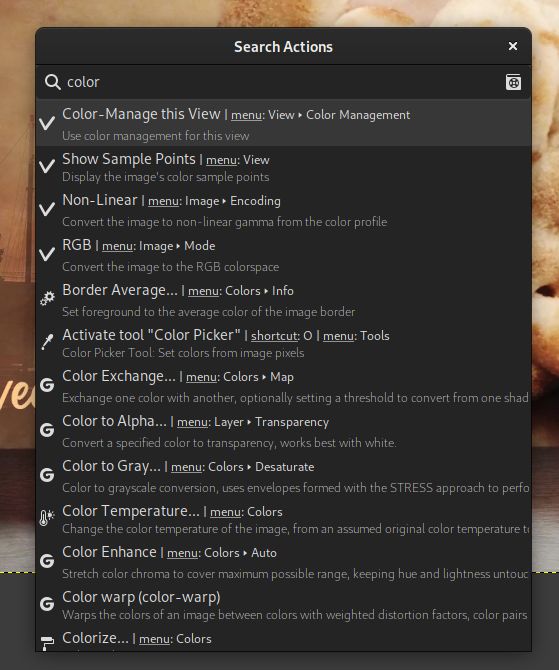
Now that we have our own action wrapper, we made so that it also tracks its own
menu position, so that we can show this menu path in the action search dialog.
This will help people who prefer menus to better find their ways.
Action search dialog now showing menu paths - GIMP 2.99.16
You may also notice a small “Manual” 📓 icon in this screenshot. Clicking it will
open the manual page for a given action (if no help section exists for this
specific action yet, you will be redirected to the action search help page).
Alternatively, hitting the F1 key will open the help page of the selected action.
GEGL is our image processing engine. Filters are
implemented as separate modules, which we call “operations”. While it is
released with a long list of default operations, third-party developers can
implement their own filters, hence benefitting from automatic dialog generation,
on-canvas live preview, curtain preview, preset saving, previous use settings
history and more.
GEGL has been a major component since GIMP 2.10, yet we still needed specific
code to place GEGL operations in menus.
As for third-party filters developers, they had to either implement a bogus
plug-in to wrap their GEGL operation, or settle for being only visible in the
long list of filters shown inside the GEGL operation tool.
Well this has changed as GEGL filters now have easy access to menus in their own
right, just like plug-ins do.
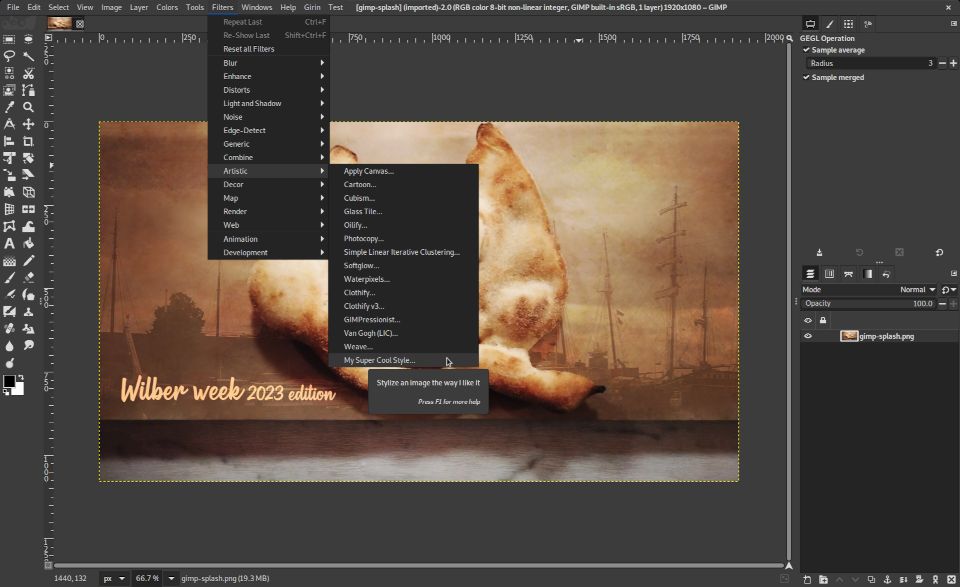
From now on, GIMP reads the GEGL key "gimp:menu-path" to add an operation in
menus. For instance, say that I wrote an artistic filter to stylize an image and
I want it to be under the submenu Filters > Artistic. So my operation code
could contain the following code:
gegl_operation_class_set_keys(operation_class,"name","Jehan:my-style","title",_("My Super Cool Style"),"description",_("Stylize an image the way I like it"),"gimp:menu-path","<Image>/Filters/Artistic",NULL);
And here it is:
Easily adding a third-party filter to menus - GIMP 2.99.16
GIMP will generate automatically the GUI according to the properties declared in
your operation.
Of course, you can also create your own menu folders. Say I create a bunch of
filters which we use specifically for our movie
project, I could create a submenu
"<Image>/Filters/ZeMarmot" (or even a top-level menu. You’ll notice the
“Girin” menu in my screenshot which is where we install our custom plug-ins already).
We will use this to simplify core GIMP code as well, even though for now, only
two new GEGL filters use this feature.
ℹ️ About GEGL operation namespaces: you may notice that I prefixed my
hypothetical filter name with “Jehan:”. This is a way to “namespace” your
filters with a unique name and avoid clashes if someone were to implement a
filter with the same name. Choose this namespace wisely, and in particular do
not use “gegl:” or “svg:” namespaces which are reserved for GEGL core operations
(and might even be forbidden some day to third-party operations).
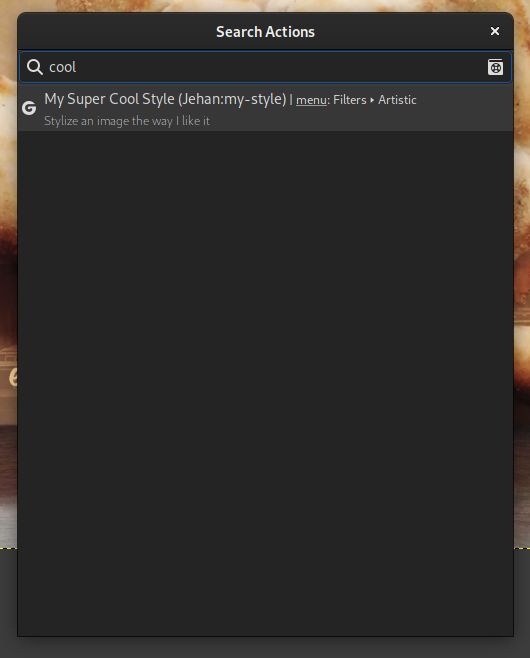
The second big improvement is that your custom filters will now appear in the
action search (/ key by default), whether or not you added them to a menu. It
allows searching and running them very easily!
Third party filters are now searchable - GIMP 2.99.16
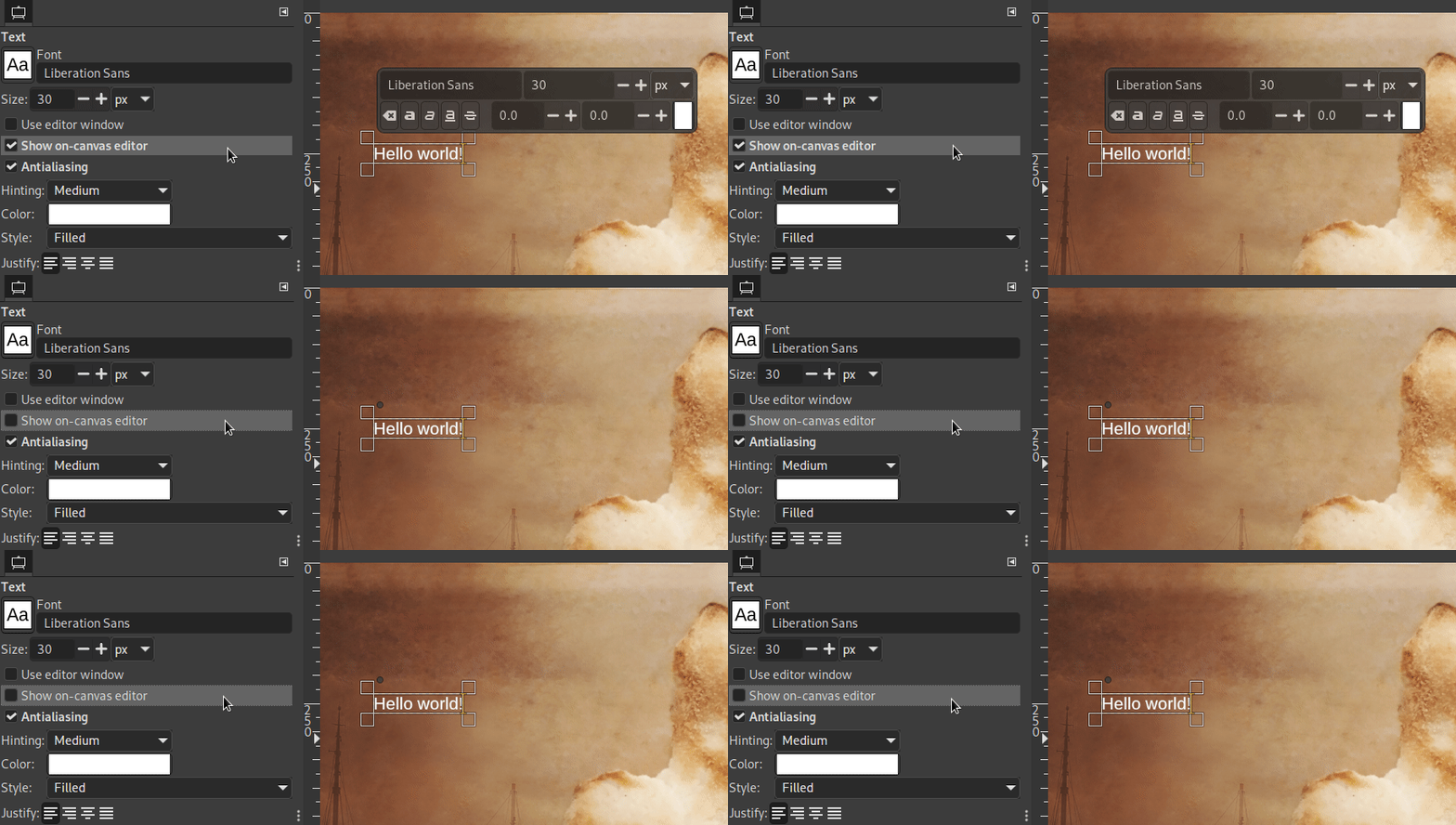
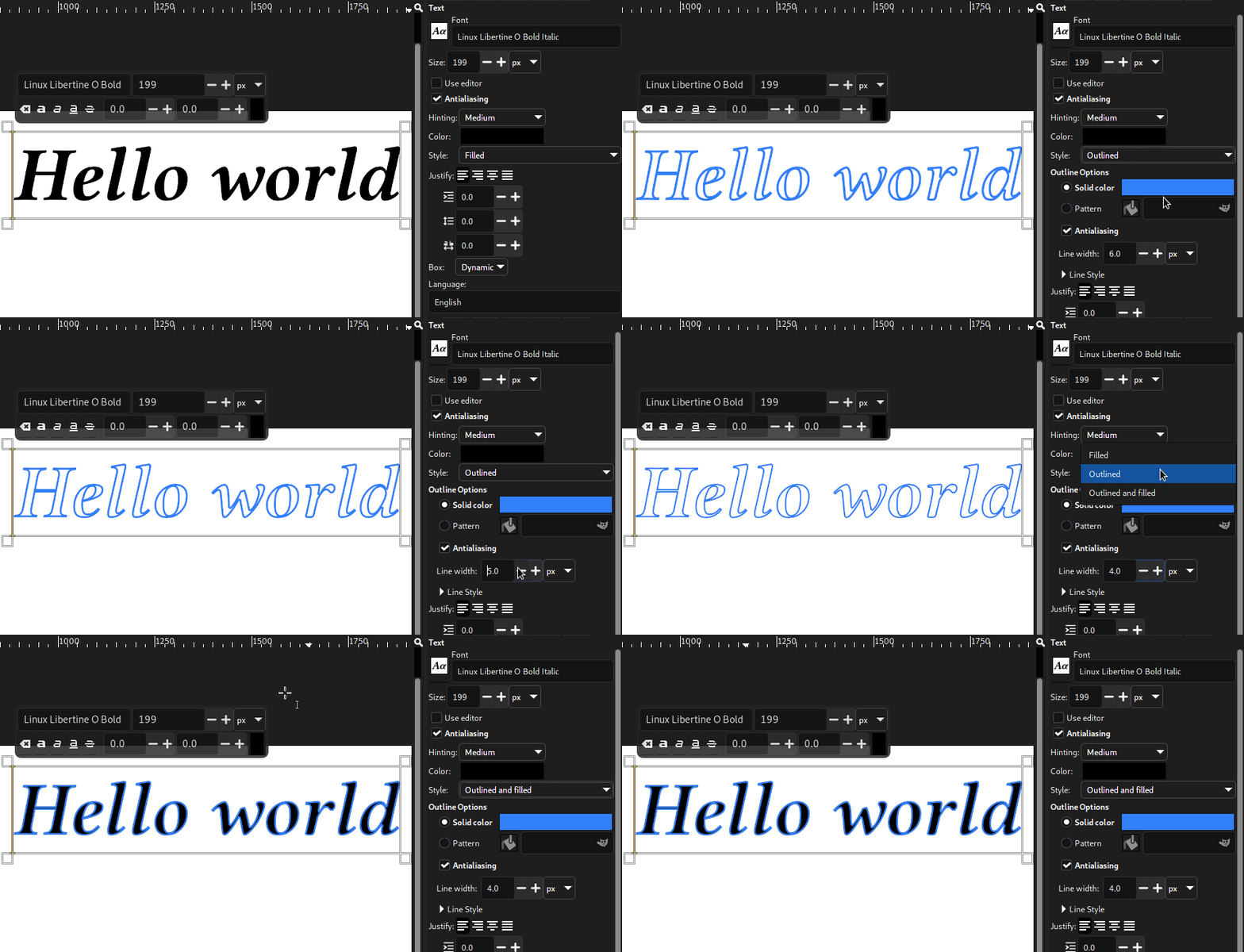
While the on-canvas editor of the text tool is very practical, it was sometimes
a bother as it is in your way. There are cases when you’d like to be able to see
the bare canvas while editing text.
It is now possible thanks to the new option “Show on-canvas editor” to toggle
its visibility.
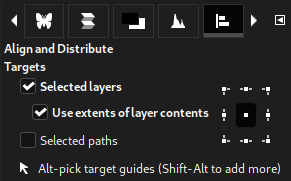
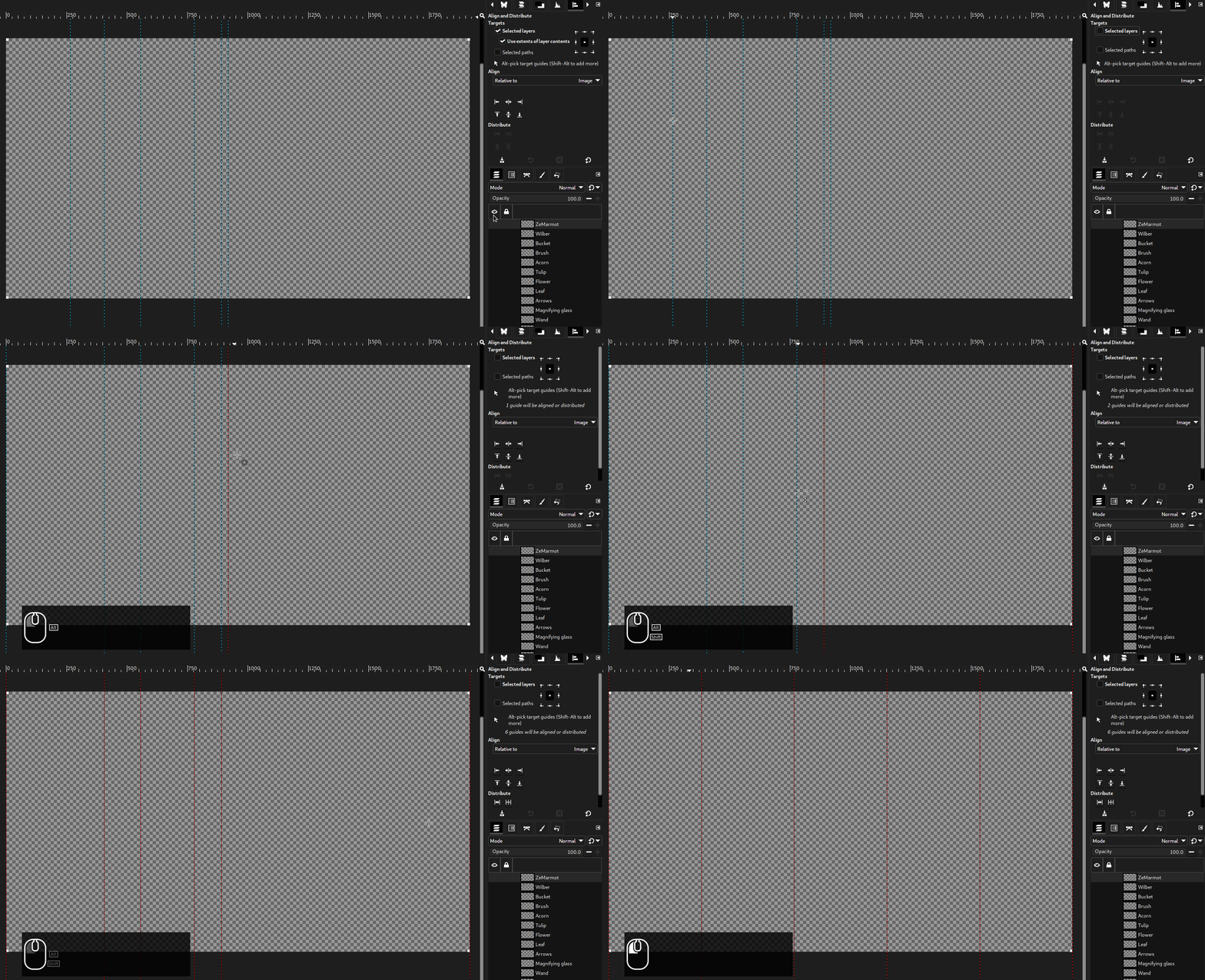
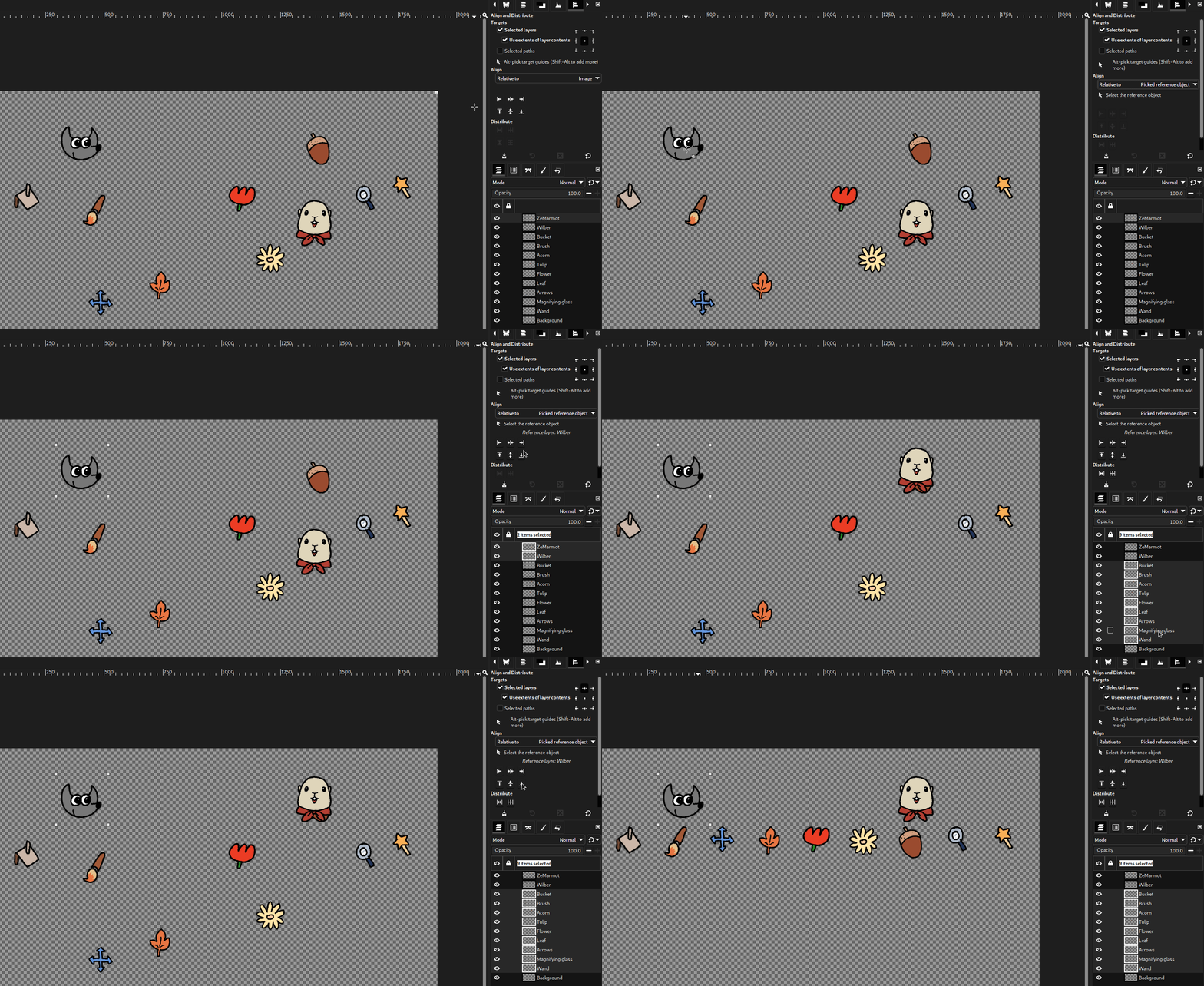
In this version, we modified the option “Use extents of layer contents” so that
it applies to the alignment reference as well (not only the target objects).
A patch was submitted to make the Transform Matrix selectable in the tool’s
on-canvas dialog. This makes it easier to reuse the matrix in other software
(while first testing in GIMP for immediate preview of the transformation, then
copying and pasting the matrix).
Space Invasion is our project to ensure color correctness everywhere we show
or use colors, choose proper color defaults, propose relevant color options…
In this version, some work was done in internal code which was still assuming
sRGB input or output and was used in a few situations. It is now possible to
choose more easily out-of-sRGB foreground and background colors, and the Color
Picker tool shows color values from the proper image space.
Still in the Color Picker tool (and the Sample Points dockable), a new
“Grayscale (%)” display mode was added, which shows the pixel’s Grayscale
value if the picked image were converted to Grayscale mode.
There is still much more work-in-progress regarding these interfaces, such as
ensuring the colors are correctly displayed in the various color boxes (not only
on canvas), that we get reasonable behavior on shared color widgets when
switching from an image’s color space to another, and so on.
Also we plan to become more explicit on the color space currently in use on all
these shared interfaces where you can choose or show colors (Colors dockable,
Foreground/Background colors, Color Picker tool, Sample Points dockable…). This
is going to be one of the biggest parts of the next development release.

In the Preferences dialog, Image Windows settings, you will find a new
checkbox titled “Merge menu and title bar”. This is basically an option to
switch to Client Side Decoration for the image windows, which mostly means
that the menu will be merged inside the title bar, hence saving vertical space.
Preferences settings “Merge menu and title bar” - GIMP 2.99.16
Note: this option doesn’t work for macOS which always has its own
platform-specific menu style.
Since the header bar is set to be hidden when maximizing, if you checked “Show
menubar” for the “Default Appearance in Fullscreen Mode” in Preferences > Image
Windows > Appearance, the menu will be temporarily moved out of the title bar.
This makes the menu visible (if relevant option is checked, which is the
default) even in fullscreen mode.
Now we know that client-side decoration is quite a controversial feature. You
find people who love this with all their might as much as the opposite (in
particular because you lose window styling consistency since decorations are not
handled by the window manager anymore). Moreover we are being told that in some
specific cases, the system refuses to drop its own window decoration and you may
end up with 2 title bars (one drawn by the system and one by GIMP).
For these reasons, this option is disabled by default.
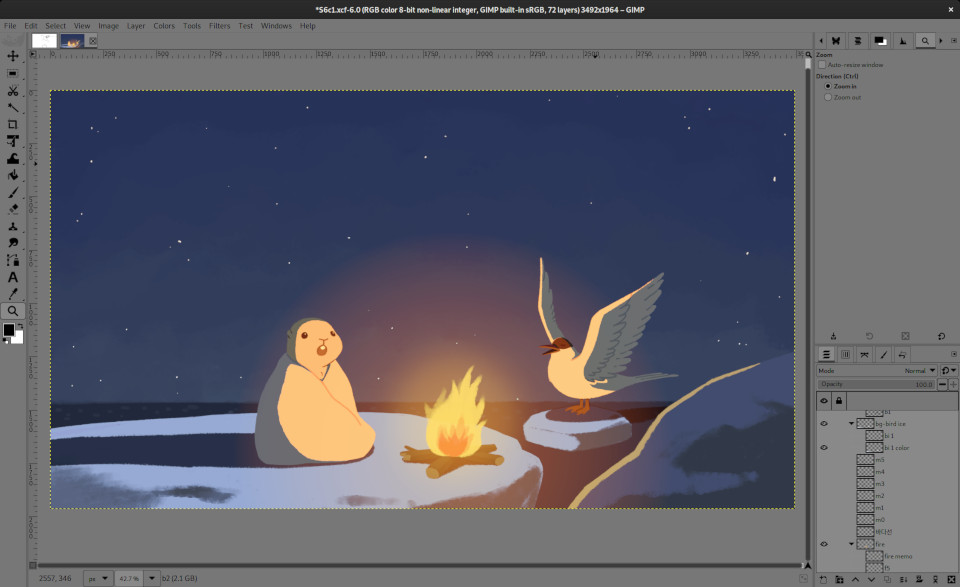
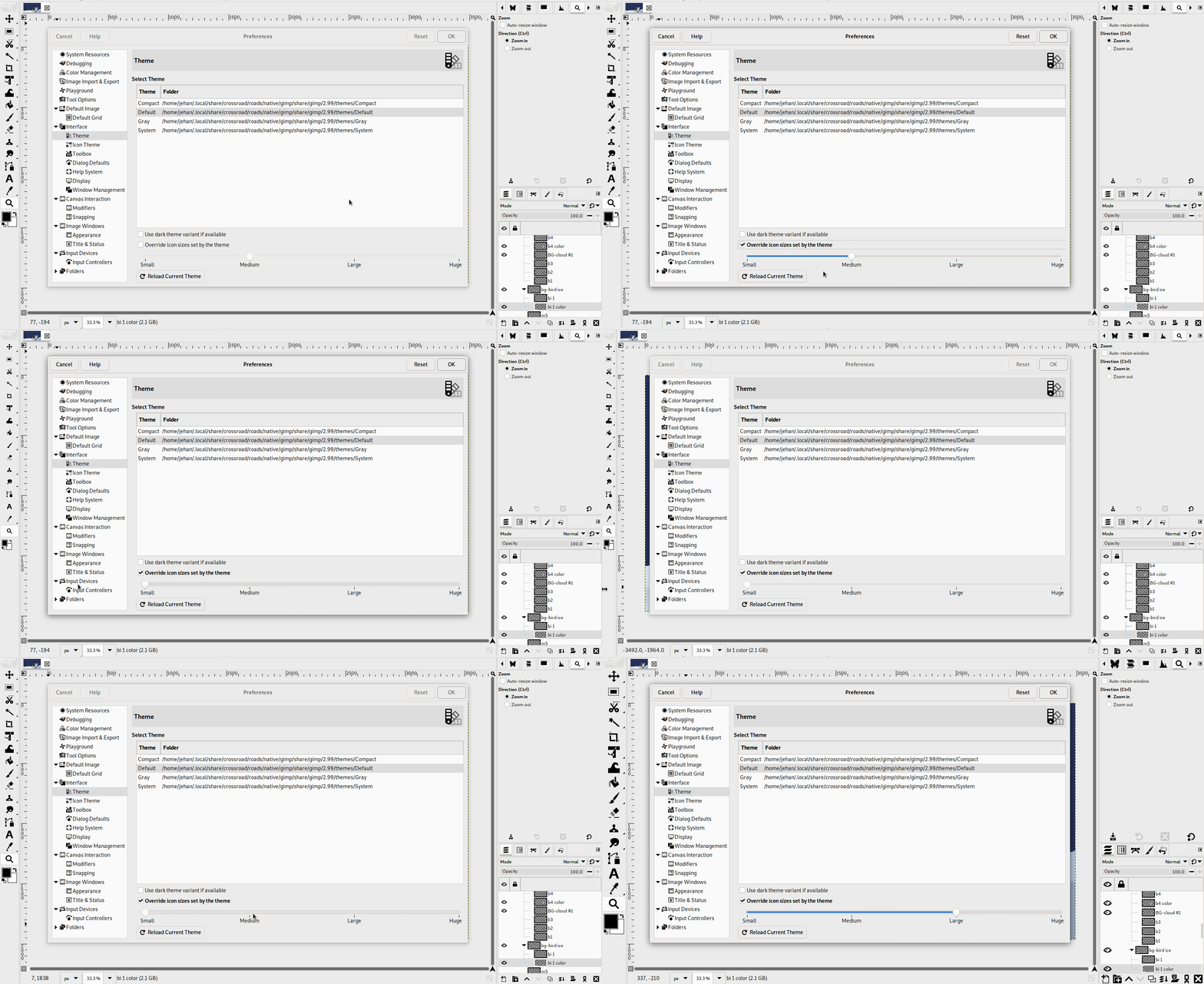
The dark variant of the Default theme has been reworked because it was a bit
too dark. The older version has been moved temporarily as a new theme titled
Darker, though we aren’t sure if we will keep it.
During our last in-person developer
meeting, where this
work happened, the concept of a “High Contrast” theme was also evoked.
At some point, we even discussed the possibility to implement settings for
color customization of the theme.
Now we are not sure which will happen for GIMP 3.0. It will really depend on
whether we get more theme contributions by the time we release.

The “Stroke/Fill Selection Outline” or “Stroke/Fill Path” dialogs used to
propose to stroke (respectively fill) either with a “Solid color” (in fact the
foreground color) or with a “Pattern”. We split the “Solid Color” into
“Foreground color” and “Background color”, so that you don’t have to
constantly switch their positions.
Furthermore the “Stroke Selection” and “Stroke Path” dialogs in particular
have been reorganized in a stack switcher making the 2 options “Line” and
“Paint tool” easier to use.
As a result of saving dialog space, we don’t hide anymore the “Line Style”
settings under an expander, in order to show more prominently the line rendering options.
When creating a new image or a new layer, there is this “Fill with” field
where you can choose the created layer color among the FG/BG colors, white,
black, transparency or a pattern. We added “Middle Gray (CIELAB)” which
corresponds to 50% of perceptual lightness (the L* of CIELAB or CIELCh),
or again 18.42% luminance.
Though the concept of “Middle Gray” may have different values depending on the
chosen definition, this is one of the most common, considered as perceptually
halfway between darkness and light to the average human observer’s eye.
A major chunk of the work on file formats is from Alx Sa (known as Nikc in
previous news), who has a knack for adding support for various formats and
improving the existing ones. And that’s awesome work so bravo Alx! 👍
FITS is an image format most commonly used in astronomy.
While we used to embed our own code for FITS support, we now ported it to
cfitsio, a library
maintained by the NASA.
This allows us to import compressed FITS files (GZIP, HCOMP, PLIO, RICE) in
8/16/32-bit and float/double precision. As a general rule, it will greatly
improve our support level for this format.
Since we now use an external library, FITS support becomes optional (especially
relevant to Linux distribution packages; on our own packages, it is always present).
Additionally we would like to thank Siril (the
astronomical image processing tool) whose developers exchanged with us to
improve the support in GIMP.
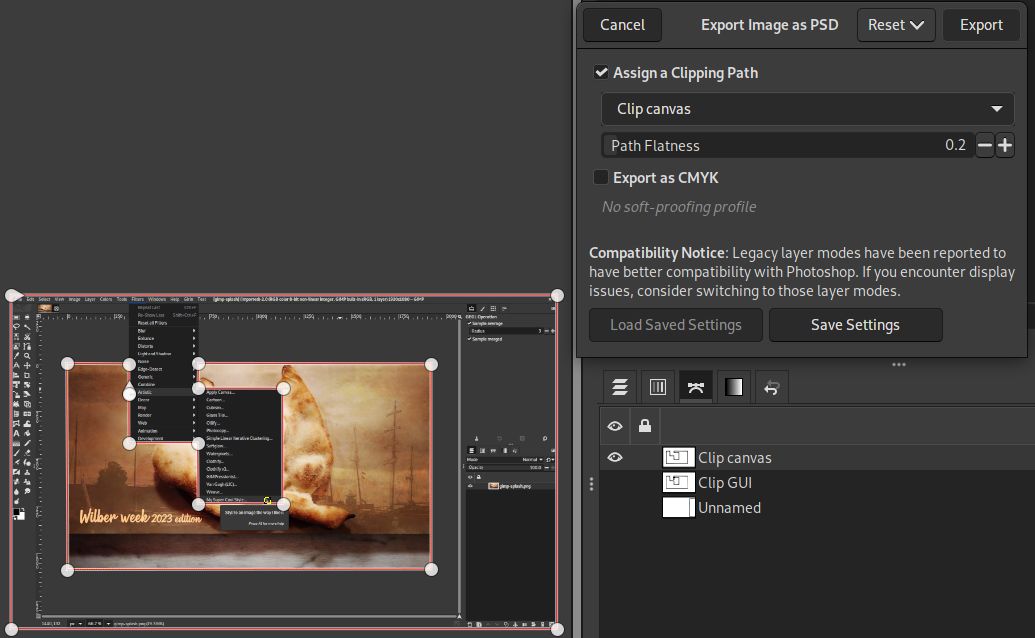
Clipping paths can now be imported from and exported to PSD files!
If your image has any path, a PSD export dialog will propose you to “Assign a
Clipping Path”, and a combo menu will allow you to select the path to use.
Exporting a clipping path - GIMP 2.99.16
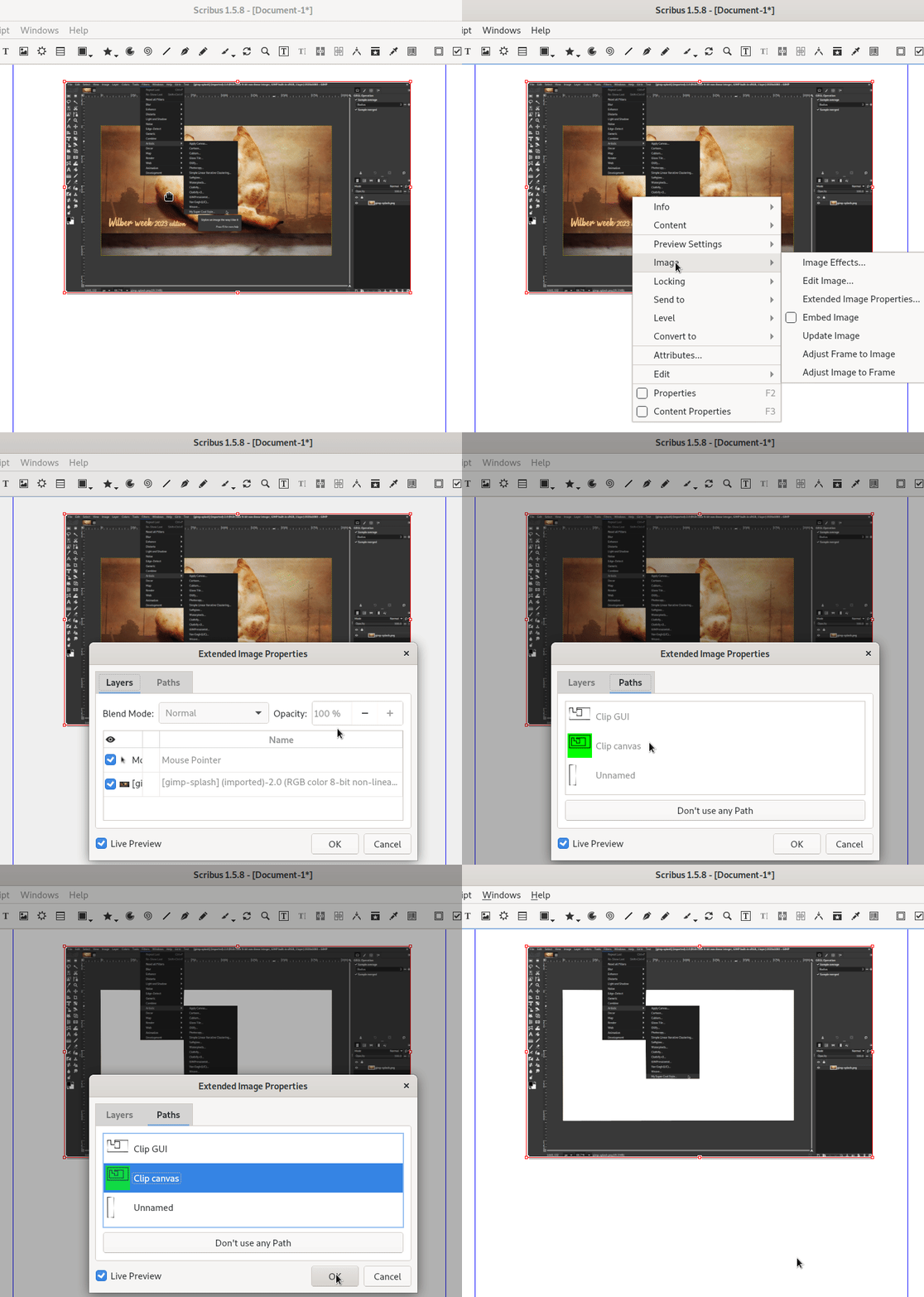
This clipping path can be used in programs which support clipping paths,
e.g.
Scribus (desktop publishing)
already lists all the paths as usable as clipping path
yet will highlight in green the selected clipping path hence allowing to better
tag the path you want to use for this purpose.
Using a clipping path in Scribus (note in particular the path highlighted in green) - GIMP 2.99.16
Similarly, on import, any clipping path information stored in the PSD will be
reused as default for export.
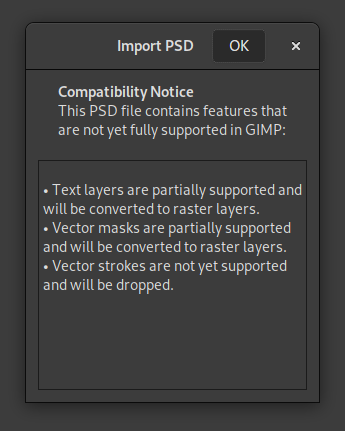
Another interesting change is that on import, if some PSD features are not
supported, a compatibility warning dialog will be displayed, listing all the
missing features:
Compatibility warnings when importing a PSD - GIMP 2.99.16
This way, you can make an informed decision when working with exchanged PSD files.
Note that the export dialog also has a new “Compatibility Notice” regarding
legacy layer modes, as some people have noted that they have better
compatibility when exporting PSDs and reopening them in Photoshop.
Last but not least, a new PDB procedure "file-psd-load-metadata" was created to allow other plug-ins to
delegate PSD metadata loading to the PSD plug-in. Indeed a common usage in
various file formats is to self-extend by storing custom metadata in Photoshop
proprietary metadata format. We already implemented 2 such usages:
TIFF images can contain image-level proprietary resources in the
TIFFTAG_PHOTOSHOP metadata, as well as layer-level resources (e.g. PSD
layers instead of TIFF pages) in the TIFFTAG_IMAGESOURCEDATA metadata. GIMP
now supports both of these and will load what it supports.
JPEG images can contain PSD metadata on image-level only, such as paths. These
will now be loaded as well.
Same as in the PSD plug-in itself, if some of these metadata are unsupported, a
compatibility dialog will be raised.
These will enable a whole new world of support for JPEG and TIFF (relative to
the specific proprietary PSD resources) as they will sync to the support level
of the PSD plug-in instead of duplicating code.
Additionally to the various metadata-related improvements, the option
“4:2:2 horizontal (chroma halved)” got renamed to “4:2:2 (chroma halved
horizontally)” and the option “4:2:2 vertical (chroma halved)” to “4:4:0
(chroma halved vertically)”.
Research indicates these to be the most usual notations for these options these days.
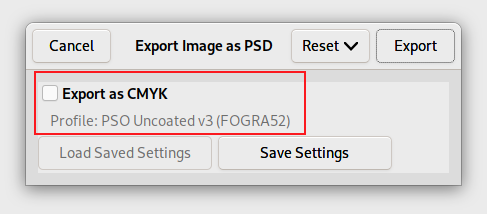
We added initial support for CMYK(A) export: Key and Alpha data is saved in
extra channels and the simulation profile is saved as well.
Per the specification developers, the format does not support ‘naive’ CMYK
conversion, so a profile is required for export. The option “Export as CMYK”
will be disabled if no CMYK simulation profile is set.
We enabled OpenMP support when available
on the build machine. This means in particular that parallel processing is
enabled, which should improve processing speed in some cases.
New image format supports: PAM, QOI, Amiga IFF/ILBM, DCX
We recently added both import and export support for the following formats:
PAM (grayscale and RGB,
with or without alpha): essentially PPM files with a different header format
and alpha/16 bit support.
QOI: the funnily named
“Quite OK Image” format for lossless image compression of color raster images
(8-bit per channel), with or without an alpha channel.
We added import-only support for the following formats:
Amiga IFF/ILBM: initial support for
importing indexed ILBM, Amiga PBM, and ACBM images.
Now it may seem useless to support weird, old if not sometimes forgotten formats
but this is actually important (at least the import ability). This can be useful
for archiving, being able to display old images one may have created years ago,
reusing and work on existing data.
Ultimately GIMP aims at being able to load any format which has existed under
the sun!
Note: some of these new supports might not be yet in our official packages
(e.g. Amiga IFF/ILBM), though should be soon.
The development interface for plug-ins continues to evolve towards its
final state, though it is still one of the last big worksites now that
the GTK+3 port is over.
GIMP plug-ins used to refer to various resources (brushes, fonts, gradients,
palettes, patterns, etc.) by name. We moved into creating specific classes (GimpBrush, GimpFont, GimpGradient, GimpPalette and GimpPattern
respectively) in libgimp for these data, under a common parent class
GimpResource. This moves this part of the API to an object-oriented interface
(same as other existing types for images, layers…) which will be a lot nicer for bindings.
Moreover we move to unique IDs for each resource, which is not name-based. While
this part is still mostly libgimp-side, we plan on making names less of an
identifier in core code as well. This indeed creates name clashes much too
easily, especially if you exchange data with other people (it is very easy to
find custom brushes or fonts made by different people and using the same name).
We are working on making GIMP much more robust to these kind of real-life name clashes.
Some work was done on reviewing our plug-in localization rules. While we used to
have the menu strings localized by the core application itself, the rest was
localized by the plug-in process. This has always been confusing to third-party
developers (“Should I use _() or N_() to translate strings?”). Now it’s
very simple: the plug-ins takes care entirely of their own localization, hence
always send already translated strings to the core process. It also means that
changing GIMP’s language settings triggers a reload of all plug-in registrations
(to update strings).
Apart from simplifying the rule, it also prevents a possible clash for the
gettext catalog names (in case 2 plug-ins were to use the same catalog name,
it doesn’t matter anymore as each process handles their own).
And finally, even though we still recommend gettext (we also provide
infrastructure functions for plug-ins to easily set up plug-in localization with
gettext), it make third-party plug-in developers freer to choose their own
localization infrastructure if they prefer something else.
All these changes are also part of a longer term work to move plug-ins to
self-contained extensions
which will be easily sharable and installable.
While GStrv was added in GIMP
2.99.10,
it was not serialized into config files (our infrastructure to store plug-in
settings across runs), until this version.
A very cool first usage of this ability is for the Script-fu console which now
remembers the history of run commands.
Moreover plug-ins now have access to GBytes arguments for all the cases where
we were misusing arrays of unsigned integers on 8-bit instead, in order to
represent binary data (or more generally custom data, which can be anything,
from text to binary). The GimpUint8Array type has been removed as a possible
plug-in argument type and all its uses replaced.
More functions were added, for instance to enhance the capabilities of the GUI
generation for plug-ins. Some encoding issues were handled and various
functions’ annotations and usage have been clarified.
For a more exhaustive list of functions added, removed or changed, we advise to
look at the
NEWS file.
As usual, this version of GIMP is accompanied by new versions of
babl and GEGL:
babl 0.1.104 and 0.1.106 improved the LUT code and provide faster startup by
caching balanced RGB to XYZ matrices.
GEGL 0.4.44 and 0.4.46, in addition to the usual bug fixes, started to add the
"gimp:menu-path" key to some operations, improved gegl:ff-load,
gegl:ff-save to make them build with FFmpeg 6.0 (though gegl:ff-save still
doesn’t work properly with this version of FFmpeg), and added 2 new operations:

gegl:chamfer
New operation in workshop that use gegl:distance-transform and
gegl:emboss, based on LinuxBeaver’s research into modeling different bevels
with combinations of blurs.
Applying “gegl:chamfer” to text for a bevel effect - GIMP 2.99.16
gegl:local-threshold
Neighborhood aware and optionally antialiased thresholding of an image. The
operation is equivalent to doing an unsharp mask with a large radius, followed
by scaling the image up applying threshold and scaling down by the inverse of
the scale up factor.
If you have a photo and you want to make a decent highlights vs shadows
threshold it gives a lot better results than the built-in threshold. It finds
per-pixel adapted threshold levels for a gaussian average from the
neighborhood radius. In addition it permits creating anti-aliased threshold
masks (if the radius is set to 0, the behavior is similar to the built-in
threshold op).
From a UX point of view, the only thing missing for this new filter taking
over the current threshold filter is specifying the rgb⇒gray conversion,
then the additional parts of the UI would be options for threshold.
Beware though that antialiasing is achieved by scaling the input up and down -
so high settings make it churn with relatively little quality gain.
Left: original; top-right: result with current Threshold filter; bottom-right: result with new Local Threshold - GIMP 2.99.16
67 people contributed changes or fixes to GIMP 2.99.16 codebase (order is
determined by number of commits):
34 developers: Jehan, Alx Sa, Michael Natterer, Jacob Boerema, Simon Budig,
Luca Bacci, Niels De Graef, Daniel Novomeský, Lloyd Konneker, Øyvind Kolås,
Lukas Oberhuber, Ian Martins, programmer-ceds, Andras Timar, Andre Klapper,
Carlos Garnacho, Idriss Fekir, Jordi Mallach, Sabri Ünal, Shubham, Stanislav
Grinkov, Stephan Lenor, Venkatesh, kotvkvante, lapaz, lillolollo,
programmer_ceds, valadaptive, 依云, Anders Jonsson, Jordi Mas, Richard
Szibele, Tomasz Golinski and Florian Weimer.
31 translators: Martin, Yuri Chornoivan, Ekaterine Papava, Alexander Shopov,
Hugo Carvalho, Jordi Mas, Sabri Ünal, Rodrigo Lledó, Asier Sarasua Garmendia,
Anders Jonsson, Alan Mortensen, Cristian Secară, Sveinn í Felli, dimspingos,
Alexandre Prokoudine, Balázs Úr, Chao-Hsiung Liao, Piotr Drąg, Tim Sabsch,
Kristjan SCHMIDT, Luming Zh, Marco Ciampa, Alexandre Franke, Aurimas Černius,
Balázs Meskó, Christian Kirbach, Danial Behzadi, Emin Tufan Çetin,
MohammadSaleh Kamyab, Zurab Kargareteli and حجتاله مداحی.
10 resource creators (icons, themes, cursors, splash screen, metadata…):
Jehan, Michael Natterer, Alx Sa, Stanislav Grinkov, Lloyd Konneker, Ville
Pätsi, Aryeom Han, Daniel Novomeský, Anders Jonsson and Mark.
5 documentation contributors: Jehan, Lloyd Konneker, Anders Jonsson, Corey
Berla and Michael Natterer.
15 build or CI contributors: Jehan, Alx Sa, Jacob Boerema, Michael Natterer,
Daniel Novomeský, Lloyd Konneker, Michael Schumacher, Stanislav Grinkov, Niels
De Graef, Simon Budig, Lukas Oberhuber, Florian Weimer, Luca Bacci, lillolollo
and Jordi Mallach.
Contributions on other repositories in the GIMPverse (order is determined by
number of commits):
1 contributor to babl 0.1.104 and 0.1.106: Øyvind Kolås.
13 contributors to GEGL 0.4.44 and 0.4.46: Øyvind Kolås, Marco Ciampa, Martin,
Asier Sarasua Garmendia, Ekaterine Papava, Piotr Drąg, Yuri Chornoivan,
Alexandre Prokoudine, Jan Tojnar, Rodrigo Lledó, Sabri Ünal, Tim Sabsch and dimspingos.
2 contributors to ctx since 2.99.14 release:
Øyvind Kolås and Carlos Eduardo.
3 contributors to gimp-macos-build (macOS build scripts) since 2.99.14
release: Lukas Oberhuber, Kyungjoon Lee and Mingye Wang.
2 contributors (and a bot) to the beta flatpak: Jehan, Daniel Novomeský and flathubbot.
7 contributors to our main website (what you are reading right now) since
2.99.14 release: Jehan, Sabri Ünal, Jacob Boerema, Aryeom Han, Michael
Schumacher, lillolollo and Tim Spriggs.
9 contributors to our developer website since
2.99.14 release: Jehan, Bruno Lopes, Jacob Boerema, Krek Krek, Mark, Alx Sa,
GoldenWon, Michael Schumacher and kotvkvante.
16 contributors to our 3.0 documentation
since 2.99.14 release: Andre Klapper, Jacob Boerema, Anders Jonsson,
dimspingos, Yuri Chornoivan, Jordi Mas, Nathan Follens, Tim Sabsch,
حجتاله مداحی, Alexander Shopov, Balázs Úr, Danial Behzadi, Hugo
Carvalho, Martin, Piotr Drąg and Rodrigo Lledó.
Let’s not forget to thank all the people who help us triaging in Gitlab, report
bugs and discuss possible improvements with us.
Our community is deeply thankful as well to the internet warriors who manage our
various discussion channels or social
network accounts such as Ville Pätsi, Liam Quin, Michael Schumacher and Sevenix!
Note: considering the number of parts in GIMP and around, and how we
get statistics through git scripting, errors may slip inside these
stats. Feel free to tell us if we missed or mis-categorized some
contributors or contributions.
Our release procedure is getting much better at each new version. I would like
to thank our testers who did an awesome job raising the few release-blockers we
had for GIMP 2.99.16, as well as the people who followed up on these issues,
handled technical responses, created or updated packages, and more.
In particular, a huge thank you to (by alphabetical order) Alx Sa, Anders Jonsson,
Daniel Novomeský, Hubert Figuière, Jacob Boerema, Liam Quin, lillolollo, Luca
Bacci, Lukas Oberhuber, Mark Sweeney, Sevenix, ShiroYuki_Mot and Uzugijin!
As a reminder, if anyone is willing to help us improve GIMP by participating to
release testing, please open a report on the developer website
tracker
with the following information:
The Operating Systems (Linux, Windows, macOS, *BSD…) you will be testing on,
with details if possible (which Linux distribution and version? Which version
of Windows or macOS?…).
The architectures you will be testing on (x86, ARM… 32 or 64-bit).
If you will test our pre-built packages or from source (custom builds).
Then we will notify you in the next release testing phase (stable and
development releases).
Our expectations from testers:
Make sure you receive Gitlab notifications when your nickname is cited (we
advise to set your Global notification
level to “Participate” or
“On mention”).
Follow the release report to know what’s happening and when you are needed.
Release reports are not a place where we teach people how to use basic
functions of a computer. Testers don’t have to be developers, but they have to
be able to follow basic technical guidelines, give feedback more useful than
“it doesn’t work” and be able globally to interact with developers.
Be nice and welcoming: everyone here is a volunteer, testers as much as
developers. This is Community, Free Software, not a soulless job. 🤗
The Fremont Cabal Internet Exchange contributed a new download
mirrors to
distribute GIMP, based in Sheffield, South Yorkshire (United Kingdom).
With 11 mirrors out of 41 in total, they are clearly our biggest mirror sponsor!
Thanks FCIX!
Mirrors are important as they help the project by sharing the load for dozens of
thousands of daily downloads. Moreover by having mirrors spread across the
globe, we ensure that everyone can have fast download access to GIMP.
Sabri Ünal did an awesome bibliographic research, added 39 books and updated
even more in our “Books About GIMP” page. We
won’t list all the changes as there are just too many, though you can read the
detailed merge request descriptions
(!93 and
!98).
We are starting to get a more up-to-date books
page with recent publications. Nice! 📚🤓
GIMP 2.99.16 is only available for Linux and Windows for now. Our macOS
packaging is currently blocked by our inability to notarize the packages until
the GNOME Foundation fixes their Apple account. We will keep you updated.
Update from July 11: GIMP 2.99.16 is now avalaible on Linux, Windows and macOS!
Though the
roadmap
shows a few more unfinished items, the 2 biggest workfields to come for the next
release are the API redesign — which is well on its way but is important enough
that we’ll need to really look into details —, and the Space Invasion project
(making sure every existing color-related feature is reliable).
As we are really reaching the “stabilization” stage in our development, while
our requirement rule was based on “Debian testing” (whichever it was), we
recently froze our dependency bumps on the just released Debian 12 (bookworm).
It means that we won’t bump any minimum requirement over what is in Debian 12
(except for optional dependencies, and even only so as exceptional cases and
with very good reasons). This is because we plan to release soon enough that we
need to make sure GIMP can be packaged on all reasonably recent
distributions.
Of course, for our own packages (Windows, macOS and Flatpak), we will always
use the latest dependency versions anyway.
Don’t forget you can donate and personally fund GIMP
developers, as a way to give back and
accelerate the development of GIMP.
Community commitment helps the project to grow stronger! 💪🥳
With the unfortunate health situation of past years, GIMP team had not been
able to meet since 2019. This affected the software evolution (commit numbers
have been divided by about half!) because for many of us, GIMP is more than a
software: it’s people, it’s a community. So motivation shrank by lack of social encounter.
Therefore we are glad to announce the return of Wilber Week: our week-long
meeting of GIMP contributors (started back in
2017 as a
companion to the Libre Graphics Meeting).
A month ago, we had our second Wilber Week in Amsterdam!
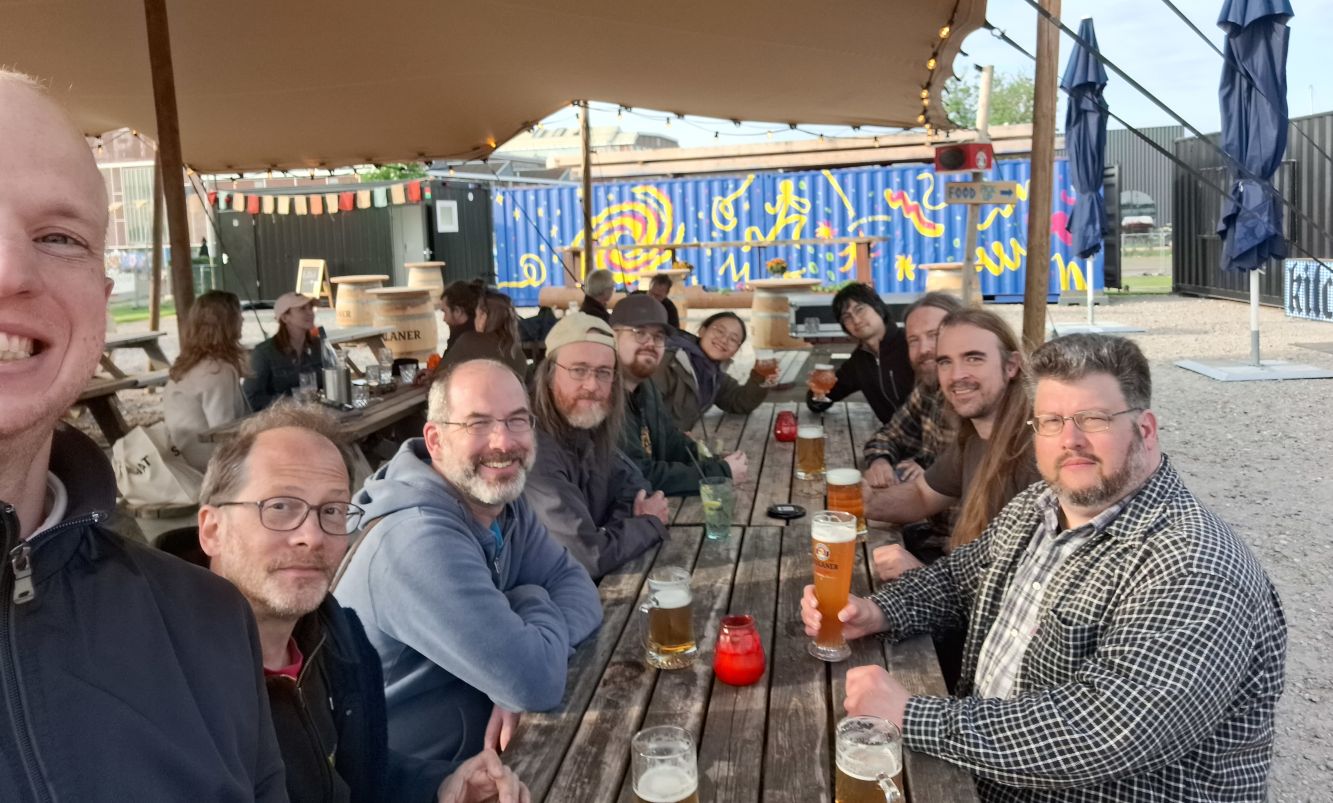
Wilber Week 2023: GIMP/Inkscape contributors (from left to right: Niels, Mitch, Simon, Liam, Ville, Aryeom, Jehan, Øyvind, Chris and Schumaml) — photo by Niels, CC by-sa
Carlos Garnacho: long-time contributor and
advisor for anything input device, GTK or GNOME related, contributor and
maintainer for various important bricks in GNOME.
Niels de
Graef:
4+-years contributor, big contributor as well in GNOME, GTK and more…
Øyvind Kolås (pippin): 20+-year contributor, GEGL
maintainer, digital media toolsmith…
Simon Budig (nomis):
25+-year contributor, cares about keeping GIMP a nice community forever…
Ville Pätsi (drc): 22+-year contributor, photographer,
graphics contributor…
Additionally we invited 2 Inkscape contributors. What started as a simple
toot on Mastodon
transformed into a private discussion with Martin Owens from Inkscape who was
hoping to discuss color management with us. So we invited them to enjoy our
hacking retreat and discuss further!
In the end, Marc Jeanmougin, Inkscape
developer, and Chris Rogers, graphics
contributor, spent the week with us!
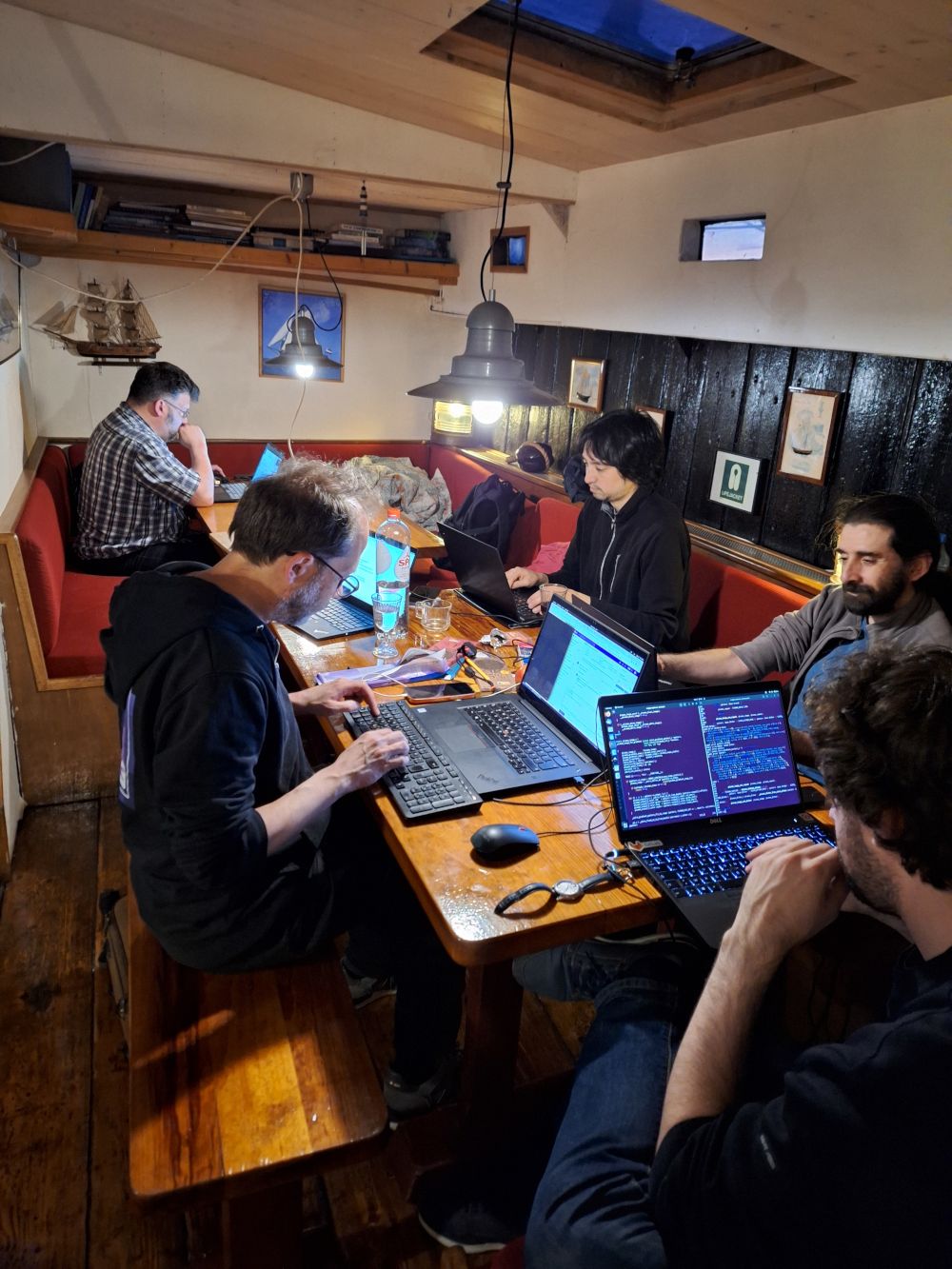
We were all lodged in a fricking century-old sailing boat. No joke! That was an
insanely cool place where we could start hacking from day one!
Wilber Week 2023: hacking in a sailing boat (from left to right:
Schumaml, Mitch, Jehan, Carlos, Marc) — photo by Niels, CC by-sa
About the city itself, let me state for the record that, as a vegan and
pro-soft transportation, Amsterdam seems like a very nice place to live in!
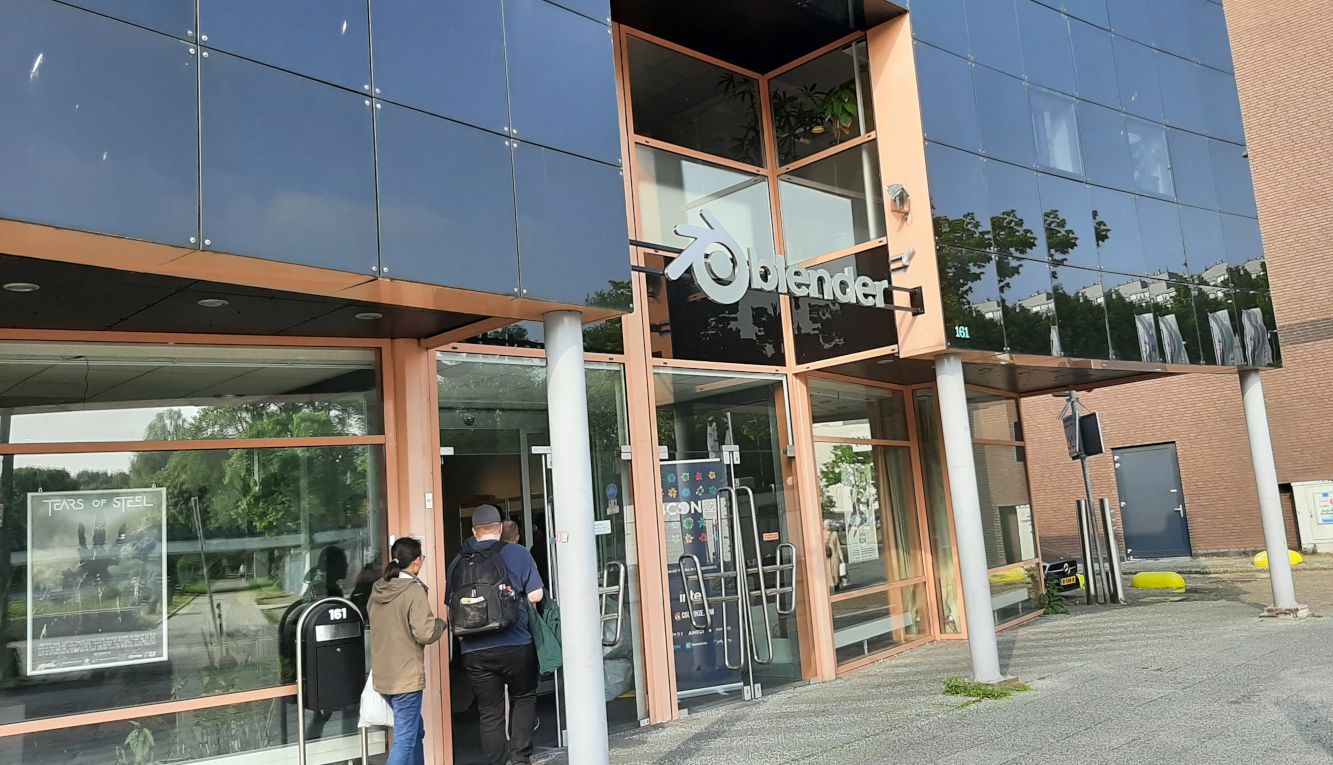
The Blender Foundation gracefully lent workshop and meeting rooms to our team.
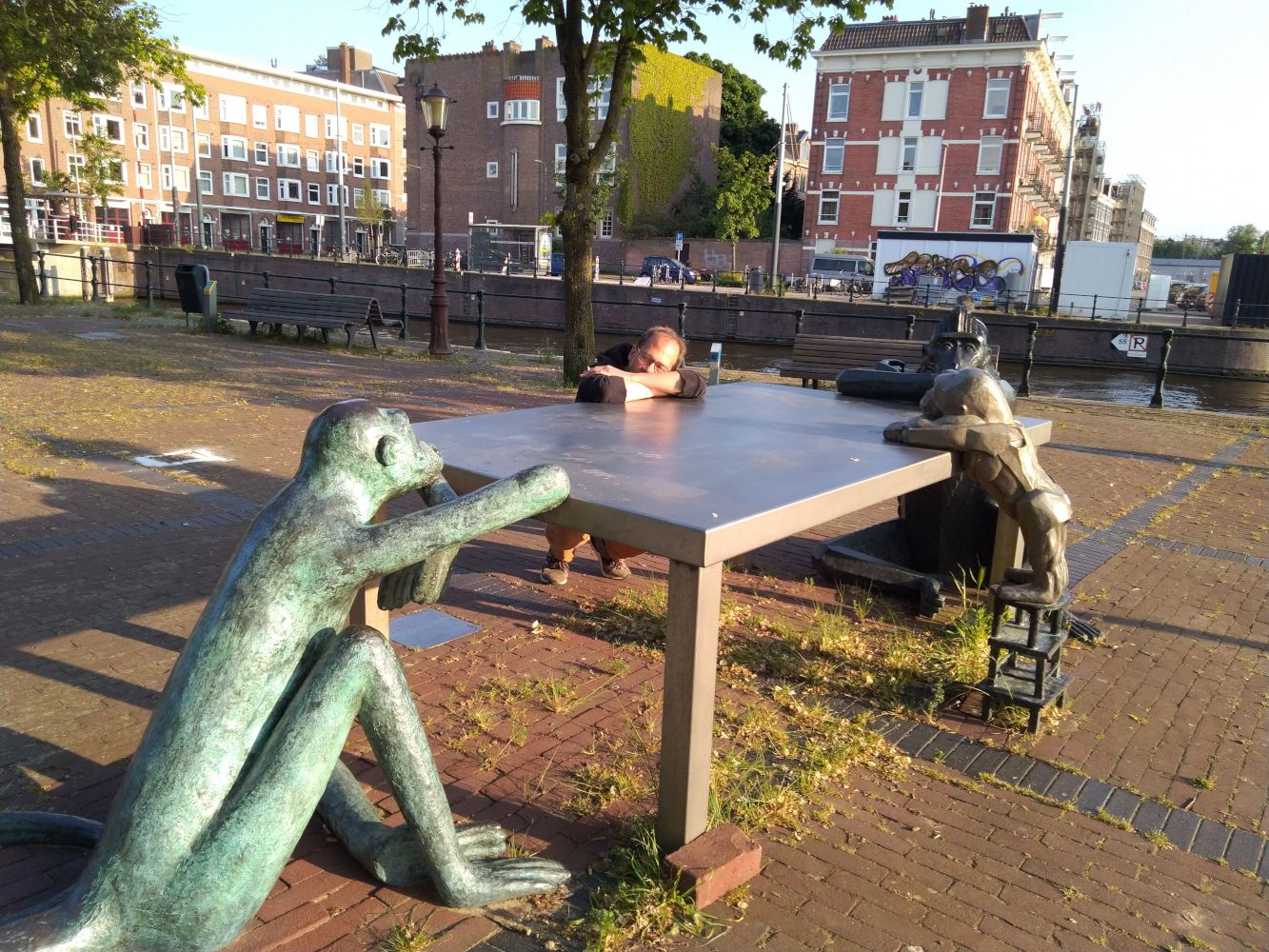
Wilber Week 2023: GIMP contributors entering Blender headquarters — photo by Schumaml, CC by-sa
Of course, having “desks” was not our real reason to choose this office. It was
very cool to meet Blender teams. We were also able to have various interesting
discussions. Quite notably, Nathan
Vegdahl from Blender was extremely
welcoming and showed us a lot of very cool stuff!
As was expected, we discussed about color management, in particular in Wayland
as Sebastian Wick, major contributor for color management in Wayland was pulled
in a few times (thanks to Niels!) through remote video calls. This was very constructive!
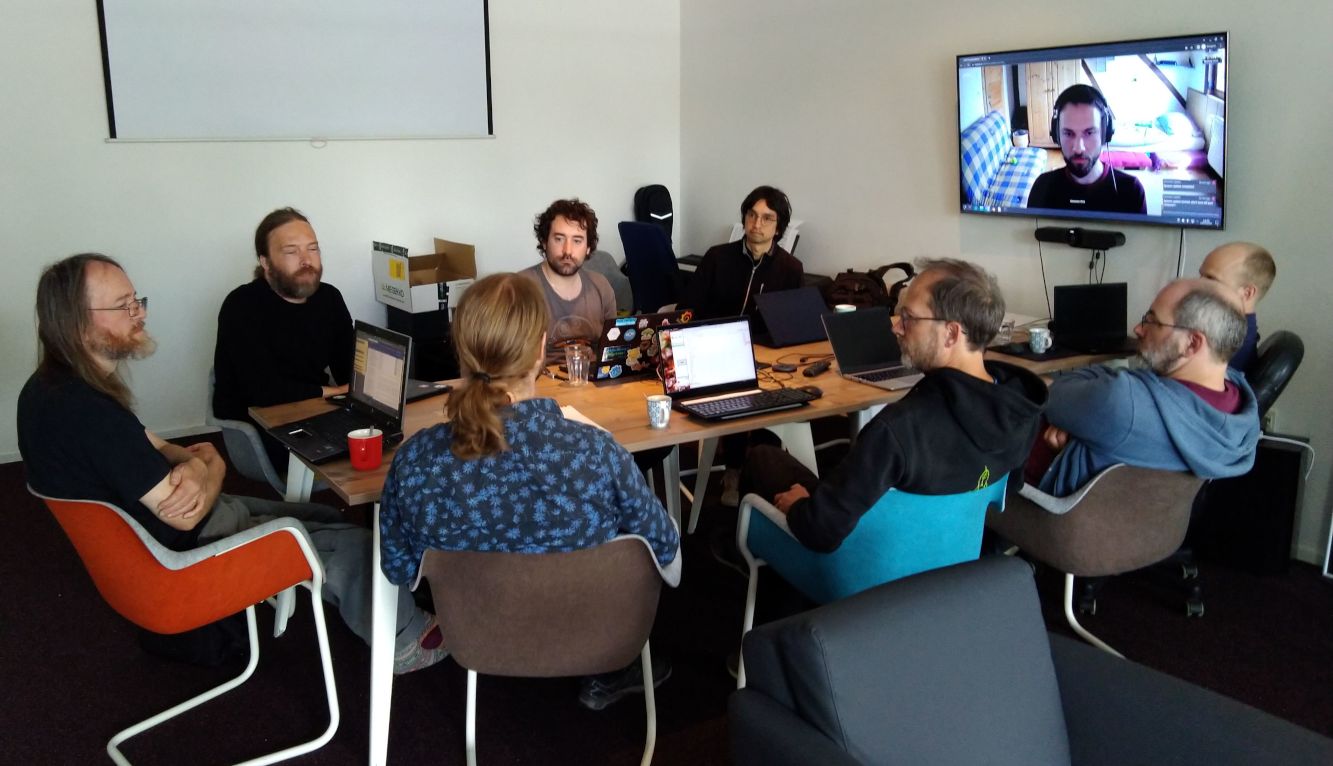
Wilber Week 2023: meeting with GIMP, Inkscape and Wayland contributors in
Blender headquarters (left to right: Liam, Øyvind, Nathan, Marc, Jehan, Mitch,
Simon, Niels; and Sebastian on screen) — photo by Aryeom, CC by-sa
Bottom line: the interactions with Blender folks made the trip quite worthwhile!
In the same time, there were more things I was hoping to discuss, such as better
file exchange and interactions between our programs (think Libre Graphics
Suite, a major gripe we have at ZeMarmot project as we work with all these
software and it’s not always easy!).
There was already so much going on that this didn’t happen. Hopefully the
opportunity will come again!
This was a very packed week for hacking on GIMP, fixing bugs, improving long
overdue code and so on.
A huge part of this was thanks to the fact that we got our co-maintainer back,
Michael Natterer, a.k.a.
mitch!
We missed him dearly and it’s so good to have him looking over our code once
more, as well as hacking frenziedly until late at night, like the old times!
Wilber Week 2023: where has been mitch for 2 years? Turns out he was just sleeping… — photo by Jehan, CC by-sa
Of course, a lot of other old-timers came back to code for the occasion, so
let’s not forget them all!
Among the many things which happened during this very eventful week (or as
direct consequences), let’s mention:
Simon Budig should be commended for fixing warnings, cleaning code and
updating code away from deprecated API!
Niels de Graef and Carlos Garnacho helped with various GTK- and
Wayland-related fixes. This also resulted in patches in GTK or other
dependencies, not only in GIMP.
The plug-in API got seriously worked on, adding support of GBytes as plug-in
arguments, improving the new GimpResource class and subclasses allowing
plug-ins to easily manipulate various data (brushes, dynamics, patterns…) and more.
Autotools is finally gone from our main repository! (though it is still
present in the stable branch)
Our Continuous Integration now shows JUnit reports from meson unit tests.
Ville is getting used to improving our themes: he did the 2.10 ones, now again
he helped on the Default 3.0 theme, improving work started by other contributors.
As a direct result of Wilber Week, Carlos implemented, soon after, pad
customization ability to GIMP (with a very nice write-up on this
work).
As review will take some time, it won’t be in 2.99.16 though will definitely
end up in GIMP 3.0!
Aryeom worked on an updated logo, with the help of various GIMP contributors
(in particular Ville, Øyvind and Simon) as well as Chris from Inkscape. This
is still work-in-progress.
Some improved GEGL integration discussion and work happened during the week,
then continued after, allowing to easily add third-party GEGL operations in
GIMP’s menu and search for
them in the action search
(note: implementation changed since these toots; not all operations end up in
menus now, only when a specific metadata is present in the operation).
Aryeom updated the splash screen for the next development version (to be continued…).
While they couldn’t be present unfortunately, we shouldn’t forget Jacob
Boerema, Alx Sa and others who continued to improve GIMP remotely in the same time!
Since we had 3 projects selected in GSoC
2023 with Liam and
myself as mentors, we had GSoC meetings as remote calls with the students.
We have had a bitcoin address on the website. Some people have asked for more
crypto-currency options. With a rise in scams, high energy use and differing
national tax implications, we have decided — after discussion and a vote during
Wilber Week — to no longer feature a bitcoin donation link.
The donations in bitcoin have been received, some of them used, but we are still
working on how to properly channel these funds towards our expenses.
It turns out that we have been interviewed by Pablo Vazquez while in Blender’s,
so the cat is out of the bag in a quite public way now: we have been trying to
set up our own entity. But first, since I teased you, here was the interview:
Wilber Week 2023: GIMP’s Wilber Week 2023 at Blender HQ, by Pablo Vazquez (featuring Simon, Jehan and Mitch)
In case you wonder, the slides can be found
here, they were taken from
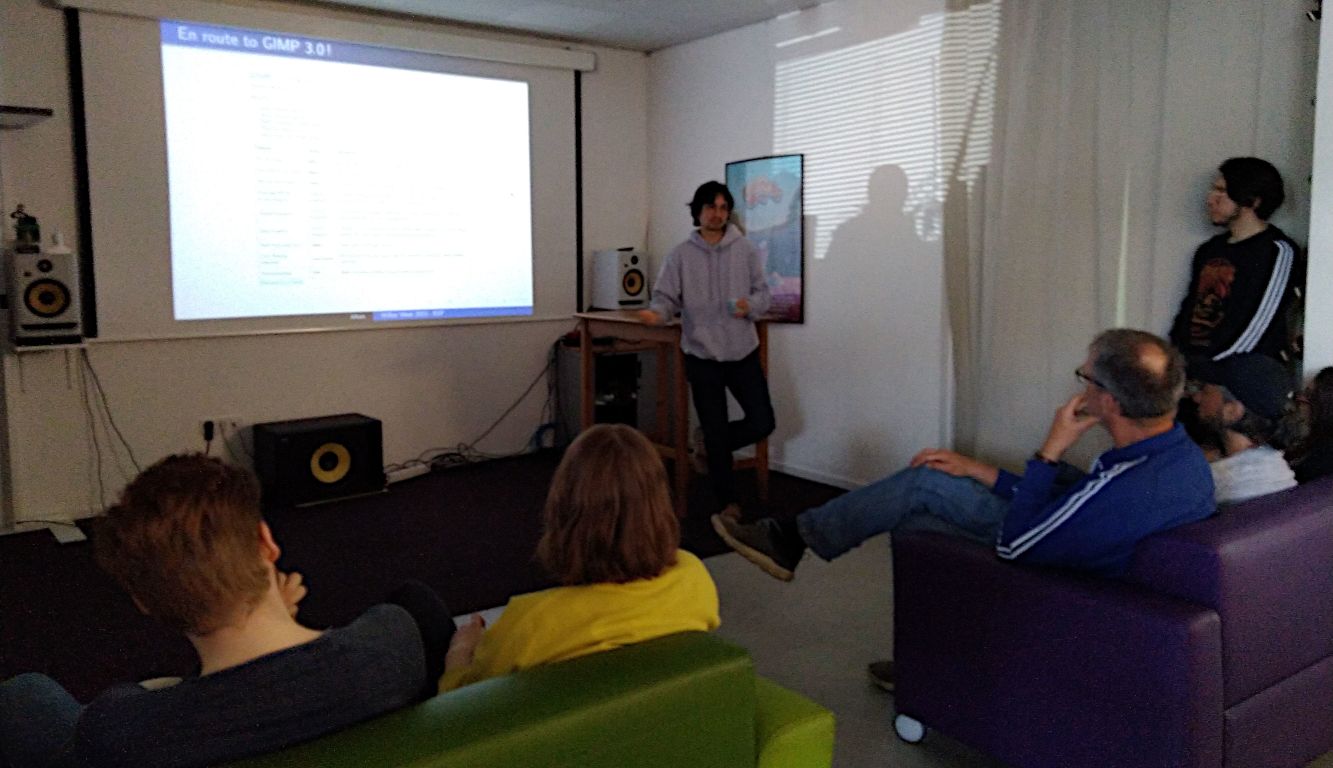
a end-of-event presentation I gave to Blender folks.
Wilber Week 2023: the EOF talk —
photo by Aryeom, CC by-sa
Making a proper entity for GIMP is something which has been on my mind for many
years and which I started to discuss with others of the team, and with friends
from other non-profits to help me find the best way, since 2019! After some
hiatus on this project, I revived my work on it late 2022, and we are actually
quite advanced, though I will refrain on giving too much details now in order
not to jinx it.
Let’s see how it pans out!
Now something to be clear about: GIMP has always been a bit of a messy and
friendly community project. And that’s part of what I like about it: this bit of
anarchy. Whatever we build to support the project, I will always fight for this
spirit to live on. This was in fact one of the difficult part of setting up an
organization and why it took so long: doing so without the organization taking
over the project, but instead as a support to the community.
Clearly this Wilber Week made me trust that my initial plan (outlined in the
2022 report
as hoping to have GIMP 3.0 release candidates this year) should be possible. If
we can keep the community as lively, there is high chance to see this happen.
We are clearly sailing in exciting times, right now, toward a very cool future! 😄
For anyone interested, the meeting page on the developer
website
gives a bit more details on what happened, what was actually discussed, meeting
notes, etc.
Right now, we are deep into preparing the release of the next development
version of GIMP (GIMP 2.99.16). And while it’s not even out, we are already
quite excited about the next one (which might even be a release candidate in the
best case!).
In the meantime, do not forget you can donate and personally fund GIMP
developers, as a way to
give back and accelerate the development of GIMP.
Community commitment helps the project to grow stronger! 💪🥳
On our new developer website, we listed a few
ideas which might be
suitable for a GSoC. These range from core color science projects to UX
improvements, build system updates or even making a website for our future
extension platform.
Obviously this list of ideas is far from exhaustive and we definitely welcome
your propositions. Even better, if you have great ideas of your own, it may
play in your favor, as long as they are realistic projects which can be finished
within GSoC timeframe, or at least broken down in usable parts.
As already explained last year, and again in our internship
page, if you want to participate,
some of the most important requirements are:
Get familiarized with our code by fixing a few patches beforehand. You
don’t have to work on extra-complicated bugs or features at first (reports
labelled
“Newcomers”
are probably good first-patch targets), nor does it absolutely need to be
related to the topic of your planned project. We mostly need to interact with
you on a technical topic as a first approach.
Communicate! Don’t just drop your project out of the blue on the GSoC
interface (several people did this last year). Come and discuss your project
ideas with us on IRC. You may
also open a report on our issue
tracker detailing your proposition.
This news lists the most notable and visible changes. In particular, we
do not list here the bug fixes.
To get a more complete list of changes, you should refer to the
NEWS
file or look at the commit
history.
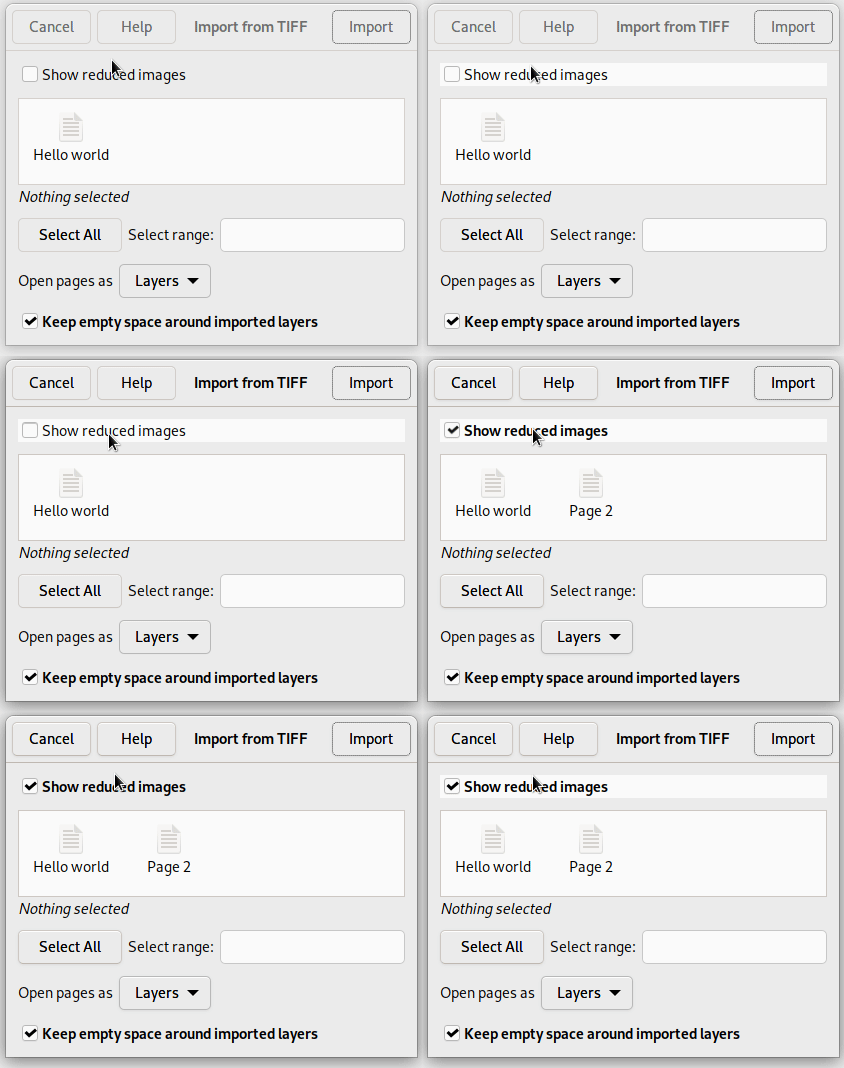
Apart from various bug fixes, the TIFF import dialog now gets a new option
labelled “Show reduced images”, which is backported from the development
release GIMP
2.99.14.
Here is what we said about this option when initially announced:
The TIFF format has a concept of “reduced page”. Until now, we were assuming
pages tagged as “reduced” to be thumbnails. Yet this is not always the case. For
instance we had feedback from makers of medical devices which were using
“reduced pages” as sub-sampled images generated by said devices. They needed
GIMP to be able to load all the pages as layers (the main images and the
sub-sampled ones).
Importing reduced pages of TIFF files - GIMP 2.10.34
This is why we added a new option called “Show reduced images” which lets you
decide whether you want to load these or not. The option will be checked by
default through a small heuristic: if there is only 1 reduced page and it’s in
the second position, then it’s probably a thumbnail (as per common usage across
software); in which case we disable the checkbox by default. Still in the end,
the choice is yours!
While JPEGXL import has been possible in the stable branch since GIMP
2.10.32,
export support has now been backported too in this version, though it is limited
to 8-bit lossless.
Additionally, metadata support on import (only) has been backported, making this
version of GIMP much more useful for anyone working with this format.
Note for packagers: metadata support in JPEGXL requires libjxl 0.7.0 or over.
Our code for PDF import and export was pretty oblivious of the ability to have
transparency in PDF. This is now changing.
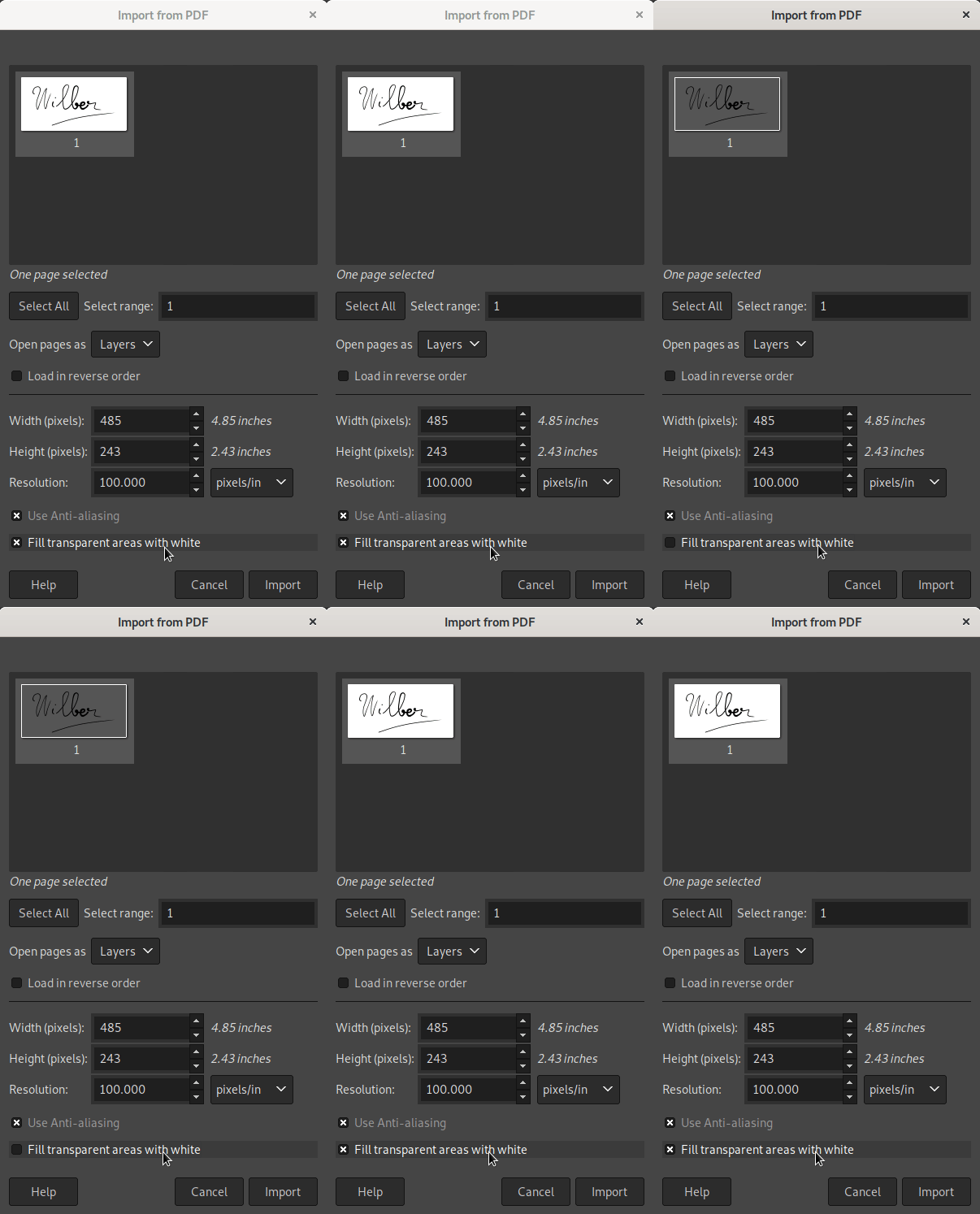
From GIMP 2.10.34 and onwards, the PDF import dialog will propose an option
labelled “Fill transparent areas with white”. It will be checked by default
(thus providing the old behavior) because most office software seem to create
PDF files assuming reader software will fill the background with white.
Unchecking the box would not render the expected result.
This is likely why our code was historically doing the same as other reader
software.
Nevertheless for the cases where you were actually intending transparent
background upon loading, it will now be possible.
PDF import in GIMP 2.10.34: new “Fill transparent areas with background color” option
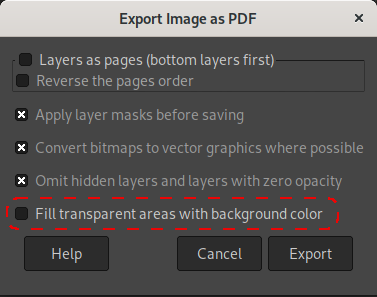
Symmetrically when exporting a PDF, we now propose an option labelled “Fill
transparent areas with background color”, letting you decide whether or not you
want to add an opaque background, hence getting rid of transparency, or leaving
your image with transparency, exactly as you see it in GIMP canvas.
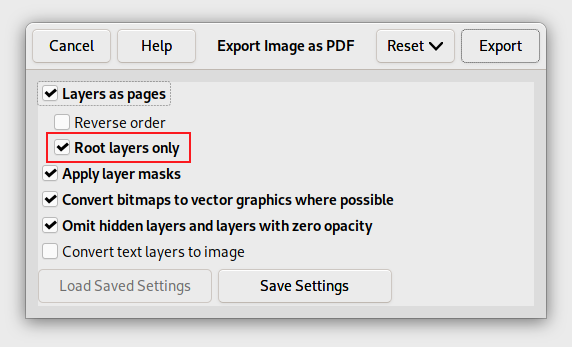
PDF export in GIMP 2.10.34: new “Fill transparent areas with white” option
Of course note that, as said above, not all PDF readers handle transparency.
Very often, many readers (including web browsers’ readers) will fill the
background with white.
Yet if you have a more compliant PDF reader or editor, this new usage can be of interest.
🛈 We are talking here of “raw data” where you export your pixels as
contiguous or planar data directly, without following a specific file
format, and not RAW file formats as are usually called formats used by
digital cameras (for these, we still prefer to pass through good raw
developer software, such as darktable or RawTherapee).
Note though that improvements to this plug-in in the development version were
not fully backported. In particular, you may not be able to load back the high
bit depth images that you exported. The reason is that the changes required for
this would modify considerably the PDB
procedure tied to this plug-in, which would break third-party scripts relying on
this procedure to load raw data as images.
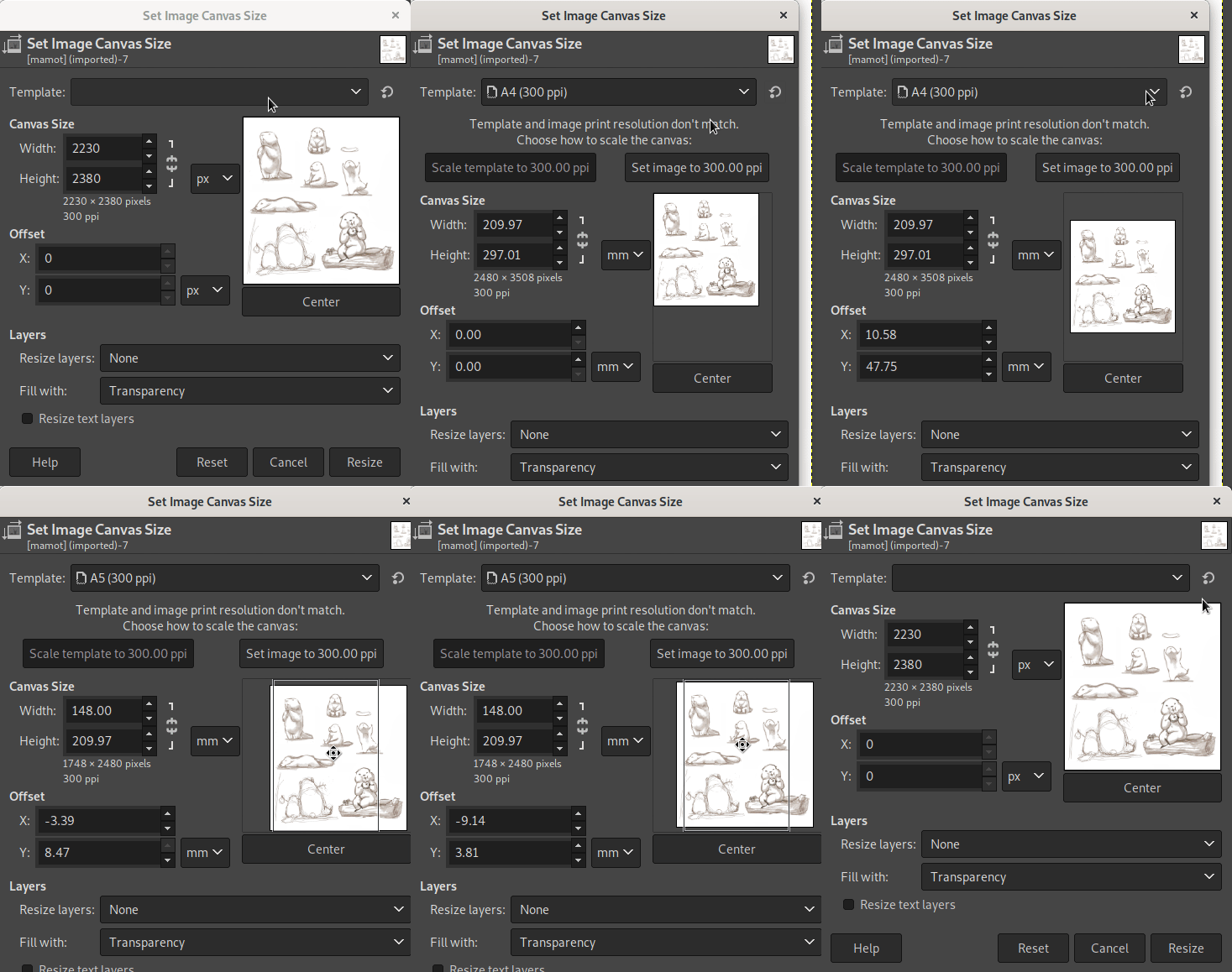
Template selector in Canvas Size dialog - GIMP 2.10.34
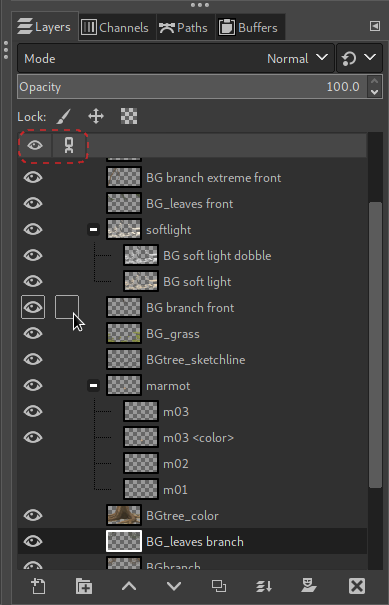
Item dockables with “Visibility” and “Link” headers
As a very partial backport of the many usability
changes
which happened in the development version 2.99.10, the Layers, Channels and
Paths dockables now feature a small header above the items list, containing the
“eye” and “chain” icon, hence making the columns more discoverable.
“visibility” and “link” icon header
Note: the outline effect when hovering the visibility and link columns was
already backported in GIMP
2.10.32.
GIMP has 2 color-picking features: the Color Picker tool which works only within
the opened images yet with greater color management and the color picker button
in the Colors dockable, which can color pick anywhere in the display and
relies on the infrastructure allowed by the OS or desktop you are currently
running on.
On Windows, the color-picking feature has been entirely rewritten with
OS-dedicated code which works much better with multiple monitors, even when
using different PPI scales, for instance
when mixing high and low pixel density displays (this fixes some coordinates
mistracking bug our previous implementation had).
On Linux/X11, we are backtracking to fix a regression in desktop
color-picking. We used to follow recommendations for the new Wayland path, which
is to favor color-picking “portals” when available. Unfortunately most (if not
all?) these portals still don’t give any color-management information about the
returned color. As graphics work requires accurate color management, we decided
to get back using full old-style X11 code.
Note that since the stable branch of GIMP is still using GTK+2, even if you run
on Wayland, GIMP itself would use XWayland. In other words, GIMP 2.10.34 now
runs the X11 code path whatever windowing system is in use.
In “Change Foreground|Background Color” dialogs or in the Colors dockable,
you have the option to view your colors in a 0..100 or 0..255 scales. You
can also see your color in alternative LCh or HSV color models.
These 2 settings are now stored and remembered across sessions so that you don’t
have click them again each time for your usual and preferred workflow.
This version comes with a few bug fixes dedicated to the macOS builds. The most
noteworthy one is that we implemented HTTPS support (since our I/O backend library, GIO, is lacking proper macOS
support for this protocol) for 2 features in particular:
Check for updates: unless you disable the option in “Preferences”, you should
now be notified of new versions of GIMP.
Help system: it is now possible to read the remote documentation from within
the Help Browser in GIMP.
As usual, this version of GIMP is accompanied by new versions of
babl and GEGL:
babl 0.1.100 comes with bug fixes in the recently added LUT creation and
usage
code. It also better supports non-ASCII characters in file paths on Windows.
babl 0.1.102 disabled the LUT usage by default depending on the environment variable BABL_LUT, leaving us some time to iron out a few more issues we
discovered at the last minute.
GEGL 0.4.42 adds conditional support for libraw 0.21.0, while also improving
the following operations: rgb-clip, perlin, mosaic, c2g, long-shadow
and gif-load.
Various build improvements also happened in both babl and GEGL.
35 people contributed changes or fixes to GIMP 2.10.34 codebase:
13 developers: Jehan, Jacob Boerema, Alx Sa, Daniel Novomeský, Lukas
Oberhuber, Luca Bacci, Ian Martins, Nyári-Kovács, Dávid Tamás, Simon Budig,
Stanislav Grinkov, valadaptive and Øyvind Kolås.
22 translators: Sabri Ünal, Anders Jonsson, Martin, Yuri Chornoivan, Marco
Ciampa, Cristian Secară, Rodrigo Lledó, Tim Sabsch, Alan Mortensen,
Chao-Hsiung Liao, Ekaterine Papava, Milo Ivir, Piotr Drąg, Zurab Kargareteli,
Jordi Mas, Luming Zh, Luna Jernberg, Balázs Úr, Hugo Carvalho, Jürgen
Benvenuti, Kristjan SCHMIDT and Sveinn í Felli.
19 translations were updated: Catalan, Chinese (China), Chinese (Taiwan),
Croatian, Danish, Esperanto, Georgian, German, Hungarian, Icelandic, Italian,
Polish, Portuguese, Romanian, Slovenian, Spanish, Swedish, Turkish and Ukrainian.
Contributions on other repositories in the GIMPverse:
4 contributors to babl 0.1.100 and 0.1.102: Luca Bacci, Jehan, Øyvind Kolås
and Ulf Prill.
7 contributors to GEGL 0.4.42: Øyvind Kolås, Alan Mortensen, Jehan, Michael
Drake, Sabri Ünal, Chris Mayo and Jordi Mas.
2 contributors to ctx since 2.99.14 release:
Øyvind Kolås and Carlos Eduardo.
3 contributors to gimp-macos-build (macOS build scripts) since 2.99.14
release: Lukas Oberhuber, Kyungjoon Lee and Mingye Wang.
4 contributors to our main website (what you are reading right now) since
2.99.14 release: Jehan, Aryeom Han, Michael Schumacher and Tim Spriggs.
3 contributors to our developer website since
2.99.14 release: Jehan, Krek Krek and kotvkvante.
9 contributors to our documentation since
2.99.14 release: Jacob Boerema, Anders Jonsson, Jordi Mas, Yuri Chornoivan,
Andre Klapper, Danial Behzadi, Hugo Carvalho, Martin and Nathan Follens.
Then let’s not forget to thank all the people who help us triaging in
Gitlab, report bugs and discuss possible improvements with us.
And of course, our community is deeply thankful to the internet warriors
who manage our various discussion
channels or social network accounts
such as Ville Pätsi, Liam Quin, Michael Schumacher and Sevenix!
Note: considering the number of parts in GIMP and around, and how we
get statistics through git scripting, errors may slip inside these
stats. Feel free to tell us if we missed or mis-categorized some
contributors or contributions.
As far as I remember, GIMP has had a very accurate release procedure, with
step-by-step TODO items listed in a long file.
Lately I have been working on improving it further, making a public
report, actually checkable
bucket list items… and in particular, I would like the source and binaries to be
thoroughly tested by as many people as possible. 👩🔬🧪👨🔬
This version is the first time we try this new release procedure (the procedure
worked fine: the release was delayed by us finding some last-minute issues which
is actually a good thing!).
We already have a few people testing GIMP on Windows, though the more the
better.
On the other hand, we have nearly nobody testing the macOS builds or the
flatpak (apart from developers and packagers of course). 😢
Note that we don’t have our own packages for every OS out there, but we
definitely welcome people willing to test GIMP on *BSD, Haiku or whatnot, as
long as you can build GIMP on your own on your system of choice.
For these reasons, if anyone is willing to help us improve GIMP by participating
to release testing, please open a report on the developer website
tracker
with the following information:
The Operating Systems (Linux, Windows, macOS, *BSD…) you will be testing on,
with details if possible (which Linux distribution and version? Which version
of Windows or macOS?…).
The architectures you will be testing on (x86, ARM… 32 or 64-bit).
If you will test our pre-built packages or from source (custom builds).
Then we will include you in the next release testing (stable and development releases).
Our expectations from testers:
Make sure you receive Gitlab notifications when your nickname is cited (we
advise to set your Global notification
level to “Participate” or
“On mention”).
Follow the release report to know what’s happening and when you are needed.
Release reports are not a place where we teach people how to use basic
functions of a computer. Testers don’t have to be developers, but they have to
be able to follow basic technical guidelines, give feedback more useful than
“it doesn’t work” and be able globally to interact with developers.
Be nice and welcoming: everyone here is a volunteer, testers as much as
developers. This is Community, Free Software, not a soulless job. 🤗
2 organizations contributed more download
mirrors to
distribute GIMP.
Thanks to Artfiles New Media GmbH (Hamburg, Germany), which has actually been
a long-term mirror sponsor and recently came back by updating their settings to
our new mirror system; and the Fremont Cabal Internet Exchange which added 2
more mirrors in the United States and one in Bogotà, Colombia (our second mirror
in South America).
Mirrors are important as they help the project by sharing the load for dozens of
thousands of daily downloads. Moreover by having mirrors spread across the
globe, we ensure that everyone can have fast download access to GIMP.
A new “Czech” section was added to our books
page, with 4 books which got reported to us.
These books are a bit old and all seem to be targetting GIMP 2.8. So let’s hope
for a lot of GIMP 2.10 (and soon 3.0) coverage in Czech in the future!
We remind everyone that we welcome book additions, especially newer books for
latest versions of GIMP (which would be most useful to everyone). Whether you
wrote it or just read it, if you know of a book about GIMP, just report the
same information as other books in the
list. Thanks!
These days, we are mostly focusing on the development version, especially since
we have big plans for 2023, as was outlined in our 2023 plans (2022 annual
report).
For anyone interested in the future of GIMP, I highly recommend reading this report.
Nevertheless bug fixes in particular, and maintenance in general, still need to
get out for the stable branch. We will likely release at least one, possibly
more, stable versions before GIMP 3.0 release.
Don’t forget you can donate and personally fund GIMP
developers, as a way to
give back and accelerate the development of GIMP.
Community commitment helps the project to grow stronger! 💪🥳
1461 commits on the unstable development branch (2.99.x, future
3.0) and 276 commits on the stable development branch (2.10.x) of
the main repository.
87 contributors on the main repository, including (some people belong
to several categories):
35 developers
47 translators
26 contributors to resources (icons, themes, in-code documentation) or
build improvements
7 core developers contributed 10 or more commits in GIMP’s main
repository:
Jehan: 649 commits
Jacob Boerema: 64 commits
Nikc: 50 commits
Daniel Novomeský: 25 commits
lloyd konneker: 25 commits
Lukas Oberhuber: 18 commits
Niels De Graef: 15 commits
115 commits to babl by 10 contributors, with 3
developers contributing 10 or more commits:
Øyvind Kolås: 86 commits
Axel Viala: 10 commits
Jehan: 10 commits
138 commits to GEGL by 32 contributors, with 5
developers contributing 5 or more commits:
Øyvind Kolås: 47 commits
Behnam Momeni: 9 commits
Michael Drake: 7 commits
Thomas Manni: 7 commits
Jehan: 5 commits
1042 commits to ctx by 2 contributors (mostly
Øyvind Kolås).
492 commits in gimp-help (our manual) by 29 contributors, with 11
people contributing 10 or more commits (this list mixes documenters, build
maintenance and translators):
Jacob Boerema: 229 commits
Anders Jonsson: 47 commits
Rodrigo Lledó: 38 commits
Jehan: 28 commits
Jordi Mas: 25 commits
Tim Sabsch: 19 commits
Nathan Follens: 17 commits
Marco Ciampa: 16 commits
Yuri Chornoivan: 15 commits
Andre Klapper: 13 commits
Hugo Carvalho: 11 commits
178 commits in gimp-macos-build (our macOS build) by 3 contributors
(mostly Lukas Oberhuber).
33 commits in the stable branch of our Flathub/Flatpak package and 23
commits on the beta branch by 6 contributors, including 4 core contributors:
Jehan, Ondřej Míchal, Hubert Figuière and Daniel Novomeský.
227 commits to GIMP’s website (gimp.org, i.e. right here) by 10
contributors (mostly Jehan).
178 reports fixed and 206 merge requests integrated in our 2022
releases. Hundreds more reports handled, triaged, answered to, worked on…
Many patches contributed by GIMP contributors in various other projects we use
(at least GLib, GTK, Cairo, meson, Mirrorbits…) and an uncountable number of
issues reported by our contributors to other projects.
And more!
Compared to last year:
The total amount of work is quite similar, and while that tendency had already
started a year ago, the work has clearly been shifting even more towards the
development branch (future 3.0), which nows accounts for 84% of commits
(against 74% last year), while the stable branch is really getting into
maintenance-only mode.
Less work on GEGL happened but more work on babl. The recent work on automatic
LUT creation and SIMD optimizations explains it.
ctx stays heavily developed.
While Øyvind and myself still remain the 2 heavy-lifters, we get more people
around clearly pulling their weight. It is exciting to see more contributors stay.
Jacob is working more on the documentation which is really increasing in quality.
On the side of our graphics engine, the automatic LUT
creation
for color conversion in babl is clearly a big step forward, introduced in GIMP
2.99.10 (then in the stable version 2.10.32).
At the same time, all babl, GEGL and ctx got nice SIMD
optimization
which allowed nice performance boosts.
Øyvind Kolås is really doing an amazing job, as usual.
It is also interesting to note how the concept of “GEGL plug-ins” took off in 2022.
It in fact just refers to third-party GEGL operations which you simply install
in a folder and GIMP will see them at next restart, including all the fancy UI,
such as on-canvas preview with split view (and when we’ll have non-destructive
layer effects, these operations will also be usable!).
Among people spearheading such community development, we should cite
LinuxBeaver and Liam
Quin.
For anyone interested, I suggest to read the 3-part
tutorial written by Liam (“Using GEGL
Plug-Ins”,
“GEGL
Graph”
and “Writing C
Plug-Ins”).
✔ ported away from intltool to gettext only (technical debt cleanup);
✔ finished the meson build: the autotools build still exists but is now
considered secondary;
✔ finished the last pieces for multi-layer selection (a move started early
2020).
including rewriting completely the interaction in the formerly terrible align
and distribute tool.
These are 3 huge pieces in our roadmap which we happily marked as completed
(apart from probable bugs).
On the getting closer side:
We nearly finished the “Less floating selection” move (some use cases remain,
which we need to think about more).
The Wayland support is still kinda wonky at times (even disregarding all the
issues we cannot do anything about — such as color management not implemented
yet in Wayland —, we have weird windowing issues), but it improved in 2022.
The API work is really moving forward; Lloyd Konneker helped a lot on this.
The GTK+3 port is nearly finished, as we are handling these days the last
annoying warnings (though it’s more a January 2023 thing!).
Space invasion: good parts of it were done since the CMYK push made us look at
specific pieces of code more in details. Though a lot still needs to be done
and color science is at times a very head-scratching part of the work.
Now anyone following our development news knows
that a lot more happened.
This report is not going to repeat what we already wrote about in various news items.
One particular contributor to encourage this year is Nikc who came to us with a
few patches at first then proposed a Google Summer of Code
project, and decided
to stay around. Thanks to them, a lot happened for CMYK support in GIMP and our
“Space Invasion” project also moved forward further.
They are now a very prolific core contributor. This can only mean good stuff for
the future!
Clearly our macOS support has never been better: good continuous
integration, automatic DMG package creation, and now we even got an Apple
Silicon package!
The quality of maintenance and updates for this package is outstanding.
Lukas Oberhuber is the one to thank for this. Yet the bus factor for our macOS
package remains extremely low so we always welcome more contributors.
On Windows side, GIMP is now officially distributed on the Windows
Store,
after getting contacted by a developer relations team at Microsoft. This is
great as too many non-trusted packages used to be distributed there and now they
seem to have mostly disappeared with the official one eclipsing them with its very
good rating.
On Flathub (GNU/Linux), the burden is getting lightened as we now got
automation in dependency version check, thanks to Ondřej Míchal. The flatpak
package team is also getting bigger, with 4 recurring contributors.
We also got some infrastructure changes, such as our mirroring system, now based
on Mirrorbits. This is something I am planning to talk again about soon, so I
won’t go into details.
On community side, our mailing lists have been discontinued, together with all
of GNOME mailing
lists
whose infrastructure we are on. We now
recommend 2 forums for the community:
Our documentation
website
is getting a lot of love, thanks to Jacob Boerema, with automatic updates,
statistics showing… and of course, the contents is getting serious scrutiny to
improve documentation quality. Compared to 2021, there has been nearly double
the number of commits in 2022, which is revealing of the big step up.
Meanwhile we revived the developers
website
which was in a dire state for over 10 years.
We still have a pending project to port the main website to the Hugo framework
as well. Unfortunately this could not happen in 2022.
I should not give dates, so don’t take it as a promise. Maybe it’s just a
foolish dream by a foolish man:
I am currently planning GIMP 3.0.0 release in 2023, or at least our first
release candidates.
Here. I said it. If it doesn’t happen, remember that it was not a promise. 😜
There is still a lot to be done, so I hope I’m not making a fool of myself. But
at some point, not being able to release just gets frustrating. Of course, we
are still within acceptable development durations (GIMP 2.8 to 2.10 took 6
years; we are still in the 5th year since 2.10) but I really want to get it over with.
Now to get this deadline to work, I have decided to delay some elements out of
our 3.0 roadmap. In particular:
Extensions management: project dear to me as I started it and developed what
is already implemented, yet to get a safe online infrastructure to handle
extension search and download, we will need time.
Paint Select tool: very awesome tool, but its contributor, Thomas Manni, is
not happy with the performance (it requires instant canvas feedback to be
usable) and is currently investigating alternative algorithms.
In the same time, I have been pushing aside some nice new code contributed to us
when I realize reviewing it and making back and forth corrections will take us
weeks. For instance, some of you may have seen the nice “vector
layers” demo by Nikc (based on
work by Hendrik Boom and Jacob Boerema) on social networks. This won’t make it
to GIMP 3.0.
This is a rule which I apply to my own code. Some people might indeed remember
my own link layer experiments for
instance, which I stopped working on 2 years ago, already for the same reason.
These will still happen, I’m only moving these targets away into further
releases, which I’m explaining in the next section.
This leads me to an organizational work I’ve been doing lately on our roadmaps
and on planification of releases. Up to this day, you must have read a lot about
our bi-version planification: GIMP 3.0 for GTK+3 port then 3.2 for
advanced non-destructive editing.
While this second target is still definitely a big plan in our roadmap, I don’t
think that making it again a huge development cycle with dozens of features and
taking several years is the wisest thing. This old development model made sense
back in the day, but less nowadays in my opinion.
My goal for GIMP is to release more often, with faster development cycles, maybe
less features at once, yet nice features at each release. This is something I
had been pushing for, ever since 2014, when I was still a newcomer (I first
evoked that we should be able to publish new features even in micro versions in
a meeting during LGM
2014).
This ultimately led to our release policy
change,
starting from GIMP 2.10.0. And this is what I want to continue pushing further.
So my point is that targetting for a “GIMP 3.2” somewhere in the distant future
doesn’t make sense anymore. The non-destructive editing features, such as
non-destructive layer effects, will happen, but will it be GIMP 3.2.0? Or some
3.0.x version instead? We’ll see. It’s all just numbers anyway. We may likely
break this down in smaller releases in the end.
With this in mind, I reviewed our after-3.0 roadmaps into smaller pieces,
per logical categories of projects we want and which will definitely happen.
Link and vector layers are now into a new “non-destructive layer
types”
category. The code is so well advanced that it would be a waste and while
these won’t make it to GIMP 3.0.0, it will definitely become one of the prime
targets immediately after release. Maybe in GIMP 3.0.2?
By the way, this also opens the door to the long-awaited shape features:
with vector layers, we could have non-destructive shape drawing.
I mean, on-canvas shapes should be a vector features to make it right!
Non-destructive layer
effects
(formerly the main target for 3.2) is obviously a project on its own.
Macro
support is also something we’ve wanted for a long time and with GIMP 3.0, we
have started to lay the foundations for this feature. This should hopefully
soon become a reality.
Animation
support,
which as most of you know is something I’ve worked on for years, will have to
be in GIMP someday. So it’s also its own category. It will also bring
multi-page support (not just layers as pages).
The Space Invasion
project will continue: for 3.0, we focus on correctness of color models we
already support; after 3.0, we might look into going further with new color
models backends, such as core CMYK or L*a*b* support, but also spot color
channels and whatnot…
We have now a bunch of unfinished tools
in our playground area and it would be good if we took the time to finish
them. Of course, we also have ideas for nice new tools. And finally there are
tools which we really want to improve, such as our Text tool which deserves
more love.
Finally we have started to enhance the concept of
“canvas”, with the “Show
all” feature since GIMP
2.10.14.
We always wanted to go further, and also to rework the concept of layer
dimension (e.g. with auto-growing layers, or even infinite layer abilities).
…
And this is how I completely rewrote our roadmap page. Hopefully some people
will enjoy reading the new page and will find it exciting. Note that contents
didn’t change that much, except that it has been reorganized to put more
emphasis on the bigger strokes for GIMP evolution after GIMP 3.0 release, making
it more obvious (hopefully) which direction current contributors are pushing
GIMP to go.
This is where we are at. I’m expecting 2023 to be an eventful year. 2022 has
been quite awesome too, but also tiring to the point that there were weeks when
I couldn’t work on anything, especially soon after coding bursts for releases. I
also focused a bit more on getting healthier work habits, such as working with a
height-adjustable desk (for sitting and standing work sessions) and doing
regular walks.
This is also why I work on procedures to get faster releases, better
infrastructure and better documentation for onboarding new contributors. I am
aiming for a more organized path while keeping the slightly 🌪️ chaotic ❤️🔥 core
which really makes working in our team so enjoyable. ☺️
As I was saying in last year’s report, GIMP is not only a Free Software, it
is also a Community Software: random human beings doing something nice
together and sharing it with everyone. Why? Because we can, because we want. And
that’s why I love our small community, with just the right amount of chaos and
insanity, sparkled with just the right amount of organization!
Finally don’t forget you can 💌 donate to the project and personally fund several
GIMP developers, as a way to give back
and accelerate the development of GIMP. As you know, myself as
maintainer of GIMP (through “ZeMarmot” project) and Øyvind as maintainer of GEGL
are crowdfunding the work this report is about.
Any support is appreciated to help us succeed in such endeavour.
I wish you all a happy, funny 🥳 and healthy year 2023 and/or year of the rabbit 🐇!
It is a bit of an early Chistmas 🎅 for people using Apple Silicon machines
(Apple M1, M2…) as we release for the first time ever a stable version of GIMP
for this architecture!
It is a revision package for GIMP 2.10.32, already released a few months
ago, re-built with
our new MacPorts-based
infrastructure
on both x86_64 (“macOS on Intel” architecture) and AArch64 (“macOS on Apple Silicon”).
Note that we provide 2 DMG packages now, one for each architecture, not a single
universal package. The website will try and detect which architecture you are
on, but if it fails to detect properly (detection is not as easy on some
browsers), be careful to choose the version for the correct hardware (“for
Intel” or “for Apple Silicon”).
Additionally in this revised package, dependencies have been updated, in
particular babl and GEGL. It means that even for macOS on Intel, you will get
the recent
fix
to the race condition bug which was sometimes causing crashes of GIMP (somehow
we mostly saw it happen on macOS).
This is why we recommend every person on macOS (whichever your hardware) to
update GIMP with this revision 1 of GIMP 2.10.32.
To celebrate, Aryeom (ZeMarmot‘s director) drew
this nice birthday illustration (fully drawn within GIMP, and under Creative
Commons by-sa 4.0 license, of course!):
“Happy 27th birthday!” by Aryeom
(also a Wilber-less version as
temporary gimp.org header), Creative Commons by-sa 4.0
For both Aryeom and I (Jehan), this is our tenth year of continued contribution,
since a first commit in September 2012 (basic icon-changing patch in the
animation playback plug-in, soon followed by more… many more patches…). Back
then, never would we have imagined sticking for so long around this nice core
community (regarding this point, we thank the other contributors for their
welcomeness, and in particular the wonderful
mitch)
and contributing litterally thousands of patches in GIMP! So it’s also a pretty
big personal milestone.
It is also my second year maintaining GIMP. And to be fair, Aryeom has a huge
role in my maintenance with constant reviewing, testing my code (and other
contributor’s code), following up with feedback, specifying behaviors (while
always caring about others’ usage! One of her main rule when she helps designing
changes is researching and wondering what worflows others have). So much is
being done in the shadow to keep it all together.
But GIMP is not only us. What would we do without Øyvind Kolås in particular?
Nowadays he is carrying most of our core flow-based graphics engine maintenance,
GEGL, and its sister projects (babl
and ctx).
Of course, I can’t forget all other awesome contributors: developers, packagers,
community support, translators (GIMP is more than 90% translated in 27
languages among 84 languages we currently
support!), documenters, website contributors, tutorial writers… We should also
thank the GNOME Infrastructure team for being so helpful of course. And many
many more! What would GIMP be without all of you? 💌
I will likely do a more detailed report later (like I did last
year) to sum up 2022
events, so I’ll stay short in this news. For once!
All in all, we wish to remind that GIMP is Community, Free Software. It
is what we make of it together. We welcome
contributors very warmly 🤗!
Finally if you can’t contribute your time, in these year-end times of giving, don’t forget
that you may support financially GIMP developers.
GIMP project actively supports its contributors willing to make a living with
their Free Software contribution. Right now it means 3 people: Aryeom and myself
(through ZeMarmot project) as GIMP maintainers
and Øyvind as GEGL maintainer. If you
appreciate what we do and wish to give back, funding us is an excellent way.
It is part of what makes GIMP development sustainable.
And for everyone who is really eager to see GIMP 3.0 out, it should go
without saying that funding developers is what accelerates the development of
GIMP.
🎁 So GIMP, and
Wilber, we wish you a very happy 27! 🎂
And to every member of the community: thank you all for sticking with this
project for all or part of these 27 years!GIMP would not be where it is today
without all of you! 💌
The GIMP team is happy to release GIMP 2.99.14 with a lot of nice milestones on
the route to GIMP 3.0.
We are getting into deep changes, so we hope you will all test thoroughly and
we remind you that it is an unstable version meant for testing and reporting issues.
Align and Distribute tool: fully reworked interaction
The Alignment tool was very hard to use, with complicated on-canvas interaction
to select the target items (and never being too sure if we selected right!).
Thanks to the core multiple layer
selection
which GIMP is now capable of, we greatly simplified the tool:
Target items to align or distribute are now the selected layers and/or paths
in their respective dockable, as set in the “Targets” section in tool options.
Targets in alignment tool options - GIMP 2.99.14
For layers in particular, a new option “Use extents of layer contents” allow
to align or distribute target layers based on their pixel contents, not the
layer bounds (which typically might be bigger than the pixel data). This is
similar to running “Crop to Content” before aligning, except that we don’t
actually crop.
Guides still need to be selected on-canvas if you want to align or distribute
them. The tool options hints at the modifiers: Alt or Shift-Alt. Moreover
the selected guide color will change, giving a visual feedback of selected guides.
Aligning and distributing guides - GIMP 2.99.14
Simple clicks (no modifiers) in the canvas is now only used to pick the
reference object for alignment, if “Picked reference object” is set in the
“Relative to” dropdown menu. In such case, you can pick as reference any
layer, path or guide. The 2 other dropdown choices are “Image” and
“Selection” in order respectively to use the current image or selection as
alignment reference.
Your reference object shows on-canvas handles as visual feedback.
In the “Targets” section of the tool options, you can also choose your item
anchor points: left, right, top, bottom and center. Therefore if you align
2-dimension targets and reference, you may align e.g. the left side of targets
to the left, middle or right side of your reference. Any combination is possible.
The distribute actions do not use the reference object anymore. Instead they
use the leftest/rightest or top/bottom object as reference (i.e. that the 2
extreme position targets don’t move). This is consistent with how other
software, e.g. Inkscape, handle distribution.
2 types of distribution actions are proposed:
Distribute anchor points evenly in the horizontal/vertical: the distance
between the anchor point of each target stays the same, e.g. the distance
between the left side of each object.
Distribute horizontally/vertically with even horizontal/vertical gaps:
the distance between the right side of one object and the left side of the
next (in horizontal distribution) statys the same.
Align Wilber
and ZeMarmot relatively to Wilber’s
center point, then objects tops under Wilber, before distributing them - GIMP
2.99.14
All transform tools (Unified Transform, Rotate, Scale…) needed an explicit click
on canvas before their handle showed up on the canvas when activated with the
tool box or shortcut, which was not consistent with their activation through the
Tools menu, and with how some other tools worked.
As this change was requested, we decided to experiment with directly activating
the handles as soon as the tool is selected.
The “Floating selection” concept has been a huge topic across the years,
especially because it was quite unexpected by many people.
After discussing the matters, we came to the conclusion that we should
experiment limiting its usage.
Nevertheless we are also deeply aware that this feature can be a huge time saver
and a much better interface for some types of interaction. In particular, the
quick on-canvas copy|cut-paste with the Alt modifier (Ctrl-Alt to cut-paste or Shift-Alt to copy-paste) heavily relies on the floating selection to
extremely quickly move bits of a layer.
Obviously the explicit “Float” action (equivalent to a cut-paste) is in a
similar situation.
For pasting inside a layer mask, it is even mandatory because it allows to edit
the pasted data — e.g. positioning appropriately, transforming it… — before
actually merging into the mask which may already contain mask data. Note that if
some day, layers were allowed to contain several masks, this would not be
necessary anymore.
For this reason, the 3 cases where we still have floating items are:
when pasting into a layer mask;
when doing quick copy|cut-paste on canvas with the Alt modifiers;
when floating layers explicitly with the “Float” action.
There is still a case which we need to discuss as it also creates floating
selections: transform tools when there is a selection.
For other common types of data pasting, they will now create new layers directly.
As a side change, when the “floating selection” happens on a layer mask, we now
call it “floating mask” and shows it above the mask in the Layers dockable (it
used to be above the layer at all times). This should make this specific case
less confusing.
In the light of multi-layer selection, we have been wondering how the various
types copy-paste cases should work. In particular when copying several layers,
should you paste several layers or a merged copy? And when copying pieces
(through a selection) of several layers?
This is still a
work-in-progress
but we are trying to properly specify consistent and reasonable behavior for the
many sub-cases. In particular now, we always paste as many layers as was copied,
even when we copied from a selection (in which case, the new layers will be the
size of the selection bounding box).
For the merging case, we add 2 new actions called “Paste as Single Layer” and
“Paste as Single Layer in Place” in the Edit > Paste as submenu. As the
names imply, they paste the merged down version of your copied contents. It’s a
bit similar to “Copy Visible”, except that it only applies to the selected
layers and can be chosen at paste time.
GIMP now comes with a “Gray” theme based on a 18.42% luminance middle-gray
background, which should be a good neutral environment for professionnal color work.
Focusing on your artwork color with a middle-gray 18.42% luminance theme - GIMP 2.99.14
We now provide a theme-override icon size selection in Preferences > Themes
with conceptual sizes: small, medium, large and huge. The following widgets are
so far modified: toolbox icons, fg/bg editor in toolbox, foreground/background
editor in Colors dockable, dockables tab icons, bottom buttons (in the button
box) of dockables, header eye and lock icons above item trees, and eye and lock
icon switches in item tree cells.
Overriding theme-set icon sizes - GIMP 2.99.14
You may recall that we have a similar setting in GIMP 2.10 stable branch, which
was initially removed for GIMP 3.0, because our updated toolkit has high-density
display awareness and will already resize all the interface following your
“scale factor” settings (as set in your system).
Nevertheless we realized it was not enough. First of all, because this single
settings cannot take all special cases into consideration and some people still
wanted even bigger icons because they were watching their display from far away,
or simply prefered small icons, or any other reason.
This is the rationale for adding this override of icon size, thus bypassing the
system settings. As a nice aside, it will work with any theme. So you don’t have
to discard a theme you appreciate just because the chosen icons are not the size
you want.
Saving with RLE (default) and zlib (the “better but slower compression”
checkbox in the Save dialog) is now multi-threaded (following the settings in
Preferences), which makes it a lot faster.
In the best case scenario, we saw up to 70% save time (e.g. a 276-layer, 115MiB,
was reliably saved in about 50 seconds before, and 15 seconds after the change,
on the same test machine), though other tests would be around 1/3 save time
(another 180MiB XCF was saving in 1m30s before and 1min after the change on a
same machine). On any case, it’s a great news for people working on big images,
who hopefully won’t have to wait so long. Or even small images anyway!
This work was initially contributed by suzu_11 and further improved upon.
A further change in the XCF format, which warranted bumping the format version,
was that paths now have a proper structure in the XCF specification instead of
just being “properties” on images.
What it means especially is that the XCF format will now store locks and color
tags on paths, but also the path selection (whether several paths were selected
in their dockable). It will also make path items easier to evolve in the future
as we add new features, instead of being stuck on some old, outdated and
non-evolvable format.
As an aside, the XCF format specification had been stored inside the source
repository ever since 1997 (2006 in its detailed version). We moved the file to
the new developer website:
Documentation of the XCF file format .
It should make it easier to read, with markdown formatting and generated table
of contents.
This is a technical information which possibly only developers would understand:
the main process is now run as a GimpApp which is a new class derived from
GtkApplication. The main process of gimp-console on the other hand is a
GimpConsoleApp which is derived from GApplication. Both new classes share a same GimpCoreApp interface.
This is a main step for the GTK+3 port as it should allow us to work with
GMenu next.
Among other improvements, the PDF export now provides an option “Root layers
only” available when “Layers as pages” is checked.
Root layers only option in PDF export - GIMP 2.99.14
This option considers root layers only as PDF pages, and not their children,
which means you can more cleanly organize your PDF pages into layer groups.
We improved AVIF compatibility with Safari on iOS 16.0. Some AVIF images are
indeed rendered differently in Apple’s implementation compared to implementations
of Google and Mozilla (See upstream report).
This changes requires libheif 1.10.0 though the plug-in can still build with
older libheif.
export of CMYK(A) files added, with 8 or 16-bit precision per channel, using a
CMYK soft-proof profile for conversion.
Paths are now exported with PSD files.
Exporting PSD images as CMYK using the soft-proof profile - GIMP 2.99.14
As a reminder, proper CMYKPSD
import
was improved in GIMP 2.99.12, storing the CMYK profile from the PSD as
soft-proof profile, making round-trips easier (passing through a RGB conversion
in GIMP).
The TIFF format has a concept of “reduced page”. Until now, we were assuming
pages tagged as “reduced” to be thumbnails. Yet this is not always the case. For
instance we had feedbacks from makers of medical devices which were using
“reduced pages” as sub-sampled images generated by said devices. They needed
GIMP to be able to load all the pages as layers (the main images and the
sub-sampled ones).
Importing reduced pages of TIFF files - GIMP 2.99.14
This is why we added a new option called “Show reduced images” which lets you
decide whether you want to load these or not. The option will be checked by
default through a small heuristic: if there is only 1 reduced page and it’s in
the second position, then it’s probably a thumbnail (as per common usage across
software); in which case we disable the checkbox by default. Still in the end,
the choice is yours!
Several API improvements are present in this release:
We have a better GimpPickButton implementation for Windows, which should
work better than the existing implementation, thanks to Luca Bacci.
Text layers now have a dedicated class GimpTextLayer.
Various functions were added to get lists of selected items (as per 2.99
ability to select multiple items).
gimp_vectors_stroke_translate() now uses double offsets (instead of integer).
There is a new function gimp_text_layer_set_markup(), contributed by Ian
Munsie, which allows to set Pango
markup directly in text layers.
It is a powerful function because it allows to render texts even with features
not supported in the text tool GUI.
For instance, this is a text layer with a double underline and an overline
on “Hello”, “under” in subscript, and “2” in superscript all of which
are supported features in Pango, but not in our text tool GUI, as set
through the Python binding of our API:
As a note of interest, any styling unsupported by the GUI will be discarded
if you edit the text layer through the GUI.
Text layer styled with gimp_text_layer_set_markup() - GIMP 2.99.14
Though this release is not the most packed with API changes, a lot of background
work is in-progress and in particular Lloyd Konneker is very actively
participating to the work. We should hopefully see the result in the next
development release.
Let’s start with the one bad news (before going to the good ones): there seems
to be a major hover and click bug in GTK on macOS Ventura, the last version of
macOS released a few weeks ago. It basically makes all GTK+3 application
unusable, including GIMP. Every new release of this operating system seems to
bring its load of (bad) surprises! 😓
As of now, no solutions exist yet as GTK developers are still looking for the
cause. In any case, you may want to hold onto updating your OS if some GTK+3
applications (e.g. GIMP, Inkscape, Siril…) are a major part of your workflow.
The biggest news is that we now have a DMG package for Apple Silicon machines
(M1, M2…)! 🥳
Be careful, you should take this as an experimental 🥼 package of an
experimental 🧪 GIMP version. So issues are expected. As usual, we welcome
any issue
report you would get with GIMP
(on macOS or any other platform by the way).
The second big change on macOS land, less visible yet quite major as an
infrastructure change: Lukas ported the build to MacPorts away from the historical JHBuild scripts.
The main reason was that we could take advantage of the bigger “port”
maintaining community for our dependencies, instead of building everything
ourselves. This can be compared to using MSYS2 on Windows or the runtime
system of flatpak. This improves the build time, but also the maintenance load
as Lukas is still alone to maintain all this.
The drawbacks are that it makes it a bit harder to tweak dependencies when
needed (as usual when you rely on an upstream), but also that the DMG packages
are now bigger in file size. This is unfortunate, but considering that the
alternative might be to wear our macOS maintainer out and have no package at
all, we consider it to be worth it.
The “update check” — i.e. the ability to verify if new versions of GIMP were
released, i.e. that you are running outdated GIMP — was never working on macOS
because of the lack of HTTPS support for macOS in GIO, our backend library to
handle all input/output transparently.
Lukas Oberhuber implemented a work-around for this, based on a macOS system API
(no additional dependency), which we may backport later to GIO. Maybe macOS
will eventually have the ability to open HTTPS remote images at some point!
As told when releasing GIMP
2.99.12,
we entered an intensive testing phase for our meson build. We received useful
reports and feedbacks, which allowed us to get the meson build even closer to finalization.
This release might be the last one when we will provide both an autotools and
meson tarball for packagers. If all goes well, we may decide to phase out our
autotools build after GIMP 2.99.14, and only provide a meson tarball.
So if any packager finds any issue, please, now is the time to tell us about it!
This is the experimental version of what should become the libgimp 3.0 API. Of
course, it’s still a moving target, so you should not expect it to be stable
yet, up until we officially release GIMP 3.0. Still, plug-in developers are
welcome to experiment already in order to prepare their plug-in for the new
major version (several well known plug-ins already do have versions usable with
our 2.99 experimental API).
An API reference tarball is generated as part of the continuous integration
process and we now distribute them on our download
server for anyone who
prefers to read the documentation offline.
4 organizations contributed download
mirrors to
distribute GIMP.
Thanks to metanet.ch (Zürich, Switzerland), the Fremont Cabal Internet
Exchange (7 mirrors across the United States and Canada!), the LIP6,
Sorbonne université (Paris, France) and EdgeUno (Bogotá, Colombia; our
first mirror in South America, at least since the renewed mirror procedure!).
We remind that mirrors are important as they help the project by sharing the
load for dozens of thousands of daily downloads. Moreover by having mirrors
spread across the globe, we ensure that everyone can have fast download access
to GIMP.
31 people contributed to the main
repository for GIMP 2.99.14:
16 developers contributed to GIMP code base for this micro version:
1 developer with more than 100 commits: Jehan.
3 developers with 10 to 20 commits: Jacob Boerema, Nikc and Daniel Novomeský.
12 developers with less than 10 commits: Lukas Oberhuber, Hanabishi, Luca
Bacci, Øyvind Kolås, Gotam Gorabh, Ian Munsie, Michael Schumacher, Niels
De Graef, suzu_11, Hanabishi, Niels De Graef and lloyd konneker.
15 translations were updated: Basque, Catalan, Chinese (China), Galician,
Georgian, German, Hungarian, Icelandic, Polish, Portuguese, Russian,
Slovenian, Spanish, Swedish, Ukrainian.
17 translators contributed: Hugo Carvalho, Yuri Chornoivan, Martin, Zurab
Kargareteli, Sveinn í Felli, Alexandre Prokoudine, Anders Jonsson, Balázs Úr,
Jordi Mas, Boyuan Yang, Luming Zh, Rodrigo Lledó, Asier Sarasua Garmendia,
Fran Dieguez, Piotr Drąg, Balázs Meskó, Tim Sabsch.
1 person contributed to icons and themes: Jehan.
10 people contributed build-related updates: Jehan, Alx Sa, Hanabishi, Øyvind
Kolås, Daniel Novomeský, Ian Munsie, Luca Bacci, Lukas Oberhuber, Niels De
Graef, Thomas Klausner.
These are the stats on babl,
GEGL and
ctx repositories:
1 contributors to babl 0.1.98 with 5 commits: Øyvind Kolås
12 contributors to GEGL 0.4.40:
4 code contributors: Øyvind Kolås, Jehan, Sam James, nikita.
8 translators: Marco Ciampa, Asier Sarasua Garmendia, Enrico Nicoletto,
Fran Dieguez, Jordi Mas, Luming Zh, Matheus Barbosa, Sabri Ünal.
ctx doesn’t have releases per-se as it is project-embedded code.
In the time frame between GIMP 2.99.12 and 2.99.14, there were 247 commits by
1 contributor: Øyvind Kolås.
On the documentation
repository, in the GIMP 2.99.12 to
2.99.14 timeframe, 5 people contributed:
Main contributor on documentation and script with 57 commits: Jacob Boerema.
1 additional contributor on documentation: Tim Sabsch.
4 translators: Tim Sabsch, Andre Klapper, Hugo Carvalho, Rodrigo Lledó.
On the main website
repository, in the GIMP
2.99.12 to 2.99.14 timeframe, 1 contributor contributed 89 commits: Jehan.
On the macOS build
repository, in the
GIMP 2.99.12 to 2.99.14 timeframe, 1 contributor contributed 43 commits: Lukas Oberhuber.
Note: considering the number of parts in GIMP and around, and how we
get statistics through git scripting and manual tweaking, errors may
slip inside these stats. Feel free to tell us if we missed or
mis-categorized some contributors or contributions because we try to
acknowledge every contributor for being a part of GIMP!
With this release, we are really approaching GIMP 3.0 release, as can be seen
from the roadmap of 3.0
where most items are “nearly done” or “done”. We are clearly reaching this part
of development when we start targetting specific pain points, which means a lot.
Nice milestones in this release:
we now have all themes we absolutely needed (neutral dark, light and
middle-gray themes);
macOS builds are getting on-par with other builds;
usability is being finalized, after the multi-item selection really changed
the whole paradigm of how GIMP interacts with layers changed;
the space invasion project is currently running strong. Even though this
release doesn’t show as much consequences of it yet as we hoped, the next
release should;
developer documentation, for onboarding of new contributors, is finally
getting somewhere.
Don’t forget you can donate and personally fund GIMP
developers, as a way to
give back and accelerate the development of GIMP.
Community commitment helps the project to grow stronger! 💪🥳
Next Friday, the 4th of November 2022, from 6PM to 8PMCET, Aryeom (with her
hats of film director of “ZeMarmot” and GIMP
contributor) and myself (Jehan, with my hats of main developer/maintainer of
GIMP and technical operations in “ZeMarmot”), will host a conference at the
Jules Verne library in Vandœuvre-lès-Nancy (France).
Poster for the talk “GIMP and ZeMarmot” of 4 November 2022 in Vandœuvre-lès-Nancy
Location
Médiathèque Jules Verne
2 rue de Malines
54500 Vandoeuvre-lès-Nancy
France
+33 (0)3 83 54 85 53
Time
Friday, November 4, 2022 - from 6PM to 8PM (CET, French time)
The event is organized by a public body whose name could be translated as
something like “the Collective Factory of the Libre
Culture” (FCCL), which is a cool name, right? It’s rare enough
to have public institutions funded by a city (in this case: Vandœuvre-lès-Nancy)
encouraging Free Software usage, and this is why we accepted their invitation.
As far as we know, ever since the global health crisis, it will be the first
physical conference with contributors of GIMP.
Quite strange to prepare talks again after 3 years! 🥲
We will obviously talk about GIMP and how it is developed as a community,
since the concept of “Community, Free Software” is dear to me. We will also talk
about “ZeMarmot”, the Free/Libre Animation Film
produced by the non-profit LILA which
crowd-funds our work (for the movie and GIMP
development). So it will be the opportunity to discuss about various interesting
topics, based on our concrete experience of running FLOSS and Libre Art projects.
So if you are in France around Vandœuvre-lès-Nancy on November 4, we hope we’ll
see you there. 🤗 Otherwise, I am told that the talk will be streamed
live 🖥️ (in French of course).
While we are ending 2021, let’s sum up the year. For my first year as
co-maintainer, I thought it would be a good idea to write this report in
my name so that I can give personal impressions of how it is to work on
GIMP and what it means to me.
4 stable releases (GIMP 2.10.24, 2.10.26, 2.10.28 and 2.10.30)
2 development releases (GIMP 2.99.6 and 2.99.8).
1179 commits on the unstable development branch (2.99.x, future
3.0) and 407 commits on the stable development branch (2.10.x) of
the main repository.
91 contributors on the main repository, including (some people belong
to several categories):
41 developers
42 translators
24 contributors to resources (icons, themes, in-code
documentation) or build improvements.
22 people contributed more than 10 commits in the main repository,
among which 2 contributors did more than 100 commits (Jacob Boerema
and myself), among which only one (myself) did more than 500.
247 commits to GIMP’s website (gimp.org, i.e. right here) by 14 contributors.
1179 commits to ctx by 3 contributors
(mostly Øyvind Kolås).
255 commits in gimp-help (our manual), whose main contributor is
Jacob Boerema who is doing an awesome work reviving it.
53 commits in gimp-macos-build (our repository for the macOS build)
by 4 contributors (mostly by Lukas Oberhuber who took over
maintainance of the macOS package).
185 reports fixed in our 2021 releases and hundreds more
handled, triaged, answered to, worked on…
Many patches contributed by GIMP contributors in various other
projects we use (GLib, GTK, Cairo, GExiv2 and others… We don’t keep
track) and an uncountable number of issues reported by our
contributors to other projects.
Helping (or getting helped by) other Free Software when we
can, e.g. the very nice Siril project for
astronomical image processing and other software, because unlike what
some think, we are not in a market or a competition! We all work
together to make a better graphics work environment.
And more!
In the end, that’s quite a lot of work proudly brought to you by GIMP.
As you may notice, we have quite some contributions, yet the core work
is still actually done by a handful of people as most contributions
are one-off (out of the 91 contributors, 69 contributed less than 10
commits, and among these 51 contributed a single commit).
I want to commend Jacob Boerema in
particular who is the biggest contributor this year on the stable
branch, while I must admit I mostly focus on the development branch and
sometimes tend to neglect a bit the stable branch 😒! Thanks Jacob! 🤗
And we should never forget babl, GEGL and the new project ctx by
Øyvind Kolås as these constitute the core of GIMP imaging engine and are
considered as much a part of GIMP project as the interface itself.
You might have noticed a regular section for the last few news titled
“Team news” where we list changes in the team, in particular new
contributors who are given more access to the tracker or the source
repository. I have been trying to be more and more proactive into
integrating people into the core team.
Indeed as you saw in the statistics, Jacob Boerema is the only other
contributor who did more than 100 commits in 2021, while I did a bit
over 500. So I want to improve this ratio and increase the bus factor.
GIMP team has always been very welcoming, at least ever since I started
contributing, back in 2012 and this is even why I stayed back then. I
want to perpetuate this tradition. My goal is to identify faster the
people to give more responsibility to (note that technical skills are
important but social skills — in other words being a good person and
nice to others — is my priority checkbox). Well it’s definitely an evil
trick 🦹 to lessen my own burden, but I also expect this to make it way
more fun 🎡 contributing to the project (based on personal experience)!
Therefore let me give special props to Jacob Boerema for his tireless
work on file format support and more, Niels de Graef for his invaluable
help and good expertise with GTK, Luca Bacci for his very nice work on
input device support, helping on Windows and his GTK expertise, Daniel
Novomesky for making HEIF/AVIF and JPEG-XL first-class formats…
Let’s not forget recurring contributors such as Massimo Valentini, Lloyd
Konneker… (what would we do without these people never giving up on GIMP,
years after years?!) and promising newcomers like Stanislav Grinkov.
Now let’s applaud our packagers: Jernej Simončič has been around in GIMP
for as long as I could remember, flawlessly making Windows installers
like a solid rock to rely on; macOS history is bumpier yet Lukas
Oberhuber has been doing an outstanding work lately so I sure hope he’ll
stay around; on Flatpak side, Hubert Figuière helps quite a lot too (and
I secretly 🤫 hope he will end up taking over me maintaining our
stable, beta and nightly flatpak-s!).
At the end of the day, GIMP is much bigger than just developers, it’s a
community. What would we do without people helping for the website, bug
triaging, infrastructure and more? And let’s not forget the translators,
so many of them! I just love all of you! Sorry that I cannot just name
everyone (in case I forgot you, don’t take it the wrong way, there are
just so many awesome people around!).
What I like to tell everyone is that GIMP is both a community software
and Free Software, or simply a Community, Free Software. This double
concept is extremely important to me and this is why I love GIMP and why
both Aryeom and I (from ZeMarmot projet,
from which our heavy-lifting contributions really started) stuck with
it. This is about humans meeting each others and trying to do something
nice together (even though each’s personal end goal might be different).
Everything works wonderfully as long as we remember to be good to each
other. 🤗
Therefore to all contributors (of any specialties) who helped GIMP so
far, I want to say a huge thank you! GIMP is what it is thanks to you! 🙏
With 4 development versions released already, you know that we are
working very hard on the future: GIMP 3.0.
Some features took a lot of time, mostly when we changed core logics. I
am thinking in particular about the code for multi-selection of layers.
It’s not that selecting multiple items in a list is hard to implement,
it’s that any feature in the whole application has been forever
expecting just one layer or one channel selected. So what happens when
there are 2, 3 or any number of items selected? Every feature, every
tool, every plug-in and filter has to be rethought for this new use
case. This is a huge work and it has been 2 years I have been on and off
on this one in between porting or developing other code and reviewing
contributors’ code. Fortunately this change is nearing the end lately
(not completely finished though).
So that’s a great progress.
By the way, a part of this work has been to get rid of the “link” (chain
⛓ icon in the Layers dockable) concept in favor of multi-selection
(and layer search and storage as a replacement concept for the ability
to save layer links). This part is also done now. I’ll talk more about
this in the GIMP 2.99.10 release news.
Link concept replaced by multi-layer search, lock icons moved - GIMP dev branch
Among other blockers which I listed a year
ago, we are
steadily progressing on our GTK3 port and Wayland support as well as
stabilizing the plug-in API. I do hope these will be considered in a
good enough state soon enough so that we can consider having a release candidate.
On the other hand, the space
invasion
has been a bit on the slow pace in 2021 so this is definitely one topic
we need to get back full-on very soon. Same for the extension
platform.
The core 🫀⚙️ of modern GIMP is GEGL, a library project
nearly as old as GIMP itself, by the same core of people, even though
the first tentative integrations only happened in GIMP
2.6, and since
then slowly making its way to be the main engine behind most pixel
manipulation in the software.
GEGL development has been slowing down a bit since 2019, but mostly
because it is becoming stabler by the day, which is really when things
are getting good, solid and interesting.
Now it would still be unfair to forget talking about the recent support
of the CMYK color model in GEGL, which means we are a step closer to
get some support in GIMP itself.
Another exciting thing is the new project Øyvind Kolås has been working
on these days: ctx, a vector graphics library.
Now I know it may not sound as useful when you develop a raster graphics
application, but there are still a lot of intersecting topics. One of
these topics is the graphics interface itself which is usually rendered
out of vector primitives. In GTK case, the rendering is going through
Cairo. Øyvind has been working a lot to both render nicer and
faster than
Cairo, or similarly, on many cases. ctx also has color-management
thought into the framework from the ground up as a first-class citizen.
Of course ctx is still heavily under work as can be seen by the
intense commit rate so we’ll have to see where it goes, but this is for
sure exciting since Øyvind is a well-proven excellent R&D developer.
There are other areas where ctx is useful, such as the few GEGL
operations with vector components which have already been ported to this
new library (e.g. gegl:fill-path) and text itself is usually rendered
through vector shapes (so who knows what might happen when we improve
text support?). GIMP is not going to refocus on vector graphics anytime
soon, but we may definitely get more vector-related features as we go
(anyone who follow a bit ZeMarmot‘s work knows that we are really
looking into improved ways for SVG integration for instance, such
as in my early, not merged yet, link layer
experiment).
When we do more vector work, ctx will definitely be a top contender.
I can already hear Øyvind telling me that ctx is actually much more
than these few areas I summed up here. So let me be sorry in advance,
Øyvind! This is why this report is in my name, taking into account my
own limitations in understanding your bigger plans, and looking forward
to be pleasantly surprised and amazed in the future! 🤯
In all software projects, there is a constant which is mostly invisible,
yet extremely important: infrastructure.
You might have noticed we did speak a bit more than usual about this in
2021 because it has really been something which used to bother me in my
early years contributing to GIMP. I always thought we needed more
robust, automated and transparent builds (which is getting there for
Windows,
macOS
and Linux with Flatpak), better download mirrors
handling,
better continuous
integration
in general, better end-user documentation (Jacob is on it! And we have
plans to get a more automated release and online testing policy of GIMP
manual, which should happen in 2022)…
We also had some work done in 2021 around developer documentation:
Akkana Peck (well known for having written
books on GIMP) and Lloyd Konneker helped set up some initial
documentation to port plug-ins and script from 2.10 to 3.0. Akkana also
jump-started generating API references for the Python and Javascript
bindings (with g-ir-doc-tool). Then very recently Niels De Graef
migrated our generic API documentation generation from gtk-doc to
gi-docgen, producing much more modern web documentation for plug-in
developers. None of these are online yet, only built within the source
repository for the time being. Getting an online update procedure for
these is also on the TODO list.
New API documentation for plug-in developers - GIMP dev branch
All these topics take a lot of time and are also necessary to get a much
nicer experience using GIMP. So I am already quite proud of what
we did in 2021 and really excited about our 2022 plans.
You might wonder now: when will GIMP 3.0 be released?
Nope sorry, as always, we don’t answer such question. 😛
What we can say is that we are hard at work for this to happen and for
sure I’d like it to be earlier rather than later.
As said above, apart from the code itself, I also want us to get our
new online manual infrastructure improved before the release, but also
our extension framework ready as well as a brand new developer website
with documentation and more.
So the plans are actually quite extensive and it’s not only within GIMP
code itself (though code definitely needs more work too).
We’ll see how things go from here!
It’s barely been a month since we released GIMP 2.10.0, and the
first bugfix version 2.10.2 is already there!
Its main purpose is fixing the various bugs and issues
which were to be expected after the 2.10.0 release.
Therefore, 44 bugs have been fixed in less than a month!
We have also been relaxing the policy for new
features and this is the first time we will be applying this policy
with features in a stable micro release! How cool is that?
While the screenshot plug-in was already better in GIMP 2.10.0, we
had a few issues with single-window screenshots on Windows
when the target window was hidden behind other windows,
partly off-screen, or when display scaling was activated.
All these issues have been fixed by our new contributor Gil Eliyahu.
GIMP now calculates histograms in separate threads which eliminates some
UI freezes. This has been implemented with some new internal APIs which
may be reused later for other cases.
As you know, we now have a debug dialog which may pop-up when crashes
occur with debug information. This dialog opens our bug tracker in a browser.
We realized that we get a lot of bugs from third-party builds, and a
significant part of the bugs are package-specific. In order to relieve
that burden a bit (because we are a very small team), we would
appreciate if packagers could make a first triaging of bugs, reporting
to us what looks like actual GIMP bugs, and taking care of their own
packaging issues themselves.
This is why our configure script now has the --with-bug-report-url
option, allowing you to set your own bug tracker web URL. This way, when
people click the “Open Bug Tracker” button it will open the
package bug tracker instead.
Since 2006, our work format, XCF, is
documented
thanks to the initial contribution of Henning Makholm. We have recently
updated this document to integrate all the changes to the format since
the GIMP 2.10.0 release.
Any third-party applications wishing to read XCF files can refer to
this updated documentation.
The git log view
may actually be more interesting since you can more easily spot the changes
and new features which have been documented recently.
Keep in mind that XCF is not meant to be an interchange format
(unlike for instance OpenRaster) and
this document is not a “specification”.
The XCF reference document is the code itself.
Nevertheless we are happy to help third-party applications,
and if you spot any error or issues within this document feel free to
open a bug report
so we can fix it.
While GIMP 2.10.0 was still hot and barely released, our developers started
working on GIMP 3.
One of the main tasks is cleaning the code from the many deprecated pieces
of code or data as well as from code made useless by the switch to GTK+ 3.x.
The deletion is really going full-speed with more than
200 commits made in
less than a month on the gtk3-port git branch and with 5 times more
lines deleted than inserted in the last few weeks.
Delete delete delete… exterminate!
Michael Natterer and Jehan portrayed by Aryeom.
It’s actually misses Simon Budig, a long time contributor who made a big
comeback on the GTK+3 port with dozens of commits!
This is the second of a series of interviews of various people surrounding GIMP development and community. See also the interview of Mitch, GIMP maintainer
GIMP is made not only by hard-core developers but also through the hard work of many less technically-inclined contributors.
Michael Schumacher, aka Schumaml, is a great example of an important core contributor who has been with the project for over 10 years. Mostly known as the project administrator, nowadays he takes care of everything but programming: administrative tasks, management, PR, support…
Schumaml was recently named the maintainer of the 2.8 branch, the stable version of GIMP which only receives bugfixes, showing that it does not require a developer to manage important roles successfully.
This interview was held on Saturday, February 4, 2017, at about 12:27 AM in front of a fireplace and after a day of hacking at Wilber Week. With us were several team members, including Debarshi Ray (Rishi (R)), Øyvind Kolås (pippin (P)) and Simon Budig who also asked questions.
Schumaml, GIMP administrator (photo by antenne used by permission (cba))
Jehan: Hello Michael. You are the GIMP administrator, at least that’s what everybody says.
Schumaml: That’s what everybody says, yes.
J: How would you describe your contribution to the GIMP project?
S: I don’t do much coding. It’s just that so many people — from my perspective — do coding on GIMP already and have a better grasp of the source code and how it is made up. So I don’t think I can contribute much in that regard. I try to do administrative stuff like handling the monetary aspect of the project such as telling GNOME that we need money for events like Wilber Week or for LGM reimbursements…
I also care about the bug reports we have. I try to have them categorized, have a proper status, make sure that they get replies, and that we don’t leave a bug report unattended for a long time.
Also, I have administrative privileges on the GIMP web server, on mailing lists, and… what else. Do I forget anything? That’s about it, yeah.
I’ve been called the tie-wearing GIMP office manager and I even got a t-shirt with a printed tie and a “TWOM” label, because I’ve actually been wearing a proper shirt (made to measure) at one GIMP meeting during the Libre Graphics Meeting 2012 in Vienna.
Schumaml, the tie-wearing GIMP office manager (photo by houz (cba)).
J: How long have you been contributing?
S: I think I started somewhere between 2001 and 2004. The first contributions were probably getting GIMP buildable on MSYS, the minimal GNU build system on the Windows platform. Because I was annoyed that there were only GIMP builds for releases and not for every commit in between.
J: Was it like nightly builds?
S: No it was not like nightly builds. I just wanted to be able to have a current build for the MS Windows platform and also made on the MS Windows platform, so that I could build on my Windows system I was using at the time. Just to be able to follow GIMP development more closely than using a build someone made for a development release.
J: So you mostly use GIMP on Windows?
S: Back more than 10 years ago, I did use Windows exclusively. So basically, back then I had done the porting of GIMP to the Windows platform.
J: Do you use GIMP?
S: I use GIMP. Not as much as many other people but I use it to test many things of GIMP itself. I use it to edit photos I make. I don’t publish many of the images because when I’m editing them, I print them or I use them for some documentation work, so it goes to a customer. I even still use it on MS Windows, but now my main platform is Linux.
J: What kind of job do you do?
S: I’m working for a company that used to be a part of Siemens, which had been carved out by now. We are selling communication systems - in the past, you would have called these telephony systems. Nowadays this stuff is called “Communication Enabled Business Processes”, like everything which has to do with communication: calling someone or texting someone or exchanging chats or whatever. We are providing the software, the service, and the consulting.
J: Why do you contribute to GIMP?
S: It started due to pure selfishness: being able to have the most current GIMP available to me.
Since then, a lot has changed: I believe in Free Software. I believe software should be available for everyone for every purpose. GIMP is a Free Software project. Around the time I got hooked up with GIMP, I also got hooked up with Wikipedia, which follows the same approach towards knowledge. I feel like — yeah well — I’m contributing to something that helps a lot of people all over the world. I think that’s a good thing. GIMP happens to be the the first major project I contributed to, and I like it. It’s also in-line with the topics I specialized in at university: image synthesis, image manipulation. It kind of seemed like a logical extension.
Not the Formula One driver. (Photo by Pat David (cba))
S: First thing, you know about his current condition, like probably still in the coma. I hope that he will get better. He probably won’t make it to his former self but at least to a state allowing him to live in a somewhat decent way.
He got famous when I was in the so-called German “Gymnasium” (part of secondary education). It was a bit of an annoyance then - I got the same nickname - “Schumi” - as he had. I didn’t follow his career too closely, but knew about every race he won because I would be congratulated at school.
pippin: Have you ever made use of sharing the name?
S: No I haven’t. It got me an interview opportunity with a locale radio station because they were calling all people who had the name “Michael Schumacher” and they were asking them “How hard does this affect your personal life? Has it ever affected you?”. Once, I almost had an appointment canceled because someone thought I was mocking them, but that was the only incident ever.
I’ve never used it. I’ve never abused it. Nowadays, after the end of his professional racing career, it basically didn’t matter anymore.
P: Any controversial theme you wish to be asked?
S: Like the fact that I would like to kill spammers? (Maintain several mailing lists, one forum, be a recipient for “can we haz ads on gimp.org, plz?”, and you’ll know what I mean)
Simon: Not very controversial.
J: What do you want to see in GIMP?
S: Feature-wise, I’m quite OK with what GIMP is right now. I have to admit that some of the current stuff in the GIMP development version is still above my head - for example, I have no real concept yet of the difference between compositing and blending. Learning that it was 2 different things was quite useful. I hope that we can get the documentation of GIMP up-to-speed in time.
I’m more concerned about the project management. As in: how do we decide what new features go into GIMP, how they get into GIMP, and what GIMP development will look like. Particularly post-2.10. You can see it yourself: Right now, our release cycles are much too long. Even the fact that we have actual release cycles is probably bad. If you have a look at services like Twitter or similar, they are constantly releasing. They just push new features out to the people and there is a constant review “this is working, this is not working”. With our long release cycles, users get surprised by “Oh this does not work as it used to. Why have they changed it?”.
The project is still a bit old-fashioned in regard to releases. We are trailing current development models. “Development models” is the term I use because I’m not sure how to refer to this. I’m intrigued by the idea of having stable branches with continuously added new features, but I’m not quite sure if I want 2.10 to be constantly evolving. I would prefer to have 2.12. That’s details.
J: How do you see GIMP in 20 years?
S: First thing: in 20 years, I’ll be 60 (laughs). So I’m not even sure how I see myself at that point. I very much would like to still be part of the project in 20 years. I would still like to be able to see it as an image manipulation program. One of the major Free Software ones. I have no idea at all what it will look like (laughs) because there is so much that can change. Especially in the user interaction. How people interact with software might be the defining factor for how applications will look in 20 years.
J: What’s the feature you are really waiting for?
S: The feature I’m really waiting for… It’s not a feature of painting or image manipulation. It’s about organization. This thing we want to do, Plug-in or Resource Registry 2.0. Properly built and really managed. The thing we talked so much about, have so many great ideas, but always seem to lack the time to do. This is the feature I would like to see.
J: Do you contribute under influence?
S: Yeah, have a look at the 2.8.20 NEWS file. At the typos, which I totally didn’t notice. So now I prefer to not contribute under influence.
J: Indeed you are now the maintainer of the 2.8 branch, or at least the releaser. If not mistaken, you took care of 2.8.18 and 2.8.20 releases. What can you say about this?
S: I guess I should start at why I am doing more 2.8 releases. As I explained before, I’m not interested in coding that much but more engaged in user support and maintenance. Approximately one month before the release of 2.8.18, we had received a report about a security issue in the XCF loading code. It was fixed quickly, for both the development and 2.8 branches, but there was no plan to do a 2.8 release. We have instructions for this, and mitch replied “Just do it!” when I asked about it.
It still felt like flying blind. Had I done the version changes - to 2.8.18, and afterwards advancing to 2.8.19 - correctly? Was the tarball made correctly? Would it build on any other system than mine? It did, but I had still missed two action: the release tag is supposed to be signed (i.e. git tag -s) and the GNOME translations teams should be notified about planned releases with a string freeze be put in place until the release to make it easy for them to complete translations. 2.8.20 was much better prepared and even had an extra long string freeze. I had planned to do it in October 2016, but had to delay it to February 2017, during Wilber Week.
Releasing is definitely something you want to do right, and this means taking a moment of uninterrupted time to do it. My approach towards bug handling has changed a bit, too. I pay much more attention to bugs with attached patches, and try to apply and test those (we really neglected to do this) in order to get them into a stable release.
GIMP is Free Software, but even before this, it is people: the ones who create it, the ones who create with it… We don’t have accurate statistics and we take pride on not gathering your data. Yet we know (through other websites that have logged partial statistics over the years) that this is a widely used piece of software, by millions of people around the world. So wouldn’t it be neat to meet some of the individuals who make this project come alive?
Some people think there’s a huge company behind GIMP. This is not the case.
GIMP has always been developed by a handful of random people scattered around the world.
Most of them are volunteers and none of them work on it full-time.
As an insider myself, I’ve wanted to launch a series of interviews with the many awesome people I’ve met since I started contributing. So who better to start with than our own benevolent dictator, GIMP maintainer, and the biggest code contributor: Michael Natterer, aka “mitch”.
This interview was held on Friday, February 3, 2017 at around 3AM in front of a fireplace and after a day of hacking at Wilber Week.
With us were several team members, including Michael Schumacher (schumaml (S)) and Øyvind Kolås (pippin (P)), who also asked questions.
Mitch. The man. The myth. The legend.
The reason your commit probably got reverted.
Jehan: Hello Mitch! In a few words, what’s the close future of GIMP?
Mitch: In 2.10, there is the GEGL port.
Then the GTK+3 port immediately after, which will go as fast as possible.
We don’t plan many features during the GTK+3 port.
J: What are your preferred features of 2.10?
M: High bit depth, on-canvas filter previews… I don’t actually remember the features of 2.8 [to compare] because I never use it.
J: You use 2.10 instead?
M: Yes.
J: Do you use GIMP often?
M: Mostly for testing what I implement, and also for making postcards I sell in my family business. That’s the only thing I use it for.
M: There was this code that saved the user-assigned keyboard shortcuts for menu actions. The code had an escaping bug where you couldn’t have a hyphen as an accelerator. So I wrote code for escaping the string. That was my first GIMP
patch in 1997 or 1998.
J: How did you become the maintainer?
M: I killed the previous maintainer.
He is now in my cave in boxes.
Schumaml: Have you ever met the original authors (Spencer Kimball and Peter Mattis)?
M: No. Has anyone?
S: Have they ever contacted you?
M: Yes, they sent me a few plugins which I pushed. Neon, photocopy and cartoon. It was around 10 years after they left the project, one of them comes to me and says “Hey Mitch, I coded 3 plugins, here they are”. Everything looked perfect so I just pushed them as-is, and they still exist.
These days, they’ve been reimplemented in GEGL, but the new versions give different results, so the old plugins are still in the menu.
J: Why do you continue working on GIMP?
M: That’s a good question. (laughs)
I don’t know. You guys, perhaps?
It can be really annoying sometimes.
Why do you guys continue?
J: Me? It’s fun.
M: It’s fun yes but sometimes it’s not fun and you do it anyway.
GIMPers at Montserrat.
J: Where do you see GIMP 20 years from now?
M: It will probably end up in a pile of bits rotting in some corner. I may have been thinking the same thing twenty years ago, though, so you never know.
M: It’s the way to go, but you need to use the software which is available for a task, so for some tasks you have no choice but to use something that’s not exactly free.
For example: [pointing to nomis trying to make a label printer work on a GNU/Linux
distribution] if you were using the closed-source driver for that, it would work.
*: (laughs)
J: What’s your operating system, distribution, desktop…?
M: Debian Unstable, GNOME 3.
J: You often complain about all these though.
M: Because it’s all shit.
Just because you have the least shitty [software] doesn’t mean it’s not all shit.
Like autotools. They are shit, but it’s the best shit we have.
There is no software that isn’t shit, except perhaps the most simple of software which does one task.
J: What’s your development environment or text editor of choice?
M: Terminal & emacs.
J: How do you like to hack?
M: It depends. Sometimes I need silence and sometimes a crowded room.
J: You are your own boss in a shop. But we see commits from you all the time. Are you hacking in your bookstore when you get free time and don’t have to take care of your employees or customers?
M: Sometimes, but very rarely. I’m mostly hacking in the evenings, or I commit something during the daytime that I worked on the night before until 2AM.
If I think “I better go to sleep before I push this”, then I’ll wait until the next day when I’m awake to check it once more before I do.
But I don’t have time to do 5-hour long patches during working hours.
J: You don’t sleep?
M: I don’t really sleep, no.
S: What channels do you use to communicate on behalf or in the project?
pippin: What was the first computer you programmed?
M: It was a Schneider CPC, a variation of the Amstrad. At 15 or 16?
S: How did you write your first hello world?
M: In BASIC of course. My programming languages were BASIC, Assembly, Pascal, Modula-2, C, in that weird order. :) Plus some others at university nobody cares about. :)
J: So all software is shit, but in the list of shitty software, is GIMP not so bad?
M: I hope so, but of course it’s shitty.
We’re just a handful of volunteers doing what companies with hundreds of (paid) people do.
J: But sometimes we do things not so bad, right?
M: Yes, but there is nobody to make sure of it.
It’s not often that someone spends the time and effort to make a plugin perfect.
Sometimes it happens, but usually it gets dumped on us and that’s it.
Ten years later, we look at the code again and say “oh my god, this is complete garbage”.
Very rarely do people maintain their code long term and we cannot seriously expect that to happen with everyone being a volunteer here.
S: Is there something you’d like to do much more in the project, apart from coding?
M: In the project? No, coding is fun. I’m happy that I don’t have to do that much administrative work.
S: When will 2.10 be released?
M: Oh go away! The answer is “go away!”. Read my lips: “go away”. When it’s ready.
S: There was this thing that the UI should use Python and the core should use C.
M: Python for the user interface. Horrible! Why?
S: This is something we had discussed.
M: Yes but in the past people wanted to use JavaScript. The year before they wanted to use Java, the year before they wanted to use this, and the year after they want to use that. Now they’re all gone.
Everyone who ever said “I want to use this or that”, and “It’s all shit, let’s use JavaScript”, none of them are still in the project, so…
S: So you don’t see any big changes regarding GIMP in the near future?
M: In the near future definitely not because we need to get some releases out.
Unless, of course, there is a well-done patch that doesn’t need weeks of discussion and back-and-forth negotiations on how things should be done.
About using other languages: why not? There is Rust. There is maybe simpler stuff for doing user interfaces, but making such decisions for a codebase the size of GIMP is not something we can decide based on “the latest hot stuff”.
I mean, look at this javascript mess.
Is that really better? Just because it’s easier?
Easier just means that more clueless people can write code, and they are clueless enough already.
So making it easier doesn’t make it better.
Arrogant but true.
S: Anything else you want to change?
M: Yes a lot of stuff as long as I don’t have to do all the changes, because I really have enough things to do already (laughs).
You can be the maintainer of whatever subpart, please.
Please. Take away the work from me.
All contributors need to realize that if they do something really well, they will be in charge of that part.
J: That’s a very good point.
M: If you do it right, then you’ll be in charge of the part you are doing right.
It always works like that.
S: They don’t need a blessing from you, right?
M: I don’t do blessings. (laughs)
J: GTK+ comes from GIMP. What do you think of GTK+ now?
M: They lost their minds, but they are also doing really good work. I don’t really understand some of their decisions.
On the other hand, look at the mails we get. People say exactly the same about GIMP: “Have the GIMP devs lost their minds?!?”. I was involved with GTK+ for a long time and people thought that I had lost my mind, which was (and is) probably true. Bottom line is that all is fine between GTK+ and GIMP, I just reserve the right to complain for myself.
S: So we will release GIMP 3 with GTK+3 or 4?
M: They just branched for GTK+ 4.x, so that’s not going to happen overnight.
P: It won’t hurt to suddenly have GIMP 4 instead of 3.
M: No it wouldn’t. If they are done in a few weeks, we’d go for GIMP 4 right away. So why not. That would be cool. (laughs) Or GIMP 5!
S: If you happen to be in a conversation with people talking about GIMP, but they don’t know that you are involved, do you come out as the GIMP principal developer?
M: Only if they start talking utter bullshit, or if things simply need clarification. It has happened, of course. A guy wanted to convert me to GIMP once and I had to tell him: yeah you don’t need to. It was in a non-hacker situation.
J: Who is Wilber?
M: Nobody knows. Wilber is a GIMP.
S: What special device would you like to see GIMP on?
M: This cool Microsoft thing (Surface Studio PC) where they have this hyped video online, and it looks super slick with touch and everything.
It’s an ad like Apple used to do in the past and now Microsoft does it, which is a bit weird.
The official Microsoft YouTube video makes you want to have one of these things.
S: What advice you would like to give to someone who would want to contribute?
What to do and what not to do?
M: Listen to advice and be persistent.
Don’t give up because somebody says “this patch isn’t quite right”, most of the time it won’t be. My first commit to GIMP was reverted immediately.
S: I think you also reverted my first.
M: Yes, that’s kind of a tradition. Everybody fucks up on their first commit and it gets reverted. That’s a good standard.
S: So do not be afraid of errors?
M: Yes exactly. Unless they jeopardize the fate of humanity or something. That’s unlikely.
*: Thanks for the interview.
M: You are welcome!
Images in this post are courtesy of antenne and used by permission (cba).

 Connexion