Vue normale

  • ✇GIMP
  • GIMP 3.0.8 Released
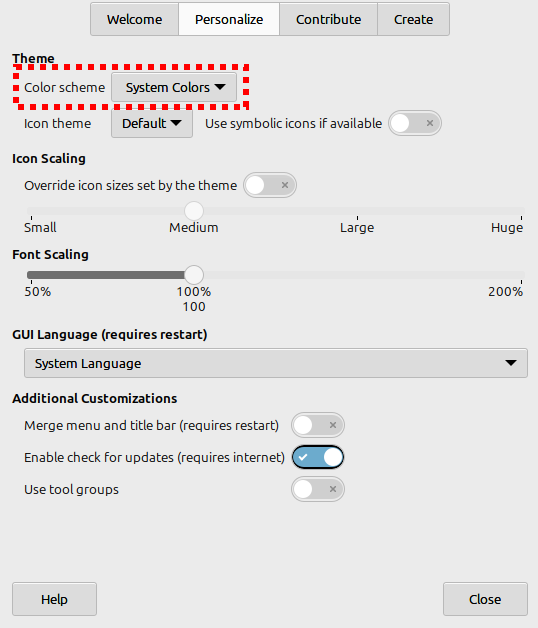
    We are happy to announce the fourth micro-release GIMP 3.0.8! As we close in on the release of GIMP 3.2, we wanted to share with you what may be the last set of bugfixes for GIMP 3.0. Release Highlights Font Loading Performance Assorted updates and fixes Themes and UX Security fixes API Packaging improvements on macOS Help Manual babl Release Stats Downloading GIMP 3.0.8 What’s Next Release Highlights¶ Micro releases like 3.0.8 are focused on fixing bugs and regressions. While this news po
     

GIMP 3.0.8 Released

Par : GIMP Team
23 janvier 2026 à 18:00

We are happy to announce the fourth micro-release GIMP 3.0.8! As we close in on the release of GIMP 3.2, we wanted to share with you what may be the last set of bugfixes for GIMP 3.0.

Release Highlights

Micro releases like 3.0.8 are focused on fixing bugs and regressions. While this news post is not an exhaustive list of all fixes, we wanted to highlight some of the ones with a more noticeable impact.

Font Loading Performance

Improvements in start-up time for users with a large number of fonts was backported from our 3.2 RC2 release. As a result, we now wait to load images until fonts are initialized - this prevents some occasional odd displays and other issues when an XCF file tried to access a partially loaded font.

For macOS users, we have special-cased the legacy Skia font, as we received reports that it did not behave properly with the Pango library we use to render fonts. You should now be able to use all fonts weights instead of just Bold.

Assorted updates and fixes

  • Daniel Plakhotich helped us identify an issue when exporting a lossless WEBP image could be affected by lossy settings (such as Quality being less than 100%). We’ve updated our WEBP plug-in to prevent this from happening.

  • Jehan fixed a bug in the Windows installer where text would be duplicated in certain languages.

  • René de Hesselle diagnosed an issue with font kerning on macOS, which was fixed by Jehan.

  • Because of differences in how different operating systems represent file paths, default color profiles were not being loaded correctly on start-up on Windows. This should now be fixed, though you may need to reassign your default color profiles in Preferences to clear out the older, incorrect file path.

  • Thanks to Jehan‘s efforts, the standard gimp-3.0 executable can now be run with a --no-interface flag instead of requiring users to call gimp-console-3.0 even on devices with no display. The --show-debug-menu flag is now visible as well.

  • programmer_ceds improved our flatpak by adding safe guards to show the correct configuration directory regardless of whether XDG_CONFIG_HOME is defined on the user’s system. This should make it much easier for flatpak users to install and use third party plug-ins.

  • We fixed a rare but possible crash when using the Equalize filter on images with NaN values. Images that contain these are usually created from scientific or mapping data, so you’re unlikely to come across them in standard editing.

  • Jeremy Bicha fixed an internal issue where the wrong version number could be used when installing minor releases (such as the 3.2 release candidates and upcoming 3.2 stable release).

  • As noted in our 3.2RC2 news post, we have updated our SVG import code to improve the rendered path.

  • Further improvements have been made to our non-destructive filter code to improve stability, especially when copying and pasting layers and images with filters attached to them. Some issues related to applying NDE filters on Quick Masks have also been corrected.

  • An unintended Search pop-up that appeared when typing while the Channels dockable was selected has been turned off.

  • When saving XCFs for GIMP 2.10 compatibility, we unintentionally saved Grid color using the new color format. This caused errors when reopening the XCF in 2.10. This problem has now been fixed! If you encounter any other XCF incompatibility, please let us know.

Themes and UX

  • The Navigation and Selection Editor dockables no longer show a large bright texture when no image is actively selected. This was especially noticeable on dark themes.

  • When a layer has no active filters, the Fx column had the same “checkbox” outline when hovered over as the lock column. This led to confusion about clicking it to add filters. We have removed the outline on hover as a small step to help address this.

  • Ondřej Míchal fixed alignment and cut-off issues with the buttons on our Transform tool overlays. All buttons should now be properly centered and visible.

  • The options for filling layers with colors when resizing the canvas will be turned off when not relevant (such as when you set layers to not be resized).

  • More GUI elements such as dialog header icons will now respond to your icon size preferences.

  • Ondřej Míchal has continued his work to update our UI with the more usable Spin Scale widget. He has also updated the widget itself to improve how it works for users and developers alike.

Security fixes

Jacob Boerema and Gabriele Barbero continued to patch potential security issues related to some of our file format plug-ins. In addition to existing fixes mentioned in the release candidate news posts, the following exploits are now prevented:

  • ZDI-CAN-28232
  • ZDI-CAN-28265
  • ZDI-CAN-28530
  • ZDI-CAN-28591
  • ZDI-CAN-28599

Another potential issue related to ICO files with incorrect metadata was reported by Dhiraj. It does not have a CVE number yet, but it has been fixed for GIMP 3.0.8. Jacob Boerema also fixed a potential issue with loading Creator blocks in Paintshop Pro PSP images.

As part of GIMP 3.0.8, we also updated several dependencies to prevent vulnerabilities. Thanks to Bruno Lopes, our Windows installer now uses a newer version of Python due to several CVEs in Python 3.12.11. We also updated our SVG library librsvg 2.61.3 to prevent a possible NTLM authentication exploit when loading a malicious SVG.

API

For plug-in and script developers, a few new public APIs were backported to GIMP 3.0.8. gimp_cairo_surface_get_buffer () allows you to retrieve a GEGL buffer from a Cairo surface (such as a text layer). Note that this deprecates gimp_cairo_surface_create_buffer ().

gimp_config_set_xcf_version () and gimp_config_get_xcf_version () can be used to specify a particular XCF version for a configuration. This will allow you to have that data serialized/deserialized for certain versions of GIMP if there were differences (such as the Grid colors mentioned above).

Fixes were made for retrieving image metadata via scripting. GimpMetadata is now a visible child of GExiv2Metadata, so you can use standard gexiv2 functions to retrieve information from it.

Original thumbnail metadata is also now removed on export to prevent potential issues when exporting into a new format.

Packaging improvements on macOS

Bruno Lopes and Lukas Oberhuber worked on some packaging fixes for macOS:

  • Image Graph is now available (if GIMP is run with --show-debug-menu)
  • Thai language interfaces have proper word breaking
  • EPS and PS files can be opened again
  • Dialogs should receive focus again thanks to a patch on GTK3
  • GIMP icon is not tiny anymore on macOS 26 Tahoe (we plan to support Liquid Glass effects in the future)
  • Configuration migrations between GIMP 2.10 and 3.0 should be more robust now.

Help Manual

Our documentation maintainer Jacob Boerema has released a new version of the GIMP 3.0 help manual. Version 3.0.2 of the manual includes updated information on non-destructive filters, changes in the Align tool, and more. Updates to fifteen translations have been made as part of this release.

Special thanks to Sabri Ünal for their work in standardizing formatting across the help manual and reducing the need to retranslate duplicate text.

babl

Øyvind Kolås has released a new update for babl, our color space engine. Version 0.1.120 adds support for the x86_64-v4 microarchitecture for code optimizations.

Release Stats

Since GIMP 3.0.6, in the main GIMP repository:

  • 26 reports were closed as FIXED.
  • 468 commits were pushed.
  • 12 translations were updated: Chinese (China), Danish, Georgian, Greek, Lithuanian, Norwegian Nynorsk, Persian, Slovenian, Swedish, Thai, Turkish, Ukrainian.

28 people contributed changes or fixes to GIMP 3.0.8 codebase (order is determined by number of commits; some people are in several groups):

  • 8 developers to core code: Jehan, Alx Sa, Bruno Lopes, Gabriele Barbero, Idriss Fekir, Jacob Boerema, James Addison, aruius.
  • 9 developers to plug-ins or modules: Alx Sa, Bruno Lopes, Jacob Boerema, Jehan, Ondřej Míchal, Anders Jonsson, Dr. David Alan Gilbert, Gabriele Barbero, lloyd konneker.
  • 14 translators: Aefgh Threenine, Ekaterine Papava, Martin, Alan Mortensen, Anders Jonsson, Yuri Chornoivan, luming zh, Aurimas Aurimas Černius, Kolbjørn Stuestøl, Sabri Ünal, dimspingos, Aurimas Černius, Danial Behzadi, Luming Zh.
  • 2 theme designers: Alx Sa, Ondřej Míchal.
  • 5 build, packaging or CI contributors: Bruno Lopes, Jehan, Jeremy Bícha, Jernej Simončič, Niels De Graef.
  • 6 contributors on other types of resources: Jehan, Bruno Lopes, Jacob Boerema, Jeremy Bícha, Niels De Graef, Sabri Ünal.
  • The gimp-data submodule had 16 commits by 3 contributors: Bruno Lopes, Jehan, Jeremy Bícha.

Contributions on other repositories in the GIMPverse (order is determined by number of commits):

  • babl 0.1.120 is made of 5 commits by 2 contributors: Øyvind Kolås, Bruno Lopes.
  • ctx had 181 commits since 3.2.0 RC2 release by 1 contributors: Øyvind Kolås.
  • The gimp-macos-build (macOS packaging scripts) release had 27 commits by 2 contributors: Lukas Oberhuber, Bruno Lopes.
  • The flatpak release had 20 commits by 1 contributor (and a bot): Bruno.
  • Our main website (what you are reading right now) had 103 commits by 7 contributors: Bruno Lopes, Jehan, Alx Sa, Sabri Ünal, Jacob Kauffmann, Petr Vorel, gturri.
  • Our developer website had 204 commits by 2 contributors: Bruno Lopes, Jehan.
  • Our 3.0 documentation had 266 commits by 13 contributors: Sabri Ünal, Jacob Boerema, dimspingos, Marco Ciampa, Anders Jonsson, Alevtina Karashokova, Yuri Chornoivan, Matthew Leach, Richard Gitschlag, Andre Klapper, Aurimas Aurimas Černius, Dick Groskamp, lloyd konneker.

Let’s not forget to thank all the people who help us triaging in Gitlab, report bugs and discuss possible improvements with us. Our community is deeply thankful as well to the internet warriors who manage our various discussion channels or social network accounts such as Ville Pätsi, Liam Quin, Michael Schumacher and Sevenix!

Note: considering the number of parts in GIMP and around, and how we get statistics through git scripting, errors may slip inside these stats. Feel free to tell us if we missed or mis-categorized some contributors or contributions.

Downloading GIMP 3.0.8

You will find all our official builds on GIMP official website (gimp.org):

  • Linux AppImages for x86 and ARM (64-bit)
  • Linux Flatpaks for x86 and ARM (64-bit)
  • Linux Snaps for x86 and ARM (64-bit)
  • Universal Windows installer for x86 (32 and 64-bit) and for ARM (64-bit)
  • Microsoft Store for x86 and ARM (64-bit)
  • macOS DMG packages for Intel/x86 and Apple/ARM hardware (64-bit)

Other packages made by third-parties are obviously expected to follow (Linux or *BSD distributions’ packages, etc).

What’s Next

This might be the final release in the GIMP 3.0 series, unless some very ugly bug were to appear and we’d feel like making a better ending. We know indeed that some people are sometimes stuck longer on some series for various reasons (such as stable package policy in some Linux distributions, or because we do have to drop some platforms sometimes — which will soon be the case for 32-bit Windows by the way! —, and sometimes some people just prefer older GIMP!). Also we do introduce bugs with new feature code. Such is the life of software, either being stale and stabler, or evolving with higher risk of new bugs!

So whatever your reason, let’s make sure that you’ll have at least a very nice latest 3.0 build to get back too, if needed be. 😄

Now we are mostly focusing on the last few issues before starting the 3.2 series. We’ll get news about this soon.

In any case, we wish you all a very happy new Western year! May it be filled with a lot of joy, fun with GIMP too, and of course a healthy life. 🤗

Don’t forget you can donate and personally fund GIMP developers, as a way to give back and accelerate the development of GIMP. Community commitment helps the project to grow stronger!
  • ✇GIMP
  • GIMP 3.2 RC2: Second Release Candidate for GIMP 3.2
    After several weeks of bugfixes and polishing, we’re ready to share our second release candidate for GIMP 3.2! As the GIMP team continues to close issues, the release of 3.2 gets nearer, with many new features, bug fixes and performance improvements. Please do continue to report problems you find to help us make GIMP as good as possible! Release Highlights Removing Restrictions Paths Paint Select Tool Start-up time UX/UI Minor Updates Minor Fixes Security Build Process GEGL and babl Release
     

GIMP 3.2 RC2: Second Release Candidate for GIMP 3.2

Par : GIMP Team
14 décembre 2025 à 18:00

After several weeks of bugfixes and polishing, we’re ready to share our second release candidate for GIMP 3.2!

As the GIMP team continues to close issues, the release of 3.2 gets nearer, with many new features, bug fixes and performance improvements. Please do continue to report problems you find to help us make GIMP as good as possible!

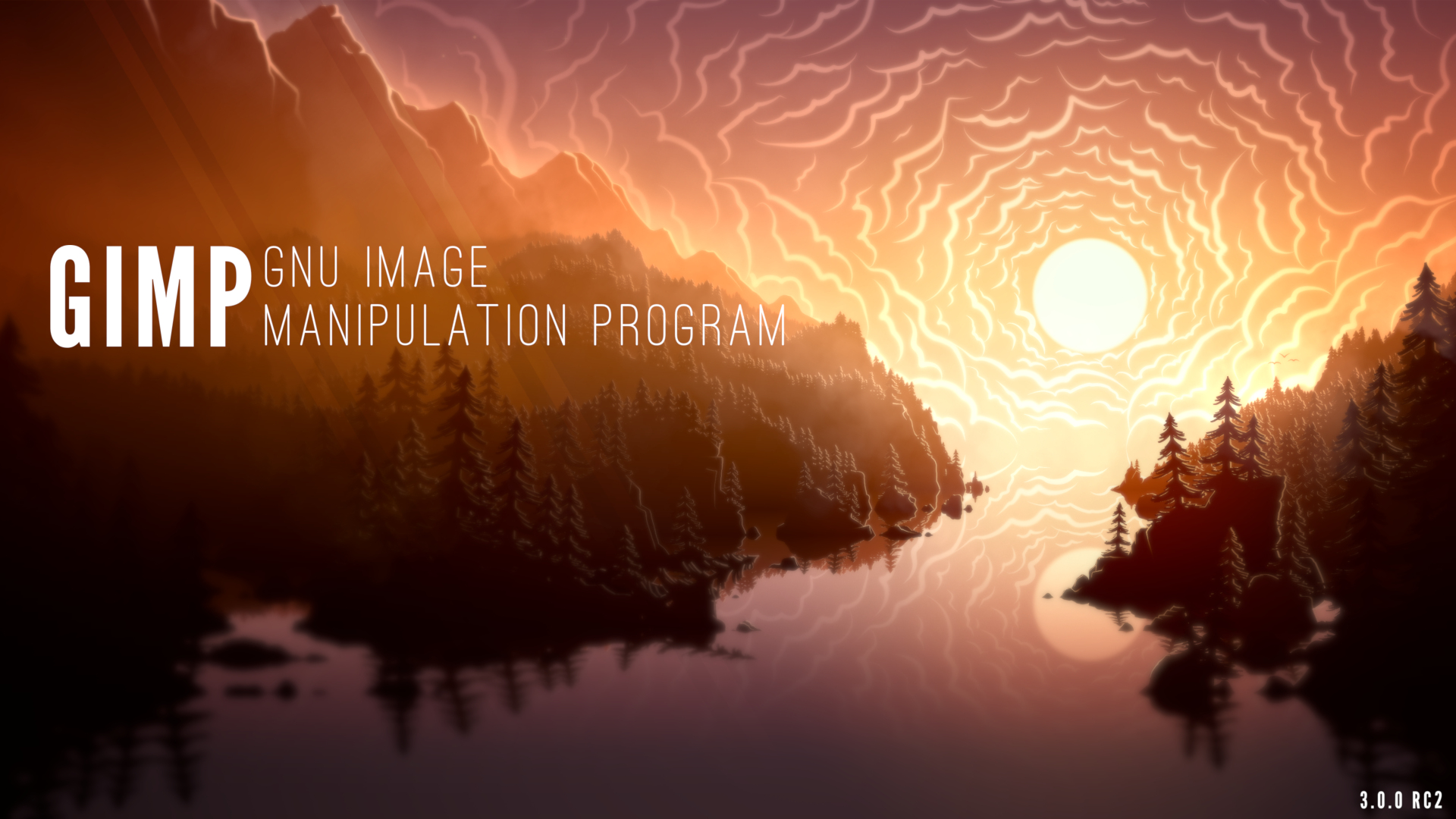
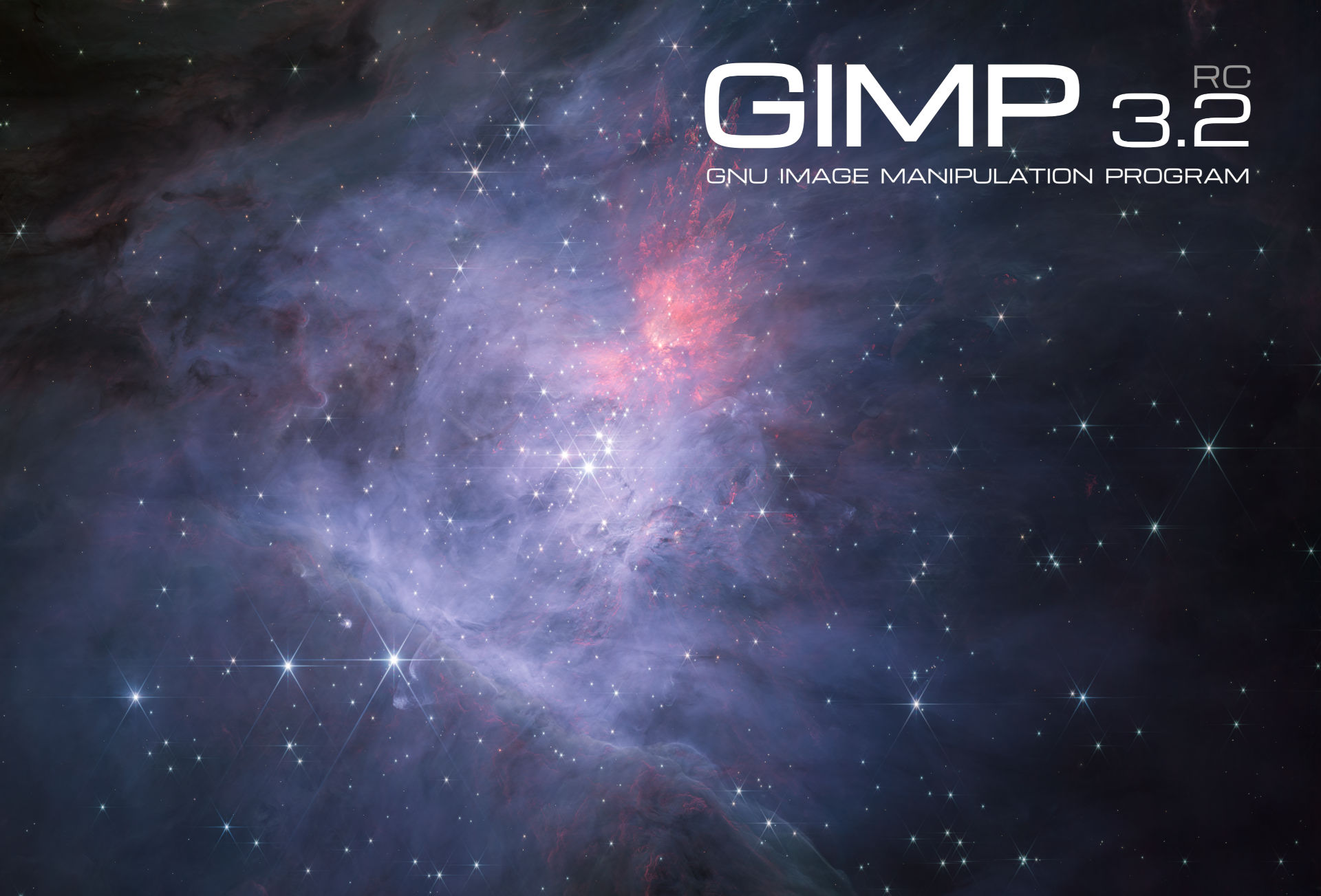
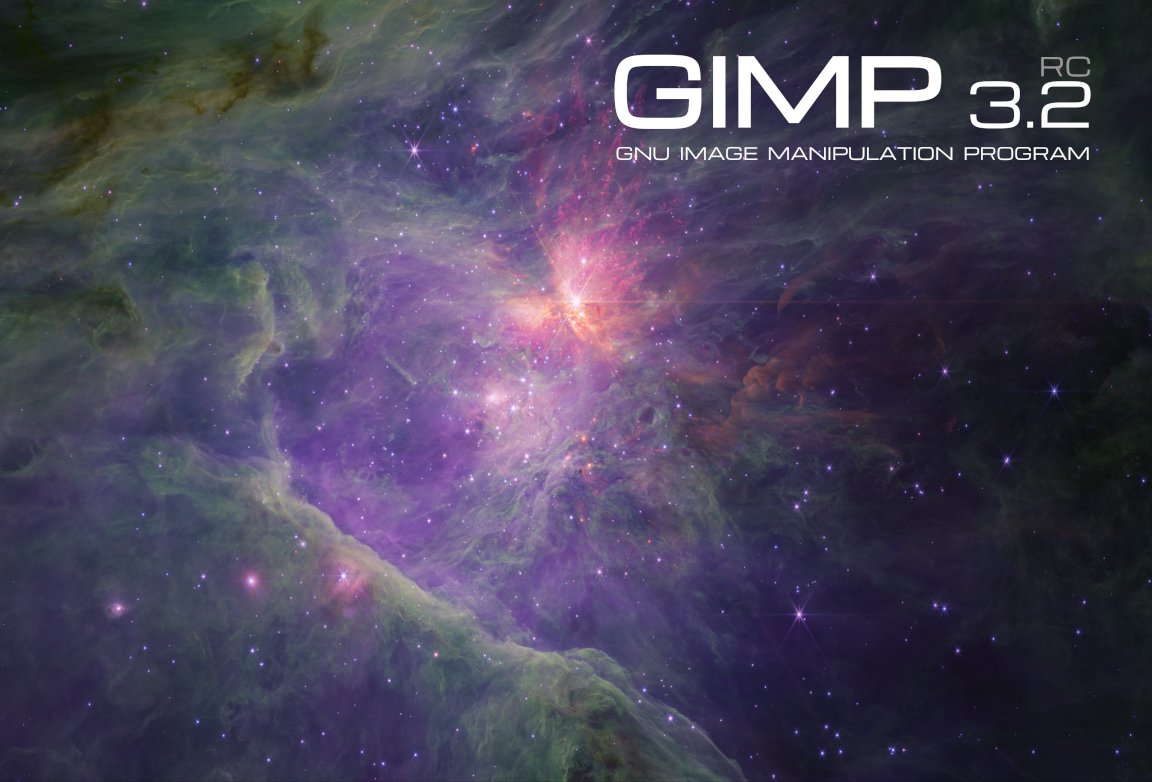
GIMP 3.2 RC2: splash screen
Second release candidate splash screen by Mark McCaughrean - GIMP 3.2 RC2

Release Highlights

While there are no major new features in this release, we do want to highlight some of the more impactful fixes and some minor updates. The full changelog can be read in our code repository.

You may also notice that we got a second splash screen image, also created and contributed by astronomer Mark McCaughrean. It is a shot of the same area of space as for the first splash image candidate, the “Trapezium Cluster & inner Orion Nebula”, again captured with the James Webb Space Telescope, but this time in the short-wavelength channel. The final 3.2 splash image shall be one of these two variants!

Removing Restrictions

In GIMP 2.10, you could not export an image unless you had a layer selected due to a limitation of our export API. Due to the improvements in GIMP 3.0, this is no longer required. Therefore, we’ve removed the code that prevents you from choosing the Save or Export options in the menu when there’s no layer selected.

Similarly, the Clipboard Brush and Clipboard Pattern previously had a size limit of 1024 pixels. This was because that was the largest safe value for 32 bit computers to handle. Since most users now have 64 bit computers, we’ve increased the limit to 8192 pixels for the 64 bit builds. This means artists can make and use much larger temporary brushes and patterns as they work.

Paths

GIMP has supported importing SVGs as paths for a long time. However, some SVG paths were shown incorrectly due to our import code being based on an older version of librsvg. Based on suggestions and assistance from Federico Mena Quintero, one of the lead developers of the library, we updated our code to better handle different types of SVG paths.

Paint Select Tool

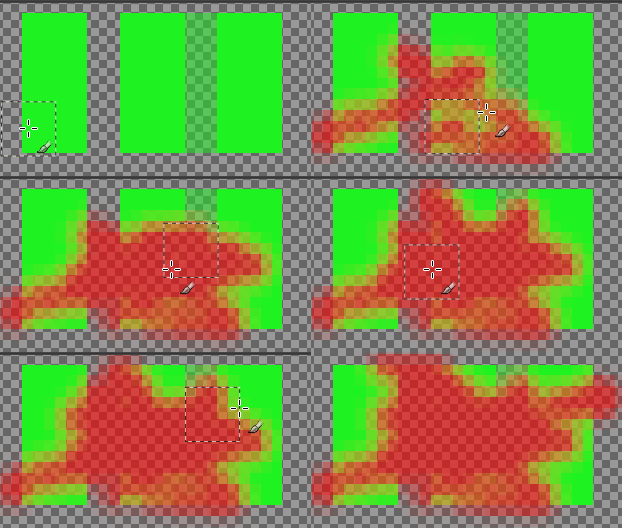
The Paint Select tool has been in the test Playground section of GIMP since it was first developed by Thomas Manni in 2020. Recently, Jehan has begun reviewing it (and the Foreground Selection tool) as part of the planning for the GIMP 3.4 roadmap. He’s made a number of improvements already, both to the UI and to the tool’s performance.

Improving speed and feedback of experimental Paint Select tool - GIMP 3.2.0 RC2

Start-up time

We’ve received reports that GIMP takes a while to load for users with a large number of fonts. This includes our resident typographer, Liam Quin. They worked with Idriss Fekir to test a change to our font loading code that noticeably speeds up our loading time. This is an area we continue to work on, so if you notice any regressions, please let us know!

UX/UI

  • Ondřej Míchal and Jehan have improved spacing between buttons in the Transform tool overlays to make it easier to click the right one.

  • Notifications have been added to the Filter merge-down button when users try to merge down a filter on a non-raster layer.

  • Gabriele Barbero fixed the wording on our Keyboard Shortcuts dialog to more clearly explain how to change a shortcut.

  • Minor fixes have been made to the theme to prevent issues on certain platforms.

Minor Updates

  • Jehan finished the stylus barrel rotation implementation in our earlier Mypaint Brush 2 port, connecting it to the Wheel value already recognized by GIMP. Note that very few styluses actually provide this feature, so it likely won’t impact your workflow unless you have one of the rare ones.

  • Thanks to Alx Sa, our PSD importer now loads legacy Outer Glow layer effects. The filter information was already loaded in the PSD plug-in during GIMP 3.0’s development, it just was not rendered before.

  • A long outstanding patch by Niels De Graef was finally merged to include a Bash completion file in GIMP. This feature shows the list of available options when pressing Tab in the command line. On a related note, the --show-debug-menu option is now visible in the command line --help option as well.

Minor Fixes

  • Anders Jonsson noticed that our default PostScript unit was changed from millimeters in GIMP 2.10 to inches in GIMP 3.0, without the size being adjusted to match. He fixed the default setting to load images at the right size.

  • Jacob Boerema fixed a bug for plug-in developers, where plug-ins set to be always available would not be usable when there was an open image with no layers added.

  • Jehan and Gabriele Barbero corrected a mistake made during vector layer development that caused the offsets not to be visible in the Layer Attributes dialog.

  • We now prevent loading XCF files as link layers when it will create an infinite loading cycle (if the linked XCF itself loads the initial XCF, at any level).

Security

Alx Sa and Gabriele Barbero have implemented fixes for the following Zero Day Initiative reported issues on some of our image plug-ins:

  • ZDI-CAN-28311
  • ZDI-CAN-28273
  • ZDI-CAN-28158

Build Process

Thanks to Jehan‘s work, babl and GEGL can now be compiled as relocatable! This is especially useful for builds where the build prefix is not the same as the runtime prefix. As a result, two bugs were fixed on the AppImage package: the GEGL filters are now fully localized and the third-party GEGL filters can now be found and used on those environments.

He also fixed a bug that affected not only the AppImage but other environments too: the language list sometimes was not being displayed translated in the Preferences dialog. Now, when building GIMP, it will instruct packagers to prevent that.

A user named Kruthers contributed a fix for a long-standing bug on AppImage: the inability to run CLI commands that point to relative paths. Thanks to their fix, the AppImage is now even more on par with a regular installation of GIMP.

Bruno re-implemented support for building GIMP on Windows with the MSVC compiler, which is now possible due to the existence of the clang-cl wrapper (we used to have direct MSVC support, without a wrapper, but it stopped working). As a result, we now have build logs about correct Windows API usage etc. But note that we will not distribute MSVC binaries, because, after all, they mostly depend on MSYS2 due to vcpkg design which has much fewer features. In short, MSYS2 is still the recommended way to build GIMP on Windows.

GEGL and babl

Øyvind Kolås has released new updates to babl and GEGL, the underlying color management engines for GIMP.

As noted above, babl 0.1.118 and GEGL 0.4.66 have been updated to be compiled as relocatable. In addition, a number of contributors have done some code clean-up and build process updates to GEGL.

Release stats

Since GIMP 3.2.0 RC1, in the main GIMP repository:

  • 40 reports were closed as FIXED.
  • 24 merge requests were merged.
  • 201 commits were pushed.
  • 13 translations were updated: Basque, Chinese (China), Danish, Georgian, Greek, Italian, Lithuanian, Norwegian Nynorsk, Slovenian, Swedish, Thai, Turkish, Ukrainian.

23 people contributed changes or fixes to GIMP 3.2.0 RC2 codebase (order is determined by number of commits; some people are in several groups):

  • 10 developers to core code: Jehan, Alx Sa, Bruno Lopes, Øyvind Kolås, Anders Jonsson, Gabriele Barbero, Idriss Fekir, Jacob Boerema, Ondřej Míchal, Sabri Ünal.
  • 6 developers to plug-ins or modules: Bruno Lopes, Alx Sa, Ondřej Míchal, Gabriele Barbero, Anders Jonsson, lloyd konneker.
  • 13 translators: Sabri Ünal, Aefgh Threenine, Kolbjørn Stuestøl, Yuri Chornoivan, Anders Jonsson, Asier Saratsua Garmendia, Martin, Ekaterine Papava, luming zh, Alan Mortensen, Marco Ciampa, dimspingos, Aurimas Černius.
  • 2 theme designers: Alx Sa, Jehan.
  • 5 build, packaging or CI contributors: Bruno Lopes, Jehan, Jernej Simončič, Niels De Graef, Øyvind Kolås.
  • 2 contributors on other types of resources: Jehan, Niels De Graef.
  • The gimp-data submodule had 3 commits by 1 contributor: Jehan.
  • The splash images for the 3.2 series were authored by Mark McCaughrean under license Creative Commons By-SA 2.0.

Contributions on other repositories in the GIMPverse (order is determined by number of commits):

  • Our UX tracker had 1 reports closed as FIXED (and many more incrementally worked on).
  • babl 0.1.118 is made of 36 commits by 5 contributors: Bruno Lopes, Øyvind Kolås, Jehan, Jacob Boerema, Joe Da Silva.
  • GEGL 0.4.66 is made of 62 commits by 11 contributors: Bruno Lopes, Øyvind Kolås, Jehan, Sabri Ünal, Alfred Wingate, Ondřej Míchal, Alan Mortensen, Alexander Alexandrov Shopov, Jeremy Bícha, Marco Ciampa, Ulf Martin Prill.
  • ctx had 40 commits since 3.2.0 RC1 release by 1 contributor: Øyvind Kolås.
  • The gimp-macos-build (macOS packaging scripts) release had 3 commits by 1 contributor: Lukas Oberhuber.
  • The flatpak release had 6 commits by 1 contributor: Bruno.
  • Our main website (what you are reading right now) had 27 commits by 4 contributors: Jehan, Bruno Lopes, Alx Sa, Sabri Ünal.
  • Our developer website had 25 commits by 2 contributors: Jehan, Bruno Lopes.
  • Our 3.0 documentation had 24 commits by 6 contributors: Sabri Ünal, Jacob Boerema, Anders Jonsson, Matthew Leach, Richard Gitschlag, lloyd konneker.

Let’s not forget to thank all the people who help us triaging in Gitlab, report bugs and discuss possible improvements with us. Our community is deeply thankful as well to the internet warriors who manage our various discussion channels or social network accounts such as Ville Pätsi, Liam Quin, Michael Schumacher and Sevenix!

Note: considering the number of parts in GIMP and around, and how we get statistics through git scripting, errors may slip inside these stats. Feel free to tell us if we missed or mis-categorized some contributors or contributions.

Around GIMP

Books

Sabri Ünal has been hard at work updating our books page. In addition to historial books about prior versions of GIMP, we now have listings for several GIMP 3 books. If you know of any books on GIMP that we’re missing, please let us know!

Note: We are not interested in listing or promoting books that are generated from GenAI. Please check if the book was authored by a person before submitting. Thanks!

Downloading GIMP 3.2 RC2

You will find all our official builds on GIMP official website (gimp.org):

  • Linux AppImages for x86 and ARM (64-bit)
  • Linux Flatpaks for x86 and ARM (64-bit)
  • Linux Snaps for x86 and ARM (64-bit)
  • Universal Windows installer for x86 (32 and 64-bit) and for ARM (64-bit)
  • Microsoft Store for x86 and ARM (64-bit)
  • macOS DMG packages for Intel/x86 and Apple/ARM hardware (64-bit)

Other packages made by third-parties are obviously expected to follow (Linux or *BSD distributions’ packages, etc).

There is no development release for the manual, but you can continue to use the existing GIMP 3.0 documentation.

What’s next

This is nearly it! We are so close to GIMP 3.2 release that we can feel it in the air. When I first introduced the new accelerated release policy, I was both confident and wary of falling short. In the end, I’m quite satisfied; it really worked out well for this first iteration. 😄

Considering how few reports of major issues we had during this RC1, this might be the last release candidate, though only the coming period will tell. Sometimes people, mistaking us for a corporation, ask us about quality assurance policy or the like. Well we are not a company, we are a community and our QA is the world, it’s me, you, anyone. Therefore we really really enjoin everyone to test this development version and report any issue you find, especially if it feels like it should be a blocker issue.

Among the few things which come to mind, I had to touch and reorganize our XCF-loading code for detecting link layer cycles; and as you may imagine, this is a very sensitive area of our codebase. So we welcome massive testing in file loading and link layer creation during this RC2 phase, in order to detect any regression!
And of course, any deep testing, especially of the new link and vector layers, but also of any other major feature you are often using will be very appreciated. We want to avoid both releasing broken new features, and adding regressions to existing features.

Don’t forget you can donate and personally fund GIMP developers, as a way to give back and accelerate the development of GIMP. Community commitment helps the project to grow stronger! Wouldn’t it be fitting with the coming holiday season? 🎁🎄🤗
In the meantime, we’ll continue to work hard for delivering GIMP 3.2.0 soon, and wish you all a very nice holiday season and a lot of fun and joy with family and friends! 🥳🍾🥰

  • ✇GIMP
  • GIMP 3.2 RC1: First Release Candidate for GIMP 3.2
    We’re thrilled to share our first release candidate for GIMP 3.2! It represents a major step in our roadmap, and months of hard work by contributors. We look forward to your feedback as we move towards the stable release of GIMP 3.2! Note that this is still a development snapshot, not yet a final release: please do report any problems or crashes you find. New Splash Screen Release Highlights Link and Vector Layer Updates Text Editor Swap Tools shortcut Non-destructive filters UX/UI Improvement
     

GIMP 3.2 RC1: First Release Candidate for GIMP 3.2

Par : GIMP Team
16 novembre 2025 à 18:00

We’re thrilled to share our first release candidate for GIMP 3.2! It represents a major step in our roadmap, and months of hard work by contributors. We look forward to your feedback as we move towards the stable release of GIMP 3.2! Note that this is still a development snapshot, not yet a final release: please do report any problems or crashes you find.

New Splash Screen

GIMP 3.2 RC1: splash screen
New release candidate splash screen by Mark McCaughrean - GIMP 3.2 RC1

Our super cool 3.2 release candidate splash screen was created by astronomer Mark McCaughrean!

It shows the Orion Nebula at infrared wavelengths made using the James Webb Space Telescope, and is one of his many photographs of space, processed in GIMP as an important tool in his workflow.

As with our previous splash artist Sevenix, we will have an interview with him detailing his design process and motivation that we hope to share in the near future.

Release Highlights

This news post will cover some of the main updates since our last development release. If you haven’t already tested out GIMP 3.1.2 and 3.1.4, we encourage you to read over the prior news posts to see the other new features and fixes. As always, the full changelog can be seen in the NEWS section of our repo.

Link and Vector Layer Updates

We’ve made a number of bugfixes and improvements to the new link and vector layers, thanks to your feedback from GIMP 3.1.4. Jehan in particular has been focused on internal updates and UI improvements for both features. The “Rasterize” and “Revert Rasterize” operations have been made much clearer, allowing for easy changes between different states. These changes apply to text layers as well, since they are a type of vector layer too.

We discovered that link layer monitoring was not working on Windows due to a bug in the GLib library. Jehan has submitted an upstream patch with a proper fix, but for now we have a temporary workaround so that this feature works on Windows.

Text Editor

Gabriele Barbero has continued his work on the text editor from his Google Summer of Code project. One major aspect has finally been merged - the ability to move the on-canvas editor across the screen! This allows you to move it out of the way while working on close-up text, without having to hide it in the tool options. You can also click the reset button on the editor to place it back in its original position.

On-Canvas text editor UI can now be dragged - GIMP 3.2.0 RC1

Idriss Fekir has continued their work on making text editing more robust. They’ve updated the internal code to support text rendering even on very large dimensions.

Also, a new patch by Lleu Yang lets you use Shift + Ctrl + V in the on-canvas editor to paste unformatted text. This follows a previous update that added a shortcut for Bold, Italics, and Underline styling.

Swap Tools shortcut

Jehan revived one of his older projects and added support for swapping between your current tool and the previous one you used. By default, you can press Shift + X to switch back and forth between your paintbrush and eraser while drawing. Of course, you can also change the shortcut with the Edit -> Keyboard Shortcuts dialog.

This new feature also allows us to help with a common point of confusion. Internally, GIMP considers filters to be a tool just like the rotate or airbrush tools. This means that when you’re applying a Brightness-Contrast filter to your image, you’re actually “switching” to the Brightness-Contrast tool.

Thanks to Jehan‘s update, we now automatically switch back to your prior tool once the filter is applied, which we believe is more in-line with what users expect to happen.

Non-destructive filters

We continue to update our non-destructive filter code. One request we’ve received a few times is for “adjustment layers” - layers where you can apply a filter and have it affect all layers below it. We do not have this as an official concept since it would be a GUI duplicate of layer effect, yet you can now simulate adjustment layers with layer groups!

Set an empty layer group to “Pass through” and then apply filters to it - since Pass through groups cover all layers below, by definition, this is basically the same as what is commonly called adjustment layers. Furthermore, you can add a mask to the layer group and adjust the render to only cover certain areas.

UX/UI Improvements

We continue to work with users and designers on our UX repo to improve GIMP’s user experience. While a lot of smaller adjustments have been made since 3.1.4, there’s also been several larger updates.

  • GIMP was first created with a multi-window interface, with each image shown in a separate window. You could drag and drop a file onto the floating toolbox to open it as a new image. Single Window mode introduced an image tab bar to show all of your open images. We have now connected that tab bar to the drag and drop code, so you can easily open multiple images by dragging them over to the image tab bar and releasing!

  • Ondřej Míchal has been on a mission to replace many of our Spin Entry widgets with the newer Spin Scale.

  • You can now drag and drop color swatches from the Color History. This was always intended, but previously did not work because the color history buttons grabbed focus instead of the color history swatch.

  • Gabriele Barbero further improved our macOS port by restoring missing features to the App Menu. Now macOS users have options to hide GIMP, hide other applications, and to check the related services. Additionally, the macOS “Quit” command is now connected to our closing code, which will reduce the chance of losing unsaved data on exit.

  • The Document History dockable is now multi-selection aware. You can select multiple image previews and either open or remove all of them at once.

  • Denis Rangelov developed a new design for our image toggle buttons (seen in places such as the Mode section of the Move and Selection tools). This redesign more clearly groups the buttons together visually, so you know that they’re toggle buttons and that only one can be selected at a time.

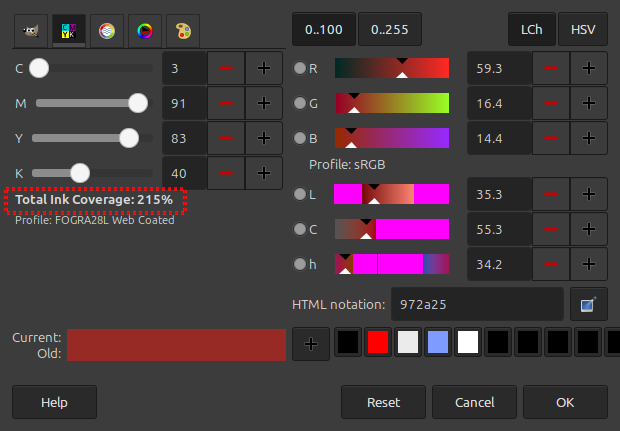
  • When typing hex colors in the Color Selector dialog, the selected color will automatically update as soon as you enter a valid text. This removes the need to press Enter whenever you type a new color.

Plug-ins

Support for a few new image formats have been added, and updates to existing formats have been made during the last stretch of our 3.2 RC1 development.

SVG

With the addition of vector layers in GIMP, we can now export SVG as actual vectors. Our new exporter allows raster layers to be optionally embedded as either PNGs or JPEG. We hope this will encourage further workflow collaboration with Inkscape, a fantastic vector graphics editing program that we highly recommend!

Note that currently our SVG import plug-in still rasterizes the imported vectors. We are looking into ways of fixing this (it would likely require to change our dependency library to read SVG) - if you’d like to help, please reach out!

PDF

Similarly, the PDF plug-in now exports vector layers as actual vectors. This means that those layers can be further edited in other vector graphics software. The “Fill with Background Color” option has also been extended to work on all layers of a multi-layer PDF, instead of just the first one.

PVR

We’ve added support for importing PowerVR (PVR) texture files. This format is most commonly used for SEGA Dreamcast games and mods.

Compression

We had a long-standing request to support importing hgt.zip images, which were recorded by NASA’s Shuttle Radar Topography Mission (SRTM). As a side effect, we now support loading any supported image that’s compressed by our standard compression algorithms (previously this was only officially used by our compressed XCF project files).

API

  • One of the major updates in GIMP 3.0 for plug-in developers was the auto-generated GUIs - you can easily make a dialog with widgets just by defining your input variables! However, a few datatypes were not implemented in the original release. For GIMP 3.2, we’ve added GimpImage and GimpItem widgets to GimpProcedureDialog. The new widgets look similar to the existing layer and channel widgets.

  • Work on the SVG export feature required us to add many additional public API commands for text, vector, and link layers. You can see the full list in our NEWS section under API, or by checking the Procedure Browser under the Help menu in GIMP itself.

Security

The Zero Day Initiative regularly reviews applications to find potential vulnerabilities and report them. Jacob Boerema and other contributors have responded to and fixed the following reports:

  • ZDI-CAN-27684
  • ZDI-CAN-27863
  • ZDI-CAN-27878
  • ZDI-CAN-27836
  • ZDI-CAN-27823
  • ZDI-CAN-28376
  • ZDI-CAN-28248

Additional Changes

  • Sabri Ünal and Luzpaz have been reviewing our GUI and standardizing capitalization and grammar of the user interface.

  • Aruius fixed a bug where some full-color brushes were not mirrored properly when Symmetry modes were set.

  • Bruno Lopes reworked our console output code on Windows to work just like Linux and macOS. This means you can run GIMP from CMD or PowerShell and see all output messages there.

  • Lukas Oberhuber created a new format for our color drag and drop code. We previously used application/x-color when our color code was sRGB only. Now that we pass the colorspace information as well, this is not sufficient. While it only caused visible problems on macOS (to our knowledge), it’s good to use the proper standard for all platforms.

Dark mode on Windows installer

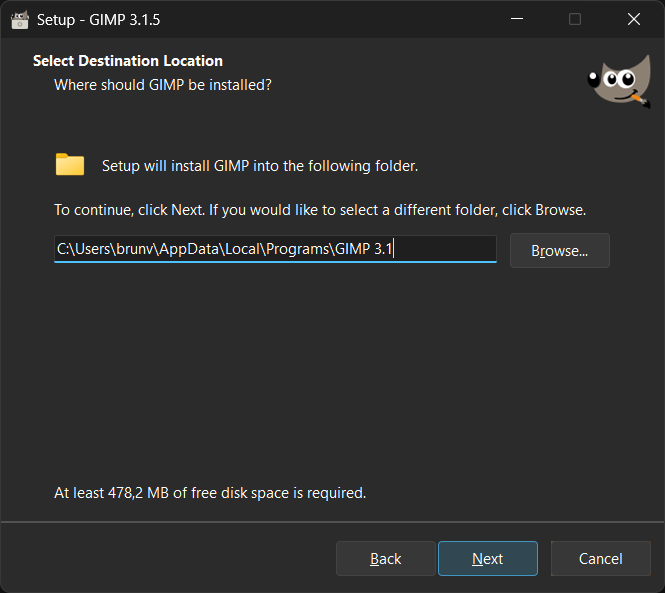
Our .exe installer is now gorgeous when you run it on Windows 10/11 with Dark Mode enabled. This is not only due to the new splash screen, which is used on the Installer too, but also thanks to the triaging work done by Jernej Simončič and Bruno Lopes in tandem with Inno Setup developers on the Inno Setup 6.6.0 development cycle.

Windows installer, installation directory selection page

That Inno Setup version we use on 3.2.0-RC1 and subsequent installers supports automatic Dark Mode natively. While very few changes were done to our GIMP packaging scripts, we can’t stop praising the incredible work done by Martijn Laan, main Inno Setup developer, on Google Groups after our small feedback. Just run the .exe and give it a try.

Release stats

Since GIMP 3.1.4, in the main GIMP repository:

  • 78 reports were closed as FIXED.
  • 80 merge requests were merged.
  • 645 commits were pushed.
  • 17 translations were updated: Basque, Brazilian Portuguese, Chinese (China), Danish, Dutch, Georgian, Hungarian, Italian, Kabyle, Lithuanian, Norwegian Nynorsk, Romanian, Russian, Slovenian, Thai, Turkish, Ukrainian.

42 people contributed changes or fixes to GIMP 3.2.0 RC1 codebase (order is determined by number of commits; some people are in several groups):

  • 18 developers to core code: Jehan, Alx Sa, Gabriele Barbero, Bruno Lopes, Jacob Boerema, Idriss Fekir, Sabri Ünal, luzpaz, Øyvind Kolås, Cheesequake, Estecka, Gabriele, James Addison, Lukas Oberhuber, Ondřej Míchal, aruius, cheesequake, megakite.
  • 11 developers to plug-ins or modules: Alx Sa, Jehan, Ondřej Míchal, Sabri Ünal, Jacob Boerema, Anders Jonsson, Bruno Lopes, Dr. David Alan Gilbert, Gabriele Barbero, Lukas Oberhuber, lillolollo.
  • 23 translators: Martin, luming zh, Kolbjørn Stuestøl, Marco Ciampa, Ekaterine Papava, Sabri Ünal, Yuri Chornoivan, Nathan Follens, Alan Mortensen, DiGro, Emin Tufan Çetin, Luming Zh, Aleksandr Prokudin, Asier Saratsua Garmendia, Aurimas Černius, Balázs Úr, Cristian Secară, Aefgh Threenine, Alevtina Karashokova, Anders Jonsson, Athmane MOKRAOUI, Balázs Meskó, Juliano de Souza Camargo.
  • 3 theme designers: Alx Sa, Ondřej Míchal, luzpaz.
  • 6 build, packaging or CI contributors: Bruno Lopes, Jehan, Alx Sa, Øyvind Kolås, Rico Tzschichholz, luzpaz.
  • 6 contributors on other types of resources: Jehan, Bruno Lopes, Gabriele Barbero, Sabri Ünal, luzpaz, megakite.
  • The gimp-data submodule had 6 commits by 1 contributor: Jehan.
  • 2 image creators: Jehan, Bruno Lopes.
  • The splash image for the 3.2 series was authored by Mark McCaughrean under license Creative Commons By-SA 2.0.

Contributions on other repositories in the GIMPverse (order is determined by number of commits):

  • Our UX tracker had 13 reports closed as FIXED.
  • ctx had 32 commits since 3.0.6 release by 1 contributors: Øyvind Kolås.
  • The gimp-macos-build (macOS packaging scripts) release had 16 commits by 1 contributors: Lukas Oberhuber.
  • The flatpak release had 21 commits by 1 contributor (and CI bots): Bruno Lopes.
  • Our main website (what you are reading right now) had 159 commits by 7 contributors: Bruno Lopes, Jehan, Alx Sa, Guillaume Turri, Jacob Kauffmann, Petr Vorel, gturri.
  • Our developer website had 190 commits by 3 contributors: Bruno Lopes, Jehan, Anders Jonsson.
  • Our 3.0 documentation had 251 commits by 14 contributors: Sabri Ünal, Jacob Boerema, Marco Ciampa, Alevtina Karashokova, Matthew Leach, Nathan Follens, Anders Jonsson, Andre Klapper, Bruno Lopes, Richard Gitschlag, Dick Groskamp, Kristjan ESPERANTO, Kristjan SCHMIDT, jtux270.

Let’s not forget to thank all the people who help us triaging in Gitlab, report bugs and discuss possible improvements with us. Our community is deeply thankful as well to the internet warriors who manage our various discussion channels or social network accounts such as Ville Pätsi, Liam Quin, Michael Schumacher and Sevenix!

Note: considering the number of parts in GIMP and around, and how we get statistics through git scripting, errors may slip inside these stats. Feel free to tell us if we missed or mis-categorized some contributors or contributions.

Around GIMP

GIMP developer website refreshed

As we noted on our previous news about GIMP Developer website, the GIMP Developer website has been completely rewritten to use modern web technologies so it is easier to maintain (and to look prettier). But due to the enormous amount of content to be migrated and the limited human resources we have, the process took longer than expected.

Now, finally, thanks to Bruno Lopes, who has been working on reviewing the dozens of pages of the Developer website to be kept up to date (and recently has been commiting changes to address its UI), we believe that you can navigate the site more easily.

Screenshot of 'Submit your first patch' page

This new theme, called “Hextra”, allows us to have a search bar and the much requested navigation menu. It also adds a link Edit this page on GitLab → to every page, so you can contribute fixes more directly.

You will notice that it looks a bit like the main GIMP website, and that’s because we modified it to follow the same visual identity designed by Pat David, making use of the same color palette and fonts.

Downloading GIMP 3.2 RC1

You will find all our official builds on GIMP official website (gimp.org):

  • Linux AppImages for x86 and ARM (64-bit)
  • Linux Flatpaks for x86 and ARM (64-bit)
  • Linux Snaps for x86 and ARM (64-bit)
  • Universal Windows installer for x86 (32 and 64-bit) and for ARM (64-bit)
  • Microsoft Store for x86 and ARM (64-bit)
  • macOS DMG packages for Intel/x86 and Apple/ARM hardware (64-bit)

Other packages made by third-parties are obviously expected to follow (Linux or *BSD distributions’ packages, etc).

There is no development release for the manual, but you can continue to use the existing GIMP 3.0 documentation.

Notes:

  • The Microsoft Store release may be delayed as we wait for the certification process to finish.
  • macOS packages should be uploaded shortly.

What’s next

We had mentioned our accelerated release policy when releasing GIMP 3.0.0. Well I’m not sure if many people actually thought we’d manage to stick to the schedule! Yet here we are, barely 8 months after GIMP 3.0.0 release, and already publishing our first 3.2.0 release candidate!

Now we still haven’t released actual GIMP 3.2.0 yet, of course. But this RC is our milestone for freezing features (and strings, hence giving time for translators to do their thing! Awesome work by all of them across the world, by the way! 🤗) so we are now focusing on fixing bugs and possibly some minor UX improvements (more on the side of papercuts rather than anything implying major UI changes).

That also means that we are really looking forward your issue reports! If there was any time for you to get your voice heard and tell us of any issues we may have missed before we publish the next stable minor version, that would be now!

Don’t forget you can donate and personally fund GIMP developers, as a way to give back and accelerate the development of GIMP. Community commitment helps the project to grow stronger!
  • ✇GIMP
  • Interview with Simon Budig, GIMP developer
    GIMP is Free and Libre Open Source Software, but none of it is possible without the people who create with and contribute to it. Our project maintainer Jehan was interested in interviewing the volunteers who make GIMP what it is, and sharing their stories so you can learn more about the awesome people behind GIMP! Early interviews with co-maintainer Michael Natterer and Michael Schumacher were published shortly after the first Wilber Week. Unfortunately, the rest of the interviews from that even
     

Interview with Simon Budig, GIMP developer

Par : GIMP Team
31 octobre 2025 à 19:00

GIMP is Free and Libre Open Source Software, but none of it is possible without the people who create with and contribute to it. Our project maintainer Jehan was interested in interviewing the volunteers who make GIMP what it is, and sharing their stories so you can learn more about the awesome people behind GIMP!

Early interviews with co-maintainer Michael Natterer and Michael Schumacher were published shortly after the first Wilber Week. Unfortunately, the rest of the interviews from that event have never seen the light of day - until now!

The interview in this article is about Simon Budig, a core GIMP code contributor and advocate. It is especially fitting to share his interview now, as Simon was behind the rewrite of the Path Tool infrastructure that powers the new Vector Layer feature in the upcoming GIMP 3.2.

This interview took place on February 4th, 2017. In addition to Jehan and Simon, Michael Schumacher and Thomas Manni were also involved and asked questions. Thanks also to Alx Sa for transcribing the audio recording after all these years, an ungrateful task but without which we could not publish these!

Simon Budig, by Darix, CC BY-NC-ND - 2019

Jehan: Hello Simon. Can you introduce yourself, in general and in relation to GIMP?

Simon: Hello, I’m Simon Budig, and I’ve been involved in GIMP since 1998 or something like that. A little bit earlier maybe if you count the non-official contributions.

Jehan: What are “non-official” contributions?

Simon: Ah, giving talks about GIMP without being affiliated with the project. But my first patch, I looked it up yesterday, was in April ‘98.

Jehan: What was it?

Simon: It was a fix for the layers dialog regarding the spacing of the widgets. So, you have this box and the spacing between the widgets was basically inconsistent.

Jehan: Okay! I know you’ve worked on a lot of important features in GIMP. Can you share a little about them, like the vector tool?

Simon: Yes, I think the vector tool is probably the most important one. It was basically a complete rewrite of the vector tool, getting new infrastructure for vector data, which by the way, is more flexible than we actually use. It’s probably a little bit over-complicated from looking back at the code, and there’s stuff I would do different today – but it works.

Jehan: Could you explain a little more?

Simon: The vector infrastructure was designed to allow different stroke types. A stroke is putting down the pen, following the path, and releasing the pen. So it was designed to be able to handle different stroke types, but the only stroke type we have now is the Bezier, so you have points connected by Bezier curves and their handles. There’s been a lot of thinking going on about if, for example, you’d like to have rectangle strokes - how would it work to have a rectangle on the canvas? The tool must query where to put the control nodes and the anchor nodes and stuff like this. Ideally, it should be possible to have different kinds [of strokes], but it failed due to UI considerations – how would the user choose what kind of stroke to create? The obvious implementation for a lot of this kind of thing would lead to very unconventional user interactions for manipulating the content – it would be a little bit weird.

Prototypical
Prototypical “rectangle stroke” object in the path tool, by Simon, from 2004

[Editors note: Simon clarifies, that he was trying to implement a path tool working within the constraints of the tool infrastructure at that time (2002-2004). He was trying to abstract away from the specific shape to be manipulated. This would have had weird consequences for the user interactions, see for example the screenshot of a prototypical rectangle stroke type above. He at some point scrapped this idea.]

Jehan: It’s quite different from Inkscape‘s SVG vectors. So I guess it’s a different concept from most other software? For instance, if I’m in Inkscape and I make a vector shape I have a concept of a stroke, a fill, and everything. In GIMP you just have a vector that you can stroke separately but it’s not attached to the vector. You can not move the vector for instance and have the fill or stroke follow it.

Simon: Yeah, this basically has to do with what I had to start with. The old vector tool was the same, so it didn’t have fill properties or stroke properties. So, at that point I didn’t see the need to, or I wasn’t confident enough to just throw all of this away and introduce a completely new concept of having objects within the layer stack. This was something that was just over my head. We had a Google Summer of Code project regarding vector layers that was supposed to implement this, but this is something that hasn’t been finished.

Original vector layer GSoC project by Hendrik Boom, mentored by Simon Budig (copyright unsure) - 2006

[Editor’s note: This work is finally done and you can experiment with a first pre-stable version in development release GIMP 3.1.4. This will be part of the stable release GIMP 3.2.]

And the other thing is that the use of the path tool is quite different than for example in Inkscape. Because Inkscape has a path manipulation tool, which has tons of different buttons and possibilities to do a rectangular select on the nodes and stuff like this, which we don’t have in GIMP. So this would be quite a lot of work to get this aligned to a traditional tool. But on the other hand, what one of the main purposes of the rewrite was to get it more close in this direction because the old path tool was quite different and quite strange.

Jehan: The old tool, that was not by you.

Simon: Right, the old one I threw it away basically.

Jehan: Okay, so what are you working on now? Or do you want to work on something?

Simon: I don’t find the time or energy to work on GIMP as much as I would like, so I’m hesitant with starting bigger projects in GIMP because I’m not sure I can finish them properly. So what I’m mainly doing is lurking around and try to help people there. Yeah. But other than that, my contributions to GIMP are limited and I prefer small-scale things to work on. For example, I’ve been working on the Warp operation in GEGL to make it more similar to what I-Warp has been doing.

Jehan: To what?

Simon: I-Warp [plug-in]. There was a difference in the math which was quite noticeable in some parts and it still has issues. I am not sure if I can resolve this. So I like small, isolated problems.

Jehan: Do you use GIMP?

Simon: I do! But mostly for small scale things like doing diagrams of something. Regarding the use of graphics tools I also like Inkscape a lot. Somehow this whole vector thing triggers the right point in my mind so I like dealing with vectors. But what’s happening right now in GIMP with this GEGL integration and further expansion of the layer nodes is quite interesting as well. So yeah, I like GIMP. Again, I use it for not very artistic stuff but I do use it sometimes. But I’m not the GIMP expert.

Jehan: Your company also does some stuff sometimes, like taking care of stickers.

Simon: Maybe I should explain a little bit. The main work we do in our company is embedded Linux work. We specialize in embedded Linux and we do custom software development for a wide range of embedded devices. Sometimes there’s really crazy things we’re working on. And sometimes in the process of this there’s a use for GIMP. For example, if you create a boot splash and you want to put some basic stuff, some text, some logos together and it needs to be in 320 by 240 and it needs to be 16 bit RGB565 and stuff like this so that the boot loader can handle it – it’s easy [in GIMP].

But a minor part of the company is that we have a history of doing merchandising for a variety of free and open source projects. It’s kind of connected to big events in Germany like the LinuxTag or the – I forgot the name – FrOSCon is one of the conference. So sometimes a colleague of mine has a booth there and sells all kinds of interesting merchandising stuff for different projects. And this is where I help her by preparing designs for the items. For example, if you have some random bitmap and you want to do T-Shirts, the T-Shirts maybe should be silk-screen printed. Then the bitmap is not very suitable because silk-screen printing is done with a low number of very specific colors and you need to create vector shapes. This is something I do with Inkscape for example.

Other things can be done with GIMP, if you do some stuff that is printed digitally you can hand in a bitmap. I’m very much a fan of using the right tool for the job, and this sometimes also means that I invent the right tool for a specific job.

Jehan: As free software?

Simon: They usually get developed to a point where they solve the problem. So, I know how to use them, but nobody else can! For example, I made a tool for one of the LinuxTag T-Shirts. We wanted to have a nebula effect in the background, and silk-screen printing and shades of gray don’t mix well. So I wanted to emulate this by having a very specific dot pattern that kind of relates to the nebula pattern but also is discrete dots printed on the shirts. Not being happy with the bog standard newsprint style patterns, I wrote a Python script to have wavy patterns. So I write a pattern script that generated Postscript output and this Postscript output then got further processed with a mix of various things – it’s been a while since I did this.

T-shirt design with the moon, cartoon characters, and dotted nebula effect
Reworking the official LinuxTag 2003 artwork by Michael Kleinhenz into a silk-screen printed t-shirt, incorporating gnome feet in this process - no known license

[Editor’s note: Simon found one of his old scripts which provided PostScript and Skencil outputs, and shared it with us: dotgenerator.py.]

Jehan: You’ve also shown us various creative stuff you do. So maybe you don’t have a professional artist background, but you do a lot of artistic stuff.

Simon: Yeah this is something I need to get use to, to be confident in calling the stuff I do art. My professional background is actually in mathematics. So I have a diploma in mathematics. Then I kind of got back onto the slippery slope of computer science. And I worked in the CS department of the university, in the algorithm program, so I helped teaching students about algorithms and solving them. But also algorithms with graphics side-effects. For example, one thing I was working on was a tool to visualize an algorithm for creating the Voronoi diagram. I guess I won’t expand on that right now, but the thing is, there is really beautiful stuff that comes out of that. Discovering this is a lot of fun.

Voronoi diagram of dotted glyph outlines, Simon Budig, CC BY-NC-ND

Schumaml: Getting back to your involvement with the vector tool, how sophisticated do you think vector editing in GIMP should be? Like should it rival Inkscape?

Simon: Personally I think there are certainly a lot of things that can be improved. One thing that is obvious is vector shapes. Vector shapes would be a big improvement. [Especially] if you have them in a mask, like an oval shape that’s defined as an oval shape and used as a mask. I also think that it would be useful if the vector tool would get revamped a little bit to be more discoverable, because a lot of people are struggling with discovering all the functionality that is there. When I designed this in 2003 or something, I wanted it to be usable for someone who has learned to deal with it. I still think it does this – it’s a little bit doubtful if I fully succeeded with this. It’s a lot better than the tool was before, but other than that – there’s so much functionality in the tool which is hard to present in the user interface. So we have this weird [situation], where there’s lots of key combinations and modifiers that you have to use to get certain functionality and stuff like this. Inkscape solves this by having a tool specific toolbar. But this also means you constantly go back and forth between different tools.

Jehan: So you can have both. It’s discoverable for new people but experts can use the modifiers.

Simon: Maybe that’s kind of the problem. Because I always saw the buttons so I didn’t know about the existence of having modifiers for changing tool functions.

Jehan: I don’t know if Inkscape has this, but in GIMP that could be the solution.

Simon: If Inkscape has that I don’t know, but the toolbar might prevent me from discovering this. So actually in Inkscape it’s quite annoying – when I do vector editing I do it in a very analytic manner because that’s how my mind is wired. So I want to have the nodes and specific shapes and sometimes I do stuff like – for example, you have the elongated oval thing and you want to make it two half circles. So I would have to click here, remove segments, reconnect the points in a different way, so it’s quite a lot of work to do this. I would have to show it.

But yeah, it’s a little bit weird because you need a lot of clicks for seemingly a simple operation. Maybe when you have shapes composed of multiple strokes and you want to change the structure of this, you have to frequently remove the segments between two nodes and then create a new segment between two other nodes, this is quite a lot of mouse work in Inkscape.

Schumaml: Because of the UI?

Simon: Yeah, because the buttons are on the top and I need to decipher the icons again and again because they’re quite similar actually. And I realize it’s a hard problem because it’s not easy to make it clear what is there. But on the other hand they’ve done some improvements recently so more stuff is working as you’d expect it to work.

But yeah, you originally asked where GIMP should go with its vector functionality. I don’t think that it’s necessary to compete with Inkscape regarding this feature. In my personal opinion, we don’t need a spiral tool, we don’t need a star tool, and stuff like this is something where I say “No that’s not necessary”.

It’s useful for Inkscape, artists can do a lot of great stuff with this kind of thing. But then what we should focus on is basically having good integration with Inkscape. So that artwork from Inkscape can be imported into GIMP, maybe not lose all of the information, keeping as much as possible. But then if you look at, for example, the SVG specification that Inkscape is built around, there is a ton of stuff in there! And I don’t think we want all of that.

Jehan: What would be interesting as another feature would be not to build them, but being able to import them and keep them as vector. Like, you implement enough to be able to import them as vectors, even though you could not build them as vectors in GIMP itself.

Simon: Maybe, I don’t know.

Thomas: We have a patch for the vector tool, because there is some bad rendering when you switch on/off the visibility of the active vector.

Simon: Yeah, I haven’t touched the code actually for quite a few years now. In fact the code has changed, it used to be XOR based when I implemented it.

Thomas: X what?

Simon: XOR – like inverting and inverting back. But this is very nice now with Cairo. Regarding the stroke and filling there are some interesting side things, because right now we use Cairo to render strokes and render fillings, and Cairo is 8 bit only which sucks for GEGL.

[Editor’s note: Cairo now has float channel support since version 1.17.2 in 2019, but not yet at time of interview.]

I’m not even sure if they have a specific gamma or if they assume linear.

[Editor’s note: There are also discussions that we replace Cairo for vector rendering with ctx eventually.]

Jehan: Why did you start contributing?

Simon: Why did I start contributing? Because the spacing between the widgets and the layout was inconsistent! (Laughing)

Polka Dots, an interactive light installation at the Urban Art Festival Siegen 202
Polka Dots, an interactive light installation at the Urban Art Festival Siegen 2020. Concept by Simon, built in collaboration with Hackspace and FabLab Siegen, Photo by Simon Budig, CC BY-NC-ND

Jehan: Why do you stick around? Will you continue to be a contributor?

Simon: Well, maybe in 20 years, no!

I don’t know, I’m stubborn. And I’m still interested in all of this. I still like what GIMP is doing. I still think my input can help. Well, in the mean time, I did acquire a few additional hobbies, so GIMP has to share my attention with other hobbies.

But I still feel attached to the project, I made a lot of friends there, I like the people. It’s more about the people I guess.

Palm tree installation. Concept by Simon, built by the Hackspace Siegen, first installment at the Chaos Communication Congress 2018. Photo by Simon Budig, CC BY-NC-ND

Jehan: Questions, anyone? Maybe we’re finished.

Simon: Well, the food is not there right? It is? Okay, so let’s stop there and if any other questions pop-up we can talk later.

[Editors note: Food arrived at the event. Everybody is distracted by food. 😋]


A few links to know more about this core developer:

  • ✇GIMP
  • New Official Snap package
    We announce a new packaging format for Linux being deployed directly from our CI (Continuous Integration) system: .snap. This is a result of Bruno‘s effort on expanding GIMP availability through multiple de facto standard and distro-agnostic packaging formats. Overcoming technical peculiarities¶ Snap packages are created using “snapcraft”, a tool that largely relies on a container technology developed by Canonical called “lxd”. However, all Linux runners on GNOME GitLab instance already run Dock
     

New Official Snap package

Par : GIMP Team
16 octobre 2025 à 18:00

We announce a new packaging format for Linux being deployed directly from our CI (Continuous Integration) system: .snap. This is a result of Bruno‘s effort on expanding GIMP availability through multiple de facto standard and distro-agnostic packaging formats.

Overcoming technical peculiarities

Snap packages are created using “snapcraft”, a tool that largely relies on a container technology developed by Canonical called “lxd”. However, all Linux runners on GNOME GitLab instance already run Docker for containerization. So, we needed to adjust our scripts to make use of, --destructive-mode option so we can use snapcraft-rocks Docker image to build GIMP then create the snap package reliably and fast on our CI.

These scripts are available under our Git repository and work locally as well, so anyone can build GIMP snap package.

Collaboration with Snapcrafters

Before the package being now available directly and officially, it used to be maintained unofficially by the downstream project called “Snapcrafters”.

As announced in GIMP 3.1.4 news, they kindly agreed to transfer the ownership of the snap package. This delicate process took fruitful months and we are very grateful for their help and for dedication on all these years, specially Jon Seager who handled most of the administrative stuff.

gimp-plugins plug interface for developers

The snap used to have some third-party plugins bundled on it. And, as outlined in our current packaging principles, official GIMP packages are “vanilla” (without additional code which is not from babl, gegl or GIMP source). Instead, we asked and Will French developed a plug interface called gimp-plugins. It works similary to our existing “org.gimp.GIMP.Plugin” Flatpak extension point and to MSIX modification packages, allowing to install plugins without breaking the Snap strict confinement.

So, the two existing plugins can be installed following the steps provided in their respective repositories:

We have written a how-to about Snap plugins on GIMP developer website. We hope that this will encourage more developers to package their plugins properly for Snap.

Download the Snap

GIMP 3.0.6 was co-produced by us and Snapcrafters and it is the first version available as an official snap package on the latest/stable channel. Future versions will be deployed automatically on the release day. You can install it today on the download page: https://gimp.org/downloads.

Like the Flatpak, and MSIX (MS Store), we also provide a development counterpart, for the users who want to test the latest features and help us making GIMP better. It is available on preview/stable channel.

NOTE: Due to a bug on App Center, you may need to use manual commands to install the preview snap.

Don’t forget you can donate and personally fund GIMP developers, as a way to give back and accelerate the development of GIMP code and packages.

  • ✇GIMP
  • GIMP 3.0.6 Released
    We are happy to announce the third micro-release GIMP 3.0.6. During our development of GIMP 3.2 we’ve found and fixed a number of bugs and regressions. We have backported many of those bugfixes to this stable release, so you don’t have to wait for the upcoming 3.2 release candidate to receive them! Release Highlights Improve usability of sliders Workaround for Windows language-specific crashes Fix for Text Outline crashes Better transparency handling with filters and transforms Theme colors fo
     

GIMP 3.0.6 Released

Par : GIMP Team
5 octobre 2025 à 18:00

We are happy to announce the third micro-release GIMP 3.0.6. During our development of GIMP 3.2 we’ve found and fixed a number of bugs and regressions. We have backported many of those bugfixes to this stable release, so you don’t have to wait for the upcoming 3.2 release candidate to receive them!

Release Highlights

Micro releases like 3.0.6 are focused on fixing bugs and regressions. Many of these have already been announced in our 3.1.2 and 3.1.4 news posts. However, we wanted to highlight some of the most commonly reported issues so that you are aware of the fixes.

Improve usability of sliders

To quote from our 3.1.4 news post:

As part of the port to GTK3, the default cursors were updated. This change led to some users experiencing the dreaded “Hand” cursor when hovering over a number slider widget. Unfortunately, the arrow cursor from GIMP 2.10 is not included on all platforms so we had to devise an alternate method. Denis Rangelov and Michal Vašut helped us find an initial solution while we continue to work on the design. We hope the current solution will make it easier for you to see where you’re clicking!

Workaround for Windows language-specific crashes

Since GIMP 3.0, we have received reports from some users that GIMP crashed for them upon opening or exporting files. We were unable to replicate the problem, until developers like Jacob Boerema and Bruno Lopes noticed a pattern - the affected users all had specific system languages like Turkish or Norwegian Bokmål. They traced the bug to our metadata library, Exiv2.

With the help of an Exiv2 maintainer Kevin Backhouse, we eventually found that the problem was caused by a bug in LLVM’s libc++, further made worse by a bug in Windows UCRT code! We have filed a report with Microsoft while Luca Bacci has contributed a patch to LLVM project, not merged yet. While waiting for the issues to be resolved at the source, Bruno has added a temporary patch to our Exiv2 build proposed by Kevin in order to workaround the issue. If you continue to have trouble with this bug, please let us know!

Fix for Text Outline crashes

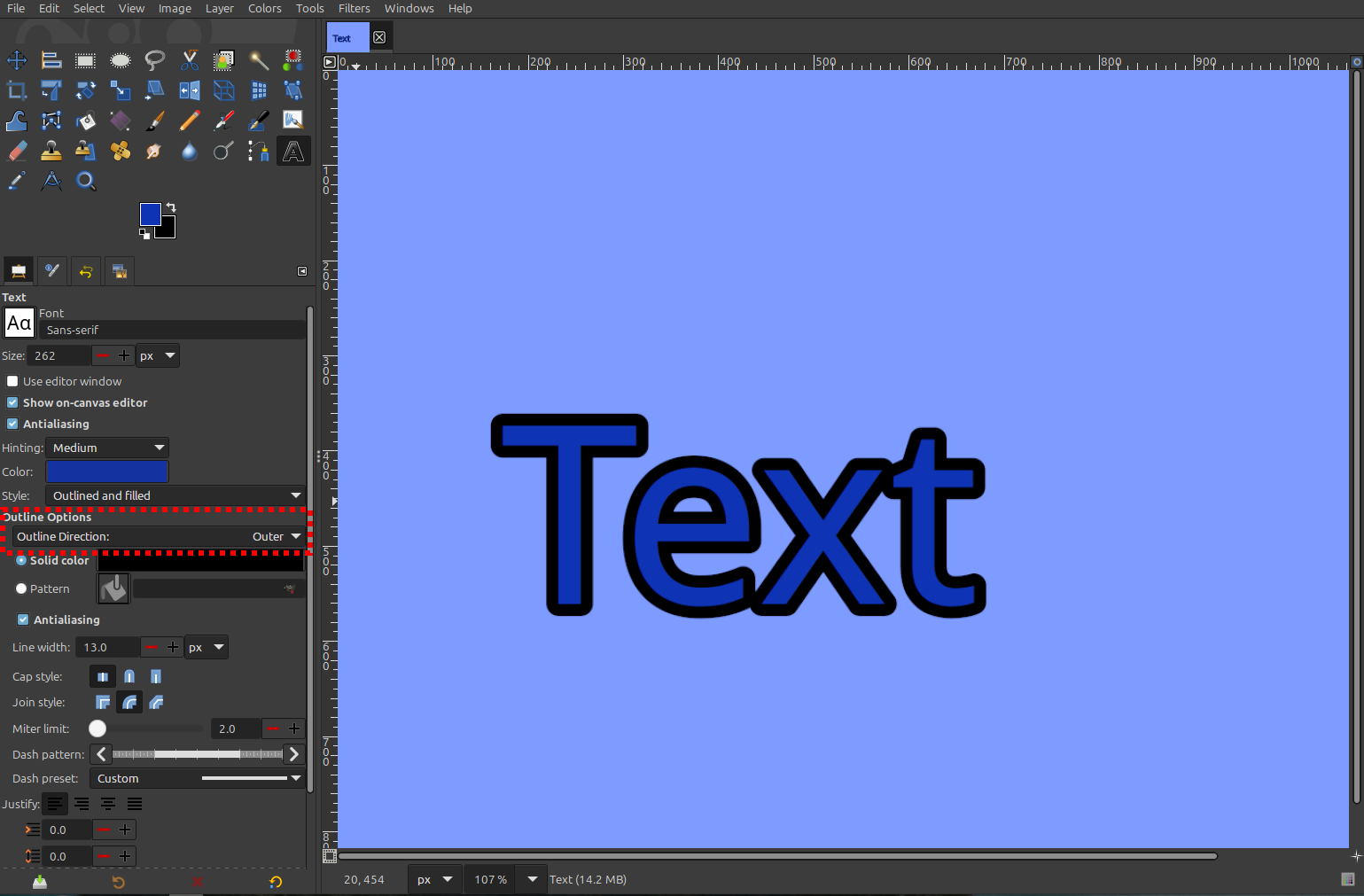
A number of users have reported crashes when trying to change the color of text outlines via the Text tool. This problem was discovered and fixed in our 3.1 development code, and is now fixed in 3.0.6 as well.

Better transparency handling with filters and transforms

Certain image formats such as JPEG do not support transparency. GIMP respects those limitations when importing images, and does not automatically add transparency when opening them (unless you change this setting in Preferences). While this is important for advanced users, it can be confusing for people who are unfamiliar with image formats.

In GIMP 2.10, some special-casing was done to make certain filters and transforms work “as expected” even if the layer did not have transparency. These were removed during the code clean-up done during GIMP 3.0’s development, and unfortunately not restored before release. As a result, some users had reported odd results when applying Color to Alpha or rotating layers without transparency. Since then, we have developed more generalized code to automatically add transparency to layers when necessary, which should prevent those problems for unsuspecting users!

Theme colors for Brush, Font, and Palette

Due to how interconnected it was with other code changes, we back-ported a new feature from GIMP 3.1.2 - the ability to use theme colors for the brush, font, and palette dockables! You can read more about it in our original news post on the feature.

Updated non-destructive filter code

During the 2025 Libre Graphics Meeting, our co-maintainer Michael Natterer spent a good deal of time reviewing, cleaning, and updating our non-destructive (NDE) filter code. These improvements have been backported to GIMP 3.0.6 to improve the stability of our filters, and to align the development and stable codebases so we can more easily resolve any remaining issues. Jehan made further performance improvements and clarified in the interface when filters can and can not be applied non-destructively. The code to apply NDE filters to channels was also backported.

Palette import updates

We fixed a bug related to importing Adobe Color Book (.acb) palettes CMYK and LAB palettes. We also updated our Palette Import dialogue to let you filter the view by the different palette formats that GIMP currently supports (including Adobe ASE, standard CSS, and GIMP’s own GPL format).

Printing improvements for flatpak

Again, to quote from our 3.1.4 news post:

New contributor Corentin Noël developed a fix for the Image Settings tab not appearing when printing in sandboxed applications like flatpak or snap. Due to restrictions, the tab will be created as a secondary dialogue instead - allowing you to edit those settings once again. This patch is a more future-proof version of an earlier attempt by BZZZZ creatively bypassing the sandbox portal. We appreciate the work of both contributors to fix this problem! This proposed solution is not ideal, UX-wise, compared to the original tab, but it is necessary because the portal print dialog is hardly usable without these settings.

Improvements for macOS

Our two main macOS contributors Lukas Oberhuber and Gabriele Barbero have worked to fix some important issues with our macOS build. One example of their efforts is fixing a crash when dragging a color to fill the canvas. This was caused by our new color management code being more strictly checked by macOS compared to Linux and Windows - we have switched to a custom application/x-geglcolor mimetype to prevent this issue on all our platforms. They also improved issues with multiple icons appearing in the macOS dock (such as when running a plug-in or script). For multi-window mode users, they also fixed a bug where the windows would “flash” back and forth a number of times.

If you are a macOS developer and are interested in helping triage more macOS issues, we’d appreciate your support!

Improved security for image imports

During development, we received reports from the Zero Day Initiative of potential security issues with some of our file import plug-ins. While these issues are very unlikely to occur with real files, developers like Jacob Boerema and Alx Sa proactively improved security for those imports.

The resolved reports are:

  • ZDI-CAN-27793
  • ZDI-CAN-27823
  • ZDI-CAN-27836
  • ZDI-CAN-27878
  • ZDI-CAN-27863
  • ZDI-CAN-27684

Build process improved

Jehan and Bruno backported all the build-related commits from the 3.1 development branch. For example, the nice automatic associations generation. Additionally, a bug that made it impossible for Python-based plug-ins to connect to the Internet on Windows and macOS is now fixed on the stable series.

AppImage users will also have a more reliable package from now on. The PS/EPS plug-in was restored to work on AppImage. Also, Bruno worked to make the AppImage based on Debian 13 trixie, which fixed many bugs at once, such as crashing at the file dialog when there is a .json file, some PyGObject limitations, incorrect colored subpixel rendering by Cairo and crashes when exporting JPEG 2000 images.

Similarly, the Flatpak manifest was updated to use the latest GNOME 49 runtime. So Flatpak users, you may remove the previous org.gimp.GIMP.HEIC extension if it is still installed, since GIMP now uses org.freedesktop.Platform.codecs-extra instead.

Jehan, lillolollo, and Jacob Boerema have worked to remove a number of warnings produced when building GIMP. While most of these were harmless, it is good to get rid of them in order to have cleaner code and build output.

Assorted fixes

There are a variety of smaller fixes in this release as well. While we can’t exhaustively cover 600+ code updates (!), here are a few more of interest.

  • Gabriele Barbero fixed a critical warning that could occur when adding a virtual device to GIMP as input.
  • Cheesequake corrected a code typo that caused the layer boundary to not update correctly when moving with the arrow keys.
  • Liam Quin prevented a potential crash that could occur if extension files were not in the right directory.
  • Anders Jonsson caught more missing translatable text, like the JPEG 2000 dialogue header.
  • Ondřej Míchal fixed a bug where file parameters were not being passed correctly in plug-ins.
  • Estecka reported and then fixed a bug where the canvas would not center properly when zooming out. (This bug also existed in GIMP 2.10 but was offset by a second bug - we fixed that bug in 3.0 but not the original one, so the new problem appeared!)
  • Alx Sa made several fixes to plug-ins, such as allowing the legacy Jigsaw filter to draw on transparent layers and fixing a bug in the Recompose filter to properly combine YCbCr decomposed images again.
  • Jacob Boerema made several improvements to our metadata code, including using a more complete method to save time in Exif.Image.DateTime and fixing how comments are synchronized with the image when exported.

GEGL and babl

Øyvind Kolås has released new updates to babl and GEGL, the underlying color management engines for GIMP.

GEGL 0.4.64 contains a number of updates and fixes. Ondřej Míchal added OpenCL to the base GeglOperationPointComposer3 class, which means more filters can now support acceleration using the GPU. He and Øyvind Kolås also worked on making the filter testing process more robust. Jacob Boerema fixed the ZDI-CAN-27803 vulnerability for RGBE image imports. An update was made to the gegl:mirrors filter to redraw correctly on large images (this improves GIMP’s Kaleidoscope filter). Bruno Lopes and Jehan contributed many build process improvements and clean-up.

babl 0.1.116 brings a number of build process updates and script clean-ups by Bruno Lopes. You can also now check the version of babl in the commandline with a --v flag thanks to Joe Da Silva.

Release Stats

Since GIMP 3.0.4, in the main GIMP repository:

  • 20 reports were closed as FIXED.
  • 10 merge requests were merged.
  • 817 commits were pushed.
  • 15 translations were updated: Basque, Bulgarian, Catalan, Chinese (China), Danish, Dutch, Galician, Georgian, Italian, Norwegian Nynorsk, Persian, Slovenian, Swedish, Turkish, Ukrainian.

38 people contributed changes or fixes to GIMP 3.0.6 codebase (order is determined by number of commits; some people are in several groups):

  • 18 developers to core code: Michael Natterer, Alx Sa, Jehan, Bruno Lopes, Niels De Graef, Gabriele Barbero, Jacob Boerema, Ondřej Míchal, Estecka, Cheesequake, Christoph Reiter, Joey Riches, Liam Quin (ankh/demib0y/barefootliam), Lukas Oberhuber, cheesequake, lillolollo, lloyd konneker, luzpaz.
  • 12 developers to plug-ins or modules: Alx Sa, Bruno Lopes, Jacob Boerema, Jehan, Anders Jonsson, lloyd konneker, Niels De Graef, Corentin Noël, Gabriele Barbero, Lukas Oberhuber, Natanael Copa, Ondřej Míchal.
  • 16 translators: Yuri Chornoivan, Martin, Luming Zh, Ekaterine Papava, Kolbjørn Stuestøl, Alexander Shopov, Anders Jonsson, Marco Ciampa, Asier Saratsua Garmendia, Nathan Follens, luming zh, Alan Mortensen, Danial Behzadi, Emin Tufan Çetin, Jordi Mas, Yago Raña.
  • 2 theme designers: Alx Sa, Niels De Graef.
  • 12 build, packaging or CI contributors: Bruno Lopes, Michael Natterer, Jehan, lloyd konneker, Jacob Boerema, Niels De Graef, Ondřej Míchal, Sam James, Christoph Reiter, Joey Riches, Natanael Copa, Rico Tzschichholz.
  • 3 contributors on other types of resources: Bruno Lopes, Jehan, Joey Riches.
  • The gimp-data submodule had 22 commits by 4 contributors: Bruno Lopes, Jehan, Alx Sa, Aryeom.
  • 3 image creators: Bruno Lopes, Jehan, Aryeom.

Contributions on other repositories in the GIMPverse (order is determined by number of commits):

  • ctx had 7 commits since 3.1.4 release by 1 contributor: Øyvind Kolås.
  • The gimp-macos-build (macOS packaging scripts) release had 10 commits by 1 contributor: Lukas Oberhuber.
  • The flatpak release had 38 commits by 2 contributors (and bots): Bruno Lopes, Ondřej Míchal.
  • Our main website (what you are reading right now) had 103 commits by 4 contributors: Bruno Lopes, Jehan, Alx Sa, Guillaume Turri.
  • Our developer website had 51 commits by 3 contributors: Bruno Lopes, Jehan, Anders Jonsson.
  • Our 3.0 documentation has a new translation in Esperanto and had 83 commits by 11 contributors: Sabri Ünal, Jacob Boerema, Marco Ciampa, Alevtina Karashokova, Nathan Follens, Bruno Lopes, Anders Jonsson, Andre Klapper, Kristjan Schmidt, Matthew Leach, jtux270.

Let’s not forget to thank all the people who help us triaging in Gitlab, report bugs and discuss possible improvements with us. Our community is deeply thankful as well to the internet warriors who manage our various discussion channels or social network accounts such as Ville Pätsi, Liam Quin, Michael Schumacher and Sevenix!

Note: considering the number of parts in GIMP and around, and how we get statistics through git scripting, errors may slip inside these stats. Feel free to tell us if we missed or mis-categorized some contributors or contributions.

Around GIMP

Team News

Our GSoC 2025 students Gabriele Barbero and Ondřej Míchal have been added to the Core Team in our GitLab repository! This is in response to the excellent work they have done over the summer and continued to contribute afterwards.

Download Mirrors

Since the 3.0.4 news post, a new mirror have been contributed:

Mirrors are important as they help the project by sharing the load for dozens of thousands of daily downloads. Moreover by having mirrors spread across the globe, we ensure that everyone can have fast download access to GIMP.

Downloading GIMP 3.0.6

You will find all our official builds on GIMP official website (gimp.org):

  • Linux AppImages for x86 and ARM (64-bit)
  • Linux Flatpaks for x86 and ARM (64-bit)
  • Linux Snaps for x86 and ARM (64-bit)
  • Universal Windows installer for x86 (32 and 64-bit) and for ARM (64-bit)
  • Microsoft Store for x86 and ARM (64-bit)
  • macOS DMG packages for Intel/x86 and Apple/ARM hardware (64-bit)

Other packages made by third-parties are obviously expected to follow (Linux or *BSD distributions’ packages, etc).

What’s Next

While the bulk of the work is ongoing on the main development branch (for upcoming GIMP 3.2), we felt this new stable 3.0 release was really needed, as more bug fixes accumulated. We highly recommend to update GIMP to this latest version for production work.

In the meantime, for more adventurous creators, curious people, and in particular anyone who would like to be a part in the creation of a better creative software, we also encourage you to try out our GIMP 3.1.4 development version (experimental release for the future GIMP 3.2) and report bugs or suggest User Experience improvements.

GIMP is first and foremost a Community, Free Software. What happens in it is what we all make of it. By contributing, you make it your software! 🤗

In any case, our accelerated release schedule seems to be going pretty well so far, and we are pretty happy of how GIMP 3.2 is taking shape!

Don’t forget you can donate and personally fund GIMP developers, as a way to give back and accelerate the development of GIMP. Community commitment helps the project to grow stronger!
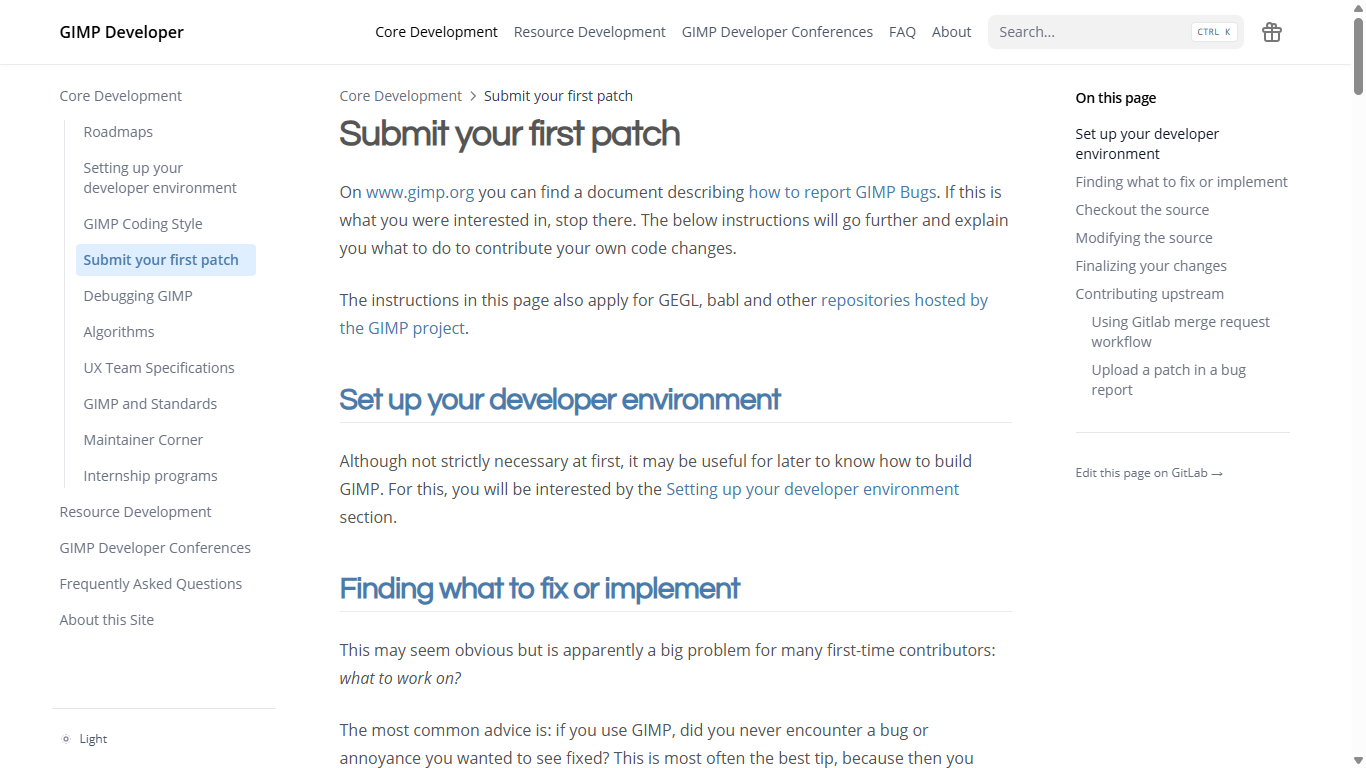
  • ✇GIMP
  • GIMP 3.1.4: Second Development Release towards GIMP 3.2
    We’re happy to announce the release of GIMP 3.1.4! This release contains initial implementations of our two main GIMP 3.2 roadmap items: link layers and vector layers. It also contains a number of other nice new features, bugfixes, and internal improvements. We’re excited to share these with you and get your feedback in preparation for the GIMP 3.2 release candidate. New development splash screen by Aryeom and Michael Schumacher - GIMP 3.1.4 Note that a development release is not ready for
     

GIMP 3.1.4: Second Development Release towards GIMP 3.2

Par : GIMP Team
31 août 2025 à 18:00

We’re happy to announce the release of GIMP 3.1.4! This release contains initial implementations of our two main GIMP 3.2 roadmap items: link layers and vector layers. It also contains a number of other nice new features, bugfixes, and internal improvements. We’re excited to share these with you and get your feedback in preparation for the GIMP 3.2 release candidate.

GIMP 3.1.4: splash screen
New development splash screen by Aryeom and Michael Schumacher - GIMP 3.1.4

Note that a development release is not ready for production use. It might crash. If it didn’t have problems it would be 3.2 already. So please do test, but understand this is a feature release for early adopters and for the more adventurous!

We’ll highlight some of the major features and fixes below. For more details, you can check out our NEWS Changelog.

Non-Destructive Layers

This release contains initial implementations of our two GIMP 3.2 roadmap features, link layers and vector layers. We are especially requesting feedback on the stability and user experience of these new layer types - we will continue to polish these features in preparation for the first GIMP 3.2 release candidate.

Link Layers

Link layers allow you to link external image files as a layer in your project. For instance, you might add an SVG image file as a link layer, make changes to it in Inkscape, and see it instantly updated inside GIMP! You can also non-destructively scale and rotate the link layer without impacting the quality of the original image.

Jehan initially developed the concept back in 2020, but it was put on hold in order to finish developing GIMP 3.0. It’s now ready for testing in GIMP 3.1.4!

Editing a GIMP SVG Link Layer with Inkscape, by Jehan - GIMP 3.1.4

To access this feature, go to the File menu and choose Open as Link Layer.... This will let you select an image to link from your file directory. Once linked, you can apply transforms and non-destructive filters as you like. You can replace the linked image by double-clicking the icon in the layer dockable or right-clicking and choosing “Edit Layer Attributes”. To convert it to a normal raster layer, you can right-click and choose “Discard Link Information”.

Among the planned changes, we want to add the ability to select a layer to show from a linked file, instead of always showing the full image. This would allow to link another XCF file selectively.

Note that this is an initial UI/UX design - we look forward to your feedback so we can continue to improve it!

Vector Layers

Vector layers allow you to create a shape and set its fill and stroke properties. You can then change the shape path, swap out different color settings, and transform the layer non-destructively, without losing any sharpness!

The code for vector layers began as a Google Summer of Code project by Hendrik Boom all the way back in 2006. Since then, it has been updated and ported by a number of developers including Martin Nordholts, Gilles Rochefort, Michael Natterer, and Jacob Boerema. CMYK Student continued this legacy and now this feature is implemented in GIMP 3.1.4 after initial design feedback by Aryeom, Reju, and Denis Rangelov!

Flower (created with early Vector Layers) by Reju
Flower (created with early Vector Layers) by Reju - GIMP 3.1.4

To create a vector layer, use the Path tool to draw a path. Click the Create vector layer button to generate a vector layer associated with that path. From here, you can continue to edit the path - the vector layer will automatically update. Once you have a vector layer selected, you can edit fill and stroke settings via the Path tool (or by double-clicking the thumbnail in the layer dock). The transform tools can also be used to non-destructively rotate, scale, and otherwise contort the vector layer. As with link layers, you can also convert the layer to a regular raster layer by right-clicking on the layer in the layer dock and choosing “Discard Vector Information”.

Wilber (created with vector layers) by Reju
Wilber (created with vector layers) by Reju - GIMP 3.1.4

Note that this is an initial UI/UX design - we look forward to your feedback so we can continue to improve it!

GEGL Filter Browser

Our GSoC student Ondřej Míchal has added, as part of their summer project, the GEGL Filter Browser! This tool shows, similarly to the existing Procedure Browser, a list of all GEGL operations (i.e., filters) and information related to their use.

A screenshot of the new GEGL Filter Browser.

This browser is not just another alternative to the GEGL website or the gegl command-line utility. GEGL is extensible and users can register into it new operations. GIMP is also one of these users! GEGL’s website only shows information about operations shipped by GEGL, the gegl utility can also show operations installed by users but does not show operations registered by GIMP at runtime. The new browser is capable of showing all of these operations!

We hope this browser will make it easier for plug-in developers to discover filters they would like to use with the gimp-drawable-filter-* () API for non-destructive editing introduced in GIMP 3.0 and help them in using them.

The new browser can be accessed under the Help menu or by using the / to search for “GEGL Filter Browser”.

MyPaint Brushes 2

We have updated our MyPaint code to support the version 2 brushes. This update allows the MyPaint brush engine to take your canvas zoom and rotation into account when painting, to better simulate real brush strokes.

GIMP now comes with over 20 new brushes from the Dieterle set bundled with MyPaint Brushes 2. Some of these include the much requested arrow brush and a Posterizer brush inspired by GIMP’s own Posterize filter. Of course, you can also add your own MyPaint brushes to use.

Example of some of the new MyPaint Brushes
Examples of the new MyPaint Brushes - GIMP 3.1.4

In addition to the MyPaint version 2 port, we’ve also added a new Gain slider in the MyPaint Brush tool. This controls how much pressure the brush engines thinks you’re applying when painting. This should be useful if you’re painting with a mouse and want to simulate pressing the brush harder or softer - it can also be helpful for tablet users who want to offset their own stylus pressure.

As a note for software packagers, GIMP now depends on mypaint-brushes-2.0 instead of mypaint-brushes-1.0. In our official builds, we also apply a patch that fixes warnings for libmypaint due to typos in some of the version 2 brush properties.

Text tool

Another of our GSoC students Gabriele Barbero has been working on a number of updates to the text tool. We recently merged some of their first improvements! Now in the on-canvas editor, you can use Ctrl + B to bold, Ctrl + I to italicize, and Ctrl + U to underline text. We hope to merge more of their updates in the next development release, which we detail in the Teams News section below.

Additionally, the outline color now shows a live preview as you’re changing it in the color selection dialogue, instead of only updating once you confirm your choice.

Plug-ins

HRZ

HRZ is an older format for storing SSTV signals, exactly 256x240 8-bit RGB images. In older versions of GIMP there was a separate plug-in that supported importing this format, but it was removed. We have restored import support as part of our general raw data plug-in.

JPEG 2000

We now support importing signed JPEG 2000 images. Most image formats store pixels with positive values. However, JPEG 2000 is used in several scientific operations where they might want to visualize negative values as well. Thanks to Allan Barklie for both pointing out the problem and sharing sample images to test with!

PAA Textures

GIMP can now import non-DXT PAA textures. This texture format is used in games created by Bohemia Interactive Studio.

Seattle Filmworks

From the 70s to the early 2000s, you could mail Seattle Filmworks your photo film and they’d digitize it in their proprietary image format. They made several versions, mostly based on a mangled form of JPEG. We’ve added support for importing the SFW93A and SFW94A versions of the Seattle Filmworks format. Special thanks to Loren Amelang for sharing additional sample images and notes.

TIFF

We have further improved our support for TIFFs created with Sketchbook. In addition to the layer support added in 3.0 RC1, we now load layer visibility, blending modes, and color tags. Group layers are also loaded, along with which layer was selected.

UX/UI

We continue to discuss, review, and implement user experience improvements. As always, we extend an invitation for you to contribute as part of the UX repo!

  • Our GSoC student Gabriele Barbero improved our support for showing the correct time format based on your system settings. If you have your time set to a 12 hour system, the time will be shown this way on the “Up to date as of…” section of the About Dialog instead of always using a 24 hour format.

  • Reju developed a new design for the Animation Playback plug-in. The layout now resembles the standard interface seen in video software like VLC Player. In addition, the progress bar is now a slider widget, which allows you to easily slide to a specific frame rather than repeatedly clicking the frame advance buttons.

  • Gabriele Barbero has updated our macOS code to support the System Colors theme. Now GIMP will adapt to match the macOS dark mode setting if you have your color scheme set to “System Colors”.

  • During 3.0 RC development, we added support for turning off animations based on OS settings. We extended this support to also control the sliding animations seen when switching pages in the Welcome and Preferences dialogues.

  • While many users find the Welcome Dialog’s Create tab to be a convenient feature, it did prevent the New Image and Open Image keyboard shortcuts from working unless it was turned off on start. Thanks to Gabriele Barbero, you can now have the best of both worlds - the Welcome Dialog will respond to those keyboard shortcuts!

  • A small but often requested change is that the color selector no longer shows decimals when set to 0...255 mode. This makes it clearer when you’re in that mode compared to 0...100%, and that you’re entering a whole number for the color instead of a percentage.

  • Many of GIMP’s “size entry” fields allow you to enter mathematical expressions such as 3 * 92cm to calculate values. Gabriele Barbero extended this feature to our Configure Grid dialogue and Monitor Resolution settings in Preferences.

Additional Fixes

  • Jehan made further fixes to our code to import user configurations from older versions of GIMP to 3.2 (and the 3.1 development releases)

  • On Windows with the display scaled more than 200%, the crosshair cursor was in the wrong place compared to where the mouse pointer actually was. This was due to changes in how scaling is handled in GTK3. This bug should be fixed now. Thanks to Lance Evans for pointing it out in their review of GIMP 3.0!

  • New contributer Corentin Noël developed a fix for the Image Settings tab not appearing when printing in sandboxed applications like flatpak or snap. Due to restrictions, the tab will be created as a secondary dialogue instead - allowing you to edit those settings once again. This patch is a more future-proof version of an earlier attempt by BZZZZ creatively bypassing the sandbox portal. We appreciate the work of both contributers to fix this problem! This proposed solution is not ideal, UX-wise, compared to the original tab, but it is necessary because the portal print dialog is hardly usable without these settings.

  • The experimental Seamless Clone tool was broken when we updated our code to handle copy and pasting multiple layers. This has been fixed, so you can now test out the tool again by enabling it in Preferences. However, the tool itself is still quite slow, so it remains in the experimental Playground until further work can be done on it.

  • We received a report that the “Import Raw Data” dialogue was too tall for some screens. We converted it to a two-column dialogue to reduce the height and better ensure everything’s visible on all screens.

  • As part of the port to GTK3, the default cursors were updated. This change led to some users experiencing the dreaded “Hand” cursor when hovering over a number slider widget. Unfortunately, the arrow cursor from GIMP 2.10 is not included on all platforms so we had to devise an alternate method. Denis Rangelov and Michal Vašut helped us find an initial solution while we continue to work on the design. We hope the current solution will make it easier for you to see where you’re clicking!

  • Jacob Boerema has added a new preference option to “Update metadata automatically”. When turned off, GIMP will no longer update comments or historical metadata such as creation time or software. This allows you to keep that metadata undisturbed even if you edit the image in GIMP. Note that image-related metadata such as thumbnails will still be updated, though you can control whether that is included in the final image on export.

  • Anders Jonsson continues their important work of finding and marking areas of the GUI as translatable. These fixes may not be immediately apparent for all languages, but his work makes it possible for those to be translated. If you’re interested in helping with translation, find your language and look for the GIMP and Friends section to contribute.

Internal Changes

Our co-maintainer Michael Natterer has been hard at work reviewing and improving our internal code. While less visible than some of the other changes listed above, this work is very important to GIMP’s stability and ease to work with. A few highlights:

  • Reorganizing our layer search code so it can be used with other items like channels and paths in the future.

  • Finishing our internal renaming process from GimpVectors to GimpPath, for consistency and to reduce confusion with the new Vector Layers code structures.

  • Reviewing and removing unnecessary or outdated test cases and code warnings.

  • Restructuring our internal GimpControllerManager and GimpContainerView APIs.

Mitch, hard at work during Wilber Week
Mitch working hard during Wilber Week 2025 - GIMP 3.1.4

Several of his changes are also laying the foundation for a future port to GTK4! These include moving code away from GtkTreeView which will be deprecated in future GTK versions, and converting to using GtkListBox. You can try out some of the future changes by enabling Use GtkListBox for simple lists in the Playground section of Preferences. Please report any bugs or performance issues you encounter!

Jehan has also created a new GIMP_WARNING_API_BREAK() macro. We use this in areas where we identify potential improvements that would break the public API. These will throw warnings when we start future development of GIMP 4, so that we know to re-examine those parts of the code to fix them.

PDB

For plug-in developers, we’ve added some new public API features. You can now change the paintbrush fade length and repeat settings with gimp-context-set-paint-fade-length and gimp-context-set-paint-fade-repeat. These functions work best in scripts when gimp-context-set-emulate-brush-dynamics is used to enable emulating brush dynamics.

The gimp-file-save API now also updates the image’s associated saved or exported file, so that changes are reflected in the GUI’s titlebar as well as future operations.

We’ve also added some initial public API for creating vector layers. You can use gimp-vector-layer-new to create a vector layer, gimp-vector-layer-refresh to update the view after adjusting the path, and gimp-vector-layer-discard to convert it to a raster layer. We will add more functions in future releases to adjust the fill and stroke settings.

Build Process

On GIMP 3.1.4 development cycle, Bruno Lopes focused their attention on Linux (again) by adding two new official nightly builds:

Nightly Snap

The biggest addition to our CI recently is a new Snap package available for aarch64 and x86_64. .snap, although mainly used on Ubuntu, is a distro-independent packaging format for Linux that allows users to install and keep GIMP updated in a separate environment, similar to AppImage and Flatpak. We believe that it is always good to provide more universal and established packaging options, especially considering how diverse the Linux community is.

Please note that, right now, it is not available on the Snap Store yet. We are still talking with the Snapcrafters developers to pass over the ownership of the GIMP store entry so we can maintain it. You can track our progress on their tracker. When that happens, we will be able to publish unstable and stable releases on the Snap Store on the same day we release the other official packages. Until then, you can install the nightly Snap by following these instructions

Nightly aarch64 Flatpak

We have had nightly flatpak builds for x86_64 architecture for several years, but didn’t had for aarch64 (only for releases on flathub). Now we will be distributing on our CI and on GNOME nightly repository aarch64 builds as well.

Unfortunately, the future availability of these nightly builds is way less certain since GNOME GitLab have only one working runner for this purpose and this runner is sponsored by Open Source Lab, which is in a delicate situation. So, we always welcome runner sponsors

Release stats

Since GIMP 3.1.2, in the main GIMP repository:

  • 79 reports were closed as FIXED.
  • 73 merge requests were merged.
  • 687 commits were pushed.
  • 16 translations were updated: Basque, Bulgarian, Catalan, Chinese (China), Dutch, Georgian, German, Italian, Norwegian Nynorsk, Romanian, Russian, Slovenian, Swedish, Thai, Turkish, Ukrainian.

30 people contributed changes or fixes to GIMP 3.1.4 codebase (order is determined by number of commits; some people are in several groups):

  • 13 developers to core code: Michael Natterer, Jehan, Alx Sa, Jacob Boerema, Gabriele Barbero, Ondřej Míchal, Niels De Graef, Bruno Lopes, lillolollo, Anders Jonsson, Henk Boom, Joey Riches, Liam Quin.
  • 10 developers to plug-ins or modules: Alx Sa, Jacob Boerema, Jehan, Anders Jonsson, Ondřej Míchal, Michael Natterer, Niels De Graef, Bruno Lopes, Corentin Noël, lillolollo.
  • 18 translators: Yuri Chornoivan, Martin, Luming Zh, Ekaterine Papava, Kolbjørn Stuestøl, Marco Ciampa, Cristian Secară, Anders Jonsson, Asier Saratsua Garmendia, Alexander Alexandrov Shopov, Jordi Mas, Aefgh Threenine, Aleksandr Prokudin, Alexander Shopov, Asier Sarasua Garmendia, Emin Tufan Çetin, Nathan Follens, Philipp Kiemle.
  • 3 theme designers: Alx Sa, Niels De Graef, Ondřej Míchal.
  • 4 contributors on other types of resources: Jehan, Michael Natterer, Gabriele Barbero, Henk Boom.
  • 9 build, packaging or CI contributors: Bruno Lopes, Michael Natterer, Jehan, Alx Sa, Joey Riches, Niels De Graef, Jacob Boerema, Ondřej Míchal, Henk Boom.

Contributions on other repositories in the GIMPverse (order is determined by number of commits):

  • Our UX tracker had 6 reports closed as FIXED.
  • ctx had 172 commits since 3.1.2 release by 1 contributor: Øyvind Kolås.
  • gimp-data had 11 commits by 3 contributors: Bruno Lopes, Jehan, Aryeom.
  • The gimp-test-images (unit testing repository) repository had 4 commits by 1 contributor: Jacob Boerema.
  • The gimp-macos-build (macOS packaging scripts) release had 15 commits by 3 contributors: Lukas Oberhuber, Bruno Lopes, Gabriele Barbero.
  • The flatpak release had 14 commits by 1 contributor, aided with 2 bots: Bruno Lopes,
  • Our main website (what you are reading right now) had 67 commits by 5 contributors: Bruno Lopes, Jehan, Alx Sa, Ondřej Míchal, gturri.
  • Our developer website had 36 commits by 3 contributors: Bruno Lopes, Jehan, Petr Vorel.
  • Our 3.0 documentation had 84 commits by 13 contributors: Marco Ciampa, Alevtina Karashokova, Kolbjørn Stuestøl, Nathan Follens, Jacob Boerema, Matthew Leach, Jordi Mas, Andre Klapper, Anders Jonsson, Andrei Rybak, Dick Groskamp, Julia Dronova, Yuri Chornoivan.

Let’s not forget to thank all the people who help us triaging in Gitlab, report bugs and discuss possible improvements with us. Our community is deeply thankful as well to the internet warriors who manage our various discussion channels or social network accounts such as Ville Pätsi, Liam Quin, Michael Schumacher and Sevenix!

Note: considering the number of parts in GIMP and around, and how we get statistics through git scripting, errors may slip inside these stats. Feel free to tell us if we missed or mis-categorized some contributors or contributions.

Team news

Our GSoC students continue to make excellent progress on their projects!

  • Ondřej Míchal has already completed their core work on the GEGL Filter Browser (as noted above). Their next steps include collecting and reacting to user feedback, adding usage examples to both the new GEGL Filter Browser and Procedure Browser, and explore how the, now 3, developer browsers can be potentially merged in the future into a single point of reference for developers. You can read Ondřej’s final report for GSoC on his blog.

  • Gabriele Barbero has been working with mentor Liam Quin on several “almost-there” merge requests for improvements to the text tool! These include being able to move the on-canvas editor, see live previews of selected text color changes, and an overhaul of the text tool’s layout. You can read more about their work in their status report. Outside of GSoC, they’ve also been busy contributing some needed fixes for our macOS support.

  • Shivam has continued their work with mentor Jehan to build our Extensions infrastructure. When finished, this system will allow you to easily download, install (or uninstall), and use plug-ins, brushes, themes, and other custom features of GIMP without having to dig through folders and files. We look forward to sharing more details in a future update!

Also we recently came back from our Wilber Week event, which is an irregular team meeting. Twelve contributors were present. This year, the week was themed around the 30 years of GIMP (depending on how we look at it, GIMP may be already 30 year old — if we consider the first references to an unnamed project in emails — or will soon be, on November 21, if we consider the first release), as can be seen with the splash image.

So I guess: 🥳 Happy birthday GIMP! 🎂 Happiness to Wilber and the whole community! 🥂🤗

Downloading GIMP 3.1.4

You will find all our official builds on GIMP official website (gimp.org):

  • Linux AppImages for x86 and ARM (64-bit)
  • Linux Flatpaks for x86 and ARM (64-bit)
  • Linux Snaps for x86 and ARM (64-bit)
  • Universal Windows installer for x86 (32 and 64-bit) and for ARM (64-bit)
  • Microsoft Store for x86 and ARM (64-bit)
  • macOS DMG packages for Intel/x86 and Apple/ARM hardware (64-bit)

Other packages made by third-parties are obviously expected to follow (Linux or *BSD distributions’ packages, etc).

Note: we don’t provide a macOS package for Intel processor at release time because of last-minute issues. The package may come back soon… or not. Which is also a good occasion to remind that we always welcome new testers! 🤗 Our macOS packages have nearly nobody testing it apart our (awesome!) packager, Lukas Oberhuber.

👉 If anyone wishes to be a tester (for macOS or any other OS/package), reach out by opening an issue here telling us for which operating systems, architectures and packages you wish to contribute testing before a release.

There is no development release for the manual, but you can continue to use the existing GIMP 3.0 documentation.

What’s next

Now that we’ve implemented initial versions of the two main roadmap items, we will begin shifting our focus to developing the first GIMP 3.2 release candidate. This is in keeping with our new release policy - smaller, faster development cycles that get new features out to you all sooner!

Note that we definitely expect bugs and UX issues at this stage of the development of GIMP 3.2. We are releasing an early version containing in particular the two major features of GIMP 3.2 (link and vector layers) in order to get early feedback and suggestions to make the best possible implementation when we will release these as a stable version. Our designers are aware that their usability is not always ideal currently; we expect to get there with your help.

User testing and feedback is crucial - we want to hear from you. Help us find bugs and polish the user experience, so we can make the best version of GIMP 3.2 we can!

Don’t forget you can donate and personally fund GIMP developers, as a way to give back and accelerate the development of GIMP. Community commitment helps the project to grow stronger!
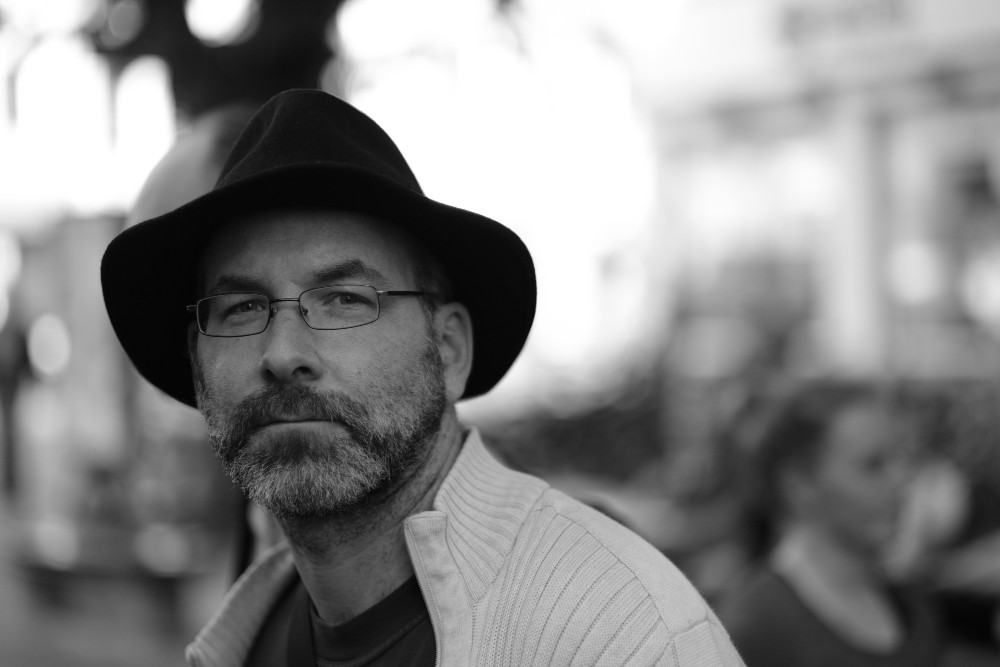
You can suggest changes or report bugs by following the link to report a bug near the bottom of www.gimp.org.

  • ✇GIMP
  • GIMP 3.1.2: First Development Release towards GIMP 3.2
    In keeping with our new release schedule, we’re proud to announce GIMP 3.1.2, the first development version of what will become GIMP 3.2! This release contains a number of new features that we’ve been working on in-between bugfixes for GIMP 3.0. We’re looking forward to your testing and feedback as we continue adjusting and tweaking the code and design of them. New development splash screen by Ville Pätsi - GIMP 3.1.2 Our new development splash screen was created by Ville Pätsi and commemo
     

GIMP 3.1.2: First Development Release towards GIMP 3.2

Par : GIMP Team
22 juin 2025 à 18:00

In keeping with our new release schedule, we’re proud to announce GIMP 3.1.2, the first development version of what will become GIMP 3.2! This release contains a number of new features that we’ve been working on in-between bugfixes for GIMP 3.0. We’re looking forward to your testing and feedback as we continue adjusting and tweaking the code and design of them.

GIMP 3.1.2: splash screen
New development splash screen by Ville Pätsi - GIMP 3.1.2

Our new development splash screen was created by Ville Pätsi and commemorates our recent visit to the 2025 Libre Graphics Meeting

Note that a development release is not ready for production use. It might crash. If it didn’t have problems it would be 3.2 already. So please do test, but understand this is a feature release for early adopters and for the more adventurous!

Theme colors for Brush, Font, and Palette

Brush previews in GIMP are printed on a white background. For grayscale brushes, we use black to represent the brush stroke. Since the Brush dockable displays many brush previews side by side, it can create a distractingly bright section if you’re using the Dark or Gray themes, especially in grid mode.

We now have a toggle to make brush previews rendered with the theme foreground and background colors instead. This means that in dark mode, the brush background will be a darker color while the brush itself will be lighter. The fonts dockable also has this toggle, and palette displays will automatically use the theme colors. Note that this is a cosmetic change only and does not affect how you create brushes.

Default Colors Theme Colors
Dialog filled with brushes over white background Dialog filled with brushes over dark background

Brush preview before and after theme color toggle - GIMP 3.1.2

Auto-match Windows and Linux OS theme

GIMP defaults to the Dark mode version of our Default theme on first load. Thanks to the hard work of several contributors (Hari Rana, Niels De Graef, Isopod, and Jehan), we know have an additional “System Colors” color scheme so that GIMP matches your current OS theme preferences on Windows and Linux (provided your OS supports the portal). GIMP’s theme will also automatically update if you change your system preference.

You can of course still explicitly set a color scheme in Preferences or the Welcome Dialog if you’d prefer to use a scheme that’s different from your OS.

Screenshot of Welcome Dialogue with System Colors theme set
Screenshot of Welcome Dialogue with System Colors theme - GIMP 3.1.2

If you’re a macOS developer and are interested in adding support for this feature on your platform, please reach out!

New Paint Mode: Overwrite

New contributor Woynert implemented a new paint blend mode called Overwrite. It allows you to directly replace the pixels over the area you paint, without blending the transparency values of the brush and the existing pixels in that area.

Example of how Overwrite blending mode works
Example of how Overwrite blending mode works - GIMP 3.1.2

This new mode is particularly useful for pixel art, when you want to overwrite your target opacity over the source opacity, and is mostly targetted at the Pencil tool. With the brush tool or other paint tools, some interpolation of opacity and color will still happen for softer transitions as this is what is usually expected with these tools.

For these non-pencil use cases, we are still tweaking the algorithm and we welcome feedback. For the pencil tool use cases though, the sharp overwrite of color and alpha is pretty much what is expected from this mode.

Note also that this new mode is only available as a paint mode (in particular, you won’t find it in the list of layer modes or effect modes).

New Text Outline Option

There’s a new setting in the text tool to control the direction of the text outline. You can have the text outline grow inward, outward, or in both directions!

Screenshot of new Outline Direction option in the text tool
Screenshot of new Outline Direction option in the text tool - GIMP 3.1.2

Non-destructive editing

Co-Maintainer Michael Natterer spent several days during the Libre Graphics Meeting, going over the non-destructive filter code in order to clean it up and refactor it. While this is mostly behind-the-scenes work, this should reduce bugs and make future development and maintenance much easier.

Building on this work, GIMP now supports adding non-destructive filters to channels! The Channels dockable now shows the same Fx column as the Layers dockable, so you can edit, rearrange, delete, and merge filters on channels just like you can with layers.

CMYK

The CMYK Color Selector now calculates and displays the Total Ink Coverage of the selected color. This is useful when printing, as depending on the printing system and the media used, there may be a limit on how much ink can be applied.

Screenshot of CMYK Color Selector showing Total Ink Coverage
Screenshot of CMYK Color Selector showing Total Ink Coverage - GIMP 3.1.2

File format support

We have added support for several new formats and improved some existing ones. Are there image formats you need? Let us know and we can investigate whether we can add them.

ART Raw Loader

We’re adding support for using ART (AnotherRawTherapee) as a Camera Raw loader in GIMP, in addition to our existing support for darktable and RawTherapee. If you have ART already installed, GIMP should automatically recognize it and use it to load Camera Raw format images for further editing. If that doesn’t work for you, please reach out and let us know!

Krita Palette

By request, we’ve added a new option to export to Krita‘s .kpl palette format from GIMP. You can do this by choosing Export as from the menu in the Palette dockable.

Photoshop Patterns

Jacob Boerema has added support for importing Photoshop patterns! You can put Adobe .pat files in the GIMP pattern folder and automatically load them in the same way as GIMP’s own .pat files. We have tested this feature with RGB and grayscale Photoshop patterns, but if you run into any issues with your patterns, please let us know (and include the pattern file)!

Photoshop Curves and Levels presets

You can now use presets from Photoshop’s Curves and Levels filters in GIMP’s Curves and Levels filters! When you use these filters, choose Import Current Settings from File... from the Preset menu and select your .acv or .alv preset respectively. If your preset doesn’t work with those filters, please let us know (and include the preset files)!

Screenshot of Curves filter with Photoshop .acv preset loaded
Screenshot of Curves filter with Photoshop .acv preset loaded (image by Daniel Squires, CC0) - GIMP 3.1.2

PSD/PSB

Alx Sa has implemented initial support for exporting PSBs, Photoshop Large format. It is very similar to PSDs - the main difference is that you can export images up to 300,000 pixels wide and tall instead of PSD’s 30,000 limit. Thanks to Ville Pätsi for their initial testing. If you work with very large images (or PSBs in general), we’d appreciate your testing and feedback!

Also, our PSD/PSB importer now recognizes legacy Drop Shadow and Inner Shadow non-destructive filters. These will be converted to GIMP’s non-destructive Dropshadow filter so you can edit and adjust them after opening the image.

APNG

GIMP can now import APNG animations. People building or packaging GIMP should note that we used the standard libpng for this, not a patched version, so no changes are needed.

OpenEXR

We’ve now added support for loading multi-layer OpenEXR images. For instance, if you export a multi-view image from other software such as Blender, all views should show up in GIMP as individual layers.

JPEG 2000

We have had import support for JPEG 2000 images for many years. Steve Williams of Advance Software implemented an export plug-in for their own use and shared a GIMP 3 compatible version with us. We have merged it into the existing JPEG 2000 loader, so now you can both import and export JPEG 2000 images!

Screenshot of JPEG 2000 export dialogue
Screenshot of JPEG 2000 export dialogue (image by Robb Hannawacker, CC0) - GIMP 3.1.2

Playstation TIM

Andrew Kieschnick originally developed a GIMP 2 plug-in to load and export Sony Playstation 1 TIM textures and images. We have updated the code to be compatible with GIMP 3 and incorporated it as a standard image plug-in.

OpenRaster

OpenRaster is a file format intended to help share layered images between graphics editors (such Krita, MyPaint, and Scribus). In addition to the standard format (which GIMP already supports), there are two official extensions to remember which layers were selected and which ones were content locked. GIMP now supports exporting and importing both.

Over The Air Bitmap

We’ve added import support for Nokia’s historical black and white Over-the-Air Bitmap format. (Hey, ImageMagick supports it too!)

Jeff’s Image Format

As promised in our April news post, we have added import support for the GIF variant known as Jeff’s Image Format (.jif).

AVCI and HEJ2

Daniel Novomeský has added support for importing Advanced Video Coding (AVCI) still images. They’ve also added support for exporting HEJ2 images, which is an HEIF file that contains a JPEG 2000 image.

UX/UI

Denis Rangelov, Reju, Michal Vašut, and other designers have been working on a number of UX/UI updates for GIMP 3.2 in the UX repository. While the larger changes are still being designed and reviewed, we have been implementing several of their quality of life fixes:

  • We found several instances where the Foreground Selection algorithm would run when switching to another tool, even if no selection had been made yet. This caused an unnecessary lag, so we adjusted the algorithm to avoid running in those cases.

  • A few more areas where the system theme could conflict with GIMP’s theme were found and fixed. In fact, a few of these glitches were found while taking screenshots for this news post!

  • The Palette dockable now automatically selects the next swatch when you delete a previous one, allowing you to quickly delete several swatches by just clicking the Delete button repeatedly.

  • The state of the “Merge Filter” checkbox for non-destructive filters should no longer be affected if you apply a filter that currently has to be destructive, like Lens Blur. In prior versions, applying a destructive filter would always enable the checkbox for other filters, even if you had turned it off before.

  • Lock pixels” now generates an undo step in undo history, just like “Lock Position” and other locks.

Notable bug and regression fixes

Unique Color Count

The Color Cube Analysis plug-in was removed from GIMP 3, as most of its functionality already exists in the Histogram dockable. We say most, because one feature was missed - the display of how many unique colors the image has. Thankfully, Google Summer of Code student Gabriele Barbero has reimplemented this feature! You can enable it by checking “Compute unique colors” in the Histogram dockable. The count will update live as you edit the image.

Screenshot of Histogram Editor with unique colors count highlighted
Screenshot of Histogram Editor with unique colors count highlighted - GIMP 3.1.2

Additional Fixes

Some image formats do not allow images to have transparent sections. This can be confusing if you’re not familiar with all the details of the image you imported, especially when rotating or applying a filter with transparency such as Color to Alpha. We now detect if a filter or transformation would require transparency, and automatically add an alpha channel to the layer to prevent unexpected distortions.

Jacob Boerema implemented a fix for ZDI-CAN-25082, which potentially affected loading certain DDS images on a 32-bit machine.

In the 3.0.4 news post, we implemented a fix for transparency padding when pasting a selection to other programs. Cheesequake extended this fix to also cover copy and pasting full layers to other programs. Please let us know if you notice any other related regressions!

Estecka fixed a bug where editing filters on a hidden layer would automatically cause the layer to reappear.

The legacy Jigsaw filter has been updated to work on transparent layers. While it’s not a non-destructive filter, this fix should allow you to apply it to a separate transparent layer and then use it as an overlay for your image.

Plug-in/Script Developers

We’ve added a new API to create a GimpCoordinates widget in the auto-generated dialogue. gimp_procedure_dialog_get_coordinates () will connect two numeric parameters with a chain link and a unit type dropdown. You can see an example of how it’s used in our Tile plug-in, or in our GimpUi API documentation.

Due to an oversight, unsigned integer parameters did not generate widgets in GimpProcedureDialog despite being functionally this same. This has been corrected, so now gimp_procedure_add_uint_argument () will create input fields automatically just like gimp_procedure_add_int_argument () does.

Also, Jehan added a new default behavior to the GimpChoice parameter type. If you make one with only two options, the auto-generated dialog will display radio buttons instead of a dropdown menu. You can of course override this default with gimp_procedure_dialog_get_widget (), but we think this will help save people some clicks for simple options.

Build Process

Bruno Lopes continues their hard work to improve our build and packaging processes. A few of the highlights:

  • Our build system now automatically generates a list of image formats that GIMP can open on Windows. This means rather than manually maintaining (and often forgetting to update) a list, the installer and MSIX will associate all supported images as we implement them, like the ones mentioned in this news.

  • Our Linux builds now have a similar method of auto-generating image format associations via their mimetype too. We hope to implement this feature for macOS builds as well in a future update.

  • All previously non-portable build scripts of GIMP repository have been made POSIX-compliant. This means that it’s now easier to use these on platforms like BSD. Bruno has also implemented more checks in our CI pipelines to prevent non-portable code from being reintroduced in the future. Even though most of these utility scripts will not be used on daily basis by packagers (we ported the important .sh scripts used by Meson to .py scripts since GIMP 3.0.4 development cycle), this makes our builds truly cross-platform.

Release stats

Since GIMP 3.0.4, in the main GIMP repository:

  • 42 reports were closed as FIXED.
  • 55 merge requests were merged.
  • 302 commits were pushed.
  • 12 translations were updated: Bulgarian, Catalan, Chinese (China), Dutch, Galician, Georgian, Norwegian Nynorsk, Persian, Slovenian, Swedish, Turkish, Ukrainian.

29 people contributed changes or fixes to GIMP 3.1.2 codebase (order is determined by number of commits; some people are in several groups):

  • 14 developers to core code: Jehan, Michael Natterer, Alx Sa, Jacob Boerema, Bruno Lopes, Christoph Reiter, Estecka, Gabriele Barbero, Hari Rana, Ondřej Míchal, Philip Zander, cheesequake, lloyd konneker, woynert.
  • 9 developers to plug-ins or modules: Alx Sa, Bruno Lopes, Jehan, lloyd konneker, Jacob Boerema, Advance Software, Anders Jonsson, Daniel Novomeský, Natanael Copa.
  • 12 translators: Luming Zh, Martin, Yuri Chornoivan, Ekaterine Papava, Alexander Shopov, Kolbjørn Stuestøl, Nathan Follens, Anders Jonsson, Danial Behzadi, Emin Tufan Çetin, Jordi Mas, Yago Raña.
  • 1 theme designers: Alx Sa.
  • 2 contributors on other types of resources: Jehan, Bruno Lopes.
  • 11 build, packaging or CI contributors: Bruno Lopes, Alx Sa, lloyd konneker, Jehan, Advance Software, Christoph Reiter, Michael Natterer, Natanael Copa, Sam James, woynert, Ondřej Míchal

Contributions on other repositories in the GIMPverse (order is determined by number of commits):

  • Our UX tracker had 3 reports closed as FIXED.
  • ctx had 186 commits since 3.0.4 release by 1 contributor: Øyvind Kolås.
  • gimp-data had 10 commits by 4 contributors: Jehan, Bruno Lopes, Ville Pätsi, Alx Sa.
  • The gimp-test-images (unit testing repository) repository had 2 commits by 1 contributor: Jacob Boerema.
  • The gimp-macos-build (macOS packaging scripts) release had 18 commits by 2 contributors: Lukas Oberhuber, Bruno Lopes.
  • The flatpak release had 7 commits by 2 contributors: Bruno Lopes, Jehan.
  • Our main website (what you are reading right now) had 26 commits by 3 contributors: Alx Sa, Jehan, Bruno Lopes.
  • Our developer website had 20 commits by 3 contributors: Bruno Lopes, Lloyd Konneker, Jehan.
  • Our 3.0 documentation had 40 commits by 9 contributors: Kolbjørn Stuestøl, Alevtina Karashokova, Nathan Follens, Jacob Boerema, Alx Sa, Matthew Leach, Alevtina, Anders Jonsson, Yuri Chornoivan.

Let’s not forget to thank all the people who help us triaging in Gitlab, report bugs and discuss possible improvements with us. Our community is deeply thankful as well to the internet warriors who manage our various discussion channels or social network accounts such as Ville Pätsi, Liam Quin, Michael Schumacher and Sevenix!

Note: considering the number of parts in GIMP and around, and how we get statistics through git scripting, errors may slip inside these stats. Feel free to tell us if we missed or mis-categorized some contributors or contributions.

Team news

Our Google Summer of Code students are making great progress with their summer projects!

Gabriele Barbero is making some much-requested improvements to our on-canvas text editor. In their test branch, they’ve made the style editor moveable, and each text layer remembers its editor’s position when you switch between them. With a little more polish and bug-testing, this feature should show up in a future 3.1 development release!

Ondřej Míchal has created a GEGL Filter Browser prototype in their own test branch. This involved a lot of research, as there any a number of edge cases and formats to account for. When finished, this feature will be very useful for script and plug-in developers, especially with the new filter API that lets them create and apply any effect available in GIMP!

Shivam is working on a website to list and display third-party GIMP extensions (the rebirth of the GIMP registry that older creators may have known). A first version of the script to generate extensions’ web pages from their metadata has already been merged.

Around GIMP

We printed stickers of the new Wilber logos for the 2025 Libre Graphics Meeting.

Photo of Wilber stickers from Libre Graphics Meeting
Photo of Wilber stickers from Libre Graphics Meeting (taken by mL)

You can use this file if you’d like to print your own Wilber stickers. You can also request reimbursement if you’re planning to print enough to hand out at a local event or GIMP User Group meeting. Note that we are still working out the procedure for these requests, but we encourage you to reach out and discuss your idea.

Downloading GIMP 3.1.2

You will find all our official builds on GIMP official website (gimp.org):

  • Linux AppImages for x86 and ARM (64-bit)
  • Linux flatpaks for x86 and ARM (64-bit)
  • Universal Windows installer for x86 (32 and 64-bit) and for ARM (64-bit)
  • Microsoft Store package for x86 and ARM (64-bit)
  • macOS DMG packages for Intel hardware
  • macOS DMG packages for Apple Silicon hardware

Other packages made by third-parties are obviously expected to follow (Linux or *BSD distributions’ packages, etc.).

There is no development release for the manual, but you can continue to use the existing GIMP 3.0 documentation from GIMP 3.1.

What’s next

This first development release contains many new features we’ve been working on during 3.0 development. Our main focus for GIMP 3.2 on the roadmap is developing two new types of non-destructive layers - linked layers and vector layers. We hope to share more information about these in future news posts.

This faster pace release schedule also proves to be quite stimulating and relies on years of infrastructure and procedure preparations. So far, it looks like it works quite well!

While we remind that this is a development version and therefore we advise against using it for production, we also really welcome feedback and bug reports. At every first stable release in a new series, too many bugs are discovered. GIMP is a community, first and foremost. The software will improve because many people participate! Now that we are starting the development releases for a brand new stable series, we are really relying on everyone so that the upcoming GIMP 3.2 can be as stable and good as possible.

Don’t forget you can donate and personally fund GIMP developers, as a way to give back and accelerate the development of GIMP. Community commitment helps the project to grow stronger!
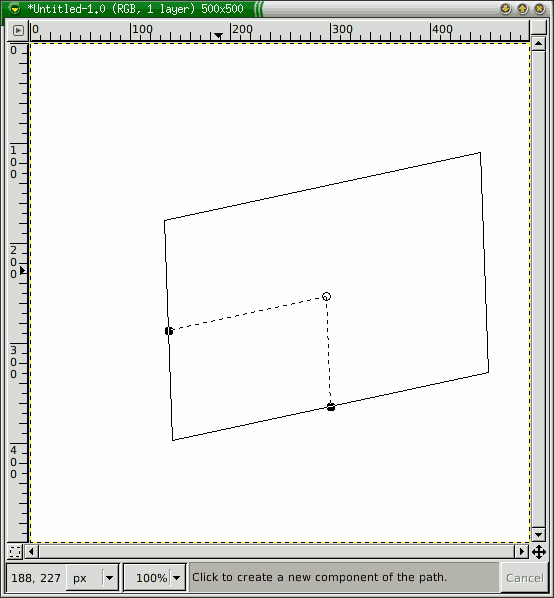
  • ✇GIMP
  • GIMP 3.0.4 Released
    Two months after releasing GIMP 3.0, we are delighted to announce the second micro-release, GIMP 3.0.4. This addresses bugs and also incorporates some of the fabulous and helpful feedback we have received. Release Highlights General Bugfixes Regressions UI/UX Build AppImage Smaller and smarter Windows installer GEGL and babl Release Stats Around GIMP Team News GSoC Download Mirrors Downloading GIMP 3.0.4 What’s Next Release Highlights¶ Micro releases like 3.0.4 are focused on fixing bu
     

GIMP 3.0.4 Released

Par : GIMP Team
17 mai 2025 à 18:00

Two months after releasing GIMP 3.0, we are delighted to announce the second micro-release, GIMP 3.0.4. This addresses bugs and also incorporates some of the fabulous and helpful feedback we have received.

Release Highlights

Micro releases like 3.0.4 are focused on fixing bugs and regressions, so there are no major new features to announce (though we continue to work on those! Just on separate feature branches for GIMP 3.2). However, we want to tell you about some major fixes that may have impacted your workflow.

General Bugfixes

There was a bug with pasting selections from GIMP into other programs, where the pasted section was padded to the original image size. This is now fixed thanks to work from Anders Jonsson, Aruius, and Alx Sa. If you notice any regressions or other issues after this fix, please let us know!

There were several types of crash reported to us, related to changing or turning off the main monitor. Jacob Boerema and Jehan worked together to diagnose this issue and make several necessary fixes. However, if you continue to have problems related to this, let us know so we can continue to work on it.

Idriss Fekir and Liam Quin, our resident font experts, have been busy making improvements to our text systems. In addition to general bug fixes with text layers, they’ve also greatly improved font loading speed on start-up. If you have a large number of fonts on your computer, GIMP should start much faster now!

Non-destructive filters received a number of bugfixes and improvements as well. The name of the filter is once again displayed in the undo history when added to an image. In addition, individual filter edits are now tracked in the undo history, thanks to work by Jehan and Alx Sa. We also resolved a few crashes, and we fixed some visual glitches when rotating layers with active non-destructive filters.

A few other small fixes of note:

  • New contributor Gabriele Barbero fixed a bug where the Help button on the About Dialog didn’t load the help page correctly.

  • New contributor Integral fixed a bug on KDE Wayland where the default Wayland icon was shown instead of our Wilber icon.

  • The ZDI-CAN-26752 bug for .ICO imports is now fixed.

Screenshot of GIMP splash screen with correct Wilber icon on KDE Wayland, by Integral
Screenshot of GIMP splash screen with correct Wilber icon on KDE Wayland, by Integral - GIMP 3.0.4

Regressions

Akkana Peck noticed that the Window Hint option in Preferences no longer allowed floating windows to stay in front of the main image window in multi-window mode. She found and implemented a fix using the updated GTK3 API.

Screenshot of Preferences Dialog with 'Hint for docks and toolbox' option highlighted
Screenshot of Preferences Dialog with ‘Hint for docks and toolbox’ option highlighted - GIMP 3.0.4

The space bar once again respects the action setting in Canvas Interactions. This means instead of always panning, you can set it to switch to the Move Tool instead - or even set it to do nothing at all!

The Difference Cloud filter once again has a GUI to let you adjust its settings. This actually fixes a regression from the port to GEGL in GIMP 2.8, so it’s a long-standing update!

Difference Cloud filter GUI
Difference Cloud filter GUI - GIMP 3.0.4

A few other small fixes of note:

  • The Plug-in Browser should now show all plug-ins again.

  • New contributor Aruius resolved a bug where the Sample Points display didn’t update when the image’s precision changed.

  • The Screenshot plug-in once again uses radio buttons rather than a drop-down menu for its options, reducing the number of clicks needed to change settings.

  • Rupert Weber fixed a bug on Linux where BMP format warnings didn’t display in some cases.

Create Screenshot plug-in GUI
Create Screenshot plug-in GUI - GIMP 3.0.4

UI/UX

Since this is a “bugfix” release, we didn’t want to make too many disruptive UI changes. However, Reju has identified and designed a few smaller updates to help make GIMP’s UI more consistent.

  • The MyPaint Brush tools options UI has been redesigned to match the layout of other painting tools.

  • The generic “Force” slider does not impact the Pencil Tool. This option is now hidden in that tool’s options rather than just marked inactive, to be less confusing.

  • The Device Status dock has been updated to show more clearly which input device is in use, and is closer to the GIMP 2.10 version.

The Path tool now automatically closes the path when you click on the starting point in Design mode, rather than requiring you to hold down the Ctrl first. This makes the Path tool more consistent with similar tools in GIMP, as well as in other software. If you need to move the starting point, you can deselect the current end point by holding Shift when you click on it, and then select the starting point to move it.

Jacob Boerema reviewed our brush size code, and found that different parts of GIMP set different limits for the maximum brush size. He defined a single maximum value and set it to be used throughout GIMP, to ensure there are no surprises when resizing your brush!

A few other small fixes of note:

  • On Windows, floating docks in Multi-Window Mode now also have their titlebars match the theme dark mode setting.

  • You can now press Enter to connect the start and end points in Scissor Select. Pressing Enter a second time will create a selection as normal.

Build

We received reports that GCC 15 could not build GIMP by default, due to some older areas of our codebase using now reserved keywords for variable names. Nils Philippsen located the problem areas and updated the relevant code to match current standards.

On macOS, we now have a developer version of the .DMG as first mentioned in the 3.0.2 news post. This means that creating plug-ins for macOS will be much easier and faster than before. Thanks again to Lukas Oberhuber, Peter Kaczorowski, Dominik Reichardt, and other contributors for their hard work!

Our resident packaging and build expert Bruno Lopes has been busy with more improvements to our processes. A few of these updates are listed below:

AppImage

The AppImage no longer contains Debug Symbols for dependencies (with the exception of babl and GEGL). This should significantly cut down on the file size, going back to the small size it had in RC3. Instead, if you need to debug the AppImage, follow our new debugging instructions.

Smaller and smarter Windows installer

To guarantee the best stability for future GIMP installations on Microsoft Windows, the installer’s Customize mode is now restricted to “clean” installations (a.k.a. when you first install GIMP). That’s because we need to adjust or even remove features from the .exe installer when they get too hard to maintain or become potentially broken (e.g. our custom file associations page was removed starting with GIMP 2.10.12 installer). In the Customize mode case, it was suppose to let you choose what GIMP components should installed, but unfortunately, it was not working like that at all.

Back then, to allow the Customize mode between GIMP installations (e.g. when reinstalling, updating), our Windows developers needed to 1) hardcode the components files almost twice and 2) code our own utility to do recursive uninstall of some complex components. All of that extra work to barely emulate how it (automatically) works on NSIS and WIX installers. Because of this, that feature became unmaintained without us noticing for many years and was silently breaking some GIMP installations. That said, you will still be able to use that feature with the command line - but keep in mind it is not properly working.

To be clear: that feature works perfectly on clean installs and, from 3.0.4 onward, also if the installer detects a broken install (e.g. when you installed GIMP in a external SSD but lost it). We call this much requested feature: Repair mode.

Also in the Customize mode, in addition to letting you choose what language packs are present, you can now also choose to install plug-in development files which work with our new plug-in tutorials.

As a bonus, even if you select literally all components available in the Customize mode, GIMP 3 is still more than 300MB smaller than GIMP 2.10 😉, that’s it.

GEGL and babl

GEGL version 0.4.62 brings several bug fixes to prevent crashes, courtesy of Øyvind Kolås. UI ranges were added by Budhil Nigam to some operations, which means our Fractal Trace filter now has more sensible number ranges on the slider.

babl version 0.1.114 contains some fixes from Øyvind to ensure TRCs are stored correctly from color profiles.

Internally, Bruno Lopes converted many scripts in both projects to use Python, making them easier to build on other platforms.

Release Stats

Since GIMP 3.0.2, in the main GIMP repository:

  • 90 reports were closed as FIXED.
  • 59 merge requests were merged.
  • 280 commits were pushed.
  • 15 translations were updated: British English, Bulgarian, Catalan, Chinese (China), Danish, French, Georgian, German, Norwegian Nynorsk, Persian, Portuguese, Slovenian, Swedish, Turkish, Ukrainian.

32 people contributed changes or fixes to GIMP 3.0.4 codebase (order is determined by number of commits; some people are in several groups):

  • 14 developers to core code: Alx Sa, Jehan, Bruno Lopes, Idriss Fekir, Jacob Boerema, Gabriele Barbero, Akkana Peck, Integral, Lukas Oberhuber, Nils Philippsen, aruius, Lloyd Konneker, mkmo, Øyvind Kolås.
  • 9 developers to plug-ins or modules: Alx Sa, Bruno Lopes, Jehan, Jacob Boerema, Anders Jonsson, Nils Philippsen, Rupert, Sabri Ünal, Lloyd Konneker.
  • 16 translators: Emin Tufan Çetin, Kolbjørn Stuestøl, Alexander Shopov, Anders Jonsson, Luming Zh, Martin, Yuri Chornoivan, Alan Mortensen, Andi Chandler, Dirk Stöcker, Ekaterine Papava, André Dazereix, Danial Behzadi, Hugo Carvalho, Jordi Mas i Hernandez, Philipp Kiemle.
  • 2 theme designers: Alx Sa, Bruno Lopes.
  • 7 build, packaging or CI contributors: Bruno Lopes, Jehan, Idriss Fekir, Integral, Lukas Oberhuber, lloyd konneker, Ondřej Míchal.

Contributions on other repositories in the GIMPverse (order is determined by number of commits):

  • GEGL 0.4.62 is made of 22 commits by 7 contributors: Øyvind Kolås, Bruno Lopes, Davide Ferracin, Jehan, Liam Quin, Muhammet Kara, budhil.
  • babl 0.1.114 is made of 24 commits by 5 contributors: Øyvind Kolås, Bruno Lopes, John Paul Adrian Glaubitz, lillolollo, sewn.
  • ctx had 88 commits since 3.0.2 release by 1 contributor: Øyvind Kolås.
  • gimp-data had 8 commits by 3 contributors: Bruno Lopes, Jehan, Lukas Oberhuber.
  • The gimp-test-images (unit testing repository) repository had 1 commit by 1 contributor: Jacob Boerema.
  • The gimp-macos-build (macOS packaging scripts) release had 4 commits by 1 contributor: Lukas Oberhuber.
  • The flatpak release had 15 commits by 3 contributors: Bruno Lopes, Ondřej Míchal, Jehan.
  • Our main website (what you are reading right now) had 44 commits by 4 contributors: Jehan, Alx Sa, Wiliam Souza, Bruno Lopes.
  • Our developer website had 63 commits by 5 contributors: Bruno Lopes, Jehan, Chas Belov, Lukas Oberhuber, Denis Rangelov.
  • Our 3.0 documentation had 75 commits by 13 contributors: Andre Klapper, Alevtina Karashokova, Jacob Boerema, Alan Mortensen, Alx Sa, Kolbjørn Stuestøl, Alexandre Franke, Chas Belov, Jordi Mas i Hernandez, Peter Mráz, ShellWen Chen, Takayuki KUSANO, Yuri Chornoivan.

Let’s not forget to thank all the people who help us triaging in Gitlab, report bugs and discuss possible improvements with us. Our community is deeply thankful as well to the internet warriors who manage our various discussion channels or social network accounts such as Ville Pätsi, Liam Quin, Michael Schumacher and Sevenix!

Note: considering the number of parts in GIMP and around, and how we get statistics through git scripting, errors may slip inside these stats. Feel free to tell us if we missed or mis-categorized some contributors or contributions.

Around GIMP

Team News

Reju, an active contributor to the UX design repository, has been recently granted “reporter” status. We appreciate their hard work developing designs and discussing UX improvements with developers and the community!

GSoC

We are once again participating in the Google Summer of Code internship program. We have three great project proposals from our summer students:

  • Ondřej Míchal is working on a redesign of our developer reference system in GIMP. They already have some early work done on a GEGL Filter Browser, which will be very helpful for plug-in creators looking to use the new Filter API.

  • Gabriele Barbero will be developing further improvements to the text tool, building on past work by former GSoC students and current contributor Idriss Fekir.

  • Shivam Shekhar Soy will be working on our online extensions repository. This is another step on our roadmap to allow you to easily download and install new extensions to GIMP, replacing the beloved GIMP Plug-in Registry.

Download Mirrors

Since the 3.0.2 news post, two new mirrors have been contributed:

Mirrors are important as they help the project by sharing the load for dozens of thousands of daily downloads. Moreover by having mirrors spread across the globe, we ensure that everyone can have fast download access to GIMP.

Downloading GIMP 3.0.4

You will find all our official builds on GIMP official website (gimp.org):

  • Linux AppImages for x86 and ARM (64-bit)
  • Linux Flatpaks for x86 and ARM (64-bit)
  • Universal Windows installer for x86 (32 and 64-bit) and for ARM (64-bit)
  • Microsoft Store for x86 and ARM (64-bit)
  • macOS DMG packages for Intel hardware
  • macOS DMG packages for Apple Silicon hardware

Other packages made by third-parties are obviously expected to follow (Linux or *BSD distributions’ packages, etc).

Note: The Microsoft Store release may be delayed as we wait for the certification process to finish.

What’s Next

Since GIMP 3.0.0 release, we focused on bug fixing. As could be expected after a 7-year development marathon, various issues have slipped through our testing and we had to deal with these. Though perfection doesn’t exist and we’ll continue to work on bug fixes, we believe we are in a saner state now, and therefore we are now going to enter a “Merge Window” period where we will allow new features and breaking changes in the code again. In other words, we are starting to move onto active GIMP 3.2 preparation! 😱

We won’t spoil 🤫 too much our feature list, also because it is possible that some of the features we are planning don’t make it (though development has already started in feature branches). But we can already tell you that we feel that GIMP 3.2 will be pretty awesome too, despite being much smaller than GIMP 3.0 was!

To be continued…

Don’t forget you can donate and personally fund GIMP developers, as a way to give back and accelerate the development of GIMP. Community commitment helps the project to grow stronger!
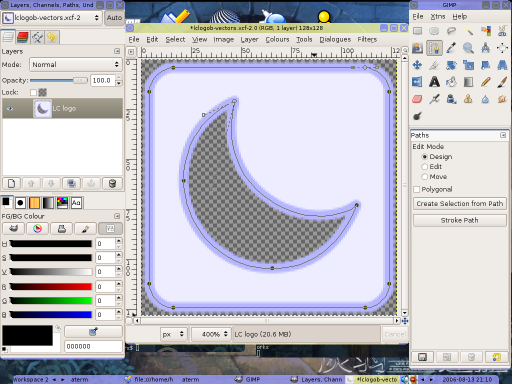
  • ✇GIMP
  • GIMP 3.0.2 Released
    We are happy to announce the first micro release for GIMP 3.0! Bugfix Release macOS Plug-in Development Windows Installer updates GEGL Release Stats Download Mirrors Downloading GIMP 3.0.2 What’s Next Bugfix Release¶ As we noted in the 3.0 release notes, we are returning to our pre-2.10 development process of only adding new features on minor releases. This allows us to respond more quickly to problems and bugs found by users. Furthermore it’s a good opportunity to show off our streamlined r
     

GIMP 3.0.2 Released

Par : GIMP Team
22 mars 2025 à 19:00

We are happy to announce the first micro release for GIMP 3.0!

Bugfix Release

As we noted in the 3.0 release notes, we are returning to our pre-2.10 development process of only adding new features on minor releases. This allows us to respond more quickly to problems and bugs found by users.

Furthermore it’s a good opportunity to show off our streamlined release procedure, allowing us to make much faster releases in the v3 series than we used to be able to do with GIMP 2.10.

The initial release of GIMP 3.0 was great, and we deeply appreciate all the positive comments as well as the constructive feedback from new and existing users! You helped us uncover a number of bugs and regressions, and GIMP 3.0.2 provides fixes for several of them.

Here is a summary of the fixes:

  • macOS and flatpak users reported a crash when selecting a brush with the view set to Icon Grid. This was tricky to solve as it did not crash on every OS, but Jehan and Øyvind Kolås worked together to implement a fix.

  • Some packaging changes resulted in a few missed features, such as Python plug-ins and the auto-update check not running on Windows and some display filters and color selectors not appearing on macOS. Bruno Lopes and Lukas Oberhuber diagnosed and fixed these in revisions to 3.0, and these updates are included in the 3.0.2 release.

  • Different system themes had styles which our Default theme did not override, causing some UI glitches or odd coloring. Denis Rangelov worked to develop CSS rules to prevent these problems regardless of what system you’re on. Lukas Oberhuber fixed some additional macOS-specific issues with flyout menus on tool groups.

  • A patch to improve tablet support has been temporarily reverted. While it fixed an issue with detecting the eraser tip of some stylus, it seemed to cause a different issue with pressure sensivity on other tablets. We will review this patch and update it in a future release to fix the eraser bug without causing the other side effects.

  • Additional fixes were implemented throughout GIMP by Jehan, Jacob Boerema, Alx Sa, Idriss Fekir, Wyatt Radkiewicz, and Anders Jonsson.

We are continuing to review reports of bugs, UI glitches, and regressions, and are working on solutions for those. However, we believe GIMP 3.0.2 fixes some immediate problems for users, and we hope it makes using GIMP 3.0 a little smoother. Please continue to report any issues or feature request you have to our issue tracker so we’re aware of them!

macOS Plug-in Development

Lukas Oberhuber, Peter Kaczorowski, Dominik Reichardt, and others have been hard at work creating a new plug-in development package for macOS. Traditionally it has been difficult to develop GIMP plug-ins on macOS, so this is a great improvement! We’ll be updating our developer website soon with more information. For now, you can read the discussion on the tracking issue.

Windows Installer updates

Bruno Lopes has implemented more improvements to our Windows installer. It now sets up a Restore Point for system-wide installs. Also, if you uninstall GIMP via the installer, it will now prompt about removing your configurations. This allows you to make a truly clean uninstall and reinstall of GIMP if you installed as a normal user (not as an admin).

GEGL

GEGL received a small bugfix update as well. 0.4.58 includes a fix for Dither being applied to negative pixel coordinates, as well as additional translation updates.

Release Stats

Since GIMP 3.0.0, in the main GIMP repository:

  • 13 reports were closed as FIXED.
  • 15 merge requests were merged.
  • 54 commits were pushed.
  • 10 translations were updated: Bulgarian, Chinese (China), Dutch, Georgian, Icelandic, Slovenian, Spanish, Swedish, Turkish, Ukrainian.

20 people contributed changes or fixes to GIMP 3.0.2 codebase (order is determined by number of commits; some people are in several groups):

  • 7 developers to core code: Alx Sa, Jehan, Anders Jonsson, Denis Rangelov, Idriss Fekir, Jacob Boerema, Øyvind Kolås.
  • 6 developers to plug-ins or modules: Alx Sa, Jacob Boerema, Jehan, Jethro Beekman, Lukas Oberhuber, Wyatt Radkiewicz.
  • 10 translators: Luming Zh, Martin, Rodrigo Lledó, Yuri Chornoivan, Alexander Shopov, Anders Jonsson, Ekaterine Papava, Muhammet Kara, Nathan Follens, Sveinn í Felli.
  • 1 Theme designer: Alx Sa.
  • 1 Icon designer: Denis Rangelov.
  • 3 build, packaging or CI contributors: Bruno, Lukas Oberhuber, Jehan.

Contributions on other repositories in the GIMPverse (order is determined by number of commits):

  • GEGL 0.4.58 is made of 6 commits by 2 contributors: Øyvind Kolås, Kolbjørn Stuestøl.
  • ctx had 2 commits since 3.0.0 release by 1 contributor: Øyvind Kolås.
  • gimp-data had 2 commits by 2 contributors: Denis Rangelov, Jehan.
  • The gimp-macos-build (macOS packaging scripts) release had 13 commits by 2 contributors: Lukas Oberhuber, Bruno Lopes.
  • The flatpak release had 2 commits by 1 contributor: Bruno Lopes.
  • Our main website (what you are reading right now) had 50 commits by 5 contributors: Jehan, Bruno Lopes, Alx Sa, Michael Schumacher, lillolollo.
  • Our developer website had 18 commits by 3 contributors: Bruno Lopes, Jehan, Lukas Oberhuber.
  • Our 3.0 documentation had 22 commits by 8 contributors: Alan Mortensen, Andre Klapper, Jacob Boerema, Jordi Mas, Nathan Follens, Marco Ciampa, Tim Sabsch, Xavier Brochard.

Let’s not forget to thank all the people who help us triaging in Gitlab, report bugs and discuss possible improvements with us. Our community is deeply thankful as well to the internet warriors who manage our various discussion channels or social network accounts such as Ville Pätsi, Liam Quin, Michael Schumacher and Sevenix!

Note: considering the number of parts in GIMP and around, and how we get statistics through git scripting, errors may slip inside these stats. Feel free to tell us if we missed or mis-categorized some contributors or contributions.

Download Mirrors

Since the 3.0 news post, two new mirrors have been contributed by Shrirang Kahale:

  • Delhi, India
  • Mumbai, India

Mirrors are important as they help the project by sharing the load for dozens of thousands of daily downloads. Moreover by having mirrors spread across the globe, we ensure that everyone can have fast download access to GIMP.

Downloading GIMP 3.0.2

You will find all our official builds on GIMP official website (gimp.org):

  • Linux AppImages for x86 and ARM (64-bit)
  • Linux Flatpaks for x86 and ARM (64-bit)
  • Universal Windows installer for x86 (32 and 64-bit) and for ARM (64-bit)
  • Microsoft Store for x86 and ARM (64-bit)
  • macOS DMG packages for Intel hardware
  • macOS DMG packages for Apple Silicon hardware

Other packages made by third-parties are obviously expected to follow (Linux or *BSD distributions’ packages, etc).

What’s Next

Our immediate focus is fixing initial bug reports from users for GIMP 3.0. However, we are also starting to work on new features for the next minor release, GIMP 3.2. We look forward to talking more about that soon, but for now, you can check the roadmap to see where we’re headed!

Don’t forget you can donate and personally fund GIMP developers, as a way to give back and accelerate the development of GIMP. Community commitment helps the project to grow stronger!
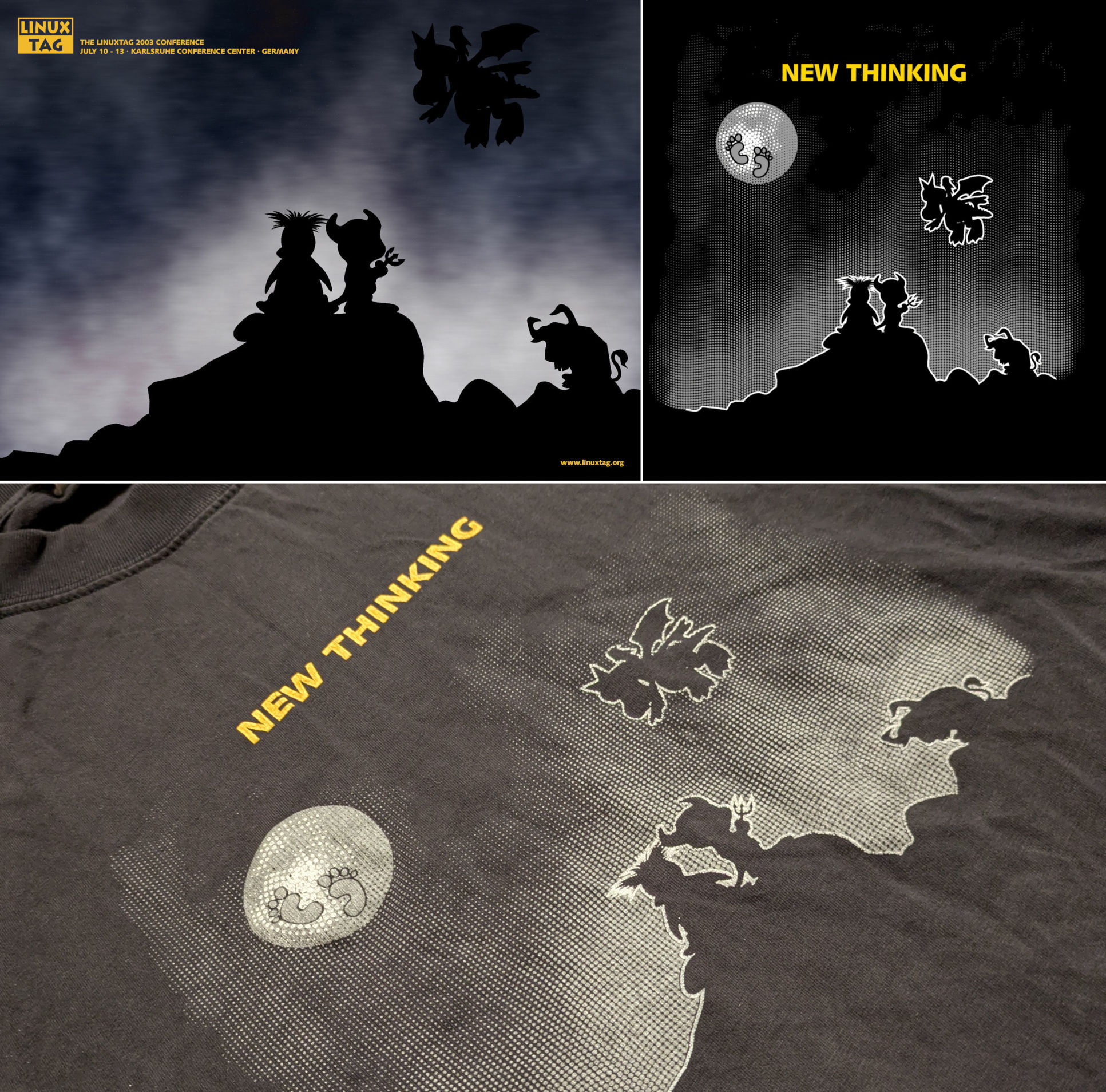
  • ✇GIMP
  • GIMP 3.0 Released
    At long last, the first release of GIMP 3.0 is here! This is the end result of seven years of hard work by volunteer developers, designers, artists, and community members (for reference, GIMP 2.10 was first published in 2018 and the initial development version of GIMP 3.0 was released in 2020). With GIMP 3.0 you can do more than ever before, more easily, more quickly! GIMP 3.0 splash screen, by Sevenix (CC by-sa 4.0) While we can’t cover every single change in GIMP from 2.10, we want to hi
     

GIMP 3.0 Released

Par : GIMP Team
15 mars 2025 à 19:00

At long last, the first release of GIMP 3.0 is here! This is the end result of seven years of hard work by volunteer developers, designers, artists, and community members (for reference, GIMP 2.10 was first published in 2018 and the initial development version of GIMP 3.0 was released in 2020). With GIMP 3.0 you can do more than ever before, more easily, more quickly!

GIMP 3.0: splash screen by Sevenix
GIMP 3.0 splash screen, by Sevenix (CC by-sa 4.0)

While we can’t cover every single change in GIMP from 2.10, we want to highlight some of the biggest ones as you start exploring this new release.

Highlights

  • Need to tweak a filter you applied hours ago? New in GIMP 3.0 is non-destructive editing for most commonly-used filters. See the changes in real time with on-canvas preview.

  • Exchange files with more applications, including BC7 DDS files as well as better PSD export and many new formats.

  • Don’t know how big to make your drawing? Simply set your paint tool to expand layers automatically as needed.

  • Making pro-quality text got easier, too. Style your text, apply outlines, shadows, bevels, and more, and you can still edit your text, change font and size, and even tweak the style settings.

  • Organizing your layers has become much easier with the ability to select multiple items at once, move them or transform them all together!

  • Color Management was again improved, as our long-term project to make GIMP an advanced image editor for all usages.

  • Updated graphical toolkit (GTK3) for modern desktop usage.

  • New Wilber logo!

GIMP 3.0: Wilber logo by Aryeom
New GIMP logo, Wilber, by Aryeom (CC by-sa 4.0)

Learn More

We’ve prepared release notes to go over all the changes, improvements, new features, and more. And if you’d like even more details, you can peruse the NEWS.pre-3.0 changelog for all 2.99 and 3.0 RC releases.

But to see it for yourself, you can get GIMP 3.0 directly from our Downloads page and try it out!

» READ COMPLETE RELEASE NOTES «

Other Releases in GIMPVerse

To accompany our release of GIMP 3.0.0, packagers should also be aware that we released:

We also advise all packagers to use the latest GTK version: GTK 3.24.49. It contains bug fixes for major issues (ranging from crashes to input devices’ grab issues, UI glitches with interfaces in RTL languages, and more…).

Enjoy GIMP 3.0!

GIMP 3.0 is a new milestone. The application is in active development and if you think this is awesome, wait until you see our plans for the future!

Download GIMP 3.0.0

Support GIMP development

Don’t forget you can donate and personally fund GIMP developers, as a way to give back and accelerate the development of GIMP. Community commitment helps the project to grow stronger!
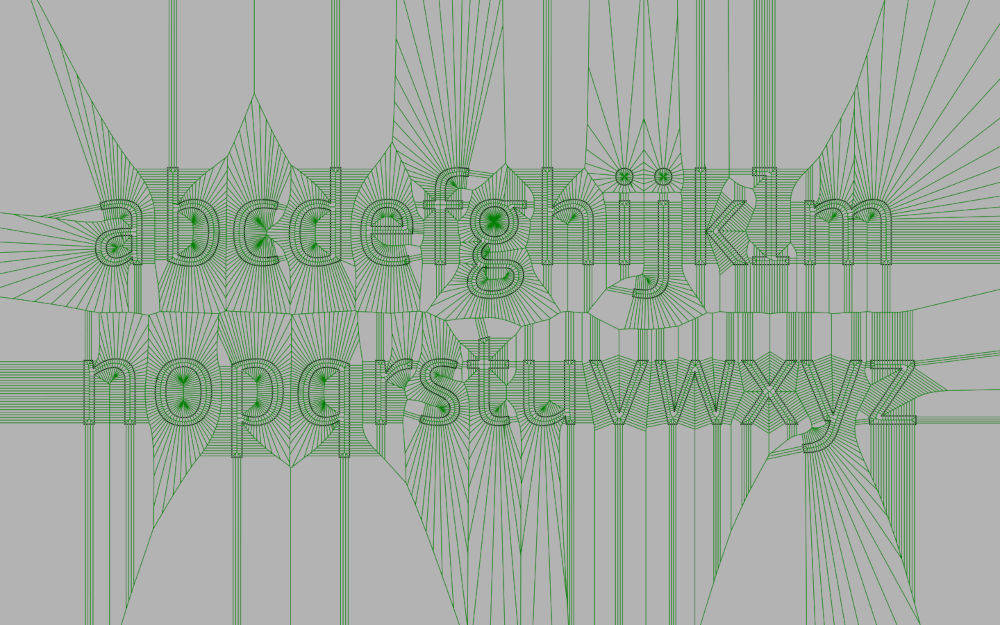
Support us by
Donating

  • ✇GIMP
  • GIMP 3.0 RC3 Released
    We’re excited to share the third release candidate of GIMP 3.0 for what (we hope) is the final round of community testing before the stable version! This release follows the recent GIMP 3 and Beyond talk by Jehan at FOSDEM 2025. Important Bug Fixes and Changes New GTK3 Version Image Graph Improvements Thread-safe Projection Changes Private Procedures Enhancements Script-fu Filter API New named-arguments syntax File Formats PSD DDS AppImage is now Official Miscellaneous GEGL Release Sta
     

GIMP 3.0 RC3 Released

Par : GIMP Team
9 février 2025 à 18:00

We’re excited to share the third release candidate of GIMP 3.0 for what (we hope) is the final round of community testing before the stable version! This release follows the recent GIMP 3 and Beyond talk by Jehan at FOSDEM 2025.

Important Bug Fixes and Changes

While resolving the last few major bugs for 3.0, we’ve made some changes that we feel need more community review. While trying out this release candidate, please keep an eye out for the following:

New GTK3 Version

Just in time for GIMP 3.0, a new version of GTK3 has been released! Among other changes, GTK 3.24.48 includes fixes for several bugs affecting GIMP with patches initially contributed by Jehan, such as a crash in Wayland when dragging layers and text glitches in certain widgets with Right-To-Left languages. We want to thank Carlos Garnacho and Matthias Clasen for their help on these respective patches.

GTK 3.24.48 also adds support to the version 2 of xdg_foreign for Wayland (v1 stays supported as fallback). Specifically the absence of this support was causing GIMP to freeze with certain actions on KDE/Wayland, which is now fixed.

As a consequence of these issues — some of them really making GIMP unstable on Wayland — we recommend packagers to update to the latest version of GTK3 when packaging our RC3. However, please let us know if you notice any regressions or other issues as a result of the new GTK3 version.

Image Graph Improvements

With non-destructive editing in GIMP, users can now stack multiple filters on top of each other. These filters usually work in high bit-depth format so image information is not lost. However, each filter’s output was converted to and from the original image’s bit-depth when stacked – so if the image was only 8-bit, a great deal of information was lost in these constant conversions. Jehan fixed this problem by only converting to the image’s format when the filter is meant to be merged in, rather than in non-destructive stacks. Since this is a big change in how filters work, we want to have more users test this change for any possible regressions.

Thread-safe Projection Changes

When changes are made to an image (such as painting), the image projection needs to be “flushed” to display new changes to the screen. Some aspects of this process were not “thread-safe”, which means that when your computer used multiple threads to speed up the work, they might conflict with each other and cause a crash. This was observed in our auto-expanding layer feature. Jehan fixed the function to be entirely thread-safe. However, changes to multi-threading can leave some well-hidden bugs, so more community testing would be helpful.

Private Procedures

The GIMP Procedural DataBase browser shows plug-in and script developers all the functions they can access. Until now, it also showed “private” functions that are only used internally. Jehan added a flag to hide these functions. We initially cast too wide of a net and hid some important public functions. While we fixed these instances, we’d like more review from the community to make sure we didn’t miss any mislabeled public functions.

Enhancements

While we are still in major feature-freeze until the stable release of GIMP 3.0, some small and self-contained enhancements have been made to plug-ins.

Script-fu

Filter API

The new (gimp-drawable-merge-filter) PDB call allows Script-fu writers to use labels to specify filter properties. This will give Script-fu users the same flexibility with calling and updating filters that C and Python plug-in developers have in the GIMP 3.0 API. As an example, here is a call to the Emboss filter:

(gimp-drawable-merge-new-filter mask-emboss "gegl:emboss" 0 LAYER-MODE-REPLACE 1.0 "azimuth" 315.0 "elevation" 45.0 "depth" 7 "type" "emboss")

You can see more examples in our Script repository.

New named-arguments syntax

In Script-Fu, all the functions generated from plug-ins’ PDB procedure must now be called with a brand new named-argument syntax, inspired by the Racket Scheme variant.

For instance, say your plug-in wants to call the Foggify plug-in, instead of calling:

(python-fu-foggify RUN-NONINTERACTIVE 1 (car (gimp-image-get-layers 1)) "Clouds" '(50 4 4) 1.0 50.0)

You should now call:

(python-fu-foggify #:image 1 #:drawables (car (gimp-image-get-layers 1)) #:opacity 50.0 #:color '(50 4 4))

This has a few advantages:

  • Much more self-documented calls, especially as some plug-ins have a lot of arguments (so we could end up having functions with a dozen of integers or floats and that was very confusing).
  • The order of arguments doesn’t matter anymore.
  • You can ignore arguments when you call them with default values.
  • It allows to improve plug-in procedures in the future by adding new arguments without breaking existing scripts.

This last point in particular is important, and orders of arguments did not matter anymore when calling PDB procedures from the C API, as well as all introspected bindings. Script-Fu was the only remaining interface we had which still cared about argument orders and numbers. This is not true anymore and is therefore a huge step towards a much more robust API for GIMP 3!

File Formats

All changes to image loading plug-ins are checked with the automated testing framework built by Jacob Boerema to prevent regressions.

PSD

In addition to bug fixes such as saving CMYK merged images properly, Jacob Boerema has added support for loading 16-bits-per-channel LAB PSDs. He also updated the PSD export dialog to use GIMP’s built-in metadata export features.

DDS

Much-requested support for loading DDS images with BC7 support has been implemented by CMYK Student. Jacob Boerema worked to fix compatibility with DDS files exported from older versions of GIMP.

AppImage is now Official

After nine months of incubation (the number is a mere coincidence 🙂), we present a “new” distribution format for Linux users: .AppImage. Initially we used it as an internal format for testing, as already covered in previous posts. Bruno Lopes‘ efforts have allowed us to improve the build process. We now feel confident with the generated AppImage and so we aim to make it official.

As an official upstream package, no fancy third party plug-ins or other arbitrary binaries that are not GIMP dependencies are added to “bloat” it. It is what some people call “vanilla” GIMP, a clean but complete GIMP for production (aka for general use).

Like any packaging format, it has its own characteristics and limitations. In the case of GIMP’s AppImage, included tools such as gimp-console* and gimp-debug-tool* require prior extraction of the .AppImage file with --appimage-extract command. Also, partly due to AppImage’s design, commands that points to $PWD will not work. These two are the only known feature limitations so far. So, if you find any others or even bugs, please report them on our tracker.

Miscellaneous

  • It is now easier to load images from Google Drive and other remote or cloud platforms without having to manually select a file format to try opening it with.

  • Our build process now generates additional icons with the -rtl extension, which are automatically used with Right-to-Left languages. An example of this is the left and right arrow icons; they now face the correct direction in both language types.

  • Plug-in developers no longer have to make custom file chooser buttons - GimpProcedureDialog now automatically creates them when a File type parameter is used. You can also specify whether the button is for opening or saving files and folders.

  • Rupert Weber continued his effects in cleaning up our BMP plug-in. Additionally, he has in-progress work to add support for importing color profiles in BMPs, which will hopefully be ready in a future release.

  • CMYK Student updated the ICNS plug-in with new support for ic05 icon types and ARGB icon formats. They also fixed a bug when loading older ICNS formats with no transparency mask. Lukas Oberhuber assisted with diagnosing and resolving a known bug in the ICNS format that caused our macOS icon to show garbled pixels at small sizes.

GEGL

The GEGL 0.4.54 release also contains some new enhancements and bugfixes. Thomas Manni updated the Noise Spread filter to prevent bugs when applied to empty layer groups. Jonny Robbie added new option and paper types to the Negative Darkroom filter, and optimized some floating point operations in GEGL as a whole.

Release Stats

Since GIMP 3.0 RC2, in the main GIMP repository:

  • 85 reports were closed as FIXED.
  • 56 merge requests were merged.
  • 335 commits were pushed.
  • 19 translations were updated: Basque, Bulgarian, Catalan, Chinese (China), Danish, Dutch, Finnish, Georgian, Italian, Norwegian Nynorsk, Persian, Portuguese, Slovak, Slovenian, Spanish, Swedish, Turkish, Ukrainian, Vietnamese.

33 people contributed changes or fixes to GIMP 3.0.0 RC3 codebase (order is determined by number of commits; some people are in several groups):

  • 13 developers to core code: Jehan, Alx Sa, Jacob Boerema, lloyd konneker, Anders Jonsson, Thomas Manni, Bruno, Daniele Forsi, Lloyd Konneker, Lukas Oberhuber, Rupert, cheesequake, Øyvind Kolås.
  • 10 developers to plug-ins or modules: Alx Sa, Jacob Boerema, Jehan, Rupert, lloyd konneker, Anders Jonsson, Bruno, Daniel Novomeský, Daniele Forsi, lillolollo.
  • 19 translators: Alan Mortensen, Alexander Shopov, Nathan Follens, Kolbjørn Stuestøl, Hugo Carvalho, Asier Sarasua Garmendia, Ngọc Quân Trần, Jordi Mas, Marco Ciampa, Sabri Ünal, Anders Jonsson, Danial Behzadi, Ekaterine Papava, Jiri Grönroos, Jose Riha, Luming Zh, Martin, Rodrigo Lledó, Yuri Chornoivan.
  • 1 Theme designer: Alx Sa.
  • 6 build, packaging or CI contributors: Bruno, Jehan, lloyd konneker, Alx Sa, Rupert, Jacob Boerema.

Contributions on other repositories in the GIMPverse (order is determined by number of commits):

  • GEGL 0.4.54 is made of 11 commits by 16 contributors: Øyvind Kolås, Alexander Shopov, Hugo Carvalho, JonnyRobbie, Alan Mortensen, Anders Jonsson, Asier Sarasua Garmendia, Bartłomiej Piotrowski, Jehan, Martin, Nathan Follens, Nils Philippsen, Rodrigo Lledó, Sam L, Thomas Manni, Yuri Chornoivan.
  • ctx had 233 commits since RC2 release by 1 contributor: Øyvind Kolås.
  • gimp-data had 6 commits by 4 contributors: Bruno, Jehan, Alx Sa, Andre Klapper.
  • gimp-test-images (new repository for image support testing) had 5 commits by 2 contributors: Jacob Boerema, Alx Sa.
  • The gimp-macos-build (macOS packaging scripts) release had 6 commits by 2 contributors: Lukas Oberhuber, Bruno.
  • The flatpak release had 12 commits by 3 contributors after RC2 release: Bruno Lopes, Jehan, Hubert Figuière.
  • Our main website (what you are reading right now) had 42 commits by 6 contributors: Jehan, Alx Sa, Bruno, Jacob Boerema, Andre Klapper, Petr Vorel.
  • Our developer website had 18 commits by 5 contributors: Jehan, Bruno, Lukas Oberhuber, Alx Sa, Anders Jonsson.
  • Our 3.0 documentation had 373 commits by 13 contributors: Andre Klapper, Kolbjørn Stuestøl, Nathan Follens, Jacob Boerema, Alan Mortensen, Yuri Chornoivan, Dick Groskamp, Jordi Mas, Alevtina Karashokova, Alx Sa, Anders Jonsson, Daniele Forsi, Hugo Carvalho.

Let’s not forget to thank all the people who help us triaging in Gitlab, report bugs and discuss possible improvements with us. Our community is deeply thankful as well to the internet warriors who manage our various discussion channels or social network accounts such as Ville Pätsi, Liam Quin, Michael Schumacher and Sevenix!

Note: considering the number of parts in GIMP and around, and how we get statistics through git scripting, errors may slip inside these stats. Feel free to tell us if we missed or mis-categorized some contributors or contributions.

Around GIMP

Download Mirrors

Since the 3.0RC2 news post, two new mirrors have been contributed:

  • Saswata Sarkar, Gurugram, India
  • Hoobly Classifieds, USA

Mirrors are important as they help the project by sharing the load for dozens of thousands of daily downloads. Moreover by having mirrors spread across the globe, we ensure that everyone can have fast download access to GIMP.

How to Cite GIMP in Research

GIMP is often used in research, and therefore it is cited in various science publications. A researcher using GIMP for astronomical image processing approached us to know how to cite GIMP properly, even more as they say it is used to perform an important step in their algorithm.

Since it seems like an interesting question, we updated our “Citing GIMP and Linking to Us” page with a new “Citing GIMP in research” subsection containing the conclusion of this discussion.

In particular, a BibTex entry, for researchers using LaTeX to manage their bibliography, is available on this link to simplify your work. For instance, say you use this RC3 for your research, you may cite GIMP with this entry:

@software{GIMP,
    author = {{The GIMP Development Team}},
    title = {GNU Image Manipulation Program (GIMP), Version 3.0.0-RC3. Community, Free Software (license GPLv3)},
    year = {2025},
    url = {https://gimp.org/},
    note = {Version 3.0.0-RC3, Free Software}
}

Thank you to Cameron Leahy for this piece of BibTex code!

Downloading GIMP 3.0 RC3

You will find all our official builds on GIMP official website (gimp.org):

  • Linux AppImages for x86 and ARM (64-bit)
  • Linux Flatpaks for x86 and ARM (64-bit)
  • Universal Windows installer for x86 (32 and 64-bit) and for ARM (64-bit)
  • MSIX package (GIMP Preview) for x86 and ARM (64-bit)
  • macOS DMG packages for Intel hardware
  • macOS DMG packages for Apple Silicon hardware

Other packages made by third-parties are obviously expected to follow (Linux or *BSD distributions’ packages, etc).

What’s Next

We really appreciate all the community testing and feedback we’ve received during the last two release candidates! This will hopefully be the final release candidate before the stable 3.0 version. Our focus now is to finish resolving the few remaining bugs in our 3.0 milestone list, while keeping an eye out for any new reports resulting from the changes in RC3.

Don’t forget you can donate and personally fund GIMP developers, as a way to give back and accelerate the development of GIMP. Community commitment helps the project to grow stronger!
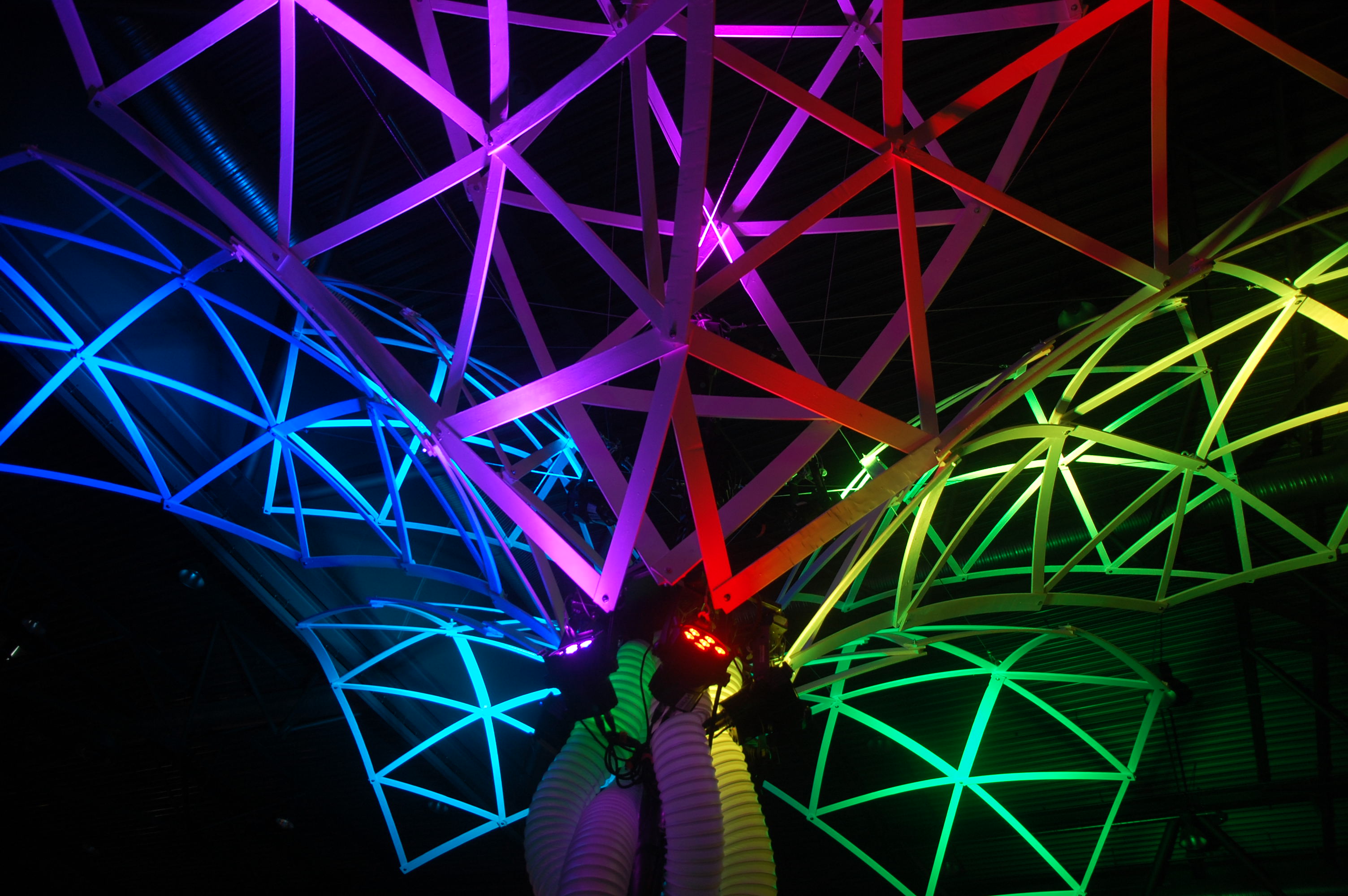
  • ✇GIMP
  • GIMP team at FOSDEM 2025 (talk and keynote)
    Several members of the GIMP team will be present next weekend (1st and 2nd of February 2025) at FOSDEM, a conference in Brussels, Belgium. This event describes itself this way: FOSDEM is a free event for software developers to meet, share ideas and collaborate. Every year, thousands of developers of free and open source software from all over the world gather at the event in Brussels. You don’t need to register. Just turn up and join in! Needless to say, with over 8000 people expected, it
     

GIMP team at FOSDEM 2025 (talk and keynote)

Par : GIMP Team
26 janvier 2025 à 18:00

Several members of the GIMP team will be present next weekend (1st and 2nd of February 2025) at FOSDEM, a conference in Brussels, Belgium. This event describes itself this way:

FOSDEM is a free event for software developers to meet, share ideas and collaborate. Every year, thousands of developers of free and open source software from all over the world gather at the event in Brussels. You don’t need to register. Just turn up and join in!

GIMP team and ZeMarmot will be at FOSDEM'25 on Sunday, 2nd of February, for a talk and a keynote!

Needless to say, with over 8000 people expected, it is one of the biggest event in the Free Software ecosystem.

On Sunday morning, from 10 to 11:50 AM, we have 2 talks lined up, in the main track and biggest room (Janson in building J, with over 1400 people of capacity!), and one of these talks is in fact a keynote:

The keynote in particular will be a work-in-progress screening of ZeMarmot short animation film, which is worked on by 2 major contributors of GIMP (Jehan, maintainer, and Aryeom, designer for GIMP, and film director of ZeMarmot) within the non-profit production LILA which produces Libre Art movies.

Not only this, you may notice the presence of musicians, since the music will be played live by 3 musicians from the AMMD non-profit, producing Libre Art music, concerts and recording. The film is a short (about 10 minutes), then it will be followed by a talk presenting our work.

As for the GIMP talk, we will showcase the soon-to-be-released GIMP 3!

In the end of both talks, you will be able to ask questions.

We hope to see many people there. See you soon! 🤗

  • ✇GIMP
  • GIMP 3.0 RC2 Released 🎁
    After the first round of community feedback, we’re happy to share the second release candidate for GIMP 3.0! People gave us really helpful feedback from the first release candidate and we were able to fix a lot of bugs. It is our little under-the-tree 🎄 present for you all! New release candidate splash screen, by Sevenix (CC by-sa 4.0) - GIMP 3.0 RC2 Important Bug Fixes 2.10 Settings Migration Windows Console Missing GUI Font issues on macOS darktable Integration Enhancements GEGL Filt
     

GIMP 3.0 RC2 Released 🎁

Par : GIMP Team
26 décembre 2024 à 18:00

After the first round of community feedback, we’re happy to share the second release candidate for GIMP 3.0! People gave us really helpful feedback from the first release candidate and we were able to fix a lot of bugs.

It is our little under-the-tree 🎄 present for you all!

GIMP 3.0 RC2: splash screen
New release candidate splash screen, by Sevenix (CC by-sa 4.0) - GIMP 3.0 RC2

Important Bug Fixes

There have been a number of fixes since RC1. We want to highlight the most impactful bugs so that users are aware and can provide additional testing. For details on other bug fixes, please check our NEWS page in GitLab.

2.10 Settings Migration

During community testing, we discovered that user’s 2.10 settings were not being migrated to GIMP 3.0 due to some incorrect assumptions in the import code. Since most of the developers have been using GIMP 3.0 exclusively for some time, we did not notice this issue. The bug should now be fixed, so we ask for bug reports if any 2.10 preferences are not being imported correctly in RC2. Note that if you already used 3.0 RC1, you’ll need to delete those configurations first, as otherwise RC2 won’t try to import the 2.10 preferences (make sure you back up your settings of course!)

Windows Console

In the 2.99 development releases, the Windows versions automatically launched a console display in addition to GIMP itself. This is very useful for Windows developers to see debug messages, but the console was not intended to be shown during stable releases. Since we changed our build process to use Meson instead of Autotools, we learned we needed to make additional changes to stop the console from being displayed. This should be fixed now thanks to Jehan - if you still see the console on Windows, please file a new bug report!

Missing GUI Font issues on macOS

There has been a long-standing issue where some macOS users only saw “missing Unicode” symbols instead of menu text in GIMP (both in 2.10 and in 3.0). This was due to a bug in Pango, the library we use for text layouts. This was fixed with the recent Pango 1.55.0 release, so we encourage all third-party macOS packagers to update to this version as they build GIMP for distribution.

GIMP 3.0.0 RC2: official macOS package now has Pango with no broken fonts
If you had this issue of broken fonts on macOS (left), it is now fixed (right) - screenshots by reporters - GIMP 3.0.0 RC2

darktable Integration

After the 3.0 RC1 release, we received reports from some users that they still could not import and export images between GIMP and darktable. We worked with the darktable developers to iron out the remaining bugs, so integration between darktable 5.0.0 and GIMP 3.0 RC2 should be working for everyone now. However, please file a new bug report if you continue to have trouble connecting the two!

Enhancements

While the main focus of 3.0 RC2’s development was bugfixes and polish, some new features were also implemented.

GEGL Filter API

Many of the older API wrappers for GEGL operations were removed in RC1. While this reduced technical debt, it also caused issues for many third-party plug-in and script developers who wanted to port their plug-ins to 3.0. While our initial plan was to implement the new public filter API after the 3.0 release, the feedback from the community convinced us to add it in for 3.0 RC2.

Applying filters through libgimp 3.0.0 API (Script-fu et al.) - GIMP 3.0.0 RC2

Jehan‘s work allows developers to apply filter effects either immediately or as a non-destructive effect. You can see examples of how to do this in C, Python, and Script-Fu in the merge request, or by looking up gimp-drawable-filter in the Procedure Browser inside GIMP. We’ve also begun using the filter API in our Python scripts to automatically create blurred background effects for the Windows installer, and with this same API in C, Alx Sa added support for importing Photoshop’s legacy Color Overlay layer style.

We ask for feedback and bug reports from plug-in and script authors who utilize the new filter API in their work! We have more updates planned for it in GIMP 3.0 as well.

Layer blend spaces and compositing in XCFs

Discussions between color science experts Elle Stone and Øyvind Kolås revealed another area that needed improvement as part of our Color Space Invasion project. Specifically, images with color profiles that have non-perceptual TRCs might not be rendered correctly when set to certain layer modes.

Øyvind has implemented a correction for this problem by adding proper perceptual space as default to specific layer modes. While we believe this enhancement should not impact older XCF files, we of course want to hear from you if there are any backwards compatibility issues with 3.0 RC2!

Packages

AppImage

Thanks to the continued efforts of Bruno Lopes and with assistance from Samueru and the AppImage community, our experimental AppImage now works on most Linux distros. We want to encourage more testing of it, in hopes that we can offer it as another Linux release in addition to our Flatpak. You can see instructions to install experimental AppImage packages from our development download page.

Flatpak

Our nightly flatpak has now a dedicated App-ID org.gimp.GIMP.Nightly. This mostly means that it can be installed side by side with the stable flatpak while both are visible in your menus (no need to select which version is to be shown with flatpak make-current anymore).

Yet it also means that anyone who had the nightly flatpak until now won’t see any update coming anytime soon. In order to continue using the nightly flatpak, uninstall the existing one and install the new one with these commands:

flatpak uninstall org.gimp.GIMP//master
flatpak install https://nightly.gnome.org/repo/appstream/org.gimp.GIMP.Nightly.flatpakref

⚠️ Reminder: the nightly flatpak is current development code as it happens in source repository. At times, it may even be very broken or render your project files invalid. We do not recommend it for production! Use this version to help us debugging by reporting issues or if you really like risks to test latest features.

BMP Plug-in Improvements

New contributor Rupert Weber has been busy since the last update with more updates to our BMP plug-in. A few highlights of their work:

  • BMPs are now imported losslessly in their original precision, rather than being converted to 8 bit integer precision.
  • The plug-in now supports loading BMPs with RLE24 and Huffman compression.
  • We now load BMPs in chunks rather than trying to load the entire image at once. Related work also allows us to load much larger BMPs.
  • Rupert has also done a lot of code clean-up and maintenance, to make the plug-in easier to work on in the future.

Assorted Updates

  • Jehan made some quality of life improvements to the Python console. You can now use Ctrl+R and Ctrl+S shortcuts to search through your command history, and Page Up and Page Down now let you scroll history in addition to the Up and Down arrow keys.
History search in Python Console with Ctrl-R - GIMP 3.0 RC2
  • Alx Sa implemented loading CMYK PAM files in the PNM plug-in.

  • On Windows, we’ve also added the ability to open images through Windows Shortcuts (.lnk files) directly from the file chooser dialog. This is also work by Alx Sa.

  • More tweaks and improvements have been made to the theme. In particular, the slider styling has been substantially improved after feedback and work from Denis Rangelov. Denis also made new icons for the Navigation Dockable Dialogue, replacing duplicates with distinct symbols. Anders Jonsson has also been reviewing the theme and removing some workarounds which were required in GIMP 2.10, but no longer needed with our new 3.0 themes.

  • Idriss Fekir has made improvements to our XCF font loading code, to improve compatibility when importing older XCF files.

Overview of Changes since 2.10

For those who haven’t followed GIMP’s development as closely, these news posts only cover incremental changes since the last release. They do not list every change or improvements made for GIMP 3.0 - that would be a very long article indeed!

While we’ll have full release notes for the final 3.0, we thought it’d be helpful to summarize a few of the major changes made during the 2.99 development process:

  • The initial work to port GIMP to GTK3 occurred in 2.99.2. This release also introduced multi-layer selections, along with initial API changes and color space management improvements.
  • More API updates were made in 2.99.4, including the ability to auto-generate plug-in UIs based on user input. Various usability improvements were also made, along with the introduction of the experimental Paint Select tool.
  • 2.99.6 brought more API updates and internal work. More user-facing features included the ability to place guides outside the canvas, better touchpad support, and more support for different PNG color metadata.
  • The development pipeline was improved significantly in 2.99.8, allowing for faster build times and automation. Support for new file formats like PSB and JPEGXL were added in this release, along with Windows Ink tablet support.
  • 2.99.10 introduced “layer sets”, replacing the older concept of linked layers. Painting dynamics were streamlined in this release, along with the first version of the Welcome dialog.
  • Early-binding CMYK support was implemented in 2.99.12. The CSS GUI themes also received a major overhaul in this release, along with more file format supports and major improvements to Script-Fu.
  • 2.99.14 saw the introduction of non-destructive outlines for the text tool. The alignment tool was also revised, theme and icon scaling were improved, and floating selections were largely replaced in the workflow.
  • The GTK3 port was finally completed in 2.99.16. The / search pop-up was updated to show the menu path for all entries, as well as making individual filters searchable.
  • Non-destructive filters were first introduced in 2.99.18. Major color management improvements were also made, and new auto-expanding layer boundary and snapping options were also implemented.

GEGL

Similar to GIMP, there’s a number of bugfixes for the GEGL 0.4.52 release. Øyvind Kolås has fixed some generic “Aux input” labels to be more meaningful - this will be visible in GIMP’s filters as well. He also improved the accuracy of some filter’s color processing. Longtime contributor Thomas Manni also fixed crashes when some filters were run on very small layers.

Release Stats

Since GIMP 3.0 RC1, in the main GIMP repository:

  • 73 reports were closed as FIXED.
  • 71 merge requests were merged.
  • 277 commits were pushed.
  • 18 translations were updated: Bulgarian, Catalan, Chinese (China), Chinese (Taiwan), Danish, Finnish, Georgian, Icelandic, Italian, Latvian, Lithuanian, Norwegian Nynorsk, Persian, Portuguese, Russian, Slovenian, Swedish, Ukrainian.

35 people contributed changes or fixes to GIMP 3.0.0 RC2 codebase (order is determined by number of commits; some people are in several groups):

  • 12 developers to core code: Jehan, Alx Sa, Michael Schumacher, Anders Jonsson, Lloyd Konneker, Øyvind Kolås, Idriss Fekir, Andre Klapper, Jacob Boerema, Michael Natterer, Rupert Weber, Thomas Manni.
  • 11 developers to plug-ins or modules: Jehan, Lloyd Konneker, Alx Sa, Rupert Weber, Daniel Novomeský, Jacob Boerema, Aki, Bruno, Ryan Sims, Simon Munton.
  • 19 translators: Alan Mortensen, Cheng-Chia Tseng, Kolbjørn Stuestøl, Rūdolfs Mazurs, Jiri Grönroos, Sveinn í Felli, Alexander Shopov, Aurimas Černius, Marco Ciampa, Danial Behzadi, Hugo Carvalho, Jordi Mas, Anders Jonsson, Ekaterine Papava, Julia Dronova, Luming Zh, Martin, Michael Schumacher, Yuri Chornoivan.
  • 2 Theme designers: Alx Sa, Anders Jonnson.
  • 2 documentation contributors: Jehan, Bruno.
  • 5 build, packaging or CI contributors: Bruno, Jehan, lloyd konneker, Alx Sa, Jacob Boerema, Rupert Weber.

Contributions on other repositories in the GIMPverse (order is determined by number of commits):

  • GEGL 0.4.52 is made of 31 commits by 16 contributors: Øyvind Kolås, Sam L, Thomas Manni, lillolollo, Alan Mortensen, Anders Jonsson, Ekaterine Papava, Hugo Carvalho, Jordi Mas, Juliano de Souza Camargo, Kolbjørn Stuestøl, Lukas Oberhuber, Luming Zh, Marco Ciampa, Martin, Yuri Chornoivan.
  • ctx had 48 commits since RC1 release by 1 contributor: Øyvind Kolås.
  • gimp-data had 6 commits by 5 contributors: Anders Jonsson, Jehan, Sevenix, Alx Sa and Denis Rangelov.
  • gimp-test-images (new repository for image support testing) had 2 commits by 1 contributor: Rupert.
  • The gimp-macos-build (macOS packaging scripts) release had 5 commits by 1 contributor: Lukas Oberhuber.
  • The flatpak release had 4 commits by 2 contributors: Bruno Lopes, Jehan.
  • Our main website (what you are reading right now) had 29 commits by 3 contributors: Jehan, Alx Sa, Andrea Veri.
  • Our developer website had 16 commits by 2 contributors: Jehan, Bruno Lopes.
  • Our 3.0 documentation had 157 commits by 10 contributors: Andre Klapper, Kolbjørn Stuestøl, Jacob Boerema, Alan Mortensen, Anders Jonsson, Marco Ciampa, Jordi Mas, Yuri Chornoivan, Alx Sa, Jiri Grönroos.

Let’s not forget to thank all the people who help us triaging in Gitlab, report bugs and discuss possible improvements with us. Our community is deeply thankful as well to the internet warriors who manage our various discussion channels or social network accounts such as Ville Pätsi, Liam Quin, Michael Schumacher and Sevenix!

Note: considering the number of parts in GIMP and around, and how we get statistics through git scripting, errors may slip inside these stats. Feel free to tell us if we missed or mis-categorized some contributors or contributions.

Around GIMP

Download Mirrors

GNOME has moved away from using mirrors during their latest infrastructure update. As our download mirrors are hosted by them, we were asked if we wanted to move as well. As a community project, we value everyone who contributes a mirror to make GIMP more accessible in their area. Therefore, we have decided to stay with using mirrors to distribute GIMP.

If you are interested in contributing a mirror for your region, here is the new procedure:

How to be an official mirror (procedure update)

  1. Create a mirror request on the gimp-web tracker
  2. Tell us about why you want to mirror GIMP, which other Free Software you already mirror, what is your setup, the server’s location…
  3. Tell us about you: are you an organization or an individual? Give us the specific name and URL to be shown in the mirror sponsor list.
  4. Once we are done verifying your organization, rsync credentials will be exchanged securely, allowing you to sync your mirror with the source server
  5. There is nothing to do in particular to appear on the Sponsors page which will be updated regularly through scripts. Yet it may take a few days or even weeks at times. So don’t worry if your organization name does not appear immediately!

🛈 We programmatically check at random intervals that mirrors are updated quickly enough and that the data match for obvious security reasons.

Mirror changes

Also, since the 3.0RC1 news post, a new mirror has been contributed:

  • Sahil Dhiman, Mumbai, India

Mirrors are important as they help the project by sharing the load for dozens of thousands of daily downloads. Moreover by having mirrors spread across the globe, we ensure that everyone can have fast download access to GIMP.

Sponsoring GitLab Runner

GIMP’s code repository is also hosted on GNOME’s GitLab platform. Andrea Veri asked if we would be able to sponsor a runner on the platform, which allows any project on the platform to test building their software before, during, and after code changes are made. After a vote by GIMP’s committee, we agreed and are now the sponsors of an x86 CI/CD runner!

Downloading GIMP 3.0 RC2

You will find all our official builds on GIMP official website (gimp.org):

  • Linux flatpaks for x86 and ARM (64-bit)
  • Universal Windows installer for x86 (32 and 64-bit) and for ARM (64-bit)
  • MSIX package (GIMP Preview) for x86 and ARM (64-bit)
  • macOS DMG packages for Intel hardware
  • macOS DMG packages for Apple Silicon hardware

Other packages made by third-parties are obviously expected to follow (Linux or *BSD distributions’ packages, etc).

🛈 Notes:

  • The 2 macOS DMG packages will likely be late as we are waiting for Apple update’s validation by the GNOME Foundation before being able to sign our packages.
  • The MSIX package takes usually a few business days of validation by Microsoft.

What’s Next

Thanks to the huge amount of reports we got for our first release candidate, we are able to present you this second version which is all the more robust. As you saw, a few additional surprises 🎁 came together with bugfixes, in particular the new filter API, which triggered support of PSD legacy Color Overlay import, improved blend modes and compositing, and more. We thought that it was worth breaking the feature freeze for these changes and that this will make all the difference!

With this second release candidate, we are closer than ever to actual GIMP 3.0.0. As usual, we are looking forward to any new community issue reports allowing us to finalize the 3.0.0 release! 🤗

Don’t forget you can donate and personally fund GIMP developers, as a way to give back and accelerate the development of GIMP. Community commitment helps the project to grow stronger! 💪🥳
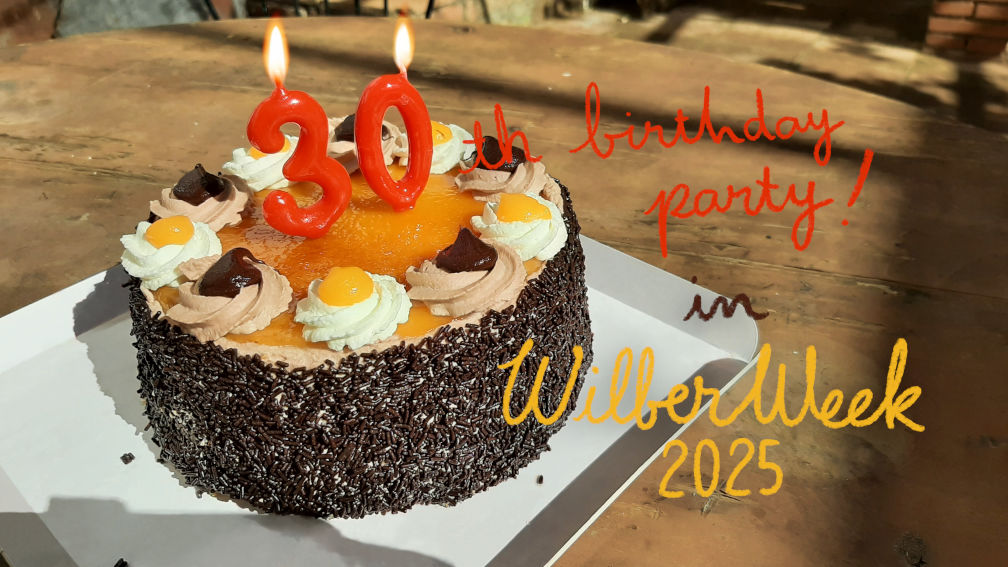
🎅🎄🎉 Oh and of course, the whole team wishes you all a happy holiday season! 🥳🥂🎆

  • ✇GIMP
  • GIMP 3.0 RC1 Released
    We are very excited to share the first release candidate for the long-awaited GIMP 3.0! We’ve been hard at work since our last development update to get this ready, and we’re looking forward to everyone finally being able to see the results. New release candidate splash screen, by Sevenix (CC by-sa 4.0) - GIMP 3.0 RC1 So, what exactly is a “release candidate” (RC)? A release candidate is something that might be ready to be GIMP 3.0, but we want the larger community to test it first and rep
     

GIMP 3.0 RC1 Released

Par : GIMP Team
5 novembre 2024 à 18:00

We are very excited to share the first release candidate for the long-awaited GIMP 3.0! We’ve been hard at work since our last development update to get this ready, and we’re looking forward to everyone finally being able to see the results.

GIMP 3.0 RC1: splash screen
New release candidate splash screen, by Sevenix (CC by-sa 4.0) - GIMP 3.0 RC1

So, what exactly is a “release candidate” (RC)? A release candidate is something that might be ready to be GIMP 3.0, but we want the larger community to test it first and report any problems they find. If user feedback reveals only small and easy to fix bugs, we will solve those problems and issue the result as GIMP 3.0. However, we hope and expect a much larger audience to try out 3.0 RC1 - including many people who have only been using 2.10 up until now. If larger bugs and regressions are uncovered that require more substantial code changes, we may need to publish a second release candidate for further testing.

New Graphics

Wilber Icons

The current Wilber logo was created by Jakub Steiner for GIMP 2.6 in 2008! While it is still a fantastic logo, design trends have changed a bit in the last sixteen years and Wilber’s more detailed appearance sticks out on modern desktops.

Therefore in collaboration with other contributors, Aryeom developed our new logo for GIMP 3.0!

New Wilber Icon
New Wilber Icon, by Aryeom (CC by-sa 4.0)

If you’re interested in learning more about the design choices, usage, and design variants, please check out our logo guide. We also documented the history of the Wilber logo.

Splash Screen

Our wonderful new splash screen (shown at the top of this news post) was created by longtime contributor and artist Sevenix! You can see more of their work on their personal art page.

Going forward, we plan to change splash screens much more frequently to show off all the many kinds of art made with GIMP (photography, illustration, design…). Related to this, we have created an updated splash screen archive to highlight the work of current and previous splash screen artists.

Legacy Icon Theme Improvements

One of the major improvements from the GTK3 port is that the vector UI icons now scale more cleanly based on your preference settings. Our Legacy icon theme was mainly raster PNGs however, so it could not take advantage of the GTK3 scaling system. Contributor Denis Rangelov took on the extensive challenge of recreating the Legacy tool icons as SVGs. Now both of GIMP’s icon themes look great on HiDPI screens!

Vectorized Legacy Icon theme
Scaled Legacy Icon Theme Tool Icons by Denis Rangelov (CC by-sa 4.0)

The work is not finished, as many icons are still non-scalable and some icons are still missing. Denis has expressed interest in continuing to improve the Legacy icon theme, so we hope to rename it as Classic when this project is achieved, to show it is now well-maintained.

Color Space Invasion

One of the key changes in 2.99.18 was massive improvements to color management in GIMP. As this work was not fully finished in 2.99.18, it was a major blocker of the 3.0 RC1 release.

Since that release, we have found and fixed a number of bugs and missed areas that needed to be color space aware. We have also reviewed reports by color expert Elle Stone to make sure that the color values shown by GIMP are as accurate as possible. At the same time, it’s very important to ensure that XCF project files created in GIMP 2.10 and before will render the same when opened in 3.0. For instance, one of the first Google logos was created in GIMP - and if you open the original XCF project file in GIMP 3.0 RC1, it still appears the same as it did when it was created in 1998! Therefore, we have thoroughly reviewed the various layer modes to ensure that commitment to compatibility is retained for this release.

Color space invasion is a long-running project, which will continue after GIMP 3.0 is released.

Public API Finalization

Another task that had to be finished before the 3.0 release was finalizing the public API. Since our last news post, we finished the remaining major changes - replacing all instances of our custom GimpRGB color structures with the better color-managed GeglColor, and improving our array format so the number of elements does not have to be specified separately. This work was a long process by Jehan and Lloyd Konneker, with a great deal of bugtesting and feedback from Anders Jonsson.

In addition, a number of functions have been added, renamed, or removed from the public API compared to 2.10. For instance, an older patch by Massimo Valentini adds gimp-context-get-emulate-brush-dynamics and gimp-context-set-emulate-brush-dynamics, which allows script and plug-in developers to use the Emulate Paint Brush Dynamics setting when painting. On the other hand, the various gauss functions were all consolidated into a single function, plug-in-gauss. While this change will require some updates in existing scripts, developers now have more direct control over the Gaussian Blur effect rather than relying on hidden preset values.

Since the API is now stable, plug-in and script developers can begin porting their 2.10 scripts based on this release. You can find initial API documentation on our developer site. We intend to add more tutorials and porting guides here during the release candidate phase. We also encourage you to check out the Script-fu and Python plug-ins in our repository to see working examples of the new API.

Non-Destructive Editing Updates

Since our last update, we have continued to make improvements and bug fixes to our non-destructive filter code. Many of these issues were reported by Sam Lester during the developing and testing of his third-party GEGL filters.

While non-destructive filters have been a very popular addition to GIMP 3.0, some early adopters have requested that we provide a way to return to the original destructive workflow. Therefore, we have added an optional “Merge Filters” checkbox at the bottom of NDE filters. If enabled, the filter will be immediately merged down after it is committed. Note that filters can not be applied destructively on layer groups – in those cases, the option to merge filters is not available.

Example of Merge Filter checkbox
Example of Filter with “Merge Filter” checkbox - GIMP 3.0 RC1

On a related note, Jehan also implemented storing version of filters in GIMP’s XCF project files. This will allow us to update filters in the future without impacting how older project files look when they’re opened. Additional work will be needed in GEGL to fully implement this feature, but that can be done after 3.0 without impacting existing project files.

User Interface

GIMP 3.0 RC1 contains several updates to the user interface. For example, more aspects of the GUI are now able to take advantage of the multi-select features implemented by Jehan in earlier versions of 2.99.

We also restored the ability to use the mouse scrollwheel to flip through the different dockable dialogue tabs. This feature was built into GTK2 but removed in GTK3. Per user request, we reimplemented this feature in GIMP itself based on a similar implementation in geany.

During development, we received a report that the scrolling credits in our About Dialog could cause discomfort due to its motion. As a result we’ve added code to check your operating system’s “Reduced Animation” setting and turn off those animations in GIMP per your preference settings.

Plug-ins

As we have been in a feature freeze since the last release of 2.99, most of the changes to plug-ins have been API updates and bug fixes (some of them for issues that were quite old). However, a few smaller enhancements have been implemented.

BMP

The BMP format now supports 64 bits per pixel images. New contributor Rupert Weber assisted us with adding support for importing this BMP format correctly. They have also submitted patches with more fixes to our BMP plug-in and testing pipeline.

TIFF

Since GIMP 2.99.16, we’ve been able to import TIFFs with Photoshop format layers. However, the Alias/Autodesk Sketchbook program created their own standard to save layers which was not compatible. Since this was marked as a bug in our issue tracker, we added support for loading layers from TIFFs saved in Sketchbook format as well.

GEGL and babl

Both GEGL and babl have seen a number of updates since their last releases in February.

GEGL 0.4.50 introduces a number of new filters created by Sam Lester.

  • Inner Glow

  • Bevel

  • GEGL Styles

*GEGL Styles* effect - GIMP 3.0 RC1

These can all be accessed via the GEGL Operations tool, or by searching for them with the / search action shortcut.

Øyvind Kolås made a number of bug fixes and improvements to the stability of GEGL. Several changes were also made related to the color space invasion in GIMP, such as adding convenience methods for getting and setting GeglColors in HSV(A) and HSL(A) color models, implemented by Alx Sa. Jacob Boerema and his GSoC student Varun Samaga B L merged a number of improvements to the OpenCL version of filters. While GIMP still does not enable OpenCL by default, their work brings us much closer to being able to so. We will discuss these improvements in a future news post.

babl 0.1.110 also received some contributions during this cycle. Jehan implemented new conversion processes between RGB and HSL color models, which improves the performance of a number of filters compared to GIMP 2.99.18. He also fixed certain parts of the code that behaved differently depending on whether your processor supported SSE2. Øyvind Kolås improved the accuracy of several sections of code when converting from floating point to integer values. Additionally, Lukas Oberhuber found and fixed a memory leak and Jacob Boerema fixed an issue where images with NaN could cause a crash.

Release Stats

Since GIMP 2.99.18, in the main GIMP repository:

  • 384 reports were closed as FIXED.
  • 442 merge requests were merged.
  • 1892 commits were pushed.
  • 31 translations were updated: Basque, Belarusian, Brazilian Portuguese, British English, Bulgarian, Catalan, Chinese (China), Chinese (Taiwan), Danish, Dutch, Galician, Georgian, German, Greek, Hungarian, Icelandic, Italian, Korean, Latvian, Norwegian Nynorsk, Polish, Portuguese, Russian, Serbian, Serbian (Latin), Slovenian, Spanish, Swedish, Turkish, Ukrainian, Vietnamese.

72 people contributed changes or fixes to GIMP 3.0.0 RC1 codebase (order is determined by number of commits; some people are in several groups):

  • 27 developers to core code: Jehan, Alx Sa, Jacob Boerema, bootchk, Anders Jonsson, Øyvind Kolås, Cheesequake, cheesequake, Niels De Graef, Idriss Fekir, Simon Budig, lillolollo, lloyd konneker, Andre Klapper, Andrzej Hunt, Bruno, Joachim Priesner, Nils Philippsen, Alfred Wingate, Bruno Lopes, Elle Stone, Kamil Burda, Luca Bacci, Mark Sweeney, Massimo Valentini, Oleg Kapitonov, Stanislav Grinkov, megakite.
  • 15 developers to plug-ins or modules: Alx Sa, Jehan, lloyd konneker, bootchk, Jacob Boerema, Anders Jonsson, Nils Philippsen, Andrzej Hunt, Andre Klapper, Rupert, Bruno Lopes, Daniel Novomeský, Mark Sweeney, Stanislav Grinkov, lillolollo.
  • 42 translators: Martin, Yuri Chornoivan, Luming Zh, Rodrigo Lledó, Kolbjørn Stuestøl, Ekaterine Papava, Cheng-Chia Tseng, Sabri Ünal, Marco Ciampa, Tim Sabsch, Jordi Mas, Alexander Shopov, Anders Jonsson, Alan Mortensen, Asier Sarasua Garmendia, Sveinn í Felli, Andi Chandler, Balázs Úr, dimspingos, Juliano de Souza Camargo, Ngọc Quân Trần, Vasil Pupkin, Alexandre Prokoudine, Bruce Cowan, Jürgen Benvenuti, Nathan Follens, Милош Поповић, Balázs Meskó, Christian Kirbach, Daniel, Emin Tufan Çetin, Fran Dieguez, Guntupalli Karunakar, Hugo Carvalho, Jehan, Philipp Kiemle, Piotr Drąg, Robin Mehdee, Rūdolfs Mazurs, Seong-ho Cho, Víttor Paulo Vieira da Costa, ayesha akhtar.
  • 7 resource creators (icons, themes, cursors, splash screen, metadata… though a good part of there were moved to gimp-data repository): Alx Sa, Jehan, Bruno Lopes, Anders Jonsson, Jacob Boerema, bootchk, nb1.
  • 10 documentation contributors: Jehan, Bruno, Lloyd Konneker, Alx Sa, Bruno Lopes, Anders Jonsson, bootchk, Lukas Oberhuber, Andre Klapper, Jacob Boerema.
  • 11 build, packaging or CI contributors: Bruno Lopes, Jehan, bootchk, Alx Sa, lloyd konneker, Jacob Boerema, Niels De Graef, Alfred Wingate, Lukas Oberhuber, Michael Schumacher, Anders Jonsson.

Contributions on other repositories in the GIMPverse (order is determined by number of commits):

  • babl 0.1.110 is made of 22 commits by 7 contributors: Øyvind Kolås, Jehan, Bruno Lopes, Anders Jonsson, Biswapriyo Nath, Jacob Boerema, Lukas Oberhuber.
  • GEGL 0.4.50 is made of 204 commits by 33 contributors: Øyvind Kolås, Sam Lester, Martin, Varun Samaga B L, Yuri Chornoivan, Luming Zh, Rodrigo Lledó, Jehan, Jordi Mas, Anders Jonsson, Kolbjørn Stuestøl, Marco Ciampa, Sabri Ünal, Bruno Lopes, Alan Mortensen, Asier Sarasua Garmendia, Ekaterine Papava, Bruce Cowan, Lukas Oberhuber, Tim Sabsch, psykose, Alexandre Prokoudine, Alx Sa, Andi Chandler, Andre Klapper, ArtSin, Daniel Șerbănescu, Jacob Boerema, Joe Locash, Morgane Glidic, Niels De Graef, dimspingos, lillolollo.
  • ctx had 616 commits since 2.99.18 release by 2 contributor: Øyvind Kolås, Ian Geiser.
  • gimp-data (new repository holding images, splashes, icons and other binary data for the software) had 76 commits by 7 contributors: Jehan, Aryeom, Bruno, Alx Sa, Denis Rangelov, Anders Jonsson, Bruno Lopes.
  • The gimp-macos-build (macOS packaging scripts) release had 41 commits by 3 contributors: Lukas Oberhuber, Bruno Lopes, Jehan.
  • The flatpak release had 38 commits by 4 contributors: Bruno Lopes, Jehan, Hubert Figuière, Will Thompson.
  • Our main website (what you are reading right now) had 60 commits since 2.10.38 release by 5 contributors: Jehan, Alx Sa, Andre Klapper, Bruno Lopes and Denis Rangelov.
  • Our developer website had 33 commits since 2.10.38 release by 5 contributors: Bruno Lopes, Jehan, Lloyd Konneker, Alx Sa, Lukas Oberhuber.
  • Our 3.0 documentation had 928 commits since 2.99.18 release by 14 contributors: Andre Klapper, Kolbjørn Stuestøl, Jacob Boerema, Alan Mortensen, Yuri Chornoivan, Jordi Mas, Marco Ciampa, Anders Jonsson, Sabri Ünal, dimspingos, Alx Sa, Andi Chandler, Daniel, Nathan Follens.

Let’s not forget to thank all the people who help us triaging in Gitlab, report bugs and discuss possible improvements with us. Our community is deeply thankful as well to the internet warriors who manage our various discussion channels or social network accounts such as Ville Pätsi, Liam Quin, Michael Schumacher and Sevenix!

Note: considering the number of parts in GIMP and around, and how we get statistics through git scripting, errors may slip inside these stats. Feel free to tell us if we missed or mis-categorized some contributors or contributions.

Future changes to release process

We are well aware that the path to GIMP 3.0 has been a long one, and GIMP 2.10 users have not had access to all of the great new features we’ve been working on over the years. Going forward, we are restructuring our development process to decrease time between releases. As briefly mentioned in our post 3.0 roadmap, we want to focus on smaller, feature-focused releases. This means that we are aiming for GIMP 3.2 to come out within a year after the final release of 3.0, rather than in 2050 as is often joked! Micro releases with bug fixes may happen in-between.

Smaller releases with few “big” features will also allow us to more thoroughly test each change, further improving the stability of each release. During the 3.0 development process, developers like Jacob Boerema, Lloyd Konneker, Bruno Lopes, and Jehan have been creating and improving our automated testing processes to further catch and identify bugs early. We will talk more about these improvements in future news posts.

Around GIMP

Download Mirrors

Since our last news, 8 new mirrors have been contributed to GIMP by:

  • Sahil Dhiman, India
  • FCIX, in the Dominican Republic, Australia and 2 in the USA.
  • Taiwan Digital Streaming Co., Taiwan
  • OSSPlanet, Taiwan
  • Shrirang Kahale, India

This brings us to a total of 56 mirrors from all over the world!

World Map of GIMP Mirror locations
Map of GIMP Mirrors worldwide, generated from MirrorBits

Mirrors are important as they help the project by sharing the load for dozens of thousands of daily downloads. Moreover by having mirrors spread across the globe, we ensure that everyone can have fast download access to GIMP.

Platform Changes

Bruno Lopes has truly taken the lead to improve our build and packaging process on multiple platforms.

Over the summer, he created an experimental AppImage build (as detailed in a prior news post). If you are interested in improving it further and hopefully making it available as a standard download, please get in touch! Bruno has also created flatpak build scripts to make the process of creating your own GIMP flatpak much easier.

A lot of work was done to improve our presence on the Microsoft Store for 3.0. Our GIMP 2.10 app was not fully integrated into the store platform due to certain limitations - it is really just a wrapper for our existing GIMP installer. Therefore it did not automatically update for users and it was not possible to automate installations with tools like Microsoft Intune. Thanks to a lot of effort on Bruno’s part, we will have a new GIMP app in the Microsoft Store which resolves these issues (and many others) for the final GIMP 3.0 release. From now, we also have a separate GIMP (Preview) which allows you to install development versions in a similar manner to the Beta flatpak on Linux. You can try it out at this Microsoft Store link.

(For technical and maintenance reasons described here, 32-bit binaries will not be available in the new MSIX packages of GIMP, which unfortunately removes support for the legacy TWAIN plug-in in x64 and arm64 packages used for quick scanning. If you depend on these, the .exe installer still supports 32-bit processors. However, the support for this architecture is planned to be dropped in the future)

Additionally, the standard Windows installer has been updated to a more modern design. It also lets you install individual language packages and lets you start up GIMP immediately after the installer is finished. For the more technically inclined, the Windows build scripts have also been ported to use PowerShell, and the cross build scripts can now run locally.

Due to changes and updates in our software building infrastructure, we’ve had to raise the minimum OS requirement for MacOS to Big Sur (MacOS 11).

GNOME Foundation fiscal host agreement

Earlier this year, the GNOME Foundation announced a fiscal sponsorship agreement with GIMP. This is all thanks to a lot of hard work by Jehan over many, many months. Our goals with this agreement are to support stable funding for developers interested in working on GIMP for a longer term through grants, and to provide easier ways for people to contribute to GIMP’s development. This is still a work-in-progress, so we will make a more detailed announcement once everything has stabilized.

Translations

Thanks to volunteer translators, we now have a Bengali language translation of GIMP! If you are interested in translating GIMP into your own language or assisting with an existing translation, you can find out how here.

Downloading GIMP 3.0 RC1

You will find all our official builds on GIMP official website (gimp.org):

  • Linux flatpaks for x86 and ARM (64-bit)
  • Universal Windows installer for x86 (32 and 64-bit) and for ARM (64-bit)
  • MSIX package (GIMP Preview) for x86 (64-bit only) and ARM (64-bit)
  • macOS DMG packages for Intel hardware
  • macOS DMG packages for Apple Silicon hardware

Other packages made by third-parties are obviously expected to follow (Linux or *BSD distributions’ packages, etc.).

What’s Next

We are now entering the last stage of this major release: candidates for the final version! Though one can always hope to get a RC right the first time, experience tells us that this RC1 — which is the result of more than 6 years of work — will likely have problems, bugs, probably nasty crashes. This is where we need you all! We rely on everyone to find and report issues so that the actual 3.0.0 release can really be considered stable. 🤗

Some small bugs may be considered secondary (though we still welcome reports for all bugs, even smaller ones!), because perfection barely exists in software. There are other things in particular we really want to catch, such as:

  • any inconsistency or problem in the API (it will stay stable for the whole v3 series, so if there are problems to find, it’s now; we want a robust plug-in framework);
  • bugs when reading or rendering existing XCF made by former stable versions of GIMP;
  • crashes;
  • regressions;
  • proper migration of configuration from previous versions.

We are not giving out a date estimate for the actual 3.0.0 release, firstly because we can’t know for sure, secondly because each time we do, news outlets seem to just skim every warning out of our text and transform our words into unbreakable promises. Just know that we also want it to happen as soon as possible, i.e. when we can consider our software to feel stable enough.

Don’t forget you can donate and personally fund GIMP developers, as a way to give back and accelerate the development of GIMP. Community commitment helps the project to grow stronger! 💪🥳
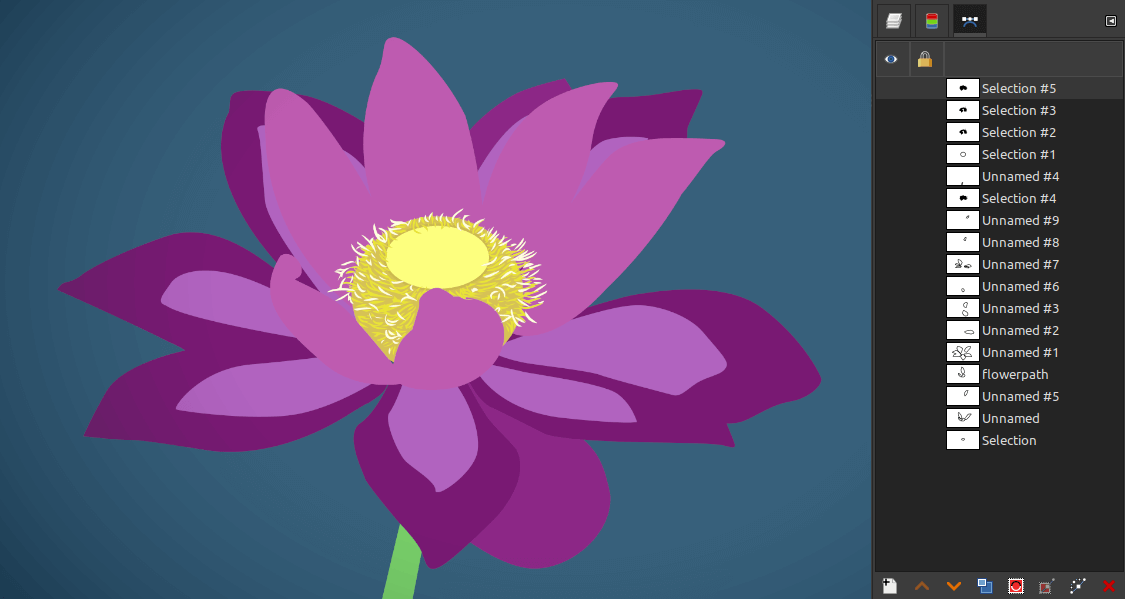
  • ✇GIMP
  • Development Update: Closing In on the 3.0 Release Candidate
    This is a short development update on our progress towards the first release candidate for GIMP 3.0. We recently reached the string freeze milestone. What this means is that there will be no more changes in user-facing text (like GUI labels and messages) so that translators can work on the final translations for the 3.0 release. Progress on completing the blocking issues for 3.0 slowed over the summer due to the maintainer and some of the main developers falling ill after the Libre Graphics Mee
     

Development Update: Closing In on the 3.0 Release Candidate

Par : GIMP Team
4 octobre 2024 à 18:00

This is a short development update on our progress towards the first release candidate for GIMP 3.0. We recently reached the string freeze milestone. What this means is that there will be no more changes in user-facing text (like GUI labels and messages) so that translators can work on the final translations for the 3.0 release.

Progress on completing the blocking issues for 3.0 slowed over the summer due to the maintainer and some of the main developers falling ill after the Libre Graphics Meeting conference. This is why we are “late” compared to our original estimated timelines. Thankfully everyone’s feeling much better now, and work has resumed in earnest! As of this writing, we’re currently at 96% completion for the 3.0 RC1 milestone, with 11 issues remaining.

We’ll have a lot more to share in the news post for GIMP 3.0 RC1. However, here are a few highlights to show what we’ve been working on the last few months:

API

Finalizing the API is a crucial task for GIMP 3.0. As we’ve added new features and improved existing ones during development, we’ve needed to make “breaking” changes to the public API. This means that if a third-party developer ported their 2.10 plug-in or script to use GIMP 2.99.16’s API, it might not work with the 2.99.18 API due to further changes. Once 3.0 is released however, any function that’s in the public API must continue to work for all future releases of GIMP 3. So we have to get it right before the first 3.0 release!

Most of the API changes are invisible to non-developers, so we won’t detail all of them here. However, we’d like to share a few to illustrate the on-going work:

Plug-in GUI Creation

Over several past releases, our internal plug-ins have been ported to the new GimpProcedure and GimpProcedureDialog API. This update automatically saves the last settings used, letting users reset to it or to the “factory default” values whenever they like. The GimpProcedureDialog API also allows developers to automatically create a GUI based on the settings they defined.

Until recently though, this GUI creation feature was only fully available to C plug-ins – other plug-in languages like Python couldn’t generate certain widgets such as dropdown boxes and radio buttons. Since the 2.99.18 release however, we’ve been able to make the full API available to all supported plug-in languages. Python plug-in developers can see more examples of how to use this new API in the Python plug-in section of our repository. Once the API is fully stabilized, we’ll update our developer website with more tutorials on how to use this and other APIs in your plug-ins.

Example of generated dialog (Palette Sort Python plug-in)

Script-Fu Updates

Lloyd Konneker has been organizing and implementing many improvements to our Script-fu code library. For script developers, script-fu-register has been deprecated and replaced with two new functions: script-fu-register-procedure for general scripts and script-fu-register-filter for image-processing scripts. These two new script functions also use the GimpProcedureDialog API, so script developers will have access to the same automated GUI creation mentioned in the last section. You can look at our in-progress guide to see how you can use these new features when porting your 2.10 plug-in scripts.

Export Options

A long standing feature request has been exporting images with different settings, while leaving the original image unchanged. For instance, letting users export an image in several different sizes.

The new GimpExportOptions class sets the groundwork for us to implement this in future 3.x releases. We’ve simplified how images are exported using the plug-in API, and moved much of the export settings code to the GimpExportOptions parameter. This change will allow us to add new types of export settings and features after 3.0 without plug-in developers having to make changes to their own code. As a nice side-effect, this work also fixed some existing inconsistencies between exporting an image from GIMP’s GUI and exporting from a script.

Color Space Invasion

The second remaining area of work for 3.0 is finishing the color space invasion project. Our goal is for the color space and color profile information to be associated with the pixels in all aspects of GIMP, from the canvas to the GUI and everywhere in-between. This is important for artists to keep colors consistent on all devices and monitors they use. The first half of this work was completed by Jehan in the 2.99.18 release. Since then we have been fixing the inevitable bugs from such a large change while making the rest of GIMP color-space aware. This work overlaps with the API changes, as several of our code functions still assumed the colors were in the sRGB color space.

In addition, we’ve been reviewing the existing color algorithm to make sure they are correct and performing efficiently. Øyvind Kolås and Elle Stone have provided great insight and assistance with this process. We want to ensure that your GIMP 2.10 XCF project files look the same when opened in GIMP 3.0, but we also want to set up infrastructure to improve the accuracy of layer modes and other aspects of GIMP going forward.

Non-Destructive Editing Updates

Since introducing non-destructive filters in GIMP 2.99.18, we’ve received a lot of great feedback and bug reports from early adopters. Based on these reports we’ve fixed many bugs related to copying, pasting, and updating filters, along with improving the general stability of the effects code. The temporary filter icon has also been replaced by a more intuitive Fx design from new contributor Denis Rangelov (created with the vector art program Inkscape, another FLOSS project that we highly recommend).

In addition to on-going bug fixes, we’ve also implemented non-destructive filters on layer groups. Now you can add an adjustment filter like Brightness-Contrast (or any other layer effect) to a group and have it change the display of each layer inside it.

Example of Brightness-Contrast non-destructive editing filter being applied to a layer group
Example of Color Temperature non-destructive editing filter being applied to a layer group. Photos by Andrea Luck, Attribution (CC BY 2.0)

GIMP Family Libraries: ctx, babl and GEGL

Øyvind has also worked hard on ctx these last few months, including improving portability for various platforms (on all types of architectures, libc and OSes), improving performance and massively profiling and fuzz-testing the project. For reminder, ctx is one of the latest ambitious project in the GIMP family, for 2D vector rendering and serialization. Though it is not necessarily used a lot in GIMP itself yet, it may pave the way for future work on more vector abilities in our software.

Of course, all this happens while still maintaining babl and GEGL, our color conversion engine and graph-based pixel processing framework. These 2 libraries do not receive significant changes lately, despite all the work done with the Color Space Invasion and the non-destructive editing projects, which is quite a good sign of a stable software in good shape!

Build Process Improvements

Bruno Lopes has been working hard to improve our build processes on all platforms. His on-going work has helped reduce redundancies and inefficiencies in our development pipeline, Windows installers, and Flakpak distributions. He is also preparing a new version of our Microsoft Store installer that will be better integrated into the platform, and as noted in a prior news post, he’s experimenting with an AppImage version of GIMP. You can also thank Bruno for his work in updating the build documentation on our developer website.

darktable Integration

While GIMP does not natively process RAW images, we have plug-ins that allow sending and retrieving images with great FLOSS raw photo processing software like darktable and RawTherapee. Earlier this year, darktable updated their public API which GIMP uses to set up this connection - causing the plug-in to stop working. Fortunately Hanno Schwalm and other darktable developers worked with us to create a GIMP-specific API that should be more stable going forward. We really appreciate collaborating with darktable developers to restore this connection!

(Note that this updated API is not yet available in GIMP 2.10.38 or GIMP 2.99.18. For now, you can use darktable 4.6 and below with GIMP as a workaround)

Documentation

With all the new changes and improvements in GIMP 3.0, the help manual needs a lot of updates from 2.10. Jacob Boerema has taken the lead on this project to update screenshots and text as well as adding new sections. This is an area where anyone can help without needing to write a line of code! You can review the upcoming documentation on our help manual test site. If you notice something’s missing or outdated, you can post about it on our issue tracker. If you want to help further, you can also fix the problem yourself and submit a merge request.

Preview of GIMP 3.0 Help Manual
Preview of GIMP 3.0 Help Manual; illustration by Aryeom (CC by-sa 4.0)

Bug Fixes

Since the feature freeze milestone, we’ve been focused on fixing as many bugs as we can before the first release. These include everything from older bugs that existed in GIMP 2.10, to recent ones created as we implemented all the new features for GIMP 3.0. Special thanks to Anders Jonsson, Andre Klapper, Lloyd Konneker, and Sam Lester for their extensive work finding and fixing these bugs! Early adopters and testers have also provided valuable bug reports, so if you’ve come across a bug in the development releases, please report them on our issue tracker.

GSoC 2024

We once again participated in GSoC this summer. We were fortunate to work with three student contributors this time around. Due to the circumstances mentioned above, their projects were scaled back a bit compared to our initial plans. Still, all three students did great work!

  • Idriss Fekir continued his work on improving the text tool from GSoC 2023. His work also overlapped with the color space improvements, such as fixing issues with text color as we made it color-space aware.

  • Cheesequake did initial research and design for eventually porting our GtkTreeView GUI to GTK4. He also assisted with many bug fixes for our non-destructive editing code.

  • Varun Samaga B L worked on improving OpenCL code in GEGL. OpenCL speeds up the performance of filters and other aspects of GIMP by taking better advantage of your graphics card’s multi-processing capabilities. You can see a more detailed write-up from Varun on his GSoC report.

We really appreciate all the hard work from our GSoC students!

Design Team

One area we want to focus on after 3.0 is improving our UI/UX design process. We have set up a separate UX repository to report and discuss issues related to design. We are looking to build a team of designers to discuss and create design improvements to GIMP that also respect existing user’s workflows. Denis Rangelov has taken a strong interest in this area and has already done great work in identifying, categorizing, and moving design issues from the code repository to the dedicated design section. Some design improvements have already been implemented for 3.0, and we look forward to working with community designers to give people a better experience!

GIMP Usability

What’s Next

There’s a lot more work going on behind the scenes, and we look forward to sharing it with you soon in the 3.0 RC1 release news post! If you haven’t already, you can test out the 2.99.18 release from the development downloads page. It does not include any of the improvements we’ve made since its release, but it still gives a good preview of what 3.0 will look like.

Don’t forget you can donate and personally fund GIMP developers, as a way to give back and accelerate the development of GIMP. Community commitment helps the project to grow stronger!
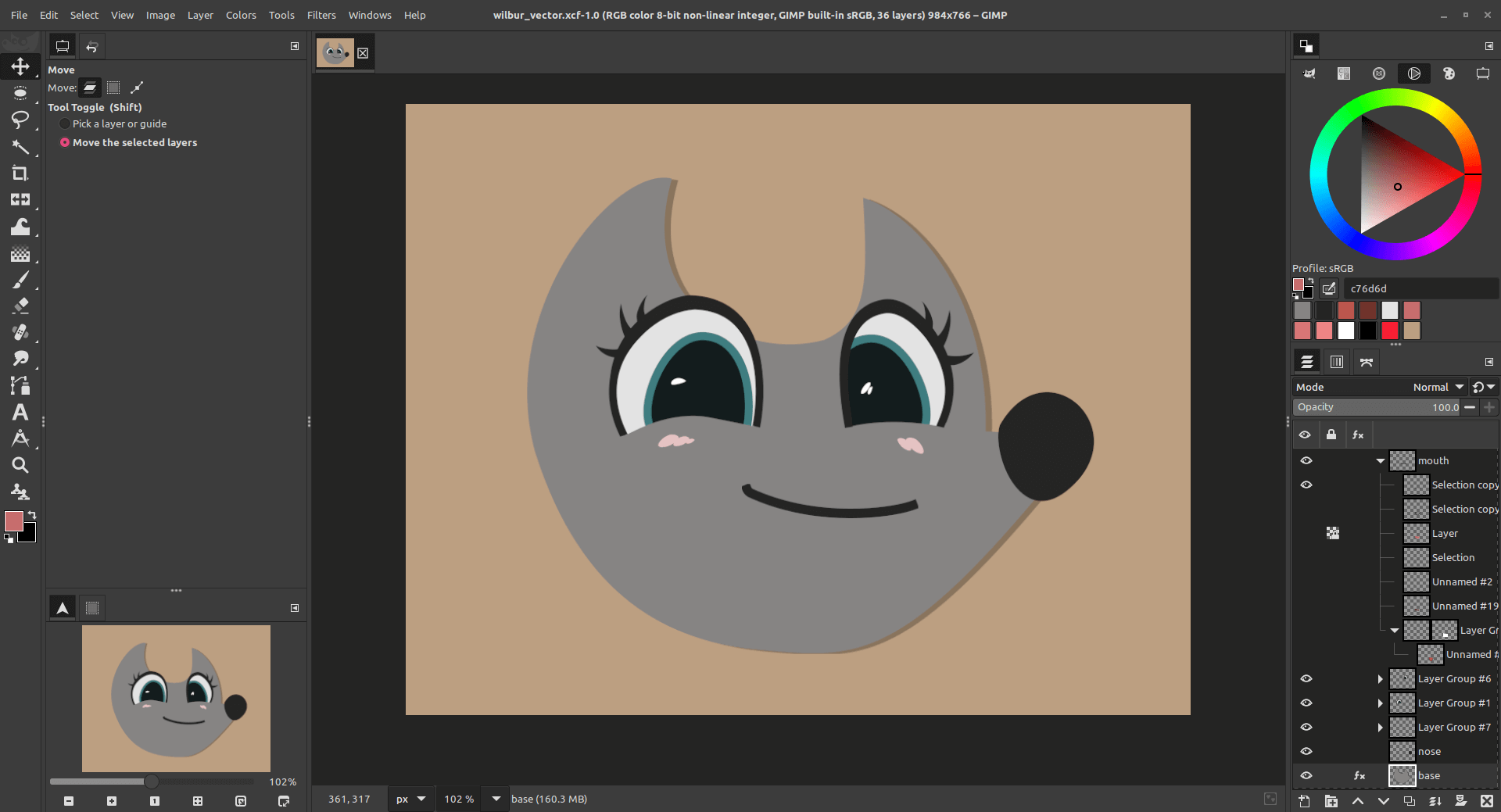
  • ✇GIMP
  • GIMP at LGM 2024 (Rennes, France)
    The Libre Graphics Meeting (LGM) is the biggest international gathering of Free Software for graphics creation. Born in 2006 as an evolution of our GIMPCon, the event went on every year since then, thanks to the support of various major projects, such as Blender, Inkscape, Scribus… until 2019, because of a pandemic which everybody knows about! After 2 years where the event went online, then 2 years without LGM at all, it is finally back, this time in France, Rennes, from Thursday, May 9 (French
     

GIMP at LGM 2024 (Rennes, France)

Par : GIMP Team
5 mai 2024 à 18:00

The Libre Graphics Meeting (LGM) is the biggest international gathering of Free Software for graphics creation. Born in 2006 as an evolution of our GIMPCon, the event went on every year since then, thanks to the support of various major projects, such as Blender, Inkscape, Scribus… until 2019, because of a pandemic which everybody knows about!

After 2 years where the event went online, then 2 years without LGM at all, it is finally back, this time in France, Rennes, from Thursday, May 9 (French holiday) to Saturday, May 11, 2024!

Libre Graphics Meeting 2024 logo
Logo of Libre Graphics Meeting 2024

As every year, the GIMP team will be present. Three talks are presented by members of the team, one of them being prolonged through a standards-making workshop:

  • Friday, May 10 at 2:30PM: OpenType and the desktop by Liam Quin, one of our long term contributors:

    Proposing a cross-desktop font service (DBUS-based?) to support user interfaces for people to instantiate variable fonts, to edit colour font palettes, choose alternate glyphs, install/uninstall fonts, and that can return paths, or glyph lists, or font names, or rendered text, to any application.

  • Friday, May 10 from 4PM: workshop part of OpenType and the desktop talk by Liam Quin: hoping that the presentation will move on to a discussion so that Free Software projects can work together to propose a standard for font listing, selection, usage and more.

  • Saturday, May 11 at 2PM: GIMP 3.0 and beyond by the whole team:

    GIMP team will present the long-awaited new major version, GIMP 3.
    On the menu : non-destructive editing, multi-layer selection, color management improvements, brand new plug-in API, port to GTK3 (HiPPI, Wayland support, CSS themes, better tablet support, etc.) and more.
    We will also expose our plans for the future.

  • Saturday, May 11, at 3PM: Early screening with live music (cinema-concert): « ZeMarmot »

    Jehan (GIMP maintainer) and Aryeom (artist in residence, illustrator, designer…) will present their short animation film, ZeMarmot, produced by the non-profit film production LILA (Libre comme l’Art / Free as Art).
    The movie in its current state (color and background unfinished) will be screened with live music by 3 musicians (ORL, Pelin, Adrien) from our friend music collective, AMMD, which work with us on this movie and only produces Libre Music.

    The showing will take about 10 minutes, followed by a talk and questions with Aryeom (film director), ORL (film score composer, and musician) and Jehan (technical, development, organization, backend…).

We will await you!


Summed-Up Information

  • Event page
  • Location:

    Activdesign
    4A rue du Bignon
    35000 Rennes
    FRANCE

  • Libre Graphics Meeting: from May 9 to 11, 2024, doors opening at 9AM, then all day long!
  • Main GIMP talk: Saturday, May 11, 2024 from 2PM to 3PM (by the GIMP team)
  • OpenType talk: Friday, May 10, 2024 from 2:30PM to 3:30PM (by Liam Quin)
  • OpenType workshop: Friday, May 10, 2024 from 4PM to 6PM (by Liam Quin)
  • ZeMarmot musical showing and talk: Saturday, May 11, 2024 from 3PM to 4PM (by Aryeom, film director, ORL, composer, Jehan, developer, and Pelin and Adrien, musicians)
  • Full program
  • Online map
  • More info on how to reach the location
  • Event is recorded: yes

Don’t forget you can donate and personally fund GIMP developers, as a way to give back and accelerate the development of GIMP. Community commitment helps the project to grow stronger! 💪🥳
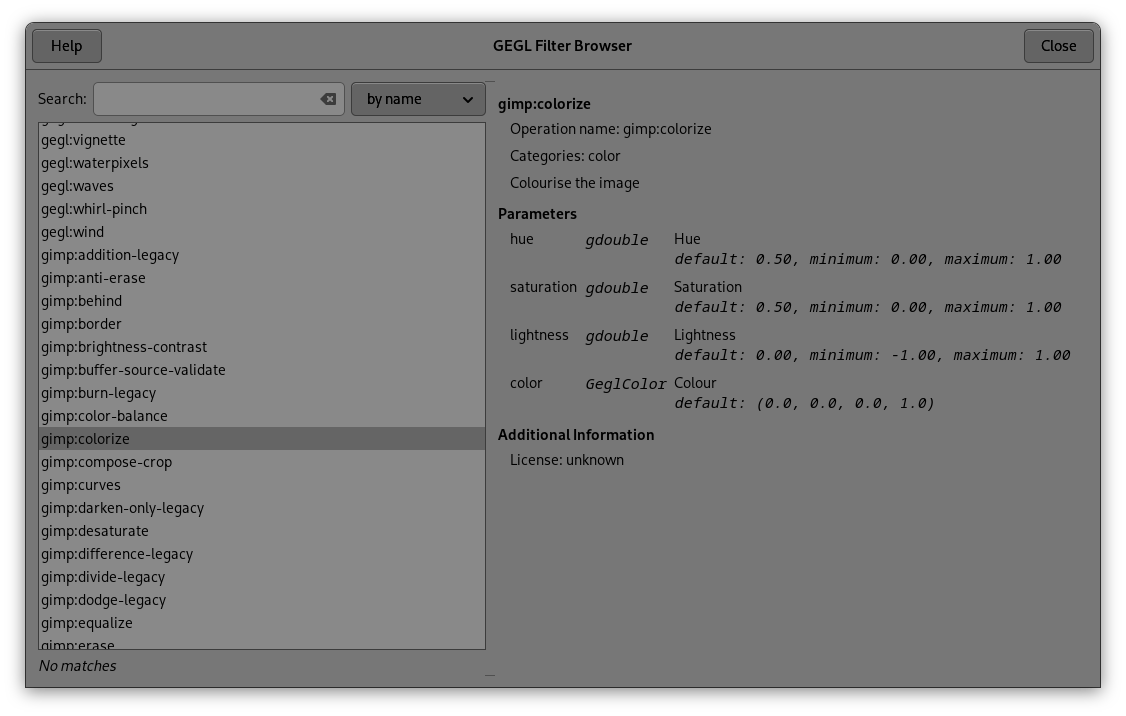
  • ✇GIMP
  • GIMP 2.10.38 Released
    This (possibly last) GIMP 2 stable release brings much-requested backports from GTK3, including improved support for tablets on Windows. A number of bug fixes and minor improvements are also included in this release. New features and improvements Improved support for tablets on Windows Backports of other GTK3 features Bugfixes Recent crashes Other fixes Release stats Team news and release process Around GIMP Mirror News Infrastructure and Hardware Sponsors Downloading GIMP 2.10.38 What’s
     

GIMP 2.10.38 Released

Par : GIMP Team
4 mai 2024 à 18:00

This (possibly last) GIMP 2 stable release brings much-requested backports from GTK3, including improved support for tablets on Windows. A number of bug fixes and minor improvements are also included in this release.

This news lists the most notable and visible changes. In particular, we do not list every single bug fix or smaller improvement. To get a more complete list of changes, you should refer to the NEWS file or look at the commit history.

New features and improvements

Improved support for tablets on Windows

Before this release, GIMP only supported connecting tablets on Windows through WinTab drivers rather than the newer Windows Ink drivers. Because of this, we received a number of reports about tablets having issues with unresponsive buttons, incorrect pressure sensitivity, lagging brush movement, and mid-stroke position changes.

These problems were due to a limitation of GTK2, as support for Windows Ink was implemented in GTK3 by long-time contributor Luca Bacci. For this release, Luca was gracious enough to backport this support to GTK2. You can now switch between WinTab and Windows Ink drivers (if supported by your computer) in the Preferences dialog under the Input Device settings.

Windows Pointer Input API option in GIMP 2.10.38
Windows Pointer Input API can now be changed - GIMP 2.10.38

Backports of other GTK3 features

Luca also contributed a number of other features from GTK3 to GTK2. Some of the backported improvements include updating the size of the Print Dialog so buttons are not cut off, fixing issues with pop-up dialogs appearing behind the previous ones, and several fixes to keyboard input.

These improvements are primarily for Windows and are already included in the 2.99 development release. However, we are very happy that these quality of life improvements are now available in this stable release of GIMP 2.10!

Bugfixes

Recent crashes

Two commonly reported crashes have now been corrected. A change in GLib 2.80 exposed a bug in our closing process and caused a crash on exit. Luca Bacci once again devised a fix for both 2.10.38 and the upcoming 3.0 release candidate. Another crash that some users encountered when making very small selections was also fixed.

Other fixes

A number of other small bugs were fixed in this release. Among them:

  • Indexed PNGs with transparency are now exported with the correct colors
  • Anders Jonsson fixed the input ranges for several filters such as Waves and Distort
  • The titlebar customization field now supports UTF-8 characters
  • Existing image comments no longer “leak” into newly created images

Release stats

Since GIMP 2.10.36:

  • 16 reports were closed as FIXED in 2.10.38
  • 9 merge requests were merged
  • 81 commits were pushed
  • 1 new translation was added: Kabyle
  • 16 translations were updated: Belarusian, Brazilian Portuguese, British English, Danish, Georgian, German, Greek, Hungarian, Icelandic, Italian, Norwegian Nynorsk, Slovenian, Spanish, Swedish, Turkish, Spanish

25 people contributed changes or fixes to GIMP 2.10.36 codebase (order is determined by number of commits):

  • 7 developers: Alx Sa, Jehan, Luca Bacci, Jacob Boerema, Lukas Oberhuber, lillolollo, Øyvind Kolås
  • 19 translators: Kolbjørn Stuestøl, Sabri Ünal, Bruce Cowan, Yuri Chornoivan, Vasil Pupkin, Anders Jonsson, Rodrigo Lledó, Jürgen Benvenuti, Sveinn í Felli, Andi Chandler, Juliano de Souza Camargo, Ekaterine Papava, Balázs Úr, Martin, Philipp Kiemle, Alan Mortensen, Dimitris Spingos, Marco Ciampa, Yacine Bouklif

Contributions on other repositories in the GIMPverse (order is determined by number of commits):

  • The gimp-2-10 branch of gimp-macos-build (macOS build scripts) had 30 commits since the 2.10.36 release by 2 contributors: Lukas Oberhuber, Bruno Lopes.
  • The flatpak release is made of 11 commits by 3 contributors: Jehan, Hubert Figuière and Bruno Lopes.
  • Our main website (what you are reading right now) had 42 commits since 2.99.18 release by 4 contributors: Jehan, Alx Sa, Andre Klapper and Lukas Oberhuber.
  • Our developer website had 34 commits since 2.99.18 release by 6 contributors: Bruno Lopes, Jehan, Alx Sa, bootchk, Alpesh Jamgade and Robin Swift.
  • Our 2.10 documentation had 35 commits since 2.10.36 release by 8 contributors: Alan Mortensen, Anders Jonsson, Rodrigo Lledó, Jacob Boerema, Kolbjørn Stuestøl, Marco Ciampa, Andi Chandler and Víttor Paulo Vieira da Costa.

Let’s not forget to thank all the people who help us triaging in Gitlab, report bugs and discuss possible improvements with us. Our community is deeply thankful as well to the internet warriors who manage our various discussion channels or social network accounts such as Ville Pätsi, Liam Quin, Michael Schumacher and Sevenix!

Note: considering the number of parts in GIMP and around, and how we get statistics through git scripting, errors may slip inside these stats. Feel free to tell us if we missed or mis-categorized some contributors or contributions.

Team news and release process

Idriss, 2023 GSoC contributor, has been recently granted “developer” access on the main source repository, for the awesome continued job since then.

Ville Pätsi, very long term contributor (more than 20 years!), on various topics (design, theming and more) got the “reporter” access to Gitlab to help with triaging and organizing directly in the tracker.

Around GIMP

Mirror News

Since our last news, 3 new mirrors have been contributed to GIMP by:

  • Clarkson Open Source Institute, USA
  • FCIX, Switzerland
  • Tomás Leite de Castro, Portugal

This brings us to a total of 49 mirrors all over the world.

Mirrors are important as they help the project by sharing the load for dozens of thousands of daily downloads. Moreover by having mirrors spread across the globe, we ensure that everyone can have fast download access to GIMP.

Infrastructure and Hardware Sponsors

We enhanced the sponsor page with 2 sections:

  • Infrastructure Sponsors” lists the sponsors who help GIMP with infrastructure:

    • CircleCI and MacStadium make our macOS continuous integration platform possible.
    • Arm Ltd. sponsors and administers several Aarch64 runners on Windows for our ARM 64-bit build for Windows; and Microsoft had given away the one-time fee for their Microsoft Store.
  • Hardware Sponsors” lists sponsors which donated some hardware to contributors to help with development:

    • Arm Ltd. recently donated a Windows Dev Kit 2023 to support our recent Aarch64/Windows support.
    • Purism donated a Librem Mini in 2021.

Downloading GIMP 2.10.38

You will find all our official builds on GIMP official website (gimp.org):

  • Linux flatpaks for x86 and ARM (64-bit)
  • Universal Windows installer for x86 (32 and 64-bit) and for ARM (64-bit)
  • macOS DMG packages for Intel hardware
  • macOS DMG packages for Apple Silicon hardware

Other packages made by third-parties are obviously expected to follow (Linux or *BSD distributions’ packages, etc.).

What’s next

Clearly one of the smallest releases ever in the 2.10 series, and it might be our last. We’ll see, though we also know some people get stuck longer than others on older series (especially when using 3.0.0 release, as a wrap up.GIMP distributions of Free Software operating systems), so we might do (if we feel like it’s needed) a 2.10.40 release with bug fixes only just before or just after LTS

In any case, we are now stopping backporting features in the 2.10 series. These graphics tablet support improvements for Windows are huge enough that they had to get in; yet from now on, we want to focus solely on releasing GIMP 3.0.0.

Now you might wonder when that is? Very soon! We are on the last sprint towards the release candidate. This includes a lot of bug fixes, but also still some API changes going on. We will keep you updated!

Don’t forget you can donate and personally fund GIMP developers, as a way to give back and accelerate the development of GIMP. Community commitment helps the project to grow stronger! 💪🥳
❌