Vue normale

Reçu — 30 décembre 2025 Développement logiciel
  • ✇The Linux Mint Blog
  • Monthly News – December 2025
    Many thanks to you all for your generous donations. A big thank you as well to our sponsors and to everyone who supports our project. Special thanks to all those involved in testing the BETA release over Christmas. We hope you’re having a great time during the holiday season. Happy New Year, everyone! See you in 2026 Sponsorships: Linux Mint is proudly sponsored by: Gold Sponsors:Silver Sponsors: Bronze Sponsors: Donations in November: A total of $21,590 were raised thanks to the generous

     

Monthly News – December 2025

Par :Clem
30 décembre 2025 à 11:56

Many thanks to you all for your generous donations. A big thank you as well to our sponsors and to everyone who supports our project. Special thanks to all those involved in testing the BETA release over Christmas.

We hope you’re having a great time during the holiday season. Happy New Year, everyone!

See you in 2026 😉

Sponsorships:

Linux Mint is proudly sponsored by:

Gold Sponsors:
Linux VPS Hosting
IPv6.rs
Silver Sponsors:
Datadog
Sucuri
ThinkPenguin: For Everything Freedom
Bronze Sponsors:
AYKsolutions Server & Cloud Hosting
Agile.Coach
BGASoft Inc
C0MPLÉX1 SEO
Chargeblast
nesevo GmbH & Co. KG
Tinken Inc
VANT

Donations in November:

A total of $21,590 were raised thanks to the generous contributions of 712 donors:

$1062, David C.
$250, Jeffrey N.
$222 (7th donation), André Inácio
$212, Karsten S.
$200 (18th donation), Tomasz E.
$200 (2nd donation), Stephen L.
$159, Dennis L.
$159, Giuseppe P.
$159, Oliver B.
$127 (2nd donation), Thomas S.
$116 (4th donation), T.H.
$116 (3rd donation), Gerhard Schaufelberger aka “Schaufelzwerg
$106 (16th donation), Christian G. aka “Chrissy”
$106 (13th donation), Jiří B.
$106 (8th donation), Michael J.
$106 (5th donation), Ruediger B.
$106 (4th donation), aka “omg_me”
$106 (3rd donation), Iris K.
$106 (2nd donation), Christian S.
$106 (2nd donation), Mikael T.
$106 (2nd donation), Wolfgang B.
$106,
$106, Dr. A. R.
$106, George Petropoulos
$106, HENTTONEN M.
$106, Jan W.
$106, Johannes R.
$106, KEMPERMAN J.
$106, Luka aka “WerIstLuka”
$106, Robert P.
$106, Web-Sky
$106, Zsolt P.
$100 (28th donation), John Mc aka “Land Research Project
$100 (14th donation), James F.
$100 (4th donation), Vincent P.
$100 (3rd donation), Alan H.
$100 (3rd donation), John A.
$100 (3rd donation), sector0 networks
$100 (2nd donation), Heinrich V.
$100 (2nd donation), Peter B.
$100, Charles H.
$100, Dean A.
$100, Evan R.
$100, James W.
$100, Mark R.
$100, Noel R.
$100, Rani J.
$100, Steven M.
$100, Thomas W. B.
$84, Ingo S.
$84, Vincent H.
$75 (10th donation), Paul R.
$70, David W. G.
$70, Lutz K.
$68, Jacques S.
$63 (2nd donation), J.
$63, DIERICKX C.
$63, Nick M.
$60 (38th donation), Wolfgang P.
$57 (5th donation), GASHIGULLIN D.
$53 (21st donation), Geoff P
$53 (10th donation), Peter W.
$53 (8th donation), Mark E.
$53 (6th donation), Bobby
$53 (6th donation), Gianni O.
$53 (6th donation), Marek Stapff
$53 (6th donation), Patrick R.
$53 (5th donation), E. V. S. .
$53 (3rd donation), Bernard S.
$53 (3rd donation), Bernhard S.
$53 (3rd donation), Kevin B.
$53 (3rd donation), RP
$53 (3rd donation), Syntega IT Schmitt
$53 (2nd donation), Christina R.
$53 (2nd donation), Hinderk S.
$53 (2nd donation), Juan E.
$53 (2nd donation), Klaus B.
$53 (2nd donation), Robert M.
$53 (2nd donation), Rolf S.
$53 (2nd donation), Ronald L.
$53 (2nd donation), Stefan L.
$53 (2nd donation), Tristan A.
$53, ALAIN H.
$53, André C.
$53, Andre R.
$53, Anthony DUBOIS aka “Big.”
$53, Bartolome M. G.
$53, Benjamin L.
$53, Bernard G.
$53, Bruno N.
$53, Carmen S.
$53, Dania B.
$53, Daniel D.
$53, Dimitrios P.
$53, Dirk H. M.
$53, F. P.
$53, Friedrich T.
$53, Frode F.
$53, GHM H.
$53, Hannes N.
$53, Hans D. R.
$53, Ignacio D. M. I.
$53, Ing W. E.
$53, Juergen B.
$53, K. S. N.
$53, Kilian A. W.
$53, Leonhard R.
$53, LESLY M. R. G.
$53, Mario C.
$53, Mark E.
$53, Mathias P.
$53, Michel B.
$53, Patrick B. aka “the climbing developer
$53, Peter V.
$53, Sotiris K.
$53, Stefan F.
$53, Sylvio D.
$53, Vesa L.
$50 (28th donation), Thomas T. aka “FullTimer1489”
$50 (14th donation), Intrinsic
$50 (14th donation), Mothy
$50 (12th donation), Bruce N.
$50 (11th donation), Anthony C. aka “Ciak”
$50 (5th donation), Felipe Amaral aka “famaral42
$50 (4th donation), Guillermo A.
$50 (4th donation), Karl J.
$50 (4th donation), Tim A.
$50 (3rd donation), Christopher M.
$50 (3rd donation), Frank B.
$50 (2nd donation), Glenn D.
$50 (2nd donation), Jan I. L.
$50 (2nd donation), Mario L.
$50 (2nd donation), mark M.
$50 (2nd donation), Michael R.
$50 (2nd donation), Oscar H.
$50 (2nd donation), Philip B.
$50 (2nd donation), Steven D. P.
$50, Anthony M.
$50, Charles S.
$50, Colleen R.
$50, craiggunderson.com
$50, Daniel G.
$50, daniel L.
$50, David C.
$50, David J.
$50, Douglas B.
$50, DR M. H. F.
$50, Eric H.
$50, Grayson Peddie
$50, Hansruedi M.
$50, Jim O.
$50, John A. B.
$50, John C.
$50, John D.
$50, Joseph K.
$50, Kenneth T. B.
$50, Kevin B.
$50, Kevin E.
$50, Kyle L.
$50, MATTHEW S.
$50, Monte B. I.
$50, Peter Bartosik
$50, Ralph U.
$50, Ramesh K.
$50, Randy B.
$50, Rebecca P.
$50, Stephen G.
$50, Steven L.
$50, Sylvain D.
$50, Taekyun K.
$50, Tom B.
$50, Vincent N.
$50, Wayne F. R.
$50, Wayne H.
$50, Wojciech B.
$47, EDOUARD S.
$43, .– .. .-.. .-.. .. .- — / — / .-.-.-
$42, Hans-Anton R.
$42, Josua M.
$42, Seong-Lin H.
$41, Max B.
$40 (4th donation), Carl T.
$40, jose A. S. A.
$40, Michael K.
$37 (8th donation), Niklas
$37 (3rd donation), Andreas K.
$35, Alejandra G.
$35, Cameron L. M.
$35, Mark G.
$35, Mr S. B. L.
$31 (10th donation), Peter C.
$31 (4th donation), Reinhold S.
$31, Benjamin L.
$31, COLIN D.
$31, Daniel A.
$31, Enrique M.
$31, Ingo T.
$31, Kjetil G.
$31, Martin S.
$31, Michael W.
$31, Paul P. W.
$31, Reinhard K.
$31, Richard G.
$31, Zoran S.
$30 (6th donation), Craig B.
$30, Axel B.
$30, BRUCE B. R.
$30, Karen P.
$30, Kevin S.
$30, MATTHEW R. E.
$30, Mr. C.
$29 (3rd donation), Thomas M.
$29, E A. C.
$26 (6th donation), Lionel R.
$26 (4th donation), Rudolf M.
$26 (3rd donation), Josef C.
$26 (3rd donation), Ronny W.
$26 (2nd donation), Christian K.
$26 (2nd donation), Hans Peter S.
$26 (2nd donation), Joachim F.
$26 (2nd donation), Michael R.
$26 (2nd donation), Samuel G.
$26 (2nd donation), Tim O.
$26, ALIAKSANDR L.
$26, Hans U. M.
$26, J.C. C.
$26, Miriam B.
$26, Oskar K.
$26, Zola
$25 (57th donation), Linux Mint Sverige
$25 (16th donation), Mihnea Rădulescu
$25 (10th donation), John N.
$25 (5th donation), Richard T. aka “RichT54”
$25 (4th donation), Larry G.
$25 (2nd donation), Anonymous
$25, Daniel D.
$25, Michel G.
$25, Paul S. G.
$21 (65th donation), Peter E.
$21 (48th donation), Thomas Rehm
$21 (32nd donation), Stefan W.
$21 (27th donation), Benjamin W. aka “UncleBens”
$21 (26th donation), Marek S.
$21 (25th donation), Nigel B.
$21 (19th donation), Alain P.
$21 (11th donation), Francis N.
$21 (11th donation), François L.
$21 (7th donation), Arvi O.
$21 (7th donation), Frank W.
$21 (7th donation), Ingo P.
$21 (7th donation), Sebastian Friedrich
$21 (6th donation), Dominique M. O.
$21 (6th donation), Riccardo C.
$21 (6th donation), Tannis E.
$21 (5th donation), Haris A.
$21 (5th donation), Manfred H.
$21 (5th donation), Santiago
$21 (5th donation), Van G. H. aka “HarryT140E”
$21 (4th donation), Florian K. aka “FK”
$21 (4th donation), Helgi J.
$21 (4th donation), Jean-pierre P.
$21 (4th donation), Konrad S.
$21 (4th donation), Sönke M.
$21 (4th donation), Uwe W.
$21 (4th donation), Wolfgang L.
$21 (3rd donation), A V.
$21 (3rd donation), Adam D.
$21 (3rd donation), Jens R.
$21 (3rd donation), M. T.
$21 (3rd donation), Matthias W.
$21 (3rd donation), Viktor W. aka “Vykynger”
$21 (2nd donation), Anne-Pierre aka “A-PP”
$21 (2nd donation), Bernhard M.
$21 (2nd donation), Erwin B.
$21 (2nd donation), Gedeon Stol
$21 (2nd donation), Guðni M. G.
$21 (2nd donation), Ilmo J.
$21 (2nd donation), Jose Luis F. M.
$21 (2nd donation), Klaus F.
$21 (2nd donation), Kurt B.
$21 (2nd donation), Pierre M.
$21 (2nd donation), Rainer F.
$21 (2nd donation), Reinhart S.
$21 (2nd donation), Simon R.
$21, A.W.M. V. R.
$21, Alessandro B.
$21, Alex M.
$21, Alex N.
$21, Alvaro L.
$21, Andreas S.
$21, Arturo B.
$21, Bas D.
$21, Benjamin D.
$21, Bogomil T.
$21, Bruno E.
$21, Christian P.
$21, David E
$21, Diego C.
$21, Dirk B.
$21, DOMINGO A. R.
$21, Duy D. P.
$21, Eduardo S. G.
$21, Eric B.
$21, FELIX K.
$21, francisco L.
$21, Francois M.
$21, Frank M. F.
$21, Frank N.
$21, Frank S.
$21, Frederik G.
$21, Fredrik N.
$21, Gabriele D. M.
$21, Gary F.
$21, Gerard A. B.
$21, Giovanni S.
$21, Guenter K.
$21, Harald P.
$21, Harry M.
$21, Imrich P.
$21, Ingo S.
$21, Irma G.
$21, James A.
$21, Johannes P.
$21, Johannes R.
$21, Joni H.
$21, Julian M.
$21, Kathleen D.
$21, Ljubomir V.
$21, Manfred O. aka “Diving Bull”
$21, Manuel N.
$21, Marcho aka “PlumBum”
$21, Marco B.
$21, Marcus N.
$21, Markoise
$21, Martin Wessely
$21, Mathias M.
$21, Matthias H.
$21, Matthieu aka “Madeba”
$21, Michael Wannink
$21, Michel R. aka “Ghost Raven”
$21, N. S.
$21, Nadine J.
$21, Paul B.
$21, Paul L.
$21, Peter L.
$21, Peter T.
$21, Phil C.
$21, Rainer S.
$21, Robert B.
$21, Robert T.
$21, Rolf I.
$21, Santi R. L.
$21, Sebastian M.
$21, Shaun Moorcroft
$21, Stefan R.
$21, Thomas M.
$21, Tomislav B.
$21, Uwe L.
$21, William S.
$21, yannick B.
$20 (73rd donation), Bryan F.
$20 (19th donation), Dana S.
$20 (6th donation), Daniel Greg aka “006.5”
$20 (5th donation), Brent P.
$20 (5th donation), Randall W.
$20 (5th donation), Timothy A.
$20 (5th donation), William B.
$20 (4th donation), Eugene C.
$20 (4th donation), Tulio J S.
$20 (3rd donation), Alan H.
$20 (3rd donation), Alexander B.
$20 (3rd donation), Ian D.
$20 (3rd donation), Lars K.
$20 (3rd donation), Mike W.
$20 (3rd donation), Murat K.
$20 (2nd donation), Adam Neal Design
$20 (2nd donation), Daron M.
$20 (2nd donation), Doug Z.
$20 (2nd donation), Peter W.
$20 (2nd donation), Robert B.
$20 (2nd donation), Robert M.
$20 (2nd donation), Ted S.
$20, A. S
$20, Adam S.
$20, ATSUSHI Y.
$20, Benoit L.
$20, Dakota L.
$20, Damaris S.
$20, David W.
$20, Dylan V. D. W.
$20, Gabriel R. V. D. M.
$20, Geraldo R.
$20, Gregory T.
$20, ibrahim K.
$20, James T.
$20, Jamie N.
$20, Jeffrey P.
$20, Jeromy J.
$20, Jesse A.
$20, Justin L.
$20, Ken N.
$20, Lore Forge
$20, Louis C.
$20, Marcus A.
$20, Mario Gervais
$20, Martin L.
$20, Mathew E.
$20, Michael O.
$20, Neal H.
$20, Panagiotis L.
$20, R
$20, Richard R.
$20, Richard W.
$20, Robert E.
$20, Severin M.
$20, simon C.
$20, Stefan N.
$20, Steve H.
$20, Taylor S.
$20, Thomas D.
$20, Thong N.
$20, Tor E. A.
$20, Ugurcan K.
$20, William W.
$19, Anatolii A.
$18 (6th donation), Nicholas J.
$15 (14th donation), Gabriele I.
$15 (6th donation), mitch K.
$15 (2nd donation), Rufus
$15 (2nd donation), Tyler H.
$15, Alexander R.
$15, Bruce W.
$15, Christian W.
$15, Drak aka “Silly Dreg”
$15, Maario T.
$15, Peter W.
$13, aka “dingbat7871”
$13, Leszek M.
$12, Daniel L.
$12, Gheorghe Nicusor Pop
$11 (12th donation), Alessandro S.
$11 (2nd donation), Darko H.
$11 (2nd donation), kamil P.
$10 (116th donation), Thomas C.
$10 (60th donation), Philip Woodward
$10 (43rd donation), Tugaleres.com
$10 (40th donation), Denys G. aka “GD Next
$10 (26th donation), Christopher R.
$10 (23rd donation), Piotr L
$10 (17th donation), Aimless Games
$10 (13th donation), redman
$10 (11th donation), Abe Z.
$10 (11th donation), Daniel Tan
$10 (10th donation), Artem Ignatyev aka “ZaZooBred”
$10 (10th donation), Joel C.
$10 (10th donation), Peter H.
$10 (8th donation), Mirko A.
$10 (7th donation), Alexei S.
$10 (7th donation), Joe S.
$10 (7th donation), Luis D.
$10 (7th donation), Mariusz B.
$10 (6th donation), Bernd S.
$10 (6th donation), Edgar T.
$10 (6th donation), Günter S.
$10 (6th donation), James N.
$10 (6th donation), Sebastian S.
$10 (6th donation), Želimir S.
$10 (5th donation), Christopher U.
$10 (5th donation), Tristan V.
$10 (4th donation), Balazs B.
$10 (4th donation), jan W. V. D.
$10 (4th donation), Loren D.
$10 (3rd donation), Alan L.
$10 (3rd donation), Dave J.
$10 (3rd donation), Davor T.
$10 (3rd donation), Detlef D.
$10 (3rd donation), Korora Solutions
$10 (3rd donation), Michael K.
$10 (3rd donation), Natanael Cruz
$10 (3rd donation), Noah P.
$10 (3rd donation), Ted H.
$10 (2nd donation), Brian D. O.
$10 (2nd donation), Bruno C.
$10 (2nd donation), Ilmo Y.
$10 (2nd donation), John F.
$10 (2nd donation), Kourosh S.
$10 (2nd donation), Lorenz M.
$10 (2nd donation), Lorenzo C.
$10 (2nd donation), Mark B.
$10 (2nd donation), Nejc Š.
$10 (2nd donation), Ola P.
$10 (2nd donation), Pasquale G.
$10 (2nd donation), Pentti S.
$10 (2nd donation), Tomasz S.
$10 (2nd donation), Urszula S.
$10, Adam M.
$10, Alexander S.
$10, Alexandre M. B.
$10, Alexandru T.
$10, Aman P.
$10, Andéol P.
$10, Andre R.
$10, Andrea B.
$10, Andreas W.
$10, Andreas W.
$10, Andres C.
$10, Anja
$10, Annarita R.
$10, Anthony C.
$10, Antonio T.
$10, Ashley S.
$10, Barnaby M.
$10, Bernd S.
$10, Bernhard B.
$10, BIANCO S.
$10, Brandon D.
$10, Brendan G.
$10, Cas F.
$10, Christian F.
$10, Dainius aka “uNseeN”
$10, Daniel A.
$10, Daniel B.
$10, Daniel E. aka “SimsonS53”
$10, daniel P.
$10, Daniel T.
$10, Dany
$10, David T.
$10, Dr H. U.
$10, E A. M.
$10, E D. M.
$10, Eduard D.
$10, Enzo P.
$10, epicjourney aka “pitfall”
$10, Fenyvesi K.
$10, Fernand V.
$10, Fernando H.
$10, FRANCESCO O.
$10, Gerhard F.
$10, Giuseppe A.
$10, Giuseppe I.
$10, Gordon O.
$10, Grégoire D. I.
$10, Guido K. aka “In memory of Louisbär”
$10, guido M.
$10, Guido R.
$10, Guillaume B.
$10, Gustavo F.
$10, Hans H.
$10, hansjörg V.
$10, Ismail K.
$10, Jacek Szukalski
$10, James L.
$10, Jan V. D. B.
$10, Jan V. K.
$10, Jean B.
$10, Jean G.
$10, Jerome P.
$10, joe R.
$10, Jorge Albeńo
$10, José M. V.
$10, Jose M. B. R.
$10, Julian A. G. T.
$10, Jürgen F.
$10, Justin C.
$10, Kali aka “kali”
$10, Kevin L.
$10, Kyle L.
$10, Lennard B.
$10, Lorenzo T.
$10, Lostes B.
$10, Lucía S.
$10, Lyuben Hranov
$10, Manuel W.
$10, marco A.
$10, Marcus V. R. U.
$10, Martin S.
$10, Matthew F.
$10, Max
$10, MERCIER.Phil aka “Phil911”
$10, Merlin W.
$10, Michael G. L.
$10, Michael H.
$10, Michael H.
$10, Michal B.
$10, Miguel A. M.
$10, Murari B.
$10, Nevin M.
$10, Nicholas S.
$10, NICOLAE C. D.
$10, Orlando O.
$10, Patrick B.
$10, Paul B.
$10, Philipp J.
$10, pier L. B.
$10, pino C.
$10, Ray E.
$10, Robert H.
$10, Rolf M.
$10, Ronald B.
$10, Rossi R.
$10, Scott H.
$10, sergio C.
$10, Stephen P.
$10, Steven W.
$10, Thomas B.
$10, Thomas D.
$10, thomas L.
$10, Thomas S.
$10, Tobias Z.
$10, Torsten A.
$10, Tyler Sanders
$10, Véronique V. D. B.
$10, Winfried B.
$10, Олександр aka “Сухоручкін”
$8 (2nd donation), MAISA GARCIA
$8, Andy K.
$8, SmG
$7 (2nd donation), TURBOKAN_TR
$7, Maris K.
$7, Robert D.
$344 from 89 smaller donations

If you want to help Linux Mint with a donation, please visit https://www.linuxmint.com/donors.php

Patrons:

Linux Mint is proudly supported by 1,924 patrons, for a sum of $4,636 per month.

To become a Linux Mint patron, please visit https://www.patreon.com/linux_mint

Reçu — 26 décembre 2025 Développement logiciel
  • ✇Inkscape
  • Bugs banished – Inkscape 1.4.3 is out!
    Inkscape 1.4.3, with around 124 bug and crash fixes is one of the biggest minor release we've ever done. Here's a summary of what to expect from the new release: Almost 100 bug fixes and small improvements 24 crash/freeze fixes, many of which prevented users from opening certain files or exporting certain objects with Inkscape 1.4.2 Improved PDF import JPEG/JPG export works again on Windows UI text should now always show up as real letters instead of rectangle-shaped placeholders ('tof
     

Bugs banished – Inkscape 1.4.3 is out!

26 décembre 2025 à 10:33

Expand Your Creative Universe by Chris Hildenbrand, Jobot, Ishaan Arora - CC-By-SA 4.0

Inkscape 1.4.3, with around 124 bug and crash fixes is one of the biggest minor release we've ever done.

Here's a summary of what to expect from the new release:

  • Almost 100 bug fixes and small improvements
  • 24 crash/freeze fixes, many of which prevented users from opening certain files or exporting certain objects with Inkscape 1.4.2
  • Improved PDF import
  • JPEG/JPG export works again on Windows
  • UI text should now always show up as real letters instead of rectangle-shaped placeholders ('tofu') on macOS
  • 23 updated interface languages and 12 updated documentation languages!

For more detailed information on the changes in 1.4.3, you can read the release notes.

Again, thanks to all Inkscape users and contributors for their support in identifying and flagging these critical issues for us through sending bug reports for our volunteer developers to examine and solve.

Should you experience an issue while using Inkscape, please let us know! We've put together a step-by-step video to help you post your first bug reports on Gitlab.

Built with the power of a team of mostly volunteers, this open source vector graphics editor represents the combined efforts, passion and work of many hearts and hands from around the world, ensuring that Inkscape remains available free for everyone to download and enjoy.

If you'd like to contribute to the project, you are more than welcome in our project's global community! You'll find the list of ways to connect with us here.

You can also help Inkscape to stay alive and evolve by making a donation.

Get Inkscape 1.4.3 for Linux, Windows or macOS!

Draw Freely.

Reçu — 24 décembre 2025 Développement logiciel
  • ✇FreshRSS releases
  • FreshRSS 1.28.0
    Milestone This is a major release, just in time for the holidays 🎄 Selected new features ✨: New sorting and filtering by date of User modified, with corresponding search operator, e.g. userdate:PT1H for the past hour New sorting by article length New advanced search form New overview of dates with most unread articles New ability to share feed visibility through API (implemented by e.g. Capy Reader) Bonus: Capy Reader is also the first open source Android app to support user labels Better
     

FreshRSS 1.28.0

Par :Alkarex
24 décembre 2025 à 14:27

This is a major release, just in time for the holidays 🎄

Selected new features ✨:

  • New sorting and filtering by date of User modified, with corresponding search operator, e.g. userdate:PT1H for the past hour
  • New sorting by article length
  • New advanced search form
  • New overview of dates with most unread articles
  • New ability to share feed visibility through API (implemented by e.g. Capy Reader)
    • Bonus: Capy Reader is also the first open source Android app to support user labels
  • Better transitions UI between groups of articles
  • New links in UI for transitions between groups of articles, and jump to next transition
  • Docker default image updated to Debian 13 Trixie with PHP 8.4.11
  • And much more…

Improved performance 🏎️:

  • Scaling of user statistics in Web UI and CLI, to help instances with 1k+ users
  • Improve SQL speed for some critical requests for large databases
  • API performance optimisation thanks to streaming of large responses

Selected bug fixes 🐛:

  • Fix OpenID Connect with Debian 13
  • Fix MySQL / MariaDB bug wrongly sorting new articles
  • Fix SQLite bind bug when adding tag

Breaking changes 💥:

  • Move unsafe autologin to an extension
  • Potential breaking changes for some extensions (which have to rename some old functions)

This release has been made by @Alkarex, @Frenzie, @Inverle, @aledeg, @andris155, @horvi28, @math-GH, @minna-xD and newcomers @Darkentia, @FollowTheWizard, @GreyChame1eon, @McFev, @jocmp, @larsks, @martinhartmann, @matthew-neavling, @pudymody, @raspo, @scharmach, @scollovati, @stag-enterprises, @vandys, @xtmd, @yzx9.

Full changelog:

  • Features
    • New sorting and filtering by date of User modified #7886, #8090,
      #8105, #8118, #8130
      • Corresponding search operator, e.g. userdate:PT1H for the past hour #8093
      • Allows finding articles marked by the local user as read/unread or starred/unstarred at specific dates for e.g. undo action.
    • New sorting by article length #8119
    • New advanced search form #8103, #8122, #8226
    • Add compatibility with PCRE word boundary \b and \B for regex search using PostgreSQL #8141
    • More uniform SQL search and PHP search for accents and case-sensitivity (e.g. for automatically marking as read) #8329
    • New overview of dates with most unread articles #8089
    • Allow marking as read articles older than 1 or 7 days also when sorting by publication date #8163
    • New option to show user labels instead of tags in RSS share #8112
    • Add new feed visibility (priority) Show in its feed #7972
    • New ability to share feed visibility through API (implemented by e.g. Capy Reader) #7583, #8158
    • Configurable notification timeout #7942
    • OPML export/import of unicity criteria #8243
    • Ensure stable IDs (categories, feeds, labels) during export/import #7988
    • Add username and timestamp to SQLite export from Web UI #8169
    • Add option to apply filter actions to existing articles #7959, #8259
    • Support CSS selector ~ subsequent-sibling #8154
    • Rework saving of configuration files for more reliability in case of e.g. full disk #8220
    • Web scraping support date format as milliseconds for Unix epoch #8266
    • Allow negative category sort numbers #8330
  • Performance
    • Improve SQL speed for updating cached information #6957, #8207,
      #8255, #8254, #8255
    • Fix SQL performance issue with MySQL, using an index hint #8211
    • Scaling of user statistics in Web UI and CLI, to help instances with 1k+ users #8277
    • API streaming of large responses for reducing memory consumption and increasing speed #8041
  • Security
    • 💥 Move unsafe autologin to an extension #7958
    • Fix some CSRFs #8035
    • Strengthen some crypto (login, tokens, nonces) #8061, #8320
    • Create separate HTTP Retry-After rules for proxies #8029, #8218
    • Add data: to CSP in subscription controller #8253
    • Improve anonymous authentication logic #8165
    • Enable GitHub release immutability #8205
  • Bug fixing
    • Exclude local networks for domain-wide HTTP Retry-After #8195
    • Fix OpenID Connect with Debian 13 #8032
    • Fix MySQL / MariaDB bug wrongly sorting new articles #8223
    • Fix MySQL / MariaDB database size calculation #8282
    • Fix SQLite bind bug when adding tag #8101
    • Fix SQL auto-update of field f.kind to ease migrations from FreshRSS versions older than 1.20.0 #8148
    • Fix search encoding and quoting #8311, #8324, #8338
    • Fix handling of database unexpected null content (during migrations) #8319, #8321
    • Fix drag & drop of user query losing information #8113
    • Fix DOM error while filtering retrieved full content #8132, #8161
    • Fix config.custom.php during install #8033
    • Fix do not mark important feeds as read from category #8067
    • Fix regression of warnings in Web browser console due to lack of window.bcrypt object #8166
    • Fix chart resize regression due to chart.js v4 update #8298
    • Fix CLI user creation warning when language is not given #8283
    • Fix merging of custom HTTP headers #8251
    • Fix bug in the case of duplicated mark-as-read filters #8322
  • SimplePie
  • Deployment
    • Docker default image updated to Debian 13 Trixie with PHP 8.4.11 and Apache 2.4.65 #8032
    • Docker alternative image updated to Alpine 3.23 with PHP 8.4.15 and Apache 2.4.65 #8285
    • Fix Docker healthcheck cli/health.php compatibility with OpenID Connect #8040
    • Improve Docker for compatibility with other base images such as Arch Linux #8299
      • Improve cli/access-permissions.sh to detect the correct permission Web group such as www-data, apache, or http
    • Update PostgreSQL volume for Docker #8216, #8224
    • Catch lack of exec() function for git update #8228
    • Work around DOMDocument::saveHTML() scrambling charset encoding in some versions of libxml2 #8296
    • Improve configuration checks for PHP extensions (in Web UI and CLI), including recommending e.g. php-intl #8334
  • UI
    • New button for toggling sidebar on desktop view #8201, #8286
    • Better transitions between groups of articles #8174
    • New links in transitions and jump to next transition #8294
    • More visible selected article #8230
    • Show the parsed search query instead of the original user input #8293,
      #8306, #8341
    • Show search query in the page title #8217
    • Scroll into filtered feed/category on page load in the sidebar #8281, #8307
    • Fix autocomplete issues in change password form #7812
    • Fix navigating between read feeds using shortcut shift+j/k #8057
    • Dark background in Web app manifest to avoid white flash when opening #8140
    • Increase button visibility in UI to change theme #8149
    • Replace arrow navigation in theme switcher with <select> #8190
    • Improve scroll of article after load of user labels #7962
    • Keep scroll state of page when closing the slider #8295, #8301
    • Scroll into filtered feed/category on page load #8281
    • Display sidebar dropdowns above if no space below #8335, #8336
    • Use native CSS instead of SCSS #8200, #8241
    • Various UI and style improvements: #8171, #8185, #8196
    • JavaScript finalise migration from Promise to async/await: #8182
  • API
    • API performance optimisation: streaming of large responses #8041
    • Fever API: Add with_ids parameter to mass-change read/unread/saved/unsaved on lists of articles #8312
    • Misc API: better REST error semantics #8232
  • Extensions
    • Add support for extension priority #8038
    • Add support for extension compatibility #8081
    • Improve PHP code with hook enums #8036
    • New hook nav_entries #8054
    • Rename Extensions default branch from master to main #8194
  • I18n
    • Translation status as text in README #7842
    • Add new translate CLI commands move #8214
    • Change some regional language codes to comply with RFC 5646 / IETF BCP 47 / ISO 3166 / ISO 639-1 #8065
    • Improve German #8028
    • Improve Greek #8146
    • Improve Finnish #8073, #8092
    • Improve Hungarian #8244
    • Improve Italian #8115, #8186
    • Improve Polish #8134, #8135
    • Improve Russian #8155, #8197
    • Improve Simplified Chinese #8308, #8313
  • Misc.

Reçu — 20 décembre 2025 Développement logiciel
  • ✇The Linux Mint Blog
  • Linux Mint 22.3 “Zena” – BETA Release
    This is the BETA release for Linux Mint 22.3 “Zena”. Linux Mint 22.3 is a long term support release which will be supported until 2029. It comes with updated software and brings refinements and many new features to make your desktop even more comfortable to use. New features: This new version of Linux Mint contains many improvements. For an overview of the new features please visit: “What’s new in Linux Mint 22.3“. Important info: The release notes provide important information about known iss
     

Linux Mint 22.3 “Zena” – BETA Release

Par :Clem
20 décembre 2025 à 10:26

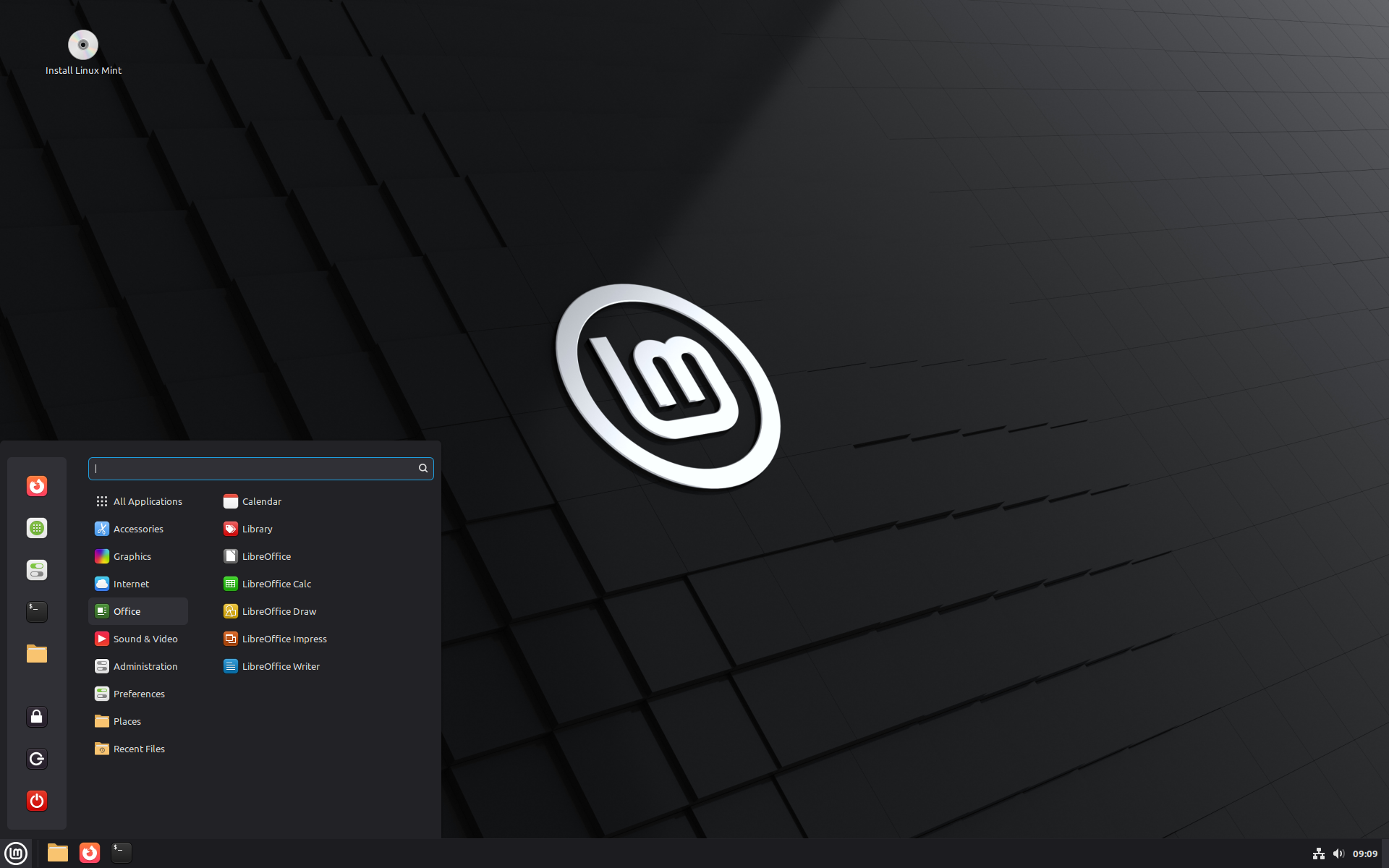
This is the BETA release for Linux Mint 22.3 “Zena”.

Linux Mint 22.3 is a long term support release which will be supported until 2029. It comes with updated software and brings refinements and many new features to make your desktop even more comfortable to use.

New features:

This new version of Linux Mint contains many improvements.

For an overview of the new features please visit:

What’s new in Linux Mint 22.3“.

Important info:

The release notes provide important information about known issues, as well as explanations, workarounds and solutions.

To read the release notes, please visit:

Release Notes for Linux Mint 22.3

System requirements:

  • 2GB RAM (4GB recommended for a comfortable usage).
  • 20GB of disk space (100GB recommended).
  • 1024×768 resolution (on lower resolutions, press ALT to drag windows with the mouse if they don’t fit in the screen).

Upgrade instructions:

  • This BETA release might contain critical bugs, please only use it for testing purposes and to help the Linux Mint team fix issues prior to the stable release.
  • Upgrade instructions will be published after the stable release of Linux Mint 22.3.
  • It will be possible to upgrade from this BETA to the stable release.
  • It will also be possible to upgrade from Linux Mint 22, 22.1 and 22.2.

Bug reports:

  • Bugs in this release should be reported on Github at https://github.com/linuxmint/mint22.3-beta.
  • Create one issue per bug.
  • As described in the Linux Mint Troubleshooting Guide, do not report or create issues for observations.
  • Be as accurate as possible and include any information that might help developers reproduce the issue or understand the cause of the issue:
    • Bugs we can reproduce, or which cause we understand are usually fixed very easily.
    • It is important to mention whether a bug happens “always”, or “sometimes”, and what triggers it.
    • If a bug happens but didn’t happen before, or doesn’t happen in another distribution, or doesn’t happen in a different environment, please mention it and try to pinpoint the differences at play.
    • If we can’t reproduce a particular bug and we don’t understand its cause, it’s unlikely we’ll be able to fix it.
  • The BETA phase is literally a bug squashing rush, where the team is extremely busy and developers try to fix as many bugs as fast as possible.
  • There usually are a huge number of reports and very little time to answer everyone or explain why a particular report is not considered a bug, or won’t get fixed. Don’t let this frustrate you, whether it’s acknowledged or not, we appreciate everyone’s help.

Download links:

Cinnamon Edition:

Xfce Edition:

MATE Edition:

Integrity and authenticity checks:

Once you have downloaded an image, please verify its integrity and authenticity.

Anyone can produce fake ISO images, it is your responsibility to check you are downloading the official ones.

Enjoy!

We look forward to receiving your feedback. Many thanks in advance for testing the BETA!

Reçu — 15 décembre 2025 Développement logiciel
  • ✇GIMP
  • GIMP 3.2 RC2: Second Release Candidate for GIMP 3.2
    After several weeks of bugfixes and polishing, we’re ready to share our second release candidate for GIMP 3.2! As the GIMP team continues to close issues, the release of 3.2 gets nearer, with many new features, bug fixes and performance improvements. Please do continue to report problems you find to help us make GIMP as good as possible! Release Highlights Removing Restrictions Paths Paint Select Tool Start-up time UX/UI Minor Updates Minor Fixes Security Build Process GEGL and babl Release
     

GIMP 3.2 RC2: Second Release Candidate for GIMP 3.2

14 décembre 2025 à 18:00

After several weeks of bugfixes and polishing, we’re ready to share our second release candidate for GIMP 3.2!

As the GIMP team continues to close issues, the release of 3.2 gets nearer, with many new features, bug fixes and performance improvements. Please do continue to report problems you find to help us make GIMP as good as possible!

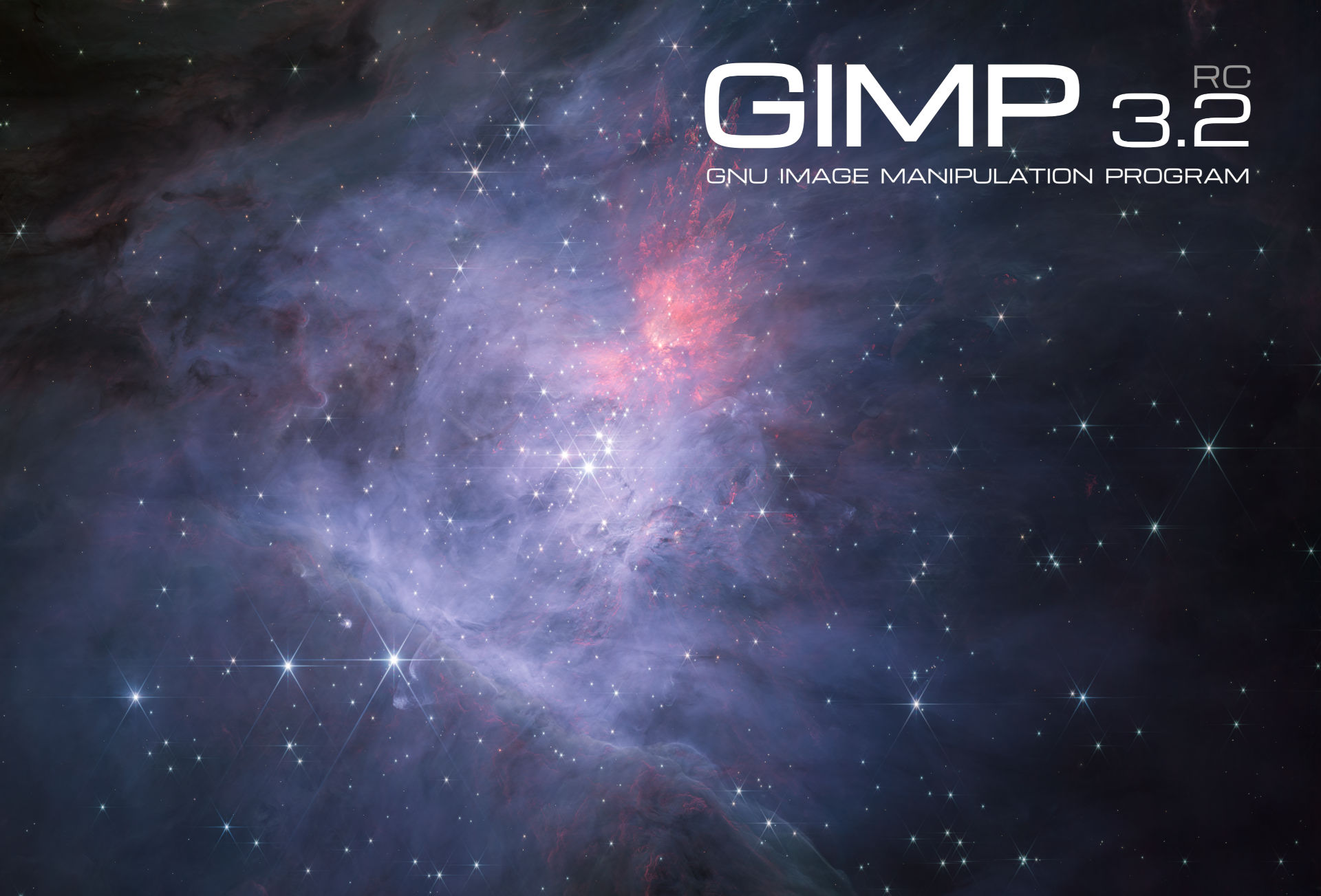
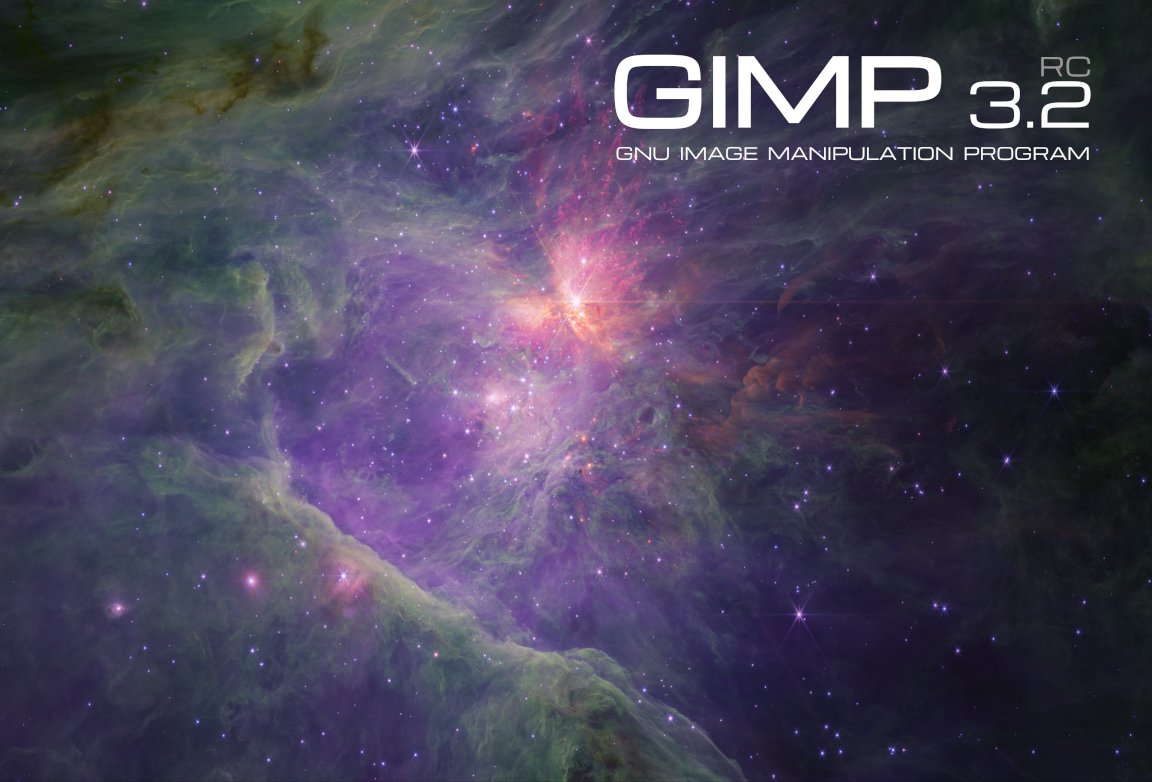
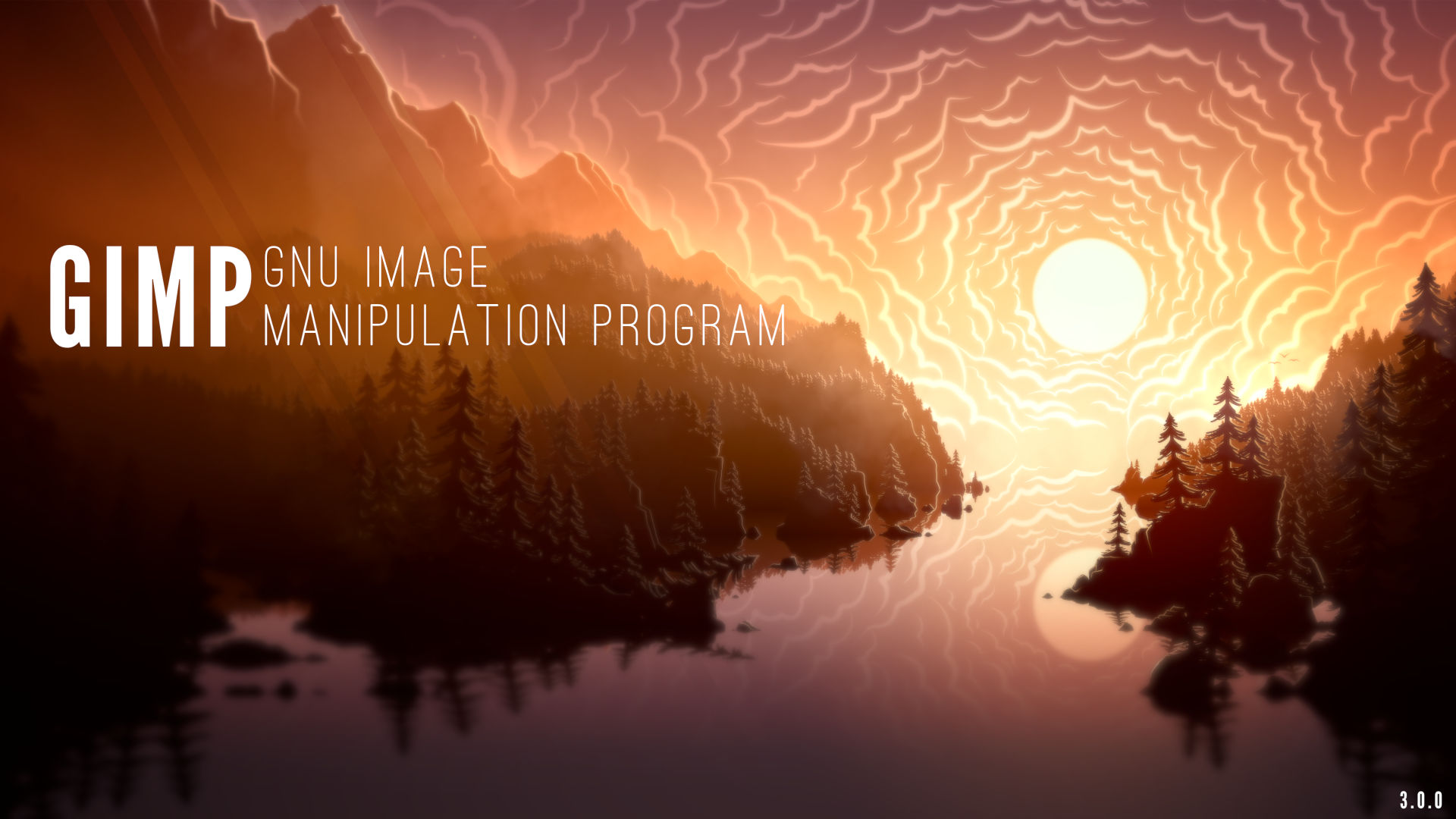
GIMP 3.2 RC2: splash screen
Second release candidate splash screen by Mark McCaughrean - GIMP 3.2 RC2

Release Highlights

While there are no major new features in this release, we do want to highlight some of the more impactful fixes and some minor updates. The full changelog can be read in our code repository.

You may also notice that we got a second splash screen image, also created and contributed by astronomer Mark McCaughrean. It is a shot of the same area of space as for the first splash image candidate, the “Trapezium Cluster & inner Orion Nebula”, again captured with the James Webb Space Telescope, but this time in the short-wavelength channel. The final 3.2 splash image shall be one of these two variants!

Removing Restrictions

In GIMP 2.10, you could not export an image unless you had a layer selected due to a limitation of our export API. Due to the improvements in GIMP 3.0, this is no longer required. Therefore, we’ve removed the code that prevents you from choosing the Save or Export options in the menu when there’s no layer selected.

Similarly, the Clipboard Brush and Clipboard Pattern previously had a size limit of 1024 pixels. This was because that was the largest safe value for 32 bit computers to handle. Since most users now have 64 bit computers, we’ve increased the limit to 8192 pixels for the 64 bit builds. This means artists can make and use much larger temporary brushes and patterns as they work.

Paths

GIMP has supported importing SVGs as paths for a long time. However, some SVG paths were shown incorrectly due to our import code being based on an older version of librsvg. Based on suggestions and assistance from Federico Mena Quintero, one of the lead developers of the library, we updated our code to better handle different types of SVG paths.

Paint Select Tool

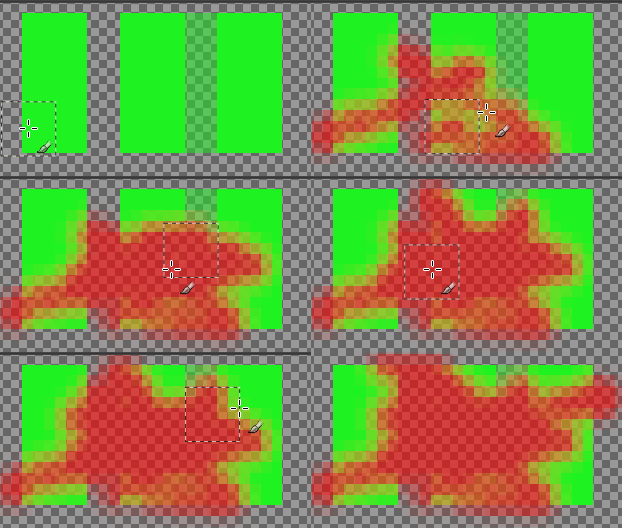
The Paint Select tool has been in the test Playground section of GIMP since it was first developed by Thomas Manni in 2020. Recently, Jehan has begun reviewing it (and the Foreground Selection tool) as part of the planning for the GIMP 3.4 roadmap. He’s made a number of improvements already, both to the UI and to the tool’s performance.

Improving speed and feedback of experimental Paint Select tool - GIMP 3.2.0 RC2

Start-up time

We’ve received reports that GIMP takes a while to load for users with a large number of fonts. This includes our resident typographer, Liam Quin. They worked with Idriss Fekir to test a change to our font loading code that noticeably speeds up our loading time. This is an area we continue to work on, so if you notice any regressions, please let us know!

UX/UI

  • Ondřej Míchal and Jehan have improved spacing between buttons in the Transform tool overlays to make it easier to click the right one.

  • Notifications have been added to the Filter merge-down button when users try to merge down a filter on a non-raster layer.

  • Gabriele Barbero fixed the wording on our Keyboard Shortcuts dialog to more clearly explain how to change a shortcut.

  • Minor fixes have been made to the theme to prevent issues on certain platforms.

Minor Updates

  • Jehan finished the stylus barrel rotation implementation in our earlier Mypaint Brush 2 port, connecting it to the Wheel value already recognized by GIMP. Note that very few styluses actually provide this feature, so it likely won’t impact your workflow unless you have one of the rare ones.

  • Thanks to Alx Sa, our PSD importer now loads legacy Outer Glow layer effects. The filter information was already loaded in the PSD plug-in during GIMP 3.0’s development, it just was not rendered before.

  • A long outstanding patch by Niels De Graef was finally merged to include a Bash completion file in GIMP. This feature shows the list of available options when pressing Tab in the command line. On a related note, the --show-debug-menu option is now visible in the command line --help option as well.

Minor Fixes

  • Anders Jonsson noticed that our default PostScript unit was changed from millimeters in GIMP 2.10 to inches in GIMP 3.0, without the size being adjusted to match. He fixed the default setting to load images at the right size.

  • Jacob Boerema fixed a bug for plug-in developers, where plug-ins set to be always available would not be usable when there was an open image with no layers added.

  • Jehan and Gabriele Barbero corrected a mistake made during vector layer development that caused the offsets not to be visible in the Layer Attributes dialog.

  • We now prevent loading XCF files as link layers when it will create an infinite loading cycle (if the linked XCF itself loads the initial XCF, at any level).

Security

Alx Sa and Gabriele Barbero have implemented fixes for the following Zero Day Initiative reported issues on some of our image plug-ins:

  • ZDI-CAN-28311
  • ZDI-CAN-28273
  • ZDI-CAN-28158

Build Process

Thanks to Jehan‘s work, babl and GEGL can now be compiled as relocatable! This is especially useful for builds where the build prefix is not the same as the runtime prefix. As a result, two bugs were fixed on the AppImage package: the GEGL filters are now fully localized and the third-party GEGL filters can now be found and used on those environments.

He also fixed a bug that affected not only the AppImage but other environments too: the language list sometimes was not being displayed translated in the Preferences dialog. Now, when building GIMP, it will instruct packagers to prevent that.

A user named Kruthers contributed a fix for a long-standing bug on AppImage: the inability to run CLI commands that point to relative paths. Thanks to their fix, the AppImage is now even more on par with a regular installation of GIMP.

Bruno re-implemented support for building GIMP on Windows with the MSVC compiler, which is now possible due to the existence of the clang-cl wrapper (we used to have direct MSVC support, without a wrapper, but it stopped working). As a result, we now have build logs about correct Windows API usage etc. But note that we will not distribute MSVC binaries, because, after all, they mostly depend on MSYS2 due to vcpkg design which has much fewer features. In short, MSYS2 is still the recommended way to build GIMP on Windows.

GEGL and babl

Øyvind Kolås has released new updates to babl and GEGL, the underlying color management engines for GIMP.

As noted above, babl 0.1.118 and GEGL 0.4.66 have been updated to be compiled as relocatable. In addition, a number of contributors have done some code clean-up and build process updates to GEGL.

Release stats

Since GIMP 3.2.0 RC1, in the main GIMP repository:

  • 40 reports were closed as FIXED.
  • 24 merge requests were merged.
  • 201 commits were pushed.
  • 13 translations were updated: Basque, Chinese (China), Danish, Georgian, Greek, Italian, Lithuanian, Norwegian Nynorsk, Slovenian, Swedish, Thai, Turkish, Ukrainian.

23 people contributed changes or fixes to GIMP 3.2.0 RC2 codebase (order is determined by number of commits; some people are in several groups):

  • 10 developers to core code: Jehan, Alx Sa, Bruno Lopes, Øyvind Kolås, Anders Jonsson, Gabriele Barbero, Idriss Fekir, Jacob Boerema, Ondřej Míchal, Sabri Ünal.
  • 6 developers to plug-ins or modules: Bruno Lopes, Alx Sa, Ondřej Míchal, Gabriele Barbero, Anders Jonsson, lloyd konneker.
  • 13 translators: Sabri Ünal, Aefgh Threenine, Kolbjørn Stuestøl, Yuri Chornoivan, Anders Jonsson, Asier Saratsua Garmendia, Martin, Ekaterine Papava, luming zh, Alan Mortensen, Marco Ciampa, dimspingos, Aurimas Černius.
  • 2 theme designers: Alx Sa, Jehan.
  • 5 build, packaging or CI contributors: Bruno Lopes, Jehan, Jernej Simončič, Niels De Graef, Øyvind Kolås.
  • 2 contributors on other types of resources: Jehan, Niels De Graef.
  • The gimp-data submodule had 3 commits by 1 contributor: Jehan.
  • The splash images for the 3.2 series were authored by Mark McCaughrean under license Creative Commons By-SA 2.0.

Contributions on other repositories in the GIMPverse (order is determined by number of commits):

  • Our UX tracker had 1 reports closed as FIXED (and many more incrementally worked on).
  • babl 0.1.118 is made of 36 commits by 5 contributors: Bruno Lopes, Øyvind Kolås, Jehan, Jacob Boerema, Joe Da Silva.
  • GEGL 0.4.66 is made of 62 commits by 11 contributors: Bruno Lopes, Øyvind Kolås, Jehan, Sabri Ünal, Alfred Wingate, Ondřej Míchal, Alan Mortensen, Alexander Alexandrov Shopov, Jeremy Bícha, Marco Ciampa, Ulf Martin Prill.
  • ctx had 40 commits since 3.2.0 RC1 release by 1 contributor: Øyvind Kolås.
  • The gimp-macos-build (macOS packaging scripts) release had 3 commits by 1 contributor: Lukas Oberhuber.
  • The flatpak release had 6 commits by 1 contributor: Bruno.
  • Our main website (what you are reading right now) had 27 commits by 4 contributors: Jehan, Bruno Lopes, Alx Sa, Sabri Ünal.
  • Our developer website had 25 commits by 2 contributors: Jehan, Bruno Lopes.
  • Our 3.0 documentation had 24 commits by 6 contributors: Sabri Ünal, Jacob Boerema, Anders Jonsson, Matthew Leach, Richard Gitschlag, lloyd konneker.

Let’s not forget to thank all the people who help us triaging in Gitlab, report bugs and discuss possible improvements with us. Our community is deeply thankful as well to the internet warriors who manage our various discussion channels or social network accounts such as Ville Pätsi, Liam Quin, Michael Schumacher and Sevenix!

Note: considering the number of parts in GIMP and around, and how we get statistics through git scripting, errors may slip inside these stats. Feel free to tell us if we missed or mis-categorized some contributors or contributions.

Around GIMP

Books

Sabri Ünal has been hard at work updating our books page. In addition to historial books about prior versions of GIMP, we now have listings for several GIMP 3 books. If you know of any books on GIMP that we’re missing, please let us know!

Note: We are not interested in listing or promoting books that are generated from GenAI. Please check if the book was authored by a person before submitting. Thanks!

Downloading GIMP 3.2 RC2

You will find all our official builds on GIMP official website (gimp.org):

  • Linux AppImages for x86 and ARM (64-bit)
  • Linux Flatpaks for x86 and ARM (64-bit)
  • Linux Snaps for x86 and ARM (64-bit)
  • Universal Windows installer for x86 (32 and 64-bit) and for ARM (64-bit)
  • Microsoft Store for x86 and ARM (64-bit)
  • macOS DMG packages for Intel/x86 and Apple/ARM hardware (64-bit)

Other packages made by third-parties are obviously expected to follow (Linux or *BSD distributions’ packages, etc).

There is no development release for the manual, but you can continue to use the existing GIMP 3.0 documentation.

What’s next

This is nearly it! We are so close to GIMP 3.2 release that we can feel it in the air. When I first introduced the new accelerated release policy, I was both confident and wary of falling short. In the end, I’m quite satisfied; it really worked out well for this first iteration. 😄

Considering how few reports of major issues we had during this RC1, this might be the last release candidate, though only the coming period will tell. Sometimes people, mistaking us for a corporation, ask us about quality assurance policy or the like. Well we are not a company, we are a community and our QA is the world, it’s me, you, anyone. Therefore we really really enjoin everyone to test this development version and report any issue you find, especially if it feels like it should be a blocker issue.

Among the few things which come to mind, I had to touch and reorganize our XCF-loading code for detecting link layer cycles; and as you may imagine, this is a very sensitive area of our codebase. So we welcome massive testing in file loading and link layer creation during this RC2 phase, in order to detect any regression!
And of course, any deep testing, especially of the new link and vector layers, but also of any other major feature you are often using will be very appreciated. We want to avoid both releasing broken new features, and adding regressions to existing features.

Don’t forget you can donate and personally fund GIMP developers, as a way to give back and accelerate the development of GIMP. Community commitment helps the project to grow stronger! Wouldn’t it be fitting with the coming holiday season? 🎁🎄🤗

In the meantime, we’ll continue to work hard for delivering GIMP 3.2.0 soon, and wish you all a very nice holiday season and a lot of fun and joy with family and friends! 🥳🍾🥰

Reçu — 2 décembre 2025 Développement logiciel
  • ✇The Linux Mint Blog
  • Monthly News – November 2025
    Many thanks to our donors, sponsors and to all the people who support our project. Cinnamon Menu The new Cinnamon menu received symbolic category icons. This was made possible thanks to the new XApp Symbolic Icons (XSI) initiative. Linux Mint 22.3 ‘Zena’ The codename for Linux Mint 22.3 is Zena. We covered some of the new features included in 22.3 on this blog: System information tool System admin tool New Cinnamon menu Wayland-compatible keyboard/IM handling Improved on-screen keyboard There
     

Monthly News – November 2025

Par :Clem
2 décembre 2025 à 04:52

Many thanks to our donors, sponsors and to all the people who support our project.

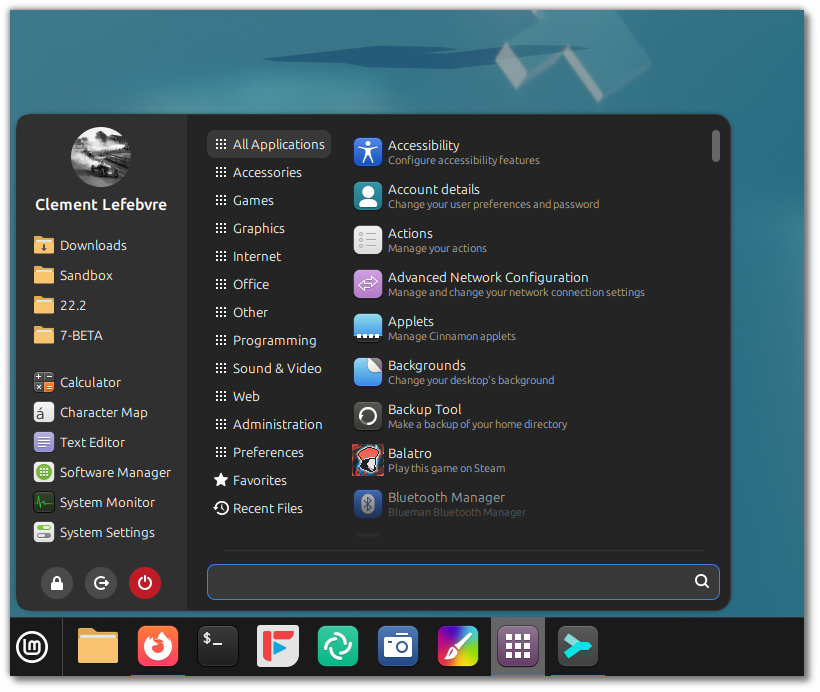
Cinnamon Menu

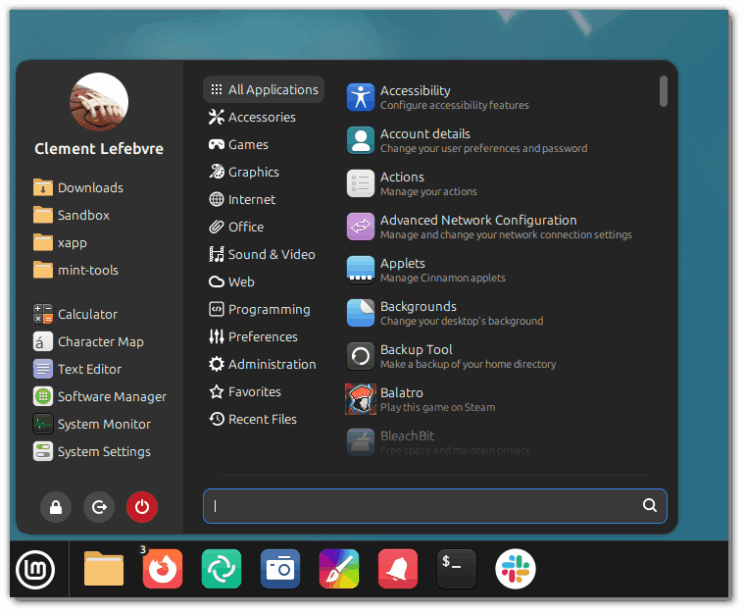
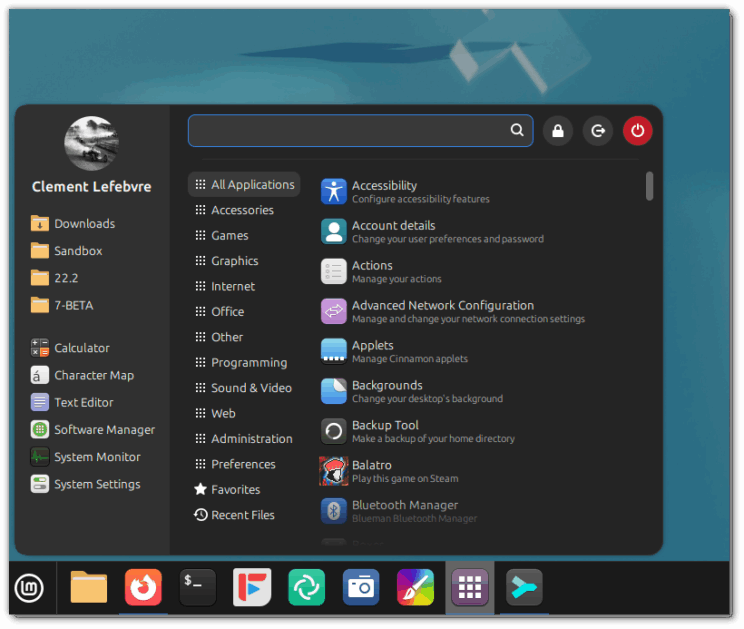
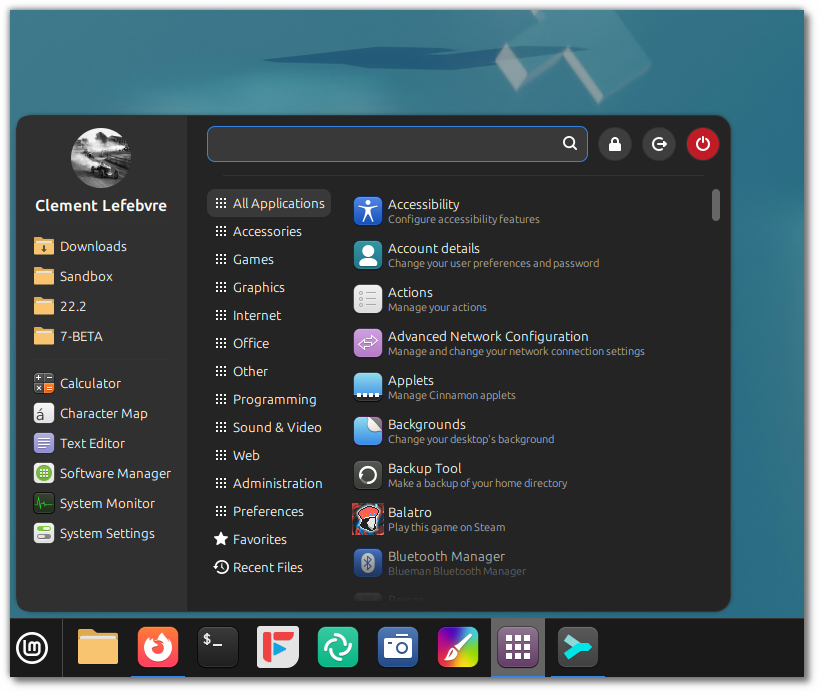
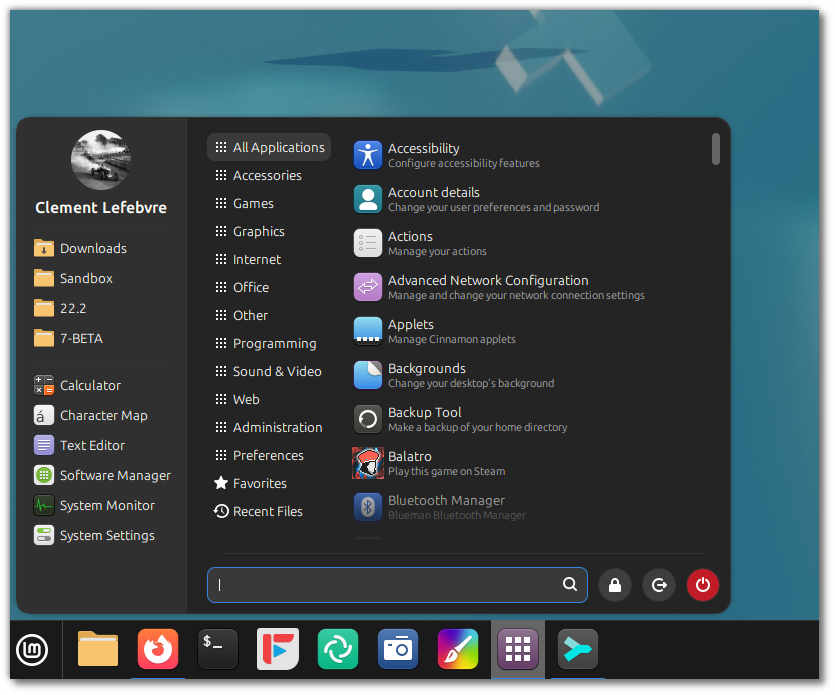
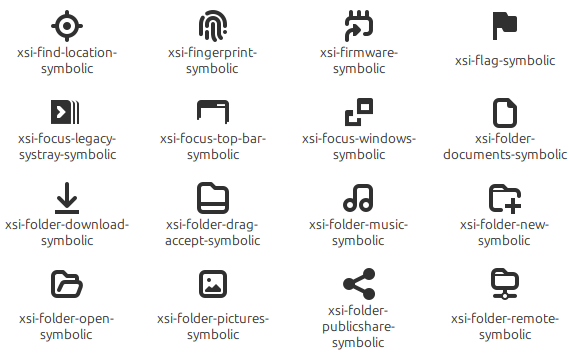
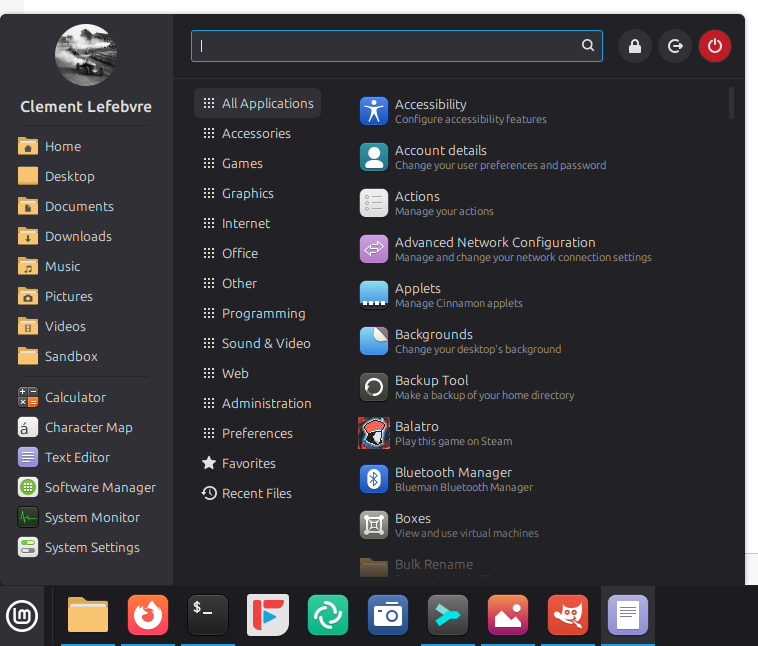
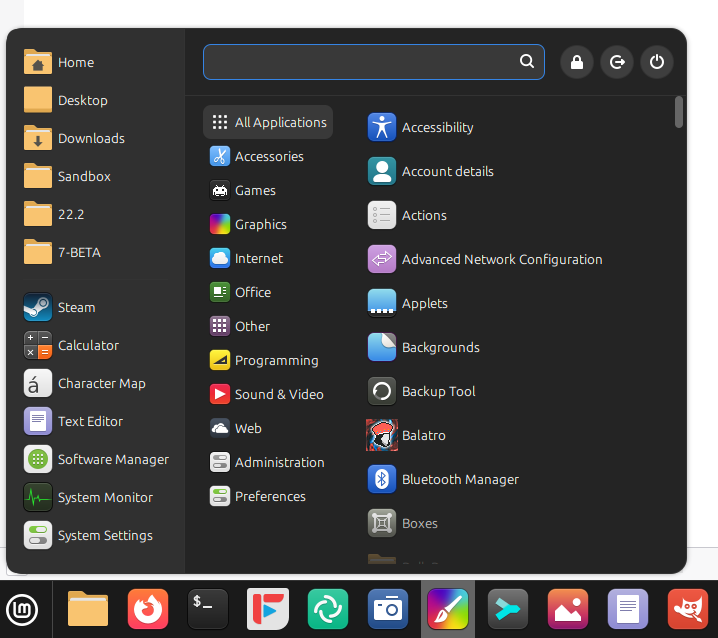
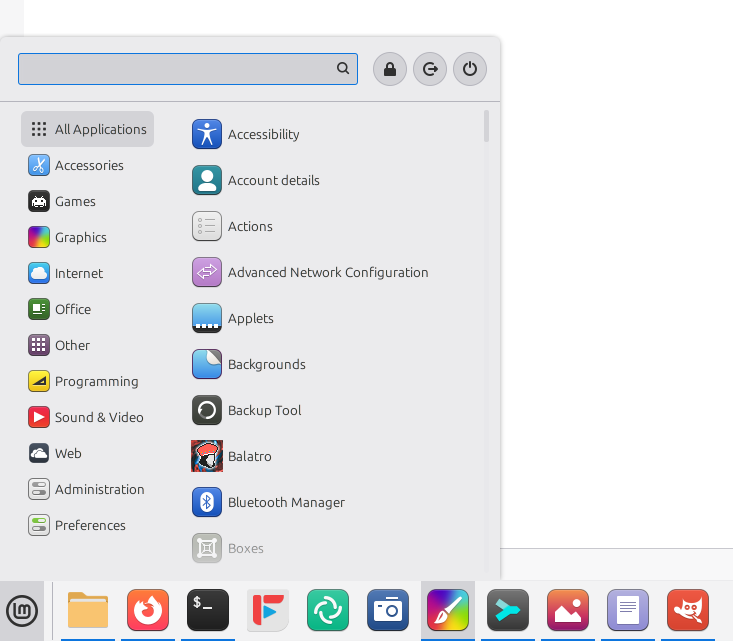
The new Cinnamon menu received symbolic category icons.

This was made possible thanks to the new XApp Symbolic Icons (XSI) initiative.

Linux Mint 22.3 ‘Zena’

The codename for Linux Mint 22.3 is Zena.

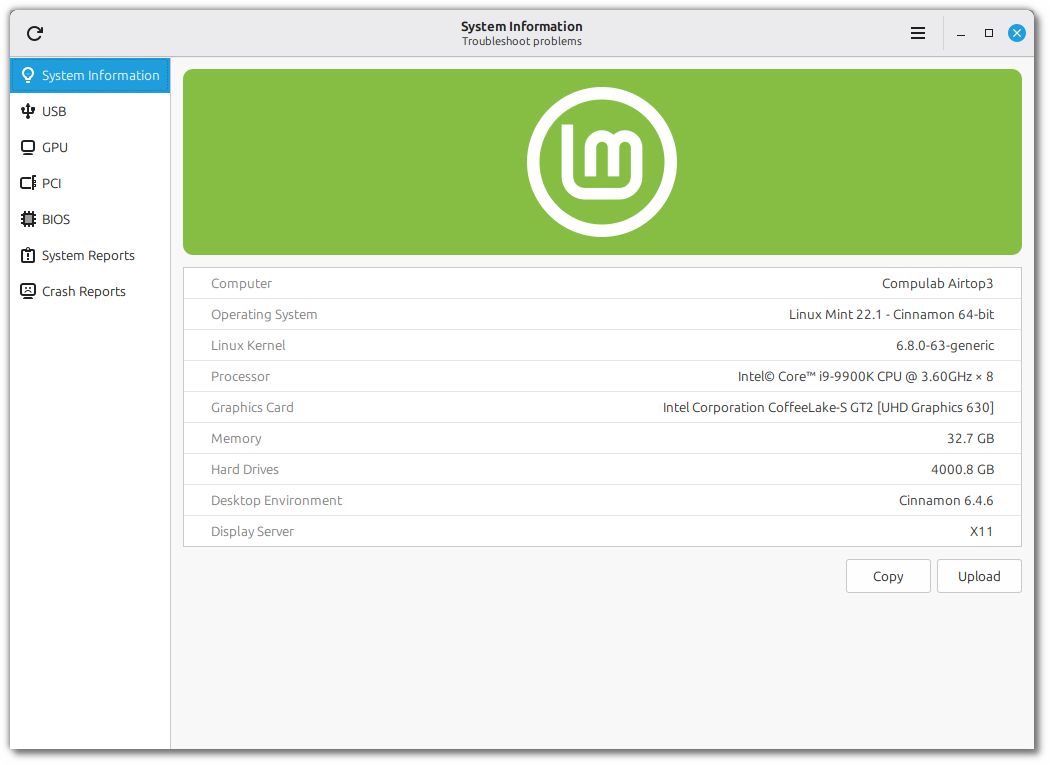
We covered some of the new features included in 22.3 on this blog:

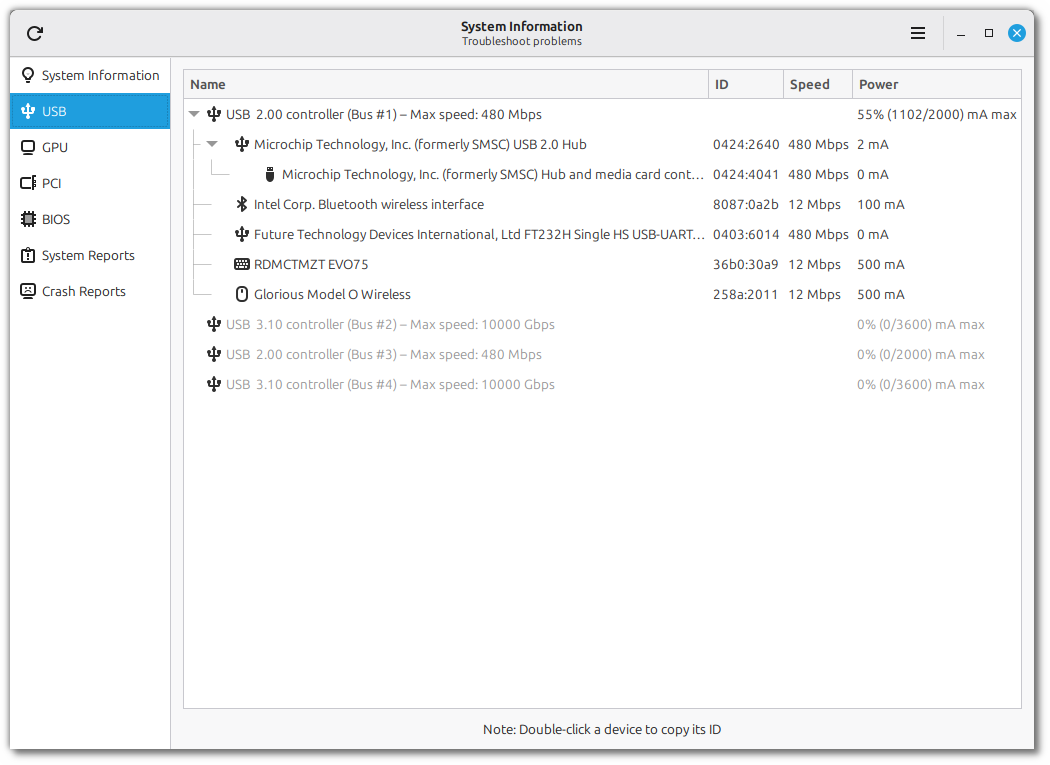
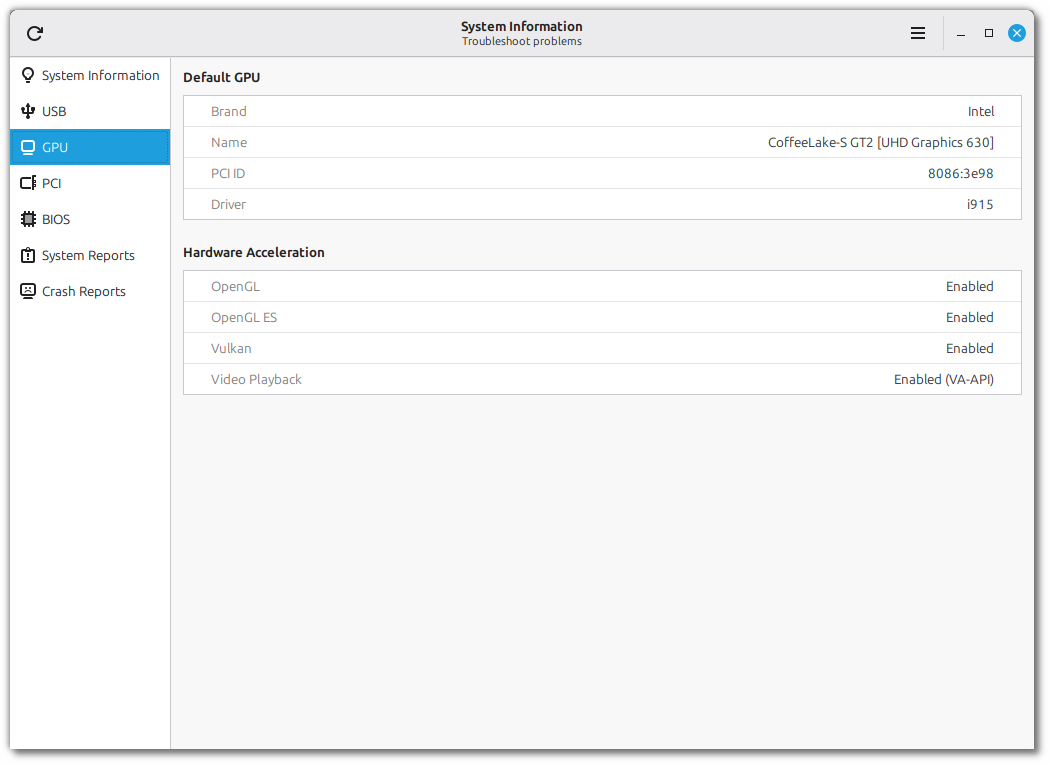
  • System information tool
  • System admin tool
  • New Cinnamon menu
  • Wayland-compatible keyboard/IM handling
  • Improved on-screen keyboard

There are many more… the ability to pause file operations in Nemo, or snapshots in Timeshift, text messaging in Warpinator, Always-on night light, template management, per-app panel notification indicators… etc.

We’re very close to a release now. Most of the projects have been tagged and packaged in 22.3’s repositories.

We’re preparing a BETA release for the first half of this month.

Sponsorships:

Linux Mint is proudly sponsored by:

Gold Sponsors:
Linux VPS Hosting
IPv6.rs
Silver Sponsors:
Datadog
Sucuri
ThinkPenguin: For Everything Freedom
Bronze Sponsors:
AYKsolutions Server & Cloud Hosting
Agile.Coach
BGASoft Inc
C0MPLÉX1 SEO
Chargeblast
nesevo GmbH & Co. KG
Tinken Inc
VANT

Donations in October:

A total of $23,362 were raised thanks to the generous contributions of 764 donors:

$1111 (6th donation), acocorinacio aka “A. Inácio”
$1000, E. S. Caiser
$700 (2nd donation), Justin B.
$290, Alain B.
$265, Bernhard L.
$256, A F.
$250 (6th donation), Neil K.
$212, Anne S.
$212, Hagen S.
$200, Eric G.
$169, Peter M.
$150 (2nd donation), Adam S.
$127, Christof B.
$117, Mark B.
$116, David A.
$107, Konstantin Q.
$106 (12th donation), Jiří B.
$106 (6th donation), CH
$106 (6th donation), Peter A.
$106 (5th donation), Marek Stapff
$106 (4th donation), Bernd E.
$106 (2nd donation), Johannes A.
$106 (2nd donation), Stefan F.
$106, Arno W.
$106, CARLOS V. H.
$106, Friedrich N.
$106, Peter-Michael K.
$106, Simon H.
$106, The Incredibly Useful Company Limited
$106, Thomas F.
$100 (27th donation), John Mc aka “Land Research Project
$100 (26th donation), Hans J.
$100 (18th donation), Alfred H. aka “Varmint Al
$100 (13th donation), James F.
$100 (3rd donation), Scott Mc.
$100 (2nd donation), Donald W.
$100 (2nd donation), gerald S.
$100 (2nd donation), Mark S.
$100, Andrew B.
$100, Carter G.
$100, Ed McDougal
$100, George L.
$100, Leslie B. B.
$100, Meisam S. S.
$100, Raven T. S.
$90, Edgar R.
$84, Dillmann A.
$75 (7th donation), David B.
$60 (2nd donation), maurice A.
$60, Anonymous
$55 (3rd donation), Greg P.
$53 (24th donation), Bernard H.
$53 (23rd donation), Bjarne K.
$53 (15th donation), Torsten P.
$53 (14th donation), Christian G. aka “Chrissy”
$53 (13th donation), Jyrki A.
$53 (8th donation), Uwe O.
$53 (7th donation), Rhydwen V.
$53 (5th donation), Reijo H.
$53 (4th donation), Hannu H.
$53 (4th donation), Mark L.
$53 (4th donation), Wolfgang R.
$53 (3rd donation), Arvis S.
$53 (3rd donation), Joao D.
$53 (2nd donation), Alexander K.
$53 (2nd donation), Christoph K.
$53 (2nd donation), Frank P.
$53 (2nd donation), Ivaylo A. aka “Iceman11”
$53 (2nd donation), Johannes B.
$53 (2nd donation), Kuno G.
$53 (2nd donation), Matthias M.
$53 (2nd donation), Mohamed E.
$53 (2nd donation), Peter W.
$53, Anthony T.
$53, Barbara R. B.
$53, Bruno N.
$53, Christian R.
$53, Daniel F.
$53, David B.
$53, Florent R.
$53, Frédéric L.
$53, France S.
$53, Franz F.
$53, gerhard Z.
$53, Gianni B.
$53, H. F. R.
$53, Internationale Christliche Mission
$53, Jürgen D.
$53, Jan B.
$53, Jan B.
$53, Jelle V.
$53, Julius K.
$53, Katharina S.
$53, Marcel M.
$53, Marcel R.
$53, Michael J.
$53, Miriam B.
$53, Moritz W.
$53, Norbert E.
$53, R.W aka “Resonanter”
$53, Ragnar S.
$53, Rene V.
$53, Richard N.
$53, Sébastien B.
$53, Stefan A.
$53, Stefan B.
$53, THOMAS M.
$53, Thomas P.
$53, Tim N.
$53, Tristan A.
$53, Uwe K.
$53, Uwe S.
$53, Vincenzo D.
$53, Waldemar H.
$52 (2nd donation), VIESTURS P.
$52, Trina L. M.
$50 (13th donation), Mothy
$50 (11th donation), Wade T.
$50 (10th donation), Anthony C. aka “Ciak”
$50 (9th donation), Daniel M.
$50 (7th donation), Anthony L.
$50 (7th donation), Gerard S.
$50 (7th donation), Tom D.
$50 (6th donation), Oswaldo H.
$50 (5th donation), Jay V.
$50 (5th donation), M G U.
$50 (4th donation), Arestor B.
$50 (4th donation), Chris R.
$50 (4th donation), David J.
$50 (4th donation), Derrick1120
$50 (3rd donation), Jeffrey J.
$50 (3rd donation), Khalid A.
$50 (3rd donation), Mr D.
$50 (3rd donation), Richard M.
$50 (3rd donation), Walter K.
$50 (2nd donation), Arthur J.
$50 (2nd donation), Gary B.
$50 (2nd donation), Michael H.
$50, Amar Moturu
$50, Chuck B.
$50, David R. D.
$50, Donn C. M.
$50, Edward B.
$50, eli H.
$50, Encore Int’l Trading, Inc.
$50, ISHAAN G.
$50, Jacob D. S.
$50, John H.
$50, John S.
$50, John S.
$50, Jonathan F.
$50, Joseph H.
$50, Joshua F. aka “Akasen”
$50, Kiyoko A.
$50, Lawrence D. W.
$50, LUIS F. K.
$50, Marc D.
$50, Martha D.
$50, Peter A. C.
$50, Richard L.
$50, Richard M.
$50, Robert L.
$50, Robert L.
$50, Sandy B.
$50, Stacey K.
$50, Thomas L.
$50, Timothy R.
$50, Wiggo R. O.
$50, william T.
$44 (2nd donation), J.T. aka “rotz”
$42 (11th donation), Joerg B.
$42 (6th donation), Csongor
$42, Alois F.
$42, Jasmin K.
$42, Kees B.
$42, Olof K.
$40 (9th donation), John S.
$40 (7th donation), Colin S.
$40 (2nd donation), Ronald B.
$36 (3rd donation), jan W. V. D.
$36, Fatih A. L.
$35, Philippa K.
$31 (14th donation), H ScottB
$31 (12th donation), Lars-gunnar S.
$31 (8th donation), Thomas K.
$31 (3rd donation), Antoine M.
$31, alessandro T.
$31, Andrew N.
$31, B I.
$31, Guido Samuel Rifesser aka “Gigi”
$31, Joerg E.
$31, Josef F.
$31, KLaus M.
$31, Maxim G.
$31, Michael L.
$31, Raj aka “SinghForceOne”
$31, Wolfgang M.
$31, Wolfgang P.
$31, Yvonne D. R.
$30 (2nd donation), Saverio N.
$30, Diego M.
$30, Eric S.
$30, John S.
$30, Joshua L.
$30, Leland G.
$30, Maxbash
$28, Keine Ahnung
$26, Benjamin M.
$26, j.w.franken
$26, James J.
$26, t L. H.
$25 (56th donation), Linux Mint Sverige
$25 (21st donation), Richard N.
$25 (17th donation), John W.
$25 (15th donation), Mihnea Rădulescu
$25 (9th donation), Bruce I.
$25 (9th donation), John N.
$25 (7th donation), Reuben N.
$25 (6th donation), Peter J, aka “Dr Peter”
$25 (4th donation), Robert W.
$25 (4th donation), Theron K.
$25, James Z.
$25, Nelson R.
$25, Paul S.
$25, Ryan S.
$25, TMCC
$25, Vladyslav K.
$22, Sascha A.
$21 (64th donation), Peter E.
$21 (31st donation), Stefan W.
$21 (26th donation), Benjamin W. aka “UncleBens”
$21 (25th donation), Marek S.
$21 (15th donation), Marc S.
$21 (12th donation), Juergen M. B.
$21 (12th donation), Rob B.
$21 (10th donation), Geoffrey Allgood
$21 (9th donation), Manfred W.
$21 (8th donation), Chistoph B.
$21 (8th donation), Mario N.
$21 (7th donation), Cevad O.
$21 (6th donation), Florian S.
$21 (6th donation), Frank W.
$21 (5th donation), Erwin S.
$21 (5th donation), Lennart J.
$21 (5th donation), Ulrich W.
$21 (4th donation), Mack
$21 (4th donation), Luis D.
$21 (4th donation), Matthias Versen aka “Matti”
$21 (3rd donation), Curd-Juergen S.
$21 (3rd donation), Heiko S.
$21 (3rd donation), Rodney Mc B.
$21 (2nd donation), Davy V.
$21 (2nd donation), Florian K.
$21 (2nd donation), Grégory C.
$21 (2nd donation), Ian S.
$21 (2nd donation), Joachim Paul M. aka “JPFM”
$21 (2nd donation), Jonathan B.
$21 (2nd donation), Kevin Schnurbusch aka “Istalrî”
$21 (2nd donation), Livio G.
$21 (2nd donation), Lucian U.
$21 (2nd donation), Olaf W.
$21 (2nd donation), Pedro F.
$21 (2nd donation), peter R.
$21 (2nd donation), Rodion S.
$21 (2nd donation), Sascha B.
$21 (2nd donation), Sebastian P.
$21 (2nd donation), Stefano B.
$21, Alexander S.
$21, Alice B.
$21, Anatolii A.
$21, Andreas B.
$21, Arjan D.
$21, Arne F.
$21, Axel R.
$21, Bernat F.
$21, Bernd G.
$21, Bernhard B.
$21, Bjørn S.
$21, Bjoern
$21, Boris M.
$21, Camille L.
$21, Christian C.
$21, Christian K.
$21, Daniel W.
$21, Dinko G.
$21, Emilien D.
$21, ERIC B.
$21, FRANCESCO A.
$21, Francesco C.
$21, Frieder B.
$21, Gert Y.
$21, Harald B.
$21, Harry T. H.
$21, Isto H.
$21, Jakob L.
$21, Jens L.
$21, johann H.
$21, johannes V.
$21, Josep T.
$21, Kelvin W.
$21, KEVIN M.
$21, Léo R.
$21, L. W. aka “The Dead Frog Project”
$21, Laureano P. C.
$21, Lorenzo S.
$21, Louis A. J. R.
$21, Maik L.
$21, Mario B.
$21, Martin L.
$21, michael B.
$21, MIGUEL G. B.
$21, Miguel V. B.
$21, MM
$21, OLEKSANDR K.
$21, Pedro C.
$21, Peter G.
$21, Peter M.
$21, PHILIPPE R.
$21, Robert M.
$21, ROZE P.
$21, Ruggero S.
$21, Runar W.
$21, Siegfried S.
$21, Simon E.
$21, Simon H.
$21, Sophie G.
$21, Stefan B.
$21, Stephen J.
$21, Thomas D.
$21, Thomas W.
$21, Thomas W.
$21, TURBOKAN_TR
$21, Verena
$21, Werner W.
$21, XAVIER C.
$21, Yoann M.
$20 (72nd donation), Bryan F.
$20 (49th donation), John D.
$20 (14th donation), Eric W.
$20 (11th donation), Pablo L. aka “LAFO”
$20 (6th donation), Leela A.
$20 (6th donation), Samuel S.
$20 (5th donation), Gunnar A.
$20 (4th donation), Randall W.
$20 (3rd donation), A M W.
$20 (3rd donation), Carlton S.
$20 (3rd donation), Gilles S.
$20 (3rd donation), Randy M.
$20 (2nd donation), Curtis A.
$20 (2nd donation), Ian D.
$20 (2nd donation), Ian T.
$20 (2nd donation), Jan A.
$20 (2nd donation), Jeroen B.
$20 (2nd donation), John W.
$20 (2nd donation), Krzysztof O.
$20 (2nd donation), Lance L.
$20 (2nd donation), Russell N.
$20, ALEXANDER M.
$20, alfred J.
$20, Alyssa A.
$20, Andrew Z.
$20, Ansel Y.
$20, Benjamin G.
$20, Brett D.
$20, Brian S.
$20, Carl D. S.
$20, Christopher W. C.
$20, Clyde T.
$20, Dale B.
$20, Daniel W.
$20, David B.
$20, Francisco B. B. R.
$20, Hugh D.
$20, Israel S. J.
$20, James H.
$20, Javier Munguia aka “rojomx”
$20, Jesse L.
$20, Jill B. B.
$20, John P.
$20, John W.
$20, Jose P.
$20, Karl S.
$20, Kenneth A.
$20, Kurt M.
$20, L M.
$20, Linsey W.
$20, Luke M.
$20, Matthew S.
$20, MattL aka “Phulcrum”
$20, Meditation Perfection
$20, Michael S.
$20, Mitchel H.
$20, Nathan M.
$20, OT
$20, Pat C.
$20, peter T.
$20, Robert M.
$20, Sergio V.
$20, snerd
$20, Someone
$20, Stephen I.
$20, Sven K.
$20, Tate F.
$20, Terence H.
$20, Thomas B.
$20, Thomas C.
$20, Tiberius L.
$20, Tim A.
$20, Tim S.
$20, WILBEN C.
$20, William P.
$19, Robert L.
$16 (11th donation), Peter L. aka “Myfathersson”
$15 (6th donation), Ravi S.
$15 (5th donation), mitch K.
$15 (4th donation), Lars Otto N.
$15 (2nd donation), Helmut R.
$15, Janos P. P.
$15, Joris V. R.
$15, Martin R.
$15, Nico J. F.
$15, Pfaff A.
$13, Mr R. M. W.
$12 (2nd donation), A P. B. aka “AnnieB”
$12, Christophe P.
$12, Grzegorz P.
$12, KEVIN F.
$11 (112nd donation), Johann J.
$11 (11th donation), Alessandro S.
$10 (115th donation), Thomas C.
$10 (59th donation), Philip Woodward
$10 (42nd donation), Tugaleres.com
$10 (39th donation), Denys G. aka “GD Next
$10 (29th donation), Wilson G.
$10 (28th donation), Bruce M.
$10 (25th donation), Christopher R.
$10 (21st donation), Slobodan Vrkacevic
$10 (20th donation), Michael P. aka “www.perron.de
$10 (18th donation), Felipe P.
$10 (18th donation), Yves R. aka “Long_Time_User”
$10 (16th donation), Philip E.
$10 (15th donation), Giorgio C.
$10 (13th donation), Dimitar S.
$10 (13th donation), Michael P.
$10 (11th donation), Andrei Sinkevich
$10 (10th donation), Abe Z.
$10 (10th donation), Martin H.
$10 (9th donation), Antonio C.
$10 (9th donation), Artem Ignatyev aka “ZaZooBred”
$10 (9th donation), blueredgreen
$10 (9th donation), Francisco F.
$10 (9th donation), Jacques V.
$10 (9th donation), Mario M.
$10 (8th donation), Marcus K.
$10 (8th donation), Michael S.
$10 (6th donation), Christophe C.
$10 (6th donation), Didier P.
$10 (6th donation), Ja P.
$10 (6th donation), Kai Uwe Joppich
$10 (6th donation), M.B.
$10 (6th donation), Mariusz B.
$10 (6th donation), Udo M.
$10 (5th donation), Carlos P.
$10 (5th donation), Denis P.
$10 (5th donation), Edgar T.
$10 (5th donation), Lars-erik J.
$10 (5th donation), Matthias H.
$10 (5th donation), Sebastian S.
$10 (5th donation), Sergei Petrov
$10 (4th donation), Arlen A.
$10 (4th donation), John L.
$10 (4th donation), KONSTANTINOS I. B.
$10 (4th donation), Marc L. aka “Néliox”
$10 (4th donation), Massimo M.
$10 (4th donation), Norberto C. N. aka “Konbini-San”
$10 (4th donation), Volker K.
$10 (3rd donation), Alberto M.
$10 (3rd donation), Alessio R.
$10 (3rd donation), Danilo R.
$10 (3rd donation), Giacomo B.
$10 (3rd donation), James P.
$10 (3rd donation), Josef P.
$10 (3rd donation), Ralf H.
$10 (3rd donation), T.H.
$10 (3rd donation), Wiebke G.
$10 (3rd donation), William M.
$10 (2nd donation), alphabus
$10 (2nd donation), Adam J. V. R.
$10 (2nd donation), Ana B.
$10 (2nd donation), Ari G.
$10 (2nd donation), Claudio B.
$10 (2nd donation), Gerhard F.
$10 (2nd donation), Guillermo M.
$10 (2nd donation), Juan D. A. B.
$10 (2nd donation), Juan G.
$10 (2nd donation), Ken B.
$10 (2nd donation), Kenneth H.
$10 (2nd donation), Korora Solutions
$10 (2nd donation), Krystian K.
$10 (2nd donation), Pedro S.
$10 (2nd donation), Piotr R. aka “_PAPCIO_”
$10 (2nd donation), Renaud A.
$10 (2nd donation), Toni
$10 (2nd donation), Μιχάλης Π.
$10, Adam K.
$10, Adam M.
$10, Alessandro V.
$10, Alexander R.
$10, AMIT K. P.
$10, Anders B.
$10, Andreas B.
$10, Andreas G.
$10, Andreas K.
$10, Andreas R.
$10, Andreas S.
$10, Andrii
$10, Andrius S.
$10, Anon
$10, Anonymous
$10, Antero S. B. aka “abento”
$10, ANTHONY M.
$10, anthony T.
$10, Antonio S. R.
$10, Apolinar G.
$10, Arnaud
$10, Aurélio Araújo
$10, Bernd H.
$10, Bernhard B.
$10, BOHDAN K.
$10, Boris D.
$10, Brenden R. S.
$10, Brian K.
$10, Brice C.
$10, Carlos F.
$10, christophe B.
$10, christophe C.
$10, Clarke E.
$10, Damien B.
$10, Daniel Š.
$10, Dariusz M.
$10, Daron M.
$10, David J.
$10, David K.
$10, David S.
$10, Denis L.
$10, Dennis H.
$10, Dexue S.
$10, Doron S.
$10, Ed H.
$10, Edijs Z.
$10, Edward
$10, Eliseo M.
$10, Emil D.
$10, Enrica R.
$10, Erick B.
$10, Erwann F.
$10, Finn W.
$10, Franz J.
$10, Frits A.
$10, Gabriel C. B. R.
$10, Gene B.
$10, Germain C.
$10, Giorgio G.
$10, Héctor M. C.
$10, Heijo W. A.
$10, Henk B.
$10, Henk C.
$10, Henk-jan R.
$10, Henry R. P.
$10, Heritiana R. R.
$10, Horst S.
$10, Ilija O.
$10, inashdeen
$10, J. W. aka “Pipapo”
$10, J.T. Chuang
$10, Jackson B.
$10, Jake V.
$10, Jambalak
$10, James B.
$10, Jay H.
$10, JCPM V.
$10, Jeroen C.
$10, Jeron V. D. S.
$10, Joakim K.
$10, Johan P.
$10, John L.
$10, John L.
$10, John L.
$10, John V. P.
$10, José H.
$10, Joy
$10, juan A. C. M.
$10, Julie S.
$10, Karel M.
$10, Kay R.
$10, Kevin K. M.
$10, Kevin M.
$10, Kinh H.
$10, LALISOU R.
$10, Lars J.
$10, Lars K.
$10, Le Nass
$10, LHJ R.
$10, Lixie L.
$10, Lloyd C.
$10, Luis P.
$10, LUIS S. B.
$10, Lyn F.
$10, M K.
$10, Manuel Doncel Martos aka “manuelarte
$10, Mark B.
$10, Marko M.
$10, Markus S.
$10, Martial L.
$10, Martin P.
$10, Martin P.
$10, Massimo D. M.
$10, Matt Hayes
$10, Matthias O.
$10, Matthieu V. A.
$10, Mauro S.
$10, michele G.
$10, Miguel C. C.
$10, Nevil E.
$10, Nic D.
$10, Nikolay S. N.
$10, Noman S.
$10, Oleg T.
$10, Patric S.
$10, Paul H.
$10, Peeter S.
$10, Philipp H.
$10, Ram B.
$10, Reinhold Z.
$10, Renke S.
$10, Richard B.
$10, Richard J.
$10, RICHARD M. I.
$10, Robert K.
$10, Robert M.
$10, Roberto P. J.
$10, Ron W.
$10, Rueben M.
$10, Sascha R.
$10, Sergei L.
$10, Shimi M.
$10, Siegfried R.
$10, Silviu M.
$10, Simon A.
$10, Simon H.
$10, Stanley W.
$10, Stefan S.
$10, Stephan S.
$10, Steve M.
$10, sven S.
$10, Thomas S.
$10, TomᚠG.
$10, Tomasz S.
$10, TONY A. P.
$10, Tony R.
$10, Urszula S.
$10, Uwe B.
$10, Vincent C.
$10, Vitor R.
$10, Volker J.
$10, Werner T.
$10, William W.
$10, wissels J. aka “wisjos”
$10, www.SmartPage.net
$9, Lukáš F.
$8, Cristian K.
$8, MARCELO F. D. F.
$7 (3rd donation),
$332 from 84 smaller donations

If you want to help Linux Mint with a donation, please visit https://www.linuxmint.com/donors.php

Patrons:

Linux Mint is proudly supported by 1,846 patrons, for a sum of $4,525 per month.

To become a Linux Mint patron, please visit https://www.patreon.com/linux_mint

Reçu — 23 novembre 2025 Développement logiciel
  • ✇Feeder News
  • 2.16.0 released
    🚀 Features Added suggested feeds to the Search UI (#964) by @JaredTweed in #964 🌐 Translations Updated Slovak translation using Weblate by @GitLenin in #953 Updated Portuguese (Brazil) translation using Weblate in #961 Updated German translation using Weblate by @Kachelkaiser in commit Updated Hungarian translation using Weblate by @summoner001 in commit Updated Spanish translation using Weblate by @jesusFx in commit Updated French translation using Weblate by @Matth7878 in commit Updated Ita
     

2.16.0 released

Par :Jonas
8 novembre 2025 à 04:19

🚀 Features

  • Added suggested feeds to the Search UI (#964) by @JaredTweed in #964

🌐 Translations

  • Updated Slovak translation using Weblate by @GitLenin in #953
  • Updated Portuguese (Brazil) translation using Weblate in #961
  • Updated German translation using Weblate by @Kachelkaiser in commit
  • Updated Hungarian translation using Weblate by @summoner001 in commit
  • Updated Spanish translation using Weblate by @jesusFx in commit
  • Updated French translation using Weblate by @Matth7878 in commit
  • Updated Italian translation using Weblate by @Wiccio in commit
  • Updated Polish translation using Weblate by @Aga-C in commit
  • Updated Chinese (Simplified Han script) translation using Weblate in commit
  • Updated Serbian translation using Weblate by @eevan78 in commit
  • Updated Slovenian translation using Weblate in commit
  • Updated Danish translation using Weblate in commit
  • Updated Bulgarian translation using Weblate in commit
  • Updated Swedish translation using Weblate by @spacecowboy in #966

❤️ New Contributors

  • @summoner001 made their first contribution
  • @Kachelkaiser made their first contribution
  • @JaredTweed made their first contribution in #964
  • @GitLenin made their first contribution in #953

Reçu — 17 novembre 2025 Développement logiciel
  • ✇GIMP
  • GIMP 3.2 RC1: First Release Candidate for GIMP 3.2
    We’re thrilled to share our first release candidate for GIMP 3.2! It represents a major step in our roadmap, and months of hard work by contributors. We look forward to your feedback as we move towards the stable release of GIMP 3.2! Note that this is still a development snapshot, not yet a final release: please do report any problems or crashes you find. New Splash Screen Release Highlights Link and Vector Layer Updates Text Editor Swap Tools shortcut Non-destructive filters UX/UI Improvement
     

GIMP 3.2 RC1: First Release Candidate for GIMP 3.2

16 novembre 2025 à 18:00

We’re thrilled to share our first release candidate for GIMP 3.2! It represents a major step in our roadmap, and months of hard work by contributors. We look forward to your feedback as we move towards the stable release of GIMP 3.2! Note that this is still a development snapshot, not yet a final release: please do report any problems or crashes you find.

New Splash Screen

GIMP 3.2 RC1: splash screen
New release candidate splash screen by Mark McCaughrean - GIMP 3.2 RC1

Our super cool 3.2 release candidate splash screen was created by astronomer Mark McCaughrean!

It shows the Orion Nebula at infrared wavelengths made using the James Webb Space Telescope, and is one of his many photographs of space, processed in GIMP as an important tool in his workflow.

As with our previous splash artist Sevenix, we will have an interview with him detailing his design process and motivation that we hope to share in the near future.

Release Highlights

This news post will cover some of the main updates since our last development release. If you haven’t already tested out GIMP 3.1.2 and 3.1.4, we encourage you to read over the prior news posts to see the other new features and fixes. As always, the full changelog can be seen in the NEWS section of our repo.

Link and Vector Layer Updates

We’ve made a number of bugfixes and improvements to the new link and vector layers, thanks to your feedback from GIMP 3.1.4. Jehan in particular has been focused on internal updates and UI improvements for both features. The “Rasterize” and “Revert Rasterize” operations have been made much clearer, allowing for easy changes between different states. These changes apply to text layers as well, since they are a type of vector layer too.

We discovered that link layer monitoring was not working on Windows due to a bug in the GLib library. Jehan has submitted an upstream patch with a proper fix, but for now we have a temporary workaround so that this feature works on Windows.

Text Editor

Gabriele Barbero has continued his work on the text editor from his Google Summer of Code project. One major aspect has finally been merged - the ability to move the on-canvas editor across the screen! This allows you to move it out of the way while working on close-up text, without having to hide it in the tool options. You can also click the reset button on the editor to place it back in its original position.

On-Canvas text editor UI can now be dragged - GIMP 3.2.0 RC1

Idriss Fekir has continued their work on making text editing more robust. They’ve updated the internal code to support text rendering even on very large dimensions.

Also, a new patch by Lleu Yang lets you use Shift + Ctrl + V in the on-canvas editor to paste unformatted text. This follows a previous update that added a shortcut for Bold, Italics, and Underline styling.

Swap Tools shortcut

Jehan revived one of his older projects and added support for swapping between your current tool and the previous one you used. By default, you can press Shift + X to switch back and forth between your paintbrush and eraser while drawing. Of course, you can also change the shortcut with the Edit -> Keyboard Shortcuts dialog.

This new feature also allows us to help with a common point of confusion. Internally, GIMP considers filters to be a tool just like the rotate or airbrush tools. This means that when you’re applying a Brightness-Contrast filter to your image, you’re actually “switching” to the Brightness-Contrast tool.

Thanks to Jehan‘s update, we now automatically switch back to your prior tool once the filter is applied, which we believe is more in-line with what users expect to happen.

Non-destructive filters

We continue to update our non-destructive filter code. One request we’ve received a few times is for “adjustment layers” - layers where you can apply a filter and have it affect all layers below it. We do not have this as an official concept since it would be a GUI duplicate of layer effect, yet you can now simulate adjustment layers with layer groups!

Set an empty layer group to “Pass through” and then apply filters to it - since Pass through groups cover all layers below, by definition, this is basically the same as what is commonly called adjustment layers. Furthermore, you can add a mask to the layer group and adjust the render to only cover certain areas.

UX/UI Improvements

We continue to work with users and designers on our UX repo to improve GIMP’s user experience. While a lot of smaller adjustments have been made since 3.1.4, there’s also been several larger updates.

  • GIMP was first created with a multi-window interface, with each image shown in a separate window. You could drag and drop a file onto the floating toolbox to open it as a new image. Single Window mode introduced an image tab bar to show all of your open images. We have now connected that tab bar to the drag and drop code, so you can easily open multiple images by dragging them over to the image tab bar and releasing!

  • Ondřej Míchal has been on a mission to replace many of our Spin Entry widgets with the newer Spin Scale.

  • You can now drag and drop color swatches from the Color History. This was always intended, but previously did not work because the color history buttons grabbed focus instead of the color history swatch.

  • Gabriele Barbero further improved our macOS port by restoring missing features to the App Menu. Now macOS users have options to hide GIMP, hide other applications, and to check the related services. Additionally, the macOS “Quit” command is now connected to our closing code, which will reduce the chance of losing unsaved data on exit.

  • The Document History dockable is now multi-selection aware. You can select multiple image previews and either open or remove all of them at once.

  • Denis Rangelov developed a new design for our image toggle buttons (seen in places such as the Mode section of the Move and Selection tools). This redesign more clearly groups the buttons together visually, so you know that they’re toggle buttons and that only one can be selected at a time.

  • When typing hex colors in the Color Selector dialog, the selected color will automatically update as soon as you enter a valid text. This removes the need to press Enter whenever you type a new color.

Plug-ins

Support for a few new image formats have been added, and updates to existing formats have been made during the last stretch of our 3.2 RC1 development.

SVG

With the addition of vector layers in GIMP, we can now export SVG as actual vectors. Our new exporter allows raster layers to be optionally embedded as either PNGs or JPEG. We hope this will encourage further workflow collaboration with Inkscape, a fantastic vector graphics editing program that we highly recommend!

Note that currently our SVG import plug-in still rasterizes the imported vectors. We are looking into ways of fixing this (it would likely require to change our dependency library to read SVG) - if you’d like to help, please reach out!

PDF

Similarly, the PDF plug-in now exports vector layers as actual vectors. This means that those layers can be further edited in other vector graphics software. The “Fill with Background Color” option has also been extended to work on all layers of a multi-layer PDF, instead of just the first one.

PVR

We’ve added support for importing PowerVR (PVR) texture files. This format is most commonly used for SEGA Dreamcast games and mods.

Compression

We had a long-standing request to support importing hgt.zip images, which were recorded by NASA’s Shuttle Radar Topography Mission (SRTM). As a side effect, we now support loading any supported image that’s compressed by our standard compression algorithms (previously this was only officially used by our compressed XCF project files).

API

  • One of the major updates in GIMP 3.0 for plug-in developers was the auto-generated GUIs - you can easily make a dialog with widgets just by defining your input variables! However, a few datatypes were not implemented in the original release. For GIMP 3.2, we’ve added GimpImage and GimpItem widgets to GimpProcedureDialog. The new widgets look similar to the existing layer and channel widgets.

  • Work on the SVG export feature required us to add many additional public API commands for text, vector, and link layers. You can see the full list in our NEWS section under API, or by checking the Procedure Browser under the Help menu in GIMP itself.

Security

The Zero Day Initiative regularly reviews applications to find potential vulnerabilities and report them. Jacob Boerema and other contributors have responded to and fixed the following reports:

  • ZDI-CAN-27684
  • ZDI-CAN-27863
  • ZDI-CAN-27878
  • ZDI-CAN-27836
  • ZDI-CAN-27823
  • ZDI-CAN-28376
  • ZDI-CAN-28248

Additional Changes

  • Sabri Ünal and Luzpaz have been reviewing our GUI and standardizing capitalization and grammar of the user interface.

  • Aruius fixed a bug where some full-color brushes were not mirrored properly when Symmetry modes were set.

  • Bruno Lopes reworked our console output code on Windows to work just like Linux and macOS. This means you can run GIMP from CMD or PowerShell and see all output messages there.

  • Lukas Oberhuber created a new format for our color drag and drop code. We previously used application/x-color when our color code was sRGB only. Now that we pass the colorspace information as well, this is not sufficient. While it only caused visible problems on macOS (to our knowledge), it’s good to use the proper standard for all platforms.

Dark mode on Windows installer

Our .exe installer is now gorgeous when you run it on Windows 10/11 with Dark Mode enabled. This is not only due to the new splash screen, which is used on the Installer too, but also thanks to the triaging work done by Jernej Simončič and Bruno Lopes in tandem with Inno Setup developers on the Inno Setup 6.6.0 development cycle.

Windows installer, installation directory selection page

That Inno Setup version we use on 3.2.0-RC1 and subsequent installers supports automatic Dark Mode natively. While very few changes were done to our GIMP packaging scripts, we can’t stop praising the incredible work done by Martijn Laan, main Inno Setup developer, on Google Groups after our small feedback. Just run the .exe and give it a try.

Release stats

Since GIMP 3.1.4, in the main GIMP repository:

  • 78 reports were closed as FIXED.
  • 80 merge requests were merged.
  • 645 commits were pushed.
  • 17 translations were updated: Basque, Brazilian Portuguese, Chinese (China), Danish, Dutch, Georgian, Hungarian, Italian, Kabyle, Lithuanian, Norwegian Nynorsk, Romanian, Russian, Slovenian, Thai, Turkish, Ukrainian.

42 people contributed changes or fixes to GIMP 3.2.0 RC1 codebase (order is determined by number of commits; some people are in several groups):

  • 18 developers to core code: Jehan, Alx Sa, Gabriele Barbero, Bruno Lopes, Jacob Boerema, Idriss Fekir, Sabri Ünal, luzpaz, Øyvind Kolås, Cheesequake, Estecka, Gabriele, James Addison, Lukas Oberhuber, Ondřej Míchal, aruius, cheesequake, megakite.
  • 11 developers to plug-ins or modules: Alx Sa, Jehan, Ondřej Míchal, Sabri Ünal, Jacob Boerema, Anders Jonsson, Bruno Lopes, Dr. David Alan Gilbert, Gabriele Barbero, Lukas Oberhuber, lillolollo.
  • 23 translators: Martin, luming zh, Kolbjørn Stuestøl, Marco Ciampa, Ekaterine Papava, Sabri Ünal, Yuri Chornoivan, Nathan Follens, Alan Mortensen, DiGro, Emin Tufan Çetin, Luming Zh, Aleksandr Prokudin, Asier Saratsua Garmendia, Aurimas Černius, Balázs Úr, Cristian Secară, Aefgh Threenine, Alevtina Karashokova, Anders Jonsson, Athmane MOKRAOUI, Balázs Meskó, Juliano de Souza Camargo.
  • 3 theme designers: Alx Sa, Ondřej Míchal, luzpaz.
  • 6 build, packaging or CI contributors: Bruno Lopes, Jehan, Alx Sa, Øyvind Kolås, Rico Tzschichholz, luzpaz.
  • 6 contributors on other types of resources: Jehan, Bruno Lopes, Gabriele Barbero, Sabri Ünal, luzpaz, megakite.
  • The gimp-data submodule had 6 commits by 1 contributor: Jehan.
  • 2 image creators: Jehan, Bruno Lopes.
  • The splash image for the 3.2 series was authored by Mark McCaughrean under license Creative Commons By-SA 2.0.

Contributions on other repositories in the GIMPverse (order is determined by number of commits):

  • Our UX tracker had 13 reports closed as FIXED.
  • ctx had 32 commits since 3.0.6 release by 1 contributors: Øyvind Kolås.
  • The gimp-macos-build (macOS packaging scripts) release had 16 commits by 1 contributors: Lukas Oberhuber.
  • The flatpak release had 21 commits by 1 contributor (and CI bots): Bruno Lopes.
  • Our main website (what you are reading right now) had 159 commits by 7 contributors: Bruno Lopes, Jehan, Alx Sa, Guillaume Turri, Jacob Kauffmann, Petr Vorel, gturri.
  • Our developer website had 190 commits by 3 contributors: Bruno Lopes, Jehan, Anders Jonsson.
  • Our 3.0 documentation had 251 commits by 14 contributors: Sabri Ünal, Jacob Boerema, Marco Ciampa, Alevtina Karashokova, Matthew Leach, Nathan Follens, Anders Jonsson, Andre Klapper, Bruno Lopes, Richard Gitschlag, Dick Groskamp, Kristjan ESPERANTO, Kristjan SCHMIDT, jtux270.

Let’s not forget to thank all the people who help us triaging in Gitlab, report bugs and discuss possible improvements with us. Our community is deeply thankful as well to the internet warriors who manage our various discussion channels or social network accounts such as Ville Pätsi, Liam Quin, Michael Schumacher and Sevenix!

Note: considering the number of parts in GIMP and around, and how we get statistics through git scripting, errors may slip inside these stats. Feel free to tell us if we missed or mis-categorized some contributors or contributions.

Around GIMP

GIMP developer website refreshed

As we noted on our previous news about GIMP Developer website, the GIMP Developer website has been completely rewritten to use modern web technologies so it is easier to maintain (and to look prettier). But due to the enormous amount of content to be migrated and the limited human resources we have, the process took longer than expected.

Now, finally, thanks to Bruno Lopes, who has been working on reviewing the dozens of pages of the Developer website to be kept up to date (and recently has been commiting changes to address its UI), we believe that you can navigate the site more easily.

Screenshot of 'Submit your first patch' page

This new theme, called “Hextra”, allows us to have a search bar and the much requested navigation menu. It also adds a link Edit this page on GitLab → to every page, so you can contribute fixes more directly.

You will notice that it looks a bit like the main GIMP website, and that’s because we modified it to follow the same visual identity designed by Pat David, making use of the same color palette and fonts.

Downloading GIMP 3.2 RC1

You will find all our official builds on GIMP official website (gimp.org):

  • Linux AppImages for x86 and ARM (64-bit)
  • Linux Flatpaks for x86 and ARM (64-bit)
  • Linux Snaps for x86 and ARM (64-bit)
  • Universal Windows installer for x86 (32 and 64-bit) and for ARM (64-bit)
  • Microsoft Store for x86 and ARM (64-bit)
  • macOS DMG packages for Intel/x86 and Apple/ARM hardware (64-bit)

Other packages made by third-parties are obviously expected to follow (Linux or *BSD distributions’ packages, etc).

There is no development release for the manual, but you can continue to use the existing GIMP 3.0 documentation.

Notes:

  • The Microsoft Store release may be delayed as we wait for the certification process to finish.
  • macOS packages should be uploaded shortly.

What’s next

We had mentioned our accelerated release policy when releasing GIMP 3.0.0. Well I’m not sure if many people actually thought we’d manage to stick to the schedule! Yet here we are, barely 8 months after GIMP 3.0.0 release, and already publishing our first 3.2.0 release candidate!

Now we still haven’t released actual GIMP 3.2.0 yet, of course. But this RC is our milestone for freezing features (and strings, hence giving time for translators to do their thing! Awesome work by all of them across the world, by the way! 🤗) so we are now focusing on fixing bugs and possibly some minor UX improvements (more on the side of papercuts rather than anything implying major UI changes).

That also means that we are really looking forward your issue reports! If there was any time for you to get your voice heard and tell us of any issues we may have missed before we publish the next stable minor version, that would be now!

Don’t forget you can donate and personally fund GIMP developers, as a way to give back and accelerate the development of GIMP. Community commitment helps the project to grow stronger!

Reçu — 6 novembre 2025 Développement logiciel
  • ✇The Linux Mint Blog
  • Monthly News – October 2025
    Many thanks to our donors, sponsors and to all the people who support our project. Cinnamon Menu Work continued on the Cinnamon menu applet. Configuration options were added to be able to move the search bar to the bottom: And to be able to position the system buttons in the sidebar: Troubleshooting Tools Despite our best efforts, things don’t always work out of the box, right? When troubleshooting issues and finding solutions you don’t only need to find people who are able to help you, you
     

Monthly News – October 2025

Par :Clem
6 novembre 2025 à 07:31

Many thanks to our donors, sponsors and to all the people who support our project.

Cinnamon Menu

Work continued on the Cinnamon menu applet.

Configuration options were added to be able to move the search bar to the bottom:

And to be able to position the system buttons in the sidebar:

Troubleshooting Tools

Despite our best efforts, things don’t always work out of the box, right? 🙂

When troubleshooting issues and finding solutions you don’t only need to find people who are able to help you, you need to be able to give them the information they need to understand your problem and give you the right solution.

The steps involved in troubleshooting a hardware-related issue usually are:

  1. Finding the cause of the problem
  2. Precisely identifying the device, component or driver
  3. Finding out what to do
  4. Applying the recommended solution

The community (forums, chat, tutorials, etc..) helps with step 3, but you’re usually on your own with the command line for steps 1, 2 and 4.

We worked on making these steps a little bit easier.

The “System Reports” tool was given a plethora of new features and it was rebranded as “System Information”.

In addition to its “System Information”, “System Reports” and “Crash Reports” pages, the tool received 4 new pages to show you more information and help you troubleshoot common issues.

The “USB” page shows a detailed view of all your plugged-in devices. You can see their type, name and ID (which uniquely identifies the device and its manufacturer).

Devices are grouped by USB controller, so you can see where each device is plugged and compare its connection speed and power usage with the controller’s max connection speed and total power capacity. This makes it easy to troubleshoot common USB issues such as slow transfers or random disconnections.

The “GPU” page shows information about your default graphics card and its support for hardware acceleration:


The “PCI” page gives you a detailed look at the internal components of the computer. The PCI ID and the driver in use are very useful when troubleshooting PCI devices.

In the “BIOS” page you can find information about your motherboard, BIOS version, boot mode and secure-boot.

A new tool called “System Administration” was implemented. Although its UI looks similar to the “System Information” tool, its goal is slightly different. This tool runs with admin privileges and focuses on administration.

For the moment it only has one page called “Boot menu”:

At the top you can show or hide the boot menu and set how long it stays visible before booting the default option. This is very useful if you’re dual-booting or if you’re using multiple kernel series.

In the second section you can add boot parameters. This is sometimes needed when dealing with hardware/driver issues.

LMDE 6 EOL

LMDE 6 will reach End of Life on January 1st 2026.

Past that date the repositories will continue to work but the release will no longer receive bug fixes or security updates.

To upgrade the 64-bit version of LMDE 6 to LMDE 7 visit https://blog.linuxmint.com/?p=4571.

The 32-bit version will unfortunately not be upgradable. Proper support for 32-bit was dropped by many upstream projects (Debian, Ubuntu, Mozilla, Chromium) so we cannot continue to support this architecture anymore.

XSI (XApp Symbolic Icons)

Although adwaita-icon-theme is still a dependency on libgtk, it no longer supports applications outside of GNOME. Some of the symbolic icons it provided were simply removed, leading to regressions in many projects who relied on them. For instance if you are running Cinnamon in LMDE 7 or Arch Linux right now, you can right-click your panel and see missing symbolic icons.

To replace the Adwaita symbolic icons a new XApp project was started called XSI (XApp Symbolic Icons): https://github.com/xapp-project/xapp-symbolic-icons.

All the XApp, Cinnamon and Mint projects switched to XSI.

Sponsorships:

Linux Mint is proudly sponsored by:

Gold Sponsors:
Linux VPS Hosting
IPv6.rs
Silver Sponsors:
Datadog
Sucuri
ThinkPenguin: For Everything Freedom
Bronze Sponsors:
AYKsolutions Server & Cloud Hosting
Agile.Coach
BGASoft Inc
C0MPLÉX1 SEO
Chargeblast
nesevo GmbH & Co. KG
Tinken Inc
VANT

Donations in September:

A total of $21,001 were raised thanks to the generous contributions of 718 donors:

$1062, David R.
$531, Hans-Peter V.
$500 (3rd donation), stevengarland
$500, John J.
$500, Kevin F.
$212 (11th donation), Jiří B.
$212 (2nd donation), Hans-peter S.
$200, Gary B.
$127 (10th donation), Richard H.
$125, Hans R. S.
$106 (13th donation), Christian G. aka “Chrissy”
$106 (4th donation), Marek Stapff
$106 (3rd donation), Tero J.
$106 (2nd donation), Ingo B.
$106, Adrian D.
$106, Carsten K.
$106, Jürgen G.
$106, Mark W.
$106, MR J. O.
$106, Tancrède D. R.
$100 (26th donation), John Mc aka “Land Research Project
$100 (23rd donation), Philip W.
$100 (12th donation), James F.
$100 (8th donation), John B.
$100 (8th donation), Susan T
$100 (4th donation), Faisal Yousuf
$100 (4th donation), Jay V.
$100 (3rd donation), David D.
$100 (2nd donation), aka “The O.G.”
$100 (2nd donation), Garrett S.
$100 (2nd donation), Soeren
$100, Brenna M.
$100, David R.
$100, Derek B.
$100, John O.
$100, Kawashima
$100, Ken N.
$100, Kenneth W. N.
$100, LJ&M, LLC
$100, Mark H.
$100, Matthew J. P.
$100, Monica M.
$100, Paul P.
$80, Terry Ya!
$75 (11th donation), Kyle S.
$70 (11th donation), John B.
$63, Luc H.
$55, JAEHO C.
$53 (15th donation), Goran A.
$53 (15th donation), Roland H.
$53 (10th donation), Uwe P.
$53 (9th donation), Giovanni D. S. aka “ChibiOS
$53 (8th donation), Daniel K.
$53 (8th donation), Pavel P.
$53 (6th donation), Marco van den Berg
$53 (5th donation), Boris I.
$53 (5th donation), Danilo Cesari aka “Dany”
$53 (5th donation), Ludwig K.
$53 (4th donation), António Salsinha – Graphic Designer
$53 (4th donation), Christian S.
$53 (4th donation), Leo P.
$53 (4th donation), Marion
$53 (4th donation), Rainer B.
$53 (2nd donation), Alexander E.
$53 (2nd donation), Arend Stemerding
$53 (2nd donation), Kurt Ballmer-Hofer
$53 (2nd donation), Terence P. aka “Terryphi”
$53 (2nd donation), Timothy E.
$53, Alain P.
$53, Benjamin R.
$53, Christian H.
$53, Christoph S.
$53, Daniel T.
$53, Daniele R.
$53, David B.
$53, Detlev S.
$53, Dr S. M. W.
$53, Dr. T. B.
$53, Francesco S.
$53, Gebhard S.
$53, Herbert E.
$53, Juergen W.
$53, Manuel R.
$53, Mustapha W.
$53, Nicholas G.
$53, romain B.
$53, Shane H.
$53, Thilo G.
$53, Thomas S.
$53, Toni F.
$53, Torsten W.
$53, TS
$53, Ulrich Schmiedel aka “Ueli-BSL”
$53, Urs F.
$50 (12th donation), Mothy
$50 (9th donation), Anthony C. aka “Ciak”
$50 (9th donation), Terrence P.
$50 (7th donation), Larry B.
$50 (6th donation), Tom D.
$50 (5th donation), Brian H.
$50 (5th donation), Lee Frakes
$50 (5th donation), Robert M.
$50 (4th donation), Edmund B.
$50 (4th donation), Mark H.
$50 (4th donation), Omar T.
$50 (3rd donation), Michael T.
$50 (2nd donation), John B.
$50 (2nd donation), John M.
$50 (2nd donation), Randy S.
$50 (2nd donation), Richard W.
$50 (2nd donation), Winston M.
$50, Andy K.
$50, arCandide consulting
$50, Arthur J.
$50, BHARATKUMAR N.
$50, Bruno Santiago
$50, Bryan N.
$50, Charlie P.
$50, Chris R.
$50, Christopher G.
$50, Dan D.
$50, Daniel D.
$50, David D.
$50, DAVID R.
$50, Douglas H.
$50, Eduardo A. V.
$50, Jason M.
$50, Joe F.
$50, Keith Toy
$50, KENNETH W. T.
$50, Louis G.
$50, Manot S.
$50, MARCEL R.
$50, Mark S.
$50, Matthew P.
$50, maykel F. S.
$50, Mike M.
$50, Noelle L.
$50, Paul P.
$50, Philip B.
$50, Pierce L.
$50, Ray R.
$50, Robert H.
$50, Rusty D.
$50, Scott O.
$50, Wallace O.
$48 (2nd donation), K V
$44 (2nd donation), Bernd W. aka “Weze
$42, Paul G.
$40 (5th donation), Colin S.
$40, Clay C.
$40, Jake L.
$40, Ronald B.
$40, Todd M.
$38, Frank D.
$37 (3rd donation), Paul B.
$37, Stefan G.
$36, Lawrence W.
$35 (18th donation), B. H. .
$31 (15th donation), Luca D.
$31 (11th donation), Alexander M.
$31 (7th donation), John P.
$31 (7th donation), Jürgen H.
$31 (6th donation), Matthias S.
$31 (5th donation), Jean-claude M.
$31 (3rd donation), Antony L.
$31 (3rd donation), John C.
$31 (2nd donation), M. T.
$31 (2nd donation), Michael K.
$31 (2nd donation), Philippe J.
$31 (2nd donation), Reiner L.
$31 (2nd donation), Thomas P.
$31, Andreas O.
$31, Olivier G.
$31, Yury M.
$30 (6th donation), silver_whiskers
$30 (4th donation), mitch K.
$30 (2nd donation), Lewis E. D.
$30, Dennis M.
$30, Jeffrey B.
$30, John J.
$30, Kenneth K.
$30, KIKUJIROU M.
$30, Leon S.
$30, PATRICK H. S.
$29, Isabella N.
$26 (8th donation), Matteo aka “Mac7veN
$26 (4th donation), Willem vdK aka “WvdK”
$26 (2nd donation), Gerbert B.
$26 (2nd donation), Richard W.
$26, Briseida L. G.
$26, John K.
$26, Peter J.
$25 (55th donation), Linux Mint Sverige
$25 (15th donation), Andrew Currie
$25 (14th donation), Mihnea Rădulescu
$25 (14th donation), Timothy C.
$25 (13th donation), Alexander M.
$25 (8th donation), John N.
$25 (7th donation), Gary D.
$25 (6th donation), Marion P.
$25 (4th donation), David P.
$25 (3rd donation), Frank F.
$25 (3rd donation), Philippe W.
$25 (3rd donation), Thomas E.
$25 (2nd donation), Kenneth S.
$25, Lawrence F. J.
$25, Magnus F.
$23 (3rd donation), Gerardus J. W. C.
$22, Francois P.
$21 (111st donation), Johann J.
$21 (63rd donation), Peter E.
$21 (30th donation), Denis D.
$21 (30th donation), Stefan W.
$21 (25th donation), Benjamin W. aka “UncleBens”
$21 (24th donation), Marek S.
$21 (16th donation), Frank J.
$21 (9th donation), Divoto
$21 (9th donation), Rolf-Jürgen G.
$21 (7th donation), Dirk B.
$21 (7th donation), Ezequiel O.
$21 (7th donation), Gareth L.
$21 (7th donation), Günther H.
$21 (7th donation), Thorsten H.
$21 (6th donation), Kai D.
$21 (6th donation), Martin O.
$21 (6th donation), Massimo R.
$21 (5th donation), David P.
$21 (5th donation), Erkki J.
$21 (5th donation), Frank W.
$21 (5th donation), Karl-heinz R.
$21 (4th donation), Arnis D.
$21 (4th donation), Curt S.
$21 (4th donation), Mateusz M.
$21 (4th donation), Mili D.
$21 (4th donation), Odie P.
$21 (4th donation), Rimas V.
$21 (3rd donation), Mack
$21 (3rd donation), Alexandros D.
$21 (3rd donation), Andreas G.
$21 (3rd donation), Claire P.
$21 (3rd donation), Hans-werner J.
$21 (3rd donation), Jochen M.
$21 (3rd donation), Matthias Versen aka “Matti”
$21 (3rd donation), Petur K.
$21 (3rd donation), Siva S. aka “S.S”
$21 (3rd donation), Zdzislaw P.
$21 (2nd donation), Denis F.
$21 (2nd donation), Dieter Schemmelmann aka “Die0691”
$21 (2nd donation), Frank B.
$21 (2nd donation), Frank H.
$21 (2nd donation), George M.
$21 (2nd donation), Graham D.
$21 (2nd donation), Jens R.
$21 (2nd donation), Joerg A.
$21 (2nd donation), Karl – Heinz P.
$21 (2nd donation), Rainer M.
$21 (2nd donation), Roland H.
$21 (2nd donation), Wim R.
$21, AHMET C. Ö.
$21, Albert G.
$21, Alexander E.
$21, Amir A. D.
$21, Andreas W.
$21, Bart E.
$21, Bernard F.
$21, Bernd K.
$21, Chris H.
$21, christophe O.
$21, Christopher D.
$21, Claus H.
$21, Curd R.
$21, Demetrio M.
$21, Engelbert E.
$21, Eric B.
$21, Federico S.
$21, Felix C.
$21, Florian G.
$21, GMB V.
$21, Guy I.
$21, Helga W.
$21, Henrik S.
$21, Jacek B.
$21, JACKY T.
$21, JEAN-LUC F.
$21, Jeanette B.
$21, Joachim J.
$21, Jorge S. J. T.
$21, Karel V. R.
$21, Kevin S.
$21, Klaus G.
$21, Livio G.
$21, Manuel L. G.
$21, Marcel S.
$21, Markus L.
$21, Martin R.
$21, Massimo P.
$21, Matthias B.
$21, Michael Meisner aka “Michael
$21, Michaela S.
$21, Mr Cee
$21, paul M.
$21, Pedro A.
$21, Peter B.
$21, Peter N.
$21, Peter P.
$21, Peter V. R.
$21, Piet V. D. E.
$21, Raees M.
$21, Ralph D.
$21, Reiner P.
$21, Rolf N.
$21, Roman A.
$21, Scott M.
$21, Stéven P.
$21, Stephane T. aka “Soixante4”
$21, Thomas F.
$21, Thorsten M.
$21, Timo aka “TfromG”
$21, Tobias D.
$21, Weihel M.
$21, Werner L.
$20 (71st donation), Bryan F.
$20 (34th donation), vagrantcow
$20 (33rd donation), Hemant Patel
$20 (29th donation), Aimee W.
$20 (15th donation), Terry B.
$20 (13th donation), Eric W.
$20 (10th donation), Tom S.
$20 (9th donation), Jeffery G.
$20 (8th donation), Mario M.
$20 (8th donation), Waldemar P. aka “valldek”
$20 (7th donation), Paul K.
$20 (6th donation), Dimitrios G.
$20 (6th donation), Eric H.
$20 (5th donation), Alonzo J.
$20 (5th donation), Christian O.
$20 (5th donation), Gregory M.
$20 (5th donation), Luc C.
$20 (5th donation), Martin F.
$20 (4th donation), Daniel M. L.
$20 (4th donation), Robert H.
$20 (3rd donation), Donald S.
$20 (3rd donation), Edward M K.
$20 (3rd donation), Kevin D.
$20 (3rd donation), KONSTANTINOS I. B.
$20 (2nd donation), Craig K.
$20 (2nd donation), Joel B.
$20 (2nd donation), José Juan M.
$20 (2nd donation), Steven L.
$20, Albert C.
$20, Alex V. P.
$20, Art By Justin
$20, AUSTIN H.
$20, Daniel D.
$20, Daniel M.
$20, Darrell S.
$20, Daryl A.
$20, David A.
$20, Donald S.
$20, Dylan G.
$20, Gerald G.
$20, herbert B.
$20, James M.
$20, Jeffrey J.
$20, Joe C.
$20, John W.
$20, Joseph M.
$20, Keith S.
$20, Ken M.
$20, Kyle D.
$20, Louis G. J.
$20, Martin B.
$20, Mike T.
$20, MILAN U.
$20, Pablo A. %.
$20, Radek D.
$20, Randall W.
$20, Robert C.
$20, Robert P.
$20, Roger H.
$20, S P.
$20, Uwe M.
$20, WillIam S.
$19, Anonymous
$16 (7th donation), Harold H.
$15 (6th donation), Rimon K.
$15 (4th donation), Alessandro P.
$15 (3rd donation),
$15 (3rd donation), Laura S.
$15 (3rd donation), Tonny K.
$15 (2nd donation), apistos
$15 (2nd donation), Emmanouil K.
$15 (2nd donation), Hamish M.
$15, Admir K.
$15, B.A. L.
$15, Heather W.
$15, Klaus-Dieter K.
$15, Maurice E.
$15, Paul R.
$15, Ruth M.
$15, ZHE A.
$12 (3rd donation), Yavor N.
$12, Leong J. S.
$12, William Z.
$11 (16th donation), Bengt Falke aka “BIOMOIB
$11 (10th donation), Alessandro S.
$11, Claas S.
$10 (114th donation), Thomas C.
$10 (58th donation), Philip Woodward
$10 (41st donation), Tugaleres.com
$10 (38th donation), Denys G. aka “GD Next
$10 (22nd donation), Piotr L
$10 (21st donation), Abdulkadir H. aka “Askari”
$10 (19th donation), Michael P. aka “www.perron.de
$10 (17th donation), Adian K.
$10 (17th donation), TONY aka “STRUZZIN ELECTRONICS
$10 (15th donation), Alan B.
$10 (15th donation), Philip E.
$10 (15th donation), Tomi P.
$10 (14th donation), Antonio aka “pengu73”
$10 (13th donation), Rupert B.
$10 (10th donation), Gene E.
$10 (10th donation), Joerg B.
$10 (10th donation), Patrick C.
$10 (9th donation), Abe Z.
$10 (8th donation), Artem Ignatyev aka “ZaZooBred”
$10 (8th donation), Tomasz K.
$10 (7th donation), K. T. .
$10 (7th donation), A. R.
$10 (7th donation), Craig D.
$10 (7th donation), H.V. L.
$10 (7th donation), Marcos P. G.
$10 (7th donation), Thomas G. aka “thg14”
$10 (6th donation), Nabil aka “Billy”
$10 (6th donation), Pietro Giaccoli aka “Prof.pg”
$10 (5th donation), Arvidas S.
$10 (5th donation), Björn H.
$10 (5th donation), Cedric B.
$10 (5th donation), Erich G.
$10 (5th donation), Ferruccio R.
$10 (5th donation), Gerard B.
$10 (5th donation), Günter S.
$10 (5th donation), jfoxwoosh
$10 (5th donation), Mariusz B.
$10 (5th donation), Stefan V. B. aka “stefanvb”
$10 (5th donation), Želimir S.
$10 (4th donation), Jeffrey S.
$10 (4th donation), John T.
$10 (4th donation), Marco D.
$10 (4th donation), Martin G.
$10 (4th donation), Matthias H.
$10 (4th donation), Sascha S.
$10 (4th donation), Sebastian S.
$10 (4th donation), Serge S.
$10 (4th donation), Sergei Petrov
$10 (3rd donation), Andre Toussaint aka “AndreT”
$10 (3rd donation), Hans A.
$10 (3rd donation), Leonardo M.
$10 (3rd donation), Matheus E.
$10 (3rd donation), Rainer R.
$10 (3rd donation), Roger S.
$10 (3rd donation), Vesa A.
$10 (3rd donation), Walter W.
$10 (3rd donation), Z
$10 (2nd donation), António M.
$10 (2nd donation), Bryce S.
$10 (2nd donation), Charles R.
$10 (2nd donation), Christian S.
$10 (2nd donation), Dominique M.
$10 (2nd donation), Dušan B.
$10 (2nd donation), Geoffrey N.
$10 (2nd donation), Giuseppe Francesco Aldo R.
$10 (2nd donation), James P.
$10 (2nd donation), James T.
$10 (2nd donation), Jaroslaw R.
$10 (2nd donation), Joe K.
$10 (2nd donation), John M.
$10 (2nd donation), Michael Casanova
$10 (2nd donation), Michael W. aka “MichaTux”
$10 (2nd donation), Natanael Cruz
$10 (2nd donation), Oleg L.
$10 (2nd donation), Rainer B.
$10 (2nd donation), Ravindu W.
$10 (2nd donation), Raymond B.
$10 (2nd donation), Saro E.
$10 (2nd donation), Steffen K.
$10 (2nd donation), Sydney C.
$10 (2nd donation), T.H.
$10 (2nd donation), TAKAO Y.
$10 (2nd donation), Ted H.
$10 (2nd donation), Thomas Schramm aka “TomTom “
$10 (2nd donation), Víctor G. M.
$10 (2nd donation), Wolfgang V.
$10,
$10, AHA R.
$10, Alexander T.
$10, Andres G.
$10, Andrey G.
$10, Anthony G.
$10, antonino C.
$10, Arno E.
$10, Ashley S.
$10, Bernd D.
$10, Bojan M.
$10, Brian C.
$10, Brian M.
$10, Charandeep M.
$10, Chris G. aka “JustGoey”
$10, Christian F.
$10, CLAIRVEAUX B.
$10, Corrado T. (Palermo)
$10, Daniel B.
$10, Danilo M.
$10, DENIS D.
$10, Engelbert N.
$10, Eric S.
$10, Erik H.
$10, Estefanía I. F.
$10, Evan D. B.
$10, Félicien L.
$10, Francesco P.
$10, Francois L.
$10, Franz G.
$10, Freediving Coron
$10, Gianfranco G.
$10, Giel V. L.
$10, Giovanni A.
$10, Giraldo D.
$10, Glenn H.
$10, Grant S. M.
$10, Hans-Dieter K.
$10, Hans-Jürgen S.
$10, Helmut R.
$10, Holden M.
$10, Horst G.
$10, Jürgen L.
$10, Jaime O. S.
$10, Jan V.
$10, Jannik H.
$10, Jean-Claude V.
$10, Jean-Pierre L.
$10, Jochen P.
$10, John G.
$10, John Q.
$10, Jose A. A. B.
$10, Joshua J.
$10, Jukka T.
$10, Just Jason
$10, Karolis K.
$10, Klaus I.
$10, Korora Solutions
$10, Kyle P.
$10, Lane L.
$10, Manfred S.
$10, Manuel %. Z. B.
$10, Marcin S.
$10, Mario D. P.
$10, Maroš Ď.
$10, Martin G.
$10, Martin J.
$10, Martinez L.
$10, Maxiu
$10, Michael C. L.
$10, Michael L.
$10, Michael M.
$10, Michael T.
$10, Michel A.
$10, Ministério Vida Sobrenatural – Nova Aliança Igreja Cristã
$10, Mr M. M.
$10, N G. H.
$10, Nektarios T.
$10, Nico
$10, Oleg S.
$10, Oleksandr N.
$10, Ollie Norman-Ramm
$10, Otto K.
$10, Patricio L.
$10, Philippe C.
$10, R.G.M. R.
$10, Rafael R.
$10, Raymond S.
$10, Rene K.
$10, Robert B.
$10, Roger E.
$10, Royce G.
$10, Rudolf S.
$10, saman K.
$10, Samuel T. T.
$10, Sandra N.
$10, Sebastian H.
$10, Sergio R.
$10, Sharon A Bunting
$10, Simon V. H.
$10, Sven K.
$10, Thomas P.
$10, Thomas S.
$10, TIW
$10, Uis Z.
$10, valerio S.
$10, Victoria A. J.
$10, Vlad M.
$10, Volker F.
$10, W G.
$10, Walburga K.
$10, Werner B.
$10, Winfried K.
$10, Wolfgang S.
$10, Yax
$10, YourGameTV
$9, Chris Paul
$7 (31st donation), Blazej P. aka “bleyzer”
$7 (8th donation), Lorne F.
$7 (2nd donation),
$7, Joaquin C. C.
$6 (97th donation), Eugene T.
$6 (6th donation), Darin K. aka “D.e132”
$6 (3rd donation), A user and fan
$6, Geoffrey O.
$6, nicholas J.
$6, Timothy H.
$349 from 91 smaller donations

If you want to help Linux Mint with a donation, please visit https://www.linuxmint.com/donors.php

Patrons:

Linux Mint is proudly supported by 1,798 patrons, for a sum of $4,446 per month.

To become a Linux Mint patron, please visit https://www.patreon.com/linux_mint

Reçu — 1 novembre 2025 Développement logiciel
  • ✇GIMP
  • Interview with Simon Budig, GIMP developer
    GIMP is Free and Libre Open Source Software, but none of it is possible without the people who create with and contribute to it. Our project maintainer Jehan was interested in interviewing the volunteers who make GIMP what it is, and sharing their stories so you can learn more about the awesome people behind GIMP! Early interviews with co-maintainer Michael Natterer and Michael Schumacher were published shortly after the first Wilber Week. Unfortunately, the rest of the interviews from that even
     

Interview with Simon Budig, GIMP developer

31 octobre 2025 à 19:00

GIMP is Free and Libre Open Source Software, but none of it is possible without the people who create with and contribute to it. Our project maintainer Jehan was interested in interviewing the volunteers who make GIMP what it is, and sharing their stories so you can learn more about the awesome people behind GIMP!

Early interviews with co-maintainer Michael Natterer and Michael Schumacher were published shortly after the first Wilber Week. Unfortunately, the rest of the interviews from that event have never seen the light of day - until now!

The interview in this article is about Simon Budig, a core GIMP code contributor and advocate. It is especially fitting to share his interview now, as Simon was behind the rewrite of the Path Tool infrastructure that powers the new Vector Layer feature in the upcoming GIMP 3.2.

This interview took place on February 4th, 2017. In addition to Jehan and Simon, Michael Schumacher and Thomas Manni were also involved and asked questions. Thanks also to Alx Sa for transcribing the audio recording after all these years, an ungrateful task but without which we could not publish these!

Simon Budig, by Darix, CC BY-NC-ND - 2019

Jehan: Hello Simon. Can you introduce yourself, in general and in relation to GIMP?

Simon: Hello, I’m Simon Budig, and I’ve been involved in GIMP since 1998 or something like that. A little bit earlier maybe if you count the non-official contributions.

Jehan: What are “non-official” contributions?

Simon: Ah, giving talks about GIMP without being affiliated with the project. But my first patch, I looked it up yesterday, was in April ‘98.

Jehan: What was it?

Simon: It was a fix for the layers dialog regarding the spacing of the widgets. So, you have this box and the spacing between the widgets was basically inconsistent.

Jehan: Okay! I know you’ve worked on a lot of important features in GIMP. Can you share a little about them, like the vector tool?

Simon: Yes, I think the vector tool is probably the most important one. It was basically a complete rewrite of the vector tool, getting new infrastructure for vector data, which by the way, is more flexible than we actually use. It’s probably a little bit over-complicated from looking back at the code, and there’s stuff I would do different today – but it works.

Jehan: Could you explain a little more?

Simon: The vector infrastructure was designed to allow different stroke types. A stroke is putting down the pen, following the path, and releasing the pen. So it was designed to be able to handle different stroke types, but the only stroke type we have now is the Bezier, so you have points connected by Bezier curves and their handles. There’s been a lot of thinking going on about if, for example, you’d like to have rectangle strokes - how would it work to have a rectangle on the canvas? The tool must query where to put the control nodes and the anchor nodes and stuff like this. Ideally, it should be possible to have different kinds [of strokes], but it failed due to UI considerations – how would the user choose what kind of stroke to create? The obvious implementation for a lot of this kind of thing would lead to very unconventional user interactions for manipulating the content – it would be a little bit weird.

Prototypical
Prototypical “rectangle stroke” object in the path tool, by Simon, from 2004

[Editors note: Simon clarifies, that he was trying to implement a path tool working within the constraints of the tool infrastructure at that time (2002-2004). He was trying to abstract away from the specific shape to be manipulated. This would have had weird consequences for the user interactions, see for example the screenshot of a prototypical rectangle stroke type above. He at some point scrapped this idea.]

Jehan: It’s quite different from Inkscape‘s SVG vectors. So I guess it’s a different concept from most other software? For instance, if I’m in Inkscape and I make a vector shape I have a concept of a stroke, a fill, and everything. In GIMP you just have a vector that you can stroke separately but it’s not attached to the vector. You can not move the vector for instance and have the fill or stroke follow it.

Simon: Yeah, this basically has to do with what I had to start with. The old vector tool was the same, so it didn’t have fill properties or stroke properties. So, at that point I didn’t see the need to, or I wasn’t confident enough to just throw all of this away and introduce a completely new concept of having objects within the layer stack. This was something that was just over my head. We had a Google Summer of Code project regarding vector layers that was supposed to implement this, but this is something that hasn’t been finished.

Original vector layer GSoC project by Hendrik Boom, mentored by Simon Budig (copyright unsure) - 2006

[Editor’s note: This work is finally done and you can experiment with a first pre-stable version in development release GIMP 3.1.4. This will be part of the stable release GIMP 3.2.]

And the other thing is that the use of the path tool is quite different than for example in Inkscape. Because Inkscape has a path manipulation tool, which has tons of different buttons and possibilities to do a rectangular select on the nodes and stuff like this, which we don’t have in GIMP. So this would be quite a lot of work to get this aligned to a traditional tool. But on the other hand, what one of the main purposes of the rewrite was to get it more close in this direction because the old path tool was quite different and quite strange.

Jehan: The old tool, that was not by you.

Simon: Right, the old one I threw it away basically.

Jehan: Okay, so what are you working on now? Or do you want to work on something?

Simon: I don’t find the time or energy to work on GIMP as much as I would like, so I’m hesitant with starting bigger projects in GIMP because I’m not sure I can finish them properly. So what I’m mainly doing is lurking around and try to help people there. Yeah. But other than that, my contributions to GIMP are limited and I prefer small-scale things to work on. For example, I’ve been working on the Warp operation in GEGL to make it more similar to what I-Warp has been doing.

Jehan: To what?

Simon: I-Warp [plug-in]. There was a difference in the math which was quite noticeable in some parts and it still has issues. I am not sure if I can resolve this. So I like small, isolated problems.

Jehan: Do you use GIMP?

Simon: I do! But mostly for small scale things like doing diagrams of something. Regarding the use of graphics tools I also like Inkscape a lot. Somehow this whole vector thing triggers the right point in my mind so I like dealing with vectors. But what’s happening right now in GIMP with this GEGL integration and further expansion of the layer nodes is quite interesting as well. So yeah, I like GIMP. Again, I use it for not very artistic stuff but I do use it sometimes. But I’m not the GIMP expert.

Jehan: Your company also does some stuff sometimes, like taking care of stickers.

Simon: Maybe I should explain a little bit. The main work we do in our company is embedded Linux work. We specialize in embedded Linux and we do custom software development for a wide range of embedded devices. Sometimes there’s really crazy things we’re working on. And sometimes in the process of this there’s a use for GIMP. For example, if you create a boot splash and you want to put some basic stuff, some text, some logos together and it needs to be in 320 by 240 and it needs to be 16 bit RGB565 and stuff like this so that the boot loader can handle it – it’s easy [in GIMP].

But a minor part of the company is that we have a history of doing merchandising for a variety of free and open source projects. It’s kind of connected to big events in Germany like the LinuxTag or the – I forgot the name – FrOSCon is one of the conference. So sometimes a colleague of mine has a booth there and sells all kinds of interesting merchandising stuff for different projects. And this is where I help her by preparing designs for the items. For example, if you have some random bitmap and you want to do T-Shirts, the T-Shirts maybe should be silk-screen printed. Then the bitmap is not very suitable because silk-screen printing is done with a low number of very specific colors and you need to create vector shapes. This is something I do with Inkscape for example.

Other things can be done with GIMP, if you do some stuff that is printed digitally you can hand in a bitmap. I’m very much a fan of using the right tool for the job, and this sometimes also means that I invent the right tool for a specific job.

Jehan: As free software?

Simon: They usually get developed to a point where they solve the problem. So, I know how to use them, but nobody else can! For example, I made a tool for one of the LinuxTag T-Shirts. We wanted to have a nebula effect in the background, and silk-screen printing and shades of gray don’t mix well. So I wanted to emulate this by having a very specific dot pattern that kind of relates to the nebula pattern but also is discrete dots printed on the shirts. Not being happy with the bog standard newsprint style patterns, I wrote a Python script to have wavy patterns. So I write a pattern script that generated Postscript output and this Postscript output then got further processed with a mix of various things – it’s been a while since I did this.

T-shirt design with the moon, cartoon characters, and dotted nebula effect
Reworking the official LinuxTag 2003 artwork by Michael Kleinhenz into a silk-screen printed t-shirt, incorporating gnome feet in this process - no known license

[Editor’s note: Simon found one of his old scripts which provided PostScript and Skencil outputs, and shared it with us: dotgenerator.py.]

Jehan: You’ve also shown us various creative stuff you do. So maybe you don’t have a professional artist background, but you do a lot of artistic stuff.

Simon: Yeah this is something I need to get use to, to be confident in calling the stuff I do art. My professional background is actually in mathematics. So I have a diploma in mathematics. Then I kind of got back onto the slippery slope of computer science. And I worked in the CS department of the university, in the algorithm program, so I helped teaching students about algorithms and solving them. But also algorithms with graphics side-effects. For example, one thing I was working on was a tool to visualize an algorithm for creating the Voronoi diagram. I guess I won’t expand on that right now, but the thing is, there is really beautiful stuff that comes out of that. Discovering this is a lot of fun.

Voronoi diagram of dotted glyph outlines, Simon Budig, CC BY-NC-ND

Schumaml: Getting back to your involvement with the vector tool, how sophisticated do you think vector editing in GIMP should be? Like should it rival Inkscape?

Simon: Personally I think there are certainly a lot of things that can be improved. One thing that is obvious is vector shapes. Vector shapes would be a big improvement. [Especially] if you have them in a mask, like an oval shape that’s defined as an oval shape and used as a mask. I also think that it would be useful if the vector tool would get revamped a little bit to be more discoverable, because a lot of people are struggling with discovering all the functionality that is there. When I designed this in 2003 or something, I wanted it to be usable for someone who has learned to deal with it. I still think it does this – it’s a little bit doubtful if I fully succeeded with this. It’s a lot better than the tool was before, but other than that – there’s so much functionality in the tool which is hard to present in the user interface. So we have this weird [situation], where there’s lots of key combinations and modifiers that you have to use to get certain functionality and stuff like this. Inkscape solves this by having a tool specific toolbar. But this also means you constantly go back and forth between different tools.

Jehan: So you can have both. It’s discoverable for new people but experts can use the modifiers.

Simon: Maybe that’s kind of the problem. Because I always saw the buttons so I didn’t know about the existence of having modifiers for changing tool functions.

Jehan: I don’t know if Inkscape has this, but in GIMP that could be the solution.

Simon: If Inkscape has that I don’t know, but the toolbar might prevent me from discovering this. So actually in Inkscape it’s quite annoying – when I do vector editing I do it in a very analytic manner because that’s how my mind is wired. So I want to have the nodes and specific shapes and sometimes I do stuff like – for example, you have the elongated oval thing and you want to make it two half circles. So I would have to click here, remove segments, reconnect the points in a different way, so it’s quite a lot of work to do this. I would have to show it.

But yeah, it’s a little bit weird because you need a lot of clicks for seemingly a simple operation. Maybe when you have shapes composed of multiple strokes and you want to change the structure of this, you have to frequently remove the segments between two nodes and then create a new segment between two other nodes, this is quite a lot of mouse work in Inkscape.

Schumaml: Because of the UI?

Simon: Yeah, because the buttons are on the top and I need to decipher the icons again and again because they’re quite similar actually. And I realize it’s a hard problem because it’s not easy to make it clear what is there. But on the other hand they’ve done some improvements recently so more stuff is working as you’d expect it to work.

But yeah, you originally asked where GIMP should go with its vector functionality. I don’t think that it’s necessary to compete with Inkscape regarding this feature. In my personal opinion, we don’t need a spiral tool, we don’t need a star tool, and stuff like this is something where I say “No that’s not necessary”.

It’s useful for Inkscape, artists can do a lot of great stuff with this kind of thing. But then what we should focus on is basically having good integration with Inkscape. So that artwork from Inkscape can be imported into GIMP, maybe not lose all of the information, keeping as much as possible. But then if you look at, for example, the SVG specification that Inkscape is built around, there is a ton of stuff in there! And I don’t think we want all of that.

Jehan: What would be interesting as another feature would be not to build them, but being able to import them and keep them as vector. Like, you implement enough to be able to import them as vectors, even though you could not build them as vectors in GIMP itself.

Simon: Maybe, I don’t know.

Thomas: We have a patch for the vector tool, because there is some bad rendering when you switch on/off the visibility of the active vector.

Simon: Yeah, I haven’t touched the code actually for quite a few years now. In fact the code has changed, it used to be XOR based when I implemented it.

Thomas: X what?

Simon: XOR – like inverting and inverting back. But this is very nice now with Cairo. Regarding the stroke and filling there are some interesting side things, because right now we use Cairo to render strokes and render fillings, and Cairo is 8 bit only which sucks for GEGL.

[Editor’s note: Cairo now has float channel support since version 1.17.2 in 2019, but not yet at time of interview.]

I’m not even sure if they have a specific gamma or if they assume linear.

[Editor’s note: There are also discussions that we replace Cairo for vector rendering with ctx eventually.]

Jehan: Why did you start contributing?

Simon: Why did I start contributing? Because the spacing between the widgets and the layout was inconsistent! (Laughing)

Polka Dots, an interactive light installation at the Urban Art Festival Siegen 202
Polka Dots, an interactive light installation at the Urban Art Festival Siegen 2020. Concept by Simon, built in collaboration with Hackspace and FabLab Siegen, Photo by Simon Budig, CC BY-NC-ND

Jehan: Why do you stick around? Will you continue to be a contributor?

Simon: Well, maybe in 20 years, no!

I don’t know, I’m stubborn. And I’m still interested in all of this. I still like what GIMP is doing. I still think my input can help. Well, in the mean time, I did acquire a few additional hobbies, so GIMP has to share my attention with other hobbies.

But I still feel attached to the project, I made a lot of friends there, I like the people. It’s more about the people I guess.

Palm tree installation. Concept by Simon, built by the Hackspace Siegen, first installment at the Chaos Communication Congress 2018. Photo by Simon Budig, CC BY-NC-ND

Jehan: Questions, anyone? Maybe we’re finished.

Simon: Well, the food is not there right? It is? Okay, so let’s stop there and if any other questions pop-up we can talk later.

[Editors note: Food arrived at the event. Everybody is distracted by food. 😋]


A few links to know more about this core developer:

Reçu — 17 octobre 2025 Développement logiciel
  • ✇GIMP
  • New Official Snap package
    We announce a new packaging format for Linux being deployed directly from our CI (Continuous Integration) system: .snap. This is a result of Bruno‘s effort on expanding GIMP availability through multiple de facto standard and distro-agnostic packaging formats. Overcoming technical peculiarities¶ Snap packages are created using “snapcraft”, a tool that largely relies on a container technology developed by Canonical called “lxd”. However, all Linux runners on GNOME GitLab instance already run Dock
     

New Official Snap package

16 octobre 2025 à 18:00

We announce a new packaging format for Linux being deployed directly from our CI (Continuous Integration) system: .snap. This is a result of Bruno‘s effort on expanding GIMP availability through multiple de facto standard and distro-agnostic packaging formats.

Overcoming technical peculiarities

Snap packages are created using “snapcraft”, a tool that largely relies on a container technology developed by Canonical called “lxd”. However, all Linux runners on GNOME GitLab instance already run Docker for containerization. So, we needed to adjust our scripts to make use of, --destructive-mode option so we can use snapcraft-rocks Docker image to build GIMP then create the snap package reliably and fast on our CI.

These scripts are available under our Git repository and work locally as well, so anyone can build GIMP snap package.

Collaboration with Snapcrafters

Before the package being now available directly and officially, it used to be maintained unofficially by the downstream project called “Snapcrafters”.

As announced in GIMP 3.1.4 news, they kindly agreed to transfer the ownership of the snap package. This delicate process took fruitful months and we are very grateful for their help and for dedication on all these years, specially Jon Seager who handled most of the administrative stuff.

gimp-plugins plug interface for developers

The snap used to have some third-party plugins bundled on it. And, as outlined in our current packaging principles, official GIMP packages are “vanilla” (without additional code which is not from babl, gegl or GIMP source). Instead, we asked and Will French developed a plug interface called gimp-plugins. It works similary to our existing “org.gimp.GIMP.Plugin” Flatpak extension point and to MSIX modification packages, allowing to install plugins without breaking the Snap strict confinement.

So, the two existing plugins can be installed following the steps provided in their respective repositories:

We have written a how-to about Snap plugins on GIMP developer website. We hope that this will encourage more developers to package their plugins properly for Snap.

Download the Snap

GIMP 3.0.6 was co-produced by us and Snapcrafters and it is the first version available as an official snap package on the latest/stable channel. Future versions will be deployed automatically on the release day. You can install it today on the download page: https://gimp.org/downloads.

Like the Flatpak, and MSIX (MS Store), we also provide a development counterpart, for the users who want to test the latest features and help us making GIMP better. It is available on preview/stable channel.

NOTE: Due to a bug on App Center, you may need to use manual commands to install the preview snap.

Don’t forget you can donate and personally fund GIMP developers, as a way to give back and accelerate the development of GIMP code and packages.

Reçu — 16 octobre 2025 Développement logiciel
  • ✇Inkscape
  • IndiaFOSS 2025
    The Inkscape project sent four contributors (Anunay, Ishaan, Manpreet, and Vaibhav) to attend IndiaFOSS 2025 which took place on September 20 and 21, 2025, in Bengaluru. The event provided a platform for Indian FOSS contributors to discuss their projects, future collaborations, and more. Students and other FOSS enthusiasts were also in attendance, making it a diverse and engaging gathering. The Inkscape project hosted a booth where people could talk to the contributors, and try Inkscape live!
     

IndiaFOSS 2025

12 octobre 2025 à 16:43

Banner with graphic art saying 5th Anniversary, IndiaFOSS 2025

The Inkscape project sent four contributors (Anunay, Ishaan, Manpreet, and Vaibhav) to attend IndiaFOSS 2025 which took place on September 20 and 21, 2025, in Bengaluru. The event provided a platform for Indian FOSS contributors to discuss their projects, future collaborations, and more. Students and other FOSS enthusiasts were also in attendance, making it a diverse and engaging gathering. The Inkscape project hosted a booth where people could talk to the contributors, and try Inkscape live! Stickers (some of which are shown below) were also available for the visitors. Our stickers were frequently praised for their designs and uniqueness.

Inkscape booth at IndiaFOSS 2025. The booth has a laptop connected to a mouse and a drawing tablet, running Inkscape 1.4.2. Behind the laptop is an Inkscape standee and a TV screen mirroring the laptop.
Inkscape contributor Manpreet explaining visitors how to use Inkscape.
6 different designs of Inkscape stickers against a green background available at our booth.

Some sticky notes on a whiteboard listing the topics discussed during the Maintainers Summit. Before the main conference, all 4 contributors attended the Maintainers Summit organized by the FOSSUnited folks on 19th September. The summit was an unconference style event, a small gathering of maintainers/contributors of various FOSS projects. Among other things we discussed the possibility of funding Inkscape through FLOSS/Fund. The originators of the fund talked about the challenges of funding critical FOSS projects from India. One of the current challenges is the significant red tape involved, but they're actively working with the regulatory authorities to reduce that.

After attending a few sessions, we co-opted the venue to have our own mini-summit, and managed to work on a few things. Ishaan investigated enabling LTO builds for Inkscape which could result in more optimized binaries. Ishaan and Vaibhav together looked at a font reloading issue on Linux when fonts are deleted while being used in a document. Manpreet created a bugfix to get the correct font properties from the font definitions in the target AI file, because a version of the font was not parsed correctly. Anunay started work on calculating sRGB fallbacks in inkex (Inkscape's extension library), needed for accurate colors in inkai, Inkscape's AI file importer extension. Anunay and Manpreet also discussed approaches to refactor some global states in inkai. Inkscape contributors sitting at a desk. Clockwise from the back - Vaibhav, Anunay, Manpreet, and Ishaan.


Booth experience

Most visitors who came at the booth were unaware about Inkscape and vector graphics in general. The conversations usually started with explaining the difference between vector and raster graphics, then giving examples of other vector graphics programs. We then continued by informing them that Inkscape could be used to design logos, posters, and shapes that could then be sewn, CNC-machined, laser-cut, and more... Some people even got excited about the prospect that they could draw something and scale it indefinitely without any loss of quality. We would then usually ask if they wanted to try out Inkscape, and gave a short tutorial of all the tools.

Some people were interested in knowing if Inkscape supported collaborative designing and editing like some paid online offerings. They also asked if Inkscape could be run on browsers, Android tablets, or iPads. Although there is no direct support for browsers and iPads, we were happy to report that Inkscape now has an Android CI that produces experimental Android builds.

Several visitors told us that they were using a different vector graphics program, and said that they'd try out Inkscape. We got to know about a place in Kerala where one can go and get their designs laser cut. They currently use a very old designing tool, and were excited to learn about Inkscape.

We were introduced to Mind Empowered, which is a Kerala based non-profit teaching Inkscape to deaf children. The founder of the non-profit also asked for availability of someone who could teach Inkscape in the city of Kochi, and we were able to connect them with someone from that region. Another teacher associated with the organization asked about the current accessibility features for specially-abled users. They also asked if we had any plans to work on this in the near future.

One very enthusiastic Inkscape user complained about the lack of a good reference for all the keyboard shortcuts. They were using Inkscape with an LLM to generate SVG code for desktop mats with designs of Linux commands’ cheatsheets. None of us were aware that Inkscape actually had a shortcut guide under Help menu > Learn more > Keys and Mouse Reference, we learned about this after the event.

The KDE project’s booth was just beside ours, and we noticed that they were drawing Konqi (the mascot of KDE). So, we had a friendly competition with them on who could draw Konqi better.

Two drawings of Konqi (the mascot of KDE) on two different laptops. The left one is drawn in Krita, the right one is drawn in Inkscape.
A green PCB with turtle shape which was designed using Inkscape, and then imported into KiCAD.

A hardware enthusiast who designed some PCBs in Inkscape, and then imported those in KiCAD also visited the booth. They showed us their workflow as well. One of the PCBs they designed is shown above.

Some visitors asked about the steps to start contributing to Inkscape. We showed them our repositories, and pointed them to Inkscape's chat system at https://chat.inkscape.org if they needed specific help.

We also met a developer working on a proprietary vector graphics program, and we discussed about various extensions the project was working on for importing files made in that and other proprietary programs. Before leaving, they wrote "Good Product" on the user artwork SVG of Day 2.

There were a few people who wanted to contact contributors from the Inkscape team for FOSS events. We were happy to share our contact details with them.

Many visitors reported that Inkscape was a part of their school curriculum. Since the version of Inkscape that was usually taught was quite old, we showed them some of the newer features like multiple pages, Shape Builder tool, etc.

We had a great talk with contributors from the Wikimedians of Kerala User Group, who also had a booth at the conference. They were very enthusiastic about the LPEs offered by Inkscape.

Indian contributors from various FOSS projects like Inkscape, OpenStreetMap India, Debian India, ILUG-D (India Linux Users’ Group Delhi), ILUG-B, (India Linux Users’ Group Bengaluru), etc.Inkscape contributors having dinner. Clockwise from the left - Vaibhav, Anunay, Ishaan, and Mapreet.At the end of day one, we went for dinner with a bunch of folks from various Indian FOSS communities like OpenStreetMap India, Debian India, ILUG-D (India Linux Users’ Group Delhi), ILUG-B, (India Linux Users’ Group Bengaluru), etc. A group picture taken just before the dinner is shown on the right.

At the end of the second day, we all were both excited and exhausted, so we wrapped up the event by having a nice group dinner (shown on the left).


User Artworks!

At the start of each day, we had an empty document open inside Inkscape for visitors to draw on, and for many people it was their first time drawing vector shapes, especially using a graphics tablet. Inkscape has an Automatic Save feature which can periodically save an open file. This is supposed to be useful in cases of a crash and/or file corruption. However, we repurposed this feature, and set the autosave interval to 1 minute (which can be adjusted in Preferences > Input/Output > Autosave). As a result, we now had individual SVGs for each minute. Using the Inkscape CLI, the awesome ImageMagick and GNU Parallel programs, and our incremental SVGs, here is a timelapse of what visitors drew over the two days.

Timelapse of visitors’ artworks from Day 1 at the Inkscape booth during IndiaFOSS 2025.
Timelapse of visitors’ artworks from Day 2 at the Inkscape booth during IndiaFOSS 2025
Timelapse of visitors’ artworks from Day 2 at the Inkscape booth during IndiaFOSS 2025.

The Calligraphy and the Pencil tool turned out to be the favorite tools!

The final SVG sources for the drawings: Day 1 Artwork (1 of 2), Day 1 Artwork (2 of 2)Day 2 Artwork

Reflections

Group picture for IndiaFOSS 2025 at the end of Day 2.

Meeting with the wider Indian FOSS community filled us with enthusiasm and pride. We realised that we are part of such a rich and diverse ecosystem of tools and users. We also felt very lucky to have had the chance to represent the Inkscape project and meet with its current, and hopefully, future users. We hope to return next year with even more enthusiasm. See you!


Reçu — 14 octobre 2025 Développement logiciel
  • ✇The Linux Mint Blog
  • LMDE 7 “Gigi” released!
    The team is proud to announce the release of LMDE 7 “Gigi”. LMDE 7 Gigi LMDE is a Linux Mint project which stands for “Linux Mint Debian Edition”. Its goal is to ensure Linux Mint would be able to continue to deliver the same user experience, and how much work would be involved, if Ubuntu was ever to disappear. LMDE is also one of our development targets, to guarantee the software we develop is compatible outside of Ubuntu. LMDE aims to be as similar as possible to Linux Mint, but without using
     

LMDE 7 “Gigi” released!

Par :Clem
14 octobre 2025 à 07:02

The team is proud to announce the release of LMDE 7 “Gigi”.

LMDE 7 Gigi

LMDE is a Linux Mint project which stands for “Linux Mint Debian Edition”. Its goal is to ensure Linux Mint would be able to continue to deliver the same user experience, and how much work would be involved, if Ubuntu was ever to disappear. LMDE is also one of our development targets, to guarantee the software we develop is compatible outside of Ubuntu.

LMDE aims to be as similar as possible to Linux Mint, but without using Ubuntu. The package base is provided by Debian instead.

Important info:

The release notes provide important information about known issues, as well as explanations, workarounds and solutions.

To read the release notes, please visit:

Release Notes for LMDE 7

System requirements:

  • 2GB RAM (4GB recommended for a comfortable usage).
  • 20GB of disk space (100GB recommended).
  • 1024×768 resolution (on lower resolutions, press ALT to drag windows with the mouse if they don’t fit in the screen).

Upgrade instructions:

Upgrade instructions for LMDE 6 users are available at: https://blog.linuxmint.com/?p=4923

If you are using LMDE 7 BETA, you don’t need to upgrade. Just apply any available updates.

Download links:

Integrity and authenticity checks:

Once you have downloaded an image, please verify its integrity and authenticity.

Anyone can produce fake ISO images, it is your responsibility to check you are downloading the official ones.

Enjoy!

We look forward to receiving your feedback. Thank you for using Linux Mint and have a lot of fun with this new release!

  • ✇The Linux Mint Blog
  • How to upgrade to LMDE 7
    It is now possible to upgrade LMDE 6 to version 7. First, refresh your cache and install the Upgrade Tool by typing the following commands in a terminal: apt update apt install mintupgrade Then type the following command to launch the Upgrade Tool: sudo mintupgrade Follow the instructions on the screen. When the tool is done and the upgrade is successful uninstall it and reboot your computer. apt remove mintupgrade sudo reboot This is a major upgrade. It can take seve
     

How to upgrade to LMDE 7

Par :Clem
14 octobre 2025 à 06:21

It is now possible to upgrade LMDE 6 to version 7.

First, refresh your cache and install the Upgrade Tool by typing the following commands in a terminal:

apt update
apt install mintupgrade

Then type the following command to launch the Upgrade Tool:

sudo mintupgrade

Follow the instructions on the screen.

When the tool is done and the upgrade is successful uninstall it and reboot your computer.

apt remove mintupgrade
sudo reboot

This is a major upgrade. It can take several hours.

You will be asked to be up to date and to prepare system snapshots. Do not rush, do not take shortcuts.

Don’t hesitate to seek help if you have questions or if you face problems with the upgrade.

Notes:

  • If you have other ways of rolling back the upgrade and restoring your system to the way it was before, you can skip the system snapshots requirement by disabling it in the preferences.
  • Temporary files are left behind during the upgrade. Please read section 5.1.6 of the Debian 13 release notes for information on this issue and how to remove these files.
  • Debian discontinued support for i386 so LMDE 7 is only available in 64-bit. It is not possible to upgrade from LMDE 6 32-bit.

Reçu — 10 octobre 2025 Développement logiciel
  • ✇Feeder News
  • 2.15.1 released
    🐛 Bug Fixes & Minor Changes Don’t provide haptic feedback when swipe position snaps back (#937) by @Coopra in #937 Now able to swipe open the nav drawer again (#940) by @Coopra in #940 🌐 Translations Updated Slovak translation using Weblate in #938 Updated Latvian translation using Weblate by @Coool in #950
     

2.15.1 released

Par :Jonas
10 octobre 2025 à 16:03

🐛 Bug Fixes & Minor Changes

  • Don’t provide haptic feedback when swipe position snaps back (#937) by @Coopra in #937
  • Now able to swipe open the nav drawer again (#940) by @Coopra in #940

🌐 Translations

  • Updated Slovak translation using Weblate in #938
  • Updated Latvian translation using Weblate by @Coool in #950

Reçu — 6 octobre 2025 Développement logiciel
  • ✇GIMP
  • GIMP 3.0.6 Released
    We are happy to announce the third micro-release GIMP 3.0.6. During our development of GIMP 3.2 we’ve found and fixed a number of bugs and regressions. We have backported many of those bugfixes to this stable release, so you don’t have to wait for the upcoming 3.2 release candidate to receive them! Release Highlights Improve usability of sliders Workaround for Windows language-specific crashes Fix for Text Outline crashes Better transparency handling with filters and transforms Theme colors fo
     

GIMP 3.0.6 Released

5 octobre 2025 à 18:00

We are happy to announce the third micro-release GIMP 3.0.6. During our development of GIMP 3.2 we’ve found and fixed a number of bugs and regressions. We have backported many of those bugfixes to this stable release, so you don’t have to wait for the upcoming 3.2 release candidate to receive them!

Release Highlights

Micro releases like 3.0.6 are focused on fixing bugs and regressions. Many of these have already been announced in our 3.1.2 and 3.1.4 news posts. However, we wanted to highlight some of the most commonly reported issues so that you are aware of the fixes.

Improve usability of sliders

To quote from our 3.1.4 news post:

As part of the port to GTK3, the default cursors were updated. This change led to some users experiencing the dreaded “Hand” cursor when hovering over a number slider widget. Unfortunately, the arrow cursor from GIMP 2.10 is not included on all platforms so we had to devise an alternate method. Denis Rangelov and Michal Vašut helped us find an initial solution while we continue to work on the design. We hope the current solution will make it easier for you to see where you’re clicking!

Workaround for Windows language-specific crashes

Since GIMP 3.0, we have received reports from some users that GIMP crashed for them upon opening or exporting files. We were unable to replicate the problem, until developers like Jacob Boerema and Bruno Lopes noticed a pattern - the affected users all had specific system languages like Turkish or Norwegian Bokmål. They traced the bug to our metadata library, Exiv2.

With the help of an Exiv2 maintainer Kevin Backhouse, we eventually found that the problem was caused by a bug in LLVM’s libc++, further made worse by a bug in Windows UCRT code! We have filed a report with Microsoft while Luca Bacci has contributed a patch to LLVM project, not merged yet. While waiting for the issues to be resolved at the source, Bruno has added a temporary patch to our Exiv2 build proposed by Kevin in order to workaround the issue. If you continue to have trouble with this bug, please let us know!

Fix for Text Outline crashes

A number of users have reported crashes when trying to change the color of text outlines via the Text tool. This problem was discovered and fixed in our 3.1 development code, and is now fixed in 3.0.6 as well.

Better transparency handling with filters and transforms

Certain image formats such as JPEG do not support transparency. GIMP respects those limitations when importing images, and does not automatically add transparency when opening them (unless you change this setting in Preferences). While this is important for advanced users, it can be confusing for people who are unfamiliar with image formats.

In GIMP 2.10, some special-casing was done to make certain filters and transforms work “as expected” even if the layer did not have transparency. These were removed during the code clean-up done during GIMP 3.0’s development, and unfortunately not restored before release. As a result, some users had reported odd results when applying Color to Alpha or rotating layers without transparency. Since then, we have developed more generalized code to automatically add transparency to layers when necessary, which should prevent those problems for unsuspecting users!

Theme colors for Brush, Font, and Palette

Due to how interconnected it was with other code changes, we back-ported a new feature from GIMP 3.1.2 - the ability to use theme colors for the brush, font, and palette dockables! You can read more about it in our original news post on the feature.

Updated non-destructive filter code

During the 2025 Libre Graphics Meeting, our co-maintainer Michael Natterer spent a good deal of time reviewing, cleaning, and updating our non-destructive (NDE) filter code. These improvements have been backported to GIMP 3.0.6 to improve the stability of our filters, and to align the development and stable codebases so we can more easily resolve any remaining issues. Jehan made further performance improvements and clarified in the interface when filters can and can not be applied non-destructively. The code to apply NDE filters to channels was also backported.

Palette import updates

We fixed a bug related to importing Adobe Color Book (.acb) palettes CMYK and LAB palettes. We also updated our Palette Import dialogue to let you filter the view by the different palette formats that GIMP currently supports (including Adobe ASE, standard CSS, and GIMP’s own GPL format).

Printing improvements for flatpak

Again, to quote from our 3.1.4 news post:

New contributor Corentin Noël developed a fix for the Image Settings tab not appearing when printing in sandboxed applications like flatpak or snap. Due to restrictions, the tab will be created as a secondary dialogue instead - allowing you to edit those settings once again. This patch is a more future-proof version of an earlier attempt by BZZZZ creatively bypassing the sandbox portal. We appreciate the work of both contributors to fix this problem! This proposed solution is not ideal, UX-wise, compared to the original tab, but it is necessary because the portal print dialog is hardly usable without these settings.

Improvements for macOS

Our two main macOS contributors Lukas Oberhuber and Gabriele Barbero have worked to fix some important issues with our macOS build. One example of their efforts is fixing a crash when dragging a color to fill the canvas. This was caused by our new color management code being more strictly checked by macOS compared to Linux and Windows - we have switched to a custom application/x-geglcolor mimetype to prevent this issue on all our platforms. They also improved issues with multiple icons appearing in the macOS dock (such as when running a plug-in or script). For multi-window mode users, they also fixed a bug where the windows would “flash” back and forth a number of times.

If you are a macOS developer and are interested in helping triage more macOS issues, we’d appreciate your support!

Improved security for image imports

During development, we received reports from the Zero Day Initiative of potential security issues with some of our file import plug-ins. While these issues are very unlikely to occur with real files, developers like Jacob Boerema and Alx Sa proactively improved security for those imports.

The resolved reports are:

  • ZDI-CAN-27793
  • ZDI-CAN-27823
  • ZDI-CAN-27836
  • ZDI-CAN-27878
  • ZDI-CAN-27863
  • ZDI-CAN-27684

Build process improved

Jehan and Bruno backported all the build-related commits from the 3.1 development branch. For example, the nice automatic associations generation. Additionally, a bug that made it impossible for Python-based plug-ins to connect to the Internet on Windows and macOS is now fixed on the stable series.

AppImage users will also have a more reliable package from now on. The PS/EPS plug-in was restored to work on AppImage. Also, Bruno worked to make the AppImage based on Debian 13 trixie, which fixed many bugs at once, such as crashing at the file dialog when there is a .json file, some PyGObject limitations, incorrect colored subpixel rendering by Cairo and crashes when exporting JPEG 2000 images.

Similarly, the Flatpak manifest was updated to use the latest GNOME 49 runtime. So Flatpak users, you may remove the previous org.gimp.GIMP.HEIC extension if it is still installed, since GIMP now uses org.freedesktop.Platform.codecs-extra instead.

Jehan, lillolollo, and Jacob Boerema have worked to remove a number of warnings produced when building GIMP. While most of these were harmless, it is good to get rid of them in order to have cleaner code and build output.

Assorted fixes

There are a variety of smaller fixes in this release as well. While we can’t exhaustively cover 600+ code updates (!), here are a few more of interest.

  • Gabriele Barbero fixed a critical warning that could occur when adding a virtual device to GIMP as input.
  • Cheesequake corrected a code typo that caused the layer boundary to not update correctly when moving with the arrow keys.
  • Liam Quin prevented a potential crash that could occur if extension files were not in the right directory.
  • Anders Jonsson caught more missing translatable text, like the JPEG 2000 dialogue header.
  • Ondřej Míchal fixed a bug where file parameters were not being passed correctly in plug-ins.
  • Estecka reported and then fixed a bug where the canvas would not center properly when zooming out. (This bug also existed in GIMP 2.10 but was offset by a second bug - we fixed that bug in 3.0 but not the original one, so the new problem appeared!)
  • Alx Sa made several fixes to plug-ins, such as allowing the legacy Jigsaw filter to draw on transparent layers and fixing a bug in the Recompose filter to properly combine YCbCr decomposed images again.
  • Jacob Boerema made several improvements to our metadata code, including using a more complete method to save time in Exif.Image.DateTime and fixing how comments are synchronized with the image when exported.

GEGL and babl

Øyvind Kolås has released new updates to babl and GEGL, the underlying color management engines for GIMP.

GEGL 0.4.64 contains a number of updates and fixes. Ondřej Míchal added OpenCL to the base GeglOperationPointComposer3 class, which means more filters can now support acceleration using the GPU. He and Øyvind Kolås also worked on making the filter testing process more robust. Jacob Boerema fixed the ZDI-CAN-27803 vulnerability for RGBE image imports. An update was made to the gegl:mirrors filter to redraw correctly on large images (this improves GIMP’s Kaleidoscope filter). Bruno Lopes and Jehan contributed many build process improvements and clean-up.

babl 0.1.116 brings a number of build process updates and script clean-ups by Bruno Lopes. You can also now check the version of babl in the commandline with a --v flag thanks to Joe Da Silva.

Release Stats

Since GIMP 3.0.4, in the main GIMP repository:

  • 20 reports were closed as FIXED.
  • 10 merge requests were merged.
  • 817 commits were pushed.
  • 15 translations were updated: Basque, Bulgarian, Catalan, Chinese (China), Danish, Dutch, Galician, Georgian, Italian, Norwegian Nynorsk, Persian, Slovenian, Swedish, Turkish, Ukrainian.

38 people contributed changes or fixes to GIMP 3.0.6 codebase (order is determined by number of commits; some people are in several groups):

  • 18 developers to core code: Michael Natterer, Alx Sa, Jehan, Bruno Lopes, Niels De Graef, Gabriele Barbero, Jacob Boerema, Ondřej Míchal, Estecka, Cheesequake, Christoph Reiter, Joey Riches, Liam Quin (ankh/demib0y/barefootliam), Lukas Oberhuber, cheesequake, lillolollo, lloyd konneker, luzpaz.
  • 12 developers to plug-ins or modules: Alx Sa, Bruno Lopes, Jacob Boerema, Jehan, Anders Jonsson, lloyd konneker, Niels De Graef, Corentin Noël, Gabriele Barbero, Lukas Oberhuber, Natanael Copa, Ondřej Míchal.
  • 16 translators: Yuri Chornoivan, Martin, Luming Zh, Ekaterine Papava, Kolbjørn Stuestøl, Alexander Shopov, Anders Jonsson, Marco Ciampa, Asier Saratsua Garmendia, Nathan Follens, luming zh, Alan Mortensen, Danial Behzadi, Emin Tufan Çetin, Jordi Mas, Yago Raña.
  • 2 theme designers: Alx Sa, Niels De Graef.
  • 12 build, packaging or CI contributors: Bruno Lopes, Michael Natterer, Jehan, lloyd konneker, Jacob Boerema, Niels De Graef, Ondřej Míchal, Sam James, Christoph Reiter, Joey Riches, Natanael Copa, Rico Tzschichholz.
  • 3 contributors on other types of resources: Bruno Lopes, Jehan, Joey Riches.
  • The gimp-data submodule had 22 commits by 4 contributors: Bruno Lopes, Jehan, Alx Sa, Aryeom.
  • 3 image creators: Bruno Lopes, Jehan, Aryeom.

Contributions on other repositories in the GIMPverse (order is determined by number of commits):

  • ctx had 7 commits since 3.1.4 release by 1 contributor: Øyvind Kolås.
  • The gimp-macos-build (macOS packaging scripts) release had 10 commits by 1 contributor: Lukas Oberhuber.
  • The flatpak release had 38 commits by 2 contributors (and bots): Bruno Lopes, Ondřej Míchal.
  • Our main website (what you are reading right now) had 103 commits by 4 contributors: Bruno Lopes, Jehan, Alx Sa, Guillaume Turri.
  • Our developer website had 51 commits by 3 contributors: Bruno Lopes, Jehan, Anders Jonsson.
  • Our 3.0 documentation has a new translation in Esperanto and had 83 commits by 11 contributors: Sabri Ünal, Jacob Boerema, Marco Ciampa, Alevtina Karashokova, Nathan Follens, Bruno Lopes, Anders Jonsson, Andre Klapper, Kristjan Schmidt, Matthew Leach, jtux270.

Let’s not forget to thank all the people who help us triaging in Gitlab, report bugs and discuss possible improvements with us. Our community is deeply thankful as well to the internet warriors who manage our various discussion channels or social network accounts such as Ville Pätsi, Liam Quin, Michael Schumacher and Sevenix!

Note: considering the number of parts in GIMP and around, and how we get statistics through git scripting, errors may slip inside these stats. Feel free to tell us if we missed or mis-categorized some contributors or contributions.

Around GIMP

Team News

Our GSoC 2025 students Gabriele Barbero and Ondřej Míchal have been added to the Core Team in our GitLab repository! This is in response to the excellent work they have done over the summer and continued to contribute afterwards.

Download Mirrors

Since the 3.0.4 news post, a new mirror have been contributed:

Mirrors are important as they help the project by sharing the load for dozens of thousands of daily downloads. Moreover by having mirrors spread across the globe, we ensure that everyone can have fast download access to GIMP.

Downloading GIMP 3.0.6

You will find all our official builds on GIMP official website (gimp.org):

  • Linux AppImages for x86 and ARM (64-bit)
  • Linux Flatpaks for x86 and ARM (64-bit)
  • Linux Snaps for x86 and ARM (64-bit)
  • Universal Windows installer for x86 (32 and 64-bit) and for ARM (64-bit)
  • Microsoft Store for x86 and ARM (64-bit)
  • macOS DMG packages for Intel/x86 and Apple/ARM hardware (64-bit)

Other packages made by third-parties are obviously expected to follow (Linux or *BSD distributions’ packages, etc).

What’s Next

While the bulk of the work is ongoing on the main development branch (for upcoming GIMP 3.2), we felt this new stable 3.0 release was really needed, as more bug fixes accumulated. We highly recommend to update GIMP to this latest version for production work.

In the meantime, for more adventurous creators, curious people, and in particular anyone who would like to be a part in the creation of a better creative software, we also encourage you to try out our GIMP 3.1.4 development version (experimental release for the future GIMP 3.2) and report bugs or suggest User Experience improvements.

GIMP is first and foremost a Community, Free Software. What happens in it is what we all make of it. By contributing, you make it your software! 🤗

In any case, our accelerated release schedule seems to be going pretty well so far, and we are pretty happy of how GIMP 3.2 is taking shape!

Don’t forget you can donate and personally fund GIMP developers, as a way to give back and accelerate the development of GIMP. Community commitment helps the project to grow stronger!

Reçu — 2 octobre 2025 Développement logiciel
  • ✇The Linux Mint Blog
  • Monthly News – September 2025
    Hi everyone, Before we start with the news I’d like to thank all the people who help us. Whether it’s donations, sponsorships, bug reports, ideas, PRs, community support or even just good vibes, it’s all really appreciated! Many thanks to all of you. Improved support for keyboard layouts and IM The next version of Cinnamon will feature improved support for keyboard layouts and input methods. In the past, the keyboard settings and the keyboard applet only really handled traditional layouts. Going
     

Monthly News – September 2025

Par :Clem
2 octobre 2025 à 07:17

Hi everyone,

Before we start with the news I’d like to thank all the people who help us.

Whether it’s donations, sponsorships, bug reports, ideas, PRs, community support or even just good vibes, it’s all really appreciated! Many thanks to all of you.

Improved support for keyboard layouts and IM

The next version of Cinnamon will feature improved support for keyboard layouts and input methods.

In the past, the keyboard settings and the keyboard applet only really handled traditional layouts.

Going forward, traditional layouts and IBus input methods will be presented in the keyboard settings alongside each other, as if they were the same.

In this screenshot you can see a list of two layouts. One is a traditional XKB layout: French accents on a US ANSI layout. The other is actually an IBus input method: Japanese, using the Mozc engine.


The keyboard applet also supports both types of layouts and all the features required by IBus:

Wayland support

Under the hood, the Cinnamon keyboard handling relied on libgnomekbd and only worked in Xorg.

This meant that Cinnamon under Wayland could only be used with an English (US) layout.

This new support is fully compatible with Wayland for both traditional layouts and IBus input methods.

On-screen keyboard

The on-screen keyboard (OSK) will no longer rely on libcaribou but be implemented natively by Cinnamon.

This brings IM support and layout switch in the OSK itself.

We took the opportunity to make it look better.


New menu

The Cinnamon application menu was redesigned and given a new layout.

It features a sidebar with sections for your avatar, places and favorite applications.

The system buttons were moved to the top on the right of the search bar.

In the applications section, the description appears underneath the app name.

The category section was made smaller and less noticeable to keep more focus on the apps.

In the preferences it is possible to hide some of the elements to make the menu smaller or to dedicate the sidebar to only show places, bookmarks or favorite apps.

Special directories are treated individually and separately from other bookmarks.

The categories can use fullcolor icons like they did in the past.

Here’s an example with larger icons in the sidebar and categories:

And here’s an example with no sidebar at all:


The code for the menu applet was refactored and modernized for easier maintenance.

The keyboard navigation and refresh mechanisms in particular were greatly simplified.

Sponsorships:

Linux Mint is proudly sponsored by:

Gold Sponsors:
Linux VPS Hosting
IPv6.rs
Silver Sponsors:
Datadog
Sucuri
ThinkPenguin: For Everything Freedom
Bronze Sponsors:
AYKsolutions Server & Cloud Hosting
Agile.Coach
BGASoft Inc
C0MPLÉX1 SEO
Chargeblast
nesevo GmbH & Co. KG
Tinken Inc
VANT

Donations in August:

A total of $15,669 were raised thanks to the generous contributions of 516 donors:

$500 (7th donation), Neil V.
$424, Andreas E. M.
$318 (9th donation), Jiří B.
$270, IURII M. K.
$212 (7th donation), Michael J.
$212 (4th donation), Ralph J.
$200 (25th donation), John Mc aka “Land Research Project
$200 (3rd donation), William P.
$200, rebecca R.
$159 (6th donation), Sebastian Friedrich
$159 (2nd donation),
$140, Anonymous
$139, Alexander K.
$127, Dimitar D.
$127, MEDELEANU M.
$127, VIRTANEN J.
$106, Felicitas K.
$106, Martin
$106, Philip A.
$106, Sune S.
$101, G
$100 (11th donation), James F.
$100 (8th donation), Konrad W.
$100 (5th donation), George C.
$100 (4th donation), Kris J.
$100 (3rd donation), P F H.
$100, Anon O’Moose
$100, Carlos R.
$100, Eugene P.
$100, John G.
$100, Johnny R. D.
$100, Karl E.
$100, Kenneth H.
$100, Steve P.
$100, Timothy N.
$91 (5th donation), acocorinacio aka “A. Inácio”
$84 (2nd donation), Sebastian Münch
$80, Ray L.
$79 (5th donation), Marco van den Berg
$75 (7th donation), David H. W.
$75 (3rd donation), Logan C.
$65 (2nd donation), William S.
$63 (5th donation), Marcus A.
$61 (74th donation), Michael R.
$53 (14th donation), Hermann W.
$53 (14th donation), Volker P.
$53 (12th donation), Jyrki A.
$53 (4th donation), David W.
$53 (4th donation), Frits M.
$53 (4th donation), Jan M.
$53 (4th donation), Karl-günter N.
$53 (2nd donation), Aer H.
$53 (2nd donation), Dr Bob
$53 (2nd donation), Hartmut G.
$53 (2nd donation), Jens K.
$53 (2nd donation), Markus D.
$53 (2nd donation), Mike S.
$53 (2nd donation), Paul G.
$53 (2nd donation), Thomas S.
$53, Andrew M.
$53, Bjorn H.
$53, C.
$53, Daniel M.
$53, FelixGrobe.Com
$53, Frank J.
$53, Graeme S.
$53, Graham H.
$53, Hans S.
$53, Isa H.
$53, Johan W.
$53, Joop K.
$53, Kamil Y.
$53, Kevin E.
$53, Krzysztof G.
$53, Ludger J.
$53, Marcel A.
$53, Peter B.
$53, Pierre C.
$53, Stefan L.
$53, Steffen M.
$53, Tamara M.
$53, Thomas V.
$53, Ulrich T.
$53, VTSpace GmbH
$53, Ward, S.
$51 (22nd donation), Adam K.
$50 (25th donation), George H.
$50 (11th donation), Mothy
$50 (11th donation), Nate P. aka “cog_nate”
$50 (8th donation), Anthony C. aka “Ciak”
$50 (7th donation), Susan T
$50 (4th donation), Beatrice G.
$50 (3rd donation), Jack G.
$50 (3rd donation), James J. aka “JimDaddy”
$50 (3rd donation), Loren D.
$50 (3rd donation), Marvin F.
$50 (2nd donation), Back Office Geeks
$50 (2nd donation), King Robert Distribution
$50 (2nd donation), Peter S.
$50 (2nd donation), Sarosh P.
$50, Amarcy B.
$50, Anton K.
$50, Avery T.
$50, Carl B.
$50, Christoph F.
$50, Douglas N.
$50, E W.
$50, George B.
$50, George H.
$50, Jim C.
$50, John C.
$50, John H.
$50, Joshua C. aka “cow846”
$50, Kristian S.
$50, Matthew D.
$50, matthew S.
$50, Nicolas A.
$50, Philip R.
$50, Ravindra J.
$50, Villeneuve V.
$50, William W.
$42 (16th donation), Henk van C.
$42 (12th donation), Wolfgang N.
$42 (3rd donation), Gerard O.
$42 (3rd donation), Keith P.
$35 (10th donation), P W E.
$35 (7th donation), Andrew E.
$31 (4th donation), Manuel López
$31 (4th donation), René S.
$31 (3rd donation), Andrea Ronchetti
$31 (2nd donation), Ingo T.
$31, Gregor P.
$31, kaja k.
$31, Terrence A. C.
$31, Tony M.
$31, Water V. G.
$31, Łukasz F.
$30 (2nd donation), Michaz P.
$30, Ambrocio W.
$30, Ingo L. aka “TheGo”
$30, Mark A.
$30, Robert M.
$26 (9th donation), Johanan M.
$26 (5th donation), Jens G.
$26 (4th donation), Michael Schröter aka “mia
$26 (2nd donation), Jan van der Bij
$26,
$26, David S.
$26, Johannes K.
$26, Rudolf M.
$26, S. D. R.
$25 (54th donation), Linux Mint Sverige
$25 (16th donation), John W.
$25 (13th donation), Mihnea Rădulescu
$25 (7th donation), John N.
$25 (4th donation), Corey P.
$25 (3rd donation), Micheal
$25 (3rd donation), Theron K.
$25 (3rd donation), Trevor W.
$25, J B. J.
$22, Joe aka “lolok”
$21 (110th donation), Johann J.
$21 (62nd donation), Peter E.
$21 (29th donation), Stefan W.
$21 (24th donation), Benjamin W. aka “UncleBens”
$21 (23rd donation), Marek S.
$21 (18th donation), Janne S.
$21 (11th donation), Kleiner Funk-Electronic
$21 (10th donation), Martin L.
$21 (6th donation), Juri N.
$21 (6th donation), Raik D.
$21 (5th donation), Luc F.
$21 (5th donation), M.B.
$21 (4th donation), David M.
$21 (4th donation), Frank W.
$21 (4th donation), Günter S.
$21 (3rd donation), Daniel L.
$21 (3rd donation), Michael T.
$21 (3rd donation), Mili D.
$21 (3rd donation), Peter P.
$21 (2nd donation), Curd-Juergen S.
$21 (2nd donation), Daniel M.
$21 (2nd donation), Gerald E.
$21 (2nd donation), HONG P. N.
$21 (2nd donation), Jan B.
$21 (2nd donation), Mohamed A.
$21 (2nd donation), Oliver S.
$21 (2nd donation), Pawel P.
$21 (2nd donation), Siegmar H.
$21 (2nd donation), sl1200
$21,
$21, A L.
$21, Alessandro P.
$21, Ansgar M.
$21, bart G.
$21, Bernd R.
$21, CESAR M. V.
$21, Christian H.
$21, D
$21, Daniel G.
$21, Daniel N.
$21, dave C.
$21, David W.
$21, Didier P.
$21, Frens E.
$21, Henrik H.
$21, Jürgen H.
$21, Jens O.
$21, Joel Mariteau
$21, Joop V. B.
$21, Jorge G.
$21, Kirk K.
$21, Klaus D. J.
$21, Klaus G.
$21, Kurt P.
$21, Marianne W.
$21, Mario G.
$21, Michael T.
$21, Michael T.
$21, Michal F.
$21, Pan
$21, Pasquale P.
$21, Patrick S.
$21, Paul O.
$21, Philippe D.
$21, rafael D. N.
$21, Ramon R.
$21, Robin Rijke aka “R²”
$21, Sandro D. B.
$21, SEVİNÇ K.
$21, Stefan N.
$21, Stephanie V. H.
$21, steven S.
$21, TEEMU P.
$21, Thomas B.
$21, Thomas R.
$21, Volker J.
$21, Walter D.
$20 (48th donation), John D.
$20 (12th donation), Eric W.
$20 (10th donation), Ron C.
$20 (9th donation), Andrew D.
$20 (5th donation), Kevin R.
$20 (5th donation), Leela A.
$20 (5th donation), Paul S.
$20 (4th donation), Melina B.
$20 (4th donation), xexus.us
$20 (3rd donation), Garry H.
$20 (3rd donation), Greg L.
$20 (3rd donation), Invex
$20 (3rd donation), Peter B.
$20 (3rd donation), Randall W.
$20 (2nd donation), Alejandro Rivadeneira B
$20 (2nd donation), Daniel M.
$20 (2nd donation), Peter S.
$20, Anthony K.
$20, Brian D. L.
$20, Bryan C.
$20, C T Johnson, LLC
$20, Charles B. C.
$20, Diego A. G.
$20, Don G.
$20, George P.
$20, James S.
$20, Jeffrey M.
$20, John D.
$20, Juan O.
$20, Leland Craig
$20, Mason J.
$20, Michael H.
$20, Oleksandr N.
$20, Ronald V.
$20, Saket A.
$20, Ste
$20, Steven L.
$20, William P.
$20, William S.
$15 (15th donation), Fred B.
$15 (3rd donation), Lars Otto N.
$15 (2nd donation), Jackson M.
$15 (2nd donation), mitch K.
$15, Andrey G.
$13 (6th donation), Cevad O.
$12 (2nd donation), Glen R.
$12, DAVID R. B.
$11 (15th donation), Bengt Falke aka “BIOMOIB
$11 (9th donation), Alessandro S.
$11, Darko H.
$11, Raymond M. (retired)
$10 (113rd donation), Thomas C.
$10 (57th donation), Philip Woodward
$10 (40th donation), Tugaleres.com
$10 (37th donation), Denys G. aka “GD Next
$10 (19th donation), Adis H.
$10 (19th donation), Marc V. K.
$10 (16th donation), Ronald S.
$10 (14th donation), Emanuele Proietti aka “Manuermejo”
$10 (12th donation), Davide A.
$10 (11th donation), Antoni Aloy Torrens
$10 (10th donation), David W.
$10 (9th donation), Gene E.
$10 (9th donation), Geoffrey P.
$10 (9th donation), Joel C.
$10 (9th donation), Joerg B.
$10 (9th donation), Roy S.
$10 (8th donation), Abe Z.
$10 (7th donation), Artem Ignatyev aka “ZaZooBred”
$10 (7th donation), Mario I.
$10 (7th donation), Michael W.
$10 (7th donation), Noël D. K.
$10 (6th donation), Adrian S.
$10 (6th donation), Jose J.
$10 (5th donation), Benjamin L. aka “indivisual
$10 (4th donation), Andreas H.
$10 (4th donation), Blanford B.
$10 (4th donation), Gregory F.
$10 (4th donation), Mariusz B.
$10 (4th donation), Olivier R.
$10 (4th donation), Thomas K.
$10 (4th donation), Tim E.
$10 (4th donation), William M.
$10 (3rd donation), Evgeny
$10 (3rd donation), Fred B.
$10 (3rd donation), Jivko R.
$10 (3rd donation), Marc R.
$10 (3rd donation), Marcio C.
$10 (3rd donation), Marco D.
$10 (3rd donation), Marek Stapff
$10 (3rd donation), Mirko Z.
$10 (3rd donation), Pgm R.
$10 (3rd donation), Scott B. aka “Dharmabum”
$10 (3rd donation), Sebastian S.
$10 (3rd donation), Steve D. aka “CoachSteve
$10 (3rd donation), Ulf W.
$10 (2nd donation), Attila L.
$10 (2nd donation), Augusto D.
$10 (2nd donation), Brett A.
$10 (2nd donation), Dagmar B.
$10 (2nd donation), Dave J.
$10 (2nd donation), Diego C.
$10 (2nd donation), Edwards Mktg & Design
$10 (2nd donation), Guy F.
$10 (2nd donation), j.w. V. D.
$10 (2nd donation), Jean-luc S.
$10 (2nd donation), Josep C.
$10 (2nd donation), Julio Abel M.
$10 (2nd donation), Kamil G.
$10 (2nd donation), Lukasz M.
$10 (2nd donation), Martijn N.
$10 (2nd donation), Matthew R.
$10 (2nd donation), mohit K.
$10 (2nd donation), Nikhil D.
$10 (2nd donation), Philip V. S.
$10 (2nd donation), Pietro L.
$10 (2nd donation), ronald H.
$10, ali B.
$10, Alistair W.
$10, Allen W.
$10, Andrew S. Vaz
$10, ARTHUR H. W. J.
$10, Benjamin A.
$10, Benjamin C.
$10, Benjamin F.
$10, Bernd H.
$10, Bernhard W.
$10, Bruno C.
$10, Christian R.
$10, Daniel S.
$10, Daniel Z.
$10, david C.
$10, David M.
$10, David S.
$10, Delyan V.
$10, Dusan C.
$10, E D. J.
$10, edward H.
$10, Enzo Delfino Editore di Vincenzo Delfino
$10, Florian S.
$10, Gabriele C.
$10, Georg S. D.
$10, Gerhard E.
$10, Giovanni G.
$10, Gunar H.
$10, Herberts M.
$10, Hugh M.
$10, Ian C.
$10, Jürgen W.
$10, Jacob M.
$10, Jacques V. C.
$10, JAI A.
$10, james M.
$10, jean F.
$10, Jean-Louis D.
$10, Jennifer R.
$10, Jeremy P.
$10, Johannes R.
$10, John G.
$10, John W.
$10, José R. C. F.
$10, Justin R.
$10, K. P.
$10, kanelef K.
$10, Karen L. B.
$10, Karl K. S.
$10, Ken N.
$10, KONSTANTINOS I. B.
$10, lamberto D. C.
$10, Leszek B.
$10, Loïc L.
$10, Lorenz M.
$10, Ma A. T. S.
$10, Magnus I.
$10, Marc E.
$10, Marcus B.
$10, Mariusz L.
$10, Marko P.
$10, Markus O.
$10, Matthias H.
$10, Michael N.
$10, Michael S.
$10, Narcis-Ionut T.
$10, Nidia C.
$10, Nikita G.
$10, notariat ilfov
$10, Nuno M. M. G. C.
$10, Olga F.
$10, Pawel Z.
$10, Rainer B.
$10, Raymond B.
$10, Raymond G.
$10, Reinhard S.
$10, Rob M.
$10, ROBERT P.
$10, Roberto N.
$10, Robin D. B.
$10, Shaun G.
$10, Shuli K.
$10, Simon P.
$10, Snorre L.
$10, Steffen M.
$10, taeke S.
$10, Thomas B.
$10, Tobias N.
$10, TU G. C.
$10, Victor G. M.
$10, vasile A.
$10, VoiD Blackwall
$10, Μιχάλης Π.
$8, Pavel D.
$7 (2nd donation), Jewgeni Smirnow
$7,
$244 from 60 smaller donations

If you want to help Linux Mint with a donation, please visit https://www.linuxmint.com/donors.php

Patrons:

Linux Mint is proudly supported by 1,756 patrons, for a sum of $4,334 per month.

To become a Linux Mint patron, please visit https://www.patreon.com/linux_mint

Reçu — 27 septembre 2025 Développement logiciel
  • ✇FreshRSS releases
  • FreshRSS 1.27.1
    Milestone This is a security-fix and bug-fix release for FreshRSS 1.27.x. A few highlights ✨: Keep sort and order criteria after marking as read Automatic database recovery: skip broken entries during CLI export/import Add possibility of Docker healthcheck Add security option for CSP frame-ancestors Several security fixes Several bug fixes New translation to Ukrainian Improvements of some themes And much more… This release has been made by @Alkarex, @Frenzie, @Inverle, @aledeg, @math-GH and
     

FreshRSS 1.27.1

Par :Alkarex
27 septembre 2025 à 09:07

This is a security-fix and bug-fix release for FreshRSS 1.27.x.

A few highlights ✨:

  • Keep sort and order criteria after marking as read
  • Automatic database recovery: skip broken entries during CLI export/import
  • Add possibility of Docker healthcheck
  • Add security option for CSP frame-ancestors
  • Several security fixes
  • Several bug fixes
  • New translation to Ukrainian
  • Improvements of some themes
  • And much more…

This release has been made by @Alkarex, @Frenzie, @Inverle, @aledeg, @math-GH and newcomers @beerisgood, @nykula, @horvi28, @nhirokinet, @rnkln, @scmaybee.

Full changelog:

  • Features
    • Automatic database recovery: skip broken entries during CLI export/import #7949
    • Add security option for CSP frame-ancestors #7857, #8021
    • Lazy-load <track src> #7997
  • Security
    • Regenerate session ID on login #7829
    • Disallow setting non-existent language #7878, #7934
    • Safer calling of install.php #7971
    • Prevent log CR/LF injection #7883
    • Restrict allowed cURL parameters #7979, #8009
    • Fix reauthentication while updating #7989
    • Fix some CSRFs #8000
  • Bug fixing
    • Include port number for HTTP Retry-After #7875
    • Fix logic for searching labels #7863
    • Fix cURL response parsing for HTTP redirections #7866
    • Fix fetching OPML URL with special characters #7843
    • Fix validation when creating a new user label #7890
    • Fix bug in user self-deletion #7877
    • Fix displaying of current date in main statistics #7892
    • Fix default values on stat processing #7891
    • Fix UI JavaScript error when navigating to last article with keyboard #7957
    • Fix some links in anonymous mode #8011, #8012
    • Fixes for no-cache.txt #7907
    • Fix Docker Traefik .yml and SERVER_DNS example #7858
  • SimplePie
    • Upstream contribution: Normalize encoding uppercase simplepie#936, #7967
    • Sync upstream, including bump to 1.9.0 with better PHP 8.5+ support #7955
  • Deployment
    • Docker improve CMD compatibility #7861
    • Add possibility of Docker healthcheck #7945
  • UI
    • Keep sort and order after marking as read #7974
    • Improve leave validation #7830
    • Improve Origine theme visibility of toggle buttons #7956
    • Improve Dark pink theme #8020
    • Improve Mapco and Ansum themes: read all button in mobile view #7873
    • Improve Swage theme #7608
    • Use standard CSS overflow-wrap instead of word-wrap #7898
    • Various UI and style improvements: #7868, #7872,
      #7882, #7893, #7904,
      #7952
  • I18n
    • Clarify the concepts of visibility hidden vs. archived in feeds settings #7970
    • Translate the API information page #7922
    • Add a default language constant #7933
    • Label config delete label #7871
    • Add Ukrainian #7961
    • Improve Dutch #7940
    • Improve German #7833
    • Improve Hungarian #7986
    • Improve Japanese #7903, #7918
    • Improve Polish #7963
    • Improve Simplified Chinese #7943, #7944
    • Minor improvements #7881
    • Add CLI command to add i18n file #7917
    • Add make target to generate the translation progress #7905
  • Extensions
    • Add entry_before_update and entry_before_add hooks for extensions #7977
  • Misc.

Reçu — 20 septembre 2025 Développement logiciel
  • ✇Feeder News
  • 2.15.0 released
    🚀 Features Improved swipe to dismiss experience (#929) by @Coopra in #929 🌐 Translations Updated Dutch translation using Weblate in commit ❤️ New Contributors @Coopra made their first contribution in #929
     
Reçu — 18 septembre 2025 Développement logiciel
  • ✇The Linux Mint Blog
  • LMDE 7 “Gigi” – BETA Release
    This is the BETA release for LMDE 7 “Gigi”. LMDE 7 Gigi LMDE is a Linux Mint project which stands for “Linux Mint Debian Edition”. Its goal is to ensure Linux Mint would be able to continue to deliver the same user experience, and how much work would be involved, if Ubuntu was ever to disappear. LMDE is also one of our development targets, to guarantee the software we develop is compatible outside of Ubuntu. LMDE aims to be as similar as possible to Linux Mint, but without using Ubuntu. The pac
     

LMDE 7 “Gigi” – BETA Release

Par :Clem
18 septembre 2025 à 06:12

This is the BETA release for LMDE 7 “Gigi”.

LMDE 7 Gigi

LMDE is a Linux Mint project which stands for “Linux Mint Debian Edition”. Its goal is to ensure Linux Mint would be able to continue to deliver the same user experience, and how much work would be involved, if Ubuntu was ever to disappear. LMDE is also one of our development targets, to guarantee the software we develop is compatible outside of Ubuntu.

LMDE aims to be as similar as possible to Linux Mint, but without using Ubuntu. The package base is provided by Debian instead.

Important info:

The release notes provide important information about known issues, as well as explanations, workarounds and solutions.

To read the release notes, please visit:

Release Notes for LMDE 7

System requirements:

  • 2GB RAM (4GB recommended for a comfortable usage).
  • 20GB of disk space (100GB recommended).
  • 1024×768 resolution (on lower resolutions, press ALT to drag windows with the mouse if they don’t fit in the screen).

Upgrade instructions:

  • This BETA release might contain critical bugs, please only use it for testing purposes and to help the Linux Mint team fix issues prior to the stable release.
  • It will be possible to upgrade from this BETA to the stable release.
  • Upgrade instructions will be published after the stable release.

Bug reports:

  • Bugs in this release should be reported on Github at https://github.com/linuxmint/lmde7-beta.
  • Create one issue per bug.
  • As described in the Linux Mint Troubleshooting Guide, do not report or create issues for observations.
  • Be as accurate as possible and include any information that might help developers reproduce the issue or understand the cause of the issue:
    • Bugs we can reproduce, or which cause we understand are usually fixed very easily.
    • It is important to mention whether a bug happens “always”, or “sometimes”, and what triggers it.
    • If a bug happens but didn’t happen before, or doesn’t happen in another distribution, or doesn’t happen in a different environment, please mention it and try to pinpoint the differences at play.
    • If we can’t reproduce a particular bug and we don’t understand its cause, it’s unlikely we’ll be able to fix it.
  • The BETA phase is literally a bug squashing rush, where the team is extremely busy and developers try to fix as many bugs as fast as possible.
  • There usually are a huge number of reports and very little time to answer everyone or explain why a particular report is not considered a bug, or won’t get fixed. Don’t let this frustrate you, whether it’s acknowledged or not, we appreciate everyone’s help.

Download links:

Integrity and authenticity checks:

Once you have downloaded an image, please verify its integrity and authenticity.

Anyone can produce fake ISO images, it is your responsibility to check you are downloading the official ones.

Enjoy!

We look forward to receiving your feedback. Many thanks in advance for testing the BETA!

Reçu — 14 septembre 2025 Développement logiciel
  • ✇Feeder News
  • 2.14.0 released
    🚀 Features Added setting to automatically summarize article when opened (if OpenAI API key configured) (#895) by @npnpatidar in #895 🐛 Bug Fixes & Minor Changes Include newly added settings in OPML export (#904) by @spacecowboy in #904 Localized numbers in the drawer (#908) by @ebraminio in #908 🌐 Translations Updated Catalan translation using Weblate in commit Updated Hungarian translation using Weblate by @summoner001 in commit Updated German translation using Weblate by @VfBFan in co
     

2.14.0 released

Par :Jonas
14 septembre 2025 à 15:59

🚀 Features

  • Added setting to automatically summarize article when opened (if OpenAI API key configured) (#895) by @npnpatidar in #895

🐛 Bug Fixes & Minor Changes

  • Include newly added settings in OPML export (#904) by @spacecowboy in #904
  • Localized numbers in the drawer (#908) by @ebraminio in #908

🌐 Translations

  • Updated Catalan translation using Weblate in commit
  • Updated Hungarian translation using Weblate by @summoner001 in commit
  • Updated German translation using Weblate by @VfBFan in commit
  • Updated Chinese (Simplified Han script) translation using Weblate in commit
  • Updated Serbian translation using Weblate by @eevan78 in commit
  • Updated Bulgarian translation using Weblate in commit
  • Updated Spanish translation using Weblate by @Eskuero in commit
  • Updated Polish translation using Weblate by @Aga-C in commit
  • Updated Turkish translation using Weblate by @Ruzgarland in commit
  • Updated French translation using Weblate by @Matth7878 in commit
  • Updated Italian translation using Weblate by @Wiccio in commit
  • Updated Slovenian translation using Weblate in commit
  • Updated Romanian translation using Weblate by @The-Bober in commit
  • Updated Portuguese (Brazil) translation using Weblate by @gbpu in commit
  • Updated Czech translation using Weblate in #901

❤️ New Contributors

  • @ebraminio made their first contribution in #908
  • @gbpu made their first contribution
  • @The-Bober made their first contribution
  • @npnpatidar made their first contribution in #895

Reçu — 12 septembre 2025 Développement logiciel
  • ✇The Linux Mint Blog
  • Monthly News – August 2025
    Hello everyone, Many thanks to our sponsors and to all of you who support the project with your donations. LMDE 7 Work started on LMDE 7, codename Gigi. The goal for this release is to bring the following features together: A Debian 13 package base The improvements which shipped with Linux Mint 22.2 Support for OEM installations The OEM support was already implemented during the Mint 22.2 development cycle, so we were able to progress really fast on this. It’s now been tested in real condition
     

Monthly News – August 2025

Par :Clem
12 septembre 2025 à 07:22

Hello everyone,

Many thanks to our sponsors and to all of you who support the project with your donations.

LMDE 7

Work started on LMDE 7, codename Gigi.

The goal for this release is to bring the following features together:

  • A Debian 13 package base
  • The improvements which shipped with Linux Mint 22.2
  • Support for OEM installations

The OEM support was already implemented during the Mint 22.2 development cycle, so we were able to progress really fast on this. It’s now been tested in real conditions on top of the new package base and it’s working very well.

The new Mint 22.2 features were also ported to LMDE 7.

We’re adapting the libadwaita-1.5 changes to libadwaita-1.7 and re-applying patches at the moment.

Note that i386 is no longer fully supported upstream by Debian 13 so LMDE 7 will only ship for amd64.

The BETA for LMDE 7 will be released this September.

Linux Mint 22.3

Although the latest release came later than expected and we’re currently focused on LMDE 7, we’re still planning on having a Mint 22.3 release in December.

This is going to be a very short release cycle. The priority will be the new version of Cinnamon and shipping some of the important WIP (work in progress / planned features) which were started earlier this year:

  • The new menu
  • The status applet
  • The Wayland-compatible handling for keyboard layouts and input methods

Sponsorships:

Linux Mint is proudly sponsored by:

Gold Sponsors:
Linux VPS Hosting
IPv6.rs
Silver Sponsors:
Datadog
Sucuri
ThinkPenguin: For Everything Freedom
Bronze Sponsors:
AYKsolutions Server & Cloud Hosting
Agile.Coach
BGASoft Inc
C0MPLÉX1 SEO
Chargeblast
nesevo GmbH & Co. KG
Tinken Inc
VANT

Donations in July:

A total of $14,914 were raised thanks to the generous contributions of 484 donors:

$637 (5th donation), Andreas B.
$500, Tage H.
$330, Samuel C.
$265 (2nd donation), Karl W.
$200 (23rd donation), John Mc aka “Land Research Project
$200 (10th donation), Robert E.
$200, Anonymous
$120 (2nd donation), Sean O.
$117, Stefan S.
$110 (6th donation), Jacek O.
$107, Birger R. N.
$106 (6th donation), Jiří B.
$106 (4th donation), Sebastian Friedrich
$106 (3rd donation), Willem H.
$106 (2nd donation), Arild B.
$106, Bernd D.
$106, C. J.
$106, Harald R.
$106, Johannes H.
$106, Lutz F.
$106, Peter C.
$106, Schmidt
$100 (10th donation), James F.
$100 (7th donation), Charles H.
$100 (5th donation), William M.
$100 (4th donation), Albertas N.
$100 (2nd donation), Kyle A.
$100 (2nd donation), Mark W.
$100 (2nd donation), Richard B.
$100, B. vonEschen
$100, George A.
$100, I want no acknowledgement aka “please delete record”
$100, Kenneth M.
$100, Michael S.
$80, Adrian M.
$80, Jakub C.
$74 (2nd donation), Sally J.
$71 (7th donation),
$61 (73rd donation), Michael R.
$60 (3rd donation), Tim A.
$58, Wolfgang Vee aka “elch01”
$53 (23rd donation), Bernard H.
$53 (11th donation), Christian G. aka “Chrissy”
$53 (7th donation), Niklas
$53 (6th donation), Birgit B.
$53 (6th donation), Linden R.
$53 (6th donation), Malte K.
$53 (3rd donation), Hannu H.
$53 (2nd donation), A V.
$53 (2nd donation), Alexandra S.
$53 (2nd donation), Arvis S.
$53 (2nd donation), Eimar K.
$53 (2nd donation), Marko D.
$53 (2nd donation), Thomas W.
$53,
$53, Andreas D.
$53, Anthony H.
$53, ATHANASIOS P.
$53, C A. S.
$53, DJ Data
$53, FELIX C.
$53, Gabriel
$53, Hans R.
$53, Henning R.
$53, Hinderk S.
$53, Ix Sternrassler
$53, JaSc
$53, Jon A.
$53, Klaus P.
$53, Manuel M.
$53, Mark C.
$53, markus A.
$53, Mathijs van Leeuwen
$53, Matti T.
$53, Michael S.
$53, Nicole S.
$53, Patrick K.
$53, Peter S.
$53, Philipp H.
$53, Reino
$53, RUBEN E. C.
$53, S%E9bastien C.
$53, Sjalabais
$53, Uwe S.
$53, Yves R.
$50 (10th donation), Mothy
$50 (7th donation), Anthony C. aka “Ciak”
$50 (7th donation), Jack B.
$50 (5th donation), Clifford N.
$50 (4th donation), Rene G.
$50 (3rd donation), Larry M.
$50 (3rd donation), Victor I.
$50 (2nd donation), Donald Mier T.
$50 (2nd donation), Keith P.
$50 (2nd donation), Private Seller
$50 (2nd donation), THAPA S.
$50, Alexander T.
$50, Anna M.
$50, Dude
$50, Erik Bos aka “The Mas Clinic
$50, Jean-Pierre G.
$50, John P.
$50, Joshua L.
$50, Julie M.
$50, Marcus H.
$50, Marcus J.
$50, Matloob S.
$50, Patricia S.
$50, Ricardo F.
$50, Robert M.
$50, Spencer H.
$50, Stanley M.
$50, T K.
$50, Thomas B.
$47, Miguel V. A.
$42, Karl K.
$42, Ralf H.
$40 (3rd donation), Colin S.
$40, Flint W. O.
$40, Mark K.
$40, Terrence E. aka “ezterry”
$38, Kristoffer S.
$37 (6th donation), Kevin M.
$35 (9th donation), P W E.
$35, DAVID A.
$35, ROBERT B. W.
$34, Maksim P.
$33, Nick S.
$31 (2nd donation), David V.
$31 (2nd donation), Thomas J.
$31, aka “WeeskyBDW”
$31, Aksel
$31, Ana A. J. Z.
$31, M. T.
$30 (13th donation), John Eady
$30 (12th donation), Murray C.
$30 (8th donation), Frank F.
$30 (3rd donation), Scott D.
$30, Johan V. I.
$30, Sebasti%E3o M. M.
$26 (2nd donation), Kim F.
$26 (2nd donation), Ronny W.
$26, Axel F.
$26, Etienne
$26, Francisco T.
$26, Joachim U.
$26, Kerry H.
$26, Thomas S.
$25 (109th donation), Johann J.
$25 (53rd donation), Linux Mint Sverige
$25 (13th donation), Timothy C.
$25 (12th donation), Mihnea Rădulescu
$25 (10th donation), John T.
$25 (9th donation), Ron C.
$25, Brad C.
$25, Louis T.
$25, Markus P.
$23 (7th donation), William C. aka “N4ES”
$22 (5th donation), Cevad O.
$21 (61st donation), Peter E.
$21 (28th donation), Stefan W.
$21 (23rd donation), Benjamin W. aka “UncleBens”
$21 (22nd donation), Marek S.
$21 (15th donation), Dick B. aka “Dick”
$21 (11th donation), Chema Cortés
$21 (10th donation), Tony Hughes. aka “TonyH”
$21 (9th donation), R. I. . aka “Birman”
$21 (9th donation), Maurice G. aka “guilmau”
$21 (9th donation), Raymond L.
$21 (7th donation), Mario N.
$21 (7th donation), Zdravko S.
$21 (6th donation), Aleksi L.
$21 (6th donation), Stefan Becker aka “Appeltaler”
$21 (5th donation), Benedikt F.
$21 (5th donation), Bernd K.
$21 (5th donation), Michael H.
$21 (4th donation), André S.
$21 (4th donation), Manfred H.
$21 (4th donation), Robin D.
$21 (4th donation), Santiago
$21 (3rd donation), Flavio S.
$21 (3rd donation), Frank W.
$21 (3rd donation), Guillaume P.
$21 (2nd donation), Andrew R.
$21 (2nd donation), Frederic W.
$21 (2nd donation), Javier P.
$21 (2nd donation), Luciano P.
$21 (2nd donation), Mili D.
$21 (2nd donation), Mr Muffin
$21 (2nd donation), Nico D.
$21 (2nd donation), Pouilliez C.
$21 (2nd donation), Xavier N.
$21, Alfred H.
$21, Angela S.
$21, Berke Á.
$21, Chris W.
$21, Christine L.
$21, Dirk W.
$21, Erich G.
$21, Erich J. M.
$21, Francesco G.
$21, Giuseppe R.
$21, Hans E.
$21, Heinz M.
$21, Helen M.
$21, ISOKOSKI P. M.
$21, Jean P. R.
$21, Jens L.
$21, Joy aka “Lazyqbit”
$21, Lukas W.
$21, Mathias K.
$21, Matteo C.
$21, Michael P.
$21, Modris B.
$21, Petri C.
$21, Pierre C.
$21, Pierre C.
$21, Rik G.
$21, Stefano C.
$21, Tobias M.
$21, Tony D.
$21, Torben C.
$21, ulrike B.
$21, Wale T.
$21, Wolfgang B.
$20 (70th donation), Bryan F.
$20 (53rd donation), Stefan M. H.
$20 (29th donation), Denis D.
$20 (24th donation), Nigel B.
$20 (11th donation), Eric W.
$20 (11th donation), Mark R.
$20 (10th donation), Douglas W.
$20 (6th donation), Randolph M.
$20 (5th donation), Eric H.
$20 (3rd donation), Andreas N.
$20 (3rd donation), Benjamin aka “bglamadrid”
$20 (3rd donation), Eugene C.
$20 (2nd donation), Edward F.
$20 (2nd donation), Jeffrey J.
$20 (2nd donation), Jerry K.
$20 (2nd donation), Kevin C.
$20 (2nd donation), Randall W.
$20 (2nd donation), Reed Love
$20 (2nd donation), Thomas M.
$20, Benjamin B.
$20, david R.
$20, Don B.
$20, Earl W.
$20, Eddie B.
$20, Graham T.
$20, Harrell Media LLC
$20, Jalal B.
$20, Jeffrey B.
$20, John S.
$20, John T.
$20, Jonathan D.
$20, Kenneth M.
$20, Kevin P. M.
$20, Lynton B.
$20, marc T.
$20, Paul G. A.
$20, Ryan W.
$20, Sandro M.
$20, Shyyam K.
$20, Steve B.
$20, Ted K.
$20, Thomas F.
$20, Timothy C.
$18 (2nd donation), Luke W.
$18, Jerold B. T.
$17 (2nd donation), Caijihua
$15 (2nd donation), Hermann H.
$15, Agustin A. A.
$15, Aleksandre A.
$15, Grzegorz P.
$15, Shaun F.
$14 (2nd donation), Daniel B.
$12, Sharbil S.
$11 (8th donation), Alessandro S.
$10 (112nd donation), Thomas C.
$10 (56th donation), Philip Woodward
$10 (39th donation), Tugaleres.com
$10 (36th donation), Denys G. aka “GD Next
$10 (20th donation), Slobodan Vrkacevic
$10 (16th donation), TONY aka “STRUZZIN ELECTRONICS
$10 (13th donation), Giorgio C.
$10 (13th donation), Owen D.
$10 (12th donation), Attila T.
$10 (8th donation), Andrew D.
$10 (8th donation), Bjørn M. J. aka “BMJ”
$10 (8th donation), Bruce I.
$10 (8th donation), Gene E.
$10 (7th donation), Abe Z.
$10 (7th donation), Christoph B.
$10 (7th donation), Steven L.
$10 (6th donation), Leo F.
$10 (6th donation), Artem Ignatyev aka “ZaZooBred”
$10 (5th donation), Andrew C.
$10 (5th donation), jacobsen.biz
$10 (5th donation), James N.
$10 (5th donation), Marko R.
$10 (4th donation), Alexander K.
$10 (4th donation), Bruno L.
$10 (4th donation), Christof Heckmann
$10 (4th donation), Gregory M.
$10 (4th donation), Henning P.
$10 (4th donation), Rise Bio
$10 (4th donation), Želimir S.
$10 (3rd donation), Chadwick C.
$10 (3rd donation), Christian O.
$10 (3rd donation), Harald F.
$10 (3rd donation), Hilario G. M.
$10 (3rd donation), Kayla W.
$10 (3rd donation), Mariusz B.
$10 (3rd donation), Peter N.
$10 (3rd donation), Sergei Petrov
$10 (2nd donation), Aldo G.
$10 (2nd donation), Arda Ö.
$10 (2nd donation), Bogdan M.
$10 (2nd donation), Bruce Langan-Beardall
$10 (2nd donation), Daniel A.
$10 (2nd donation), Daniele B.
$10 (2nd donation), David H.
$10 (2nd donation), Frank T.
$10 (2nd donation), Gerhard K.
$10 (2nd donation), Jörg K.
$10 (2nd donation), José M. O. N.
$10 (2nd donation), Leoš P.
$10 (2nd donation), Marcio C.
$10 (2nd donation), Matthew M.
$10 (2nd donation), Noah P.
$10 (2nd donation), Sascha A.
$10 (2nd donation), Sebastian S.
$10 (2nd donation), Stanislaw S.
$10 (2nd donation), Vlad I.
$10 (2nd donation), Wolfgang W.
$10, Aaron R. R. G.
$10, Adam F.
$10, ALBERTO-LUIGI C.
$10, Alexandru I.
$10, Alfred T.
$10, Andre G.
$10, Andreas M.
$10, Andreas Udo L%E4mmerzahl
$10, Andrei M.
$10, Andrew B.
$10, Andrzej S.
$10, Attilio Q.
$10, Brody H.
$10, Carmen B.
$10, Christoph S.
$10, Claus A. S.
$10, Daniel M.
$10, danielmodern
$10, Danny K.
$10, dario P.
$10, Dominique M.
$10, DULAN J.
$10, E
$10, Eduardo C.
$10, Etienne L.
$10, Fabio B.
$10, Francesc G. L.
$10, GERASIMOS E.
$10, Giovanni L.
$10, Gu%F0ni M. G.
$10, gyorgy K.
$10, Ismael Orantes aka “LoyalMIH”
$10, Jakub S.
$10, jan W. V. D.
$10, Jared F. aka “Electric Motor Supply Co. – EMSCO
$10, Jaroslav P.
$10, Javier
$10, Javier N. A.
$10, jeffrey K.
$10, Jens R.
$10, John B.
$10, JOSE V.
$10, Joshua S.
$10, kamil P.
$10, Karl W.
$10, kerry C.
$10, Laurel A. M.
$10, Lembit L.
$10, Lewis G.
$10, M. Wiemers
$10, malcolm O.
$10, Mario F.
$10, Mark H.
$10, Martin U.
$10, Matthew C.
$10, Michael M.
$10, Mitchell W.
$10, narendar R. S.
$10, Natanael Cruz
$10, Niklas M.
$10, Niklas W.
$10, Olivier D.
$10, Pasquale G.
$10, Paulo Agapito Souza aka “Phpito”
$10, Peter B.
$10, Pierre B.
$10, Rado R.
$10, Randy D.
$10, Richard R.
$10, rino S.
$10, Robert K.
$10, roger O.
$10, Scott L.
$10, Scott O.
$10, Silvano A.
$10, Sjaak K.
$10, T.H.
$10, TETSUO K.
$10, Thibaut P.
$10, Thomas B.
$10, Thomas H.
$10, Thomas L.
$10, Tobias V. D. W.
$10, Tom Y.
$10, Tonny K.
$10, torstein S.
$10, victor manuel docampo rey
$10, Willi A. M.
$10, Wolfgang B.
$10, xavier D.
$10, ZooM Online Marketing
$7 (3rd donation), Achillefs P.
$7 (2nd donation), Thomas C.
$211 from 53 smaller donations

If you want to help Linux Mint with a donation, please visit https://www.linuxmint.com/donors.php

Patrons:

Linux Mint is proudly supported by 1,737 patrons, for a sum of $4,396 per month.

To become a Linux Mint patron, please visit https://www.patreon.com/linux_mint

Reçu — 4 septembre 2025 Développement logiciel
  • ✇The Linux Mint Blog
  • Linux Mint 22.2 “Zara” released!
    The team is proud to announce the release of Linux Mint 22.2 “Zara”. Linux Mint 22.2 is a long term support release which will be supported until 2029. It comes with updated software and brings refinements and many new features to make your desktop even more comfortable to use. New features: This new version of Linux Mint contains many improvements. For an overview of the new features please visit: “What’s new in Linux Mint 22.2“. Important info: The release notes provide important information
     

Linux Mint 22.2 “Zara” released!

Par :Clem
4 septembre 2025 à 05:35

The team is proud to announce the release of Linux Mint 22.2 “Zara”.

Linux Mint 22.2 is a long term support release which will be supported until 2029. It comes with updated software and brings refinements and many new features to make your desktop even more comfortable to use.

New features:

This new version of Linux Mint contains many improvements.

For an overview of the new features please visit:

What’s new in Linux Mint 22.2“.

Important info:

The release notes provide important information about known issues, as well as explanations, workarounds and solutions.

To read the release notes, please visit:

Release Notes for Linux Mint 22.2

System requirements:

  • 2GB RAM (4GB recommended for a comfortable usage).
  • 20GB of disk space (100GB recommended).
  • 1024×768 resolution (on lower resolutions, press ALT to drag windows with the mouse if they don’t fit in the screen).

Upgrade instructions:

  • If you are running the BETA you don’t need to upgrade, use the Update Manager to apply available updates.
  • Upgrade instructions for Linux Mint 22 and 22.1: https://blog.linuxmint.com/?p=4882

Download links:

Cinnamon Edition:

Xfce Edition:

MATE Edition:

Integrity and authenticity checks:

Once you have downloaded an image, please verify its integrity and authenticity.

Anyone can produce fake ISO images, it is your responsibility to check you are downloading the official ones.

Enjoy!

We look forward to receiving your feedback. Thank you for using Linux Mint and have a lot of fun with this new release!

  • ✇The Linux Mint Blog
  • How to upgrade to Linux Mint 22.2
    It is now possible to upgrade Linux Mint 22 and 22.1 to version 22.2. If you’ve been waiting for this we’d like to thank you for your patience. 1. Create a system snapshot You can use Timeshift to make a system snapshot before the upgrade. If anything goes wrong, you can easily restore your operating system to its previous state. Launch Timeshift from the application menu, follow the instructions on the screen to configure it and create a system snapshot. 2. Prepare for the upg
     

How to upgrade to Linux Mint 22.2

Par :Clem
4 septembre 2025 à 05:31

It is now possible to upgrade Linux Mint 22 and 22.1 to version 22.2.

If you’ve been waiting for this we’d like to thank you for your patience.

1. Create a system snapshot

You can use Timeshift to make a system snapshot before the upgrade.

If anything goes wrong, you can easily restore your operating system to its previous state.

Launch Timeshift from the application menu, follow the instructions on the screen to configure it and create a system snapshot.

2. Prepare for the upgrade

If you installed Cinnamon spices (applets, desklets, extensions, themes), upgrade them from the System Settings.

3. Upgrade the operating system

Upgrading to Linux Mint 22.2 is fast and easy.

In the Update Manager, click on the Refresh button to check for any new version of mintupdate or mint-upgrade-info. If there are updates for these packages, apply them.

Launch the System Upgrade by clicking on “Edit->Upgrade to Linux Mint 22.2 Zara”.

Follow the instructions on the screen.

If asked whether to keep or replace configuration files, choose to replace them.

4. Reboot the computer

Once the upgrade is finished, reboot your computer.

Commonly asked questions

  • If the upgrade is not available to you, check that you have the latest version of mint-upgrade-info (1.2.9 or higher) and restart the Update Manager by launching it again from the applications menu.
  • If the latest version of mint-upgrade-info is not yet available in your mirror, switch to the default repositories.
  • This happens rarely, but if you ever got locked and were unable to log back in, switch to console with CTRL+ALT+F2, log in, and type “killall cinnamon-screensaver” (or “killall mate-screensaver” in MATE). Use CTRL+ALT+F7 to get back to your session.
Reçu — 1 septembre 2025 Développement logiciel
  • ✇GIMP
  • GIMP 3.1.4: Second Development Release towards GIMP 3.2
    We’re happy to announce the release of GIMP 3.1.4! This release contains initial implementations of our two main GIMP 3.2 roadmap items: link layers and vector layers. It also contains a number of other nice new features, bugfixes, and internal improvements. We’re excited to share these with you and get your feedback in preparation for the GIMP 3.2 release candidate. New development splash screen by Aryeom and Michael Schumacher - GIMP 3.1.4 Note that a development release is not ready for
     

GIMP 3.1.4: Second Development Release towards GIMP 3.2

31 août 2025 à 18:00

We’re happy to announce the release of GIMP 3.1.4! This release contains initial implementations of our two main GIMP 3.2 roadmap items: link layers and vector layers. It also contains a number of other nice new features, bugfixes, and internal improvements. We’re excited to share these with you and get your feedback in preparation for the GIMP 3.2 release candidate.

GIMP 3.1.4: splash screen
New development splash screen by Aryeom and Michael Schumacher - GIMP 3.1.4

Note that a development release is not ready for production use. It might crash. If it didn’t have problems it would be 3.2 already. So please do test, but understand this is a feature release for early adopters and for the more adventurous!

We’ll highlight some of the major features and fixes below. For more details, you can check out our NEWS Changelog.

Non-Destructive Layers

This release contains initial implementations of our two GIMP 3.2 roadmap features, link layers and vector layers. We are especially requesting feedback on the stability and user experience of these new layer types - we will continue to polish these features in preparation for the first GIMP 3.2 release candidate.

Link Layers

Link layers allow you to link external image files as a layer in your project. For instance, you might add an SVG image file as a link layer, make changes to it in Inkscape, and see it instantly updated inside GIMP! You can also non-destructively scale and rotate the link layer without impacting the quality of the original image.

Jehan initially developed the concept back in 2020, but it was put on hold in order to finish developing GIMP 3.0. It’s now ready for testing in GIMP 3.1.4!

Editing a GIMP SVG Link Layer with Inkscape, by Jehan - GIMP 3.1.4

To access this feature, go to the File menu and choose Open as Link Layer.... This will let you select an image to link from your file directory. Once linked, you can apply transforms and non-destructive filters as you like. You can replace the linked image by double-clicking the icon in the layer dockable or right-clicking and choosing “Edit Layer Attributes”. To convert it to a normal raster layer, you can right-click and choose “Discard Link Information”.

Among the planned changes, we want to add the ability to select a layer to show from a linked file, instead of always showing the full image. This would allow to link another XCF file selectively.

Note that this is an initial UI/UX design - we look forward to your feedback so we can continue to improve it!

Vector Layers

Vector layers allow you to create a shape and set its fill and stroke properties. You can then change the shape path, swap out different color settings, and transform the layer non-destructively, without losing any sharpness!

The code for vector layers began as a Google Summer of Code project by Hendrik Boom all the way back in 2006. Since then, it has been updated and ported by a number of developers including Martin Nordholts, Gilles Rochefort, Michael Natterer, and Jacob Boerema. CMYK Student continued this legacy and now this feature is implemented in GIMP 3.1.4 after initial design feedback by Aryeom, Reju, and Denis Rangelov!

Flower (created with early Vector Layers) by Reju
Flower (created with early Vector Layers) by Reju - GIMP 3.1.4

To create a vector layer, use the Path tool to draw a path. Click the Create vector layer button to generate a vector layer associated with that path. From here, you can continue to edit the path - the vector layer will automatically update. Once you have a vector layer selected, you can edit fill and stroke settings via the Path tool (or by double-clicking the thumbnail in the layer dock). The transform tools can also be used to non-destructively rotate, scale, and otherwise contort the vector layer. As with link layers, you can also convert the layer to a regular raster layer by right-clicking on the layer in the layer dock and choosing “Discard Vector Information”.

Wilber (created with vector layers) by Reju
Wilber (created with vector layers) by Reju - GIMP 3.1.4

Note that this is an initial UI/UX design - we look forward to your feedback so we can continue to improve it!

GEGL Filter Browser

Our GSoC student Ondřej Míchal has added, as part of their summer project, the GEGL Filter Browser! This tool shows, similarly to the existing Procedure Browser, a list of all GEGL operations (i.e., filters) and information related to their use.

A screenshot of the new GEGL Filter Browser.

This browser is not just another alternative to the GEGL website or the gegl command-line utility. GEGL is extensible and users can register into it new operations. GIMP is also one of these users! GEGL’s website only shows information about operations shipped by GEGL, the gegl utility can also show operations installed by users but does not show operations registered by GIMP at runtime. The new browser is capable of showing all of these operations!

We hope this browser will make it easier for plug-in developers to discover filters they would like to use with the gimp-drawable-filter-* () API for non-destructive editing introduced in GIMP 3.0 and help them in using them.

The new browser can be accessed under the Help menu or by using the / to search for “GEGL Filter Browser”.

MyPaint Brushes 2

We have updated our MyPaint code to support the version 2 brushes. This update allows the MyPaint brush engine to take your canvas zoom and rotation into account when painting, to better simulate real brush strokes.

GIMP now comes with over 20 new brushes from the Dieterle set bundled with MyPaint Brushes 2. Some of these include the much requested arrow brush and a Posterizer brush inspired by GIMP’s own Posterize filter. Of course, you can also add your own MyPaint brushes to use.

Example of some of the new MyPaint Brushes
Examples of the new MyPaint Brushes - GIMP 3.1.4

In addition to the MyPaint version 2 port, we’ve also added a new Gain slider in the MyPaint Brush tool. This controls how much pressure the brush engines thinks you’re applying when painting. This should be useful if you’re painting with a mouse and want to simulate pressing the brush harder or softer - it can also be helpful for tablet users who want to offset their own stylus pressure.

As a note for software packagers, GIMP now depends on mypaint-brushes-2.0 instead of mypaint-brushes-1.0. In our official builds, we also apply a patch that fixes warnings for libmypaint due to typos in some of the version 2 brush properties.

Text tool

Another of our GSoC students Gabriele Barbero has been working on a number of updates to the text tool. We recently merged some of their first improvements! Now in the on-canvas editor, you can use Ctrl + B to bold, Ctrl + I to italicize, and Ctrl + U to underline text. We hope to merge more of their updates in the next development release, which we detail in the Teams News section below.

Additionally, the outline color now shows a live preview as you’re changing it in the color selection dialogue, instead of only updating once you confirm your choice.

Plug-ins

HRZ

HRZ is an older format for storing SSTV signals, exactly 256x240 8-bit RGB images. In older versions of GIMP there was a separate plug-in that supported importing this format, but it was removed. We have restored import support as part of our general raw data plug-in.

JPEG 2000

We now support importing signed JPEG 2000 images. Most image formats store pixels with positive values. However, JPEG 2000 is used in several scientific operations where they might want to visualize negative values as well. Thanks to Allan Barklie for both pointing out the problem and sharing sample images to test with!

PAA Textures

GIMP can now import non-DXT PAA textures. This texture format is used in games created by Bohemia Interactive Studio.

Seattle Filmworks

From the 70s to the early 2000s, you could mail Seattle Filmworks your photo film and they’d digitize it in their proprietary image format. They made several versions, mostly based on a mangled form of JPEG. We’ve added support for importing the SFW93A and SFW94A versions of the Seattle Filmworks format. Special thanks to Loren Amelang for sharing additional sample images and notes.

TIFF

We have further improved our support for TIFFs created with Sketchbook. In addition to the layer support added in 3.0 RC1, we now load layer visibility, blending modes, and color tags. Group layers are also loaded, along with which layer was selected.

UX/UI

We continue to discuss, review, and implement user experience improvements. As always, we extend an invitation for you to contribute as part of the UX repo!

  • Our GSoC student Gabriele Barbero improved our support for showing the correct time format based on your system settings. If you have your time set to a 12 hour system, the time will be shown this way on the “Up to date as of…” section of the About Dialog instead of always using a 24 hour format.

  • Reju developed a new design for the Animation Playback plug-in. The layout now resembles the standard interface seen in video software like VLC Player. In addition, the progress bar is now a slider widget, which allows you to easily slide to a specific frame rather than repeatedly clicking the frame advance buttons.

  • Gabriele Barbero has updated our macOS code to support the System Colors theme. Now GIMP will adapt to match the macOS dark mode setting if you have your color scheme set to “System Colors”.

  • During 3.0 RC development, we added support for turning off animations based on OS settings. We extended this support to also control the sliding animations seen when switching pages in the Welcome and Preferences dialogues.

  • While many users find the Welcome Dialog’s Create tab to be a convenient feature, it did prevent the New Image and Open Image keyboard shortcuts from working unless it was turned off on start. Thanks to Gabriele Barbero, you can now have the best of both worlds - the Welcome Dialog will respond to those keyboard shortcuts!

  • A small but often requested change is that the color selector no longer shows decimals when set to 0...255 mode. This makes it clearer when you’re in that mode compared to 0...100%, and that you’re entering a whole number for the color instead of a percentage.

  • Many of GIMP’s “size entry” fields allow you to enter mathematical expressions such as 3 * 92cm to calculate values. Gabriele Barbero extended this feature to our Configure Grid dialogue and Monitor Resolution settings in Preferences.

Additional Fixes

  • Jehan made further fixes to our code to import user configurations from older versions of GIMP to 3.2 (and the 3.1 development releases)

  • On Windows with the display scaled more than 200%, the crosshair cursor was in the wrong place compared to where the mouse pointer actually was. This was due to changes in how scaling is handled in GTK3. This bug should be fixed now. Thanks to Lance Evans for pointing it out in their review of GIMP 3.0!

  • New contributer Corentin Noël developed a fix for the Image Settings tab not appearing when printing in sandboxed applications like flatpak or snap. Due to restrictions, the tab will be created as a secondary dialogue instead - allowing you to edit those settings once again. This patch is a more future-proof version of an earlier attempt by BZZZZ creatively bypassing the sandbox portal. We appreciate the work of both contributers to fix this problem! This proposed solution is not ideal, UX-wise, compared to the original tab, but it is necessary because the portal print dialog is hardly usable without these settings.

  • The experimental Seamless Clone tool was broken when we updated our code to handle copy and pasting multiple layers. This has been fixed, so you can now test out the tool again by enabling it in Preferences. However, the tool itself is still quite slow, so it remains in the experimental Playground until further work can be done on it.

  • We received a report that the “Import Raw Data” dialogue was too tall for some screens. We converted it to a two-column dialogue to reduce the height and better ensure everything’s visible on all screens.

  • As part of the port to GTK3, the default cursors were updated. This change led to some users experiencing the dreaded “Hand” cursor when hovering over a number slider widget. Unfortunately, the arrow cursor from GIMP 2.10 is not included on all platforms so we had to devise an alternate method. Denis Rangelov and Michal Vašut helped us find an initial solution while we continue to work on the design. We hope the current solution will make it easier for you to see where you’re clicking!

  • Jacob Boerema has added a new preference option to “Update metadata automatically”. When turned off, GIMP will no longer update comments or historical metadata such as creation time or software. This allows you to keep that metadata undisturbed even if you edit the image in GIMP. Note that image-related metadata such as thumbnails will still be updated, though you can control whether that is included in the final image on export.

  • Anders Jonsson continues their important work of finding and marking areas of the GUI as translatable. These fixes may not be immediately apparent for all languages, but his work makes it possible for those to be translated. If you’re interested in helping with translation, find your language and look for the GIMP and Friends section to contribute.

Internal Changes

Our co-maintainer Michael Natterer has been hard at work reviewing and improving our internal code. While less visible than some of the other changes listed above, this work is very important to GIMP’s stability and ease to work with. A few highlights:

  • Reorganizing our layer search code so it can be used with other items like channels and paths in the future.

  • Finishing our internal renaming process from GimpVectors to GimpPath, for consistency and to reduce confusion with the new Vector Layers code structures.

  • Reviewing and removing unnecessary or outdated test cases and code warnings.

  • Restructuring our internal GimpControllerManager and GimpContainerView APIs.

Mitch, hard at work during Wilber Week
Mitch working hard during Wilber Week 2025 - GIMP 3.1.4

Several of his changes are also laying the foundation for a future port to GTK4! These include moving code away from GtkTreeView which will be deprecated in future GTK versions, and converting to using GtkListBox. You can try out some of the future changes by enabling Use GtkListBox for simple lists in the Playground section of Preferences. Please report any bugs or performance issues you encounter!

Jehan has also created a new GIMP_WARNING_API_BREAK() macro. We use this in areas where we identify potential improvements that would break the public API. These will throw warnings when we start future development of GIMP 4, so that we know to re-examine those parts of the code to fix them.

PDB

For plug-in developers, we’ve added some new public API features. You can now change the paintbrush fade length and repeat settings with gimp-context-set-paint-fade-length and gimp-context-set-paint-fade-repeat. These functions work best in scripts when gimp-context-set-emulate-brush-dynamics is used to enable emulating brush dynamics.

The gimp-file-save API now also updates the image’s associated saved or exported file, so that changes are reflected in the GUI’s titlebar as well as future operations.

We’ve also added some initial public API for creating vector layers. You can use gimp-vector-layer-new to create a vector layer, gimp-vector-layer-refresh to update the view after adjusting the path, and gimp-vector-layer-discard to convert it to a raster layer. We will add more functions in future releases to adjust the fill and stroke settings.

Build Process

On GIMP 3.1.4 development cycle, Bruno Lopes focused their attention on Linux (again) by adding two new official nightly builds:

Nightly Snap

The biggest addition to our CI recently is a new Snap package available for aarch64 and x86_64. .snap, although mainly used on Ubuntu, is a distro-independent packaging format for Linux that allows users to install and keep GIMP updated in a separate environment, similar to AppImage and Flatpak. We believe that it is always good to provide more universal and established packaging options, especially considering how diverse the Linux community is.

Please note that, right now, it is not available on the Snap Store yet. We are still talking with the Snapcrafters developers to pass over the ownership of the GIMP store entry so we can maintain it. You can track our progress on their tracker. When that happens, we will be able to publish unstable and stable releases on the Snap Store on the same day we release the other official packages. Until then, you can install the nightly Snap by following these instructions

Nightly aarch64 Flatpak

We have had nightly flatpak builds for x86_64 architecture for several years, but didn’t had for aarch64 (only for releases on flathub). Now we will be distributing on our CI and on GNOME nightly repository aarch64 builds as well.

Unfortunately, the future availability of these nightly builds is way less certain since GNOME GitLab have only one working runner for this purpose and this runner is sponsored by Open Source Lab, which is in a delicate situation. So, we always welcome runner sponsors

Release stats

Since GIMP 3.1.2, in the main GIMP repository:

  • 79 reports were closed as FIXED.
  • 73 merge requests were merged.
  • 687 commits were pushed.
  • 16 translations were updated: Basque, Bulgarian, Catalan, Chinese (China), Dutch, Georgian, German, Italian, Norwegian Nynorsk, Romanian, Russian, Slovenian, Swedish, Thai, Turkish, Ukrainian.

30 people contributed changes or fixes to GIMP 3.1.4 codebase (order is determined by number of commits; some people are in several groups):

  • 13 developers to core code: Michael Natterer, Jehan, Alx Sa, Jacob Boerema, Gabriele Barbero, Ondřej Míchal, Niels De Graef, Bruno Lopes, lillolollo, Anders Jonsson, Henk Boom, Joey Riches, Liam Quin.
  • 10 developers to plug-ins or modules: Alx Sa, Jacob Boerema, Jehan, Anders Jonsson, Ondřej Míchal, Michael Natterer, Niels De Graef, Bruno Lopes, Corentin Noël, lillolollo.
  • 18 translators: Yuri Chornoivan, Martin, Luming Zh, Ekaterine Papava, Kolbjørn Stuestøl, Marco Ciampa, Cristian Secară, Anders Jonsson, Asier Saratsua Garmendia, Alexander Alexandrov Shopov, Jordi Mas, Aefgh Threenine, Aleksandr Prokudin, Alexander Shopov, Asier Sarasua Garmendia, Emin Tufan Çetin, Nathan Follens, Philipp Kiemle.
  • 3 theme designers: Alx Sa, Niels De Graef, Ondřej Míchal.
  • 4 contributors on other types of resources: Jehan, Michael Natterer, Gabriele Barbero, Henk Boom.
  • 9 build, packaging or CI contributors: Bruno Lopes, Michael Natterer, Jehan, Alx Sa, Joey Riches, Niels De Graef, Jacob Boerema, Ondřej Míchal, Henk Boom.

Contributions on other repositories in the GIMPverse (order is determined by number of commits):

  • Our UX tracker had 6 reports closed as FIXED.
  • ctx had 172 commits since 3.1.2 release by 1 contributor: Øyvind Kolås.
  • gimp-data had 11 commits by 3 contributors: Bruno Lopes, Jehan, Aryeom.
  • The gimp-test-images (unit testing repository) repository had 4 commits by 1 contributor: Jacob Boerema.
  • The gimp-macos-build (macOS packaging scripts) release had 15 commits by 3 contributors: Lukas Oberhuber, Bruno Lopes, Gabriele Barbero.
  • The flatpak release had 14 commits by 1 contributor, aided with 2 bots: Bruno Lopes,
  • Our main website (what you are reading right now) had 67 commits by 5 contributors: Bruno Lopes, Jehan, Alx Sa, Ondřej Míchal, gturri.
  • Our developer website had 36 commits by 3 contributors: Bruno Lopes, Jehan, Petr Vorel.
  • Our 3.0 documentation had 84 commits by 13 contributors: Marco Ciampa, Alevtina Karashokova, Kolbjørn Stuestøl, Nathan Follens, Jacob Boerema, Matthew Leach, Jordi Mas, Andre Klapper, Anders Jonsson, Andrei Rybak, Dick Groskamp, Julia Dronova, Yuri Chornoivan.

Let’s not forget to thank all the people who help us triaging in Gitlab, report bugs and discuss possible improvements with us. Our community is deeply thankful as well to the internet warriors who manage our various discussion channels or social network accounts such as Ville Pätsi, Liam Quin, Michael Schumacher and Sevenix!

Note: considering the number of parts in GIMP and around, and how we get statistics through git scripting, errors may slip inside these stats. Feel free to tell us if we missed or mis-categorized some contributors or contributions.

Team news

Our GSoC students continue to make excellent progress on their projects!

  • Ondřej Míchal has already completed their core work on the GEGL Filter Browser (as noted above). Their next steps include collecting and reacting to user feedback, adding usage examples to both the new GEGL Filter Browser and Procedure Browser, and explore how the, now 3, developer browsers can be potentially merged in the future into a single point of reference for developers. You can read Ondřej’s final report for GSoC on his blog.

  • Gabriele Barbero has been working with mentor Liam Quin on several “almost-there” merge requests for improvements to the text tool! These include being able to move the on-canvas editor, see live previews of selected text color changes, and an overhaul of the text tool’s layout. You can read more about their work in their status report. Outside of GSoC, they’ve also been busy contributing some needed fixes for our macOS support.

  • Shivam has continued their work with mentor Jehan to build our Extensions infrastructure. When finished, this system will allow you to easily download, install (or uninstall), and use plug-ins, brushes, themes, and other custom features of GIMP without having to dig through folders and files. We look forward to sharing more details in a future update!

Also we recently came back from our Wilber Week event, which is an irregular team meeting. Twelve contributors were present. This year, the week was themed around the 30 years of GIMP (depending on how we look at it, GIMP may be already 30 year old — if we consider the first references to an unnamed project in emails — or will soon be, on November 21, if we consider the first release), as can be seen with the splash image.

So I guess: 🥳 Happy birthday GIMP! 🎂 Happiness to Wilber and the whole community! 🥂🤗

Downloading GIMP 3.1.4

You will find all our official builds on GIMP official website (gimp.org):

  • Linux AppImages for x86 and ARM (64-bit)
  • Linux Flatpaks for x86 and ARM (64-bit)
  • Linux Snaps for x86 and ARM (64-bit)
  • Universal Windows installer for x86 (32 and 64-bit) and for ARM (64-bit)
  • Microsoft Store for x86 and ARM (64-bit)
  • macOS DMG packages for Intel/x86 and Apple/ARM hardware (64-bit)

Other packages made by third-parties are obviously expected to follow (Linux or *BSD distributions’ packages, etc).

Note: we don’t provide a macOS package for Intel processor at release time because of last-minute issues. The package may come back soon… or not. Which is also a good occasion to remind that we always welcome new testers! 🤗 Our macOS packages have nearly nobody testing it apart our (awesome!) packager, Lukas Oberhuber.

👉 If anyone wishes to be a tester (for macOS or any other OS/package), reach out by opening an issue here telling us for which operating systems, architectures and packages you wish to contribute testing before a release.

There is no development release for the manual, but you can continue to use the existing GIMP 3.0 documentation.

What’s next

Now that we’ve implemented initial versions of the two main roadmap items, we will begin shifting our focus to developing the first GIMP 3.2 release candidate. This is in keeping with our new release policy - smaller, faster development cycles that get new features out to you all sooner!

Note that we definitely expect bugs and UX issues at this stage of the development of GIMP 3.2. We are releasing an early version containing in particular the two major features of GIMP 3.2 (link and vector layers) in order to get early feedback and suggestions to make the best possible implementation when we will release these as a stable version. Our designers are aware that their usability is not always ideal currently; we expect to get there with your help.

User testing and feedback is crucial - we want to hear from you. Help us find bugs and polish the user experience, so we can make the best version of GIMP 3.2 we can!

Don’t forget you can donate and personally fund GIMP developers, as a way to give back and accelerate the development of GIMP. Community commitment helps the project to grow stronger!

You can suggest changes or report bugs by following the link to report a bug near the bottom of www.gimp.org.

Reçu — 26 août 2025 Développement logiciel
  • ✇Feeder News
  • 2.13.0 released
    🚀 Features Moved bug report button to settings (#892) by @crazicus in #892 🌐 Translations Updated Latvian translation using Weblate by @Coool in commit Updated Turkish translation using Weblate by @Ruzgarland in commit Updated Catalan translation using Weblate in #881 ❤️ New Contributors @Ruzgarland made their first contribution @crazicus made their first contribution in #892
     

2.13.0 released

Par :Jonas
26 août 2025 à 15:52

🚀 Features

  • Moved bug report button to settings (#892) by @crazicus in #892

🌐 Translations

  • Updated Latvian translation using Weblate by @Coool in commit
  • Updated Turkish translation using Weblate by @Ruzgarland in commit
  • Updated Catalan translation using Weblate in #881

❤️ New Contributors

  • @Ruzgarland made their first contribution
  • @crazicus made their first contribution in #892

Reçu — 18 août 2025 Développement logiciel
  • ✇FreshRSS releases
  • FreshRSS 1.27.0
    Milestone A few highlights ✨: Implement support for HTTP 429 Too Many Requests and 503 Service Unavailable, obey Retry-After Add sort by category title, or by feed title Add search operator c: for categories like c:23,34 or !c:45,56 Custom feed favicons Several security improvements, such as: Implement reauthentication (sudo mode) Add Content-Security-Policy: frame-ancestors Ensure CSP everywhere Fix access rights when creating a new user Several bug fixes, such as: Fix redirections when
     

FreshRSS 1.27.0

Par :Alkarex
18 août 2025 à 12:03

A few highlights ✨:

  • Implement support for HTTP 429 Too Many Requests and 503 Service Unavailable, obey Retry-After
  • Add sort by category title, or by feed title
  • Add search operator c: for categories like c:23,34 or !c:45,56
  • Custom feed favicons
  • Several security improvements, such as:
    • Implement reauthentication (sudo mode)
    • Add Content-Security-Policy: frame-ancestors
    • Ensure CSP everywhere
    • Fix access rights when creating a new user
  • Several bug fixes, such as:
    • Fix redirections when scraping from HTML
    • Fix feed redirection when coming from WebSub
    • Fix support for XML feeds with HTML entities, or encoded in UTF-16LE
  • Docker alternative image updated to Alpine 3.22 with PHP 8.4 (PHP 8.4 for default Debian image coming soon)
  • Start supporting PHP 8.5+
  • And much more…

This release has been made by @Alkarex, @Inverle, @the7thNightmare and newcomers @Deioces120, @Fraetor, @Tarow, @dotsam, @hilariousperson, @pR0Ps, @triatic, @tryallthethings

Full changelog:

  • Features
    • Implement support for HTTP 429 Too Many Requests and 503 Service Unavailable, obey Retry-After #7760
    • Add sort by category title, or by feed title #7702
    • Add search operator c: for categories like c:23,34 or !c:45,56 #7696
    • Custom feed favicons #7646, #7704, #7717,
      #7792
    • Rework fetch favicons for fewer HTTP requests #7767
    • Add more unicity criteria based on title and/or content #7789
    • Automatically restore user configuration from backup #7682
    • API add support for states in s parameter of streamId #7695
    • Improve sharing via Print #7728
    • Redirect to the login page from bookmarklet instead of 403 #7782
    • Clean local cache more often, when refreshing feeds #7827
  • Security
    • Implement reauthentication (sudo mode) #7753
    • Add Content-Security-Policy: frame-ancestors #7677
    • Ensure CSP everywhere #7810
    • Show warning when unsafe CSP policy is in use #7804
    • Fix access rights when creating a new user #7783
    • Improve security of form for user details #7771, #7786
    • Disallow setting non-existent theme #7722
    • Regenerate cookie ID after logging out #7762
    • Require current password when setting new password #7763
    • Add missing access checks for feed-related actions #7768
    • Strip more unsafe attributes such as referrerpolicy, ping #7770
    • Remove unneeded execution permissions #7802
  • Bug fixing
    • Fix redirections when scraping from HTML #7654, #7741
    • Fix multiple authentication HTTP headers #7703
    • Fix HTML queries with a single feed #7730
    • WebSub: only perform a redirection when coming from WebSub #7738
    • Include enclosures in entries’ hash #7719
      • Negative side-effect: users of the option to automatically mark updated articles as unread will once have some articles with enclosures re-appear as unread
    • Fix cancellation of slider exit UI #7705
    • Honor disable update on update page #7733
    • Fix no registration limit setting #7751
    • Fix XML encoding of sharing functions #7822
  • SimplePie
  • Deployment
    • Docker default image (Debian 12 Bookworm) updated to PHP 8.2.29 #7805
    • Docker alternative image updated to Alpine 3.22 with PHP 8.4.11 and Apache 2.4.65 #7740, #7740,
      #7803
    • Start supporting PHP 8.5+ #7787, #7826
      • Docker Alpine dev image :newest updated to PHP 8.5-alpha and Apache 2.4.65 #7773
    • Docker: interpolate FRESHRSS_INSTALL and FRESHRSS_USER variables #7725
    • Docker: Reduce how much data needs to be chown/chmod’ed on container startup #7793
    • Test for database PDO typing support during install (relevant for MySQL / MariaDB with obsolete driver) #7651
  • Extensions
    • Add API endpoint for extensions #7576
    • Expose the reading modes for extensions #7668, #7688
    • New extension hook before_login_btn #7761
  • UI
    • Improve mark as read request showing popup due to onbeforeunload #7554
    • Fix lazy-loading for <video poster="..."> and <image> #7636
    • Avoid styling <code> inside of <pre> #7797
    • Improve confirmation logic with data-auto-leave-validation #7785
    • Update chart.js to 4.5.0 #7752, #7816
    • Various UI and style improvements: #7616, #7811
  • I18n
  • Misc.

Reçu — 12 août 2025 Développement logiciel
  • ✇The Linux Mint Blog
  • Linux Mint 22.2 “Zara” – BETA Release
    This is the BETA release for Linux Mint 22.2 “Zara”. Linux Mint 22.2 is a long term support release which will be supported until 2029. It comes with updated software and brings refinements and many new features to make your desktop even more comfortable to use. New features: This new version of Linux Mint contains many improvements. For an overview of the new features please visit: “What’s new in Linux Mint 22.2“. Important info: The release notes provide important information about known iss
     

Linux Mint 22.2 “Zara” – BETA Release

Par :Clem
12 août 2025 à 04:18

This is the BETA release for Linux Mint 22.2 “Zara”.

Linux Mint 22.2 is a long term support release which will be supported until 2029. It comes with updated software and brings refinements and many new features to make your desktop even more comfortable to use.

New features:

This new version of Linux Mint contains many improvements.

For an overview of the new features please visit:

What’s new in Linux Mint 22.2“.

Important info:

The release notes provide important information about known issues, as well as explanations, workarounds and solutions.

To read the release notes, please visit:

Release Notes for Linux Mint 22.2

System requirements:

  • 2GB RAM (4GB recommended for a comfortable usage).
  • 20GB of disk space (100GB recommended).
  • 1024×768 resolution (on lower resolutions, press ALT to drag windows with the mouse if they don’t fit in the screen).

Upgrade instructions:

  • This BETA release might contain critical bugs, please only use it for testing purposes and to help the Linux Mint team fix issues prior to the stable release.
  • Upgrade instructions will be published after the stable release of Linux Mint 22.2.
  • It will be possible to upgrade from this BETA to the stable release.
  • It will also be possible to upgrade from Linux Mint 22.1.

Bug reports:

  • Bugs in this release should be reported on Github at https://github.com/linuxmint/mint22.2-beta.
  • Create one issue per bug.
  • As described in the Linux Mint Troubleshooting Guide, do not report or create issues for observations.
  • Be as accurate as possible and include any information that might help developers reproduce the issue or understand the cause of the issue:
    • Bugs we can reproduce, or which cause we understand are usually fixed very easily.
    • It is important to mention whether a bug happens “always”, or “sometimes”, and what triggers it.
    • If a bug happens but didn’t happen before, or doesn’t happen in another distribution, or doesn’t happen in a different environment, please mention it and try to pinpoint the differences at play.
    • If we can’t reproduce a particular bug and we don’t understand its cause, it’s unlikely we’ll be able to fix it.
  • The BETA phase is literally a bug squashing rush, where the team is extremely busy and developers try to fix as many bugs as fast as possible.
  • There usually are a huge number of reports and very little time to answer everyone or explain why a particular report is not considered a bug, or won’t get fixed. Don’t let this frustrate you, whether it’s acknowledged or not, we appreciate everyone’s help.

Download links:

Cinnamon Edition:

Xfce Edition:

MATE Edition:

Integrity and authenticity checks:

Once you have downloaded an image, please verify its integrity and authenticity.

Anyone can produce fake ISO images, it is your responsibility to check you are downloading the official ones.

Enjoy!

We look forward to receiving your feedback. Many thanks in advance for testing the BETA!

Reçu — 3 août 2025 Développement logiciel
  • ✇Feeder News
  • 2.12.2 released
    🐛 Bug Fixes & Minor Changes Increased allowed cache sizes (#862) by @spacecowboy in #862 🌐 Translations Updated Latvian translation using Weblate by @Coool in commit Updated Hungarian translation using Weblate in #811 Updated Thai translation using Weblate by @bowornsin in commit Updated Bulgarian translation using Weblate by @trunars in commit Updated Tamil translation using Weblate by @TamilNeram in #825 Updated Slovak translation using Weblate by @martinco78 in #850 Updated Indonesian
     

2.12.2 released

Par :Jonas
3 août 2025 à 10:54

🐛 Bug Fixes & Minor Changes

  • Increased allowed cache sizes (#862) by @spacecowboy in #862

🌐 Translations

  • Updated Latvian translation using Weblate by @Coool in commit
  • Updated Hungarian translation using Weblate in #811
  • Updated Thai translation using Weblate by @bowornsin in commit
  • Updated Bulgarian translation using Weblate by @trunars in commit
  • Updated Tamil translation using Weblate by @TamilNeram in #825
  • Updated Slovak translation using Weblate by @martinco78 in #850
  • Updated Indonesian translation using Weblate by @zmni in commit
  • Updated Finnish translation using Weblate by @Ricky-Tigg in #861
  • Updated Portuguese (Portugal) translation using Weblate by @SantosSi in commit

❤️ New Contributors

  • @martinco78 made their first contribution in #850

Reçu — 14 juillet 2025 Développement logiciel
  • ✇The Linux Mint Blog
  • Monthly News – July 2025
    Hello everyone, Many thanks to our sponsors and to all of you who support the project with your donations. Linux Mint 22.2 The team is working on a BETA release for Linux Mint 22.2. This new version introduces an HWE kernel, fingerprint authentication, theme updates, accent color support and improved libAdwaita compatibility. Work also continues in the Cinnamon edition, to make input methods and keyboard layouts compatible with Wayland. Packages and projects are being finalized. Pull requests ar
     

Monthly News – July 2025

Par :Clem
14 juillet 2025 à 05:41

Hello everyone,

Many thanks to our sponsors and to all of you who support the project with your donations.

Linux Mint 22.2

The team is working on a BETA release for Linux Mint 22.2.

This new version introduces an HWE kernel, fingerprint authentication, theme updates, accent color support and improved libAdwaita compatibility. Work also continues in the Cinnamon edition, to make input methods and keyboard layouts compatible with Wayland.

Packages and projects are being finalized. Pull requests are being merged. There is no set date for the release but we’re hoping to get the BETA out by the end of July or the beginning of August.

LMDE 7

After Linux Mint 22.2 gets its stable release, the focus is likely to switch in September to LMDE 7, codenamed “Gigi”.

Gigi will come with all the improvements featured in Linux Mint 22.2 but on top of a Debian 13 package base instead of Ubuntu 24.04.

Another key improvement in LMDE 7 compared to LMDE 6 will be that it will support OEM installations.

Moderation

We unfortunately had to tighten moderation settings on this blog and it’s a real shame.

When we say everyone is welcome here, it means absolutely EVERYONE, no exceptions. This can only work if divisive topics are left behind and people refrain from labeling or excluding each other. Here, we’re all the same. Everybody’s welcome to participate. There’s no such thing as “freedom of speech”. We’re not here to fight for such or such ideas, we’re here to build something together and to protect our project and our community. We want comments to be on-topic and constructive, always.

We will not tolerate any kind of ideology.

We’re already bombarded by commercial spam. This is one of the last places in our community where you can interact without having to authenticate. I’m really hoping it can stay that way.

Sponsorships:

Linux Mint is proudly sponsored by:

Gold Sponsors:
Linux VPS Hosting
IPv6.rs
Silver Sponsors:
Datadog
Sucuri
ThinkPenguin: For Everything Freedom
Bronze Sponsors:
AYKsolutions Server & Cloud Hosting
Agile.Coach
BGASoft Inc
C0MPLÉX1 SEO
Chargeblast
nesevo GmbH & Co. KG
Tinken Inc
VANT

Donations in June:

A total of $15,453 were raised thanks to the generous contributions of 468 donors:

$600, Eric F. aka “f0r73”
$531 (3rd donation), SunWare Solartechnik Produktions-GmbH & Co KG
$531, David W.
$500, Luke | onlyfastcode.com
$400, Maxwell
$300 (4th donation), Gregory F.
$265, H.J.M. S.
$250 (4th donation), Benjamin M.
$212, Loraine M.
$200 (9th donation), James F.
$200, Gail N.
$159,
$159, Daniel M.
$150, Loretta O.
$120 (7th donation), Michael P.
$107 (2nd donation), Paul E.
$106, Camping-Park L%FCneburger Heide
$106, Cryptobuffet
$106, Hans D. aka “HWD”
$106, Johannes H.
$106, Ludwig A.
$106, Murray L. H.
$106, Ole H.
$100 (22nd donation), John Mc aka “Land Research Project
$100 (14th donation), Mountain Computers, Inc aka “MTNCOMP aka GGPCTU
$100 (5th donation), Dale H.
$100 (2nd donation), Anita L.
$100 (2nd donation), Mark S.
$100, Andrey S.
$100, Brent F.
$100, gerald S.
$100, John B.
$100, Travis F.
$100, William R.
$84 (3rd donation), Sebastian Friedrich
$70, Nick M.
$61 (72nd donation), Michael R.
$53 (18th donation), Paul S. E. aka “Paul”
$53 (11th donation), Jyrki A.
$53 (11th donation), Mimi
$53 (5th donation), CH
$53 (4th donation), Derek M.
$53 (4th donation), Hakan C.
$53 (4th donation), Marius M.
$53 (3rd donation), António Salsinha – Graphic Designer
$53 (3rd donation), Frank J.
$53 (3rd donation), Henk B.
$53 (2nd donation), David
$53 (2nd donation), Marek Stapff
$53 (2nd donation), Mark B.
$53 (2nd donation), Peter F.
$53 (2nd donation), Stefan R.
$53 (2nd donation), Tom D. C.
$53, Alexander E.
$53, Christian A.
$53, Dominik B.
$53, Felipe A. I.
$53, Jens K.
$53, Juan M. L. Z.
$53, Karl W.
$53, Lars-olof G.
$53, Laurens R.
$53, Manfred M.
$53, Michael Z.
$53, Nina W.
$53, Paul R.
$53, Pieter V. W.
$53, Rick van den Bergh aka “Nostalgia Realm
$53, Stefan B.
$53, Stefan K.
$53, Toni A.
$50 (9th donation), Mothy
$50 (6th donation), Anthony C. aka “Ciak”
$50 (5th donation), Ranald C.
$50 (4th donation), Stephen B.
$50 (3rd donation), Kris J.
$50 (2nd donation), Alan G.
$50 (2nd donation), Andrew B.
$50 (2nd donation), Bernard B.
$50 (2nd donation), Dinilson P.
$50 (2nd donation), Hubert R.
$50 (2nd donation), Robert J. C.
$50 (2nd donation), Steven F.
$50 (2nd donation), Todd S.
$50 (2nd donation), William M. aka “BillMcG”
$50, andy_van_isle
$50, Anonymous
$50, Brandon L.
$50, Daniel M. P.
$50, Daniel W. S.
$50, Isaac L.
$50, Isabella S. R.
$50, Jimmy O.
$50, John S.
$50, Jonathan C.
$50, Khalid A.
$50, Matthew N.
$50, Richard Pate Photographic Art
$50, Robert J. E. J.
$50, Ryan B.
$50, Thomas D.
$50, thomas J.
$50, Tristan C.
$50, Victor C.
$50, Wai C.
$40 (10th donation), Eric W.
$40 (2nd donation), Gary S.
$37 (7th donation), Anthony G M.
$37 (6th donation), Anna U.
$36, Jean M.
$35 (8th donation), P W E.
$31 (2nd donation), Gianni G.
$31, Erica O.
$31, Oliver R. aka “LinuxOlli
$31, Stephen R.
$31, William N.
$30 (2nd donation), Paul H.
$30 (2nd donation), Yusuke M.
$30, Bernard G.
$30, Dan R.
$26 (2nd donation), Abilio R.
$26, Anastasiia D.
$25 (52nd donation), Linux Mint Sverige
$25 (20th donation), Richard N.
$25 (11th donation), Mihnea Rădulescu
$25 (6th donation), Gary D.
$25 (2nd donation), Mark O.
$25 (2nd donation), Theron K.
$25, paolo C.
$25, Stephen K.
$25, Stephen M.
$25, Travis T.
$24 (28th donation), aka “AsciiWolf”
$22 (4th donation), Cevad O.
$21 (108th donation), Johann J.
$21 (60th donation), Peter E.
$21 (27th donation), Stefan W.
$21 (22nd donation), Benjamin W. aka “UncleBens”
$21 (21st donation), Marek S.
$21 (13th donation), Emanuele Proietti aka “Manuermejo”
$21 (9th donation), Peter C.
$21 (6th donation), Gabriele G.
$21 (5th donation), Stephen C.
$21 (4th donation), David W.
$21 (4th donation), Roland K.
$21 (3rd donation), Jean-pierre V.
$21 (3rd donation), Kris K.
$21 (3rd donation), Marc R.
$21 (3rd donation), Mateusz M.
$21 (3rd donation), Philip S.
$21 (3rd donation), Toon V.
$21 (2nd donation), Alfonso B.
$21 (2nd donation), christophe O.
$21 (2nd donation), Florian A.
$21 (2nd donation), Frank W.
$21 (2nd donation), Leonard H.
$21 (2nd donation), Martin H.
$21 (2nd donation), Pgm R.
$21 (2nd donation), Volker W.
$21 (2nd donation), Weinand S.
$21, Andre V.
$21, Andrea F.
$21, Antonia H.
$21, Armin S.
$21, Bernd G.
$21, Bernhard S.
$21, Curd-Juergen S.
$21, Didier E.
$21, Dominique V.
$21, Felix R.
$21, FLEURIVAL H.
$21, Javier R.
$21, Jochen E.
$21, Julius J.
$21, Kari B.
$21, Kevin G.
$21, Kevin Schnurbusch aka “Istalrî”
$21, KPRco
$21, Liam T.
$21, Linda V. E.
$21, LJ W.
$21, Lorenz G.
$21, Luca G.
$21, Luk%E1%9A L.
$21, Marco R.
$21, Martin D.
$21, Matthias W.
$21, Mesut M.
$21, Mili D.
$21, MIQUEL R. P. aka “Maki”
$21, MR J. R.
$21, Odin B.
$21, Reg L.
$21, Ren%E9 C.
$21, Ronny S.
$21, Sebastian B.
$21, Sebastian L.
$21, Sonja C.
$21, Stefan A. aka “Keulinsche”
$21, Tomas K.
$21, Vadim B.
$21, Vasco S.
$21, wietze B.
$20 (69th donation), Bryan F.
$20 (47th donation), John D.
$20 (33rd donation), vagrantcow
$20 (28th donation), Aimee W.
$20 (12th donation), redman
$20 (9th donation), DaveW
$20 (8th donation), Erich K.
$20 (8th donation), Zile
$20 (7th donation), Joseph G.
$20 (6th donation), J. S. .
$20 (6th donation), John P.
$20 (4th donation), Brian C.
$20 (4th donation), Bruce C.
$20 (4th donation), Daniel B.
$20 (4th donation), Kevin Humphreys
$20 (4th donation), Leela A.
$20 (3rd donation), Logan Gartrell
$20 (3rd donation), Raymond T.
$20 (3rd donation), Sergio Arroyos
$20 (2nd donation), Andrew Y.
$20 (2nd donation), Cesar G.
$20 (2nd donation), David R.
$20 (2nd donation), Denise D.
$20 (2nd donation), Dirk S. aka “balkaninvest
$20 (2nd donation), Greg L.
$20 (2nd donation), James B.
$20 (2nd donation), John M.
$20 (2nd donation), Joseph
$20 (2nd donation), Joshua S. aka “Better than Jeffrey H.”
$20 (2nd donation), Kevin D.
$20 (2nd donation), Lutz L.
$20 (2nd donation), Thomas M.
$20 (2nd donation), Ulf W.
$20, ALEKSANDR A.
$20, Allan G.
$20, Anthony R.
$20, Anthony R.
$20, Back Office Geeks
$20, Bill D.
$20, Brian D. O.
$20, Bruce L.
$20, DG
$20, Eddie N.
$20, Hans Z.
$20, Ingvar A.
$20, Jan I. L.
$20, Jared R.
$20, Jerred W.
$20, Joaquin H.
$20, Joe D.
$20, KENNETH D.
$20, Luke W.
$20, Michael H.
$20, Paul M.
$20, Randall W.
$20, Rigs by Russ
$20, Ron L.
$20, Sabrina F.
$20, Susan M.
$20, TAKAO Y.
$20, Tyler H.
$20, Văduva R.
$18 (5th donation), James H.
$16 (3rd donation), Bernd K.
$15 (5th donation), Harald H.
$15 (3rd donation), Balazs B.
$15 (3rd donation), Norberto C. N. aka “Konbini-San”
$15 (2nd donation), Jonas K. aka “Jonas”
$15, anonymous
$15, Gerald G. G.
$15, Jens-Peter G.
$15, Jesse D. K.
$15, Kevin Q.
$15, Stefano G.
$13, gino R.
$12 (2nd donation), Stibbon Leather
$11 (14th donation), Bengt Falke aka “Falke”
$11 (7th donation), Alessandro S.
$10 (111st donation), Thomas C.
$10 (55th donation), Philip Woodward
$10 (47th donation), Thomas R.
$10 (39th donation), Sami Mannila
$10 (38th donation), Tugaleres.com
$10 (35th donation), Denys G. aka “GD Next
$10 (28th donation), Wilson G.
$10 (20th donation), Abdulkadir H. aka “Askari”
$10 (18th donation), Michael P. aka “www.perron.de
$10 (17th donation), platypus products
$10 (15th donation), TONY aka “STRUZZIN ELECTRONICS
$10 (13th donation), Axel R.
$10 (10th donation), JvdB
$10 (8th donation), Geoffrey P.
$10 (8th donation), Stefan S.
$10 (7th donation), Gene E.
$10 (7th donation), Tomasz K.
$10 (6th donation), Abe Z.
$10 (6th donation), Craig D.
$10 (6th donation), Günther H.
$10 (5th donation), Andrew I.
$10 (5th donation), Artem Ignatyev aka “ZaZooBred”
$10 (5th donation), Claudio A.
$10 (5th donation), Damir L.
$10 (5th donation), John B.
$10 (5th donation), Network Marketing Blog
$10 (5th donation), Stephen P.
$10 (4th donation), Evan M.
$10 (4th donation), Luc V.
$10 (4th donation), M.B.
$10 (3rd donation), Christoph V.
$10 (3rd donation), Claudio F.
$10 (3rd donation), Daniel W.
$10 (3rd donation), Heiko L.
$10 (3rd donation), Jeffrey S.
$10 (3rd donation), John T.
$10 (3rd donation), Lucie T. aka “shaolinlucie
$10 (3rd donation), Matthias H.
$10 (3rd donation), Roel V. S.
$10 (3rd donation), Victoria J.
$10 (2nd donation), Armin V.
$10 (2nd donation), Cezar G.
$10 (2nd donation), Došlo R.
$10 (2nd donation), Frederik L.
$10 (2nd donation), Jivko R.
$10 (2nd donation), Kenton B.
$10 (2nd donation), kstevenson
$10 (2nd donation), Luka L.
$10 (2nd donation), Marco D.
$10 (2nd donation), Mariusz B.
$10 (2nd donation), Mohamed E.
$10 (2nd donation), Ramiro M.
$10 (2nd donation), Russell M.
$10 (2nd donation), Salvatore T.
$10 (2nd donation), SunBaked272
$10 (2nd donation), Tamas R.
$10 (2nd donation), Werner B.
$10 (2nd donation), Wes M.
$10, Vlad aka “UASK”
$10, A M.
$10, André S.
$10, Andreas O.
$10, Andrew S.
$10, Andy R.
$10, ANNA L
$10, Arthur U.
$10, Barry T.
$10, Beatrice B.
$10, Bernhard S.
$10, Brandon W.
$10, Carsten H.
$10, Celtia M. L.
$10, CHRISTIAN D. S. A.
$10, Christian R.
$10, Daniel I.
$10, Daniel P.
$10, Darold H.
$10, David B.
$10, david J.
$10, Denali W.
$10, Diego D. B. O.
$10, Diego V.
$10, DOMENICO A.
$10, Eduardo Maio
$10, Ferran T. B.
$10, Fredrik C.
$10, Giovanni R.
$10, Harold T.
$10, Heinrich V. V.
$10, hermann K.
$10, HOWARD S.
$10, Ingemar H.
$10, ion S.
$10, j.w. V. D.
$10, Jarod L.
$10, John C.
$10, Juan D. L. R.
$10, Kiril V. aka “Nidux
$10, Kristian H. Sejersen
$10, Krzysztof P.
$10, Lucas F. J. B.
$10, ludovic T.
$10, Luka G.
$10, Marcel R.
$10, Marcio C.
$10, Marco K.
$10, Markus W.
$10, Matt N.
$10, Michael P.
$10, Pawe I.
$10, Pedro S.
$10, Rennie H.
$10, Ricardo P.
$10, richard F.
$10, ronald H.
$10, Sebastian S.
$10, Sergei D.
$10, Soeren
$10, Thorsten K.
$10, Volker R.
$10, Zachary H.
$8 (2nd donation), Özkan V.
$8, William G.
$232 from 60 smaller donations

If you want to help Linux Mint with a donation, please visit https://www.linuxmint.com/donors.php

Patrons:

Linux Mint is proudly supported by 1,649 patrons, for a sum of $4,205 per month.

To become a Linux Mint patron, please visit https://www.patreon.com/linux_mint

  • ✇The Linux Mint Blog
  • Monthly News – June 2025
    Hello everyone, Many thanks to our sponsors and to all of you who support the project with your donations. Sponsorships: Linux Mint is proudly sponsored by: Gold Sponsors: Silver Sponsors: Bronze Sponsors: Donations in May: A total of $15,377 were raised thanks to the generous contributions of 501 donors: $707 (6th donation), Daniel P. aka “Monkey” $531 (4th donation), Andreas B. $531 (2nd donation), Olli P. $318, Laurent J. aka “Mad Rabbit” $300 (6th donation), Keith M.

     

Monthly News – June 2025

Par :Clem
14 juillet 2025 à 05:41

Hello everyone,

Many thanks to our sponsors and to all of you who support the project with your donations.

Sponsorships:

Linux Mint is proudly sponsored by:

Gold Sponsors:
Linux VPS Hosting
IPv6.rs
Silver Sponsors:
Datadog
Sucuri
ThinkPenguin: For Everything Freedom
Bronze Sponsors:
AYKsolutions Server & Cloud Hosting
Agile.Coach
BGASoft Inc
C0MPLÉX1 SEO
Chargeblast
nesevo GmbH & Co. KG
Tinken Inc
VANT

Donations in May:

A total of $15,377 were raised thanks to the generous contributions of 501 donors:

$707 (6th donation), Daniel P. aka “Monkey”
$531 (4th donation), Andreas B.
$531 (2nd donation), Olli P.
$318, Laurent J. aka “Mad Rabbit
$300 (6th donation), Keith M.
$212, alain B.
$200 (17th donation), Tomasz E.
$169 (8th donation), Wolfgang S.
$120 (2nd donation), Alexander K.
$120, Adrian E.
$106 (5th donation), Jiří B.
$106 (3rd donation), Elmar V.
$106 (3rd donation), F. S.
$106 (2nd donation), Jan M.
$106, Alexander L.
$106, Andreas F. M.
$106, Dieter O. B.
$106, Hans S.
$106, Jaakko M.
$105 (3rd donation), David L.
$100 (21st donation), John Mc aka “Land Research Project
$100 (11th donation), Michael S.
$100 (7th donation), David T.
$100 (6th donation), Charles H.
$100 (3rd donation), Brady B.
$100 (3rd donation), Faisal Yousuf
$100 (2nd donation), Jason F.
$100, Antonio P.
$100, Herbert L.
$100, Mark A. M.
$100, Michael B.
$100, Michael L.
$95, peter A. W.
$84, Peter C.
$79 (2nd donation), J. S.
$79, Christian T.
$79, Sven S.
$65 (7th donation), Susan S.
$65, Waylon J. E.
$63, ANTHONY C.
$63, Mike W.
$60 (10th donation), Joe K.
$60, Karen P.
$53 (7th donation), Quim aka “slackjp”
$53 (5th donation), Johan P.
$53 (3rd donation), Daniel T.
$53 (2nd donation), Alexander S.
$53 (2nd donation), Andreas F.
$53 (2nd donation), Martin T.
$53 (2nd donation), Michael C.
$53 (2nd donation), Ron D.
$53 (2nd donation), Sebastian Friedrich
$53, Alexandre D. S.
$53, Andre B.
$53, Bastiaan S.
$53, Daniel F.
$53, Daniel G.
$53, Diedrich R.
$53, Ed G.
$53, Elmar R.
$53, Francis K.
$53, Georg H.
$53, Iulian D.
$53, Ivica B.
$53, Juha T.
$53, K D. B.
$53, Luis M.
$53, Marc J.
$53, Marek Stapff
$53, Olaf K.
$53, SALOME V. D.
$53, Thomas N.
$53, Tom D. C.
$53, TZer0
$53, Ursula C.
$53, vincent A.
$53, Vitalijus P.
$51 (21st donation), Adam K.
$50 (10th donation), Michael T.
$50 (9th donation), George M.
$50 (8th donation), Mothy
$50 (5th donation), Anthony C. aka “Ciak”
$50 (5th donation), Peter J, aka “Dr Peter”
$50 (3rd donation), Richard B. T.
$50 (2nd donation), Armin M.
$50 (2nd donation), Christopher M.
$50 (2nd donation), Douglas S.
$50 (2nd donation), Joshua D.
$50 (2nd donation), Nancy A.
$50, aka “Max”
$50, André L.
$50, Charles H.
$50, Derek N.
$50, Elwyn A.
$50, Giorgi Q.
$50, James C.
$50, Jay S.
$50, jeremy H.
$50, Johnny-Rico
$50, Joshua M. J.
$50, Katherine S.
$50, Kurt A.
$50, Kyle H.
$50, mark M.
$50, Martin B.
$50, Michael F.
$50, Michael M.
$50, Michael R.
$50, Radu Privantu
$50, Randall R.
$50, Sarosh P.
$50, seth H.
$50, Steven D. P.
$50, Valentin R.
$50, Youssef E. G.
$50, ZeSheng S.
$45 (6th donation), The W.
$44, Federico S.
$42, Albert S.
$39 (3rd donation), Neil M.
$35 (7th donation), P W E.
$35 (2nd donation), Robert L W.
$35, Rosaire D.
$35, THAPA S.
$31, Frode F.
$31, REGOJO M. aka “REGOM”
$31, Thorsten W.
$30 (11th donation), jowind
$30 (7th donation), Frank F.
$30 (3rd donation), Ron N. aka “TechNick”
$26, Achim S. thanks for LMDE
$26, Daniel Torkar
$26, Matei A. D.
$26, Nicole F.
$26, Tobias R.
$25 (51st donation), Linux Mint Sverige
$25 (10th donation), Mihnea Rădulescu
$25 (6th donation), John N.
$25 (2nd donation), Daniel W.
$25 (2nd donation), Marius V.
$25 (2nd donation), Sumanlal K.
$25, James A.
$25, John G.
$25, Kevin D.
$25, Kofi N
$25, Michael S. S.
$25, Rick L.
$24 (3rd donation), Cevad O.
$22, Oliver Ś.
$21 (107th donation), Johann J.
$21 (59th donation), Peter E.
$21 (28th donation), Denis D.
$21 (26th donation), Stefan W.
$21 (21st donation), Benjamin W. aka “UncleBens”
$21 (20th donation), Marek S.
$21 (13th donation), Hermann W.
$21 (9th donation), tenminutetechuk
$21 (8th donation), Rolf-Jürgen G.
$21 (8th donation), Thomas D.
$21 (6th donation), T.L. aka “T.L.”
$21 (5th donation), Jean-philippe P.
$21 (5th donation), Michele M.
$21 (5th donation), Mike E.
$21 (4th donation), Juan Francisco J.
$21 (4th donation), Lennart J.
$21 (4th donation), Ulrich J.
$21 (3rd donation), Curt S.
$21 (3rd donation), Gerard Gerritsen.
$21 (3rd donation), Luis M. M. I.
$21 (3rd donation), Marc C.
$21 (3rd donation), RAK
$21 (2nd donation),
$21 (2nd donation), András K.
$21 (2nd donation), Dietrich R.
$21 (2nd donation), Frank B.
$21 (2nd donation), J M. P.
$21 (2nd donation), Mateusz M.
$21 (2nd donation), Wolfram R.
$21, Ambrogio C.
$21, Andreas S.
$21, Andrés B. A.
$21, Andrew P.
$21, Axel T.
$21, Besnik N.
$21, Brian K.
$21, Catherine S.
$21, Daniele A.
$21, Darren M.
$21, Elmar D.
$21, ETIENNE G.
$21, Fave
$21, Florian B.
$21, Frank T.
$21, Garry W.
$21, Jan V.
$21, Joan S.
$21, John F.
$21, Kai G.
$21, Lucian U.
$21, Luciano P.
$21, Marc W.
$21, Marcel A.
$21, mario H.
$21, Martin S.
$21, Miriam K.
$21, nicolas D. R.
$21, Orthopedie Schmidt
$21, Paula B.
$21, Peter G.
$21, peter R.
$21, Robert H.
$21, sami L.
$21, Sander R.
$21, Steven D.
$21, Tautvydas B.
$21, Thomas J.
$21, Tobias E.
$21, Tycho V. W.
$21, Ulrich V.
$21, Volcan Media SpA
$21, Yann G.
$20 (68th donation), Bryan F.
$20 (52nd donation), Stefan M. H.
$20 (17th donation), Edward A.
$20 (15th donation), John W.
$20 (14th donation), Robert D. aka “MacDhai
$20 (7th donation), Bezantnet, L.
$20 (6th donation), Hans G. H.
$20 (6th donation), Ingo P.
$20 (4th donation), Charles Edge in Memoriam
$20 (4th donation), Michael G.
$20 (4th donation), roger
$20 (3rd donation), Dan R.
$20 (3rd donation), Derrick G.
$20 (2nd donation), Joe V.
$20 (2nd donation), Kalib B.
$20 (2nd donation), Mehmet Y.
$20 (2nd donation), Michael N.
$20 (2nd donation), Roberto G.
$20 (2nd donation), William S.
$20, aaron S.
$20, Daniel B.
$20, David J. M.
$20, David P. Z.
$20, David R.
$20, Douglas A. H.
$20, Gabriel B.
$20, Gary S.
$20, Geoffrey C.
$20, Harlow M.
$20, Jacob K.
$20, Jose M.
$20, Justin S.
$20, Ken J.
$20, Ken R. B.
$20, Kourosh S.
$20, Larry A.
$20, Larry D.
$20, Melanie H.
$20, Peter S.
$20, Randall W.
$20, Randall W.
$20, Rob W.
$20, Samuel O.
$20, Stephen D.
$19, Andrew K.
$18 (2nd donation), Terry R.
$18, Duy N.
$15 (87th donation), Andreas S.
$15 (2nd donation), Alvin H.
$15 (2nd donation), Dieter S.
$15 (2nd donation), Jorgen Rhode
$15 (2nd donation), Lars Otto N.
$15 (2nd donation), Visa D.
$15, ItzPvPNinja
$15, Kosmischer
$15, Michel K.
$13, Jérémy M.
$12 (55th donation), Francois-R L.
$11 (6th donation), Alessandro S.
$11 (2nd donation), Marcus K.
$11, D J. C.
$11, Ovidiu I.
$10 (110th donation), Thomas C.
$10 (54th donation), Philip Woodward
$10 (37th donation), Tugaleres.com
$10 (34th donation), Denys G. aka “GD Next
$10 (27th donation), Bruce M.
$10 (15th donation), Ronald S.
$10 (14th donation), TONY aka “STRUZZIN ELECTRONICS
$10 (13th donation), Gabriele I.
$10 (12th donation), Dimitar S.
$10 (11th donation), redman
$10 (10th donation), Antoni Aloy Torrens
$10 (8th donation), Joerg B.
$10 (7th donation), Andrew D.
$10 (6th donation), Gene E.
$10 (6th donation), Sandu I.
$10 (5th donation), Abe Z.
$10 (5th donation), Conrad M.
$10 (5th donation), Craig D.
$10 (5th donation), Ja P.
$10 (5th donation), Peter S.
$10 (4th donation), Artem Ignatyev aka “ZaZooBred”
$10 (4th donation), Arvidas S.
$10 (4th donation), Benedikt R.
$10 (4th donation), Howard S.
$10 (4th donation), Jesús B. L.
$10 (4th donation), Michael S.
$10 (4th donation), Michel W.
$10 (3rd donation), Dietrich S.
$10 (3rd donation), Günter S.
$10 (3rd donation), Ingo H.
$10 (3rd donation), Michael O.
$10 (3rd donation), Rainer G.
$10 (3rd donation), Sonoda H.
$10 (3rd donation), Želimir S.
$10 (2nd donation), Alberto M.
$10 (2nd donation), André G.
$10 (2nd donation), Burkhard S.
$10 (2nd donation), Cameron S.
$10 (2nd donation), Dainius B.
$10 (2nd donation), Evie E.
$10 (2nd donation), Gordon William M.
$10 (2nd donation), Marco R.
$10 (2nd donation), Matthias H.
$10 (2nd donation), Norberto C. N. aka “Konbini-San”
$10 (2nd donation), Philip M.
$10 (2nd donation), Richard H.
$10 (2nd donation), Tomasz K. aka “mehimself”
$10 (2nd donation), Victoria J.
$10, A
$10, Abdi M.
$10, Adnan C. K.
$10, Advent Cleaners LLC (Al Phillips Cleaners)
$10, Aidan M.
$10, Alan H.
$10, alessandro T.
$10, Alexander B.
$10, Alfonso B.
$10, Alfonso C.
$10, Allan D. S. L.
$10, Andrea M.
$10, Andreas B. aka “AndreasFlowtMee
$10, Andres G.
$10, Anton K.
$10, Aron B.
$10, ARTURO C. H.
$10, Benjamin A.
$10, Benjamin S.
$10, Bogdan M.
$10, Bruce Langan-Beardall
$10, Bryce S.
$10, Casca de copiat
$10, Claudio B.
$10, Collin C.
$10, Daniel M.
$10, David S.
$10, Dennis K.
$10, Dmytro Z.
$10, DUONG H. P.
$10, Emely G.
$10, Eric R.
$10, Ern B.
$10, Federico B.
$10, G%E9rard M.
$10, Gabe K.
$10, Gerald L.
$10, Giorgio C.
$10, Gispry
$10, Giuliana C.
$10, Gustavo F.
$10, Guy F.
$10, Harry B.
$10, Henrik C.
$10, HONG P. N.
$10, Ilia P.
$10, J%FCrgen K.
$10, James P.
$10, Jesus M. E. V.
$10, Joel C. T.
$10, Jonas K. aka “Jonas”
$10, Jonathan M aka “John Barbas
$10, JOSE I. V.
$10, Jozef B.
$10, Juan D. A. B.
$10, Juan M.
$10, K Bidet
$10, Kevin L.
$10, KIANG K. S.
$10, Klaus K.
$10, Leon W.
$10, Levi G.
$10, Marco D.
$10, Mariusz B.
$10, Markus G.
$10, Martijn N.
$10, Mateusz L.
$10, Matevz P.
$10, Maurizio S.
$10, MAXIMILIANO G. B.
$10, Mehdi J.
$10, Miguel G. D.
$10, Moritz M.
$10, Moritz Q.
$10, Nikita B.
$10, Nikolay T.
$10, Omar A.
$10, Pawel P.
$10, Ragnar O. A.
$10, RAMON H.
$10, Reinhard V.
$10, Robbor
$10, Robert B.
$10, Robert H.
$10, Robert H.
$10, Roberto R.
$10, Rolf S.
$10, Ronald S.
$10, Samuel J.
$10, Sarah S.
$10, Sascha P.
$10, Sergio R. A. G.
$10, Shawn A.
$10, Stefan J.
$10, T.K. Info-Projekt d.o.o.
$10, Terje P.
$10, Themis T.
$10, Tobias H.
$10, Vardaan C.
$10, Wilhelm H.
$10, Wolfgang S.
$10, 何源
$7 (2nd donation), Brock A.
$238 from 64 smaller donations

If you want to help Linux Mint with a donation, please visit https://www.linuxmint.com/donors.php

Patrons:

Linux Mint is proudly supported by 1,649 patrons, for a sum of $4,205 per month.

To become a Linux Mint patron, please visit https://www.patreon.com/linux_mint

Reçu — 27 juin 2025 Développement logiciel
  • ✇GIMP
  • Interview with Sevenix (author of GIMP 3.0’s splash image)
    A few years ago, we had started a series of interviews (mitch and schumaml). More were planned, but things don’t always go as planned. Well let’s try again! Today we are interviewing Sevenix, the digital artist who contributed the very cool splash screen image (which appears when starting GIMP) for the GIMP 3.0 series. This interview was held asynchronously and remotely with questions from myself, Liam Quin and Alx Sa. GIMP 3.0 splash screen by Sevenix — CC by-sa 4.0 International Wilber
     

Interview with Sevenix (author of GIMP 3.0’s splash image)

Par :Jehan
26 juin 2025 à 18:00

A few years ago, we had started a series of interviews (mitch and schumaml). More were planned, but things don’t always go as planned.

Well let’s try again! Today we are interviewing Sevenix, the digital artist who contributed the very cool splash screen image (which appears when starting GIMP) for the GIMP 3.0 series.

This interview was held asynchronously and remotely with questions from myself, Liam Quin and Alx Sa.

GIMP 3.0 splash screen, by Sevenix (CC by-sa 4.0)
GIMP 3.0 splash screen by Sevenix — CC by-sa 4.0 International

Wilber (GIMP team): Hello Sevenix! Could you introduce yourself?

Sevenix: Hello! My name is Fredrik Persson and I’m a programmer located in Sweden in my late thirties. I like music, movies and video games with the latter being one of my major points of artistic inspiration. Most of my drawings, even if not necessarily related to a specific game, take a lot of inspirations from the games I enjoy. One game in specific was actually the reason I got into digital artwork at all.

Fredrik Persson (a.k.a. Sevenix)
Fredrik Persson (a.k.a. Sevenix) — all rights reserved

W: You use GIMP for illustrations. Is this a hobby? Do you use GIMP for a living?

S: I use GIMP for a lot of things but my main use would probably be creating illustrations, or digital artwork, yes. Ever since I was little I enjoyed drawing vast landscapes and simply filling them to the brim with little details. I use GIMP as a hobby, and while I have taken commission works earlier, I tend to not these days. The way I work is rather slow and heavily dependent on my inspiration over several months. Taking on projects that are not based on my own inspiration as well as demanding deadlines, it was simply not an enjoyable experience for me.

W: Could you talk a bit about your workflow please?

S: Funny thing, most who read this would probably expect me to be good at drawing, but truth is, I’m really not. I would consider myself below mediocre when it comes to real life drawing. I’ve always had the will and compulsion to draw, but I was never really any good at it. As such, I belong to a rather small minority who produce my artwork, not with a drawing tablet and pen, but with keyboard and mouse.

W: You work with fairly large images - what sizes are typical, and do you need to do anything special in your workflow to handle them?

S: Since I work with digital art, my main focus has always been to create wallpapers for desktops. As such I started off making regular 16:9 images in 1920x1080 pixels (HD) which during the later years I have increased to 3840x2160 (UHD). That being said, this resolution and aspect ratio is only my final aim. Sometimes websites etc. will use some different aspect ratio which I would have to adhere to, and I found it easier to create my work with this in mind from the start, rather than try to add more to the image afterwards. Print on Demand sites like Displate for example create prints in a 1.4:1 ratio. So, the first parts of all my work is to create an image that would fit a Displate 1.4:1 print. My next step is to immediately make sure to add guides or framing to make sure I do most of my detail work inside the areas which will later become the 16:9 wallpaper. This way I get a resulting image that is a 16:9 wallpaper, but with the option to extend the image to a 1.4:1 without having to create anything new.

W: You told us that you only use a mouse (no graphics tablet). Why is that?

S: One of the major advantages with digital work compared to conventional is that you can undo steps. Whenever I need to draw a line or arc, I can literally have infinite amount of attempts to get it just right. I try once and see if I’m happy with the result, if not, I do a quick Undo and try again. I mentioned that I’m bad at actual drawing and ever since I came to accept that I’ve started considering the work I do less of “drawing”, and more of “Brute Forcing Pixels”.

I believe using a graphic tablet could be great if you like it and it’s a skill you already have, but I equally believe that achieving a similar skill and familiarity with a mouse isn’t much harder. I suppose an answer to this question in it’s simplest form would be: I do my work with keyboard and mouse, because it’s how I learned to do it and it’s what I feel comfortable with.

W: Your art uses a rather specific art style, could you tell us a bit about it?

S: I can try. The way I got into actual art was trying to replicate the art of the game Fallen London. They use rather simple shapes, fog and lights. Creating more of a Silhouette of their objects rather than actually drawing them. They also tend to use images with very few colors, which is also something I’ve taken with me. This way I was able to create expansive landscapes by placing layer after layer on top of each other. This results in an image that is hard to describe digitally but when people ask I tend to describe it as a Digital Paper Diorama, which I find very apt.

The way I tend to work consists of really just a few techniques, repeated for each of my “layers”

  1. I Create a new Layer Group and name it with a number. This layer group will contain everything I need for one segment of my image.
  2. I draw my silhouetted landscape on a layer in this group, this is my Base layer.
  3. I add a linear gradient ontop of the base layer and make it apply to only the layer below it by setting the clipping option of the layer to Clip to Background.
  4. I add another layer group inside the layer group. This one I name “Lights”. It consists of a base layer as well which are the shapes. but in order to easily be able to change the color of these lights I make another layer ontop of it and naming it Color, similarly setting it to only apply to the Lights layer below it. Once I feel satisfied with this layer I duplicate it and run a Gaussian Blur on it, making it create a glow bloom on the light sources.

I replicate this Group Layer structure for each of the “layers” I need in my images. I usually end up with around 10 to 20 of these groups in my images. And while the above list is the base of them, many become more advanced as I need things added.

Illustration by Sevenix demonstrating his layer organization
Illustration by Sevenix demonstrating his layer organization — all rights reserved

What’s important to me with this structure is the fact that it’s very easy to go back to it and edit it. At any point in my workflow I want to be able to determine that “This part here on layer 3 doesn’t really work with this great tree placement on layer 13”. At those points I don’t want there to be anything to stop me from going back to Layer 3 and change it to how I need it to be.

As I see it, the more non-destructive editing I do, the less I become tied down to decisions I made 10 hours back in my workflow.

This does create some rather large files, but as long as my computer can handle it I feel it’s a crucial part of my workflow.

Just for an example, the latest piece I did was a piece related to Remedy Entertainments Alan Wake games. The whole project took some 15h of work time and ended up with some 170 individual layers.

W: Is there any of your illustrations that hold a special place in your mind?

S: There are many, I could pick a lot out of my early work that were the point where I felt like I was actually happy with my results, and eager to show them off. But instead I will pick a piece I named Land of the Cherry Blossoms.

Land of the Cherry Blossoms, illustration by Sevenix (used during 3.0 release candidates)
“Land of the Cherry Blossoms”, illustration by Sevenix (used during 3.0 release candidates) — CC by-sa 4.0 International

This was probably the first real piece I did that was not simply based on other works. Up to this point I had made most my work by trying to replicate styles, testing out techniques and basing it on already existing lore. This piece was the first time I made something that felt like it was me putting something on the canvas that was all me.

There are a lot of inspirations in this piece of course. A classic Japanese setting in pink with Sakura trees are in no way mind-bending. But it was mine, straight out of my head, and piled on with all the thousands of small details I like adding to my work.

This was also one of my first pieces to become really popular on Print on Demand sites, providing me with visions of a potential future where I could actually do this for a job.

All of this. The positive feedback, the actual small amounts of money it brought in, not to mention the joy I felt with creating it, really put this piece as one of the most impactful of my digital artist career.

W: What do you think of the latest GIMP 3 series?

S: I really like it! There were some issues in the very earliest releases but they were fixed fast and I now moved over to using 3.0 for my regular, daily work. It looks much more modern to start, but what really wins me over are some long awaited features such as non-destructive editing.

W: Any specific feature in 3.0 that caught you by surprise?

S: Multi-layer selection. When I first heard about it being added to GIMP I had no idea how perfectly it would fit into my workflow. The ability to save selections allow me to easily select all of my “color” layers of the color I want to replace, then simply fill them all with my new color.

In the old workflow I had to change one layer first, then click every other layer one by one, repeating the same action on each of them. Even providing I was happy with the end result, this was still some 20 or 30 actions I had to do manually.

In 3.0 I can do all that in just 4 actions!

W: What are your favorite features or main reasons why you appreciate GIMP?

S: I enjoy the fact that it is open source and free. I say that as someone who would never have gotten into image editing or digital art unless I would have been able to simply download it and start trying.

W: What are the features you really wished GIMP had, or things you’d like to see improved or changed?

I’ve been using the 2.10 version since I started with digital art, and as such there was always the continuous rumors about a 3.0 version arriving sometime in the far future. It wasn’t till I actually got into the GIMP community that I realized that the 3.0 version really didn’t seem that far off at all. Ever since then I’ve followed the development and believe it or not, just about everything I wished for seems to be implemented in 3.0. Multi-layer select, Non-destructive editing. Just such a simple thing as the decision to change the default Paste functionality from the very beginner hostile Paste as Floating Layer was great.

There are of course things that still can improve, and definitely things I could see myself using if they were implemented. And if you forced me to mention one I think it would be something similar to Adobes Smart Objects. Being able to add another GIMP image into your current GIMP image.

W: Apart from contributing to the project with illustrations, you also help with moderation on Discord. Could you talk about it?

S: I was very happy when I found the Discord. GIMP is an advanced program and in that it can be very hard to navigate when you are new. Joining the community on Discord allowed me access to a quick way to throw out “stupid” questions whenever I got stuck. Issues that would usually provide me with enough frustration to simply stand up and walk away from my computer suddenly just took a quick question in a chat channel, a cool head, and some patience.

As for the moderation. I’m a person who enjoy finding things I like doing. And as I get better at them, I really enjoy helping others find that same joy.

In GIMP, most of the time when you get stuck it’s usually because of 2 or 3 common issues. Maybe you got a checkbox active that you shouldn’t. Maybe you accidentally set your layer to 0% opacity. Maybe you happened to set the Mode of your brush to Screen.

In either of those cases, you learn each time you figure it out. And with some help that goes much faster. As soon as I had gotten stuck enough times, I was able to help answer literally half the questions that were asked in the Discord channel. And people were always so appreciative. Most of the times those that get help there also end up posting the results of their work a bit later, and it’s awesome to know we were part of making that happen.

I say We because I’m in no way alone in this. While I was later promoted to a moderation role in the discord, the moderation itself has always been quite easy. What really impressed me is how popular the Discord server has become. These days it’s frequented by so many people that you hardly got a chance to answer questions unless you literally pounce at them the moment they appear.

My work as a moderator is a very easy one, all thanks to the absolute amazing community in there that crave to help others, improve their own work, or show off their latest creative works.

W: Any closing remarks for this interview?

S: Thanks for picking me for this. As I mentioned earlier, I love talking about and sharing my passions. Combining not only Digital Art but the general history and development of GIMP into the same interview could literally have me talking for ages.


A few links to know more about this artist:


Bonus: here is the alternative banner version of the GIMP 3.0 splash image, also contributed by Sevenix for irregular promotion of the software on the Microsoft Store (it is designed so that it can be cropped for various form factors and with space left on the left for the software’s name and some additional text):

Microsoft Store banner for GIMP 3.0.0 by Sevenix
Microsoft Store banner for GIMP 3.0.0 by Sevenix — CC by-sa 4.0 International
Reçu — 23 juin 2025 Développement logiciel
  • ✇GIMP
  • GIMP 3.1.2: First Development Release towards GIMP 3.2
    In keeping with our new release schedule, we’re proud to announce GIMP 3.1.2, the first development version of what will become GIMP 3.2! This release contains a number of new features that we’ve been working on in-between bugfixes for GIMP 3.0. We’re looking forward to your testing and feedback as we continue adjusting and tweaking the code and design of them. New development splash screen by Ville Pätsi - GIMP 3.1.2 Our new development splash screen was created by Ville Pätsi and commemo
     

GIMP 3.1.2: First Development Release towards GIMP 3.2

22 juin 2025 à 18:00

In keeping with our new release schedule, we’re proud to announce GIMP 3.1.2, the first development version of what will become GIMP 3.2! This release contains a number of new features that we’ve been working on in-between bugfixes for GIMP 3.0. We’re looking forward to your testing and feedback as we continue adjusting and tweaking the code and design of them.

GIMP 3.1.2: splash screen
New development splash screen by Ville Pätsi - GIMP 3.1.2

Our new development splash screen was created by Ville Pätsi and commemorates our recent visit to the 2025 Libre Graphics Meeting

Note that a development release is not ready for production use. It might crash. If it didn’t have problems it would be 3.2 already. So please do test, but understand this is a feature release for early adopters and for the more adventurous!

Theme colors for Brush, Font, and Palette

Brush previews in GIMP are printed on a white background. For grayscale brushes, we use black to represent the brush stroke. Since the Brush dockable displays many brush previews side by side, it can create a distractingly bright section if you’re using the Dark or Gray themes, especially in grid mode.

We now have a toggle to make brush previews rendered with the theme foreground and background colors instead. This means that in dark mode, the brush background will be a darker color while the brush itself will be lighter. The fonts dockable also has this toggle, and palette displays will automatically use the theme colors. Note that this is a cosmetic change only and does not affect how you create brushes.

Default Colors Theme Colors
Dialog filled with brushes over white background Dialog filled with brushes over dark background

Brush preview before and after theme color toggle - GIMP 3.1.2

Auto-match Windows and Linux OS theme

GIMP defaults to the Dark mode version of our Default theme on first load. Thanks to the hard work of several contributors (Hari Rana, Niels De Graef, Isopod, and Jehan), we know have an additional “System Colors” color scheme so that GIMP matches your current OS theme preferences on Windows and Linux (provided your OS supports the portal). GIMP’s theme will also automatically update if you change your system preference.

You can of course still explicitly set a color scheme in Preferences or the Welcome Dialog if you’d prefer to use a scheme that’s different from your OS.

Screenshot of Welcome Dialogue with System Colors theme set
Screenshot of Welcome Dialogue with System Colors theme - GIMP 3.1.2

If you’re a macOS developer and are interested in adding support for this feature on your platform, please reach out!

New Paint Mode: Overwrite

New contributor Woynert implemented a new paint blend mode called Overwrite. It allows you to directly replace the pixels over the area you paint, without blending the transparency values of the brush and the existing pixels in that area.

Example of how Overwrite blending mode works
Example of how Overwrite blending mode works - GIMP 3.1.2

This new mode is particularly useful for pixel art, when you want to overwrite your target opacity over the source opacity, and is mostly targetted at the Pencil tool. With the brush tool or other paint tools, some interpolation of opacity and color will still happen for softer transitions as this is what is usually expected with these tools.

For these non-pencil use cases, we are still tweaking the algorithm and we welcome feedback. For the pencil tool use cases though, the sharp overwrite of color and alpha is pretty much what is expected from this mode.

Note also that this new mode is only available as a paint mode (in particular, you won’t find it in the list of layer modes or effect modes).

New Text Outline Option

There’s a new setting in the text tool to control the direction of the text outline. You can have the text outline grow inward, outward, or in both directions!

Screenshot of new Outline Direction option in the text tool
Screenshot of new Outline Direction option in the text tool - GIMP 3.1.2

Non-destructive editing

Co-Maintainer Michael Natterer spent several days during the Libre Graphics Meeting, going over the non-destructive filter code in order to clean it up and refactor it. While this is mostly behind-the-scenes work, this should reduce bugs and make future development and maintenance much easier.

Building on this work, GIMP now supports adding non-destructive filters to channels! The Channels dockable now shows the same Fx column as the Layers dockable, so you can edit, rearrange, delete, and merge filters on channels just like you can with layers.

CMYK

The CMYK Color Selector now calculates and displays the Total Ink Coverage of the selected color. This is useful when printing, as depending on the printing system and the media used, there may be a limit on how much ink can be applied.

Screenshot of CMYK Color Selector showing Total Ink Coverage
Screenshot of CMYK Color Selector showing Total Ink Coverage - GIMP 3.1.2

File format support

We have added support for several new formats and improved some existing ones. Are there image formats you need? Let us know and we can investigate whether we can add them.

ART Raw Loader

We’re adding support for using ART (AnotherRawTherapee) as a Camera Raw loader in GIMP, in addition to our existing support for darktable and RawTherapee. If you have ART already installed, GIMP should automatically recognize it and use it to load Camera Raw format images for further editing. If that doesn’t work for you, please reach out and let us know!

Krita Palette

By request, we’ve added a new option to export to Krita‘s .kpl palette format from GIMP. You can do this by choosing Export as from the menu in the Palette dockable.

Photoshop Patterns

Jacob Boerema has added support for importing Photoshop patterns! You can put Adobe .pat files in the GIMP pattern folder and automatically load them in the same way as GIMP’s own .pat files. We have tested this feature with RGB and grayscale Photoshop patterns, but if you run into any issues with your patterns, please let us know (and include the pattern file)!

Photoshop Curves and Levels presets

You can now use presets from Photoshop’s Curves and Levels filters in GIMP’s Curves and Levels filters! When you use these filters, choose Import Current Settings from File... from the Preset menu and select your .acv or .alv preset respectively. If your preset doesn’t work with those filters, please let us know (and include the preset files)!

Screenshot of Curves filter with Photoshop .acv preset loaded
Screenshot of Curves filter with Photoshop .acv preset loaded (image by Daniel Squires, CC0) - GIMP 3.1.2

PSD/PSB

Alx Sa has implemented initial support for exporting PSBs, Photoshop Large format. It is very similar to PSDs - the main difference is that you can export images up to 300,000 pixels wide and tall instead of PSD’s 30,000 limit. Thanks to Ville Pätsi for their initial testing. If you work with very large images (or PSBs in general), we’d appreciate your testing and feedback!

Also, our PSD/PSB importer now recognizes legacy Drop Shadow and Inner Shadow non-destructive filters. These will be converted to GIMP’s non-destructive Dropshadow filter so you can edit and adjust them after opening the image.

APNG

GIMP can now import APNG animations. People building or packaging GIMP should note that we used the standard libpng for this, not a patched version, so no changes are needed.

OpenEXR

We’ve now added support for loading multi-layer OpenEXR images. For instance, if you export a multi-view image from other software such as Blender, all views should show up in GIMP as individual layers.

JPEG 2000

We have had import support for JPEG 2000 images for many years. Steve Williams of Advance Software implemented an export plug-in for their own use and shared a GIMP 3 compatible version with us. We have merged it into the existing JPEG 2000 loader, so now you can both import and export JPEG 2000 images!

Screenshot of JPEG 2000 export dialogue
Screenshot of JPEG 2000 export dialogue (image by Robb Hannawacker, CC0) - GIMP 3.1.2

Playstation TIM

Andrew Kieschnick originally developed a GIMP 2 plug-in to load and export Sony Playstation 1 TIM textures and images. We have updated the code to be compatible with GIMP 3 and incorporated it as a standard image plug-in.

OpenRaster

OpenRaster is a file format intended to help share layered images between graphics editors (such Krita, MyPaint, and Scribus). In addition to the standard format (which GIMP already supports), there are two official extensions to remember which layers were selected and which ones were content locked. GIMP now supports exporting and importing both.

Over The Air Bitmap

We’ve added import support for Nokia’s historical black and white Over-the-Air Bitmap format. (Hey, ImageMagick supports it too!)

Jeff’s Image Format

As promised in our April news post, we have added import support for the GIF variant known as Jeff’s Image Format (.jif).

AVCI and HEJ2

Daniel Novomeský has added support for importing Advanced Video Coding (AVCI) still images. They’ve also added support for exporting HEJ2 images, which is an HEIF file that contains a JPEG 2000 image.

UX/UI

Denis Rangelov, Reju, Michal Vašut, and other designers have been working on a number of UX/UI updates for GIMP 3.2 in the UX repository. While the larger changes are still being designed and reviewed, we have been implementing several of their quality of life fixes:

  • We found several instances where the Foreground Selection algorithm would run when switching to another tool, even if no selection had been made yet. This caused an unnecessary lag, so we adjusted the algorithm to avoid running in those cases.

  • A few more areas where the system theme could conflict with GIMP’s theme were found and fixed. In fact, a few of these glitches were found while taking screenshots for this news post!

  • The Palette dockable now automatically selects the next swatch when you delete a previous one, allowing you to quickly delete several swatches by just clicking the Delete button repeatedly.

  • The state of the “Merge Filter” checkbox for non-destructive filters should no longer be affected if you apply a filter that currently has to be destructive, like Lens Blur. In prior versions, applying a destructive filter would always enable the checkbox for other filters, even if you had turned it off before.

  • Lock pixels” now generates an undo step in undo history, just like “Lock Position” and other locks.

Notable bug and regression fixes

Unique Color Count

The Color Cube Analysis plug-in was removed from GIMP 3, as most of its functionality already exists in the Histogram dockable. We say most, because one feature was missed - the display of how many unique colors the image has. Thankfully, Google Summer of Code student Gabriele Barbero has reimplemented this feature! You can enable it by checking “Compute unique colors” in the Histogram dockable. The count will update live as you edit the image.

Screenshot of Histogram Editor with unique colors count highlighted
Screenshot of Histogram Editor with unique colors count highlighted - GIMP 3.1.2

Additional Fixes

Some image formats do not allow images to have transparent sections. This can be confusing if you’re not familiar with all the details of the image you imported, especially when rotating or applying a filter with transparency such as Color to Alpha. We now detect if a filter or transformation would require transparency, and automatically add an alpha channel to the layer to prevent unexpected distortions.

Jacob Boerema implemented a fix for ZDI-CAN-25082, which potentially affected loading certain DDS images on a 32-bit machine.

In the 3.0.4 news post, we implemented a fix for transparency padding when pasting a selection to other programs. Cheesequake extended this fix to also cover copy and pasting full layers to other programs. Please let us know if you notice any other related regressions!

Estecka fixed a bug where editing filters on a hidden layer would automatically cause the layer to reappear.

The legacy Jigsaw filter has been updated to work on transparent layers. While it’s not a non-destructive filter, this fix should allow you to apply it to a separate transparent layer and then use it as an overlay for your image.

Plug-in/Script Developers

We’ve added a new API to create a GimpCoordinates widget in the auto-generated dialogue. gimp_procedure_dialog_get_coordinates () will connect two numeric parameters with a chain link and a unit type dropdown. You can see an example of how it’s used in our Tile plug-in, or in our GimpUi API documentation.

Due to an oversight, unsigned integer parameters did not generate widgets in GimpProcedureDialog despite being functionally this same. This has been corrected, so now gimp_procedure_add_uint_argument () will create input fields automatically just like gimp_procedure_add_int_argument () does.

Also, Jehan added a new default behavior to the GimpChoice parameter type. If you make one with only two options, the auto-generated dialog will display radio buttons instead of a dropdown menu. You can of course override this default with gimp_procedure_dialog_get_widget (), but we think this will help save people some clicks for simple options.

Build Process

Bruno Lopes continues their hard work to improve our build and packaging processes. A few of the highlights:

  • Our build system now automatically generates a list of image formats that GIMP can open on Windows. This means rather than manually maintaining (and often forgetting to update) a list, the installer and MSIX will associate all supported images as we implement them, like the ones mentioned in this news.

  • Our Linux builds now have a similar method of auto-generating image format associations via their mimetype too. We hope to implement this feature for macOS builds as well in a future update.

  • All previously non-portable build scripts of GIMP repository have been made POSIX-compliant. This means that it’s now easier to use these on platforms like BSD. Bruno has also implemented more checks in our CI pipelines to prevent non-portable code from being reintroduced in the future. Even though most of these utility scripts will not be used on daily basis by packagers (we ported the important .sh scripts used by Meson to .py scripts since GIMP 3.0.4 development cycle), this makes our builds truly cross-platform.

Release stats

Since GIMP 3.0.4, in the main GIMP repository:

  • 42 reports were closed as FIXED.
  • 55 merge requests were merged.
  • 302 commits were pushed.
  • 12 translations were updated: Bulgarian, Catalan, Chinese (China), Dutch, Galician, Georgian, Norwegian Nynorsk, Persian, Slovenian, Swedish, Turkish, Ukrainian.

29 people contributed changes or fixes to GIMP 3.1.2 codebase (order is determined by number of commits; some people are in several groups):

  • 14 developers to core code: Jehan, Michael Natterer, Alx Sa, Jacob Boerema, Bruno Lopes, Christoph Reiter, Estecka, Gabriele Barbero, Hari Rana, Ondřej Míchal, Philip Zander, cheesequake, lloyd konneker, woynert.
  • 9 developers to plug-ins or modules: Alx Sa, Bruno Lopes, Jehan, lloyd konneker, Jacob Boerema, Advance Software, Anders Jonsson, Daniel Novomeský, Natanael Copa.
  • 12 translators: Luming Zh, Martin, Yuri Chornoivan, Ekaterine Papava, Alexander Shopov, Kolbjørn Stuestøl, Nathan Follens, Anders Jonsson, Danial Behzadi, Emin Tufan Çetin, Jordi Mas, Yago Raña.
  • 1 theme designers: Alx Sa.
  • 2 contributors on other types of resources: Jehan, Bruno Lopes.
  • 11 build, packaging or CI contributors: Bruno Lopes, Alx Sa, lloyd konneker, Jehan, Advance Software, Christoph Reiter, Michael Natterer, Natanael Copa, Sam James, woynert, Ondřej Míchal

Contributions on other repositories in the GIMPverse (order is determined by number of commits):

  • Our UX tracker had 3 reports closed as FIXED.
  • ctx had 186 commits since 3.0.4 release by 1 contributor: Øyvind Kolås.
  • gimp-data had 10 commits by 4 contributors: Jehan, Bruno Lopes, Ville Pätsi, Alx Sa.
  • The gimp-test-images (unit testing repository) repository had 2 commits by 1 contributor: Jacob Boerema.
  • The gimp-macos-build (macOS packaging scripts) release had 18 commits by 2 contributors: Lukas Oberhuber, Bruno Lopes.
  • The flatpak release had 7 commits by 2 contributors: Bruno Lopes, Jehan.
  • Our main website (what you are reading right now) had 26 commits by 3 contributors: Alx Sa, Jehan, Bruno Lopes.
  • Our developer website had 20 commits by 3 contributors: Bruno Lopes, Lloyd Konneker, Jehan.
  • Our 3.0 documentation had 40 commits by 9 contributors: Kolbjørn Stuestøl, Alevtina Karashokova, Nathan Follens, Jacob Boerema, Alx Sa, Matthew Leach, Alevtina, Anders Jonsson, Yuri Chornoivan.

Let’s not forget to thank all the people who help us triaging in Gitlab, report bugs and discuss possible improvements with us. Our community is deeply thankful as well to the internet warriors who manage our various discussion channels or social network accounts such as Ville Pätsi, Liam Quin, Michael Schumacher and Sevenix!

Note: considering the number of parts in GIMP and around, and how we get statistics through git scripting, errors may slip inside these stats. Feel free to tell us if we missed or mis-categorized some contributors or contributions.

Team news

Our Google Summer of Code students are making great progress with their summer projects!

Gabriele Barbero is making some much-requested improvements to our on-canvas text editor. In their test branch, they’ve made the style editor moveable, and each text layer remembers its editor’s position when you switch between them. With a little more polish and bug-testing, this feature should show up in a future 3.1 development release!

Ondřej Míchal has created a GEGL Filter Browser prototype in their own test branch. This involved a lot of research, as there any a number of edge cases and formats to account for. When finished, this feature will be very useful for script and plug-in developers, especially with the new filter API that lets them create and apply any effect available in GIMP!

Shivam is working on a website to list and display third-party GIMP extensions (the rebirth of the GIMP registry that older creators may have known). A first version of the script to generate extensions’ web pages from their metadata has already been merged.

Around GIMP

We printed stickers of the new Wilber logos for the 2025 Libre Graphics Meeting.

Photo of Wilber stickers from Libre Graphics Meeting
Photo of Wilber stickers from Libre Graphics Meeting (taken by mL)

You can use this file if you’d like to print your own Wilber stickers. You can also request reimbursement if you’re planning to print enough to hand out at a local event or GIMP User Group meeting. Note that we are still working out the procedure for these requests, but we encourage you to reach out and discuss your idea.

Downloading GIMP 3.1.2

You will find all our official builds on GIMP official website (gimp.org):

  • Linux AppImages for x86 and ARM (64-bit)
  • Linux flatpaks for x86 and ARM (64-bit)
  • Universal Windows installer for x86 (32 and 64-bit) and for ARM (64-bit)
  • Microsoft Store package for x86 and ARM (64-bit)
  • macOS DMG packages for Intel hardware
  • macOS DMG packages for Apple Silicon hardware

Other packages made by third-parties are obviously expected to follow (Linux or *BSD distributions’ packages, etc.).

There is no development release for the manual, but you can continue to use the existing GIMP 3.0 documentation from GIMP 3.1.

What’s next

This first development release contains many new features we’ve been working on during 3.0 development. Our main focus for GIMP 3.2 on the roadmap is developing two new types of non-destructive layers - linked layers and vector layers. We hope to share more information about these in future news posts.

This faster pace release schedule also proves to be quite stimulating and relies on years of infrastructure and procedure preparations. So far, it looks like it works quite well!

While we remind that this is a development version and therefore we advise against using it for production, we also really welcome feedback and bug reports. At every first stable release in a new series, too many bugs are discovered. GIMP is a community, first and foremost. The software will improve because many people participate! Now that we are starting the development releases for a brand new stable series, we are really relying on everyone so that the upcoming GIMP 3.2 can be as stable and good as possible.

Don’t forget you can donate and personally fund GIMP developers, as a way to give back and accelerate the development of GIMP. Community commitment helps the project to grow stronger!

Reçu — 14 juin 2025 Développement logiciel
  • ✇Feeder News
  • 2.12.1 released
    🌐 Translations Updated Turkish translation using Weblate by @weblate in commit Updated Hungarian translation using Weblate by @summoner001 in commit Updated Italian translation using Weblate by @Wiccio in #804
     
Reçu — 11 juin 2025 Développement logiciel
  • ✇Inkscape
  • Libre Graphics Meeting 2025
    https://libregraphicsmeeting.org/2025/ Right after Inkscape Summit in Nuremberg, from May 28th to the 31st, the team attended to the Libre Graphics Meeting 2025, also in Nuremberg. It was a great opportunity to learn and share, and a unique experience to see how Inkscape contributes to the Libre Graphics scenario globally. LGM 2025 featured a series of talks and workshops, covering aspects of creative software development, demoing real use cases for libre graphics, and pushing boundaries of t
     

Libre Graphics Meeting 2025

8 juin 2025 à 18:53
Banner with graphic art and the sayings Libre Graphics Meeting 2025, Nuremberg, May 28 — 31, RE:Imagination
https://libregraphicsmeeting.org/2025/

Right after Inkscape Summit in Nuremberg, from May 28th to the 31st, the team attended to the Libre Graphics Meeting 2025, also in Nuremberg. It was a great opportunity to learn and share, and a unique experience to see how Inkscape contributes to the Libre Graphics scenario globally.

LGM 2025 featured a series of talks and workshops, covering aspects of creative software development, demoing real use cases for libre graphics, and pushing boundaries of technology as a platform for creative experimentation. From graphic design to embroidery stitching, XML editing to retro video game UI emulation, Inkscape showed up as an important part on the arts, design, and maker communities.

lgm-group-photo-2025.jpg

Ink/Stitch — Talk

https://libregraphicsmeeting.org/2025/program/ink-stitch/
Daniel K. Schneider gave an excellent overview around embroidery stitching as a durable and versatile artistic expression, with many areas of application. All existing embroidery machinery use proprietary file formats and require expensive software. Ink/Stitch is an Inkscape extension that offers a full-fledged, cross-platform embroidery digitizing platform. It is based entirely on free and open-source software. In the past year, Ink/Stitch had 225 thousand downloads. It's user base have an active community of 10k+ french speaking users in a Facebook group.

Daniel mentioned that one of Inkscape's advantage for building Ink/Stitch is that it is already familiar to the makers community, from other activities (like laser cutting). Inkscape's drawing conventions can be used to define stitch types (a thick stroke translates to satin stitches, for example), which is interpreted and converted by Ink/Stitch into real embroidery patterns. It is super cool to see Ink/Stitch converting SVGs and simulating the output.

A screen recording depicting Ink/Stitch UI and the vector drawing of an elephant being converted into embroidery patterns

How to Run a Film Festival on Libre Graphics — Talk

https://libregraphicsmeeting.org/2025/program/how_to_run_a_film_festival_on_libre_graphics/
Marc Rodrigues organized and ran the first LusOFest — Festival for Portuguese-Language Film in Offenbach am Main. Lusofest 2025 featured work from 6 countries and received 6 film makers. It's more than 350 visitors were able to attend to 3 feature films exhibitions and watch 40 out of 500+ submitted short films. As stated by Marc, "Organising a film festival is 90% communication". Marc covered the importance of advertising and rooting for people to come for your festival. All communication and promotional materials, were done entirely with FOSS. And as mentioned by Marc, Inkscape was the obvious choice for all the Graphic Design work, producing printed post cards, social media postings, and more.

A photo of a slide with the sayings 'The Oscars 2025', 'I'm Still Here' wins Best International Feature Film, 'Flow' wins Best Animated Feature Film, and a picture of directors Walter Salles and Gints Zilbalodis hugging and holding their awards. Lusofest.

Inkscape UI Vision Going Forward — Talk

https://libregraphicsmeeting.org/2025/program/inkscape_ui_vision_going_forward/
UX designer Henrique Perticarati walked through the design process for an Inkscape UI vision work, and how this proposal gained traction with the community. Henrique proposes that a friendlier UI would be more inviting to new users, and a larger user base would lead to more contributions. He also pointed out that tools like Blender, GIMP and Scribus had recently gone through UI redesigns, and that there's momentum in the community for a UX-led transformation. This vision work helped Henrique to build trust with Inkscape's community and start collaborating with other members (Yotam Guttman, Wen-Wei Kao, Adam Belis, Mike Kowalski) around the future of Inkscape UX. During the talk, Henrique covered some insights about UX related users' interests, based on analysis of Gitlab issues. These insights will help determine further research and UI explorations. Stay tuned for news around the UX initiative!

A graphic representation of a new User Interface for Inkscape

CapyPDF — Lightning talk

https://libregraphicsmeeting.org/2025/program/lightning_talks_thursday/
Jussi Pakkanen had a 10 min lightning talk about CapyPDF, a low level library for generating PDF files.
It exposes all PDF object specifications, nothing more, nothing less. CapyPDF is also the basis for the upcoming Inkscape CMYK-capable PDF exporter we've been all waiting for (our own Martin Owens is one of the project collaborators).

Other mentions to Inkscape

Picture of LGM attendees sitting around a restaurant table for dinner
After four days of exchanging knowledge and experiences with the community, we are excited about getting back to work!
Reçu — 8 juin 2025 Développement logiciel
  • ✇The Linux Mint Blog
  • Monthly News – May 2025
    Hello everyone, Many thanks to our sponsors and to all of you who support the project with your donations. Mint 20.x EOL It’s been 5 years already! Linux Mint 20.x releases (i.e. 20, 20.1, 20.2 and 20.3) reached EOL (End of Life) and are no longer supported. They will continue to work but they will no longer receive security updates from the repositories. If you’re running Mint 20.x, you have two main options: – Fresh installation of Linux Mint 22.1 (recommended): This is supported until 2029 an
     

Monthly News – May 2025

Par :Clem
8 juin 2025 à 05:02

Hello everyone,

Many thanks to our sponsors and to all of you who support the project with your donations.

Mint 20.x EOL

It’s been 5 years already!

Linux Mint 20.x releases (i.e. 20, 20.1, 20.2 and 20.3) reached EOL (End of Life) and are no longer supported. They will continue to work but they will no longer receive security updates from the repositories.

If you’re running Mint 20.x, you have two main options:

– Fresh installation of Linux Mint 22.1 (recommended): This is supported until 2029 and is the cleanest approach – backup your data and do a fresh install.

– Upgrade path through Mint 21: This gets you support until 2027 and involves multiple steps:

The minor upgrades towards 20.3 are quite simple, easy and fast. The upgrade from 20.3 to 21 on the other hand is a major upgrade. It is longer and more complicated. Take your time with this one and don’t hesitate to seek assistance within the community, in the chat room or on the forums.

For more information on upgrades visit https://linuxmint-user-guide.readthedocs.io/en/latest/upgrade.html.

Fingerprint Authentication

Linux Mint 22.2 will feature a brand new app called “Fingwit“.

Fingwit is a fingerprint configuration tool.

It detects if your computer has a fingerprint reader and lets you record your fingerprints.

It then configures your system to use fingerprint authentication for:

  • The login screen
  • The screensaver
  • sudo commands
  • Admin apps (pkexec)

Under the hood, Fingwit uses fprintd but provides a smarter PAM module than pam_fprintd.so. Whereas fprintd just uses fingerprint authentication all the time, Fingwit is able to detect problematic cases and dynamically switch between fingerprint and password authentication. For instance if you’re trying to log in but your home directory is encrypted, fingerprint authentication would log you in but your session would crash since ecryptfs requires your password. Fingwit detects that kind of things so you get fingerprint authentication as much as possible, but avoid such issues.

Fingwit is an XApp so it works everywhere, in any desktop environment and on any Linux distribution.

XViewer color correction

While working on themes and colors, it came to our attention that the XViewer image viewer was applying an EDID-based color correction filter to pictures and wasn’t showing pictures exactly as they were.

This “feature” could sometimes lead to a scenario where you could take a screenshot of an app, open up the screenshot, color pick the app and the screenshot of the app and get different color codes.

Color management is already handled at hardware and desktop level, so we found this feature in Xviewer surprising and counter-intuitive. We decided to make it optional and to disable it by default.

libAdwaita apps and patches

Starting with Linux Mint 22.2, libAdwaita will be patched to work with themes. Support for libAdwaita was added to Mint-Y, Mint-X and Mint-L.

The following apps will be upgraded to their libAdwaita versions:

  • gnome-calendar
  • simple-scan
  • baobab

libAdapta fork

In the scope of XApp and for our own projects, libAdwaita was forked into libAdapta:

https://github.com/xapp-project/libadapta

LibAdapta is libAdwaita with theme support and a few extra.

It provides the same features and the same look as libAdwaita by default.

In desktop environments which provide theme selection, libAdapta apps follow the theme and use the proper window controls.

LibAdapta also provides a compatibility header which makes it easy for developers to switch between libAdwaita and libAdapta without requiring code changes.

Framework

Last but not least, I wanted to talk about Framework a little bit.

The company sent me some of their hardware so I was able to test the Laptop 13 and the gaming Desktop already.

Their products are really nice. I hope to be able to review them soon and add them to our store section.

This isn’t just a commercial partnership. By testing this hardware we boost compatibility for the brand and significantly improve Linux Mint.

It’s thanks to Framework we implemented power profiles in Linux Mint 22.1. It’s also thanks to them that we worked on fingerprint authentication or pushed towards an HWE kernel in Linux Mint 22.2.

Their hardware challenges us to do better, because it’s packed with features in need for support.

It’s a lot of fun to play with modern tech and it’s a real treat when it contributes to making Linux Mint better!

Sponsorships:

Linux Mint is proudly sponsored by:

Gold Sponsors:
Linux VPS Hosting
IPv6.rs
Silver Sponsors:
Datadog
Sucuri
ThinkPenguin: For Everything Freedom
Bronze Sponsors:
AYKsolutions Server & Cloud Hosting
Agile.Coach
BGASoft Inc
C0MPLÉX1 SEO
Chargeblast
chr0meice91 on TikTok
nesevo GmbH & Co. KG
Tinken Inc
VANT

Donations in April:

A total of $17,062 were raised thanks to the generous contributions of 529 donors:

$531 (4th donation), Christos P.
$531 (3rd donation), Andreas B.
$531, Anonymous
$531, Rolf M.
$400, Willard K.
$318 (4th donation), Jiří B.
$212 (9th donation), Richard H.
$212, Remi C.
$200 (16th donation), Tomasz E.
$200 (2nd donation), Kirby S.
$200, charles E. M.
$159, Mr Greg V.
$120, Benny A.
$110, Anna K.
$106 (3rd donation), Klaas H.
$106, Franz H.
$106, Irene A.
$106, Marcel H.
$106, Robert D. R.
$106, Sebastian F.
$106, Thibault G.
$106, Vincent H.
$100 (20th donation), John Mc aka “Land Research Project”
$100 (17th donation), Alfred H. aka “Varmint Al
$100 (7th donation), James F.
$100 (5th donation), Durwood A.
$100 (3rd donation), Lee J.
$100,
$100, James L. Y.
$100, James S.
$100, michael L. L.
$100, Patrick M.
$100, Richard P. B.
$100, Scott S.
$100, WebStep s.r.o.
$92, Kieran R
$75 (7th donation), Frank R.
$75 (2nd donation), Kelly E.
$74 (3rd donation), Urs K.
$70 (5th donation), Vincent F.
$63, Decorfolia
$63, Wolfgang A.
$60, Benjamin S.
$60, Ralph P.
$53 (23rd donation), Naoise G. aka “Gaff”
$53 (22nd donation), Bernard H.
$53 (14th donation), Roland H.
$53 (13th donation), Volker P.
$53 (10th donation), Jyrki A.
$53 (10th donation), Karl H.
$53 (4th donation), Christian Z.
$53 (4th donation), Peter S. aka “Pierre”
$53 (3rd donation), Pascal B.
$53 (3rd donation), Pierre V.
$53 (2nd donation), Hannu H.
$53 (2nd donation), Harry B.
$53 (2nd donation), Tero J.
$53 (2nd donation), Wilfried K.
$53, Arnest M.
$53, Bertram R.
$53, Carstzen K.
$53, Christian S.
$53, Daniel K.
$53, Denis G.
$53, Don M. H.
$53, Eugen B.
$53, Frank N.
$53, Frank P.
$53, Fritjof R.
$53, Gerd R.
$53, Hans-Joachim V.
$53, Henk S.
$53, Isolde Z.
$53, ladyred
$53, Marek Stapff aka “maff
$53, Mathias H.
$53, Mathieu L.
$53, michael B.
$53, Peter F.
$53, Pierre-Fran%E7ois L.
$53, R. S.
$53, Richard A.
$53, S.T. L.
$53, Sebastian B.
$53, Sebastian S.
$53, TFA Sprocket
$50 (8th donation), Dean R.
$50 (7th donation), David W.
$50 (7th donation), Mothy
$50 (5th donation), Tom D.
$50 (4th donation), Anthony C. aka “Ciak”
$50 (4th donation), Michael M.
$50 (4th donation), Robert M.
$50 (3rd donation), David J.
$50 (3rd donation), David R.
$50 (3rd donation), Geoff P.
$50, Alan G.
$50, Alexander S.
$50, B%E5rd S.
$50, Christopher F.
$50, EIJI H.
$50, Jeremiah F.
$50, John S.
$50, Joseph G.
$50, Kenneth H.
$50, Kevin R.
$50, Ludovic S.
$50, Michael D.
$50, Michael J.
$50, Peter S.
$50, Richard A.
$50, Richard B.
$50, Richard G.
$50, Roger U.
$50, Scott D. T.
$50, SEAN B.
$50, Stan S.
$50, Tim M.
$50, Todd S.
$50, Zehua X.
$43, Glenn D.
$42 (2nd donation), Andreas W.
$42, Tim F.
$40 (8th donation), Kenneth R.
$40 (2nd donation), RICK C.
$40, Frank G.
$40, Michel Beaulieu aka “Bazou”
$38 (3rd donation), Martin C. C. aka “Jesus Way Truth Life
$37, Mark J.
$35 (6th donation), P W E.
$35 (3rd donation), Mihai G.
$35, Roger M.
$33, Pablo R. D.
$31 (4th donation), Annie B.
$31, Ingo T.
$31, Jan K.
$31, Michael G.
$31, N/A
$31, Ralph S.
$30 (4th donation), Óscar R.
$30 (4th donation), Pierre S.
$30 (3rd donation), Dale K.
$30 (3rd donation), Rodney S.
$30 (2nd donation), Soner Balkir
$30, Troy W.
$27, Jessica B.
$26 (71st donation), Michael R.
$26, Andre L.
$26, David P. C. aka “AiV”
$26, Karo
$26, Ronny W.
$25 (50th donation), Linux Mint Sverige
$25 (17th donation), Vaughan Butler
$25 (9th donation), Mihnea Rădulescu
$25 (2nd donation), Thomas G.
$25, Bertram J. K.
$25, Craig S.
$25, Dave M.
$25, Rick F.
$25, Ted H.
$25, Theron K.
$24 (4th donation), Robin W.
$24 (2nd donation), Cevad O.
$23, E.G. K. aka “EGKMAN”
$22, Piotr A.
$21 (58th donation), Peter E.
$21 (30th donation), Doriano G. M.
$21 (25th donation), Stefan W.
$21 (20th donation), Benjamin W. aka “UncleBens”
$21 (17th donation), Janne S.
$21 (12th donation), Bernhard L.
$21 (12th donation), Gabriele Bandini aka “GiBi Gab
$21 (9th donation), Kostas M. K.
$21 (8th donation), Liviu B.
$21 (7th donation), Davide P. aka “Dragone2
$21 (7th donation), Thomas D.
$21 (6th donation), Harold H.
$21 (5th donation), Angus J. S.
$21 (5th donation), Kai D.
$21 (5th donation), Kiaran Smyth.
$21 (5th donation), Thomas M.
$21 (5th donation), William H.
$21 (4th donation), Johann K.
$21 (4th donation), Kari H.
$21 (3rd donation), Andrew G.
$21 (3rd donation), Jens R.
$21 (3rd donation), Marjan V.
$21 (3rd donation), Rainer B.
$21 (3rd donation), Sean M.
$21 (2nd donation), Andreas N.
$21 (2nd donation), Curt S.
$21 (2nd donation), Dimitris K.
$21 (2nd donation), Guenther K.
$21 (2nd donation), Heiko Z.
$21 (2nd donation), Michael T.
$21 (2nd donation), Peter B.
$21 (2nd donation), Stavros S.
$21 (2nd donation), Thomas F.
$21, albert P.
$21, Alexander T.
$21, Andrew W.
$21, Birgit B.
$21, Blaise M. B.
$21, Chris F.
$21, Christian E.
$21, Christoph E.
$21, Christophe H.
$21, Daniel A.
$21, David G.
$21, Dieter M.
$21, Dietmar J.
$21, Erika H.
$21, florent L.
$21, Gilles L.
$21, Giulio B.
$21, Jan B.
$21, Jan N.
$21, Jean-Paul W.
$21, Joaquim P.
$21, Johann F.
$21, Jonathan P.
$21, Juan D. B.
$21, Lars L.
$21, M M. K. M.
$21, Marc E. S.
$21, Marcel W.
$21, Marcelino S.
$21, marco C.
$21, mark A. B.
$21, Martin H.
$21, Martin J.
$21, MATHEO F.
$21, Matthias K.
$21, Maxim T.
$21, Michal H.
$21, Nicolas M.
$21, Peter D.
$21, Petr F.
$21, Rafael A. G.
$21, Randall S.
$21, RealizationZone
$21, Risto A.
$21, Sean D.
$21, Sebastian M.
$21, Sonia D. G.
$21, Stefan N.
$21, Theo F.
$21, Thomas M. S.
$21, Thomas W.
$21, Ulrich J. P.
$20 (67th donation), Bryan F.
$20 (46th donation), John D.
$20 (23rd donation), Nigel B.
$20 (18th donation), Dana S.
$20 (14th donation), John W.
$20 (9th donation), Anthony S.
$20 (9th donation), Leopoldo G.
$20 (9th donation), Steve T.
$20 (8th donation), Eric W.
$20 (6th donation), aka “GM46”
$20 (6th donation), Dismas S. aka “Dismas”
$20 (6th donation), Frederick S.
$20 (4th donation), Joe K.
$20 (4th donation), Yordan A.
$20 (3rd donation), Alfred A.
$20 (3rd donation), Raymond R.
$20 (2nd donation), Cosmo F.
$20 (2nd donation), J. T.
$20 (2nd donation), Joe L.
$20 (2nd donation), Rc
$20 (2nd donation), Wladyslaw T.
$20, Advisors Resource Network
$20, Albert C.
$20, Bruce H.
$20, C. C.
$20, Christian J.
$20, Duncan G.
$20, Francis B.
$20, francisco P.
$20, Hugh S.
$20, Irena K.
$20, Isaac B.
$20, Jacob R.
$20, James S.
$20, Jaroslaw R.
$20, John F.
$20, Kenneth D.
$20, Kevin S.
$20, Leoš P.
$20, Lochiel C.
$20, Logan W.
$20, marcus W.
$20, Marek M.
$20, Matthew O.
$20, Michael S.
$20, Niladri G.
$20, Patrick S.
$20, Rodrigo R.
$20, Serge D.
$20, Wesley L.
$16 (2nd donation), Gj F.
$15 (86th donation), Andreas S.
$15 (2nd donation), Thaha J.
$15, Ayush C.
$15, Florian F.
$15, Florian R.
$15, Julia B.
$15, Thorkild Z.
$14 (106th donation), Johann J.
$14 (5th donation), Laszlo F.
$11 (5th donation), Alessandro S.
$11, mohit K.
$10 (109th donation), Thomas C.
$10 (53rd donation), Philip Woodward
$10 (50th donation), Slavoljub aka “slw”
$10 (46th donation), Thomas R.
$10 (36th donation), Tugaleres.com
$10 (33rd donation), Denys G. aka “GD Next
$10 (22nd donation), Dave S.
$10 (19th donation), Slobodan Vrkacevic
$10 (18th donation), Francois B. aka “Makoto
$10 (18th donation), Thevirtua
$10 (16th donation), platypus products
$10 (16th donation), William M.
$10 (15th donation), Roger aka “GNU/Linux werkgroep
$10 (13th donation), RexAlan
$10 (13th donation), TONY aka “STRUZZIN ELECTRONICS
$10 (12th donation), Riverside Retaining Wall
$10 (10th donation), redman
$10 (8th donation), Antonio C.
$10 (7th donation), Alfons B.
$10 (7th donation), Michał K. aka “PoldekPL”
$10 (7th donation), Thomas L. aka “hensys”
$10 (6th donation), Diego A. O.
$10 (6th donation), Jan V. P. aka “putteboem”
$10 (6th donation), John G.
$10 (6th donation), Phil B.
$10 (5th donation), Aleksi L.
$10 (5th donation), Gene E.
$10 (5th donation), Guillaume M.
$10 (5th donation), Miquel S. aka “msolde
$10 (5th donation), Nabil aka “Billy”
$10 (4th donation), Abe Z.
$10 (4th donation), Alessandro B.
$10 (4th donation), Craig D.
$10 (4th donation), Markus L.
$10 (4th donation), Peter B.
$10 (3rd donation), Alfonso M. O.
$10 (3rd donation), Darin aka “mechonster”
$10 (3rd donation), David G.
$10 (3rd donation), Gunnar A.
$10 (3rd donation), Ivan Dukov aka “illis”
$10 (3rd donation), Jay P.
$10 (3rd donation), Steven H.
$10 (3rd donation), Tobias A.
$10 (2nd donation), Andreas G.
$10 (2nd donation), Andreas L.
$10 (2nd donation), Andrew P.
$10 (2nd donation), Arsen T.
$10 (2nd donation), Carsten S.
$10 (2nd donation), Christoph G.
$10 (2nd donation), Christoph Holstein
$10 (2nd donation), Christoph S.
$10 (2nd donation), Gary B.
$10 (2nd donation), Harald F.
$10 (2nd donation), Jakub P.
$10 (2nd donation), John T.
$10 (2nd donation), Jón Ragnarsson
$10 (2nd donation), Joshua G.
$10 (2nd donation), Juan Z.
$10 (2nd donation), Lars D.
$10 (2nd donation), Ricardo J.
$10 (2nd donation), Robert A.
$10 (2nd donation), Thomas R.
$10, ABDULLA ALJEHANI
$10, ABELARDO L. C.
$10, Albert G.
$10, Aldo G.
$10, Alessandro G.
$10, Aliaksei K.
$10, alsh
$10, Antonius B.
$10, Avraam B. B.
$10, Bernd %.
$10, boris K.
$10, Christoph D
$10, Colin S.
$10, Dainius B.
$10, Daniel B.
$10, Daniel R.
$10, Diego Z.
$10, E N.
$10, Elpidio F.
$10, Eva T.
$10, Fabian S.
$10, Fabien O.
$10, FABRIZIO C.
$10, Florian R.
$10, Fr%E9d%E9ric Pepin
$10, Franco M.
$10, Frank R. B.
$10, Gabriele M.
$10, Gerald T.
$10, Gerold H.
$10, Gianluca A.
$10, Gilles T.
$10, Greger T.
$10, Hans V. T.
$10, Hartmut H.
$10, Hiten K.
$10, Howard W.
$10, Iancu C.
$10, Ivar S.
$10, Jaime E. Paillier G aka “Paillier999”
$10, jaime G. L.
$10, James B.
$10, JAMES F.
$10, Jin Xi
$10, Johan W.
$10, Johann L.
$10, Julio B.
$10, Kacper Ch.
$10, Kai D. S.
$10, Kenneth O.
$10, Kenton B.
$10, Kevin W.
$10, Lars K.
$10, Manuel S.
$10, Marco M.
$10, marco P.
$10, mark C.
$10, Markus S.
$10, Martin A.
$10, Martin R.
$10, Matthias H.
$10, MAURO F.
$10, Mauro F.
$10, Mitu M.
$10, Mohamed T.
$10, MR C. C.
$10, NORI I. aka “NORI”
$10, NovaDorium
$10, Octavian I.
$10, Pablo M.
$10, Pedica E.
$10, Petri M.
$10, Philippe D.
$10, Pierpaolo G.
$10, Piotr R. aka “papcio”
$10, Rainer M.
$10, Richard M.
$10, RICHARD W.
$10, Robert C.
$10, Roberto M.
$10, Roy D.
$10, Sasha E.
$10, Sebastian M.
$10, Simone D.
$10, Stefan F.
$10, Stephen R.
$10, SunBaked272
$10, Sven F.
$10, Tamas W.
$10, Tihomir S.
$10, Tim B.
$10, Tim S.
$10, TONY M.
$10, V%E1clav B.
$10, William P.
$10, Yann V.
$7, Alfonso Z.
$7, Walter Z.
$185 from 53 smaller donations

If you want to help Linux Mint with a donation, please visit https://www.linuxmint.com/donors.php

Patrons:

Linux Mint is proudly supported by 1,590 patrons, for a sum of $4,190 per month.

To become a Linux Mint patron, please visit https://www.patreon.com/linux_mint

  • ✇Feeder News
  • 2.12.0 released
    🚀 Features Removed Nostr support (#784) by @spacecowboy in #784 Removed Conscrypt library (#789) by @spacecowboy in #789 Android 10 (sdk29) is now the oldest supported version (#796) by @spacecowboy in #796 🐛 Bug Fixes & Minor Changes Ensured app is compatible with 16KB page sizes on modern Android devices (#781) by @spacecowboy in #781 Update feed URLs based on reported URL in feed (#785) by @spacecowboy in #785 🌐 Translations Updated Japanese translation using Weblate by @larouxn in #
     

2.12.0 released

Par :Jonas
8 juin 2025 à 04:55

🚀 Features

  • Removed Nostr support (#784) by @spacecowboy in #784
  • Removed Conscrypt library (#789) by @spacecowboy in #789
  • Android 10 (sdk29) is now the oldest supported version (#796) by @spacecowboy in #796

🐛 Bug Fixes & Minor Changes

  • Ensured app is compatible with 16KB page sizes on modern Android devices (#781) by @spacecowboy in #781
  • Update feed URLs based on reported URL in feed (#785) by @spacecowboy in #785

🌐 Translations

  • Updated Japanese translation using Weblate by @larouxn in #765
  • Updated Turkish translation (#783) by @mikropsoft in #783
  • Updated Catalan translation using Weblate by @sf0nt in commit
  • Updated Latvian translation using Weblate by @Coool in #782
  • Changed “API Key” to “API key” (#802) by @GerbillLife in #802

❤️ New Contributors

  • @GerbillLife made their first contribution in #802

Reçu — 1 juin 2025 Développement logiciel
  • ✇Inkscape
  • Inkscape Summit in Nuremberg
    From May 24-28, 2025, we hosted an Inkscape Summit in Nuremberg, Germany, just before this year's Libre Graphics Meeting. With 14 on-site participants, 2 remote participants and 3 external guests (Cedric, Elisa and Tiar), this was Inkscape's largest physical event yet, and a good sign the project is healthy and growing.  While we also got a fair amount of code done - 33 merge requests were opened over the course of the summit by its participants - the focus of this summit was on strategic plann
     

Inkscape Summit in Nuremberg

1 juin 2025 à 15:34

From May 24-28, 2025, we hosted an Inkscape Summit in Nuremberg, Germany, just before this year's Libre Graphics Meeting. With 14 on-site participants, 2 remote participants and 3 external guests (Cedric, Elisa and Tiar), this was Inkscape's largest physical event yet, and a good sign the project is healthy and growing. 

While we also got a fair amount of code done - 33 merge requests were opened over the course of the summit by its participants - the focus of this summit was on strategic planning and team discussions. 

On Sunday, the team visited the ZAM Erlangen makerspace to observe and try out what Inkscape is used for in the wild. We had fun stitching logos, lasercutting coasters, or drawing on eggs with an EggBot. 

Inkscape team members observe an egg being decorated by an Inkscape-operated EggBot at ZAM Erlangen

This event was made possible with community funds, i.e. your donations. Thanks for your generous support! 

Below is an account of the meetings we had during the summit. Many of those pointed to strategic improvements in the project's direction. Help with these is greatly appreciated - if you want to contribute towards any of them, do get in touch!

Future of Live Path Effects

Marc proposed a redesign of the Live Path Effect system. In short, the proposal aims to enable procedural, non-destructive effects in Inkscape, with inspiration drawn from Blender's geometry nodes and Graphite. This would enable many workflows which now need either scripting (extensions) or are impossible to achieve, and make the entire path effect system much more robust. 

The custom additions to the SVG file format would be designed and specified, code sprawl of LPE-related code reduced and test coverage increased. 

We agreed on a set of changes for a prototype of this system.

UX Quality Initiative

Henrique presented his UX research; in dozens of hours of work, he had categorized all UX / UI related issues in our bugtrackers and localized areas most in need of attention. 

During the summit, a team consisting of ltlnx, Yoti, Adam and Henrique condensed it into a proposal to hire a UX designer and a developer as contractors; after a period of UX studies, the designer would come up with actionable changes and the developer would implement them. This proposal will be iterated upon and then be submitted for a vote to the Project Leadership Committee (PLC).

Roadmap / Project Priorities Working Group

Martin presented a proposal to form a Roadmap Working Group. This group would comprise of representatives from all of the project's subgroup, and its task would be to maintain a list of priority areas in the project (without explicitly promising them to users). 

This list would then inform decisions such as hiring and project selection for Google Summer of Code or Outreachy; it could also serve as guidance for contributors looking for inspiration. 

While the team maintained that we are in no position to attach dates to the roadmap, such a working group would be useful as a forum, and would tie in well with other initiatives, such as the Grants program. 

Martin plans to finish up the proposal and submit it for a vote soon.

Quality assurance

Despite a small number of automated tests that check against regressions in the Inkscape code, most of our test coverage is proved by manual user testing. 

Rafał presented his recent work towards improving the quality and stability of Inkscape by providing a good infrastructure for unit testing, in particular by providing a solid CMake infrastructure, mock objects and example unit tests. 

Good unit testing will become a focus in our code review process.

Steam Release

Our guest Tiar from the Krita team presented to us how Krita successfully released on Steam, and how they generate a significant amount of revenue from this channel. She showed us the most important rules for a successful Steam launch: from number of Wishlist items to Daily Deal, from discounts to the importance of good screenshots. 

The Inkscape PLC had recently decided to enable a Steam release; the necessary paperwork is currently under review by the SFC, our fiscal host. Vaibhav will coordinate the process of releasing on Steam.

Developer Documentation

Our developer documentation is currently spread around in many places: some is on the main website (with outdated translations), some is in the Wiki, some in the git repository. 

We formulated our requirements for the documentation and decided to migrate it in the main repository (except for short-lived or work-in-progress). Outdated Wiki information will be removed. Max already made progress towards this by moving our build instructions to git. 

Selected parts of the documentation may be auto-deployed to inkscape.org. Unfortunately we had to disable indexing of most of our website because AI crawlers quickly overwhelm it otherwise, so the last word on documentation remains to be spoken.

Node tool improvements

Rafał presented his plans to refactor the node tool with a number of architectural changes of the backend. These changes will not be visible to uses at first except for some outstanding bugfixes, but will enable better control of path-like objects in the long run - from his work on manipulating arc segments to control points for B-Splines, Spiro curves or κ-curves.

Extension packaging

Triggered by Mario's experience of maintaining a large set of extensions (MightyScape), we discussed how to make the process of packaging, submitting, reviewing and presenting an extension more efficient and transparent. Drawing inspirations from projects like OctoPrint and Typst, which have a healthy extension ecosystem around them, we came up with a process that now needs to be discussed with other extension stakeholders and finally implemented.

Finishing up the GTK4 migration & releasing Inkscape 1.5

In the last year, Inkscape has successfully migrated to GTK4, and the GTK4 version (master) has become the basis for all other development work. 

Nevertheless, there is a number of outstanding problems, especially on Windows and macOS. Many of those issues require fixes in the upstream GTK framework. 

During the summit, Jonathan, PBS and ltlnx came up with a proposal to hire contractors - both from within the Inkscape project and outside GTK experts - to finish up the work, targeting a 1.5 release early next year. 

A photo of the Inkscape Summit participants in front of the venue (Youth Hostel Nuremberg, Germany)
The 2025 Inkscape Summit Nuremberg particpants in front of the venue (Youth Hostel Nuremberg, Germany).

After the summit

Most of the team will stay for the Libre Graphics Meeting, held directly afterwards in Nuremberg, which even features two Inkscape-related presentations: Henrique will again present his UX initiative, and Daniel Schneider will give a talk about InkStitch. Looking forward to the next Inkscape meeting! 

Adam, Henrique, Ishaan, Jonathan, KrIr17, ltlnx, Marc, Mario, Martin, Max, Mike, PBS, Rafał, Tavmjong, Vaibhav and Yoti


Reçu — 24 mai 2025 Développement logiciel
  • ✇Inkscape
  • 2-in-1 release – Inkscape 1.4.2 is out!
    The first minor release since Inkscape 1.4 is here! No worries, you didn't miss 1.4.1! Due to a signficant bug that was only discovered shortly before its planned release, 1.4.1 has been merged with 1.4.2.  With lots of fixes, some smaller improvements and even a few new features around file format support, we believe it was well worth the wait. Here's a summary of what to expect from the new release: A new splash screen, providing a visual cue while Inkscape loads in the background Ini
     

2-in-1 release – Inkscape 1.4.2 is out!

12 mai 2025 à 14:40

Draw your world by Kess Marks, CC-By-SA 4.0

The first minor release since Inkscape 1.4 is here!

No worries, you didn't miss 1.4.1! Due to a signficant bug that was only discovered shortly before its planned release, 1.4.1 has been merged with 1.4.2. 

With lots of fixes, some smaller improvements and even a few new features around file format support, we believe it was well worth the wait.

Here's a summary of what to expect from the new release:

  • A new splash screen, providing a visual cue while Inkscape loads in the background
  • Initial support for importing Vectornator / Linearity Curve files
  • A new extension to Clean up Paths
  • Substantially improved Affinity Designer files (.afdesign) import
  • 20 crash/freeze fixes, many of which affected PDF import
  • more than 50 other bug fixes and small improvements, including improvements to Boolean operations, layer selection, minimal window width and restoration of Spray tool buttons' functionality
  • and 15 updated translations!

For more detailed information on the changes in version 1.4.2 available in the release notes.

Again, thanks to all Inkscape users and contributors for their support in identifying and flagging these critical issues for us through sending bug reports for our volunteer developers to examine and solve.

Should you experience an issue while using Inkscape, please let us know! We've put together a step-by-step video to help you post your first bug reports on Gitlab.

Built with the power of a team of mostly volunteers, this open source vector graphics editor represents the combined efforts, passion and work of many hearts and hands from around the world, ensuring that Inkscape remains available free for everyone to download and enjoy.

If you'd like to contribute to the project, you are more than welcome in our project's global community! You'll find the list of ways to connect with us here.

You can also help Inkscape to stay alive and evolve by making a donation.

Get Inkscape 1.4.2 for Linux, Windows or macOS!

Draw Freely.

  • ✇Inkscape
  • Inkscape Summit Frankfurt 2025
    For the past few days, 7 Inkscape Members met up in Frankfurt, Germany to collaborate on various projects and get to know each other. We were especially delighted to have two InkStitch maintainers, a major downstream project of Inkscape, join us. This way, we got to learn about the struggles and worries of projects using Inkscape better, and even built a new capability for extensions to interact with Inkscape during the event. Marc, our release manager, cleared out our merge request backlog, r
     

Inkscape Summit Frankfurt 2025

5 février 2025 à 08:14

For the past few days, 7 Inkscape Members met up in Frankfurt, Germany to collaborate on various projects and get to know each other.

We were especially delighted to have two InkStitch maintainers, a major downstream project of Inkscape, join us. This way, we got to learn about the struggles and worries of projects using Inkscape better, and even built a new capability for extensions to interact with Inkscape during the event.

Marc, our release manager, cleared out our merge request backlog, reviewing and merging various contributions. He also set up a new web-based translation service, so that translators don't have to learn how to use git, and we hopefully see better Inkscape translations in many languages. He also collaborated with Vaibhav on getting the handles behave well when editing Text to Path.

Jonathan, extensions maintainer, enabled Inkscape to tell extensions in real-time about changes in the document (merge request), and even update the document in return. The new system works on all major platforms. This feature was requested by our InkStitch friends, who will use it to build a preview of the stitch pattern while the user is working on the document. Variations of this feature were often requested by extension authors, so we're excited what the community will use it for!

Tav was working on delivering color font support, and helped Martin and Vaibhav with a wide variety of text-related problems.

Martin wasn't able to attend in-person, but did join via Video Chat to work on PDF support and help answering questions with other people in Frankfurt. He got up at 3am his time to attend!

Ravi is one of our GSoC students from 2024, and we're happy that we got to know him better & to integrate him into our team! He is still working on the node-based filter editor, his GSoC project (merge request), and is hopefully finished soon.

Vaibhav also is a former GSoC student, but is contributing regularly since. He is currently working on improving Text on Path (merge request). Thanks to his work during the Summit, Text on Path now loops around on closed paths (an SVG2 feature)  and has correct and intuitive handle movement.

Kaalleen, InkStitch maintainer, helped us understand their packaging process and helped shape the direction of development on the extensions environment. Apart from that, she worked on various InkStitch issues, including support for long-arm quilting machines. Also, she gifted all of us beautiful bags with the 1.4 About screen stitched on (she also has a tutorial for this on the InkStitch website).


The beautiful embroidery Kaalleen gifted to the other participants (from the InkStitch Website).

After 3 days full of coding and enlightening conversations, we now take home with new ideas in our luggage, and look forward to the next meeting - May 2025 in Nuremberg, just before LGM.

The 7 participants of the Frankfurt Summit.

  • ✇Inkscape
  • Inkscape at 21 is growing up and getting organized
      November 6, 2024, marks the end of the 20th anniversary year for the Inkscape project, and the beginning of a new decade of adventure. There were a few milestones this past year, among them an informal global celebration, a bug-fix program, an About Screen Contest, an Inkscape Summit, a summer of code, and the launch of version 1.4. Here’s a brief look at some of those milestones: Bringing contributors from around the world together in real time online Looking back over the past year, ou
     

Inkscape at 21 is growing up and getting organized

6 novembre 2024 à 12:07

Flourishing Inkscape by Sreya Saju, CC-By-SA 4.0


November 6, 2024, marks the end of the 20th anniversary year for the Inkscape project, and the beginning of a new decade of adventure. There were a few milestones this past year, among them an informal global celebration, a bug-fix program, an About Screen Contest, an Inkscape Summit, a summer of code, and the launch of version 1.4.

Here’s a brief look at some of those milestones:

Bringing contributors from around the world together in real time online

Looking back over the past year, our 20th anniversary got off to an active start with an online anniversary party in November 2023, where users and contributors gathered over the span of several time zones to welcome guests who shared their passion for Inkscape, their art, and discussed how and why they contribute to the project. The world showed up to hang out and filled us all with pride to be part of this open source community.

From there, things moved quickly with preparations for version 1.4 and all the elements that come together before the annual version release.

Inkscape’s 1.4 About Screen Contest

Preparations for the popular About Screen Contest began early in the year, setting up the voting space and rallying contributors to organize the promotion and review of contest entries. The winning entry was featured in the 1.4 release that launched in the Fall of 2024. If you’re curious about the contest, feel free to check out the rules and history of this tradition.

Inkscape’s Contributor Blog

Some of our developers, especially those who are paid by the project (i.e. from your donations), publish articles about their work in our Contributor Blog, which can be found on the web site under the News tab. Among the blog posts include ones the progress made on our Bug Accelerator program, the Adobe Illustrator File import project, and the GTK4 migration work. You can find the posts through to Spring 2024 online.

Inkscape Summit 2024 in Rennes, France!

We had a great Inkscape Summit in Rennes, France, in May 2024. Our three-day meeting was well attended and offered an opportunity for developers and a couple of other contributors to meet, work, and discuss the future of the project. A member of the SFC was in attendance and participants had a chance to exchange with a representative from the Open Document Project, too, on open source projects.

Learning to Code through Contributing to Inkscape

Inkscape developers continued the longstanding tradition of participating in the Google Summer of Code (GSOC) program, which enables people new to open source projects and students to learn about software development and gain experience within a project environment. Several Inkscape developers mentored three students in 2024, one of whom is still working hard. If you’re curious to know what these students accomplished, their code journeys can be found on the GSOC site.

When it comes to the software itself, Inkscape has been embarking on big changes that will span a couple of future versions, specifically the transition to GTK4. This year marked a big milestone as the master branch was successfully migrated to the new code base. Also in the works is the future of CMYK color inside of Inkscape, though there is no final date set yet for integrating a system.

Inkscape Monthly Art Challenges

This past year has seen regular monthly Inkscape Challenges in the forum, posted on social media channels, to encourage Inkscape artists to share their work and learn new skills. From easy to intermediate projects to challenge your Inkscape skills, there’s something for everyone who is curious to learn. These challenges, along with the many opportunities to learn and collaborate within the project, have helped to bring new contributors to the table, too. You’ll find plenty of art to enjoy in the project’s forums!

Looking at Possible Futures for the Project

In October, an informal discussion was held among contributors to look at the possibilities of taking the  project in a new direction in the future. As with some other open source projects in the past, Inkscape is seeking to grow and explore possible futures, including being an independent organization. While there are no immediate plans to move from SFC, the discussion led to contributors beginning to imagine what Inkscape might look like three years down the road. At 21, it’s time to consider the possible bright futures ahead.

For now, we would like to say a big thank you to all of you, Inkscape users, contributors, and supporters. It’s in working together that this software program continues to develop and grow.

Curious to know what contributing to Inkscape might bring to your world? Get in touch!

In the meantime, enjoy using Inkscape, a professional quality vector graphics software on your Linux, Mac OS X and / or Windows desktop computers.

Draw Freely.

  • ✇Inkscape
  • Inkscape’s 20th Anniversary
    On November 18, 2023, the Inkscape project celebrated its 20th anniversary. The anniversary celebration was an online get-together of Inkscape users and contributors. This was an initiative by the Vectors team and the intention was to bring Inkscape users and contributors together to celebrate 20 years of Inkscape. Inkscape is used by people around the world. To accommodate that, two sessions were organized in different time zones. The first session was scheduled at 12:00 UTC for folks from r
     

Inkscape’s 20th Anniversary

5 novembre 2024 à 18:59

On November 18, 2023, the Inkscape project celebrated its 20th anniversary.

The anniversary celebration was an online get-together of Inkscape users and contributors.

This was an initiative by the Vectors team and the intention was to bring Inkscape users and contributors together to celebrate 20 years of Inkscape.

Inkscape is used by people around the world. To accommodate that, two sessions were organized in different time zones. The first session was scheduled at 12:00 UTC for folks from regions like Eastern North America, Europe, India, & Indonesia. The second session started at 18:00 UTC for other regions, including Oceania.

The attendees were invited to share their approximate location in the world so that we could “map” the Inkscape community that came together to celebrate the anniversary. The interactive map can be viewed online. It is a beautiful souvenir of Inkscape’s global reach.


Map of attendees of Anniversary Celebration in November 2023

The larger Inkscape community also sent birthday wishes which were read during the sessions. An interactive slideshow of the wishes is available on Gitlab.

These sessions featured interviews from people in the Inkscape community. The interviewers asked guests about their Inkscape journey, how they discovered Inkscape, what they liked most about using Inkscape, among other questions. Guests answered that they use Inkscape for various things, some of them being designing board games, a children’s book for their loved ones, doing professional design work. One guest said they loved the feeling of freedom when designing with Inkscape. Another guest wanted a free vector graphics application, they stumbled upon Inkscape and found a bug. After reporting it, they ended up eventually contributing translations for their language.

After the interview ended, the room was opened to the chat so that people could ask the guests questions. The sessions went well over time as those in attendance wanted to keep the great Inkscape party going.

You can get involved with the Inkscape project, too, and help make the next 20 years even greater!

  • ✇Inkscape
  • Inkscape launches version 1.4, with powerful new accessible and customizable features
    After months of waiting, we are finally ready to unbox the latest version of Inkscape... meet 1.4, the Geek edition, where accessibility and customization reign. Inkscape project developers, most of them volunteer contributors from countries around the world, have been plugging away behind the scenes on new features, improving current ones, bug fixes and setting the stage for the arrival of GTK 4. Let’s dig into some of the new and improved features that enable more customization and better
     

Inkscape launches version 1.4, with powerful new accessible and customizable features

13 octobre 2024 à 14:44

After months of waiting, we are finally ready to unbox the latest version of Inkscape... meet 1.4, the Geek edition, where accessibility and customization reign.

Inkscape project developers, most of them volunteer contributors from countries around the world, have been plugging away behind the scenes on new features, improving current ones, bug fixes and setting the stage for the arrival of GTK 4.

Let’s dig into some of the new and improved features that enable more customization and better accessibility in Inkscape in a cool, geeky sort of way. Inkscape Power Users, this one’s for you!

Filter Gallery Dialog

The Inkscape 1.4 Filter Gallery dialog is your new entry point into the world of filters. Head to the Filters menu to find it and your favorites more easily, with previews by category or by typing key words in the search bar. This includes those custom filters you’ve added – look for them in the Personal category. Accessibility features here include the ability to change the size of the preview of thumbnails.

The Filter Gallery with previews and search

Modular Grids

For those of you seeking the ultimate in symmetry and accuracy, you’ll find the new grid selector buttons a quicker, more visual way of identifying your grid of choice. For the new modular grids, you can adjust plenty of grid parameters separately, from height and width to horizontal and vertical gaps – including adjustments at the grid module (rectangle) level. Enable this option by heading to document properties.

Example of a modular
Example of a modular grid

Swatches Dialog

Inkscape’s Swatches dialog has a fresh new face. It now includes a drop-down menu with previews of color palettes. You can display them with their colors’ names as a list or a grid. For Power Users, you can now increase the tile size, too. Search for your custom swatches, or those of your customers, too. Import palettes from the dialog, including those from Adobe Color Book that use CIELAB colours, while support for those with CMYK is still limited for now. Transitioning from CMYK to RGB has been improved.

Refactored 'Swatches' dialog with search field

SVG Font Editor

For those of you who have a thing for fonts, Inkscape 1.4 is your new go-to for customization. You’ll find an easier route to buttons for sorting glyphs and removing pairs. Powerful customization at it’s finest in Inkscape!

Unified Font Browser

Inkscape is testing out a unified font browser preview. Activate this feature in Preferences and restart. After that, you will access visual previews for fonts with settings such as adding your own sample text. Check for particular font characteristics by searching fonts by collection type. Click on the one you want and watch it be applied to your text.

Adjusting the dialog by its various options

Customizable Handles

With Inkscape 1.4, you’ll now see that the on-canvas handles are customizable by size, colour, stroke width, outline and opacity. This will be updated live in Inkscape when the CSS file has been saved.

The new default handles

Shape Builder

You can now tackle quick edits on raster (pixel) images within Inkscape using the Shape Builder tool. Load an image and select sections that you want to isolate. Choose them with Shape Builder to clip them. Note that to edit them, you’ll need to release the clip and then unlink the clone. This tool is useful for a quick fix, isolating part or parts of an image quickly.

Using the Shape Builder Tool to quickly split a raster graphic into multiple
    parts
Using the Shape Builder Tool to quickly split a raster graphic into multiple parts

Object Properties Dialog

As of Inkscape 1.4, the Objective Attributes and Object Properties dialogs have been rolled up into one. This one-stop-shop is where you can change the different properties of objects, including rotations and corners.

The refactored 'Object Properties' dialog

Import & Export Updates

If you use Inkscape to develop and publish documents, you’ll be happy to know that you can now add links from one page to another within a PDF document–think table of contents.

Additionally, Inkscape 1.4 can now open Affinity Designer files, adding more versatility to the program.

Icon Sets

Welcome, Dash, the latest icon set to be accessible within Inkscape. For those of you who like customizing, you’ll appreciate this additional set of 500 plus icons to explore. These include cursors, both scalable and symbolic versions, that work on light and dark themes.

That concludes our brief wander through some of the top features included in Inkscape 1.4. For more information, the Inkscape 1.4 Release Notes are up to date to with information on all the changes included in this edition.

New icon set in use in the Inkscape interface

Get Inkscape 1.4 for Linux, Windows or macOS!

If you have questions for us, head to our web site and find our online community, where you can also find ways to get involved in the project.

In the meantime,
  Draw Freely.

  • ✇Inkscape
  • Inkscape Summit 2024
    We had a great Inkscape Summit in Rennes, France. Our three-day meeting was hosted by long-time Inkscaper's Elisa and Cédric in their school of design Activ.design Five Inkscaper's travelled to the event (Marc, Mikekov, Adam Belis, S-Rafael, and Tav). Two more were present via video (Martin and René). Jonathon dropped in occasionally. And our hosts hung out with us when they weren't too busy preparing for LGM (Libre Graphics Meeting). In previous years we called these events "Hackfests", but ha
     

Inkscape Summit 2024

16 mai 2024 à 13:35

We had a great Inkscape Summit in Rennes, France. Our three-day meeting was hosted by long-time Inkscaper's Elisa and Cédric in their school of design Activ.design

Five Inkscaper's travelled to the event (Marc, Mikekov, Adam Belis, S-Rafael, and Tav). Two more were present via video (Martin and René). Jonathon dropped in occasionally. And our hosts hung out with us when they weren't too busy preparing for LGM (Libre Graphics Meeting). In previous years we called these events "Hackfests", but have decided in order to be more inclusive to non-programmers and encourage greater partipation these events will be known as "Inkscape Summits".

These important events give the contributors of Inkscape a place where they can get some work done. Rafael [pictured left] is seen here working on some graphic user interface code at the event space. Mike, Adam, and Rafael spent a lot of time discussing and implementing UX designs. Marc did lots of merges, especially forward porting. We had great discussions on the future of Inkscape, including a plan for an improved Live Path Effects system (more of a Live Object system), better testing, etc..

During breaks and after the day, the contributors will go out for a meal and socialise. Rafael, Adam, Mikekov, Tav and Marc [pictured right] sit at a restaurant near the event space for lunch and get to know each other better.

All of these activities are funded by the Inkscape project, who provides travel and event expenses and run by one of the team. This is all funded by our kind donors who help the project cover the costs to run these important events. So a big thank you to all of you, you know who you are!

After the Inkscape Summit event, everyone was able to participate in the Libre Graphics Meeting (LGM) which happened directly afterwards. We will often try and organise our own physical meetings along side another conference or event. Tav [pictured left] is seen talking to other LGM attendees who will be contributors to other Free Software projects such as Blender, Krita, Penpot, etc. While smaller than in the past, there were still lots of great talks including talks on color, type, animation, and chocolate.

Meeting with the wider community of Free Software contributors helps us stay up to date with what's happening in the wider industry as well as meeting with some pretty cool people who help run a lot of the software which our users also depend upon. Big thanks for the organisers of LGM for running the event this year, which is the first in person event since Covid.

See you all next time!


  • ✇Inkscape
  • Congratulations to Inkonic on winning Inkscape 1.4 About Screen Contest
    We have a winner! Congratulations to the winning entry by artist Inkonic for their artwork "Inkscape's Path–Artist's Blossom".  The theme this year was "Growth" and Inkonic's winning artwork depicted this wonderfully with branches and leaves growing directly out of the work of artists' hands using artists' tools ― literally drawing themselves and their worlds into existence and making them grow. Congratulations to Inkonic ― and thank you for helping Inkscape continue to grow! We would also
     

Congratulations to Inkonic on winning Inkscape 1.4 About Screen Contest

6 mai 2024 à 10:20

We have a winner! Congratulations to the winning entry by artist Inkonic for their artwork "Inkscape's Path–Artist's Blossom". 

The theme this year was "Growth" and Inkonic's winning artwork depicted this wonderfully with branches and leaves growing directly out of the work of artists' hands using artists' tools ― literally drawing themselves and their worlds into existence and making them grow. Congratulations to Inkonic ― and thank you for helping Inkscape continue to grow!

We would also like to thank all of the artists who submitted artwork for the contest. Our deepest gratitude to you for showing myriad ways Inkscape can be used to create incredible artworks. These examples are invaluable to helping the project grow and thrive by inspiring and educating artists.

We encourage everyone to take a moment and download any of the artworks you find interesting and explore the objects, nodes, effects, layers, and groups that make up these complex artworks. And if you want to help out the Inkscape Project even more, you can review these artworks by testing the Inkscape 1.4 beta release that will feature this winning artwork here.

Finally, we'd like to extend a big thank you to all of the community members ― more than 250 of you! ― who cast votes in the initial round and selected the top finalists as well as the 23 Inkscape contributors served as the final round of judges for the 1.4 About Screen Contest.

If you’re interested in getting started with or better at using Inkscape check out this month’s challenge.

Thanks to all of you for helping Inkscape continue to grow. 

 Draw freely.

  • ✇Inkscape
  • 1.4 About Screen Contest
      Announcing the About Screen Contest for Inkscape 1.4! Calling all artists! Each new version of Inkscape, we run a fun contest inviting all seasoned Inkscape artists and newcomers to participate in the "About Screen" contest. The About Screen is the image that you see when you click on Help → About in Inkscape to find more information about the version of the program installed on your device. This release the topic is "GROWTH". This could be interpreted in many ways! Trees, hair, and grass
     

1.4 About Screen Contest

2 mars 2024 à 19:24

Inkscape 1.4 About Screen Contest by Kyle R. Conway, CC-By-SA 4.0


Announcing the About Screen Contest for Inkscape 1.4! Calling all artists! Each new version of Inkscape, we run a fun contest inviting all seasoned Inkscape artists and newcomers to participate in the "About Screen" contest. The About Screen is the image that you see when you click on Help → About in Inkscape to find more information about the version of the program installed on your device.

This release the topic is "GROWTH". This could be interpreted in many ways! Trees, hair, and grass grow. Children grow. How have you grown as an artist this year? How has the Inkscape project grown? How have the benefits of free software "grown" in your mind?

We are so excited to see what great art is submitted this year and excited to have artists be a part of it!

Keep in mind that the About Screen Contest is about much more than the About Screen. Submitted contest artwork is not only shared with the entire inkscape community, but is often featured in other places to help the project!

Entering the contest as an artist and/or voting for your favorites is a great way to help the Inkscape project continue to thrive! Each and every submission also helps us test the newest version of Inkscape.

Learn more about the contest here

Draw Freely.

  • ✇Inkscape
  • It’s time to celebrate the success of GSOC 2023 and recruit for 2024 with Inkscape
    Inkscape’s involvement in Google’s Summer of Code (GSoC) program is one of the ways the project helps to advance both learning and new and improved features in the program. We’re excited to be taking part in GSoC once more in 2024! For more information on the timeline and details for applying to collaborate with Inkscape this year, head to our project page on Google's Summer of Code website. If you’re curious to know more about what some of Inkscape’s GSoC students accomplished in 2023, keep r
     

It’s time to celebrate the success of GSOC 2023 and recruit for 2024 with Inkscape

23 février 2024 à 16:09

Inkscape’s involvement in Google’s Summer of Code (GSoC) program is one of the ways the project helps to advance both learning and new and improved features in the program. We’re excited to be taking part in GSoC once more in 2024!

For more information on the timeline and details for applying to collaborate with Inkscape this year, head to our project page on Google's Summer of Code website.

If you’re curious to know more about what some of Inkscape’s GSoC students accomplished in 2023, keep reading!

Customize the appearance of your Canvas Controls

GSoC 2023 Inkscape student Sanidhya Singh was a sophomore undergraduate student in Computer Science and Engineering at the Indian Institute of Technology Roorkee (IIT Roorkee), India.

Sanidhya spent the summer working on developing a customizable appearance for canvas controls under the mentorship of Inkscape core developer Marc Jeanmougin.

What are these canvas controls, you ask? If you’ve drawn a shape using the Pen tool and tried to later edit it using the Node Tool, you might have noticed the circular (or square) handles Inkscape provides to manipulate and transform the shape. These are called "canvas controls" or more commonly "node handles". The style of these controls has been the same since at least Inkscape 0.48, and was in need of a refresh – one that would enable the user to have more flexibility in changing the style. Sanidhya stripped out the old handle styling part and replaced it with an easily editable CSS file, so that users can now change styles by just editing the file. This also enabled better default colors for the controls which will hopefully land in Inkscape 1.4.

You can read more about Sanidhya's work.

Preparing behind the scenes for GTK4 Migration

GSoC 2023 student Vaibhav Malik is from New Delhi, India. Once again, he joined Inkscape devs who have been putting a lot of work into the GTK4 migration. GTK is the user interface toolkit Inkscape uses to draw things like text boxes, buttons, etc. on the screen. Inkscape currently uses GTK3 which is version 3 of the toolkit. The migration to the latest version of the toolkit - GTK4, is what Vaibhav worked on under the mentorship of Inkscape core developer Tavmjong Bah (Tav).

Vaibhav's changes are mostly under-the-hood changes so that Inkscape works as expected with GTK4. One noticeable user-facing change is the addition of popovers for smaller screens. Below a particular window size, Inkscape will automatically adjust the items in the toolbar so that they're still usable on a smaller screen!

You can read more about Vaibhav’s work.

Collaborating with Inkscape developers is a learning experience and helps our free and open source program to advance for all Inkscape users.

Reach out, ask questions and get involved with our global team of volunteer contributors!

Draw Freely.

  • ✇Inkscape
  • Creators: Don't Fall for Inkscape Impersonator
    The project has received multiple requests for confirmation from creators, asking us whether we have been reaching out to them about collaborations / partnerships. They have been approached by someone who used the name “Inkscape PhotoEditor,” which does not exist. This is not us. Any official invitations to collaborate from the project will be listed prominently on our website (i.e. here).  
     

Creators: Don't Fall for Inkscape Impersonator

14 février 2024 à 10:41

The project has received multiple requests for confirmation from creators, asking us whether we have been reaching out to them about collaborations / partnerships. They have been approached by someone who used the name “Inkscape PhotoEditor,” which does not exist. This is not us. Any official invitations to collaborate from the project will be listed prominently on our website (i.e. here).


  • ✇The Linux Mint Blog
  • Monthly News – April 2025
    Hello everyone, Many thanks to our sponsors and to all of you who support the project with your donations. Codenames The codenames for the next releases of Linux Mint and LMDE were chosen: Linux Mint 22.2 will be called “Zara” LMDE 7 will be called “Gigi” PewDiePie We have a new user! How many of us now? We don’t count. Dozens at least, dozens! Welcome to Linux PewDiePie! A hint of Blue in Mint-Y We’re adding a little bit of blue in our theme. This is common practice in UI design. It’s done o
     

Monthly News – April 2025

Par :Clem
8 mai 2025 à 08:37

Hello everyone,

Many thanks to our sponsors and to all of you who support the project with your donations.

Codenames

The codenames for the next releases of Linux Mint and LMDE were chosen:

  • Linux Mint 22.2 will be called “Zara”
  • LMDE 7 will be called “Gigi”

PewDiePie

We have a new user!

How many of us now? We don’t count. Dozens at least, dozens! 🙂

Welcome to Linux PewDiePie!

A hint of Blue in Mint-Y

We’re adding a little bit of blue in our theme.

This is common practice in UI design. It’s done on mobile, desktop and all over the web. Grey is rarely completely grey, it usually has a little bit more blue in it than red and green.

Take your color picker and check the grey on GitHub. It’s not #f8f8f8, it’s #f6f8fa. Firefox does that well, Google docs, Trello etc..

The reason this is done is to make grey slightly more metallic looking and appear more modern. Pure grey is neutral, it can be perceived as cold or warm based on its surroundings. By bumping the blue (or in the case of github both the green and the blue) we force it to look cold.

Here’s an interesting discussion on the topic: https://www.reddit.com/r/UXDesign/comments/1cd40iz/why_apples_systemwebsite_grey_shades_always_lean/

Another reason this makes the UI look more modern is because this is done a lot nowadays but it wasn’t done so much 10 years ago. Like with all new trends, sticking to past standards can make things feel outdated.

Interestingly libAdwaita also just did this.

If you update your Flatpak libAdwaita applications you’ll see they now use #222226 for dark and #ebebed for light.

Because there are many libAdwaita apps already in Flathub and since our own theme is already quite close to it in terms of colors,  we’re adapting Mint-Y to use the same colors.

The difference in the light theme is subtle. It probably wouldn’t be noticed by someone who wasn’t told this had been done. The headers go from #e8e8e8 to #ebebed.

The difference is more visible in the dark theme, which also affects dark apps and the panel and cinnamon clutter elements in the default theme. This one is going from #2b2b2b to #222226 and #404040 to #2e2e33. It looks more modern but also much softer than before.

These changes bring the following improvements:

  • The themes look more modern
  • The dark theme and Cinnamon elements are softer and much nicer looking
  • Flatpak libAdwaita applications fit in a little bit better since they use the same colors

Accent Colors

We made a small change to the XDG Desktop Portal XApp to support accent colors.

The XApp desktop portal simply scans the GTK theme for a named color called “accent_color”. If this color is present it provides it via the XDG Settings API.

Put simply this changes the accent color in Flatpak libAdwaita applications based on your chosen GTK theme.

This works in Cinnamon, MATE and Xfce. All that is needed is for the theme to define its “accent_color”.

Note to theme artists: This is a one-liner in your GTK CSS.

@define-color accent_color #9ab87c;

libAdwaita

A year ago we complained about libAdwaita, not because it was bad, but because it didn’t support us. Applications made with this library only properly integrated with GNOME and broke functionality in Cinnamon, MATE and Xfce.

With the release of Linux Mint 22, GNOME Apps which used libAdwaita were downgraded back to their GTK3 versions so that they could continue to function properly in the desktop environments we support. This was a temporary solution until these applications either got replaced, removed, forked, or until we found a way to continue to use them.

I know our audience isn’t ready to let theming die. It would be extremely unpopular right now if we were to remove theme selection. And since we provide it, it has to work. We cannot ship with a desktop that provides theme selection and a core set of applications which violate it.

As shown above, we’ve updated Mint-Y to use the same colors as libAdwaita. We also made the libAdwaita accent color follow the theme. This helps the integration but it’s only a small step towards properly integrating these applications. It doesn’t solve the issue with window controls and doesn’t help with other themes.

Whether we downgrade or fork applications, I know many of the GNOME developers are as sad as we are about this fragmentation and duplication of efforts. We were talking about extracting epub support in Xreader last week and making a new app. It would take between a week and a month to achieve the level of functionality we see in something like Foliate, but what’s the point long-term? Wouldn’t it be better for Foliate to work outside of GNOME and for us to use it?

Within our XApp discussions we talk about Qt, GTK3, application alternatives, forks and rewrites. What we looked at recently is slightly different. How do we make GNOME apps continue to work outside of GNOME?

Is there anything actually wrong with them once they follow the theme and provide proper window controls?

We gave it a try. We added libAdwaita stylesheets in Mint-X and Mint-Y and made a few changes in libAdwaita to not use its own stylesheet.

As you can see, the layout and style of libAdwaita widgets is different than in traditional GTK3 applications. It’s more touch friendly with sidepanes, split navigation headerbars rather than menubars and toolbars. It works really well for some of the apps though.

In the GIF above, gnome-calendar, gnome-characters and foliate are libAdwaita applications. They integrate really well.

If we apply these patches to libAdwaita we probably won’t need to continue to downgrade the GNOME applications.

Upstream and long-term, if we continue to use libAdwaita applications we probably need an XApp platform lib similar to libAdwaita, either in the form of a soft-forks (libs and/or apps which are often rebased on upstream) or in the form of an extension library (something that extends libAdwaita, similar to libGranite).

Sponsorships:

Linux Mint is proudly sponsored by:

Gold Sponsors:
Linux VPS Hosting
IPv6.rs
Silver Sponsors:
Datadog
Sucuri
ThinkPenguin: For Everything Freedom
Bronze Sponsors:
Vault Networks *
AYKsolutions Server & Cloud Hosting
hSo
Agile.Coach
BGASoft Inc
C0MPLÉX1 SEO
Chargeblast
chr0meice91 on TikTok
nesevo GmbH & Co. KG
Tinken Inc
VANT

Donations in March:

A total of $14,716 were raised thanks to the generous contributions of 523 donors:

$500 (8th donation), Matthew P.
$250 (3rd donation), Tom K.
$212, Daniel C.
$159, Sylvain L.
$150, ROMAN T.
$130 (7th donation), J aka “look but don’t touch. Thank you”
$127, Norbert B.
$125, Charles H. C.
$106 (2nd donation), Dennis K.
$106 (2nd donation), Thomas F.
$106, Anonyme A.
$106, Harland F.
$106, Jiří B.
$106, Markus H.
$106, Raiko Z.
$106, Tero J.
$106, Thomas J.
$106, Tobias R.
$100 (7th donation), Jaxon L.
$100 (7th donation), Konrad W.
$100 (7th donation), Sivaguru
$100 (6th donation), James F.
$100 (5th donation), Jamison G.
$100 (2nd donation), Thomas P.
$100, Alan F. T.
$100, Christina S.
$100, Ethan D.
$100, Jason R.
$100, Leon K.
$100, Network Informatics Inc
$100, Nigel A.
$84, Simon D.
$79 (11th donation), Jacques P.
$79, Florian S.
$76, James W.
$74 (3rd donation), Peter P.
$63 (2nd donation), David M.
$53 (8th donation), Richard H.
$53 (5th donation), Birgit B.
$53 (3rd donation), jo
$53 (3rd donation), Willem L.
$53 (2nd donation), Anonymous
$53 (2nd donation), Joachim H.
$53 (2nd donation), Laobhan
$53 (2nd donation), Matthijs S.
$53, Anonymous A.
$53, Baptiste C.
$53, Felix K.
$53, Frank W.
$53, Gerd W.
$53, Jakub B.
$53, JAUME E. E. P.
$53, Lars L.
$53, Maik T.
$53, MALCOLM T.
$53, Marcus B.
$53, Markus N.
$53, Martin E.
$53, michael H.
$53, MICHAEL J.
$53, Nicolas O.
$53, Olaf P.
$53, Poppy
$53, SIMONA B.
$53, Stefan K.
$53, Thomas G.
$53, Thomas K.
$51 (20th donation), Adam K.
$50 (19th donation), John Mc aka “Land Research Project”
$50 (6th donation), Clark R.
$50 (6th donation), Gerard S.
$50 (6th donation), Lynn H.
$50 (6th donation), Mothy
$50 (4th donation), Gregory A.
$50 (4th donation), Norman K.
$50 (3rd donation), Anthony C. aka “Ciak”
$50 (3rd donation), Beatrice G.
$50 (3rd donation), Brenda C.
$50 (3rd donation), Carlos L.
$50 (3rd donation), Donald L.
$50 (3rd donation), Frank J.
$50 (3rd donation), Robert L.
$50 (3rd donation), William E. aka “Bill”
$50 (2nd donation), Brian S.
$50 (2nd donation), Kris J.
$50 (2nd donation), Michael T.
$50 (2nd donation), Paul J. C.
$50 (2nd donation), Wade L.
$50, Alejandro E. G. V.
$50, Declan S.
$50, Derek M.
$50, Frank B.
$50, Gary W.
$50, Hallet B. I.
$50, James W.
$50, Jasmin K.
$50, John M.
$50, Kellee C.
$50, Kevin H.
$50, Mark P.
$50, Michael S.
$50, Mikko-Ilkka P. H.
$50, Nancy W.
$50, Patrick O.
$50, Peter G.
$50, Peter G.
$50, Phill R.
$50, Ronald F.
$50, Shu Hai Teng
$50, Sim%F3n Benito Stuardo Novoa
$50, suzanne E.
$50, Verne P.
$50, Wally Hale
$42 (2nd donation), F. S.
$42, Andreas N.
$42, Cazelle
$42, Szlovak J.
$42, Tony M.
$42, Wolfgang S.
$40 (10th donation), Robert T.
$38, Fabrice D.
$37, Luka L.
$35 (17th donation), B. H. .
$35 (12th donation), John Eady
$35 (5th donation), P W E.
$33, Alexis F.
$31 (6th donation), R. Sch.
$31 (2nd donation), Fernando M.
$31, ALEXANDROS K.
$31, CASALINI M.
$31, Emilie G.
$31, Francien V. D.
$31, Jonas K. D. L. R.
$31, Pélage
$30 (2nd donation), Abu
$30 (2nd donation), Jonathan N.
$30, debashis B.
$30, Marco V.
$26 (70th donation), Michael R.
$26 (2nd donation), Hans-werner J.
$26, Benjamin M.
$26, Heiko P.
$26, Klaus S.
$26, Martin D.
$26, Martin W.
$26, R. O. P.
$26, Tiago N.
$25 (49th donation), Linux Mint Sverige
$25 (16th donation), Donna B.
$25 (8th donation), Mihnea Rădulescu
$25 (8th donation), Timothy L.
$25 (7th donation), Chuck G.
$25 (6th donation), Antonio John Ettorre aka “AJ”
$25 (5th donation), John N.
$25 (2nd donation), David W.
$25, Adam Y. W.
$25, Collum C. L.
$25, Colten B.
$25, Daniel d. A.
$25, David P. G.
$25, Garry D.
$25, Matthew C.
$25, Nicholas K.
$25, RENEE A. R.
$22 (4th donation), Pj Sylvia.
$22, Tate G.
$21 (24th donation), Stefan W.
$21 (19th donation), Benjamin W. aka “UncleBens”
$21 (13th donation), Brandon W.
$21 (7th donation), Artur K.
$21 (5th donation), Juri N. aka “Electronic music connoisseur”
$21 (4th donation), Clifford C.
$21 (3rd donation), David K.
$21 (3rd donation), Declan K.
$21 (3rd donation), Dirk S.
$21 (3rd donation), Elisabeth D.
$21 (3rd donation), Giordano A.
$21 (3rd donation), John R.
$21 (3rd donation), John S.
$21 (3rd donation), Jörg B.
$21 (3rd donation), Matthias K.
$21 (3rd donation), Tim S.
$21 (3rd donation), Ulrich J.
$21 (2nd donation), Alexandre R.
$21 (2nd donation), Alexandros D.
$21 (2nd donation), Armin K.
$21 (2nd donation), Ben Coyote
$21 (2nd donation), Cyril A.
$21 (2nd donation), Denick M.
$21 (2nd donation), Ester V.
$21 (2nd donation), Gunnar H.
$21 (2nd donation), Jochen M.
$21 (2nd donation), Renato P.
$21 (2nd donation), Salvatore C.
$21, aka “Denali”
$21, Adam D.
$21, Alexander B.
$21, Andrej D.
$21, Anne-Christine U.
$21, Arthur M.
$21, Bernd E.
$21, Bruno J.
$21, CARLOS H. N.
$21, Christian K.
$21, Christoph K.
$21, Christophe C.
$21, christophe O.
$21, david G.
$21, David L.
$21, David L. V. aka “12elotro”
$21, didier B.
$21, Enrico Pitea aka “Zippex”
$21, Frazer
$21, G%FCnther H.
$21, giovanni A.
$21, Guenther K.
$21, Horst D.
$21, I%F1aki F.
$21, J M. P.
$21, James I.
$21, Jens K.
$21, Johan R.
$21, Johannes J.
$21, Jonathan S.
$21, Jose G.
$21, Kim F.
$21, Konstantin M.
$21, Lee P.
$21, LEVENTE V.
$21, M J. P.
$21, Markus F.
$21, Markus S.
$21, Martin B.
$21, Martin D.
$21, Mateusz M.
$21, Matthew K.
$21, Michael B.
$21, Michael H.
$21, Michael W. M.
$21, Paolo Bee
$21, Patrick P.
$21, Paul G.
$21, Peter N.
$21, Robert V. D.
$21, Roland H.
$21, Sam H.
$21, Sebastian L.
$21, sisko M.
$21, Stefan R.
$21, Stephan R.
$21, Sven T.
$21, Toms Web Solutions
$21, Wil L.
$21, Yixue W.
$20 (66th donation), Bryan F.
$20 (51st donation), Stefan M. H.
$20 (32nd donation), vagrantcow
$20 (14th donation), Carl K.
$20 (11th donation), Lamont C.
$20 (10th donation), Daniel V. M.
$20 (9th donation), Eric W. aka “powerwagon75”
$20 (8th donation), Chris B.
$20 (7th donation), Eric W.
$20 (6th donation), Alex S.
$20 (6th donation), Allen S.
$20 (6th donation), Jim W.
$20 (6th donation), Mark C.
$20 (6th donation), Wladyslaw Tom Tomkiewicz
$20 (5th donation), Cheryl Meril, Notary Public
$20 (5th donation), Keith M.
$20 (4th donation), Eric H.
$20 (4th donation), Jack H.
$20 (4th donation), Vincent D.
$20 (3rd donation), Larry G.
$20 (2nd donation), Bergis H.
$20 (2nd donation), M Jay K.
$20 (2nd donation), Orville M G.
$20 (2nd donation), Thomas T.
$20 (2nd donation), Vincent A.
$20, Andrew
$20, Anthony C.
$20, Arjun J.
$20, Bartosz P.
$20, BK
$20, Bradley I.
$20, Chris H.
$20, Daniel R.
$20, Dean D.
$20, Ian D.
$20, Jason T.
$20, Jerry M. H.
$20, Jin Z.
$20, John K.
$20, John R.
$20, Madison W.
$20, Marc N.
$20, Mark S.
$20, matthew V.
$20, Reed Love
$20, Richard G.
$20, Stanley K.
$20, Terry D.
$20, Vernard E.
$20, Winston M.
$19, Stephen P.
$18 (4th donation), Piermarcello P.
$18, zoomonus
$17, Christoph aka “Stoffelchris”
$16 (85th donation), Andreas S.
$15 (105th donation), Johann J.
$15 (9th donation), Alexander H.
$15 (9th donation), Florian P.
$15, Andrej S.
$15, KENNETH W.
$15, Thaha J.
$15, Viktor S.
$12, Carsten B.
$12, Thejas L. U.
$11 (8th donation), Brian H.
$11 (4th donation), aka “mw-wonder”
$11 (4th donation), Alessandro S.
$10 (108th donation), Thomas C.
$10 (57th donation), Peter E.
$10 (52nd donation), Philip Woodward
$10 (35th donation), Tugaleres.com
$10 (17th donation), Thevirtua
$10 (16th donation), Christian B.
$10 (14th donation), Philip E.
$10 (13th donation), Karlheinz R.
$10 (12th donation), Axel R.
$10 (12th donation), Axel R. aka “Airwave”
$10 (12th donation), TONY aka “STRUZZIN ELECTRONICS
$10 (11th donation), Michiel B. aka “Fairyland Ironwolves
$10 (9th donation), Donatas Dainys
$10 (9th donation), JvdB
$10 (9th donation), Tom M.
$10 (8th donation), Jacques V.
$10 (8th donation), Roy S.
$10 (7th donation), Dino G.
$10 (7th donation), Marco B. aka “Erouc
$10 (7th donation), Michael W.
$10 (6th donation), Kjerkreit Ytre, Anders Kiær
$10 (6th donation), Daniel H.
$10 (6th donation), Erik L.
$10 (6th donation), Gary R.
$10 (6th donation), Joseph G.
$10 (6th donation), Steven L.
$10 (6th donation), Tomasz K.
$10 (5th donation), Carlo R.
$10 (5th donation), Robert S.
$10 (5th donation), Tommy H.
$10 (4th donation), Axel P.
$10 (4th donation), Dafydd F.
$10 (4th donation), David G.
$10 (4th donation), Edward G.
$10 (4th donation), Fernando A. P.
$10 (4th donation), Gene E.
$10 (4th donation), Guillaume M.
$10 (4th donation), Mario M.
$10 (4th donation), Simon M.
$10 (4th donation), Tristan V.
$10 (3rd donation), Abe Z.
$10 (3rd donation), Artem Ignatyev aka “ZaZooBred”
$10 (3rd donation), Bruno L.
$10 (3rd donation), Craig D.
$10 (3rd donation), David J.
$10 (3rd donation), Francis S.
$10 (3rd donation), George P.
$10 (3rd donation), James G.
$10 (3rd donation), M.B.
$10 (3rd donation), Mike A.
$10 (3rd donation), Timothy L.
$10 (2nd donation), Christian G.
$10 (2nd donation), Christian O.
$10 (2nd donation), Devin S.
$10 (2nd donation), Diego Moya
$10 (2nd donation), Gerhard K.
$10 (2nd donation), Gunnar A.
$10 (2nd donation), Joseph M.
$10 (2nd donation), Mauro D.
$10 (2nd donation), Michael M.
$10 (2nd donation), Terry S.
$10 (2nd donation), Umberto B.
$10 (2nd donation), Vanderlei G. D. S.
$10, aka “Mint supporter”
$10,
$10, Adam J. V. R.
$10, Adithya
$10, Adriano C.
$10, Alain C.
$10, Aldo Acquistapace aka “Aldo.acqui”
$10, Alexis G. G.
$10, Alfio G.
$10, Alfonso F. aka “alf”
$10, ALTAMIR J.
$10, Anastasios A.
$10, andrej B.
$10, Anel S.
$10, ARIS J. J. N.
$10, Arne J.
$10, Askeldaja
$10, B.N. B.
$10, bartolameotti D.
$10, Bram B.
$10, bruno B.
$10, Capital Region Technology and Computer Support
$10, carlo Z.
$10, Carlos G.
$10, Chris S.
$10, CHRISTOS T.
$10, CLAUDE V.
$10, Constantin R.
$10, Daniel A. L. H.
$10, Daniel H.
$10, Dave J.
$10, Dener L. D. S.
$10, Dennis J.
$10, Didier F.
$10, Dirk N.
$10, Edward L.
$10, Eugen S.
$10, Felix P.
$10, Frank H.
$10, Geoffrey N.
$10, Giancarlo M.
$10, Hugo P.
$10, Ingo W.
$10, John G.
$10, Juan S. G.
$10, LORENZO A.
$10, M%E1rcio F.
$10, Manfred R.
$10, Marian P.
$10, Mario M.
$10, Mario R.
$10, Marlon R.
$10, Mateusz G.
$10, Matthias E.
$10, Michaela H.
$10, Michel W.
$10, MIGUEL A. A. G.
$10, Norberto C. N.
$10, Oliver S.
$10, Patrick G.
$10, Paul R.
$10, Peter K.
$10, Rainer B.
$10, Ramiro M.
$10, Randall R.
$10, Reinhart S.
$10, riccardo G.
$10, Richard M.
$10, Rodrigo C.
$10, ROMANAZZI G.
$10, Salvatore C.
$10, Salzgrotte Meissen
$10, Silvio E.
$10, Spencer D.
$10, Stefan L.
$10, Sydney C.
$10, Thomas S.
$10, Tony A.
$10, Udo S.
$10, valentino U.
$10, Vasco K. aka “Vascoder”
$10, Werner B.
$10, werner B.
$10, Yaroslav V.
$10, Yasir R.
$10, Yogerlan L. A.
$8, Matija K.
$196 from 51 smaller donations

If you want to help Linux Mint with a donation, please visit https://www.linuxmint.com/donors.php

Patrons:

Linux Mint is proudly supported by 1,559 patrons, for a sum of $4,149 per month.

To become a Linux Mint patron, please visit https://www.patreon.com/linux_mint

  • ✇The Linux Mint Blog
  • Monthly News – March 2025
    Hi everyone, Before we start with the news, I’d like to thank all the people who donate, sponsor and contribute in various ways to our project. Many thanks to all of you! Note: The features which are previewed in this post are planned for upcoming releases. They are not available right now. Searching for files in Nemo The Nemo file manager was improved. Its search functionality was enhanced. A new filter was added to find files using regular expressions matching their filenames. Cinnamon in Way
     

Monthly News – March 2025

Par :Clem
9 avril 2025 à 10:02

Hi everyone,

Before we start with the news, I’d like to thank all the people who donate, sponsor and contribute in various ways to our project. Many thanks to all of you!

Note: The features which are previewed in this post are planned for upcoming releases. They are not available right now.

Searching for files in Nemo

The Nemo file manager was improved.

Its search functionality was enhanced. A new filter was added to find files using regular expressions matching their filenames.

Cinnamon in Wayland

We’re working on adding support for keyboard layouts and input methods to Cinnamon in Wayland.

Will this be included in the next release? Hopefully.

It’s functional but it’s not fully ready yet. Although it’s great news for Wayland compatibility, it can impact toolkit compatibility and input methods for Asian languages. We need a little bit more time to finalize it and properly test it.

OEM Support in LMDE

LMDE 7, which will be based on the next version of Debian Stable, will come with full support for OEM installations.

Thanks to OEM installs, Linux Mint can be pre-installed on computers which are sold throughout the World. It’s a very important feature and it’s one of the very few remaining things which wasn’t supported by LMDE.

OEM stands for “Original Equipment Manufacturers”. It’s used to refer not only to manufacturers but to any company big or small which sells computers. This feature is also used by individuals who either donate or sell their computers.

When you prepare a computer to be sold, you don’t know its future user. You can’t select the username or the password. Big companies might not even know the user’s language, timezone or keyboard layout. So this feature allows the system to be pre-installed on the computer, without selecting user details.

These details are later asked to the user via a first-run wizard when the computer is turned on.

CJS

We’re changing how we handle version numbers for the JavaScript engine that powers the Cinnamon desktop.

Previously, our JavaScript interpreter (CJS) shared the same version number as the Cinnamon desktop environment and was only updated when Cinnamon itself was updated.

Moving forward, CJS will be versioned according to the Mozilla JavaScript engine it uses, and we’ll update it independently from Cinnamon. This means:

  • Updates can happen more frequently and efficiently
  • New JavaScript engine improvements can be added without waiting for a full Cinnamon release
  • The desktop environment can work with multiple versions of the JavaScript engine

This change will especially benefit Linux distributions like Debian and Ubuntu, making it easier for them to ship Cinnamon without having to maintain multiple versions of the Mozilla JavaScript engine.

Sponsorships:

Linux Mint is proudly sponsored by:

Gold Sponsors:
Linux VPS Hosting
IPv6.rs
Silver Sponsors:
Datadog
Sucuri
ThinkPenguin: For Everything Freedom
Bronze Sponsors:
Vault Networks *
AYKsolutions Server & Cloud Hosting
hSo
Agile.Coach
BGASoft Inc
C0MPLÉX1 SEO
Chargeblast
chr0meice91 on TikTok
nesevo GmbH & Co. KG
Tinken Inc
VANT

Donations in February:

A total of $14,904 were raised thanks to the generous contributions of 502 donors:

$1000 (7th donation), Mikhail Chabanov
$250 (2nd donation), Gary S.
$216, Anna V.
$216, Christian F.
$200 (3rd donation), Curt B.
$200, David Z.
$108 (10th donation), Christian G. aka “Chrissy”
$108 (5th donation), Thomas I.
$108 (2nd donation), Klaus J.
$108 (2nd donation), Werner F.
$108, Anneliese R.
$108, Dirk B.
$108, Michael A.
$106, ossian B.
$100 (11th donation), John M.
$100 (11th donation), Timothy P.
$100 (3rd donation), Christopher G.
$100 (3rd donation), Ronald W.
$100, Artem K.
$100, Catherine H.
$100, Christopher W.
$100, Donald P.
$100, Lawrence L.
$100, Michael R.
$100, Philipp M.
$100, Prateek S.
$100, Ryan G.
$100, Stephen L.
$81, Michael P.
$75 (6th donation), David B.
$75 (4th donation), Warren A.
$68 (6th donation),
$65, Ralf H.
$60 (13th donation), James L.
$54 (9th donation), Jyrki A.
$54 (9th donation), Stoyan
$54 (7th donation), Thomas M.
$54 (4th donation), Christof S.
$54 (4th donation), Hubert F.
$54 (4th donation), Joost S.
$54 (4th donation), Rolf H.
$54 (3rd donation), Alain M.
$54 (3rd donation), John F.
$54 (3rd donation), Michel B.
$54 (2nd donation), Bernhard M.
$54 (2nd donation), Kai G.
$54, aka “Hp1200
$54, Albert van Alphen aka “Phoerax”
$54, Andrea L.
$54, Benedikt H.
$54, Christopher C.
$54, Gerret S.
$54, Javier P.
$54, Job S.
$54, Karsten H.
$54, Lotte L.
$54, Manuel B.
$54, Marc L.
$54, Marcel F.
$54, Markus R.
$54, Massimo R.
$54, Michael H.
$54, Michael M.
$54, Nadine B.
$54, Rico B.
$54, Simon Speich
$54, Stefan R.
$54, Wolfram K.
$53 (2nd donation), Yusuf D.
$53, ALAN M.
$53, G D. W.
$53, Mar I.
$50 (10th donation), Greg C.
$50 (10th donation), John B.
$50 (7th donation), Dean R.
$50 (7th donation), W G. M.
$50 (5th donation), Jason B.
$50 (5th donation), Mothy
$50 (4th donation), Alan L.
$50 (3rd donation), Andri A.
$50 (3rd donation), Guillermo A.
$50 (3rd donation), John D.
$50 (3rd donation), Neal C.
$50 (2nd donation), Brian Milot Sr
$50 (2nd donation), Anthony C. aka “Ciak”
$50 (2nd donation), Benjamin P.
$50 (2nd donation), Richard M.
$50, ANDREW H.
$50, Arthur S.
$50, Brian D.
$50, BRIAN N.
$50, David T.
$50, Eric K.
$50, Frank S.
$50, Geekazon.com
$50, James H.
$50, Kelley W.
$50, Kira S.
$50, Mathieu D.
$50, Max
$50, Michael K.
$50, Mitch N.
$50, Monica R.
$50, Nils T.
$50, Rob F. aka “CheekinRob”
$50, Suzanne S.
$50, Thomas W.
$50, Travis M.
$50, WILLIAM M.
$49 (7th donation), Fred W.
$45 (2nd donation), Hesham A.
$45, Nicholas A.
$44 (4th donation), Juri N. aka “Electronic music connoisseur”
$43 (14th donation), Roger aka “GNU/Linux werkgroep
$43 (2nd donation), Claire P.
$43, Lele
$40 (3rd donation), Leah M.
$40 (2nd donation), Daniel P.
$38 (8th donation), Vittorio F.
$38, Michael W.
$37, Frank N.
$35 (4th donation), P W E.
$35, Timothy K.
$32 (16th donation), Anthony M.
$32 (10th donation), Alexander M.
$32 (4th donation), Jean-claude M.
$32 (4th donation), Paul R.
$32 (3rd donation), A. P. .
$32 (3rd donation), Martin B.
$32 (2nd donation), Daniel M.
$32 (2nd donation), Daniel T.
$32 (2nd donation), John B.
$32, Andreas K.
$32, David M.
$32, Wulf S L.
$31, Tony D.
$30 (3rd donation), Devon B.
$30, Calvin N.
$30, Eduardo N. aka “edunkt”
$30, Jeffrey B.
$30, Kevin P.
$29 (4th donation), Birger M.
$29, Richard K.
$27 (23rd donation), John K. aka “jbrucek”
$27 (8th donation), Jonathan. H
$27 (6th donation), Peter M.
$27 (2nd donation), Jürgen N.
$27, Lars B.
$27, Marcello M.
$27, Mr. R.
$25 (48th donation), Linux Mint Sverige
$25 (19th donation), Richard N.
$25 (13th donation), John W.
$25 (7th donation), Mihnea Rădulescu
$25 (5th donation), Miles S. P.
$25 (4th donation), John N.
$25 (4th donation), Richard T. aka “RichT54”
$25 (3rd donation), JeffK969
$25 (3rd donation), Mr C. aka “oldpeculier”
$25 (3rd donation), Pablo J.
$22 (23rd donation), Stefan W.
$22 (19th donation), Marek S.
$22 (10th donation), Francis N.
$22 (9th donation), Bobcam Computer Solutions aka “Rob
$22 (8th donation), Maurice G. aka “guilmau”
$22 (7th donation), Francesc M. C.
$22 (7th donation), Holger B.
$22 (6th donation), Artur K.
$22 (4th donation), Michael M.
$22 (3rd donation), Willem G. D. L.
$22 (2nd donation), Andreas O.
$22 (2nd donation), Bernd Z.
$22 (2nd donation), Börje Å.
$22 (2nd donation), Gerard W.
$22 (2nd donation), Jean-B. N.
$22 (2nd donation), Michael R.
$22 (2nd donation), Oleksandr P.
$22 (2nd donation), Sylvain Brunerie
$22 (2nd donation), Thorsten S.
$22 (2nd donation), Vladimir S.
$22 (2nd donation), Volkmar G.
$22, Attila L.
$22, Bernd B.
$22, Bernd M.
$22, Cesar B.
$22, Christoph K.
$22, Daniel K.
$22, Davy V.
$22, Dieter L.
$22, Emil H.
$22, Florian H.
$22, Gerard C.
$22, Giampaolo N.
$22, Hugo Z.
$22, Imrich P.
$22, Janis L.
$22, Jefferson F.
$22, Joerg A.
$22, Klaus K.
$22, Laurent R.
$22, Leonardo S.
$22, Luis P.
$22, Mads Damgaard M.
$22, Marco F.
$22, Martin F.
$22, Michael W.
$22, Olcay Ö.
$22, Patrick L.
$22, Peter H.
$22, Peter L.
$22, Raphaël A.
$22, René H.
$22, Rico D.
$22, Rob T.
$22, Robert E.
$22, Robert M.
$22, Robert P.
$22, Rodion S.
$22, Sebastian P.
$21 (6th donation), Mario N.
$21 (4th donation), Lawrence K.
$21 (4th donation), Rienk R.
$21 (3rd donation), Johnny B.
$21 (2nd donation), Andrea V.
$21, Basil aka “Cätch”
$21, M
$21, Manuel L.
$21, Marcel
$21, Marcus R.
$21, Mario O.
$21, MICHELE B.
$21, Oliver J.
$21, Stichting Elektoor
$20 (45th donation), John D.
$20 (24th donation), Pawel M.
$20 (10th donation), Mark R.
$20 (7th donation), Ray W.
$20 (6th donation), Andrew D.
$20 (6th donation), Bezantnet, L.
$20 (6th donation), Eric W.
$20 (5th donation), Richard W.
$20 (4th donation), Alonzo J.
$20 (4th donation), Daniel S.
$20 (4th donation), David P.
$20 (4th donation), Geoff A.
$20 (4th donation), Martin F.
$20 (4th donation), Simon H.
$20 (4th donation), Steven M.
$20 (3rd donation), All-Access Customer
$20 (3rd donation), Christopher O.
$20 (3rd donation), Christopher W.
$20 (3rd donation), Darwin H.
$20 (3rd donation), Eric H.
$20 (3rd donation), John R.
$20 (3rd donation), Leela A.
$20 (3rd donation), Perry B.
$20 (2nd donation), Adam F.
$20 (2nd donation), DH
$20 (2nd donation), Jacob L.
$20 (2nd donation), Luke M.
$20 (2nd donation), Oren K.
$20, 2MC Home Solutions
$20, Andrew R.
$20, Brett H.
$20, Clinton B.
$20, Cynthia T.
$20, Dale B.
$20, David P.
$20, Dylan C.
$20, Earl P.
$20, Ernesto G.
$20, Frederick B.
$20, George A. R.
$20, George Quentin H.
$20, Jack C.
$20, Julian L.
$20, Max R.
$20, Steven R.
$20, T J S.
$20, Timothy D.
$16 (84th donation), Andreas S.
$15 (104th donation), Johann J.
$15 (14th donation), Fred B.
$15 (9th donation), Bogdan P.
$15, Alexander F.
$15, K V
$15, Kenneth S.
$15, Onerahtokon M.
$13 (2nd donation), Bernd S.
$13, Stefan B.
$12 (13th donation), Bengt Falke aka “Falke”
$12 (3rd donation), Alessandro S.
$12, Martin B.
$11 (58th donation), Daniel S.
$11 (45th donation), Thomas R.
$11 (34th donation), Tugaleres.com
$11 (32nd donation), Denys G. aka “GD Next
$11 (18th donation), Adis H.
$11 (17th donation), Francois B. aka “Makoto
$11 (15th donation), Frank J.
$11 (15th donation), Robert W.
$11 (14th donation), Alan B.
$11 (14th donation), Ronald S.
$11 (9th donation), Alfred H.
$11 (9th donation), Antoni Aloy Torrens
$11 (8th donation), Jeanmichel T.
$11 (8th donation), Jerome M.
$11 (7th donation), Mark W.
$11 (6th donation), H.V. L.
$11 (5th donation), Frank H.
$11 (5th donation), Jorge F. M.
$11 (4th donation), Gines S.
$11 (4th donation), Marco Z.
$11 (4th donation), Michele D.
$11 (4th donation), Peter S.
$11 (3rd donation), Andreas H.
$11 (3rd donation), Arvidas S.
$11 (3rd donation), Hakan C.
$11 (3rd donation), Matthew D.
$11 (2nd donation), Artem Ignatyev aka “ZaZooBred”
$11 (2nd donation), Christoph V.
$11 (2nd donation), Denis Š.
$11 (2nd donation), Etienne G.
$11 (2nd donation), Holger K.
$11 (2nd donation), Jean Charles A.
$11 (2nd donation), Junaid N.
$11 (2nd donation), M.B.
$11 (2nd donation), Markus Z.
$11 (2nd donation), Richard L.
$11 (2nd donation), Sergei Petrov
$11 (2nd donation), Thaha J.
$11, A. Dent
$11, Adam J.
$11, Alain C.
$11, Andreas W.
$11, Antonio S.
$11, Basil M.
$11, Bokor A.
$11, Chris L.
$11, Christian E.
$11, Christian H.
$11, Christian K.
$11, Christian O.
$11, Cristian G.
$11, Cristian Virgil B.
$11, Daniel A.
$11, Enea L.
$11, Fortunato M.
$11, Franco D.
$11, Georg W.
$11, Gerald H.
$11, Gerhard Z.
$11, Giuliano L.
$11, Guerrino C.
$11, Hakan C.
$11, Harald F.
$11, Igor C.
$11, Ines G.
$11, Jason C.
$11, Jerome L.
$11, Jochen M.
$11, Johanna F.
$11, John D.
$11, Jørn D.
$11, Kamil G.
$11, Krzysztof S.
$11, Leonard H.
$11, Marco P.
$11, Marek C.
$11, Martin D.
$11, Michael M.
$11, Michael W.
$11, Miloš H.
$11, Norman S.
$11, Oliver A.
$11, Paolo B.
$11, Pawat A.
$11, Peter T.
$11, Robert S.
$11, Roberto M.
$11, Rolf B.
$11, Romano C.
$11, Salvatore C.
$11, Sandor A.
$11, Saro E.
$11, Sascha A.
$11, Scholtz T.
$11, Stephan K.
$11, Thomas S.
$11, Thomas W.
$11, Thomas W.
$11, Troels R.
$11, Ulrich H.
$11, Umberto B.
$11, zukasz K.
$10 (107th donation), Thomas C.
$10 (26th donation), Bruce M.
$10 (18th donation), Slobodan Vrkacevic
$10 (15th donation), platypus products
$10 (14th donation), Tomi P.
$10 (11th donation), TONY aka “STRUZZIN ELECTRONICS
$10 (10th donation), Kleiner Funk-Electronic
$10 (9th donation), redman
$10 (7th donation), Geoffrey P.
$10 (5th donation), Joseph G.
$10 (5th donation), Stan aka “Dataful.Tech
$10 (5th donation), Steven L.
$10 (4th donation), jacobsen.biz
$10 (4th donation), James N.
$10 (4th donation), Jefferson Fernando L.
$10 (3rd donation), Gene E.
$10 (3rd donation), Helena K.
$10 (3rd donation), Jorge Arturo V.
$10 (3rd donation), Narate T.
$10 (2nd donation), aka “Vel”
$10 (2nd donation), Abe Z.
$10 (2nd donation), Chris P.
$10 (2nd donation), Craig D.
$10 (2nd donation), Detlef D.
$10 (2nd donation), Gerold H.
$10 (2nd donation), Jonathan E D.
$10 (2nd donation), Jose Vicente M.
$10 (2nd donation), Sebit M.
$10 (2nd donation), Seby C.
$10, Alexander M.
$10, Alfred P.
$10, Andranik S.
$10, Carlos G.
$10, CHAN S. C.
$10, Chris P.
$10, CobyW50
$10, Dana W.
$10, Daniel G.
$10, ihar I.
$10, James G. C.
$10, John H.
$10, John M.
$10, Johnathan B.
$10, Lawrence C.
$10, leo M.
$10, Maarten van der Loo aka “Lodewijk”
$10, Murad M.
$10, Paul Ove M.
$10, Richard H.
$10, Roy F.
$10, Sergei S.
$10, SERGIO IVAN LIRA RODRIGUEZ
$10, Stephen M.
$10, Stephen W.
$10, Thomas D.
$10, Tizian D.
$10, William B.
$10, William L.
$184 from 46 smaller donations

If you want to help Linux Mint with a donation, please visit https://www.linuxmint.com/donors.php

Patrons:

Linux Mint is proudly supported by 1,528 patrons, for a sum of $3,810 per month.

To become a Linux Mint patron, please visit https://www.patreon.com/linux_mint

❌