Connexion
LMDE 7 “Gigi” released!
The team is proud to announce the release of LMDE 7 “Gigi”.

LMDE 7 Gigi
LMDE is a Linux Mint project which stands for “Linux Mint Debian Edition”. Its goal is to ensure Linux Mint would be able to continue to deliver the same user experience, and how much work would be involved, if Ubuntu was ever to disappear. LMDE is also one of our development targets, to guarantee the software we develop is compatible outside of Ubuntu.
LMDE aims to be as similar as possible to Linux Mint, but without using Ubuntu. The package base is provided by Debian instead.
Important info:
The release notes provide important information about known issues, as well as explanations, workarounds and solutions.
To read the release notes, please visit:
System requirements:
- 2GB RAM (4GB recommended for a comfortable usage).
- 20GB of disk space (100GB recommended).
- 1024×768 resolution (on lower resolutions, press ALT to drag windows with the mouse if they don’t fit in the screen).
Upgrade instructions:
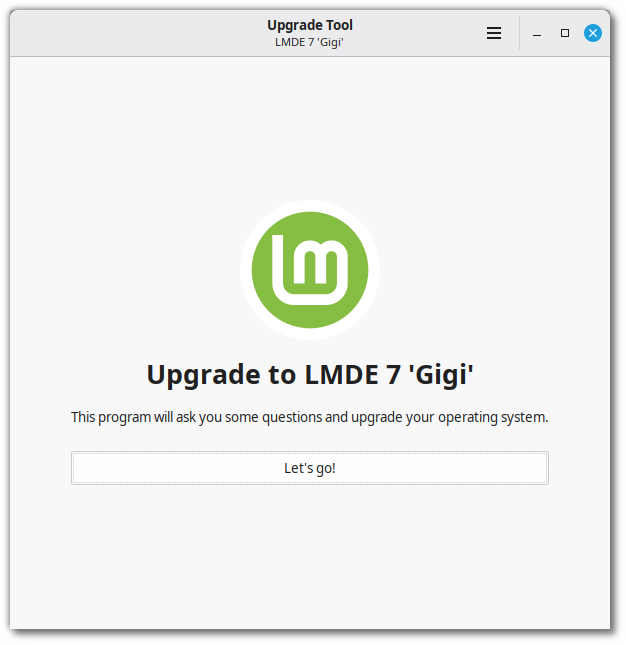
Upgrade instructions for LMDE 6 users are available at: https://blog.linuxmint.com/?p=4923
If you are using LMDE 7 BETA, you don’t need to upgrade. Just apply any available updates.
Download links:
- Torrent https://www.linuxmint.com/torrents/lmde-7-cinnamon-64bit.iso.torrent
- World Cicku
- World Linux Mint
- World Rackers
- Canada Manitoba Unix User Group
- Canada University of Calgary
- Canada University of Waterloo Computer Science Club
- USA Clarkson University
- USA Fremont Cabal Internet Exchange
- USA GigeNET
- USA Harvard School of Engineering
- USA Hoobly
- USA James Madison University
- USA kernel.org
- USA Lancaster-Lebanon Intermediate Unit 13
- USA Linux Freedom
- USA MIRhosting
- USA Open Computing Facility at UC Berkeley
- USA Purdue Linux Users Group
- USA Sonic
- USA Team Cymru
- USA TeraSwitch
- USA US Internet
- USA XMission Internet
- Belarus ByFly
- Belgium Unix-Solutions
- Bulgaria IPACCT
- Bulgaria Telepoint
- Bulgaria University of Ruse
- Czech Republic CZ.NIC
- Czech Republic IT4Innovations National Supercomputing Center
- Czech Republic UPC Ceska republika
- Czech Republic Webglobe
- Denmark c0urier.net
- Denmark Dotsrc.org
- Denmark KLID
- France CNRS IBCP
- France Crifo.org
- France Johnnybegood
- France Université de Reims
- Germany c48.uk
- Germany dogado GmbH
- Germany Friedrich-Alexander-University of Erlangen-Nuremberg
- Germany Funkfreunde Landshut e.V.
- Germany GWDG
- Germany Hochschule Esslingen University of Applied Sciences
- Germany IPB Internet Provider in Berlin GmbH
- Germany NetCologne GmbH
- Germany Netzwerge GmbH
- Germany PyrateLAN.party
- Germany University of Frankfurt
- Germany wilhelm.tel GmbH
- Greece GreekLUG
- Greece University of Crete
- Hungary Quantum Mirror
- Ireland Webworld
- Italy GARR
- Latvia koyanet.lv
- Latvia University of Latvia
- Moldova iHost
- Netherlands Evoluso.com
- Netherlands LiteServer
- Netherlands MIRhosting
- Netherlands NLUUG
- Netherlands Triple IT
- Poland ICM – University of Warsaw
- Poland Poznan Supercomputing and Networking Center
- Portugal PTISP
- Portugal RNL – Técnico Lisboa
- Portugal Universidade do Porto
- Romania Hosterion
- Romania Hostico
- Romania Orange Romania
- Russia HyperDedic
- Russia Powernet ISP
- Russia Yandex Team
- Serbia SOX
- Serbia University of Kragujevac
- Slovakia Energotel
- Spain Aire Networks
- Spain Oficina de Software Libre do Cixug
- Spain Raiola Networks
- Spain University of Zaragoza
- Sweden Academic Computer Club
- Sweden Bahnhof
- Sweden Brain Drain Lan
- Switzerland GoFOSS
- Switzerland Init7
- Switzerland Metanet.ch
- Turkey ekiphost
- Turkey Guzel Hosting
- Turkey Linux Kullanicilari Dernegi
- Turkey Verinomi
- Ukraine Distrohub
- Ukraine Hostiko
- Ukraine IP-Connect LLC
- United Kingdom c48.uk
- United Kingdom Server.net
- United Kingdom UK Dedicated Servers
- United Kingdom UKFast
- United Kingdom University of Kent UK Mirror Service
- United Kingdom VineHost
- Azerbaijan OUR.Technology
- Bangladesh XeonBD
- China Alibaba Cloud
- China Beijing Foreign Studies University
- China Nanjing University
- China Shanghai Jiao Tong University Linux User Group (SJTUG)
- China TUNA
- China University of Science and Technology of China Linux User Group
- Hong Kong KoDDoS
- India Albony Network
- India NxtGen DataCenter
- India PicoNets-WebWerks
- Indonesia DatautamaNET
- Japan ICSCoE
- Japan Yamagata University
- Kazakhstan Hoster.kz
- Kazakhstan PS Internet Company LLC
- Saudi Arabia Maeen Network
- Singapore Freedif
- Singapore jingk.ai
- South Korea Archive of Siwoo
- South Korea Jeonnam High School
- South Korea KAIST
- Taiwan Taiwan Digital Streaming Co.
- Thailand Khon Kaen University
- Vietnam Clearsky
- Vietnam MeowSMP.net
- Australia AARNet
- New Zealand University of Canterbury
- Argentina Zero.com.ar
- Brazil C3SL
- Brazil Universidade Federal de Mato Grosso
- Chile Universidad de La Frontera
- Ecuador CEDIA
- Botswana Retention Range
- Kenya Liquid Telecom
- Mauritius cloud.mu
- South Africa Dimension Data
- South Africa University of Free State
Integrity and authenticity checks:
Once you have downloaded an image, please verify its integrity and authenticity.
Anyone can produce fake ISO images, it is your responsibility to check you are downloading the official ones.
- Please read and follow the steps at https://linuxmint.com/verify.php
- Link to the sums: sha256sum.txt
- Link to the signed sums:sha256sum.txt.gpg
Enjoy!
We look forward to receiving your feedback. Thank you for using Linux Mint and have a lot of fun with this new release!