Vue normale

  • ✇GIMP
  • GIMP 2.99.18 Released: The Last Development Preview Before 3.0!
    At long last, we bring you the final development version before GIMP 3! While the release of 2.99.18 is a bit behind our intended schedule, there are a number of new features and improvements that we’re very excited to share with you. ⚠️ ☢️ We remind that a development version means that this is a release to show work-in-progress but also give an opportunity to the community to detect issues early and report issues. In other word, this is an unstable version and we do not recommend to use it in
     

GIMP 2.99.18 Released: The Last Development Preview Before 3.0!

Par :Wilber
20 février 2024 à 18:00

At long last, we bring you the final development version before GIMP 3! While the release of 2.99.18 is a bit behind our intended schedule, there are a number of new features and improvements that we’re very excited to share with you.

⚠️ ☢️
We remind that a development version means that this is a release to show work-in-progress but also give an opportunity to the community to detect issues early and report issues. In other word, this is an unstable version and we do not recommend to use it in production. Use it because you want to help GIMP improve by reporting bugs.

This version 2.99.18 in particular might be one of the most unstable releases in the 2.99 series because of the space invasion. It is expected and normal.
⚠️ ☢️

This news post lists the most notable and visible changes. We do not list minor bug fixes or smaller improvements here. To get a more complete list of changes, you should refer to the NEWS file or look at the commit history.

(Color) Space Invasion

We have been working very hard on the Space Invasion project, which is — as you might recall — our codename for the project of making GIMP more correct regarding colors.

Lately we have been porting older internal color structures (GimpRGB, GimpCMYK, GimpHSV…) which we used to carry color information to GeglColor. This generic object can contain any color data regardless of color model, precision or space supported by babl, our pixel encoding engine.

What it means for color correctness in particular is that we will now do color conversion only when needed (last-second conversion) and therefore won’t lose information when it could have been avoided. For instance, say you color-pick color from an image: if we were to convert to an intermediate format, before using it on a second image (which may or may not be in another color format), we’d do 2 conversions. Which means more possibility of precision loss. The issue is even more flagrant if the input and output formats are the same (i.e. no conversion should happen at all). And this will be even more a problem when we will have core CMYK backend (we really want to avoid doing a round-trip to an intermediate format with CMYK, which doesn’t have bijective conversion with most other color models, even when working unbounded and ignoring precision issues).

We are also slowly moving stored data to this generic color object. In particular it means that color palettes will be able to contain CMYK colors, CIELAB colors or in any other supported model (and not only these colors after a conversion to unbounded sRGB).

A consequence for code maintainance is that it makes it a lot easier to handle color conversions within our codebase, now that the structure embeds both the data and its “meaning”. It makes color handling a lot less bug-prone compared to when we had to keep track of both information as separate data.

Lastly we are working toward showing color space information in various parts of the interface, when relevant, such as when displaying or choosing RGB, CMYK, HSL or HSV data. Values in these color models without the associated color space are near-meaningless. Interface displaying values in RGB without further information are a remnant of the past when it mostly meant sRGB. This is clearly not true anymore in modern graphic work and the interface should make this clear.

The below video shows some of this interface work where RGB, HSV or CMYK models for instance are always displaying the color space the values are in (which very often means the name of the ICC profile). This is being done in the color picker tool, color samples, FG/BG Color dockable, “Change Foreground/Background Color” dialog and in more places.

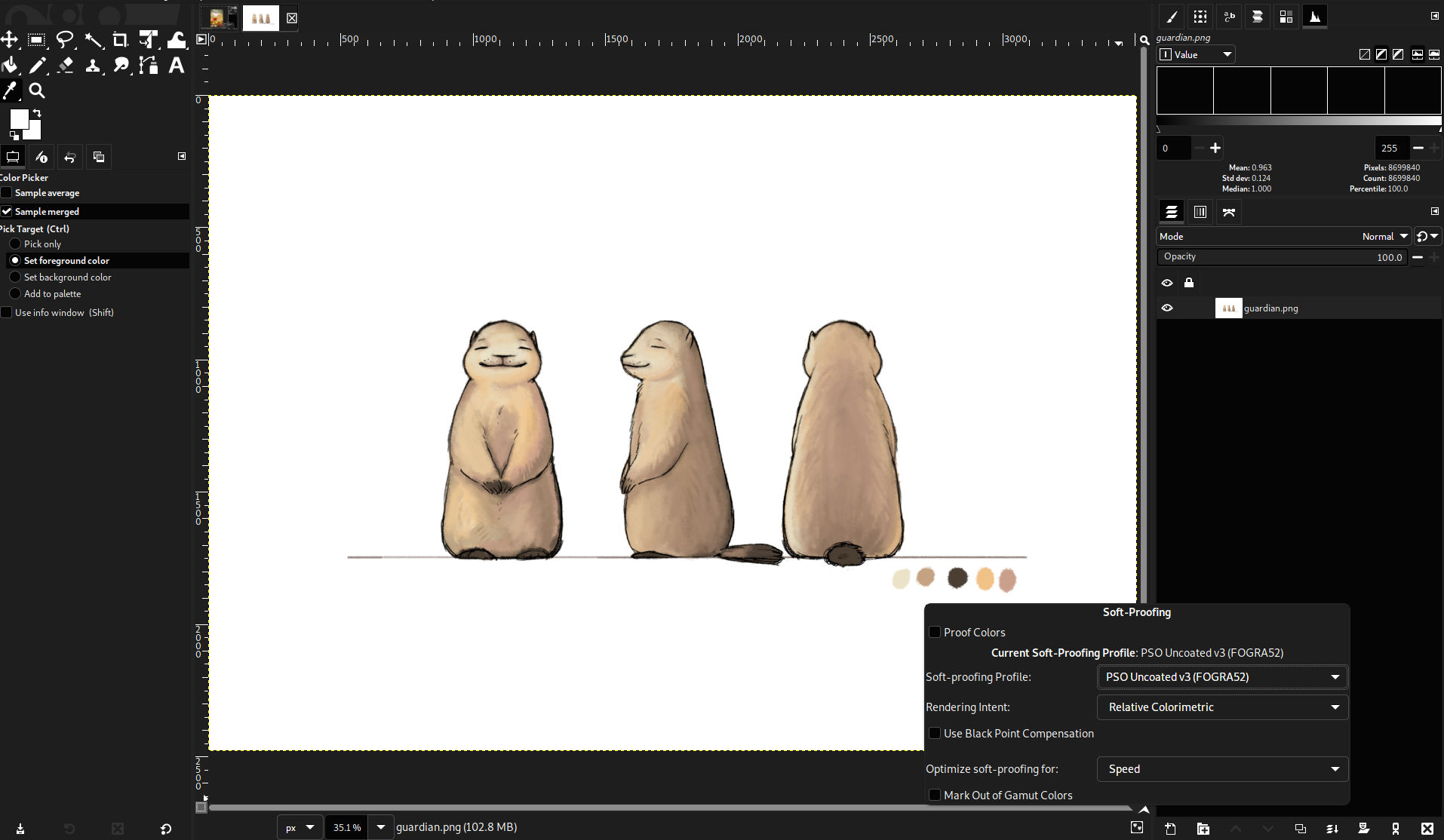
Not only this, but when people select a soft-proofing profile and activate soft-proofing (e.g. through the nice new simulation toggle which was added in GIMP 2.99.12), we will also show out-of-gamut area not only within the image’s color space, but also the soft-proof space.

(Color) Space Invasion in the interface - GIMP 2.99.18

Very important warning: this is once again a huge port in our codebase, which impacted litterally thousands of lines of code. This work is unfinished though it will have to be finished before the first release candidate. Therefore unstabilities or bugs are to be expected in this update so if you encounter any issue, we recommend to report them.

Improved Color Algorithms

Øyvind Kolås improved a few internal algorithms:

  • Achromatic pixels in the Hue-Saturation tool are now special-cased so that grayscale pixels (saturation of 0) are only changed by the master adjustment, not by the red adjustment.
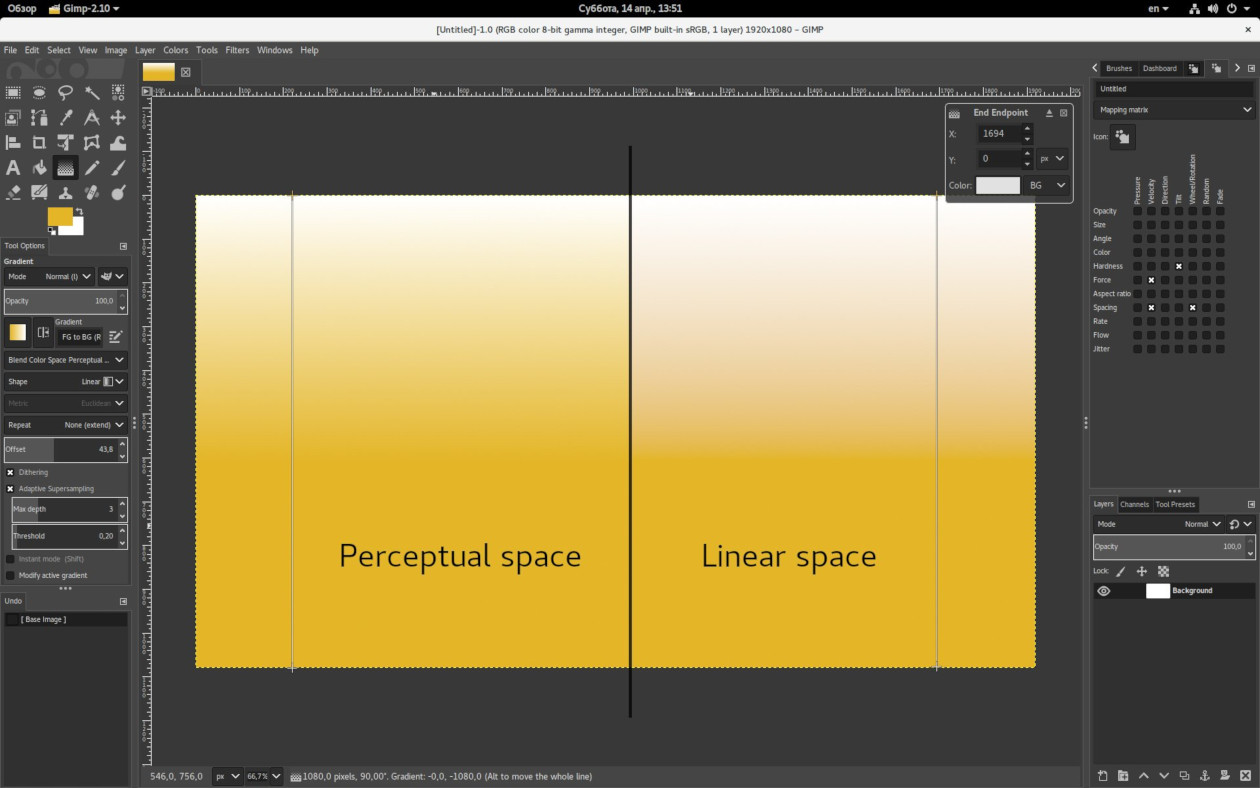
  • Grayscale gradients are now kept achromatic even with “Dithering” checked in the Gradient tool.

As the space invasion project goes on, getting things consistent is getting easier in various color-related algorithms, hence enabling us to discover issues quickly and fix them.

Initial Non-Destructive Layer Effects

One area we’re “ahead of schedule” on are the much-requested non-destructive layer effects! The foundation for these features has been laid by many developers over many years, since the introduction of GEGL into GIMP. Originally planned for the 3.2 roadmap, an initial implementation was made as a continuation of a Google Summer of Code project.

If you are not familiar with the term, “non-destructive editing” implies the ability of changing the output pixels while keeping the source pixels intact. For filter effects, such as Blur, it means that layer effects are kept separate from the layer’s pixels. This means that if later on you want to change a setting, rearrange, or even remove the filter, you can easily do so without affecting the rest of the image. Until now, GIMP has followed a destructive editing workflow where effects were immediately merged down onto the layer, so this is a major change!

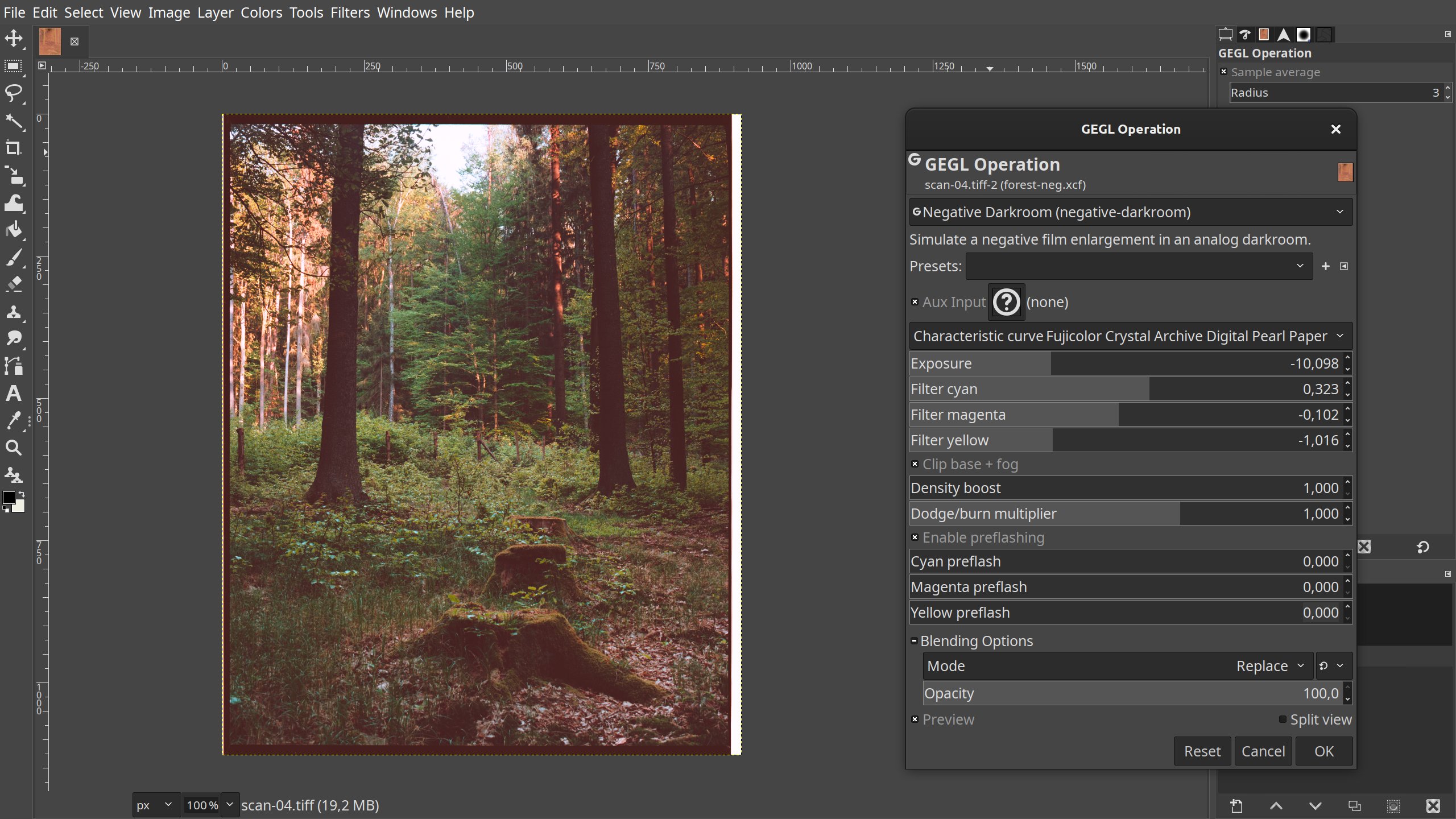
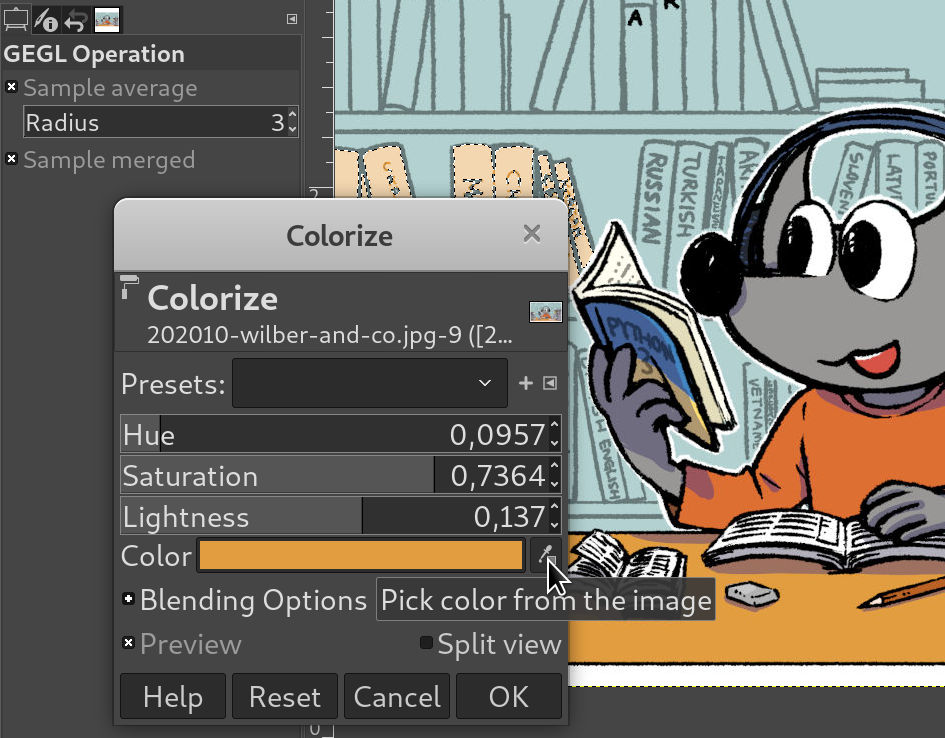
Any GEGL operation that has a GUI is now applied to layers non-destructively (Non-destructive effects for layer masks and channels are planned for future updates.). This includes third-party GEGL plug-ins and custom operations created with our GEGL Graph tool. These effects can be saved and loaded in .xcf project files, although not all GEGL properties are supported in the current build.

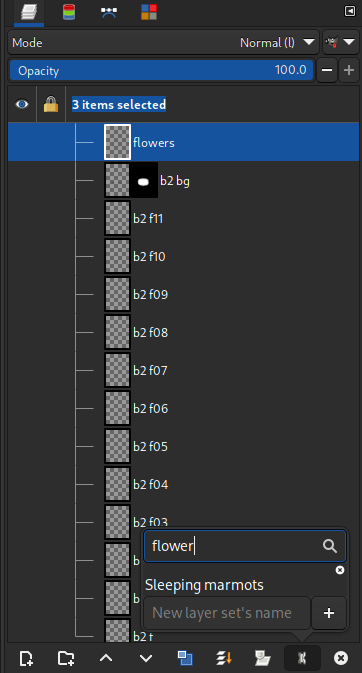
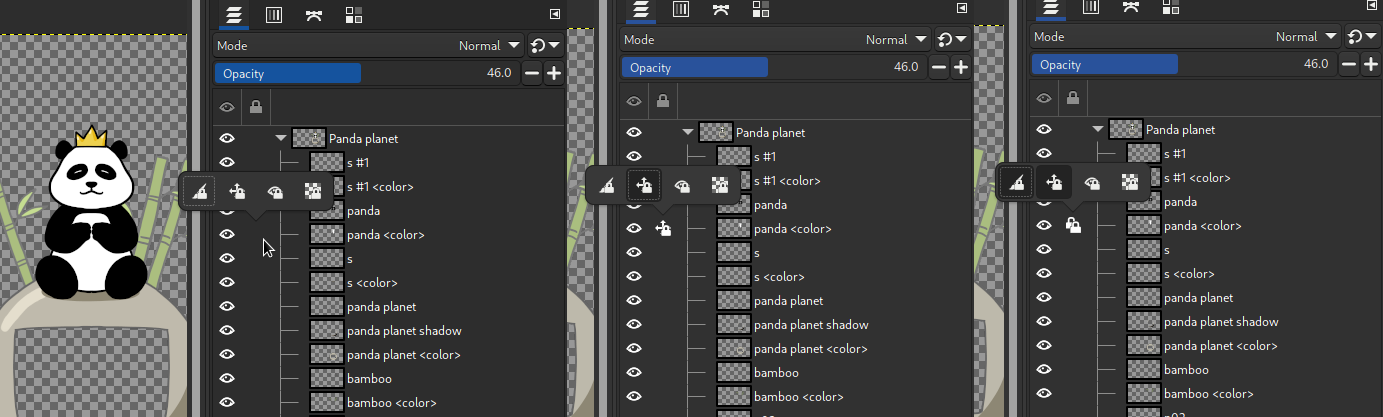
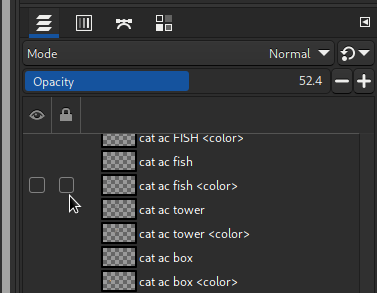
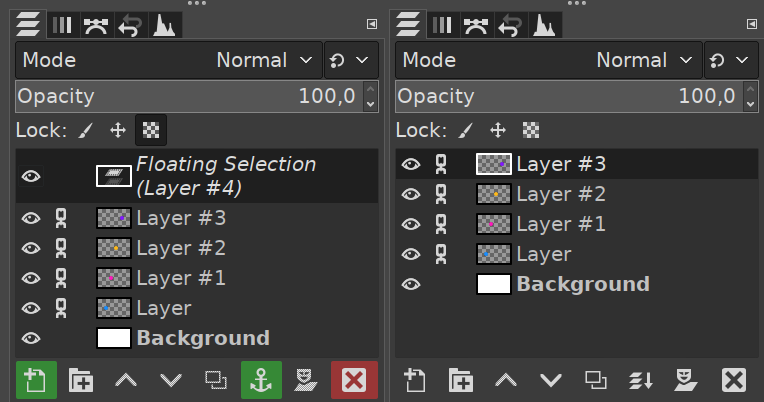
Once a filter has been applied, you can interact with it further by clicking the filter icon in the layers dockable. This will open a pop-up that shows all filters currently applied to the layer. From here, you can toggle the filter’s visibility, edit the filter settings, re-order the filters, and delete individual effects. You can also merge down all filters to recreate a destructive workflow.

Non-destructive layer effects - GIMP 2.99.18

Note that this is only an early implementation, and much work remains to be done for a full-featured version of non-destructive editing. We will continue to refine the existing features for the 3.0 release based on user testing and feedback, and extend them further afterwards. The interface itself is not how we envision this feature ideally and a first specification draft was layed out for a much more integrated workflow.

The below screenshot is a mockup from this first specification which would show layer effects within the main layer list, sharing the same “eye” and “lock” buttons, but also with their own easily editable mask:
Non-destructive layer effect Specification mockup image
Specification mockup image: vision of layer effects directly in the layer list with their own mask

Nevertheless creating this new interface will be its own challenge so we decided to delay it to after GIMP 3 release and to propose this early implementation at first.

Please share your thoughts on the discussion forums and issue tracker!

Font Handling Improvements

Idriss Fekir, another GSoC 2023 student, has been working with long-time developer Liam Quinn to improve how GIMP handles fonts. A lot of this work was internal to improve GIMP’s ability to handle future font and text updates. Some of the more visible changes include:

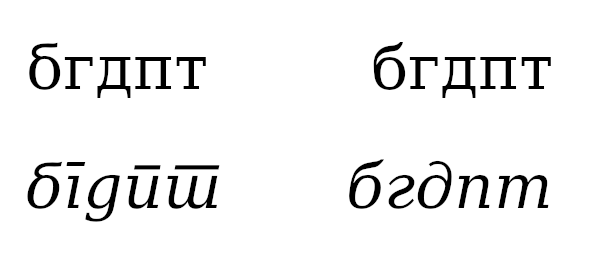
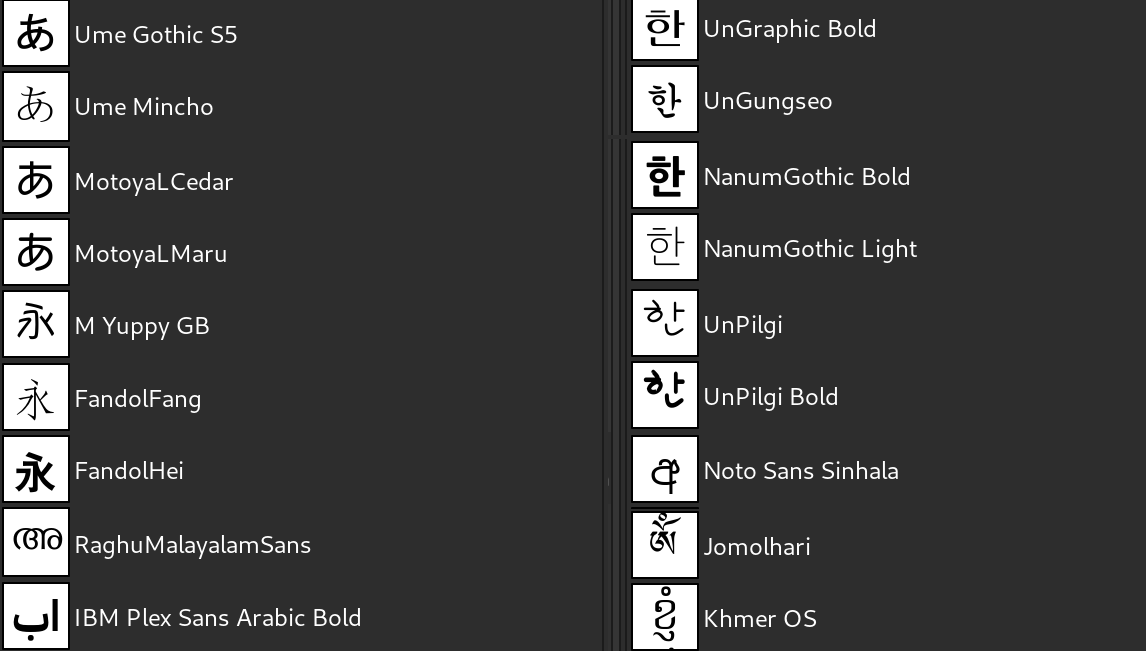
  • GIMP no longer relies on font names being unique to distinguish between them. This means it won’t append “#1”, “#2” and so on but instead keep the original names in the font selection list. Despite the apparent name clash, both identically named font will now work properly.

  • GIMP can now load fonts using custom styles (bypassing Pango which is unable to load them).

  • We can now load more types of fonts than before. In cases where we don’t support a font yet (or the font is non-existent), we can better detect this and fall back to a default font. This also improves support when loading an .xcf file created on another computer to different fonts available.

  • On Windows, we force the Pango backend to always use anti-aliasing. This improves the readability of menu text on that operating system, especially with a dark theme.

  • The XCF-saving code now stores font information much more accurately which helps to avoid loading the wrong font when reopening some XCF.

  • Alignment of text in text layers for RTL languages is now more consistent with how it works in other software (such as LibreOffice or Scribus).

These changes are a lot less flashy relatively to some of the other features and therefore may feel less important, yet they are actually the foundation work on making text handling a lot more reliable in GIMP. We are envisionning a future where text editing will be simpler while much more powerful and featureful (in particular OpenType features are some of the big improvements we hope to get eventually).

Auto-Expanding Layers

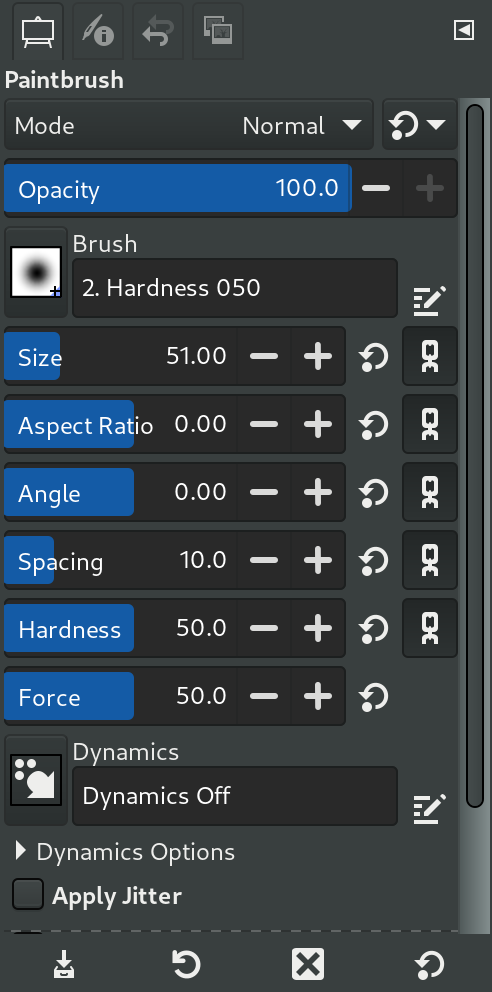
The third GSoC project last summer by student Shubham Daule brought a long requested feature – auto-expanding layers! Brush tools now have an additional “Expand Layers” option. When checked, painting past the layer boundaries will cause them to automatically expand so you don’t have to manage the layer size yourself. If you want to expand the layer beyond the current size of the canvas, you’ll need to also check the “Show All” option in the View menu.

Auto-expanding layers - GIMP 2.99.18

The Expand Layers option also has additional settings when selected. You can decide how much you want the layer boundaries to expand by whenever the brush reaches them. There are also options to specify how the new areas of the layer and layer mask should be filled in when expanded.

New Snapping Options

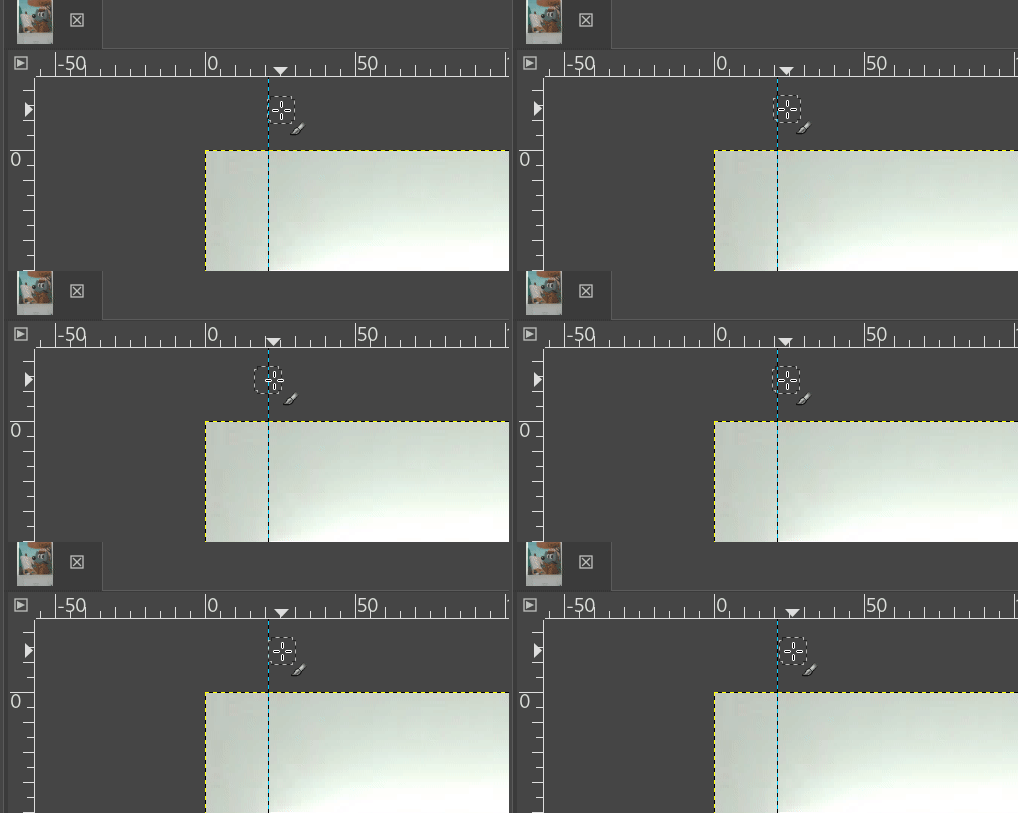
New contributor mr. fantastic developed two new options for aligning layers on the canvas. With “Snap to Bounding Boxes” enabled, dynamic guides will now show when the layer you are moving is aligned with the center or sides of others. The active layer will also snap to those boundaries to assist you with arranging them properly. The second option, “Snap to Equidistance”, allows you to snap between three layers that are equidistant from each other.

New snapping options - GIMP 2.99.18

Themes

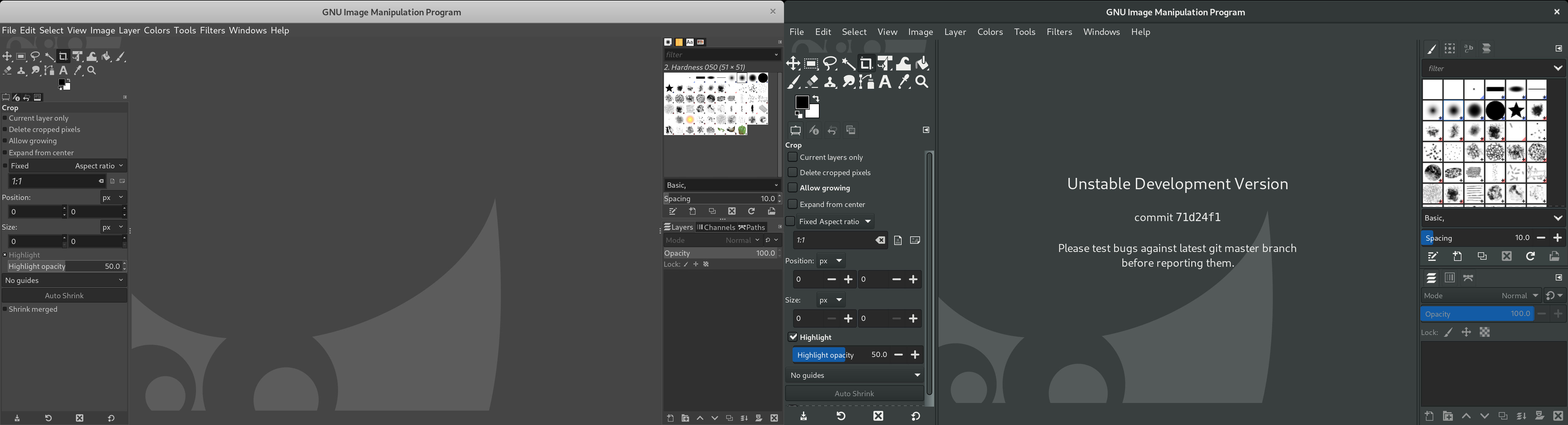
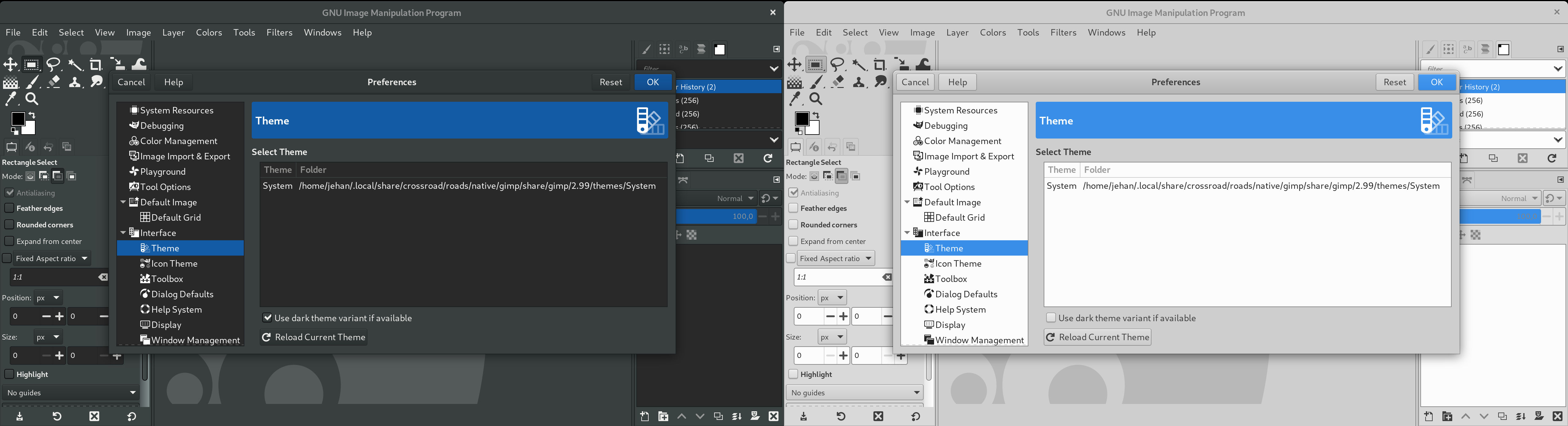
We continued to improve the user interface and style for this release. One of the biggest improvements was dealing with “system theme leaks”. There are styles that were not specifically defined in our themes, thus allowing different systems to supply their own (often conflicting) styles. With the help and feedback of several contributors and users, we’ve made a lot of progress in defining those styles so that everyone has a consistent experience!

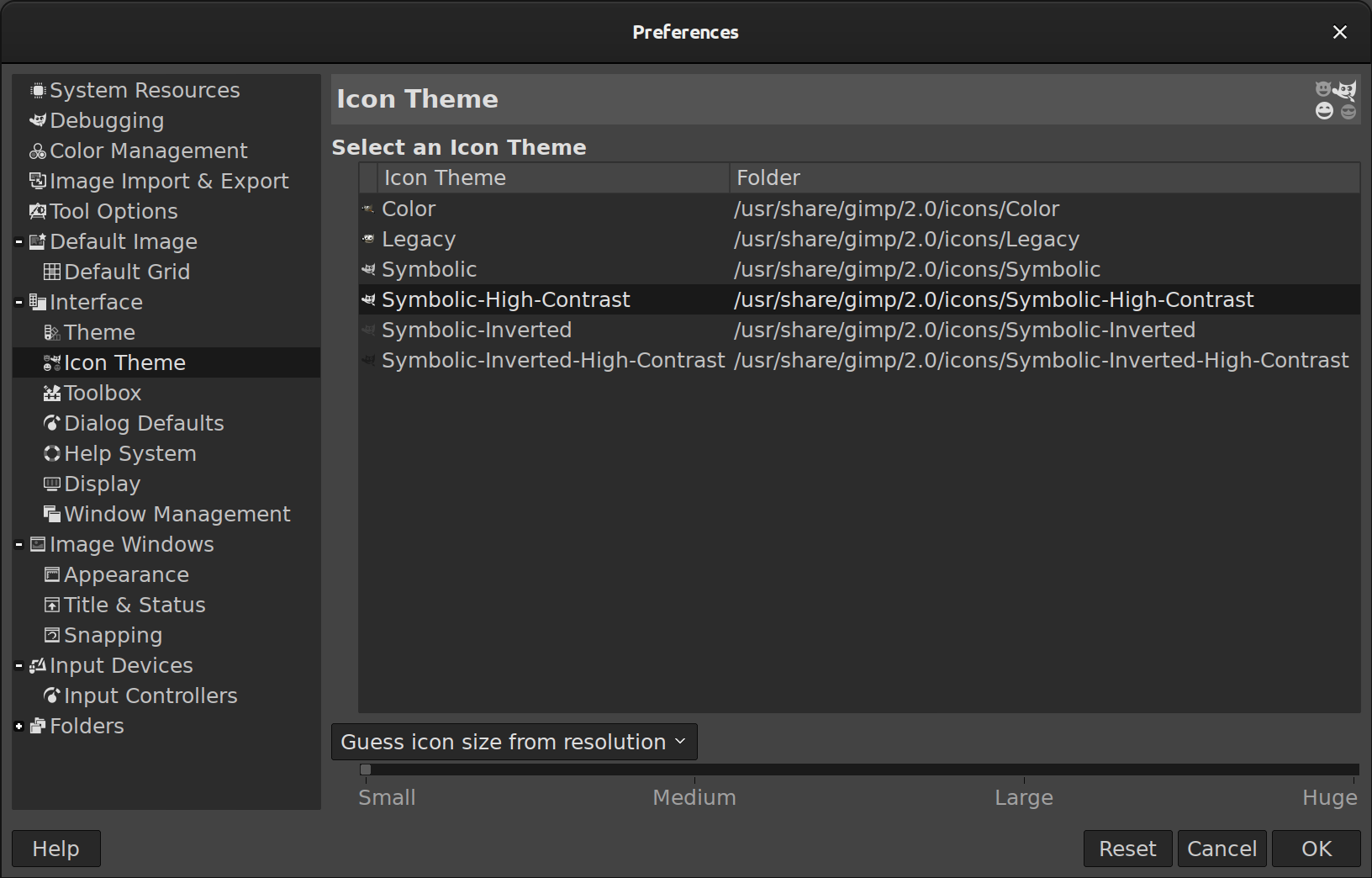
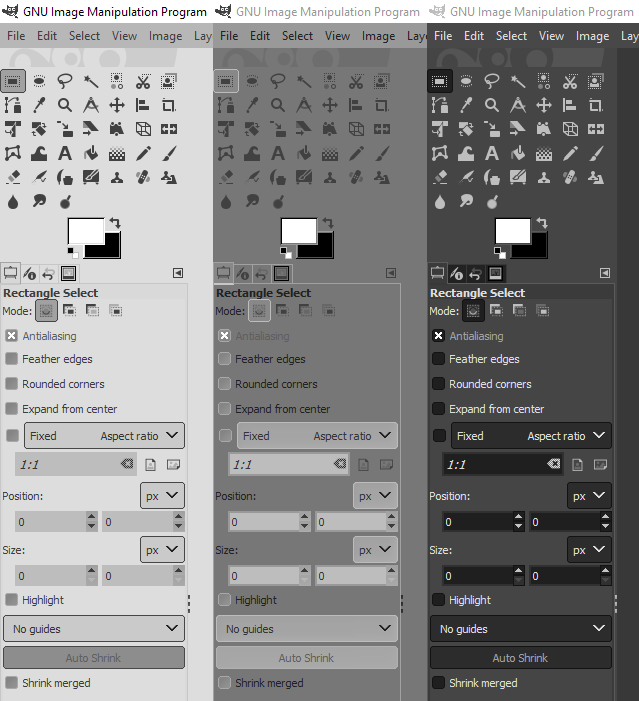
Recently Jehan worked on re-organizing and simplifying our theme system. In past development versions we had five different themes: Default, Gray, System, Darker, and Compact (Each with light and dark options). These have been simplified into the System theme and a single Default theme with three possible states – light, dark, and gray. Similarly, our four separate icon themes were condensed into the Legacy set and a Default with Color and Symbolic options. We think these changes will reduce user confusion and make it easier for them to find their preferred interface appearance.

In addition, on Windows the main titlebar (and most dialog title bars) now adjust to light or dark mode depending on the selected theme.

Welcome Dialog

The Welcome Dialog has been expanded to provide quick access to a number of useful features and options. There are now four new sections:

  • Personalize: There are several customization options that require you to dig through the Preference Dialog to change. Now from this page you can easily change the color and icon themes, the user interface language and font size, and OS-specific settings.

  • Create: This page shows your eight most recently opened images and allows you to quickly reopen them. There are also buttons to create a new image or load an existing one. As with other programs, you can set this screen to automatically appear when GIMP starts for immediate access to these features.

  • Contribute: We consolidated some of the many ways you can be involved in GIMP’s development on this page. There are direct links to report bugs, write code, assist with translation or donate financially.

  • Release Notes: Originally these were shown on the lower half of the Welcome page. Now we have a full tab dedicated to them for easier reading.

File Formats

As in other releases, we have made improvements to existing file formats and added import and export support for some new ones.

DDS

A new contributor Stayd has been working with developer Jacob Boerema to make many improvements to the DDS plug-in. As a start, the import functions have been written to be simpler and easier to extend in the future. Some of the other additional updates include:

  • Loading 16 and 32 bits per channel RGBA DDS images is now possible.

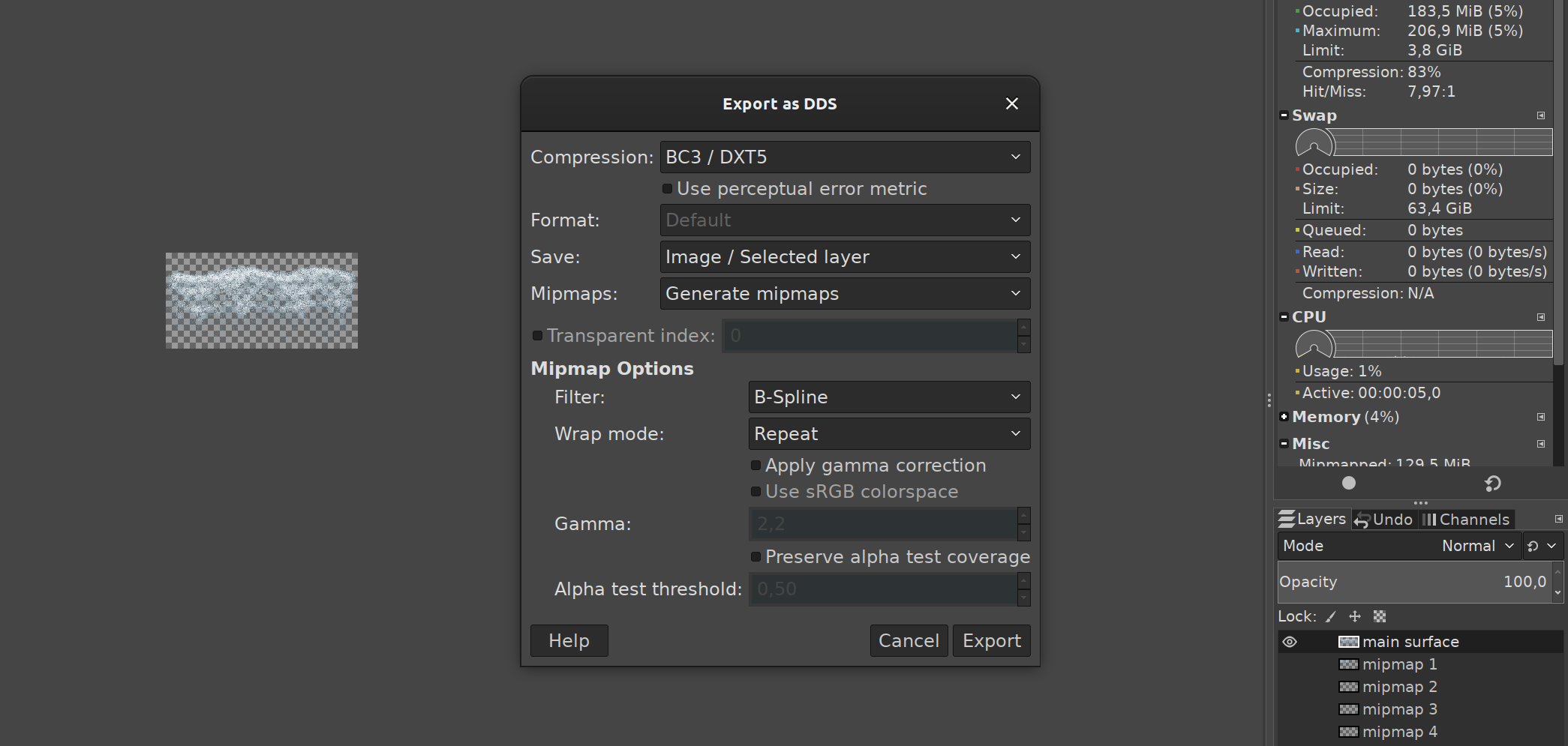
  • The Catmull-Rom cubic filter has been added for mipmap generation, and all mipmap generation calculations are performed at 32-bit precision.

  • DDS images in the R8G8, R16, and R16G16 formats can now be loaded as well.

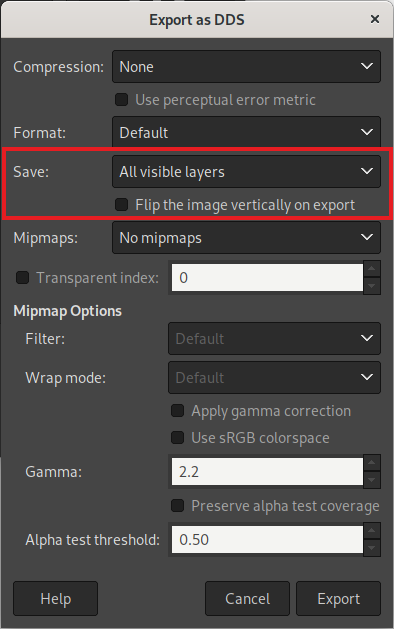
  • An option to flip DDS images vertical on import was added to mirror the existing export option, as some game images store their data this way.

GIF

In the past, overwriting a GIF rather than exporting would always convert it into a single frame image. Now we check to see if the GIF is an animation on load, so it will stay that way when overwritten.

HEIF and JPEG-XL

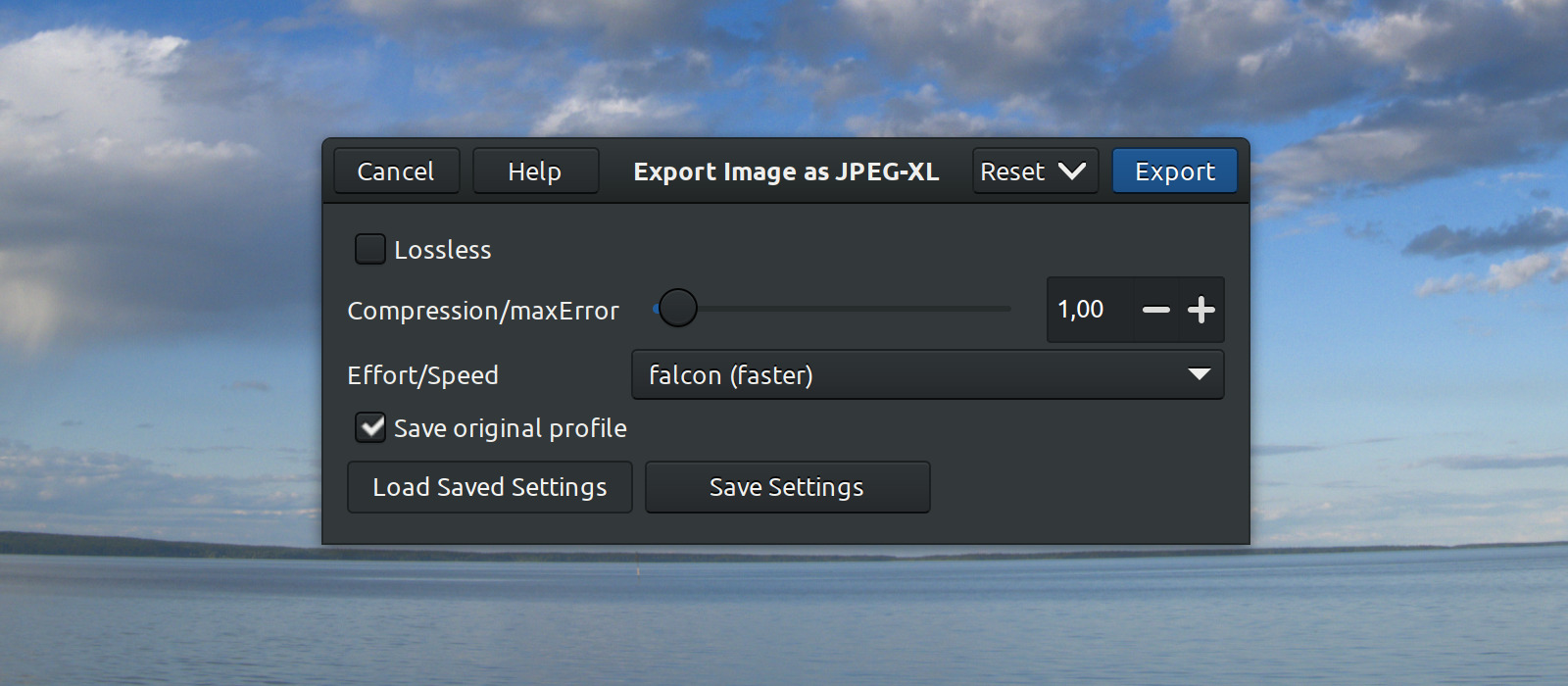
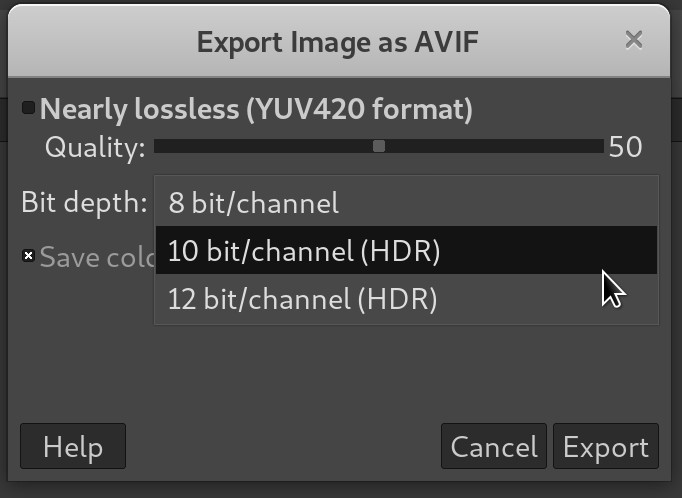
Both plug-ins now use their respective libraries (libheif and libjxl) to load metadata. As a result, we have removed our custom code to interpret the image orientation and rely on the information supplied from the library instead.

OpenEXR

OpenEXR allows for channels to have custom names besides the color type. In these cases we now treat any single channel image with an unconventional name as grayscale. On import, we also display a notification so that users are aware of the conversion.

PDF

The “Layers as Pages” export option now works even if there is only a single layer group. Previously this option was not available, as the plug-in only checked if there was more than one “layer” without considering if it was a layer group with multiple sub-layers.

PNG

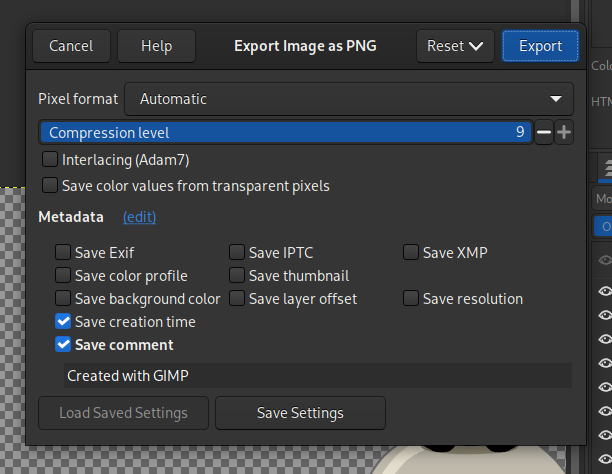
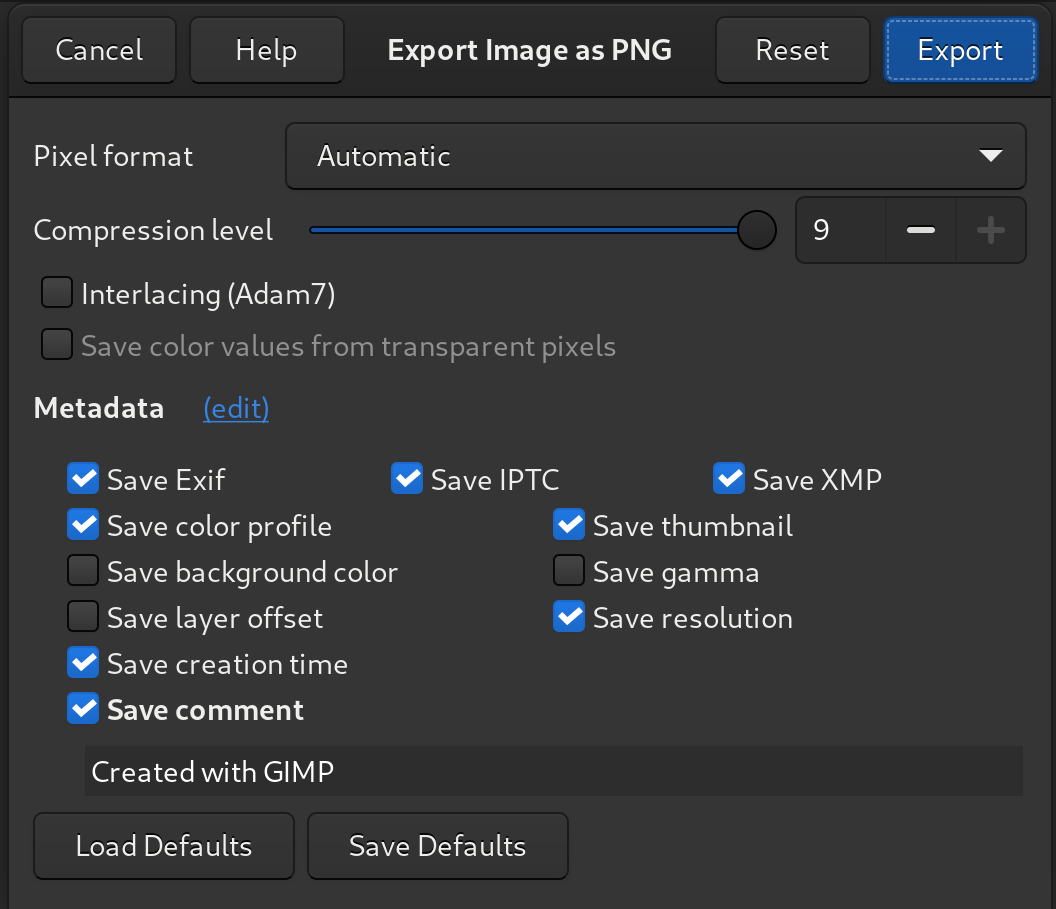
Safe-to-copy PNG chunks are now preserved on import and included in the exported image. Additionally, an often-reported issue with exporting transparent indexed PNGs has been fixed. Now the exported indexed colors should be displayed correctly.

PSD

Jacob Boerema continued his work to improve the PSD plug-in. In addition to bug fixes such as correcting the layer order on import, he also clarified the export warning on layer mode compatibility between GIMP and Photoshop.

PSP

The Paintshop Pro plug-in now supports importing more features from the project file, such as the ICC color profile, guides, grids, and the active selection from when the file was saved. The ZDI-CAN-22096 and ZDI-CAN-22097 security vulnerabilities were also patched in this release.

New image format supports: Farbfeld, Esm Software PIX, HEJ2

We recently added import and export support for Farbfeld, an sRGB image format intended to be easy to parse, pipe, and compress externally.

We also added import only support for the following new file formats:

  • Esm Software PIX: A modified JPEG format used exclusively by the Esm Software company to store their customized images. This was implemented in response to a bug report that confused this format with our existing Alias PIX image support.

  • HEJ2: An addition to our existing HEIF plug-in by contributor Daniel Novomeský which allows importing JPEG 2000 compressed images.

New palette format support: Swatchbooker

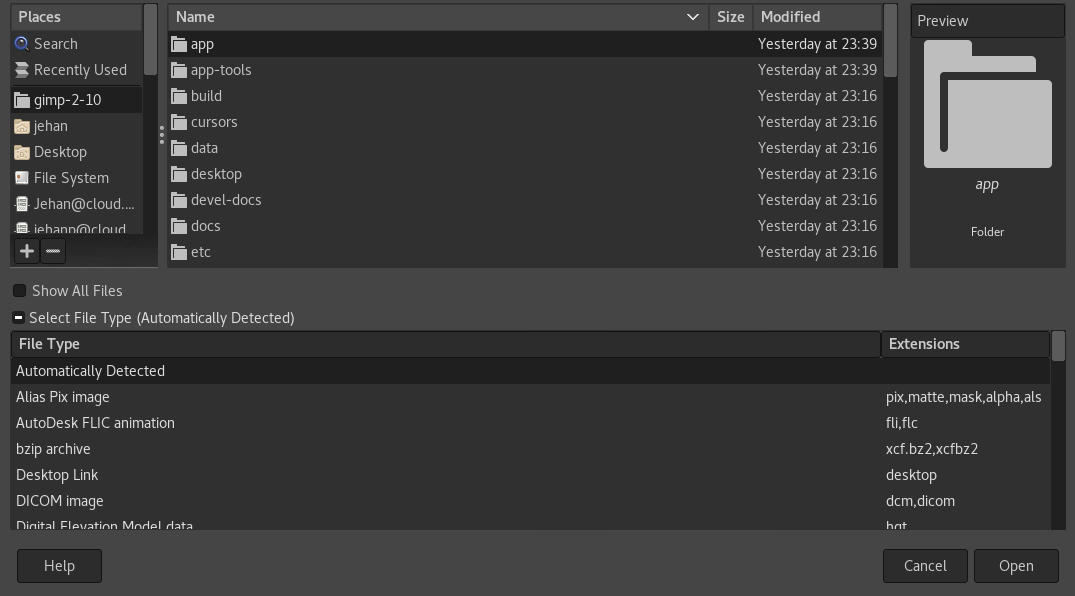
Swatchbooker is a free/libre open source software that creates and converts color palettes in a variety of formats. While the software itself has not been updated in many years, its custom palette format .sbz is the most comprehensive of all the ones we currently support. Among its many features are allowing multiple color model definitions per palette entry, localizable names and descriptions, and support for per-entry ICC color profiles.

While working on our import support, we were able to contribute information that led to a bug fix in Krita’s support for Swatchbooker. It’s always great when projects can work together and help each other!

Wayland Tablet Pad Interactions

Long-time GNOME contributor Carlos Garnacho added support for interacting with GIMP via tablet pads. When a tablet is plugged in, you can now assign different actions to the tablet controls via the “Input Device” dialog under the Edit menu. In particular you don’t have to map keyboard shortcuts to the tablet’s buttons, system-side, then map the same shortcut to actions, GIMP-side. You can directly map the tablet’s buttons to actions without the intermediary of keyboard shortcuts.
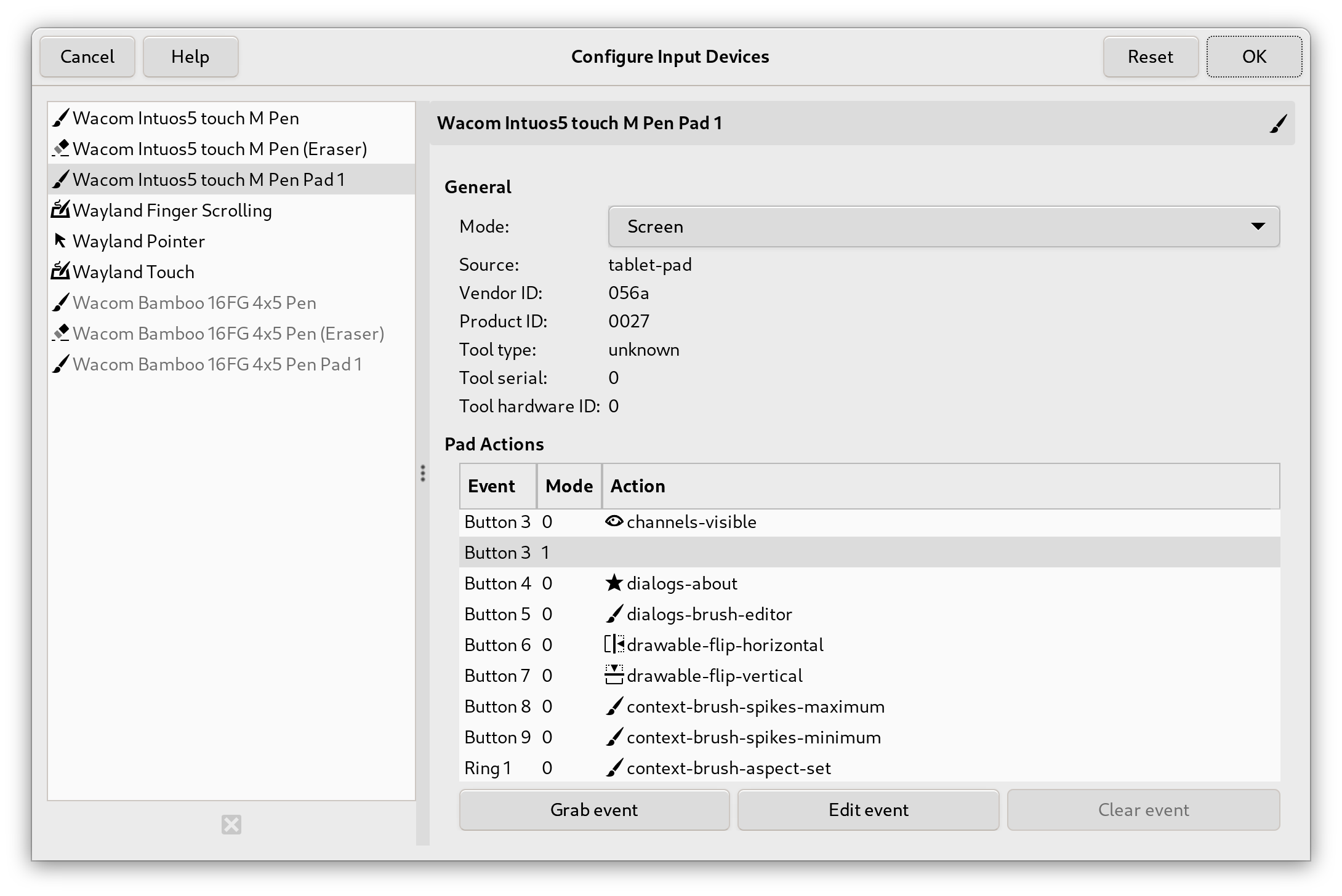
Assigning actions to tablet pad buttons - GIMP 2.99.18

This work also involved porting features to GTK 3, the GUI framework that GIMP is built on. Note that this feature is currently only supported on Wayland.

API Updates

The Application Programming Interface, for plug-in makers, is steadily being reworked as part of the GIMP 3 overhaul. Part of it is that when colors are involved, we are moving the API to use GeglColor as part of the more general Space Invasion project. Yet it’s only a small part of the whole API improvements.

We are also moving towards more classes to represent the various resources managed by GIMP (brushes, fonts, patterns, etc.) instead of only representing these by names (which was a historical limitation whereas it is absolutely possible for 2 resource makers to choose the same name and the fact is that we see such cases in the wild — for instance 2 fonts independently created may have the same name).

Another big move is replacing the GimpValueArray representing the ordered arguments of a plug-in procedure by a GimpProcedureConfig which contains arguments by name instead of by order. This allows much more semantic usage of plug-in procedures (especially when they have long list of arguments) but also will make it easier to enhance plug-ins in the future, with new or reordered arguments without creating new procedures because the order and number arguments matter a lot less. It means that adding new arguments in the future won’t break existing scripts depending on past versions of these plug-ins anymore (plug-in writers will still have to choose appropriate defaults for the new arguments in order for this to be true, of course).

In parallel, we continue to improve the ability of automatic GUI creation given to plug-ins, making creating dialogs more easy than ever. This includes (among many other enhancements) a new type of procedure argument named GimpChoice which is a string list of choices which can be displayed to creators as drop-down list widgets in your plug-in dialog.

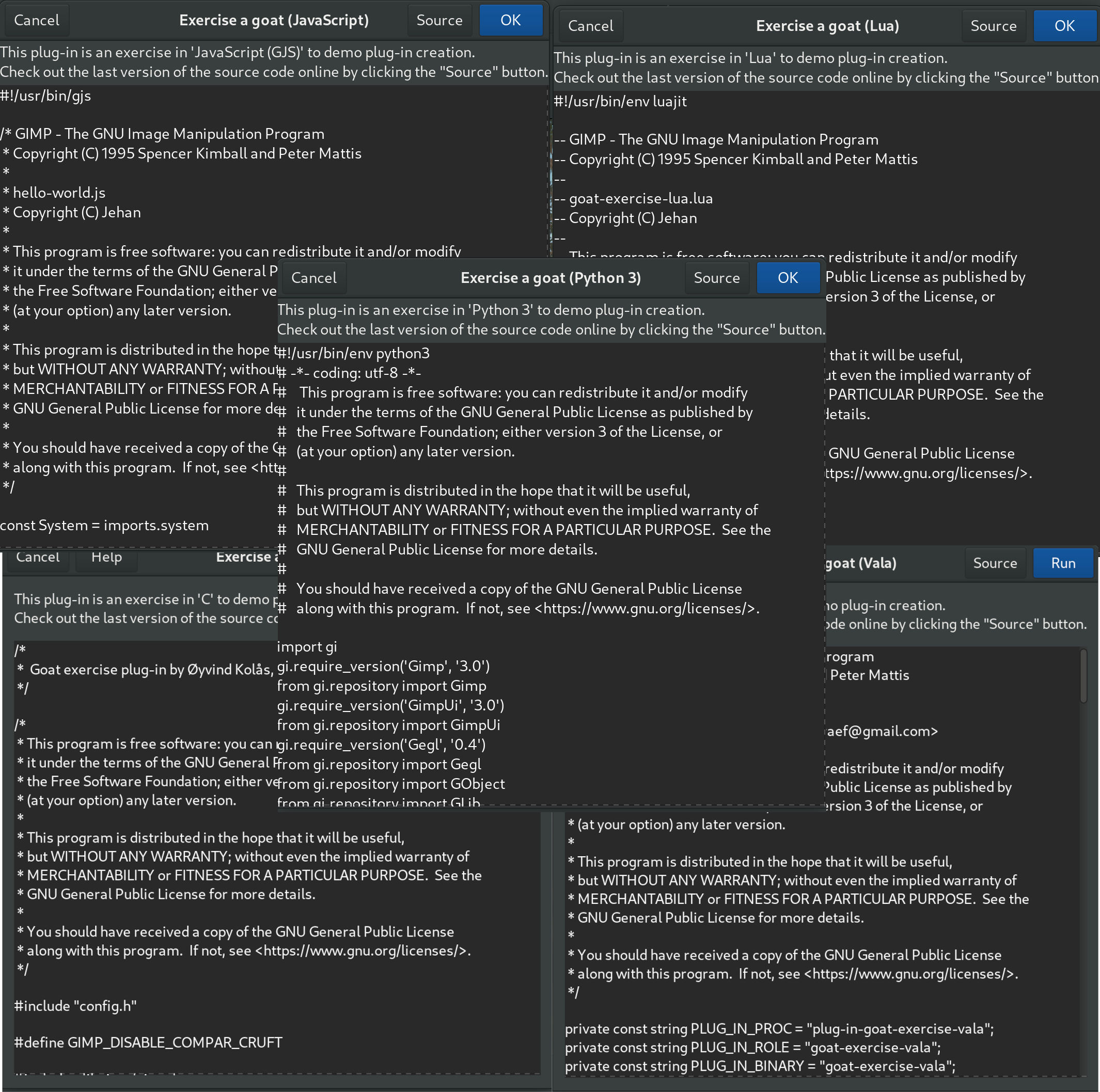
We are planning to write and release tutorial for plug-in writers in the Resource Development section of our developer website in the same time as GIMP 3 release, or not long after.

GEGL and babl

This release of GIMP is accompanied by new releases of GEGL and babl, both of which assist with the color space invasion project.

babl 0.1.108 brings a new babl_space_is_rgb function to help us directly confirm a color space is RGB (rather than doing multiple tests to see if it’s not CMYK or grayscale). There were also several improvements to the build process and to the babl command-line interface tool.

GEGL 0.4.48 provides several updates to the GeglColor object which now supports much of GIMP’s color operation. Specific improvements include being able to directly get and set CMYK color values, as well as assigning the color space when setting RGB(A) colors.

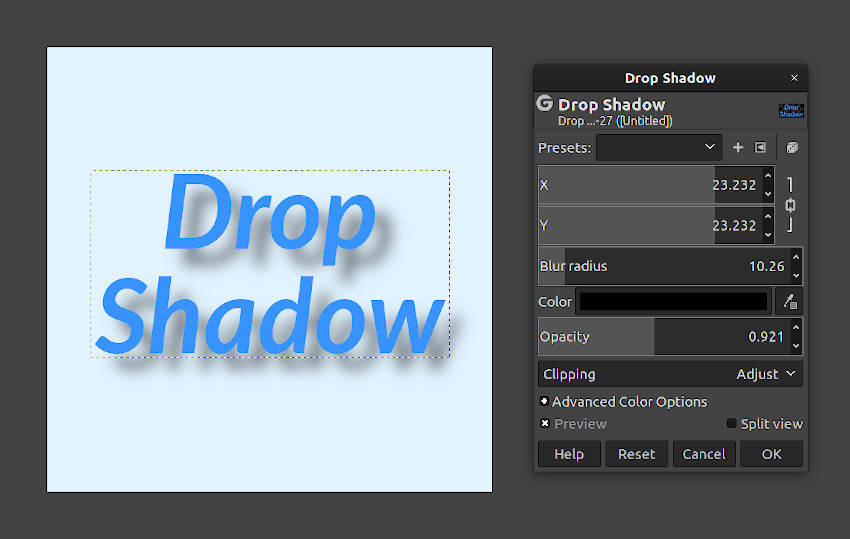
A crash in the existing gegl:voroni filter was fixed, and a long-standing bug with the gegl:dropshadow filter which prevented the effect from shrinking was corrected too.

Last but not least, a new gegl:shuffle-search filter was added to the workshop. It shuffles neighboring pixels to create a more optimized dithering effect.

Release stats

Apart from the first version in the series (2.99.2), GIMP 2.99.18 is clearly the biggest update in most numbers. Since 2.99.16:

  • 238 reports were closed as FIXED.
  • 201 merge requests were merged.
  • 1358 commits were pushed.
  • 26 translations were updated: Basque, Belarusian, Brazilian Portuguese, Bulgarian, Catalan, Chinese (China), Danish, Esperanto, Finnish, Georgian, German, Greek, Hungarian, Icelandic, Italian, Lithuanian, Norwegian Nynorsk, Persian, Polish, Russian, Slovenian, Spanish, Swedish, Turkish, Ukrainian, Vietnamese.

60 people contributed changes or fixes to GIMP 2.99.18 codebase (order is determined by number of commits; some people are in several groups):

  • 23 developers to core code: Jehan, Alx Sa, Shubham, Jacob Boerema, Idriss Fekir, bootchk, Anders Jonsson, Carlos Garnacho, mr.fantastic, Stanislav Grinkov, lillolollo, Øyvind Kolås, Sabri Ünal, programmer_ceds, Lukas Oberhuber, programmer-ceds, James Golden, Luca Bacci, Massimo Valentini, Niels De Graef, Zander Brown, psykose, sonia.
  • 17 developers to plug-ins or modules: Jehan, Alx Sa, Jacob Boerema, bootchk, Anders Jonsson, Stayd, Zander Brown, Bruno Lopes, Daniel Novomeský, Sabri Ünal, programmer_ceds, Kamil Burda, Mark, Michael Schumacher, Stanislav Grinkov, programmer-ceds, sonia.
  • 31 translators: Yuri Chornoivan, Martin, Ekaterine Papava, Luming Zh, Sabri Ünal, Anders Jonsson, Rodrigo Lledó, Jordi Mas, Alan Mortensen, Vasil Pupkin, Asier Sarasua Garmendia, Kolbjørn Stuestøl, Boyuan Yang, Víttor Paulo Vieira da Costa, dimspingos, Alexander Shopov, Alexandre Prokoudine, Aurimas Černius, Balázs Úr, Marco Ciampa, Sveinn í Felli, Danial Behzadi, Ngọc Quân Trần, Jürgen Benvenuti, Piotr Drąg, Timo Jyrinki, Andre Klapper, Kristjan SCHMIDT, MohammadSaleh Kamyab, Rafael Fontenelle, Tim Sabsch.
  • 9 resource creators (icons, themes, cursors, splash screen, metadata…): Alx Sa, Jehan, Ferry Jérémie, Stanislav Grinkov, Anders Jonsson, Bruno Lopes, Jacob Boerema, Sabri Ünal, mr.fantastic.
  • 5 documentation contributors: Jehan, Bruno Lopes, Jacob Boerema, Alx Sa, Anders Jonsson.
  • 14 build, packaging or CI contributors: Jehan, Bruno Lopes, bootchk, Alx Sa, Zander Brown, Jacob Boerema, Jacob Boerema, Stayd, Carlos Garnacho, Heiko Becker, mr.fantastic, Daniel Novomeský, U-YGGDRASIL\ender, lillolollo.

Contributions on other repositories in the GIMPverse (order is determined by number of commits):

  • babl 0.1.108 is made of 17 commits by 6 contributors: Jehan, Øyvind Kolås, John Marshall, Andre Klapper, John, sid.
  • GEGL 0.4.48 is made of 77 commits by 20 contributors: Øyvind Kolås, Jehan, Anders Jonsson, Jacob Boerema, Yuri Chornoivan, Alan Mortensen, Sabri Ünal, Andre Klapper, Ekaterine Papava, Jan Tojnar, Jordi Mas, Luming Zh, Martin, Piotr Drąg, Víttor Paulo Vieira da Costa, Asier Sarasua Garmendia, Marco Ciampa, Rodrigo Lledó, dimspingos, woob.
  • ctx had 308 commits since 2.99.14 release by 1 contributor: Øyvind Kolås.
  • The gimp-macos-build (macOS packaging scripts) release is made of 32 commits by 1 contributor: Lukas Oberhuber.
  • The flatpak release is made of 15 commits by 3 contributors: Jehan, Daniel Novomeský and Hubert Figuière.
  • Our main website (what you are reading right now) had 31 commits since 2.10.36 release by 6 contributors: Jehan, Alx Sa, Sabri Ünal, Anders Jonsson, Bruno Lopes, Jonathan Demeyer.
  • Our developer website had 30 commits since 2.10.36 release by 5 contributors: Bruno Lopes, Jehan, Alx Sa, bootchk, Robin Swift.
  • Our 3.0 documentation had 247 commits since 2.99.16 release by 17 contributors: Andre Klapper, Jacob Boerema, Yuri Chornoivan, Alx Sa, Jordi Mas, Alan Mortensen, dimspingos, Anders Jonsson, Boyuan Yang, Sabri Ünal, Víttor Paulo Vieira da Costa, Juliano de Souza Camargo, Rodrigo Lledó, Kolbjørn Stuestøl, Marco Ciampa, Danial Behzadi, Emin Tufan Çetin.

Let’s not forget to thank all the people who help us triaging in Gitlab, report bugs and discuss possible improvements with us. Our community is deeply thankful as well to the internet warriors who manage our various discussion channels or social network accounts such as Ville Pätsi, Liam Quin, Michael Schumacher and Sevenix!

Note: considering the number of parts in GIMP and around, and how we get statistics through git scripting, errors may slip inside these stats. Feel free to tell us if we missed or mis-categorized some contributors or contributions.

Team news and release process

Access rights to the git repository were recently given to Bruno Lopes (who has been very active improving our build process and Windows packaging).

Several long term or recent developers or packagers who started to contribute to the new developer website were also given access to the associated git repository.

More contributors are now actively participating to testing releases and packaging, and this is the first news for years which Jehan has not written nearly entirely! Thanks a lot to Alx Sa (a.k.a. Nikc or CmykStudent) for taking up on collaborative news writing!

Clearly we are consolidating day after day a solid core team of contributors and this shows in our release process having more and more feedback at each release.

We are also particularly happy and proud that the 4 GSoC projects we had, since we started again subscribing to this mentoring program, were all successful and ended up being merged to the main code branch within half a year at most after the internship end.

Around GIMP

Mirror News

Since our last news, a new mirror has been contributed to GIMP by:

  • Sahil Dhiman, in Nürnberg, Germany, as a personal project.

This brings us to a total of 46 mirrors all over the world.

Mirrors are important as they help the project by sharing the load for dozens of thousands of daily downloads. Moreover by having mirrors spread across the globe, we ensure that everyone can have fast download access to GIMP.

GIMP on Windows/ARM

Since our news for an experimental build on Windows for ARM 64-bit architecture, we received help from Hernan Martinez, well known contributor in the MSYS2 project, who hosted our first ever CI runner for Windows on Aarch64 architecture. Though this was only a temporary setup (literally a build machine in someone’s living room) until we get a more stable situation, we are extremely thankful to Hernan who helped us make our second step on this platform (the first step was done by Jernej, who made our first experimental installer), make sure our automatic build process worked there and more.

Since then, we got the stabler situation: Arm Ltd. themselves stepped up and contributed officially 3 runners for our Continuous Integration process in Gitlab! Arm Ltd. also sponsored a Windows devkit to one of our developers.

While we still do consider this build experimental, because of lack of testing and because only 2 contributors have a machine able to run it right now, the biggest blocker got removed and we are happy to announce that our universal Windows installer for GIMP 2.99.18 contains GIMP for all 3 platforms (x86 32 and 64-bit, and now ARM 64-bit)!

Downloading GIMP 2.99.18

You will find all our official builds on GIMP official website (gimp.org):

  • Linux flatpaks for x86 and ARM (64-bit)
  • Universal Windows installer for x86 (32 and 64-bit) and for ARM (64-bit)
  • macOS DMG packages for Intel hardware
  • macOS DMG packages for Apple Silicon hardware

Other packages made by third-parties are obviously expected to follow (Linux or *BSD distributions’ packages, etc.).

What’s next

As we have now entered a feature freeze, our focus has shifted to bug-fixing, clean-up, and preparing for the first 3.0 release candidate.

We indeed think that this should be the last development release since no new feature will be introduced from now on, at least GUI features (the API is still evolving until the first release candidate). So what you see now is basically what you should get in GIMP 3.0.0, feature-wise.

This is why we released this version even though we know it is quite unstable. Now is the time for last minute comments! Also it’s the moment to report and fix bugs like there is no tomorrow. We hope to be able to deliver a RC1 soon and it should be as bugless as possible.

Our current expectation is to be able to release GIMP for the upcoming Libre Graphics Meeting in May 9-12. To be fair, this is not an easy goal and therefore we are not sure if we can make it. What is sure is that even if we did not manage this on time, it should not happen too long after. In particular we won’t release just because we set a deadline. We want to provide the best experience, which means that if we discover last minute blocker bugs, we will delay the release until they are fixed.

Don’t forget you can donate and personally fund GIMP developers, as a way to give back and accelerate the development of GIMP. Community commitment helps the project to grow stronger! 💪🥳
  • ✇GIMP
  • Revival of the GIMP developer website
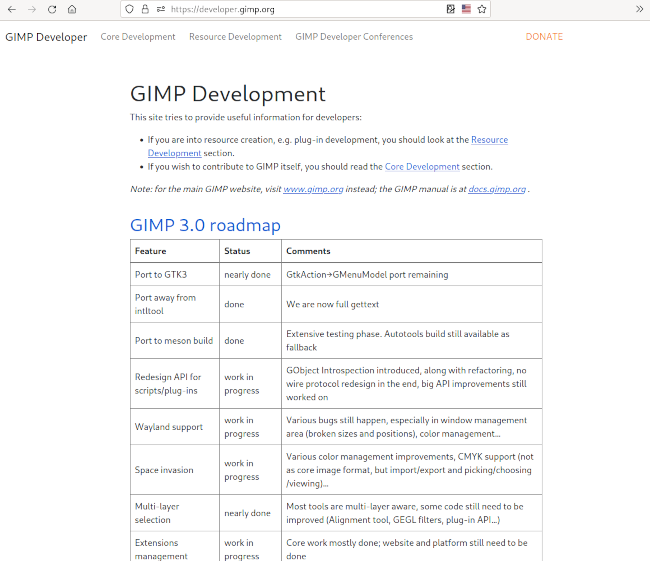
    This weekend, we published a new developer 🧑‍💻 website! 🥳 Screenshot of the new developer website of GIMP A bit of history Work in progress What’s next Why this website? Improving onboarding Simplifying plug-in development Statistics Contributing to and Funding GIMP As the name indicates, it is targetted at developers, both core contributors (people making GIMP itself) and third-party developers (people making plug-ins and publishing them on the side). This is why the website has 2
     

Revival of the GIMP developer website

Par :Wilber
15 octobre 2022 à 18:00

This weekend, we published a new developer 🧑‍💻 website! 🥳

Screenshot of the new developer website of GIMP

As the name indicates, it is targetted at developers, both core contributors (people making GIMP itself) and third-party developers (people making plug-ins and publishing them on the side). This is why the website has 2 main sections:

  • Core: for core developers, with roadmaps, information on how to build GIMP, coding style guidelines…
  • Resources: for third-party developers, with links to the public libgimp API, tutorials to make plug-ins…
    We call this section “Resources” as in the future, it may also contain info on how to make brushes or other data for GIMP.

A bit of history

GIMP has had a developer website for at least 2 decades (the Internet Archive traces back an early page in 2001), yet mostly unmaintained ever since 2009, which is a shame.

Since then, documentation for developers was scattered on the general website, the source repository itself and 2 wikis (developer and GUI wiki). As you may know, the developer wiki encountered problems recently. As for the GUI wiki, it is still there, though we plan to merge both wikis into our new developer website.

Rather than having duplicate documents all over the place, we want to consolidate developer documentation into a single point of entry.

Work in progress

This new website is still a work-in-progress. Contents is still incomplete and often outdated. We decided to publish it in its current state and update it as we go, rather than wait forever.

As usual, we stick to only serving static pages, no server-side scripting. It’s simpler and safer as we don’t want to spend our time administering a webpage (we develop GIMP, not webpages).

What has been done so far:

  • We ported the website from DockBook to Hugo, especially thanks to Robin Swift, with help from Pat David. It has a few advantages:
    • The markdown syntax is less powerful yet so far sufficient and simpler that DockBook XML. It should facilitate contributions.
    • Hugo websites are easier to build and test, with nice immediate feedback loop when using the hugo webserver during development.
    • Hugo has a nice organization where file structure also decides of the website structure.
  • Contents was reorganized, reviewed, partially rewritten or merged. Some outdated documents were kept for historical interest, yet may not be as relevant for modern GIMP usage.
    We identified 2 main sections — as explained above: Core and Resources — with an additional Conferences section where we mostly keep track of historical meetings where developers made some decisions on the future of GIMP. We try to organize documents in these sections and subsections when relevant.
  • We progressively improve automatization of the website publishing, for instance automatic grab of the newest libgimp library documentation, and early error detection.
  • We created a testing website to validate changes before publishing to the main website (similar as what we do for gimp.org). Both websites will be automatically published daily from their own branch and can be triggered manually through Continuous Integration jobs on Gitlab.
  • All documents from the old developer website were salvaged, ported to markdown, reorganized or discarded after examination.
  • Several development-related documents from the main gimp.org website were moved to developer.gimp.org or merged into others. For instance, we had redundant pages about contributing code for GIMP. There is now (unless we missed some) only a single tutorial: Submit your first patch.
  • Dozens of the old wiki documents were ported to markdown and moved or discarded after examination. In particular, some of the most requested pages have a home again:
  • Some documents from the main source repository of GIMP were moved. An important document is the GIMP Coding Style guide.
  • Redirections were created, because “Cool URIs don’t change” and links to moved pages can be found in many third-party websites. For instance old links on the roadmap (which used to be at wiki.gimp.org/wiki/Roadmap) now redirect to the new roadmap.

What’s next

More documents need to move, be rewritten or fixed. This is only a start.

Also the website style is currently pretty simple and bare. On one hand, maybe it’s not too bad for a development website. On the other hand, discussions have happened proposing to make the website look a little more lively and less austere 🧐. We’ll see!

Why this website?

Improving onboarding

By having a single point of entry, we hope it will feel less heavy for newcomers to understand where to go for building GIMP and contributing patches.

Now if anyone asks, tell them to look at the Core section of GIMP’s developer website.

Simplifying plug-in development

We strive for a lively third-party plug-in ecosystem. For this to happen, we want to help third-party developers. There are a lot of documentation and tutorials about plug-in developement, but they are spread across the web, many links are dead, a good part of the documents are unmaintained and therefore partly outdated.

This new website doesn’t bring much yet on this side, though by making plug-in development one of the 2 main sections, we clearly intend to change this fact for the upcoming GIMP 3.0. You should not expect new tutorials for GIMP 2.10 plug-in development, but this is definitely where you should keep an eye on if you are interested by plug-in creation for GIMP 3.0: Resources section of GIMP’s developer website

Statistics

The main work happened on the gimp-web-devel repository.

Since mid-July, when we started the website renewal, the following contributors participated:

  • Jehan: 86 commits
  • Pat David: 38 commits
  • Robin Swift: 15 commits
  • Lukas Oberhuber: 1 commit

Some more work, unlisted here, happened on gimp-web (main website) repository.

Contributing to and Funding GIMP

As usual, we remind that GIMP is Community, Free and Libre Software. It is what we all make of it, together. This is a main reason of such a developer website. Hopefully you will find it useful. If not, don’t remember that the website itself is community-made. So feel free to propose developer tutorials and fixes or updates to existing ones.

Help with
GIMP development

Last but not least, if GIMP is useful to you and you wish to fund development, you are very welcome to donate to the project and fund core GIMP developers, as a way to give back and accelerate the development of GIMP.

Support us by
Donating

  • ✇GIMP
  • Development version: GIMP 2.99.12 Released
    GIMP 2.99.12 is a huge milestone towards GIMP 3.0. Many of the missing pieces are getting together, even though it is still a work in progress. As usual, issues are expected and in particular in this release which got important updates in major areas, such as canvas interaction code, scripts, but also theming… “CMYK space invasion”, by Jehan (based on GPLv3 code screencast), Creative Commons by-sa 4.0 - GIMP 2.99.12 The most noteworthy changes are listed below: Core Features On-canvas
     

Development version: GIMP 2.99.12 Released

Par :Wilber
26 août 2022 à 18:00

GIMP 2.99.12 is a huge milestone towards GIMP 3.0. Many of the missing pieces are getting together, even though it is still a work in progress. As usual, issues are expected and in particular in this release which got important updates in major areas, such as canvas interaction code, scripts, but also theming…

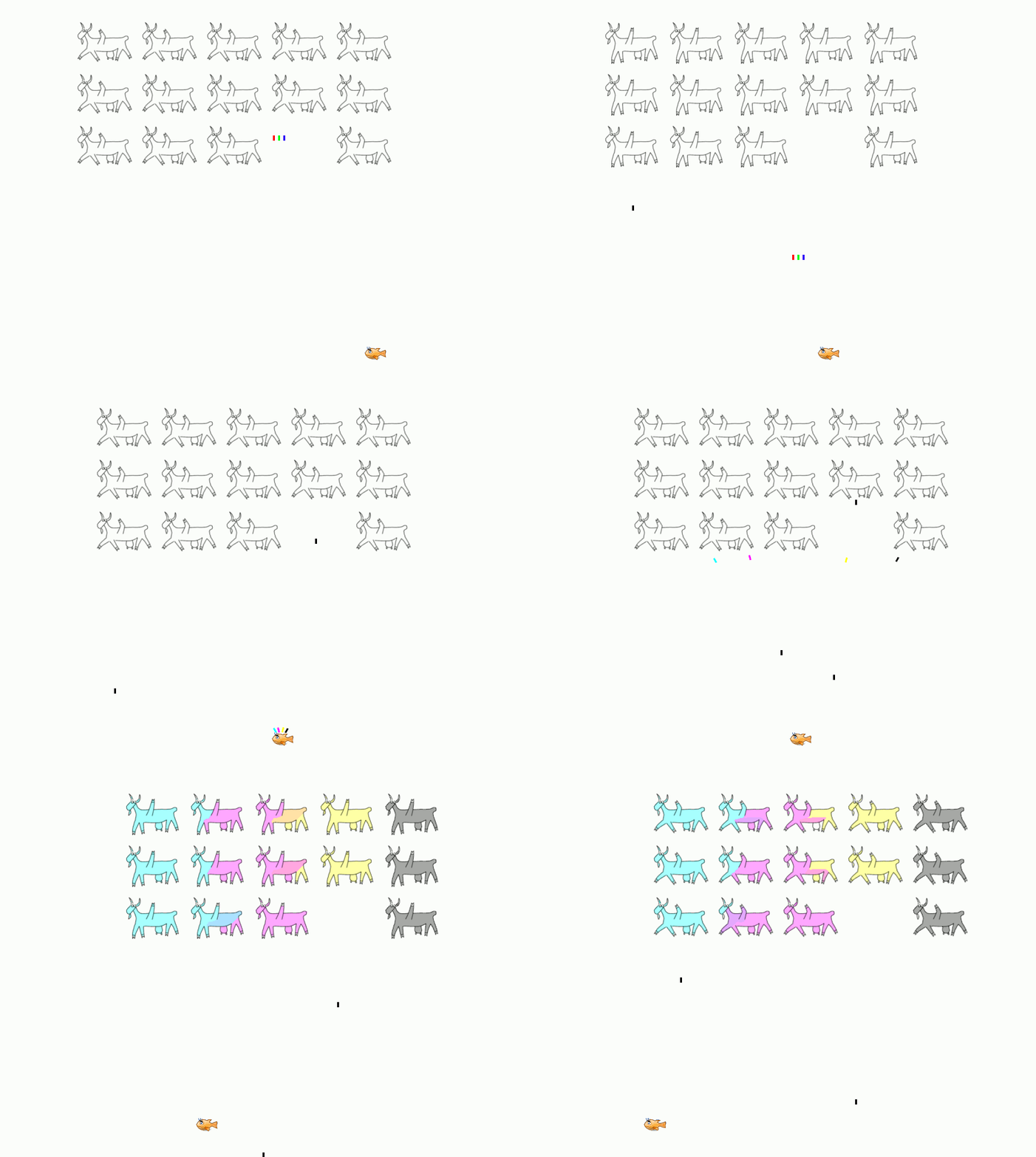
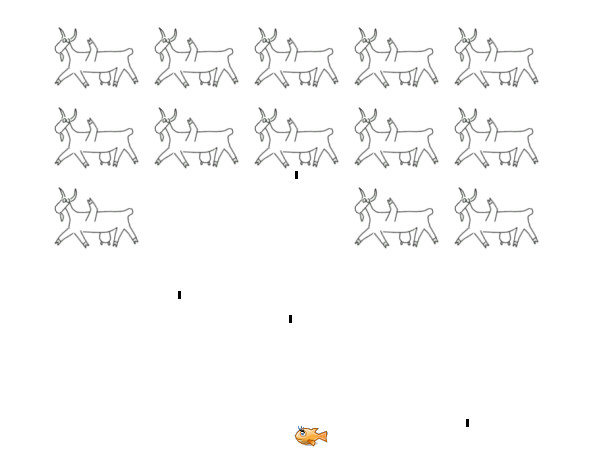
CMYK space invasion - animated video-game like strip
CMYK space invasion”, by Jehan (based on GPLv3 code screencast), Creative Commons by-sa 4.0 - GIMP 2.99.12

The most noteworthy changes are listed below:

To get a more complete list of changes, you should refer to the NEWS file or look at the commit history.

Core Features

On-canvas brush sizing

There were requests for quickly changing tool settings, such as brush size or tool opacity, without having to go to the “Tool Options” dockable

A quickly appearing on-canvas GUI was considered (similar to other software), though we realized that many people who want this prefer a non workflow-disruptive interaction.

This is why we went for a simpler and direct design. For instance, now Alt + right click will trigger a brush resize action on canvas.

Changing brush size with Alt + right click
Changing brush size with Alt + right click - GIMP 2.99.12

Note that this code area still is a work-in-progress. There are more interactions still worked on, such as opacity update and customizability (see next section).

Customizable on-canvas modifiers

Many features are available on-canvas, some of them less known than others, for panning, zooming, rotating the canvas (since GIMP 2.10.0) or even selecting layers through canvas (since GIMP 2.10.10).

The current features are:

Modifiers Main button Secondary button (usually middle click) Third Button (usually right click)
- Tool-specific Panning Contextual menu
Ctrl/Cmd Tool-specific Zoom -
Shift Tool-specific Canvas rotation -
Shift-Ctrl/Shift-Cmd Tool-specific Constrained (15°) canvas rotation -
Alt Tool-specific Layer picking Resize brush (new)

Note: on macOS, Cmd is used in place of Ctrl. This is usually implied when Ctrl only is mentioned.

These are based on the following logic:

  • The main button is reserved for tools. Even though some of them share similar logic (e.g. all the selection tools share modifiers to add, subtract or intersect selections), some tools will have specific use cases.
  • The secondary button is used for “navigation”, in particular canvas navigation, but even on some kind of z axis with layer navigation (recent Layer picking ability since GIMP 2.10.10).
  • The third button was always reserved for contextual menu only. The new brush resizing ability breaks this tradition.

As we added new features, it became obvious that we were eventually going to lack modifiers for other useful actions. Also everyone is unique and has their own preferred workflow, so some people would definitely wish to have slightly different action behavior. As an example, even the just implemented brush sizing already comes in 2 variants (resize from center or sides).

Not to mention we had feedbacks of people disliking unexpected canvas changes, for instance because they hit Shift too early and a canvas rotation happens (admittedly not everyone cares about having canvas rotation in their workflow). Moreover some legacy actions, such as the contextual menu, can be questionable nowadays (especially as it is the same menu available at the top of the window).

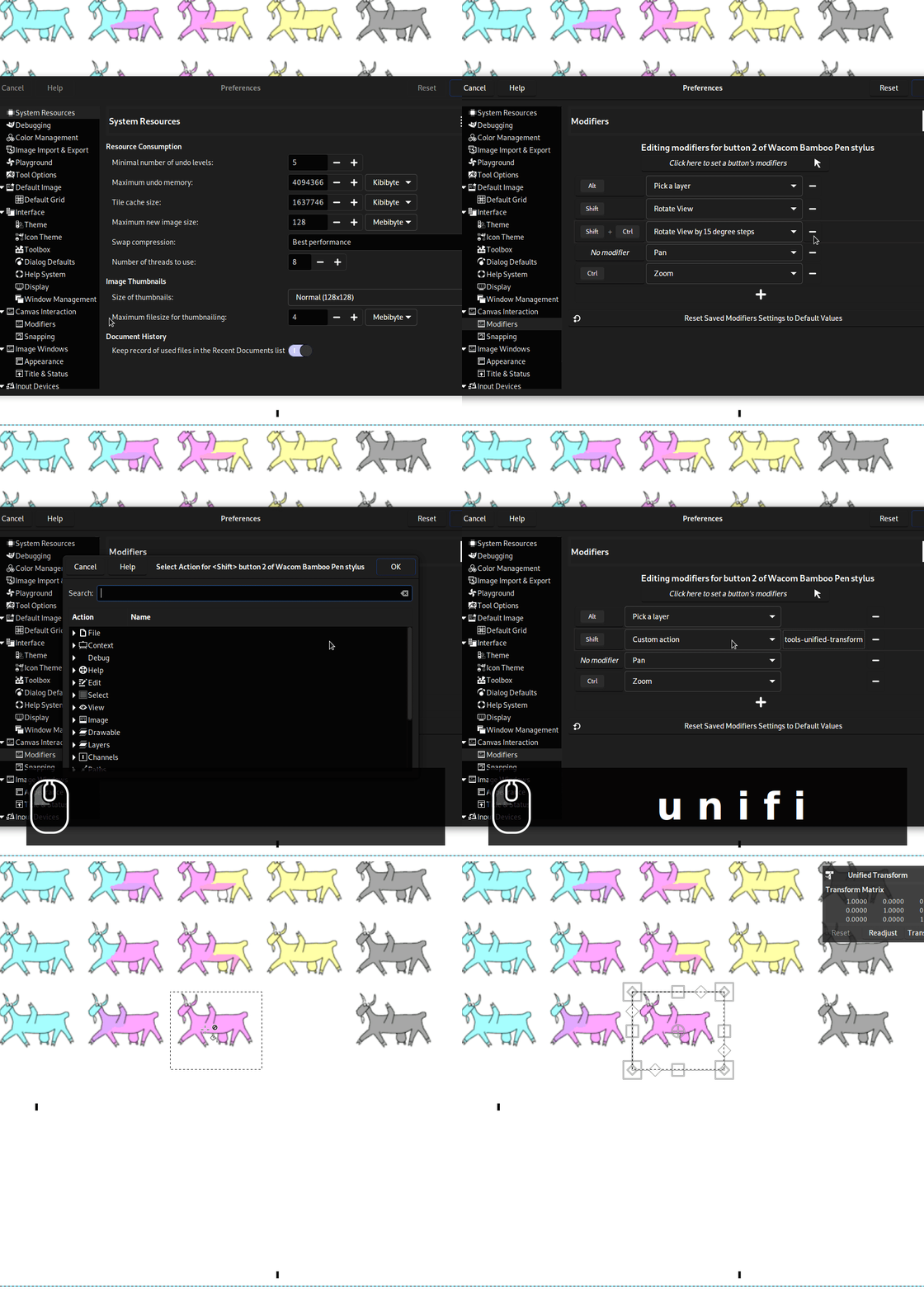
This is why the canvas interaction code got factorized to use customizable modifiers rather than hard-coded. The table above is still the default, but now you may customize it: add more actions and modifiers, remove some or change them all. The settings are in Preferences > Canvas Interaction > Modifiers, then click on the button labelled “Click here to set a button’s modifiers” with any mouse or stylus button to start customize its modifiers.

You can even add “custom actions”, i.e. anything to which you could assign a shortcut. Want to swap the foreground/background color on right click? Now you can. Want to activate the Unified Transform tool with Shift-middle click and remove canvas rotation? You can too.

Remapping modifiers for on-canvas interactions
Remapping Shift+middle click to select the Unified Transform tool and removing Shift-Ctrl + middle click mapping - GIMP 2.99.12

Not only this, but it should work with any button (not only the second and third). So if you have a mouse with 20 buttons, you could map every one of them to an action (as well as any combination with modifiers).

Furthermore it will recognize different input devices, so that you can map different actions to the same button of several plugged mice or styli (note that it doesn’t recognize yet different device of the exact same model, but eventually it probably will).

⚠️ If you experience bugs in any canvas interaction, this is a good time to report them because a lot of code updates happened to make the code more generic so early-tester bugs are expected.

Testing new Zoom behaviors

A new settings is available in Preferences > Canvas Interaction to customize the zoom behavior, when zooming with Ctrl + middle click or Ctrl-Space.

The legacy algorithm would zoom, in or out, continuously as long as there is movement. It doesn’t depend on the movement span, which is why we called it the “By duration” drag-to-zoom behavior.

The new behavior is the “By distance” drag-to-zoom as it will zoom more if you do large moves, or in a more fine-grained way with very short moves. We left both behaviors available as a settings because after user testing, we decided that some people may prefer the old behavior, though the newly proposed one also made sense.

Finally the “Drag-to-zoom speed” allows you to set the speed rate at which the zoom will happen, in percentage of the default (i.e. that 100 is the default speed; you can raise or lower it).

These zoom settings were contributed by woob.

Improved tool pointers

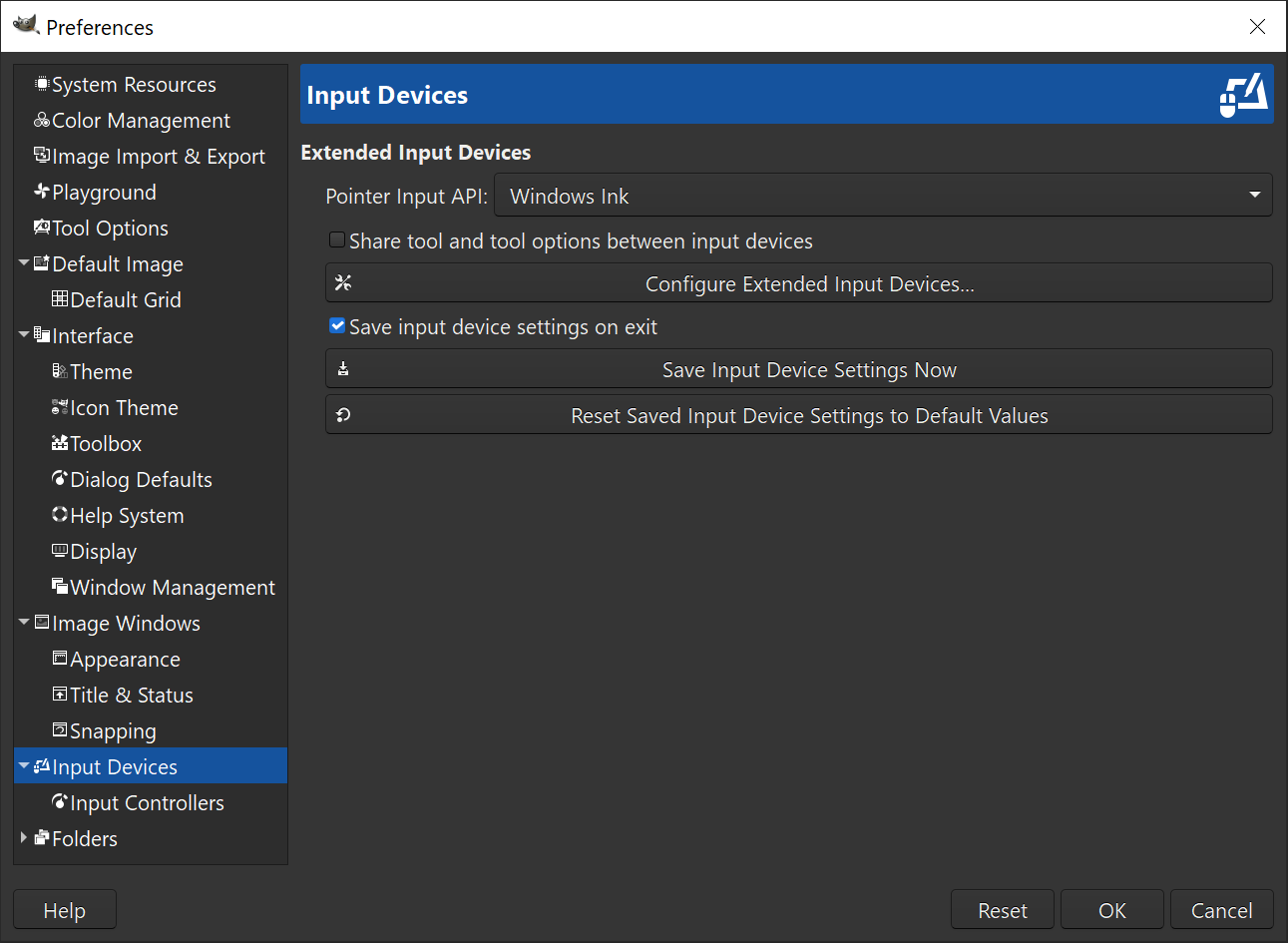
In Preferences > Input Devices, you will first discover that some settings have been moved around. In particular, pointer-related settings have been moved from “Image Windows” to “Input Devices” tab and reorganized.

The second improvement is that the settings behavior have been rethought:


  • Now when “Show brush outline” is checked and “Show pointer for paint tools” is unchecked, if the brush outline cannot be drawn (for instance because you use a dynamics changing the size with pressure), GIMP will display a fallback 4-arcs generic outline showing the set size (it used to show a crosshair which made no sense, as “Show pointer” was explicitly unchecked).
  • When both “Show brush outline” and “Show pointer for paint tools” are unchecked, we show a minimal visual feedback of a few pixels only, as inconspicuous as possible, instead of a crosshair. Once again, people are explicitly asking for nothing, so showing a crosshair felt counter-productive. Yet actually showing nothing at all would be confusing too. Even with tablet displays, the parallax issue is unfortunately very real. This is why we opted for an extremely small point-like cursor. It still shows your exact position with few disturbance.

The point-like cursor was originally contributed by L Amander, then modified by Aryeom who made it visible on both dark and light background, and the new pointer was adapted into existing settings instead of creating a dedicated setting.

⚠️ This point-like cursor feature is really adapted for tablet displays and may seem very hard to use and frustrating for any other usage (nearly invisible pointer).

Drawing with point-like cursor
Drawing with point-like cursor: 🔎 can you see the pointer? 🔬 - GIMP 2.99.12


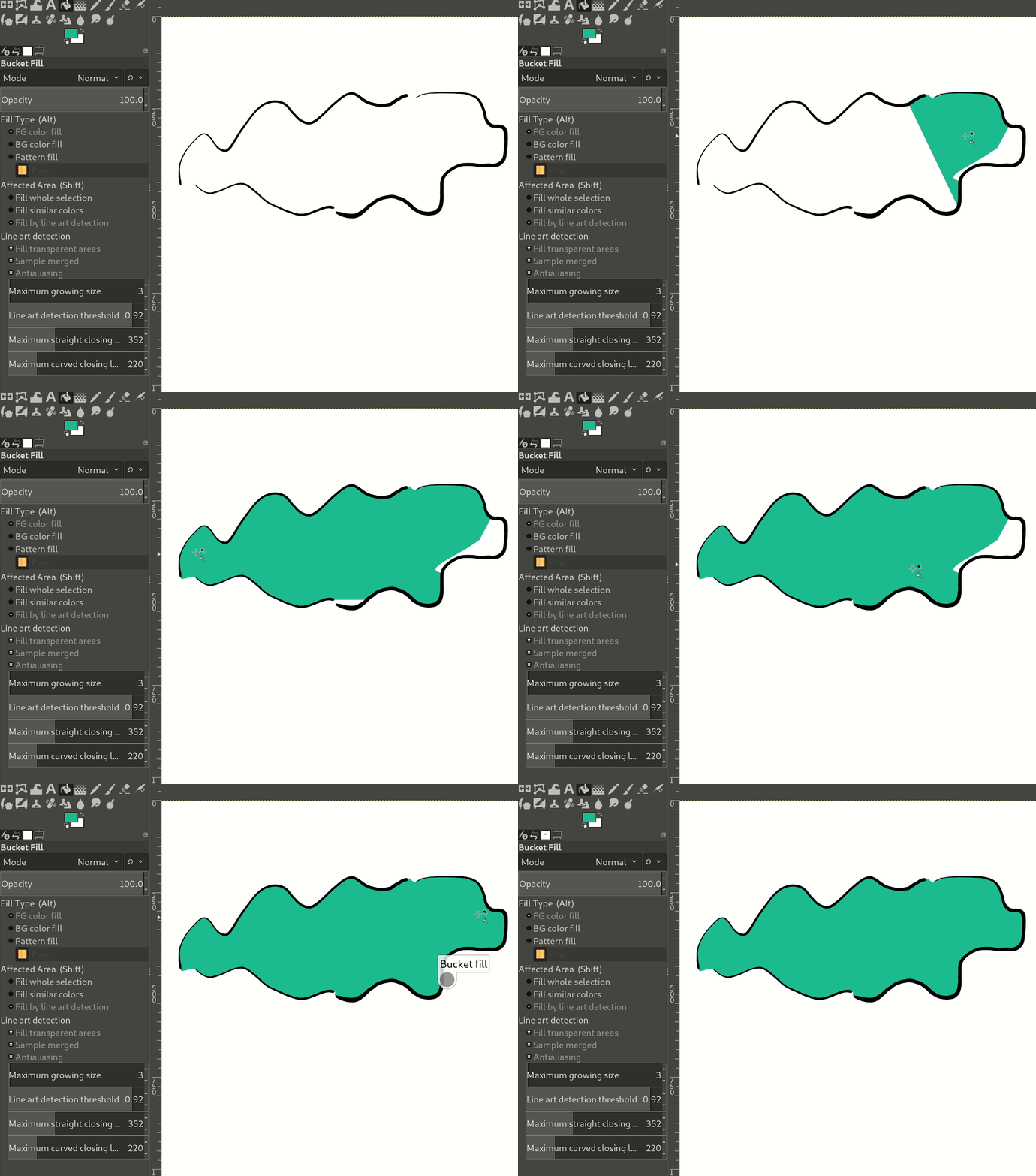
Improving again the “Fill by line art detection” of Bucket Fill tool

The “Fill by line art detection” mode of the Bucket Fill tool is a big question for us as we are regularly tweaking the options to improve usability.

The idea is how to make the settings easier to understand while not losing the very advanced capacity of the tool.

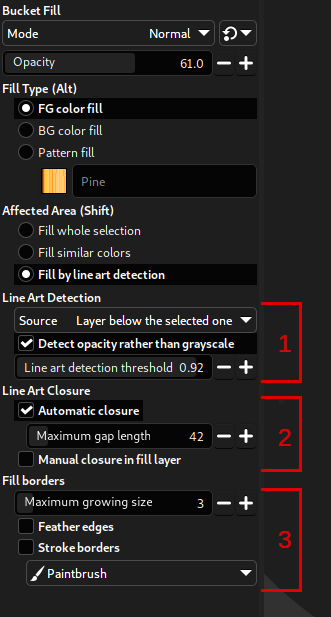
Therefore we tried something new, reorganizing the options in 3 categories which correspond to the 3 main steps of the line art algorithm:

  1. Line Art Detection: the settings which configure how the line art is detected: which source is being used? Using opacity or grayscale? Which threshold?
  2. Line Art Closure: the settings for the closure algorithm of opened line art areas.
  3. Fill Borders: the settings for borders of the fill: how much should we grow under the detected line art? How to get nicer borders?
Bucket Fill options - line art algorithm
3 steps in the line art algorighm: (1) line detection, (2) line closure, (3) border style - GIMP 2.99.12

Also we add an “Automatic closure” checkbox which is equivalent to setting the “Maximum gap length” to zero, and simply means we don’t want any smart closure by an algorithm. It is more understandable this way while making easier to switch between smart and no closure.

As a parallel, the option “Allow closing lines in selected layer” was renamed “Manual closure in fill layer”.

Finally we added a “Stroke borders” which works similarly as the “Stroke Path” or “Stroke Selection” features and which can be useful, in particular for visible borders of unclosed areas.

More iterations may happen to improve usability of this very nice tool as we progress towards GIMP 3.0.

Customizable checkerboard colors

In GIMP, we represent transparency in an image through the very common “checkerboard” pattern. In order to handle various use cases, we were proposing a series of colors, from light to dark grays, and even proposing white, gray or black only backgrounds. Though all these had the shared characteristics of being shades of gray.

Preferences > Display > Transparency > Check style has now a new option “Custom checks” allowing to select any RGB colors for the 2 colors representing “transparency”. If you wish to show transparency with rainbow 🌈 colors, this is up to you!

The new function gimp_checks_get_colors() has been added to the interface for plug-ins, replacing gimp_checks_get_shades(). This would allow any plug-in needing to render transparency checkerboard according to user choice.

This was originally contributed by Ben Rogalski, then improved, in particular for proper API and plug-in support.

Welcome Dialog

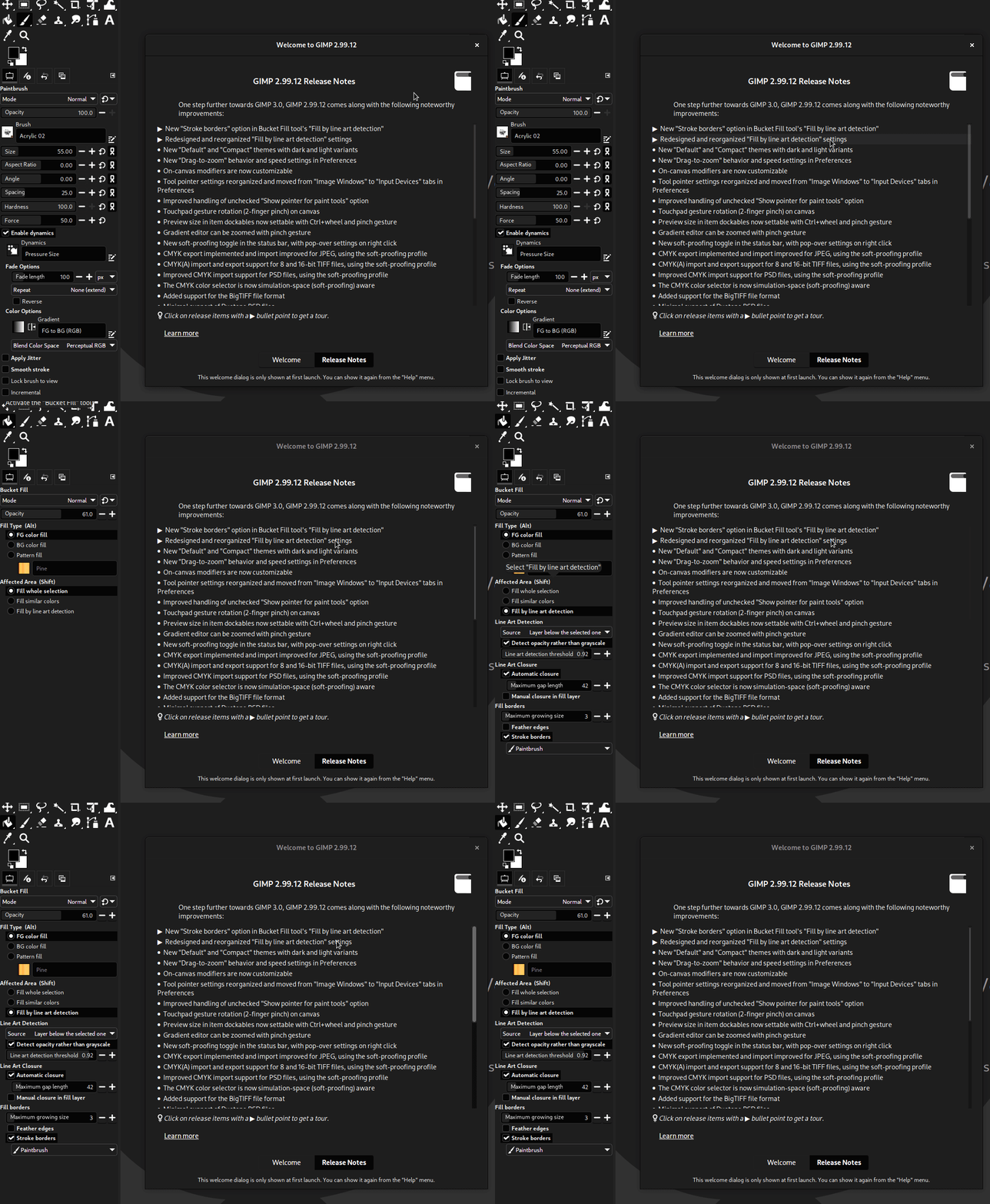
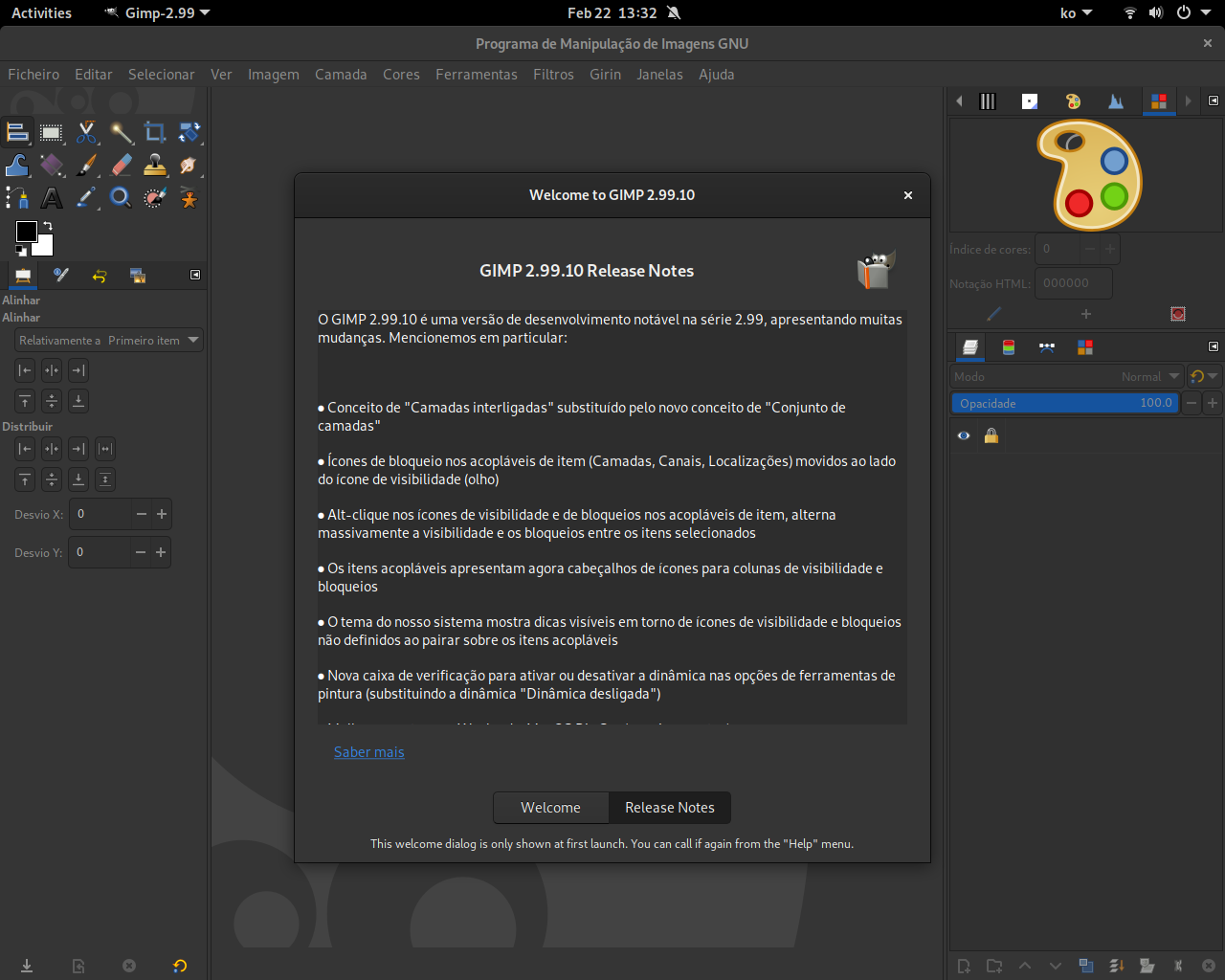
Remember the “Welcome dialog” which you get after an update (you probably got one in GIMP 2.99.12)? We worked a bit on the “Release Note” tab to allow for “demo” items. I.e. now some items (spotted with a different bullet point) will play a short scenario showing what a new feature refer to.

This is still a work-in-progress which doesn’t work for all types of features, and the styling for demo “playback” can definitely be improved. This is what it looks like right now:

Demo items
in release notes of Welcome dialog
Double-clicking demo items in release notes of Welcome dialog - GIMP 2.99.12

Pinching gesture for more usage

It was already possible to zoom the canvas with pinch gesture since GIMP 2.99.6. It is now also possible to rotate the canvas with a pinch gesture. Note that we made the choice to make zoom and rotation through pinch exclusive, i.e. that the first detected movement will lock on the gesture to either zoom or rotation, not both at the same time. It seemed to us that people might find it annoying to rotate when you just want to zoom (or the other way around).

Furthermore you can now zoom the preview images in item dockables (Layers, Channels, Paths) with pinching or mouse wheel.

Finally you can zoom in the Gradients dockable by pinch gesture too.

All of these were contributed by Povilas Kanapickas, who had already implemented zoom through pinch gesture on canvas.

CMYK

This one deserved a section on its own in this news report because thanks to our new GSoC student, things moved quite fast here, not only for CMYK, but for the color space invasion project as a whole. We had to re-think a lot of the color conversions and display in various parts of the program.

Simulation data is now image data

The main usage of “simulation” is soft-proofing, a very common use case being printing. E.g. you could work in a RGB space, but know the final format (e.g. through a profile given to you by a printshop, often a CMYK profile) and want to see how your image would render, in particular regarding gamut loss.

It was already possible to set a “Soft proof profile”, as well as a rendering intent, and whether you wanted black point compensation or not. Yet this info was lost at each session restart.

These data will now be stored within the XCF file itself. So you won’t need to re-set them each time. Indeed if you work on a print job, the final target can be considered part of your workflow for this specific print job, hence part of the image.

As a consequence, these 3 information (soft proof profile, soft proof rendering intent and soft proof black point compensation) moved from the View > Color Management menu to the Image > Color Management menu (though View > Color management still contains some settings, such as whether to enable color management and whether or not to soft-proof; these are not image data but specific to a view: a same image can be simultaneously displayed in several views, one proofed and the other not, for instance).

Simulation toggle in the status bar

To make simulation a first-class citizen in your workflow, we wanted a way to make it obvious when you are viewing a proofed image or not. This is done through a new icon at the right of the status bar. This icon has 3 purposes:

  • It visually shows whether we are in simulation (a.k.a. soft-proofing) mode or not.
  • It allows to switch from simulation to non-simulated modes by clicking on it.
  • It allows to customize simulation settings (simulation profile, simulation rendering intent, black point compensation…) with a pop-up dialog by right-clicking.
Quickly
changing soft-proofing settings with a toggle on status bar
Quickly enabling soft-proofing, clicking a toggle on status bar; or changing soft-proofing settings, right-clicking the same toggle (here showing a CC by-sa character design on canvas, by Aryeom) - GIMP 2.99.12

Various GUI now simulation-aware

Most GUIs which were displaying CMYK data were displaying “naive CMYK” colors. It is some generic algorithm not taking into account a specific CMYK color space.

Now if you set a simulation profile, and if this profile is a CMYK one, then these interface will display CMYK colors for this space, assuming that this is what you are interested in.

This includes interfaces such as the Color Picker tool, Sample Points, and the CMYK color selector.

Export formats with new or improved CMYK support

Similarly, several supported image formats have now new or improved CMYK support. We are not talking about having core CMYK support as backend encoding; GIMP is still only working in either *RGB, grayscale or indexed. Yet, you can now better import or export CMYK images in several formats, with much more suitable conversion done. In particular, it means that:

  • The CMYK profile of imported CMYK images will be stored as a simulation profile. I.e. that the image will now be RGB, yet the CMYK profile will be kept for simulation.
  • RGB images can be exported as CMYK, using the simulation profile (if a CMYK one) for conversion, then stored in the resulting CMYK file.

The assumption is always that the simulation profile is your target color space.

The updated formats so far are:

JPEG:

  • CMYK export now possible using the image Soft-proofing profile.
  • CMYK import ported to GEGL/babl conversion. The CMYK profile in the JPEG image will be stored as soft-proof profile on the image.

TIFF:

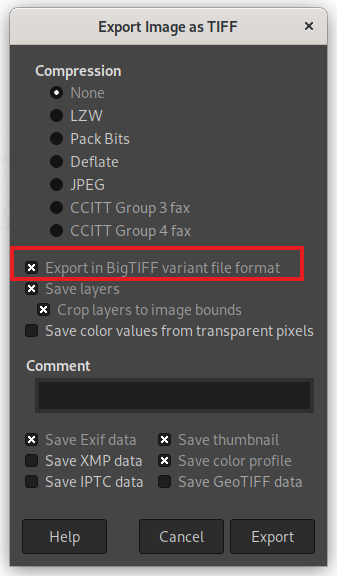
  • 8 and 16-bit CMYK(A) export now possible, using the image Soft-proofing profile.
  • CMYK import now possible. The CMYK profile in the TIFF image will be stored as Soft-proofing profile on the image.

PSD:

  • CMYK import ported to GEGL/babl conversion. The CMYK profile in the PSD image will be stored as soft-proof profile on the image.

New plug-in API

Plug-ins can now request or set the soft-proofing profile of an image with new functions, such as gimp_image_get_simulation_profile() or gimp_image_set_simulation_profile() respectively. This is really a new image data which can and should be used by plug-ins when they want to display or process CMYK colors in the context of the active image.

Similarly several libgimpwidgets widgets (GimpColorNotebook, GimpColorSelection and GimpColorSelector) became simulation-aware with new dedicated functions to set the simulation space of interest.

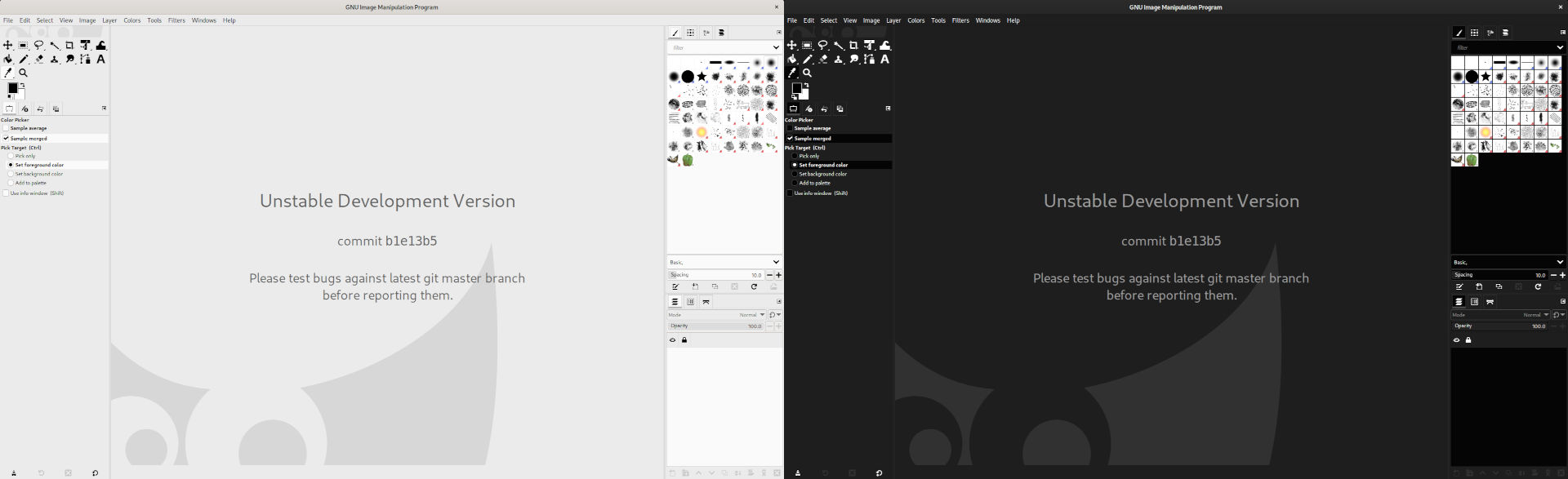
Themes

GTK got a new CSS-like theming system in GTK+ 3, which means our 2.10 themes were not reusable and which is why we called for theme designers many times because a graphics application should really have a good set of neutral gray themes for an interface with the less color pollution possible, as it can affect your color perception.

It is only a month ago that we got a first proposal for a mid-gray neutral theme, though this one is still a work-in-progress. On the other hand, it triggered our long-term contributor, Akkana Peck, to propose a Light theme. With quick back-and-forth exchanges, this one was rapidly completed and merged into the source tree. Nikc helped also a lot by finding solutions to annoying bugs where we were stuck.

In the end, we made the theme more generic, making colors into variables with semantic names, and reused the same style code yet different colors to make a dark theme.

Instead of having 2 themes, we merged these into a “Default” theme with both a light and dark variants which will be switched depending on the “Use dark theme variant if available” checkbox.

For this to work, we also made a new process for theme makers, based on generic GTK process, which is that your theme can contain a gimp-dark.css file (additional to the main gimp.css). This secondary file will be used instead of the first when the “Use dark theme variant if available” option is checked in Preferences.

New Default theme in
light and dark variants
New Default theme in light and dark variants - GIMP 2.99.12

File format support

PSD

Additionally to the new CMYK support on import, our PSD support got the following improvements:

  • Improved error logging during load.
  • Added support for extra layer mask: according to the specifications the extra mask is used “when both a user mask and a vector mask are present”. We haven’t seen an example that has the extra mask, so not sure which of the masks would appear first. For now assuming that the extra mask will be first. The advantage of adding this here now, is that we won’t try to add a mask channel as a normal channel.
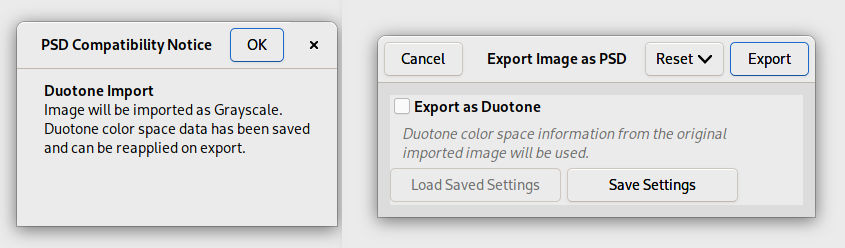
  • Minimal support of duotone data: on import, a duotone image will be imported as grayscale image with an alert and the color information will be stored in a parasite; on export, a dialog will propose you to re-include the duotone data if the image is still grayscale. This allows for a roundtrip in GIMP without losing the duotone information.
New dialogs when importing (left) then re-exporting (right) a PSD duotone image
New dialogs when importing (left) then re-exporting (right) a PSD duotone image - GIMP 2.99.12

SVG

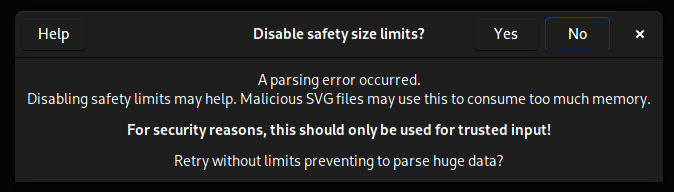
Some valid SVG can fail to import when they contain some huge data (of various types). This is not a limitation of the parser but a security limitations, because malicious SVG files can be created on purpose to consume too much memory.

Nevetheless this can still happen on valid and non-malicious files, as some users encounter issues with SVG files exported by Sweet Home 3D (a nice Free Software for drawing interior design plans). Hence when failure to load a SVG occurs, GIMP will propose to try again with the security limitation removed.

Dialog to disable safety limit on failed SVG import
Dialog to disable safety limit on failed SVG import - GIMP 2.99.12

🛈 Note that GIMP doesn’t have the information whether the load failure happened because of this specific issue or not, so if the reason was other, even retrying without security limitation may still fail.

⚠️ Also very IMPORTANT: as explained, this was a safety measure, which implies that disabling it has security implications. You should only accept disabling it to load SVG files from trusted sources, as the pop-up also reminds. ☢️

GIF

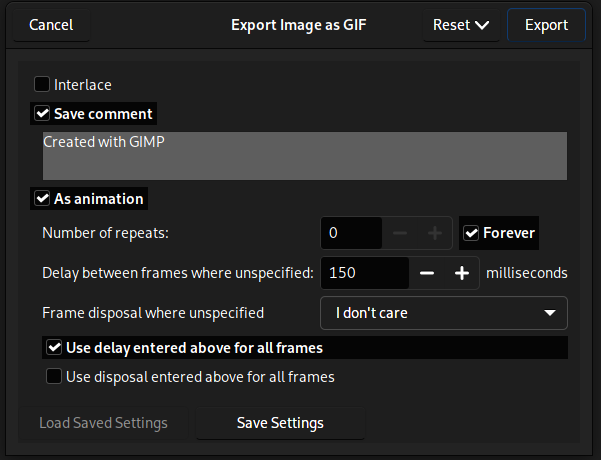
A new option appeared in the GIF export dialog: “Number of repeats”. It specifies a specific number of repeat for loop animation. Previously you only had the choice of single run animation versus infinite loop.

GIF export dialog
GIF export dialog with new option “Number of repeats” - GIMP 2.99.12

PNG

The following changes happened in our PNG support:

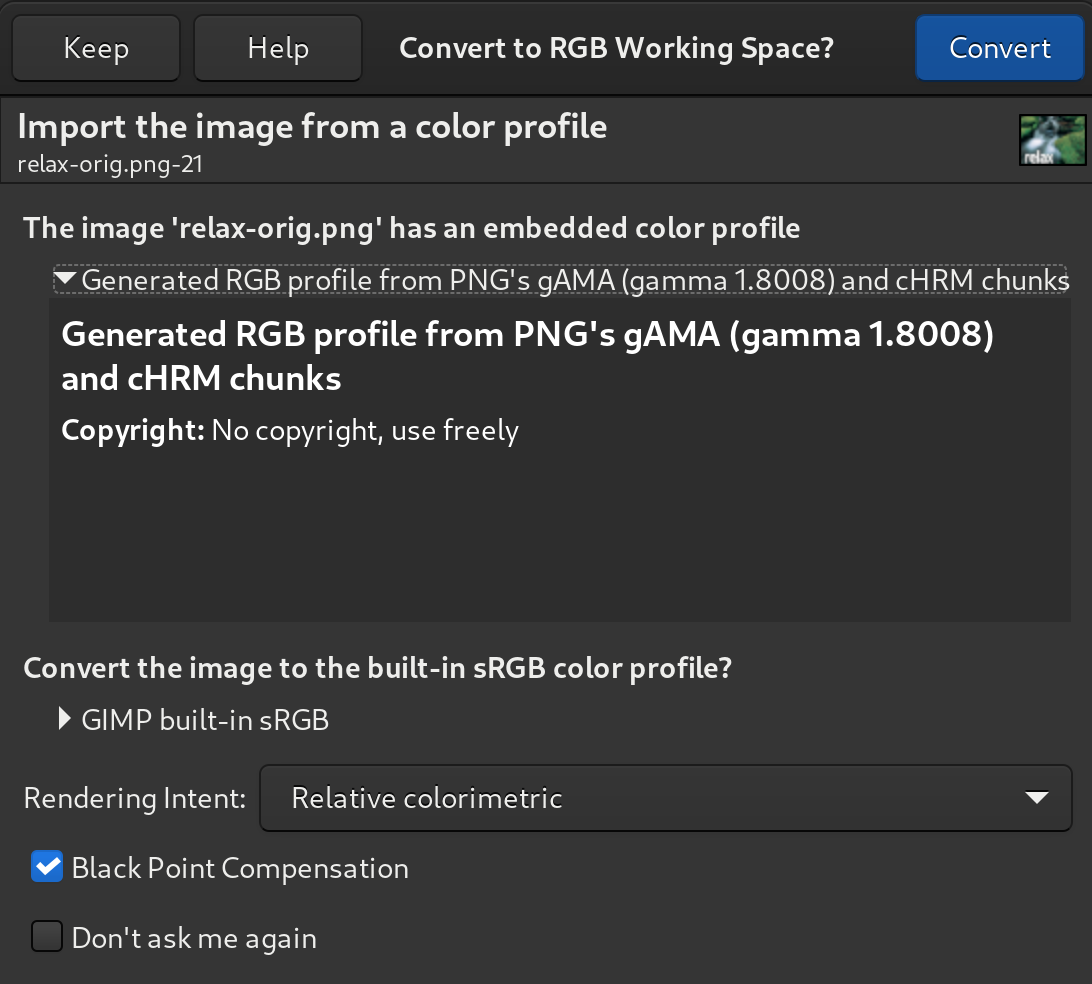
  • The format does not have any flag for linear RGB, but it can simply include a linear profile (or a 1.0 gAMA chunk). Therefore since we always attach the profile when importing (or transforming the gAMA chunk into a profile), we now always load PNG images as non-linear backend.
  • When exporting indexed images, a new checkbox “Optimize for smallest possible palette size”, if enabled, will export a PNG file with lowest bit-depth palette possible (less than an 8-bit palette with 256 entries, if possible).

DDS

The following changes happened in our DDS support:

  • 16-bit masks now supported.
  • DDS images with single 16-bit channel support added.
  • DDS images with two 16-bit channels correctly converted to 16-bit RGB images.
  • More robust DDS loading.

FLI

The following changes happened in our FLI support:

  • 1-frame animation now loaded correctly (it’s not really an animation yet it should still open!).
  • Layer names now include the delay in ms.
  • More robust FLI/FLC loading, double-checking data rather than assuming that the file writer properly followed the specs, better error handling…

Raw data

🛈 We are talking here of “raw data” where you export your pixels as contiguous or planar data directly, without following a specific file format, and not RAW file formats as are usually called formats used by digital cameras (for these, we still prefer to pass through good raw developer software, such as darktable or RawTherapee).

A big rewriting of the Raw Data dialog (and API) organization happened.

First, it is now possible to export any bit depth as raw data (despite the higher bit depth support, exporting 16 or 32-bit images used to still export them 8-bit raw data). This part will also be available in future stable version GIMP 2.10.34.

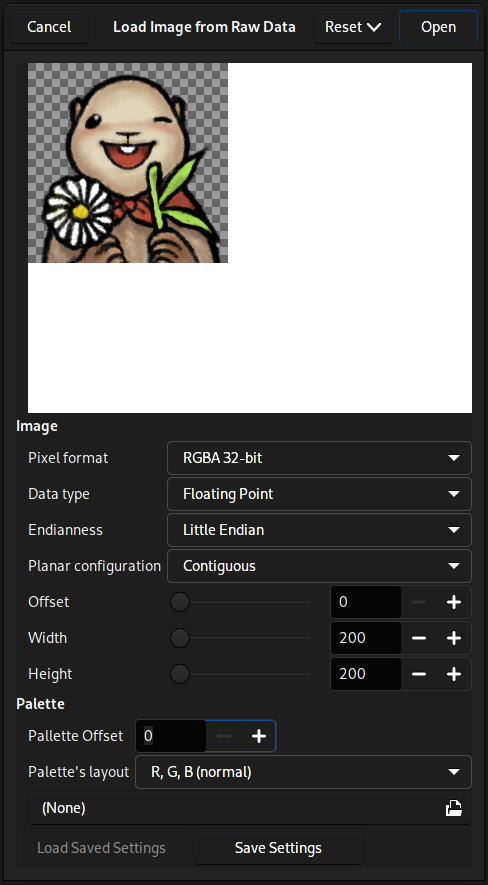
And especially all exportable formats can be loaded back, and more. As it made for a huge list, the way the import dialog used to list formats, we split settings. Data type (unsigned or signed integer, floating point), endianness or planar configuration (contiguous or planar) are now their own settings and code has been generalized to support each and every combination. The “Pixel format” list is now only about the layout for various components.

Raw data import dialog
Raw data import dialog with more settings and much more support formats - GIMP 2.99.12

As a consequence GIMP now supports a lot more raw data formats, while keeping a usable dialog, without showing a never-ending list of formats.

The PDB API for this plug-in has also been improved to follow the same scheme of separate arguments.

As a last change, the HGT format (supported since the stable version GIMP 2.10.0) is sharing the same codebase so we used to pop the raw data dialog up. Nevertheless we have all the relevant information for a properly formed HGT file, so we now load these directly without dialog (unless we fail to detect the proper sample spacing).

New format: WBMP

GIMP now supports loading WBMP image files, which are monochrome images optimized for the legacy WAP protocol, now mostly discontinued.

The format itself is probably not really useful for new images, but it can always be useful to be able to load existing images from older archives.

Note that this is a limited support as it doesn’t support all features of WBMP, yet hopefully enough to be useful for most use cases.

New format: ANI

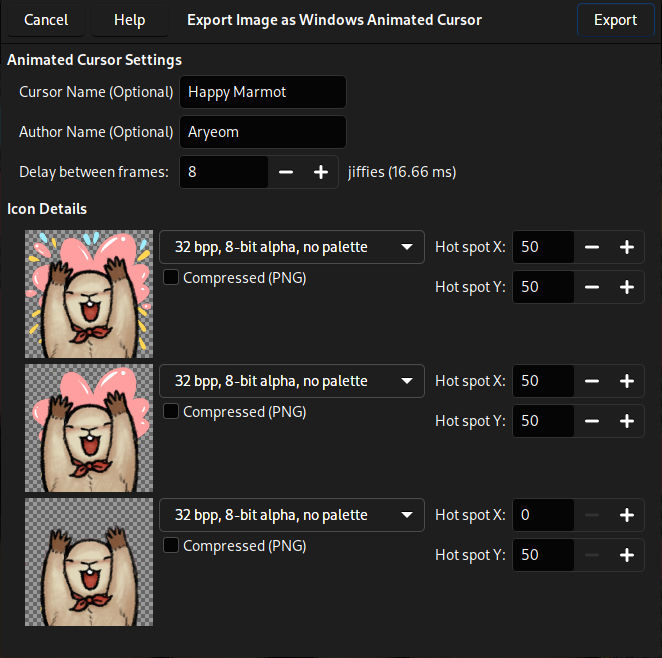
GIMP now has import and export support for the ANI animated mouse cursor format.

The export dialog allows you to set hot-spot coordinates for each image in the animation.

Hot-spot coordinates from imported ANI files are stored as parasite in the XCF to be reused as a default when re-exporting.

Export dialog of ANI format
Export dialog of ANI format with cursor name, author, animation delay and hot-spot settings (CC by-sa illustration, shown in-dialog, by Aryeom) - GIMP 2.99.12

Script-fu

Lloyd Konneker, our new Script-fu maintainer, really did take his new responsibility to heart as Script-fu code has not seen such activity for years now.

A lot of bugs were fixed, more documentation for Script-fu developers was written, but also huge changes happened.

Script-fu server now its own plug-in

Script-fu used to be a very monolithic extension plug-in (i.e. a plug-in running permanently in background), with all its features in one binary, which had several drawbacks. One of them is that the Script-fu server (script-fu-server), which allows to communicate with GIMP remotely, would also be running in the same process.

It can be considered a security hazard, which is why it was made its own plug-in, which can be run independently, on request only.

New separate interpreter

GIMP now installs a gimp-script-fu-interpreter-3.0 binary which will run the Script-fu scripts. It has huge advantages:

  • Script-fu scripts are finally proper plug-ins. They are installed within the plug-ins/ folder (not in scripts/ anymore), and work the same way as other bindings. Note that Script-fu is not a GObject-Introspected binding, unlike other bindings, and it has its own way to wrap the PDB protocol or libgimp* libraries, but other than this, it became now much closer conceptually.
  • It makes the Script-fu infrastructure much more robust as a single crashing script will not crash the whole Script-fu altogether. Every Script-fu plug-in now runs in its own dedicated and independant process.

Rethinking the API

Since a lot happened on the main libgimp* API, Script-fu specific API had not been able to follow up. We are now trying to fill that gap and to get Script-fu much closer to the main interface.

Among these changes, the new function script-fu-register-filter is used to declare PDB procedure of the C class GimpImageProcedure. It will also allow to much more easily use the procedural dialog generation through the GimpProcedureDialog class.

A lot of discussions also happened on the topic of argument handling for various types. This is still a work-in-progress as we are trying to improve some use cases, for instance handling of plug-in’s specific lists of options.

API

The Application Programming Interface for plug-in developer received various improvements and changes within this iteration.

Of course, we have many new functions corresponding to new features in GIMP, such as for the simulation color management, customizable checkerboard colors and more. See the list.

A new gimp_image_metadata_save_filter() also appears, as an alternative to gimp_image_metadata_save_finish() when you want to save metadata yourself and you need only filtering processing. It returns filtered metadata allowing the caller to save the finalized metadata via other means (via native format’s library for example). This API can be used to support metadata saving of image formats not directly supported by gexiv2/exiv2. We already use it for the HEIF/AVIF plug-in.

We also finally got rid of various functions assuming that an image only had a single active layer or channel. We know this is not true anymore in GIMP 3.0, with multi-item selection.

Among the many other changes, one of the most important changes in this updated API is how we handle plug-in localization. While the translation of most strings were left to the plug-in’s discretion, the strings at register time (plug-in title, documentation…) were translated by the core, e.g. when used in menus or in the PDB browser, using gettext catalog given at registration time. This raised various issues, such as what happens if several plug-ins were to register a catalog with the same name (which could have been fixed, with even more complicated internal logic)? Or what happens if a plug-in doesn’t register a localization catalog, but the default catalog contains (wrong) translations for submitted strings? Moreover it ended up to be quite confusing as many plug-in developers were wondering what is translated where, i.e. if a string should be surrounded by _() (common gettext macro) or N_() (noop gettext macro).

So the new logic is much simpler: translation is now left entirely at the plug-in discretion, i.e. all strings received by the core are assumed to be in the correct target language. The core doesn’t try to translate anything coming from plug-ins anymore.

Now to help a bit with localization, our infrastructure proposes a standard file organization, with all gettext catalogs under the locale/ folder of the plug-in directory, and named the same way as the plug-in itself. If the catalog is absent, our system outputs a message on stderr to inform of this standard procedure. A plug-in following this procedure won’t have anything else to do than place the compiled gettext catalogs (*.mo files) with the right domain name in the right folder.

A GimpPlugIn can supplant this behavior at any time by overriding the set_i18n() method, to either disable localization altogether, pointing to a different catalog path and name or even use another system than gettext.

The only remnant of the old logic, which we need to think about and improve, is the localization of menu paths, as we still want core-localization of some base menu paths. E.g. the root menus (“Edit”, “Image”, “Colors”, “Filters”…) but also some submenus (“Blur”, “Enhance”, “Distorts”…) should still be localized by the core while plug-ins will need to handle new parts in the menu path. This is the only exception to the new “no core translation” logic for plug-in.

Batch processing

A new libgimp class GimpBatchProcedure was added, facilitating the creation of batch interpreter plug-ins, i.e. plug-ins meant to be run from command line to process a series of procedure calls. Currently 2 such interpreters exist in GIMP: the Script-fu (plug-in-script-fu-eval) and the Python (python-fu-eval) interpreters.

Running code this way is done with the --batch CLI option. Historically Script-fu was used as default, but this is not the case anymore. Now you must explicitly specify an interpreter with --batch-interpreter.

Moreover a new option --quit was created and this is what you must use if you wish to exit GIMP immediately after the scripts are run. Do not call "(gimp-quit 1)" anymore. A nice improvement is that GIMP will now exit immediately after a batch failure (i.e. if you had a series of --batch calls, it will stop at the first failure) and will propagate the failure into the process exit code. Exit codes are inspired from command Linux error codes: 0 for success, 69 for service unavailable (e.g. setting a non-existing interpreter name), 64 for usage (e.g. not specifying any interpreter or calling errors), 70 for execution errors (bugs in the interpreter plug-in) and 130 for canceling the call. Therefore you will now know when your scripts fail.

As an example of batch processing, here is how you could load a PNG image, then export it back as JPEG:

$ gimp-2.99 --batch-interpreter python-fu-eval -idf -b "img=Gimp.list_images()[0];layers=img.list_layers();c=Gimp.get_pdb().lookup_procedure('file-jpeg-save').create_config();c.set_property('image',img);c.set_property('file',Gio.file_new_for_path('/home/jehan/out.jpg'));c.set_property('drawables',Gimp.ObjectArray.new(Gimp.Drawable, layers, False));c.set_property('num-drawables',len(layers));Gimp.get_pdb().run_procedure_config('file-jpeg-save',c)" --quit  /home/jehan/in.png

This long command line may seem frightening, but this is the same script in a file, named for instance gimp-script.py:

img = Gimp.list_images()[0]
layers = img.list_layers()
c = Gimp.get_pdb().lookup_procedure('file-jpeg-save').create_config()
c.set_property('image', img)
c.set_property('file', Gio.file_new_for_path('/home/jehan/out.jpg'))
c.set_property('drawables', Gimp.ObjectArray.new(Gimp.Drawable, layers, False))
c.set_property('num-drawables', len(layers))
Gimp.get_pdb().run_procedure_config('file-jpeg-save', c)

Run it through GIMP in batch mode like this:

gimp-2.99 --batch-interpreter python-fu-eval -idf -b - --quit  /home/jehan/in.png < gimp-script.py

Of course, you can add in your scripts any filtering or image manipulation, through GEGL or libgimp API.

Build and documentation

meson (message to packagers)

GIMP build system traditionally uses GNU autotools. An initial, yet incomplete, port to the newer meson system was contributed in 2017 by Félix Piédallu.

It took a few years to complete the last customizations, tweaking meson scripts to be able to handle all the special cases we had in GIMP code. As we approached completion in this development cycle, we started to officially recommend meson for Windows, then macOS, and finally, early August, we decided to recommend meson for all platforms.

This is still an evaluation phase for this build system, though now we are moving forward into intensive testing. If you are a packager, please try to now use our meson build and report any issue to us.

Exceptionally for this version, we released 2 tarballs on our download server: gimp-2.99.12.tar.xz and gimp-2.99.12-autotools.tar.bz2. As you can guess, the former is the meson-generated tarball, yet we left an autotools-generated tarball as fallback if the meson tarball end up having major issues.

The INSTALL file was rewritten as well with meson instructions.

Of course, all our own packages (flatpak for Linux, installer for Windows and DMG for macOS) are now built with meson.

Gettext

As many other projects, GIMP was using the intltool project to extract localizable strings and translate various files with gettext, not only code.

Since about 2016, upstream gettext gained the ability to extract strings for more types of files and formats, projects were encouraged to move on and the intltool project was progressively abandoned. But GIMP was still using it for various types of files (XML, desktop files, Inno Setup translation files and more…) so the workfield was not small.

Well no more as Niels De Graef finally took care of this port and got rid of this technical debt! 🥳

Of course, it triggered various problems, even to release day as we realized when testing installers that some buttons were broken (which is one of the few reasons why this news is out days after the actual source release) and we had to fix the strings. Hopefully this was the last related issue!

Platform support

Wayland

Wayland issues are slowly yet surely being getting rid of. Some of the issues we had just disappeared with more recent versions of some Wayland compositors. We do hope more bugs in upstream compositors will be fixed eventually because some serious issues are still puzzling us (such as crashes of some GTK applications, GIMP included, on the Sway Wayland compositor).

Some other issues have been handled in our code.

One of them is that early testers may have noticed a very annoying popup telling you that “gimp-2.99 wants to inhibit shortcuts” (at least on Mutter, the Wayland compositor of GNOME) in former 2.99 versions. This got fixed by removing various keyboard grabbing code which was not necessary anymore with GTK+3.0.

Some issues still remain, based on the early state of Wayland in general, in particular because it doesn’t have color management. We were often advised to use the “portals” for various features, such as color picking, which unfortunately do not return us color-managed colors (as a side issue, some desktop — such as Cinnamon and Mate — simply are missing implementation for the color picking portal even though the portal exists, which confuses GIMP). This is a regression problem because we were getting wrong colors (slightly wrong, or even very wrong if you use a wide gamut display) even when one were still running on X11. Therefore now we will favour the X11 implementation for color picking when you are running on X11 and will use the portals only on Wayland. We may go back to portals for everyone on Linux when they return managed colors.

Meanwhile, we are in discussions with Freedesktop portal developers to get a new color-picking portal API, which will eventually have to be implemented for the various desktops. Let’s hope it happens sooner rather than later! 😅

macOS

As usual, a lot of maintenance work was done by Lukas Oberhuber. Packaging work is not as visible, hence is quite often thankless, which should be fixed: thanks Lukas as well as every other packager!

Apart from this, you may remember the slowness issues happening on newer macOS versions (ever since Big Sur). We had some custom patches already for GTK and some dirty trick in GIMP code itself since GIMP 2.99.10.

It all led to various improvements in GTK code which took over the previous patches. It took months of testing, several code proposals in several directions (at least 3 different merge requests, possibly more code was discarded) and it got to a very satisfying result as Lukas confirmed it is much faster now and GIMP is totally usable. Our in-GIMP dirty tricks could also be removed. For all these improvements, we want to thank in particular John Ralls who provided the final fixes and Christian Hergert for his constant inputs. Of course, we should not forget the numerous other contributors who stopped by to help and give useful inputs. Hopefully GTK on macOS will continue to improve even more!

In any case, this is great news for all other multi-platform GTK software, though no GTK+3 release contains these fixes yet. It will be available in GTK+ 3.24.35.

We include a patch on Cairo (again by John Ralls) as well for improved performance on macOS, though the gained performance was not as obvious as the GTK fix.

Also additionally to the development releases, we now provide nightly builds for macOS. Check the section “Automatic development builds” of the Development download page for a procedure. ⚠️ As usual, we remind that nightly builds means that it’s even more experimental than development builds: these packages happen at random point in the development process and the builds are not even human-tested. ☢

In any case, a lot has happened since the days, not so long ago, when we were despairing at the sad state of GIMP on macOS, with slowness (to the point of being unusable) and interface issues. Now we are finally getting to a point where we can hope GIMP 3.0 will be great on macOS, though we are still very short on contributors for this OS. We welcome any developer wanting to join us!

Last point for people waiting for M1 builds: some work has been done in this direction, but we are mostly blocked by CI hardware limitations. We’ll keep you updated on improvements for this topic obviously.

For people who have a M1 Mac and are willing to build locally, there are build scripts, in the gimp-macos-build repository though starting from the README might be ideal. Note that Lukas is already doing all his work on M1 machines now, so we are just waiting for CI support to provide proper packages.

babl and GEGL

As usual, this release is supplemented with the releases of babl 0.1.94/0.1.96 and GEGL 0.4.38.

babl 0.1.94/0.1.96

babl 0.1.94 fixes a crash on non-aligned data for SIMD and improve vala compatibility of introspection information.

It also brings a new command line utility for converting unique colors from one format and/or space to another. This is very useful to us for testing our color conversions and verifying that GIMP code does the right conversions too, which is why we wrote this tool in the context of the color invasion project.

For instance, to convert some color from sRGB to the CIELAB color space:

$ babl -f "R'G'B' u8" -t 'CIE Lab float' 100 100 100
Converting from "R'G'B' u8" to "CIE Lab float":
- 42.374615
- 0.000000
- 0.000009

Usage is:

$ babl --help
Usage: babl [options] [c1 ..]
Convert color data from a specific Babl format and space to another.

  Options:
     -h, --help            this help information

     -f, --from            input Babl format

     -t, --to              output Babl format

     -i, --input-profile   input profile

     -o, --output-profile  output profile

     -r, --intent          rendering intent
                           it only works with an output profile

     -b, --brief           brief output
                           it can be re-entered as input for chain conversions

All parameters following -- are considered components values. This is useful to input negative components.

The tool expects exactly the number of components expected by your input format.

The default input and output formats are "R'G'B' float" and default space is sRGB for RGB formats, or the naive CMYK space for CMYK formats.

Of course, this tool is still meant to evolve.

Note that babl 0.1.96 is functionally the same as babl 0.1.94, except for a fix in the build system, which was preventing to build babl from a tarball. Packagers in particular should therefore use the latest version.

GEGL 0.4.38

A new denoising operation called “Denoise DCT” ("denoise-dct") was introduced by Thomas Manni. It decomposes the input buffer to sliding overlapping patches, calculates the DCT denoising in each patch, and then aggregates the denoised patches to the output buffer averaging the overlapped pixels.

As for existing operations, the following were improved:

  • ff-load and ff-save: big API cleanup, now ffmpeg-5.0 compatible.
  • gif-load: updated to latest upstream libnsgif version.
  • slic: progress reporting and improved parameter handling.
  • vector-fill: updated to latest upstream ctx version.
  • oilify: clamp inputs to avoid nan in output.
  • gegl:load: fix possible double free.
  • rgbe-write: plug leaks in error paths.

Apart from bug fixes, other interesting points are that the build simplified using GEGL as a subproject and the continuous integration has been rewritten to be more reliable.

Team news

Aryeom got reporter access to gimp and gimp-web to help with various design-related issues.

Daniel Novomeský, maintainer of our JPEG-XL and HEIF/AVIF plug-ins, has been given access right to our flathub repository (for our stable and development flatpak) to help with maintenance.

We’d like to thank a category of contributors who are historically not much in the light: release testers. Recently in particular, as we are enhancing our continuous integration and release process, we also try to improve manual verifications before release. Users are very welcome to discuss with us and hang out on our discussion channels during release frenzy to test the final builds.

For our Windows installer, additionally to packagers (Jernej Simončič) and developers (Jacob Boerema), we want to thank Sevenix for having always been on-call, testing our installers for a few releases now. Sevenix also helps us to moderate our recent Discord discussion channel.

This is true for the Linux flatpak and the macOS DMG as well, as in these case, only their packagers (respectively Jehan and Lukas Oberhuber) have been testing them before release these days. So whatever is your platform of choice, please join us!

It’s a good reminder that you don’t need to be a developer to contribute back. There are tasks for designers, packagers, testers, translators, documenters and more! 🤗

Websites

Documentation website

We regularly write about this here: the new maintainer of the gimp-help repository (our documentation), Jacob Boerema, has been improving it for over a year now, doing much needed maintenance, removing technical debt, and improving what existed. But you could not see much of it… until today!

Indeed he very recently updated the online documentation website. As you can see, from the landing page already, we finally see all languages, and each of them show their translation ratio now. We do hope it will trigger more people to help and contribute to translation! 😸

A daily-update process has also been set up, so that we won’t ever get back in this bad situation of outdated online documentation for years (even though some contents were already fixed in-repository).

The Quick Reference PDF is now also available in every supported language (once again with translation completion percentage showing up).

Of course, a lot of original contents still deserve more love, either outdated, or information about new features may be missing. There is just so much that a man alone can do. Yet now the infrastructure is there to welcome a much faster update and feedback process, so if anyone wants to contribute to the documentation, you should look at the repository and propose merge requests. The contribution format is DocBook.

For translation contributions, you should get in touch with GNOME translation teams as they have their own platform. More information is available here.

A dedicated news with more details might soon be published, possibly if we decide to make a new tagged release of the manual, which will mean new installers for Windows, and tarballs for other platforms and for packagers, containing up-to-date contents for offline usage.

Development website

Meanwhile our developer website was in an even more dire situation as it had not been updated for over 10 years!

This is about to change as one of our goals for GIMP 3.0 is to improve the plug-in ecosystem, not only with an upcoming extension platform, but also with better and more up-to-date documentation.

The work on the new developer website is finally starting, thanks to the impulsion by Robin Swift, a new contributor, and help from Pat David (who is the long-time contributor who already helped by revamping our website and created the PIXLS.US community for FLOSS photography tool).

We already ported the website contents, away from DocBook, to the Hugo platform. This should simplify contributions. We also cleaned most of the outdated contents and started to port some contents which were stored in the source repository itself and from the wiki.

Ah, the wiki! Some people might have noticed that it is gone now. We used to have the roadmap, build instructions for newcomers and more technical or historical stuff over there. Let’s say that unfortunate events occurred and we lost it. 😱

Fortunately all the contents could be salvaged, and we plan to port the valuable parts into the upcoming developer website, nicely organized. After all, both the wiki and the developer website were filling a similar purpose (with the exception that one was mostly abandoned). So in the end, it’s a good thing, organization wise, right? 😅).

It’s still very early in the migration process, so we will keep you up-to-date with more exciting news soon.

Mirror news

A new mirror joined us to distribute GIMP.

Thanks to SandyRiver.NET in Pikeville, Kentucky USA, for sharing the download load!

Book news

Three German books and three Polish books about GIMP have been added to the books page:

We remind that we welcome book additions. Whether you wrote it or just read it, if you know of a book about GIMP, just report the same information as other books in the list. Thanks!

Release stats

61 people contributed to the main repository for GIMP 2.99.12:

  • 23 developers contributed to GIMP code base for this micro version:
    • 1 developer with more than 300 commits: Jehan.
    • 4 developers with 10 to 50 commits: Jacob Boerema, Nikc, Loyd Konneker, Niels De Graef.
    • 18 developers with less than 10 commits: Povilas Kanapickas, Kevin Cozens, Lukas Oberhuber, woob, Simon Budig, Anders Jonsson, Axel Viala, Ben Rogalski, Claude Paroz, Daniel Novomeský, GokhanKabar, Jan Tojnar, L amander, azetoy, houda, Øyvind Kolås, ktoyle and Sonia Habtiche.
  • 25 translations were updated: Basque, Brazilian Portuguese, Bulgarian, Catalan, Chinese (China), Danish, Dutch, Finnish, French, Galician, Georgian, German, Greek, Hungarian, Icelandic, Korean, Persian, Polish, Portuguese, Russian, Slovenian, Spanish, Swedish, Turkish, Ukrainian.
  • 35 translators contributed: Yuri Chornoivan, Hugo Carvalho, Martin, Rodrigo Lledó, Zurab Kargareteli, Luming Zh, Anders Jonsson, Fran Dieguez, Sveinn í Felli, Nathan Follens, Asier Sarasua Garmendia, Balázs Úr, Matej Urbančič, Alan Mortensen, Aleksandr Melman, Alexandre Prokoudine, Claude Paroz, Jordi Mas, Sabri Ünal, Balázs Meskó, MohammadSaleh Kamyab, Alexander Shopov, Jiri Grönroos, Piotr Drąg, dimspingos, Charles Monzat, Hannie Dumoleyn, Jürgen Benvenuti, Tim Sabsch, Alexandre Franke, Aryeom, Boyuan Yang, Danial Behzadi, Maíra Canal and Rafael Fontenelle.
  • 4 people helped with in-code documentation: Jehan, Lloyd Konneker, Niels De Graef and Akkana Peck.
  • 1 person contributed to icons: Stanislav Grinkov.
  • 3 people contributed to cursors: Aryeom, Jehan and L amander.
  • 3 people contributed to themes: Jehan, Akkana Peck and Nikc.
  • 12 people contributed build-related updates: Jehan, Lloyd Konneker, Akkana Peck, Anders Jonsson, Jan Tojnar, ktoyle, Øyvind Kolås, Lukas Oberhuber, Bartłomiej Piotrowski, Ondřej Míchal, Daniel Novomeský and Jacob Boerema.

These are the stats on babl, GEGL and ctx repositories:

  • 7 contributors to babl 0.1.94 and 0.1.96:
    • 3 contributors with multiple commits: Axel Viala, Øyvind Kolås and Jehan.
    • 4 contributors with single commits: Eli Schwartz, Lukas Oberhuber, Sergey Torokhov and Xavier Claessens.
  • 24 contributors to GEGL 0.4.38:
    • 7 contributors with multiple commits: Øyvind Kolås, Behnam Momeni, Thomas Manni, Michael Drake, Xavier Claessens, Axel Viala and Anders Jonsson,
    • 3 contributors with single commit: Felix Schwarz, Jehan and darnuria.
    • 15 translators: Hugo Carvalho, Piotr Drąg, Rodrigo Lledó, Yuri Chornoivan, Anders Jonsson, Luming Zh, Martin, Zurab Kargareteli, dimspingos, Alan Mortensen, Jordi Mas, Marcia van den Hout, Marco Ciampa, Sabri Ünal and Tim Sabsch.
  • ctx doesn’t have releases per-se as it is project-embedded code. So let’s count commits in the time frame between GIMP 2.99.10 and 2.99.12:
    • 1 contributor with 396 commits: Øyvind Kolås.

On the documentation repository, in the same time frame as GIMP 2.99.12, 26 people contributed:

  • 1 contributor with more than a hundred commits on documentation and scripts: Jacob Boerema.
  • 7 contributors on the documentation itself or scripts, with less than 30 commits: Jehan, Anders Jonsson, Andre Klapper, Balázs Úr, Daniele Forsi, Jernej Simončič and Marco Ciampa.
  • 21 translators: Rodrigo Lledó, Jordi Mas, Nathan Follens, Yuri Chornoivan, Marco Ciampa, Anders Jonsson, Tim Sabsch, Hugo Carvalho, Balázs Úr, dimspingos, Alan Mortensen, Aleksandr Melman, Charles Monzat, Claude Paroz, Danial Behzadi, Kjartan Maraas, Luming Zh, Martin, Matheus Barbosa, Milo Ivir and Ulf-D. Ehlert.

On the main website repository:

  • 1 contributor contributed 76 commits: Jehan.
  • 5 contributors contributed 1 to 10 commits: Alexandre Prokoudine, Anders Jonsson, Tom Gooding, Alberto Garcia Briz and Babs Keeley.

On the macOS build repository:

  • 1 contributor contributed 71 commits: Lukas Oberhuber.
  • 1 contributor contributed 2 commits: Jehan.

On the developer website repository:

  • 3 contributors: Jehan, Pat David and Robin Swift.

Note: considering the number of parts in GIMP and around, and how we get statistics through git scripting and manual tweaking, errors may slip inside these stats. Feel free to tell us if we missed or mis-categorized some contributors or contributions because we try to acknowledge every contributor for being a part of GIMP!

Downloading GIMP 2.99.12

As usual, GIMP 2.99.12 is available on GIMP official website (gimp.org) in 3 package formats:

  • Linux development flatpak
  • Windows installer
  • macOS DMG package

Other packages made by third-party are obviously expected to follow (Linux, *BSD distributions’ packages, etc.). The MSYS2 project is also apparently planning to package the development version soon too.

What’s next

This release is once again a major milestone towards GIMP 3.0. All 2.99 development versions were big milestones, but we are really feeling we are getting close to release candidates now, with some great improvements happening in much needed places:

  • we are finally getting proper neutral-gray themes;
  • our Wayland build is finally getting a bit stabler (even though issues remain);
  • our macOS build is really on the usable side now;
  • our last remaining GTK port issues are slowly, but very surely, getting taken care care of;
  • the space invasion project is showing leaps thanks to the CMYK project (which forces us to review color space issues as a whole);
  • Script-fu and the API in general are getting much love;
  • several of our long-worked improvement projects are getting to an end;
  • and more as so many things are on the work!

We still can’t give you any date for GIMP 3.0, but we are getting there! 🤩

Don’t forget you can donate and personally fund GIMP developers, as a way to give back and accelerate the development of GIMP. The maintainers of GEGL and GIMP are crowdfunding to be able to work full-time on free software, which could happen thanks to its community! 💪🥳
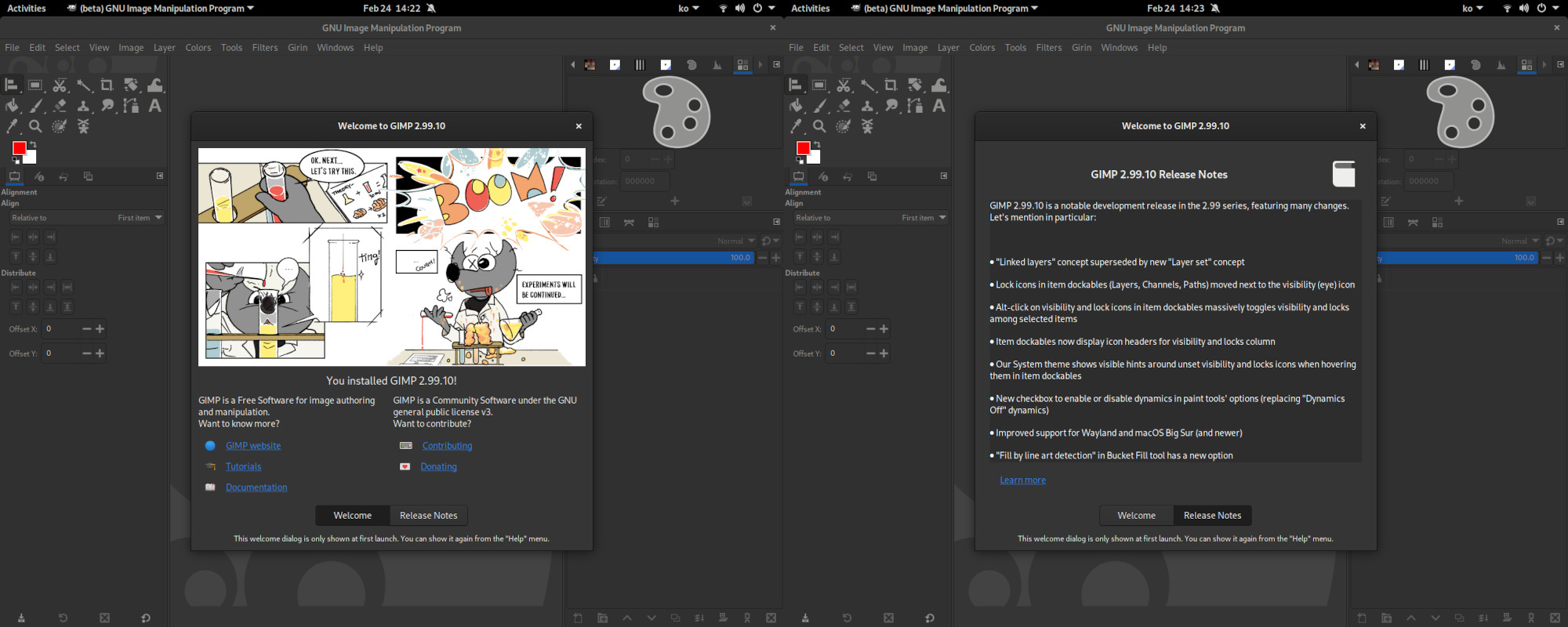
  • ✇GIMP
  • GIMP 2.10.32 is on the Microsoft Store!
    Until now, GIMP was only officially distributed for Windows as an installer provided on our download page. In particular, the GIMP team never distributed it via the Microsoft Store. This changes today! 🥳 What if I see several GIMP on the Microsoft Store?¶ You might see other “GIMP” on the Microsoft Store, so you must be careful. For the official package, make sure you use the link we provide: GIMP on Microsoft Store (Windows-only link) While others distributing GIM
     

GIMP 2.10.32 is on the Microsoft Store!

Par :Wilber
17 juin 2022 à 18:00

Until now, GIMP was only officially distributed for Windows as an installer provided on our download page.

In particular, the GIMP team never distributed it via the Microsoft Store. This changes today! 🥳
What if I see several GIMP on the Microsoft Store?

You might see other “GIMP” on the Microsoft Store, so you must be careful. For the official package, make sure you use the link we provide:

GIMP on Microsoft Store (Windows-only link)

While others distributing GIMP is not necessary a problem (we even have a page explaining why selling GIMP is not illegal), we have no way to know what is actually in a third-party package, hence we cannot vouch for them.

Problems could be malware 😱 participating in botnets, hack your files or other computers or perhaps just steal CPU resources. Some are charging for their packages while using deceptive wording — seeming to be the official GIMP team — and at the same time introducing subtle bugs or significant problems like uploading opened images behind the users back. The official GIMP packages do not contain malware nor do they upload your files. We have a strict Privacy Policy. Our packages are also free of charge.

These are not all cases, and other third-party packagers may be doing a great job adding value (user support, additional documentation, more filters…) so you are welcome to continue using these as long as you are aware they are not related to us. Anyway we saw enough problematic cases that we are happy to announce GIMP being now officially distributed on the Microsoft Store so that everyone can get GIMP from its source.

Limitations of store’s GIMP

We worked closely with a developer relations team at Microsoft for this new distribution channel. GIMP is proposed as what they call a traditional desktop app which basically means that even if you install GIMP from the store, it actually uses the exact same installer (as found on our download page then run by the store in silent mode).

The good side is that it’s easier for us to maintain and user experience is exactly the same. The bad side is that it doesn’t get additional niceties made available by centralized repositories, such as auto-update. You will still have to update yourself, the old way.

This is why working on a MSIX or UWP package remains a possibility if anyone wants to continue the work started. Contributors welcome! 🤗

Funding GIMP

As all other official GIMP packages, GIMP is free of charge on the Windows Store. 💌

If GIMP is useful to you and you wish to fund development, you are very welcome to donate to the project and fund core GIMP developers, as a way to give back and accelerate the development of GIMP.

Support us by
Donating

  • ✇GIMP
  • GIMP 2.10.32 Released
    GIMP continues strengthening its bases as this new version 2.10.32 is quite heavy on bug fixes and improves our support for many image file formats. File Formats TIFF and BigTIFF JPEG XL DDS Metadata handling (PSD…) XCF Other formats Text tool: localized glyph variants Usability: themes and icons Improved Screenshot on Windows GEGL, babl Automatic LUT creation for conversions in babl SIMD builds for x86_64 and ARM neon (ctx, babl and GEGL) Other improvements Team news Release stats Around
     

GIMP 2.10.32 Released

Par :Wilber
13 juin 2022 à 18:00

GIMP continues strengthening its bases as this new version 2.10.32 is quite heavy on bug fixes and improves our support for many image file formats.

This news lists the most notable and visible changes. In particular, we do not list here the bug fixes. To get a more complete list of changes, you should refer to the NEWS file or look at the commit history.

File Formats

TIFF and BigTIFF

GIMP now supports 8 and 16-bit CMYK(A) TIFF files on import. This is one of the first consequences (already!) of the GSoC project by NikcDC under mentorship of Jehan.

Moreover the BigTIFF format is now supported, both for import and export. BigTIFF is an evolution of the original TIFF format allowing files bigger than 4GiB by using 64-bit internal offsets.

The TIFF export dialog exposes a checkbox to enable this format variant.

BigTIFF export GIMP 2.10.32
BigTIFF export in GIMP 2.10.32: new option in the TIFF export dialog

Moreover, if you try to export as a TIFF file and if it fails because of the maximum file size being exceeded, it will propose you to retry either as BigTIFF or with another compression algorithm.

Finally additional special cases in TIFF format are now taken into account, making loading TIFF files more robust.

JPEG XL

JPEG XL file format has been supported in development code ever since GIMP 2.99.8.

Daniel Novomeský backported the import code to the stable branch.

We remind that a third-party plug-in already exists, by developers of the libjxl library. It is a different codebase and should still work with GIMP 2.10.32. The main advantage of the third-party plug-in is that it has also export capabilities (which our stable plug-in doesn’t have yet), though with some unsolved issues causing some images to fail to load or export correctly.

You are welcome to continue using the third-party plug-in if you prefer. For instance the MSYS2 project now has it built-in within the libjxl package. If you install it, it will take precedence over our new core plug-in.

DDS

Some game engines require DDS images to be flipped vertically. Until now, asset creators had to flip the image in GIMP, export, then undo, which was not a very practical workflow.

This is why NikcDC added a new “Flip the image vertically on export” option allowing you to flip your image at export time.

Similarly, there is now a Visible layers” option (additionally to “Selected layer”, “As cube map“…) allowing you to export the whole image render, not a single layer. So depending on your work usage, you won’t have to flatten your image (to later undo this action) anymore before export.

DDS export GIMP 2.10.32
DDS export in GIMP 2.10.32: new “flip” and “All visible layers” options

Metadata handling (PSD…)

Several metadata handling improvements were made. One of the most important changes is that GIMP will start dropping Xmp.photoshop.DocumentAncestors tags if more than a thousand of them are found.

This case is very likely due to a bug in some versions of Photoshop or other software creating PSD files as we encountered over 100,000 such tags in some files (it probably makes no sense that a document could have that many ancestor documents), which was seriously slowing down GIMP to the point it looked frozen.

XCF

XCF import code also received various improvements, making the software more robust to invalid files. In some cases, it allows to salvage more data from corrupted XCF files, hence protecting your work.

Other formats

More format handling were improved:

BMP
A new PDB procedure file-bmp-save2 was added for plug-in developers. It supports all the options available interactively.
DICOM
Fixed endian conversion for photometric interpretation MONOCHROME1.
EPS
Loading transparent EPS files is now supported.
RAW
RGB Save Type” confusing dialog label renamed to “Palette Type” as on the main dev branch.
TGA
Improved support of indexed images with alpha channel (both import and export).
WebP
Export has a new IPTC checkbox (saved through XMP) as well as a thumbnail checkbox. (backported from dev branch, since 2.99.8)

Text tool: localized glyph variants

The Text tool now supports localized glyphs (locl) depending on the value of the “Language” tool option.

It is useful if you write in languages with regional variant forms (e.g. Serbian or Ukrainian use the same Cyrillic alphabet yet with 5 letters having regional variants).

If your chosen font supports several variants, you can now tell the internal formatting system through the “Language” settings which one needs to be used.

locl support in GIMP 2.10.32
‘locl’ support in GIMP 2.10.32: same characters in (left) Serbian (right) Ukrainian
(top) upright (bottom) italic

Usability: themes and icons

  • All official themes now have on-hover indicator around the eye 👁️ and link 🔗 toggles in Layer/Channel/Path Dialog tree-views.
On hover effect on eye and link toggles in GIMP 2.10.32
On-hover effect on eye and link toggles in GIMP 2.10.32
  • In the Dark theme, a new on-hover effect on radio menu items was added to improve readability.
On hover effect on radio item in GIMP 2.10.32
On-hover effect on radio menu items in GIMP 2.10.32
  • In the Color icon theme, thin contrast borders were added to the ‘close’ and ‘detach’ icons to improve their readability against dark backgrounds on mouse-hover.
More readable icons in GIMP 2.10.32
  • In the Color icon theme, horizontal and vertical chain ⛓️ icons are more distinguishable between their broken and not-broken variants.
Chain icons in Color icon theme in GIMP 2.10.32
Left: GIMP 2.10.30 - Right GIMP 2.10.32

All these changes are works by Stanislav Grinkov.

Improved Screenshot on Windows

The Screenshot plug-in was missing the “Include mouse pointer” option on Windows.

This long missing feature, which was available on other platforms (such as Linux X11/Wayland, *BSD or macOS) is now implemented on Windows as well!

Screenshot plug-in on Windows in GIMP 2.10.32
Screenshot plug-in on Windows in GIMP 2.10.32: new “Include mouse pointer” options

GEGL, babl

GIMP 2.10.32 is the first stable release with the nice optimizations brought since babl 0.1.90 and GEGL 0.4.36, now that they have been battle-tested and debugged within the development release GIMP 2.99.10. As a consequence, babl 0.1.92 has been released, fixing in particular SIMD discovery ability, which was misbehaving on Windows.

These improvements are important enough that we felt their 2.99.10 description deserved to be copied on the stable news to make clear this applies to GIMP 2.10.32 now.

Automatic LUT creation for conversions in babl

Citing Øyvind in a recent report:

babl works as a universal pixel encoding translator by having - a not necessarily fast reference conversion able to deal with everything - and a collection of conversions that can be chained together into what babl calls fishes. The fishes are raced against each other to find the best conversion babl is able to create.

In some situations, a LUT (Look-Up Table) will perform better, we now know what the performance will be of using a LUT for various combinations of input and output bits per pixel; and mark fishes that are better as LUTs on creation time. If such a fish is used more than a minimum, LUT population is triggered.

Right now one drawback is that it might actually slow down slightly the first conversion happening in a given input > output conversion couple. The solution which might come later would be to create the LUTs in the background in a thread and continue doing non-LUT conversions until it is ready.

Note that the created LUTs are also garbage-collected after a few minutes of non-usage, to avoid filling memory with single use LUTs.

SIMD builds for x86_64 and ARM neon (ctx, babl and GEGL)

All of babl, GEGL and ctx have gotten similar SIMD build and dispatch changes applied.

Image processing code written to be portable and performant caters well to the auto-vectorization support for SIMD in modern compilers. The way it is done is mostly by changes to the build system. For now the code remains the same for all targets but the approach can be extended with conditional intrinsics.

To see the impact this can have, here is a test of filling a circle with ctx and its different pixel encoding targets, on a Raspberry Pi with default compiler flags (without neon support). Note that the cairo reference comparison is the BGRA8 format (the only other format proposed by Cairo is A8):

Test results without SIMD
Filling a 256px radius circle in a 512x512 buffer a number of times without Neon (smaller is better)

And the same test, with the compiler allowed to use Neon instructions:

Test results with SIMD
Filling a 256px radius circle in a 512x512 buffer a number of times without Neon (smaller is better)

Note well that both the optimized and non-optimized cases are built-in, and availability of relevant instructions determined by runtime tests. This makes these optimizations very portable, despite being based on recent architecture instructions.

ℹ️ Note that these changes (both the automatic LUT generation and the SIMD dispatch) will apply to GIMP 2.10 versions later. For now they are available in 2.99 as a form of beta test. We welcome feedbacks if you encounter any misbehavior.

Other improvements

babl now also comes with pre-defined CIE Lab u8 and CIE Lab u16 formats.

Team news

lukaso was already considered co-maintainer of the macOS build repository of GIMP (gimp-macos-build) since they have done most heavy lifting on GIMP for macOS for many months. This has been made official by changing their account to maintainer on this build repository.

Lloyd Konneker has been given developer git access to the main GIMP repository, in particular for their nice work so far on script-fu (which was in a state where dropping script-fu for GIMP 3.0 would have been considered otherwise).

Kevin Cozens, a long term GIMP contributor and script-fu maintainer got back recently and was given git access again to the repository. He will help co-maintain script-fu with Lloyd.

Ondřej Míchal has been given “Reporter” rights on the main GIMP repository (allowing to triage reports: labelling, closing, reopening, and moving reports…).

After being given “Reporter” rights initially, NikcDC has eventually been given developer git access in order to facilitate the work on feature branches for their GSoC project.

Release stats

10 people contributed changes or fixes to GIMP 2.10.32 codebase:

  • 3 people contributed several code changes or fixes: Jacob Boerema, Jehan and Nikc.
  • 1 person contributed several theme and icon improvements: Stanislav Grinkov.
  • 6 people contributed single commits: Sabri Ünal, Daniel Novomeský, Lukas Oberhuber, Rafał Mikrut, smlu and Øyvind Kolås.

About translations of GIMP itself:

  • 24 translators contributed: Anders Jonsson, Sveinn í Felli, Alan Mortensen, Aleksandr Melman, Yuri Chornoivan, Hugo Carvalho, Luming Zh, Rodrigo Lledó, Jordi Mas, Martin, Piotr Drąg, Balázs Úr, Jiri Grönroos, Zurab Kargareteli, Boyuan Yang, Marco Ciampa, Matej Urbančič, Milo Ivir, Sabri Ünal, Tim Sabsch , Balázs Meskó, Charles Monzat, Fran Dieguez, Hannie Dumoleyn.
  • 20 translations were updated: Catalan, Chinese (China), Croatian, Danish, Dutch, Finnish, French, Georgian, German, Hungarian, Icelandic, Italian, Polish, Portuguese, Russian, Slovenian, Spanish, Swedish, Turkish, Ukrainian.
  • GIMP 2.10.32 includes a new Georgian translation, incrementing the number of available languages for the stable version to 83.
  • GIMP was already localized in Galician, but not the Windows installer… until this version!

Contributions on other repositories in the GIMPverse:

  • 1 contributor to babl 0.1.92: Øyvind Kolås.
  • 5 contributors to babl 0.1.90: Øyvind Kolås, Mingye Wang, Jehan, Tomasz Golinski and Andrzej Hunt.
  • 6 contributors to GEGL 0.4.36: Øyvind Kolås, Anders Jonsson, Jehan, Alan Mortensen, Caleb Xu and zamfofex.
  • ctx contributors in the same timeframe: Øyvind Kolås, and Jehan.
  • 2 contributors to gimp-macos-build (macOS build scripts): Lukas Oberhuber and Jehan.
  • 4 contributors to org.gimp.GIMP (stable flatpak): Hubert Figuière, Ondřej Míchal, Jehan and Rebecca Wallander.
  • 1 Windows packager: Jernej Simončič.
  • Contributors to gimp-help (GIMP manual) since last stats:
    • 2 technical contributors (build scripts, continuous integrations…): Jacob Boerema and Jehan.
    • 5 documenters (original English text): Jacob Boerema, Anders Jonsson, Andre Klapper, Jehan and Marco Ciampa.
    • 20 translators: Rodrigo Lledó, Jordi Mas, Nathan Follens, Yuri Chornoivan, Anders Jonsson, Hugo Carvalho, Marco Ciampa, Tim Sabsch, Balázs Úr, dimspingos, Alan Mortensen, Aleksandr Melman, Charles Monzat, Claude Paroz, Kjartan Maraas, Luming Zh, Martin, Matheus Barbosa, Milo Ivir, Ulf-D. Ehlert.
  • 6 contributors to gimp-web (website) since last stats: Jehan, Alexandre Prokoudine, Anders Jonsson, Tom Gooding, Alberto Garcia Briz, Babs Keeley.

Then let’s not forget to thank all the people who help us triaging in Gitlab, report bugs and discuss evolutions with us. And of course, our community is deeply thankful to the internet warriors who manage our various discussion channels or social network accounts such as Ville Pätsi, Alexandre Prokoudine, Liam Quin, Michael Schumacher and Sevenix!

Note: considering the number of parts in GIMP and around, and how we get statistics through git scripting, errors may slip inside these stats. Feel free to tell us if we missed or mis-categorized some contributors or contributions.

Around GIMP

Mirror news

Ever since our new official mirror procedure, the following mirrors have been added to our rotation scripts:

  • Get Hosted Online (Rothwell, United Kingdom)
  • Aceldama Systems (Montreal, Canada)
  • Open Computing Facility (Berkeley, CA, United States)
  • Freedif (Singapore)

One mirror from the previous list had to be removed because of performance issues, and a mirror acceptance is still on-hold because of the conflict and unstability in East Europe.

As a fun note, GIMP is now back to Berkeley through the Open Computing Facility (student organization for all University of California, Berkeley students, faculty, and staff). For anyone wondering why it’s fun, you may read with interest the birth story of the GNU Image Manipulation Program.

TLDR; GIMP was originally born in the University of California. I guess it’s good to be home, right?

Book news

Our books page was in a badly maintained state. 4 books in Spanish were added to the list recently:

We took the opportunity to restructure the page with per-language section.

This is also a good time to remind that it is up to everyone to help us keep this page updated. We know many more books have been published about GIMP across the years so the list is very incomplete. Therefore if you wrote or know of a book absent from the page, please feel free to report the same information as other books on the page so that we can add them. Thanks!

Downloading GIMP 2.10.32

As usual, GIMP 2.10.32 is available on GIMP official website (gimp.org) in 3 package formats:

  • Linux development flatpak
  • Windows installer
  • macOS DMG package

Other packages made by third-party are obviously expected to follow (Linux or *BSD distributions’ packages, etc.).

What’s next

You may notice that stable releases are slowing down (GIMP 2.10.30 happened 6 months ago) as we are reaching a good stability overall on this branch, despite being held back by our very old toolkit. Nowadays most of our focus is on the development branch. Yet we will continue to provide updates and bug fixes to the 2.10 branch until GIMP 3.0 is out.

Don’t forget you can donate to the project and personally fund several GIMP developers, as a way to give back and accelerate the development of GIMP. As you know, the maintainers of GEGL and GIMP are crowdfunding to be able to work full-time on free software. 🥳

  • ✇GIMP
  • GSoC 2022 project announced: CMYK features
    The cat is out of the bag: Nikc, a Google Summer of Code student, is working this year on getting CMYK features into GIMP. Let’s talk about this in a little more detail. For the record, we only requested this unique project slot to Google. Nikc discussed beforehand with us to understand the needs, the project current state as well as the wanted direction. They also contributed patches before GSoC selection so we knew how they interact during code review. If anyone is interested in GSoC in future
     

GSoC 2022 project announced: CMYK features

Par :Wilber
2 juin 2022 à 18:00

The cat is out of the bag: Nikc, a Google Summer of Code student, is working this year on getting CMYK features into GIMP. Let’s talk about this in a little more detail.

For the record, we only requested this unique project slot to Google. Nikc discussed beforehand with us to understand the needs, the project current state as well as the wanted direction. They also contributed patches before GSoC selection so we knew how they interact during code review. If anyone is interested in GSoC in future years, please consider communicating with us like this, not just dropping a proposal without contacting us on our mailing lists or IRC. 😉

What’s up with GIMP and CMYK anyway?

Historically, it was complicated to implement CMYK support in GIMP as the program used to be hardwired to use sRGB color space for pretty much everything. Supporting any RGB color space has been work in progress for many years and it got much better already in the 2.10 stable series. On the other hand, print was not facilitated as a main workflow provided by our project for decades.

Since late 2000s, we’ve been considering a late binding workflow for CMYK, i.e. where you work in RGB, softproof in CMYK and then export to CMYK. Peter Sikking, a UX architect we worked with, came up with a plan for that, but the image processing engine was missing the required changes, and someone would have to work on exposing everything in GUI.

We ultimately lacked contributors interested into prioritizing that, and one patch we got from a contributor some years ago couldn’t be merged for architectural reasons, it had to be redone completely to play well with the rest of GIMP’s code.

A few years back, Øyvind Kolås finally added the missing bits to GEGL, our image processing engine, that made it possible to do things like blending a CMYK image with an RGBA image and writing the result as a TIFF CMYK file. This paved the way to this particular GSoC project.

What is the objective of the GSoC project?

First and foremost, we are not yet talking about a CMYK image mode, akin to ‘RGB’, ‘Greyscale’, and ‘Indexed’ like what you have today. Here is what it will focus on instead.

Importing and exporting images in a CMYK color space. GIMP will open images in a CMYK color space and convert them to RGB(A) for viewing and editing. You will also be able to export images to CMYK. We are currently targeting TIFF, PSD, PDF, EPS, AI, and PDF file formats.

While you won’t be able to edit CMYK images in a non-native color space yet, being able to both open (if only to view) and export CMYK data is clearly a step forward. Moreover while working with a CMYK backend is useful for some use cases (controlling your black colors or other accurate color mix as per printer instructions, ink coverage, trapping, overprinting and whatnot), working with *RGB images, then moving to CMYK in the end, is still a recommended workflow for many types of works. For instance, graphics professionals in the GIMP team and around worked with a lot of success with a mix of GIMP and Scribus, which is a software we warmly recommend.

Libre Calendar 2015, physical print project by LILA non-profit
Example of printing with FLOSS: the “Libre Calendar 2015” was a collaborative project by LILA, with several artists (illustrators, photographers and 3D), processed with GIMP, Inkscape and Scribus, Creative Commons by 2.0

Here is the current progress regarding CMYK support in file formats:

  • JPEG:
    • CMYK JPEG loading has been supported in GIMP for many years.
    • CMYK JPEG loading has been recently ported to using babl for conversion by Jehan Pagès.
    • CMYK JPEG exporting has been implemented as well by Jehan Pagès.
    • These improvements will be available in upcoming GIMP 2.99.12 and were implemented as a demonstration sample for Nikc since Jehan is the project mentor.
  • PSD:
    • CMYK PSD 8-bpc CMYK loading has already been available since GIMP 2.10.18 thanks to Massimo Valentini.
    • The code has been updated by Jacob Boerema to load 16-bpc CMYK PSD files in GIMP 2.99.10.
    • Work is in progress by Nikc to port CMYK PSD load code to use the babl library for conversion (should be available for 2.99.12, provided it passes review).
    • Exporting CMYK files in the PSD format could also be within the scope of this GSoC project.
  • CMYK TIFF loading and exporting is a work in progress by Nikc and might be available in GIMP 2.99.12 if it passes review on time.
  • Other formats with CMYK support will be considered.

A new dockable dialog for color management. To aid the late binding workflow, we need to be able to easily switch soft-proofing (simulating the CMYK result). Right now switching it ON/OFF and choosing profiles is done through menus which is cumbersome.

Nikc will develop a new dockable dialog to convert between color spaces via ICC profiles, control soft-proofing, etc. This is the next step after CMYK support in various file formats. We’ll feel comfortable talking about this more once it’s being actively worked on.

Soft-proof profile(s) as first-class citizen: currently the soft-proof profile is attached to the view, which means it disappears and needs to be set up again in-between sessions. Also the selected profile is not available to plug-ins which makes our CMYK export capabilities much less interesting until it gets implemented. This is why we want to move the soft-proof profile to become an image data instead, which will be stored in the XCF file. Nikc announced to have already started to work on this.

Discussions are ongoing to make this change generic to allow storing even several simulation profiles in the long run. This will make sense in particular when GIMP will support the concept of multiple export targets, as was theorized in an early blog post. Indeed a single image can be targetted differently for low-quality web previewing, for high-quality digital viewing, for printing… And it can even have different print targets. This is not in the scope of this GSoC project but are things we need to take into account early on when modifying the core code.

Identifying and fixing issues with color management. There are still all sorts of bugs and imperfections in GIMP’s color management implementation. We already know about some of them and we have no doubt that others will manifest themselves as the work on this GSoC project continues. Among the obvious areas to look on in details are: color picking and sample points, color selection, soft-proofing, various types of previews, maybe improved ways to work on specific color channels… So fixing or improving those is definitely part of the project. As you can see from the links above, work has already been started on some of these areas, and porting more code to using babl for streamlined conversion is a big part of the project.

Note that all improvements are not necessarily about CMYK-only in the end, since we have been working to make our color code more generic, which means that some changes may need to happen on a lower level, hence enhancing the workflow, efficiency and accuracy with any color model.

When are we shipping the results of the GSoC project?

Currently, we expect to make all new features and improvements developed by Nikc this spring/summer to be part of GIMP 3.0.

Will there be a CMYK mode?

The short answer is ‘eventually’.

Previously, we talked about anyRGB approach to editing that was within the scope of the Space Invasion initiative (end-to-end ICC profile attribution for an image while passing it through various operations in the node composition). Essentially, you should be able to open an image in e.g. AdobeRGB color space and never convert it to e.g. sRGB unless a particular GEGL operation requires that.

We revised the anyRGB plan to extend it to anyModel (RGB, CMYK, LAB etc.). This is going to be a major undertaking, we do not expect to ship this in GIMP 3.0 and we’d rather not give any estimations at this time.

Even staying within the scope of the printing world, hardcoding the specific CMYK model, rather than having generic core, would make no sense. What if you could also add spot color channels to your image for instance? This anyModel core is the direction we are heading for and the result of the groundwork which has been slowly built up by several contributors for many years now.

  • ✇GIMP
  • GIMP is a GSoC 2022 mentor organization
    Up till 2013, GIMP was a regular at the Summer of Code. Ever since then we haven’t applied. Nine years have passed, so we decided to give it a new try and 2 days ago, we received an email: GNU Image Manipulation program is officially a Google Summer of Code 2022 mentor organization! If anyone is interested, it could be a good opportunity to jump into the development of a huge desktop program used by millions of people. Here are some ideas of what you could possibly work on: wiki with list of pos
     

GIMP is a GSoC 2022 mentor organization

Par :Wilber
7 mars 2022 à 18:00

Up till 2013, GIMP was a regular at the Summer of Code. Ever since then we haven’t applied. Nine years have passed, so we decided to give it a new try and 2 days ago, we received an email: GNU Image Manipulation program is officially a Google Summer of Code 2022 mentor organization!

If anyone is interested, it could be a good opportunity to jump into the development of a huge desktop program used by millions of people. Here are some ideas of what you could possibly work on: wiki with list of possible project ideas.

On our side, we are interested in realistic projects which can really be finished or at least broken down in usable parts. Our list of ideas is mostly informative and we very much welcome people coming with their own ideas. If you want to participate, come discuss with us on IRC.

Requirements

GIMP is a huge codebase with high quality level requirements before acceptance of any code. It will require any participant to be thorough, listen well to our reviews and have some perseverance.

To increase acceptance chances, you could pick some bugs to fix or some easy features to implement (look in our newcomers list or simply in the full list of reports; possibly if you encounter an issue yourself, you could just come and fix that!), make a merge request with us and see how it goes. This would be the best kind of first contact before submitting your application.

Last but not least: we welcome contributors from all walks of life, regardless of origin, skin color, gender etc. All we ask is that you remain courteous and respectful to your fellow developers while working with us, and we will of course return the courtesy. If you’re looking for a welcoming environment, our project may be the perfect fit for you! 🤗

See you on the other side?!

  • ✇GIMP
  • Development version: GIMP 2.99.10 Released
    GIMP 2.99.10 is once again a pretty massive step in our development plans toward GIMP 3.0. We redesigned some core concepts of GIMP (“linked layers”, item locks’ GUI, dynamics switch), substantially improve the new API further into releasable state, babl and GEGL gets crazy optimizations going on, macOS and Wayland get more love, all the while improving file formats… And more! The below report will go through the most interesting changes. “Experiments” by Aryeom, Creative Commons by-sa 4.0
     

Development version: GIMP 2.99.10 Released

Par :Wilber
24 février 2022 à 18:00

GIMP 2.99.10 is once again a pretty massive step in our development plans toward GIMP 3.0. We redesigned some core concepts of GIMP (“linked layers”, item locks’ GUI, dynamics switch), substantially improve the new API further into releasable state, babl and GEGL gets crazy optimizations going on, macOS and Wayland get more love, all the while improving file formats… And more!

The below report will go through the most interesting changes.

Experiments - Wilber and co. comics strip by Aryeom
“Experiments” by Aryeom, Creative Commons by-sa 4.0 - GIMP 2.99.10

To get a more complete list of changes, you should refer to the NEWS file or look at the commit history.

Redesigned Core Features

Linked layers” superseded by “layer sets”

Our stable series (2.10) still uses a concept of “linked layers”, which is mostly for transforming layers together. For instance, say you want to translate, rotate or shear several layers the exact same way. You would link them with the “chain” 🔗 icon next to each layer in the Layers dockable.

In GIMP 3.0, as we have multi-selection of layers and all the transform tools were already made to work on multiple layers at once, this concept was redundant and confusing. Nevertheless there was still one added value: as a way to mark and store a relation between layers.

This is why we remove the link feature and added instead a “layer set” feature. A “layer set” is a selection of layers stored with a name.

Layer sets
Layer set popover at bottom of Layers dockable

For instance, you could select a few layers together and store this selection as a layer set. Anytime in the future, you can select the same layers again in one click, without going through the slow process of clicking them one by one. In the below example, I am storing a semantic name for several layers featuring sleeping marmots:

Storing Layer sets
Left: select some layers and write a set name - Right: the set can now be selected again anytime

There is more! The same dialog allows you to search through layers by names. Say I want to select all layers containing “marmot” or “flower”, I could just search said keyword.

Searching layers
Searching layers with “flower” in the name - 3 were found in this huge layer list

For the geekiest of us: by default, this uses simple text search, but in Preferences, tab “Interface”, you can also set the search entry to use the Glob or Regular Expression syntaxes!

Layer sets settings
Settings for search syntax: text search, glob pattern or regular expression

Item locks redesigned

The locks (position, contents and alpha) used to be at the top of the Layers or Channels dockables. It meant that to know whether a specific layer was locked, you had to select it. Worse, when selecting several layers, the buttons could end up in an inconsistent state (if some layers are locked while others not).

So we moved the locks to the space left vacant by the now-defunct “link” 🔗 icon, next to each item. Clicking it will open a small popover dialog where you can select the lock type. Selecting a single lock will show it next to the visibility (eye 👁️) icon, selecting 2 locks or more will show a generic multi-locks icon. Each of the new icons, specific or generic, were designed by Aryeom. Now you know in a single glimpse to the layers list which ones are locked or not.

Locking a layer
Left: popover on “lock” area click - Middle: lock position (specific icon shown) - Right: lock contents (2 locks in use: multi-locks icon shown)

Among other advantages, the lock icons now allow the Shift-click interaction, same as the visibility icon, so that one can switch many items’ locks at once. We also created a new Alt-click interaction to switch locks within all selected layers. So we now have:

  • Simple click on a lock or visibility icon: the clicked item’s visibility or lock state is switched.
  • Shift-click: the clicked item stays visible/locked while the visibility or lock state of all other items on the same level in the layer tree is switched ON or OFF.
  • Alt-click: the clicked item stays visible/locked while the visibility or lock state of all other selected items is switched ON or OFF.

You will notice that we also added a new lock, the “Visibility Lock”. As the name implies, it prevents the visibility status to be modified. This is especially interesting together with features allowing to change multiple items at once, like the Shift-click or Alt-Click actions explained above. You could for instance have a background image locked to be always visible, then you could switch other foreground layers’ visibility while always keeping the background visible. Oppositely you could prevent your initial croquis for instance from being shown by mistake.

Locking visibility of background
Locking visibility of background layers to always visible and croquis layer to never visible.

Among other changes in this area, the alpha and position locks can now be set on Layer groups:

  • Alpha lock on groups mostly works like contents lock on groups (except that it’s for the alpha channel only), i.e. that it forbids to change the alpha channel from any child layer.
  • Position lock work both ways by forbidding moving child layers but also parent layers.

A document was also written to better specify the behaviors of various locks.

Last, but not least, two changes were made to improve discoverability of the visibility and especially the lock buttons:

  • The visibility and lock columns in the dockable now have icon headers, making their presence more obvious.
  • Our default theme will now provide visible hints around inactive button areas while hovering these clickable areas.
Hints for discoverability of clickable areas
Points to notice: “visibility” and “lock” icon headers and border around clickable area when hovering with pointer

Enabling/Disabling dynamics simplified

It is now possible to enable and disable dynamics in a single checkbox, instead of tediously having to select the “Dynamics Off” neutral dynamics. Obviously this neutral dynamics has been removed from the list of installed data.

It allows to switch dynamics painting in a single click, and without having to remember which dynamics you were using when switching back.

Enabling/disabling dynamics in a click
Enabling and disabling dynamics in one click

For advanced user, we also set up the new action “context-dynamics-toggle”. Thus you can create a shortcut (Edit > Keyboard Shortcuts menu) to switch the dynamics painting for even faster work.

Shortcut settings for enabling/disabling dynamics
Setting a shortcut to enable or disable dynamics in the Keyboard Shortcuts dialog

New Core Features

New option in “Line Art” mode of bucket fill tool

We added a new option “Allow closing lines in selected layer” in the “Fill by line art detection” mode of the bucket fill tool. The name is not necessarily final as naming this was hard.

Anyway here is what it does: when you choose the “Layer above|below the selected one” source, the selected layer is not used as line art source (as the title says). Yet with this option, you add the ability to paint with your fill color directly in the selected layer and union this data as closure data.

Once again, it is not a source for line art detection, which means it doesn’t trigger any recomputing. It is additional data for manual line closure only after line art and closure computation.

One of the main usage could be to set the “Maximum gap length” to 0, which totally disables line art closure computation, hence having much less computing (i.e. faster on big line art images). Then you’d rely solely on manually closed line arts. Unfortunately sometimes you don’t want to close a line art with your line color/brush/style, you want to close it with your fill color/brush/style. This is when this option comes into play.

For instance, here is how you could fill the line art with the smart closing which could oversegment if you don’t tweak properly the “Maximum gap length”. Additionally the closure (here at the leg bottoms of the character) would likely not be the expected style:

Now let’s disable the smart closing algorithm and use the new option instead. We will simply paint with our expected fill color and style to close the line art and it will be considered as “line” without recomputation. This way, the fill is instant and the closure style is exactly the one you expect:

This new option is originally based on an advanced digital painter tip of Aryeom on how to colorize efficiently a croquis (she was using this long before the “fill by line art detection” feature in GIMP, using Fuzzy Select in sample merged mode). Closing line arts with fill style is one of the many techniques she teaches to digital painting students at university. So we thought integrating this into our line art fill tool would be a definite gain as Aryeom was disappointed by the absence of style and control with the smart closing algorithm.

Note: we are aware the settings in this tool are a bit complicated to apprehend. We will hopefully do a pass of redesigning soon.

Welcome Dialog

GIMP now gets a Welcome Dialog which will show up only once after a new installation or an update. It will display the splash image, some short text and links to documentations and alike.

It also has a “Release Notes” tab containing the Release Notes of the new version so that anyone can peek at a listing of novelties.

Welcome Dialog
Welcome Dialog at first launch after installation or update

Note: the currently proposed Windows installer misses the release note. We will fix this shortly.

The website’s (the one you are reading on gimp.org) news will still provide nicer longer texts with explicative screenshots. But at least, the Welcome Dialog will be here for people not reading the website.

An advantage of the Welcome Dialog’s release notes though is that it can be fully localized by our translators (unlike the website in its current version). For instance, here are the release notes showing on a Portuguese-localized GIMP:

Welcome Dialog in Portuguese
Welcome Dialog’s release notes are localized; e.g. here in Portuguese

Some more work might happen on this Welcome Dialog. For instance, a “Customization” tab for some of the more controversial settings (such as themes and icons) will likely be added.

There is also the question about adding more “everyday use” features, such as a list of the last opened images, or a “New Image” option, avoiding going in menus (or using shortcuts). Of course it means giving the ability to open the dialog at every start as an option (unlike now where it will only open once after a new update).

Going further with our compact slider widget

Our compact slider was only available to core code until recently. It means that all plug-ins in particular could not use of this slider. So the widget has now been moved to the libgimpui library, making it usable by any plug-in which wants a nice looking and efficent slider with slow relative moves, fast drag moves and direct keyboard edits (see some of the usability work in an older news), all the while maximizing the space.

A few of our official plug-ins already make use of it now.

Locking a layer
The PNG export dialog with compact slider

Additionally our default System theme made it even more compact, because there were some complaints that this said compact slider was not compact enough!

Official plug-ins

PSD

As often lately, our PSD plug-in got some love to widen our support abilities:

  • new support for loading 16-bit per channel CMYK images.
  • new support for files in LAB colorspace.
  • new support for loading 32-bit per channel images (some code existed yet may have never really worked).
  • Add extra layer groups when loading PSD images with clipping layers: Photoshop handles clipping layers in a different way than GIMP. The only way to have it look the same is by adding extra layer groups. PSD layers that have clipping set, combined with the first non clipping layer below it are grouped together in a new layer group. Doing this results in the same image as the PSD merged image unless there are other PSD elements in play that we don’t handle yet.
  • PSD layers with clipping set need clip to backdrop as composite mode: certain PSD layers have a flag called clipping set to 1. We were not handling this flag and had some reports about colors bleeding where there were not supposed to. We are going to set GIMP’s layer composite mode to “Clip to Backdrop” which is the closest we can get to Photoshop’s clipping. With this, the colors won’t bleed anymore.

JPEG-XL

Our recent JPEG-XL support also continues to improve:

  • Bit depth now selectable in JXL export.
  • Import in 8-bit and 16-bit integer precision now possible for lossless images (GIMP used to import all JXL images as 32-bit float precision images).
  • New very fast export settings: thunder and lightning (fastest).
  • Compression slider is disabled for lossless.

Microsoft Windows Cursor (.cur)

GIMP is now able to load and export Microsoft Windows Cursors, including the ability to read at import, pass on and edit at export the hot spot location for each cursor in the file.

Screenshot

We definitely removed support for the KDE and GNOME portals for screenshots. On recent versions of these portals, new security restrictions were making them unusable for GIMP which didn’t have the permissions.

We now use only the Freedesktop portal on Linux (unless the direct X11 codepath is available, i.e. on Wayland) which is the new recommended logic by both the GNOME and KDE teams.

On Windows, the Screenshot plug-in finally gets an “Include mouse pointer” option.

HEIF

The HEIF plug-in used to have some heuristic for the choice of the bit-depth defaults when exporting, depending on the image’s encoding settings. This heuristic didn’t agree with everyone’s logic.

Also it was going against the settings storage which are now a basic feature of most plug-ins.

So we decided to just drop this heuristic and leave the user completely responsible for chosing the bit-depth they wish.

Deprecating help-browser and webpage plug-ins

We have 2 plug-ins depending on the WebkitGTK library:

  1. help-browser: for displaying the html docs. Nowadays every desktop machine has a browser, so it feels redundant. Its main advantage though was its very nice “topic tree”, which is basically a side menu to navigate the documentation quite efficiently.
  2. web-page: a webpage screenshot plug-in allowing to shot the whole page, not just what is visible. This is a very neat feature, yet it also appeared on most web browsers by default these days. For instance on Mozilla Firefox, you can right-click then select “Take Screenshot” in the contextual menu of a page.

On the other hand:

  1. WebkitGTK is very hard and long to build. More than once we encountered issues and are dreading them. Actually our macOS package don’t build it right now because of such difficulties.
  2. From what we gather, recent versions are officially unsupported on Windows right now and we don’t know when or if it will change soon.

So we have 2 of our main platforms not using it, it makes a lot of packaging problems, all this for features which are a bit redundant with browser nowadays anyway. This is why we decided to drop the ball, at least for now, by deprecating these 2 plug-ins. Unless situation changes in any positive way, we are not recommending packagers to build these anymore.

Build and documentation

Icon theme handling and refactoring

Our icon theme handling code was a bit of a mess because of too many build cases, so we refactored it:

  • We now use the exact same list for the Color and Symbolic icon themes, both in their SVG and PNG variants.
  • The PNG variants for both themes are now fully generated from the SVG files instead of duplicating everything and risking strange bugs with specific build combinations.
  • Our Continuous Integration now has a new weekly job to verify that the meson and autotools build rules are perfectly synced regarding icons.
  • We started to group icons in semantic lists when possible to help with deciding the right sizes to generate in the PNG case.

By the way, why we keep the PNG variant option needs to be explained. We were originally planning to drop it, but it turns out that the librsvg dependency used as GdkPixbuf loader, ported to Rust in its later versions, doesn’t build on all platforms and architectures (as Rust is not fully portable yet). It means that some platforms may need to either use very old versions of librsvg or may even prefer to use PNG-only icons. This is why we keep the PNG variant for now. It is suboptimal and on platforms where librsvg is not a problem, we definitely advise to use SVG icons. But at least the option exists.

Note though that there is another case where we depend on librsvg: the SVG import plug-in and this one had been made a mandatory one. We are not changing this because as graphics professionals, we consider that even in a raster program, you need to be able to import SVG nowadays. This format is simply a professional standards now and not supporting it seems absurd. Yet we understand if it is a problem on some platforms so, packagers, feel free to comment out the SVG plug-in if really this is a problem to you, as we have been told. It should be quite easy to achieve.

Clang-format check in Continuous Integration

A new .clang-format file was added to our repository and now every merge request will trigger a CI job to verify coding-style of your change.

Now to be perfectly fair, we are not completely happy with the check results, which is why the job failures are not fatale, mostly informational. Let’s say this is a first step, hoping this coding style check will get better.

Tool to bisect-test with older versions of flatpak

Note: this is developer fanciness and may not be of high interest to others.

Flatpak has limitations but also quite some interesting features. One of them is the ability to install older versions of the package easily. It can be a pretty neat developer tool when we want to test something on an older version of GIMP, a kind of git bisect but with flatpak packages. Nevertheless listing the old versions, uninstalling your current version, installing the relevant older version, and remembering the command lines for all this (since we don’t do this daily either) was making it hardly usable in real life.

This is where this tool comes in:

$ tools/flatpak-releases  -h
Usage: ./flathub-releases [--beta] [--system] [-X] [org.example.app]

List all flatpak builds stored on Flathub or GNOME repository.
The builds for org.gimp.GIMP are looked up by default unless
you provide explicitely another AppStream ID.

Adding a -X number as option install the numbered release
instead of listing them.

Options:

-0: install the last build.
-1: install the previous build.
-2: install the before-previous build (and so on).

--beta: list or install a beta release
--nightly: list or install a nightly release
--system: install as system flatpak (default to user install)

Say I want to know all the beta release still stored on Flathub:

$ tools/flatpak-releases --beta
 0: Working around weird install path of appstream file. (be96fed3) [2022-02-24 00:37:25 +0000]
 1: Update dependencies (127a0fa7) [2022-01-13 16:59:43 +0000]
 2: Issue #106:  File->Create->From Screenshot not working. (9c831b14) [2021-12-14 21:46:52 +0000]
 3: Release GIMP 2.99.8. (908bf5b0) [2021-10-20 20:29:00 +0000]
 4: Release GIMP 2.99.6. (e04355dd) [2021-04-26 14:08:32 +0000]
 5: Make sure the default path for plug-ins and scripts point to the extension point (8b02ea26) [2021-03-31 16:12:06 +0000]
 6: Build Little-CMS 2.12 ourselves. (ae60863e) [2021-03-29 16:03:51 +0000]
 7: Add extension point for Gimp3 (34b2f8c0) [2021-03-27 12:40:57 +0000]
 8: Release GIMP 2.99.4. (20a0a962) [2020-12-22 23:45:19 +0000]
 9: Update to GNOME Platform 3.38. (a84da0fa) [2020-11-14 23:08:38 +0000]
10: Use org.gnome.Platform//3.36beta. (12017e04) [2020-11-06 22:59:59 +0000]
11: Release GIMP 2.99.2! (58fef365) [2020-10-25 22:20:18 +0000]
12: Add shared module for intltool. (a1d2b211) [2020-06-01 18:34:15 +0000]

The number 0 is the GIMP 2.99.10 release (the package stored the last commit message, which might not be as relevant as we’d want). Now say I want to install the GIMP 2.99.6 release for a test:

$ tools/flatpak-releases --beta -4
[1/2] Installing org.gimp.GIMP
Looking for matches
Skipping: org.gimp.GIMP/x86_64/beta is already installed
[2/2] Updating to commit '9165cae20b6ad8549ff8053385b0facd15bb11fc8733e0b9c50aed0e961a6c3e' (4's previous build)
Looking for updates


        ID                     Branch         Op         Remote               Download
 1. [] org.gimp.GIMP          beta           u          flathub-beta         43.4 MB / 75.5 MB

Updates complete.
Build 4 released on 2021-04-26 14:08:32 +0000 was installed.
Build subject: Release GIMP 2.99.6. (e04355dd)
Build commit on flathub-beta: 9165cae20b6ad8549ff8053385b0facd15bb11fc8733e0b9c50aed0e961a6c3e

Done. In 2 commands and less than a minute, I am now able to run our GIMP 2.99.6 flatpak beta package which was 4 packages ago.

This command allows me to do this for the stable, the beta and the nightly packages.

New contributor documentation

Our developer document was a bit sparse and not too maintained these days, so a new version is starting to get written. It’s still widely incomplete and some part are based on older docs which might be outdated, or at least would deserve a review. In any case, work is in progress.

For anyone wishing to contribute, this is where you should start.

Improved API for plug-ins

The work on the API is still going full on. Here are the most noteworthy changes which happened during GIMP 2.99.10 time frame.

Changes in libgimp:

  • GimpStringArray type was removed in favor of GStrv. Various libgimp API were updated to use GStrv, and relevant plug-in procedures with GStrv arguments or return values were updated as well.
  • New functions:
    • gimp_context_are_dynamics_enabled()
    • gimp_context_enable_dynamics()
    • gimp_item_get_lock_visibility()
    • gimp_item_set_lock_visibility()
    • gimp_pdb_run_procedure_config()
  • Removed functions:
    • gimp_item_get_linked()
    • gimp_item_set_linked()

Changes in libgimpui:

  • New widgets:
    • GimpLabelColor (now used by default for GimpRGB properties in `GimpProcedureDialog)
    • GimpLabelEntry (now used by default for string properties in `GimpProcedureDialog)
    • GimpSpinScale (see above)
  • New functions:
    • gimp_color_area_enable_drag()
    • gimp_event_triggers_context_menu(): alternative to gdk_event_triggers_context_menu() with the additional ability of using button release events as contextual menu triggering (instead of press events), which might be prefered in some cases. Other than this, it uses exactly the same conditions as its GDK counterpart.
    • gimp_procedure_dialog_get_spin_scale()
    • gimp_prop_label_color_new()
    • gimp_prop_label_entry_new()
    • gimp_prop_spin_scale_new()
    • gimp_prop_widget_set_factor()
  • Improved functions:
    • gimp_procedure_dialog_get_widget() can now generate widgets of type GimpSpinScale (for int/double properties) and GimpLabelColor or GimpColorButton (for GimpRGB properties).
    • gimp_procedure_dialog_get_color_widget() now only return GimpLabelColor widgets (editable or not).

Also the Vala bindings gimp-3.vapi and gimp-ui-3.vapi were renamed to gimp-3.0.vapi and gimp-ui-3.0.vapi respectively in the autotools build (now consistent with meson).

By the way, it seems we have issues with the Vala and Lua plug-ins on Windows in the installer we are providing. We don’t know why yet and still need to investigate.

Wayland and macOS support

Various bugs and improvements have been made specifically to Wayland and macOS support. These often go together as we notice that many of the issues which appear on one of these also appear on the other.

On macOS in particular though, there were massive slowness issues of the 2.99 development series, so much that at some point, our packager feared that GIMP 3.0 on macOS would never be usable. Well we are proud to announce this was premature despair as we finally found some solutions for some things, workarounds for others, sometimes not too pretty yet enough for GIMP to be finally usable and even faster than the 2.10 series in our various tests! Our only uncertainty is that the code was mostly tested on macOS Monterey. We don’t know the situation on Big Sur where the problems initially started.

Several parts of the solutions lead us to GTK patches. Not everything is upstream yet, but we already use our current satisfying patch set in our own DMG package. This will help other projects using GTK3 and experiencing similar issues.

babl and GEGL

As usual, this release is supplemented with the releases of babl 0.1.90 and GEGL 0.4.36.

And these are particularly exciting for this release.

Automatic LUT creation for conversions in babl

Citing Øyvind in a recent report:

babl works as a universal pixel encoding translator by having - a not necessarily fast reference conversion able to deal with everything - and a collection of conversions that can be chained together into what babl calls fishes. The fishes are raced against each other to find the best conversion babl is able to create.

In some situations, a LUT (Look-Up Table) will perform better, we now know what the performance will be of using a LUT for various combinations of input and output bits per pixel; and mark fishes that are better as LUTs on creation time. If such a fish is used more than a minimum, LUT population is triggered.

Right now one drawback is that it might actually slow down slightly the first conversion happening in a given input > output conversion couple. The solution which might come later would be to create the LUTs in the background in a thread and continue doing non-LUT conversions until it is ready.

Note that the created LUTs are also garbage-collected after a few minutes of non-usage, to avoid filling memory with single use LUTs.

SIMD builds for x86_64 and ARM neon (ctx, babl and GEGL)

All of babl, GEGL and ctx have gotten similar SIMD build and dispatch changes applied.

Image processing code written to be portable and performant caters well to the auto-vectorization support for SIMD in modern compilers. The way it is done is mostly by changes to the build system. For now the code remains the same for all targets but the approach can be extended with conditional intrinsics.

To see the impact this can have, here is a test of filling a circle with ctx and its different pixel encoding targets, on a Raspberry Pi with default compiler flags (without neon support). Note that the cairo reference comparison is the BGRA8 format (the only other format proposed by Cairo is A8):

Test results without SIMD
Filling a 256px radius circle in a 512x512 buffer a number of times without Neon (smaller is better)

And the same test, with the compiler allowed to use Neon instructions:

Test results with SIMD
Filling a 256px radius circle in a 512x512 buffer a number of times without Neon (smaller is better)

Note well that both the optimized and non-optimized cases are built-in, and availability of relevant instructions determined by runtime tests. This makes these optimizations very portable, despite being based on recent architecture instructions.

ℹ️ Note that these changes (both the automatic LUT generation and the SIMD dispatch) will apply to GIMP 2.10 versions later. For now they are available in 2.99 as a form of beta test. We welcome feedbacks if you encounter any misbehavior.

Other improvements

babl now also comes with pre-defined CIE Lab u8 and CIE Lab u16 formats.

Team news

On our main source repository, “reporter” access (allowing to triage reports: labelling, closing, reopening, and moving reports…) have been given to nmat and Liam Quin.

Ondřej Míchal has now been given write access to the package repository for our stable and beta flatpak on Flathub, thus joining Hubert Figuière and Jehan for maintenance, after their various improvements to our flatpak packages, including some very nice work for automatic detection of outdated dependencies, thanks to the flatpak-external-data-checker tool.

Release stats

42 people contributed to GIMP 2.99.10:

  • 17 developers contributed to GIMP code base for this micro version:
    • 1 developer with more than 300 commits (Jehan)
    • 4 developers with 10 to 30 commits (Jacob Boerema, Niels De Graef, Lukas Oberhuber and Daniel Novomeský)
    • 12 developers with 1 to 4 commits: Øyvind Kolås, Anders Jonsson, Asalle, Emily Gonyer, Luca Bacci, Markus Volk, Ondřej Míchal, Stanislav Grinkov, Yoshinori Yamakawa, bartoszek, Nikc and Tomasz Goliński.
  • 20 translations were updated: Basque, British English, Catalan, Chinese (China), Danish, German, Greek, Hungarian, Italian, Kabyle, Latvian, Lithuanian, Polish, Portuguese, Russian, Slovenian, Spanish, Swedish, Ukrainian, Vietnamese.
  • 24 translators contributed: Yuri Chornoivan, Hugo Carvalho, Anders Jonsson Matej Urbančič Rodrigo Lledó, Rūdolfs Mazurs, Asier Sarasua Garmendia, Luming Zh, Bruce Cowan, Jordi Mas, Piotr Drąg, Ask Hjorth Larsen, Boyuan Yang, Marco Ciampa, Alan Mortensen, Daniel Mustieles, Yacine Bouklif, Alexandre Prokoudine, Aurimas Černius, Balázs Meskó, Luna Jernberg, Ngọc Quân Trần, Tim Sabsch and dimspingos.
  • 4 people helped with in-code documentation: Jehan, Niels De Graef, Alexandre Prokoudine and Daniel Novomeský.
  • 2 people contributed to icons: Aryeom and Jehan.
  • 9 people contributed to build-related updates: Jehan, Lukas Oberhuber, Øyvind Kolås, Asalle, Daniel Novomeský, Yoshinori Yamakawa, Aryeom Han, Markus Volk and bartoszek.
  • One new splash screen by Aryeom Han.

These are the stats on babl, GEGL and ctx side:

  • 4 contributors to babl 0.1.90:
    • 1 contributor with more than 70 commits (Øyvind Kolås).
    • 4 contributors with 1 to 4 commits: Mingye Wang, Jehan, Tomasz Golinski and Andrzej Hunt.
  • 6 contributors to GEGL 0.4.36:
    • 1 contributor with more than 20 commits (Øyvind Kolås).
    • 5 contributors with 1 to 2 commits: Anders Jonsson, Jehan, Alan Mortensen, Caleb Xu and zamfofex.
  • ctx doesn’t have releases per-se as it is project-embedded code. So let’s count commits in the time frame between GIMP 2.99.8 and 2.99.10:
    • 1 contributor with more than 600 commits (Øyvind Kolås)
    • 1 contributor with 1 commit (Jehan)

We should also not forget the documentation repository which gets more activity these days, thanks to the new maintainership by Jacob. In the same time frame as GIMP 2.99.10, it got 5 contributors:

  • 2 contributors on the documentation itself: Jacob Boerema and Anders Jonsson.
  • 4 contributors worked on translations: Rodrigo Lledó, Anders Jonsson, Jordi Mas and Piotr Drąg.

Finally the work on the macOS repository should not be forgotten, thanks to our new packager, Lukas:

  • 1 contributor with more than 60 commits (Lukas Oberhuber).
  • 2 contributors with 1 to 2 commits: Jehan and Andreas Scherer.

Downloading GIMP 2.99.10

As usual, GIMP 2.99.10 is available on GIMP official website (gimp.org) in 3 package formats:

  • Linux development flatpak
  • Windows installer
  • macOS DMG package

Other packages made by third-party are obviously expected to follow (Linux or *BSD distributions’ packages, etc.).

ℹ️ Fun fact: we learned that GIMP was successfully built on Haiku OS (yet another operating system, not a mainstream one) and is now provided through their packaging system. Even though we know it well, it always amazes us how cross-platform GIMP is as it can be found on nearly every operating system (yes GIMP is on GNU/Hurd too from what we are told!) and micro-architecture there is. 😊

What’s next

This release is quite heavy on API-side updates, which is one of the big blocker for GIMP 3.0 release (still some work-in-progress on this side). The “link” concept was also an old concept which needed to disappear for GIMP 3.0, so this is one less blocker as this change is now completely finished.

The GTK port is another big blocker; important work in this direction has been started by some contributors regarding a move to the GApplication and GtkApplication frameworks and the GAction port. These patches are still heavily under work and need review thus it has not been merged in any form in GIMP 2.99.10. We will most likely have the opportunity to talk more about it on the next release.

Meanwhile work related to Wayland and macOS support are still taking quite a bit of developer time as you can see.

Don’t forget you can donate to the project and personally fund several GIMP developers, as a way to give back and accelerate the development of GIMP. As you know, the maintainers of GEGL and GIMP are crowdfunding to be able to work full-time on free software. 🥳

  • ✇GIMP
  • GIMP 2.10.30 Released
    GIMP 2.10.30 is once again mostly a bugfix release, with many fixes and incremental improvements, not so much on the “new feature” side. Improved file formats support¶ Several file format supports were updated with fixes or improvements: AVIF, HEIF, PSD, DDS, RGBE and PBM. Let’s highlight in particular: PSD support received various types of improvements allowing it to load more sub-cases of PSD: layer masks tagged with invalid dimensions, CMYK without alpha, CMYK without layers, merged imag
     

GIMP 2.10.30 Released

Par :Wilber
20 décembre 2021 à 18:00

GIMP 2.10.30 is once again mostly a bugfix release, with many fixes and incremental improvements, not so much on the “new feature” side.

Improved file formats support

Several file format supports were updated with fixes or improvements: AVIF, HEIF, PSD, DDS, RGBE and PBM.

Let’s highlight in particular:

  • PSD support received various types of improvements allowing it to load more sub-cases of PSD: layer masks tagged with invalid dimensions, CMYK without alpha, CMYK without layers, merged image of a 16 bit per channel RGBA which had opaque alpha channel etc. In case of CMYK PSD files, for now, GIMP will convert to sRGB to allow to view the contents of a file rather than display a message that the file is not supported.
  • AVIF export now favors AOM encoder.

OS evolutions

Some backends got reworked to follow OS evolutions:

  • Backport of selection outline drawing reimplementation from GIMP 2.99.8 for macOS Big Sur and over (already discussed patch, itself exceptionnaly backported to the 2.10.28 DMG package so that macOS users enjoyed visible selections earlier).
  • On Windows, we moved from GetICMProfile() to the WcsGetDefaultColorProfile() API because the former is broken in Windows 11. Thus we were failing to get monitor profiles.
  • On Linux and other OSes which might use Freedesktop portals, we implemented color picking on display (Colors dockable) with the Freedesktop API when available, keeping old implementations as fallbacks. Screenshot plug-in now also uses in priority the Freedesktop API rather than specific KDE or GNOME API (which are getting restricted for security reasons since KDE Plasma 5.20 and GNOME Shell 41).

Other improvements

Various improvements were made on metadata support, be it on core code as well as in the metadata plug-ins (viewer and editor).

A noteworthy fix is that the text tool won’t follow anymore the subpixel font rendering choice from system settings. Subpixel rendering is for GUI on a screen of a specific type and pixel order and is not suitable for image contents which can be zoomed in or out, showed on various screens or even printed. This change also depends on a patch we contributed to Cairo which will be available in their next release (we include the patched version in our flatpak).

In brief

To get a more complete list of changes, you should refer to the NEWS file or look at the commit history.

Core code contributors:
Adam Fontenot, Jacob Boerema, Jehan, Jordi Mas, Niels De Graef, Øyvind Kolås and Yoshinori Yamakawa.
Plugin code contributors:
Daniel Novomesky, Jacob Boerema, Jehan and Niels De Graef.
Build contributors:
Daniel Novomesky, Jehan, Jernej Simončič, Øyvind Kolås, Niels De Graef and Yoshinori Yamakawa.

Team news

Luca Bacci is now a core developer with git access, acknowledging his very nice contributions so far.

Lukas Oberhuber, our new macOS packager, was given “reporter” access on the main source repository which allows him to help triaging on the bugtracker: labelling, closing, reopening, and moving reports…

Translators

Among the 82 languages for which GIMP is available, 14 translations were updated: Brazilian Portuguese, British English, Catalan, Croatian, Finnish, Italian, Latvian, Lithuanian, Polish, Portuguese, Slovenian, Spanish, Swedish and Ukrainian.

The Windows installer now contains Portuguese localization (from Portugal, it already had Brazilian Portuguese), making it available in 35 languages. Also some previously announced translations were missing in the installer. These should be fixed now.

Translators on GIMP 2.10.30:
Anders Jonsson, Aurimas Černius, Bruce Cowan, Bruno Lopes da Silva, Daniel Mustieles, Hugo Carvalho, Jiri Grönroos, Jordi Mas, Marco Ciampa, Matej Urbančič, Milo Ivir, Piotr Drąg, Rodrigo Lledó, Rūdolfs Mazurs and Yuri Chornoivan.

GEGL

As usual, this release is supplemented with the release of GEGL 0.4.34 the same day as GIMP 2.10.30.

There have been some build related improvements, such as moving the implementation of ctx from the main GEGL library to one of the runtime loadable operation bundles. In operations the robustness of gegl:ripple and the gegl:magick-load powered fallback have been improved.

Contributors to the GEGL release:
Anders Jonsson, Asier Sarasua Garmendia, Boyuan Yang, dimspingos, Gavin Cui, Hugo Carvalho, Jehan, Jordi Mas, krzygorz, Lukas Oberhuber, Marco Ciampa, Matej Urbančič, Øyvind Kolås, Rodrigo Lledó, Rūdolfs Mazurs and Simon McVittie.

Downloading GIMP 2.10.30

As usual GIMP 2.10.30 is available on GIMP official website (gimp.org).

The Linux flatpak, Windows installer and macOS DMG package are already available and nearly all mirrors fully synced up, in less than a day from source release to binary release. This may be our new record of a perfectly timed release!

What’s next

While the development branch is getting most activity, we don’t forget the stable branch. This release contains several fixes which we really wanted to get out there, so we recommend everyone to update.

We are not sure we will be able to do a development release before the end of the year, so we wish you already a wonderful holiday season! 🎄🎉

Don’t forget you can donate to the project and personally fund several GIMP developers, as a way to give back and accelerate the development of GIMP. As you know, the maintainers of GEGL and GIMP are crowdfunding to be able to work full-time on free software. 🥳

  • ✇GIMP
  • GIMP is not affected by the log4j vulnerability
    Everyone is asking us if GIMP is vulnerable to the recent log4j vulnerabilities (also dubbed “log4shell” in the media, in particular regarding to the CVE-2021-44228 zero-day vulnerability). As an official statement: no, GIMP is not vulnerable to log4shell! We do not use log4j and there is not even any Java code in GIMP. So enjoy GIMP and feel safe while creating more wonderful artworks 🖼! 📷 Happy GIMPing! 🖌
     

GIMP is not affected by the log4j vulnerability

Par :Wilber
16 décembre 2021 à 18:00

Everyone is asking us if GIMP is vulnerable to the recent log4j vulnerabilities (also dubbed “log4shell” in the media, in particular regarding to the CVE-2021-44228 zero-day vulnerability).

As an official statement: no, GIMP is not vulnerable to log4shell!

We do not use log4j and there is not even any Java code in GIMP. So enjoy GIMP and feel safe while creating more wonderful artworks 🖼!

📷 Happy GIMPing! 🖌

  • ✇GIMP
  • GIMP 2.99.8 macOS package now available
    The current development version of GIMP is finally available as a macOS package! 🥳 » Download it on gimp.org “Development Downloads” page « So what’s happening with GIMP on macOS? Fixed regressions in recent macOS versions (selection outlines and slowness)¶ Ever since the Big Sur release a year ago, macOS users have been experiencing regressions such as invisible selection outlines (a.k.a. “marching ants” 🐜) and general lack of responsiveness. These would happen for everyone using GIMP on macOS
     

GIMP 2.99.8 macOS package now available

Par :Wilber
5 décembre 2021 à 18:00

The current development version of GIMP is finally available as a macOS package! 🥳

» Download it on gimp.org “Development Downloads” page «

So what’s happening with GIMP on macOS?

Fixed regressions in recent macOS versions (selection outlines and slowness)

Ever since the Big Sur release a year ago, macOS users have been experiencing regressions such as invisible selection outlines (a.k.a. “marching ants” 🐜) and general lack of responsiveness. These would happen for everyone using GIMP on macOS Big Sur or newer, whatever GIMP version (some people reported these issues even for old GIMP 2.8 packages). This was caused by changes in the operating system itself.

The slowness issue had been mostly worked around by Des McGuinness, our previously very active macOS package maintainer, though GIMP’s responsiveness may still not be on par with other platforms.

We recently fixed the selection outline visibility issue as well and then backported the fix to GIMP 2.10.28 DMG package! Therefore we encourage everyone still having this issue to use the latest package, either stable 2.10.28 or the unstable 2.99.8.

Team news: new package maintainer

Our new macOS package contributor, Lukas Oberhuber, has been working very hard to improve the packaging scripts, clarifying the process by merging two repositories in one, getting rid of various useless files and build rules and directly using modules of the upstream gtk-osx project (when possible) rather than duplicating rules.

He simplified our gimp-macos-build repository a lot, which should hopefully lower the entry barrier.

Finally, he fixed several bugs and environment code directly in the GIMP codebase to bring our development code up-to-date with macOS support.

As a consequence, Lukas is now officially a new co-maintainer of the macOS package. Welcome and congratulations, Lukas! 🥂

New contributors are still very very welcome 🤗

There are still serious macOS-specific bugs in both the stable and the development series. They are being worked on by Lukas who is supported by the core team, yet there are limits to what a single person is able to achieve.

For at least the past 10 years, GIMP has not been able to have two active macOS developers at once. In fact, this is the second time this year that we publish a macOS-only news post, which is not a good sign at all. It means being able to release improvements for this operating system is exceptional enough that we feel like we should inform people.

So we re-iterate our call for contributors. Do you like GIMP? Do you use macOS and have technical knowledge and skills for packaging and/or development? Then please consider joining us!

We’ve detailed the building process in the README.md file of the gimp-macos-build repository. This is the first thing potential contributors ask us about.

Once you make sense of our build scripts and are able to compile your own local copy of GIMP, please talk to Jehan or lukaso on IRC (#gimp channel on GIMPnet - irc.gimp.org), though others may be able to help too of course. If you already have specific solutions to existing problems, we can push your patch to a branch and generate a new DMG build for testing.

What’s next

As usual, we hope that macOS support will improve and that we won’t feel the need to make dedicated news again. In the end, it depends on macOS users, since GIMP is a full community Free Software. It is what we all make of it, together. The community has many Linux and Windows developers. We also get regular *BSD and even Hurd patches (seriously). How come we barely get any macOS developers?

Having M1 support is also a topic we have been discussing obviously. It will likely require more stable contributions for this to happen. So come in and contribute, everyone, it might be cold ❄ outside, but it’s warm 🔥 in here.

Finally, please don’t forget you can donate to the project and personally fund several GIMP developers as a way to give back and accelerate the development of GIMP.

  • ✇GIMP
  • Development version: GIMP 2.99.8 Released
    GIMP 2.99.8 is our new development version, once again coming with a huge set of improvements. “Work in Progress 2” (follow-up of 2.99.6 image) by Aryeom, Creative Commons by-sa 4.0 - GIMP 2.99.8 Clone-type tools on multiple layers Selection cue fixed on Wayland and macOS Wider coverage of input devices thanks to Windows Ink support Canvas-focus by toolbox clicking Dropping thumbnail icon Improved file formats support: JPEG-XL, PSD/PSB, and more Plug-in development Memory leak fixes Cont
     

Development version: GIMP 2.99.8 Released

Par :Wilber
19 octobre 2021 à 18:00

GIMP 2.99.8 is our new development version, once again coming with a huge set of improvements.

Work in Progress 2 - Wilber and co. comics strip by Aryeom
“Work in Progress 2” (follow-up of 2.99.6 image) by Aryeom, Creative Commons by-sa 4.0 - GIMP 2.99.8

To get a more complete list of changes, you should refer to the NEWS file or look at the commit history.

Clone-type tools on multiple layers

The Clone, Heal and Perspective Clone tools now work when multiple layers are selected. There are 2 new modes in particular:

  • When sourcing from multiple selected drawables then cloning into a single drawable, the pixel source is the composited render of source layers. This is similar to “Sample Merged”, except that it is limited to a list of drawables and you don’t have to hide the layers that you don’t want to source from.

  • When cloning while multiple drawables are selected, each drawable clones from itself to itself, i.e. every drawable is both its source and target (the layers selected when sourcing do not matter in this case). This can be very useful in particular when you need to heal several layers exactly the same way, for instance when working on textures and various texture mappings.

Development of this feature was proposed and financially supported by Creative Shrimp: Gleb Alexandrov and Aidy Burrows, well-known Blender educators. Here’s an excerpt from a new course where multi-layer cloning is already used:

Extract of a video course by Creative Shrimp (Gleb Alexandrov and Aidy Burrows)

Selection cue fixed on Wayland and macOS

Windows drawing logics evolved in recent compositing window managers. In particular, the drawing of image selection (marching ants 🐜 representing your selection boundary) broke on Wayland, as well as on macOS since Big Sur release. The selection tools were still perfectly working but the outlines were simply not visible on the canvas anymore.

We fixed this by reimplementing part of how selections were being drawn over the image. We aimed to only fix this for Wayland, but our recent macOS contributor (see below in macOS package section) confirmed it also fixes the issue for Big Sur. Now the next step is to backport this fix to the stable branch (only for the sake of macOS, since the stable GTK2 version uses XWayland and thus doesn’t exhibit the bug).

There have been two more Wayland-specific changes. For our Flatpak builds, we will now use the new fallback-x11 permission instead of x11 to prevent unnecessary X11 access while in Wayland, hence improving security step by step.

Finally, some people reported huge memory leaks under Wayland only (it was fine on X11). We didn’t do much so we can’t take any credit for this, but this seems to have been fixed, probably in a dependency with Wayland-specific code.

Wider coverage of input devices thanks to Windows Ink support

Windows Pointer Input Stack (Windows Ink) support was recently added to GTK3 by Luca Bacci, who also made it available in GIMP and added a new option in the Preferences dialog to switch between Wintab (older API) and Windows Ink. You can find this option on the Input Devices page.

Pointer input API selection — GIMP 2.99.8

This is a huge milestone for artists using Windows since more graphics tablets or touch devices come with Ink support as a default whereas the legacy Wintab interface requires specific drivers.

This is even more the case with Windows 8 and newer, for which most tablets should work out-of-the-box with Windows Ink.

Canvas-focus by toolbox clicking

Clicking anywhere on the toolbox or on Wilber’s drop area now returns the focus to the canvas (similarly to the Esc shortcut). This allows you to work on canvas with shortcuts more efficiently.

For instance, you could pan directly with the Space bar without having to click on canvas (hence activating a tool) when your keyboard focus was previously on some text input widget, by clicking anywhere on toolbox (buttons and dead area alike) first.

Dropping thumbnail icon

After years of discussions and bug reports, we dropped the thumbnail icon feature. Previously, when images were opened, the application icon in the taskbar would combine a preview of the active image and the actual application icon (Wilber). The icon would then change whenever the active image changed. For many people, this complicated locating GIMP’s window among windows of other running applications.

Moreover, due to recent changes in desktop environments’ behavior, this feature was actually working on less and less platforms. So depending on your OS and desktop environment, it either didn’t work at all or actively worked against you. This is why we decided to do away with it.

Improved file formats support: JPEG-XL, PSD/PSB, and more

JPEG-XL is now optionally supported thanks to Daniel Novomeský who also previously contributed to HEIC/AVIF support.

GIMP can load and export JPEG-XL files (.jxl) in grayscale and RGB, with color profiles support. Our exporting code also provides a “lossless” option and several “Effort/Speed” encoding values.

JPEG-XL exporting options — GIMP 2.99.8

This plug-in is different from the third-party plug-in that is part of the libjxl library that we use too. It supports GIMP 3 plugin API, reads grayscale images as grayscale, is written in C rather than C++, and exposes several presets for speed/quality tradeoff. We also do not yet expose features that could be considered experimental. If you are interested in JPEG-XL support for GIMP 2.10.x, please use the plug-in from libjxl.

We also improved support for Adobe Photoshop project files. GIMP now supports larger-than-4GiB PSD files and loading up to 99 channels (specs say that 56 is the max but some sample PSD files have more channels).

Additionally, now you can also load PSB files which are essentially PSD files with support for width and height of up to 300,000 pixels.

There have been even more changes to file formats support and plug-ins:

  • 16-bit SGI images are now supported (until now, they were loaded as 8-bit).
  • The WebP plug-in was ported to the GimpSaveProcedureDialog API.
  • Script-Fu now handles GFile and GimpObjectArray types.

Plug-in development

Our API for plug-in developers got the following improvements:

  • New gimp_display_present() function to present a specific display at the top of the image display stack.
  • New gimp_export_thumbnail() function to query the user settings (added in “Image Import & Export” page of Preferences in this version) on whether or not a file plug-in should export the image thumbnail.
  • New gimp_procedure_dialog_fill_expander() function to create a GtkExpander in procedure dialogs.
  • All widgets within a same container in a GimpProcedureDialog are added to their own GtkSizeGroup for better aligned generated dialog, yet only within their own level of widgets.

Memory leak fixes

Several contributors including Andrzej Hunt and Massimo Valentini started chasing small memory leaks with code analyzers, which is a very nice way to spend your downtime. We recommend! 👍

Continuous integration changes

Windows

Development installer “nightlies”

We wrote rules for the continuous integration platform to create installers. This is very useful for users who want to test new unreleased features and bug fixes. Installers are being created once a week because the full process takes ca. 2 hours and we didn’t want to trigger it too often.

If you want to test the latest installer for Windows, here is how you can do it:

  1. Go to GIMP’s scheduled pipelines listing and click the “Last PipelineID listed next to the Windows installer item.
  2. Select the job named “win-installer-nightly
  3. Click the “Browse” button
  4. Navigate to the build/windows/installer/_Output/ directory
  5. Finally click the gimp-2.99.*-setup.exe file to download and install it.

This procedure or any updated version of it is available in the “Automatic development builds” section of the download page.

⚠️ Be warned that a weekly installer is a purely automated build, there is no human verification. It is happening at a semi-random time during the development process, you may end up with very broken software at times, even though we try to never leave the repository in a dire state. It is even less safe than development releases. We are grateful for feedback and bug reports. Just please don’t expect these builds to be rock-solid or even usable. ☢️

Automated release installers

Additionally to the weekly installers, our continuous integration platform will now also generate the installer when a new release is tagged. This should allow for much faster installer releases, within hours instead of days in the former fully manual process.

The only part of the installer creation process that is not automated is applying the digital signature. Digital signing will be done manually by our long-time Windows installer maintainer, Jernej Simončič. He will download and verify thoroughly the installer before signing it. So you are getting the best of both worlds: automation builds and human-verified software.

Note: this semi-automated release process is only for our development branch; it will be used in the stable branch when we will release GIMP 3.0.

Consistency of the installer scripts

We also added some additional tests for verifying installer script consistency. In particular, translations are handled by the GNOME translator teams, and we sometimes get translations into a new language that is not yet properly listed by the installer. A few times in the past, we did announce a new installer language which users could not find in the actual released installer! 😅

Our continuous integration platform will now warn us when such a case happens again, so that noone’s work would be wasted and all new translations would be properly used by the installer.

Linux

Similarly to the Windows installer nightlies, GIMP now gets a weekly flatpak, i.e. a flatpak built out of development code, entirely automated, a work initiated by Ondřej Míchal.

Install the “nightly” repository to get our weekly updates with this command:

flatpak install —user https://nightly.gnome.org/repo/appstream/org.gimp.GIMP.flatpakref

If you installed both the stable, beta (development releases) and master (weeklies) repositories, your desktop will only see one of them at any given time. You can select exactly which version it sees and start with the following command (e.g. selecting stable as default):

flatpak make-current —user org.gimp.GIMP stable

Then if stable was made to be your default flavor of GIMP, you can run the other versions with the following command (e.g. the weeklies):

flatpak run org.gimp.GIMP//master

This information is also available on the downloads page.

⚠️ Please keep in mind that a weekly build is purely automated, there is no human verification, it happens at semi-random time during the development process. Hence you may end up with very broken software at times even though we try to never leave the repository in a dire state. It is even less safe than development releases. People are welcome to test our weekly builds to help us with feedback and bug reports, but you should not expect these builds to be any close to stable software or even usable. ☢️

macOS

Finally, there’s some exciting news for macOS users: we were recently joined by a new contributor, Lukas Oberhuber, who started working on the development package. Lukas already has a working local build, he is currently tweaking the remote automated build. So we might finally have our first macOS development release (hopefully for GIMP 2.99.8) soon. Lukas also contributed fixes to GIMP source code to better support macOS.

GIMP 2.99.8 running on macOS — GIMP 2.99.8
Teaser alert: GIMP 2.99.8 running on macOS 🎉 (by Lukas Oberhuber) — GIMP 2.99.8

While this is excellent news, it does not invalidate the call for more macOS contributors we have made many times before. A single contributor (furthermore for both packaging and development!) is a very low bus factor. The more contributors, the better, so if you want to help to ensure sustainability of macOS packaging, you are still very much welcome to join!

Automatic builds for merge requests

To facilitate in-review code testing, we now provide automatic builds for merge requests. If you are planning to contribute a patch using this Gitlab feature, please add the 5. Windows Installer and/or 5. Flatpak package label to a newly created merge request. This will trigger building a Windows installer and/or a standalone flatpak. We expect this to be helpful for testing new features and bug fixes.

Updated coding style guide

GIMP source repository now provides a very nice first draft of Coding style guide written by Stanislav Grinkov. The new guide combines guidelines formerly available in the HACKING file and information passed down through discussion channels like IRC, patch reviews etc.

We expect this draft to receive further improvements as we do love very neat and organized code. In any case, this is a great start!

GEGL and babl

We did not request a new set of babl and GEGL releases for 2.99.8. All the changes we announced in v2.10.28 still apply here.

Downloading GIMP 2.99.8

As usual, GIMP 2.99.8 is available on GIMP official website (gimp.org):

  • The Linux development flatpak has already been published so that anyone who installed it previously should have an update proposed by their software manager (or from terminal: flatpak update org.gimp.GIMP//beta).

  • The Windows installer is already available too, very quickly thanks to the new installer release process.

  • The macOS DMG package will hopefully be published soonish.

Team news

Developers

Daniel Novomeský is now a core developer with git access, for their continuous contributions to the HEIF/HEIC/AVIF plug-in as well as the brand new JPEG XL plug-in.

Code contributors on GIMP 2.99.8: Andrzej Hunt, Daniel Novomeský, Des McGuinness, Ian Martins, Jacob Boerema, Jehan, Jordi Mas, lloyd konneker, Luca Bacci, Lukas Oberhuber, Marc Espie, Marie-P, Massimo Valentini, Mayank Suman, Michael Bazzinotti, Michael McLaughlin, Michael Schumacher, Niels De Graef, Øyvind Kolås, Pavel Artsishevsky, programmer-ceds and Stanislav Grinkov.

Build contributors on GIMP 2.99.8: Andre Klapper, Christopher Davis, Daniel Novomeský, Jehan, Jernej Simončič, lloyd konneker, Luca Bacci, Marco Spiess, Niels De Graef, Ondřej Míchal, Øyvind Kolås, Stanislav Grinkov and Trần Ngọc Quân.

Translators

Among the 84 languages for which GIMP 2.99.8 is available, 20 translations were updated: Basque, Brazilian Portuguese, Catalan, Chinese (China), Finnish, German, Greek, Hungarian, Icelandic, Indonesian, Italian, Lithuanian, Polish, Portuguese, Russian, Slovenian, Spanish, Swedish, Ukrainian and Vietnamese.

The development Windows installer now contains Portuguese and Lithuanian translations, making it available in 38 languages.

Translators on GIMP 2.99.8: Alexandre Prokoudine, Anders Jonsson, Asier Sarasua Garmendia, Aurimas Černius, Balázs Úr, Boyuan Yang, Bruno Lopes da Silva, dimspingos, Enrico Nicoletto, Hugo Carvalho, Jiri Grönroos, Jordi Mas, Luna Jernberg, Marco Ciampa, Matej Urbančič, Ngọc Quân Trần, Philipp Kiemle, Piotr Drąg, Rodrigo Lledó, rofiquzzaki, Sveinn í Felli and Yuri Chornoivan.

What’s next

You might have noticed that a lot of effort has been done to improve the infrastructure these last few months (whether for continuous integration, testing, automating releases, mirrors…) and more has to be done as this was highly needed for the long run. As a consequence of these infrastructure improvements, this release news was published a single-day after actual source release, which is a new record for us (it usually takes days to generate the Windows installer then to have all mirrors synced)! Apart from infrastructure, this version is nonetheless a big one with more than 50 reports closed, 25 merge requests accepted and over 500 commits since 2.99.6.

We are still working hard to finalize the GTK3 port as well as the new plug-in API. Taking care of technology changes (Wayland on Linux and macOS in particular) these days is also taking quite a toll in our development efficiency as we spend a lot of time fixing things which just get broken because the underlining systems change. Nevertheless we are quite happy of how things evolve as future GIMP 3 is looking more and more awesome every day, right? 🤗

Don’t forget you can donate to the project and personally fund several GIMP developers, as a way to give back and accelerate the development of GIMP. As you know, the maintainers of GEGL and GIMP are crowdfunding to be able to work full-time on free software. 🥳

  • ✇GIMP
  • GIMP’s official mirrors and mirror policy
    As far as we could remember, organizations from all over the world have supported the GNU Image Manipulation Program by mirroring 🪞 our file downloads. This is important as we may have to sustain dozens of thousands downloads a day. “Mirrored Wilber” by Aryeom, Creative Commons by-sa 4.0 Official mirrors (to publication day)¶ The current list of official mirrors by alphabetical order: Aalborg University Academic Computer Club, Umeå University Artfiles New Media GmbH Astra ISP CSC - IT Cen
     

GIMP’s official mirrors and mirror policy

Par :Wilber
5 octobre 2021 à 18:00

As far as we could remember, organizations from all over the world have supported the GNU Image Manipulation Program by mirroring 🪞 our file downloads. This is important as we may have to sustain dozens of thousands downloads a day.

Mirrored Wilber - Wilber and co. comics strip
“Mirrored Wilber” by Aryeom, Creative Commons by-sa 4.0

Official mirrors (to publication day)

The current list of official mirrors by alphabetical order:

  • Aalborg University
  • Academic Computer Club, Umeå University
  • Artfiles New Media GmbH
  • Astra ISP
  • CSC - IT Center for Science / FUNET
  • Cu.be Solutions
  • Dmitry Shishkin
  • dogado GmbH
  • eScience Center, Nanjing University
  • Friedrich-Alexander-Universität Erlangen-Nürnberg (FAU)
  • Göttingen University and Max Planck Society
  • Interdisciplinary Centre for Mathematical and Computational Modelling UW, University of Warsaw
  • IP-Connect LLC
  • Korea FreeBSD Users Group
  • Jaleco
  • Kumi Systems
  • Lysator ACS
  • nbshare.io
  • Studenten Net Twente (SNT), the University of Twente
  • UKFast
  • University of Crete
  • University of Kent UK Mirror Service
  • University of Maryland, College Park
  • XMission

One more mirror request is being processed at the moment.

The always-updated list is on a dedicated sponsor page. The image above poetically representating the mirrors, by Aryeom of ZeMarmot project, will also illustrate this sponsor page.

💌 Thanks to all these organizations!

What are official mirrors?

We recently cleaned out our mirror list per these rules:

  • We now list exactly the mirrors verified by the infrastructure team, no more no less. Being verified gives you rsync credentials allowing faster and safer updates. See below if you want in.
  • Mirrors are not listed anymore in the Downloads page since there is an automatic mirror rotation operating when clicking the download buttons. Instead we have the dedicated Sponsors page, which means better visibility to sponsoring mirrors, all the while simplifying the download page which used to be over-crowded with information.
  • We display names of mirroring organization, for instance “University of XYZ” with a link to the organization website, rather than just URLs.

Note: we had more mirrors either listed on our former download page or who made reports of interest to be official mirrors across the years (back then our workflow was much fuzzier). We sent messages to all of them but are not sure it reached the people in charge. If you wish to be part of the official list, help shoulder the download burden and be featured on our sponsors page, please read the procedure below.

How to be an official mirror

This is the same procedure as GNOME mirrors, except you must explicitly ask to be a GIMP mirror:

  1. Create a mirror request on the Infrastructure tracker
  2. Write in title and introduction that you want to be a mirror for GIMP in particular
  3. Add /cc @Jehan in the request description or in a comment
  4. Fill the relevant fields from the new-mirror template
  5. If you want a specific name and URL to be shown in the mirror sponsor list, please write it explicitly in the report (otherwise we will choose whatever organization name and URL seems the most relevant from what you wrote down)
  6. Once we are done verifying your organization, rsync credentials will be exchanged securely, allowing you to sync your mirror with the source server
  7. There is nothing to do in particular to appear on the Sponsors page which will be updated regularly through scripts. Yet it may take a few days or even weeks at times. So don’t worry if your organization name does not appear immediately!

🛈 We programmatically check at random intervals that mirrors are updated quickly enough and that the data match for obvious security reasons.

Technicalities

We used to list mirrors on gimp.org/downloads/ on a declarative basis. People wishing to download were encouraged to pick a mirror rather than the main download server.

Years ago, we moved to an automatic mirror rotation through web redirections. In other words, any URL to download.gimp.org/mirror/ automatically redirects to any of the configured mirrors (our own download server included), hence lowering the burden on all servers without having people to manually pick a mirror in a boring list.

Yet followup checks were not thorough enough, there were no clear procedure to give mirror administrators and there were discrepancies between mirrors listed on the website and the ones actually taking part in download rotation. These are the changing points.

Listing only verified mirrors has the following advantages:

  • The infrastructure team makes the background check to verify an organization is trustworthy.
  • Mirrors get rsync credentials, enabling faster updates (instead of through third-parties which may themselves sync from other third parties, hence avoiding several-day delays).
  • Our team has an accurate list of mirrors for systematic security checks of file presence and authenticity. We will react quickly in case of problem.
  • Only verified mirrors are added in the download rotation settings, thus contributing with the bigger chunk of downloads. It is only normal for them to be featured prominently.

More discussions are going on to improve the procedure and mirror technology even further by using the Mirrorbits software. More on this later (and after more extensive testing).

Additionally to mirrors, we would like to 🙏 thank the GNOME infrastructure team for their invaluable help!

Contributors

The work on mirrors was a long run background job which was improved by various people, notably Michael Schumacher and Pat David.

These recent improvements to the mirror procedure, making it faster and safer for people downloading GIMP and easier for contributors as well as for mirror administrators, were done by GIMP co-maintainer, Jehan of ZeMarmot project (Liberapay and Patreon fundings). The goal is to simplify and automatize as much as possible the process to make our list of mirrors always up-to-date, more reliable downloads, but also to verify the mirrors are safe by running automated data integrity verification scripts.

  • ✇GIMP
  • GIMP 2.10.28 Released
    GIMP 2.10.28 is now released. This is a bugfix release, because we are giving most of our time and efforts to the development version (2.99.x). Note: you may have noticed we skipped GIMP 2.10.26. A build bug has been discovered just after tagging the release. GIMP 2.10.28 is the same without the bug. We recommend against building and using GIMP 2.10.26. Highlights¶ Bug fixes for GIMP on Windows; see below for details. The Dashboard dockable now has memory support in OpenBSD. Performance impro
     

GIMP 2.10.28 Released

Par :Wilber
17 septembre 2021 à 18:00

GIMP 2.10.28 is now released. This is a bugfix release, because we are giving most of our time and efforts to the development version (2.99.x).

Note: you may have noticed we skipped GIMP 2.10.26. A build bug has been discovered just after tagging the release. GIMP 2.10.28 is the same without the bug. We recommend against building and using GIMP 2.10.26.

Highlights

  • Bug fixes for GIMP on Windows; see below for details.
  • The Dashboard dockable now has memory support in OpenBSD.
  • Performance improvements for GIMP on macOS Big Sur were applied in our macOS packages since GIMP 2.10.22 as experiments. We felt confident enough to move the code to our main codebase.
  • The following plug-ins received fixes: C-source, DICOM, GIF, PS, Sunras, BMP, DDS, PSD, TIFF, Gimpressionist, metadata viewer and several script-fu scripts as well as the script-fu interpreter itself.
  • Some accessibility issues in themes were fixed, such as mouse-hover feedback or problematic colors.
  • A new Script-Fu function (dir-make) enables to create directories from scripts.

To get a more complete list of changes, you should refer to the NEWS file or look at the commit history.

Code contributors: bootchk, Des McGuinness, Ian Martins, Jacob Boerema, Jehan, Lloyd Konneker, Luca Bacci, Marc Espie, Massimo Valentini, Michael Bazzinotti, Michael McLaughlin, Øyvind Kolås, saul, Simon McVittie and Stanislav Grinkov.

Theme contributors: Kevin Payne and Stanislav Grinkov.

Build contributors: Marco Spiess and Mario Daniel Ruiz Saavedra.

Team news

Jacob Boerema got appointed a new co-maintainer of the manual repository (gimp-help) after porting its scripts to Python 3 and improving them.

Stanislav Grinkov is now a new core developer.

Des McGuinness and Lloyd Konneker were given “reporter” access which allows them to help triaging on the bugtracker: labelling, closing, reopening, and moving reports…

nmat was given “reporter” access on the website project (gimp-web), for his tremendous help with website maintenance.

Translators

Among the 82 languages for which GIMP is available, 14 translations were updated: Catalan, Chinese (China), Croatian, Dutch, German, Italian, Lithuanian, Polish, Russian, Slovenian, Spanish, Swedish, Ukrainian, and Vietnamese.

The Windows installer now contains Vietnamese and Lithuanian translations, making it available in 34 languages.

Translators on GIMP 2.10.26/28: Alexandre Prokoudine, Anders Jonsson, Aurimas Černius, Boyuan Yang, Daniel Mustieles, Hannie Dumoleyn, Jordi Mas, Luna Jernberg, Marco Ciampa, Milo Ivir, Ngọc Quân Trần, Matej Urbančič, Philipp Kiemle, Piotr Drąg, Rodrigo Lledó, Tim Sabsch and Yuri Chornoivan.

Windows is getting some love 💕

More work than ever is happening around Windows lately, both within GIMP and the libraries it depends on. Which is how several long-standing issues with GIMP on Windows finally got fixed:

  • Very slow file dialogs: it used to happen when network devices were slow or unavailable, or pluggable devices disconnected, or even because of fake floppy drives configured in the BIOS. GLib was using an inappropriate Windows API to get some information about drives. This has been fixed! (#913, glib!2020)
  • Opening files in specific third-party software was crashing GIMP: apparently, these applications were editing the file-handling registry field while GLib had a buggy watcher on the registry. (#6780, glib!2205, glib!2210)
  • GTK was outputting the wrong character on some keyboard input using Input Engines (e.g. alphanumeric characters were interpreted as half-width katakana when using the Japanese IME). (#1603, gtk!3741)
  • TIFF exporting used to lock the TIFF files because of a bug in the Windows thumbnailer (Explorer.exe would acquire a lock on the file and never release it). Since Microsoft doesn’t seem to want to fix this long-standing bug, we decided to switch to another way of creating thumbnails by adding a “reduced-resolution image” as the second page of the TIFF, as proposed in the TIFF specification, instead of adding a subifd thumbnail. This takes care of the lock issue in a nice way, bypassing Explorer‘s bug. Of course, it means that programs that can’t reads tags properly might try opening thumbnails as additional pages, even though it is explicitly annotated as “reduced-resolution image”. If you ever run into this very issue, please report it to developers of such programs. What they need to check is the SubFile type of the pages their software opens (as per TIFF specification). (#3740)
  • GIMP used to prevent some applications to open, when these programs needed to watch some specific directory, because GLib was reading directory with inappropriate access rights. Actually, this fix has been available since GIMP 2.10.24. (#4594, glib!1976)
  • Windows software with invisible windows (e.g. gesture shortcuts, screen capture and the like) used to interfere with GTK software and break some mouse interactions. We have had a patch for this, by Ell, since 2017, which we used for all GIMP 2.10.x releases. Unfortunately, with GTK2 maintenance stopped, our patch was only available in the bugtracker and in our binaries, while it was beneficial to other GTK software, even in GTK3 or newer. It has only recently been reworked and improved by Luca Bacci so that this problem is now officially fixed in GTK3 too! (#1082, gtk!2767)

In particular, we would like to thank Luca Bacci, Jacob Boerema, LRN, Ell, and all the contributors who stayed on top of Windows issues for this progress to happen, sometimes taking years of patience.

What about macOS?

On macOS side, the activity is still slow, if not non-existent.

We remind that GIMP is made by you. Yes, you 👆 reading this right now. Windows developers used to be very few too. As you can see, this is clearly changing. Therefore, if anyone cares about GIMP for macOS, please step forward.

You may have noticed that GIMP 2.10.24’s macOS DMG was released months late. Even this only happened because Jehan spent days to fix the build on the remote build server, bit by bit, without any local access to a macOS machine, nor any ways to run and test himself. If the packagers are still unavailable, we may try to do the same for this release, though we can’t set a deadline.

It is obviously not a sustainable release model. It is even worse for the development versions: we haven’t had a single build for GIMP 2.99.x on macOS yet.

So if you want this to change, please join us! 🤗

GEGL and babl

As usual, this release is supplemented with the releases of babl 0.1.88, early July, and GEGL 0.4.32 the same day as GIMP 2.10.26.

In GEGL in particular, the following operations were improved:

  • distance-transform: new edge_handling parameter allows users to choose whether areas outside the input are to be treated as above threshold or below threshold (i.e. infinitely white or black respectively) for calculating distance. (by woob)
  • negative-darkroom: contrast boost and illuminant adjustment parameter, reworked emulsion dye model, UI improvements, more black-and-white paper presets and some operation speed-up. (by JonnyRobbie for features and Richard Kreckel for speed-up)
  • fill-path: 32-bit float RGB and CMYK color processing, using ctx as renderer. (by Øyvind Kolås)

The test system got also some nice improvements by John Marshall.

Downloading GIMP 2.10.28

As usual GIMP 2.10.28 is available on GIMP official website (gimp.org):

  • The Linux flatpak has already been published so that anyone who installed it previously should have an update proposed by their software manager (or from terminal: flatpak update org.gimp.GIMP//stable).

  • The Windows installer is already available. Most mirrors have picked it up, but some still haven’t. So if the download fails, just try to click the Download button again.

  • The macOS DMG package will hopefully be published soonish.

What’s next

Though we may likely get again exciting new features in further 2.10.x versions, nowadays most feature development happen in the development version for future GIMP 3. You may have seen some of it, if you follow our work on social networks, or if you test nightlies of GIMP.

Otherwise, you will have more surprises when we will release GIMP 2.99.8 development version!

Don’t forget you can donate to the project and personally fund several GIMP developers, as a way to give back and accelerate the development of GIMP. As you know, the maintainers of GEGL and GIMP are crowdfunding to be able to work full-time on free software. 🥳

  • ✇GIMP
  • Funding GIMP developers for sustainable development
    GIMP has been developed as a community effort since very early on, after its original authors left the project. This begs the question of sustainability when contributors wish to stay longer while not being able to afford being penniless volunteers forever. We have seen skilled developers come and go for years, the latter becoming a growing concern. Contributing takes a crazy amount of time and people have family, work and other responsibilities to take care of. Thus when core team contributors
     

Funding GIMP developers for sustainable development

Par :Wilber
26 juillet 2021 à 18:00

GIMP has been developed as a community effort since very early on, after its original authors left the project. This begs the question of sustainability when contributors wish to stay longer while not being able to afford being penniless volunteers forever.

We have seen skilled developers come and go for years, the latter becoming a growing concern. Contributing takes a crazy amount of time and people have family, work and other responsibilities to take care of. Thus when core team contributors are willing to be paid for making Free Software, we have decided that GIMP as a project should encourage such endeavours by putting more emphasis on their funding.

There are currently 2 such crowdfunding projects. You can consider these crowdfundings as “official” as can be and completely endorsed by the GIMP project:

For more information, please read below.

Øyvind Kolås: GEGL maintainer

Øyvind has been contributing to GIMP since 2004. He soon became GEGL maintainer, for what was meant to become one day GIMP’s image engine. GEGL and babl (its companion pixel format encoding library) already support color management, higher bit depths and CMYK; some of the non-destructive capabilities are already exposed as part of GIMP’s on-canvas preview of image filters. The integration of GEGL started in GIMP 2.8 with a wider port towards color management happening in 2.10. It is still a work in progress, with plans for deeper integration of existing and future capabilities of GEGL in future versions of GIMP as they continue to get refined and tested.

Øyvind is known not only for his work on GEGL itself, but also for his various experiments around images and colors. One of his visual experiments with color grids on grayscale images even got viral back in 2019 and spread all over the web on too many news outlets to name them all.

Color assimilation grid illusion, by Øyvind Kolås

One of his later endeavours is ctx, a vector graphics stack, which is probably hard to describe as some parts of this project are a bit mind blowing, so let’s give you the official description:

ctx is a media-rich terminal and a vector graphics stack, built around a textual serialization protocol. The textual serialization has a corresponding binary representation that is used by the core rasterizer as well as sharing data among threads. The ctx protocol is available as an extension to ANSI escape sequences in the ctx terminal - the terminal launched when running the ctx binary with no arguments. This extension allows scripts in any language to output vector graphics in addition to or instead of monospace text in each tab/window, and also provides network transparent rendering.

All of this development background is most likely why Øyvind describes himself as:

I am a digital media toolsmith, creating tools and infrastructure to aid creation of my own and others artistic and visual digital media experiments.

GIMP wouldn’t be here without sharp minds like his. Can you imagine, 17 years or more of dedication to free software and researching images? So yes, GIMP project fully endorses Øyvind’s Patreon campaign and we encourage everyone to donate!

Fund Øyvind Kolås
GEGL development

Note: Øyvind is also present on Liberapay.

ZeMarmot: GIMP maintainer and Libre Art

ZeMarmot is a Libre Art project born as an idea in 2014, launched in 2015 with production starting in 2016. In particular, it is an Open Animation short film (Creative Commons BY-SA license promoting sharing and reuse) led by the film director, Aryeom, and GIMP co-maintainer, Jehan.

ZeMarmot project logo

Now you might wonder why an animation film would help GIMP, yet this is the whole reason why Jehan has been heavily developing the software, to the point that he became the biggest contributor since 2020 and is now co-maintainer. Working on other fun projects with Aryeom is even the whole reason why Jehan started contributing to GIMP at all, ever since 2012.

ZeMarmot is a traditional (yet digital) 2D animation film, meaning a lot of illustration work (each frame hand-drawn), hence requiring heavy usage of brush tools, selections, filters, transformation tools, scripting for automatization and all sort of raster edit needs.

This is why the ensuing development is not only about illustration and animation, as some might believe. They are not aiming at changing the scope of the software. GIMP is a generic graphics manipulation tool and what we have realized over the years is that most features are so cross-disciplined that it makes total sense to have a generic tool. Moreover Aryeom and Jehan also work from time to time on printing jobs, logos, photos, pin buttons, board games… they do all kinds of things with GIMP!

A lot of care is taken to fix bugs, improve stability, efficiency, packaging and add generic tools and features useful to photographers, designers, illustrators, scientists, animators… Trying to list all the improvements brought by their work would be a challenge because there are too many.

Nowadays, ZeMarmot is as much an artisanal animation film project (Aryeom single-handedly working on nearly every production role) as it is a software development project (both with Jehan on development and Aryeom on testing and designing features). Aryeom and Jehan believe that taking ownership of your working tool matters and this why their collaboration works so well, by bringing together artist and developer.

The nice final touch is that their big dream is to be able one day to hire more Free Software developers and artists. This project is under LILA‘s (Libre comme L’ArtFree as Art in French) umbrella, a France-registered non-profit dedicated to Libre Art and creative media Free Software. Imagine in a not-so distant future if we had a non-profit studio producing artworks in Libre Art licenses, for everyone to view, share and even modify (source files are provided, e.g. the ones for this video they made for Framasoft about Peertube) with many artists (hence producing films at much better pace than they are able right now) and developers fixing production issues. We can truly consider LILA as GIMP’s sister non-profit Open Animation studio! And yes, an Open Animation studio producing Libre Art will help get better tools for photography editing or design as well.

This is why GIMP project also fully endorses LILA and ZeMarmot project and encourages the whole community to give to this project in order to improve GIMP. You can consider it a fostered project of GIMP.

Fund ZeMarmot (Aryeom and Jehan)
GIMP development

Note: ZeMarmot is also present on Liberapay and Tipeee platforms.

What about donations to the GNOME Foundation?

For years, we have received donations through the umbrella of the GNOME Foundation. It is still possible to do so of course. Yet these donations are so far only usable for community needs. In particular, it helps us when we need hardware (not so often), and to gather contributors for conferences (regularly we also help funding the conferences itself, because we believe that a sane free software graphics ecosystem should not be only about GIMP so we love to support other graphics software too) and contributor meetings.

Note that it is also possible to fund several contributors through GIMP Liberapay account as an interesting alternative.

What these donations through GNOME still cannot do is funding paid development, so if that’s what you want, please fund the developers directly as explained above. GIMP project obviously welcomes the 2 types of donation, for community needs through GNOME and for paid development through the 2 crowdfundings listed.

Thanks to everyone for supporting GIMP in whatever way suits you best! 🤗

  • ✇GIMP
  • Development version: GIMP 2.99.6 Released
    ☣️ GIMP 2.99 releases are development snapshots. There are known bugs, sometimes crashes and definitely unfinished features; that’s why it’s not yet a final release. Use at your own risk! ☣️ GIMP 2.99.6 contains quite a few visible and interesting improvements, yet the biggest changes are hidden from the public eye into the quite steadily evolving API (Application Programming Interface for plug-in developers). ⚠️ Many of the third-party plug-ins already ported for GIMP 2.99.2 or 2.99.4 will e
     

Development version: GIMP 2.99.6 Released

Par :Wilber
7 mai 2021 à 18:00

☣️ GIMP 2.99 releases are development snapshots. There are known bugs, sometimes crashes and definitely unfinished features; that’s why it’s not yet a final release. Use at your own risk! ☣️

GIMP 2.99.6 contains quite a few visible and interesting improvements, yet the biggest changes are hidden from the public eye into the quite steadily evolving API (Application Programming Interface for plug-in developers).

⚠️ Many of the third-party plug-ins already ported for GIMP 2.99.2 or 2.99.4 will end up broken, and there is a high chance they will break again in further development releases until we stabilize the API. We apologize for this, though this is the price of making plug-ins for a program in-development. We figured it’s better to do this now rather than ending up stuck with a bad interface for the years to come (as stability will be ensured once GIMP 3 will be out).

Release highlights:

  • Off-canvas guides
  • Template selector in Canvas Size dialog
  • Pinch gesture on canvas for zooming
  • Improved Paint Select (experimental) tool
  • Better handling of gAMA and/or cHRM chunks of PNG
  • API evolution
Work in Progress - Wilber and co. comics strip by Aryeom
“Work in Progress (Feel free to grab a tool and help)” by Aryeom, Creative Commons by-sa 4.0 - GIMP 2.99.6

Core improvements

Off-canvas guides

In the continuation of out-of-canvas area visibility, guides can now be placed outside the canvas. This was deemed useful for various use cases when you want to work on bigger areas than your canvas.

For people worried of graphical interaction with guides, the workflow to delete them (dropping the guides off-canvas) just changed to be about dropping the guides off-viewport, which turns out to not be so different after experimenting with this change in production for a few months.

Off-canvas guides - GIMP 2.99.6

Template selector in Canvas Size dialog

It is common usage to resize your canvas to a standard format, for instance paper formats. For this reason, our recent and quite prolific contributor Stanislav Grinkov implemented a template selector in the Canvas Size dialog.

Template selector in Canvas Size dialog - GIMP 2.99.6

In order to handle the cases when you choose a template with expected pixel density differing from the image’s, you may be queried to decide whether you want to set your image to the template’s density or scale the template’s dimensions to match the image’s density.

Pinch gesture on canvas for zooming

This is very fresh news as we merged this code (by Povilas Kanapickas, brand new contributor!) only a few days ago: GIMP now has pinch gesture support for touchpads, some tablets or touch screens (it might not work with all tablets and touch screens). In other words, if you have a device with touch support, you can zoom in and out through pinching movements with your fingers.

This is known to work on Linux/Wayland (tested successfully on a laptop touchpad and a Wacom Intuos Pro) and it might work in a few months in X11 (after this patch gets merged). Someone reported the feature working on Windows 10 too with one’s touchpad and integrated laptop’s touch display. We have not found anyone yet to test the feature on macOS (it relies on generic GTK code, but the exact support depends on specific per-platform implementation and on the touch device firmware and/or driver implementation). I guess this will be the surprise for this release. We welcome any feedback in the associated report.

As a note of interest, we used to say that gesture support was not our biggest priority, hence might not make it to GIMP 3. Yet here it is! Another great example that GIMP is made by anyone. All it takes for your dream features to happen is someone willing to contribute code! It might be you! 🙂

Paint Select tool

The tool is still listed as experimental as it is not yet deemed finished by its contributor, Thomas Manni. Nevertheless it has already improved quite a bit and starts getting really interesting.

Several bugs were fixed and selection is now viewport-based which allows it to be much faster already depending on the zoom. Yet this is not even the expected optimization which is planned to make the tool work really fast. Expect more to come!

This work has been happening both on GIMP code base and on our graphics engine library’s code base, GEGL.

Copy-pasting Wilber in a few seconds with the Paint Select tool (realtime GIF) - GIMP 2.99.6
Copy-pasting Wilber in a few seconds with the Paint Select tool (realtime GIF, faster as zoomed-in) - GIMP 2.99.6

As a side note, the Paint Select tool now has its own icons, original design by Yash Arya, with collaborative work and design finalisation by Aryeom.

New Paint Select tool icon by Yash Arya and Aryeom - GIMP 2.99.6

Plug-ins

PNG: color profile generated from imported gAMA and cHRM chunks

The PNG format has several ways to manage colors, one of them is through color profiles, which is also the logics in GIMP as in any modern graphics editor. In the PNG specification, the presence of a color profile is considered priority and overrides any of the other color management methods.

The other ways were through the gAMA, cHRM and sRGB chunks (a “chunk” is basically a PNG metadata), where instead of giving a full profile, a PNG could store its gamma correction as a single value (hence exact sRGB gamma curve cannot be stored this way, but an approximation of it can) in gAMA while the primary chromaticities can be stored in the cHRM chunk.

GIMP’s core logics never supported (and still won’t because it is an old deprecated method which should not be implemented to new code) only using such a single gamma value. Yet we wanted to be able to read and display such images correctly. Our historical workaround was to store the gAMA and cHRM values in a parasite on the XCF file, and just put it back when exporting to PNG again which means that the image was wrongly displayed in GIMP itself but fine after export.

Now GIMP will propose creating an actual ICC profile from the gAMA and cHRM chunks, thus the image will be properly displayed. Since we don’t store anymore the PNG chunks, the “Save gamma” export option has been removed from PNG export dialog. Only proper profile is supported now (i.e. an old-style PNG image which goes through a roundtrip import-export in GIMP will come in with gAMA/cHRM chunk and out with an equivalent ICC profile). Note that it is also recommended by the PNG spec to export with ICC profiles when a encoder software supports it.

Generating a color profile from PNG gAMA and cHRM chunks - GIMP 2.99.6

Note: a crash cause has been discovered in babl when opening indexed images with embedded color profiles. Since we are now creating color profiles when a PNG had these chunks, this change can provoke this crash. Fortunately a patch has already been written, and we expect it to be present in the next version of babl.

More plug-in work

  • Our screenshot plug-in has several implementations and used to always display a dialog. Nowadays with portals on Linux (especially for Wayland and sandbox-style packaging), more of the logics is moved toward the portal itself. This is the case in particular for the Freedesktop portal which asks what and how to shoot your screen contents. Therefore when GIMP uses the Freedesktop portal, it won’t show anymore our now-redundant dialog.

  • Color profile and comment are now saved on each layer of an exported TIFF file to prevent any ambiguity for other programs (since every layer can have its own profile and comment in the TIFF format). As usual, while GIMP tries to be lenient on errors in files it imports (allowing to salvage even broken files), it should be strict on its own exported files.

  • Other plug-ins got some minor improvements, such as progression feedback during PDF export, multi-layer selection support in PSD, Qbist ported to the new API

API evolution

  • Work continued on GUI generation for plug-ins, allowing to generate a GTK dialog in just a few lines of code (options being introspected from the plug-in procedure’s arguments).

  • Plug-in procedure’s default argument used to give a single image and drawable. It was changed to give an image and an array of drawables, since now GIMP has multi-layer selection ability. This is the main reason why most plug-ins out there which used to work on earlier 2.99.x versions will break. Sorry about this, it’s for the greater good and goes with the new abilities of GIMP for better handling of complex images!

  • Some more work is also ingoing on the concept of a plug-in procedure’s “sensitivity”, i.e.: when is the plug-in usable? Up until GIMP 2.10.x series (and even in the first development releases 2.99.2 and 2.99.4), plug-ins were sensitive when an image is opened with a single drawable selected. Now with the new multi-selection abilities, it became clear that maybe you want a plug-in which works also on several layers at once, or even only when several layers are selected! And what if you wanted a plug-in which doesn’t care if an image was opened at all? We therefore added a new function to set the sensitivity cases for a plug-in, though we are already thinking on improving this even further (which is why we are not going to name the function here and we don’t advise to use it yet if you find it).

  • Moreover many functions have been renamed for consistency, and also sometimes avoiding some name clashes on language binding generation, such as gimp_parasite_name() becoming gimp_parasite_get_name(). Here is the list of updated function names in GIMP 2.99.6.

  • Parasites” (which is the technical name for random data attached to an image, a layer, or to GIMP itself) are now usable as plug-in procedure arguments. While this seems like a weird change, it is useful when you want to store random data (even binary data) between several GIMP runs. We already use this trick in the QBist plug-in from default plug-ins.

Many more changes happened on the API, you may have a better overview by checking the NEWS file, though even this file might not be exhaustive (in case we forgot to note some changes!).

New translation for the installer

Our Windows installer for the development release got a new full translation in Hebrew (GIMP itself was already partially localized in Hebrew).

Once again, we want to thank all the translators doing an incredible work!

GEGL and babl

Since we released a stable version not long ago, GIMP 2.99.6 relies on the same versions of babl 0.1.86 and GEGL 0.4.30, which is getting stabler as time goes.

Downloading GIMP 2.99.6

As previous development versions, GIMP 2.99.6 is available on GIMP official website (gimp.org):

  • The Linux flatpak has been published so that anyone who installed it previously should have an update proposed by their software manager (or from terminal: flatpak update org.gimp.GIMP).

  • The Windows installer is available on the download page.

Note: we realized a few changes listed in this news post were not integrated in the last 2.99.6 installer (like the Hebrew translation of the installer and the Paint Select tool). Expect us to add these in a further installer!

  • We are not sure yet when we will be able to publish macOS DMG packages for development versions. It depends on contributor time and willingness. We also remind that our team is fully made of volunteers so if you wish to help on macOS side (or anything else), we will welcome you with opened arms! 🤗

Let’s also take the opportunity to thank all past and current packagers. Without them, GIMP would be a lot less easy to install, right? They are also doing a core contribution to the community!

What’s next

Lately, a lot of the focus has been on the application interface (libgimp), which we are still tweaking in order to provide the best plug-in interface possible, based on 25 years of shared community experience. Even though this part is not very visible, it is important because we ensure major API version stability, i.e. that any API change after GIMP 3.0 release can only be incremental, cruft over more cruft. This is our one chance to do things better (as well as we can, errors will be made of course, but let’s keep these limited).

Even for non-developers, a good API will mean that you will be able to install many useful plug-ins in the future.

On GTK3 side itself, the port of GtkAction is still the main big remaining area. Some serious Wayland issues remain to be investigated, the space invasion is ongoing, and so on. Even though some progression has happened on most topics, the development report we shared a few months ago is still quite accurate.

As usual, we won’t give any type of deadline or release date for GIMP 3.0. We don’t know ourselves, and because it depends on volunteer time, we can’t know. We are very happy to have seen some new talented contributors these last few months (hopefully they will stay with us for a long time). We would enjoy getting more so if anyone wants to help, you are more than welcome to join the fun! So please “grab a tool!” as Wilber proposes you to do in the above comics strip! 👷

Finally, please don’t forget you can donate to the project and personally fund several GIMP developers, as a way to give back and accelerate the development of GIMP. As a community project, GIMP is indeed able to continue only thanks to contributors giving their time. This is why we have recently updated the donation page to put an emphasis on the importance of funding the developers in order to ensure the project sustainability.

  • ✇GIMP
  • GIMP 2.10.24 Released
    GIMP 2.10.24 is mostly a bug fix release, which once again comes mostly with file format support improvements. Release highlights: Off-canvas point snapping GeoTIFF metadata support (georeferencing information embedded within a TIFF file used by map makers) Many improvements in the metadata viewer and editor Many file format supports improved: HEIF, PSP, TIFF, JPEG, PNG, PDF, DDS, BMP, PSD New “Negative Darkroom” operation to simulate enlargement prints from scans of photographic negative
     

GIMP 2.10.24 Released

Par :Wilber
28 mars 2021 à 18:00

GIMP 2.10.24 is mostly a bug fix release, which once again comes mostly with file format support improvements.

Release highlights:

  • Off-canvas point snapping
  • GeoTIFF metadata support (georeferencing information embedded within a TIFF file used by map makers)
  • Many improvements in the metadata viewer and editor
  • Many file format supports improved: HEIF, PSP, TIFF, JPEG, PNG, PDF, DDS, BMP, PSD
  • New “Negative Darkroom” operation to simulate enlargement prints from scans of photographic negatives.
  • The RAW image import now handles darktable 3.6 and over
  • New Kabyle translation
Wilber the geographer - Wilber and co. comics strip
“Wilber the geographer” by Aryeom, Creative Commons by-sa 4.0 - GIMP 2.10.24 gets GeoTIFF support

Core improvements

Off-canvas point snapping

Though there are various fixes in core code, this change is probably the most worth mentionning. Ever since GIMP 2.10.14, we are now able to see the out-of-canvas area. Consequently, many features can now work outside the canvas, yet not all features yet. This change is the continuation of this work, allowing you to snap various tools to guides, grids or vectors, even outside the canvas.

Snapping to guide off-canvas - GIMP 2.10.24
Snapping to guide/grid/vectors off-canvas made possible - GIMP 2.10.24

Metadata support

A lot of work has been going on in the metadata area, mostly consolidating our support and fixing many issues.

The metadata viewer and editor also received a lot of love, making them more robust to various edge cases, such as duplicate tags, but also mapping equivalency between similar IPTC and XMP tags, better encoding handling, and so on.

The GPS data is also handled a bit better with more precision, tooltips and better formatting.

There are still a lot of improvements to be made in the metadata area though we are probably on the right path. This part of the development is not as visible as other, yet this is very time-consuming and thankless groundwork while being useful to anyone who needs good metadata support so we’d like to thank Jacob Boerema who has worked tirelessly on this for months.

File formats

GeoTIFF

A fun story which started with a conference by Adam Cox of Louisiana State University about using GIMP for enhancing historic maps, with the issue that GeoTIFF metadata tags were lost and made the workflow a bit more cumbersome.

It prompted a bug report then later a patch by the passing contributor Ruthra Kumar and a review by the core team. All this within 2 months.

And now GIMP is able to import and export back the GeoTIFF tags. Note that no semantic logics is implemented, i.e. that GIMP can only export what it imported (the checkbox will only be sensitive on export if there was GeoTIFF metadata on import). It will not tweak the metadata contents for you. In particular since it contains georeferencing data, some type of image transform could make the data meaningless. This is up to you to know what the data references and how to keep its meaning.

Save GeoTIFF metadata as imported - GIMP 2.10.24

This nice little story shows once again a power of Free Software, which is before all a software made by yourself. Anyone who contributes is part of the GIMP team! 🤗

Note: the sharpest mind may have realized the feature was available in the development release 2.99.4. Yet we add the description for 2.10.24 because this is the first stable release featuring GeoTIFF support.

Improved support for many image formats

Similarly to our previous stable release, our file format plug-ins received a lot of love.

  • TIFF got various improvements when handling multi-page files, but also many edge cases, such as 2 or 4-bit TIFF images, opening some types of non-conformant TIFF files and so on.
  • HEIF got some visually lossless export support when libheif 1.10 or later is used. We also detect separately HEIC and AVIF support at runtime, allowing to build the plug-in with only support of one encoding.
  • PNG now ignores useless layer offset of 0, a metadata which some third-party software are always storing, hence getting rid of unecessary dialog prompts.
  • JPEG will better warn the user when some metadata saving failed.
  • BMP in more bit depth can now be loaded, in particular 24bpp BMP images; moreover GIMP is now able to rescue some non-conformant BMP with wrong compression noted in header.
  • PDF import now proposes an option to reverse order of layers (same as we already had on export) and now support fractional DPI import.
  • DDS in BC5 format benefited from some fixes. Moreover as we are able to detect some images with errors previously created by GIMP, the software will also automatically fix these errors upon loading them.
  • Raw image formats are still forwarded through featureful raw developers such as darktable or RawTherapee. The former is undergoing some API changes, and while darktable 3.6 is not even out yet, GIMP already has support for this upcoming version. Therefore GIMP 2.10.24 will work with future darktable.

New translation

GIMP is now available in one more language: Kabyle. This is still an early translation as only 18% of the stable branch is translated so far (and 32% of the development branch!) yet we can already thank these new translators to bring GIMP to even more people.

This makes GIMP available to 82 languages other than default English!

Translators are also contributors doing an incredible work, even though their work doesn’t always get the visibility and acknowledgement they deserve. Thanks to all of them!

GEGL and babl

As usual, this release is supplemented with the releases of babl 0.1.86 and GEGL 0.4.30.

Changes in short

Our pixel encoding and color space conversion engine, babl 0.1.86, now supports creating babl space from input-class ICC profiles and improves thread safety.

On its side, GEGL 0.4.30 made improvements to its test suite and to the following operations: jpg-load, png-load, tiff-load, rgbe-load, color-reduction, fattal02 and paint-select. This later operation in particular was introduced for the new Paint Select tool so we will have the opportunity to talk about the improvements on the next development release news.

Negative Darkroom

Additionally to the other improvements, a new very interesting operation appears in GEGL, contributed by Jonny Robbie: negative-darkroom.

This operation is for artists who use hybrid workflow technique of analog photography. After scanning a developed negative, this operation is used to invert the scan to create a positive image by simulating the light behaviour of darkroom enlarger and common photographic papers.

Negative Darkroom in GEGL 0.4.30 / GIMP 2.10.24
Negative Darkroom operation in GEGL 0.4.30 / GIMP 2.10.24

As all GEGL operations are automatically detected and made available by GIMP, this new operation can be used in GIMP 2.10.24 through the generic GEGL tool (menu Tools > GEGL Operation… then select “Negative Darkroom (negative-darkroom)” in the dropdown list).

Creating a custom dedicated dialog for this operation has been raised and may happen in an further version of GIMP to even more improve the usage and experience.

babl minimum requirement in GEGL and GIMP

Meanwhile babl minimum requirement in GEGL has been downgraded to 0.1.78 (same as in GIMP) because newer versions require too recent meson build tool, which is unfortunately still not available on some distributions. In order not to prevent people from benefiting from a newer version of GEGL and GIMP, we refrain on purpose to bump the minimum requirement for a bit even though we highly encourage every packager to use the last version of babl when possible. Many fixes and improvements were also made available in recent versions.

Downloading GIMP 2.10.24

As usual GIMP 2.10.24 is available on GIMP official website (gimp.org):

  • The Linux flatpak has already been published so that anyone who installed it previously should have an update proposed by their software manager (or from terminal: flatpak update org.gimp.GIMP).

Note: our flatpak now supports only x86-64 and AArch64 (i.e. the 64-bit variants of the x86 and ARM architectures). In particular i386 (32-bit x86) had been dropped quite some time ago by the Freedesktop runtime we depend on. This is now the ARM (32-bit) support which has been dropped (even though 32-bit hardware is still being released or often 64-bit board computers are sold with a 32-bit OS). We tried to hold back a bit, for more than 6 months even, but now that the older runtime we used is unsupported, updating is the only sane choice.

For the record, our i386 flatpak is therefore stuck at GIMP 2.10.14 and our ARM flatpak is stuck at GIMP 2.10.22 with a few thousands downloads for this last version of GIMP i386 and a bit more than 400 for the last version of GIMP ARM.

  • The Windows installer is already available. Most mirrors have picked it up, but some still haven’t. So if the download fails, just try to click the Download button again.

  • The macOS DMG package will be published in the next few days once our packager can make the time.

What’s next

The development continues very strong on the development branch and we can clearly see the shift towards more work on GIMP 3 as 2.10.x release become more about robustness and less about new features (though we still continue to backport features when it can be done without too much additional work). We will give more details on this side of development when we will release the upcoming 2.99.6 development version.

Finally, please don’t forget you can donate to the project and personally fund several GIMP developers, as a way to give back and accelerate the development of GIMP.

  • ✇GIMP
  • 🎄 Development release GIMP 2.99.4 is out 🎁
    As we are progressing towards v3.0, we expect future unstable releases to have less new features and more bug fixes and improvements. Release highlights: Usability fixes across various parts of GIMP New Paint Select tool in the playground New generic dialog generation and metadata support API for export plug-ins Multi-threaded JPEG2000 decoding Initial documentation on porting plug-ins to 3.0 GIMP 2.99.4 present for Christmas! by Aryeom, Creative Commons by-sa 4.0 Usability fixes Sli
     

🎄 Development release GIMP 2.99.4 is out 🎁

Par :Wilber
25 décembre 2020 à 17:30

As we are progressing towards v3.0, we expect future unstable releases to have less new features and more bug fixes and improvements.

Release highlights:

  • Usability fixes across various parts of GIMP
  • New Paint Select tool in the playground
  • New generic dialog generation and metadata support API for export plug-ins
  • Multi-threaded JPEG2000 decoding
  • Initial documentation on porting plug-ins to 3.0
GIMP 2.99.4 present for Christmas! by Aryeom, CC by-sa
GIMP 2.99.4 present for Christmas! by Aryeom, Creative Commons by-sa 4.0

Usability fixes

Slider widget

We fixed several discoverability issues in the new (more compact) slider widget. This was mostly the result of usability tests by Aryeom after extensive use in production.

Before, if you tried to edit the scale value numerically (i.e. by inputting numbers on keyboard), you’d also trigger a value change by using the main mouse button click. You could avoid that by using the middle mouse button click, but is was hardly discoverable.

So now you can pinpoint-click the displayed numbers. This action will only focus the text input (by default entirely selecting the existing value as is common when focusing text entries). You can still click-edit the value from everywhere in the widget, except exactly on the numbers.

The second issue was related to changing the cursor depending on the context:

  • The top-arrow cursor came from a time where this widget had 2 areas, a top and bottom. It didn’t really mean anything anymore with the new interaction. We replaced it by a common “grab” cursor as defined in the CSS specification. This becomes a “grabbing” cursor when a click’n’drag is in progress.
  • When the pointer is hovering the text area, it becomes a “text” cursor instead, hence advertizing the fact that a click here would start editing the number.
  • Finally, when holding the Shift modifier key, the cursor will become a horizontal resize cursor (“col-resize” in the CSS specification), hence advertizing the ability for smaller relative resizing (an action also available with the third button, usually right-click).
GIMP 2.99.4: usability improvements on the slider widget
GIMP 2.99.4: from left to right, new cursors on the slider to grab, when grabbing, do small updates or text-edit

Multi-layer selection

Multi-item selection in the Layers dockable comes with common key interactions for multiple selection such as: Shift-click for range selection or Ctrl-click for selection modification. These interactions clashed with some features we had on layer and mask thumbnails. For instance one could end up changing the selected layers while in the same time create or remove layer masks by mistake.

Since the multiple layers feature is just too important and these generic interactions are so well established across software (hence their removal or replacement not even being a question), we made the following design choices:

  • No special click features in the Layers dockable should be based only on Shift, Ctrl or Shift-Ctrl modifiers, but it could include these if any additional modifier (e.g. Alt) comes to play.
  • We moved all existing features that didn’t follow such rule to the Alt+ combination.
  • For cases where all modifier combinations were taken, we removed click features based mostly on seniority (e.g. Alpha to Selection has been around pretty much since inception of GIMP while mask creation utilities were only added a few years ago).
  • Actions are now based on exact modifier combinations to avoid feature clashes (e.g. Ctrl-click should not trigger both the Ctrl-click and simple click actions).
  • Actions done when clicking a thumbnail with modifiers do not change the selection and will now operate on the clicked layer or mask, not on selected layers/masks. This makes these actions more useful as they are not redundant anymore.

The concrete consequential changes are as follows:

  • Ctrl-click on a mask thumbnail to enable/disable the layer mask has been changed to Alt-Ctrl-click. The other mask action, Alt-click for showing the mask, stays the same.
  • Shift-click and Ctrl-click actions on a layer thumbnail to respectively add (with last used values) or remove a layer mask have been removed. Indeed all Alt+ combinations are already taken on layer thumbnails (for “Alpha to Selection”, “Add Alpha to Selection”, “Subtract Alpha from Selection” and “Intersect Alpha with Selection”, respectively on Alt-click, Alt-Shift-click, Alt-Ctrl-click and Alt-Shift-Ctrl-click; we also took the opportunity to improve the Undo labels for these actions, improving discoverability on random clicks) and these “Add/Remove mask” actions were much newer (2.10.0) anyway.
  • Thumbnail popups on long click do not happen anymore when any modifier is being held, hence removing a distraction when this was obviously not what the click was for.

Input Devices dialog

The infamous “Input Devices” dialog has always felt packed with arcane features and devices. With GIMP 3, many features will be working out-of-the-box and it felt like the right time to clean this dialog a bit.

  • We now only show entries for actual physical devices attached to your computer. So no more “virtual devices”. Similarly we now hide the XTEST device which some kind of a test device generated by the X11 server (Linux).
  • We used to show all possible axes for all devices, including some axes like “Rotation” or “Slider” which are present very rarely (only on specific drawing styluses in the market, even uncommon among professionals). The dialog will now only list the axes returned by the backend (note that even this list may still show more than what a specific device really has because drivers are sometimes over-listing, yet it is still much closer to reality).
  • When a device is connected, the names of the axes will also be the ones as listed by the backend, which will get us closer-to-reality names. Typically the X axis for a graphics tablet will be Abs. X because these devices are usually meant for absolute pointer positioning whereas it will be Rel. X on mice.
  • Curve editing for the tablet pressure response was one of the most interesting configuration option in this dialog, even more now that we don’t need to enable or disable specific devices. This is why when a device has a “Pressure” axis, it will be selected by default, hence allowing you to directly work on the curve, without unnecessary clicks.

Call for user input:

There are a few puzzling settings in this dialog and we would welcome input from anyone who had an actual need for them. How were you using any of these features? Which OS? What was the goal?

  • There used to be a “Keys” list for every device in the dialog. We actually removed this list back in 2.99.2. Based on tests, code research, and discussion with Carlos Garnacho, our local GTK and input device expert, we came to the conclusion that the “Keys” concept was tied to “keyboard” devices (a type of devices not shown in this dialog) and it was meaningless on “pointer” devices (mice, touchpads, graphics tablets…). Yet here was the option! Maybe it actually had a hidden usage to someone, someday? If this is your case, please explain us so that we can think of a way to restore the feature with an understandable interface.
  • The “Axes” list has the ability to set the “axis use” for a given axis (the little numbers next to each axis). Yet we never managed to do anything with it. This looks mostly either broken or meaningless. Has anyone a use for this axis settings?
  • Each device has 3 “modes”: Disabled, Screen, and Window. “Disabled” simply means that the device will share the main virtual device pointer while “Screen” will make it look independent. The “Window” mode, on the other hand, is a concept only meaningful for “floating” devices (a concept maybe not even valid on all platforms) and even then it looks broken, as far as our tests went. Is there anyone in the world who actually uses the “Window” mode and sees a difference with “Screen” in recent GIMP versions?

If anyone has the use for these features, we would definitely welcome feedback because we are as puzzled as many others whether users actually rely on these things. On one hand, we are tempted to remove these settings, because it doesn’t make sense to show a non-working configuration. On the other hand, we don’t want to remove actual features if someone somewhere has a use for them. So if you are one of those people, please contact us. E.g. open a report to tell us more.

Maybe there are other ways to improve this dialog for more people? Tell us what you expect from it!

Better device defaults

As explained in the 2.99.2 release notes, GIMP 3 will be coming with a much better input device detection as well as hotplug detection. So we decided to provide reasonable defaults for when a new device is detected. This would help people see if it works correctly. In particular for graphics tablets, people expect pressure to work from scratch.

For these reasons, here are the tools enabled by default the first time you plug a device:

  • Pen devices (tablet styluses’ main input): Paintbrush tool;
  • Eraser devices (tablet styluses’ back input): Eraser tool;
  • Touch screens (finger): Smudge tool;
  • All other devices: Paintbrush tool.

Moreover, the default dynamics when a new device is plugged is now “Pressure Size”, i.e. the brush size will increase when you press harder.

This should make the first-time experience with GIMP much more enjoyable for people using graphics tablets, as they can directly start to paint on the canvas without having first to understand all the inner settings of GIMP’s painting system (based on the combination of brush and dynamics).

Font thumbnail adapted for Korean and Japanese

Our font list will now display fonts targeted at Korean and Japanese writing systems with “한” and “あ” respectively. This will allow to more quickly detect fonts useful for your language of choice in a long list.

Font thumbnails in GIMP 2.99.4
Thumbnails in GIMP 2.99.4 of fonts targeting various writing systems

For Korean “한” (han) was chosen (apart from being the first syllable in “Hangeul”, the name of the Korean writing system) firstly because it is a syllable with two consonants, which gives good indications on stylistic choices, and secondly because the circle shape in ‘ㅎ’ (hieut) but also its small hat have many stylistic variants and are therefore also quite good hints of stylistic choices made by a font designer.

As for “あ”, it is the first kana in the hiragana syllabary, which is one of the main components of the Japanese writing system.

The code logics is based on approximation of probable target language depending on supported characters found in the fonts. It may not always show the ideal sample characters, especially for fonts that try to support many different scripts, but it remains very useful overall. This is based on existing code, which already had detection for other writing systems, yet not for Korean and Japanese until now.

New experimental Paint Select tool

Our long-term contributor Thomas Manni is working on a new paint-based selection tool. It will offer a new way to progressively make a selection by roughly painting with a brush over the region of interest.

This new tool is based on a targeted segmentation algorithm (graphcut): its goal is to quickly isolate a specific region in the image. The tool provides a binary result (fully selected for the area of interest, fully non-selected for all other pixels).

It’s at a very early stage of development, so if you test it right now, you will probably be disappointed by its lack of precision and poor performance. Fear not, there’s just way more work to be done, you’ll like it once it’s complete.

GIMP 2.99.4: Paint Select tool
Canvas interaction of the new Paint Select tool: quick selection of Wilber in one stroke

But what about the Foreground Select tool?

Some people might be wondering about the existing Foreground Select tool which might look very similar to the new experimental Paint Select tool. This quote from Thomas might explain the difference:

Foreground Select uses a matting algorithm: its goal is to provide an alpha (grey) value for all “unknown” pixels. Generally it should be used only on regions where pixels’ colors are a mix of foreground and background colors (like strands of hair or fur).

Moreover, it is true that part of this new development comes from recognition of some limitations of the current Foreground Select tool which unfortunately does not work so well for actually segmenting global shapes, often takes a lot of time on big images, and has memory and stability issues.

We are not aiming to replace the Foreground Select tool though. The idea is to offer a new way to do selections. We might be able to improve the Foreground Select tool to work better in more situations. Discussions have also been happening on reworking the interaction interface as a better way to retarget the tool’s usage.

More experiments are still in progress or planned by Thomas, in particular, to give new ways to refine edges of existing selection (since the Paint Select tool creates binary selections which are less appropriate for edge selection).

This is all to be considered as open development and experiments in free software. We shall see how things evolve!

API updates

Dialog generation for plug-ins

We have been working on dialog generation for plug-ins. A plug-in historically comes with a “procedure” (which can be called from the core but also from other plug-ins through the PDB protocol), with parameters and 3 run methods: interactively, non-interactively and with last values. The non-interactive and with last values run methods imply known parameters (given by the caller or previous calls), but an “interactive” run implies to ask for these parameters in a GUI, usually with added logics.

Until now, this always needed specific GUI code. We now added new functions for easy dialog generation from the procedure parameters. In simplest case, you could therefore generate a full blown plug-in dialog in less than 5 lines.

Several checks were added, such as mnemonic verification, ensuring that every displayed property in a plug-in dialog has a unique mnemonic. This is a very useful feature for usability and accessibility, for people who mostly use keyboard navigation.

Similar ability used to be available on some specific bindings (Python and Scheme) up to the GIMP 2.10 series. Unlike this past ability, the new functions will be available for all plug-ins (i.e. C/C++ plug-ins, but also for GObject-Introspected bindings, for instance in Python 3, JavaScript, Vala, or Lua). Moreover, the customizability is much more powerful and will provide much better dialogs and advanced logics.

New generic metadata support API

With the plug-in dialog generation, we also special-cased some features for export plug-ins. In particular, we tried to rework some of the metadata logics and analyzed common points across various file formats.

This goes together with a more thorough work currently done by Jacob Boerema on metadata handling. Some of this work will end up in the GIMP 2.10.x series, but the fundamental part might only be available in GIMP 3.

Updated file plug-ins

Only 4 plug-ins so far have benefited from the new generic dialog generation API: the PNG, JPEG, TIFF, and FLI plug-ins. In the most extreme case, we shaved 600 lines of code off the JPEG plug-in code!

Note: we just discovered (after release) crashes on these 4 plug-ins 😱, which escaped us because they only happen on Windows! Pretty bad, but then it’s the joy of running unstable versions. We will fix these as soon as possible.

GIMP 2.99.4: dialog generation on PNG plug-in
PNG export dialog fully generated in a few lines of code: you don’t see much difference? That’s the point!

Multi-threading preferences now available from plug-ins

The Preferences dialog proposes a “Number of threads to use” setting, allowing people to customize the thread usage (defaulting to system threads detection). This was only used by core processing until now. We now make this setting available to plug-ins too through the gimp_get_num_processors() API function, hence allowing plug-ins to follow user preferences.

The HEIF/AVIF plug-in now uses this function (it was already multi-threaded, yet was using system threads discovery with no way to override the settings until now). The JPEG2000 loading code, which was single-threaded until now, has been ported to use this new function, hence decoding images much faster.

Improved plug-in debugging

Lloyd Konneker refactored and improved the infrastructure to help debugging plug-ins. It is now capable of telling the difference between WARNING from CRITICAL bugs for better targeted debugging.

Dev docs on porting plug-ins to 3.0

We started documentation on porting plug-ins to 3.0 a month ago. We welcome anyone who follows the API changes to look at already ported official plug-ins in our source repository and help with the documentation side too. This is still moving API, yet most of the core logics will stay the same, so the groundwork can be started already!

GEGL and babl

Øyvind Kolås released babl 0.1.84 and GEGL 0.4.28 in time for GIMP 2.99.4. Both releases mostly contain small fixes.

Apart from that, GEGL got two new operations:

  • gegl:paint-select” is the backbone of the new Paint Select tool by Thomas Manni
  • gegl:icc-load” treats .icc files as images, permitting loading a space into the graph from a file.

Øyvind Kolås spent lately much time on polishing his ctx project (a new 2D vector graphics platform/protocol/library/terminal we talked about a year ago.

Download and bug reporting

We need to remind that this is a development version and therefore bugs and even crashes are bound to happen. We do not advise using it in production. Nevertheless we are encouraging early tests and welcome reports as well as patches on issues. We fixed 21 reported issues (and many more unreported ones) since GIMP 2.99.2 release and we expect many are still unfixed. We probably even created some new ones as the work on upcoming v3.0 continues!

Between the GIMP 2.99.2 and 2.99.4, 283 changes were committed to this particular development branch of GIMP in a bit less than 2 months. This was quite a busy end of the year!

A Windows installer and a Flatpak build are already available:

Note: we still haven’t got a build for GIMP 2.99.4 for macOS, yet you may have noticed our other news from the very same day about finally releasing GIMP 2.10.22 for macOS (double Christmas 🎁!). So there’s a progress, and an unstable macOS package might happen soon too!

What’s next

A lot more work is still in-progress, so as always, we welcome any contributions to code, bug investigation, themes, icons, documentation, translation, website, builds…

GIMP is a community-developed software. You could think of everyone who contributed to this release as of friendly elves from all over the world who helped making this holiday present happen.

Oh, and one last thing. We are well aware that GTK 4.0 is out now, we have no plans switching over to it before GIMP 3.0 is released.

As usual, you can donate to the project and personally fund several GIMP developers who make this all possible at all. This is also a way to give back and accelerate the development of GIMP if you appreciate the project.

Have a very nice holiday season 🥳🎄 and the end of 2020, everyone! This year was a complete mess for most people out there. But we do sincerely hope that at least some things were good for you, and maybe (just maybe) GIMP was one of those things. We sure wish 2021 to go easy on everyone!

  • ✇GIMP
  • GIMP 2.10.22 Released for macOS
    GIMP 2.10.22 is now available as a DMG file from our downloads page. Many thanks to Des McGuinness, who updated the build enviroment created by Alex Samorukov and succeeded in getting the current stable code built and notarized! This brings all the changes and fixes since GIMP 2.10.14 to macOS users, who had been limited to this increasingly outdated version for far too long. Several of the changes are quite visible and noticable to users, so it is a good idea to check the release notes for GIMP
     

GIMP 2.10.22 Released for macOS

Par :Wilber
25 décembre 2020 à 13:00

GIMP 2.10.22 is now available as a DMG file from our downloads page.

Many thanks to Des McGuinness, who updated the build enviroment created by Alex Samorukov and succeeded in getting the current stable code built and notarized!

This brings all the changes and fixes since GIMP 2.10.14 to macOS users, who had been limited to this increasingly outdated version for far too long. Several of the changes are quite visible and noticable to users, so it is a good idea to check the release notes for GIMP 2.10.18, 2.10.20 and 2.10.22 to get up to date with the current versions.

What’s going on with Big Sur

It is not all well on the platform yet, though - with users upgrading to the latest macOS release, Big Sur, we started getting reports about performance and user interface issues.

GIMP being very slow and invisible selection outlines are reported most frequently. It is likely both are symptoms of the same underlying technical issue, that being the image window content being updated completely and far too frequently than necessary.

It feels really good to have active contributors to the macOS platform again, this gives us confidence that the issues can be investigated properly and, hopefully, mitigated or completely solved.

If you encounter any issue in addition to the two linked above, please let us know; the bugs page explains how to do this. If you are unsure whether a bug is already known, you can search for them there, or have a look at all the issues reported for the macOS platform. When in doubt, report it anyway, we will figure out duplicates and mark them accordingly.

Finally, please don’t forget you can donate to the project and personally fund several GIMP developers, as a way to give back and accelerate the development of GIMP.

  • ✇GIMP
  • This is 25
    Exactly 25 years ago, Peter Mattis wrote a message to several newsgroups announcing a new image editor called GIMP. “Happy 25th birthday GIMP!” by Aryeom, Creative Commons by-sa 4.0 We’ve been really busy ever since! Had to come up with GTK, a user interface toolkit of our own. Did not expect whole desktop environments, like GNOME and Xfce, to become the result of that. GTK is now a self-contained project used by thousands of developers. Surprisingly, got a few developers from Hollywo
     

This is 25

Par :Wilber
20 novembre 2020 à 18:00

Exactly 25 years ago, Peter Mattis wrote a message to several newsgroups announcing a new image editor called GIMP.

Happy 25th birthday GIMP! - Wilber and co. comics strip
“Happy 25th birthday GIMP!” by Aryeom, Creative Commons by-sa 4.0

We’ve been really busy ever since!

  • Had to come up with GTK, a user interface toolkit of our own. Did not expect whole desktop environments, like GNOME and Xfce, to become the result of that. GTK is now a self-contained project used by thousands of developers.

  • Surprisingly, got a few developers from Hollywood to write the beginnings of what became a new image processing engine called GEGL, now used by a few more software projects too. We still have barely scratched the surface of what’s possible with GEGL.

  • Introduced Wilber, a little cute mascot who traveled the world and, admittedly, did some kinky things. They grow up so fast! (Check out the splash screen archive)

  • Helped kickstart Libre Graphics Meeting as an extended version of our annual meetup in 2006. Made a lot of new friends every year since then.

  • Did our best to provide a sensible workflow to users by using common user interface patterns. That gave us a few questionable monikers like ‘Photoshop for Linux’, ‘free Photoshop’, and ‘that ugly piece of software’. We still can wholeheartedly agree with the latter one only!

  • Tried to do too many things at once with too few active developers to realistically get things done in a sensible timeframe. Made a lot of people think the project died while we were slaving away really. So we introduced some planning. It’s been paying off so far.

  • Made more people angry with software’s quirks than we’d like to. Got help on that from more passionate contributors than we expected to. We can certainly use more help still.

  • Got ourselves an animation project called ZeMarmot to make a positive feedback loop involving artists and developers. Continue using our chat for conversation with artists, some of which put GIMP through a lot. That really helps.

  • Every day, we are one step closer to completing the boring yet extremely important work on refactoring GIMP to make way for great new things. Things that we’ve been meaning to do for a long time. Things that users have been expecting for an even longer time.

The world is definitely a different place 25 years later. Louder, noisier, more demanding. Definitely less safe. But also full with warmth and humanity. We’ve seen waves of that washing up and down the rocky shores of GIMP.

We don’t really have any kind of big news for you to commemorate the anniversary. Sorry about that. We keep slaving away — in a more intelligent way these days, hopefully. But there might be cake.

  • ✇GIMP
  • Development release GIMP 2.99.2 is out
    The new unstable version of GIMP, 2.99.2, marks the first step towards GIMP 3 based on the GTK3 user interface toolkit. Release highlights: GTK3-based user interface, with native support for Wayland and HiDPI displays. Major refactoring and cleanup Multiple layers selection More (color) space invasion Render caching available for better performance New plug-in API Plugins now possible with Python 3, JavaScript, Lua, and Vala GIMP 2.99.2 splash screen by Aryeom, Creative Commons by-sa 4.0
     

Development release GIMP 2.99.2 is out

Par :Wilber
5 novembre 2020 à 18:00

The new unstable version of GIMP, 2.99.2, marks the first step towards GIMP 3 based on the GTK3 user interface toolkit.

Release highlights:

  • GTK3-based user interface, with native support for Wayland and HiDPI displays.
  • Major refactoring and cleanup
  • Multiple layers selection
  • More (color) space invasion
  • Render caching available for better performance
  • New plug-in API
  • Plugins now possible with Python 3, JavaScript, Lua, and Vala
GIMP 2.99.2 splash screen by Aryeom, CC by-sa
GIMP 2.99.2 splash screen by Aryeom, Creative Commons by-sa 4.0
GIMP 2.99.2 with Coffee Run poster by Hjalti Hjálmarsson
GIMP 2.99.2 with Coffee Run poster by Hjalti Hjálmarsson, CC-BY 4.0

GTK3-based UI

The first difference will be visual as you will notice that GIMP got a bit more of a modern look and it can also use some new widgets (instead of redeveloping them on GTK2) as well as client-side window decorations on various dialogs. But the aesthetic differences are far from being the main appeal of GTK3.

GIMP 2.10.22 and 2.99.2 interfaces side by side
Left: GIMP 2.10.22 - Right: GIMP 2.99.2

High pixel density displays

One of the main issues of GTK2 was the absent support for high pixel density displays (e.g. small screens with high resolution or big screens with extremely high resolution) which has become more widespread, especially among graphics professionals. GIMP 2.10 came with partial workaround which was acceptable only in some limited cases but was not really appropriate for intense use of the software.

GTK3 brings proper support to GIMP so it will follow your system-set scale settings.

Status: done, some custom widgets might still need an update.

Improved input devices support

By “input device”, we are mostly talking about drawing tablets or pen displays. In GIMP 2, their support had many shortcomings: you had to plug the tablet before starting GIMP, enable each new device explicitly in the settings and, worse, unplugging the tablet could lead to instability of the software (though this issue got mostly worked around on GTK2 by GIMP developers in the v2.8 release series).

GIMP 3 (hence this first development release) is bringing hotplug support, which means: start GIMP, plug your tablet, done. You are ready to draw, with pressure, tilt, and everything.

We are also trying to improve general support by making the advanced configuration of input devices easier to set.

A while ago, we also experimented with support for touch gestures like zooming, panning, rotating etc. We did not finish this work because we realized this was not a priority compared to some other features.

Touch gestures are very nice and awesome but also sometimes become a burden. Actually, many professional artists even disable touch sensitivity to prevent unwanted input while working with a stylus (high-end tablets often come with a physical switch for this nowadays, and this can also be disabled in tablet settings). With this in mind, we have decided to not make it a priority compared to some other work-in-progress. So we are not sure whether specific gesture support will make it to GIMP v3.0. We do welcome patches from anyone willing to make it one’s priority though.

Status: some work needs to be done to simplify configuration dialog as the support for legacy features is either not needed anymore or can be done better. We might also want to add support for Wayland-specific features related to input devices.

Theming

With GTK3, we also inherit its CSS-based theme format. Unfortunately this means that all custom-made themes from past versions will be incompatible with GIMP 3.0 and future releases. On the bright side, this new theme format uses a very well known theming standard. This should make it much easier to tweak GIMP’s interface to your needs and preferences.

Moreover, the symbolic icon themes are much better supported. They will follow the theme-set foreground and background colors. If you ever had to switch from a dark theme to a light one in GIMP 2.10, you probably remember you also had to switch the symbolic icon themes manually. This won’t be necessary anymore as symbolic icons will be recolored according to your theme.

Finally, the “dark theme” is a core concept of GTK3, which means, for instance, that even window decorations get recolored as you can see in the screenshot above.

Also, a same theme could propose both a dark and a light variant, so the Theme preferences page shows a “Use dark theme variant if available” checkbox. Similarly, icon themes may propose both symbolic and color icons. Which is why the “Icon Theme” preferences page has a “Use symbolic icons if available” switch so that you could choose your preferred style.

Theme switching
Switching to Dark or light themes with a single checkbox with icons recoloring to theme colors

Status: waiting for theme contributors.

Code-side, changes related to theming are basically done. Now we need a new default theme. For now, GIMP 2.99.2 only lists the “System” theme, which lets GIMP follow your system-wide GTK theme. This is a regression from 2.10 that we intend to fix in time for GIMP 3.0 by reintroducing a default theme with a neutral dark/light variant as well as a neutral middle-gray custom theme.

The main issue with system themes is that they cover very basic desktop use cases. Meanwhile, advanced graphics work requires a neutral gray theme to avoid polluting your color perception. This is the main reason why GIMP needs to default to a neutral color theme with symbolic icons.

Colored themes and icons are still an option, and, in fact, we are pretty sure that the community will soon come up with good-looking custom themes. This is a great way to contribute to GIMP as a non-developer!

Wayland support

The port to GTK3 should normally give us Wayland support on Linux for free. And it mostly does. Unfortunately, a few bugs have already been reported for GIMP running on Wayland. Some of them are clearly blockers for releasing GIMP 3 (such as various weird GUI bugs or huge memory leaks). Others are less serious but still are a bit embarrassing, like the one where the splash screen is broken on HiDPI displays because Wayland doesn’t report scaling properly.

Until these issues are fixed, we don’t think we can safely claim that we provide appropriate Wayland support. We will be grateful for all patches to address that, whether they arrive to GIMP, GTK, or another relevant part of the technology stack. If you are interesting in helping out, here is the list of Wayland-related bugs.

Appropriate Wayland support also means we need to reimplement a few features through so called portals. We have already done this for the screenshot plug-in (using Freedesktop, GNOME, and KDE portals), and there is some ongoing work to fix on-display color picking (already works in KDE, doesn’t yet work with GNOME and Freedesktop portals).

As for the file portal, this is probably something that won’t happen for GIMP 3.0, because we still require some features of the GTK file dialog, but it might happen later with a planned redesign for improved export process.

Status: a few blocking bugs in particular require attention. We welcome contributions.

Multi-layer selection

Managing a complex project with tens and hundreds of layers is now much easier thanks to newly added multi-layer selection. Aryeom, the animation film director working with the core team, has been asking for this since 2015, so the ZeMarmot project finally made this happen. This is another example of a successful close artist-developer collaboration: every feature was carefully designed following discussions and was tested in production.

Selecting multiple layers in Layers dockable
Selecting 4 layers to organize them or transform them at once

The Layers dockable is now fully multi-selection aware, using the usual interaction for multi-items selection (Shift+click for selecting a range of layers and Ctrl+click for selecting or deselecting non-contiguous layers). Organizational operations now work on all selected layers, i.e. that you can move, reorder, delete, duplicate, merge (and more…) all selected layers at once.

Several tools now also work on multiple selected layers. For instance all transform tools (move, rotation, scale, perspective, unified transform…) will transform all selected layers (in addition to the existing layer links with the “chain” icon). You can also crop several layers at once or copy-paste merged layers’ projection. Even the Color Picker tool can now pick merged color from several layers (some kind of partial “Sample merged” without having to hide unwanted layers).

These are just a few examples because this change affects a large part of the code base: the concept of an active layer is prominent in every action. You can read more about this in a detailed development report.

Status: this is a work in the progress.

Some features in GIMP still expect a single layer and need to be fixed before the final release. It’s possible that we will inadvertently break something while working on that, which is why it’s important that we do more development releases. Moreover, we might extend the multi-item selection to paths and channels soon.

Finally, painting and GEGL operations (filters) are still limited to single layers. Adding ability to paint or run pixel operations on several layers at once will probably require some additional interface specification and designing to prevent undesired consequences like extremely slow operation or the ability to cancel a long-running process.

Plug-in API

We had to break the plug-in APi to introduce many improvements, although we took a special care not to break things where it wasn’t necessary to do so.

Porting a single-file plug-in from GIMP 2.10 to GIMP 3 usually takes between 5 and 30 minutes. We are working on a porting documentation to be released along with GIMP 3.

If you are a plug-in developer, one of the first steps you can take is making sure you don’t use any deprecated functions. We compiled a list of functions removed and their replacement. You can already do this part of the port while still targeting GIMP 2.10.x versions.

Object API

Among the noteworthy changes, we moved away from object IDs to real objects. In particular in GIMP 3, GimpImage, GimpItem, GimpDrawable, GimpLayer, GimpVectors, GimpChannel and GimpPDB are objects (other classes of objects already exist or may be added later).

It brings safer programming by having typed objects whose class can be easily verified, hence better error messaging (with IDs, which are basically integers, having weird bugs because of improper IDs was not uncommon and it was not always easy to track the bug).

Also object-programming implies class inheritance. Typically a GimpLayer is also a GimpDrawable, itself a GimpItem. This means you can use any methods from parent classes and easily test for class ownership.

A non-C consequence is that it enables bindings to adapt the API to their own object model. Hence duplicating a GimpImage named for instance img in Python 3 can be done with the quite pythonic API img2 = img.duplicate().

Status: object port is basically done. We also want to use object signalling, which is a work-in-progress and should eventually allow to connect signal handlers directly on objects, in order to manage events from the core application (something impossible in GIMP 2, except by regular polling).

GIO usage for file handling

Another change in our API is that paths are now handled as GFile, which implies using the GLib/GIO API.

While it may seem a bit cumbersome (as it adds the additional step of creating and managing a GFile), this allows much more robust file handling. In particular, you won’t have to take care about path character encoding (a real issue when developers just assume everyone uses the same encoding as themselves) hence broken paths and non-portable code. Also we don’t have to deal with difference of operating systems regarding folder separation or file system notations. Working with a GFile makes internal representation transparent and file handling robust.

The second big advantage is that it means all such API gains any ability of installed GIO modules, in particular loading or saving from/to remote locations (even possibly through secure channels like HTTPS). This opens a wide range of possibilities.

GIO port of file handling had been done in the core code of GIMP, back for GIMP 2.10 initial release. We are now bringing the advantages to plug-in developers as well in GIMP 3.0.

Status: done, except with legacy bindings.

Language bindings through GObject Introspection also have full access to GLib/GIO API so they are already able to create GFile from paths or URI without any problem. Yet legacy manual bindings, such as script-fu (Scheme), don’t have GFile access. We are working on it (a patch even already exists, but needs to be reviewed).

Plug-in declaration

Some major changes have been done in the API to declare your plug-in. This is now done by subclassing the GimpPlugIn class and overriding some methods to list and document the created plug-in procedures. We made a much cleaner and explicit API than the previous one which should help plug-in developers.

The way your plug-in procedure’s arguments are now handled has also been standardized, in particular using config GObject properties. This is easier to deal with as a generic logics. Especially the same config object allows us to generate many features. For instance, it will help generate dialogs on demand for plug-ins who do not want to tinker with GTK or other toolkit themselves. It also simplify and standardize argument saving for subsequent calls or a same procedure.

Eventually this is also part of the base work for a future recording/macro feature (very unlikely to be in GIMP 3.0, but this is part of the ground work towards such feature) since we will be able to reliably save the arguments used when running plug-ins.

Status: though the main part of this API is done, more needs to happen before the release, and in particular we are still tinkering with the argument representation.

Bindings

We have introspected the full API through GObject Introspection. It means that GIMP API should be fully usable in a wide range of language bindings. We have only tested a few so far, so we can confirm that GIMP can now be scripted (additionally to C and C++ of course) with:

  • Python 3
  • JavaScript
  • Lua
  • Vala

One of the main differences with how GIMP used to be scriptable, with Python 2 notably, is that a custom layer API is not needed anymore.

Also GIMP 2 bindings used to be made around the PDB protocol which is only a subset of the full C libgimp API. The new bindings are built around libgimp itself. Therefore plug-ins in Python 3, Javascript, Lua or Vala (or any future introspected binding) will have the same possibilities as C plug-ins. This is a bright new world for GIMP plug-in developers!

Another consequence is that the API is basically the same for all these languages, apart for language idiosyncrasies. For instance if finding an intersection of a drawable with a selection in C is:

success = gimp_drawable_mask_intersect (drawable, &x, &y, &width, &height);

In Javascript, it will be:

let [ intersect, x, y, width, height ] = drawable.mask_intersect();

Or again in Python 3:

intersect, x, y, width, height = drawable.mask_intersect()

Another nice example is how C-type arrays, with an additional length arguments are handled. As expected, the length argument does not exist in a binding if the target language has an appropriate structure. For instance, while you can copy from multiple drawables from a script with:

/* Where @drawables is a C array of drawables, and @num_drawables
 * indicates the size of this array.
 */
gimp_edit_copy (num_drawables, drawables);

This can be done in Python 3 as (with num_drawables removed and C array replaced by a Python list):

Gimp.edit_copy([drawable1, drawable2, drawable3])

Not only do these binding now have access to the full GIMP API, but they also have access to many more introspected APIs used as dependencies to GIMP. For instance a plug-in can have access to the full GLib/GIO, GTK, Pango, Cairo APIs as well as the babl and GEGL API (for easier pixel manipulation and access to a massive range of existing operations). This was one of the main limitation of the former Python 2 binding, which could not manipulate pixels with GEGL.

Status: some people are regretting the facilities provided by the former Python 2 binding, such as automatic dialog creation. This is worked on right now (some embryo of dialog generation has even already landed in the development branch after 2.99.2 release) hence should be available for the next development release. The best part is that such API will be done on the main API, thus available to all bindings, not just Python or Scheme. This is one of the biggest advantages of introspected API compared to manually maintained bindings: rather than reimplementing nice features in every available binding, we will provide them in the main API so that every developer can enjoy them, whatever your preferred language.

Finally Script-fu is not one of the introspected bindings (though there is supposedly GObject Introspecting scheme bindings, but we haven’t tested any yet) and still mostly works as its own extension. Yet issues regarding some of the API changes have been raised (for instance the inability to create GFile as discussed earlier) and will have to be fixed before finale stable release.

Goat exercises

For each of the tested binding languages, we created a plug-in called “Goat exercise”, which is a demo for creating plug-ins. You can call it a “GIMP Hello World!”.

Each Goat Exercise does exactly the same thing in its own language: it creates a dialog with a label, buttons and a text view (GTK+ and GLib/GIO demo); one of the buttons triggers a filter modifying the active layer (GEGL demo and GIMP API demo); all this while showing its own source code inside the text view (making it easy to inspect the code from within GIMP) and with a button sending you to the repository file (if you prefer to check out the last version, comfortably in your code editor).

Goat Exercise in 5 languages
The 5 versions of the Goat Exercise plug-in in Python 3, Javascript, Lua, C and Vala

These plug-ins are quite important as we are planning to improve the plug-in ecosystem with GIMP 3. They are the first step of “self-documenting demo plug-ins” (while doing something a bit more exciting that a bare “Hello World”).

Status: current code of the Goat Exercise is not always up-to-date with the most recent API yet as it is a moving target. These will be updated before release.

Developer documentation

We have started to write down some documentation regarding plug-in development in GIMP 3, and will progressively start to publish some tutorials. Hopefully we will even be able to relaunch our developer website that has been slowly decaying for too many years. We hope that GIMP 3 will revitalize the GIMP plug-in ecosystem!

Status: still at an early stage, we welcome more contributors to make it possible.

Extensions

Extensions are a new file format that is simply a wrapper of data (brushes, splash screens, patterns, dynamics…) or plug-ins, associated with metadata (name, description, screenshots, version, requirements…). The goal will be to allow plug-in developers to publish their work on repositories for anyone to search third-party plug-ins, install/uninstall, enable/disable and update them, all within GIMP.

The menu Edit > Manage Extensions shows the base dialog. In the “System Extensions” tab in particular, you will notice an “Official Demo Plug-ins” which is our first extension. It in fact bundles all the Goat Exercises plug-ins we talked about earlier. If you switch if off, you will notice after a restart (right now you have to restart GIMP to see the effect) that the menu category Filters > Development > Goat Exercises disappeared.

Goat Exercise as extension
The Goat Exercises are themselves a system extension.

We’ll get back to talking about this feature after we’ve done more work on it. In particular, we will provide documentation on how to create extensions. It is definitely something plug-in and resource creators should look forward to, as it will help share their creations with others.

Status: still more work to do on the GIMP side, especially for communicating with repositories, and much more work to be done for the official repository and the website for extensions.

Space invasion

Space invasion” is the internal code name for the work originally started in 2018 whose goal was proper support of color space during core pixel processing. In the GIMP 2.10 series, despite core color management support, the profiles were sometimes lost during an operation processing and only reintroduced on finale results, which may result in wrong values in some cases.

Anyone interested to understand further the problematics can read Øyvind Kolås’s post and in particular the detailed associated release notes for GEGL 0.4.6 where he explains this really well.

Some of the improvements of this work have already been progressively backported to various GIMP 2.10.x releases, but GIMP 3.0 should be the culminating release where we hope to get this 100% right.

Status: the development branch is much more advanced on this topic than the 2.10 series, but some more work needs to be done. Various aspects of GIMP still mostly expect or display sRGB-only values.

Render caching

GIMP 3 now has a render cache that keeps the result of scaling, color management, display filters and shell mask (for tools like Fuzzy Select). This results in much snappier user experience in comparison to the GTK2 version of GIMP.

There is now also a Zoom Quality setting in Preferences -> Display. When set to Fast, GIMP will do a nearest neighbor interpolation from the next bigger mipmap level instead of linear or box filtering. This gives a slight and permanent boost to painting and all updates. We have a few ideas to improve this further like reblitting in high quality after a timeout.

Status: done.

Improved import policies

Color Profile Policy now exposes a new choice “Convert to Preferred Profile” and the import dialog default “Convert” action will convert the image to the preferred profile (if any was set, otherwise it falls back to the built-in profile). Converting to the built-in profile will still be available as a secondary action. If you want to always work with a given profile, you can set up your preferred workflow as soon as importing is done.

Moreover, a new Metadata Rotation Policy is exposed in the Preferences dialog, next to the Color Profile Policy (in page Preferences > Image Import & Export) with 3 options: “Ask what to do”, “Discard metadata without rotating”, and “Rotate the image then discard metadata”.

Import Policies
Updated Color Profile policy and new Metadata rotation policy

The metadata rotation policy used to be handled on the API side, with a dialog generated by libgimpui and saved in a global parasite. The whole logics and GUI has been moved as core logics, similar to the “Color Profile Policy”. This implies that plug-ins don’t even need to handle this as it will happen as specified by the user automatically on every new import.

Status: done.

Compact sliders

The compact spin scale was introduced in GIMP 2.10.18. In the 2.10 series, it was left as an optional feature which could be deactivated in the Preferences dialog. In GIMP 3, this is now the only possible behavior, with no options.

Compact slider
New compact slider is now default and only option

Please note that the bright blue color on the screenshot is not our preference, it’s what the system theme dictates. This widget actually uses GtkProgressBar colors by default. Therefore this can be adjusted in a custom theme by changing GtkProgressBar colors or only the colors in this specific widget (again, we welcome theme contributors!).

Status: done.

Refactoring

While porting old features and implementing new ones, a lot of side work has been done on the code structure. Many parts of the code base got refactored for better maintenance.

Even when some port is not done yet, ground work may have been prepared, such as the GimpAction interface to add a layer of abstraction to GtkAction (preparing us to actually move away from it at a later point which is one of the main remaining big ports for the move to GTK3).

Many other parts are constantly remodeled and improved as part of a never-ending background work.

Status: refactoring is always work in the progress, always was, always will be. It never really stops.

Packaging

Beta Flatpak available

This release is available in the “beta” branch of our official Flathub package, which is a hidden release branch (you won’t find this information on the public web page). This command will allow you to install GIMP 2.99.2:

flatpak install https://flathub.org/beta-repo/appstream/org.gimp.GIMP.flatpakref

From now on, you will be able to update to new development builds as soon as they are available through this channel (if your desktop has Flatpak integration, it might even check and propose you the updates automatically).

Note that Flatpak only allows one visible branch of a same application at once. So if you installed both the stable and development releases with Flatpak, your desktop in particular will only show either one or the other. To switch the visible branch, run the relevant command among the 2 proposed below:

flatpak make-current --user org.gimp.GIMP beta
flatpak make-current --user org.gimp.GIMP stable

Some people also created shortcuts running the explicit command flatpak run org.gimp.GIMP//beta (respectively stable) as workaround to get icons for both versions.

Windows

As usual, we provide a Windows installer for GIMP, you will find it on the Development Downloads page.

Some features may be missing. In particular, you won’t find the JavaScript binding on the Windows build because of the complexity of some dependencies. We will fix this in future releases leading up to GIMP 3.

macOS

Our macOS packager has still not fully returned, so unfortunately there is no official macOS package. As always, we remind that GIMP is free/libre software developed by community. Any of you can become an official package maintainer (and having several contributors would keep everyone safe).

If you are interested, we suggest to get in touch with us on our IRC channel for developers, #gimp.

What’s next

As you can see, a lot has been done (the NEWS file will also give a bit more details). The vast majority of the work has already been done. What remains now is the final stroll. This is however not such an idle walk in the park, as the final decisions and attention to details is always the most difficult part. We want to release a rock-solid GIMP v3 and need to pay a lot of attention to details. This is where we are now and why we are releasing this first development version.

This development report lists pretty accurately all the remaining steps, and you’ll notice how it actually follows quite well the changes in GIMP 2.99.2. The API part, though going unnoticed to many users, is probably the major part which we must absolutely get right before the release since our API is meant to stay stable withing the 3.x series. Once we have it done, we will want to keep existing interfaces of libgimp 3.0.0 functions unchanged unless absolutely necessary (i.e. unless we discover bugs that made a function useless). This is likely to take a lot of our time.

There are definitely other parts where help will be crucial, whether it’s plug-ins, core code, user interface, or application interface. So we do need more eyes on this to resolve as many little issues as we can.

To conclude, we remind that you can donate to the project and personally fund several GIMP developers who make this all possible at all. This is also a way to give back and accelerate the development of GIMP if you appreciate the project.

  • ✇GIMP
  • GIMP 2.10.22 Released
    GIMP 2.10.22 is a bug fix release, which for once contains mostly maintenance changes in core code. Release highlights: Improved HEIC and newly added AVIF support Numerous improvements in the PSP file format support Improved multi-layer TIFF exporting Better handling of the Exif “Orientation” metadata New “Sample merged” option in the GEGL operation tool On official plug-in side though, there are quite a few improvements, in particular, better support of image formats, as well as support for o
     

GIMP 2.10.22 Released

Par :Wilber
6 octobre 2020 à 18:00

GIMP 2.10.22 is a bug fix release, which for once contains mostly maintenance changes in core code.

Release highlights:

  • Improved HEIC and newly added AVIF support
  • Numerous improvements in the PSP file format support
  • Improved multi-layer TIFF exporting
  • Better handling of the Exif “Orientation” metadata
  • New “Sample merged” option in the GEGL operation tool

On official plug-in side though, there are quite a few improvements, in particular, better support of image formats, as well as support for one new format, AVIF.

Wilber Learning never stops! - Wilber and co. comics strip
“Wilber Learning never Stops!” by Aryeom, Creative Commons by-sa 4.0

Improvements

File formats

The highlight of this release is clearly the contributions on file format plug-ins.

HEIF: improved HEIC and newly added AVIF support

AVIF is the HEIF variant using AV1 compression (instead of HEVC in the same HEIF container format, which is the default and also called HEIC). This format was highly awaited as being an open, royalty-free, video coding format developed by the Alliance for Open Media.

AVIF is already supported on the web in Firefox (experimentally, you must enable image.avif.enabled in about:config), Chrome and Opera, which makes it a serious contender as a web image format.

It is now supported by GIMP, both for import and export.

Not only this, but HEIF files (both AVIF and HEIC) can now be imported and exported in high bit depth (10- and 12-bit per channel).

AVIF and high bit depth HEIF support
GIMP 2.10.20 brings AVIF support, as well high-bit depth support. It will also import NCLX profiles and metadata.

And finally, NCLX color profiles and metadata will now be properly imported.

These changes all happened thanks to the awesome contributions of Daniel Novomesky.

PSP

The plug-in for reading PSP (Paint Shop Pro) files has received numerous bug fixes and improvements. Raster layers from PSP images over version 6 are now supported, as well as 16-bit integer, grayscale, and indexed images.

Furthermore, PSP blend modes are now better converted to GIMP layer modes for correct rendering.

The importer is also much more robust and is even able to fix errors of some files which may have been wrongly exported by third party software. It also handles some edge cases like zero-length layer names better.

All these improvements were made by Jacob Boerema, one of GIMP newest core contributors.

TIFF

Multi-layer TIFF export got improved by allowing to crop layers to image bounds in the exported image. Indeed, TIFF has no concept of global image bounds, only layer bounds. Hence cropping the layers is the only way to enforce the image bounds.

Obviously, this cropping may or may not be what you wanted and perhaps you were expecting layers of various sizes. This is why the feature is available as a new optional Crop layers to image bounds checkbox in the export dialog.

There have been other bug fixes and improvements in the TIFF plug-in as well.

BMP, DDS, JPEG, WebP, XPM

Other file format supports were improved. In particular:

  • BMP always include color masks when exporting BMP with color space info, as mandated by BITMAPV5HEADER specification.
  • DDS import is now a bit more permissive, allowing to load some files with invalid header flags regarding compression, while we are able to know the right compression from other flags. This allows to recover invalid DDS files exported by other software.
  • JPEG and WebP detection improved.
  • XPM does not export a “None” (transparent) color when unused. Exporting an unused color was not a bug per-se but was not very well handled by some third party software.

Better handling of Exif “Orientation” metadata

In previous release, when an image with an “Orientation” tag was imported, GIMP would propose to rotate the image or leave it as-is. If you denied rotation, the image would keep the tag and retain it upon exporting. So when you opened the edited image in other software, you’d get the rotation you didn’t ask for.

The new policy is to remove the “Orientation” tag whether or not you accept the rotation. Hence what you see in GIMP is what you will see anywhere else after exporting.

Sample merged” in the GEGL operation tool

When some filters have a color property, their dialog usually exposes a button allowing to pick a color directly on the canvas. Until now, it could only pick from the active layer (the one you were editing).

All filters implemented as GEGL operations now show a Sample merged checkbox in the Tool Options dockable (just below the Sample average option). This allows color picking visible colors when necessary.

Sample merged in GEGL operations
The new “Sample merged” options will allow to pick visible colors when relevant, for instance here with the “Colorize” operation.

Spyrogimp plug-in

Spyrogimp, the official plug-in to draw spyrograph patterns, now works on grayscale images too and won’t clutter the undo history as much as it used to.

Improved indexed conversion

This is actually a feature that arrived in GIMP 2.10.20, but we forgot to mention it in the previous release notes. So let’s describe the changes here.

The conversion to an indexed image uses a median-cut algorithm to derive a suitable palette for the image. Such algorithm computes each index to be used as the average of colors in a 3D box in a color space, making the result value drift away from the extremes.

This makes it nigh impossible to achieve pure white or black, even when the original image contained these colors, like in scans of printed documents or technical drawings.

We now counteract the drift by snapping the whitest color to white and the blackest color to black if the resulting colors of median-cut are sufficiently close to white or black and if the original image already had some pure white or black.

Comparison of palette creation
Left is an original image in RGB, converted to a 6-palette indexed image in GIMP 2.10.18 (center) and 2.10.20 or later (right).

Note that the 2-color optimum palette case is special-cased not to use this modified algorithm as we already provide a dedicated “black and white (1-bit) palette” option which would do the same thing.

Configuration and defaults

Sample merged default in the Color Picker tool

After a small poll (which got 174 answers) on multiple social media platforms, Sample merged option is now enabled by default in the Color Picker tool. The idea is that it should now be less confusing to beginners because they will be able to pick what they see rather than the color in the active layer.

Of course for advanced users, it doesn’t change a thing as they perfectly know how to toggle this option, both use cases being useful at different times. This change does not affect anything other than the defaults and does not modify how the feature works.

Foreground Select tool’s default engine

We changed the default matting engine of the Foreground Select tool to Matting Levin as this engine performs better in most situations.

Debugging

The dashboard dockable now has a new option to record progressive performance logs that contain complete information after each recorded sample. This allows recording complete logs even in cases where they can’t be properly terminated, such as when GIMP crashes or freezes in the middle of the log.

Progressive logs are disabled by default, since they potentially increase the sampling cost. They can be enabled through a toggle in the log file dialog, or through $GIMP_PERFORMANCE_LOG_PROGRESSIVE environment variable.

Moreover, verbose debug information (gimp-2.10 -v on command line, or debug output) now displays Flatpak related information when it’s relevant: the exact Flatpak build hash, the runtime version, the installed Flatpak extensions, permissions, etc. This helps debugging Flatpak builds.

OpenCL now considered experimental

Since GIMP 2.10.0, several GEGL operations have OpenCL code paths, hopefully allowing faster processing. Unfortunately OpenCL situation is not so idyllic because of the lack of contributions to improve our code as well as faulty drivers.

In various cases, enabling OpenCL in GIMP could lead to instability. We decided it was not acceptable anymore and moved the feature into the Playground tab of the Preferences dialog. Technically it means that the feature is hidden unless you run GIMP with --show-playground command line option, so that anyone enabling this is really aware of the instability of the feature. Hopefully we will be able at some point to move this back into mainline Preferences.

Playground not visible by default

The Playground page in the Preferences is not visible anymore, unless you run a development version of GIMP, or if you start a stable version with the --show-playground command line option.

Nevertheless if you activated any of the unstable features from Playground, then the page will always be shown (making it easy to find the settings again if you need to disable it).

GIMP ecosystem

Plug-ins and manuals in Flatpak GIMP

Our official Flatpak now has an extension point for plug-ins. This means that anyone can now package third-party plug-ins as “Flatpak extensions” and contribute them to the Flathub repository. Thanks to the contributor Hubert Figuière, 7 very popular GIMP plug-ins are already available to Flatpak users: BIMP, FocusBlur, Fourier, G’MIC, GimpLensfun, LiquidRescale, and Resynthesizer.

The one-liner CLI call to install them all at once is (if GIMP is already installed as Flatpak, and the Flathub repository is configured):

flatpak install org.gimp.GIMP.Plugin.Resynthesizer org.gimp.GIMP.Plugin.LiquidRescale org.gimp.GIMP.Plugin.Lensfun org.gimp.GIMP.Plugin.GMic org.gimp.GIMP.Plugin.Fourier org.gimp.GIMP.Plugin.FocusBlur org.gimp.GIMP.Plugin.BIMP

Note: Flathub does not yet provide a way to discover software extensions directly on its web catalog. The following CLI call can be used to search for GIMP plug-ins: flatpak search org.gimp.GIMP.Plugin

Moreover, the GIMP manual will now be installed by default when installing our Flatpak, but not in all languages. To install the manuals in all available languages, run:

flatpak install --reinstall flathub org.gimp.GIMP.Manual

Flathub statistics indicate that there are nearly 230K users of our Flatpak package (with about 100K users updating GIMP within the first 2 weeks after a build update), which is pretty decent for a single package format on GNU/Linux.

GEGL and babl

As usual, GIMP release is accompanied by babl (0.1.78, 0.1.80 and 0.1.82) and GEGL (0.4.24 and 0.4.26) releases, with various bug fixes.

It is to be noted that, even though GIMP minimum requirement is babl 0.1.78, we advise to build against the latest version if possible, i.e. babl 0.1.82. This last version handles more complex parametric TRCs for ICCv4, which means that without these changes, your color profile conversion may be wrong in case you use a profile with these parameters.

Continuous Integration

GIMP CI process now runs a distcheck step, hence producing a fully unit-tested source tarball without human interaction.

Continuous builds of the development version (future GIMP 3) for Windows were already provided since GIMP 2.10.18 but the downloadable archive was huge, containing many temporary files from the build process and a wrapper to necessarily run at first launch. We now implemented a new CI job with a slimmed-down and hopefully usable build (if not please report, or better: send us patches!) and already fully set up with no first launch process.

The idea came from the Siril project (astronomical image processing free software) after we helped them set up a cross-compilation CI, similar to ours, using crossroad. A pretty good example of exchange between free software where some code goes from one project to another where it is improved, then back to the original one. 🥳

This will be very useful when asking people to test the development version as a lot of bugs are fixed on it (often just because the GTK2 toolkit is simply not maintained anymore whereas the development version using GTK3 fixes the problem by itself). The following dynamic links will always return you the last successful development builds:

NOTE 1: test builds are for testing purpose only (as the name tells!). They have not been human-tested, it relies on regularly modified development code, and our automatic build process is still a bit young, which means there may even be bugs specific to the build. So please do not use it for production!

NOTE 2: there are still a few known issues such as missing GObject Introspection, i.e. that the Python 3/Javascript/Lua/Vala plug-ins won’t work with this build (yet).

NOTE 3: these builds are not provided with a fancy installer nor any desktop integration (i.e. no shortcuts in menus, etc.). Just unzip the archive, and double-click gimp.cmd or gimp-2.99.exe files.

These changes are all part of a more global work in progress to improve development code testing as well as eventually automatize the release procedure to be faster, easier, and more trustworthy.

Availability of macOS builds

Unfortunately, we don’t have good news for macOS users at this time. The contributor who set up CI builds for making macOS releases and worked on macOS-specific bugs in GTK is still unavailable. So far, no other contributors stepped up to fill in. If you are interested to help out, please contact us on the IRC channel for developers, #gimp, or the gimp-developer@ mailing list.

Contributors

Contributors to this release are: Daniel Novomesky, David Russo, Elad Shahar, Ell, Jacob Boerema, Jehan, Liam Quin, Michael Natterer, Peter Oliver, luz.paz, sabri ünal, Sebastian Rasmussen, Simon McVittie, space pudim, Øyvind Kolås.

Translators: Alan Mortensen, Alexandre Prokoudine, Anders Jonsson, Andika Triwidada, Asier Sarasua Garmendia, Baurzhan Muftakhidinov, Boyuan Yang, Christian Kirbach, Daniel Mustieles, Jordi Mas, Julien Hardelin, Marco Ciampa, Milo Ivir, Piotr Drąg, Rodrigo Lledó, Sabri Ünal, sicklylife, Stephan Woidowski, Tim Sabsch, Yuri Chornoivan.

We also thank lillolollo, nmat, and Michael Schumacher for triaging bug reports, and Julien Hardelin for updating the user manual.

What’s next

During the same time span, specific work on the development version (future GIMP 3.0) continued, including:

  • Multi-layer selection support added in the Layers dockable and taken into account by many tools and features.
  • Several API improvements:
    • PDB functions can be called more easily from one plug-in to another in language bindings;
    • image rotation is now handled by core GIMP when importing new images (similarly to how color profile importing happens) and a new “Rotation policy” setting is made available in Preferences;
    • GObject Introspection for GimpUI now discards the gimp_ui prefix when relevant (i.e. gimp_ui_init() will be GimpUi.init() rather than GimpUi.ui_init());
    • Vala GObject Introspection binding improved;
    • New concept of “argument sync” to GimpProcedure so that procedure arguments can be synced with an image parasite of the same name.
  • Finally, some bug fixing on Windows, e.g. fixing CSS theme loading.
  • Twain plug-in for Windows ported to v3 API. It was the last C plug-in which was still totally unported, which means all official plug-ins are now at least ported at a usable state (if not necessarily to the latest API as it is still a moving target).
  • A few improvements to handle smaller screen (which ironically became even more of a problem with HiDPI scaling being enabled on middle-end display resolutions).
  • Former Python 2 specific API (pygimp) has now been fully removed and all former Python plug-ins have been ported to Python 3 and new GIMP 3 API (this work started over a year ago and is now finished, with a lot of help from Elad Shahar). The new way to make Python plug-ins is streamlined, following the same logics as for other supported languages (C/C++, Python 3, Lua, Vala and Javascript so far).
  • Some Wayland bug hunting done (still more to go).
  • GimpSpinScale styling improved and the new style is now unique (old non-compact style is not available anymore, unlike in GIMP 2.10.x).
  • Usability of the Input Devices editor has been improved.

The user interface is now available in two more languages in the development branch (first new languages since Marathi support was added back in GIMP 2.10.6): Kabyle and Central Kurdish. Please note though that these two additional translations are not yet present in the GIMP 2.10 series. With these, GIMP will be available in 83 languages. It is a very good opportunity to remind that translators are doing a tremendous job.

Also with new file format support (AVIF), various major file format improvements, new programming languages for plug-ins, our little Wilber is really getting very studious lately, learning many new things!

Finally, please don’t forget you can donate to the project and personally fund several GIMP developers, as a way to give back and accelerate the development of GIMP.

  • ✇GIMP
  • GIMP 2.10.20 Released
    GIMP 2.10.20 comes with new features as well as important bugfixes. Release highlights: Tool-group menus can now expand on hover Non-destructive cropping now available by cropping the canvas rather than actual pixels Better PSD support: exporting of 16-bit files now available, reading/writing channels in the right order On-canvas controls for the Vignette filter New filters: Bloom, Focus Blur, Lens Blur, Variable Blur Blending options now built into filter dialogs Over 30 bugfixes We wish y
     

GIMP 2.10.20 Released

Par :Wilber
10 juin 2020 à 18:00

GIMP 2.10.20 comes with new features as well as important bugfixes.

Release highlights:

  • Tool-group menus can now expand on hover
  • Non-destructive cropping now available by cropping the canvas rather than actual pixels
  • Better PSD support: exporting of 16-bit files now available, reading/writing channels in the right order
  • On-canvas controls for the Vignette filter
  • New filters: Bloom, Focus Blur, Lens Blur, Variable Blur
  • Blending options now built into filter dialogs
  • Over 30 bugfixes
We wish you all the best health! - Wilber and co. comics strip
We wish you all the best health! by Aryeom, Creative Commons by-sa 4.0

Toolbox updates

We listened to users’ feedback on introducing tool groups in the toolbox in the previous release. A lot of people told us they appreciated the change in general but were quite averse to having to click to open the list of tools in a group. The new release adds the option to show the tool-group menu as soon as the mouse hovers over the toolbox button, without having to click it. This option is enabled by default when the toolbox is arranged in a single column, but it can be enabled for arbitrary toolbox layouts, or disabled entirely, through the Toolbox page of the Preferences dialog.

Additionally, when not using the new behavior, toolbox tooltips now list all the tools in a group, to improve their discoverability.

List of tools in a tool group

Basic non-destructive cropping

GIMP now provides a kind of a non-destructive cropping behavior by default. Instead of deleting pixels that you cropped out and thus changing both the layer and the canvas, it will simply resize the canvas. If you export such an image, the resulted file will only have what you see within canvas boundaries.

Non-destructive cropping

The benefit of that is (at least) threefold:

  • You can revert to the original uncropped version by going to Image -> Fit Canvas to Layers. None of your edits between cropping and uncropping will disappear.
  • If you save your project as an XCF file, you can close the file and even quit GIMP and still be able to remove cropping and then crop differently at any time later.
  • When you are on the fence about your cropping decision, you can view pixels that you cropped out by going to View -> Show All.

If you want the old “destructive” behavior back, simply tick the ‘Delete cropped pixels’ checkbox in Crop tool’s settings.

New and improved filters

The Vignette filter now has on-canvas controls to visually manipulate the geometry of the vignette rather than enter numeric values in a dialog.

Whichever vignette shape you pick, you will always have control for the inner area that stays unchanged, the border of the vignette where pixels stop changing, and the medium point between the two. Dragging the mouse pointer anywhere outside of the outer control will result in rotating the vignette shape.

In addition, there are two new shapes, ‘Horizontal’ and ‘Vertical’.

Vignette filter

There are three new filters all related to imitating out-of-focus blur.

Variable Blur takes a layer or channel as an input mask to decide which pixels should be blurred (at what percentage of user-defined maximum blur intensity) and what pixels should stay unchanged, and then blurs pixels with Gaussian Blur.

Variable Blur filter
Featured image by Raphaël Bacco.

Lens Blur does the same but provides a far more realistic imitation of the out-of-focus blur, including the partial occlusion of sharp foreground objects by highlights blurred in the background. You also have control of how much highlights are affected.

Lens Blur filter

Focus Blur provides a simple user interface to out-of-focus blurring using the same on-canvas controls that the updated Vignette filter has. You can choose between Gaussian Blur and Lens Blur as blurring methods. One of the uses for the filter is creating miniature fakes out of regular photos — the effect originally achieved by using a tilt-shift lens that changes the plane of focus.

Focus Blur filter
Featured image by Matt McNulty.

New Bloom filter applies an effect that looks a lot like what you can get with the Soft Glow filter but, unlike, Soft Glow, it doesn’t decrease saturation. Technically, Bloom isolates the highlights region, feathers it, and then recombines it with the original image.

Bloom filter
Featured image by Brocken Inaglory.

Filter dialog improvements

The options dialog of GEGL filters now provides a new Blending Options section, which allows controlling the blending-mode and opacity with which the filter is applied. This replaces the Fade functionality, which was removed in version 2.10.10.

Filter previews now remain cached even when toggled off, allowing for quickly switching between the original and filtered views.

Better PSD support

While GIMP could already load 16-bits-per-channel PSD files, high-bit-depth images can now be exported using 16-bits per channel as well.

In addition, channels are now exported in the correct order, and with their original colors.

Other changes

  • Painting tools can now save and load opacity and blending mode to/from presets.
  • Canon CR3 files are now properly recognized by GIMP and sent to your raw developer software of choice.
  • The TWAIN plug-in used for acquiring images via scanners has been slightly refactored and now supports 16-bit RGB/grayscale images.
  • PNG and TIFF plug-ins now default to not saving color values when alpha channel is present and 0 itself. This is to address security concerns about using simple cutting to remove sensitive information.
  • The PDF plug-in now imports multi-page documents in bottom-first order, similar to animated formats, and also similar to defaults for PDF exporting. This brings consistency but breaks existing behavior in 3rd party scripts.

GEGL and babl

As usual, new GIMP release is accompanied by new releases of babl and GEGL libraries.

The new version of babl comes mostly with bug fixes and performance improvements like the use of AVX2 instructions to convert gamma u8 data to linear float (making those conversions between 1.25x and 2.2x faster). It also features VAPI file generation for Vala integration as the unstable branch of GIMP now supports creating new plug-ins with Vala.

The most important changes in GEGL are:

  • New meta-data API that permits handling non-Exif metadata in different file loaders and savers in a generic manner
  • Faster and softer cubic interpolation.
  • GEGL now gracefully fails when running out of swap space.
  • The hue-chroma operation has been fixed to avoid modifying hue/chroma of neutrals
  • The dropshadow operation now has an option to grow the shadow. This means, with zero shift and larger shadow, you can stroke a text or a bitmap layer.

On top of that, GEGL got several new operations, some of which we already described above. Others are:

  • border-align: places a buffer within the borders of another one.
  • pack: joins two buffers into one, with optional gap.
  • piecewise-blend: uses a grayscale map as index into array of buffers used as LUT (required by new blur filters)
  • reset-origin: moves upper left of extent to 0,0
  • band-tune: parametric band equalizer for tuning frequency bands of image.

Contributors

Contributors to this release are: Ell, Jehan, Jernej Simončič, lillolollo, luz.paz, Marco Ciampa, Michael Natterer, Michael Schumacher, Nikc, Øyvind Kolås, pesder, Sabri Ünal, Salamandar, Sergio Jiménez Herena, Simon Budig, T Collins, woob.

Translators: Alexandre Prokoudine, Anders Jonsson, Bruce Cowan, Cristian Secară, Daniel Korostil, Daniel Șerbănescu, Dimitris Spingos, Jiri Grönroos, Jordi Mas, Nathan Follens, Piotr Drąg, Rodrigo Lledó Milanca, Sabri Ünal, Seong-ho Cho, Tim Sabsch, Yuri Chornoivan, Georgy Timofeevsky.

We also thank lillolollo, nmat, and Michael Schumacher for triaging bug reports, and Julien Hardelin for updating the user manual.

What’s next

We are wrapping up the development in the master branch for v2.99.2, the first unstable release in the 2.99 series leading up to v3.0 some time in the future.

We know that this release is anticipated by various demographics of our users, from people doing digital painting (you can hotplug a graphic tablet now) to photographers using a 4K display (the icon size is right for them now) to people generally wishing to drop GTK2 and Python 2 from their operating systems.

Having said that, there is a warning to make as well.

While we are looking forward to feedback and bug reports, we do not recommend upcoming v2.99.2 for use in production. There are both improvements and regressions from the 2.10.x series. Full details will be published when the release is out (soon).

For the time being, don’t forget you can donate to the project and personally fund several GIMP developers, as a way to give back, and to accelerate the development of GIMP.

  • ✇GIMP
  • GIMP 2.10.18 Released
    We skipped announcing 2.10.16 due to a critical bug. Together, the two updates deliver several major usability improvements, a new tool for transformations in 3D space, new release checker, and the usual amount of bug fixes. Here are release highlights: Tools are now grouped in the toolbox by default Sliders now use a compact style with improved user interaction Vastly improved user experience for the transformation preview Dockable areas now highlighted when a dockable dialog is being dragged
     

GIMP 2.10.18 Released

Par :Wilber
23 février 2020 à 18:00

We skipped announcing 2.10.16 due to a critical bug. Together, the two updates deliver several major usability improvements, a new tool for transformations in 3D space, new release checker, and the usual amount of bug fixes.

Here are release highlights:

  • Tools are now grouped in the toolbox by default
  • Sliders now use a compact style with improved user interaction
  • Vastly improved user experience for the transformation preview
  • Dockable areas now highlighted when a dockable dialog is being dragged
  • New 3D Transform tool to rotate and pan items
  • Much smoother brush outline preview motion on the canvas
  • Symmetry painting enhancements
  • Faster loading of ABR brushes
  • PSD support improvements
  • Consolidated user interface for merging down and anchoring layers
  • Update check to notify users of new releases available
  • 28 bug fixes, 15 translation updates
GIMP update brings tool groups, by Aryeom
GIMP update brings tool groups, by Aryeom, Creative Commons by-sa 4.0

Tools now grouped by default

Tools can now be grouped in the toolbox, and this option is enabled by default.

New compact style for sliders

You can customize groups by creating new ones and dragging tools between them. The changes will take effect immediately. Or you can disable the grouping entirely. You’ll find configuration options on the Interface/Toolbox page of the Preferences dialog.

Please note that the default order of tools in the toolbox is now different. You can customize it as well.

Compact sliders

Sliders typically used in GEGL-based filters and tools’ options now have a compact style by default: they take a lot less space vertically and have a vastly improved interaction model.

New compact style for sliders

You can use multiple modifiers with either left-click or mouse wheel scrolling:

  • Left-click + drag changes a value with a default increment
  • Shift + left-click + drag (or right-click + drag) changes a value with a smaller step
  • Ctrl + left-click + drag change a value with a larger step

Here is the full reference:

New interaction model for the slider widget

Docking UX improvements

The ‘You can drop dockable dialogs here’ message is now gone from the toolbox, and other empty dockable areas. This used to annoy quite a few users who used a single/double-column layout for the left panel.

But since we still need to hint where you can dock dialogs, whenever you drag a dialog, all dockable areas will be highlighted.

High-contrast symbolic theme now available

Since releasing 2.10 in 2018, we received a lot of feedback that the symbolic icon theme used by default doesn’t have enough contrast. We recently did a quick poll on Twitter showing people a variation of the theme with more foreground/background color contrast, and that certainly clicked with users.

Some of the feedback suggested, however, that a part of the demographic likes the current contrast. So instead of pushing changes for everyone, we introduced a new high-contrast symbolic theme. You can choose it in the Preferences dialog, just like any other icon theme.

New high-contrast icon themes

The contrast is a compile-time variable that you can change prior to building GIMP from source code. We see this as more of a dirty temporary solution.

With GTK3, it’s going to be a lot easier to make things configurable. In particular, upcoming Inkscape 1.0 is featuring a new icon theme called ‘multicolor’ that makes a great use of CSS in GTK3 and, while staying symbolic, uses some color where it matters. We will be definitely looking closer at that approach.

To complement the new high-contrast variation of the symbolic theme, GIMP now also draws a double black/white border around FG/BG indicator in the toolbox to make that border more legible, especially in dark themes.

Transformation preview improvements

A new option called Composited Preview is now available for most transformation tools. It enables the rendering of the transform preview with the right position of the modified layer in the layers stack, as well as with the correct blending mode.

It comes with two sub-options.

Preview linked items enables previewing changes to all linked items like layers rather than just the currently selected item.

Synchronous preview render the preview as you move the mouse/stylus pointer to change the transform instead of waiting for the movement to stop. This provides instant feedback when GIMP can update the display fast enough, which is usually not the case with large layers.

GIMP now also automatically previews the clipping of transformed layers. This allows reducing the amount of trial and error when e.g. rotating.

New 3D Transform tool

A new transform tool helps changing the perspective of a layer or panning it in 3D space. You can set a vanishing point, then rotate the layer in X, Y, and Z axes.

Multiple modifiers are available to constrain rotation and panning to just one axis. The Unified interaction checkbox allows shifting the vanishing, as well as panning and rotating without switching between tabs on the on-canvas settings dialog. Finally, the Local frame option allows controlling the transformation in the layer’s local frame of reference, instead of the global one.

Brush outline and quality improvements

The brush outline motion now feels smoother thanks to raising the refresh rate from 20 FPS to a maximum of 120 FPS, as well as disabling the snapping to dabs (new option, off by default). The former became a sensible idea thanks to painting parallelization introduced by Ell several releases ago. The snapping to brush dabs can be re-enabled on the Image Windows page of the Preferences dialog.

Additionally, the paint rate of the Airbrush tool was increased from 15 to a maximum of 60 stamps per second, making paint buildup smoother. Note that, as a result, the relation between the tool’s Rate parameter and the actual paint buildup rate is now different, which may affect existing tool presets.

It’s also worth mentioning that the Warp Transform tool now respects mouse pointer settings defined on the Image Windows page of the Preferences dialog.

Furthermore, in order to improve the quality of downscaled brushes, paint tools now use mipmaps for downscaling bitmap brushes. Instead of resampling downscaled brushes directly from their original size, GIMP now creates a box-filtered mipmap hierarchy for the original brush on demand, and uses the closest mipmap level as the resampling source for downscaled brushes. This significantly reduces aliasing in downscaled brushes, producing smoother results.

Symmetry painting enhancements

The Mandala symmetry painting mode now has a Kaleidoscope option, which combines both rotation and reflection.

When the Kaleidoscope option is enabled, subsequent strokes are mirrored across the symmetry slice edges.

Faster loading of ABR brushes

GIMP now spends a lot less time loading Photoshop’s brushes (ABR). So if you use a lot of those, the startup time will become pleasantly smaller, by order of a magnitude.

The technical explanation is that GIMP used to read the stream of ABR data byte by byte, and now it uses scanline reading instead.

PSD support improvements

PSD files now load faster mostly by eliminating excessive copies between the original file and the project representation inside GIMP. For large PSD files, the loading is now ~1.5 to ~2 times faster.

Moreover, GIMP is now capable of loading CMYK(A) PSD files (only 8-bit per channel for now). It does so by converting pixels to RGB(A) float using sRGB as the profile which, we know, is not good enough for serious work.

However, the plug-in is already using babl formats to specify and communicate CMYK pixel format encodings with GIMP. This is a good first step towards better CMYK support. It can be improved both on its own as well as integrate with the ongoing work enabling general color-space support for babl formats in the development branch.

Layers dock improvements

The Layers dialog finally consolidates the UI for merging layers and attaching floating selections.

The bottom toolbar will now display a button for anchoring a floating selection only when there is one. Otherwise, it will display a button for merging layers.

Consolidated UI for merging layers and anchoring floating selections

You can also use several modifiers:

  • Shift will merge a layer group
  • Ctrl will merge all visible layers
  • Ctrl + Shift will merge all visible layers with last used values

Update check to notify users of new releases available

GIMP will now check every time on the start up if the version of GIMP you have is the latest one available. It will do so by pinging GIMP’s server for the version of the latest release, then comparing it to the one installed on your computer.

GIMP will also compare revisions of the installers so that users would be aware of updated installers available. This is typically useful when we update installers to provide fixes in 3rd party components that we use.

Finally, this feature is used when constructing a crash report. If you experience a crash while using an outdated version of the program, GIMP will now tell you so.

You can disable this feature on the System Resources page of the Preferences dialog, and manually use the Check for updates button in the About dialog.

It is also possible to build GIMP without this feature by passing the --disable-check-update argument to the configure script.

Continuous Integration

Work on our continuous integration goes forward. We now implemented automatic compilation of the main development branch both with the legacy autotools build system and the new meson one. We also produce an alternative build with the Clang compiler (additionally to the GNU compiler gcc).

Moreover, for cross-platform development, we now produce Windows builds, both for 32-bit and 64-bit, cross-compiled with the crossroad/Mingw-w64 tools.

All these automatic builds allow us to catch early on specific bugs which may affect only certain configurations or platforms.

We hope it could also attract new developers wishing to dabble in contributing. Looking at compilation warnings and trying to fix them may be a very good first step into GIMP code. It would be much less overwhelming than actually trying to dive into our huge code from scratch.

If you are interested, look into our CI pipelines and look at the last ones (preferably the master branch), then into one of the various compilation jobs. We will be waiting for your patches!

GEGL and babl changes

There have been several improvements in GEGL since the release that accompanied GIMP 2.10.14:

  • Fixed potential data-corruption/crash in the tile-swap back-end on Windows (the fix has already been made available in an updated installer for 2.10.14), and improved tile-queuing speed.
  • The GEGL core now avoids running more thread jobs than there are pixels to process.
  • The teardown of buffer caches is now faster when bounding box shrinks.
  • In-place processing now only happens if region of interest fits in input abyss.
  • Edge handling was improved for gegl:distance-transform operation

The babl library got build fixes, improved host CPU detection, macOS-specific fixes, and Clang warning squelches.

Contributors

Code contributors to this release are: Alex Samorukov, Anders Jonsson, band-a-prend, Cyril Richard, Elad Shahar, Ell, Elle Stone, Félix Piédallu, Jehan Pagès, Jernej Simončič, lillolollo, Massimo Valentini, Michael Natterer, Nikc, Øyvind Kolås, Pascal Terjan, woob.

Translators: Alan Mortensen, Alexandre Prokoudine, Anders Jonsson, Asier Sarasua Garmendia, Balázs Meskó, Balázs Úr, Bruce Cowan, Daniel Korostil, Jordi Mas, Julien Hardelin, Marco Ciampa, Piotr Drąg, Rodrigo Lledó Milanca, Ryuta Fujii, Sabri Ünal, sicklylife, Sveinn í Felli, Tim Sabsch, Zander Brown.

As usual, we thank lillolollo, nmat, and Michael Schumacher for triaging bug reports, and Julien Hardelin for keeping the user manual up to date.

What’s next

Our main objective is still completing the GTK3 port and releasing GIMP 3.0. This will take a while.

One of the ideas we are also exploring is improving the default single-window layout and introducing named workspaces streamlined for common use cases such as general editing, web design, digital photography, painting etc.

If you customized your default GIMP layout, we encourage you to post a screenshot and tell us about your use cases for GIMP that affected this customization. You can do that either on Twitter or in the mailing list for users.

Once we have a representative amount of samples for each common use case, we will analyze the data and see if we can create default workspaces that you can further tweak to your liking.

For the time being, don’t forget you can donate to the project and personally fund several GIMP developers, as a way to give back, and to accelerate the development of GIMP.

  • ✇GIMP
  • GIMP and GEGL in 2019
    Here is what we did in 2019 and what we are planning to do in 2020. “Happy New Year 2020”, by Aryeom, Creative Commons by-sa 4.0 New releases and features¶ 2019 was the second year in a row where we shipped updates with new features in the stable branch. Our assumption was that this could change the public’s perception of the ongoing development efforts and shift the balance towards having more contributors. Here is why. Between 2012 and 2018 (v2.8 and v2.10 releases respectively), we work
     

GIMP and GEGL in 2019

Par :Wilber
3 janvier 2020 à 18:00

Here is what we did in 2019 and what we are planning to do in 2020.

Happy New Year 2020 from GIMP and ZeMarmot, by Aryeom
“Happy New Year 2020”, by Aryeom, Creative Commons by-sa 4.0

New releases and features

2019 was the second year in a row where we shipped updates with new features in the stable branch. Our assumption was that this could change the public’s perception of the ongoing development efforts and shift the balance towards having more contributors. Here is why.

Between 2012 and 2018 (v2.8 and v2.10 releases respectively), we worked hard and added a ton of improvements and new features, we demoed them on social networks, mentioned them in annual reports etc., and yet we kept hearing how GIMP was dead because those changes were not in any stable releases. The same thing was happening before in the four years between v2.6 and v2.8.

Moreover, this was preventing people from contributing as they would have to wait a long time to see their contribution actually used. That wasn’t sparking an interest really.

Hence, after the v2.10 release, we kept adding new features at the same pace and started producing regular updates with those features, and all of a sudden we started hearing how we “picked up the pace”!

So this could be a lesson for other projects: arguing against the irrational is futile. Just don’t keep people waiting. If you did something good, share it!

Either way, there have been three updates in 2019. In terms of focus, here is what we targeted. The list below is far from being complete, these are just the most obvious changes.

Usability improvements

  • GIMP is finally able to optionally display and edit pixels outside the canvas boundaries.
  • There’s a new preference to allow the editing of hidden layers.
  • On-canvas handles of transformation tools can now be readjusted after zooming in or out.
  • The Free Select tool now creates a preliminary selection so that you could both copy and paste the selection and tweak positions of nodes when you do a polygonal selection.
  • You can now switch to a particular layer by pointing at its pixels and pressing Alt + middle click.
  • The Curves tool/filter now allows for more predictable editing and comes with two types of nodes instead of one to make more useful, more sophisticated curves.
Updated Curve tool

Better tools

  • Parametric brushes now have 32-bit per channel precision.
  • The Bucket Fill tool got a new mode for smart colorization of line art, this is handy for comic artists.
  • The new Sample Merged option in the Heal tool allows non-destructive retouching of photos on a separate layer.
  • The Foreground Select tool got a new Grayscale preview mode.
  • The New Offset tool makes it possible to shift pixels and optionally wrap them around the edges so that you could create repeatable patterns.

Better performance

  • Faster painting: GIMP now doesn’t replace the paint buffer on every dab if the paint color/pixmap hasn’t changed.
  • Faster saving/exporting and layer groups rendering.
  • Grayscale workflows are now an order of magnitude faster thanks to changes in the babl library.

Improved file formats support

  • Due to popular demand, we merged the existing DDS plug-in originally developed by Shawn Kirst. But as none of us is a game developer, we appreciate further contributions from the community.
  • Layers are now optionally preserved when exporting to TIFF, and if you load a TIFF file with an unspecified channel, GIMP will now ask you how to handle it.
  • GIMP now supports ICC profiles in HEIF images at both loading and exporting time when built with libheif v1.4.0 and newer.
DDS exporting options

New filters

A major addition here is the Normal Map filter that generates normal maps commonly used in production of 3G graphics and games. It’s already usable for some workflows, and there’s a plan for further improvements.

We also provided direct access to more filters, developed in GEGL a couple of years ago:

  • Bayer Matrix (for ordered dithering) and Linear Sinusoid (useful for halftoning)
  • Newsprint, a GEGL version of the old GIMP filter for halftoning, plus quite a few extras
  • Mean Curvature Blur for edge-preserving blurring

A few more filters, namely Neon, Stretch Contrast, and Oilify are finally on par with the original implementations and thus replaced them.

New Normal Map filter

Build systems, CI, and packaging

During 2019, we ported babl, GEGL, and the master branch of GIMP to the Meson build system. While it’s of little relevance to end-users who rely on ready-to-use builds of GIMP, to developers it means much faster compilation time.

We also set up Gitlab-based continuous integration (CI) for all three projects, which gives us a few bonuses over the previously used Jenkins-based solution. One of them is that Windows builds are now available for every successful commit to GIMP’s master branch.

Over the year, Alex Samorukov contributed a bunch of improvements to the macOS version, including support for Catalina.

Development in the unstable branch

As you probably already know from the previous report, we manage to backport most of the new features form the unstable branch to the stable one. However, some changes are the result of refactoring and some changes rely on the tech not available in the GTK2 stack.

One of the latter things is the entirely new object-based plug-ins API, with an extra bonus of preserving plugins’ settings across sessions. We expect more to happen there. This part of the work was done mostly by Michael Natterer and Jehan Pages.

The use of GObject introspection has more implications: we switched to Python 3 and made it possible to write new plug-ins in Lua and JavaScript.

Most recently, Jehan started working on a new feature that checks for availability of a newer version of the program and suggests downloading an update. It also integrates into the bug reporting dialog to tell the user if the version currently in use is out of date and the update may not have that bug anymore.

What’s new in GEGL and babl

There have been numerous changes in both GEGL and babl:

  • further work on space invasion to streamline the handling of color spaces, in collaboration with Elle Stone and others;
  • a ton of changes in the standalone GEGL tool, making it suitable for node-based compositing and video playback;
  • far more sophisticated CMYK support, up to blending CMYK and RGB pixel data, reading and writing CMYK TIFF and JPEG files;
  • a better use of available CPU cores on more operations thanks to newly added dynamic computation of per-operation thread cost;
  • better memory management: when you close large images in GIMP, it will now free used memory a lot faster.
  • sharper output when downscaling images with the cubic sampler.

Øyvind Kolås also started ctx, a new vector rasterizer project with API inspired by Cairo and HTML5 canvas’ 2D rendering context, and sufficiently small resource footprint to provide modern vector graphics on many microcontrollers.

The ctx library already has support for floating point pixel formats, and that support is geared to end up generic for gray, RGB, CMYK and other multi-component formats. Lack of support for color spaces and pixel encodings beyond 8-bit sRGB in cairo has been a gap for GEGL/GIMP that ctx can end up filling.

Team changes

Most of the source code changes in all three projects are still coming from the usual suspects: Michael Natterer, Jehan Pages, Ell, Øyvind Kolås, and Thomas Manni. Nevertheless, there have been a few new contributors who seem interested in sticking around.

A significant part of the contributions towards the new build system and CI support came from Félix Piédallu and Salamandar.

We now also have a small dedicated team of people, frogonia and nmat, who triage bug reports on a regular basis and do user support on the IRC channel. Liam Quin who has been team member for a long time, now does the vast majority of user support on Facebook.

We are still lucky to have Julien Hardelin as the author of the user manual.

And, of course, we keep getting no small amount of translation updates from new and seasoned translators. In fact, since the v2.10.14 release, we now mention non-code contributors to the project in release notes.

What’s next in 2020

There is an agreement among team members that 2.99.x releases are long overdue. We are likely to tie loose ends and start shipping them soon.

How you can help

As usual, we appreciate both coding and non-coding contributions to GIMP, GEGL, and babl.

There are many things we want to improve and even redo completely. And while we do say that certain changes are targeted for v3.2 and beyond, anything goes really, especially with the master branch.

UI/UX redesign? Shapes drawing? Clips for layers? Better text tool? Layer filters? Vector layers? You name it. Talk to us, if you want to work on any of that.

And if you don’t do programming, there’s plenty of work to do all around: updating and translating the user manual, writing new tutorials, updating incomplete translations, even making great art with GIMP and telling people about it.

  • ✇GIMP
  • GIMP 2.10.14 Released
    GIMP 2.10.14 arrives with bugfixes and various enhancements. Here are release highlights: Basic out-of-canvas pixels viewing and editing Optional editing of layers with disabled visibility Foreground Select tool: new Grayscale Preview Mode Newly added Normal Map filter 27 old filters ported to use GEGL buffers HEIF, TIFF, and PDF support improvements Better loading of corrupted XCF files Grayscale workflows order of magnitude faster macOS Catalina compatibility 45 bugfixes, 22 translation updat
     

GIMP 2.10.14 Released

Par :Wilber
30 octobre 2019 à 19:00

GIMP 2.10.14 arrives with bugfixes and various enhancements.

Here are release highlights:

  • Basic out-of-canvas pixels viewing and editing
  • Optional editing of layers with disabled visibility
  • Foreground Select tool: new Grayscale Preview Mode
  • Newly added Normal Map filter
  • 27 old filters ported to use GEGL buffers
  • HEIF, TIFF, and PDF support improvements
  • Better loading of corrupted XCF files
  • Grayscale workflows order of magnitude faster
  • macOS Catalina compatibility
  • 45 bugfixes, 22 translation updates
Wilber paints out-of-canvas, by Aryeom
“Wilber paints out-of-canvas”, by Aryeom, Creative Commons by-sa 4.0

Out-of-canvas viewing and editing

Not being able to view and edit data outside the canvas boundary used to be a deal breaker in quite a few use cases. So this is going to be a bit of a breakthrough moment for quite a few users.

Out-of-canvas view
Out-of-canvas pixels visible in the Show All mode, with both layer and canvas boundary cues enabled

This is what has changed:

  • There is now a new Show All mode accessible via the View menu that reveals all pixels outside the canvas boundary.
  • This mode uses alpha checkerboard for canvas padding, but you can configure GIMP to temporarily or permanently use the usual padding color instead.
  • You can also enable canvas boundary cue display (dotted red line).
  • Color- and patch-picking, bucket-filling, and transforming now works outside the canvas. Which means you can crop past the canvas boundary or pick a source patch from outside the canvas area to heal an area inside the canvas.

This is basically the first shot at the previously missing feature set, so expect more to land to GIMP at some point in the future. Making selection tools work outside the canvas sounds like a sensible next stop. Then maybe we can seriously talk about boundless canvas.

Most of the work on this was done by Ell.

New Image mode in transform tools

This new feature is closely related to out-of-canvas viewing and editing and was also contributed by Ell.

Now when you e.g. rotate a single-layer image, you can use this transform type to automatically expand the canvas to include all of rotated pixels when using the default Adjust clipping mode. The switch is right next to layer/path/selection toggle at the top of any transform tool’s settings.

It’s complemented by a new Image > Transform > Arbitrary Rotation… menu entry, which activates the rotate tool in the Image mode.

Filters can now extend beyond layer boundary

The result of some filters can be larger than the original layer. A very common example is Drop Shadow, which adds a shadow at an offset to the layer. Such filters are no longer clipped to the layer boundary by default. Instead, the layer is automatically resized as necessary when the filter is applied.

Filter Clipping option
Filters are no longer clipped to the layer boundary by default

This behavior can be toggled through the new Clipping option in the filter dialog.

Invisible layers can now be edited

There is now a global toggle to enable the editing of layers with disabled visibility (the eye icon in the layers docker). There was some demand for it from users, and it was easy to do, so a new contributor, woob, added this feature.

Free Select tool update

The Free Select tool received further usability improvements. It now supports using Alt+drag to quickly move, cut, and copy the selection, without having to commit the selection first, similarly to the rest of the selection tools.

Foreground Select tool update

Thomas Manni contributed a new Grayscale preview mode to the Foreground Select tool, which allows seeing the resulting mask in black and white. The usual preview mode is now called Color and choosing the color and opacity for the mask instead of imposing only 4 colors (red, green, blue, grey).

Feather Selection update

The Feather Selection dialog has a new Selected areas continue outside the image toggle, working similarly to the corresponding option in the Shrink Selection and Border Selection dialogs. This option affects the border behavior of the operation: when toggled, selected areas along the image border are assumed to continue past the image bounds, and are therefore not affected by the feather.

New filters

Thanks to Ell, GIMP is now shipping with a simple Normal Map filter (Filters > Generic) that generates normal maps from height maps. This is early initial work, a lot more is expected to be done.

Normal Map filter
Normal Map filter used on a rock texture from CC0 Textures project

GIMP now provides direct access to more GEGL filters:

  • Bayer Matrix (for ordered dithering) and Linear Sinusoid (useful for halftoning), also both created by Ell, are in the Filters > Render > Pattern menu.
  • Newsprint (Filters > Distorts), by Øyvind Kolås, is a GEGL version of the old GIMP filter for halftoning, plus quite a few extras.
  • Mean Curvature Blur, by Thomas Manni, can be helpful to do edge-preserving blurring.

Also, more GEGL-based filters with on-canvas preview have replaced old GIMP counterparts: Neon (Filters > Edge-Detect), Stretch Contrast (Colors > Auto), and Oilify (Filters > Artistic).

Moreover, Michael Natterer did a simple 8-bit per channel port of 27 older filters to use GEGL buffers (they are still GIMP filters, not GEGL operations). Another filter, Van Gogh, got higher bit depth support (up to 32bpc float).

HEIF, TIFF, and PDF support improvements

GIMP now supports ICC profiles in HEIF images at both loading and exporting time when built with libheif v1.4.0 and newer. The exporting dialog also features a new “Save color profile” checkbox.

The TIFF importer now asks how to process unspecified TIFF channels: use as non-premultiplied alpha (used to be the default), as premultiplied alpha, or just import as a generic channel. This fixes a known bug with 4-channel (RGBA) TIFF files as demonstrated here.

Finally, the PDF exporter was fixed by Lionel to export text layers inside layer groups as text correctly.

Better loading of corrupted XCF files

XCF loading is now a bit more resilient to corruption: it doesn’t stop any more at the first layer or channel error; instead it tries to load more layers/channels to salvage as much data as possible from a corrupted XCF file.

Improvements for the macOS version

Alex Samorukov introduced various improvements to the macOS build of GIMP.

First and foremost, GIMP is now compatible with macOS Catalina and doesn’t have the file permission issue that the 2.10.12 build had.

Secondly, the DMG will now open a window with an Applications shortcut that explains how to install it. He also added some fixes for command line users.

Finally, Alex built the new version with updated 3rd party components. Among other things, this means support for color profiles in HEIF/HEIC files.

Nightly builds for Windows

Gitlab CI for GIMP now has a job building GIMP for Windows. It is currently set up to make builds of the master branch only (will eventually become GIMP 3.0).

To download a build:

  • Go to the Jobs section.
  • Find a job with the ‘gimp-x86_64-w64-mingw32-meson’ name.
  • Click ‘Download artifacts’ button to the right of the name.
  • Unpack the archive.
  • The binary gimp-2.99.exe is found under gimp-prefix\bin\, though you might have to run gimp-wrapper.cmd instead.

The build was set up by Jehan.

⚠️ Please note that we don’t recommend using the master branch for production! This is mostly for testing purposes. ⚠️

More changes and acknowledgments

As usual, a complete list of changes is available in the NEWS file. Starting with this release, NEWS also features the list of all code and translation conbtributors.

We also thank frogonia, nmat, Michael Schumacher, and everyone else who helps us triaging bug reports and providing technical support to end-users.

Around GIMP

GEGL and babl

Both babl and GEGL have been ported to the Meson build system and now use Gitlab CI for continuous integration. This has little significance for end-users but makes developers’ life easier in many ways.

There has been a ton of other changes and improvements in GEGL since the previous release. Here are some of the most interesting ones.

GEGL now makes a better use of available CPU cores on more operations thanks to newly added dynamic computation of per-operation thread cost.

The built-in GEGL UI has superceded the older built-in ‘gcut’ video editor, so the latter is now removed. Playing back video has been improved: GEGL now uses nearest neighbor interpolation while decoding for realtime playback of HD video content, it now also uses frame cache for rendered video frames.

Moreover, you can now also use external file managers to drag and crop content into collections. See the updated NEWS file for more details.

As for babl, it now supports Yu’v’ (CIE 1976 UCS) color model, handles grayscale ICC color profiles, and uses AVX2 acceleration for some linear-to-float conversions.

Alpha handling in babl has been slightly revamped. The library is now using the terms ‘associated alpha’ and ‘separate alpha’, all of nonpremultiplied-, premultiplied- and nonassociated- alpha are now considered deprecated API. Conversions between associated and separate alpha have been dramatically improved.

Øyvind Kolås has a plan to add a per-image associated/separate alpha switch to GIMP’s menu once another batch of code changes by Michael Natterer lands to the master branch.

Here is a lightning talk at CCC where Øyvind investigates the data loss incurred by going separate alpha -> associated -> separate or associated -> separate -> associated and discovers that the special cased transparent/emissive cases end up lossless:

Øyvind also iterated on new conversions in babl that cover grayscale in all precisions supported by GIMP for some things, this means that working in grayscale is an order of magnitude faster than it was before the last babl release.

See here for more information on the latest release.

Another new project worth mentioning is ctx, also by Øyvind Kolås. It’s an API inspired by Cairo and HTML5 canvas’ 2D rendering context. It works on 32-bit microcontrollers like ESP32 and ARM-CortexM4, and is devised to scale to networked/remote and threaded software rendering.

The ctx library already has support for floating point pixel formats, and that support is geared to end up generic for gray, RGB, CMYK and other multi-component formats. The latter is one of the things we’ve been missing in Cairo.

So this is a very interesting project that we might consider using for GIMP further along the road. It will be used in GEGL’s own UI soon enough.

What’s next

While we do maintain the 2.10.x branch and include new features from the master branch, our full attention really goes to development of what will become GIMP 3.0. We are considering the release of 2.99.2 in the next few months to pave the way for regular alpha/beta releases leading up to a major update of GIMP.

For the time being, don’t forget you can donate to the project and personally fund several GIMP developers, as a way to give back and to accelerate GIMP development.

  • ✇GIMP
  • GIMP 2.10.12 Released
    GIMP 2.10.12 is mostly a bug fix release as some annoying bugs were discovered, which is to be expected after a 2.10.10 with so many changes! “Don’t squash bugs… free them!”, by Aryeom, CC BY-SA 4.0 (a poetic approach to debugging) Still, some very cool improvements are also available: Improved Curves tool Layers support for TIFF exporting Support for user-installed fonts on Windows Faster painting Improved symmetry painting support Incremental mode in the Dodge/Burn tool Free Select tool
     

GIMP 2.10.12 Released

Par :Wilber
11 juin 2019 à 18:00

GIMP 2.10.12 is mostly a bug fix release as some annoying bugs were discovered, which is to be expected after a 2.10.10 with so many changes!

Don't squash bugs, free them, by Aryeom
“Don’t squash bugs… free them!”, by Aryeom, CC BY-SA 4.0 (a poetic approach to debugging)

Still, some very cool improvements are also available:

  • Improved Curves tool
  • Layers support for TIFF exporting
  • Support for user-installed fonts on Windows
  • Faster painting
  • Improved symmetry painting support
  • Incremental mode in the Dodge/Burn tool
  • Free Select tool now creates a preliminary selection
  • New Offset tool

Improvements and features

Improving curves editing and Curves tool

Generic curves interaction

The interaction with curves in general has been greatly enhanced, which is an improvement both to the Curves tool and all other places where curves need tweaking (currently paint dynamics and input device settings):

Relative motion when dragging points

When dragging an existing curve point, it won’t “jump” anymore to the cursor position upon pressing the button. Instead it will move relatively to its current position as the cursor moves. This allows selecting a point with a quick click without moving it, and adjusting a point position more easily.

Additionally, when the cursor hovers above a point, or when dragging a point, the coordinate indicator now show the point’s position, rather than the cursor’s.

Snap to curve when holding Ctrl

When holding down Ctrl while adding or dragging a point, the Y-coordinate will snap to the original curve. This is particularly useful for adding points along the curve.

Likewise, the coordinate indicator shows the snapped coordinates.

Curves tool specific interaction

Additionally, some improvements are specific to the Curves tool:

Numeric input of Curves tool points

Two new spin-buttons labelled “Input” and “Output” are now available in the Curves tool interface. They allow setting the selected point’s coordinates numerically and accurately if needed.

Add smooth or corner curve-point types

Control points can now be either smooth or corner points. Smooth points produce a smooth curve, while corner points result in sharp angles (previously, all points were smooth and this is still the default).

Corner points are displayed using a diamond shape, instead of a circle and the type can be changed in the Curves tool.

TIFF now has layer support!

Thanks to Tobias Ellinghaus, well known as a darktable developer, TIFF can now export images without merging layers.

Support of user-installed fonts on Windows

Though not fully tested, we now have a temporary support of a new Windows 10 feature. Windows 10 users indeed now have the ability to install fonts without admin permissions since a recent update.

Therefore we added this non-admin font folder to our search path when running GIMP. It should be only a temporary workaround since eventually this should be supported by fontconfig, the upstream library used to manage fonts.

Note also that it is not fully tested because of our lack of Windows developers. Therefore we are mostly hoping it will work as expected, and this is a good time to make a call again:

Are you a Windows developer? Do you love GIMP? Please contribute!

Seriously, none of our current developers use Windows and bugs are piling up in our bug tracker for this platform (same can be said on macOS by the way), whereas GIMP is so enjoyably stable on GNU/Linux. We are happy to do the occasional good deeds, but there are limits to what we can do for a platform we don’t use. On the other hands, we happily welcome patches and new contributors!

Faster painting

GIMP now doesn’t replace the paint buffer on every dab if the paint color/pixmap hasn’t changed. This results in faster painting on specific cases.

As a by-product of the change, the color-from-gradient dynamics is now fixed when the image has a color profile.

Incremental mode in the Dodge/Burn tool

The Dodge/Burn tool got a new “Incremental” option which, similarly to the Paintbrush, Pencil, and Eraser tools, applies the effect incrementally as the pointer moves.

Free Select tool creates preliminary selection

One of GIMP 2.10.0 changes which annoyed many people was that the Free Select tool was not creating a selection immediately when the region was closed. One was forced to perform an additional confirmation step (Enter or double-click).

This was done on purpose because we wanted to leave ability to tweak the polygonal selection that is built into the Free Select tool. Yet it could obviously be better, proof being the Rectangle Select tool which still allowed to edit the rectangle even though a selection was pre-created.

The Free Select tool now works the same way: even though a preliminary selection exists (allowing to directly copy or delete a contents without additional step), you will still be able to edit this free selection as long as you don’t start another selection nor change tools.

New Offset tool

New Offset tool shifts pixels and optionally wraps them around the edges so that you could create repeatable patterns.

Offset filter
New Offset tool used to make a repeatable heart pattern

There’s a simple on-canvas interaction available: just drag on the canvas to shift the layer.

You can activate the new filter either via Layer > Transform > Offset menu, or via Shift+Ctrl+O shortcut.

Moving an intersecting pair of guides

The Move tool can now move together an intersecting pair of guides. by dragging the guides at their point of intersection. This is useful when the guides are used to mark a point, rather than a pair of lines (e.g., as is the case for the mandala symmetry guides, which mark the symmetry’s point of origin).

Bug fixing

Many bugs were fixed, some more severe than others (in particular a few crashes), as well as some code cleaning, factorization, and so on. The usual deal!

More than the new features, we actually thought these issues were enough to warrant this new release.

Among most pesky bugs fixed:

  • crashes for various reasons, with more crashes to fix yet;
  • various color management related bugs;
  • unwanted change of foreground and background colors in tools’ presets;
  • brush transformation improved and fixed in various places in symmetry painting mode;
  • a few localization bugs, and most importantly broken translation display for several supported languages (so far, we believe it to be a bug in the Pango dependency);
  • some brush format bugs;

And more. GIMP 2.10.12 is the result of about 200 commits in 2 months! We will focus below on two specific bug fixing which deserve mentioning.

Improved symmetry painting support

The symmetry painting backend got some improvements, which resulted in a few fixes, in particular some artifacts could occur with big brushes or in the Clone/Heal tool when the brush was cropped to the bounds of a drawable. These are now fixed.

In the Ink tool as well, the brush shape was not properly transformed. This has been fixed as well.

Just open the Symmetry Painting dockable dialog, choose a type of symmetry and paint away!

Color space mixup on exporting images

Several people noticed that exporting some images ended up in washed-up colors sometimes. This was because in some cases, we were exporting by error sRGB colors with a linear profile (especially visible in GIMP 2.10.10 since we were exporting profiles by default even when using a default GIMP profile). We fixed this and took the opportunity to improve GIMP’s export logics.

Now we are always exporting an explicitly set profile as-is, and pixel colors are stored according to this profile expectation. If you manually assigned a profile, GIMP should indeed always follow your request.

On the other hand, if no explicit profile was set, we implemented various strategies depending on the format:

  • If the export format is able to store high-bit depth colors (e.g. PNG up to 16-bit and TIFF up to 64-bit), we follow the work format.
  • If the export format is 8-bit only (such as JPEG), we transform the data to sRGB in order to avoid posterization and shadow artifacts (except if your work format is 8-bit linear, then we leave it as 8-bit linear for minimal loss).

Note that there are still edge cases which we may not find optimal yet regarding how profiles are handled. These should all be greatly improved when we will merge the “Space Invasion” code (an ongoing mid-term project, as we were already talking about it when releasing GIMP 2.10.8). This code merge should hopefully happen soon enough!

Around GIMP

GEGL and babl

During this development span, GEGL 0.4.16 got released (91 commits), as well as babl 0.1.64 (31 commits) and 0.1.66 (7 commits).

The biggest user-visible change is probably the cubic sampler coefficient change, which used to produce smooth interpolation, suitable for some cases, but not as sharp as people would expect in most other cases. Now in all places where there is choice of interpolation (all transformation tools, Warp Transform tool, etc.), the result with cubic has changed and produces sharper results.

Another notable improvement in GEGL is an updated memory management, by conditionally freeing memory from the heap (thanks to manual calls of malloc_trim()), hence forcing the underlying libc to release memory more often. This behavior is especially suitable for long-running applications whose memory need can greatly vary, such as GIMP. In practice, it means that GIMP process’ memory size will now shrink much faster when you will close big images on supporting systems.

What’s next

Though it gets less visibility, work on upcoming GIMP 3 continues and is going well. We will give more news soon enough. For the time being, don’t forget you can donate to the project and personally fund several GIMP developers, as a way to give back and to accelerate GIMP development.

  • ✇GIMP
  • GIMP 2.10.10 Released
    We haven’t had any updates for a few months but the wait is hopefully worth it! We’ve got many nice new features, optimizations, and stability fixes in this release! Version 2.10.10 highlights include: Line art detection in the Bucket Fill tool for comic artists Various usability improvements in transformation tools Sample Merged option added to the Heal tool and fixed in the Clone tool Parametric brushes now have 32-bit per channel precision Easier brush and pattern creation workflow On-canv
     

GIMP 2.10.10 Released

Par :Wilber
6 avril 2019 à 18:00

We haven’t had any updates for a few months but the wait is hopefully worth it! We’ve got many nice new features, optimizations, and stability fixes in this release!

Version 2.10.10 highlights include:

  • Line art detection in the Bucket Fill tool for comic artists
  • Various usability improvements in transformation tools
  • Sample Merged option added to the Heal tool and fixed in the Clone tool
  • Parametric brushes now have 32-bit per channel precision
  • Easier brush and pattern creation workflow
  • On-canvas layer selection
  • Faster saving/exporting and layer groups rendering
  • Initial DDS support
  • Many improvements in GEGL, the image processing engine

Notable improvements

Improved tools

Bucket Fill tool

The Bucket Fill tool got a bit of a revamp making it much easier to use. It also got a new “Fill by line art detection” mode (a.k.a. “Smart Colorization”)!

Colors are hard, by Aryeom
“Colors are hard”, by Aryeom, CC BY-SA 4.0

Quick Color picking

Similarly to painting tools, it is now possible to pick surrounding colors on canvas with the Ctrl modifier, without having to switch to Color Picker tool.

Click and drag to fill

In “Fill similar colors” and “Fill by line art detection” modes, you can now keep the mouse button down to continue filling more areas.

Fill by line art detection

Finally, the highlight change on the Bucket Fill tool is a new algorithm for painters, allowing to fill areas surrounded by “line arts”, while trying to leave no unfilled pixels near the lines, and closing potential zones.

This feature, originated from the G’MIC plug-in as a research paper, was contributed by Jehan as work for the IMAGE team of the GREYC laboratory (French Research Lab, affiliated to the CNRS, the University of Caen, and the engineering school ENSICAEN), with important interface input from Aryeom from ZeMarmot project.

Smart colorization in GIMP

See also this technical blog post.

Transformation tools

Ell improved various shortcomings on several transformation tools:

  • The Scale tool now scales from the center, even when using numeric input.
  • The Unified Transform tool defaults to preserving the aspect ratio when scaling up or down.
  • New “Constrain handles” and “Around center” options to the Perspective Transform tool’s GUI, which are similar to the corresponding options of the Unified Transform tool.
  • New “Readjust” button in several transformation tools to readjust transform handles based on the current zoom level.
  • Forward and backward transform directions can be linked, which allows moving the handles without affecting the transformation, letting you manually readjust their position.

Heal and Clone tool

Michael Natterer improved the Heal tool by adding the “Sample merged” option which allows painting changes on a separate layer to keep the original data intact. The Clone tool already had the “Sample merged” option. It has been updated to also work similarly.

These changes are important for manipulating images without modifying original pixels in a non-destructive fashion.

Better brushes

32-bit parametric brushes

Michael Natterer and Ell worked a lot on a better brush support in GIMP. A major improvement for painters was making parametric brushes finally 32-bit float, following the high-bit depth move for color processing. The main advantage will be to avoid posterization on large brushes, especially with darker colors.

It is to be noted that raster brushes are still 8-bit. Promoting them to 32-bit float is also a planned future work.

Moreover, plug-ins only have access to 8-bit versions of high-precision brushes and patterns. A new API, not available yet, will be required to handle high-precision data.

Easy brush and pattern creation from clipboard

It was already possible to create new brushes and patterns on-the-fly from the clipboard (i.e. image copied, typically with a Ctrl-c shortcut). This was extremely practical, yet only allowed temporary brushes and patterns.

These temporary brushes and patterns can now be duplicated as any other data, therefore allowing to promote them to stored data for further reuse. Though simple looking, this change is the result of an important code migration into the core of GIMP (instead of being plug-in code), performed by Michael Natterer, which may have further happy consequences in a near future!

Open as Image

The “Brushes” dock now provides an “Open brush as image” button to quickly open a brush file, allowing easier brush edits.

On-canvas layer selection

Anyone working with a lot of layers has sometimes experienced the frustration of not finding a layer in the list, even though you see its pixels in front of your eyes.

Jehan implemented a new generic canvas modifier Alt + middle click allowing layers to be picked by clicking on pixels. The available layers will be looped through (starting from the upper one) while the Alt key is held and the picked layer name will be temporarily displayed in the status bar. The interaction choices heavily benefited from input by Aryeom, from the ZeMarmot project.

Layer picking with Alt+middle click
Layer picking on canvas with Alt + middle click

Faster and safer GIMP

As usual, many bugs were fixed and a lot of optimizations were made to existing part of the code. Of them these 2 improvements are particularly noteworthy:

Saving and exporting safer

Various parts of the file-writing code were made more robust by not overwriting the file when an error occured. In particular XCF saving and exporting to various image formats should be safer now.

Layer groups rendered faster

Layer groups are now rendered in bigger chunks rather than tile-by-tile (this used to pretty much eliminate multithreading for groups), which improves the rendering speed.

Improved macOS builds

HiDPI/Retina support was improved in the macOS/OSX build, fixing issues with blurry icons.

Moreover the macOS package is finally signed, thus making the installation process on this platform much less painful now!

And more!

In total, since GIMP 2.10.8, 775 commits were contributed (average of 5 commits a day) to the GIMP 2.10 branch (and more to other development branches). This means a lot of bugs were fixed (41 bug reports were closed during this development span), performance were improved, and your work is made safer…

And as we should also count babl (66 commits for babl 0.1.62) and GEGL (404 commits for GEGL 0.4.14), you can bet that this release is again as awesome as ever!

Moreover 21 translations were updated. So we also want to thank all the awesome translators who allow GIMP to be available in so many languages around the world.

Plug-ins

DDS support

The third-party DDS plug-in, originally developed by Shawn Kirst and Arne Reuter, is now part of the GIMP core plug-ins, allowing GIMP to load or export DDS files out of the box.

It is to be noted though that we are still looking for an active maintainer for this plug-in if you want to see it improved since we only fixed the minimum to get it up-to-date. If you want to step up, we welcome patches!

Rewritten Spyrogimp plug-in

Elad Shahar, original author of the Spyrogimp plug-in rewrote it from scratch completely, with more options and an automatic preview (by drawing directly on a temporary layer, not as a GEGL preview).

New spyrogimp plug-in in GIMP
New Spyrogimp plug-in in GIMP

The old plug-in is still available, as its API may be used by existing scripts, but is not available in the menus anymore as it is replaced by the new version.

Filters

Circular, Linear, and Zoom Motion blurs got new on-canvas interactions (simple lines) allowing easier visual tweaking of the blur settings.

Around GIMP

GEGL and babl

This release of GIMP is accompanied by a hefty GEGL 0.4.14 release, featuring a handful of under-the-hood improvements, as well as new user-facing additions.

Most excitingly, the standalone gegl tool, which can be used to apply GEGL pipelines directly from the command-line, has seen a massive rework of its integrated GUI by Øyvind Kolås. The new UI doubles as an image viewer and a graph editor, allowing real-time non-destructive image manipulation.

GEGL editor (1)
The gegl binary features a reworked graphical editor

As well as acting as a non-destructive editor proof-of-concept, sporting such snazzy features as touch-oriented interaction and Lua-based per-operation UI, it also provides a testbed for new and existing GEGL features, such as mipmap rendering.

GEGL editor (2)
The editor can be extended using Lua, allowing for per-operation UI

Øyvind Kolås has also been working on more deeply-ingrained CMYK support in both babl, which saw its 0.1.62 release earlier this year, and GEGL. This includes support for CMYK ICC profiles in babl (at this point, through LCMS2), direct CMYK support as part of relevant GEGL functions and core operations, and support for reading/writing CMYK data in TIFF and JPEG files. While not done yet, this work goes towards adding first-class CMYK support to GIMP.

Behind the scenes, this release saw various bug fixes and performance improvements, including:

  • refactoring of the parallelization framework
  • swap tile-compression
  • removal of the deprecated iterator API
  • new operations in the workshop
  • improvements to existing operations

See the GEGL relase notes for more information.

Note for packagers: to build GEGL 0.4.14 on Win32, 2 commits will need cherry-picking: commits 141a7aa7 and b3ff0df0.

What’s next

As often, we remind that you can donate to the project and personally fund several of the people mentionned in this news. This is a way to give back if you appreciate the work and wish to help GIMP improve more!

Work on GIMP codebase is still going strong, not only for the stable GIMP 2.10.x branch, but also on the master branch with GTK+3 port. Hopefully we will soon have some nice things to announce on this less visible side of the development!

In the meantime, if you want to meet members of the GIMP team, as every year, several members will be present during the Libre Graphics Meeting 2019 in Saarbruecken, Germany, from May 29 to June 2. We have a few talks planned. Other than this, we will likely hang around, so do not hesitate to catch one of us for a talk!

  • ✇GIMP
  • GIMP and GEGL in 2018
    In this post, we are looking back at 2018 and then forward to outline future work on GIMP, GEGL, and babl. Version 2.10 release and point releases¶ In April, we released the much anticipated version 2.10, featuring updated user interface, high bit depth support, multi-threading, linear color space workflow, revamped color management, new transformation tools, and many more changes, as outlined in the release notes. Given that the next big update, v3.0, is likely far ahead, we now also allow new
     

GIMP and GEGL in 2018

Par :Wilber
1 janvier 2019 à 18:00

In this post, we are looking back at 2018 and then forward to outline future work on GIMP, GEGL, and babl.

Version 2.10 release and point releases

In April, we released the much anticipated version 2.10, featuring updated user interface, high bit depth support, multi-threading, linear color space workflow, revamped color management, new transformation tools, and many more changes, as outlined in the release notes.

Given that the next big update, v3.0, is likely far ahead, we now also allow new features in the stable series (2.10.2, 2.10.4 etc.). Which means, you don’t have to wait years for new features anymore. Instead, we make a new release every 1-2 months, and it usually comes with many bugfixes as well as some new stuff.

Unstable GIMP, main window
Nightscape, by Filip Bulovic, CC BY-SA 4.0

Among the new features in 2.10 updates this year:

  • support for HEIF images
  • simple horizon straightening
  • vertical text
  • new filters

Development focus

So what have we been busy with after releasing 2.10?

Refactoring. Most work is happening in the main development branch leading up to version 3.0. GIMP 3.0 will be relying on GTK3, a much newer version of the toolkit. And we want to arrive to working on non-destructive editing with a much leaner code base. This means a lot still needs to change. The majority of changes here was contributed by GIMP maintainer Michael Natterer.

Usability. There have been numerous fixes to address various usability issues in GIMP. We eliminated duplicated file type selector in the exporting dialog, added an explanation for why a file might not be entirely readable in older versions of GIMP, and fixed quite a few other things.

Compatibility warning

Smart colorization. This major new feature greatly simplifies filling inked sketches with color, where areas are not completely closed. It was added by Jehan Pagès, with contributions from Ell, and will be available in GIMP 2.10.10.

Smart colorization demo

Extension management. ZeMarmot project has started implementing extension management within GIMP, which will allow to search, install, uninstall and update extensions directly within GIMP. An extension is meant to be any data already installable (manually currently) in GIMP, such as plug-ins, icons, brushes, and more.

Extension management
Extensions dialog

Performance and async jobs. There are several attack vectors towards subpar performance of GIMP. Ell fixed some of the big issues by introducing async operations like lazy loading of fonts (which effectively fixed the long startup times for GIMP on Windows), and then moved all parallel processing in multiple threads over to GEGL. Both Ell and Øyvind Kolås contributed to improving performance of downscaling with bilinear and bicubic samplers and other aspects of GEGL and babl.

Space invasion. GIMP used to have the sRGB color space hardcoded into all processing. This couldn’t work for everyone, and we introduced some changes to support any RGB color spaces in 2.10. Space invasion is the next step towards that goal. The ‘master’ git branch of GIMP now allows taking an image that’s originally in e.g. ProPhotoRGB, processing it in a different color space (e.g. CIE LAB), and the resulted image will be in ProPhotoRGB again, with all color data correctly mapped to the original space / ICC profile. This isn’t yet polished and thus not read for prime-time use. Most of the work was done by Øyvind Kolås and Michael Natterer.

CMYK. Øyvind made CMYK a first-class citizen in GEGL, thus laying the foundation for respective changes in GIMP. GEGL now can e.g. open a CMYK JPEG file, composite an RGB PNG file with an alpha channel on top of it, then write a CMYK TIFF file to the output, tagged with a user-submitted CMYK ICC profile. This and other work can be sponsored by you via Patreon.

Bugfixing. This is the boring part that is, however, absolutely crucial for making any software usable. Due to the switch to GNOME-hosted Gitlab instance, we cannot give the exact number, but there have been a few hundreds of bugfixes done by many contributors throughout the year.

2019 outlook

We expect to be shipping 2.10.x updates throughout 2019, starting with the version 2.10.10 currently expected in January/February. This version will feature faster layer groups rendering, smart colorization with the Bucket Fill tool, and various usability improvements.

We are also planning the first unstable release of GIMP that will have version 2.99.2, eventually leading up to version 3.0. The prerequisite for releasing that version will be the completion of the space invasion (see above).

ZeMarmot project (which can be supported on Patreon or Tipeee) is also planning to focus a bit more on better canvas interactions, as well as animation support improvements, starting from merging existing work.

On the GEGL and babl front, we expect to continue working towards better CMYK support and performance.

Where help is wanted

There are many ways you can contribute to making GIMP better.

Usability. Historically, GIMP has been created by programmers rather than UI designers. Although we don’t have the manpower to implement every single proposal, we do appreciated structured proposals, explaining a problem and suggesting ways to fix it. We also welcome contributions improving the design of symbolic icons which have their usability issues.

User manual. Currently, most of the original writing is done by a single person, so the user manual is not yet complete to cover all changes in the version 2.10. You don’t need to know DocBook/XML to contribute (it’s not hard to learn though), we welcome new text submitted in any file format.

User interface translations. Out of 81 languages supported in the stable branch of GIMP, only 20 translations into other languages are currently more than 90% complete, and 15 translation are only 10% or less complete. If this is something you would like to work on, please join your local team and start contributing translation updates.

Tutorials. There will never be enough tutorials explaining how to use GIMP to accomplish various tasks, especially if we are talking about high-quality results. If you don’t like watching and making video tutorials, you can write text with illustrations. And if you don’t have your own blog, we are open to submissions for the official tutorials section at gimp.org too.

Programming. If you are interested in fun things, pretty much all of the Future section of the roadmap can be done for 3.0 and a lot — even for 2.10.x (do talk to us first just in case though). There are even more feature requests in the tracker. And one thing we are particularly interested in for 3.0 is fixing the broken Python support.

On top of that, we still need to make public API for text layers, so that the PSD plug-in could be patched to read and write text as text. And our EXR and RGBE plug-ins are currently rather simplistic, so that’s another area of improvement.

There are all sorts of other interesting ideas for plug-ins, like UV unwrapping from OBJ files for texturing. And we are still missing a developer with a game design bug to work on the DDS plug-in that currently lives in a dedicated git branch.

Donations

In August 2018, we received a $100K donation from Handshake.org via GNOME Foundation. So far, we are using this money for long overdue hardware upgrades.

Our core developers, Øyvind Kolås and Jehan Pagès, continue running their personal crowdfunding via Patreon, although in case of Jehan the money is actually split two-ways, because his campaign is targeted at funding a short anomation movie made with GIMP (development assists that project, like in Blender Institute’s open movies).

Team acknowledgment

While we often mention GIMP, GEGL, and babl separately, all work on GEGL and babl directly affects the evolution of GIMP, both in terms of features and performance. Thus, all GEGL and babl contributors are GIMP contributors too.

The vast majority of the work in GIMP’s git repository is currently done by Ell, Jehan Pagès, and Michael Natterer, who share a nearly equal percentage of commits and spend more or less the same amount of time hacking on the code. Additional contributions came from Simon Budig, Massimo Valentini, Ono Yoshio, and others.

Øyvind Kolås, Ell, and Debarshi Ray are major developers of GEGL. Additional contributions came from Thomas Manni, Félix Piédallu, Simon Budig, and others.

Most of the work on babl in 2018 was done by Øyvind Kolås, with contributions from Félix Piédallu and Debarshi Ray.

We thank Julien Hardelin for his tireless work on the user manual and all the translators who contribute their updates. We also thank Elle Stone on her insight into all things color management and contributions to making GIMP play better with CIE color spaces.

We thank Pat David and Michael Schumacher on both their work on the website and user support on various social channels.

We also thank Jernej Simončič and Alex Samorukov for providing Windows and macOS builds and fixing platform-specific bugs.

And we can’t thank enough all the translators who have been closely following development of GIMP to make the program perfectly available in their respective languages: Piotr Drąg, Nils Philippsen, Sveinn í Felli, Tim Sabsch, Marco Ciampa, Claude Paroz, Daniel Korostil, Alan Mortensen, Anders Jonsson, Dimitris Spingos, Snehalata B Shirude, Martin Srebotnjak, and others.

Happy Holidays, from GIMP and ZeMarmot team, by Aryeom


  • ✇GIMP
  • GIMP 2.10.8 Released
    Though the updated GIMP release policy allows cool new features in micro releases, we also take pride on the stability of our software (so that you can edit images feeling that your work is safe). In this spirit, GIMP 2.10.8 is mostly the result of dozens of bug fixes and optimizations. Wilber and Co. strip, by Aryeom and Jehan, 2013 Notable improvements¶ In particular, chunk size of image projections are now determined dynamically depending on processing speed, allowing better responsiv
     

GIMP 2.10.8 Released

Par :Wilber
7 novembre 2018 à 18:00

Though the updated GIMP release policy allows cool new features in micro releases, we also take pride on the stability of our software (so that you can edit images feeling that your work is safe).

In this spirit, GIMP 2.10.8 is mostly the result of dozens of bug fixes and optimizations.

Stable GIMP, Wilber and Co.
Wilber and Co. strip, by Aryeom and Jehan, 2013

Notable improvements

In particular, chunk size of image projections are now determined dynamically depending on processing speed, allowing better responsiveness of GIMP on less powerful machines whereas processing would be faster on more powerful ones.

Moreover various tools have been added to generate performance logs, which will allow us to optimize GIMP even more in the future. As with most recent optimizations of GIMP, these are the results of Ell’s awesomeness. Thanks Ell!

In the meantime, various bugs have been fixed in wavelet-decompose, the new vertical text feature (including text along path), selection tools, and more. On Windows, we also improved RawTherapee detection (for RawTherapee 5.5 and over), working in sync with the developers of this very nice RAW processing software. And many, many more fixes, here and there…

The Save dialog also got a bit of retouching as it now shows more prominently the features preventing backward compatibility (in case you wish to send images to someone using an older version of GIMP). Of course, we want to stress that we absolutely recommend to always use the latest version of GIMP. But life is what it is, so we know that sometimes you have no choice. Now it will be easier to make your XCF backward compatible (which means, of course, that some new features must not be used).

Compatibility issues in Save dialog
Save dialog shows compatibility issues when applicable

Thanks to Ell, the Gradient tool now supports multi-color hard-edge gradient fills. This feature is available as a new Step gradient-segment blending mode. This creates a hard-edge transition between the two adjacent color stops at the midpoint.

Step blending in gradient fills
Newly added Step blending in gradient fills

On the usability end of things, all transform tools now apply changes when you save or export/overwrite an image without pressing Enter first to confirm changes. Ell also fixed the color of selected text which wasn’t very visible when e.g. renaming a layer.

CIE xyY support

Thanks to Elle Stone, GIMP now features initial support for color readouts in the CIE xyY color space. You can see these values in the Info window of the Color Picker tool and in the Sample Points dock. Most of the related code went into the babl library.

Much like CIE LAB, this color space is a derivative of CIE XYZ. The Y channel separates luminance information from chromaticity information in the x and y channels. You might be (unknowingly) familiar with this color space if you ever looked at a horseshoe diagram of an ICC profile.

CIE xyY is useful to explore various color-related topics like the Abney effect. See this Pixls.us thread for an example of what people do with this kind of information.

Improved GIMP experience on macOS

Our new macOS contributor, Alex Samorukov, has been very hard at work improving the macOS/OSX package, debugging and patching both GIMP, GEGL, and the gtk-osx project.

Some of the macOS specific bugs he fixed are artifacts while zooming, the windows focus bug in plug-ins, and a non-functional support for some non-Wacom tablets. Jehan, Ell, and Øyvind actively participated in fixing these and other macOS issues.

We also thank CircleCI for providing their infrastructure to us free of charge. This helps us automatically building GIMP for macOS.

That said, please keep in mind that we have very few developers for macOS and Windows. If you want GIMP to be well supported on your operating system of choice, we do welcome new contributors!

Also, see the NEWS file for more information on the new GIMP release, and the commit history for even more details.

Around GIMP

GEGL and babl

The babl library got an important fix that directly affects GIMP users: the color of transparent pixels is now preserved during conversion to premultiplied alpha. This means all transform and deformation operations now maintain color for fully transparent pixels, making unerase and curves manipulation of alpha channel more reliable.

On the GEGL side, a new buffer iterator API was added (GIMP code has been ported to this improved interface as well). Additionally, new GEGL_TILE_COPY command was added to backends to make buffer duplication/copies more efficient.

Recently, Øyvind Kolås has been working again on multispectral/hyperspectral processing in GEGL, which happens to be the groundwork for CMYK processing. This is therefore the first steps for better CMYK support in GIMP! We hope that anyone who wants to see this happening will support Øyvind on Patreon!

GIMP in Université de Cergy-Pontoise

Aryeom, well known around here for being the director of ZeMarmot movie, a skilled illustrator, and a contributor to GIMP has given a graphics course with GIMP as a guest teacher for nearly a week at the Université de Cergy-Pontoise in France, mid-October.

She taught to two classes: a computer graphics class and a 3D heritage one, focusing on digital illustration for the former and retouching for the latter.

Students being taught computer graphics with GIMP
Aryeom and her students in University of Cergy-Pontoise

This is a good hint that GIMP is getting more recognition as it now gets taught in universities. Students were very happy overall, and we could conclude by quoting one of them at the end of a 3-day course:

I didn’t know that GIMP was the Blender for 2D; now this is one more software in my toolbox!

We remind that you can also support Aryeom’s work on Patreon, on Tipeee or by others means!

Flatpak statistics

Although Flathub does not (yet) provide any public statistics for packages, an internal source told us that there have been over 214,000 downloads of GIMP since its existence (October 2017). This is more than 500 downloads a day, and by far the most downloaded application there!

Flathub is a new kind of application repository for GNU/Linux, so of course these numbers are not representative of all downloads. In particular, we don’t have statistics for Windows and macOS. Even for Linux, every distribution out there makes its own package of GIMP.

So this is a small share, and a nice one at that, of the full usage of GIMP around the globe!

GIF is dead? Long live WebP!

The GIF format is the only animated image format which is visible in any web browser, making it the de-facto format for basic animation on the web, despite terrible quality (256 colors!), binary transparency (no partial transparency), and not so good compression.

Well, this may change! A few days ago, WebP reached support in most major browsers (Mozilla Firefox, Google Chrome, Microsoft Edge, Opera), when a 2-year old feature request for Mozilla Firefox got closed as “FIXED. This will be available for Firefox 65.

Therefore, we surely hope web platforms will take this new format into consideration, and that everyone will stop creating GIF images now that there are actual alternatives in most browsers!

And last but not least, we remind everyone that GIMP has already had WebP support since GIMP 2.10.0!

If you see this text (instead of an animation), your browser
does not support WebP yet!
A WebP animation (done in GIMP), by Aryeom, featuring ZeMarmot and a penguin.

Disclaimer: the GIMP team is neutral towards formats. We are aware of other animated image formats, such as APNG or MNG, and wish them all the best as well! We would also be very happy to support them in GIMP, if contributors show up with working patches.

What’s next

We’ve been running late with this release, so we haven’t included some of the improvements available in the main development branch of GIMP. And there are even more changes coming!

Here is what you can expect in GIMP 2.10.10 when it’s out.

  • ACES RRT display filter that can be used in scene-referred imaging workflows. Technically, it’s a luminance-only approximation of the ACES filmic HDR-to-SDR proofing mapping originally written in The Baking Lab project.
  • Space invasion: essentially you can now take an image that’s originally in e.g. ProPhotoRGB, process it in the CIE LAB color space, and the resulted image will be in ProPhotoRGB again, with all color data correctly mapped to the original space / ICC profile. This is a complicated topic, we’ll talk more about it when it’s time to release 2.10.10.

Another new feature we expect to merge to a public branch soon is smart colorization based on the original implementation in the ever-popular GMIC filter.

Given quickly approaching winter holidays and all the busy time that comes with it, we can’t 100% guarantee another stable release this year, but we’ll do our best to keep ‘em coming regularly!

Conclusion

We wish you a lot of fun with GIMP, as it becomes more stable every day!

  • ✇GIMP
  • GIMP receives a $100K donation
    Earlier this month, GNOME Foundation announced that they received a $400,000 donation from Handshake.org, of which $100,000 they transferred to GIMP’s account. We thank both Handshake.org and GNOME Foundation for the generous donation and will use the money to do much overdue hardware upgrade for the core team members and organize the next hackfest to bring the team together, as well as sponsor the next instance of Libre Graphics Meeting. Handshake is a decentralized, permissionless naming proto
     

GIMP receives a $100K donation

Par :Wilber
29 août 2018 à 18:00

Earlier this month, GNOME Foundation announced that they received a $400,000 donation from Handshake.org, of which $100,000 they transferred to GIMP’s account.

We thank both Handshake.org and GNOME Foundation for the generous donation and will use the money to do much overdue hardware upgrade for the core team members and organize the next hackfest to bring the team together, as well as sponsor the next instance of Libre Graphics Meeting.

Handshake is a decentralized, permissionless naming protocol compatible with DNS where every peer is validating and in charge of managing the root zone with the goal of creating an alternative to existing Certificate Authorities. Its purpose is not to replace the DNS protocol, but to replace the root zone file and the root servers with a public commons.

GNOME Foundation is a non-profit organization that furthers the goals of the GNOME Project, helping it to create a free software computing platform for the general public that is designed to be elegant, efficient, and easy to use.

  • ✇GIMP
  • GIMP 2.10.6 Released
    Almost four months have passed since GIMP 2.10.0 release, and this is already the fourth version in the series, bringing you bug fixes, optimizations, and new features. The most notable changes are listed below (see also the NEWS file). Main changes¶ Vertical text layers¶ GIMP finally gets support for vertical text (top-to-bottom writing)! This is a particularly anticipated feature for several East-Asian writing systems, but also for anyone wishing to design fancy vertical text. Vertical text
     

GIMP 2.10.6 Released

Par :Wilber
18 août 2018 à 18:00

Almost four months have passed since GIMP 2.10.0 release, and this is already the fourth version in the series, bringing you bug fixes, optimizations, and new features.

The most notable changes are listed below (see also the NEWS file).

Main changes

Vertical text layers

GIMP finally gets support for vertical text (top-to-bottom writing)! This is a particularly anticipated feature for several East-Asian writing systems, but also for anyone wishing to design fancy vertical text.

Vertical text
Vertical text in GIMP 2.10.6.

For this reason, GIMP provides several variants of vertical text, with mixed orientation (as is typical in East-Asian vertical writing) or upright orientation (more common for Western vertical writing), with right-to-left, as well as left-to-right columns.

Thanks to Yoshio Ono for the vertical text implementation!

New filters

Two new filters make an entrance in this release:

Little Planet

This new filter is built on top of the pre-existing gegl:stereographic-projection operation and is finetuned to create “little planets” from 360×180° equirectangular panorama images.

Little Planet filter
Little Planet filter in GIMP 2.10.6.
Image on canvas: Luftbild Panorama der Isar bei Ettling in Niederbayern, by Simon Waldherr, (CC by-sa 4.0).

Long Shadow

This new GEGL-based filter simplifies creating long shadows in several visual styles.

There is a handful of configurable options, all helping you to cut extra steps from getting the desired effect.

The feature was contributed by Ell.

Improved straightening in the Measure tool

A lot of people appreciated the new Horizon Straightening feature added in GIMP 2.10.4. Yet many of you wanted vertical straightening as well. This is now possible.

Vertical Straightening
Vertical straightening in GIMP 2.10.6.
Image on canvas: View of the western enclosing wall of the Great Mosque of Kairouan, by Moumou82, (CC by-sa 2.0).

In the Auto mode (default), Straighten will snap to the smaller angle to decide for vertical or horizontal straightening. You can override this behavior by specifying explicitly which it should be.

Optimized drawable preview rendering

Most creators working on complex projects in GIMP have had bad days when there are many layers in a large image, and GIMP can’t keep up with scrolling the layers list or showing/hiding layers.

Part of the reason was that GIMP couldn’t update user interface until it was done rendering layer previews. Ell again did some miracles here by having most drawable previews render asynchronously.

For now, the only exception to that are layer groups. Rendering them asynchronously is still not possible, so until we deal with this too, we made it possible for you to disable rendering layer group previews completely. Head over to Preferences > Interface and tick off the respective checkbox.

Disable preview of layer groups
Disable preview of layer groups in GIMP 2.10.6.

One more thing to mention here. For technically-minded users, the Dashboard dockable dialog (introduced in GIMP 2.10.0) now displays the number of async operations running in the Misc group.

A new localization: Marathi

GIMP was already available in 80 languages. Well, it’s 81 languages now!

A team from the North Maharashtra University, Jalgaon, worked on a Marathi translation and contributed a nearly full translation of GIMP.

Of course, we should not forget all the other translators who do a wonderful work on GIMP. In this release, 13 other translations were updated: Brazilian Portuguese, Dutch, French, German, Greek, Italian, Latvian, Polish, Romanian, Russian, Slovenian, Spanish, and Swedish.

Thanks everyone!

GIMP in Marathi
Marathi translation in GIMP 2.10.6.

File dialog filtering simplified

A common cause of confusion in the file dialogs (opening, saving, exporting…) was the presence of two file format lists, one for displaying files with a specific extension, the other for the actual file format choice. So we streamlined this.

There is just one list available now, and it works as both the filter for displayed images and the file format selector for the image you are about to save or export.

File Dialog
File dialog in GIMP 2.10.6.

Additionally, a new checkbox allows you to display the full list of files, regardless of the currently chosen file format. This could be useful when you want to enforce an unusual file extension or reuse an existing file’s name by choosing it in the list and then appending your extension.

The end of DLL hell? A note to plug-in developers…

A major problem over the years, on Windows, was what developers call the DLL hell. This was mostly caused either by third-party software installing libraries in system folders or by third-party plug-ins installing themselves with shared libraries interfering with other plug-ins.

The former had already been mostly fixed by tweaking the DLL search priority order. This release provides an additional fix by taking into account 32-bit plug-ins running on 64-bit Windows systems (WoW64 mode).

The latter was fixed already since GIMP 2.10.0 if you installed your plug-ins in its own directory (which is not compulsory yet, but will be in GIMP 3).

E.g. if you have a plug-in named myplugin.exe, please install it under plug-ins/myplugin/myplugin.exe. This way, not only you won’t pollute other plug-ins if you ever included libraries, but your plug-in won’t be prevented from running by unwanted libraries as well. All our core plug-ins are now installed this way. Any third-party plug-ins should be as well.

Ongoing Development

Prepare for the space invasion!

Meanwhile, taking place simultaneously on the babl, GEGL, and GIMP 2.99 fronts, pippin and Mitch embarked on a project internally nicknamed the “space invasion”, the end goal of which is to simplify and improve color management in GIMP, as well as other GEGL-based projects.

Space invasion (ongoing development)
Mutant goats from outer space, soon landing in GIMP.

About a year ago, babl, the library used by GIMP and GEGL to perform color conversions, gained the ability to tie arbitrary RGB color spaces to existing pixels formats. This, in turn, allowed GIMP to start using babl for performing conversions between certain classes of color profiles, instead of relying solely on the LCMS library, greatly improving performance. However, these conversions would only take place at the edges between the internal image representation used by GIMP, and the outside world; internally, the actual color profile of the image had limited effect, leading to inconsistent or incorrect results for certain image-processing operations.

The current effort seeks to change that, by having all image data carry around the information regarding its color profile internally. When properly handled by GEGL and GIMP, this allows babl to perform the right conversions at the right time, letting all image-processing operations be applied in the correct color space.

While the ongoing work toward this goal is already available in the mainline babl and GEGL versions, we are currently restricting it to the GIMP 2.99 development version (to become GIMP 3.0), but it will most likely make its way into a future GIMP 2.10.x release.

GIMP extensions

Lastly Jehan, from ZeMarmot project, has been working on extensions in GIMP. An extension could be anything from plug-ins to splash images, patterns, brushes, gradients… Basically anything which could be created and added by anyone. The end goal would be to allow creators of such extensions to upload them on public repositories, and for anyone to search and install them in a few clicks, with version management, updates, etc.

Extension (Ongoing development)
Extension manager in future GIMP

This work is also only in the development branch for the time being, but should make it to a GIMP 2.10.x release at some point in the future as well.

Helping development

Keep in mind that pippin and Jehan are able to work on GEGL and GIMP thanks to crowdfunding and the support of the community. Every little bit helps to support their work and helps to make GIMP/GEGL even more awesome! If you have a moment, check out their support pages:

Most importantly: have fun with GIMP everyone!

  • ✇GIMP
  • GIMP 2.10.0 Released
    The long-awaited GIMP 2.10.0 is finally here! This is a huge release, which contains the result of 6 long years of work (GIMP 2.8 was released almost exactly 6 years ago!) by a small but dedicated core of contributors. The Changes in short¶ We are not going to list the full changelog here, since you can get a better idea with our official GIMP 2.10 release notes. To get an even more detailed list of changes please see the NEWS file. Still, to get you a quick taste of GIMP 2.10, here are some of
     

GIMP 2.10.0 Released

Par :Wilber
26 avril 2018 à 18:00

The long-awaited GIMP 2.10.0 is finally here! This is a huge release, which contains the result of 6 long years of work (GIMP 2.8 was released almost exactly 6 years ago!) by a small but dedicated core of contributors.

The Changes in short

We are not going to list the full changelog here, since you can get a better idea with our official GIMP 2.10 release notes. To get an even more detailed list of changes please see the NEWS file.

Still, to get you a quick taste of GIMP 2.10, here are some of the most notable changes:

  • Image processing nearly fully ported to GEGL, allowing high bit depth processing, multi-threaded and hardware accelerated pixel processing, and more.
  • Color management is a core feature now, most widgets and preview areas are color-managed.
  • Many improved tools, and several new and exciting tools, such as the Warp transform, the Unified transform and the Handle transform tools.
  • On-canvas preview for all filters ported to GEGL.
  • Improved digital painting with canvas rotation and flipping, symmetry painting, MyPaint brush support…
  • Support for several new image formats added (OpenEXR, RGBE, WebP, HGT), as well as improved support for many existing formats (in particular more robust PSD importing).
  • Metadata viewing and editing for Exif, XMP, IPTC, and DICOM.
  • Basic HiDPI support: automatic or user-selected icon size.
  • New themes for GIMP (Light, Gray, Dark, and System) and new symbolic icons meant to somewhat dim the environment and shift the focus towards content (former theme and color icons are still available in Preferences).
  • And more, better, more, and even more awesome!

» READ COMPLETE RELEASE NOTES «

Enjoy GIMP!

Wilber likes it spicy!
  • ✇GIMP
  • GIMP 2.10.0 Release Candidate 2 Released
    Hot on the heels of the first release candidate, we’re happy to have a second RC ready! In the last 3 weeks since releasing GIMP 2.10.0-RC1, we’ve fixed 44 bugs and introduced important performance improvements. As usual, for a complete list of changes please see NEWS. Optimizations and multi-threading for painting and display¶ A major regression of GIMP 2.10, compared to 2.8, was slower painting. To address this issue, several contributors (Ell, Jehan, Massimo Valentini, Øyvind Kolås…) introduc
     

GIMP 2.10.0 Release Candidate 2 Released

Par :Wilber
16 avril 2018 à 18:00

Hot on the heels of the first release candidate, we’re happy to have a second RC ready! In the last 3 weeks since releasing GIMP 2.10.0-RC1, we’ve fixed 44 bugs and introduced important performance improvements.

As usual, for a complete list of changes please see NEWS.

Optimizations and multi-threading for painting and display

A major regression of GIMP 2.10, compared to 2.8, was slower painting. To address this issue, several contributors (Ell, Jehan, Massimo Valentini, Øyvind Kolås…) introduced improvements to the GIMP core, as well as to the GEGL and babl libraries. Additionally, Elle Stone and Jose Americo Gobbo contributed performance testing.

The speed problems pushed Ell to implement multi-threading within GIMP, so that painting and display are now run on separate threads, thus greatly speeding up feedback of the graphical interface.

The new parallelization framework is not painting-specific and could be used for improving other parts of GIMP.

Themes rewritten

Since the development version 2.9.4, we had new themes shipped with GIMP, and in particular dark themes (as is now common for creative applications). Unfortunately they were unmaintained, bugs kept piling up, and the user experience wasn’t exactly stellar.

GIMP Themes
Light, Gray, and Dark themes.

Our long-time contributor Ville Pätsi took up the task of creating brand new themes without any of the usability issues and glitches of previous ones. While cleaning up, only the Gray theme has been kept, whereas Light and Dark were rewritten from scratch. Darker and Lighter themes have been removed (they won’t likely reappear unless someone decides to rewrite and contribute them as well, and unless this person stays around for maintenance).

Gradient tool improved to work in linear color space

Thanks to Michael Natterer and Øyvind Kolås, the gradient tool can now work in either perceptual RGB, linear RGB, or CIE LAB color space at your preference.

Gradient tool in linear space
Gradient tool in perceptual and linear spaces

We also used the opportunity to rename the tool, which used to be called “Blend tool” until now, even though barely anyone uses such name. “Gradient tool” is a much more understandable naming.

New on-canvas control for 3D rotation

A new widget for on-canvas interaction of 3D rotation (yaw, pitch, roll) has been implemented by Ell. This new widget is currently only used for the Panorama Projection filter.

GEGL Panorama View
Panorama projection filter (image: Hellbrunn Banquet Hall by Matthias Kabel (cba))

Improvements in handling masks, channels, and selections

GIMP doesn’t do any gamma conversion when converting between selection, channels, and masks anymore. This makes the selection -> channel -> selection roundtrips correct and predictable.

Additionally, for all >8-bit per channel images, GIMP now uses linear color space for channels. This and many other fixes in the new release were done by Michael Natterer.

Translations

8 translations have been updated between the two release candidates. We are very close to releasing the final version of GIMP 2.10.0. If you plan to update a translation into your language and be in time for the release, we recommend starting now.

GEGL changes

Mosty of the changes in GEGL since the release in March are performance improvements and micro-optimizations in display paths. Additionally, avoiding incorrectly gamma/ungamma correcting alpha in u8 formats provides a tiny 2-3% performance boost.

For further work on mipmaps support, GEGL now keeps track of valid/invalid areas on smaller granularity than tiles in mipmap.

The Panorama Projection operation got reverse transform, which permits using GIMP for retouching zenith, nadir or other arbitrary gaze directions in equirectangular, also known as 360×180 panoramas.

Finally, abyss policy support in the base class for scale operations now makes it possible to achieve hard edges on rescaled buffers.

What’s Next

We are now 7 blocker bugs away from the final release.

On your marks, get set…

  • ✇GIMP
  • GIMP 2.10.0 Release Candidate 1 Released
    Newly released GIMP 2.10.0-RC1 is the first release candidate before the GIMP 2.10.0 stable release. With 142 bugs fixed and more than 750 commits since the 2.9.8 development version from mid-December, the focus has really been on getting the last details right. All the new features we added for this release are instrumental in either improving how GIMP handles system resources, or helping you to report bugs and recover lost data. For a complete list of changes please see NEWS. (Update): Thanks
     

GIMP 2.10.0 Release Candidate 1 Released

Par :Wilber
25 mars 2018 à 18:00

Newly released GIMP 2.10.0-RC1 is the first release candidate before the GIMP 2.10.0 stable release. With 142 bugs fixed and more than 750 commits since the 2.9.8 development version from mid-December, the focus has really been on getting the last details right.

All the new features we added for this release are instrumental in either improving how GIMP handles system resources, or helping you to report bugs and recover lost data. For a complete list of changes please see NEWS.

(Update): Thanks to Ell the windows installer (64-bit) is now available from the Development Downloads page.

New features

Dashboard dockable

A new Dashboard dock helps with monitoring GIMP’s resource usage to keep things in check, allowing you to make more educated decisions about various configuration options.

Dashboard dock

On the developer side, it also helps us in debugging and profiling various operations or parts of the interface, which is important in our constant quest to improve GIMP and GEGL, and detect which parts are the biggest bottlenecks.

The feature was contributed by Ell — one of GIMP’s most productive developers of late.

Debug dialog

What we consistently hear from users is that they have had zero GIMP crashes in years of using it. Still, as with any software, it is not exempt from bugs, and unfortunately sometimes might even crash.

While we encourage you to report all bugs you encounter, we do admit that producing useful information for a report can be difficult, and there is little we can do about a complaint that says GIMP crashed. I don’t know what I was doing and I have no logs”.

So GIMP now ships with a built-in debugging system that gathers technical details on errors and crashes.

Debug dialog to simplify bug reporting

On development versions, the dialog will be raised on all kind of errors (even minor ones). On stable releases, it will be raised only during crashes. The default behavior can be customized in Edit > Preferences > Debugging.

Note: you are still expected to write down contextual information when you report bugs, i.e.: What were you doing when the bug happened? If possible, step by step reproduction procedures are a must.

The feature was contributed by Jehan Pages from ZeMarmot project.

Image recovery after crash

With the debugging system in place to detect a crash, it was easy enough to add crash recovery. In case of a crash, GIMP will now attempt to backup all images with unsaved changes, then suggest to reopen them the next time you start the application.

Crash recovery dialog

This is not a 100%-guaranteed procedure, since a program state during a crash is unstable by nature, so backing up images might not always succeed. What matters is that it will succeed sometimes, and this might rescue your unsaved work!

This feature was also contributed by the ZeMarmot project.

Shadows-Highlights

This new filter is now available in GIMP in the Colors menu thanks to a contribution by Thomas Manni who created a likewise named GEGL operation.

Shadows-Highlights

The filter allows adjusting shadows and highlights in an image separately, with some options available. The implementation closely follows its counterpart in the darktable digital photography software.

Completed features

Layer masks on layer groups

Masks on layer groups are finally possible! This work, started years ago, has now been finalized by Ell. Group-layer masks work similarly to ordinary-layer masks, with the following considerations.

Mask on a layer group

The group’s mask size is the same as group’s size (i.e., the bounding box of its children) at all times. When the group’s size changes, the mask is cropped to the new size — areas of the mask that fall outside of the new bounds are discarded, and newly added areas are filled with black (and hence are transparent by default).

JPEG 2000 support ported to OpenJPEG

JPEG 2000 images importing was already supported, using the library called Jasper. Yet this library is now deprecated and slowly disappearing from most distributions. This is why we moved to OpenJPEG.

The port was initially started by Mukund Sivaraman. It was later completed by Darshan Kadu, under the FSF internship program, and mentored by Jehan who polished it up.

In particular, now GIMP can properly import JPEG 2000 images in any bit depth (over 32-bit per channel will be clamped to 32-bit and non-multiple of 8-bit will be promoted, for instance 12-bit will end up as 16-bit per channel in GIMP). Images in YCbCr and xvYCC color spaces will be converted to sRGB.

Imported JPEG 2000 file

JPEG 2000 codestream files are also supported. While color space can be detected for JPEG 2000 images, for codestream files you will be asked to specify the color space.

Linear workflow updates

Curves and Levels filters have been updated to have a switch between linear and perceptual (non-linear) modes, depending on which one you need.

Curves in linear mode

You can apply Levels in perceptual mode to a linear image, or Curves in linear mode to a perceptual image — whichever suits you best for the task at hand.

The same switch in the Histogram dock has been updated accordingly.

Screenshot and color-picking

On Linux, taking screenshots with the Freedesktop API has been implemented. This should become the preferred API in the hopefully near future, especially because it is meant to work inside sandboxed applications. Though for the time being, it is still not given priority because it lacks some basic features and is not color-managed in any implementation we know of, which makes it a regression compared to other implementations.

On Windows, Simon Mueller has improved the screenshot plug-in to handle hardware-accelerated software and multi-monitor displays.

On macOS, color picking with the Color dock is now color-managed.

Metadata preferences

Settings were added for metadata export handling in the “Image Import & Export” page of the Preferences dialog. By default, the settings are checked, which means that GIMP will export all metadata, but you can uncheck them (since metadata can often contain a lot of sensitive private information).

Metadata preservation

Note that these options can also be changed per format (“Load Defaults” and “Save Defaults” button), and of course per file during exporting, just like any other option.

Lock brush to view

GIMP finally gives you a choice whether you want a brush locked to a certain zoom level and rotation angle of the canvas.

Lock brush to view demo

The option is available for all painting tools that use a brush except for the MyPaint Brush tool.

Missing icons

8 new icons were added by Alexandre Prokoudine, Aryeom Han (ZeMarmot film director), and Ell.

Various GUI refining

Many last-minute details have been handled, such as renaming the composite modes to be more descriptive, shortened color channel labels with their conventional 1- or 2-letter abbreviations, color models rearranged in the Color dock, and much more!

Translations

String freeze has started and GIMP has received updates from: Basque, Brazilian Portuguese, Catalan, Chinese (Taiwan), Danish, Esperanto, French, German, Greek, Hungarian, Icelandic, Italian, Japanese, Latvian, Polish, Russian, Serbian, Slovenian, Spanish, Swedish, Turkish.

The Windows installer is now also localized with gettext.

GEGL changes

The GEGL library now used by GIMP for all image processing has also received numerous updates.

Most importantly, all scaling for display is now done on linear data. This produces more accurate scaled-down thumbnails and more valid results of mipmap computations. GIMP 2.10.0-RC1 doesn’t use mipmaps yet, but it will further down the line.

More work has been done to improve performance of GEGL across many parts of the source code. Improvements to pixel data fetching and setting functions have led to performance boosts across many GEGL operations (in particular, Gaussian blur), and for some performance-critical display cases, performance should have improved two- to three-fold since the release in December 2017.

There are 5 new operations in the workshop now. Among those, enlarge and inpaint are part of the new experimental inpainting framework by Øyvind Kolås, domain transform by Felipe Einsfeld Kersting is an edge-preserving smoothing filter, and recursive-transform is Ell’s take on the famous Droste effect.

Helping GIMP

We’d like to remind you that GIMP is free software. Therefore the first way to help is to contribute your time. You can report bugs and send patches, whether they are code patches, icons, brushes, documentation, tutorials, translations, etc.

In this release for instance, about 15% of changes were done by non-regular contributors.

You can also contribute tutorials or news for our website, as Pat David explained so well in his talk Why the GIMP Team Obviously Hates You. Pat David is himself one of the important GIMP contributors on the community side (he also created our current website back in 2015).

Last but not least, we remind that you can contribute financially in a few ways. You can donate to the project itself, or you can support the core team developers who raise funds individually, in particular Øyvind Kolås for his work on GEGL, GIMP graphics engine, and ZeMarmot project (Aryeom & Jehan) for their work on GIMP itself (about 35% of this release is contributed by their project).

What’s Next

This is the last stretch before the final GIMP 2.10.0 release. There are a few more changes planned before we wrap it up. For instance, Americo Gobbo is working (with minor help from ZeMarmot) on improving our default brush set. His work will be available either in another release candidate (if we make another one) or in the final release.

We are currently 12 blocker bugs away from making the final release. We’ll do our best to make it quick!

  • ✇GIMP
  • GIMP and GEGL in 2017
    When you say you mostly do bugfixing now, seven kinds of new features will crawl under your bed and bite your silly toes off. If we were to come up with a short summary for 2017, it would be along those very lines. So yes, we ended up with more new features that, however, make GIMP faster and improve workflows. Here’s just a quick list of the top v2.10 parole violators: multi-threading via GEGL, linear color space workflow, better support for CIE LCH and CIE LAB color spaces, much faster on-canv
     

GIMP and GEGL in 2017

Par :Wilber
30 décembre 2017 à 18:00

When you say you mostly do bugfixing now, seven kinds of new features will crawl under your bed and bite your silly toes off. If we were to come up with a short summary for 2017, it would be along those very lines.

So yes, we ended up with more new features that, however, make GIMP faster and improve workflows. Here’s just a quick list of the top v2.10 parole violators: multi-threading via GEGL, linear color space workflow, better support for CIE LCH and CIE LAB color spaces, much faster on-canvas Warp Transform tool, complete on-canvas gradients editing, better PSD support, metadata viewing and editing, under- and overexposure warning on the canvas.

All of the above features (and many more) are available in GIMP 2.9.8 released earlier this month. We are now in the strings freeze mode which means there will be very few changes to the user interface so that translators could safely do their job in time for the v2.10 release.

Everyone is pretty tired of not having GIMP 2.10 out by now, so we only work on bugs that block the v2.10 release. There are currently 25 such bugs. Some are relatively easy to fix, some require more time and effort. Some have patches or there is work in progress, and some need further investigation. We will get there faster, if more people join to hack on GIMP.

Speaking of which, one thing that has changed in the GIMP project for the better this year is the workload among top contributors. Michael Natterer is still responsible for 33% of all GIMP commits in the past 12 months, but that’s a ca. 30% decrease from the last year. Jehan Pagès and Ell now have a 38% share of all contributions, and Øyvind Kolås tops that with his 5% thanks to the work on layers blending/compositing and linear color space workflow in GIMP.

In particular, Ell committed the most between 2.9.6 and 2.9.8, implemented on-canvas gradients editing, introduced other enhancements, and did a lot of work on tuning performance in both GIMP and GEGL. We want to thank him especially for being the most prolific developer of GIMP for this last development release!

Another increasingly active contributor in the GEGL project is Debarshi Ray who uses the library for his project, GNOME Photos. Debarshi focused mostly on GEGL operations useful for digital photography such as exposure and shadows-highlights, and did quite a lot of bugfixing. We also got a fair share of contributions from Thomas Manni who added some interesting experimental filters like SLIC (Simple Linear Iterative Clustering) and improved existing filters.

Changes in GEGL and babl in 2017 included (but are not limited to) 15 new filters, improvements in mipmap processing and multi-threading computations, a video editing engine called gcut, more fast paths to convert pixel data between various color spaces, support for custom RGB primaries and TRC, ICC color profiles parsing and generation, and numerous bugfixes.

At least some of the work done by Øyvind Kolås on both GEGL, babl, and GIMP this year was sponsored by you, the GIMP community, via Patreon and Liberapay platforms. Please see his post on 2017 crowdfunding results for details and consider supporting him. Improving GEGL is crucial for GIMP to become a state-of-the art professional image editing program. Over the course of 2017, programming activity in GEGL and babl increased by 120% and 102% respectively in terms of commits, and we’d love to see the dynamics keep up in 2018 and onwards.

Even though the focus of another crowdfunded effort by Jehan Pagès and Aryeom Han is to create an animated short movie, Jehan Pagès contributed roughly 1/5 of code changes this year, fixing bugs, improving painting-related features, maintaining GIMP official Flatpak, and these statistics don’t even count the work on a much more sophisticated animation plug-in currently available in a dedicated Git branch. Hence supporting this project results in better user experience for GIMP users. You can help fund Jehan and Aryeom on Liberapay, Patreon or Tipeee. You can also read their end-of-2017 report.

We also want to thank Julien Hardelin who has been a great help in updating the user manual for upcoming v2.10, as well as all the translators and people who contributed patches. Moreover, we thank Pat David for further work on the new website, and Michael Schumacher for tireless bug triaging. They all don’t get nearly as much praise as they deserve.

Happy 2018!

  • ✇GIMP
  • GIMP 2.8.22 Released
    We are releasing GIMP 2.8.22 with various bug fixes. All platforms will benefit from a change to the image window hierarchy in single window mode, which improves painting performance when certain GTK+ themes are used. This version fixes an ancient CVE bug, CVE-2007-3126. Due to this bug, the ICO file import plug-in could be crashed by specially crafted image files. Our attempts to reproduce the bug failed with 2.8 and thus the impact had likely been minimal for years, but now it is gone for goo
     

GIMP 2.8.22 Released

Par :Wilber
10 mai 2017 à 18:00

We are releasing GIMP 2.8.22 with various bug fixes.

All platforms will benefit from a change to the image window hierarchy in single window mode, which improves painting performance when certain GTK+ themes are used.

This version fixes an ancient CVE bug, CVE-2007-3126. Due to this bug, the ICO file import plug-in could be crashed by specially crafted image files. Our attempts to reproduce the bug failed with 2.8 and thus the impact had likely been minimal for years, but now it is gone for good.

Users on the Apple macOS platforms will benefit from fixes for crashes during drag&drop and copy&paste operations. On the Microsoft Windows platforms, crashes encountered when using the color picker with special multi-screen setups are gone, and picking the actual color instead of black from anywhere on the screen should finally be possible.

Check out the full list of fixed issues since 2.8.20.

The source code, the Microsoft Windows installer and the Apple Disk Image for GIMP 2.8.22 are available from our downloads page; so yes, this time we made an effort to publish everything in one go :)

  • ✇GIMP
  • GIMP 2.8.20 Packages for macOS and Microsoft Windows are available
    Thanks to Kristian Rietveld’s and Jernej Simončič’s effort, we can now offer GIMP 2.8.20 packages for macOS and Microsoft Windows from our downloads page. There is a number of interesting bug fixes, and we are eager to hear about your experiences with this release.
     
  • ✇GIMP
  • GIMP 2.8.20 Released
    We are releasing GIMP 2.8.20 with various bug fixes—the most noticeable one being changes to the weird initial user interface language selection on macOS to make it use the user’s preferred language. Also, for users on the Microsoft Windows platforms, an annoying oscillating switching between different input devices has been fixed, this should make using a tablet more reliable. Check out the full list of fixed issues since 2.8.18. The source code for GIMP 2.8.20 is available from our downloads p
     

GIMP 2.8.20 Released

Par :Wilber
31 janvier 2017 à 18:00

We are releasing GIMP 2.8.20 with various bug fixes—the most noticeable one being changes to the weird initial user interface language selection on macOS to make it use the user’s preferred language.

Also, for users on the Microsoft Windows platforms, an annoying oscillating switching between different input devices has been fixed, this should make using a tablet more reliable.

Check out the full list of fixed issues since 2.8.18.

The source code for GIMP 2.8.20 is available from our downloads page; pre-built packages for Microsoft Windows and macOS will follow shortly.

  • ✇GIMP
  • GIMP 2.8.18 Released
    We are releasing GIMP 2.8.18 to fix a vulnerability in the XCF loading code (CVE-2016-4994). With special XCF files, GIMP can be caused to crash, and possibly be made to execute arbitrary code provided by the attacker. This release includes additional bug fixes since 2.8.16. An important change has happened to the initial startup experience on Microsoft Windows and OS X platforms - any “GIMP is not responding” errors encountered there should be gone. The source code for GIMP 2.8.18 is available
     

GIMP 2.8.18 Released

Par :Wilber
13 juillet 2016 à 18:00

We are releasing GIMP 2.8.18 to fix a vulnerability in the XCF loading code (CVE-2016-4994). With special XCF files, GIMP can be caused to crash, and possibly be made to execute arbitrary code provided by the attacker.

This release includes additional bug fixes since 2.8.16. An important change has happened to the initial startup experience on Microsoft Windows and OS X platforms - any “GIMP is not responding” errors encountered there should be gone.

The source code for GIMP 2.8.18 is available from our downloads page; pre-built packages for Microsoft Windows and OS X will follow shortly.

  • ✇GIMP
  • GIMP 2.9.4 Released
    We have just released the second development version of GIMP in the 2.9.x series. After half a year in the works, GIMP 2.9.4 delivers a massive update: revamped look and feel, major improvements in color management, as well as production-ready MyPaint Brush tool, symmetric painting, and split preview for GEGL-based filters. Additionally, dozens of bugs have been fixed, and numerous small improvements have been applied. GIMP 2.9.4 is quite reliable for production work, but there are still loose e
     

GIMP 2.9.4 Released

Par :Wilber
12 juillet 2016 à 18:00

We have just released the second development version of GIMP in the 2.9.x series. After half a year in the works, GIMP 2.9.4 delivers a massive update: revamped look and feel, major improvements in color management, as well as production-ready MyPaint Brush tool, symmetric painting, and split preview for GEGL-based filters. Additionally, dozens of bugs have been fixed, and numerous small improvements have been applied.

GIMP 2.9.4 is quite reliable for production work, but there are still loose ends to tie, which is why releasing stable v2.10 will take a while. Please refer to the Roadmap for the list of major pending changes.

Revamped User Interface and Usability Changes

The new version features several new themes by Benoit Touchette in various shades of gray: Lighter, Light, Gray, Dark, Darker. The system theme has been preserved for users who prefer a completely consistent look of user interfaces across all desktop applications.

New User Interface Themes

Note that we still consider this feature a work in progress, as dark themes still need some fine-tuning (especially regarding the color of inactive menu items).

The new UI themes are accompanied by symbolic icons originally created by Barbara Muraus and Jakub Steiner, and heavily updated and completed by Klaus Staedtler. The existing icon theme from past releases of GIMP has also been preserved, and users can freely switch between available icon themes and easily add their own ones.

Note that themes and icon themes are now separate: you can easily mix your favorite UI with various icon sets. Also since most 2.8 themes would end up broken in 2.9.x, themes are not migrated from GIMP < 2.9. Users who want custom themes will have to install ones specifically made for GIMP 2.9/2.10.

All work on icons by Klaus Staedtler is made on vector (SVG) images, which should allow better support for HiDPI displays (also commonly known as Retina) soon. Vector icons are an experimental feature, available after using the --enable-vector-icons build configure option. Note that this option does not allow HiDPI support at this time.

We cleaned the Preferences dialog a little and reordered options in a more logical manner. The Color Management page was redesigned following both internal and user-visible changes in relevant parts of GIMP (see below), and the Snap Distance options have been moved to a dedicated Snapping page.

Additionally, it is now possible to configure the size of undo step previews in the Undo dialog via the Preferences dialog, which was previously only possible by manually editing GIMP’s configuration file GIMP’s configuration file, by a complete oversight on our part.

The startup splash screen now features a pulsing progress bar to indicate that GIMP is not frozen. This, as well as initializing fontconfig in the background (also a new feature in 2.9.4), is meant to address a common issue where rebuilding the fonts cache (or building it for the first time) can take a lot of time hence making an impression that GIMP freezes at startup. We acknowledge that this is a workaround. Fixing the actual reason involves hacking on fontconfig. If you are interested, there is a bug report on that.

Color Management Improvements

The color management implementation got a complete overhaul in this version of GIMP. Instead of being a pluggable module, it is now a core feature. Moreover, we added an abstraction layer that makes GIMP less dependent on LittleCMS. This means that in the future GIMP could use native APIs on Windows and OS X, and/or use OCIO.

For now, it has helped us to clean up the code a lot and introduce a clean implementation of color management to various bits of GIMP such as: previews for color swatches and gradients, patterns, various color widgets (including the drag-and-drop color widget), the Color Picker tool, layer and image preview etc. The only unmanaged bit for now is the color widget in the Script-Fu and Python-Fu plug-ins. Moreover, GIMP will track which monitor the widget is currently on (different monitors would have different ICC profiles assigned to them) and color-correct it accordingly.

Grayscale images are first class citizens in GIMP once again: since v2.9.4, GIMP can color-manage them as well.

Since GIMP currently relies on sRGB (this is bound to change in future versions of GIMP), we decided to expose that in the user interface. So currently GIMP has an option called ‘Color-manage this image’ in two places: the New Image dialog and the Image > Color Management submenu. What it means is that instead of taking into consideration the ICC profile embedded into an image (whichever profile it is) it will just treat everything as sRGB. Please note that we are likely to reword the option to make it even more explicit about what it does.

Additionally, there’s now a View > Color Management submenu where you can enable and control softproofing.

The Color Management section of the Preferences dialog has been reorganized to reflect recent changes and provide more consistent wording of options.

Color Management Preferences

Since color management comes with a speed penalty (at least with LittleCMS), there’s a new option that enables you to choose either better color fidelity of faster processing depending on the kind of work you usually do.

Among smaller changes there’s a new Image > Color Management > Save Color Profile to File... command that does exactly what it says: it dumps an embedded ICC profile to disk as a file. Note that copyright restrictions on ICC profiles may apply, so please be careful.

GEGL

GIMP now keeps track of all GEGL-based filters that you used within one session and allows re-running them via the Filters > Recently Used submenu, just like old GIMP plug-ins.

The Posterize and Desaturate color tools have been converted to regular GEGL-based filters, and both the Tile and Pagecurl filters have been converted to use GEGL buffers. A quite popular “photographic” Highpass filter commonly used for enhancing details was added to the Filters > Enhance submenu.

A way more noticeable new feature, however, is split preview for GEGL-based filters. You can compare before/after versions right on canvas and move a “curtain” around to see more of “before” or “after”, and swap their positions (Shift + click on the guide). You can also switch between vertical and horizontal division (Ctrl + click).

GEGL preview curtain - original image by Aryeom Han

darktable as Raw Processing Plug-in

On Linux, GIMP is now capable of using darktable for pre-processing raw images from DSLRs (Canon CR2, Nikon NEF etc.). darktable is an amazing project whose developers stick around at our IRC channel and even contribute to GIMP (most recently, they added reading various metadata from EXR files).

Note that the file-darktable plug-in is activated only when darktable is built with Lua support. Make sure your build of darktable for Linux is feature-complete.

It is still possible to use other raw development plug-ins like UFRaw. For cases when multiple plug-ins are installed in your system, we intend to add a preference option.

Screenshots

The code for capturing screenshots has undergone a major reorganization. It’s now split into a front-end and several back-ends specific for Windows, OS X, Wayland and X.org (Linux and UNIX systems).

While there are no immediate user-visible changes, this reorganization will greatly simplify further improvements, hence improving user experience on different operating systems.

Painting

MyPaint Brush Tool

The new MyPaint Brush tool is now enabled by default. Daniel Sabo and Michael Natterer improved its performance and made MyPaint brushes available via an already familiar dockable dialog interface, with previews and tagging.

Jehan Pagès collaborated with the MyPaint team: he ported libmypaint to autotools, allowing, in particular, standard builds on all platforms, and work is being done to turn the default brushes into a separately shipped package.

Symmetry Painting

Another major new feature is symmetric painting mode, also developed by Jehan Pagès with financial support from the GIMP community. It can be activated through the new Symmetry Painting dockable dialog and allows to use all paint tools with various symmetries (mirror, mandala, tiling…).

  • Mirror” allows to paint with horizontal, vertical (axial), and/or central symmetry. The symmetry guides can be placed anywhere on canvas.
  • Mandala” is a rotational symmetry of any order. The center can be placed anywhere on canvas.
  • Tiling” is a translational symmetry, which can be finite (with a maximum of strokes) or infinite. In the latter case, it is the perfect tool to create patterns or seamless tiles, with instant rendering of what it will look like, at painting time.

Quick 1-minute test by Aryeom Han:

Symmetry painting

Tool Options

The mouse scroll-wheel action mappings have been improved, allowing, in combination with various modifiers, to do useful things on the currently selected tool’s options:

  • Alt + Mousewheel: opacity increase/decrease;
  • Shift + Primary + Mousewheel: aspect increase/decrease;
  • Shift + Alt + Mousewheel: angle increase/decrease;
  • Primary + Alt + Mousewheel: size increase/decrease;
  • Shift + Primary + Alt + Mousewheel: spacing increase/decrease.

Note: the Primary modifier is usually Ctrl or Cmd, depending on your platform.

Selections

For cases when your selection has a lot of small unselected regions, you can now use the Select > Remove Holes command.

Removing holes in selection

The Select > Border... dialog now provides several border style options: hard, smooth, and feathered. Feathered creates a selection which goes gradually from 1 to 0 the farther you get from the middle of the border. Smooth preserves partial selection (antialiasing) along the edges of the selection.

Border styles selection

Better Tools

The Fuzzy Select and Bucket Fill tools got a new feature for selecting/filling diagonally neighboring pixels.

Diagonal neighbors selection

The Blend tool got shapeburst fills resurrected, and allows the placement of their handles on the canvas, outside of the image area. Additionally, the Blend tool now displays its progress thanks to a new GEGL feature available in several GEGL operations including gegl:distance-transform.

The Text tool now fully supports advanced input methods for CJK and other non-western languages. Minimal support already existed, but the pre-edit text was displayed in a floating pop-up instead of inline, within the text tool box, and without any preview styling. It is now displayed just as expected, depending on your platform and Input Method Engine. Several input method-related bugs and crashes have also been fixed.

Input Method Engine support in text tool

Batch Processing on Command Line

A new macro with-files is now available in order to easily process multiple files through GIMP from the command line, which was a much awaited feature.

For instance, if you want to invert the colors of all PNG images in the current folder, then save them as JPEG, you could run the following from the command line:

gimp -i -b '(with-files "*.png"
                (gimp-invert layer)
                (gimp-file-save 1 image layer
                    (string-append basename ".jpg")
                    (string-append basename ".jpg")
                )
            )
            (gimp-quit 0)'

Note: the name of the macro may change before the release of v2.10.

Email Plug-in Resurrected

The File > Send by email… dialog will open your default email client with an attached copy of the current image, to share your work-in-progress with a single click. This is available only on operating systems with xdg-email (likely GNU/Linux, BSD only).

The original implementation using sendmail is also available. Yet since it requires a properly configured sendmail, which is not common on desktop machines, the explicit --with-sendmail option has to be set at build time to replace the xdg-email implementation.

Debugging Facilities for Windows

In the unlikely event that GIMP crashes, we need as much information as possible to find out the actual bug. The raw crash log is one such source of information. Windows builds can now generate backtrace logs upon a crash with Dr.MinGW’s ExcHndl library, which must be available at build time. The logs will be stored in %APPDATA%\GIMP\2.9\CrashLog\.

What’s Left To Do for GIMP 2.10

Since the release of v2.9.2 we have been mostly fixing bugs and completing the work we had started earlier. We are not planning to add any major new features in v2.10. If you are interested in helping us release v2.10 earlier, you can find the list of bug reports in our bugtracker.

Some Statistics on Our Awesome Contributors

GIMP 2.9.2 was released on November 27, 2015. Since then, the work to reach GIMP 2.9.4 was done in 1348 commits, making an average of 5.9 commits a day, of which 894 are (mostly) code-related, 241 are icon-related, and 213 are translation updates.

As usual, the GIMP team is small yet as dedicated as ever: more than a third of the commits have been done by Michael Natterer (514), the next biggest contributors being Jehan Pagès (192) and Klaus Staedtler (187). The three of them represent 66% of all commits.

Note: contributions by Jehan Pagès were made on behalf of ZeMarmot Open Movie project: symmetry painting, MyPaint library integration, email plugin, Input Methods, management of the new themes and icons contributions, and more…

We have prolific newcomers among developers:

  • Ell joined us with significant code contributions (32 commits), such as the diagonal neighbours, the “Remove Hole” command, and many other fixes;
  • Tobias Ellinghaus, a darktable developer, contributed 14 commits on darktable integration and improving EXR and PNM support.

Of course, we also have our usual suspects with 10+ code commits: Alexandre Prokoudine, Daniel Sabo, Kristian Rietveld, Massimo Valentini, and Michael Henning.

And since no patch is too small, it would be completely unfair to forget all other code contributors: Adrian Likins, A S Alam, Carol Spears, Eugene Kuligin, Jasper Krijgsman, João S. O. Bueno, nmat, Richard Kreckel, saul, Shmuel H, Jonathan Tait, Michael Schumacher, Pedro Gimeno, Richard Hughes, Benoit Touchette, Hartmut Kuhse, Kevin Cozens, Elle Stone, Mukund Sivaraman, Øyvind Kolås, Sven Claussner, Thomas Manni, Alexia Death, Andrew Worsley, Simon Budig, and Piotr Drąg.

New icons are a big work in progress, with 241 commits, mostly by Klaus Staedtler, with additional contributions from Aryeom Han, Benoit Touchette, Jehan, Kevin Payne, Michael Natterer and Øyvind Kolås. We should not forget Benoit Touchette for his work in progress on themes, as well as some code contribution.

We would like to thank as well every 30 translators: Alexandre Prokoudine, Ask Hjorth Larsen, Balázs Meskó, Balázs Úr, Christian Kirbach, Cédric Valmary, Daniel Korostil, Daniel Mustieles, Dimitris Spingos, Dušan Kazik, Gábor Kelemen, Hartmut Kuhse, J.M. Ruetter, Jordi Mas, Khaled Hosny, Marco Ciampa, Mario Blättermann, Martin Srebotnjak, Mónica Canizo, Necdet Yücel, Pedro Albuquerque, Piotr Drąg, Rūdolfs Mazurs, Sebastian Rasmussen, Sveinn í Felli, Tiago Santos, Yolanda Álvarez Pérez, Klaus Staedtler, kolbjoern, and Милош Поповић.

Note: Statistics based on the number of commits provide valuable information regarding the activity of a project, yet they are not always a perfect indicator of contribution, so the goal of this section is not to have any kind of contributor rank. For instance, one commit could be a one-liner, whereas another could contain several hundreds of lines (and even this may not always be a good indicator of the time spent on and the difficulty of the fix).

Moreover we should not forget all the “shadow contributors”, whose contributions cannot be counted as easily, working on things such as code review (which Massimo Valentini should be especially commended for), bug triaging and follow-up (Michael Schumacher here would get a prize!), community, website, and communication (Akkana Peck, Patrick David, and others)…

We sincerely hope we did not forget anyone, and we want to say: thank you.

Downloads

The source code is available from the Downloads page. An installer for Windows will be available shortly. A build for Mac OS X is not available at this time.

❌